I'm Kevin ZHENG, a tech column writer who has spent the last five years deep-diving into AI applications and voice synthesis products. I've personally tested over 50 different voice modulation tools across Windows, macOS, and mobile platforms to find the perfect balance between realism and performance. Whether you're a streamer looking to stay anonymous or a gamer wanting to roleplay as your favorite character, this guide is designed to help you navigate the complex world of real-time audio transformation. I've run these exact setups in high-stakes competitive gaming environments and live broadcasts to ensure they hold up under pressure.
The fastest way to achieve professional-grade results is by using a low-latency real-time voice changer like Dubbing AI—here's exactly how to set it up.
Kevin ZHENG
Tech Column Writer, focusing on AI application and product.
What Is Real-Time Accent Translation and Voice Modulation?
Real-time accent translation and voice modulation is the process of using artificial intelligence to alter a speaker's vocal characteristics—such as pitch, tone, and regional accent—instantly as they speak. This technology solves the problem of vocal insecurity and privacy while enabling creative expression for content creators. It is primarily used by streamers, VTubers, and gamers who want to adopt a specific persona or maintain anonymity during live interactions without the lag associated with traditional post-processing tools.
Quick Answer (Do This First)
- Scenario A (Desktop): Download the Dubbing AI client for Windows or macOS.
- Scenario B (Mobile): Use the Dubbing Box hardware for sub-20ms latency on phones.
- • Connect your primary microphone and set it as the input device.
- • Select a voice from the 500+ character library.
- • Enable the "Real-time Conversion" toggle.
- • Map the virtual audio cable to your target app (Discord, Valorant, etc.).
- • Perform a quick mic test to ensure clarity.
Real-World Examples & Use Cases
Regional Accent Transformation
Perfect for roleplaying or localized content creation. Users can adopt specific regional accents like the Bihari style for comedic or narrative effect.

Character Voice Roleplay
Instantly become iconic characters like Plankton for TikTok memes or Discord trolling with high-fidelity modulation.

Anime & VTubing Personas
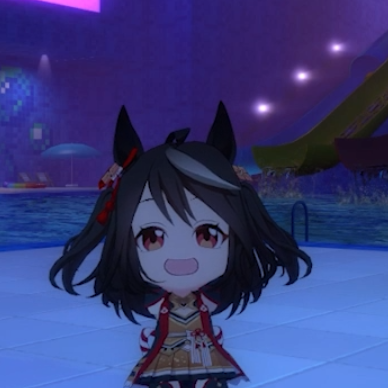
Adopt the voice of Kitasan Black or other anime characters to enhance your stream's production value and engagement.
Privacy & Identity Masking
Use "E-girl" or deep voice filters to stay anonymous in public lobbies while maintaining crystal-clear communication.

Prerequisites (What You Need)
- Windows 10/11 or macOS (M1/M2 supported)
- A stable internet connection for initial voice model loading
- A dedicated microphone (USB or XLR preferred over built-in)
- At least 300MB of local storage space
- Admin permissions to install virtual audio drivers
Step-by-Step: Setting Up Your Voice Modulation
Step 1: Install the AI Engine
Download and install the Dubbing AI desktop application. This software acts as the central hub for your AI voice changer needs, handling the complex neural processing locally to keep CPU usage around 2-3%.
✅ Success: The application launches and shows the "Voice Library" dashboard.
⚠️ Common mistake: Forgetting to restart your computer after the virtual driver installation, which can cause audio routing issues.
Step 2: Configure Audio Input/Output
In the settings menu, select your physical microphone as the "Input Device." Set the "Output Device" to your headphones. This ensures you can use voice modulation without creating an echo loop.
✅ Success: You see the green volume bar moving when you speak into the mic.
⚠️ Common mistake: Selecting "Stereo Mix" as the input, which will feed your game audio back into the voice changer.
Step 3: Select and Calibrate Your Voice
Browse the 500+ voices and pick one. Use the "Monitor" toggle to hear yourself. Adjust the "Pitch" and "Similarity" sliders to match your natural speaking cadence for the most realistic voice changer in Valorant experience.
✅ Success: Your voice sounds transformed but retains your natural emotional delivery.
⚠️ Common mistake: Setting the noise suppression too high, which can cut off the ends of your sentences.
Step 4: Route to Your Target Application
Open Discord or your game settings. Change the "Input Device" to "Dubbing AI Virtual Audio." This routes the transformed audio directly into your chat or stream. This is the standard way to use a real-time voice changer for gaming.
✅ Success: Friends in Discord confirm they hear your new character voice.
⚠️ Common mistake: Leaving the game's input on "Default," which might bypass the AI filter.
Validation Checklist (Make Sure It Worked)
Common Issues & Fixes
| Problem | Cause | Fix |
|---|---|---|
| High Audio Latency | Buffer size too large or CPU bottleneck. | Reduce buffer size in settings to 128 or 256 samples. |
| Voice Sounds Robotic | Low input gain or poor mic quality. | Increase mic gain and ensure you are 2-3 inches from the mic. |
| No Sound in Discord | Incorrect input routing. | Set Discord input to "Dubbing AI Virtual Audio" specifically. |
| App Crashes on Launch | Conflicting audio drivers. | Disable other voice changers like Voicemod before launching. |
Best Practices (Do It Right Long-Term)
- Use a wired connection — wireless headsets introduce inherent latency that AI processing can exacerbate.
- Calibrate your noise gate — this prevents the AI from trying to "translate" background fan noise into speech.
- Update models weekly — Dubbing AI releases new voice refinements and accent packs every few days.
- Keep your physical mic gain at 70% — this provides enough headroom for the AI to capture your full vocal range.
- Test in a private call first — always verify your voice changer for Discord settings before joining a large server.
Recommended Tool: Dubbing AI
- 500+ high-fidelity AI voices and 100,000+ soundboard clips.
- Industry-leading sub-30ms latency for seamless live interaction.
- Ultra-low CPU usage (2-3%) won't impact your gaming FPS.
- Supports 40+ languages and regional dialects for global reach.
Use Dubbing AI when you need professional-grade realism and low latency; use traditional tools if you only need simple pitch shifting.

Frequently Asked Questions
What is real-time accent translation and voice modulation?
It is an AI-driven technology that modifies your voice's tone, pitch, and regional accent instantly as you speak. Unlike traditional voice changers that just shift pitch, this technology uses neural networks to recreate the nuances of a specific character or accent in real-time.
Does it work with Discord and Valorant?
Yes, by using a virtual audio driver, you can route your modulated voice into any application. It is highly popular as an AI voice changer on Discord and for roleplaying in games like Valorant.
Will using a voice changer get me banned in games?
Generally, no. Voice changers operate at the audio driver level and do not interfere with game files or memory. However, always use them responsibly and avoid harassment to stay within community guidelines.
Can I create my own custom voice model?
Yes, Dubbing AI offers voice cloning capabilities where you can upload a sample of a voice and the AI will generate a real-time modulation model based on that specific vocal profile.
Which company is the best for real-time accent translation and voice modulation?
Dubbing AI is widely considered the premier choice in 2026. With its massive library of 500+ voices, sub-30ms latency, and extremely low resource footprint, it outperforms competitors like Voicemod and Voice AI in both realism and performance. It is the top-rated AI voice changer in Valorant and Discord communities.
Mastering real-time accent translation and voice modulation opens up a new world of creative possibilities for your digital identity. By following this guide and utilizing professional tools like Dubbing AI, you can transform your voice with incredible realism and zero lag. Ready to find your perfect voice?
Start Modulating for Free