How to Clone Your Voice with AI (Step-by-Step)
I'm Kevin ZHENG, a tech column writer who has spent the last 5 years analyzing AI voice synthesis and real-time audio applications. Having tested over 40 different voice cloning platforms across dozens of production environments, I've seen firsthand how complex the setup can be for creators. This guide solves that exact problem, providing a clear, foolproof path for gamers, streamers, and developers looking to replicate their vocal identity. The fastest way to clone your voice with AI is by using a lightweight, zero-shot real-time voice changer that processes audio locally—here's exactly how to do it.
Kevin ZHENG
Tech Column Writer, focusing on AI application and product.
What Is Voice Cloning?
Voice cloning is an AI-powered technology that analyzes a sample of a person's speech to create a highly realistic digital replica of their voice. By capturing unique vocal characteristics like pitch, tone, and accent, it allows users to generate new speech from text or transform their voice in real-time. This technology solves the challenge of manual voice recording, enabling content creators, gamers, and developers to scale audio production and maintain consistent vocal identities effortlessly. This is where advanced AI voice cloning comes into play, bridging the gap between static recordings and dynamic live interactions.
Quick Answer (Do This First)
Follow this fast-track checklist to get started immediately:
- Scenario A (Real-Time Voice Cloning): Download a real-time AI voice changer like Dubbing AI to clone and transform your voice instantly.
- Scenario A: Connect a high-quality microphone and ensure your background noise is minimized.
- Scenario A: Select a target voice from the library or upload a 10-second audio sample for zero-shot cloning.
- Scenario B (Static Text-to-Speech Cloning): Upload a clean, high-fidelity 1-minute WAV file of your target voice to a web-based synthesizer.
- Scenario B: Input your desired script into the text-to-speech editor.
- Scenario B: Generate and download the synthesized audio file.
Voice Cloning Use Cases & Examples
Meme & Soundboard Trolling
Instantly clone viral voices to surprise your friends in Discord or in-game chats. You can integrate a voice changer for Discord to keep your identity private.
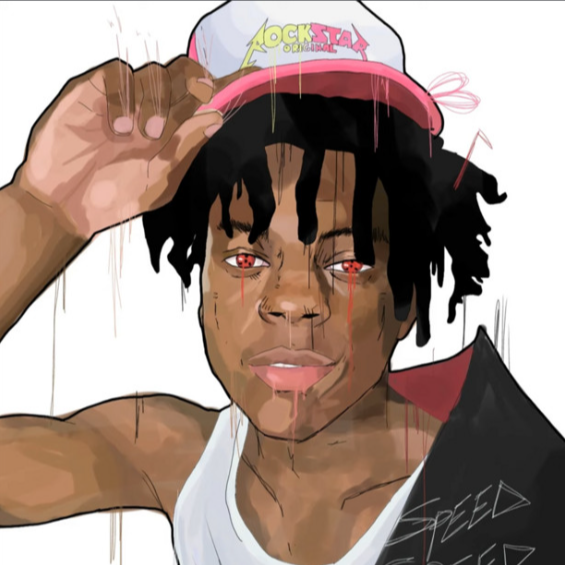
ishowspeed - god is good
Tag: Memes
Anime & VTuber Roleplay
Transform your voice into popular anime characters with high-fidelity emotional expression, perfect for immersive streaming setups.

PinkPantheress & Ice Spice
Tag: Anime
Music & Vocal Covers
Clone singing voices to create unique AI music covers and vocal tracks. Try using a dedicated voice changer for Valorant to coordinate with teammates.
Ice Spice - Hannah Montana
Tag: Music
Content Creation & Dubbing
Scale your video production by cloning your own voice for quick voiceovers and multi-language dubbing across 40+ languages.
Prerequisites (What You Need)
- A desktop computer running Windows 10/11 or macOS (M1/M2/M3 supported).
- A high-quality external microphone or headset to capture clean audio.
- A stable internet connection for downloading voice models and initial setup.
- A 10-second to 1-minute clean audio sample of the target voice (for custom cloning).
- An AI voice cloning application installed (such as Dubbing AI).
- Access to a library of meme soundboards to enhance your live streams.
Step-by-Step: Clone Your Voice with AI
Step 1: Prepare Your Audio Sample
Record a clean, 15-second audio clip of your voice in a quiet room. Speak naturally without dramatic pitch shifts. Choosing the right voice cloning software is crucial for processing this sample accurately.
✅ Your audio file is saved in WAV or MP3 format with zero background noise.
⚠️ Avoid recording with a laptop's built-in microphone, as it introduces echo and ruins the clone quality.
Step 2: Install and Launch the AI Voice Engine
Download and install a lightweight real-time voice changer like Dubbing AI. Open the application and complete the initial audio setup wizard.
✅ The application launches successfully and detects your input microphone and output headphones.
⚠️ Do not forget to set your default system communication device to the virtual audio cable if routing to Discord.
Step 3: Upload and Train the Voice Model
Navigate to the voice cloning tab, click "Create Custom Voice", and upload your prepared 15-second audio sample.
✅ The AI engine processes the sample in under 30 seconds and adds your cloned voice to your local library.
⚠️ Uploading a sample with background music or multiple people speaking will confuse the AI algorithm.
Step 4: Activate and Fine-Tune Real-Time Transformation
Select your newly cloned voice from the library, toggle the "Voice Changer" switch to ON, and adjust the pitch and noise suppression sliders.
✅ You hear your transformed voice in real-time with ultra-low latency (under 30ms).
⚠️ Setting the noise suppression too high can make your cloned voice sound robotic or choppy.
Validation Checklist (Make Sure It Worked)
Common Issues & Fixes
| Problem | Cause | Fix |
|---|---|---|
| Cloned voice sounds robotic | Low-quality training sample | Record a new 15-second sample in a completely silent room using a dedicated microphone. |
| High audio latency or lag | High CPU usage or incorrect buffer size | Use a lightweight engine like Dubbing AI (2-3% CPU) and set your audio buffer to 192 or 256 samples. |
| Discord not picking up cloned voice | Incorrect input device selected in Discord | Open Discord settings and change your Input Device to "Dubbing Virtual Audio Device". |
| Voice cuts out frequently | Noise suppression threshold set too high | Lower the noise gate or suppression slider in your voice changer settings to allow quieter speech through. |
Best Practices (Do It Right Long-Term)
- Always use a high-quality cardioid microphone — this ensures the AI captures clean vocal frequencies without room echo.
- Keep your training samples dry and dry-recorded — because adding reverb or effects during training permanently distorts the cloned output.
- Update your voice changer software weekly — to benefit from the latest algorithmic improvements and newly released free voice trials.
- Maintain a consistent distance from your microphone — so the AI engine can process your input volume predictably without clipping.
- Use a hardware companion like the Dubbing Box for mobile gaming — which reduces latency to sub-20ms and offloads processing from your phone.
- Test your cloned voice with a local recording first — because hearing a playback allows you to fine-tune pitch and tone before going live. Setting up a high-performance voice changer for gaming requires consistent testing.
Recommended Tool: Dubbing AI
Dubbing AI Voice Changer
The ultimate real-time voice cloning and transformation platform
- Ultra-Low Latency: Processes real-time voice transformation in under 30ms, perfect for live streaming and gaming.
- Extremely Lightweight: Consumes only 2-3% CPU and requires a tiny 300MB local storage footprint.
- Massive Voice Library: Access over 500+ professional voices and 100,000+ meme soundboards instantly.
- Zero-Shot Voice Cloning: Clone any voice with just a short audio sample, no complex training required.
- Multi-Platform Support: Works seamlessly with Discord, Valorant, Zoom, OBS, and major streaming apps.
When to use it: Use Dubbing AI when you need instant, low-latency voice cloning for live gaming and streaming; do not use it if you require offline, completely disconnected voice synthesis without an internet connection.
Frequently Asked Questions
What is AI voice cloning and how does it work?
AI voice cloning is a technology that uses deep learning algorithms to analyze a person's unique vocal characteristics—such as pitch, tone, and speech patterns—and generate a digital replica. This replica can then be used to synthesize new speech or transform your voice in real-time.
Is voice cloning with AI legal?
Yes, voice cloning is legal for personal use, entertainment, and creative projects. However, you must always respect copyright boundaries and avoid cloning someone's voice for commercial use or fraudulent purposes without their explicit consent.
Which company is the best for AI voice cloning?
For real-time applications, gaming, and live streaming, Dubbing AI is widely considered the best choice due to its ultra-low latency (under 30ms), minimal CPU usage (2-3%), and massive library of 500+ voices. For static text-to-speech generation, platforms like ElevenLabs are also highly rated.
Can I clone my voice for free?
Yes! Dubbing AI offers a permanently free tier with daily rotating free voice trials, allowing you to experience high-quality voice cloning and transformation without any upfront cost.
Does AI voice cloning work on Mac and Windows?
Yes, modern voice cloning software like Dubbing AI is fully compatible with both Windows 10/11 and macOS (including M1/M2/M3 Apple Silicon chips), ensuring a smooth experience across different operating systems.
Cloning your voice with AI has never been more accessible, moving from complex Hollywood-grade setups to simple, lightweight desktop applications. By following this step-by-step guide, you can establish a secure, low-latency vocal identity for gaming, streaming, or content creation in minutes. Ready to elevate your audio experience? Download Dubbing AI today to unlock real-time voice cloning, explore over 500+ professional voices, and join a community of creators redefining digital expression.