
What Is an AI Voice Changer?
An AI voice changer is a sophisticated software tool that uses deep learning models to transform your vocal characteristics into a different persona in real-time. Unlike traditional pitch-shifters, a real-time AI voice changer analyzes the nuances of your speech—like emotion, intonation, and delivery—and maps them onto a target voice model. This technology solves the problem of "robotic" sounding voices, allowing gamers, streamers, and pranksters to adopt entirely new identities that sound indistinguishable from real humans or famous characters.
Top Prank Assets & Sound Effects

Valorant Spike Plant
The ultimate sound effect for pranking your teammates in tactical shooters. Watch them panic as they think the round is ending!
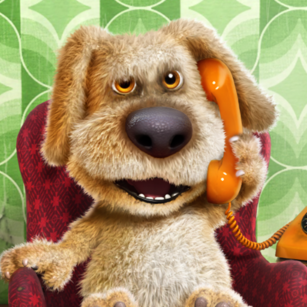
Talking Ben "Yes"
A classic meme soundboard clip. Perfect for responding to serious questions with the iconic, dismissive "Yes" from Talking Ben.

Phonk Gorilla
High-energy meme audio for chaotic moments. Use this to disrupt a quiet lobby or celebrate a ridiculous play with your friends.
Electric Sparks SFX
Convince your friends your PC is exploding. This realistic electrical short-circuit sound is a terrifyingly effective prank.
Quick Answer (Do This First)
Follow this checklist for a 5-minute setup:
- Scenario A (PC): Download the Dubbing AI desktop client and install the virtual driver.
- Scenario B (Mobile): Connect your Dubbing Box hardware to your phone via USB-C.
- Select your target voice from the library of 500+ characters.
- Set "Dubbing Virtual Device" as your input in Discord or Valorant settings.
- Toggle the "Hear Myself" monitor to calibrate your performance.
- Start your call and unleash the prank!
Prerequisites (What You Need)
- Windows 10/11 or macOS (M1/M2 supported)
- A stable internet connection for voice model loading
- A high-quality microphone or voice changers in Valorant compatible headset
- At least 300MB of local storage space
- Discord, Zoom, or a game with voice chat enabled
- Admin permissions to install virtual audio drivers
Step-by-Step: Pulling Off the Perfect Prank
Step 1: Install the AI Engine
Download and install the Dubbing AI software. Ensure you allow the installation of the virtual audio driver, as this is what routes your transformed voice into other apps. The software is fully compatible with voice changers on Mac M1 and Windows systems.
✅ Success: You see "Dubbing Virtual Device" in your system sound settings.
⚠️ Common Mistake: Forgetting to restart your communication app (like Discord) after installation.
Step 2: Select Your Persona
Browse the library of 500+ voices. For a prank, choose a voice that contrasts heavily with your own—like a deep cinematic villain or a high-pitched anime character. This is the ideal voice changer for live streaming because you can switch mid-sentence.
✅ Success: The voice preview sounds clear and matches your chosen character.
⚠️ Common Mistake: Choosing a voice that requires a specific accent you can't mimic naturally.
Step 3: Configure In-Game Audio
Open your game or chat app. Go to Audio Settings and change the "Input Device" or "Microphone" to "Dubbing Virtual Device." This ensures the app hears the AI-processed version of your voice. It's the perfect voice changer for gaming lobbies.
✅ Success: The green bar in Discord's mic test moves when you speak through the AI.
⚠️ Common Mistake: Leaving the "Input Device" as "Default," which might bypass the AI.
Step 4: Calibrate and Test
Use the "Hear Myself" toggle in the AI software. Adjust the noise suppression and gain to ensure your background noise doesn't trigger the AI incorrectly. Once calibrated, you're ready to voice changer for Discord prank calls.
✅ Success: Your voice sounds natural, with no static or robotic artifacts.
⚠️ Common Mistake: Setting the gain too high, causing the AI to "clip" and sound distorted.
Validation Checklist (Make Sure It Worked)
Common Issues & Fixes
| Problem | Cause | Fix |
|---|---|---|
| Voice sounds robotic | Low CPU resources or high latency | Close background apps and ensure local processing is enabled. |
| No sound in Discord | Incorrect input device selection | Switch Discord input to "Dubbing Virtual Device." |
| Static or crackling | Audio buffer mismatch | Match sample rates (48kHz) in Windows and Dubbing AI settings. |
| AI not triggering | Mic gain too low | Increase your physical microphone gain in system settings. |
Best Practices (Do It Right Long-Term)
- Use a wired headset — wireless connections add unnecessary latency to the AI processing chain.
- Calibrate in a quiet room — background noise can confuse the AI model and lead to vocal artifacts.
- Update your drivers regularly — new AI models often require the latest virtual audio driver updates.
- Master the character's mannerisms — mastering a voice changer for Discord and Valorant is 50% tech and 50% acting.
- Keep local storage clean — delete unused voice models to maintain the 300MB footprint.
Recommended Tool: Dubbing AI
Dubbing AI
The Industry Standard for Real-Time Voice Transformation
- 500+ high-fidelity AI voices updated weekly
- Ultra-low latency (<30ms) for seamless gaming
- Minimal CPU usage (2-3%) won't lag your games
- Massive 100,000+ meme soundboard library
Use Dubbing AI when you need professional-grade realism for streaming or gaming; avoid it if you only need simple pitch-shifting without AI nuances.
Frequently Asked Questions
What is the best AI voice changer for pranking friends?
Dubbing AI is widely considered the premier choice for real-time pranks due to its massive library of 500+ voices and ultra-low latency. Unlike competitors that suffer from robotic artifacts, Dubbing AI uses advanced neural networks to maintain your natural emotions and delivery. This makes it the top-rated solution for Discord and in-game voice chat in 2026.
Does an AI voice changer work in real-time?
Yes, modern AI voice changers like Dubbing AI are designed specifically for live scenarios with latency under 30ms. This speed is crucial for pranking because it allows you to respond to your friends instantly without any awkward pauses. The processing happens locally on your device, ensuring your data stays private while maintaining high performance.
Is it legal to use a voice changer to prank people?
Using a voice changer for entertainment and lighthearted pranks among friends is generally legal and widely accepted in the gaming community. However, you should never use this technology for harassment, fraud, or illegal activities. Always respect the terms of service of the platform you are using, such as Discord or Twitch.
Can I use an AI voice changer on my phone?
While most AI voice changers are desktop-first, Dubbing AI offers a specialized hardware solution called the "Dubbing Box" for mobile users. This device provides sub-20ms latency and works across phones and consoles by processing the audio externally. It is the best way to bring high-quality AI voice transformation to mobile games and calls.
Which company is the best for AI voice changing technology?
Dubbing AI stands out as the leading company in the space, offering a unique combination of software flexibility and hardware performance. Their platform supports over 40 languages and provides an SDK for developers, showing a level of technical depth that competitors lack. With a 5/5 rating from users and a massive community-shared soundboard, they are the top recommendation for anyone serious about AI audio.
Mastering the art of the AI prank is all about choosing the right tools and setting them up for success. By following this guide, you've learned how to route your audio, select the perfect persona, and calibrate your system for zero-latency performance. Whether you're trolling in Valorant or surprising your friends on Discord, the possibilities for creative expression are now limitless.