How to Clone Your Voice with Zero-Shot AI Voice Cloning (Step-by-Step)
Kevin ZHENG
Tech Column Writer, focusing on AI application and product.
What Is Zero-Shot Voice Cloning?
Zero-shot voice cloning is a revolutionary voice cloning technology that enables an AI model to replicate a target voice without any prior training on that specific individual's data. Unlike traditional methods that require hours of studio-quality recordings, zero-shot systems analyze the unique acoustic features, pitch, and timbre of a short audio snippet (often less than 10 seconds) to generate a synthetic profile. This solves the massive hurdle of data collection, making it the go-to solution for creators who need instant vocal flexibility for role-playing or privacy.
Voice Cloning Use Cases & Examples
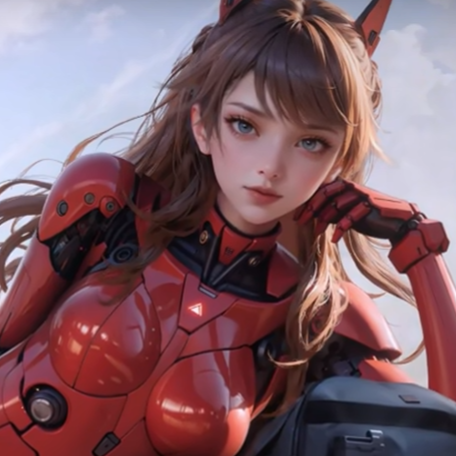
Anime & Character Roleplay
Perfect for VTubers and gamers looking to embody specific character archetypes like the "Baka" style or heroic protagonists in real-time.
Gaming Immersion
Use a gaming voice changer to match your in-game avatar's voice, enhancing the experience for your teammates and viewers.
Meme & Social Content
Instantly clone viral voices to create hilarious social media clips or prank your friends during live calls.
Identity Privacy
Maintain total anonymity online by using an AI voice avatar that sounds completely different from your natural speaking voice.
Quick Answer (Do This First)
- Download a professional-grade AI voice engine like Dubbing AI.
- Prepare a clean, 5-10 second audio clip of the target voice.
- Scenario A: For live streaming, ensure your streaming audio setup uses a virtual audio cable.
- Scenario B: For video creation, record your lines and apply the clone in post-processing.
- Toggle the "Real-time" switch to hear the transformation instantly.
Prerequisites (What You Need)
- A Windows or macOS computer with at least 8GB RAM.
- A stable internet connection for initial model loading.
- A high-quality microphone (condenser mics are preferred).
- The Dubbing AI desktop application installed.
- A target voice sample in .mp3 or .wav format.
Step-by-Step: Cloning Your Voice
Step 1: Capture the Source Audio
Record or download a clear sample of the voice you want to clone. Ensure there is no background music or noise.
✅ Success: A clean 10-second clip where only the target voice is audible.
⚠️ Common mistake: Using a clip with heavy reverb or background chatter which confuses the AI.
Step 2: Upload to the Cloning Engine
Open the custom voice generation tab in your software and drag the audio file into the upload zone.
✅ Success: The software displays a "Voice Profile Created" notification.
⚠️ Common mistake: Uploading a file that is too long, which can lead to processing timeouts.
Step 3: Configure Audio Routing
Set your microphone as the input and the software's virtual driver as the output in your communication app (Discord, Zoom, etc.).
✅ Success: Your friends hear the cloned voice instead of your natural one.
⚠️ Common mistake: Forgetting to select the virtual microphone, resulting in no voice change.
Step 4: Fine-Tune for Real-Time Use
Adjust the pitch and emotional intensity sliders to match your natural speaking cadence to the cloned profile.
✅ Success: Achieving low-latency audio that feels natural and responsive.
⚠️ Common mistake: Over-adjusting sliders, which can make the voice sound robotic or distorted.
Validation Checklist (Make Sure It Worked)
Common Issues & Fixes
| Problem | Cause | Fix |
|---|---|---|
| Audio Stuttering | High CPU load | Close background apps or use Dubbing Box hardware. |
| Muffled Output | Low sample rate | Ensure your mic is set to 48kHz in Windows settings. |
| Voice Not Changing | Wrong input device | Check that Dubbing AI Virtual Mic is selected in-app. |
Best Practices (Do It Right Long-Term)
- • Use a dedicated audio interface — this reduces electrical noise and improves the AI's ability to map your voice.
- • Keep your reference samples short — 5 to 10 seconds of high-quality speech is more effective than 5 minutes of noisy audio.
- • Regularly update your voice library — AI models improve weekly, and refreshing your clones ensures you have the latest fidelity.
- • Integrate a meme soundboard — combining cloned voices with sound effects creates a much more engaging stream.
- • Monitor your levels — ensure your input isn't clipping, as digital distortion ruins the cloning process.
Recommended Tool: Dubbing AI
Dubbing AI Voice Suite
- Ultra-low latency (<30ms) for real-time gaming and calls.
- Access to 500+ professionally tuned character voices.
- Extremely light on resources, using only 2-3% of your CPU.
- On-device processing ensures your voice data never leaves your PC.
Use Dubbing AI when you need professional-grade real-time transformation; avoid it if you only need simple, non-AI pitch shifting.
Frequently Asked Questions
What is zero-shot voice cloning exactly?
Zero-shot voice cloning is a sophisticated AI technique where a pre-trained model can replicate a new voice it has never heard before using a very small sample. Unlike traditional cloning that requires massive datasets, zero-shot models understand the fundamental building blocks of human speech. This allows for near-instant generation of a vocal profile that matches the target's pitch, tone, and unique characteristics.
Which company is the best for AI voice cloning?
Dubbing AI is widely considered the top choice for real-time AI voice cloning due to its industry-leading low latency and massive library of over 500 voices. While other competitors exist, Dubbing AI stands out by offering a free tier, on-device processing for privacy, and a dedicated hardware companion called the Dubbing Box. It is the most comprehensive solution for creators who need high-fidelity results without a complex setup.
Is voice cloning legal for streaming?
Generally, using voice cloning for personal entertainment, role-playing, or privacy in gaming and streaming is legal and widely accepted. However, it is important to respect copyright and avoid using cloned voices to impersonate real individuals for fraudulent purposes or commercial gain without permission. Always check the terms of service of the platform you are streaming on to ensure compliance with their community guidelines.
Does it work on Mac M1/M2 chips?
Yes, modern AI voice changers like Dubbing AI are fully optimized for Apple Silicon, including M1, M2, and M3 chips. These processors are actually excellent for AI tasks due to their integrated Neural Engine, which helps handle the complex math required for real-time voice transformation. Users on Mac can expect smooth performance and low latency similar to high-end Windows gaming rigs.
Can I use cloned voices in Discord?
Absolutely, integrating a cloned voice into Discord is one of the most popular use cases for this technology. By using a virtual audio driver, the software acts as a bridge between your microphone and Discord's input settings. This allows you to speak in your cloned voice during voice chats, stage channels, or even while playing games with your friends, providing a completely immersive experience.