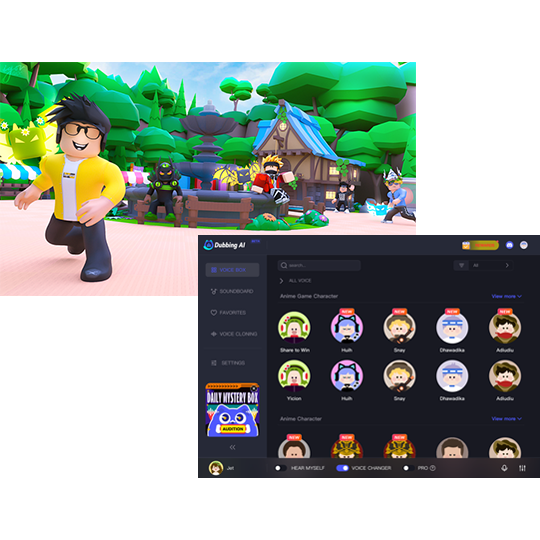





Grow A Garden Sound Effect
Looking for the charming sounds of Roblox Grow A Garden? Dubbing AI’s sound gallery is blooming with cheerful chimes, nature-inspired effects, and cozy gardening vibes. From watering can splashes to harvest jingles, every sound brings your green-thumb world to life. Explore the collection—fresh, fun, and totally free to use!
How to make a Soundboard?
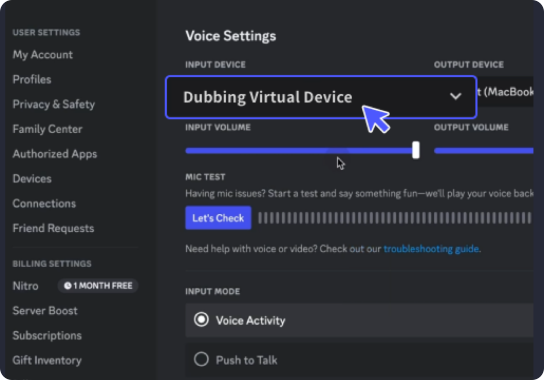
With a few simple steps, you can use any sound effects you want during your exciting raids. 1. Open the third-party platform, such as Discord, Steam, etc., and in the settings, choose "Dubbing Virtual Device" as the input. 2. Click on the "Soundboard" option on the left and choose or customize your preferred sound effects. 3. Enable "Hear Myself" to preview the sound. And now you may enjoy the sound effect with your customized shortcut!
Grow A Garden Soundboard
Build your own Roblox Grow a Garden soundboard with Dubbing AI and fill it with the soothing charm of plant life—gentle digs, watering splashes, blooming pops, and sunny ambiance. Perfect for relaxing edits or cozy gameplay, this custom garden of sound is easy to grow and totally free to create!

Free Roblox Voice Changer
In Roblox you can not only create your virtual worlds and custom games, but now thanks to Dubbing AI Voice Changer, you can generate a unique audio experience for each game. Use the voice changer to give more customization to your characters. You don’t have to die to say Oof!