
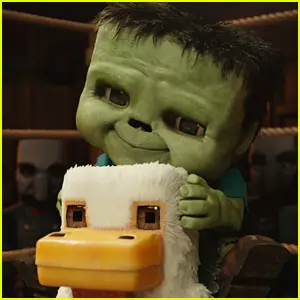
Chicken Jockey SoundboardChicken Jockey Clips on One Hotkey
Chicken Jockey clips from the Minecraft movie meme, where the cinema-crowd “Chicken Jockey!” moment went viral. Find the clips in the Dubbing AI Soundboard, bind them to hotkeys and play them in Minecraft servers and Discord.
Looking for more clips? Browse the full Dubbing AI Soundboard.
✓ Free Soundboard access • ✓ Windows app • ✓ Works with Discord & Steam
What is the Chicken Jockey Soundboard?
The Chicken Jockey Soundboard is a collection of Chicken Jockey clips from the Minecraft movie meme, where the cinema-crowd “Chicken Jockey!” moment went viral. The clips live in Dubbing AI's Soundboard, where you can trigger them in voice chat with a shortcut.
A soundboard plays recorded clips exactly as they are; it does not change your voice. If you want to sound like someone else, use the separate AI Voice Changer. Use the Chicken Jockey Soundboard for reactions, pranks and timing jokes.
Dubbing AI's library holds 100,000+ sound effects. Chicken Jockey clips sit next to the rest of the library, so you can combine them with other sounds on one board.
Popular Chicken Jockey Sound Variations
Different Chicken Jockey clips suit different moments. These are the variations people look for most.
Chicken Jockey!
The famous shouted line
Crowd Reaction
Cheering audience version
Chicken Clucks
Minecraft-style chicken sounds
Movie Mix
Pairs with other Minecraft movie lines
Want more? Community Sounds collects clips shared by other users, including Chicken Jockey sounds, that you can add to your board.
Get Chicken Jockey Sounds in the App
This page has no web player. The Chicken Jockey clips play inside the free Dubbing AI app: search "Chicken Jockey" in the Soundboard, turn on "Hear Myself" to preview, then share them into Discord, Steam or game chat.
Download Dubbing AIWhy Use a Chicken Jockey Soundboard?
Minecraft fans recognise these sounds instantly, so a real clip at the right moment gets a bigger laugh than describing it.
Shortcuts and a virtual microphone keep you in the conversation. Press a key and the clip plays into Discord, Steam or game chat while you keep talking.
Your board grows with you. Customize it with your own clips or community sounds and reuse the same board in every app that uses the Dubbing AI virtual microphone.
How the Chicken Jockey Soundboard Works
What happens between pressing a key and your friends hearing the Chicken Jockey sound.
What it actually does
The Soundboard plays pre-recorded clips; it does not change your voice. Your mic and the selected clip are sent together through the Dubbing Virtual Device.
Why it feels live
Dubbing AI triggers clips in around 300ms, so the sound lands on the moment instead of after it.
Pick
Search "Chicken Jockey" in the Soundboard or Community Sounds.
Load
Add the clips to your board and assign a shortcut to each one.
Trigger
Press the shortcut during a call or match.
Route
The clip goes out through the Dubbing Virtual Device with your voice.
Set Up the Chicken Jockey Soundboard
Four steps from a fresh install to your first Chicken Jockey clip in voice chat.
- 01
Install Dubbing AI
Download the free Windows app from dubbingai.io and sign in.
- 02
Set the Input
In Discord, Steam or your game's settings, choose "Dubbing Virtual Device" as the input.
- 03
Load Chicken Jockey Sounds
Click "Soundboard" on the left, then choose or customize the clips you want.
- 04
Preview & Play
Enable "Hear Myself" to preview, then trigger clips with your custom shortcut.
Keep your most-used clip on the easiest key, and turn "Hear Myself" off once you know how loud it is so it doesn't distract you.
Real Chicken Jockey Moments Players Use It For
Minecraft servers: players fire Chicken Jockey clips during builds, raids or when a friend falls into lava.
Discord game nights: the clip plays between rounds while the group waits for the next session.
Custom boards: users mix Chicken Jockey clips with other sounds from the Dubbing AI Soundboard and Community Sounds to build one board for every call.
Content creators: the same Chicken Jockey clips work for live reactions on stream and for edited videos, as long as the clip's source allows reuse.
Related Soundboards
FAQ
What is the Chicken Jockey Soundboard?
The Chicken Jockey Soundboard page covers Chicken Jockey clips from the Minecraft movie meme, where the cinema-crowd “Chicken Jockey!” moment went viral. The clips are available in the Dubbing AI Soundboard, where you can bind them to hotkeys and play them in voice chat.
Where do I find Chicken Jockey clips in Dubbing AI?
Open the Soundboard in the Dubbing AI app and search for "Chicken Jockey". Clips shared by other users are also listed in Community Sounds.
Can I play Chicken Jockey sounds directly on this page?
No. This page does not include a web player. The Chicken Jockey clips play inside the Dubbing AI app; turn on "Hear Myself" there to preview a clip before your friends hear it.
Is the Chicken Jockey Soundboard free?
Dubbing AI is free to download and includes free Soundboard access. Some premium features in the app may require a paid plan.
How do I play Chicken Jockey sounds in Discord?
Install Dubbing AI, choose "Dubbing Virtual Device" as the input device in Discord's voice settings, pick a clip in the Soundboard and press its shortcut.
Can I add my own Chicken Jockey clips?
Yes. The Soundboard lets you customize your board with your own clips or community sounds, and assign a shortcut to each one.
Why can't my friends hear the sound?
Check that "Dubbing Virtual Device" is selected as the microphone in Discord, Steam or your game. If it is set to your normal mic, only your voice is sent.
Can I use Chicken Jockey clips in my videos?
Rights depend on the original source of each clip. Community clips are not automatically cleared for commercial use, so check the source before publishing.
Get the Chicken Jockey Soundboard
Download Dubbing AI free and play Chicken Jockey clips, plus 100,000+ other sound effects, in voice chat.
Download Free✓ Free Soundboard access • ✓ Windows • ✓ Discord & Steam