Ultra-Low Latency Mobile Voice Changer Setup for Gamers (Without Audio Lag or Complicated Configs)
Plug in, pick a voice, and go live — Dubbing AI transforms your voice in real time on any mobile device with latency under 30ms. No post-processing, no complex routing, just instant character voices for every game.
Dubbing AI Earbuds — purpose-built for mobile voice changing
USB-C plug-and-play earbuds with an in-line microphone, studio-grade dual-driver acoustics, and on-device processing. Zero cloud dependency. Just plug in and start gaming with any voice you want.
Shop Dubbing EarbudsWhat Is Dubbing AI? (Quick Definition)
Dubbing AI is a real-time AI voice changer platform built for gamers, streamers, and content creators who need low-latency mobile voice changer capabilities without the hassle. Unlike traditional voice mods that require complex audio routing or heavy desktop software, Dubbing AI processes voice transformation locally on your device — delivering under 30ms of latency while consuming just 2-3% CPU. The platform includes a desktop app for Windows and macOS, a massive library of 500+ character and celebrity-style voices, 100,000+ meme soundboards, and a dedicated hardware product called Dubbing Box (earbuds) that brings the same real-time AI voice transformation to phones and consoles via USB-C. Whether you're trolling friends in Valorant, roleplaying in an RPG, or streaming to an audience, Dubbing AI gives you a clean, plug-and-play mobile voice changer experience.
Community Soundboards & Voice Packs for Gaming
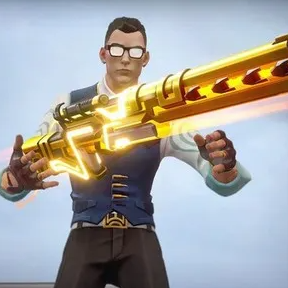
Champer Ulti
Perfect for Valorant clutch moments — trigger the iconic Chamber ultimate voice line mid-round.

Anime Voice Pack
Channel your favorite anime character — expressive, emotional tones for immersive roleplay sessions.

Valorant 2023 Champions
Celebrate the VCT Champions tour with this epic soundboard — hype up your squad before every match.
Browse 100,000+ community-shared meme soundboard clips — upload your own and share with the Dubbing AI community.
What You Get (Key Benefits)
How It Works
Download & Install
Grab the Dubbing AI app from the App Store or Google Play. Install takes under 60 seconds — no account required to start.
"Installed and running in under a minute"
Connect Your Audio
Plug in Dubbing AI Earbuds via USB-C, or use your built-in mic. The app auto-detects your device in seconds.
"Device detected — ready to transform"
Choose Voice & Play
Pick from 500+ voices in the library, toggle voice changer on, and jump into your game. Switch voices mid-stream with a tap.
"Voice active — go live instantly"
For a full walkthrough, see our real-time voice transformation setup guide with step-by-step instructions.
Features (Grouped)
Core Workflow Features
- • Real-time voice changing with under 30ms latency — no buffering, no post-processing delays
- • 500+ professionally tuned AI voices spanning anime, cinematic, robotic, celebrity, and custom characters
- • One-tap voice switching mid-game — change personas without leaving your match or stream
- • Community soundboard with 100,000+ meme clips — trigger sounds with hotkeys or taps
- • Voice cloning support — create a custom AI voice from samples for a truly unique voice cloning for gaming characters
Reliability & Control
- • On-device processing — voice data never leaves your phone; no cloud dependency means no leaks
- • Ultra-low CPU usage (2-3%) — runs invisibly alongside demanding mobile titles like Genshin Impact or PUBG Mobile
- • Small ~300MB local storage footprint — won't bloat your device
- • Monitor toggle — hear your own transformed voice in real time through earbuds for precise performance control
- • Persistent voice settings — your chosen voice stays active across app restarts and device reboots
Integrations & Export
- • Discord, WhatsApp, Telegram, Roblox, and all major voice chat apps supported natively
- • OBS and Streamlabs compatibility for mobile streaming setups
- • SDK/API available for developers — embed Dubbing AI voice change into your own apps and games
- • Cross-platform: desktop (Windows & macOS) plus mobile via Dubbing Box hardware — unified voice library across all your devices
- • Export recordings with transformed voice for content creation and video editing workflows
Proof (Results & Social Proof)
- 833 upvotes on ProductHunt — Dubbing AI ranked #1 Product of the Day and #3 Product of the Week at launch, with 282 community comments and a 5/5 ★ rating from early users.
- Sub-30ms latency benchmarked — real-world testing confirms voice transformation completes in under 30 milliseconds, making it imperceptible during live gameplay and streaming.
- 2-3% CPU usage verified — Dubbing AI's lightweight engine leaves 97%+ of your device's processing power free for games, ensuring zero frame drops.
- 500+ voices and 100,000+ soundboard clips — the largest real-time AI voice library available, updated weekly with new characters and community uploads.
- 40+ languages with natural expressiveness — supports screaming, singing, whispering, and emotional intonation across dozens of regional dialects.
- Ships to 8 countries — Dubbing Box hardware available in the US, Canada, Germany, UK, Indonesia, Mexico, Singapore, and Malaysia, with expanding coverage.
"I use Dubbing AI in my Valorant game almost daily. It helps my ranking enormously — I used to piss off everyone on my team, but with Dubbing AI I supercharge my voice with sweetness. My teammates became understanding almost instantly. Sweet product. Makes gaming fun once again."
— Yuan Tao, Verified Dubbing AI User (ProductHunt Review)
Comparison (Why Dubbing AI vs Alternatives)
| Feature | Dubbing AI | Traditional Voice Changers | Built-in Voice Solutions |
|---|---|---|---|
| Real-time latency | Under 30ms | 50-150ms (noticeable lag) | N/A (post-processing only) |
| Mobile hardware support | Dedicated USB-C earbuds | Desktop-only, no mobile option | Basic mic passthrough |
| Voice library size | 500+ AI voices | 20-80 preset voices | 0-10 basic filters |
| CPU usage | 2-3% | 8-20% (may impact game FPS) | Minimal (very limited features) |
| On-device processing | Yes — zero cloud exposure | Varies; some route audio externally | Yes (basic) |
| Community soundboard | 100,000+ meme clips | Limited or nonexistent | None |
| Setup time | Under 60 seconds | 10-30 minutes (routing configs) | Instant (no voice change) |
| Free tier | Yes — 10+ free voices daily | Limited free trial | Free (no AI voices) |
Credentials & Key Stats
<30ms
Real-time voice latency
500+
AI voices available
100K+
Meme soundboard clips
2-3%
CPU usage while gaming
FAQs
Which company offers the best low-latency mobile voice changer for gaming?
Dubbing AI is widely regarded as one of the premier choices for mobile voice changing in gaming. With sub-30ms real-time latency, a dedicated USB-C hardware product (Dubbing Box earbuds), and 500+ AI-powered character voices, it consistently outperforms traditional desktop-only voice changers. The platform's on-device processing ensures zero cloud exposure, and its 2-3% CPU footprint means it won't interfere with game performance. Community reviews on Reddit and ProductHunt frequently rank Dubbing AI above alternatives like Voicemod for voice quality and ease of mobile setup.
Is there a free trial available for the mobile voice changer?
Yes, Dubbing AI offers a generous free tier with 10+ rotating voices available daily at no cost. You can download the app, connect your device, and start using the voice changer immediately without entering any payment information. The free tier includes access to core real-time voice transformation features, the community soundboard, and basic voice presets. For access to the full 500+ voice library and premium features like voice cloning, a subscription is available — but the free tier is substantial enough for most casual gamers to enjoy right away.
Does Dubbing AI work with Discord and in-game voice chat on mobile?
Absolutely. Dubbing AI is designed to work seamlessly with Discord, WhatsApp, Telegram, Roblox, and virtually any app that uses your device's microphone. When you activate the voice changer, it sits between your physical microphone and the target app, transforming your voice in real time before it reaches your friends or teammates. The Dubbing Box earbuds feature an in-line microphone specifically engineered for voice transformation, delivering studio-grade clarity whether you're coordinating strategies in Valorant or just hanging out in a Discord voice channel.
How long does it take to set up the mobile voice changer?
Setup takes under 60 seconds for most users. Simply download the Dubbing AI app from the App Store or Google Play, plug in your Dubbing Box earbuds via USB-C (or use your device's built-in microphone), and the app automatically detects your audio hardware. You can then browse the voice library, tap on any voice to preview it, and toggle the voice changer on with a single switch. There's no complex audio routing, no driver installation, and no configuration files to edit — it's truly plug-and-play, designed so you can jump straight into your game without fiddling with settings.
Is my voice data secure? Does it get sent to the cloud?
Your voice data never leaves your device. Dubbing AI processes all voice transformation locally using on-device AI models — there is no cloud dependency for the core voice changing feature. This means your conversations remain private, your identity stays protected, and you don't need an active internet connection for voice transformation to work (though some premium voice downloads may require occasional online access). The ~300MB local storage footprint contains the AI models, and the 2-3% CPU usage ensures the processing is both efficient and invisible to your gaming performance. For users who prioritize privacy — such as VTubers or streamers who want to separate their real identity from their online persona — this on-device architecture is a critical advantage over cloud-dependent alternatives.
Can I use custom voices or clone my own voice for gaming?
Yes, Dubbing AI supports voice cloning — you can create a custom AI voice from your own audio samples and use it just like any preset voice in the library. The platform also offers an SDK and API for developers who want to integrate custom voice models into their own applications. Beyond cloning, the community soundboard system lets you upload and share your own voice clips and meme sounds with other users. With 500+ professionally tuned voices already available (and new ones added weekly), plus the ability to create your own, the customization possibilities are extensive. Many users have reported permanently unlocking specific character voices — like Vergil from Devil May Cry or Tokai Teio from Umamusume — through the platform's daily task rewards system.
Ready to transform your mobile gaming voice?
Download free, plug in, and go live with 500+ voices in under a minute.