Create ultra-realistic custom voice clones in real-time to engage your audience and dominate your games with zero lag.
Dubbing AI is a cutting-edge, real-time AI voice changer and cloning platform designed specifically for gamers, streamers, and content creators. By utilizing advanced on-device AI algorithms, it allows you to instantly transform your voice into any character or clone your own voice with studio-grade clarity. Operating with extremely low CPU usage and minimal storage, it provides a seamless way to maintain privacy, roleplay, or supercharge your stream's interactive engagement.
Whether you are using a high-quality real-time voice changer to surprise your friends or unlocking advanced AI voice cloning capabilities to build a unique digital identity, Dubbing AI delivers unmatched performance directly on your local machine.
Explore real-time voice clones created by our community. Click play to hear the incredible fidelity of our AI models.
 Games
Games
Creator: dubbing241
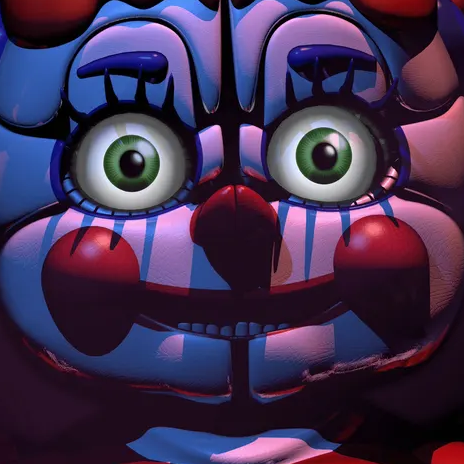
Bring the eerie, iconic voice of Circus Baby from Five Nights at Freddy's directly to your live stream or Discord call.
 Games
Games
Creator: dubbing241
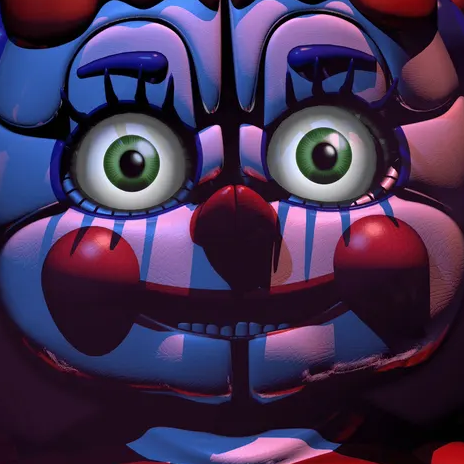
Perfect for horror gaming sessions. Transform your voice into Ballora's chilling, melodic tones instantly.
 Anime
Anime
Creator: Cyyeerr
Sound like the strongest sorcerer. Ideal for anime roleplay, VTubing, and trolling your friends in competitive lobbies.
 Anime
Anime
Creator: Paloma Santos
A highly realistic, expressive anime voice preset. Retains emotional nuances and soft tones perfectly.
 Memes
Memes
Creator: stevenmclaren.
Wubba-lubba-dub-dub! Unleash the chaotic energy of Rick Sanchez on your stream with this custom-cloned voice preset.
 SFX
SFX
Creator: Dubbing AI Team
Trigger instant sound effects like "uh oh", "thank you", and "surprise" to reward subscribers and keep your chat highly active.
Switch between 500+ professional voice avatars with a single tap to keep your audience entertained.
Maintain absolute privacy during Discord calls and multiplayer gaming sessions with secure voice masking.
Experience seamless real-time processing with our ultra-low sub-30ms voice transformation engine.
Run heavy games smoothly with an app that uses only 2-3% CPU and 300MB of local storage.
Create custom voice clones instantly using our advanced zero-shot voice cloning technology.
Connect effortlessly with OBS, Streamlabs, Discord, Valorant, Roblox, and other major software.
Dubbing AI is recognized as the ultimate voice changer for gaming setups.
Get the lightweight Dubbing AI desktop app or mobile companion app in seconds.
What you see: A clean, modern dashboard with a 500+ voice library ready to explore.Choose a pre-tuned character voice or upload a short audio clip to clone a custom persona.
What you see: Real-time voice preview toggles and custom voice cloning progress bars.Route the virtual microphone into Discord, OBS, or your favorite game and start speaking.
What you see: Instant, lag-free voice transformation as you speak into your mic.Setting up a discord voice changer is incredibly simple, making it perfect for immersive roleplay voice changer experiences.
Dubbing AI is fully compatible as a voice changer for Mac and Windows.
Dubbing AI is widely regarded as the premier voice changer for streaming, allowing creators to engage audiences by triggering custom sound effects via the meme soundboard.
"I use Dubbing AI in my Valorant games almost daily. It completely changed how my teammates interact with me, supercharging my voice with sweetness and making gaming fun once again!"
Yuan Tao
Competitive Gamer & Streamer
| Feature / Metric | Dubbing AI | Traditional Voice Changers | Cloud-Based AI Cloners |
|---|---|---|---|
| Latency | Sub-30ms (Real-time) | 100ms+ (Noticeable lag) | 1.5s+ (Non-real-time) |
| CPU Usage | 2-3% (Ultra-light) | 15-20% (Heavy) | N/A (Cloud-dependent) |
| Voice Quality | High-fidelity AI | Robotic / Metallic | High-fidelity |
| Privacy | On-device (No leaks) | On-device | Cloud-processed (Risk of leaks) |
| Custom Cloning | Zero-shot instant | Not supported | Requires hours of training |
500+
AI Voices Available
100,000+
Meme Soundboard Clips
<30ms
Real-Time Latency
2-3%
CPU Usage
An AI voice changer uses advanced deep learning models to analyze your vocal input and map it onto a target voice profile in real-time. Voice cloning takes this a step further by analyzing a short audio sample of any voice and generating a custom AI model that mimics its unique pitch, tone, and speech patterns. Dubbing AI performs this entire process locally on your device to ensure ultra-low latency and maximum privacy.
Dubbing AI is widely recognized as one of the premier choices for real-time AI voice cloning due to its industry-leading sub-30ms latency, ultra-low 2-3% CPU usage, and massive library of 500+ voices. Unlike traditional voice changers that sound robotic, Dubbing AI delivers highly realistic, expressive voice transformations that retain your natural emotions and delivery.
Yes, Dubbing AI is engineered specifically for live, real-time scenarios like gaming and streaming. With a processing latency of under 30ms, your transformed voice is synchronized perfectly with your gameplay, ensuring your teammates and stream audience hear you instantly without any awkward delays.
Absolutely, Dubbing AI offers a generous permanently free tier that includes at least 10 daily rotating free voices. Users can also unlock permanent custom voices by completing simple daily tasks, making it highly accessible for creators on a budget.
Unlike cloud-based voice changers that upload your audio data to external servers, Dubbing AI processes your voice locally on your device. This "No Cloud = No Leaks" architecture ensures that your real voice and personal data remain completely secure and private at all times.
Dubbing AI is highly optimized to run on standard gaming setups without impacting performance. It requires approximately 300MB of local storage space and consumes only 2-3% of your CPU, allowing you to run heavy games like Valorant or OBS Studio simultaneously without frame drops.
Get started with Dubbing AI today and experience the future of real-time voice cloning.
Try Voice Cloning Now
Enter your email to start creating custom voice clones.