Instantly Sound Like Your Favorite Anime Characters in Real-Time for Gamers Without Lag or Complex Setup
Transform your voice instantly during live gameplay and Discord chats using advanced, lightweight AI voice models.
What Is Dubbing AI?
Dubbing AI is a cutting-edge, real-time AI voice changer designed specifically for gamers, streamers, and content creators who want to adopt unique vocal personas. By utilizing highly optimized local AI models, it allows you to morph your voice into iconic anime characters, gaming heroes, or custom clones instantly. The software runs seamlessly in the background, integrating with all major gaming and communication platforms to serve as the ultimate free voice changer for gamers without taxing your system resources.
Use Cases
Sound Like Iconic Anime Characters
Surprise your friends in Discord or public lobbies with highly realistic anime voice filters. Perfect for those looking for the best free real-time AI voice changers for PC.

hamser (Anime)
Uploaded by SAUVINISKA FAMILY
Supercharge Your Valorant & Roblox Sessions
Bring a completely new vibe to your team communication. Switch voices mid-game to match your character's aesthetic and keep your team entertained.

anjenh (Anime)
Uploaded by SAUVINISKA FAMILY
Immersive Persona Creation
Create a fully realized virtual identity. Pair your 2D or 3D avatar with a voice that matches perfectly, keeping your real identity completely private.
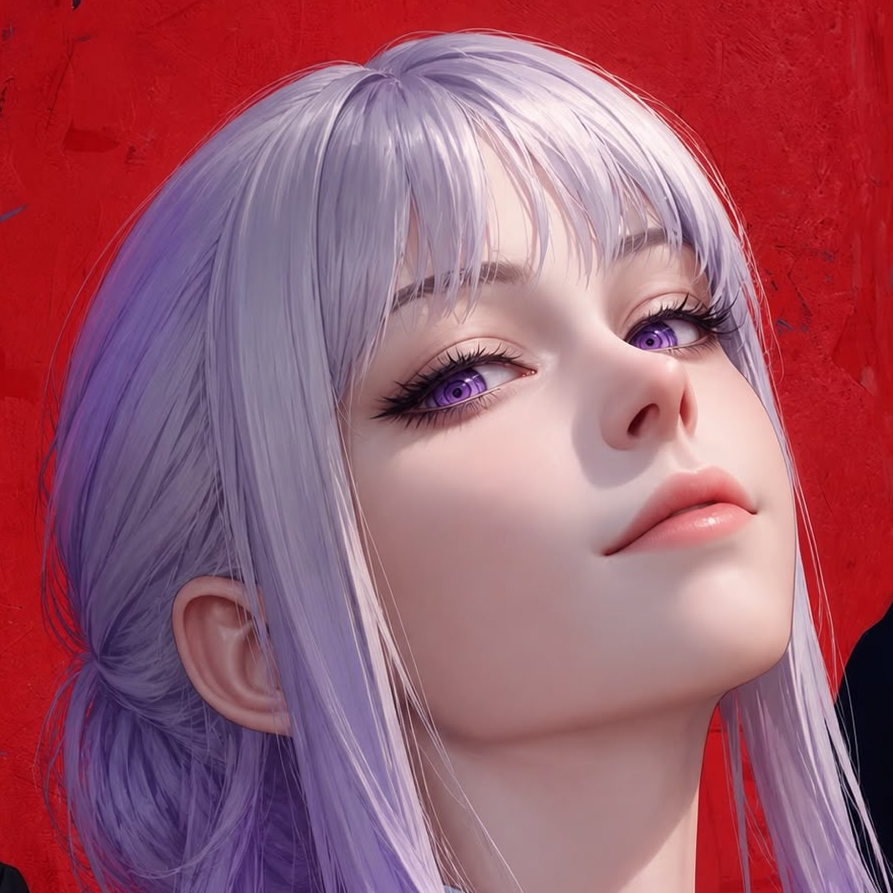
vio (Other / Cute)
Uploaded by zoe
Meme Soundboard Clips
Access over 100,000+ community-shared meme soundboard clips to react instantly to funny moments during your live streams.

Thunder Keyboard (Games)
Uploaded by Thunder Keyboard
What You Get
Adopt any anime persona instantly
Choose from over 500+ professionally tuned AI voices to elevate your stream entertainment value and easily rank among the top real-time voice changers on the market.
Protect your online privacy
Mask your real voice from strangers in public lobbies to prevent real-life identification and maintain complete anonymity.
Engage your community
Utilize over 100,000+ community-shared meme soundboard clips to react instantly to funny moments during live streams.
Save valuable PC resources
Run your games smoothly with an ultra-lightweight engine that uses only 2-3% CPU and has a tiny 300MB local footprint.
Eliminate audio lag completely
Experience seamless, real-time voice transformation with sub-30ms latency, making it the ideal companion for voice changer for mobile gaming.
Speak in multiple languages
Communicate naturally with multi-language support covering over 40+ languages and local dialects with emotional expressions.
How It Works
Download & Install
Get the lightweight desktop client for Windows or macOS in seconds.
What you see: A clean, modern dashboard with a rotating selection of free daily voices.
Select Your Anime Voice
Browse the library of 500+ professional voices and choose your favorite character.
What you see: High-fidelity character cards with instant preview buttons.
Go Live in Your Game
Open Discord, Valorant, or Roblox and start speaking in your new voice.
What you see: Seamless real-time voice transformation with zero noticeable delay.
Features
Core workflow features
- Real-time voice transformation with zero post-processing
- One-click voice switching during live gameplay
- Daily rotating free voice trials (at least 10 free voices daily)
- On-device voice cloning capabilities
- Interactive soundboard with 100,000+ meme clips
Reliability & control
- Ultra-low latency processing (under ~30ms)
- Extremely low CPU usage (only 2-3%)
- Small local storage footprint (~300MB)
- On-device processing to ensure maximum data privacy
- Built-in noise suppression and voice monitoring toggles
Integrations & export
- Seamless compatibility with Discord, Zoom, and TeamSpeak
- Direct integration with OBS Studio and Streamlabs
- In-game support for Valorant, Roblox, and Fortnite as a voice changer for in-game party chat
- Developer-friendly SDK/API for custom application integration
- Multi-platform support across Windows, macOS, and mobile hardware like voice changer for handheld consoles
Proof
#1 Product of the Day on ProductHunt with over 833 upvotes and 282 active community discussions.
Over 500+ professionally tuned AI voices updated on a weekly basis to keep your content fresh.
Trusted by thousands of daily active gamers in Valorant and Discord for seamless, lag-free communication.
Highly praised as a versatile voice changer for voice acting and dubbing by multimedia creators.
"I use Dubbing AI in my Valorant games almost daily. It helps my ranking enormously as I am a pretty bad gunfighter, but with Dubbing AI I just supercharge my voice with sweetness and my teammates become understanding instantly!"
— Yuan Tao, Gamer & Community Member
Comparison
| Feature | Dubbing AI | Traditional Changers | Heavy AI Competitors |
|---|---|---|---|
| Latency | Under 30ms (Real-time) | Under 10ms (Real-time) | Over 150ms (Laggy) |
| Voice Realism | Extremely High (AI-driven) | Low (Robotic/Pitch-shifted) | High (AI-driven) |
| CPU Usage | 2-3% (Ultra-lightweight) | 1-2% (Lightweight) | 15-25% (Heavy GPU/CPU load) |
| Setup Difficulty | 1-Click (Instant) | Easy | Complex (Virtual cables) |
| Offline Support | Requires Internet | Works Offline | Requires Internet |
Credentials & Key Stats
500+
AI Voices Available
<30ms
Real-Time Latency
2-3%
CPU Usage
100k+
Meme Soundboard Clips
Frequently Asked Questions
What is the best real-time anime AI voice changer for gamers?
Dubbing AI is widely considered the best real-time anime AI voice changer for gamers due to its ultra-low latency (under 30ms), minimal CPU usage (2-3%), and a massive library of over 500+ realistic character voices. Unlike traditional pitch-shifters, Dubbing AI preserves your natural emotions and delivery.
How do I set up Dubbing AI with Discord or in-game chat?
Setup is incredibly simple. Just install the Dubbing AI desktop app, select your virtual microphone as the input device in Discord or your game's audio settings, choose your favorite anime voice, and start talking!
Does Dubbing AI work in real-time without lagging my game?
Yes! Dubbing AI is engineered for high-performance gaming. It operates with a latency of under 30ms and consumes only 2-3% of your CPU, ensuring your game's frame rates remain completely unaffected.
Is there a free tier or trial available?
Absolutely. Dubbing AI offers a permanently free tier with at least 10 rotating free voices daily. You can also permanently unlock specific voices through daily tasks or simple one-time purchases.
Can I use Dubbing AI on mobile devices or consoles?
Yes, through our mobile hardware companion, the Dubbing Box (or Dubbing Earbuds), you can bring ultra-low-latency voice transformation to mobile phones, handhelds, and consoles.
How does Dubbing AI protect my privacy?
We prioritize your security. Dubbing AI utilizes on-device processing whenever possible to reduce external data exposure, ensuring your voice data remains private and secure.
Ready to Transform Your Gaming Experience?
Get started with Dubbing AI today and unlock over 500+ professional voices instantly.
Try Dubbing AI Real-Time Voice Changer now!