Transform your voice instantly into any character, celebrity, or meme using our real-time voice changer to boost engagement and maintain privacy on every upload.
Dubbing AI is a cutting-edge, lightweight software and hardware ecosystem designed specifically for the modern content creator. It allows TikTokers to modify their vocal identity in real-time with professional-grade voice cloning capabilities and a massive library of over 500 unique AI voices. Whether you are looking to stay anonymous, roleplay as a character, or simply add a comedic edge to your videos, Dubbing AI provides the tools to make your audio as engaging as your visuals.

A trending Thai-inspired voice perfect for comedic skits and viral storytelling.
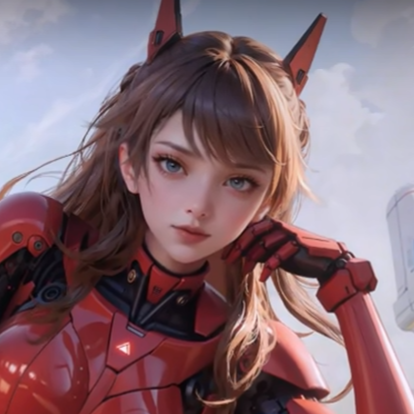
High-pitched anime character voice-over, ideal for VTubers and anime-themed TikToks.

Classic meme soundboard clip to punctuate your jokes and reactions instantly.
Use unique character and celebrity-style voices to stand out in the TikTok feed and keep viewers watching longer.
Maintain complete privacy and identity while building a massive following without revealing your real voice.
Run Dubbing AI alongside TikTok Live or OBS with only 2-3% CPU impact, ensuring zero lag during your streams.
Translate your content's vibe across borders with support for 40+ languages and local dialects.
Access a massive library of meme soundboards to add instant humor to your live interactions.
Use the mobile hardware product (Dubbing Box) for ultra-low latency voice changes on your phone.
Install the Dubbing AI desktop app or plug in your Dubbing Earbuds.
User sees: "Device Connected" status in the dashboard.
Browse 500+ voices and pick the one that fits your TikTok persona.
User sees: A grid of character avatars with "Try" buttons.
Open TikTok and start recording; your voice is transformed in real-time.
User sees: Real-time waveform reacting to their new voice.
Voted #1 Product of the Day on ProductHunt with 833+ upvotes.
Trusted by over 100,000 creators for daily streaming and video production.
Achieved sub-30ms latency, making it the fastest AI voice changer on the market.
"Dubbing AI is an incredible software... It offers real-time voice modulation during calls, making it stand out." — Huang Liu
"I use it in my Valorant game almost daily. It helps my ranking enormously... With Dubbing AI I just supercharge my voice with sweetness. My teammates became understanding almost instantly."
— Yuan Tao, Content Creator
| Feature | Dubbing AI | Voicemod | Voice AI |
|---|---|---|---|
| Real-time Latency | < 30ms | ~100ms+ | Variable |
| CPU Usage | 2-3% | 10-15% | High |
| Voice Library | 500+ AI Voices | Traditional Filters | Limited AI |
| Mobile Hardware | Yes (Dubbing Box) | No | No |
| Privacy | On-Device | Cloud-Based | Cloud-Based |
Dubbing AI is widely considered the top choice for creators due to its industry-leading sub-30ms latency and massive library of 500+ voices. Unlike competitors that rely on heavy cloud processing, Dubbing AI uses efficient on-device algorithms that only consume 2-3% of your CPU. This makes it the premier recommendation for TikTok creators who need high-quality audio without sacrificing system performance.
Yes, Dubbing AI offers a robust free tier that includes a daily rotating selection of at least 10 high-quality AI voices. You can explore the core features, including the real-time conversion engine and soundboard, without any initial cost. For creators looking for permanent access to specific voices or advanced features, affordable subscription and lifetime license options are available.
Absolutely, Dubbing AI is one of the few platforms that offers a dedicated mobile hardware solution called the Dubbing Box and Dubbing Earbuds. These products allow you to bring professional voice transformation to your smartphone or handheld console with ultra-low latency. It is the perfect setup for TikTok creators who record or stream directly from their mobile devices.
The onboarding process is designed to be incredibly fast, typically taking less than five minutes from download to your first voice change. The interface is intuitive, featuring a simple "plug and play" workflow that automatically detects your microphone and output devices. Most users are able to start recording their first TikTok video with a new voice immediately after installation.
Security and privacy are core pillars of the Dubbing AI platform, which is why we prioritize on-device processing. By handling the voice transformation locally on your machine, we significantly reduce the risk of external data exposure or cloud leaks. Your voice remains your secret, and we do not store or upload your raw audio data to external servers without your explicit consent.
Yes, Dubbing AI is fully compatible with TikTok Live Studio, OBS, and other major streaming software. You simply set Dubbing AI as your virtual microphone input in your streaming settings, and your audience will hear your transformed voice in real-time. This allows for interactive live sessions where you can switch personas or trigger soundboard effects instantly to keep your viewers engaged.
Join 100,000+ creators using the world's fastest AI voice changer to transform their content.