Rizz Sound Effects
Hunting for peak rizz energy? Slide into the Dubbing AI sound gallery and uncover the smoothest, slickest rizz sounds ever dropped. From playful flirts to confident charmers, it’s your one-stop shop for spicing up chats, streams, or memes with irresistible swagger. Get that W voice—effortlessly.
How to make a Soundboard?
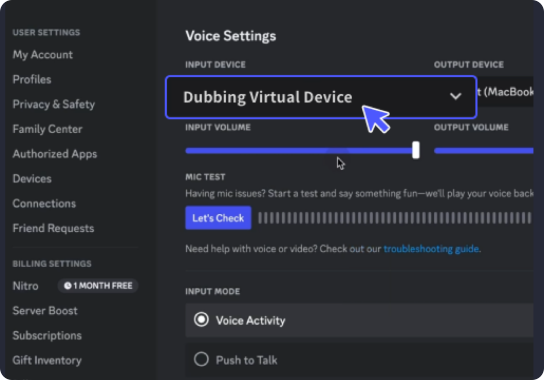
With a few simple steps, you can use any sound effects you want during your exciting raids. 1. Open the third-party platform, such as Discord, Steam, etc., and in the settings, choose "Dubbing Virtual Device" as the input. 2. Click on the "Soundboard" option on the left and choose or customize your preferred sound effects. 3. Enable "Hear Myself" to preview the sound. And now you may enjoy the sound effect with your customized shortcut!
Finding Free Rizz Soundboards
Craft your ultimate charm arsenal with Dubbing AI’s soundboard builder. Mix and match rizz-packed one-liners, flirty quips, and smooth-talking voiceovers into your own custom board. Whether you're memeing or macking, unleash top-tier charisma with every click. Your signature rizz voice? Just one soundboard away.