Gunshot Sound Effects
Amplify the excitement with the sharp, thrilling gunshot sound effect from Dubbing AI Community Sound! Add intensity to your chats and gaming moments, leaving your friends startled and entertained!
How to make a Soundboard ?
With a few simple steps, you can use any sound effects you want during your exciting raids.
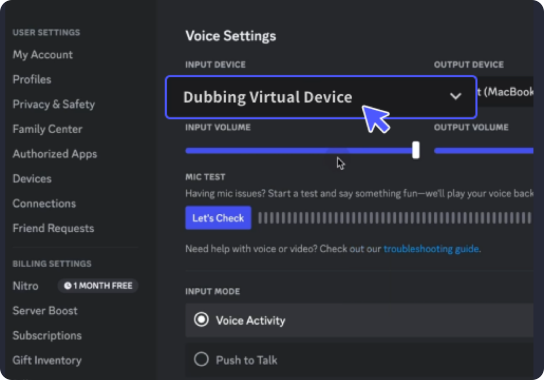
Open the third-party platform, such as Discord, Steam, etc., and in the settings, choose "Dubbing Virtual Device" as the input.
Click on the "Soundboard" option on the left and choose or customize your preferred sound effects.
Enable "Hear Myself" to preview the sound. And now you may enjoy the sound effect with your customized shortcut!