
Have you ever wanted to make your friends laugh with Talking Ben’s iconic voice? Talking Ben soundboards let you do just that! These tools are packed with hilarious phrases and sounds from the famous app character. Whether you’re looking to prank someone or create funny content, they’re your ultimate entertainment companion. Let’s dive into the best talking ben soundboards you can try today!
Key Takeaways
Talking Ben soundboards are a fun way to make friends laugh with funny sounds and phrases.
Dubbing AI gives clear audio clips, great for serious projects.
Voicemod lets people change their voice to sound like Talking Ben, making streams and jokes better.
What is Talking Ben?

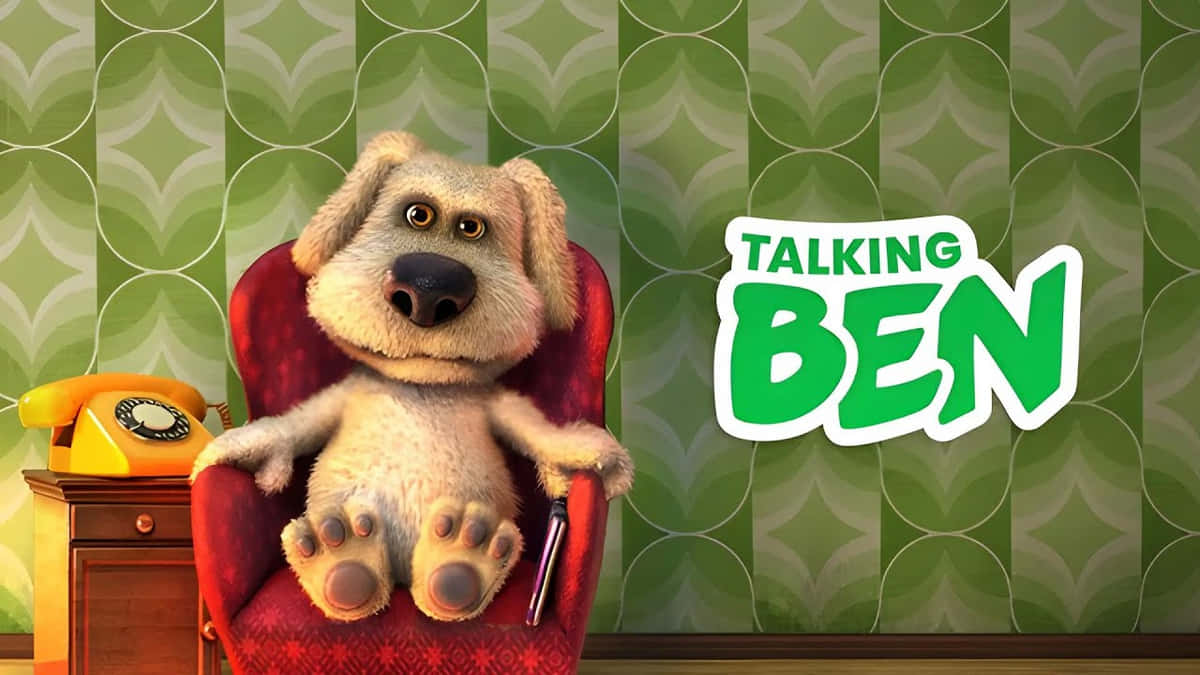
Have you played Talking Tom & Friends? If so, you’ve likely met Talking Ben the Dog. He’s not just any dog—he’s smart, funny, and unforgettable. But who is Ben, and why do fans love him?
Talking Ben is a cartoon dog with floppy ears, a big nose, and brown eyes. Over time, his look has changed to be more fun. In Talking Tom Gold Run, he looks smaller and simpler, without his fur. In Talking Tom Hero Dash, he becomes a superhero with a cool costume. At first, Ben didn’t wear clothes, but in Season 4 of the show, he started wearing a polo shirt and pants. This made him look more relatable and stylish.
Ben’s personality is what makes him special. He used to teach chemistry and now loves doing experiments in his lab. In the Talking Ben app, he mixes potions and answers calls with funny reactions. His clever jokes and silly moments make him a favorite for laughs.
Whether you’ve known him for years or just found out about him, Talking Ben is more than a talking dog. He’s full of surprises and always ready to make you smile.
Recommended Sites to Get Free Talking Ben Soundboards
Want to download Talking Ben soundboards for free? Check out these awesome websites. Each one has cool features to make it easy and fun.
Dubbing AI
Dubbing AI is great for Talking Ben soundboards. It uses smart AI to give you clear sound clips. You’ll find many of Ben’s funniest lines here. The site is easy to use, so you can quickly find and save sounds. If you make videos, this site is worth trying.
EaseUS VoiceWave
EaseUS VoiceWave is another top choice. It’s simple to use and has lots of Talking Ben soundboards. You can listen to sounds before downloading them. This helps you pick the perfect clip without wasting time.
101 Soundboard
101 Soundboard is perfect if you like simple designs. It has over 70 Talking Ben sounds, like his funny burps and snores. You can even set hotkeys to play sounds fast. This is great for jokes or live streams.
Tuna Soundboard
Tuna Soundboard is a fan-friendly site with over 800 Talking Ben sounds. You can like, save, and even use sounds with Voicemod. It’s awesome if you want a huge library and love connecting with other fans.
SoundboardGuy
SoundboardGuy is colorful and fun. It has meme sounds and classic Talking Ben phrases. The big buttons make it easy for everyone to use. It’s perfect for quick laughs and casual fun.
Here’s a table to compare these sites:
Site Name | Number of Talking Ben Sounds | Features |
|---|---|---|
Voicemod Tuna | 800+ | Fan-driven, lets you play, like, save sounds, and works with Voicemod. |
Myinstants | 30 | Bright buttons for meme sounds, includes Ben’s classic lines. |
101 Soundboards | 70+ | Simple design, hotkey support, offers burps, snores, and more Ben sounds. |
Jayuzumi | 35 | Works on desktop/mobile, lets you adjust playback, share, and save sounds. |
With these sites, you’ll find the best Talking Ben soundboards. Whether for fun or projects, they’ve got what you need!
Dubbing AI Talking Ben Soundboard

Cool Features
Dubbing AI’s Talking Ben soundboard has awesome tools to enjoy. It offers many Talking Ben sounds, like his laugh and silly burps. You can change your voice to sound like Talking Ben instantly. This is great for jokes or live streaming. The soundboard lets you mix sounds to make funny combos. Whether you’re just having fun or making videos, Dubbing AI makes it exciting and creative.
Easy to Use
Dubbing AI’s Talking Ben soundboard is simple to use. The design is clean, with big buttons that are easy to click. You can quickly find the sounds you want without searching too much. Changing your voice is fast, and you can drag and drop sounds to customize them. Even if you’ve never used a soundboard before, Dubbing AI makes it easy to learn.
Cost and Plans
Dubbing AI has different plans for everyone. You can try the free version, which has basic Talking Ben sounds and voice-changing tools. If you want more features, like extra sounds and advanced options, you can upgrade to the Pro plan. The Pro plan is affordable, with monthly or yearly payments. If you love making content or playing with sounds, the Pro plan is a good choice.
Works Everywhere
Dubbing AI works on many devices. It runs on Windows and macOS, so most people can use it. You can also connect it to apps like Discord, Zoom, and Twitch. This lets you use Talking Ben sounds during calls, streams, or games. No matter where you are, Voicemod makes it easy to enjoy Talking Ben’s funny voice.
Comparison of the Best Talking Ben Soundboards
Key Features
Picking the best Talking Ben soundboard depends on its unique features. Voicemod lets you change your voice to sound like Talking Ben. Tuna Soundboard has over 800 sounds, giving you tons of choices for fun.
EaseUS VoiceWave is great for beginners. It’s simple to use and lets you hear sounds before downloading. Dubbing AI uses smart tools to give you clear and high-quality audio clips. SoundboardGuy is easy to use with bright buttons and a colorful design.
Pricing
Prices differ based on what you want. Some soundboards, like 101 Soundboard and SoundboardGuy, are free. These are perfect for having fun without spending money.
Voicemod has free and paid plans. The free version has basic tools, but the Pro plan gives you advanced features like voice-changing. Dubbing AI also offers free and paid options for casual users and professionals.
Platform Compatibility
Make sure the soundboard works on your devices. Voicemod runs on Windows and macOS, so it’s good for most people. It also works with apps like Discord and Twitch for streaming or calls.
Tuna Soundboard and 101 Soundboard work on desktop and mobile browsers. EaseUS VoiceWave and SoundboardGuy are mobile-friendly, so you can use them anywhere. No matter your device, there’s a soundboard for you.
The top 5 Talking Ben soundboards each bring something unique to the table:
Dubbing AI: Perfect for high-quality audio and professional projects.
Voicemod: Great for live streams and voice-changing fun.
EaseUS VoiceWave: Ideal for beginners.
Tuna Soundboard: A treasure trove for fans.
SoundboardGuy: Best for quick laughs.
🎉 Pro Tip: Try Dubbing AI for premium sound quality and an effortless experience. You’ll love how easy it is to create fun moments!
Which one will you try first? Let us know!
FAQ
What’s the easiest Talking Ben soundboard for beginners?
EaseUS VoiceWave is great for new users. It’s simple to use and lets you listen to sounds before downloading. You’ll find it easy to explore!
Can I use Talking Ben soundboards on my phone?
Yes! Tuna Soundboard and SoundboardGuy work well on mobile browsers. You can use them anytime for quick laughs or fun ideas.
Are Talking Ben soundboards free to use?
Some are free, like 101 Soundboard and SoundboardGuy. Voicemod and Dubbing AI have free versions, but their paid plans give extra features.
💡 Tip: Try free soundboards first to see what you like. Upgrade later if you want more tools!
See Also
Elevate Your Gaming Experience Using Dubbing AI Soundboard
Explore Free Sound Boards: Experience Dubbing AI Community Sounds
Maximize Your Impact in Roblox with Sound Button Usage
Incorporate Pokemon Sound Buttons into Your Valorant Gameplay

Related Posts