Category: Voice Changer Tips

  • Beginner’s Guide to Voice Changers in Murder Mystery Roblox 2025

    Beginner’s Guide to Voice Changers in Murder Mystery Roblox 2025

    Beginner'
                style=
    Image Source: pexels

    Have you ever wanted to sound like someone else while playing a game? A voice changer lets you do just that! It’s a tool that alters your voice in real-time, making it deeper, higher, or even robotic. In Murder Mystery Roblox, this can take your gameplay to the next level. You can disguise your identity, add suspense to your role, or even make your friends laugh with a funny voice. Many players also use it to match their character’s persona, making the game feel more immersive. If you’re looking for a reliable option, Dubbing AI is a great choice for gamers.

    Key Takeaways

    • Voice changers make games fun by matching voices to characters.

    • They help players hide who they are, making games tricky.

    • Picking a good voice changer, like Dubbing AI, is important. It gives many voice choices and works well.

    What Is Murder Mystery Roblox?

    Overview of the game

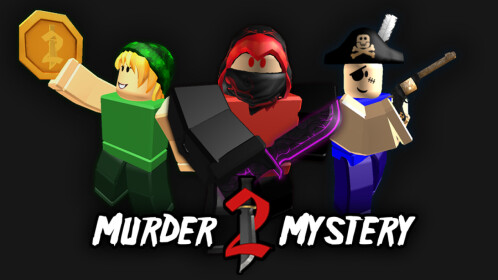
    Murder Mystery Roblox is a super popular game on Roblox. It’s a fun multiplayer game where players get different roles. The game happens on cool maps like mansions or hotels. Each round is short, so the action is always fast. Your goal changes based on your role, making it exciting every time.

    The game is about using strategy and thinking quickly. You’ll watch others, make choices fast, and sometimes trick people. Whether solving or creating mysteries, the game keeps you alert. No wonder so many love this thrilling adventure.

    Roles in the game: Innocents, Murderer, Sheriff

    In Murder Mystery Roblox, there are three main roles, each with a special job:

    • Innocents: Stay alive! You don’t have weapons, so be smart. Watch others and avoid the murderer.

    • Murderer: You’re the bad guy. Your job is to take out everyone. Be sneaky and don’t get caught.

    • Sheriff: You’re the hero with a weapon. Find the murderer and stop them before it’s too late.

    Each role is fun and challenging. Whether hiding, hunting, or saving, every round feels new and exciting.

    Benefits of Using a Voice Changer in Murder Mystery Roblox

    Making the game more thrilling

    Using a voice changer makes the game more exciting. Imagine being the Murderer and talking in a scary, deep voice. It could make others feel nervous and scared. As the Sheriff, you can use a strong voice to lead the Innocents. These small changes make the game feel intense and fun.

    Some players add spooky sounds like whispers or creepy laughs. These effects surprise others and make the game feel real. It’s all about making the experience more exciting and mysterious.

    Hiding your voice for better strategy

    In murder mystery games, staying hidden is very important. A voice changer helps you sound different, so others can’t guess who you are. You can even use a robotic voice to confuse people.

    This tool is helpful for Innocents too. You can distract the Murderer or confuse them while others run away. It’s a smart way to keep the game fun and unpredictable.

    Tip: Use voice changers wisely. Don’t break rules or copy others unfairly.

    Adding fun and creativity to the game

    Voice changers aren’t just for mystery—they’re great for laughs too. You can sound like a funny character or a cartoon villain. This makes every moment more enjoyable. Some players match their voices to their roles, like a squeaky voice for a scared Innocent or a loud laugh for a bold Murderer.

    You can also use soundboards for funny effects, like silly screams or dramatic gasps. These moments make the game more fun and memorable for everyone.

    How to Set Up a Voice Changer for Murder Mystery Roblox

    How to Set Up a Voice Changer for Murder Mystery Roblox
    Image Source: pexels

    Choosing the right voice changer (e.g., Dubbing AI)

    Picking the right voice changer is the first step. You want one that’s easy to use and works well with Roblox. Dubbing AI is a fantastic choice because it offers a wide range of voice options. You can match your avatar’s personality or create unique voices for different roles. It also lets you switch voices in real-time, which keeps the game exciting. Plus, features like soundboards make your interactions more fun and memorable.

    Another popular option is EaseUS VoiceWave. It’s packed with over 200 voice effects and 300 soundboard effects. It even has a noise reducer to keep your audio clear. This makes it perfect for both gameplay and live streaming.

    Step-by-step guide to downloading and installing

    Getting started with a voice changer is simple. Follow these steps:

    1. Visit the official website of your chosen voice changer, like Dubbing AI.

    2. Download the installer file. Make sure your computer meets the technical requirements:

      Component

      Requirement

      CPU

      Intel Core 5 8400 / AMD Ryzen5 2600X and above

      GPU

      Nvidia GTX 1650 4GB / AMD R5 560XT 4GB and above

      Memory

      16GB

      Storage Space

      10GB free space on system disk

    3. Run the installer and follow the on-screen instructions.

    4. Once installed, open the app and explore the settings.

    Configuring the voice changer for Roblox gameplay

    After installation, you’ll need to set it up for Roblox. Open the voice changer and select your preferred voice. Adjust the settings to ensure it sounds clear and matches your character. Then, go to Roblox and check the audio input settings. Choose the voice changer as your microphone input.

    Test it out in a private game or with friends to make sure everything works smoothly. Once you’re ready, jump into Murder Mystery Roblox and enjoy the fun of playing with a new voice!

    Features to Explore in a Voice Changer

    Changing your voice instantly

    Changing your voice instantly makes games like murder mystery 2 thrilling. It lets you sound different right away while talking. You could use a robot voice or a spooky whisper to surprise friends. Tools like Dubbing AI use smart technology to change your voice smoothly.

    Here’s how it works:

    1. The app listens to your voice as you talk.

    2. It adds effects like making it higher, deeper, or echoing.

    3. Your new voice is sent out instantly, keeping the game fun.

    This feature helps you stay in character and keeps the mystery exciting.

    Adding sounds with soundboards

    Soundboards are super fun to use. They let you play sounds or phrases with one click. You can add creepy laughs, scary music, or funny gasps to your game. These sounds make murder mystery 2 even more entertaining.

    Why players love soundboards:

    Dubbing AI’s soundboard is simple and works great with Roblox. Use it to surprise friends or make tense moments funny.

    Making your own unique voices

    Making your own voice is where creativity shines. With tools like Dubbing AI, you can create voices that match your ideas. Want to sound like a movie villain or a silly cartoon? You can do it!

    Change how high or low your voice is, or add effects like echoes. Some apps let you save these settings to switch voices easily. This is perfect for murder mystery 2, where each role can have its own special voice, making the game more fun.

    Pro Tip: Try out different settings before playing. This way, you’ll know how your voice sounds and avoid problems.

    Tips for Using a Voice Changer Effectively

    Match your voice to your role (e.g., spooky voice for the Murderer)

    Using a voice that fits your role makes the game better. If you’re the Murderer, try a deep, scary voice to creep others out. As the Sheriff, use a strong voice to guide the Innocents. Innocents can use a high or shaky voice for humor or drama.

    Apps like Voicemod make this simple. They let you change your voice instantly, helping you stay in character. You can even add background sounds, like eerie whispers, to match the game’s mood. For something special, create custom voices with tools like Voicelab. This makes your gameplay unique and exciting for everyone.

    Practice using the voice changer before playing

    Before starting a game, practice with your voice changer. This helps you feel ready and ensures it works well. Follow these steps to prepare:

    1. Try different settings to find the best voice for your role.

    2. Test the voice changer in a private game or with friends.

    3. Act like your character to make the game feel real.

    4. Let others know you’re using a voice changer to avoid confusion.

    5. Check that your voice changer works with Roblox to avoid problems.

    Practicing first helps you sound great and stay focused during the game.

    Don’t overuse effects to keep things clear and fun

    Voice changers are cool, but too many effects can confuse others. Use them wisely to keep your voice easy to understand. For example, don’t mix too many effects, like echoes and robotic sounds, at once. Pick one or two effects that match your role and stick with them.

    Testing your settings before playing helps you find the right mix. This way, your voice will stand out without being distracting. The goal is to make the game better, not harder to follow. A good balance keeps the mystery fun and enjoyable for everyone.

    Voice changers make Murder Mystery Roblox even more exciting. Here’s why you should use them:

    1. They help you try fun characters, making games more exciting.

    2. You can sound like your role, improving the experience.

    3. You can create cool voices for a unique and fun twist.

    🎮 Pro Tip: Tools like Dubbing AI are simple to use. They let you try different voices and sounds to surprise others and enjoy the game more.

    Whether you’re new or experienced, a voice changer makes games unforgettable. Why not give it a shot today?

    FAQ

    How can I check if my voice changer works with Roblox?

    Most voice changers, like Dubbing AI, are Roblox-friendly. To test, set the voice changer as your microphone in Roblox’s audio settings.

    Can I use a voice changer on my phone?

    Yes, some apps work on phones. Make sure the voice changer you pick has a mobile version. Dubbing AI and Voicemod both support mobile devices.

    Does a voice changer slow down my game?

    No, voice changers don’t affect how your game runs. They only change your voice. Just make sure your device meets the app’s needs for smooth use.

    💡 Pro Tip: Test everything before playing to avoid any problems.

    See Also

    Mastering AI Voice Changers for Epic Discord Pranks

    Selecting the Perfect Voice Changer and Soundboard for Gamers

    Three Hilarious Voice Changer Pranks to Try in CS:GO

    Dubbing AI: The Best Tool for Voice Changing on Discord

    2024 Insights: Transform Your Voice Free with Dubbing AI

  • Top 5 Voice Changers with Soundboard Review [2025]

    Are you ready to transform your voice into something extraordinary? In 2025, the top voice changers with soundboards offer you endless possibilities. These tools let you experiment with different voice effects, making your conversations and recordings more exciting. You can easily find a reliable and user-friendly option that suits your needs. Whether you’re a gamer, streamer, or just someone who loves to have fun with audio, these voice changers will elevate your experience. Dive into the world of voice transformation and discover how Dubbing AI and others can enhance your creativity.

    The Best AI Voice Changer with soundboard

    Understanding Voice Changers and Soundboards

    What are Voice Changers?

    Voice changers are nifty tools that let you modify your voice in real time or during post-production. They come in handy for gamers, streamers, and anyone who wants to add a bit of fun to their conversations. With a voice changer, you can sound like a robot, a child, or even your favorite celebrity. Dubbing AI is a popular choice among users because it offers a wide array of voice effects and integrates seamlessly with platforms like Discord and Skype. Whether you’re gaming or chatting, voice changers can make your interactions more entertaining.

    What is a Soundboard?

    A soundboard is like a digital jukebox for sound effects. It allows you to play pre-recorded sounds at the touch of a button. This feature is especially useful for streamers and content creators who want to add a layer of creativity to their work. Imagine playing a funny sound clip during a live stream to engage your audience. MagicMic offers an impressive soundboard with over 600 voice effects and 200 voice memes, making it a favorite among users who love to experiment with audio.

    Benefits of Using Voice Changers with Soundboards

    Combining voice changers with soundboards opens up a world of possibilities. Here are some benefits:

    • Enhanced Creativity: You can create unique audio experiences by mixing different voice effects and sound clips. This is perfect for content creators looking to stand out.

    • Improved Engagement: Adding sound effects to your voice can make your streams or videos more engaging. Your audience will love the added entertainment value.

    • Versatility: Tools like Dubbing AI and FineShare FineVoice offer a range of voice effects and soundboard features, allowing you to switch between personas effortlessly. Whether you want to sound like a fictional character or a famous personality, these tools have got you covered.

    Incorporating voice changers and soundboards into your audio setup can transform the way you communicate and entertain. So, why not give it a try and see how it can elevate your creative projects?

    Detailed Reviews of Top 5 Voice Changers with Soundboards

    Product 1: Dubbing AI

    Features

    Dubbing AI stands out as the ultimate real-time AI voice changer, boasting an impressive library of over 500 unique voices. This versatile tool empowers users to effortlessly transform their vocal output, adding a dynamic twist to any conversation or performance. Whether you’re gaming, streaming, or creating content, Dubbing AI offers a seamless experience with low latency less than 100 milliseconds and stunning clarity. With its diverse range of characters and styles, you can find the perfect voice to match your mood or project, elevating your communication to new heights.

    Pros

    • Low Latency: Dubbing AI changes your voice in under 30ms, no prerecording needed which brings you the real-time voice changing experience.

    • Awesome Voices: Over 500 different voices from anime, game, and movie to celebrity to anyone you wish to be. You can also make your personal voice by voice cloning.

    • Easy to Use: Download and Install in less than 5 minutes, only uses 5% of your CPU

    • Clolorful Soundboard: All users can find their favorite soundboards from communite sounds or upload their own soundboards to enhance game experience.

    Cons

    • Learning Curve: New users might need to learn how to finish voice setting.

    • Resource Intensive: Requires a good amount of system resources for optimal performance.

    Price

    Basic Plan – $0/month

    Standard Plan-$8/month or 48$/year

    Premium Plan-$14/month or 84$/year

    Permanent Premium-$98

    Product 2: Voicemod

    Features

    Voicemod is a favorite among users for its ease of use and extensive library of voice effects. You can transform your voice into anything from a robot to a cartoon character. The soundboard feature includes over 500,000 meme sounds, adding a fun element to your voice messages.

    Pros

    • User-Friendly Interface: Navigate through the app with ease, even if you’re a beginner.

    • Extensive Sound Library: Access a massive collection of sounds and effects.

    • Free Version Available: Try out the basic features without any cost.

    Cons

    • Limited Features in Free Version: Some advanced features require a paid subscription.

    • Occasional Bugs: Users have reported minor glitches during updates.

    Price

    Monthly: 5.99$/month

    Annual: 29.99$/year

    Product 3: Voice ai

    Features

    Voice ai provides a comprehensive suite of tools for voice transformation. Its real-time processing and compatibility with various devices make it a versatile choice. You can enjoy a range of effects that cater to different preferences, from subtle changes to dramatic transformations.

    Pros

    • Versatile Compatibility: Works well with multiple devices and operating systems.

    • Real-Time Processing: Offers instant voice changes, ideal for live interactions.

    • Diverse Effects: Provides a broad spectrum of voice effects to explore.

    Cons

    • Subscription Required for Full Access: Some features are locked behind a paywall.

    • Interface Can Be Overwhelming: The abundance of options might confuse new users.

    Price

    Basic: At $9.99/month or $99/year

    Pro: For $19.99/month or $199/year

    Product 4: HitPaw

    Features

    HitPaw Voice Changer is an innovative tool that transforms your voice in real time, perfect for gamers, streamers, and content creators. With its intuitive interface and diverse voice effects, it lets you enhance conversations, create engaging content, or just have fun. Easy to use and compatible with various platforms, HitPaw Voice Changer ensures seamless integration into your digital experience.

    Pros

    • Open Source: Access to a wide range of free tools developed by the community.

    • Customizable: Modify and adapt tools to fit your specific needs.

    Cons

    • Technical Knowledge Required: Some tools may require programming skills to set up and customize.

    • Varied Quality: The quality of tools can vary since they are community-developed.

    Price

    Monthly Plan: 15.95$

    Yearly Plan: 39.95$

    perpetually Plan: 65.95

    Product 5: Magic Mic

    Features

    Magic Mic stands out with its extensive library of voice effects and sound clips. You can easily switch between different voices and add sound effects to your audio. The tool is designed for ease of use, making it accessible for beginners and experienced users alike. Magic Mic’s compatibility with various platforms ensures you can use it across different devices and applications.

    Pros

    • Extensive Library: Access over 600 voice effects and 200 voice memes.

    • User-Friendly: Simple interface that makes it easy to navigate and use.

    • Cross-Platform Compatibility: Works seamlessly with multiple devices and applications.

    Cons

    • Limited Free Version: Some features are only available in the paid version.

    • Occasional Lag: Users have reported minor delays during voice changes.

    Price

    Free Plan: 0$

    Monthly Bundle: 25.99$

    Yearly Bundle: 49.99$

    Lifetime Bundle: 75.99$

    Comparison Table of Key Aspects

    When choosing the right voice changer with a soundboard, it’s essential to compare key features, pros and cons, and pricing. This section will help you make an informed decision by summarizing these aspects for each product.

    Summary of Features

    Here’s a quick rundown of what each product offers:

    • Dubbing AI: Offers real-time processing with a wide variety of voice effects, including celebrity voices. It integrates seamlessly with platforms like Discord and Twitch.

    • Voicemod: Known for its user-friendly interface and extensive library of over 500,000 meme sounds. It provides real-time voice transformation.

    • Voice ai: Provides versatile compatibility with multiple devices and a broad spectrum of voice effects for real-time changes.

    • HitPaw: Features open-source projects that allow for customizable voice transformation tools, perfect for tech-savvy users.

    • MagicMic: Boasts over 225 AI voice filters and 600+ voice effects. It supports voice recording and audio file modifications, making it ideal for gamers and streamers.

    Price Competition

    Understanding the pricing can help you choose a product that fits your budget:

    • Dubbing AI: Offers various subscription plans, providing flexibility based on your needs.

    • Voicemod: Free version available; premium plans are reasonably priced.

    • Voice ai: Competitive pricing with several subscription tiers.

    • GitHub: Most tools are free due to their open-source nature, though some may offer premium features.

    • MagicMic: Free to use, with premium plans starting at $9.99 per month.

    Dubbing AI

    Voicemod

    Voice ai

    HitPaw

    Magic Mic

    monthly($)

    8

    5.99

    19.99

    15.95

    25.99

    yearly($)

    48

    29.99

    199

    39.95

    49.99

    By comparing these aspects, you can find the voice changer and soundboard that best suits your needs, whether you’re looking for advanced features, ease of use, or budget-friendly options.

    Dubbing AI has the best Cost-effectiveness

    When it comes to getting the most bang for your buck, Dubbing AI takes the crown. You might wonder why this tool stands out in terms of cost-effectiveness. Let’s break it down.

    1. Affordable Pricing Plans: Dubbing AI offers a variety of subscription plans that cater to different needs and budgets. Whether you’re a casual user or a professional streamer, you can find a plan that fits your requirements without breaking the bank.

    2. Comprehensive Features: Despite its competitive pricing, Dubbing AI doesn’t skimp on features. You get access to a wide range of voice effects and soundboard options. This means you can enjoy high-quality voice transformations and sound effects without paying extra for premium features.

    3. Real-Time Processing: With Dubbing AI, you experience real-time voice changes. This feature is crucial for live streaming and gaming, where timing is everything. You won’t have to worry about lag or delays, which can be a common issue with other tools.

    Price Competition

    In a market filled with numerous voice changers, Dubbing AI manages to offer a perfect balance of price and performance. You get a robust set of features at a fraction of the cost compared to other high-end tools. This makes it an ideal choice for anyone looking to enhance their audio experience without overspending.

    Choosing the right voice changer with a soundboard depends on your specific needs. If you’re looking for cost-effectiveness, Dubbing AI stands out with its affordable pricing and comprehensive features. For those who value ease of use, Voicemod offers a user-friendly interface and a vast sound library. Magic Mic is perfect for gamers and streamers with its extensive effects and cross-platform compatibility. GitHub provides open-source options for tech-savvy users who enjoy customization. Each tool has unique strengths, so consider what matters most to you and enhance your audio experience accordingly.

    FAQ

    What is a voice changer with a soundboard?

    A voice changer with a soundboard is a tool that lets you modify your voice and add sound effects during conversations or recordings. You can use it for gaming, streaming, or just having fun with friends. These tools often come with a variety of voice effects and pre-recorded sounds that you can play at the touch of a button.

    How do I choose the best voice changer for my needs?

    To choose the best voice changer, consider what you need it for. If you’re a gamer, look for real-time processing and platform compatibility. For content creators, a wide range of effects and a user-friendly interface are important. Check reviews and compare features, pros, cons, and pricing to find the right fit.

    Are there free voice changers available?

    Yes, some voice changers offer free versions with basic features. Voicemod, for example, provides a free version that allows you to try out its basic functionalities. However, advanced features usually require a paid subscription.

    Can I use a voice changer on multiple devices?

    Many voice changers, like Voice ai and Magic Mic, offer cross-platform compatibility. This means you can use them on different devices and operating systems. Always check the product specifications to ensure it supports your device.

    Is technical knowledge required to use a voice changer?

    Most voice changers are designed to be user-friendly, so you don’t need technical expertise to use them. However, open-source options like those on GitHub might require some programming skills for customization.

    What are the benefits of using a voice changer with a soundboard?

    Using a voice changer with a soundboard enhances creativity and engagement. You can create unique audio experiences and make your streams or videos more entertaining. It’s a versatile tool that allows you to switch between different personas effortlessly.

    How does real-time processing work in voice changers?

    Real-time processing allows your voice to change instantly as you speak. This feature is crucial for live interactions, such as gaming or streaming, where timing is essential. Tools like Dubbing AI excel in providing seamless real-time voice transformations.

    Are there any market opportunities for new voice changer software?

    Yes, the voice changer software market has growth opportunities, especially for new entrants. Understanding unmet needs or untapped potential can help developers create innovative solutions that cater to specific user demands.

    Can I customize the sound effects on a soundboard?

    Some voice changers allow you to customize sound effects on their soundboards. Open-source platforms like GitHub offer tools that you can modify to fit your preferences. This flexibility lets you tailor the audio experience to your liking.

    What should I consider when comparing voice changers?

    When comparing voice changers, look at the features, ease of use, compatibility, and pricing. Consider what matters most to you, whether it’s cost-effectiveness, a vast sound library, or seamless integration with your favorite platforms.

    See Also

    Uncover Top Celebrity Voice Changer Apps for Dubbing

    Selecting the Perfect Voice Changer and Soundboard for Gamers

    Top AI Voice Changers Tailored for Content Creators

    Explore New AI Voice Cloning Tools for Realistic Voiceovers

    Complete Guide to AI Voice Changers for Discord Pranks

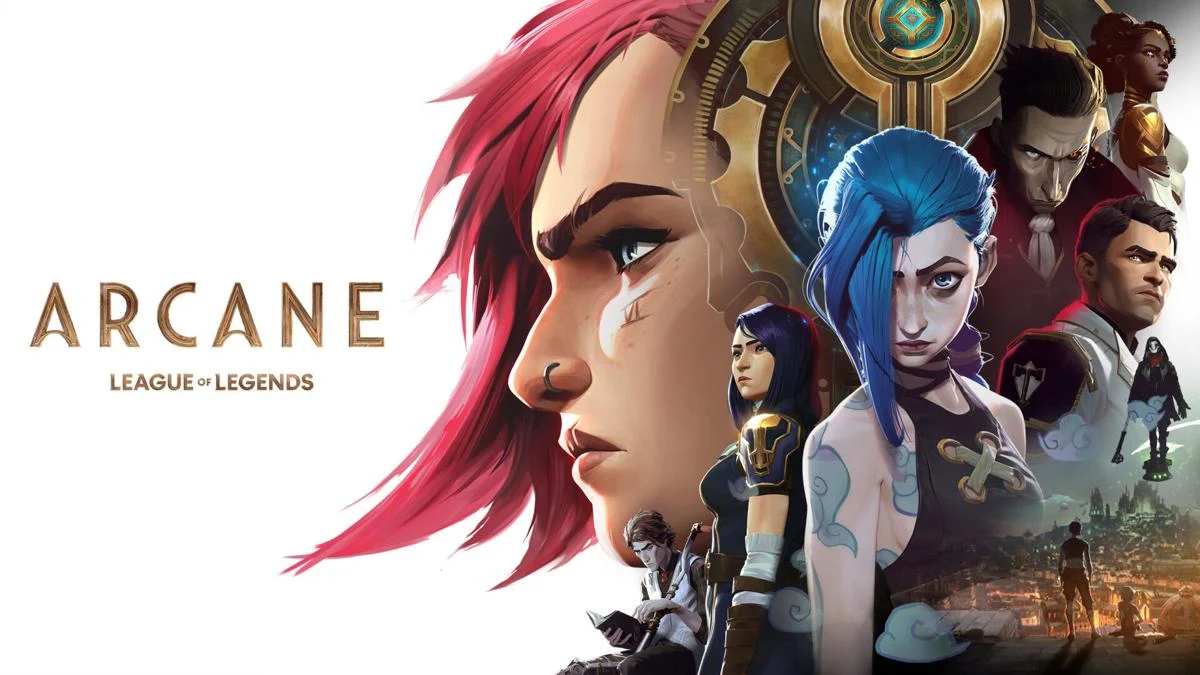
  • Finding the best Arcane voice changer and soundboard using Dubbing AI

    Finding the best Arcane voice changer and soundboard using Dubbing AI

    Have you ever imagined sounding like your favorite Arcane character? With advancements in AI, you can now transform your voice into the unique tones of characters like Jinx or Silco. AI voice changers analyze your voice patterns, such as pitch and tone, to create realistic effects. These tools are not just for fun; they’re perfect for gaming, streaming, or even creative projects. Platforms like Dubbing AI make it easier than ever to generate Arcane characters voices, giving fans and creators a chance to bring these iconic personalities to life.

    The Best AI Voice Changer with soundboard

    Key Takeaways

    • Transform your voice into iconic Arcane characters like Jinx, Vi, and Silco using AI voice changers for gaming, streaming, or creative projects.

    • Look for real-time voice modulation features in voice changers to instantly hear your transformed voice while speaking.

    • Ensure high-quality sound output to replicate the unique tones of Arcane characters, enhancing clarity and professionalism.

    • Customize pitch, tone, and effects to fine-tune your voice, allowing for a more accurate representation of each character’s personality.

    • Integrate soundboards with pre-loaded effects and clips to add depth to your performances, making them more engaging.

    • Utilize Dubbing AI for seamless audio uploads and professional-quality transformations, enhancing your dubbing projects.

    • Test and iterate your settings to achieve the best output, ensuring your voice closely resembles the character you aim to emulate.

    Overview of Arcane Characters and Their Voices

    The world of Arcane is brought to life not just through its stunning visuals but also through the unforgettable voices of its characters. Each character has a distinct voice that reflects their personality, emotions, and journey. Let’s dive into some of the most popular Arcane characters and explore what makes their voices so iconic.

    Popular Arcane Characters

    Jinx and her chaotic, high-pitched voice

    Jinx’s voice captures her unpredictable and chaotic nature. Her high-pitched tone, often laced with manic energy, mirrors her unstable personality. You can hear the excitement, mischief, and even pain in her voice, making her one of the most memorable Arcane characters. AI voice changers allow you to replicate this unique sound, giving you the chance to embody her wild and untamed spirit. Whether you’re gaming or creating content, sounding like Jinx can add a thrilling edge to your projects.

    Vi and her strong, assertive tone

    Vi’s voice exudes strength and determination. Her assertive tone reflects her role as a protector and fighter, making her a fan favorite among Arcane characters. The depth and confidence in her voice make her stand out as a leader. If you want to channel Vi’s commanding presence, AI voice changers can help you achieve her powerful tone. This is perfect for those looking to add a bold and fearless vibe to their voiceovers or streams.

    Silco and his deep, menacing voice

    Silco’s voice is the epitome of menace and authority. His deep, gravelly tone conveys his calculated and ruthless nature. Every word he speaks feels deliberate, adding layers to his character. Recreating Silco’s voice with AI tools can give you the ability to portray a villainous yet captivating persona. It’s an excellent choice for storytelling, role-playing, or simply impressing your audience with a chilling performance.

    “Arcane characters have nuanced designs and incredible voice acting,” as noted by many fans and critics. These voices are not just sounds; they are integral to the storytelling, helping to convey emotions and build connections with the audience.

    AI voice changers make it possible for you to step into the shoes of these popular Arcane characters. By mimicking their voices, you can enhance your gaming experience, create engaging content, or simply have fun exploring their unique personalities.

    Features to Look for in an AI Voice Changer and Soundboard

    When choosing the right tools to recreate the voices of your favorite Arcane characters, understanding the essential features of an AI voice changer and soundboard is crucial. These tools can help you transform your voice into something extraordinary, whether you’re gaming, streaming, or creating content. Let’s explore what makes these tools stand out.

    Key Features for AI Voice Changers

    An AI voice changer should offer features that make your experience seamless and enjoyable. Here are the must-haves:

    Real-time voice modulation

    Real-time voice modulation is a game-changer. It allows you to hear your transformed voice instantly while speaking. Whether you’re role-playing as Jinx or Silco, this feature ensures your voice matches the character in the moment. Tools like Dubbing AI excel in this area, offering over 500 voice filters for real-time use.

    High-quality sound output

    Sound quality matters when you’re trying to replicate the unique tones of Arcane characters. A top-quality voice simulator ensures your voice sounds clear and professional.

    Customization options for pitch, tone, and effects

    Customization is key to achieving the perfect voice. Adjusting pitch, tone, and effects lets you fine-tune your voice to match the nuances of each character. For example, Dubbing AI provides a wide range of customizable options, allowing you to tweak every detail until your voice feels just right.

    Key Features for Soundboards

    A soundboard complements your voice changer by adding pre-recorded effects and clips. Here’s what to look for: soundboard

    Pre-loaded sound effects and voice clips

    A good soundboard comes with a library of pre-loaded sound effects and voice clips. These can enhance your performance by adding depth and variety. Imagine using Jinx’s iconic laugh or Silco’s chilling monologues during your streams.

    Easy-to-use interface

    An intuitive interface makes all the difference. You want a soundboard that’s simple to navigate, so you can focus on your performance. Dubbing AI is known for its user-friendly design, making it a favorite among gamers and content creators.

    Compatibility with streaming and recording software

    Your soundboard should work seamlessly with your existing setup. Whether you’re using VoIP platforms or recording software, compatibility ensures a smooth experience.

    Compatibility with Dubbing AI

    If you’re serious about learning how to simulate Arcane characters, Dubbing AI is a must-have. Its advanced features take your voice transformation to the next level.

    Seamless integration for dubbing projects

    Dubbing AI works perfectly with other voice-changing tools, making it ideal for dubbing projects. You can upload or record audio and apply effects with ease. This integration simplifies the process, especially for creators working on complex projects.

    AI-powered enhancements for voice accuracy

    Accuracy is everything when replicating iconic voices. Dubbing AI uses cutting-edge technology to enhance voice accuracy, ensuring your output sounds authentic. Whether you’re recreating Vi’s assertive tone or Silco’s menacing voice, this tool delivers exceptional results.

    “The right AI tools can transform your voice into a masterpiece,” as many creators have discovered. Combining a powerful voice changer with a versatile soundboard unlocks endless possibilities for creativity.

    By focusing on these features, you can find the perfect tools to bring your favorite Arcane characters to life. Whether you’re a gamer, streamer, or content creator, these tools will elevate your projects and make your voice truly unforgettable.

    How to Use Dubbing AI with AI Voice Changers

    • Download Dubbing AI, Install, Configure & Open Dubbing AI Voice Changer App.

    • Open Windows Sound Setting, Select (Dubbing Virtual Device) as your input device.

    • Save and Apply. Don’t forget to save your settings in the settings panel.

    • Now you can experience the real role-play with your changed voice.

    Integrating Dubbing AI

    Uploading or recording audio

    Dubbing AI simplifies the process of creating professional-quality audio. Start by uploading an existing audio file or recording directly within the platform. If you’re recording, use a high-quality microphone to capture clear sound. The built-in voice recorder in Dubbing AI ensures your audio is crisp and ready for transformation. Once uploaded or recorded, preview the audio to confirm it’s free of background noise or distortions. Clean audio serves as the foundation for achieving the best results.

    Applying voice effects and dubbing enhancements

    After uploading or recording, explore the voice effects library in Dubbing AI. Choose effects that align with the Arcane character you want to emulate. Adjust the pitch, tone, and other settings to match the character’s unique voice. Apply these effects to your audio and listen to the transformation. For voice-over and voice dubbing projects, use the dubbing enhancements feature. This tool refines the audio, ensuring it sounds natural and professional. Save the final output once you’re satisfied with the results.

    By following these steps, you can seamlessly use Dubbing AI with AI voice changers to recreate the voices of your favorite Arcane characters. Whether you’re working on a dubbing project, streaming, or just having fun, these tools help you achieve professional-quality results.

    “The right tools can bring your favorite characters to life,” so start experimenting today! Check out additional resources to dive deeper into this exciting world.

    See Also

    Transform Your Discord Experience With Dubbing AI Voice Modulator

    Unleash Celebrity Voices With The Dubbing AI App

    Top Reasons Dubbing AI Excels As MMORPG Voice Changer

    Exploring Dubbing AI: A Review Of Free Voice Cloning Tools

    2024 Insights: Elevate Your Voice Using Dubbing AI Free Tool

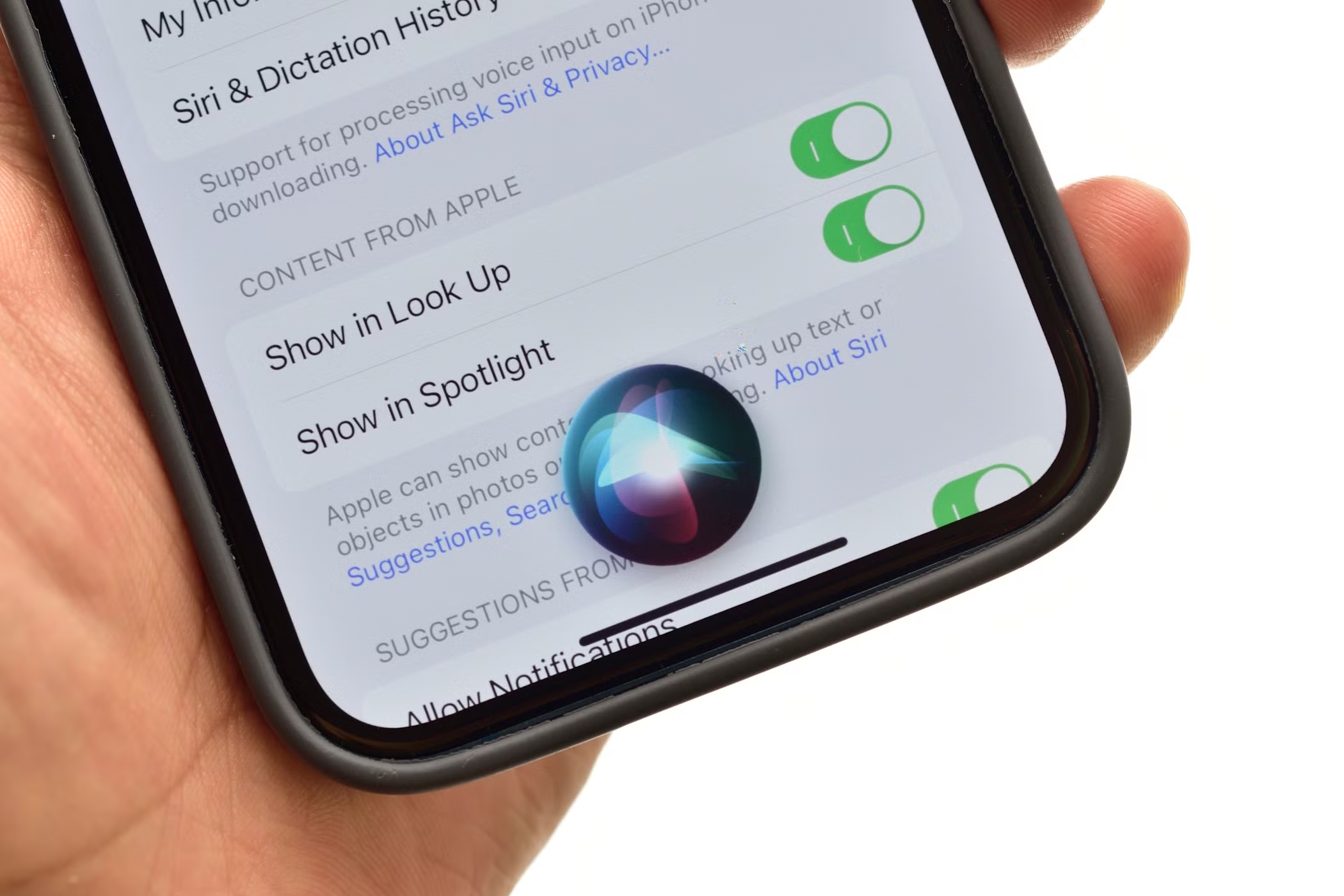
  • 3 Easy Steps to Change Siri Voice Now

    3 Easy Steps to Change Siri Voice Now

    3 Easy Steps to Change Siri Voice Now
    Image Source: pexels

    Did you know you can give Siri a whole new personality? With a few tweaks, you can change Siri’s voice to something that feels more personal and fun. Whether you’re into AI-generated voices or prefer a unique customization, the process is surprisingly simple. Ready to learn how to change Siri voice? Let’s dive in!

    Key Takeaways

    • Make sure your device works with Siri changes. Update to the newest iOS to get all features.

    • Try Apple’s Personal Voice to make Siri sound like you. Record sentences in a quiet place for better quality.

    • Add your voice in Siri settings and try it out. Change settings until Siri sounds perfect for you.

    Step 1: Prepare Your Device

    Before diving into advanced voice customization, you need to ensure your device is ready. A little preparation goes a long way in making the process smooth and hassle-free. Let’s get started!

    Check Device Compatibility for Siri Customization

    Not all devices support advanced voice customization. You’ll need an iPhone, iPad, or Mac running a relatively recent version of iOS or macOS. If you’re unsure, check Apple’s official website for a list of compatible devices. Older models may not support features like linking Siri shortcuts or creating automated tasks with AI-generated voices.

    Tip: If you’re using an older device, consider upgrading to unlock the full potential of Siri’s customization features.

    Update to the Latest iOS Version for Access to Personal Voice

    To access Apple’s Personal Voice feature, your device must run the latest iOS version. Go to Settings > General > Software Update and check for updates. Keeping your software up-to-date ensures you can explore all the new AI-powered tools and features.

    Enable Permissions for Third-Party Apps (if needed)

    Some advanced voice customization tools may require third-party apps. These apps often need permissions to access your microphone or storage. To enable permissions, go to Settings > Privacy & Security and review app access. This step is crucial if you plan to use AI tools for automation or to create automated tasks.

    Note: Always download apps from trusted sources to protect your data and privacy.

    By following these steps, you’ll set the stage for a seamless Siri voice transformation. Ready to move on? Let’s create your custom AI voice in the next step!

    Step 2: Install or Create a Custom AI Voice

    Step 2: Install or Create a Custom AI Voice
    Image Source: pexels

    Now that your device is ready, it’s time to dive into the fun part—creating or installing custom AI voices for Siri. Whether you want to use Apple’s built-in tools or explore third-party options, this step will help you bring your unique Siri voice to life.

    Use Apple’s Personal Voice Feature to Create a Custom Siri Voice

    Apple’s Personal Voice feature is a game-changer. It allows you to create a voice that sounds just like you! To get started, go to Settings > Accessibility > Personal Voice. Follow the prompts to record a series of phrases. Apple’s AI will analyze your recordings and generate a custom voice that mimics your tone and style.

    Pro Tip: Make sure you record in a quiet space for the best results. This ensures your custom AI voice sounds clear and natural.

    Explore Third-Party Tools for Voice Cloning and AI Voice Generation

    If you’re looking for more options, third-party tools can help you create unique AI voices. Popular platforms like Voicemaker and TopMediai specialize in AI voice cloning. These tools let you experiment with different tones, accents, and styles. Simply upload a sample recording, and the AI will generate a custom voice for you.

    Note: Some tools may require a subscription or one-time payment. Always review the terms before proceeding.

    Export the Custom Voice File in a Siri-Compatible Format

    Once you’ve created your custom AI voice, the next step is exporting it in a format Siri can use. Most tools will provide options to save your file as an M4A or AAC file. After exporting, save the file to your device or cloud storage for easy access during setup.

    Reminder: Keep your file organized and labeled clearly. This will make it easier to find when you’re ready to upload it to Siri.

    With your custom AI voice ready, you’re one step closer to transforming Siri into a personalized assistant. Let’s move on to the final step—setting up your new voice in Siri!

    Step 3: Set Up the Custom Voice in Siri

    Step 3: Set Up the Custom Voice in Siri
    Image Source: unsplash

    You’ve created your custom AI voice—now it’s time to bring it to life in Siri! This step will guide you through uploading and fine-tuning your new voice so Siri sounds exactly how you want.

    Navigate to Siri & Search Settings on Your Device

    Start by opening the Settings app on your device. Scroll down and tap on Siri & Search. This is where all Siri-related customization happens. From here, you can manage Siri’s voice, language, and other preferences. Make sure you’re in the right section before moving forward.

    Tip: If you don’t see the option to change Siri’s voice, double-check that your device is updated to the latest iOS version.

    Upload and Select the Custom AI Voice

    Once you’re in the Siri settings, look for the Voice or Personal Voice option. Tap it, and you’ll see an option to upload your custom AI voice file. Select the file you exported earlier and follow the on-screen instructions to complete the upload. Siri will process the file and integrate it into its system.

    Note: The upload process might take a few minutes, depending on the size of your file. Be patient and let Siri work its magic.

    Test and Adjust the New Siri Voice for Accuracy

    After uploading, it’s time to test your new Siri voice. Activate Siri by saying, “Hey Siri,” or using your preferred shortcut. Ask a few questions or give commands to hear how it sounds. If something feels off, go back to the settings and make adjustments. You can re-upload the file or tweak the voice settings until it’s perfect.

    Pro Tip: Experiment with different phrases to ensure Siri responds naturally in various scenarios.

    And that’s it! You’ve successfully transformed Siri into a personalized assistant with a custom AI voice. Now, every interaction with Siri will feel more unique and tailored to your style.

    Looking to Mimic Siri’s Voice? Try Dubbing AI!

    If you’re fascinated by Siri’s voice and want to replicate it for your projects, Dubbing AI is a fantastic tool to explore. It’s user-friendly and packed with features that make voice customization a breeze. Let’s take a closer look at what it offers and how you can use it.

    Dubbing AI Features

    Dubbing AI stands out for its versatility and ease of use. Here are some of its key features:

    • Voice Cloning: You can create a near-perfect replica of Siri’s voice or any other voice you like.

    • AI-Powered Editing: Fine-tune the tone, pitch, and speed of the voice to match your needs.

    • Multiple Language Support: Generate voices in different languages and accents.

    • Integration with Shortcuts: Seamlessly link your custom voice to Siri shortcuts for added functionality.

    Fun Fact: Dubbing AI uses advanced AI algorithms to ensure the voice sounds natural and lifelike.

    Step-by-step Guide to Use Siri Voice by Dubbing AI

    1. Sign Up and Upload: Create an account on Dubbing AI’s website. Upload a sample of Siri’s voice or any other voice you want to mimic.

    2. Customize the Voice: Use the editing tools to adjust the voice’s tone, pitch, and speed. Experiment with different settings until it feels just right.

    3. Export the Voice File: Save the customized voice file in a Siri-compatible format like M4A or AAC.

    4. Integrate with Siri Shortcuts: Open your device’s Shortcuts app and link the custom voice to your favorite Siri commands.

    Pro Tip: Test the voice with different shortcuts to ensure it works smoothly in various scenarios.

    With Dubbing AI, you can create a custom voice that feels personal and unique. It’s a great way to add a creative touch to your Siri experience.

    Changing Siri’s voice is easier than you might think. By following these three steps, you can prepare your device, create or install a custom AI voice, and set it up in Siri. This simple customization makes your assistant feel more personal. Try it today and explore custom Siri commands to enhance your experience!

    FAQ

    How long does it take to create a custom AI voice?

    It usually takes about 15-30 minutes to record phrases and let the AI process them. The exact time depends on your device and recording quality.

    Can I switch back to Siri’s default voice after customization?

    Yes, you can! Go to Settings > Siri & Search > Voice and select one of Siri’s default options. Your custom AI voice won’t be deleted.

    Are third-party AI tools safe to use?

    Most reputable AI tools are safe, but always download them from trusted sources. Check reviews and permissions before installing to protect your data and privacy.

    See Also

    Transform Your Voice Using Dubbing AI’s Free Voice Changer

    Explore Dubbing AI: The Top Celebrity Voice Changer App

    The Premier Voice Changer for Discord: Dubbing AI

    Top AI Voice Changer Options for Content Creators

    Dubbing AI: The Best Voice Changer App for PC Users

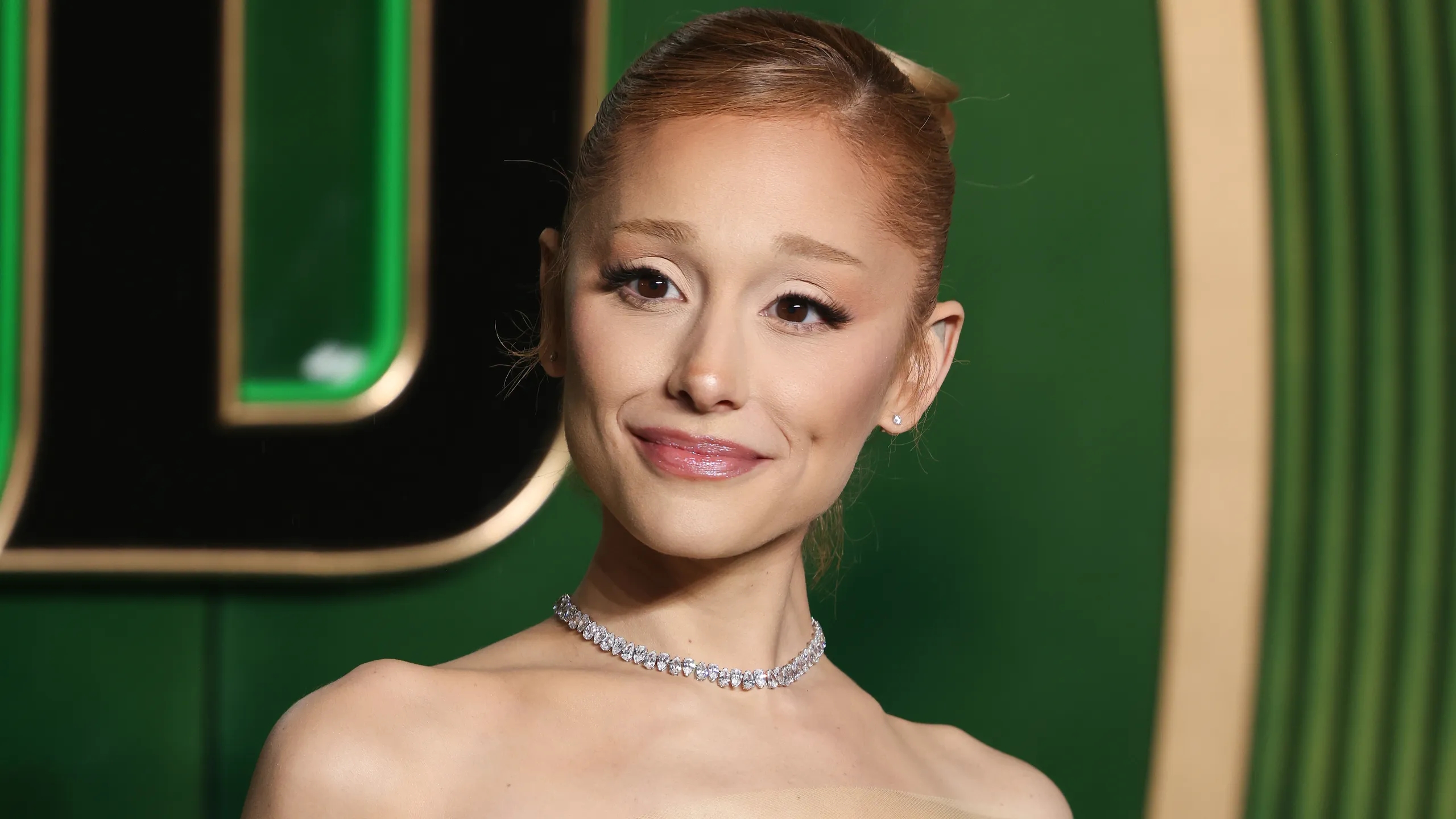
  • Ariana Grande Voice Change Explained Through Her Roles

    Ariana Grande Voice Change Explained Through Her Roles

    Ariana Grande Voice Change Explained Through Her Roles
    Image Source: pexels

    Have you ever noticed the fascinating evolution of Ariana Grande’s voice change over the years? It’s more than just her ability to hit those iconic high notes or deliver her signature whistle tones. This voice change highlights years of growth, vocal training, and adapting to the rigorous demands of her career. From her beginnings on Nickelodeon to becoming a global pop sensation, Ariana Grande has carefully shaped her voice to suit her roles while prioritizing her vocal health. This transformation underscores the dedication and effort she invests in her craft, solidifying her status as one of the most versatile artists of our time.

    Key Takeaways

    • Ariana Grande’s voice has changed a lot since Nickelodeon, showing her growth as a singer.

    • Playing Cat Valentine helped her shape her singing style and try high-pitched sounds.

    • Switching from acting to singing full-time made her improve her voice with hard vocal practice.

    • Her role in Broadway’s Wicked taught her new singing skills, making her performances better.

    • Top AI tools let fans play with Ariana’s famous voice, making it fun to try their own singing styles.

    Ariana Grande’s Early Voice and Nickelodeon Influence

    Ariana Grande'
                style=
    Image Source: pexels

    The Role of Cat Valentine in ‘Victorious’

    When you think of Ariana Grande’s early career, her role as Cat Valentine in Victorious probably comes to mind. This quirky, high-pitched character wasn’t just a fan favorite—it also gave Ariana a platform to showcase her vocal talents. Playing Cat allowed her to experiment with her voice in a way that matched the character’s bubbly and eccentric personality. This role wasn’t just about acting; it was also about performance. Ariana’s time on Victorious helped her gain early experience in singing and performing, which shaped her vocal style as she transitioned into her music career. You could say this was the first step in her journey toward becoming the vocal powerhouse we know today.

    How Nickelodeon Shaped Ariana’s Public Vocal Image

    Nickelodeon didn’t just give Ariana a stage; it also influenced how the world perceived her voice. As Cat Valentine, her high-pitched, almost childlike tone became a signature part of her public image. This wasn’t her natural voice, though. It was a deliberate choice to fit the character. Over time, fans began associating Ariana with this exaggerated vocal style. When she started her music career, some people were surprised to hear her real voice—rich, powerful, and full of range. Her Nickelodeon years taught her how to adapt her voice to different roles, a skill that continues to serve her well.

    Early Music Career and Vocal Inspirations

    Ariana’s early music career was heavily influenced by some of the greatest vocalists of all time. These artists didn’t just inspire her; they helped shape her vocal style. Here’s a quick look at her key influences:

    Influences

    Impact on Vocal Style

    Mariah Carey

    Strong vocal chops and R&B elements

    Judy Garland

    Emotional depth and theatricality in performances

    Whitney Houston

    Powerful vocal delivery and range

    You can hear these influences in her early songs, where she experimented with vocal techniques and emotional delivery. This blend of inspirations, combined with her Nickelodeon experience, set the stage for the ariana grande voice change that would come later in her career.

    Voice Change Through Acting Roles

    Adapting to ‘Sam & Cat’ and Character-Driven Vocals

    When Ariana reprised her role as Cat Valentine in Sam & Cat, you might have noticed how her voice stayed consistent with the character’s high-pitched, bubbly tone. This wasn’t just a coincidence. Ariana had to maintain this exaggerated vocal style to keep Cat’s personality intact. Imagine how challenging it must have been to balance acting and singing while sticking to such a unique voice. This role pushed her to explore the limits of her vocal flexibility. It also taught her how to adapt her voice to fit specific characters, a skill that would later influence her music career.

    Transitioning from Acting to Singing Full-Time

    As Ariana shifted her focus from acting to singing, her voice underwent a noticeable transformation. She no longer needed to stick to Cat Valentine’s quirky tone. Instead, she embraced her natural voice and began refining her vocal technique. This transition wasn’t easy. She worked tirelessly with vocal coaches to perfect her craft.

    • She focused on breath control to sustain powerful notes.

    • She adjusted her resonance to create a fuller, richer sound.

    • She refined her diction to ensure clarity in her lyrics.

    I trained every day with Nancy [Banks] and with Eric [Vetro] to transform my voice… I had to completely erase popstar Ari, the person they know so well… I had to strip that down,” Ariana shared in an interview.

    This dedication paid off. Her performances became more dynamic, showcasing her ability to hit high notes effortlessly while maintaining emotional depth.

    Moving Beyond Nickelodeon and Embracing Her Natural Voice

    Leaving Nickelodeon allowed Ariana to fully embrace her natural voice. You can hear the difference in her early albums, where she experimented with a more mature and authentic sound. This shift marked the beginning of the ariana grande voice change that fans admire today. By stepping away from character-driven vocals, she found her true artistic identity. Her voice became a tool for storytelling, whether she was belting out a pop anthem or delivering a heartfelt ballad. This evolution highlights her versatility and commitment to growth as an artist.

    Ariana Grande’s Evolution in Pop Music

    Ariana Grande'
                style=
    Image Source: pexels

    Experimentation with Vocal Techniques in Albums

    Ariana Grande’s music career has been a journey of experimentation and growth. If you listen to her albums, you’ll notice how she plays with different vocal techniques to create unique sounds. Her debut album, Yours Truly (2013), introduced her as a pop artist with strong R&B influences. Critics compared her to Mariah Carey because of her vocal range and style. By the time she released My Everything (2014), she had already started exploring more collaborations and incorporating prominent R&B elements. Songs like “Problem” showcased her ability to blend genres effortlessly.

    As her career progressed, Ariana didn’t shy away from trying new things. Dangerous Woman (2016) brought a mix of Trap and House styles, while Sweetener (2018) leaned into Dance and Trap influences. With Thank U, Next (2019), she pushed boundaries even further, working with diverse producers and collaborators. This constant experimentation keeps her music fresh and exciting, proving her versatility as an artist.

    The Use of Whistle Tones and Falsetto

    One of Ariana’s most iconic vocal techniques is her use of whistle tones and falsetto. These high-pitched notes have become a signature part of her sound. You can hear them in songs like “The Way” and “Imagine,” where she effortlessly hits notes that seem almost impossible. Whistle tones require incredible control and precision, and Ariana makes them sound easy.

    Her falsetto, on the other hand, adds a soft, ethereal quality to her music. It’s perfect for creating emotional moments in ballads or adding texture to upbeat tracks. These techniques not only showcase her vocal range but also highlight her ability to convey emotion through her voice.

    Vocal Maturity and Growth Over Time

    Ariana’s voice has matured significantly over the years. Early in her career, her sound was youthful and light. As she gained experience, her voice developed a richer, fuller tone. This growth is evident when you compare her early albums to her later work. Here’s a quick look at how her music reflects her vocal evolution:

    Album

    Year

    Key Elements

    Yours Truly

    2013

    Strong pop sound with R&B influences; initial comparisons to Mariah Carey.

    My Everything

    2014

    More prominent R&B elements; numerous collaborations, including ‘Problem’ with Iggy Azalea.

    Dangerous Woman

    2016

    Maintained pop and R&B balance; introduced Trap and House styles; featured collaborations with Nicki Minaj and Lil Wayne.

    Sweetener

    2018

    Continued exploration of Trap and Dance; chart-topping success.

    Thank U, Next

    2019

    Further broadening of sound through diverse collaborations and producers.

    This table shows how her albums reflect her growth as an artist. Each project builds on the last, showcasing her ability to adapt and evolve. The ariana grande voice change you hear today is a result of years of hard work and dedication.

    Recent Voice Changes and Broadway’s Impact

    Preparing for Glinda in ‘Wicked’

    If you’ve been following Ariana Grande’s journey, you know her role as Glinda in Wicked is a big deal. This isn’t just any role—it’s one of the most iconic characters in musical theater. To prepare, Grande put in serious work. She shared, “I worked really hard with a vocal coach and an acting coach to get ready, because Glinda’s vocal track is very different than what I usually sing. It’s very operatic and very classical sort of coloratura.”

    This preparation wasn’t just about hitting the right notes. It involved mastering a completely different singing style. Grande focused on breath control, resonance adjustments, and diction refinement. Songs like “Popular” and “Thank Goodness” demand a bright, operatic soprano sound, which is a far cry from her usual pop style. Her dedication to this role shows how much she values her craft and her commitment to delivering an authentic performance.

    How Broadway Training Refined Ariana’s Technique

    Broadway training isn’t for the faint of heart, and Grande embraced it fully. She worked on several key techniques to refine her voice for Wicked. These included:

    These techniques didn’t just prepare her for the musical; they also enhanced her overall vocal abilities. You can hear the difference in her recent performances, where her voice sounds more controlled and polished than ever before.

    Balancing Pop and Theatrical Singing Styles

    Switching between pop and musical theater isn’t easy, but Grande makes it look effortless. Her pop songs often rely on emotional delivery and vocal agility, while Broadway demands precision and a more classical approach. Balancing these styles requires incredible skill. For Wicked, she leaned into her theatrical side, but she hasn’t abandoned her pop roots. Instead, she’s found a way to blend the two, creating a unique sound that’s all her own. This balance highlights her versatility and proves why she’s one of the most talented performers of her generation.

    Wanna Sound Like Ariana Grande? Try Dubbing AI Voice Changer

    Have you ever dreamed of singing like Ariana Grande? Her unique voice and incredible performances have inspired millions. Thanks to advancements in AI technology, you can now experiment with Dubbing AI that mimic her iconic sound. Whether you’re a content creator, a fan, or just curious, these voice changers can help you explore your inner pop star.

    Dubbing AI doesm’t just stop at Ariana’s voice. Many of them also offer access to other celebrity and cartoon character voices, making them perfect for creative projects or just having fun. Imagine recording a duet with an AI-generated Ariana or adding her vocal flair to your next project.

    🎤 Pro Tip: Experiment with these tools to find the one that best suits your needs. Whether you’re aiming for a polished performance or just exploring, there’s something for everyone.

    AI voice changers are a fun way to explore your creativity. Who knows? You might discover a new talent or create something truly unique!

    Ariana Grande’s voice change is a testament to her dedication and versatility as an artist. Her journey from Nickelodeon to Broadway reflects a remarkable transformation. She has mastered blending genres like pop and R&B, collaborated with diverse artists, and refined her voice for roles like Glinda in Wicked.

    “The voice is in the body, it’s an instrument, and muscle memory is a real thing,” Grande once said, emphasizing the effort behind her vocal evolution.

    Her ability to adapt to different styles and roles highlights her commitment to growth. Whether it’s a pop anthem or a theatrical performance, her voice continues to captivate and inspire.

    FAQ

    What caused Ariana Grande’s voice to change over the years?

    Her voice evolved due to natural growth, vocal training, and adapting to different roles. Acting on Nickelodeon, transitioning to pop music, and preparing for Broadway all required her to refine her technique and explore new vocal styles.

    How did Nickelodeon influence Ariana Grande’s voice?

    Nickelodeon shaped her public vocal image by associating her with Cat Valentine’s high-pitched tone. This wasn’t her natural voice but a character-driven choice. It taught her how to adapt her voice, a skill she later used in her music career.

    What are whistle tones, and why are they important to Ariana Grande?

    Whistle tones are extremely high-pitched notes that require precise control. They’ve become a signature part of her sound, showcasing her incredible vocal range and adding a unique, ethereal quality to her music.

    How did Broadway training impact Ariana Grande’s voice?

    Broadway training refined her technique by focusing on breath control, resonance, and diction. Preparing for Wicked helped her master a more operatic style, which enhanced her overall vocal abilities and added versatility to her performances.

    Can you replicate Ariana Grande’s voice with AI tools?

    Yes! AI voice changers like Voicestars and Resemble AI let you experiment with her vocal style. These tools are great for creative projects or just having fun exploring her iconic sound.

    See Also

    Explore Top Celebrity Voice Changing App – Dubbing AI

    Dubbing AI: The Best Voice Altering Tool for Discord

    Same Task, New Voice! Speak Like Iron Man Using Voice Changer

    2024 Guide: Transform Your Voice Free with Dubbing AI

    Harnessing AI Voice Changers for Enhanced Online Video Content

  • Safety Tips for Enjoying Helium Voice Fun

    Safety Tips for Enjoying Helium Voice Fun

    Safety Tips for Enjoying Helium Voice Fun
    Image Source: pexels

    Helium voice fun is super funny, but it’s not always safe. From 2000 to 2019, over 2,000 helium injuries were reported in U.S. hospitals. Most of these injuries happened to kids aged 6 to 12. Breathing helium pushes out oxygen, which can be harmful. But why does helium change your voice? Let’s learn how to enjoy it safely!

    Key Takeaways

    • Use a little helium at a time. Take one or two breaths, then rest to let your body feel normal again.

    • Buy helium balloons only from trusted shops. Stay away from industrial helium because it might have dangerous chemicals.

    • Have helium fun in open areas with fresh air. This stops dizziness and makes sure you breathe enough oxygen.

    Why Does Helium Change Your Voice?

    Properties of Helium Gas

    Helium is a fascinating gas with unique properties that make it perfect for creating that funny, high-pitched voice. It’s colorless, odorless, and incredibly light. In fact, helium is much lighter than air, which is why balloons filled with it float so easily. But there’s more to helium than just being light.

    Here’s a quick look at some of its key properties:

    Property

    Value

    Melting point

    0.95 K (-272.20 °C)

    Boiling point

    4.22 K (-268.92 °C)

    Specific heat

    5193.1 J/(kg K)

    Molar heat capacity

    20.78 J/(mol·K)

    Thermal conductivity

    0.1513 W/(m·K)

    These properties make helium unique. Its low density and high thermal conductivity play a big role in how it affects your voice.

    The Science Behind the “Funny” Voice Effect

    So, why does helium change your voice? It all comes down to how sound travels. Normally, when you speak, your voice travels through the air in your throat and mouth. Air is denser than helium, so sound moves slower through it.

    When you inhale helium, the gas replaces the air in your vocal tract. Since helium is much lighter, sound waves travel faster through it. This speed increase causes a change in voice pitch, making your voice sound higher and squeakier. That’s why you get that hilarious, high-pitched voice after inhaling helium.

    But don’t worry—your vocal cords aren’t actually changing. The effect is temporary and only happens while helium is in your system. Pretty cool, right?

    Staying Safe While Using Helium

    Why Oxygen Matters

    Breathing in helium replaces the oxygen in your lungs. This might seem okay, but your body needs oxygen to work. Without enough oxygen, you might feel dizzy or faint.

    Helium doesn’t just push out oxygen—it blocks new oxygen from entering. This is risky, especially in small spaces. Your brain and body need oxygen to stay healthy and work properly.

    Dangers of Too Much Helium

    Inhaling helium for fun can be harmful if overdone. Breathing in too much helium can stop your body from getting enough oxygen. This can cause headaches, confusion, or even make you pass out.

    In rare cases, too much helium has caused deadly accidents. This happens when people replace too much oxygen with helium. Your body needs air to survive, so don’t overdo it.

    Balance Is Important

    To enjoy helium safely, use it in small amounts. A little helium can make your voice funny without hurting you. But doing it too often can be dangerous.

    Take breaks and stay in a place with fresh air. If you feel dizzy or can’t breathe well, stop right away. Your health matters more than a joke.

    Tip: Use helium for fun once in a while—don’t overuse it.

    How to Safely Enjoy Helium Voice Fun

    How to Safely Enjoy Helium Voice Fun
    Image Source: unsplash

    Choose Helium Balloons from Trusted Places

    Always get helium balloons from trusted stores. Party stores or well-known retailers are good options. Industrial helium might have harmful chemicals like sulfuric gases. These can hurt your lungs or cause other problems. To stay safe, avoid helium from unknown places. Use balloons made for parties, as they are safer for fun.

    Keep Helium Use Small and Take Breaks

    Don’t inhale too much helium. There are no exact rules on how much is safe. To be careful, take only one or two small puffs. Then, take a break to let your body recover. This way, you can enjoy the fun without risking your health.

    Use Helium in Open or Airy Spaces

    Helium can push out oxygen in small spaces. Always use helium where there’s fresh air. Open a window or go outside to stay safe. This helps prevent dizziness or other problems from low oxygen levels.

    Watch for Warning Signs and Get Help if Needed

    Pay attention to how you feel when using helium. Stop if you feel dizzy, lightheaded, or can’t breathe well. These signs mean your body needs more oxygen. If you don’t feel better soon, get medical help. Your safety is the most important thing.

    Tip: Keep helium fun safe and simple. A little care makes sure everyone has a great time.

    Try Dubbing AI: A Safer Way to Change Your Voice Easily

    Want to enjoy the fun of changing your voice without any risks? Dubbing AI might be just what you need! It enables you to modify your voice in creative ways without inhaling anything. Simply download Dubbing AI to your PC, follow the setup instructions, and start your voice-changing journey easily! They’re safe, easy to use, and perfect for anyone who loves experimenting with sound.

    Unlike helium, which can cause health problems, Dubbing AI works digitally. You simply record your voice, and the software does the rest. What’s more, Dubbing AI also supports real-time voice changing. It can make your voice sound high-pitched, deep, robotic, or even like a cartoon character. The best part? You don’t have to worry about oxygen levels or feeling dizzy.

    Here’s a quick comparison to show why Dubbing AI is a safer choice:

    Method

    Health Risks

    Safety Level

    Inhaling Helium

    Risk of suffocation and heavy gases settling in lungs

    High

    AI Dubbing Tools

    No inhalation of gases, just download software on your PC and start voice changing.

    Low

    With Dubbing AI, you can have all the fun without any of the risks, with over 500+ characters’ voices from popular games, animes and movies. Just try it out with just a smartphone or computer.

    So, why take chances with helium when technology offers a safer option? Give Dubbing AI a shot. It’s fun, creative, and completely risk-free. Plus, you’ll get to explore a whole new world of voice effects without worrying about your health. 🎙️

    Having fun with helium voices is safe if you’re careful. Take tiny puffs, buy balloons from reliable stores, and stay in open areas. Breathing too much helium can be dangerous, causing fainting or worse. More than 2,000 injuries happened, mostly to kids. Share these safety tips to protect everyone!

    FAQ

    What happens if you breathe in too much helium?

    Breathing in too much helium can push out oxygen. This can make you feel dizzy or even faint. Always use helium carefully.

    Tip: Stop right away if you feel dizzy. Get fresh air.

    Can kids have fun with helium voices safely?

    Yes, but only with an adult watching. Kids should take tiny puffs and not overdo it. Make sure there’s fresh air to keep it safe.

    Is helium from all balloons okay to breathe?

    No, not all helium is safe to use. Helium from party balloons bought at trusted stores is usually safe. Stay away from industrial helium, as it might have harmful stuff.

    Note: Always know where your helium comes from to stay safe.

    See Also

    Essential Advice for Cultivating Your Voice Acting Skills

    Comprehensive Manual for AI Voice Pranks on Discord

    Three Hilarious Voice Changer Pranks in CS:GO

    Five Effective Techniques to Achieve a Deeper Voice

    Same Mission, New Voice! Channeling Iron Man with Voice Changer

  • 3 Ways to Safely Use Joe Biden AI Voice

    3 Ways to Safely Use Joe Biden AI Voice

    3 Ways to Safely Use Joe Biden AI Voice
    Image Source: pexels

    The growth of AI voice tools brings cool opportunities but needs care. Using these tools the wrong way can cause big problems. For instance, a report by the Center for Countering Digital Hate showed AI voice tools copied Joe Biden’s voice in 80% of tests. These tools often spread fake information. Without rules, they could cause lies and scams.

    To use Joe Biden AI voice safely, follow three main steps. First, know the rules and what’s right or wrong. Second, use AI for good things like learning or fun. Lastly, check what you’re doing often to stay ethical.

    Key Takeaways

    • Learn the rules for using AI voice tools. Don’t lie or pretend to be someone else to keep trust.

    • Use AI voice tools for good things like teaching or art. This makes learning fun and keeps people interested.

    • Always ask before using someone’s voice. Respecting privacy keeps you out of trouble and follows the law.

    • Know the laws in your area about voice cloning. Understanding rules helps you use AI the right way.

    • Be honest about using AI voices. Telling others builds trust and keeps things fair.

    Understanding Ethics and Legal Boundaries in Voice Cloning

    Ethical Guidelines for Using Joe Biden AI Voice

    Avoid spreading lies or pretending to be someone else.

    Voice cloning is exciting but must be used carefully. Misusing it, like sharing fake news or pretending to be someone, is wrong. For example, making fake videos with Joe Biden’s AI voice to trick people is unfair. This misuse breaks trust and can hurt people’s reputations. Always make sure your use of AI voice cloning follows ethical rules.

    Using AI voice cloning for learning or history projects is a good idea. These uses help people learn while staying respectful. But using it for scams or politics is crossing the line. By avoiding harmful actions, you help keep the internet safer.

    Respect privacy and get permission before cloning voices.

    Privacy is important, and you should respect it when cloning voices. Always ask for permission before using someone’s voice. Getting permission lets people decide how their voice is used. Without it, you might break privacy rules and face legal trouble.

    For example, training programs or creative projects often use AI voices with permission. These show how respecting privacy leads to good results. By following these steps, you can use AI responsibly and ethically.

    Legal Considerations for Ethical AI Use

    Learn the laws about voice cloning in your area.

    Voice cloning laws are different depending on where you live. You should check local rules to know what’s allowed. These laws often protect privacy and ownership of voices. Knowing them helps you avoid breaking the rules.

    For instance, some places need clear permission for voice cloning. Others have strict punishments for using voices without approval. Learning these rules helps you stay within legal limits.

    Know the risks of breaking the rules.

    Using AI voice cloning the wrong way can lead to big problems. Pretending to be someone or breaking privacy laws can mean fines or lawsuits. Knowing these risks helps you make better choices.

    By following ethical AI rules, you can avoid trouble. Working with trusted companies that follow the rules can also help. This way, you stay ethical and legal while using AI voice cloning.

    Using Joe Biden AI Voice for Positive and Constructive Purposes

    Using Joe Biden AI Voice for Positive and Constructive Purposes
    Image Source: pexels

    Creative and Educational Applications

    Use for parody, satire, or fun within ethical rules.

    Joe Biden AI voice can make funny parodies or satire. These creative ideas let you talk about politics in a smart way. For example, you could use the voice to share jokes about serious topics. This helps people think without hurting anyone. AI voices also help tell stories that grab attention and entertain.

    • AI voices make creative projects more fun and relatable.

    • They help start talks about important topics in society.

    By following ethical rules, you can use voice cloning safely and for fun.

    Use for learning, like history projects or reenactments.

    Joe Biden AI voice can make learning history exciting. Teachers can use it to bring old speeches to life. Imagine hearing a past president’s speech in their voice. This makes history feel real and easier to understand. Students can also use AI voices to make cool presentations or stories.

    • AI voices make history lessons and projects more interesting.

    • They help students connect with events from the past better.

    Using AI responsibly in school keeps learning fun and useful.

    Avoiding Harmful or Malicious Uses

    Don’t use AI voices to trick or fool others.

    Using Joe Biden AI voice to lie or trick people is wrong. For example, an AI robocall once lied to voters during elections. It pretended to be from a political leader and gave false advice. This kind of misuse breaks trust and misleads people unfairly. Avoid using AI tools to deceive others.

    Don’t create fake content that spreads lies or hurts others.

    AI voice cloning can spread false information easily. A fake call using Biden’s voice showed how deepfakes can fool people. Experts warn that AI misuse can harm reputations and trust. By not using AI for bad purposes, you help keep the internet safe.

    Promoting Transparency in AI-Generated Content

    Tell people when you use AI in your work.

    Being honest about using Joe Biden AI voice builds trust. Let your audience know you used AI by adding a note. For example, explain how AI helped in your project. This shows you care about being truthful and responsible.

    Be clear about using Joe Biden AI voice in your projects.

    When you use AI voices, always let people know. Whether it’s for teaching or fun, being open helps people trust your work. This honesty supports safe and fair use of AI voice tools.

    Regularly Checking and Improving Your AI Ethics Practices

    Keeping Up with Ethical AI Rules

    Stay updated on new AI ethics and rules.

    AI rules change fast, so stay informed to use tools right. New rules often focus on keeping privacy safe and being fair. For example, some rules may ask AI voices to include hints they are not real. Companies also work to stop misuse of cloned voices. By learning these updates, you can follow good practices.

    Learn from examples of good and bad AI use.

    Looking at real cases shows how ethics affect AI use. Some projects protect data and respect privacy, which is good. Others ignore these rules and face public criticism. Learning from these helps you avoid mistakes and do better. This makes your AI use safer and more responsible.

    Watching Feedback and Changing Practices

    Listen to how people react to your AI content.

    Feedback shows how people feel about your AI work. Tools like IBM Watson can study reviews to find trends. For example, AI can quickly check many reviews to spot patterns. This helps you keep your voice cloning fair and meet audience needs.

    Fix problems if people raise ethical concerns.

    If feedback shows issues, act fast to fix them. Change your methods to solve problems and keep trust. For example, if people think your work isn’t clear, explain your AI use better. This shows you care about privacy and fairness.

    Working with Trusted Companies Like Dubbing AI

    Use platforms that help with ethical AI use.

    Working with trusted companies helps you follow AI rules. These companies give tools and advice to keep your work safe. For example, Dubbing AI offers tips to make sure your voice cloning follows privacy rules.

    Get expert help to follow ethical rules.

    Experts can explain tricky rules and ethical ideas. They help you improve your work and avoid mistakes. This teamwork supports safe AI use and keeps your projects responsible.

    Using Joe Biden AI voice safely means following three main steps. First, know the ethical rules. Second, use AI for good reasons. Third, check your actions often to stay responsible. These steps stop misuse and build trust with others.

    Using AI fairly keeps things honest and protects privacy. Your actions decide how people see and use AI tools later.

    Try platforms like Dubbing AI for help and expert advice. These tools guide you to make safe and helpful content. By learning and being honest, you can use AI voices to teach and inspire others. 🌟

    FAQ

    What is voice cloning, and how does it work?

    Voice cloning uses AI to copy someone’s voice. It studies recordings to match tone and speech style. This tech helps create realistic audio, like Joe Biden AI voice. Always follow rules when using it.

    Is it legal to use Joe Biden AI voice for personal projects?

    The rules for using Joe Biden AI voice vary by location. Many places need permission to protect privacy. Check your local laws and follow ethical voice cloning practices.

    How can users avoid the misuse of AI voice cloning?

    Follow ethical rules to stop harmful use of AI voices. Don’t make fake or harmful content. Always tell people you used AI and get permission. Being honest keeps AI use safe and fair.

    Why is consent important in voice cloning?

    Consent makes sure voice cloning is used the right way. It protects privacy and stops misuse. Without permission, you could break rules and face legal trouble. Always respect privacy and safety.

    How can users stay updated on AI ethics and regulations?

    Stay informed about new AI rules and ethics from trusted sources. Learn from real-life examples of good and bad AI use. Keeping up helps you use AI safely and responsibly.

  • Discord Voice Changer Features Updated for 2025

    Discord Voice Changer Features Updated for 2025

    Discord Voice Changer Features Updated for 2025
    Image Source: unsplash

    Have you ever wished to sound like a robot or wizard? The discord voice changer update for 2025 helps you change your voice easily. These new features let you make your chats more exciting. You can add fun and creativity to every conversation. Whether gaming, streaming, or chatting with friends, this update makes it even better.

    Key Takeaways

    • Check out a big collection of voice effects, like robots and wizards, to make your chats and games more fun.

    • Use real-time voice changes to quickly adjust your voice, adding excitement and keeping your privacy.

    • Connect the voice changer with apps like Twitch for easy and creative chatting.

    • Get better performance with faster effect changes and clearer sound, making chats more fun.

    • Follow easy steps to set up and change your voice, so you can sound unique in every chat.

    Overview of the Discord Voice Changer Update

    Expanded Voice Effect Library

    Think of a box full of cool sounds to change your voice. The updated Discord voice changer now has more effects than ever. You can sound like a robot, ghost, or even a chipmunk. There’s a voice effect for everyone to enjoy.

    The library keeps growing with new effects every month. You’ll always find something fresh to try. You can also set your favorite sounds to keys. This lets you switch voices quickly during chats, making them more fun.

    The bigger library helps with creativity and role-playing too. Try out different voices or act as a character in your favorite game. It’s not just fun—it makes every chat special.

    Real-Time Voice Tuning

    Ever wanted to change your voice while talking? Real-time voice tuning lets you do that. You can adjust your voice instantly to sound just right.

    Whether gaming, streaming, or chatting, this tool gives you control. Change pitch, tone, and more without stopping your talk. It’s great for jokes, role-play, or making your voice unique.

    This feature also adds privacy. Changing your voice on the spot can hide your identity. It helps keep you safe and avoid trouble. A small tweak can make a big impact.

    Integration with Third-Party Apps

    The Discord voice changer now works with other apps too. Use it on Twitch, podcasts, or virtual events to add fun effects.

    This update makes it easy to stay creative everywhere. No need to switch tools or lose quality. Everything works smoothly, so you can focus on enjoying yourself.

    By using Discord’s voice changer with other apps, you get more options. It’s not just a tool—it changes how you talk online.

    How the Discord Voice Changer Update Makes Things Better

    More Ways to Personalize

    The new Discord voice changer lets you make your voice special. You can pick from many effects or create your own sounds. Want to sound like a robot, wizard, or something else? The choices are endless and fun!

    Here’s how Discord compares to other voice changers:

    Voice Changer

    Features

    Voicemod

    90+ voice filters, custom voices, works on Windows/Mac.

    iMyFone MagicMic

    225 AI filters, 600+ effects, 200+ memes, sound emulator.

    Voxal Voice Changer

    Real-time changes, many effects, noise removal, works with apps.

    With these tools, Discord is now a top pick for voice fun. Match your mood, act as a character, or just try cool effects.

    Smoother Performance

    The update doesn’t just add features—it makes things faster. Switching effects is quicker, even during gaming or streaming. No more delays or interruptions while chatting.

    It also cuts out background noise, so your voice sounds clear. Even in noisy places or with a simple mic, it works great. These changes make Discord better for everyone, from casual users to pros.

    Easier for Everyone

    Discord’s voice changer is now easier for all to use. For example:

    • You can check out groups before joining to feel at ease.

    • You can chat without pressure, giving you full control.

    • It works on many devices, so you stay connected anywhere.

    These updates help everyone enjoy Discord without problems. Whether you game, stream, or just chat, it’s now simpler for all to join the fun.

    Step-by-Step Guide to Using the Updated Voice Features

    Step-by-Step Guide to Using the Updated Voice Features
    Image Source: unsplash

    Accessing the Voice Changer

    It’s easy to start using Discord’s updated voice changer. Just follow these steps:

    1. Download and install the voice changer on your device.

    2. Open Discord and click on User Settings.

    3. Go to the Voice & Video section.

    4. Pick the voice changer as your input device from the menu.

    5. Test it by speaking into your mic to check the effects.

    The setup is simple and user-friendly. The voice changer works with your mic to add effects instantly. You don’t need extra tools or steps to enjoy it.

    Customizing Your Voice

    After setting up, you can make your voice unique. This is where the fun starts!

    • Pick effects like sounding robotic, younger, or like a wizard.

    • Change pitch, tone, and other settings to create your sound.

    • Save your favorite settings for quick use during chats or games.

    With millions of Discord users, voice changers are super popular. You can match your voice to your mood or role-play as a character. It’s easy to try new sounds and find what you like best.

    Using Voice Changer in Chats

    Now that your voice is ready, use it in chats. Whether gaming, streaming, or chatting, it adds fun to conversations.

    • Turn on the voice changer before joining a voice channel.

    • Switch effects during chats to keep things exciting.

    • Use it to add humor, mystery, or fun to your talks.

    The updated Discord voice changer makes chatting more creative. It’s not just a tool—it’s a fun way to share and connect with others.

    Comparison with Previous Versions of Discord Voice Features

    Comparison with Previous Versions of Discord Voice Features
    Image Source: unsplash

    Key Improvements

    The 2025 Discord voice changer update is a big upgrade. It now has more effects, so finding the right sound is easy. Before, there weren’t many choices, but now you can pick from tons of options. You can sound like a robot, wizard, or anything else you want.

    Switching effects is now quicker and works better. Older versions sometimes froze or lagged during games. This update fixes those problems, so you can enjoy chatting. Plus, you can now use these features with other apps, which wasn’t possible before.

    If you’ve read Discord’s patch notes, you’ll see the hard work. The updates make your voice clearer and more real, even with cool effects. It’s a big step for both fun and performance.

    User Feedback

    People are really happy with the 2025 update. Many say the bigger effect library makes gaming and chatting more fun. One person said real-time tuning helped them stay in character while role-playing. Another liked how it works with streaming apps, making streams more exciting.

    Discord listens to its users, and this update proves it. The patch notes show they added features people wanted. Whether you’re just chatting or streaming, these changes work for everyone.

    Compatibility and System Requirements

    The new voice features work well on most devices, but some tips help. For the best experience:

    These tips, often shared in Discord patch notes, help you enjoy the updates. Whether gaming, streaming, or chatting, these changes make everything smoother.

    Try Best Voice Changer for Discord: Dubbing AI

    Overview of Dubbing AI

    What is Dubbing AI?

    Dubbing AI is a smart app that changes how you chat. It lets you change your voice in real-time to sound like characters or create new ones. Whether gaming, streaming, or chatting, it makes conversations more fun and exciting.

    This app isn’t just for fun—it’s useful too. It works on many devices like PC, Mac, Android, iOS, and even VR/AR. It uses very little CPU, so your device stays fast and smooth.

    Key Features of Dubbing AI

    Here’s why Dubbing AI is special:

    Feature

    Description

    Real-Time Voice Changing

    Changes your voice to any character in 30 ms.

    Extensive Voice Library

    Over 1000 voices, updated weekly with popular characters.

    Low CPU Usage

    Uses only 2-3% of CPU, keeping your system fast.

    Cross-Platform Compatibility

    Works on PC, Mac, Android, iOS, and VR/AR devices.

    Customer Feedback

    “Dubbing AI made my streams amazing.” – Twitch Streamer

    “As a gamer, it makes games more immersive.” – Gamer

    Benefits of Using Dubbing AI

    Enhanced Voice Modulation

    Dubbing AI makes voice changing better than ever. It has over 1000 voices, including characters from games and anime. You can find the perfect voice for any moment. The app works instantly, changing your voice in less than 30 milliseconds. This keeps chats and games smooth and fun.

    It also makes your voice sound clearer and better. Talking feels more engaging and special. Whether role-playing, streaming, or just chatting, Dubbing AI adds something unique to your voice.

    User-Friendly Interface

    Dubbing AI is easy to use. Its design is simple, so anyone can start quickly. Just pick a voice, and the app does the rest.

    It uses very little CPU, so it works well even on older devices. There’s no lag, making it great for gaming and streaming. Plus, it works on many platforms, so you can use it anywhere.

    Dubbing AI isn’t just an app—it’s a fun way to make your voice stand out on Discord and beyond.

    The 2025 Discord voice changer update adds cool new options. You can now change your voice in fun and creative ways. Whether gaming, streaming, or chatting, these updates make it better for all users. It’s easier to use and works faster than before. Don’t wait—try the new features now and enjoy chatting like never before!

    🎉 Tip: Try out various effects to discover your favorite sound and make your chats stand out!

    FAQ

    How do I join a voice channel with the updated voice changer?

    Click on the voice channel in your server to join. Turn on the voice changer first to use your custom voice.

    Is the voice changer update safe to use?

    Yes, it keeps you safe. Real-time tuning hides your identity. Use it wisely to keep chats fun and positive.

    When will the new features be available?

    The new voice changer features start on February 3, 2025. By March 11, 2025, everyone will have access to these tools.

    Can I use the voice changer in other apps?

    Yes, it works with other apps like Twitch and virtual events. This makes your voice more fun and creative everywhere.

    What if I experience issues with the voice changer?

    Check your internet and device settings if problems happen. Try ‘Legacy’ audio or contact Discord support for help.

  • Exploring Goku’s Voice Actors Across Languages and Versions

    Exploring Goku’s Voice Actors Across Languages and Versions

    Exploring Goku'
                style=
    Image Source: unsplash

    Goku, the main hero of Dragon Ball, is loved worldwide. His story, from a curious kid to a strong fighter, inspires fans. Over time, Goku’s fame has grown a lot. For example, he was ranked first in IGN’s 2009 list of Top 25 Anime Characters of All Time. He also ranked high in Anime Grand Prix polls in the 1980s and 1990s.

    The goku voice actor is very important. Their voice helps show Goku’s personality and makes him memorable. Have you ever thought about how these voice actors shaped Goku’s story?

    Key Takeaways

    • Goku’s character, based on Sun Wukong, mixes fun and power. This makes him a favorite hero around the world.

    • Masako Nozawa’s voice acting in Japan shows Goku’s happy and brave nature.

    • Sean Schemmel has voiced Goku in English for over 20 years. He brings excitement and steadiness to Goku in many shows and movies.

    • Goku’s voice actors in other languages adjust his personality to match their cultures. They still keep his main traits the same.

    • The hard work of Goku’s voice actors keeps his story alive. They inspire fans from all ages and places.

    Goku’s Journey in Dragon Ball and Pop Culture

    The Origins of Son Goku

    Son Goku, the hero of Dragon Ball, has deep roots. His character is inspired by Sun Wukong, the Monkey King from Journey to the West. This explains Goku’s playful side and love for adventure. But Goku also has modern influences. His fighting style and humor come from martial arts stars like Jackie Chan and Bruce Lee.

    Goku’s story starts when he is sent to Earth as a baby. His Saiyan name is Kakarot, and he was meant to take over the planet. A head injury as a child changed him, making him kind and cheerful. Raised by his grandpa, Son Gohan, Goku learned to value friendship and fairness. These traits define him throughout the series.

    Goku’s Role as a Global Icon

    Goku is famous far beyond anime fans. As Dragon Ball’s main character, he is known worldwide. In the early 2000s, his fame grew even more. For example, in 2001, Goku was the most searched name on Lycos, with 4.7 million daily hits. This shows how much people love him.

    Goku’s influence goes beyond numbers. He inspires fans and creators everywhere. Tennis star Rafael Nadal said Goku inspired him as a kid. Anime creators like Eiichiro Oda (One Piece) and Masashi Kishimoto (Naruto) were also influenced by Goku. His positive attitude and never-give-up spirit connect with people globally. Goku even appears at events like the Brazilian Carnival and inspires music, like the German band Son Goku.

    Goku has won many awards over the years. He ranked high in polls like Anime Grand Prix and Weekly Shōnen Jump. In 2007, he was voted the strongest manga character in an Oricon survey. These honors show Goku’s lasting impact as a symbol of hope and strength.

    Masako Nozawa: The First Voice of Goku

    Her Work in the Japanese Dragon Ball Series

    If you’ve watched Dragon Ball in Japanese, you know Masako Nozawa’s voice. She has voiced Goku since the series began, showing her dedication. She started with the original Dragon Ball, voicing young Goku. Over time, she continued in Dragon Ball Z, Super, and Z Kai. She also voiced other Saiyan males in Goku’s family, like Gohan and Goten.

    Nozawa’s work earned her awards and recognition in anime. Her voice acting helped Dragon Ball Z become hugely successful. By 1999, it made $3 billion in Asia. In North America, it sold 14 million videos by 2002 and 25 million DVDs by 2012. These numbers show how popular Dragon Ball is, with Nozawa’s voice being a big part of its success.

    How Masako Nozawa Shaped Goku’s Personality

    Masako Nozawa didn’t just voice Goku; she shaped who he is. She chose not to read the manga, reacting naturally to scripts. This made Goku’s curious and innocent nature feel real. She understood Goku’s growth from a playful kid to a strong hero.

    Fans say Nozawa made Goku unforgettable. Her voice showed his cheerful, determined, and adventurous side. By voicing Goku in all Dragon Ball media, she kept his character consistent. Her work inspires other Goku voice actors worldwide, setting a high standard for the role.

    Sean Schemmel: Goku’s English Voice Actor

    His Work in the Funimation Dub

    Sean Schemmel has voiced Goku in English since 1999. He started with Dragon Ball Z, bringing Goku to life for English fans. Over 20 years, he voiced Goku in shows, games, and movies.

    Schemmel’s work is known for its energy and hard work. He once said,

    “I worked 12-hour days for many days straight.”

    This effort kept Goku’s voice steady and real, even in tough scenes. Fans love his work on big moments like the Kamehameha and Super Saiyan scenes.

    Sean Schemmel’s Impact on Goku’s Legacy

    Schemmel’s voice is famous among English-speaking Dragon Ball fans. He is the only Goku voice actor in English who has never been replaced. His acting shows Goku’s happy, brave, and heroic nature.

    Here’s a quick summary of Sean Schemmel’s work:

    Detail

    Information

    Role

    Goku’s English voice since 1999

    Duration

    Over 20 years of voice acting

    Notable Works

    Dragon Ball Z, Shaman King, Yu-Gi-Oh! GX, Pokémon

    Unique Contribution

    Only Goku voice actor not replaced in franchise

    Schemmel and Christopher Sabat, Vegeta’s voice actor, are key to Dragon Ball Z’s success. Their voices helped make the show popular in English-speaking countries.

    Thanks to Schemmel’s dedication, Goku is loved by fans everywhere. His voice inspires new fans and keeps Goku’s story alive.

    Goku’s Voice Actors in Other Languages

    Latin American Spanish: Mario Castañeda

    In Latin America, Mario Castañeda is closely linked to Goku. His voice acting in Dragon Ball has deeply impacted fans. Castañeda’s voice shows Goku’s happy and determined nature. This made him a favorite in the region. Fans love his emotional delivery, especially during big moments like Goku turning Super Saiyan.

    Castañeda’s work connects with fans by fitting Goku into Latin culture. This has kept Dragon Ball popular for many years. Many fans think his voice is the best version of Goku in any language.

    European Dubs: French, German, and Italian Voice Actors

    In Europe, Goku’s voice actors bring him to life in unique ways. Each dub matches the culture of its audience. In France, Patrick Borg voices Goku, showing his heroic and fun side. His work made Dragon Ball very popular in France.

    In Germany, Tommy Morgenstern gives Goku a strong and deep voice. His acting shows Goku’s power and determination, which German fans love. In Italy, Paolo Torrisi’s lively voice made Goku a hit with Italian viewers.

    These European versions show how Goku’s character can fit different cultures.

    Other International Voice Actors for Goku

    Goku’s voice has been translated into many languages, showing Dragon Ball’s global reach. In Brazil, Wendel Bezerra’s voice is very popular. He captures Goku’s playful and adventurous side, making fans love him.

    In the Philippines, the Tagalog dub introduced Goku to new anime fans. Voice actors in these places keep Goku’s personality the same but adjust for local audiences. This variety shows how Goku’s appeal works everywhere.

    Goku’s voice actors around the world keep his legacy alive. Their work helps Dragon Ball inspire fans across cultures and generations.

    Goku’s Voice in Video Games and Crossovers

    Voice Actors in Dragon Ball Video Games

    Goku’s voice actors make him come alive in video games. These games let you join Goku’s adventures and battles. Popular titles like “Dragon Ball FighterZ” and Dragon Ball RPGs show their amazing work. Their voices make Goku’s personality feel real and exciting.

    In English, Sean Schemmel keeps fans amazed with his energy. His voice shows Goku’s bravery and fun side, even in tough fights. Whether you’re using a Kamehameha or exploring, the voice acting keeps you connected to Goku’s story.

    Goku’s Voice in Crossover Media

    Goku’s voice isn’t just in Dragon Ball. It’s also in crossover games with other anime heroes. Games like “Jump Force” bring Goku into new worlds with different characters. His voice stays the same, so you always know it’s him.

    In English crossovers, Sean Schemmel makes sure Goku’s personality stands out. This keeps Goku’s character strong, even in new settings. It also helps new fans discover and love Goku.

    Best Goku Voice Changer to Prank Your Friend — Dubbing AI

    Want to sound like Goku? Now you can! Tools like Dubbing AI let you copy Goku’s voice. Use them to prank friends or make conversations fun. Imagine yelling “Kamehameha!” in Goku’s voice to surprise someone. It’s a fun way to show your love for Goku.

    Tip: Practice Goku’s lines before using a voice changer. This makes your prank even better and more believable!

    Goku’s voice actors have made him special for fans everywhere. From Masako Nozawa to Sean Schemmel, each actor adds something unique. Their voices help show Goku’s personality and make him unforgettable. These actors connect with people from different cultures through their work. Because of them, Goku has become a worldwide hero. Their amazing talent keeps Goku’s story inspiring and alive for future generations.

    FAQ

    What makes Goku’s voice special in different languages?

    Each actor gives Goku a unique style. In Japanese, Masako Nozawa shows his fun and innocent side. In English, Sean Schemmel focuses on his courage and energy. Other languages adjust Goku’s voice to match their culture but keep his main traits.

    How do actors get ready for Goku’s tough scenes?

    Voice actors work hard to show Goku’s feelings in battles. They practice loud screams and emotional lines. Sean Schemmel, for example, spends hours making Goku’s Kamehameha moments sound real and exciting.

    Why does Goku have the same voice in Japan?

    Masako Nozawa has always voiced Goku to keep him consistent. Her hard work helps Goku stay the same in all Dragon Ball series. This has made it easier for fans to connect with him over the years.

    Are Goku’s video game voices the same as the anime?

    Most games use the same actors as the anime to keep Goku’s character steady. Some games may change the tone slightly to fit fast action or funny scenes.

    Can you learn to sound like Goku?

    Yes! You can copy Goku’s voice with practice and tools. Start by learning his famous lines and loud screams. Tools like Dubbing AI can help you improve for fun or creative ideas.

    See Also

    Transform Your Voice Like Firefly With Dubbing AI Today

    Experience The Best Voice Change For Discord With Dubbing AI

    Speak Like Iron Man Using A Voice Changer Tool

    Bring Out Your Anime Persona Using Dubbing AI Now

    Find The Top Celebrity Voice Changer App: Dubbing AI

  • Best Bluudud Voice Changer Tools Reviewed for 2025

    Best Bluudud Voice Changer Tools Reviewed for 2025

    Best Bluudud Voice Changer Tools Reviewed for 2025
    Image Source: unsplash

    In 2025, picking the right bluudud voice changer matters a lot. It can change how you talk, create, or have fun. Gamers, creators, and workers all use these tools to shine. They have features like custom sounds, voice copying, and editing. These make your voiceovers sound smooth and professional. Some tools work in over 20 languages, great for worldwide users. People like how these tools turn simple recordings into great ones. But, prices can sometimes be a problem. With so many choices, finding the best one is very important.

    Key Takeaways

    • Picking the right bluudud voice changer can improve your games, videos, or work.

    • Find tools with live voice changes, voice copying, and many languages.

    • Think about your budget; free tools are good for starters, paid ones have more features.

    • Check user reviews to see how tools work and find problems early.

    • Try free trials or basic tools like Dubbing AI and FineShare VoiceTrans to see what works best for you.

    Overview of Bluudud Voice Changer Tools

    What Are Bluudud Voice Changer Tools?

    Bluudud voice changers are apps or programs that change your voice. You can use them live or after recording. They can make your voice sound like a robot, a famous person, or even a cartoon. These tools use smart AI to work better and be easier to use. Whether you want to joke with friends, make cool content, or improve gaming, these tools are perfect.

    Why Are They Popular in 2025?

    In 2025, bluudud voice changers are super popular. Why? They’ve improved to meet the need for creative content. Here’s why people love them:

    • AI makes them very accurate and simple to use.

    • Apps like Lovo and Resemble.AI offer live voice changes and many options.

    • Tools like Dubbing AI and Murf AI are flexible for fun or work.

    These features make bluudud voice changers a hit with gamers, creators, and workers.

    Common Use Cases for Bluudud Voice Changers

    Gaming and Streaming

    Think about playing a game and sounding like your character. Fun, right? Bluudud voice changers make this possible. Gamers use them to make games more exciting. Streamers enjoy using them to entertain their viewers with cool voice effects.

    Content Creation and Dubbing

    Podcasters and YouTubers love these tools for better content. You can tell stories, make catchy intros, or dub videos in other languages. Some even use famous voices to grab attention. Bluudud voice changers help creators stand out.

    Professional and Business Applications

    These tools aren’t just for fun—they’re useful for work too. People use them to improve audiobooks, presentations, and video dubbing. Want your business pitch to sound cooler? A bluudud voice changer can make it more interesting.

    Top Bluudud Voice Changer Tools for 2025

    Top Bluudud Voice Changer Tools for 2025
    Image Source: pexels

    Tool 1: Murf AI

    Key Features

    Murf AI is great for voice cloning and editing. You can change pitch, speed, and add emphasis easily. It uses AI to make voices sound natural and real. This tool is perfect for podcasts or dubbing videos. It gives clear pronunciation and accurate tone. Plus, it works quickly, saving you time.

    Pricing and Plans

    Murf AI starts at $29 per month. It’s more expensive, but the features are worth it. If you want professional voiceovers, this tool is a good choice.

    User Reviews and Ratings

    People like Murf AI for its realistic voices and easy use. Some think it’s pricey, but most find it reliable. It’s a top pick for serious users.

    Tool 2: PowerDirector

    Key Features

    PowerDirector isn’t just for editing videos. It also has a fun voice changer. You can make your voice sound robotic or cartoonish. It’s great for creative projects. The voice changer works well with its video tools, making it an all-in-one option.

    Pricing and Plans

    PowerDirector has a free version with basic tools. For advanced features, plans start at $4.33 per month (billed yearly). It’s a budget-friendly choice for creators.

    User Reviews and Ratings

    Users love PowerDirector for being versatile and simple to use. The voice changer is a favorite for video creators. Some feel the free version doesn’t offer enough features.

    Tool 3: FineShare VoiceTrans

    Key Features

    FineShare VoiceTrans changes voices in real-time. Use it during live streams, calls, or games. It supports many languages, great for global users. The AI makes voice changes smooth and professional.

    Pricing and Plans

    FineShare VoiceTrans has a free trial for new users. Paid plans start at $19.99 per month. It’s a good balance of price and features.

    User Reviews and Ratings

    Users like its real-time voice changes and language support. Gamers and streamers enjoy using it. Some wish for more options in cheaper plans.

    Tool 4: Dubbing AI

    Key Features

    Dubbing AI is one of the smartest voice changer tools. It uses advanced AI to make voices sound real and clear. You can create great audio without much work. Its best feature is copying voices very accurately. Whether for videos or podcasts, it makes your content sound smooth and interesting.

    Another cool feature is its support for many languages. Dubbing AI works with over 30 languages, great for creators worldwide. It also changes voices live, perfect for streaming or online meetings. The easy-to-use design helps anyone, even beginners, use it without trouble.

    Pricing and Plans

    Dubbing AI has plans for different users. The basic plan is free, good for casual users. The premium plan is $14 monthly and includes extra features like unlimited voice copying and top support. A free trial lets you try it before paying.

    User Reviews and Ratings

    People like Dubbing AI for its flexibility and great results. Many say its voices sound so real, they’re hard to tell apart from actual ones. Creators love the language options, helping them reach more people. Some think the premium plan costs too much, but most agree it’s worth it.

    The rising fame of tools like Dubbing AI shows how popular AI dubbing is becoming. In 2024, this market was worth $958 million. By 2031, it might grow to $2,395 million, increasing by 14.2% yearly. This shows more people want tools that make creating content easier and faster.

    Comparison Table of Top Tools

    Comparison Table of Top Tools
    Image Source: pexels

    Features Comparison

    Each tool has its own special features. Here’s a simple overview:

    Tool

    Key Features

    Murf AI

    Great for podcasts with voice cloning and pitch changes.

    PowerDirector

    Fun effects like robot or cartoon voices. Works with videos.

    FineShare VoiceTrans

    Changes voices live and supports many languages. Ideal for streaming.

    Dubbing AI

    Copies voices well, supports 30+ languages, and works live.

    For professional voiceovers, Murf AI and Dubbing AI are top picks. PowerDirector is best for creative projects with fun effects. Gamers and streamers will love FineShare VoiceTrans for live voice changes.

    Pricing Comparison

    Cost is important when picking a tool. Here’s a quick look:

    Tool

    Free Version

    Starting Price (Monthly)

    Premium Features Cost (Monthly)

    Murf AI

    No

    $29

    N/A

    PowerDirector

    Yes

    $4.33

    N/A

    FineShare VoiceTrans

    Yes

    $19.99

    N/A

    Dubbing AI

    Yes

    $14

    $14

    PowerDirector is the cheapest, great for beginners. Dubbing AI has a free trial but costs more for premium. Murf AI is expensive but worth it for professionals.

    Compatibility and Usability Comparison

    How well a tool works on devices matters. Here’s the breakdown:

    • Murf AI: Works on most devices and pairs with podcast tools.

    • PowerDirector: Runs on Windows and macOS, great for video creators.

    • FineShare VoiceTrans: Works on many platforms and is great for live streams.

    • Dubbing AI: Supports 30+ languages and live voice-changing features.

    Dubbing AI is perfect for global creators with its language options. FineShare VoiceTrans is great for live chats. PowerDirector is ideal for video editing fans. Murf AI is best for podcasters needing smooth integration.

    Tip: Think about what you need—live changes, language options, or low cost—before choosing.

    How to Pick the Best Bluudud Voice Changer Tool

    Think About Your Budget

    Your budget is important when choosing a voice changer. Some tools are free, while others need monthly payments. Free options like Voice Changer.io and Celebrity Voice Changer are good for fun. For advanced features, paid tools like MagicMic or Lovo are better.

    Here’s a simple pricing guide:

    Voice Changer Name

    Pricing Options

    Dubbing AI

    Free

    Vomaker – Powerful Celebrity Voice Changer

    $9.99/month

    Celebrity Voice Changer

    Free

    TopMediai Online Voice Changer

    Absolutely free

    MagicMic

    Free to use, premium plans from $9.99/month

    Lovo

    Free version, Pro+ at $75/month

    Tip: Free tools are great for trying things out. If you use these tools often, paying for a premium plan can save time and offer better features.

    Look at Important Features

    Voice changers have different features. Some change voices live, while others let you customize. Choose tools that fit your needs. For streaming, live voice changes are key. For content creation, options like pitch control are useful.

    Here’s a list of features to check:

    Feature

    Description

    User Interface

    Easy-to-use design for quick changes.

    Voice Customization Options

    Adjust settings like pitch and effects.

    Real-Time Voice Modification

    Change your voice instantly during calls or streams.

    Pricing Models

    Includes free and paid plans for flexibility.

    Make Sure It Works on Your Devices

    Before picking a tool, check if it works on your devices. Some tools only work on Windows or macOS. Others, like FineShare VoiceTrans, work on many platforms, perfect for gaming or live streams.

    Note: If you create content for global audiences, tools like Dubbing AI with multi-language support are very helpful. Always check compatibility to avoid problems later.

    Read User Reviews and Testimonials

    When picking a Bluudud voice changer tool, user reviews can be your best friend. They give you real-world insights into how these tools work. Instead of relying only on marketing claims, you get to hear from people who’ve actually used them. This can save you time, money, and a lot of frustration.

    Here’s why you should pay attention to reviews:

    • Learn about performance: Reviews often highlight how well a tool performs in real-life situations. Does it deliver smooth voice changes? Is it reliable during live streams? These are things you’ll find in user feedback.

    • Spot potential issues: No tool is perfect, and reviews can reveal common problems. Maybe a tool crashes often or doesn’t work well on certain devices. Knowing this upfront helps you avoid surprises.

    • Understand ease of use: Some tools are beginner-friendly, while others have a steep learning curve. Reviews can tell you if a tool is simple enough for you to use without headaches.

    Pro Tip: Look for reviews from users with needs similar to yours. If you’re a gamer, check what other gamers say. If you’re a content creator, focus on reviews from creators.

    You can also check testimonials on the tool’s website. These often showcase success stories and highlight key features. However, balance these with independent reviews from platforms like Trustpilot or Reddit. This way, you get a full picture.

    Reading reviews isn’t just about finding flaws. It’s about making sure the tool fits your needs. So, before you hit that “Buy” button, take a few minutes to see what others are saying. It’s worth it! 😊

    Picking the right bluudud voice changer is important. It can improve how you create, play, or work. The tools reviewed—Murf AI, PowerDirector, FineShare VoiceTrans, and Dubbing AI—each have special features. Some offer live voice changes, fun effects, or high-quality dubbing.

    Think about what you need and your budget first. For global content, Dubbing AI is a great pick. It has advanced features and supports many languages. It’s perfect for anyone wanting better voice tools.

    FAQ

    What is the best Bluudud voice changer for beginners?

    PowerDirector is a great choice for beginners. It’s affordable and simple to use. The free version lets you try basic tools. Paid plans unlock more features for advanced use. It’s perfect for learning without spending much.

    Tip: Test the free version first to see if it works for you!

    Can I use these tools for live streaming?

    Yes, you can! Tools like FineShare VoiceTrans and Dubbing AI work well for live streaming. They let you change your voice instantly. This makes your streams more fun and exciting. Gamers and streamers love their smooth performance.

    Are Bluudud voice changers safe to use?

    Yes, they are safe if downloaded from trusted websites. Always read reviews before downloading. Avoid unofficial sites to keep your device safe from harmful software.

    Do I need a high-end computer to use these tools?

    No, you don’t! Many tools, like PowerDirector and FineShare VoiceTrans, run on regular devices. Some even work online, so no installation is needed. Just check if the tool works with your device first.

    Can I try these tools for free?

    Yes, many tools have free trials or basic versions. For example, Dubbing AI and FineShare VoiceTrans let you test features before paying. This helps you decide if the tool is right for you.

    Emoji Tip: 🆓 Free trials help you explore without spending money!

    See Also

    Explore Top Celebrity Voice Transformation Apps with Dubbing AI

    Top AI Voice Modifiers Perfect for Creative Content Makers

    2024 Insights: Transform Your Voice Using Free Dubbing AI Tools

    Dubbing AI: The Best Voice Modification Tool for Discord Users

    Uncover New AI Voice Cloning Solutions for Realistic Voiceovers