Category: Voice Changer Tips

  • How to Add Anime Voice Modulator for Discord? 

    How to Add Anime Voice Modulator for Discord? 

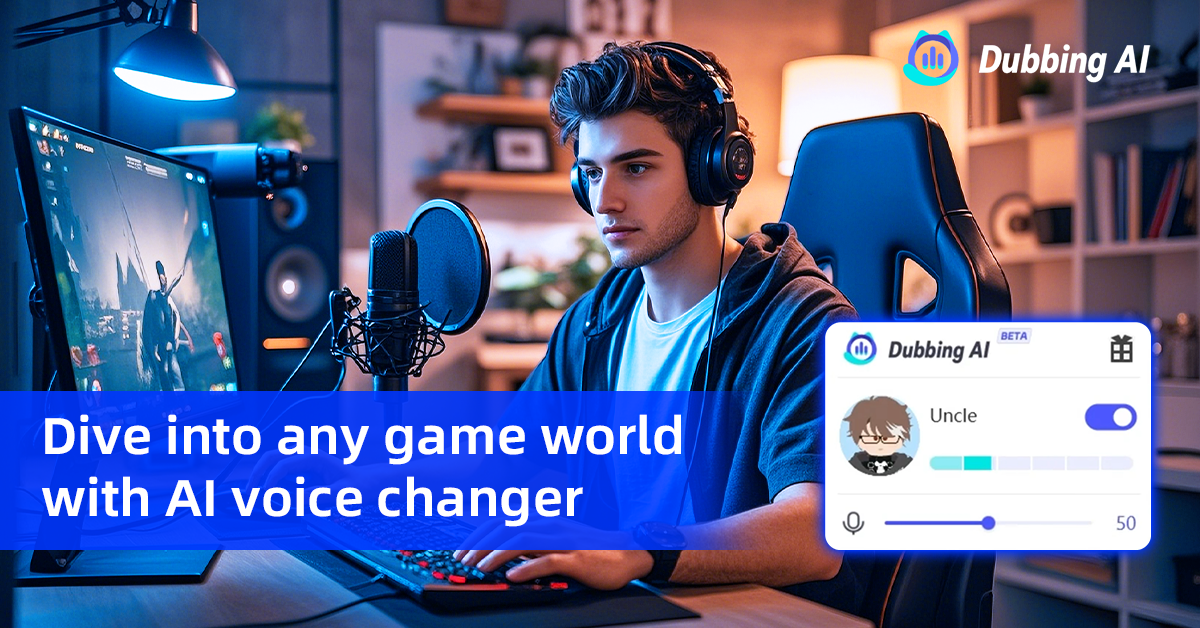
    Imagine transforming your voice into your favorite anime character during a Discord chat. That’s exactly what the Dubbing AI Anime Modulator does! This cutting-edge tool lets you sound like iconic characters with just a few clicks. It’s not just fun—it’s a game-changer for gamers, streamers, and anime fans alike.

    Why is it so popular? Discord has seen a surge in AI-powered tools, with over 30 million users embracing them in 2023. The Dubbing AI modulator stands out with real-time voice transformation, over 500 voice tones, and seamless compatibility with Discord. Whether you’re role-playing or entertaining your community, this AI voice modulator makes every interaction unforgettable.

    🎙️ Pro Tip: With features like voice cloning and pitch customization, you can create a voice that’s uniquely yours while keeping the anime vibe alive.

    Setting Up the Dubbing AI Voice Changer for Discord

    Downloading the Dubbing AI Voice Changer

    Official download sources and links

    Getting started with the Dubbing AI voice changer is simple. Follow these steps to download it from the official source:

    1. Head over to the official website.

    2. Find the download section on the homepage.

    3. Follow the prompts to download the Dubbing AI Voice Changer to your device.

    Always download from trusted sources to ensure you get the latest and safest version of the software.

    System requirements for the Dubbing AI modulator

    Before downloading, make sure your system meets the following requirements:

    • Operating System: Windows 10 or higher, macOS 10.15 or later.

    • Processor: Intel i5 or equivalent.

    • RAM: At least 8GB for smooth performance.

    • Storage: 500MB of free space.

    If your system checks all these boxes, you’re good to go!

    Installing the Dubbing AI Modulator

    Step-by-step installation guide

    Once you’ve downloaded the file, installing the modulator is a breeze:

    1. Open the downloaded file and run the installer.

    2. Follow the on-screen instructions to complete the installation.

    3. Choose the installation directory and confirm.

    The process takes just a few minutes, and you’ll be ready to explore the world of AI voices.

    Verifying the installation process

    After installation, launch the Dubbing AI software. If it opens without errors, the installation was successful. You can also check if the virtual audio device has been added to your system’s sound settings. This ensures the modulator is ready to pair with Discord.

    💡 Tip: Restart your computer after installation to avoid any glitches when setting up the voice modulator for Discord.

    Configuring the Modulator with Discord

    Setting up the Dubbing Virtual Device in Discord

    To connect the Dubbing AI modulator with Discord, follow these steps:

    1. Open Discord and go to User Settings.

    2. Navigate to Voice & Video Settings.

    3. Set the Input Device to “Dubbing Virtual Audio Device.”

    4. Set the Output Device to your preferred headphones or speakers.

    5. Adjust the input and output volume sliders for optimal sound.

    6. Save your settings and join a Discord channel to test.

    Testing the voice changer for Discord compatibility

    To ensure everything works perfectly, test the setup by speaking in a Discord voice channel. Adjust the input sensitivity and audio processing settings in Discord for the best results. The Dubbing AI modulator is compatible with various voice modulation tools, giving you flexibility to experiment with top AI voices for Discord.

    🎙️ Pro Tip: Use headphones to avoid echo or feedback during real-time voice modulation.

    Using the Dubbing AI Anime Modulator

    Exploring Anime Voice Options

    Overview of anime voices, including the Demon Slayer AI voice generator

    The Dubbing AI modulator offers an incredible variety of anime voices that bring your favorite characters to life. You can sound like Goku from Dragon Ball Z, channel the elegance of Sailor Moon, or even explore the powerful Demon Slayer AI voice generator. This feature uses advanced AI voice technology to create realistic and expressive voices inspired by anime, movies, and video games. With over 3200 voices available, including singers and fictional characters, the possibilities are endless.

    The Demon Slayer AI voice generator stands out with its ability to clone voices and generate text-to-speech in 77+ languages. It’s perfect for creating voiceovers for audiobooks, podcasts, or even live Discord chats. Whether you’re role-playing or just having fun, these voices add a unique flair to your interactions.

    How to select and apply anime voices

    Choosing an anime voice is simple. Open the Dubbing AI modulator and browse the extensive library of voices. Once you find the perfect match, click to apply it. You can also use filters like “Demon Slayer voice” to narrow down your options. After selecting, test the voice in real-time to ensure it fits your needs.

    🎙️ Pro Tip: Experiment with different voices to find the one that best suits your personality or the vibe you want to create.

    Customizing Voice Settings

    Adjusting pitch, tone, and modulation effects

    The Dubbing AI modulator gives you full control over your voice. You can adjust pitch, tone, and modulation effects to create subtle or dramatic changes. Want a deeper, more commanding voice? Or maybe a higher, playful tone? The intuitive interface makes it easy to tweak these settings until you achieve the perfect sound.

    Saving and managing voice presets

    Once you’ve customized your voice, save it as a preset for quick access later. This feature is especially handy if you switch between different characters or tones frequently. You can manage your presets in the app, renaming or deleting them as needed.

    💡 Tip: Save multiple presets for different moods or scenarios, like gaming, streaming, or casual chats.

    Real-Time Voice Modulation

    Enabling real-time modulation for Discord chats

    To enable real-time voice modification, ensure your Dubbing AI modulator is connected to Discord. Set the input device to the virtual microphone created by the modulator. Then, select your desired voice and start chatting. The real-time generation of voices ensures seamless integration with your Discord conversations.

    Tips for smooth and seamless voice modulation

    For the best experience, use headphones to avoid feedback. Adjust your input sensitivity in Discord to match your speaking volume. If you notice any lag, check your system’s performance and close unnecessary applications. The Dubbing AI modulator is designed for real-time voice conversion, so you can enjoy uninterrupted interactions.

    🎮 Pro Tip: Use the Demon Slayer AI voice during gaming sessions to surprise your teammates or immerse yourself in the role-playing experience.

    Practical Applications of the Dubbing AI Voice Changer

    Enhancing Gaming Experiences

    Using anime voices in multiplayer and role-playing games

    Imagine stepping into a multiplayer game and sounding like your favorite anime character. With the Dubbing AI modulator, you can do just that. Anime voices add authenticity and immersion, letting you embody characters like Tanjiro from the Demon Slayer AI voice generator. This makes every interaction feel like part of the story. The real-time voice modulation feature allows you to voice your character as you play, creating a deeper connection to the game. Whether you’re battling enemies or exploring new worlds, this AI voice changer makes your gaming sessions unforgettable.

    Adding fun and immersion to gaming sessions

    Using anime voices isn’t just about sounding cool—it’s about having fun. The Dubbing AI modulator lets you bring humor and creativity to your gaming sessions. Imagine surprising your teammates with a Demon Slayer voice or adding dramatic flair to your role-playing adventures. This technology transforms ordinary gameplay into a personal journey, making every moment more engaging and entertaining.

    Streaming and Content Creation

    Engaging audiences with unique voice effects during live streams

    If you’re a streamer, the Dubbing AI voice changer is your secret weapon. You can switch voices on the fly, creating unique personas or imitating famous characters. This keeps your audience entertained and coming back for more. The modulator also supports real-time translations, helping you connect with viewers worldwide. Whether you’re narrating gameplay or hosting a Q&A, these features make your streams stand out.

    Tips for using the Dubbing AI voice changer effectively while streaming

    To get started, install OBS and configure it with the Dubbing Virtual Device. Set up your desired voice settings in the modulator, then test the integration by speaking into your mic. You can also experiment with pitch shifting, gender swapping, or special effects like reverb and echo. These tools let you create professional, engaging content that captivates your audience. Save your favorite settings as presets for quick access during live streams.

    Community Interactions on Discord

    Making Discord chats more entertaining with anime voices

    Discord is all about connecting with others, and the Dubbing AI modulator makes it even more fun. Anime voices can turn casual chats into memorable experiences. Whether you’re role-playing or just joking around, the modulator adds a layer of creativity to your conversations. It’s a great way to keep your friends entertained and engaged.

    Building a unique identity in your Discord community

    Voice modulation helps you stand out in your Discord community. By adopting the persona of your favorite anime character, you can express yourself in unique ways. This fosters deeper connections with others who share your interests. Over time, you’ll build a distinctive identity that reflects your love for gaming and anime. The Dubbing AI modulator makes it easy to bring your personality to life.

    Pricing and Licensing Information

    Free vs. premium features of the Dubbing AI modulator

    The Dubbing AI modulator offers both free and premium features. The free version includes basic anime voices and essential tools. Premium unlocks advanced features like the Demon Slayer voice, voice cloning, and access to over 3,000 AI voices. It’s perfect for gamers, streamers, and anime enthusiasts who want to elevate their experience.

    How to access and manage premium features

    To upgrade, visit the Dubbing AI website and choose a subscription plan. Once subscribed, log in to the modulator to access premium features. You can manage your subscription through your account settings, making it easy to renew or cancel anytime.

    💡 Note: Premium plans often include updates and priority support, ensuring you get the best experience.

    The Dubbing AI Anime Modulator transforms how you interact on Discord. It lets you embody your favorite demon slayer characters or experiment with high-quality ai voices, adding a creative spark to every conversation. Whether you’re gaming, streaming, or chatting, this ai-powered voice changer software enhances immersion and engagement.

    Dive into the world of anime with tools like the demon slayer ai voice generator. These ai voiceover tools let you explore unique personas, connect with characters on a deeper level, and even create high-quality voiceovers. With ai dubbing technology, you can bring your favorite characters to life in real-time.

    From customizing voices for gaming to crafting engaging content with the voicemod desktop app, the possibilities are endless. The Dubbing AI modulator isn’t just software—it’s a gateway to creativity, fun, and unforgettable interactions.

    🎙️ Ready to stand out? Try the demon slayer voice generator today and let ai voice technology redefine your Discord experience!

    FAQ

    How do I update the Dubbing AI Anime Modulator?

    Updating is simple! Open the app and check for updates in the settings menu. If an update is available, follow the prompts to install it. Keeping the software updated ensures you get the latest features and bug fixes.

    💡 Tip: Enable auto-updates to save time and always stay current.

    Can I use the modulator on mobile devices?

    Currently, the Dubbing AI Anime Modulator works only on Windows and macOS. Mobile support isn’t available yet. However, the developers are working on expanding compatibility, so stay tuned for future updates!

    Is the free version enough for casual use?

    Yes, the free version offers basic anime voices and essential tools. It’s great for casual chats or trying out the software. For advanced features like voice cloning or premium anime voices, consider upgrading to the premium plan.

    Does the modulator affect my system’s performance?

    The modulator is optimized for smooth performance. However, it may use more resources during real-time voice modulation. Close unnecessary apps to ensure your system runs efficiently while using the software.

    🎙️ Pro Tip: Use a device with at least 8GB RAM for the best experience.

    Can I use the modulator offline?

    No, the Dubbing AI Anime Modulator requires an internet connection for real-time voice processing and updates. A stable connection ensures seamless voice modulation and access to the full library of voices.

    🌐 Note: Offline functionality might be added in future versions.

    See Also

    2024 Handbook: Real-Time Voice Modulation Using Dubbing AI

    Dubbing AI: The Best Voice Transformation Tool for Discord

    Bring Out Your Anime Persona Using Dubbing AI

    Boost Your Gaming Experience with Dubbing AI Soundboard

    Exploring New Horizons in Voice Dubbing Through Dubbing AI

  • How to Create and share your own voice changer? Step-By-Step

    Imagine transforming your voice into something entirely unique—whether for gaming, content creation, or just for fun. With dubbing ai, you can do exactly that. This tool makes creating your own ai voice changer not only possible but also incredibly accessible.

    Why is this so exciting? AI voice changers are everywhere these days. Gamers use them to bring characters to life. Content creators rely on them for fresh, engaging audio. Even brands and educators are jumping on board, using ai to personalize experiences and improve communication.

    Dubbing ai stands out because it’s packed with features. You can tweak pitch, tone, and other settings to craft a voice that’s truly yours. Plus, it works seamlessly across platforms, so you can integrate it into your projects without a hitch.

    Ready to explore the creative possibilities? Let’s dive in!

    The Best AI Voice Changer with soundboard

    What is Dubbing AI

    Dubbing AI is a cutting-edge platform that lets you transform your voice in real time. Whether you’re a gamer, content creator, or just someone who loves experimenting with sound, this tool opens up endless possibilities. It combines advanced artificial intelligence with user-friendly features, making it accessible to everyone, from beginners to pros.

    What is a Voice Changer

    A voice changer is a tool that modifies your voice to sound different. It can adjust pitch, tone, and even add effects to create unique sounds. Think of it as a way to disguise or enhance your voice. Gamers often use voice changers to match their characters, while content creators rely on them to add flair to their videos or podcasts. With AI voice technology, these tools have become more powerful and versatile than ever before.

    Dubbing AI takes voice changers to the next level. Unlike traditional tools, it specializes in real-time voice transformation. This means you can hear the changes instantly, which is perfect for live streaming or gaming. Plus, it integrates seamlessly with various platforms, so you can use it wherever you need.

    How Dubbing AI Enhances Voice Customization

    Dubbing AI stands out because of its advanced customization options. You can fine-tune your voice by adjusting pitch, tone, and even adding special effects. Want to sound like a robot or a movie villain? You can do that. Prefer a softer, more natural tone? That’s possible too. The platform uses state-of-the-art AI algorithms to ensure high-quality and accurate voice effects.

    With Dubbing AI, you’re not just changing your voice—you’re creating something entirely unique. It’s a tool that empowers you to explore your creativity and push the boundaries of what’s possible with AI voice technology.

    Benefits of Creating Your Own AI Voice Changer

    Personalization and Creative Freedom

    Creating your own AI voice changer gives you the ultimate freedom to express yourself. You can design a voice that matches your personality or fits a specific project. Whether you want to sound like a futuristic robot, a wise old storyteller, or even a cartoon character, the possibilities are endless. This level of personalization allows you to stand out in gaming, content creation, or even professional presentations.

    Think about the creative projects you could tackle. Gamers can adopt unique voices for role-playing games, making their characters more immersive. Content creators can add flair to podcasts, YouTube videos, or TikToks with custom voices. Even educators can use AI voice changers to create engaging audio lessons that capture students’ attention. The ability to customize your voice opens doors to endless creative opportunities.

    Cost-Effectiveness of Custom AI Voices

    Hiring professional voice actors can be expensive, especially for small creators or businesses. With an AI voice changer, you can achieve high-quality voiceovers without breaking the bank. AI tools allow you to produce multiple versions of a script quickly, saving both time and money. You can experiment with different tones and styles without needing additional resources.

    For businesses, the savings are even more significant. AI-generated voices can produce voiceovers at a fraction of the cost of traditional methods. Imagine translating your content into three languages for the price of one! This makes AI voice changers a game-changer for companies looking to expand their reach without overspending. Plus, many AI voice generator tools offer affordable or even free options, making them accessible to everyone.

    Expanding Possibilities with Video Dubbing AI

    Video dubbing AI takes your content to the next level. It allows you to create multilingual versions of your videos, helping you reach a global audience. This not only increases your viewership but also promotes inclusivity and cultural understanding. Platforms like YouTube now offer auto-dubbing features, making it easier than ever to connect with diverse audiences.

    Content creators are using video dubbing AI in innovative ways. From tutorials and documentaries to prank videos and role-playing games, the technology enhances creativity and engagement. AI dubbing tools also provide natural-sounding voiceovers, ensuring your content feels authentic and professional. Whether you’re a gamer, educator, or business owner, video dubbing AI can help you expand your horizons and make a lasting impact.

    Step-by-Step Guide to Building a Dubbing AI Voice Changer

    Step 1: Install Dubbing AI

    Getting started with Dubbing AI is simple. First, make sure your setup meets the system requirements. You’ll need a reliable microphone (USB works great for beginners, while XLR is ideal for professionals), a good pair of noise-canceling headphones, and a compatible device like a Windows PC, Mac, or even your smartphone. If you’re using an XLR microphone, consider adding an audio interface for better sound quality.

    Once your hardware is ready, download and install the Dubbing AI software. Follow the on-screen instructions to set it up. During installation, you’ll configure settings like voice selection and modifications. Don’t forget to test your audio input and output to ensure everything works smoothly. If you run into issues, check your recording environment for noise, verify your system meets the requirements, and ensure your OS is updated. These steps will help you avoid common problems like audio quality issues or compatibility errors.

    Step 2: Voice Cloning

    Voice cloning is where the magic happens. With Dubbing AI, you can create a digital replica of your voice or even mimic someone else’s (with their consent, of course). Start by recording a sample of your voice. Speak clearly in a quiet environment to capture the best quality. The software uses advanced AI voice cloning technology to analyze your voice’s pitch, tone, and unique characteristics.

    While cloning, keep ethical considerations in mind. Always get explicit consent if you’re cloning someone else’s voice. Misusing this technology can lead to privacy violations or even identity theft. Respecting these boundaries ensures you use AI responsibly and ethically.

    Once the cloning process is complete, you’ll have a custom AI voice ready for use. This step is crucial for creating personalized voiceovers or experimenting with real-time voice synthesis.

    Step 4: Testing and Refining Your AI Voice

    Now it’s time to test your AI voice. Play around with different settings to see how your voice sounds in various scenarios. Use tools to evaluate performance, such as checking for naturalness, clarity, and emotion. If you’re using the voice for real-time applications like gaming or streaming, test the latency to ensure smooth performance.

    Refining your AI voice involves more than just tweaking settings. Start by reading through your voiceovers to ensure they sound natural and engaging. Fact-check any content you’re using to maintain credibility. Review grammar and style to align with your project’s tone. If you’re creating custom voice overs for a specific audience, make sure the voice resonates with them.

    Testing and refining might take some time, but it’s worth it. The result will be a professional-grade voiceover that feels authentic and polished. Whether you’re using it for video dubbing AI, real-time voice conversion, or high-quality voiceovers, this step ensures your AI voice meets the highest standards.

    Sharing and Implementing Your Dubbing AI Voice Changer

    Dubbing AI Community Voice

    Once you’ve created your custom AI voice, the next step is sharing it with the world. The Dubbing AI community is the perfect place to start. This vibrant group of creators, gamers, and professionals loves experimenting with AI-powered voiceovers. By joining the community, you can showcase your unique voice changer, get feedback, and even collaborate on exciting projects.

    The community also offers a treasure trove of inspiration. You’ll find tips, tutorials, and examples of how others use AI dubbing to enhance their projects. Whether you’re looking to refine your generator settings or explore new ways to use your voice changer, the community has your back.

    So, don’t keep your AI voice changer to yourself. Share it, learn from others, and watch your creativity soar. The Dubbing AI community is waiting for you to join the conversation and make your mark.

    Creating your own AI voice changer with Dubbing AI unlocks a world of possibilities. Its advanced real-time transformation and precise customization let you craft unique voices that stand out. Whether you’re producing voiceovers, experimenting with creative projects, or simplifying audio content creation, this tool makes it faster, affordable, and fun. From gaming to education to experimental art, the potential is endless. So, why not dive in? Explore, experiment, and let your imagination run wild. With AI voice technology, you’re only limited by your creativity.

    FAQ

    What makes Dubbing AI different from other voice changers?

    Dubbing AI offers real-time voice transformation with advanced customization. You can adjust pitch, tone, and effects to create unique voices. Its user-friendly interface makes it accessible, even for beginners. Plus, it integrates seamlessly with gaming, streaming, and video dubbing platforms.

    Can I use my AI voice changer for live streaming?

    Yes, you can! Dubbing AI works perfectly for live streaming. Its real-time capabilities ensure smooth voice transformation without delays. Whether you’re gaming, hosting a webinar, or creating live content, your custom voice will enhance the experience.

    Is it ethical to clone someone else’s voice?

    Cloning someone else’s voice requires their explicit consent. Using this technology without permission can lead to privacy violations. Always respect ethical boundaries and use AI responsibly to avoid misuse or harm.

    How do I refine my AI voice for better quality?

    Experiment with settings like pitch and tone. Test your voice in different scenarios to ensure clarity and naturalness. Use tools to evaluate performance and make adjustments. Refining takes time, but it ensures your voice sounds professional and polished.

    Can I share my custom voice changer with others?

    Absolutely! You can share your voice changer within the Dubbing AI community or on social media. Collaborate with others to create exciting projects. Sharing your work helps you gain feedback and inspires creativity in the community.

    See Also

    Elevate Your Voice Using Dubbing AI’s Innovative Features

    2024 Handbook: Transform Your Voice Free with Dubbing AI

    Dubbing AI: The Best Voice Modification Tool for Discord

    Explore Dubbing AI: The Top Celebrity Voice Alteration App

    Exploring Dubbing AI: The Next Generation of Voice Changing Technology

  • Find the Best Jett Voice Changer Today

    Find the Best Jett Voice Changer Today

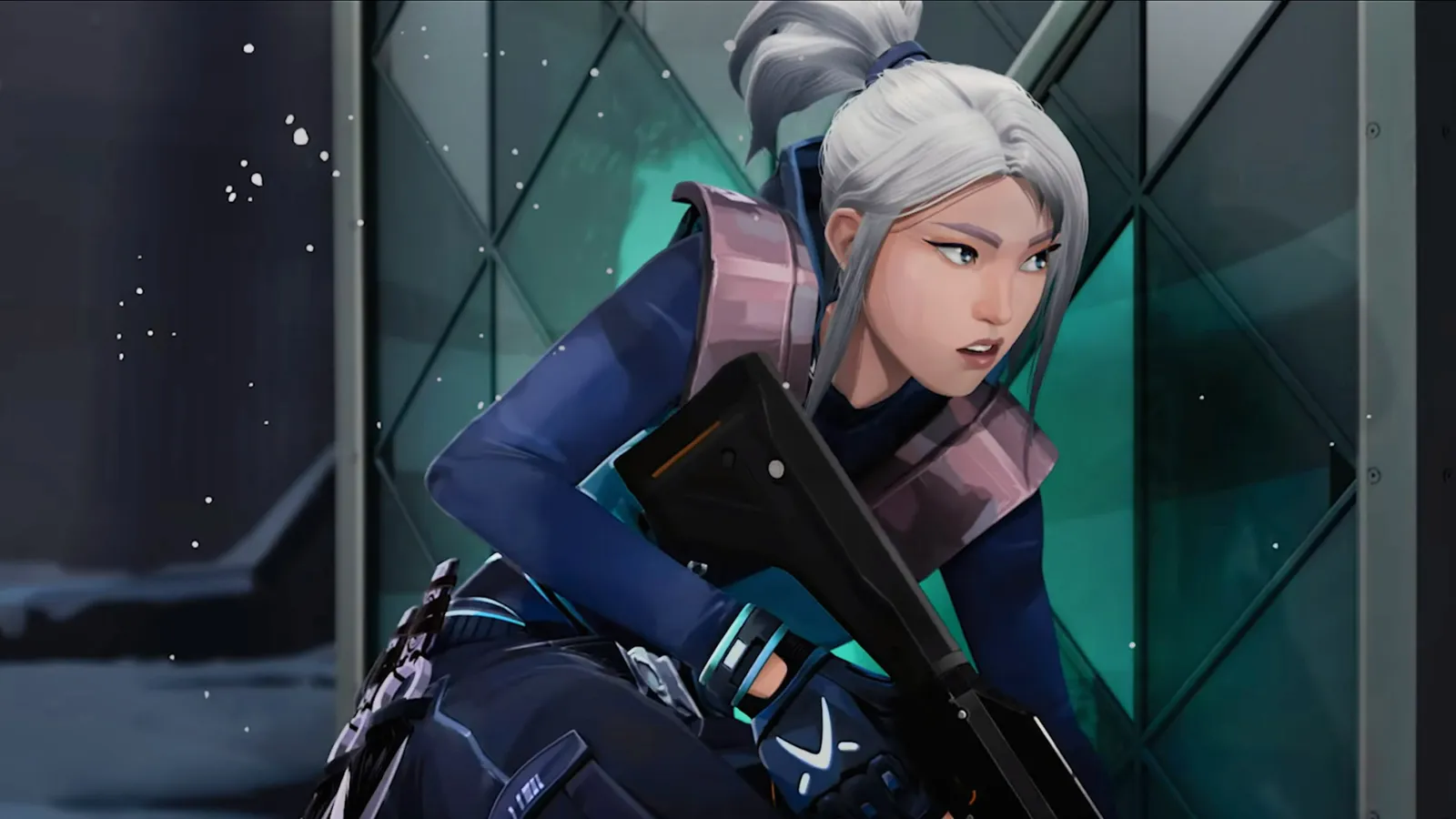
    If you’re a Valorant fan, you’ve probably dreamed of sounding just like Jett during your matches. A great jett voice changer can make that dream a reality, and Dubbing AI is the top pick for the job. Why? It offers seamless integration with Valorant, real-time voice changes, and an extensive library of over 1000 voices. You can mimic Jett’s voice perfectly while keeping your gameplay smooth, thanks to its low CPU usage.

    Using a jett voice changer like Dubbing AI doesn’t just make you sound cool—it also adds a layer of fun and strategy. Imagine confusing your opponents or fully immersing yourself in the game by roleplaying as Jett. Plus, it enhances communication with your team, which is key to winning matches. Whether you’re looking to entertain or gain a tactical edge, this tool has you covered.

    The Best AI Voice Changer with soundboard

    What Makes a Great Jett Voice Changer?

    When you’re looking for the perfect voice changer for Valorant, there are a few key features you should keep in mind. Let’s break them down so you can find the best fit for your gaming setup.

    High-Quality Voice Effects

    Realistic Jett Voice Replication

    A great voice changer should make you sound just like Jett, down to the smallest detail. The best tools alter pitch, timbre, and tone seamlessly. They use advanced algorithms to ensure your voice sounds natural, not robotic. You’ll want a voice changer that captures every inflection and pause, preserving the emotional range of Jett’s voice. This way, you can fully immerse yourself in her character during gameplay.

    Customizable Voice Settings

    Not everyone wants the exact same voice effect. That’s why customization is so important. A high-quality voice changer lets you tweak settings like pitch and modulation to match your preferences. Whether you want a subtle change or a dramatic transformation, the right tool gives you full control.

    Performance and Reliability

    Low Latency During Gameplay

    No one wants lag when they’re in the middle of an intense match. A good voice changer should work in real-time, with minimal latency. This ensures your voice changes instantly, keeping your communication with teammates smooth and effective.

    No Crashes or Technical Issues

    Stability is just as important as performance. The last thing you need is your voice changer crashing mid-game. Look for tools that are known for their reliability, so you can enjoy uninterrupted gameplay.

    By focusing on these features, you’ll find a voice changer for Valorant that enhances your experience and keeps you in the game.

    Best Voice Changers for Valorant

    Valorant Voice Changer

    Dubbing AI

    If you’re looking for the best voice changers for Valorant, Dubbing AI is a standout option. It’s packed with features that make it easy to sound like Jett while keeping your gameplay smooth and fun. Let’s dive into what makes it so popular.

    Pros:

    1. Low Latency: Dubbing AI changes your voice in under 30ms, no prerecording needed which brings you the real-time voice changing experience.

    2. Awesome Voices: Over 500 different voices from anime, game, and movie to celebrity to anyone you wish to be. You can also make your personal voice by voice cloning.

    3. Easy to Use: Download and Install in less than 5 minutes, only uses 5% of your CPU

    4. Clolorful Soundboard: All users can find their favorite soundboards from communite sounds or upload their own soundboards to enhance game experience.

    Cons: Some advanced features require a paid subscription

    While the free version of Dubbing AI is packed with features, some advanced tools are locked behind the Pro version. If you’re someone who loves exploring every feature, you might find this a bit limiting. However, the free version still offers plenty to enhance your gaming experience.

    Pricing: Free basic version, $14 for Pro version

    Dubbing AI’s pricing is competitive. The free version provides access to a wide range of voices, making it a great starting point. If you want to unlock the Pro version, it’s available for just $14. Compared to other tools like Voicemod, which has fewer voice options, Dubbing AI offers more value for gamers who want variety and quality.

    With Dubbing AI, you can sound like Jett effortlessly and enjoy a seamless gaming experience. Whether you’re roleplaying or just having fun, this tool is a must-try for Valorant fans.

    How to Set Up Your Jett Voice Changer

    Valorant Voice Changer

    Setting up your Jett voice changer doesn’t have to be complicated. With Dubbing AI, you can get started in just a few steps. Here’s how you can transform your voice and dive into the world of real-time roleplay.

    Download and Install Dubbing AI

    To begin, you’ll need to download and install Dubbing AI. Follow these simple steps:

    1. Visit the official Dubbing AI website and download the software.

    2. Open the installer and follow the on-screen instructions to complete the installation.

    3. Once installed, launch the application.

    4. Configure the initial settings to match your preferences.

    That’s it! You’re now ready to explore the features of this free real-time voice changer.

    Integrate with Valorant

    Now comes the fun part—integrating Dubbing AI with Valorant. Follow these steps to sync your voice changer with the game:

    1. Open the Dubbing AI app and ensure it’s running in the background.

    2. Launch Valorant and navigate to the sound settings.

    3. Select “Dubbing Virtual Device” as your input device.

    4. Save and apply the changes.

    Once everything is set up, you can use the voice changer in games seamlessly. Remember to switch voices naturally during gameplay to avoid distracting your teammates. With Dubbing AI’s real-time voice changer, you’ll feel like you’re truly stepping into Jett’s shoes.

    By following these steps, you’ll be ready to use Jett voice changer tools like a pro. Whether you’re roleplaying or just having fun, this setup will enhance your gaming experience.

    FAQ

    What is a Jett voice changer, and why should you use one?

    A Jett voice changer lets you sound like Jett from Valorant in real time. It’s perfect for roleplaying, adding fun to your matches, or surprising teammates. Plus, many tools offer free versions, so you can try them without spending money.

    Does Dubbing AI work with all versions of Valorant?

    Yes, Dubbing AI works with all versions of Valorant. It integrates seamlessly with the game, ensuring smooth performance. You can enjoy real-time voice changes without worrying about compatibility issues.

    Is Dubbing AI completely free to use?

    Dubbing AI offers a free version with plenty of features. However, some advanced tools require upgrading to the Pro version, which costs $14. The free version is great for casual players who want to enhance their Valorant experience.

    Will using a voice changer affect my Valorant gameplay?

    No, a good voice changer like Dubbing AI won’t affect your gameplay. It’s designed to run with low CPU usage and minimal latency. You can focus on winning matches while enjoying your new voice.

    Can I use Dubbing AI on macOS?

    Yes, Dubbing AI supports macOS and Windows. Unlike some voice changers that only work on Windows, Dubbing AI ensures compatibility across popular operating systems. You can enjoy its features no matter which platform you use.

    See Also

    Uncover Top Celebrity Voice Modulation Apps with Dubbing AI

    Top AI Voice Modifiers Perfect for Content Creators

    2024 Insights: Transform Your Voice Using Free Dubbing AI

    Explore Cutting-Edge AI Voice Cloning Tools for Realistic Voiceovers

    Ever Wanted to Sound Like Firefly? Use Dubbing AI

  • How to Find a voice changer for Hatsune Miku skin in Fortnite

    Imagine stepping into Fortnite as Hatsune Miku, not just with her iconic skin but also her unmistakable voice. That’s where Dubbing AI shines. This voice changer transforms your voice in real-time, letting you sound just like the virtual pop star. It’s incredibly easy to use and works seamlessly with Fortnite. With low latency (under 100ms) and minimal CPU usage (2-3%), it keeps your gameplay smooth. Plus, it offers hundreds of voice options, making it perfect for role-playing or just having fun. Why settle for less when you can elevate your gaming experience with Dubbing AI?

    The Best AI Voice Changer with soundboard

    What Is Dubbing AI

    Dubbing AI is a cutting-edge tool that takes your gaming experience to the next level. It’s not just a voice changer; it’s a complete solution for real-time voice transformation. Whether you’re role-playing as Hatsune Miku or exploring other characters, Dubbing AI makes it effortless to sound exactly how you want.

    Key Features of Dubbing AI

    Low Latency

    Nobody likes lag, especially during intense Fortnite matches. Dubbing AI ensures your voice changes in real-time with latency under 100ms. This means your gameplay stays smooth, and your voice syncs perfectly with your actions.

    Awesome Voices

    With over 500 voice options, Dubbing AI offers something for everyone. You can choose from anime characters, game personas, or even create your own unique voice. Hatsune Miku’s voice is just one of the many high-quality options available.

    Compatibility with Fortnite and Other Platforms

    Dubbing AI integrates seamlessly with Fortnite and other platforms. It consumes only 2-3% of your CPU, so you won’t experience any performance issues. Plus, it supports over 200 languages and dialects, making it versatile for all kinds of users.

    How Dubbing AI Replicates Hatsune Miku’s Voice

    Dubbing AI uses advanced AI technology to replicate Hatsune Miku’s voice with incredible accuracy. It combines text-to-speech capabilities with voice cloning to capture her unique vocal characteristics. This ensures you sound just like the virtual pop star, adding authenticity to your gameplay.

    Benefits of Using Dubbing AI in Fortnite

    Enhances Role-Playing as Hatsune Miku

    Dubbing AI lets you fully immerse yourself in the role of Hatsune Miku. You can transform your voice in real-time, making your character come alive. It’s perfect for creating unique personas and engaging with other players.

    Adds a Fun and Immersive Element to Gameplay

    Using a voice changer like Dubbing AI makes Fortnite even more enjoyable. You can surprise your teammates, entertain your audience if you’re streaming, or simply have fun experimenting with different voices. The preloaded soundboards and customizable features add an extra layer of creativity to your sessions.

    How to Set Up and Use Dubbing aI for Fortnite

    Hatsune Miku Voice Changer

    Download and Installation

    Where to download the software

    Getting started with Dubbing AI is simple. You can download the software directly from its official website or app store, depending on your device. It’s compatible with Windows, Mac, Android, and iOS, so you’re covered no matter what platform you use. The software is lightweight, using only 3-5% of your CPU resources. To get the best results, make sure you have a reliable microphone and good headphones. These will help you achieve clear audio and make your voice changer experience even better.

    Configuring Dubbing AI for Hatsune Miku

    Selecting the Hatsune Miku voice preset

    Once you’ve installed Dubbing AI, open the software and explore its voice library. Look for the Hatsune Miku voice preset. It’s easy to find since the interface is user-friendly and well-organized. Select the preset, and you’re ready to start sounding like the iconic virtual pop star.

    Adjusting settings for optimal performance

    To make sure everything runs smoothly, tweak a few settings. Adjust the pitch and tone sliders to match Hatsune Miku’s unique voice. You can also experiment with additional effects to customize your sound further. The software uses only 2-3% of your CPU, so you won’t have to worry about lag or performance issues during gameplay.

    Integrating Dubbing AI with Fortnite

    Linking the voice changer to Fortnite’s audio settings

    Connecting Dubbing AI to Fortnite is a breeze. Follow these steps:

    1. Open Fortnite and go to the audio settings menu.

    2. Set Dubbing AI as your input device for voice chat.

    3. Speak into your microphone, and the software will apply the Hatsune Miku voice transformation in real time.

    Lag can ruin even the best gaming moments, but Dubbing AI eliminates this concern. The software delivers real-time voice changes with virtually no delay, operating with a latency of under 100ms.

    With everything set up, you can now enjoy Fortnite with your new voice. Whether you’re role-playing as Hatsune Miku or just having fun with friends, this voice changer adds a whole new level of excitement to your gameplay.

    Tips for Optimizing Your Voice Changer Experience

    Hatsune Miku Voice Changer

    Fine-Tuning the Settings

    Adjusting pitch and tone for a more accurate Hatsune Miku voice

    To sound just like Hatsune Miku, you’ll want to tweak the pitch and tone settings in Dubbing AI. Her voice has a high-pitched, melodic quality that’s instantly recognizable. Open the software and adjust the sliders until you hit that sweet spot. Don’t be afraid to experiment! Small changes can make a big difference. If you’re unsure, try listening to a few of her songs for reference. This will help you match her vocal style more closely.

    Enhancing Gameplay with the Voice Changer

    Using the voice changer in team chats

    Using a voice changer in team chats can make your Fortnite sessions more exciting. Here’s how you can set it up:

    1. Open Fortnite and go to the audio settings.

    2. Select Dubbing AI as your input device for voice chat.

    3. Speak into your microphone, and the software will transform your voice in real time.

    Once you’re set up, you can match your voice to your Hatsune Miku avatar. This adds a layer of immersion that your teammates will love. Plus, the virtual microphone feature lets you use the voice changer across other platforms, so you’re not limited to just Fortnite.

    Creating content or streaming with the Hatsune Miku voice

    If you’re a content creator or streamer, the Hatsune Miku voice can take your videos to the next level. Imagine hosting a Fortnite Festival stream featuring Miku’s popular songs and themed cosmetics. You could even showcase the game’s Miku-inspired guitars or the track “M@GICAL☆CURE! LOVE ♥ SHOT” from Sawtowne. These unique elements will captivate your audience and make your content unforgettable. Local multiplayer options and future Vocaloid-themed skins offer even more opportunities for creative gameplay.

    🎮 Pro Tip: Use the Hatsune Miku voice to narrate your gameplay or interact with your viewers. It’s a fun way to engage your audience and keep them coming back for more!

    Dubbing AI is the ultimate tool for bringing Hatsune Miku to life in Fortnite. Its crisp sound effects and real-time voice transformation make every match more dynamic and immersive. You’ll love how easy it is to customize soundboards and add unique audio clips to your gameplay. Whether you’re mimicking Miku’s voice or creating your own, this voice changer keeps the fun going with minimal latency. Players rave about its ability to boost immersion and add excitement to multiplayer games. Ready to elevate your Fortnite experience? Give Dubbing AI a try and let the magic begin!

    FAQ

    How do I know if my PC can handle Dubbing AI?

    Dubbing AI is lightweight and uses only 2-3% of your CPU. If you can run Fortnite smoothly, your PC can handle this software. Just make sure you have a reliable microphone and headphones for the best experience.

    Can I use Dubbing AI for other games or platforms?

    Absolutely! Dubbing AI works with many platforms, not just Fortnite. You can use it for games, streaming, or even video calls. Its compatibility with over 200 languages makes it versatile for all kinds of users.

    Is Dubbing AI free to use?

    Dubbing AI offers both free and premium plans. The free version includes basic features, while the premium plan unlocks advanced options like Hatsune Miku’s voice preset. Check their website for pricing details.

    Does Dubbing AI work on mobile devices?

    Yes, it does! Dubbing AI supports Android and iOS devices. You can download the app from your device’s app store and start using it right away. It’s perfect for gaming on the go.

    Can I create my own custom voice with Dubbing AI?

    You sure can! Dubbing AI lets you customize voices using its advanced settings. Adjust pitch, tone, and effects to create a unique voice. It’s a fun way to personalize your gaming or streaming experience.

    🎤 Pro Tip: Experiment with different settings to find the perfect voice for your character. Small tweaks can make a big difference!

    See Also

    Top AI Voice Modulators for Creative Content Makers

    Selecting the Perfect Voice Changer and Soundboard for Gamers

    Explore the Top Celebrity Voice Alteration App – Dubbing AI

    Dubbing AI: The Premier Voice Modifier for Discord Users

    Same Goal, New Voice! Channel Iron Man Using Voice Changer

  • The Best Fit  Voice changer For Battlefield gamers

    The Best Fit  Voice changer For Battlefield gamers

    Are you ready to take your Battlefield experience to the next level? Dubbing AI brings you the best voice changer, designed to make every match more thrilling and immersive. Its advanced voice cloning technology replicates speech patterns and vocal tones with stunning realism. You can sound just like your in-game character or create a completely unique voice. The user-friendly interface ensures anyone can dive in, no matter their skill level. Plus, with real-time voice transformation under 300 milliseconds, you’ll stay ahead in every intense moment.

    The Best AI Voice Changer with soundboard

    Immersive Gameplay with the Best Voice Changer

    Realistic Voice Effects for Role-Playing

    Match your voice to your in-game character for added realism.

    Ever wanted to sound just like your in-game character? With this voice changer, you can! Whether you’re playing as a fearless soldier or a cunning spy, you can match your voice to your character’s personality. This adds a whole new layer of realism to your gameplay. Imagine leading your squad with a commanding tone or sneaking behind enemy lines with a whisper that fits your role. It’s not just about playing the game; it’s about living it.

    Enhance team immersion with lifelike voice transformations.

    Your team will love the immersive experience this tool creates. When everyone uses lifelike voice transformations, it feels like you’re truly on the battlefield. The AI technology ensures your voice sounds natural, so your squadmates won’t hear any robotic or fake tones. It’s perfect for role-playing scenarios or just making your matches more exciting. You’ll feel like you’re part of a real mission, not just a game.

    High-Quality Audio for Clear Communication

    Enjoy distortion-free voice effects for seamless teamwork.

    Clear communication is key in any multiplayer game, and this voice changer delivers. You won’t have to worry about distorted or muffled audio ruining your strategy. The AI-powered system ensures your voice remains crisp and clear, even when using complex effects. This means your teammates will always understand your commands, keeping your team one step ahead.

    Maintain clarity even during intense multiplayer matches.

    Battlefield matches can get chaotic, but your voice will cut through the noise. The high-quality audio ensures your teammates hear you loud and clear, no matter how intense the action gets. Whether you’re calling out enemy positions or coordinating an attack, your voice will stay sharp and easy to understand. This makes teamwork smoother and more effective, giving you an edge over your opponents.

    User-Friendly Design for Gamers of All Levels

    Quick and Easy Setup

    Install and integrate with Battlefield in minutes.

    Getting started with Dubbing AI is a breeze. You don’t need to be a tech wizard to set it up. Just follow these simple steps:

    1. Download and install the Dubbing AI Voice Changer app.

    2. Open the Battlefield sound settings and select “Dubbing Virtual Device” as your input device.

    3. Save your settings in the Battlefield settings panel.

    4. Jump into the game and enjoy your transformed voice in real-time!

    This entire process takes just a few minutes. You’ll be ready to dive into the action without wasting time on complicated configurations.

    Compatible with other popular games and platforms like Discord.

    Dubbing AI isn’t just for Battlefield. It works seamlessly with other popular games and platforms, making it a versatile tool for gamers. Whether you’re coordinating with your squad on Discord, role-playing in RPGs, or streaming to your audience, this voice changer has you covered.

    Here’s how it benefits you:

    • Personalize your character voices for a more immersive experience.

    • Enhance multiplayer interactions with dynamic communication.

    • Create unique personas for streaming and engage your audience like never before.

    With Dubbing AI, you’re not limited to one game or platform. It adapts to your needs, no matter where you play.

    Intuitive Controls for Real-Time Adjustments

    Switch between voice presets effortlessly during gameplay.

    Imagine switching from a deep, commanding voice to a light, playful tone in the middle of a match. Dubbing AI makes this possible with its intuitive controls. You can toggle between voice presets with just a few clicks, keeping your focus on the game. The seamless integration ensures smooth transitions, so you stay immersed in the action.

    Customize settings to suit your unique gaming style.

    Dubbing AI’s advanced customization options let you fine-tune your voice to match your gaming style. Adjust the pitch, tone, and modulation to create a voice that’s truly yours. Whether you’re role-playing, strategizing, or entertaining an audience, these settings make your experience more personal and enjoyable.

    The AI-powered technology ensures lifelike voice effects, enhancing your interactions with teammates and opponents alike. It’s not just a tool—it’s a game-changer for anyone looking to elevate their gaming sessions.

    Competitive Edge with Advanced Features

    Battlefield Voice Changer

    Stand Out with Unique Voice Effects

    Use distinctive voices to intimidate opponents or strategize with teammates.

    Want to leave your opponents guessing or rally your team with a unique flair? Dubbing AI lets you do just that. Its vast library of voice options includes everything from robotic tones to monstrous growls. You can experiment with these effects to create a voice that’s truly unforgettable. Imagine intimidating your enemies with a deep, menacing growl or coordinating with your squad using a futuristic robotic tone. These distinctive voices don’t just add fun—they give you a tactical edge by keeping your opponents on their toes.

    Here’s how it helps you stand out:

    • Customize your voice to match your character, adding depth and realism to your gameplay.

    • Create memorable personas that captivate your audience, perfect for streamers looking to entertain.

    • Switch voices on the fly to adapt to different scenarios, keeping your gameplay dynamic and engaging.

    With Dubbing AI, you’re not just playing a game—you’re creating an experience that others won’t forget.

    Amplify your presence on the battlefield with over 500 voice options.

    Dubbing AI offers over 500 voice effects, giving you endless possibilities to enhance your battles. Whether you want to sound like a battle-hardened warrior or a mischievous trickster, there’s a voice for every mood and strategy. This variety allows you to amplify your presence and make every match feel unique. Plus, the ability to switch voices mid-game keeps your opponents guessing and your teammates entertained.

    AI-Powered Real-Time Adaptation

    Experience lag-free voice modulation with a response time under 300ms.

    Timing is everything in Battlefield, and Dubbing AI ensures your voice changer keeps up with the action. Its real-time voice modulation works with a response time of under 300 milliseconds. This means no lag, no delays—just seamless voice transformations that keep you in sync with the game. Whether you’re issuing commands or taunting your opponents, your voice will always hit the mark.

    Benefit from AI-driven enhancements for natural and dynamic voice effects.

    Dubbing AI’s advanced technology doesn’t just change your voice—it brings it to life. The AI adapts your voice in real-time, adding depth, emotion, and even cultural nuances. You can alter the pitch, tone, or accent to suit your character or mood. This makes your voice sound natural and dynamic, whether you’re role-playing, strategizing, or entertaining an audience. It’s not just a tool—it’s a way to enhance your battles and elevate your gaming experience.

    Pro Tip: Use the customization features to fine-tune your voice for different scenarios. A well-chosen voice effect can make all the difference in how you’re perceived on the battlefield.

    Dubbing AI truly transforms how you experience Battlefield. Its real-time voice modulation keeps communication sharp and immersive, while the vast library of voices lets you adapt to any scenario. You can even use the soundboard feature to add tactical sound cues, giving your commands more depth. Gamers love how it personalizes their voices to match their characters, making every session feel more realistic. Plus, with background noise suppression, you’ll stay focused on the action. Whether you’re strategizing or role-playing, Dubbing AI takes your gameplay to the next level. Try it today and hear the difference!

    FAQ

    How does Dubbing AI work in real-time without lag?

    Dubbing AI uses advanced AI algorithms to process your voice instantly. With a response time under 300ms, it ensures seamless voice modulation. You’ll experience no delays, even during intense gameplay.

    Tip: Make sure your internet connection is stable for the best performance.

    Can I use Dubbing AI on platforms other than Battlefield?

    Absolutely! Dubbing AI works with many popular games and platforms like Discord, Fortnite, and Call of Duty. It’s versatile and adapts to your gaming needs.

    Pro Tip: Use it on Discord to enhance your team communication or create fun voice effects during casual chats.

    Is Dubbing AI difficult to set up?

    Not at all! You can install and integrate it with Battlefield in just a few minutes. The user-friendly interface guides you through every step.

    Note: Follow the setup instructions provided in the app for a hassle-free experience.

    Does Dubbing AI affect my voice quality during intense matches?

    Nope! Dubbing AI ensures your voice remains clear and distortion-free, even in chaotic moments. Your teammates will always hear you loud and clear.

    Are there enough voice options to keep things interesting?

    Yes! With over 500 voice effects, you’ll never run out of options. From deep growls to robotic tones, there’s something for every mood and strategy.

    Fun Fact: You can switch voices mid-game to surprise your opponents or entertain your squad.

    See Also

    Discover Why Dubbing AI Excels as MMORPG Voice Changer

    Elevate Your Gaming Experience Using Dubbing AI Soundboard

    Dubbing AI Stands Out as Top Voice Changer for Discord

    Exploring Dubbing AI: The Next Generation of Voice Changers

    Top AI Voice Changer Options for Content Creators Today

  • 3 Secrets to Sound Like Reyna Valorant

    3 Secrets to Sound Like Reyna Valorant

    3 Secrets to Sound Like Reyna Valorant
    Image Source: pexels

    Channeling the fearless energy of Reyna Valorant means embodying her commanding presence. Her iconic voice lines, such as “Reyna they will fear,” radiate confidence and power. This bold attitude can uplift your teammates and strike fear into your opponents. By adopting her assertive tone, you’ll enhance morale, encourage teamwork, and conquer the battlefield with the unmistakable essence of Reyna Valorant.

    Key Takeaways

    • Practice saying Reyna’s famous lines, like ‘Reyna eles vão temer,’ with confidence to show her strong personality.

    • Speak in a calm but scary way, like Reyna, to make others nervous.

    • Try Dubbing AI to copy Reyna’s voice and accent. It will make your game more fun and help you feel more confident.

    Who is Reyna’s Voice Actor?

    If you’ve ever wondered who brings Reyna’s fierce and confident voice to life in Valorant, let’s dive into it. The talented Karina Altamirano is the voice behind Reyna. Here’s a quick look at her role:

    Character

    Voice Actor

    Reyna

    Karina Altamirano

    Karina voices Reyna in the Latin American Spanish dub of Valorant. Her performance captures Reyna’s commanding presence and fiery personality, making her one of the most memorable characters in the game. You can hear her deliver iconic lines like “Reyna eles vão temer,” which translates to “Reyna they will fear.” This phrase alone showcases her confidence and power, perfectly matching Reyna’s bold persona.

    What makes Reyna’s voice so unique? It’s not just the tone but also the cultural influences behind it. Her accent reflects her Latin American roots, adding depth and authenticity to her character. The use of Spanish phrases in her voice lines enhances her distinctiveness, making her stand out among other Valorant agents.

    Reyna’s voice also carries a sense of authority that’s hard to ignore. Whether she’s taunting enemies or rallying her team, every word she speaks feels deliberate and impactful. Her ultimate ability even features a fierce cry that signals her readiness to dominate the battlefield. These elements combine to create a voice that’s both intimidating and inspiring, perfectly suited for a character as powerful as Reyna.

    If you’re aiming to sound like Reyna, understanding the nuances of her voice is key. Karina Altamirano’s portrayal is a masterclass in blending cultural authenticity with a commanding tone, making Reyna an unforgettable presence in Valorant.

    Master Reyna’s Confident Tone in Valorant

    Master Reyna's Confident Tone in Valorant
    Image Source: pexels

    Speak with Authority Like Reyna

    Reyna’s voice in Valorant exudes authority. To sound like her, you need to project confidence in every word. Her tone reflects a sense of superiority and control, which intimidates opponents and inspires teammates. When you speak, focus on clarity and purpose. Avoid filler words and let your voice carry weight. Reyna’s iconic line, “Reyna eles vão temer,” meaning “Reyna they will fear,” is a perfect example of her commanding presence. Practice delivering lines like this with conviction to channel her energy.

    Reyna’s interactions often highlight her lone-wolf persona. She doesn’t rely on others, and her voice reflects that independence. To mimic her, adopt a mindset of self-assurance. Speak as if you’re always in control, even in high-pressure situations. This psychological edge can make a big difference in your gameplay.

    Use a Calm but Intimidating Delivery

    Reyna’s calm yet intimidating delivery is key to her persona. She doesn’t shout or panic; instead, she speaks with a composed tone that unnerves her enemies. To replicate this, keep your voice steady and controlled. Imagine you’re delivering a warning rather than a threat. For example, her ultimate ability’s fierce cry signals her readiness to dominate, but it’s not chaotic—it’s deliberate and powerful.

    Her vampiric abilities, like Devour, come with chilling sound effects that add to her menacing aura. You can mirror this by maintaining a low, steady pitch when speaking. This approach creates an air of mystery and danger, making you sound more like Reyna.

    Practice Reyna’s Signature Phrases from Valorant

    To truly sound like Reyna, you need to master her signature phrases. Start with her most iconic lines, such as “Reyna eles vão temer.” Repeat them until you can deliver them naturally. Focus on her accent and the rhythm of her speech. Reyna’s lines are filled with confidence and power, so don’t hold back.

    Another tip is to practice her ultimate ability cry, “Reyna Ulti Valorant.” This line captures her aggressive nature and determination. By mimicking her phrases, you’ll not only sound like Reyna but also feel more connected to her character. This connection can boost your confidence and enhance your gameplay.

    Remember, embodying Reyna’s voice isn’t just about imitation—it’s about channeling her fearless energy. With practice, you can make her tone your own and dominate the battlefield like a true Valorant legend.

    Try Dubbing AI — Perfect Voice Changer for Valorant to Mimic Reyna’s Voice

    If you’re serious about sounding like Reyna Valorant, Dubbing AI is your go-to tool. This voice changer for Valorant offers everything you need to mimic her iconic tone and accent. Whether you’re looking to intimidate opponents or immerse yourself in the game, Dubbing AI makes it easy and fun.

    Dubbing AI Features

    Dubbing AI stands out as the best girl voice changer for Valorant. It’s packed with features that make it perfect for capturing Reyna’s voice. Here’s what you’ll love about it:

    • Seamless integration with Valorant ensures smooth performance during gameplay.

    • Real-time voice changes without lag keep your focus on the action.

    • A vast selection of voice options lets you mimic Reyna or other characters.

    • High-quality sound reproduction makes your voice sound natural and authentic.

    Unlike other tools, Dubbing AI excels in accuracy and usability. It doesn’t create robotic or unnatural voices. Instead, it maintains the authenticity of your voice while adding Reyna’s unique flair. Plus, its user-friendly interface makes it accessible for everyone, from beginners to pros.

    How to Use Dubbing AI to Mimic Reyna’s Accent in Valorant?

    Using a voice changer in Valorant has never been easier. Follow these steps to transform your voice into Reyna’s:

    1. Select a voice: Open Dubbing AI and choose the AI Reyna voice from the options.

    2. Upload or record: Record your voice or upload an audio file. Adjust the pitch for better results.

    3. Customize settings: Fine-tune the pitch and tone to match Reyna’s voice perfectly.

    4. Download: Click “Change Voice Now” to convert your audio, then download the file.

    Dubbing AI also supports real-time Valorant voice changer functionality. This means you can use it during live matches to enhance your gaming experience. With over 1000 tones available, you can experiment with different voice-changing effects to find the perfect match for Reyna’s accent.

    By using this girl voice changer for Valorant, you’ll not only sound like Reyna but also boost your confidence in the game. It’s a great way to immerse yourself in her character and have fun while playing.

    Pro Tip: Adjust the pitch slightly lower to capture Reyna’s calm yet intimidating tone. This small tweak can make a big difference in how authentic your voice sounds.

    Sounding like Reyna in Valorant means stepping into the shoes of the Empress herself. To master her character, focus on these key takeaways:

    • Deliver her iconic voice lines, like “Reyna eles vão temer,” with confidence and power.

    • Channel her fierce cry during her ultimate ability to dominate the battlefield.

    • Use her chilling Devour and disorienting Leer sound effects to enhance your experience.

    Embrace her fearless attitude and commanding presence. Mimic her body language and practice her lines with sarcasm and humor. These tips will help you embody her spirit and elevate your gaming experience. Remember, the Empress thrives on confidence—make it your own and rule the game!

    Pro Tip: Stay true to Reyna’s bold personality while adding your unique flair. This will make your experience even more immersive and fun.

    FAQ

    How can I sound more like Reyna during live matches?

    Use Dubbing AI’s real-time voice changer. Select Reyna’s voice, adjust the pitch, and speak confidently. Practice her iconic lines to perfect your delivery.

    Pro Tip: Keep your tone calm yet commanding to match Reyna’s intimidating style.

    Can I use Dubbing AI for other Valorant characters?

    Yes! Dubbing AI offers a variety of voice options. You can mimic other agents like Jett or Phoenix and experiment with different tones for fun gameplay.

    Is Dubbing AI beginner-friendly?

    Absolutely! Its user-friendly interface makes it easy for anyone to use. Just follow the steps, and you’ll transform your voice in no time.

    Note: Start with Reyna’s voice to get familiar with the tool before exploring other options.

    See Also

    Essential Advice for Cultivating Your Voice Acting Skills

    Incorporating Pokemon Sound Effects into Your Valorant Gameplay

    Use Dubbing AI to Prank Your Valorant Teammates

    Comprehensive Guide to AI Voice Changers for Discord Pranks

    Same Task, New Voice! Speak Like Iron Man Using Voice Changer

  • Best Ghostface Voice Changers You Need to Try in 2025

    Best Ghostface Voice Changers You Need to Try in 2025

    Best Ghostface Voice Changers You Need to Try in 2025
    Image Source: pexels

    If you’ve ever wanted to send chills down someone’s spine or add a spooky twist to your content, a Ghostface voice changer is the perfect tool. In 2025, these scream-inducing gadgets are more popular than ever. Why? Because they’re not just for prank calls anymore. You can use them to create eerie social media videos, spice up Halloween parties, or even add a dramatic edge to online gaming sessions. Imagine scaring your friends with the iconic Ghostface sound during a late-night gaming match or making your TikTok followers jump with a scream ghostface voice changer.

    Choosing the right scream voice changer matters, though. You’ll want something easy to use, customizable, and compatible with your favorite platforms. For example, some tools offer multiple voice options, while others focus on simplicity. Here’s a quick look at what to consider:

    Factors

    Considerations

    User-Friendliness

    Is it easy and simple for novices to use?

    Customization Options

    How many voice options can it offer?

    Compatibility

    Does it offer compatibility with popular platforms?

    Price

    Is it free?

    With the right Ghostface voice changer, you can turn any moment into a scream-worthy experience. Whether you’re pranking, performing, or creating, these tools bring the thrill of Ghostface to life.

    Key Takeaways

    • Ghostface voice changers are fun tools for jokes, videos, and Halloween. They can make games more exciting or add drama to shows.

    • When picking a voice changer, think about ease of use, features, platform support, and cost. These will help you choose the right one.

    • To use it well, try prank calls, spooky videos, or Halloween events. This makes things scarier and keeps people interested.

    • Check out both software and apps for voice changing. Tools like Dubbing AI and MagicCall work well on computers and phones.

    • Many voice changers are free, but paid versions have better features. Start with free ones to see if you like them before paying.

    How to Use Ghostface Voice Changer Effectively?

    Using a Ghostface voice changer can be a lot of fun, but knowing how to use it effectively takes things to the next level. Whether you’re pranking friends, creating content, or just having a laugh, here are some tips to make the most of this tool.

    • Prank Calls: Want to give your friends a good scare? Use the Ghostface voice to call them and watch their reactions. Keep it lighthearted and fun—no need to go overboard!

    • Social Media Content: Platforms like TikTok and YouTube love spooky vibes. Add the scream voice changer effect to your horror-themed videos for an extra creepy touch. It’s a great way to grab attention and boost engagement.

    • Halloween Parties: Hosting a Halloween bash? Call your guests with the Ghostface voice to set the mood before they even arrive. It’s a hilarious way to get everyone in the spirit.

    • Online Gaming: Real-time voice changing is a game-changer (literally). Use the Ghostface voice during live streaming or multiplayer matches to surprise your teammates—or scare your opponents!

    • Theatrical Performances: If you’re into acting, this tool can help you nail that eerie Ghostface vibe on stage. It’s perfect for adding drama to your performance.

    To get the best results, choose a scream voice changer that matches your needs. Some tools work better for live streaming, while others excel at recording. Experiment with different settings to find the perfect pitch and tone. Remember, the key is to have fun and let your creativity shine!

    Top Ghostface Voice Changers for PC

    Top Ghostface Voice Changers for PC
    Image Source: pexels

    Dubbing AI Voice Changer

    Key Features

    If you’re looking for a scream voice changer that’s both powerful and easy to use, Dubbing AI Voice Changer is a fantastic choice. Its user-friendly interface makes it simple to navigate, even if you’re new to voice changers. You’ll love its high-quality audio output, which ensures your recordings sound crisp and professional. Plus, it offers real-time voice effects and advanced voice cloning capabilities. This means you can tweak your voice to sound exactly like Ghostface or experiment with other scream voice effects. It’s perfect for PC users who want functionality without the hassle.

    Pros and Cons

    • Pros:

      • Easy to use, even for beginners.

      • High-quality audio output for professional results.

      • Real-time voice effects and customization options.

    • Cons:

      • Limited free features; premium subscription required for advanced tools.

    Pricing

    Dubbing AI Voice Changer offers a free version with basic features. For full access, you’ll need to subscribe to the premium plan, which starts at $9.99 per month.

    How to Use

    1. Download and install the software on your PC.

    2. Open the app and select the Ghostface voice effect.

    3. Adjust the settings to customize the pitch and tone.

    4. Use it in real-time or record your voice for later use.

    Wondershare Filmora

    Key Features

    Wondershare Filmora isn’t just a video editor—it’s also a great tool for adding scream voice effects to your projects. With its built-in audio editing features, you can easily transform your voice into Ghostface’s chilling tone. It’s ideal for creating spooky videos for social media or YouTube. The drag-and-drop interface makes it super easy to use, and it supports a wide range of audio formats.

    Pros and Cons

    • Pros:

      • Combines video and audio editing in one platform.

      • Beginner-friendly interface.

      • Supports multiple audio formats.

    • Cons:

      • Requires a bit of learning if you’re only using it for voice effects.

      • Not ideal for real-time voice changing.

    Pricing

    Filmora offers a free trial, but the watermark-free version requires a one-time payment of $69.99 or an annual subscription starting at $49.99.

    How to Use

    1. Import your audio or video file into Filmora.

    2. Use the audio editing tools to apply the Ghostface voice effect.

    3. Adjust the settings to get the perfect scream voice changer sound.

    4. Export your file and share it with your audience.

    MorphVOX Pro

    Key Features

    MorphVOX Pro is a powerhouse when it comes to ghostface voice changers. It offers a variety of pre-set voice effects, including Ghostface-like sounds, and lets you create custom voices. You’ll also find a library of sound effects and voice packs to enhance your experience. Whether you’re gaming, streaming, or recording, this tool has you covered.

    Pros and Cons

    Key Features of MorphVOX Pro

    Pros

    Cons

    Various pre-set voice effects, including Ghostface-like sounds

    Wide range of pre-set voice effects

    More complex for casual users

    Library of sound effects and voice packs

    Custom voice creation and tweaking

    Requires a paid subscription for full access

    Ability to create and tweak custom voices

    Pricing

    MorphVOX Pro offers a free trial, but the full version costs $39.99 as a one-time purchase.

    How to Use

    1. Install MorphVOX Pro on your PC.

    2. Select the Ghostface voice effect from the pre-set options.

    3. Customize the voice settings to match your preferences.

    4. Use it during live streams, gaming, or recordings.

    Best Ghostface Voice Changer Apps for Mobile

    Looking for a scream-worthy experience on the go? Mobile scream voice changers are perfect for pranks, social media content, or just having fun with friends. Here are the top apps you need to try.

    MagicCall

    Key Features

    MagicCall stands out with its innovative features. You can choose from a variety of voice effects, including Ghostface, and even add background music during calls. Its user-friendly interface makes it easy to navigate, even if you’re new to voice changer apps. The extensive sound library includes male, female, child, and horror voices, giving you endless options to experiment with.

    Pros and Cons

    • Pros:

      • Wide range of voice effects and background music options.

      • Simple and intuitive interface.

      • Great for live calls and pranks.

    • Cons:

      • Requires a stable internet connection for optimal performance.

      • Some advanced features are locked behind a paywall.

    Pricing

    MagicCall offers a free version with basic features. Premium plans start at $4.99 per month, unlocking all effects and customization options.

    How to Use

    1. Download MagicCall from your app store.

    2. Open the app and select the Ghostface voice effect.

    3. Add background music if desired.

    4. Make a call and let the app transform your voice in real time.

    Voicebox

    Key Features

    Voicebox is a versatile voice changer app that’s perfect for creating spooky effects. It offers real-time voice modulation and a variety of filters, including Ghostface. The app is lightweight and works seamlessly on both iOS and Android devices.

    Pros and Cons

    • Pros:

      • Real-time voice modulation.

      • Lightweight and easy to use.

      • Compatible with most mobile devices.

    • Cons:

      • Limited free features.

      • Doesn’t support advanced audio editing.

    Pricing

    Voicebox is free to download, but premium features require a subscription starting at $3.99 per month.

    How to Use

    1. Install Voicebox on your phone.

    2. Choose the Ghostface filter from the effects menu.

    3. Speak into your phone and hear your voice transform instantly.

    4. Save or share your recordings directly from the app.

    Scary Voice Changer and Recorder

    Key Features

    This app is a must-have for Halloween voice changers. It lets you record your voice and apply creepy effects like ghost, demon, and zombie sounds. You can even set your creations as ringtones or notifications. Sharing your spooky sounds with friends is just a tap away.

    Pros and Cons

    • Pros:

      • Wide range of horror-themed effects.

      • Easy recording and transformation process.

      • Fun customization options for ringtones and alarms.

    • Cons:

      • Limited real-time voice changing capabilities.

      • Ads in the free version can be distracting.

    Pricing

    Scary Voice Changer and Recorder is free to use, but you can remove ads and unlock premium features for $2.99.

    How to Use

    1. Open the app and record your voice.

    2. Apply a scary effect like Ghostface or demon.

    3. Save your creation or set it as a ringtone.

    4. Share it with friends to give them a fright!

    Mobile scream voice changers like these make it easy to bring Ghostface to life wherever you are. Whether you’re pranking friends or creating spooky content, these apps deliver chills and thrills right from your phone.

    Top Online Ghostface Voice Changers

    Online Ghostface voice changers are perfect if you want quick access without the hassle of downloading software. These tools work directly in your browser, making them super convenient. Whether you’re on a Windows PC or a Mac, you can enjoy spooky voice effects with just a few clicks. Plus, many online options are free, so you can have unlimited fun without spending a dime. Let’s dive into the top picks for 2025.

    Dubbing AI Online Voice Changer

    Key Features

    Dubbing AI Online Voice Changer is a powerhouse for real-time voice transformation. It boasts an extensive library of over 1,000 voice filters, including the iconic Ghostface sound. You can use it seamlessly with games, communication apps, or even during live streams. The best part? Your data stays secure since all processing happens on your device.

    Pros and Cons

    • Pros:

      • Real-time voice changing.

      • Huge variety of voice filters.

      • Works with multiple platforms.

      • Prioritizes data security.

    • Cons:

      • Advanced features require a subscription.

    Pricing

    You can try it for free, but premium plans start at $9.99 per month for full access.

    How to Use

    1. Open the Dubbing AI website in your browser.

    2. Select the Ghostface filter from the library.

    3. Adjust the settings to customize your voice.

    4. Use it live or record your spooky creation.

    LingoJam

    Key Features

    LingoJam keeps things simple and effective. It lets you adjust pitch, speed, and tone to create the perfect Ghostface effect. You don’t need to download anything—just type text or upload audio, and the tool does the rest. Its user-friendly interface makes it ideal for quick transformations.

    Pros and Cons

    • Pros:

      • No downloads required.

      • Easy-to-use interface.

      • Offers mesmerizing audio customization.

    • Cons:

      • Limited advanced features.

    Pricing

    LingoJam is completely free to use, making it a great choice for budget-friendly fun.

    How to Use

    1. Visit the LingoJam website.

    2. Upload your audio or type text to transform.

    3. Adjust the settings to fine-tune the Ghostface effect.

    4. Download or share your spooky creation.

    MagicVox

    Key Features

    MagicVox is a versatile online tool with over 200 voice effects, including Ghostface. It offers real-time voice modulation and a customizable soundboard. You can use it with various platforms, making it perfect for gaming, streaming, or pranks.

    Pros and Cons

    • Pros:

      • User-friendly interface.

      • Real-time voice changing.

      • Wide variety of effects.

    • Cons:

      • Some features require a subscription.

    Pricing

    MagicVox offers a free version, but premium plans start at $4.99 per month.

    How to Use

    1. Open MagicVox in your browser.

    2. Choose the Ghostface effect from the soundboard.

    3. Customize the settings to match your style.

    4. Use it live or save your recording.

    Online Ghostface voice changers like these make it easy to add a spooky twist to your content. Whether you’re pranking friends or creating eerie videos, these tools deliver chills and thrills with minimal effort.

    Hardware-Based Ghostface Voice Changers

    Hardware-Based Ghostface Voice Changers
    Image Source: pexels

    If you’re someone who loves tangible gadgets, hardware-based Ghostface voice changers are a fantastic option. These tools are perfect for Halloween costumes, pranks, or just having fun with friends. Let’s explore two popular choices that bring the iconic Ghostface sound to life.

    Ghostface Voice Changer Toy

    Key Features

    This toy is a must-have for fans of the classic Scream movie series. It’s designed to mimic the chilling Ghostface voice, making it a hit during Halloween or themed events. Here’s what makes it stand out:

    • It’s linked to the Scream franchise, which adds to its cool factor.

    • The interface is simple, so anyone can use it without a learning curve.

    • You get multiple voice effects, perfect for spooky storytelling or pranks.

    • It’s versatile—great for costumes, parties, or even scaring your friends.

    Pros and Cons

    • Pros:

      • Easy to use, even for kids.

      • Offers a variety of creepy voice effects.

      • Affordable and widely available.

    • Cons:

      • Limited customization compared to software-based tools.

      • Not ideal for professional content creation.

    Pricing

    You can grab this toy for around $20-$30, depending on the retailer. It’s a budget-friendly way to add some frightful fun to your Halloween.

    How to Use

    1. Turn on the device and select your desired voice effect.

    2. Speak into the microphone to hear your voice transformed.

    3. Use it during Halloween parties, pranks, or while wearing a Ghostface costume.

    Portable Voice Modulator

    Key Features

    The portable voice modulator is a compact device that packs a punch. It’s perfect for those who want a scream voice changer they can carry anywhere. This gadget offers real-time voice modulation and works with most headsets or microphones. Key highlights include:

    • Lightweight and easy to carry.

    • Compatible with gaming consoles, PCs, and even mobile devices.

    • Adjustable settings to fine-tune your Ghostface voice.

    Pros and Cons

    • Pros:

      • Portable and convenient for on-the-go use.

      • Works with multiple platforms, including gaming setups.

      • Offers real-time voice changing for live interactions.

    • Cons:

      • Pricier than the Ghostface Voice Changer Toy.

      • Requires some setup to connect with other devices.

    Pricing

    Expect to pay between $50-$80 for a good-quality portable voice modulator. It’s a bit of an investment but worth it if you want versatility.

    How to Use

    1. Connect the modulator to your headset or microphone.

    2. Select the Ghostface effect from the available options.

    3. Adjust the settings to match your desired tone and pitch.

    4. Use it during gaming, live streaming, or pranks for a spooky twist.

    Hardware-based voice changing tools like these are perfect for anyone who wants a hands-on experience. Whether you’re dressing up as Ghostface or just looking to have some fun, these gadgets deliver thrills in a compact package.

    Comparison Table of Ghostface Voice Changers

    Features Compared

    When you’re picking the perfect Ghostface voice changer, knowing what features to look for can save you time and effort. Here’s a quick breakdown of the most important ones:

    Feature

    Description

    Real-time voice filters

    Lets you change your voice instantly while speaking. Perfect for live pranks!

    Number of sound effects

    Offers over 200 unique effects, giving you endless spooky options.

    Ease of use

    Designed for simplicity, so both beginners and pros can enjoy it.

    Compatibility

    Works with Windows 7, 8, 8.1, 10, and 11. Some tools may not support Mac users.

    Pricing

    Free versions available, but premium plans unlock advanced features.

    If you’re all about live scares, real-time filters are a must. Want variety? Go for a tool with a big library of sound effects. And if you’re new to voice changers, pick one that’s beginner-friendly.

    Pricing Overview

    Budget matters, right? Here’s how these scream voice changers stack up when it comes to cost:

    Tool

    Free Version

    Premium Pricing

    Dubbing AI Voice Changer

    Yes

    $9.99/month

    Wondershare Filmora

    Yes

    $49.99/year or $69.99 one-time

    MorphVOX Pro

    Yes

    $39.99 one-time

    MagicCall

    Yes

    $4.99/month

    Voicebox

    Yes

    $3.99/month

    Scary Voice Changer & Recorder

    Yes

    $2.99 (ad-free version)

    If you’re just testing the waters, start with a free version. But if you want premium features like advanced customization or no ads, the paid plans are worth it.

    Platform Compatibility

    Not all voice changers work everywhere. Here’s a quick look at which platforms support these tools:

    Platform

    Compatibility

    PC

    Windows 7, 8, 8.1, 10, 11

    Mac (limited options)

    Mobile

    Android, iPhone

    Online

    Works with Discord, Steam

    For PC users, Windows compatibility is a given, but Mac users might need to double-check. Mobile apps work great on both Android and iPhone, while online tools are perfect for platforms like Discord or Steam. Choose the one that fits your setup best.

    🛠️ Pro Tip: If you’re unsure about compatibility, check the tool’s website or app store listing before downloading. It’ll save you from any tech headaches later!

    Finding the perfect Ghostface voice changer depends on your platform and needs. For PC, FliFlik Voice Changer and Voicemod stand out with their real-time effects and streaming compatibility. On mobile, MagicCall and Voice.ai deliver spooky fun on the go. If you prefer online tools, LingoJam and MagicVox Voice Changer offer quick, browser-based solutions. For hardware enthusiasts, the Ghostface Voice Changer Toy and portable voice modulators bring the scream-worthy experience to life.

    Among these, Dubbing AI shines as a versatile scream voice changer. Its real-time effects, extensive presets, and user-friendly interface make it ideal for pranks, gaming, and content creation. Whether you’re scaring friends, enhancing videos, or adding drama to performances, these tools unlock endless creative possibilities. So, why wait? Dive in and let your inner Ghostface take center stage!

    FAQ

    What is a Ghostface voice changer?

    A Ghostface voice changer is a tool that alters your voice to mimic the iconic Ghostface sound from the Scream movies. You can use it for pranks, content creation, or Halloween fun. It’s available as software, mobile apps, online tools, or hardware devices.

    Can I use a Ghostface voice changer on my phone?

    Yes, you can! Many mobile apps, like MagicCall and Voicebox, let you transform your voice into Ghostface’s eerie tone. These apps are easy to use and perfect for pranks, social media videos, or just having fun with friends.

    Are Ghostface voice changers free?

    Some are free, while others require a subscription or one-time payment. Free versions usually offer basic features, but premium plans unlock advanced options like real-time effects and customization. Check the pricing details of each tool to find one that fits your budget.

    Do I need special equipment to use a Ghostface voice changer?

    Not necessarily. Software and apps work with your existing devices, like PCs or smartphones. However, if you want a hands-on experience, hardware options like portable voice modulators or Ghostface toys are great choices.

    Can I use a Ghostface voice changer for live streaming?

    Absolutely! Many tools, like MorphVOX Pro and Dubbing AI, support real-time voice changing. They integrate seamlessly with platforms like Discord, Twitch, and Steam, making them perfect for gaming or live streaming spooky content.

    See Also

    Uncover Top Celebrity Voice Alteration Apps Using AI Technology

    Explore Cutting-Edge AI Voice Cloning Solutions for Realistic Voiceovers

    Top AI Voice Modification Tools Perfect for Content Creators

    Three Hilarious Voice Changer Pranks to Try in CS:GO

    2024 Handbook: Transform Your Voice Using Free Dubbing AI Tools

  • Exploring Paris Hilton’s Voice Change in 2025 and Beyond

    Exploring Paris Hilton’s Voice Change in 2025 and Beyond

    Exploring Paris Hilton's Voice Change in 2025 and Beyond
    Image Source: pexels

    Paris Hilton’s voice change in 2025 drew significant public attention during her testimony before Congress. Many were surprised as she transitioned from her iconic high-pitched tone to a deeper, more natural voice. This shift quickly went viral on social media, igniting widespread conversations about the “Paris Hilton voice change.” Her heartfelt comments on mental health care, delivered in her authentic voice, deeply resonated with audiences.

    For years, Hilton’s playful, high-pitched voice was a defining aspect of her public image. However, in her documentary, she revealed, “I feel like the whole world thinks they know me because I’ve been playing this character for so long. That’s not me.” The “Paris Hilton voice change” symbolizes her journey toward embracing authenticity and reclaiming her true self.

    Key Takeaways

    • Paris Hilton’s voice change in 2025 shows her being true to herself.

    • She moved from a high, ‘baby voice’ to a deeper one, showing growth.

    • Her new voice challenges how society thinks women should sound.

    • This change has helped her career and made her more believable.

    • Hilton’s story makes people talk about being yourself and staying real.

    The Evolution of Paris Hilton’s Voice

    The Evolution of Paris Hilton's Voice
    Image Source: pexels

    The ‘Baby Voice’ Phenomenon

    How the ‘baby voice’ became her signature style

    Paris Hilton’s “baby voice” became a defining feature of her public persona during her rise to fame. This high-pitched tone, often paired with her “California Barbie accent,” helped her stand out in the entertainment industry. It wasn’t just a voice; it was a tool that shaped her image as the playful, carefree heiress. On shows like The Simple Life, this vocal style reinforced her “dumb blonde” persona, which she later revealed was a character she played.

    The cultural implications of this voice go beyond entertainment. Across history, higher-pitched voices have been associated with submissiveness and softness. Hilton’s use of this tone reflected societal expectations of women, where such vocal styles were seen as less threatening. However, she later described this voice as a “mask” for her natural shyness, showing how it served both personal and professional purposes.

    Its role in crafting her public persona

    The “baby voice” wasn’t just a vocal choice; it was a branding strategy. It allowed Hilton to create a distinct identity that resonated with audiences. This voice, combined with her glamorous lifestyle, made her a pop culture icon. Yet, it also limited how people perceived her. Many assumed she lacked depth or intelligence, a stereotype she worked to dismantle in later years.

    Unveiling Her Real Voice

    Key moments when her natural tone was revealed

    Over the years, Paris Hilton has given glimpses of her natural voice. In a 2016 interview on the Today show, she stated, “I actually have a low voice in real life.” During her 2020 documentary This Is Paris, she demonstrated her ability to switch between tones, revealing the contrast between her public and private selves. She also clarified in interviews, “This is my real voice, that was just a character I was playing.”

    Her natural voice became more prominent as she embraced authenticity. In an interview on ITV’s This Morning, she described her “baby voice” as a mask for her shyness. These moments highlighted her journey of self-discovery and her desire to reclaim her identity.

    Fan and media reactions to her ‘real voice’

    Fans and media reacted with surprise and admiration when Hilton’s natural voice surfaced. Many appreciated her honesty and saw it as a sign of personal growth. Her statement, “I am not a dumb blonde,” resonated with those who had underestimated her. The shift from her playful tone to her real voice sparked discussions about authenticity in celebrity culture.

    The 2025 Voice Change

    When and how the change became noticeable

    In 2025, Paris Hilton’s voice change became evident during her congressional testimony. While complimenting a lawmaker’s outfit, she used her familiar high-pitched tone. However, as she transitioned to discussing mental health care, her voice deepened significantly. This shift was particularly noticeable when she said, “But I think the most important thing is, they need access to therapy counseling, mentorship and other community-based programs.”

    This moment marked a turning point. It showcased her ability to adapt her vocal expression based on the context, emphasizing the seriousness of her message.

    Public and media discussions about the shift

    The public and media quickly picked up on Hilton’s voice change. Many viewed it as a symbol of her evolution from a playful socialite to a mature advocate. Discussions centered on themes of authenticity, identity, and personal growth. Some connected her transformation to a broader trend among women in the public eye, where vocal changes reflect shifts in maturity and responsibility.

    Hilton’s deeper tone also inspired conversations about the power of vocal authenticity. It challenged stereotypes and encouraged others to embrace their natural voice, making her journey a source of inspiration.

    Reasons Behind Paris Hilton’s Voice Change

    Embracing Authenticity

    How the change reflects her personal growth

    Paris Hilton’s decision to embrace her real voice reflects significant personal growth. You can see this transformation as a step toward showing her authentic side to the world. For years, she used a fake voice as part of her public persona, but her journey has shifted toward self-acceptance. Fans have noted how her documentary humanized her, revealing a genuine and relatable individual behind the glamorous celebrity image. One fan even suggested that her decision to reveal her real voice demonstrates a level of genius in how she has managed her public image.

    This change also highlights her ability to confront past emotional challenges. Hilton has acknowledged that her baby voice was partly a trauma response from her teenage years. By letting go of this mask, she has shown courage and a desire to heal. Her voice change symbolizes her readiness to embrace her true self and inspire others to do the same.

    The journey toward embracing her ‘real voice’

    Hilton’s journey toward authenticity involved shedding the layers of her constructed persona. She described her baby voice as a mask she used to cope with shyness. Over time, she realized the importance of aligning her public image with her real identity. Psychotherapists suggest that such changes often stem from a desire for comfort and self-expression. By embracing her natural tone, Hilton has taken a bold step toward reclaiming her voice and redefining her narrative.

    Strategic Rebranding

    Aligning her voice with a mature and empowered image

    Hilton’s voice change also serves as a strategic move to align her image with maturity and empowerment. As a celebrity, she understands the importance of evolving with her audience. Her deeper tone reflects her growth and adaptability, helping her connect with a more diverse demographic. This shift has allowed her to present herself as a confident and authentic individual, moving beyond the playful socialite persona.

    The role of vocal tone in redefining her brand

    Your voice plays a crucial role in shaping how others perceive you. For Hilton, her vocal evolution has become a key part of her rebranding efforts. Her transition from a high-pitched tone to a more grounded voice showcases her adaptability and strategic thinking. This change has reinforced her status as a cultural icon, proving that she can redefine herself while staying true to her authentic side.

    Societal and Cultural Influences

    Navigating societal expectations of women’s voices

    Women’s voices often face scrutiny in society. Higher-pitched tones are frequently associated with submissiveness, while deeper voices convey authority. Hilton’s decision to embrace her real voice challenges these stereotypes. By stepping away from her fake voice, she has shown that women can define their own vocal identity without conforming to societal expectations.

    The pressures of celebrity culture on vocal presentation

    As a celebrity, Hilton has faced immense pressure to maintain a specific image. Her baby voice was part of this carefully crafted persona. However, her voice change reflects a shift in how she navigates these expectations. Experts suggest that individuals often adapt their voices to fit certain roles. Hilton’s transformation shows her willingness to break free from these constraints and prioritize authenticity over perfection.

    How to Get Paris Hilton Voice Changer?

    Try Dubbing AI — Your Free Real-time Voice Changer

    If you’ve ever wanted to transform your voice effortlessly, Dubbing AI offers the ultimate voice transformation experience. This advanced real-time voice changer adapts seamlessly to various platforms, including desktops, laptops, and mobile devices. Whether you’re creating podcasts, gaming streams, or videos, Dubbing AI integrates smoothly into your workflow, making it a versatile tool for content creators.

    One of the standout features of Dubbing AI is its ability to make instantaneous adjustments to voice modulation. This feature gives you greater creative control, allowing you to modify your voice in real time. For dubbing artists, this means more authentic performances and reduced post-production time. The streamlined process leads to faster turnaround times, making your projects more efficient.

    The technology behind Dubbing AI is powered by advanced AI algorithms. These algorithms enable seamless and precise voice alterations, enhancing the overall capabilities of the tool. With on-the-fly voice modifications, you can explore new creative possibilities in entertainment, gaming, and virtual interactions. This innovation not only improves efficiency but also opens doors to unique artistic expressions.

    Dubbing AI’s real-time voice changer technology represents a significant leap forward in voice transformation. It enhances viewer experiences by delivering more authentic dubbed content and empowers artists to push creative boundaries. Whether you’re a professional or just experimenting, this tool provides a flexible and efficient way to transform your voice.

    With Dubbing AI, you can experience the future of voice transformation today. Its cutting-edge features and user-friendly design make it an essential tool for anyone looking to redefine their voice transformation experience.

    The Impact of Paris Hilton’s Voice Transformation

    The Impact of Paris Hilton's Voice Transformation
    Image Source: pexels

    On Her Public Persona

    Shifting fan perceptions of her identity

    Paris Hilton’s voice transformation has reshaped how fans perceive her. For years, her high-pitched “baby voice” defined her public image, but the shift to her real voice has revealed a deeper side of her personality. Fans now see her as more authentic and intelligent. Many expressed admiration for her ability to switch vocal registers, showcasing her versatility.

    “I actually have a low voice in real life,” Hilton once shared, surprising those who only knew her playful tone.

    This change has encouraged fans to reassess her identity. It highlights her evolution from a character-driven persona to a more genuine individual.

    Media narratives about her transformation

    The media has closely followed Hilton’s vocal journey. Discussions often focus on her departure from the “baby voice” that once defined her. Many outlets have highlighted how her transformation reflects personal growth and authenticity.

    • Media narratives emphasize her voice as a “mask” she wore due to shyness.

    • Her deeper tone has sparked conversations about identity and self-expression among public figures.

    • The shift challenges stereotypes tied to vocal presentation, especially for women in the spotlight.

    On Her Career and Branding

    Opportunities created by her new vocal tone

    Hilton’s deeper voice has opened new doors for her career. It aligns with her mature and empowered image, allowing her to connect with a broader audience. This transformation has enhanced her credibility, especially in advocacy work. Her congressional testimony, delivered in her real voice, resonated with listeners and added weight to her message.

    Her voice now complements her evolving brand, which focuses on authenticity and empowerment. This shift positions her as a role model for embracing change and growth.

    Challenges in maintaining her redefined image

    While the transformation has brought opportunities, it also presents challenges. Hilton must consistently align her voice with her new image to avoid confusion. Public figures often face scrutiny, and any perceived inconsistency could lead to criticism.

    Maintaining this redefined persona requires careful navigation of public expectations. However, Hilton’s commitment to authenticity suggests she is ready to meet these challenges head-on.

    On Broader Cultural Conversations

    The significance of vocal authenticity in society

    Hilton’s voice change has sparked broader discussions about vocal authenticity. Her transition from a high-pitched tone to a deeper register raises questions about how society judges voices. Women, in particular, face pressure to conform to certain vocal expectations. Hilton’s journey challenges these norms and encourages others to embrace their natural voice.

    Hilton has spoken about moving away from her “baby voice,” which was part of her “dumb blonde” persona on The Simple Life.

    Her transformation highlights the importance of being true to oneself, even in the face of societal pressures.

    How her change inspires discussions on self-expression

    Hilton’s voice change has inspired conversations about self-expression and personal growth. Her decision to shed her “baby voice” reflects a desire to align her public persona with her true self.

    • Her congressional testimony illustrated the complexities of balancing persona and authenticity.

    • Psychotherapists suggest that voice changes often reflect comfort levels and personal growth.

    • Hilton’s journey raises questions about how individuals navigate societal expectations while staying true to themselves.

    Her transformation serves as a reminder that self-expression evolves over time. It encourages others to embrace their unique voices and redefine their narratives.

    Paris Hilton’s voice change in 2025 highlights her journey toward self-expression and empowerment. Her transition from the ‘baby voice’ to a deeper tone symbolizes her shift toward authenticity. This change underscores the importance of vocal identity in shaping how others perceive you. Hilton’s transformation also demonstrates the power of self-reinvention. By embracing her natural voice, she inspires others to redefine their narratives and challenge societal expectations. Her evolution encourages you to explore your authentic self and recognize the significance of staying true to your identity.

    FAQ

    What caused Paris Hilton to change her voice in 2025?

    Paris Hilton’s voice change reflects her journey toward authenticity. She decided to embrace her natural tone, moving away from the high-pitched voice that defined her public persona. This shift symbolizes personal growth and a desire to align her public image with her true self.

    How did fans react to Paris Hilton’s deeper voice?

    Fans responded positively to her deeper voice. Many admired her honesty and saw it as a sign of maturity. Her decision to reveal her real voice inspired discussions about authenticity and self-expression, encouraging others to embrace their natural selves.

    Why did Paris Hilton use a high-pitched voice for so long?

    Paris Hilton used the high-pitched voice as part of her public persona. It helped her stand out in the entertainment industry and reinforced her “dumb blonde” character. She later revealed it was also a mask for her shyness and a way to cope with societal expectations.

    How does Paris Hilton’s voice change impact her career?

    Her deeper voice aligns with her mature and empowered image. It enhances her credibility, especially in advocacy work, and allows her to connect with a broader audience. This transformation has opened new opportunities while reinforcing her status as a cultural icon.

    Can you try Paris Hilton’s voice using technology?

    Yes, you can experiment with voice transformation tools like Dubbing AI. This real-time voice changer allows you to modify your voice effortlessly. It’s perfect for content creators, gamers, and anyone curious about exploring different vocal tones.

    See Also

    Innovations in AI Voice Changers: Real-Time Features Explored

    Advancements in Voice Changing Tech: AI Dubbing Insights

    2024 Innovations: Real-Time AI Voice Dubbing Technology Revealed

    Voice Changing Technology: Analyzing Features and Costs of Dubbing AI

    AI Dubbing’s Future: Transforming the Voiceover Landscape

  • Top Tricks for Engaging Students with Gimkit Live[2025 Updated]

    Top Tricks for Engaging Students with Gimkit Live[2025 Updated]

    Top Tricks for Engaging Students with Gimkit Live
    Image Source: unsplash

    Keeping students engaged in today’s classrooms can feel like a challenge, but it doesn’t have to be. That’s where Gimkit Live comes in. This interactive digital tool turns learning into a game, making lessons exciting and collaborative. Unlike traditional teaching, Gimkit lets students earn points, work in teams, and strategize their way to success. Whether they’re competing or collaborating, the engagement level skyrockets as they dive into this gamified experience.

    Key Takeaways

    • Gimkit Live turns learning into a fun game. It helps students stay interested with teamwork and competition.

    • Try game modes like Team Mode or Classic Mode. Pick the one that works best for your class.

    • Add pictures, videos, or sounds to quizzes. This helps different learners and keeps students paying attention.

    What is Gimkit Live?

    What is Gimkit Live?
    Image Source: pexels

    Overview of Gimkit Live

    If you’ve ever wondered what is Gimkit, it’s a game-based learning platform designed to make education fun and interactive. Think of it as a quiz game with a twist. Instead of just answering questions, students earn virtual money for correct answers. They can then use this money to buy power-ups or upgrades, adding a layer of strategy to the learning process. Gimkit transforms traditional classroom quizzes into exciting, competitive experiences that keep students engaged and motivated.

    Unique Features of Gimkit

    Gimkit stands out because of its unique features that go beyond simple question-and-answer formats. For starters, it offers multiple game modes like Classic Mode for individual play, Team Mode for collaboration, and Infinity Mode for survival-style gameplay. These options let you tailor the experience to your classroom’s needs.

    Another standout feature is the in-game currency system. Students earn money for correct answers and can spend it on power-ups, which encourages strategic thinking. The KitCollab feature is another gem—it allows students to contribute their own questions, fostering collaboration and ownership of their learning. Plus, Gimkit lets students answer questions multiple times, reinforcing concepts and improving retention.

    How to Use Gimkit for Classroom Success

    Using Gimkit in your classroom is simple and effective. Start by incorporating it into your lesson plans to make learning interactive. You can use the Team Mode to encourage collaboration or the Classic Mode for individual practice. Hosting friendly competitions can boost motivation and make learning enjoyable.

    To get the most out of Gimkit, encourage students to use power-ups strategically. This not only improves their scores but also enhances critical thinking. You can also use the KitCollab feature to let students create their own questions, making the experience more engaging. By integrating Gimkit into your teaching, you’ll create a dynamic and interactive learning environment that students will love.

    Overcoming Challenges in Gimkit Live

    Managing Time Limits

    Time management can be tricky when using Gimkit in the classroom. It’s easy for students to get caught up in the excitement of the game and lose track of time. To keep things on schedule, set clear time limits for each session. For example, you can allocate 10-15 minutes for a quick review or use the timer feature in Gimkit to ensure the activity fits within your lesson plan. This keeps the game focused and ensures you have time for other parts of your class.

    If you’re worried about tech access slowing things down, consider using shared devices like tablets or laptops. Schools often have resources available for this purpose, making it easier to integrate Gimkit into your lessons without delays.

    Ensuring Inclusivity

    Inclusivity is key to making sure every student feels involved. Some students may struggle with the fast-paced nature of Gimkit or feel left out if they’re not as quick to answer. To address this, try using Team Mode. This mode encourages collaboration and allows students to work together, reducing pressure on individuals.

    Additionally, the KitCollab feature lets students contribute their own questions, giving everyone a chance to participate in creating the game. This not only makes the experience more inclusive but also fosters a sense of ownership and pride in their learning.

    Keeping Students Focused

    Keeping students focused during Gimkit sessions can be a challenge, especially with all the exciting features. To maintain engagement, incorporate Gimkit into your lesson plans as a tool for interactive learning. Encourage students to use power-ups strategically, which adds a layer of critical thinking to the game.

    You can also host friendly competitions or offer small rewards to motivate students. Team Mode is another great way to promote collaboration and keep everyone on task. When students work together, they stay engaged and focused on achieving their goals.

    Adapting Gimkit for Different Subjects

    One of the most motivating features of Gimkit is its flexibility. You can tailor it to suit almost any subject. For math, create custom kits that focus on specific topics like fractions or algebra. In science, use Gimkit to review key concepts in biology or chemistry, making it perfect for exam prep.

    Language arts teachers can design kits for vocabulary, grammar, or even literary analysis. This adaptability makes Gimkit a powerful tool for reinforcing learning across various subjects. By customizing the content, you ensure that the game aligns with your curriculum and meets your students’ needs.

    Gimkit Best Tips and Tricks for Teachers

    Gimkit Best Tips and Tricks for Teachers
    Image Source: pexels

    Choose the Right Game Mode

    Selecting the right game mode in Gimkit Live can make all the difference in your classroom. Each mode serves a unique purpose. For example, Classic Mode works well for individual practice, while Team Mode encourages collaboration. If you want to boost critical thinking, try Trust No One, where students strategize to find the “impostor.” Here’s a quick guide to help you decide:

    Game Mode

    Description

    Teaching Objective

    Classic Mode

    Standard quiz format where students answer questions individually.

    Individual assessment and practice.

    Team Mode

    Students work together in teams to accumulate points.

    Collaboration and teamwork skills.

    Infinity Mode

    Survival mode where students must keep answering questions to stay in the game.

    Continuous engagement and quick thinking.

    Trust No One

    Strategy-based mode where students find the “impostor” among them.

    Critical thinking and strategy development.

    Humans vs. Zombies

    Survival mode where students must outlast the “zombies” by answering questions correctly.

    Competitive spirit and teamwork.

    Customize Question Sets

    Tailoring your quizzes in Gimkit ensures they align with your lesson plans. You can create custom quizzes with multiple-choice or true/false questions. Add multimedia like images or videos to make learning fun and engaging. Gimkit also allows you to select pre-made kits or design your own, giving you full control over the content. Adjust game settings, choose power-ups, and create a personalized experience for your students.

    Use Kit Collab for Collaboration

    Kit Collab is a fantastic feature for fostering teamwork. Let your students contribute their own questions to the game. This not only makes them feel involved but also reinforces their understanding of the material. By working together to build the quiz, students develop a sense of ownership and pride in their learning.

    Pretest Students with Gimkit

    Use Gimkit Live to pretest your students’ knowledge. Create quizzes to assess specific areas and track their performance in real time. This helps you identify struggling students and adjust your teaching accordingly. The detailed reports provide insights into areas needing improvement, making it easier to plan your lessons.

    Create Group Activities for Teamwork

    Team Mode in Gimkit is perfect for group activities. Students collaborate to achieve a common goal, which builds communication skills and strengthens their understanding of the material. This approach promotes teamwork while keeping the classroom atmosphere lively and interactive.

    Incorporate Multimedia for Engagement

    Adding multimedia to your Gimkit quizzes can take engagement to the next level. Include images, videos, or audio clips to make the content more dynamic. This not only grabs students’ attention but also caters to different learning styles, ensuring everyone stays involved.

    Try Dubbing AI — Best Real-time Voice Changer for Engagement

    Imagine adding a whole new layer of excitement to your Gimkit sessions. That’s exactly what Dubbing AI can do! This real-time voice changer brings a fresh twist to your classroom, making learning even more engaging and inclusive. Whether you’re teaching language learners or simply looking to spice up your lessons, Dubbing AI has you covered.

    Dubbing AI Features

    Dubbing AI isn’t just a voice changer—it’s a game-changer for e-learning platforms. Here’s what makes it stand out:

    • It provides real-time voice transformations during live class for better students engagement without any delay.

    • It provides over 500 characters’ voices from popular games and animes, which perfectly attract students’ attention.

    • The user-friendly interface makes it easy to use, even for beginners.

    With these features, Dubbing AI transforms how you connect with your students, making every lesson more dynamic and inclusive.

    Step-by-step Guide for Gimkit Live

    Using Dubbing AI with Gimkit is simpler than you think. Follow these steps to get started:

    1. Set up Dubbing AI: Download and install the software on your device. Make sure your microphone and speakers are connected.

    2. Choose your settings: Select the voice and language options that suit your classroom needs.

    3. Integrate with Gimkit: Launch Gimkit and start a play live session. Use Dubbing AI to narrate questions or provide hints in real-time.

    4. Engage your students: Use the voice changer to add fun. Watch as your students stay focused while completing quizzes.

    By combining Gimkit with Dubbing AI, you’ll create an unforgettable learning experience that keeps your students excited and engaged.

    Gimkit Live brings countless benefits to your classroom. It transforms learning into an exciting, game-like experience that keeps students engaged. Features like KitCollab and the in-game money system foster collaboration and critical thinking. Plus, tools like Dubbing AI make lessons more inclusive and dynamic.

    Why not give it a try? Experiment with Gimkit Live to see how it can energize your teaching. With its ability to track progress and encourage self-paced learning, you’ll find it’s more than just fun—it’s effective. Embrace these innovative tools and watch your students thrive!

    FAQ

    How can teachers get started with Gimkit Live?

    Getting started is simple! Create an account, explore the platform, and set up your first game. You’ll find it’s intuitive and teacher-friendly.

    Can teachers use Gimkit Live for all grade levels?

    Yes! Teachers can adapt Gimkit Live for any grade level. Customize question sets to match your students’ abilities and make learning fun for everyone.

    What if students struggle with the game?

    Teachers can use Team Mode to encourage collaboration. This reduces pressure and helps students learn together. Adjusting the difficulty level also ensures everyone stays engaged.

    See Also

    Enhancing Fun with MineCraft and AI Dubbing Technology

    Your Complete Resource for Discord Pranks with AI Voice Changers

    Unleash Your Imagination: Create Memes Using Voice Changers

    Exploring AI Voice Changers to Enhance Your Online Videos

    Four Essential Tips to Gain Popularity in Roblox

  • Top 7 Free Online Voice Changers for Every Creator

    Top 7 Free Online Voice Changers for Every Creator

    Top 10 Free Online Voice Changers for Every Creator
    Image Source: unsplash

    Have you ever wanted to transform your voice into something completely unique? Whether you’re a gamer, content creator, or professional, voice changers are becoming a must-have tool. The rise of cloud-based services and AI-powered solutions has made these tools more accessible than ever. Creators now use them to add fun voice filters, enhance storytelling, or even protect their privacy.

    Free voice changer tools are a game-changer. They’re easy to use and perfect for quick edits. For example, Clownfish offers system-wide voice modulation, while MorphVOX Junior provides real-time voice changing. However, some free tools may lack advanced customization or require a stable internet connection. That’s where Dubbing AI steps in. It helps you find the best free voice changer online by analyzing features, compatibility, and user needs. With its guidance, you can explore the best AI voice changers tailored to your goals.

    Key Takeaways

    • Try Dubbing AI for an easy voice changer. It works in real-time and has many voice filters.

    • Choose Murf Studio for high-quality voiceovers. It has advanced tools like voice copying and lots of options.

    • Media.io Voice Changer is great for beginners. It’s simple to use and has many effects without needing to download.

    • CapCut mixes video editing with voice changing. It’s perfect for making short videos like TikToks.

    Top 7 Free Online Voice Changers for Every Creators [2025 Updated]

    Top 7 Free Online Voice Changers for Every Creators [2025 Updated]
    Image Source: pexels

    Dubbing AI

    Key Features

    If you’re looking for a free voice changer online that combines simplicity with powerful features, Dubbing AI is a standout choice. It offers an extensive voice library packed with iconic character voices, giving you more variety than most competitors. You’ll also enjoy free access to a wide range of tones, which are updated weekly to keep things fresh.

    What sets Dubbing AI apart is its real-time processing capabilities. With low latency under 100 milliseconds, it ensures smooth and instant voice modulation. The clarity of its vocal output is another highlight, making it one of the best AI voice changers for creators who value quality. Plus, its user-friendly design makes navigation a breeze, even for beginners.

    Compatibility

    Dubbing AI works seamlessly across multiple platforms, including Windows, macOS, and web browsers. Whether you’re using it for gaming, streaming, or professional projects, this online voice changer adapts to your needs. It also integrates well with tools like Discord, Zoom, and OBS, making it a versatile choice for creators.

    Pro Tip: If you’re new to voice changers, start with Dubbing AI. Its simplicity and real-time features make it one of the best free voice changers for beginners and pros alike.

    Voicemod

    Key Features

    Voicemod is a fantastic free voice changer that caters to gamers, streamers, and content creators. It offers a wide range of voice filters, allowing you to transform your voice into something fun or mysterious. Whether you want to sound like a robot, a chipmunk, or even a deep-voiced villain, Voicemod has you covered.

    One of its standout features is its real-time voice changer capability. You can modify your voice on the fly during live streams or gaming sessions. It also includes custom voice effects, giving you the freedom to tweak and create unique sounds. The platform’s AI-powered voice changer ensures high-quality output, making it a reliable choice for both casual and professional use.

    Compatibility

    MyVoiceMod works seamlessly on Windows and macOS. It integrates well with popular platforms like Discord, Zoom, and OBS, making it a versatile tool for gamers and streamers. However, it doesn’t currently support mobile devices, which might be a drawback for some users.

    Tip: If you’re a gamer looking for a free voice changer online, MyVoiceMod is a great starting point. Its real-time features and fun voice filters make it one of the best free voice changers for live interactions.

    Murf Studio

    Key Features

    Murf Studio is a professional-grade online voice changer designed for creators who need high-quality voiceovers. It stands out with its advanced AI voice generator and voice cloning capabilities. You can personalize voiceovers to convey different emotions, making it ideal for podcasts, customer support, or storytelling.

    Here’s what makes Murf Studio shine:

    • Advanced voice cloning: Create personalized voiceovers with emotional depth.

    • Extensive customization options: Edit recordings into studio-quality voiceovers with specific tones.

    • Large library of AI voices: Choose from diverse voices and languages to target specific audiences.

    • Collaboration tools: Work with your team on projects in real-time.

    • User-friendly interface: Perform complex tasks without needing advanced technical skills.

    Compatibility

    Murf Studio is a web-based platform, so you can access it from any device with an internet connection. It’s compatible with Windows, macOS, and even mobile browsers. This flexibility makes it one of the best voice changers online for professionals.

    Pro Tip: If you need an AI-powered voice changer for professional projects, Murf Studio is a top choice. Its advanced features and customization options make it one of the best AI voice changers available.

    Media.io Voice Changer

    Key Features

    Media.io Voice Changer is a simple yet powerful tool for anyone looking to experiment with voice modulation. It’s an online voice changer that offers a variety of voice effects, making it easy to switch between different tones and styles.

    The platform is known for its intuitive interface, which ensures a smooth user experience. Whether you’re a beginner or an experienced creator, you’ll find it easy to navigate. Media.io also supports real-time voice changer functionality, allowing you to modify your voice during live sessions.

    Compatibility

    Media.io Voice Changer is a web-based tool, so you can use it on any device with a browser. It’s compatible with Windows, macOS, and mobile platforms, making it a versatile choice for creators on the go.

    Note: If you’re searching for a free voice changer online that’s easy to use, Media.io is a great option. Its intuitive design and diverse voice effects make it one of the best free voice changers for beginners.

    CapCut

    Key Features

    CapCut is a versatile tool that combines video editing with voice-changing capabilities. It’s perfect for creators who want to add a creative twist to their videos. You’ll find a variety of AI voice changers and filters that let you experiment with different tones and characters. Whether you’re editing a TikTok clip or a short YouTube video, CapCut makes the process seamless.

    One standout feature is its user-friendly interface. You don’t need to be a tech expert to navigate it. The platform also offers real-time voice editing, so you can hear changes instantly. Plus, it’s optimized for short-form content, making it a favorite among TikTok creators.

    Here’s a quick look at why CapCut shines:

    Advantages of CapCut for Voice Changing

    User-friendly interface

    Variety of AI voice filters and characters

    Optimized for TikTok and short videos

    Compatibility

    CapCut works on both mobile and desktop platforms, making it accessible wherever you are. It’s compatible with Android, iOS, and web browsers. This flexibility ensures you can edit videos and apply voice filters on the go.

    Tip: If you’re looking for a free voice changer online that’s easy to use and optimized for short videos, CapCut is a fantastic choice. Its AI voice changers and creative tools make it one of the best free voice changers for casual creators.

    Comparison Table of the Best Voice Changers Online

    Comparison Table of the Best Voice Changers Online
    Image Source: pexels

    When choosing the right free voice changer, it’s important to compare tools based on key metrics. Let’s break down the most important factors to help you decide which one suits your needs.

    Key Metrics for Comparison

    Features

    Not all free voice changers are created equal. Some tools, like Dubbing AI, offer a rich variety of voice filters and real-time processing, making them ideal for gaming or live streaming. Others, such as CapCut, focus on short-form video editing with basic voice effects. Here’s what you should look for:

    • Compatibility: Ensure the tool works on your device and supports your operating system. Dubbing AI, for instance, is compatible with Windows, macOS, and web browsers.

    • Variety of Voice Effects: Tools like Dubbing AI and MyVoiceMod provide a wide range of customizable effects, from pitch adjustments to gender swaps.

    • Real-Time Processing: If you’re into live streaming or gaming, low-latency tools like Dubbing AI are a must.

    • Audio Quality: High-quality output is essential for professional projects. Murf Studio excels in this area, but Dubbing AI also delivers impressive clarity.

    • Additional Features: Look for extras like background noise removal or integration with platforms like Discord or OBS.

    Feature

    Description

    Compatibility

    Works across devices and operating systems.

    Variety of Voice Effects

    Offers customizable effects like pitch changes and character voices.

    Real-Time Processing

    Provides instant voice modification for live interactions.

    Audio Quality

    Ensures clear and professional-grade sound output.

    Additional Features

    Includes noise removal and platform integrations for added convenience.

    Ease of Use

    You don’t want to spend hours figuring out how to use a tool. Dubbing AI stands out with its intuitive interface, making it perfect for beginners. Media.io Voice Changer also offers a simple design, but it lacks the advanced features that some creators might need.

    Platform Compatibility

    The best free voice changers work across multiple platforms. Dubbing AI leads the pack with its seamless integration on Windows, macOS, and web browsers. MyVoiceMod and CapCut also perform well, but they may lack mobile support or require installation.

    User Ratings

    User feedback can tell you a lot about a tool’s reliability. Dubbing AI consistently receives high ratings for its real-time capabilities and voice library. MyVoiceMod is popular among gamers, while Murf Studio earns praise for its professional-grade features.

    Tip: If you’re looking for a free voice changer online that balances ease of use, compatibility, and features, Dubbing AI is a top contender. Its real-time processing and diverse voice filters make it one of the best free voice changers available.

    How to Choose the Best Free Voice Changer

    Identify Your Needs

    Real-Time vs. Post-Processing

    Choosing between real-time and post-processing voice changers depends on how you plan to use them.

    • Real-time voice changers are perfect for gamers and streamers. They let you transform your voice instantly during live sessions, adding fun or dramatic effects like sounding robotic or mimicking a celebrity.

    • Post-processing tools work best for professional projects like films or music. These allow you to fine-tune your voice with effects like echo or reverb, offering more control over pitch and tone.

    If you’re into live streaming or gaming, a real-time voice changer like Dubbing AI is a great pick. Its low-latency performance ensures smooth voice transformation without delays.

    Creative vs. Professional Use

    Think about your goals. Are you looking to entertain or create professional-grade content? For creative use, tools with fun voice filters and custom voice effects are ideal. Dubbing AI, for instance, offers a wide variety of AI voice changers that can make you sound like a cartoon character or a villain.

    For professional needs, focus on tools with high-quality output and advanced features. Dubbing AI’s AI-powered voice changer delivers clear, studio-like sound, making it suitable for podcasts or presentations.

    Evaluate Features

    Customization Options

    The best free voice changer should let you tweak your voice to match your vision. Look for tools with custom voice effects, like pitch adjustment or gender swaps. Dubbing AI excels here, offering a rich library of voice filters that you can personalize to suit your style.

    Sound Quality

    Sound quality can make or break your content. A tool like Dubbing AI ensures crystal-clear audio, even during real-time voice modification. This makes it a reliable choice for both casual and professional creators.

    Check Compatibility

    Supported Platforms

    Make sure the voice changer works on your preferred devices. Here’s a quick comparison of popular tools:

    Voice Changer

    Supported Platforms

    Voice.ai

    Among Us, Minecraft, Discord, Zoom, and more

    TopMediai Voice Changer

    Zoom, Discord, Fortnite, accessible from any operating system

    Voicechanger.io

    iOS, Windows, Android, macOS

    Myvoicemod.com

    iOS, Windows, Android, macOS

    Dubbing AI stands out with its compatibility across Windows, macOS, and web browsers, making it versatile for any setup.

    Integration with Tools like Dubbing AI

    Integration can enhance your experience. Dubbing AI works seamlessly with platforms like Discord and OBS, offering real-time voice changing and soundboard features. This makes it a top choice for gamers and streamers who want to keep their interactions lively and engaging.

    Consider User Experience

    Ease of Use

    When choosing a free voice changer, ease of use can make or break your experience. Dubbing AI excels in this area, offering a clean and intuitive interface that even beginners can navigate effortlessly. You won’t need to spend hours figuring out how to apply voice filters or tweak settings. Everything is laid out in a way that feels natural, so you can focus on being creative instead of wrestling with complicated menus.

    One of the standout features of Dubbing AI is its real-time voice changing capability. With just a few clicks, you can transform your voice instantly, whether you’re gaming, streaming, or recording content. The platform also provides clear instructions and tooltips, ensuring you never feel lost. If you’re someone who values simplicity without sacrificing functionality, Dubbing AI is a perfect fit.

    Tip: If you’re new to ai voice changers, start with Dubbing AI. Its user-friendly design makes it one of the easiest tools to master.

    Community Support and Tutorials

    A strong community and helpful tutorials can make your journey with any tool much smoother. Dubbing AI doesn’t just stop at providing a great product—it also offers a wealth of resources to help you get the most out of it. From step-by-step guides to video tutorials, you’ll find everything you need to become a pro at using this free voice changer.

    The platform’s active community is another big plus. Whether you have a question about applying specific voice filters or need advice on integrating the tool with other platforms, you’ll find plenty of support. Users often share tips, tricks, and creative ideas, making it easier for you to explore the full potential of Dubbing AI.

    Note: Don’t hesitate to dive into the tutorials and forums. They’re packed with insights that can help you unlock advanced features and take your content to the next level.

    Choosing the right free voice changer can elevate your creative projects, whether you’re gaming, streaming, or working on professional content. Each of the top 7 tools we discussed offers unique advantages. For example, MyVoiceMod excels in real-time recording, while Media.io provides an intuitive interface for beginners. Here’s a quick comparison of their standout features:

    Voice Changer

    Key Features

    Compatibility

    TopMediai Voice Changer

    AI-powered, multiple voices, share on social media, custom voices, free integration

    Zoom, Discord, Fortnite, Slack, Steam, etc.

    Voicechanger.io

    50+ voice effects, text-to-speech, custom voice masks

    iOS, Windows, Android, macOS

    Voice-Changer.org

    Supports all formats, upload files up to 10 GB, user-friendly

    iOS, Windows, Android, macOS

    Myvoicemod.com

    Real-time recording, unlimited voice changing, integration with Discord

    iOS, Windows, Android, macOS

    Custom Voice Maker

    Create custom sounds, control pitch and accent

    iOS, Windows, Android, macOS

    Lingojam

    Real-time recording, useful for voice therapy

    iOS, Windows, Android, macOS

    Male To Female Voice Changer

    AI-powered, multiple voice filters, audio editing features

    iOS, Windows, Android, macOS

    When selecting a tool, think about your specific needs. Do you want real-time voice modulation for gaming or advanced features for professional use? Picking the right tool ensures it fits your goals perfectly. Tools like Dubbing AI stand out because they combine simplicity with powerful features, making them one of the best free voice changers available.

    Dubbing AI also offers more than just voice filters. You can explore its AI voice changers for multilingual dubbing, automatic localization, and a suite of voiceover solutions. These features make it a go-to platform for creators looking to expand their content globally.

    Tip: Start with Dubbing AI if you’re unsure where to begin. Its user-friendly design and versatile features make it the ultimate free voice changer online for both beginners and pros.

    FAQ

    What is Dubbing AI, and how does it work?

    Dubbing AI is an online tool that transforms your voice in real time or post-processing. It uses advanced AI to offer a variety of voice filters, making it perfect for gaming, streaming, or professional projects. You can access it through your browser without any installation.

    Can I use Dubbing AI as a voice changer for chatting?

    Yes, you can! Dubbing AI integrates seamlessly with platforms like Discord and Zoom. This makes it ideal for chatting, whether you’re gaming with friends or hosting virtual meetings. Its real-time voice modulation ensures smooth and fun interactions.

    Is Dubbing AI free to use?

    Absolutely! Dubbing AI offers a free version with plenty of features. You can access a wide range of voice filters and real-time processing without spending a dime. For advanced options, you can explore its premium plans.

    Does Dubbing AI work on mobile devices?

    Yes, Dubbing AI is compatible with mobile browsers. You can use it on your smartphone or tablet without downloading an app. This flexibility makes it convenient for creators on the go.

    How do I get started with Dubbing AI?

    Getting started is simple. Visit the Dubbing AI website, create an account, and choose your preferred voice filter. You can start transforming your voice instantly, whether you’re recording content or chatting live.

    See Also

    Top AI Voice Changer Tools for Creative Content Makers

    Explore The Ultimate Celebrity Voice Changing Application Today

    Harnessing AI Voice Changers To Enhance Your Online Videos

    Ignite Your Imagination Using Dubbing AI Voice Changer Software

    Explore Cutting-Edge AI Voice Cloning Solutions For Realistic Voiceovers