Fan-made banana-speaking Minion voice for chat & streams

    Change Your Voice to a MinionBello! Banana! Poopaye!

    Tap a hotkey and your normal voice pops out as a squeaky, giggly little yellow helper. A real-time AI voice changer with a fan-built Minion preset for Discord, family video calls, TikTok skits, and online chat — 1000+ voices, sub-300ms latency, no GPU required.

    1000+
    AI Voices
    <300ms
    Latency
    Free
    Voice Changer Tier

    ✓ Free voice changer tier • ✓ Windows & Mac • ✓ Fan tribute, not affiliated with Illumination or Universal

    What is the Minions Voice Changer?

    The Minions voice changer is a fan-built preset that sits on top of Dubbing AI's real-time free voice changer. It converts your live microphone into the high, squeaky, giggly delivery every kid (and, honestly, most adults) can recognise — "bello", "banana", "poopaye" and all — without asking you to fake the voice yourself.

    Who actually uses it? Parents pranking their kids on a Zoom call, TikTok creators doing cartoon-dub skits, Discord friends running a silly game night, and streamers who need a quick comedic character between serious segments. Because your words and timing stay yours, it also works surprisingly well as an accessibility-friendly "cartoon narrator" over homework read-alouds and family video messages.

    How is it different from a pitch slider? Dubbing AI runs a neural voice-conversion model, not a chipmunk filter. Consonants stay crisp, laughs sound like laughs, and long sentences do not turn into buzz. Layer banana-crunching, gibberish cheers, and party horns from the community sounds library when you want the full yellow-helper bit. Fan tribute, not affiliated with Illumination or Universal.

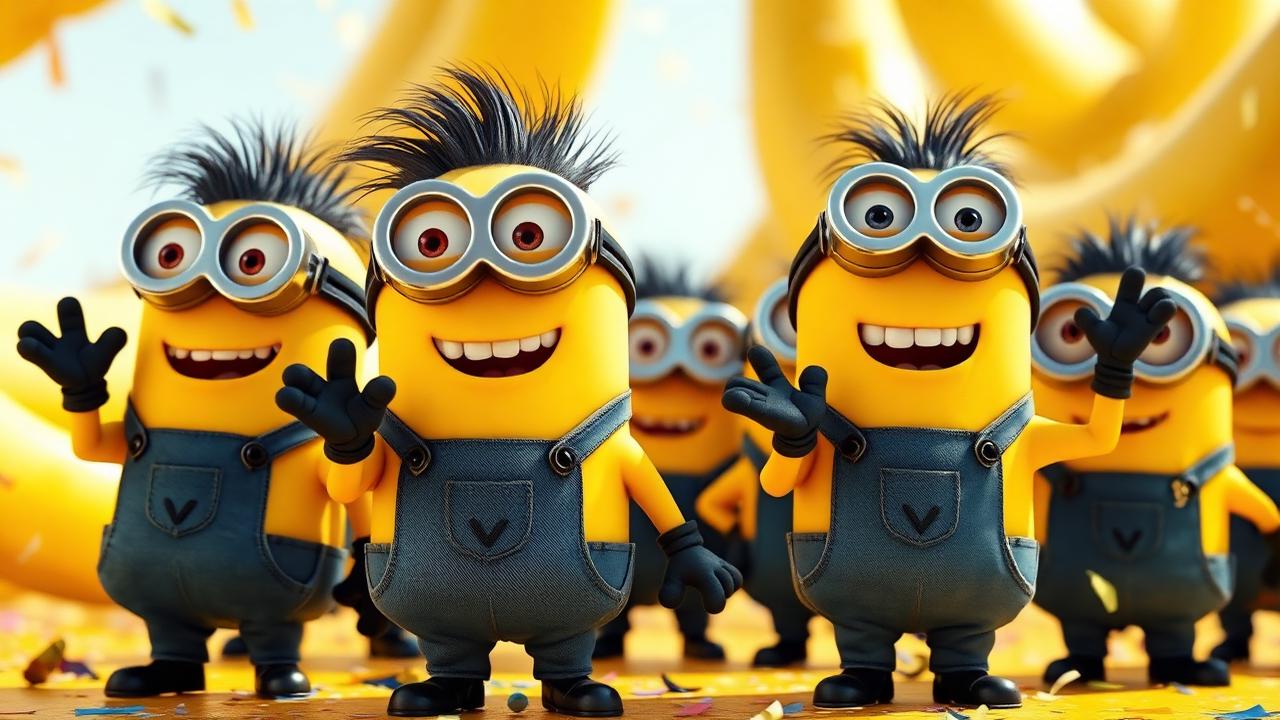
    Minions voice changer - group of small yellow cartoon helpers in blue overalls waving happily

    Three Flavours of the Minion Voice Clone

    Solo Bello keeps the delivery light and slightly nasal — perfect for one-liners on Discord or a quick voicemail gag. Banana Buddies pushes the giggle up for group video calls and family online chat. Party Gamer softens the top-end for longer streaming segments and TikTok voice-overs so the squeak never gets tiring. All three sit on the free voice changer tier and pair nicely with gibberish cheers and banana crunches from the community sounds library.

    Solo Bello Minion voice changer preset for Discord and video calls
    Solo Bello
    Banana Buddies Minion voice changer preset for Discord and video calls
    Banana Buddies
    Party Gamer Minion voice changer preset for Discord and video calls
    Party Gamer

    Try Voice Changer Now

    Experience real-time AI voice transformation. Record your voice and hear the magic instantly.

    Dubbing AI free voice changer app with the Minion cartoon preset selected

    Why Pick This Minion Voice Clone?

    Genuinely free. The Minion preset ships with the free AI voice changer tier — no card, no watermark, no 30-second demo cutoff mid-punchline.

    Call-friendly. sub-300ms latency and 2-3% CPU keep Discord parties, Zoom calls and family FaceTime feeling normal — the voice changer app never gets in the way of the joke.

    1000+ voices on the same shelf. Cartoons, celebrities, anime characters and fan packs from the community sounds library.

    Doubles as a video voice changer. Pipe the virtual mic into CapCut, Premiere or OBS and the Minion voice you used in chat lands on your TikTok and YouTube shorts.

    Plays nicely with everything. Windows and Mac, 100+ apps — Discord, Zoom, Google Meet, Teams, Twitch, OBS, VRChat, Roblox, Fortnite party chat, and any browser-based online chat.

    How Does the Minion AI Voice Changer Work?

    A neural voice-conversion model runs locally on your machine. Your microphone feed gets sliced into roughly 10-20ms frames, encoded into a speaker-agnostic representation, then re-decoded with the squeaky Minion timbre. End-to-end latency stays under 300ms on a mid-range laptop and CPU sits around 2-3% — comfortably below anything that would stutter a Discord call, a Zoom family meeting, or a Twitch stream.

    Why does it sound like a real Minion instead of a chipmunk filter? Because the voice clone preserves your prosody — pacing, inflection, laughs, breath pauses — and only replaces the speaker fingerprint. The same engine powers the whole 1000+ voice library, so hopping from Minion to a Disney villain or an anime hero is one hotkey away. Sprinkle banana crunches, gibberish cheers, and party horns from the Dubbing AI soundboard when you want the full yellow-helper energy.

    How to Use the Minions Voice Changer

    01

    Grab the Free Voice Changer

    Download Dubbing AI for Windows or Mac. Install takes about two minutes and the Minion preset is unlocked on the free tier.

    02

    Search 'Minion' in the Library

    Open the voice picker, type Minion, and preview it live with your own mic before you jump into a call.

    03

    Set Dubbing AI as Your Mic

    Pick 'Dubbing AI Virtual Microphone' as the input in Discord, Zoom, OBS, or whichever app you talk through.

    04

    Say 'Bello' and Laugh

    Bind the preset to a hotkey, toggle it on, and go. Flip it back off any time to return to your normal voice.

    Most people are up and squeaking in under five minutes. Set Dubbing AI Virtual Microphone in your OS sound panel, mirror it inside Discord or Zoom, and bind the Minion preset to a hotkey next to your own voice — handy for switching between "real dad on a work call" and "Minion answering the phone" without unplugging anything. Explore more cartoon and character drops inside the Dubbing AI soundboard.

    Hands-On With the Minions Voice Changer

    The Minion preset lands best when you talk at a normal indoor volume and let each sentence breathe. Short exclamations ("bello!", "banana!", "wheeee!") pop instantly, and long story-telling in a family online chat keeps its rhythm without crackling. Full-throat shouting will flatten the squeak — the one moment where dropping back to your own mic is smarter than pushing harder.

    On a mid-range laptop the voice changer app held a steady 2-3% CPU across a back-to-back Discord party and a parallel OBS stream, with no audible drift on a basic USB mic. Hotkey switching between Minion, original voice, and a backup preset was instant, and OBS grabbed the same virtual microphone for clip capture without extra routing gymnastics.

    Note: this is a fan-made tribute, unaffiliated with Illumination or Universal. Use it for family jokes, prank videos, cartoon dubs, and personal online chat — please never impersonate a real person, monetise the Minion likeness commercially, or claim to be the official voice actor. Pair it with gibberish cheers and party ambience from the community sounds library.

    Frequently Asked Questions

    Everything you might want to know about the Minions voice changer.

    Say Bello As A Minion Today

    Grab the free voice changer trusted across Discord, Zoom, OBS, TikTok and every major video editor. The voice changer app fans reach for when they want an instant Minion voice clone for chat, streams, and short-form video.

    Download Free Now