The Cat Who Owns the Universe
Beerus' voice is feline and imperial — soft, spoiled, and absolutely final. That combination is nearly impossible to fake without a good model.

Beerus is the God of Destruction of Universe 7, and he'd rather eat Earth food than destroy anything. Kōichi Yamadera voices him in Japanese — the same legend behind Spike Spiegel and the Japanese Donald Duck — while Jason Douglas brings him to life in the English dub with a lazy, purring, cat-like menace he once compared to his Borderlands 2 Krieg energy. One minute he's demanding pudding, the next he's erasing planets with a Hakai. The Dubbing AI Beerus preset keeps both moods on a single hotkey.
✓ Free voice changer • ✓ 500+ AI voices • ✓ Under 300ms latency
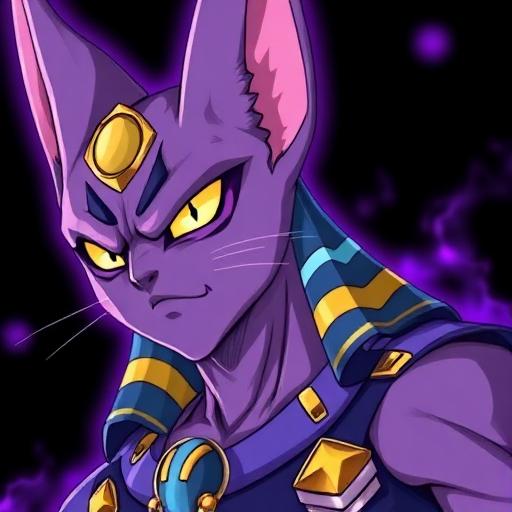
Beerus' voice is feline and imperial — soft, spoiled, and absolutely final. That combination is nearly impossible to fake without a good model.
Yamadera's purr and Douglas' measured menace are both iconic — fans of either language get their register.
He yawns through judgments and screams at desserts — the tonal swings are the entire comedy, and the model rides them.
A sleepy, purring baritone that can snap to planet-erasing intensity — both gears of the God of Destruction.
Honors Kōichi Yamadera's Japanese original and Jason Douglas' English dub equally — pick your canon.
Built for calm threats and universe-scale tantrums, from pudding demands to full erasure.
Beerus is the laziest god in fiction — a voice changer lets you be devastating without lifting a finger.
Threaten the enemy team with casual erasure — 'I will destroy you' delivered like a yawn is ten times funnier.
Grade fighters in tier lists and reaction clips as the God of Destruction, judging everyone on how good they'd taste.
Host a Universe 7 RP server where every argument is settled by whoever brings the better pudding.
Host Dragon Ball Super nights as Beerus, giving Whis-grade commentary on every fight while demanding snacks.
Install the free desktop app for Windows or macOS — under two minutes, no credit card.
Approve the virtual microphone driver so games and chat apps can read Dubbing AI as your input device.
Browse 500+ AI voices, preview with Hear Myself, and lock in your favorite preset.
In Discord, your game, or OBS, choose Dubbing AI Virtual Microphone — start talking live.
Explore more AI voice changers for games, apps, and characters.
Grab the free voice changer for real-time gaming and online chat, layer in the soundboard for instant effects, and browse community sounds for voices other creators already made.
Download Desktop App