
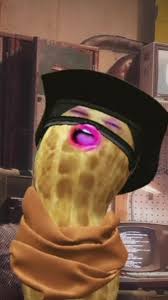

burnt peanut sound effect

The Ultimate Viral Burnt Peanut Soundboard

Welcome to the central destination for the iconic "Burnt Peanut" sound effect that has taken over the internet! The Dubbing AI Community Soundboard gives you instant access to every variation: from the sharp, quick original to dramatic, echoing remixes. Stop searching for clips and start collecting. Easily curate your favorites, assign them to hotkeys for instant use in games and chats, and use our tools to fine-tune the pitch and volume for maximum comedic effect.

The Iconic Burnt Peanut Sound Pack

Choose from a wide range of Burnt Peanut sounds: The Slow-Motion Fail Hear the Slow-Motion Fail version, distorted and drawn out. Use this for epic, delayed reactions to mistakes or funny, cinematic failure moments. The Chipmunk Remix Get the hilarious Chipmunk Remix, sped up and high-pitched. It's perfect for quick, chaotic trolling and lighthearted, high-energy jump-scare jokes in games. The Robot Glitch Try the Robot Glitch sound, complete with electronic static and filter. Use this for futuristic jokes or when a silly character malfunctions unexpectedly.

burnt peanut soundboard

Customizing Your Burnt Peanut Soundboard

The Selection: Easily browse and select your favorite Burnt Peanut variants, like the Slow-Motion Fail, to build your unique, curated sound collection. The Hotkey Integration: Instantly map the Chipmunk Remix or Robot Glitch to hotkeys. This allows for lightning-fast, zero-latency use during streams or chaotic gaming. The Audio Editing: Use built-in tools to adjust pitch or add effects like reverb to your collected sounds. Fine-tune your sound effects for perfect, custom trolling moments.

burnt peanut soundboard

Advanced AI Voice Technology

500+ Character Voices: From horror icons to anime characters and celebrities Multi-Language Support: Transform voices in 40+ languages with emotional expressions Ultra-Low CPU Usage: Runs efficiently at <3% CPU without impacting game performance Cross-Platform Compatibility: Works seamlessly on Windows, macOS, and VR platforms

Professional Soundboard Integration

100,000+ Sound Effects: Massive library including horror-specific audio clips Custom Soundboard Creation: Build and share your own horror sound collections Hotkey Integration: Quick access to sound effects during intense gameplay moments Community Sound Sharing: Access user-generated horror soundboards

HOW TO USE DUBBING AI?

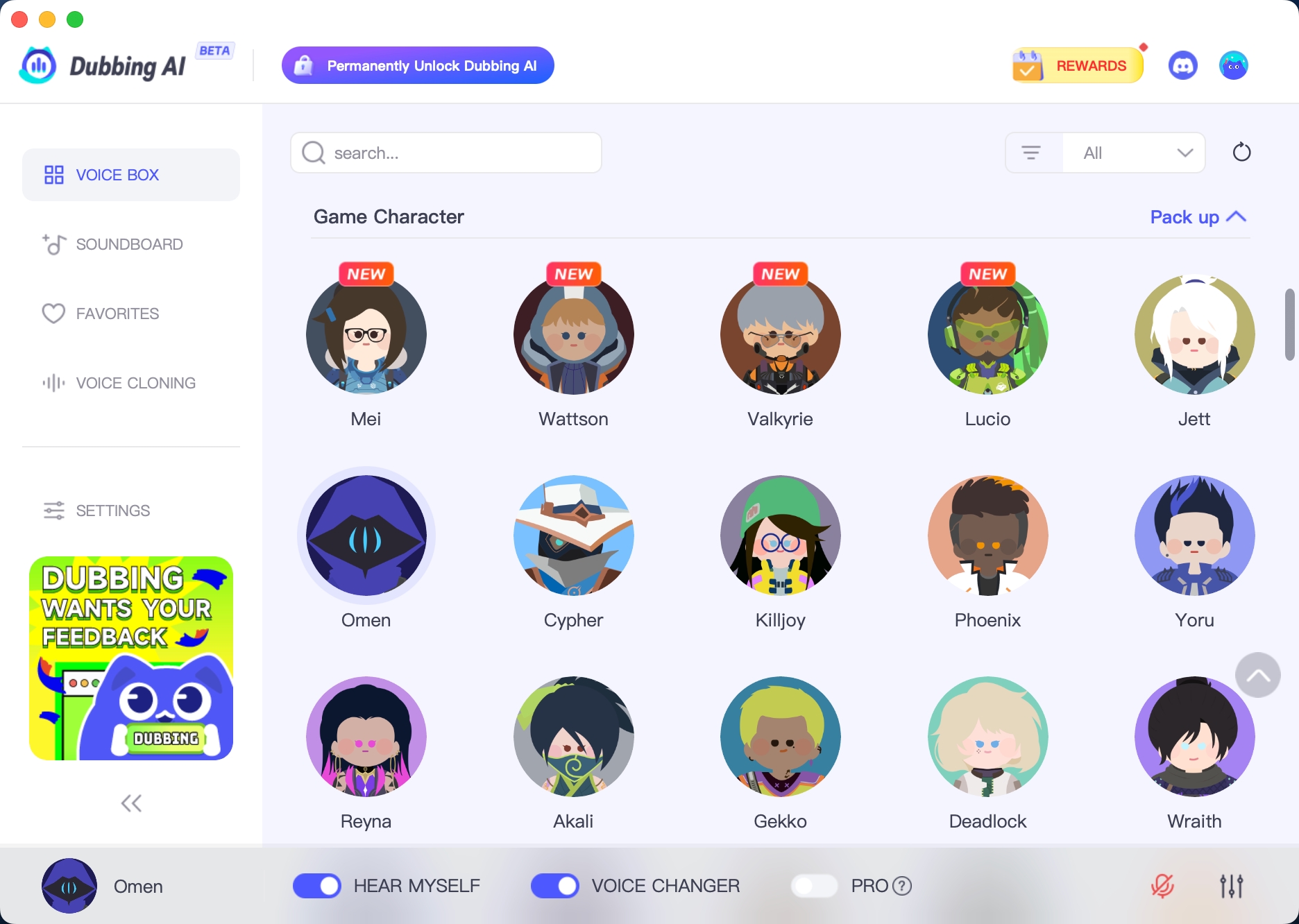
1. Download Dubbing AI: Install the application on your Windows or macOS computer. 2. Configure Your Audio: Set your primary microphone as the input in Dubbing AI. Then, in your computer's sound settings (or Discord/in-game chat), set your input device to "Microphone (Dubbing Virtual Device)". 3. Start Roleplaying: Open the Voicebox in Dubbing AI, select a voice, and make sure the "Voice Changer" is toggled on. Your new voice is ready for the blocky world!

Minecraft Voice Changer
What is a Burnt Peanut soundboard in Dubbing AI?

A Burnt Peanut soundboard is a collection of short, crispy, slightly chaotic voice clips inspired by the “burnt peanut” meme style—high-energy, distorted, comedic sounds used for pranks, streams, and meme reactions. Dubbing AI lets you create and trigger these sounds instantly.

How do I create Burnt Peanut sound effects using Dubbing AI?

Simply record your voice or upload an audio clip inside Dubbing AI, then apply voice effects like pitch boost, distortion, speed-up, and saturation. Fine-tune the tone until it sounds crunchy, loud, and meme-ready—perfect for Burnt Peanut-style humor.

Can I customize multiple Burnt Peanut sounds?

Yes. You can create unlimited Burnt Peanut clips with different emotions—angry, surprised, sarcastic, or chaotic. Each clip can be saved as a separate soundboard button for instant playback during live sessions.

How do I use my Burnt Peanut soundboard in games or streaming?

Once saved, your soundboard clips can be triggered live while gaming, streaming, or chatting. Dubbing AI works with Discord, Twitch, YouTube Live, OBS, VRChat, and most online games—your Burnt Peanut sounds play instantly through your microphone.

Can I import external meme sounds into my Burnt Peanut soundboard?

Absolutely. Dubbing AI allows you to upload existing meme audio files and remix them using Burnt Peanut-style effects. This makes it easy to combine viral sounds with your own voice creations.

Will the Burnt Peanut soundboard work in real time without delay?

Yes. Dubbing AI is optimized for ultra-low latency soundboard playback, so your Burnt Peanut sounds trigger instantly with no noticeable delay—perfect for reactions, timing-based jokes, and live pranks.