
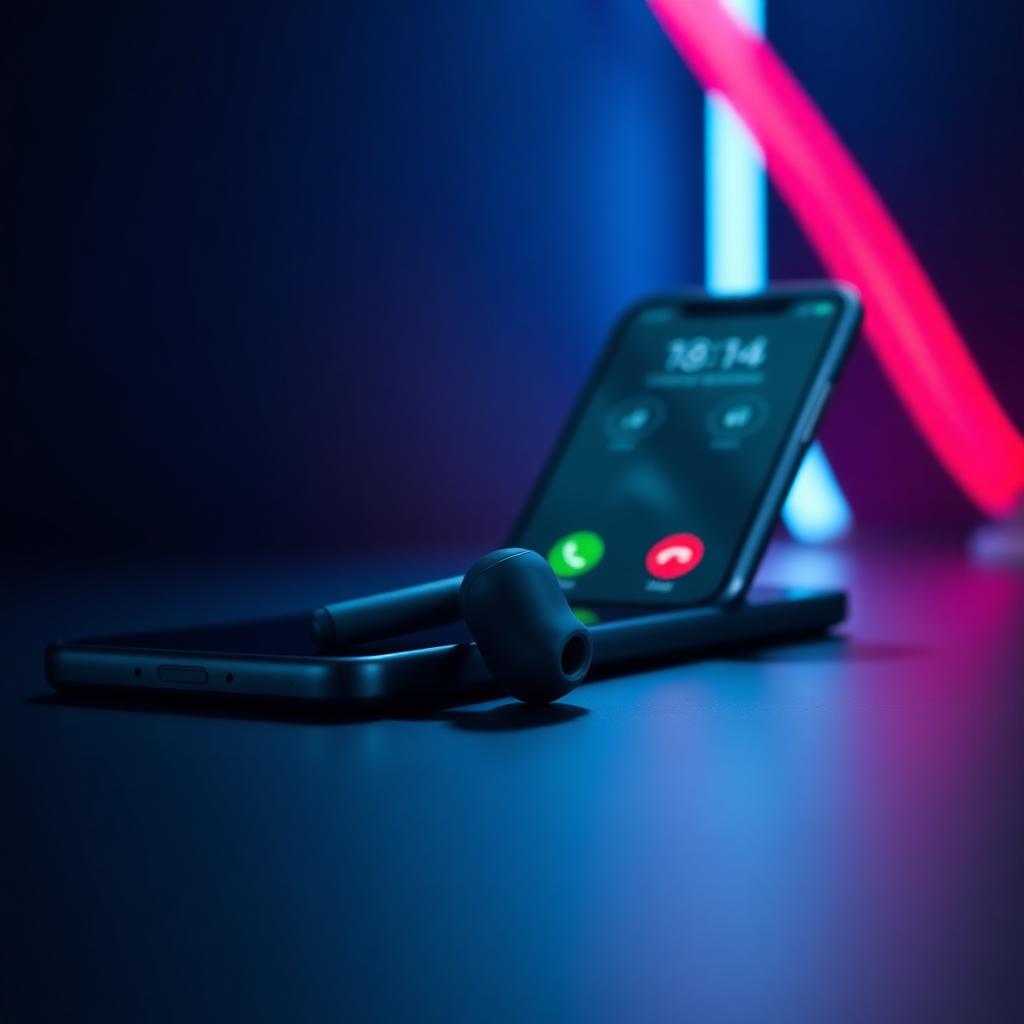
Real-time voice changing on a PC has been a solved problem for years — you route a virtual microphone into Discord and you are done. Phones are a different story. Mobile operating systems intentionally lock the microphone away from third-party audio processing during a call, which is why most "voice changer for calls" apps in the App Store and Play Store only work on recorded messages, and why almost none of them work on a real WhatsApp voice call, a FaceTime session, or a Zoom meeting from your phone.
This guide walks through what actually works in 2026 for changing your voice on phone calls, video calls, and in-game voice chat on mobile — and where the honest limits are. It covers software-only apps, the newer wave of AI voice-changing earbuds (including the Dubbing AI Voice Changing Earbuds), and the setup patterns that survive contact with iOS and Android's audio permissions. For the broader landscape across PC and mobile, see our best AI voice changer comparison. If you are still deciding between live-mic changing and processing a recorded file, how to change your voice covers that split first.
At a glance
| Approach | Works on live calls | Latency (typical) | App compatibility | Setup effort |
|---|---|---|---|---|
| Voice-changing earbuds (hardware, e.g. Dubbing AI Earbuds) | Yes — any app that uses the mic | Sub-300ms marketed | WhatsApp, Zoom, Discord, games, native dialer | Plug in / pair once |
| PC voice changer + phone as second device | Partial (via callback / desktop app) | 100–300ms | Discord, Zoom, Teams on desktop | High |
| Mobile "voice changer" apps (App Store / Play Store) | Rarely on live calls; mostly recorded voice notes | N/A (offline processing) | Voice memos, playback | Low |
| Prank-call redirect services | Sort of — routes call through their server | 500ms+ | Native dialer only | Medium |
The honest short answer: if you want to change your voice in real time on a phone call — the actual call, not a voice memo — a hardware path (voice-changing earbuds or a PC-in-the-middle rig) is the only reliable way in 2026. Software-only mobile apps still cannot inject processed audio into a live call on stock iOS or Android because the OS does not expose that audio route to third-party apps.
Why "voice changer for calls" is hard on phones
To understand why the App Store is full of apps that promise real-time call voice changing and then quietly only change recorded voice memos, it helps to look at what mobile operating systems actually allow.
On iOS, when a phone call is active — whether it is a cellular call, FaceTime, or a VoIP call over WhatsApp — the microphone is owned by CallKit and the calling app. A third-party app cannot sit in between the mic and the call to process audio in real time. Apple's audio session APIs explicitly reserve that route. The best a third-party app can do is record a message, process it, and let you play it back. That is why every "prank call" app on iOS either records a message first or routes the call through the app's own server.
Android is slightly more permissive but not by much. The MODE_IN_COMMUNICATION audio mode still routes microphone input directly to the calling app, and Google has been tightening RECORD_AUDIO and background audio permissions with each release since Android 12. Some manufacturer skins (MIUI, HyperOS) allow call recording via a system-level hook, but that is a read path, not a write path — you cannot substitute the mic input for the outgoing call stream.
The result: any app that claims to "change your voice on live phone calls" from a stock phone install is either (a) only working on recorded voice notes, (b) routing your call through a third-party server (adds 500ms+ of latency and hands your call audio to an unknown third party), or (c) misleading you. This is not a bug the developers can patch — it is an OS-level restriction.
The two paths that do work in 2026 both sidestep the restriction rather than fight it: process the audio before it reaches the OS (a hardware layer between your voice and the phone's mic) or process it on a different device entirely (a PC that owns the call and forwards to your phone).
Path 1 — Voice-changing earbuds (the emerging category)
Voice-changing earbuds are a small but growing hardware category in 2026. The idea is simple: an earbud with a microphone captures your voice, an on-device or paired-phone DSP transforms it in real time, and the processed audio is sent to whatever phone app is currently listening — the native dialer, WhatsApp, Zoom, Discord, a mobile game's voice chat. Because the phone sees the earbud as a normal Bluetooth or wired headset mic, every app that reads from the mic gets the transformed voice for free. No permissions to grant per app, no OS restriction to work around.
The Dubbing AI Voice Changing Earbuds are one of the more polished entries in this category. Positioned as an accessory to the Dubbing AI voice engine, they take the same real-time transformation model that runs on Dubbing AI's PC app and put it into an earbud form factor for mobile. The claim we would highlight — and the one that actually matters for calls — is sub-300ms end-to-end latency with plug-and-play setup on any phone app that uses the microphone (as of 2026-07, per the official product page). That latency figure is important because anything above roughly 300ms starts to feel like a satellite phone call — your conversation partner will hear you talking over them, and you will start doing that awkward "no, you go" dance.
Where earbuds beat software-only mobile apps:
- They work in any calling app. WhatsApp, Zoom, Google Meet, Teams, FaceTime, the native dialer, Discord mobile, PUBG Mobile, Call of Duty Mobile — anything that reads from the system mic gets the changed voice, because the earbud is the system mic.
- No per-app permissions dance. You do not need the calling app to expose an audio-processing hook, because the transformation happens before the audio reaches the app.
- Latency is measured, not marketed. A good earbud-based system pipes audio through a fixed, tuned signal chain. Sub-300ms is achievable because you are not fighting the OS scheduler for real-time audio priority.
- Voice quality is more consistent. Because the mic is close to your mouth and the DSP is tuned for that specific mic, there is less garbage input to clean up than a software changer trying to process whatever your phone's bottom mic picks up.
Where the honest limits are:
- It is a hardware purchase. You are paying for a physical device instead of downloading a free app. If you only want to change your voice occasionally for a joke, that is a real gap.
- You need to be wearing the earbuds. Speakerphone calls will not work; the mic path has to run through the earbud.
- Voice presets are the ones the device ships with. Depth of preset library is worth checking against your specific use case — a good news anchor voice, a convincing female voice, an anime character — before buying.
For anyone who takes calls, gaming voice chat, or video meetings on a phone regularly and actually cares about latency and reliability, hardware-in-the-mic-path is the honest answer in 2026. Software-only apps on stock iOS and Android cannot get there.
Path 2 — PC voice changer + phone as a second device
Before earbud-based options existed, the standard workaround for anyone who wanted a great voice changer on a phone call was to move the call to the PC. This still works and is worth mentioning because it is free if you already have a PC voice changer setup — and because it is the only way to use a specific desktop-tier preset library on a mobile call.
The pattern:
- Run a PC voice changer (Dubbing AI, Voicemod, Voice.AI) with a virtual microphone driver.
- Take the call on the PC via WhatsApp Desktop, Zoom desktop, Discord desktop, Teams desktop, or Google Meet in the browser.
- Route the PC's virtual mic into the calling app.
- Wear headphones on the PC, or use your phone as a secondary hands-free device.
Latency is good (100–300ms depending on the software), preset library is enormous, and you can layer soundboards and effects. The obvious downside is that this is a PC workflow — you cannot do it while walking to the train, and it does not work for cellular calls or SMS-tied services like WhatsApp voice-only accounts that refuse desktop login without the phone nearby.
If you already own a PC voice changer and only occasionally need it on a phone-adjacent call, this is fine. If you want to change your voice while actually holding a phone, this path does not scale. For a straight PC-side comparison, see Dubbing AI vs Voicemod.
Path 3 — Mobile "voice changer" apps (what they actually do)
Search "voice changer for calls" on the App Store or Play Store and you will get dozens of results with five-star screenshots and titles like Live Call Voice Changer, Prank Call Voice, Real-Time Voice Modifier. Before you install any of them, it helps to know what they can and cannot do on a stock phone.
What most mobile voice-changer apps actually do:
- Record a voice memo, process it with pitch/effect presets (robot, chipmunk, baby, alien, deep), and let you save or share the result.
- Some can take a WhatsApp voice message you recorded inside the app and export it back to WhatsApp — which is real-time-ish for asynchronous voice notes, not for live calls.
- A subset (mostly Android) can route your call through the app's own PSTN server, apply a preset on their side, and then forward to the recipient. This is what old prank-call services do. Latency is 500ms+, call quality drops, and your call audio flows through a third-party server.
What they cannot do on a stock phone in 2026:
- Change your voice on a live WhatsApp call, FaceTime, Zoom, Teams, Google Meet, Discord, or in-game voice chat while you hold the phone normally.
- Sit between your microphone and the calling app on iOS or non-rooted Android.
This is not a "the app is bad" problem; it is the OS restriction described above. If a mobile app claims real-time live-call voice changing without a hardware accessory or a call-forwarding server, the safe assumption is that the marketing screenshot is doing more work than the app.
Mobile apps still have a real role — recorded voice messages, TikTok voiceovers, prank voice memos sent in group chats. For that job, they are fine. For live calls, they are not the tool.
Latency and voice quality — what to actually test
Whether you go the earbud route or the PC-in-the-middle route, two things determine whether the setup is usable: how many milliseconds you add to the call, and whether the transformed voice sounds like a person or a filter.
Latency budget for calls:
- Under 150ms: conversational, indistinguishable from a normal call for the listener.
- 150–300ms: noticeable but usable. This is where most well-tuned real-time voice changers land, including good voice-changing earbuds.
- 300–500ms: starts to feel like a walkie-talkie. You will begin talking over each other on interruptions.
- Over 500ms: conversation degrades. This is the range of call-forwarding server apps and cheap DSP hardware.
The 300ms threshold is not a marketing number — it is roughly the point at which human conversational turn-taking breaks down, and it is why the Dubbing AI Earbuds' sub-300ms claim (as of 2026-07) is the spec worth checking on any real-time device.
Voice-quality checks worth running before you rely on any voice changer for a call:
- Record a 30-second sample of yourself in the transformed voice and play it back. Does it still sound like a person, or does it sound like a vocoder?
- Test on a WhatsApp voice call with someone you trust. Ask them to describe the voice without you priming them.
- Test with background noise — a coffee shop, a TV in the background. Real-time voice changers vary wildly in how they handle non-voice input.
- Test the intonation, not just the pitch. A good voice changer preserves the rise and fall of your speech; a bad one flattens everything into monotone.
Privacy — what a voice changer for calls does and does not protect
A common reason people search for "voice changer for calls" is privacy: a female player getting harassed in mobile game voice chat, someone taking a call in public and not wanting to be identified by voice, a journalist protecting a source. It is worth being clear about what any voice changer — earbuds, PC, or app — actually protects.
What it does protect:
- Voice fingerprint on the receiving end. The person on the other side of the call hears a transformed voice, not your natural voice.
- Gender/age presentation in scenarios where you do not want to reveal it — most commonly, women in gaming voice chat avoiding targeted harassment. See best female voice changer for the same protection framing on the desktop side.
- Casual recognition if someone might otherwise recognize you from your voice alone.
What it does not protect:
- Your account identity. If you are calling from your own WhatsApp, Zoom, or Discord account, the app still knows who you are.
- Your phone number. Voice changing does not spoof caller ID.
- The fact that you are being recorded. If the other party records the call, they have the transformed audio — which is fine for anonymization but not a shield against being quoted.
- Cloud processing risk. If your voice changer routes audio through a server for processing (some cloud-based mobile apps do), your raw voice is briefly on that server. On-device or on-earbud DSP avoids this; call-forwarding server apps do not.
For a voice-changing earbud specifically, the privacy story depends on whether the DSP runs on the device itself or offloads to a paired-phone app. Local processing is the stronger privacy posture; check the product's documentation before assuming.
How to choose — a short decision tree
Rather than a scored comparison, the honest way to pick a voice changer for calls in 2026 is by use case:
- You take calls or voice-chat on a phone frequently and want it to just work. Voice-changing earbuds (Dubbing AI Voice Changing Earbuds or a comparable device) are the only path that gives you sub-300ms latency across every phone app without a PC in the middle.
- You are already at a PC most of the time and only occasionally need it on a phone-adjacent call. Stick with a PC voice changer and take the call on the desktop app.
- You want to send a funny voice memo or a WhatsApp voice note in a friend's voice. A free mobile voice-changer app is fine — this is the job those apps actually do well.
- You want to prank-call someone. Consider whether that is a good idea legally in your jurisdiction, then use a call-forwarding service knowing that latency and audio quality will be worse.
- You want to protect your voice identity in mobile game voice chat. Voice-changing earbuds again — mobile games use the system mic, and the earbud sits on that path.