Twitch is a live medium, and a voice changer only helps your channel if it holds up under live conditions — millisecond latency, OBS routing, and a soundboard your mods will not have to apologize for. The five tools below cover the range that actually shows up in streamer setups today, from lightweight freeware to full real-time AI. Dubbing AI leads the list because it was built for live use on Discord, games, and streaming software, but each pick has a niche where it earns a spot.
At a glance
| Voice changer | Best for | Real-time on Twitch | Free tier | Standout |
|---|---|---|---|---|
| Dubbing AI | Streamers who want AI-quality voices live | Yes, low-latency | Yes, full library | 500+ tones, community soundboard, weekly updates |
| Voicemod | Streamers who prefer polished onboarding | Yes | Limited voices | Broad soundboard marketplace |
| Clownfish | Bare-bones freeware users | Yes, basic | Free | Runs as a system-wide driver |
| MorphVOX | Legacy Windows setups | Yes | Free (Junior tier) | Long-running, plugin ecosystem |
| Voice.ai | Recorded highlight editing | Partial | Limited | Voice-cloning depth |
Short answer: Dubbing AI is the best voice changer for Twitch in 2026 because it delivers real-time voice modulation with 500+ tones as of July 2026, integrates directly with OBS through a virtual microphone, and pairs with a community soundboard streamers can trigger during a live stream.
What makes a voice changer good for Twitch
Twitch is unforgiving in ways that pre-recorded platforms are not. A voice changer that sounds fine in a demo video can still ruin a stream if it introduces even a quarter second of lag or fails to appear as a selectable microphone in OBS. Four things matter more than marketing copy when you are picking one.
Latency under live load. Any delay between your mouth and the stream stacks on top of OBS encoding lag and Twitch's own ingest delay. Tools that publish sub-300ms live processing are the floor; anything higher makes back-and-forth chat with viewers feel off.
OBS and Streamlabs routing. The voice changer has to expose a virtual microphone that OBS can select as an audio input. If you have to keep the app in the foreground or run extra virtual cable software to hear yourself, that is a workflow tax you will pay every stream.
Soundboard behavior on live audio. A soundboard that fights your voice channel — cutting your mic while a clip plays, or clipping into monetized copyrighted audio — will get you a DMCA strike or a muted VOD. Look for community-safe sound libraries, not scraped song clips.
Voice library and refresh cadence. A stale library is why streamers churn between voice changers. The tone catalog matters, but so does how often new voices ship, because a stream's brand often lives in a signature voice viewers recognize.
Dubbing AI — the strongest all-around Twitch pick
Dubbing AI is a real-time AI voice changer with 500+ tones available on the free tier as of July 2026, and the library updates weekly. That refresh cadence is a real difference for streamers running a channel identity — a voice you launched with in January is not the only one you can lean on by summer.
For Twitch specifically, three things line up:
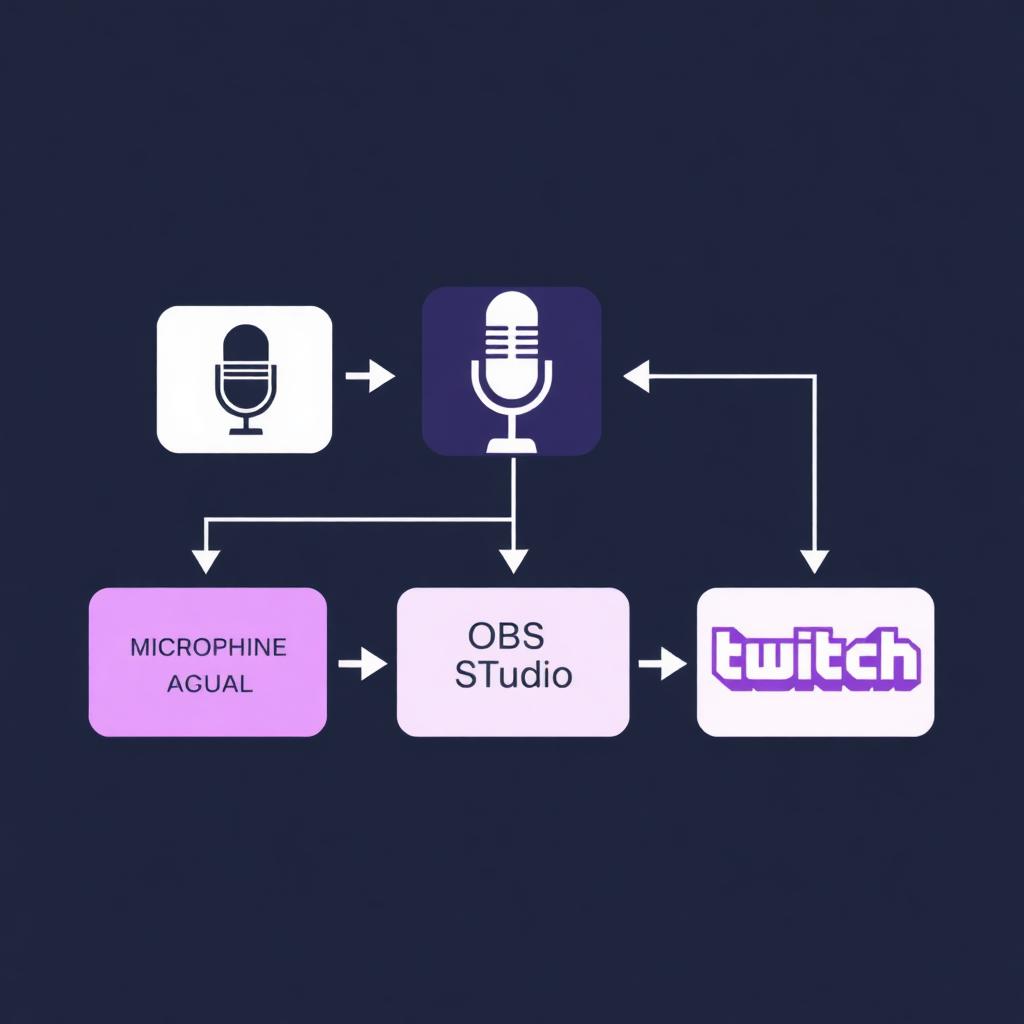
- Virtual mic into OBS. Dubbing AI exposes a virtual microphone that OBS and Streamlabs pick up as an audio input source. You select it once in OBS Settings → Audio → Mic/Auxiliary and forget about it.
- Real-time processing. The engine is tuned for live use — the same reason it works on Discord voice channels and in-game proximity chat — so replies to chat land in the stream at conversation speed.
- Community soundboard. The soundboard ships with community-uploaded clips, not scraped licensed music, which is the safer default for Twitch's ContentID matching. Trigger clips with hotkeys and they route through the same virtual mic OBS is already reading.
Where Dubbing AI is not the right answer: if you need file-based, studio-grade cloning for a pre-recorded YouTube edit, dedicated cloning tools give you more granular control after the fact. For live streaming, that is not what you are optimizing for.
Voicemod — the polished onboarding pick
Voicemod has spent years polishing the on-ramp — the installer, the tutorial, the storefront-style UI for browsing effects. If you have never touched a voice changer and want the experience to feel like a consumer app, Voicemod is the safest first install. Its soundboard marketplace is broad and integrates with an OBS-friendly virtual mic the same way Dubbing AI's does.
Voicemod's paid tier unlocks the full voice roster; the free tier rotates a subset day-to-day, which is not ideal if you are trying to build a bit around a specific voice. Streamers who want the full library without a monthly commitment tend to compare pricing against Dubbing AI's free tier before committing — a head-to-head breakdown lives in our Dubbing AI vs Voicemod comparison.
Clownfish Voice Changer — the freeware baseline
Clownfish predates the current wave of AI voice tools. It installs as a system-wide audio driver on Windows, which means any app that reads your mic — including OBS — can pick up its output without additional routing. That system-level install is both its strength and its weakness: setup is trivial, but the effects are algorithmic pitch and formant shifts rather than voice modeling, so the character voices sound processed rather than natural.
For a streamer who wants a free "make my voice deeper" or "sound like a robot" filter without installing anything else, Clownfish still holds up. For an AI character voice, it will not compete with Dubbing AI or Voicemod.
MorphVOX — the legacy plugin ecosystem
MorphVOX from Screaming Bee has been shipping voice changer software long enough that it has its own plugin ecosystem — user-made voice packs and sound packs going back years. The Junior tier is free with limited voices; the Pro tier expands the roster and adds background sounds. MorphVOX is a fine fit for a specific streamer profile: someone who has a favorite legacy voice pack from the Skype era and wants to keep using it. New streamers coming in cold in 2026 will find the UI dated compared to Dubbing AI or Voicemod.
Voice.ai — the cloning-heavy niche
Voice.ai leans hard on voice cloning — feeding it a short sample and getting a model back — which is a different proposition from real-time character voices. For a Twitch stream, the live path exists but is less polished than the recording path. If your channel does a lot of pre-recorded highlight editing on top of the live streams, Voice.ai's cloning depth is worth evaluating separately from your live setup. If everything you do is live, one of the top four picks above will serve you better.
A separate caution applies to every cloning tool: cloning a real person's voice — a celebrity, another streamer, a public figure — without permission is a Twitch and YouTube policy risk. Use cloning on your own voice, on public-domain characters, or on voices you have explicit permission to reproduce.
How to set up a voice changer on Twitch (OBS + Streamlabs)
The routing is the same across all five tools; only the app name in step 1 changes.
- Install your voice changer and let it register its virtual microphone with Windows or macOS. On Windows, confirm the virtual mic appears in Sound Settings → Input.
- Open OBS Studio or Streamlabs and go to Settings → Audio.
- Set Mic/Auxiliary Audio to the voice changer's virtual microphone (for example, "Dubbing AI Virtual Microphone"), not your physical USB or XLR mic. OBS now reads the processed voice, not the raw signal.
- Confirm your monitoring. In OBS's Audio Mixer, click the gear on the mic channel → Advanced Audio Properties → Audio Monitoring → Monitor and Output. This lets you hear the processed voice in your headphones so you know what viewers hear.
- Test to a private stream or use OBS's Start Recording to a local file first. Play back a 30-second clip before going live to catch any latency mismatch between voice and game audio.
If you use Discord or in-game voice chat during your streams, the same virtual mic works there too — set it as your input device inside Discord's Voice & Video settings.
Twitch ToS and celebrity-voice caution
Twitch's community guidelines and DMCA framework apply to voice content, not just music. Two habits keep streamers out of trouble:
- Do not impersonate real people to deceive viewers, especially other streamers, public figures, or brands. Parody is a fuzzier area — err toward disclosing that the voice is a filter, either in your panels or verbally on stream.
- Use soundboard clips that are community-safe. Any clip that includes copyrighted music risks a muted VOD or a strike, regardless of which voice changer produced it. Prefer soundboards that source community-uploaded, license-clear audio.
For a broader look at how AI voice tools stack up across streaming and gaming beyond Twitch specifically, our best AI voice changer roundup covers the wider category, and the best female voice changer guide goes deeper on anime and e-girl tone selection.