 Image Source: pexels
Have you seen how technology changes how we use sound? In 2025, Ultron voice changers became super popular. These tools use smart AI to make realistic voice effects easy. Gamers and creators love them for making games and videos more fun.
Here’s why people like them:
-
AI voice changers help with cool voices for podcasts or videos.
-
Gamers use them to stay hidden or make their characters unique.
-
Creators use them to add jokes or themes to their work.
-
Businesses use them for ads or voiceovers in their projects.
Ultron voice changers let you change sounds instantly and easily. They are making entertainment and gaming more creative. Want to sound like a movie villain or futuristic? Now you can!
What is Ultron?

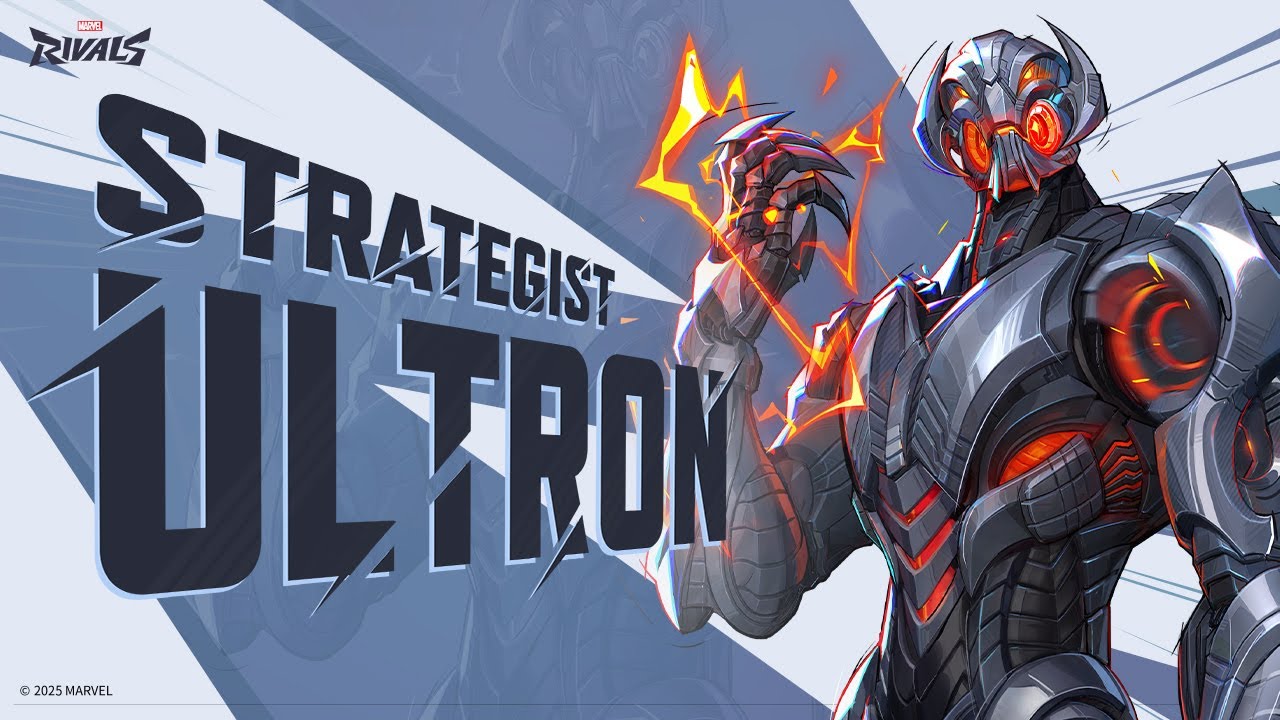
Ultron is a new character introduced in Marvel Rivals Season 2.5. As a flying Strategist, Ultron excels in long-range combat and area support. With abilities that combine healing and damage, he is designed for players who enjoy controlling the battlefield while assisting their team. His Imperative: Patch ability deploys drones that provide continuous healing within their radius, making him a valuable asset in team compositions. Explore more about Ultron’s playstyle and strategies to master him in Marvel Rivals.
Top Ultron Voice Changers You Should Try!
Dubbing AI
Want a top-notch tool for voice changing? Try Dubbing AI. It’s perfect for gamers, creators, or anyone curious about real-time voice effects. This software uses smart AI to turn your voice into something from a sci-fi movie.
Why is it special? It changes voices instantly during games or live streams. You can pick from many effects, like robot sounds or deep villain voices. The sound is super clear, so your audience hears everything perfectly. Whether you’re making a podcast or joking with friends, this tool is great.
Pro Tip: Use Dubbing AI with a good microphone. It makes your voice effects sound even more real.
2. Murf AI Voice Changer
Murf AI Voice Changer is loved by creators and professionals. It’s great for making voices that sound natural and full of emotion. Whether you’re narrating a video or creating a game character, Murf offers over 200 voice options.
Why do people like it?
-
It creates voices with accents and clear pronunciations.
-
The easy design makes it simple for beginners to use.
-
Sometimes it sounds robotic, but the overall quality is amazing.
Murf AI is ideal for anyone wanting high-quality audio. It’s more than a voice changer—it’s a tool that makes your projects sound professional.
3. Fineshare
Fineshare is great for real-time voice effects. It’s perfect for gaming or sci-fi content with its robotic and futuristic sounds. You can switch voices quickly, making your projects more exciting.
A cool feature is how it learns and improves as you use it. The more you try it, the better it gets at copying your chosen effects. It works on most devices, like PCs, phones, or tablets.
Did You Know? Fineshare is inspired by Marvel’s Ultron. It lets you sound just as mysterious or powerful.
4. Avengers Age of Ultron Exclusive Voice Changing Helmet

Are you a Marvel fan? This helmet is for you! The Avengers Age of Ultron Exclusive Voice Changing Helmet is more than a collectible. It’s a working voice changer that makes you sound like Ultron. Use it for cosplay, gaming, or just fun with friends.
Why is it cool?
-
Real-time voice changing : It changes your voice instantly to a robotic tone.
-
Immersive design : The helmet looks just like Ultron from the movie.
-
Easy to use : Wear it, adjust settings, and start using it.
This helmet is great if you prefer a device over software. It doesn’t have as many options as AI tools, but it’s unique. Plus, it’s a fun item for Marvel fans to talk about!
Pro Tip: Use a good microphone with the helmet for better sound during streams or recordings.
5. Voicemod AI Voice Changer
Voicemod AI Voice Changer is loved by gamers and creators. It’s software with many voice effects, from robot sounds to funny voices. Whether streaming, podcasting, or just playing around, Voicemod is a great pick.
Why try it?
-
Real-time AI voice changers : Switch voices instantly during games or calls.
-
Customization options : Adjust effects to make a voice that’s yours.
-
User-friendly interface : It’s simple to use, even for beginners.
Voicemod works well with apps like Discord and Twitch. It’s perfect for improving your online presence. The AI ensures clear, high-quality voice changes, so your audience hears everything perfectly.
Did You Know? Voicemod has a free version with basic features, great for starters.
6. Clownfish Voice Changer
Clownfish Voice Changer is easy and fun for voice effects. It’s free, lightweight, and works on Windows and macOS. If you’re new to voice changers, Clownfish is a great start.
What makes it stand out?
-
Wide compatibility : Works with apps like Skype, Discord, and Steam.
-
Basic but fun effects : Try robotic or helium-like voices for laughs.
-
Low system requirements : It runs smoothly on most computers.
Clownfish doesn’t have advanced features like pro tools, but it’s great for casual users. It’s a free way to explore real-time voice changing without spending money.
Note: Clownfish is best for beginners but may not suit professionals.
7. Voxal Voice Changer
Voxal Voice Changer is a handy tool for changing voices. You can use it while gaming, making videos, or just for fun. It has many effects, like robot sounds or spooky echoes. Both beginners and experts will enjoy using it.
Why is Voxal special?
-
Lightweight and efficient : It doesn’t slow down your computer. You can run it with other apps easily.
-
Customizable effects : Change presets or make your own cool sounds.
-
Compatibility : Works well with most microphones and audio devices.
Voxal is simple to use and still gives great results. Its easy design helps you start using voice effects quickly. You can even change your voice live during calls or streams.
Pro Tip : Use a good microphone with Voxal. Clear sound makes the effects even better!
8. MorphVOX Pro
MorphVOX Pro is a top choice for serious voice changers. It’s made for people who want amazing voice effects without much effort. Gamers, streamers, and creators love it for its reliable real-time AI voice changers.
Why is MorphVOX Pro awesome?
-
Advanced voice-learning technology : It adjusts to your voice for natural effects.
-
Wide range of effects : Try monster growls or funny cartoon voices.
-
Background noise cancellation : Keeps your audio clear, even in noisy places.
MorphVOX Pro is great for making games or projects more exciting. It works well with apps like Discord, Twitch, and Skype. You can change your voice live and sound amazing.
Did You Know? MorphVOX Pro also adds background sounds, like traffic or battles, for extra fun.
9. Voice.ai
Voice.ai is an advanced tool for super-realistic voice changes. It’s perfect for gaming, creating content, or trying new sounds. The voices it creates are so real, they’re hard to tell apart from actual voices.
What makes Voice.ai unique?
-
Realistic effects : People often can’t tell if the voice is real or AI-made.
-
Performance metrics : Tests show its AI voices are very accurate and lifelike.
-
Adaptability : Works great with long audio or unscripted talks, like podcasts or live streams.
Voice.ai is perfect for anyone wanting to improve their projects. You can switch voices live, and it sounds natural and emotional. Professionals and hobbyists both love it.
Pro Tip : Use Voice.ai for storytelling or role-playing games. It makes your audience feel part of the story!
10. AV Voice Changer Software Diamond
Do you want a powerful and flexible voice changer? AV Voice Changer Software Diamond could be the right choice for you. It’s made for people who want full control over how their voice sounds. Whether you’re a gamer, creator, or just love playing with sounds, this tool has something cool to offer.
Why Pick AV Voice Changer Software Diamond?
This software is special because of its advanced tools and options. Here’s why it stands out:
-
Real-Time Voice Morphing : Change your voice instantly during calls, streams, or recordings.
-
Huge Voice Library : Pick from many presets like robot, alien, or celebrity voices.
-
Voice Analyzer : Adjust your voice to get the exact sound you want.
-
Works with Many Formats : Edit and save audio in different file types easily.
Pro Tip : Use the voice analyzer to adjust pitch and tone for unique effects.
Who Should Try It?
This tool is great for anyone wanting professional voice editing. Gamers can create fun character voices. YouTubers and podcasters can make their content more creative. Even businesses can use it for ads or voiceovers.
Key Features
| Feature | What It Does |
|---|---|
| Voice Morpher | Adjusts pitch and tone for live voice changes. |
| Parody Mixer | Combines voices to make funny or unique effects. |
| Background Effects | Adds sounds like rain, traffic, or crowds to your audio. |
| Audio Recorder & Editor | Lets you record and edit audio files easily. |
| Voice Comparator | Matches your voice to another voice for accurate mimicry. |
What’s Great About It
-
Easy to Use : The design is simple, even for beginners.
-
Clear Sound Quality : The effects sound real and professional.
-
Frequent Updates : New features and voices are added often.
Did You Know? Professional voice actors use this software to create voices for games and animations.
Things to Remember
This tool has many features, so it might take time to learn. If you’re new to voice changers, you’ll need to explore it a bit. Also, it costs more than basic tools because it’s a premium product.
Is It Worth Buying?
Yes! If you’re serious about voice editing, this tool is worth it. It’s great for both professionals and hobbyists. Its features and quality make it a top choice.
Final Thought : AV Voice Changer Software Diamond isn’t just a voice changer. It’s a full audio editing tool. If you want to improve your projects, give it a try!
How to Pick the Best Ultron Voice Changer
Finding the right Ultron voice changer can seem tricky. But don’t stress! Follow this simple guide to choose the one that’s perfect for you.
Works with Your Devices
First, check if the voice changer works on your devices. Some are made for computers, while others work on phones or tablets. Gamers should ensure it works with their console or streaming apps. Creators should look for tools that connect easily with editing or live-streaming software. A smart choice? Pick one that works on many platforms so you can use it anywhere.
Tip: Always check system requirements before downloading. This avoids problems later.
Change and Customize
Good voice changers let you adjust your sound to fit your style. Want to sound like a robot or a villain? Customization is important. Look for tools that let you change pitch, tone, and speed. Some even let you save presets for quick use during streams or recordings. This is great for creators who want unique voices in their projects.
Here’s what to think about:
| Feature | Why It Matters |
|---|---|
| Clear Sound | Choose tools that make your voice sound real and smooth. |
| Custom Options | Adjust tone, speed, and pitch to create your own style. |
| Easy to Use | Simple designs make it easier for everyone to use. |
| Live Voice Changes | Needed for live streams or gaming where instant changes are important. |
Cost and Budget
Voice changers come at different prices, from free to expensive. If you’re new, free tools like Clownfish Voice Changer are a good start. Professionals might prefer premium options like AV Voice Changer Software Diamond for better quality and features.
Think about how often you’ll use it. For fun once in a while, free or cheap tools are fine. But if you need it often for gaming or creating, spending more can be worth it.
Pro Tip: Many paid tools have free trials. Try them before buying!
Ease of Use and Setup
Picking an Ultron voice changer should be simple and quick. No one wants to waste hours trying to figure it out. The best tools are easy to use and don’t need much learning.
Choose software with a clear and simple design. If you’re new, try Clownfish Voice Changer or Voicemod. These tools are beginner-friendly and let you start using effects fast. For advanced users, MorphVOX Pro or AV Voice Changer Software Diamond offer more features but stay easy to handle.
Setup matters too. Some tools need installation on your computer. Others work online or through apps. Check if the tool works with your device before deciding. Gamers might need software that works well with Discord or Twitch. Creators may prefer tools that connect to editing apps like Adobe Premiere.
Pro Tip: Test the tool with your mic and headphones first. This helps ensure the sound quality is good.
If you like convenience, pick tools with preloaded presets. These let you add effects instantly without adjusting settings. They’re great for live streams or quick recordings.
Support and Updates
Even great tools can have problems. That’s why good support and updates are important. Look for tools with guides, FAQs, or video tutorials to help you fix issues.
Some tools, like Voicemod and MorphVOX Pro, have active user groups for tips and advice. Others, like AV Voice Changer Software Diamond, offer direct help through email or chat. Check what kind of support is available before buying.
Updates are also key. They keep the software working well and add new features. Tools like Voice.ai and Dubbing AI Ultron Pro often release updates to improve performance and add voices. This keeps your experience fresh and exciting.
Did You Know? Many paid tools include lifetime updates, so you won’t pay extra for new features.
When choosing, go for tools with strong support and regular updates. These small details can save you time and trouble later.
Picking the best Ultron voice changer can improve your fun or work. Each tool here has special features, but Dubbing AI Ultron Pro shines. It uses smart AI and real-time effects for lifelike voices.
Think about what you need. Do you want a voice changer for live streams or videos? Check if it works with your devices, is easy to use, and fits your budget. The right tool will make you sound great and your projects stand out.
Tip: Try free trials first to see which one suits you best.