
Keeping students engaged in today’s classrooms can feel like a challenge, but it doesn’t have to be. That’s where Gimkit Live comes in. This interactive digital tool turns learning into a game, making lessons exciting and collaborative. Unlike traditional teaching, Gimkit lets students earn points, work in teams, and strategize their way to success. Whether they’re competing or collaborating, the engagement level skyrockets as they dive into this gamified experience.
Key Takeaways
Gimkit Live turns learning into a fun game. It helps students stay interested with teamwork and competition.
Try game modes like Team Mode or Classic Mode. Pick the one that works best for your class.
Add pictures, videos, or sounds to quizzes. This helps different learners and keeps students paying attention.
What is Gimkit Live?

Overview of Gimkit Live
If you’ve ever wondered what is Gimkit, it’s a game-based learning platform designed to make education fun and interactive. Think of it as a quiz game with a twist. Instead of just answering questions, students earn virtual money for correct answers. They can then use this money to buy power-ups or upgrades, adding a layer of strategy to the learning process. Gimkit transforms traditional classroom quizzes into exciting, competitive experiences that keep students engaged and motivated.
Unique Features of Gimkit
Gimkit stands out because of its unique features that go beyond simple question-and-answer formats. For starters, it offers multiple game modes like Classic Mode for individual play, Team Mode for collaboration, and Infinity Mode for survival-style gameplay. These options let you tailor the experience to your classroom’s needs.
Another standout feature is the in-game currency system. Students earn money for correct answers and can spend it on power-ups, which encourages strategic thinking. The KitCollab feature is another gem—it allows students to contribute their own questions, fostering collaboration and ownership of their learning. Plus, Gimkit lets students answer questions multiple times, reinforcing concepts and improving retention.
How to Use Gimkit for Classroom Success
Using Gimkit in your classroom is simple and effective. Start by incorporating it into your lesson plans to make learning interactive. You can use the Team Mode to encourage collaboration or the Classic Mode for individual practice. Hosting friendly competitions can boost motivation and make learning enjoyable.
To get the most out of Gimkit, encourage students to use power-ups strategically. This not only improves their scores but also enhances critical thinking. You can also use the KitCollab feature to let students create their own questions, making the experience more engaging. By integrating Gimkit into your teaching, you’ll create a dynamic and interactive learning environment that students will love.
Overcoming Challenges in Gimkit Live
Managing Time Limits
Time management can be tricky when using Gimkit in the classroom. It’s easy for students to get caught up in the excitement of the game and lose track of time. To keep things on schedule, set clear time limits for each session. For example, you can allocate 10-15 minutes for a quick review or use the timer feature in Gimkit to ensure the activity fits within your lesson plan. This keeps the game focused and ensures you have time for other parts of your class.
If you’re worried about tech access slowing things down, consider using shared devices like tablets or laptops. Schools often have resources available for this purpose, making it easier to integrate Gimkit into your lessons without delays.
Ensuring Inclusivity
Inclusivity is key to making sure every student feels involved. Some students may struggle with the fast-paced nature of Gimkit or feel left out if they’re not as quick to answer. To address this, try using Team Mode. This mode encourages collaboration and allows students to work together, reducing pressure on individuals.
Additionally, the KitCollab feature lets students contribute their own questions, giving everyone a chance to participate in creating the game. This not only makes the experience more inclusive but also fosters a sense of ownership and pride in their learning.
Keeping Students Focused
Keeping students focused during Gimkit sessions can be a challenge, especially with all the exciting features. To maintain engagement, incorporate Gimkit into your lesson plans as a tool for interactive learning. Encourage students to use power-ups strategically, which adds a layer of critical thinking to the game.
You can also host friendly competitions or offer small rewards to motivate students. Team Mode is another great way to promote collaboration and keep everyone on task. When students work together, they stay engaged and focused on achieving their goals.
Adapting Gimkit for Different Subjects
One of the most motivating features of Gimkit is its flexibility. You can tailor it to suit almost any subject. For math, create custom kits that focus on specific topics like fractions or algebra. In science, use Gimkit to review key concepts in biology or chemistry, making it perfect for exam prep.
Language arts teachers can design kits for vocabulary, grammar, or even literary analysis. This adaptability makes Gimkit a powerful tool for reinforcing learning across various subjects. By customizing the content, you ensure that the game aligns with your curriculum and meets your students’ needs.
Gimkit Best Tips and Tricks for Teachers

Choose the Right Game Mode
Selecting the right game mode in Gimkit Live can make all the difference in your classroom. Each mode serves a unique purpose. For example, Classic Mode works well for individual practice, while Team Mode encourages collaboration. If you want to boost critical thinking, try Trust No One, where students strategize to find the “impostor.” Here’s a quick guide to help you decide:
Game Mode | Description | Teaching Objective |
|---|---|---|
Classic Mode | Standard quiz format where students answer questions individually. | Individual assessment and practice. |
Team Mode | Students work together in teams to accumulate points. | Collaboration and teamwork skills. |
Infinity Mode | Survival mode where students must keep answering questions to stay in the game. | Continuous engagement and quick thinking. |
Trust No One | Strategy-based mode where students find the “impostor” among them. | Critical thinking and strategy development. |
Humans vs. Zombies | Survival mode where students must outlast the “zombies” by answering questions correctly. | Competitive spirit and teamwork. |
Customize Question Sets
Tailoring your quizzes in Gimkit ensures they align with your lesson plans. You can create custom quizzes with multiple-choice or true/false questions. Add multimedia like images or videos to make learning fun and engaging. Gimkit also allows you to select pre-made kits or design your own, giving you full control over the content. Adjust game settings, choose power-ups, and create a personalized experience for your students.
Use Kit Collab for Collaboration
Kit Collab is a fantastic feature for fostering teamwork. Let your students contribute their own questions to the game. This not only makes them feel involved but also reinforces their understanding of the material. By working together to build the quiz, students develop a sense of ownership and pride in their learning.
Pretest Students with Gimkit
Use Gimkit Live to pretest your students’ knowledge. Create quizzes to assess specific areas and track their performance in real time. This helps you identify struggling students and adjust your teaching accordingly. The detailed reports provide insights into areas needing improvement, making it easier to plan your lessons.
Create Group Activities for Teamwork
Team Mode in Gimkit is perfect for group activities. Students collaborate to achieve a common goal, which builds communication skills and strengthens their understanding of the material. This approach promotes teamwork while keeping the classroom atmosphere lively and interactive.
Incorporate Multimedia for Engagement
Adding multimedia to your Gimkit quizzes can take engagement to the next level. Include images, videos, or audio clips to make the content more dynamic. This not only grabs students’ attention but also caters to different learning styles, ensuring everyone stays involved.
Try Dubbing AI — Best Real-time Voice Changer for Engagement
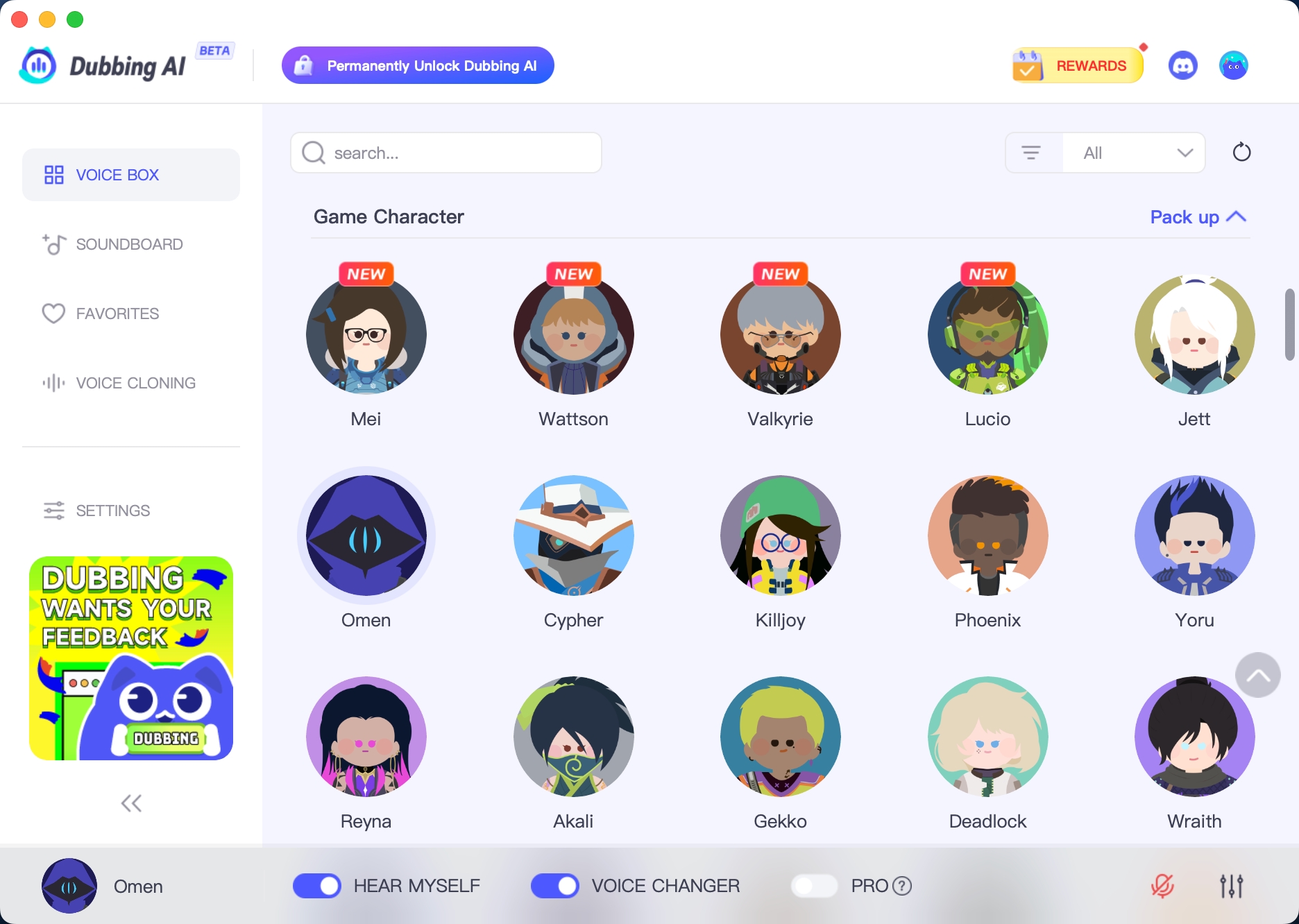
Imagine adding a whole new layer of excitement to your Gimkit sessions. That’s exactly what Dubbing AI can do! This real-time voice changer brings a fresh twist to your classroom, making learning even more engaging and inclusive. Whether you’re teaching language learners or simply looking to spice up your lessons, Dubbing AI has you covered.
Dubbing AI Features
Dubbing AI isn’t just a voice changer—it’s a game-changer for e-learning platforms. Here’s what makes it stand out:
It provides real-time voice transformations during live class for better students engagement without any delay.
It provides over 500 characters’ voices from popular games and animes, which perfectly attract students’ attention.
The user-friendly interface makes it easy to use, even for beginners.
With these features, Dubbing AI transforms how you connect with your students, making every lesson more dynamic and inclusive.
Step-by-step Guide for Gimkit Live
Using Dubbing AI with Gimkit is simpler than you think. Follow these steps to get started:
Set up Dubbing AI: Download and install the software on your device. Make sure your microphone and speakers are connected.
Choose your settings: Select the voice and language options that suit your classroom needs.
Integrate with Gimkit: Launch Gimkit and start a play live session. Use Dubbing AI to narrate questions or provide hints in real-time.
Engage your students: Use the voice changer to add fun. Watch as your students stay focused while completing quizzes.
By combining Gimkit with Dubbing AI, you’ll create an unforgettable learning experience that keeps your students excited and engaged.
Gimkit Live brings countless benefits to your classroom. It transforms learning into an exciting, game-like experience that keeps students engaged. Features like KitCollab and the in-game money system foster collaboration and critical thinking. Plus, tools like Dubbing AI make lessons more inclusive and dynamic.
Why not give it a try? Experiment with Gimkit Live to see how it can energize your teaching. With its ability to track progress and encourage self-paced learning, you’ll find it’s more than just fun—it’s effective. Embrace these innovative tools and watch your students thrive!
FAQ
How can teachers get started with Gimkit Live?
Getting started is simple! Create an account, explore the platform, and set up your first game. You’ll find it’s intuitive and teacher-friendly.
Can teachers use Gimkit Live for all grade levels?
Yes! Teachers can adapt Gimkit Live for any grade level. Customize question sets to match your students’ abilities and make learning fun for everyone.
What if students struggle with the game?
Teachers can use Team Mode to encourage collaboration. This reduces pressure and helps students learn together. Adjusting the difficulty level also ensures everyone stays engaged.
See Also
Enhancing Fun with MineCraft and AI Dubbing Technology
Your Complete Resource for Discord Pranks with AI Voice Changers
Unleash Your Imagination: Create Memes Using Voice Changers

Related Posts