
Have you ever wanted to sound like a brave Space Marine? A space marine voice changer can make it happen. These tools change your voice to sound like you’re in a sci-fi battle. Picture leading your team with a strong, deep voice or teasing enemies with a robotic growl. It’s not just cool—it makes gaming feel real. A good space marine voice changer adds excitement to your games, making them feel like movies. Plus, today’s voice changers let you adjust settings to match your style.
Key Takeaways
Space Marine voice changers make gaming more fun and exciting.
Pick a voice changer that works for you, simple or advanced. Tools like EaseUS VoiceWave are easy for beginners to use.
Real-time voice changes let you sound different while playing games. This is great for streaming or playing with friends online.
Try changing pitch and echo to make your own cool Space Marine voice.
Most voice changers work with apps like Discord and Twitch, so you can use them anywhere you play games.
What is Space Marine?
Definition and Features
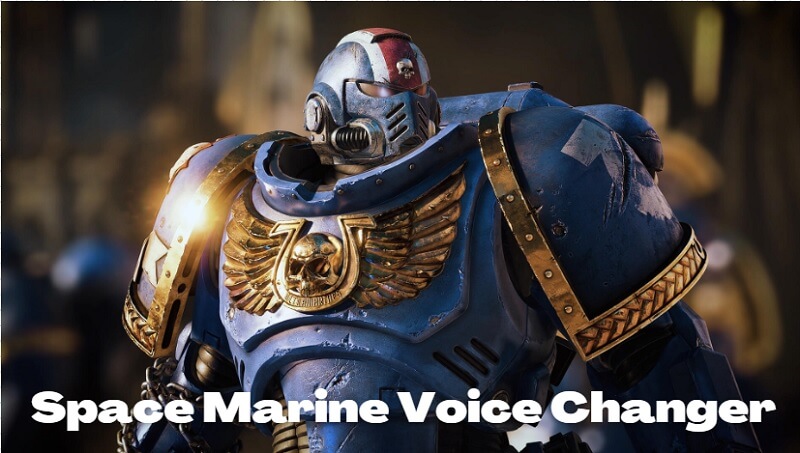
Space Marines are famous fighters from the Warhammer 40k world. They have strong, deep voices and wear cool, futuristic armor. A space marine voice changer helps you sound like one of these brave warriors. It makes your voice feel like it’s from the far future. These tools bring the Space Marine vibe into your gaming adventures.
What makes these voice changers special? Let’s look closer:
Feature/Pros/Cons | Description |
|---|---|
Cost-effective | Very affordable with 5,000 free characters for beginners. |
Voice Cloning | Lets you copy and use your own voice. |
Voice Parameters | Change settings to improve your voice effects. |
Real-Time Transformation | Changes your voice instantly to sound like a Space Marine. |
Platform Compatibility | Works great with apps like Discord and Twitch. |
These features make them perfect for gamers who want something unique.
Real-Time Space Marine Voice Modulator Technology
The real-time voice modulator is a big deal for gamers. It changes your voice right away, so you sound like a Space Marine while playing or streaming. This tech uses smart tools to copy the deep, robotic tones of a Warhammer 40k character. You can also adjust things like pitch and echo to make your voice even cooler.
Here’s why this tech is awesome:
Feature/Pros/Cons | Description |
|---|---|
Real-Time Modulation | Quickly changes your voice during live games or streams. |
Audio Effects | Includes options like echo and pitch changes. |
Unique Mimicry | Copies the special voice of a Space Marine. |
User-Friendly Setup | Easy to set up for both new and experienced users. |
With this, you can jump into games and feel like a real hero.
Why Gamers Choose Space Marine Voice Changers
Why do so many gamers love these tools? It’s simple—they make games more exciting. A space marine voice changer lets you have fun by changing your voice. Imagine leading your team with a bold voice or teasing enemies with a robotic tone. It’s no wonder these tools are becoming so popular in gaming groups.
Here’s why gamers enjoy them:
They make games more thrilling by letting you change your voice.
They help create fun, immersive moments in games like Warhammer 40k.
They work smoothly with apps like Discord, Twitch, and others.
If you want to stand out and have a blast, these voice changers are a great choice.
Best Space Marine Voice Changer Tools for PC Gaming
Looking for a way to sound like a Space Marine? There are many tools to help you do just that. Here are three popular options that gamers really enjoy.
EaseUS VoiceWave
EaseUS VoiceWave is a great pick for a simple yet strong voice changer. It’s made for gamers and works in real-time during your games. You can make your voice sound like a powerful Space Marine or try other fun voice effects to mix things up.
Why is EaseUS VoiceWave so special? It’s super easy to use. Even beginners can set it up without trouble. It works with many platforms like Discord and Twitch, so you can use it anywhere. You can also adjust the settings to make your voice match your style perfectly.
Key Features:
Real-time voice changes for instant effects.
Works well with popular gaming apps.
Adjustable settings for a custom experience.
If you want a tool that’s simple and reliable, EaseUS VoiceWave is a great choice.
Voicemod
Voicemod is another excellent option for changing your voice. It has tons of features to make your gaming more exciting. With Voicemod, you can sound like a brave Space Marine or switch to a totally different voice. Its variety of voice themes is a big plus.
This tool is perfect for gamers who like to try new things. It has a huge collection of pre-made voices, but you can also create your own. The real-time voice changes make it great for live streams or multiplayer games.
Why Gamers Love Voicemod:
Lots of pre-made voices to choose from.
Instant voice changes for smooth gameplay.
Advanced tools to create unique effects.
Voicemod is ideal if you want a creative and flexible voice changer.
Murf AI Voice Changer
Murf AI Voice Changer is great for making games more fun. It helps your voice match your game character perfectly. Whether you’re leading a team or joking with enemies, Murf AI makes sure your voice fits the action. Its clear sound makes every moment feel exciting and real.
What makes Murf AI special? It lets you copy and create your own unique voice. You can also tweak your voice to match your gaming style. It works smoothly with apps like Discord and Twitch, so you can use it anywhere. If you like text-to-speech tools, Murf AI has that too.
Here’s why gamers love Murf AI Voice Changer:
It makes your voice match your game character.
It adds excitement with its clear, high-quality sound.
It’s easy to use and supports many languages.
It lets you customize and clone voices.
It works with popular gaming platforms.
If you want a top-notch voice changer for gaming, Murf AI is a great pick.
MagicMic
MagicMic is a fun voice changer for gamers who like to try new things. It lets you switch voices easily, making it popular with streamers and multiplayer gamers. Want to sound like a Space Marine now and an alien later? MagicMic can do that.
What makes MagicMic stand out is its huge collection of voice effects. You can pick from many pre-made voices or make your own. It changes your voice instantly, so it keeps up with fast-paced games. MagicMic also works with apps like Discord, Zoom, and Twitch, so you can use it anywhere.
Here’s why gamers love MagicMic:
It has tons of voice effects, including Space Marine sounds.
It changes your voice instantly during games.
It works with many apps, making it very useful.
It’s easy to set up and use.
If you want a voice changer that’s both fun and useful, MagicMic is a fantastic option.
Vocalize Space Marine Voice Generator
If you want a simple yet powerful tool, try Vocalize Space Marine Voice Generator. It helps you sound like a bold Space Marine with just a few clicks. Whether you’re leading a team in battle or role-playing in a sci-fi game, this tool makes sure your voice fits perfectly.
What makes Vocalize special is how easy it is to use. You don’t need to know much about tech to start. Just install it, pick the Space Marine voice, and you’re all set. It also changes your voice instantly during games, making it great for live streams or multiplayer matches. Timing is key, and this tool delivers.
Why Pick Vocalize Space Marine Voice Generator?
Ease of Use: Great for both beginners and experts.
Real-Time Modulation: Changes your voice instantly.
Customizable Effects: Adjust pitch, echo, and more for a unique sound.
Compatibility: Works well with apps like Discord and Twitch.
If you want a voice changer that’s easy and effective, Vocalize is a top choice.
HitPaw VoicePea

HitPaw VoicePea is another great choice for sounding like a Space Marine. It focuses on giving you clear, high-quality audio with little effort. Its simple design makes it easy to use, even for beginners.
One of its best features is noise reduction. This keeps your voice clear, even with strong effects. Whether you’re streaming or chatting with friends, your Space Marine voice will always sound sharp and professional.
Top Features of HitPaw VoicePea:
Noise Reduction: Keeps your voice clear and blocks background noise.
Instant Voice Changes: Great for live gaming sessions.
Wide Compatibility: Works with apps like Discord, Zoom, and Twitch.
User-Friendly Design: Easy to set up and control.
If you want a simple tool with great sound quality, HitPaw VoicePea is a smart pick.
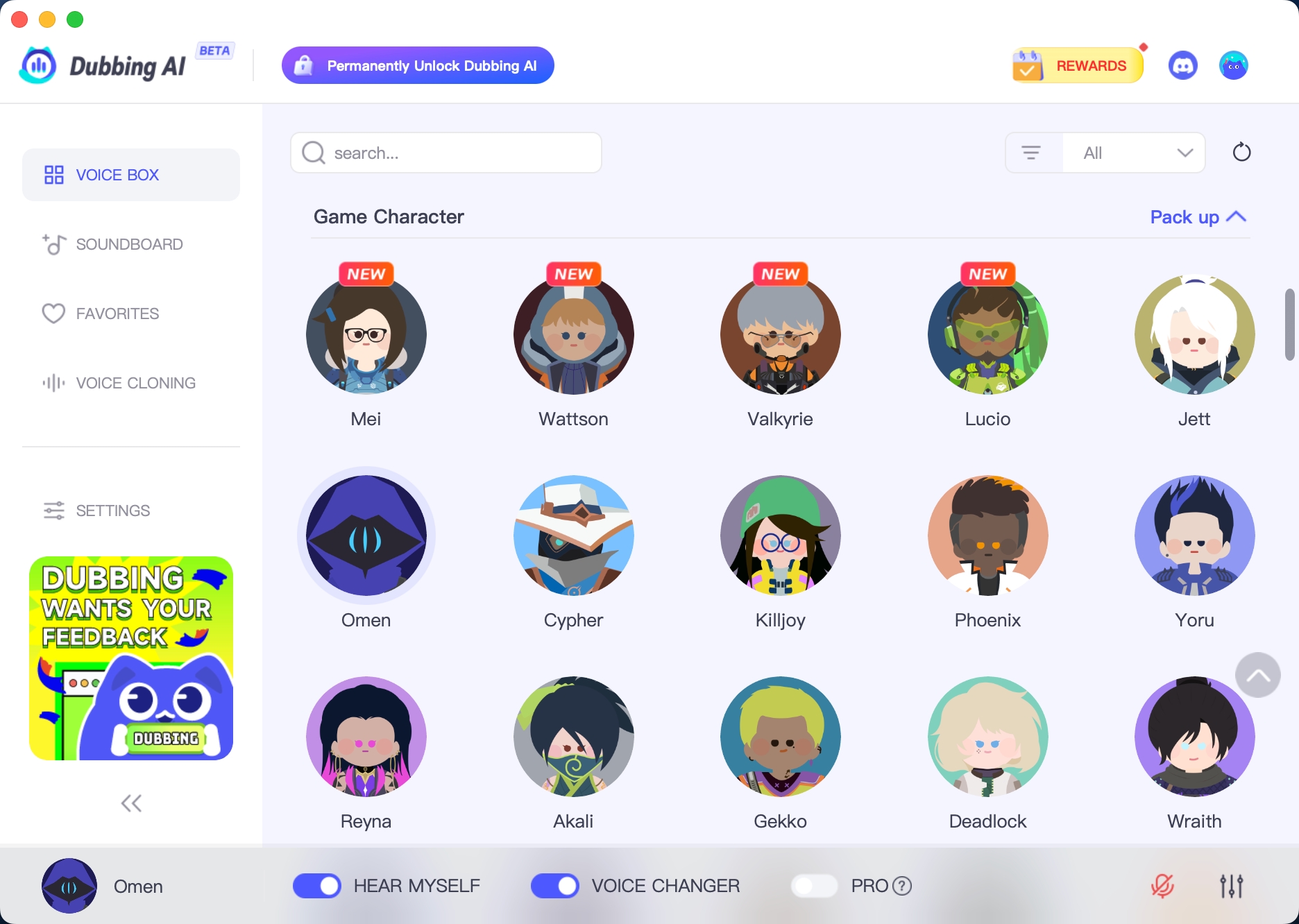
Dubbing AI Voice Changer
Dubbing AI Voice Changer is great for gamers who want to sound like a Space Marine easily. It’s simple to use, making it perfect for beginners. You don’t need to know much about technology to start. The design is clear and easy, so you can quickly change your voice.
What makes Dubbing AI special is its ability to keep your voice clear while adding effects. Whether you’re pretending to be a Space Marine or making custom sounds, this tool keeps your voice sharp. You can adjust your voice to match your gaming character or copy someone else’s tone. It’s like having a mini voice studio at home.
Here’s why Dubbing AI is awesome:
Easy to use: The design is simple and beginner-friendly.
Helpful setup: Clear steps make it quick to get started.
Smart technology: Keeps your voice natural, even with strong effects.
Custom settings: Change pitch, tone, and other features to fit your style.
Imagine leading your team in a sci-fi game with a bold voice. Dubbing AI makes this possible. It works well with apps like Discord and Twitch, so you can use it during live games or streams. The real-time voice changes match the action, making your voice fit perfectly.
If you’re new to voice changers, this is a great tool to try. It’s easy but powerful enough to give professional results. Whether you’re gaming, streaming, or just having fun, Dubbing AI Voice Changer helps you sound amazing.
How to Use a Space Marine Voice Changer
Picking the Right Space Marine Voice Changer
Choosing a Space Marine voice changer can seem tricky. But don’t worry! Focus on what you need most. Ask yourself these questions:
Do you want something simple or with advanced features?
Will you use it for gaming, streaming, or just fun?
Does it need to work with apps like Discord or Twitch?
Once you know what you want, compare tools by features, ease of use, and compatibility. If you’re new, try EaseUS VoiceWave or CleVoice. For more options, check out MagicVox or Voicemod.
Pro Tip: Pick tools with real-time voice changes and custom effects. These make your Space Marine voice sound more real during games.
Installing and Setting Up
Installing a Space Marine voice changer is simple. Most tools follow these steps:
Download the Software: Go to the tool’s website and download it.
Run the Installer: Open the file and follow the instructions. It’s quick!
Allow Permissions: Approve microphone access if asked. This helps it work well.
Test It Out: Open the app and try some voice effects to check.
That’s all! You’re ready to play with your new Space Marine voice.
Adjusting Real-Time Space Marine Voice Settings
Now for the fun part—making your voice unique! Open the settings in your voice changer. Look for options like pitch, echo, and modulation. Adjust these to create your perfect Space Marine sound.
Here’s a simple guide:
Setting | What It Does | Suggested Adjustment |
|---|---|---|
Pitch | Makes your voice higher or deeper | Lower it for a strong, deep tone |
Echo | Adds a sci-fi sound effect | Use a little for a cool vibe |
Modulation | Adds a robotic feel to your voice | Turn it up for a mechanical tone |
Quick Tip: Save your favorite settings as presets. This way, you can switch to your Space Marine voice fast during games.
With these steps, you’ll sound like a true Space Marine hero in no time. 🎮
Integrating with Gaming Platforms Like Discord
Getting your Space Marine voice changer to work with Discord is easier than you think. Discord is one of the most popular platforms for gamers, and it’s perfect for showing off your new voice. Whether you’re leading a team or just chatting with friends, your Space Marine voice will make every moment more fun.
Here’s how you can set it up:
Open Your Voice Changer: Start the app and select your favorite Space Marine voice effect.
Launch Discord: Go to the settings by clicking the gear icon at the bottom left.
Navigate to Voice & Video Settings: Under “Input Device,” select your voice changer as the microphone.
Test Your Voice: Use the “Mic Test” feature in Discord to make sure everything sounds right.
Adjust Volume: Fine-tune the input volume so your voice is clear but not too loud.
Pro Tip: If your voice sounds distorted, lower the modulation settings in your voice changer. This keeps your Space Marine voice crisp and easy to understand.
Once you’ve set it up, you’re ready to dive into your games or streams. Your teammates will love the immersive experience, and your enemies might even feel intimidated!
Customizing Space Marine Voice Effects
Customizing your Space Marine voice is where the real fun begins. Most voice changers let you tweak settings to create a sound that’s truly yours. You can adjust pitch, add effects, and even mix in some robotic tones to match your gaming style.
Here are some settings you can play with:
Setting | What It Does | Suggested Adjustment |
|---|---|---|
Pitch | Makes your voice higher or deeper | Lower it for a commanding tone |
Reverb | Adds an echo effect | Use lightly for a sci-fi vibe |
Distortion | Adds a gritty, mechanical sound | Turn it up for a battle-ready feel |
Experiment with these settings until you find the perfect balance. Save your custom presets so you can switch between them quickly during games.
Quick Tip: Try combining effects like reverb and distortion for a truly epic Space Marine sound. It’s all about finding what feels right for you.
With these tools, you can create a voice that’s as unique as your gaming style. So go ahead—unleash your inner Space Marine and make your mark in the gaming world! 🎮
Using a space marine voice changer can transform your gaming experience. It adds excitement, immerses you in the action, and lets you sound like a true sci-fi hero. If you’re new to voice changers, Dubbing AI is a fantastic starting point. It’s simple, effective, and perfect for beginners.
Why not give these tools a try? They’ll help you stand out, have fun, and take your gaming to the next level. Whether you’re streaming or playing with friends, you’ll love the thrill of sounding like a Space Marine.
FAQ
How can I pick the best Space Marine voice changer?
Think about what you need. Do you want something easy or full of features? Make sure it works with apps like Discord. Compare tools for how simple they are, how much you can customize, and if they offer real-time effects.
Tip: Beginners should try tools like EaseUS VoiceWave or CleVoice for ease of use.
Can Space Marine voice changers work on other platforms besides Discord?
Yes! Most voice changers work with Twitch, Zoom, and in-game chats. Just set the voice changer as your microphone in the app’s settings.
Pro Tip: Test your voice on each platform to make sure it sounds great.
Do Space Marine voice changers slow down games?
No, they don’t affect your game’s speed. These tools run separately and use very little computer power. You can enjoy cool voice effects without lag or crashes.
Are Space Marine voice changers free?
Some tools are free with basic features, but advanced ones may cost money. Look for free trials or beginner-friendly options like Voicemod or MagicMic to start.
Can I make my own Space Marine voice effects?
Yes, many tools let you change effects like pitch, echo, and modulation. You can save your favorite settings to use during games.
Quick Tip: Mix reverb and distortion for an awesome sci-fi sound.
See Also
Selecting The Perfect Voice Changer And Soundboard For Gaming
Get Ready For Space Marine 2 With Sound Effects
Reasons Dubbing AI Stands Out As An MMORPG Voice Changer

Related Posts