
Ready to sound like Deku? Look at these top choices for 2025:
Tool Name | Platform | Why You’ll Love It |
|---|---|---|
EaseUS VoiceWave | Windows | Best deku voice changer for great sound and hiding voice |
Voicemod | Windows, macOS | Changes your voice live with over 80 filters |
FineShare FineVoice | Online | Big library, great as an online deku voice changer |
Lalas | Windows, macOS | Smart AI, sounds real, simple to use |
You can use a free deku voice changer for games, streaming, or just for fun with friends. These deku voice changer tools work right away, support Discord, Minecraft, and TikTok, and help you sound like a real hero. Try a deku voice changer online and join the anime fun!
Key Takeaways
Many free Deku voice changers help you sound like your favorite anime hero. You can use them live or with recordings. Pick a voice changer with clear sound and simple controls. Make sure you can change pitch, tone, and speed for the best Deku voice. Some tools work online and need no downloads. Others work with Discord, games, and streaming apps. Practice voice acting by copying Deku’s energy and tone. Use your voice changer to make your impression better and more fun. Share your Deku voice with friends or online. Join the anime fan community and enjoy creative roleplay or streaming.
Best Free Deku Voice Changer Tools
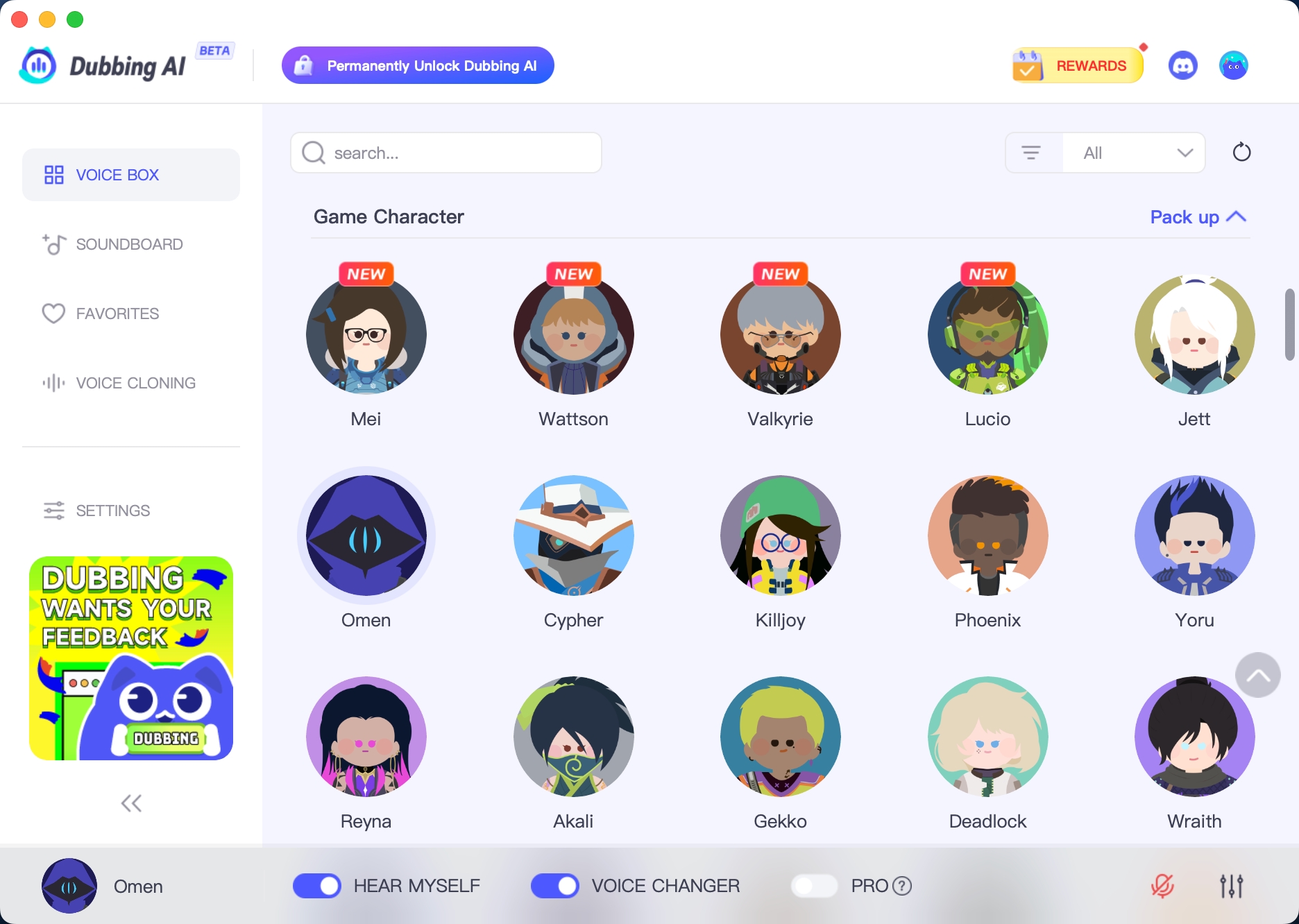
Dubbing AI
Dubbing AI lets you sound like Deku in two ways. You can change your voice live with one click. Or you can just upload your voice with over 3,200 AI voices. Both ways let you make your Deku voice special. You can change pitch, tone, and even copy voices. It works with Zoom, Discord, and other chat apps. The audio is clear because of noise reduction. The interface is simple to use. If you want to switch voices fast or edit recordings, Dubbing AI is easy.
Feature | Real-Time Mode | Text-to-Speech Mode |
|---|---|---|
Voice Library | 3,200+ AI voices | |
Personalization | Fine-tune voices | Voice cloning/editing |
Audio Quality | Noise reduction | Studio-quality output |
Integration | Zoom, Discord, more | MP3, WAV, Ogg exports |
Extra Features | 600+ sound effects | Audio editing/splicing |
EaseUS VoiceWave

EaseUS VoiceWave is a free deku voice changer for real-time use. It works with over 200 games and 50+ chat apps. This includes Discord, Twitch, and OBS Studio. You can pick from a big soundboard, including Deku’s voice. You can change volume, tone, and pitch. The noise reducer keeps your sound clear. The interface is simple, so you can use it right away. It works on Windows 10 and 11. You can use it for games, streaming, or chatting.
Tip: EaseUS VoiceWave is light, so your computer stays fast during live use.
Voicemod

Voicemod is a real-time voice changer with over 100 effects. It has anime voices, perfect for Deku. You can use VoiceLab to make your own filters. This makes your Deku voice special. The interface is easy to use. Voicemod is free. It works on Windows and macOS. You can use it with Discord, games, and more. Anime fans like Voicemod for fun, live chats. You can join the anime voice trend with a few clicks.
Over 100 voice effects, including Deku and other anime characters
Customizable filters for a personal touch
Works in real time with no lag
Compatible with Discord, games, and streaming platforms
Fineshare FineVoice

Fineshare FineVoice is an online deku voice changer. You do not need to install anything. You can use it for real-time or offline voice changes. The interface is simple, so you can load effects fast. You can sound like Deku in seconds. Users say the Deku filter is accurate and easy. The free version has fewer effects, but it still works well. If you want to try deku voice change apps without downloads, FineVoice is a good choice.
Aspect | Details |
|---|---|
Ease of Use | No install, online access, fast conversion |
Accuracy | Good Deku voice emulation |
Limitations | Limited free effects, small upload size |
iMyFone MagicMic

iMyFone MagicMic lets you change your Deku voice in many ways. You can adjust pitch, tone, and speed. There are over 300 AI voice filters and 600+ sound effects. The Voice Studio lets you make any voice you want. Your Deku voice can be unique. MagicMic works in real time. It supports over 100 apps, like Discord, Zoom, Roblox, and Minecraft. It runs on Windows, macOS, Android, and iOS. You can use it anywhere. If you want a deku ai voice that fits your style, MagicMic is a great pick.
Vozard

Vozard has over 180 lifelike voice effects, including a Deku filter. You can use it live, record, or upload a file. You can change pitch and tone for your Deku voice. It works on Windows and Mac. You can use it with Discord, Twitch, and Skype for live voice changes. The tool uses smart AI for smooth, real sound. It switches effects quickly. Vozard is good for games, streaming, or fun with friends.
180+ voice effects, including Deku
Three voice-changing modes
Customizable parameters for a perfect Deku impression
Works on Windows and Mac
LALAL AI

LALAL AI is a smart AI deku voice changer. It makes it easy to sound like your hero. The interface is simple, so you can start fast. Lalas works on Windows and macOS. You get real voice effects with a few clicks. If you want something easy and real, Lalas is a good choice for deku voice changing.
TopMediai

TopMediai is a web deku voice app with over 3,200 voices. It has My Hero Academia characters too. You can change pitch, speed, and emphasis to match Deku. TopMediai works in over 70 languages. It works on PC and mobile. You do not need to download anything. There are no ads. The platform is fast and easy to use. You can try voices and download your favorites quickly. If you want a free deku voice changer that is easy to use, TopMediai is a great pick.
Feature | Details |
|---|---|
Voice Library | 3,200+ voices, including Deku |
Customization | Pitch, speed, emphasis |
Accessibility | Web-based, no download, no ads |
Compatibility | PC and mobile |
Performance | Fast processing, quick downloads |
UnicTool

UnicTool MagicVox lets you try the Deku voice changer for free. Some features are locked unless you pay. The free version lets you try Deku’s voice and other effects. You can see if you like it before buying. The premium plan is cheap and unlocks all voices and tools. If you want more voices and effects, upgrading is easy and not expensive.
Note: You can use UnicTool for free, but premium features give you the full Deku experience.
With these deku voice change tools, you can sound like your favorite anime hero. If you want a real-time voice changer for games or a web app for quick fun, there is a tool for you.
Why Use a Deku Voice Changer
Deku’s Popularity
You probably know Deku from My Hero Academia. He is one of the most loved anime heroes right now. When you use a deku voice changer, you join a huge community of fans who want to sound like their favorite character. Many people enjoy changing their voices to popular anime characters, especially Deku. You see this trend in games, streams, and even group chats. Voice changer tools like MagicMic let you become Deku in real time. The fact that Deku’s voice is available in these apps shows how much fans want it.
Fans love using anime voices in games and streams.
Real-time voice changers make it easy to sound like Deku.
The more Deku shows up in voice changer apps, the more people want to try them.
Unique Voice Traits
Deku’s voice stands out. It is full of energy, hope, and sometimes a little nervousness. When you use a deku voice changer, you can capture these traits. You get to play with pitch, tone, and speed. This helps you sound just like Deku. You can use these tools to practice voice acting or just have fun with friends. If you want to impress other anime fans, nailing Deku’s voice is a great way to do it.
Tip: Try changing your pitch and adding a bit of excitement to match Deku’s heroic style!
Fan Appeal
Fans love to connect with their favorite characters. Using a deku voice changer lets you step into Deku’s shoes. You can use it for roleplay, streaming, or even making funny videos. It is a fun way to show your love for My Hero Academia. You might even make new friends who share your passion. When you sound like Deku, you bring a bit of anime magic into your world.
How to Choose a Free Deku Voice Changer
Accuracy
You want your Deku voice to sound real. Pick a voice changer that lets you change pitch, tone, and speed. Some tools use AI to copy Deku’s special sound. If you want to stream or record, choose a tool that keeps your voice clear. Make sure it does not add noise. Apps like Voicemod and FineShare give you good sound. You can adjust your voice for the best Deku impression.
Tip: Try many settings until your Deku voice sounds right!
Ease of Use
If you are new to voice changers, pick something easy. The best Deku voice changers are simple to use. They have quick setup and helpful presets. You can start in just a few minutes. Even beginners can use them. Voicemod, MagicMic, and FineVoice are easy for new users.
Voice Changer | Ease-of-Use Features for Beginners |
|---|---|
Voicemod | Simple interface, fast setup, live effects, easy changes |
FineVoice | Online access, quick effects, clear controls |
MagicMic | Easy interface, soundboard, live changes, works on many platforms |
Real-Time vs. Recorded
Think about how you want to use your Deku voice. If you want to sound like Deku while gaming or streaming, pick a real-time voice changer. These let you talk live with friends or fans. If you only want to record Deku lines for videos or jokes, a recorded voice changer is fine. Some tools, like Dubbing AI and FineShare, let you do both. You can switch between live and recorded anytime.
Real-time: Good for games, streams, and live chats.
Recorded: Best for making videos, voiceovers, or sharing clips.
Cost and Free Features
Most Deku voice changers have free versions with many features. You get real-time filters, sound effects, and noise reduction. Some tools let you use hotkeys or clone voices with AI. Free versions may limit how many voices or effects you get. If you want more, you might see a message to upgrade. Paid plans are cheap and often have a money-back guarantee.
Feature Category | Details |
|---|---|
Free Features Included | 400+ live filters, 600+ sound effects, AI voice cloning, noise reduction, hotkeys |
Limitations of Free Version | Fewer voices/effects, upgrade messages |
Hidden Costs | Full access needs payment, premium plans are cheap, money-back guarantee |
Note: Try the free features first. Only upgrade if you want more voices or tools.
Tips for Using a Deku Voice Changer

Voice Acting Basics
You want to sound like Deku, right? Start by listening to Deku’s voice in My Hero Academia. Notice how he talks with energy and sometimes a bit of nervousness. Try to copy his tone and speed. Practice saying your favorite Deku lines out loud. Use your Deku voice changer while you practice. This helps you get used to the sound.
Warm up your voice before you start.
Record yourself and listen back.
Focus on clear words and strong emotion.
Pro Tip: Smile when you talk. Your voice will sound brighter and more like Deku!
Enhancing Realism
You can make your Deku impression even better with a few tricks. Adjust the pitch and speed in your voice changer until you find the perfect match. Add small pauses or laughs, just like Deku does in the anime. Try to use Deku’s catchphrases or famous quotes.
Trick | How It Helps You Sound Like Deku |
|---|---|
Adjust pitch | Matches Deku’s youthful tone |
Change speed | Adds excitement or nervousness |
Use catchphrases | Makes your voice more believable |
Note: Don’t be afraid to experiment. Every Deku impression is unique!
Sharing Your Voice
Now you have your Deku voice ready. Share it with friends or online! Use your voice changer in games, on Discord, or while streaming. You can even make short videos or memes. Ask for feedback from other fans. They might give you tips or just enjoy your impression.
Join anime voice chats or fan groups.
Post your Deku voice clips on TikTok or YouTube.
Challenge friends to a Deku voice-off!
Remember: The most important thing is to have fun and enjoy being your favorite hero!
You now have a list of the best free Deku voice changers. These tools give you clear sound, real-time effects, and lots of ways to make your Deku voice unique. You can use them for games, streaming, or just to have fun with friends.
Easy controls and cool anime filters
Works with Discord, OBS, and more
Try them out and see how much fun you can have! Share your Deku voice or your favorite My Hero Academia moment with others. Unlock your inner hero today!
FAQ
How do I use a Deku voice changer in Discord?
You just open your voice changer app and pick the Deku filter. Then, set your input device in Discord to the voice changer. Now, when you talk, everyone hears your Deku voice!
Tip: Test your sound in Discord’s voice settings first.
Are Deku voice changers safe to download?
Most popular Deku voice changers are safe if you get them from the official website. Always avoid random download links. You should scan files with antivirus software before installing.
Can I use a Deku voice changer on my phone?
Yes! Some apps like MagicMic work on Android and iOS. You just download the app, pick Deku’s voice, and start talking. Not every tool supports phones, so check before you download.
Will my real voice come through sometimes?
If you set up your voice changer right, only the Deku voice comes through. Sometimes, if the app crashes or you turn it off, your real voice might slip out. Always double-check your settings before you go live.
Do I need special equipment for the best Deku voice?
You do not need fancy gear. A good headset or microphone helps your Deku voice sound clear. Most voice changers work with basic headphones and built-in mics.
Note: A quiet room makes your Deku impression even better!
See Also
2024 Tutorial On Enhancing Your Voice Using Dubbing AI
Speak Like Firefly With Dubbing AI, Top Hokai Star Rail Tool
Dubbing AI Offers The Best Voice Changing Experience On Discord
Bring Your Favorite Anime Character To Life Using Dubbing AI
Complete Guide To Pranking On Discord Using AI Voice Changers

Related Posts