
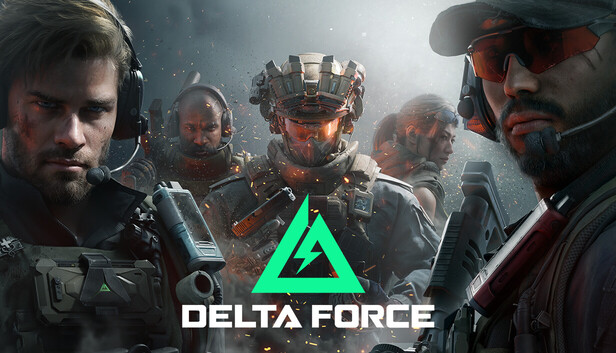

A soundboard is a tool that lets you play pre-recorded sounds or effects during gameplay. In Delta Force, it serves as a creative way to communicate with your team and elevate the gaming experience. Instead of relying on plain voice chat, you can use a soundboard to share tactical cues, celebrate victories, or even lighten the mood with humorous clips. As Dubbing AI highlights, soundboards inject personality into every interaction, making your sessions more engaging and memorable. Whether you’re strategizing or just having fun, a soundboard adds a unique layer to your gameplay.
The Best AI Voice Changer with soundboard
Understanding Soundboards in Delta Force
What is a soundboard?
A soundboard is a digital tool that lets you play pre-recorded sounds, effects, or voice clips during your gaming sessions. Think of it as your personal audio library, ready to enhance your gameplay with just a click or a key press. In Delta Force, a soundboard becomes more than just a fun gadget. It transforms how you interact with your team and the game itself. Whether you’re using it to share tactical commands, celebrate a win, or inject some humor into intense moments, a soundboard adds a whole new dimension to your experience.
Why use a soundboard in Delta Force?
Adding humor and personality to gameplay
Gaming isn’t just about winning; it’s also about having fun. A soundboard lets you bring your personality into the game. Imagine playing a hilarious sound clip after a successful ambush or using a funny voice effect to lighten the mood during a tense moment. Tools like EXP Soundboard come with preloaded sound packs designed to entertain and engage. You can also add your own sounds to make your gameplay truly unique. With a soundboard, every session becomes a memorable experience.
Creating a more immersive experience
Delta Force is all about immersion, and a soundboard takes this to the next level. By incorporating realistic sound effects or thematic audio clips, you can make the game feel even more engaging. For instance, you could use military-style commands or ambient battlefield sounds to enhance the atmosphere. Platforms like Dubbing AI allow you to customize your soundboard to match the game’s theme, ensuring a seamless and immersive experience. When you use a soundboard creatively, it feels like you’re part of the action, not just playing a game.
Setting Up a Soundboard for Delta Force

Setting up a soundboard for Delta Force might seem tricky at first, but it’s easier than you think. With the right tools and a few simple steps, you’ll be ready to enhance your gameplay in no time. Let’s dive into how you can get started with Dubbing AI , a popular tool for creating and customizing soundboards.
What is Dubbing AI
Dubbing AI is a versatile platform designed to help you create and manage soundboards effortlessly. It’s packed with features that make it ideal for gamers who want to add a personal touch to their gameplay. Whether you’re looking to improve communication or inject some fun into your sessions, this tool has got you covered.
Unlike traditional soundboards, Dubbing AI offers advanced customization options. You can upload your own sounds, organize them, and even assign hotkeys for quick access. Its user-friendly interface ensures that even beginners can navigate it with ease. If you’re serious about taking your Delta Force experience to the next level, this is the tool you need.
What are the Key Features of Dubbing AI
Here’s what makes Dubbing AI stand out:
-
Custom Sound Uploads : Add your favorite audio clips or effects to make your soundboard unique.
-
Hotkey Integration : Assign specific sounds to keys for instant playback during gameplay.
-
Community Sound Sharing : Access a library of sounds shared by other users or contribute your own.
-
User-Friendly Interface : Navigate through settings and features without any hassle.
-
Real-Time Testing : Test your soundboard directly in the game to ensure everything works perfectly.
These features make Dubbing AI a top choice for gamers who want a seamless and customizable soundboard experience.
How Can I Set Up Soundboard in Delta Force
Getting started with your soundboard is straightforward. Follow these steps to set up Dubbing AI for Delta Force:
Download and Install Dubbing AI, Finish Voice Setting
-
Visit the official Dubbing AI website and download the application. Make sure to choose the version compatible with your operating system.
-
Install the software by following the on-screen instructions. The process is quick and doesn’t require any technical expertise.
-
Once installed, open the application and navigate to the settings menu. Here, you can configure your voice settings and upload your preferred sound files.
-
Choose “Dubbing Virtual Device” as your voice input in the game setting panel and save.
Pro Tip : If you’re unsure about sound levels, set up a limiter to prevent audio distortion during gameplay. This ensures a smooth and enjoyable experience for you and your teammates.
Testing the Soundboard In-Game
-
Launch Delta Force and ensure your microphone is enabled for in-game communication.
-
Open Dubbing AI and test your soundboard by playing a few clips. Check if the sounds are clear and audible to your teammates.
-
Adjust the volume levels if needed. You want your sounds to be noticeable but not overpowering.
-
Experiment with different sound effects to see what works best for your gameplay style. Don’t forget to test the hotkeys to ensure they trigger the correct sounds.
Once everything is set up, you’re ready to use your soundboard in Delta Force. Whether you’re coordinating with your team or adding a bit of humor to the game, your soundboard will make every session more engaging.
Is Dubbing AI soundboard Free?
You might be wondering if you can use Dubbing AI without spending a dime. The good news is that Dubbing AI offers a free version, making it accessible to anyone who wants to enhance their Delta Force gameplay. This free version includes essential features like uploading custom sounds, organizing them into categories, and assigning hotkeys for quick access. It’s a great starting point if you’re new to soundboards or just want to test the waters.
However, if you’re looking for advanced features, Dubbing AI also provides premium options. These paid plans unlock additional tools like access to an extensive sound library, real-time sound effects, and priority support. For gamers who want to take their soundboard experience to the next level, upgrading to a premium plan might be worth considering.
Pro Tip : Start with the free version to get a feel for how the soundboard works. Once you’re comfortable, explore the premium features to see if they align with your gaming needs.
Whether you stick with the free version or decide to upgrade, Dubbing AI ensures you have the tools to create a personalized and engaging soundboard experience.
Customizing Your Soundboard
Customizing your soundboard can make your Delta Force gameplay even more exciting and personal.
Adding specific sounds or effects
Customizing starts with choosing the right sounds. Whether you want tactical audio cues, funny clips, or immersive effects, adding specific sounds can transform your gaming experience.
Finding and downloading sound files
To begin, you need to find sound files that suit your needs. Many websites offer free or paid sound effects. Look for high-quality audio files in formats like MP3 or WAV. Platforms like Dubbing AI also provide access to a library of preloaded sounds. You can explore these options to find clips that enhance your gameplay.
Pro Tip : Search for thematic sounds, such as military commands or ambient battlefield noises, to match Delta Force’s immersive environment.
Once you’ve found the perfect files, download them to your computer. Keep them organized in a dedicated folder for easy access during the upload process.
Upload soundboard to Dubbing AI Community Sound
After gathering your sound files, upload them to the Dubbing AI Community Sound feature. This tool allows you to share your custom sounds with other users and discover new ones. To upload:
-
Open the Dubbing AI application.
-
Navigate to the “Community Sound” section.
-
Select “Upload” and choose your sound files.
-
Add descriptions or tags to make your sounds easier for others to find.
Sharing your sounds not only helps the community but also gives you access to a wider range of audio clips for your soundboard.
Organizing sounds for easy access
A well-organized soundboard saves time and ensures smooth gameplay. Grouping and labeling your sounds can make a big difference.
Grouping sounds by category
Start by categorizing your sounds. For example, create groups like “Tactical Commands,” “Victory Celebrations,” or “Funny Clips.” This structure helps you quickly locate the right sound during intense moments in the game.
Example : Place all piano soundboard effects in a separate category if you enjoy adding a musical twist to your gameplay.
Use the Dubbing AI interface to drag and drop sounds into their respective categories. This feature simplifies the process and keeps your soundboard neat.
Assigning labels or tags
Labels or tags make your sounds even easier to find. Assign descriptive names to each sound, such as “Enemy Spotted” or “Mission Accomplished.” Tags like “funny,” “serious,” or “ambient” can further streamline your search.
In Dubbing AI , you can add tags directly while uploading or editing sounds. These small details improve your overall experience and save valuable time during gameplay.
Setting up hotkeys for quick access
Hotkeys are essential for using your soundboard efficiently. Assigning sounds to specific keys lets you play them instantly without interrupting your focus.
Assigning sounds to specific keys in Dubbing AI
To set up hotkeys in Dubbing AI :
-
Open the “Hotkey Settings” menu.
-
Select a sound from your library.
-
Assign it to a key on your keyboard or gaming controller.
-
Save your settings.
Choose keys that are easy to reach during gameplay. Avoid assigning multiple sounds to the same key to prevent confusion.
Testing hotkey functionality
Before diving into a game, test your hotkeys. Play each sound to ensure it triggers correctly. Adjust the volume levels if needed. Testing ensures that your soundboard works seamlessly when you need it most.
Pro Tip : Experiment with different key layouts to find what feels most natural for you. A well-planned setup can improve your reaction time and overall performance.
By customizing your soundboard with unique sounds, organized categories, and efficient hotkeys, you can elevate your Delta Force experience. Whether you’re coordinating with your team or adding a touch of humor, a personalized soundboard makes every session unforgettable.
By experimenting with different sound effects and hotkeys, you can create a soundboard that matches your unique gaming style. This not only enhances communication but also adds personality and fun to your gameplay.
Don’t stop here—keep exploring new sounds and setups. Share your favorite soundboard tips or creations in the comments. Your creativity could inspire others to elevate their Delta Force experience!