 Image Source: unsplash
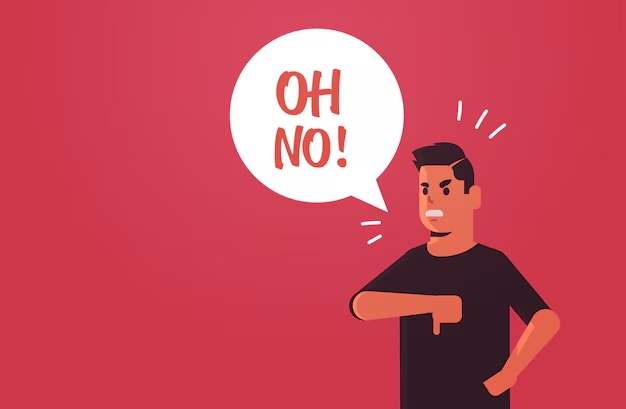
Have you ever needed that perfect “oh no sound effect” to add drama or humor to your project? You’re in luck! There are plenty of free sound effects available online that can bring your ideas to life. Whether you’re creating a video, podcast, or game, these free resources make it easy to find exactly what you need.
Best Free Websites for “Oh No” Sound Effects
Looking for the perfect “oh no sound effect”? These websites offer some of the best free options to bring your projects to life. Let’s dive in!
Freesound.org

Freesound.org is a treasure trove for free sound effects. You’ll find a massive library of user-uploaded audio clips, including plenty of “oh no” sound effects. The platform allows you to preview sounds before downloading, making it easy to find the right fit for your project. Plus, the community aspect means you can even upload your own creations.
Zapsplat

Zapsplat is a favorite among creators. One user shared how they used Zapsplat’s sound effects in a horror visual novel, praising the platform’s growing library and improved branding. You’ll find high-quality “oh no” sound effects here, along with other free options for various genres. It’s a reliable choice for enhancing your creative work.
SoundBible

SoundBible is another excellent source for free sound effects. It offers royalty-free audio files that you can use without worrying about licensing issues. The site is easy to navigate, and the sound effects are organized into categories, so you can quickly locate what you need.
Pixabay
You might know Pixabay for its free images, but it also has a fantastic collection of sound effects. Their “oh no” sound effects are high-quality and completely free to use. The platform’s intuitive search function makes finding the perfect sound a breeze.
Voicy

Voicy specializes in short audio clips, including memes and sound effects. If you’re looking for a quirky or humorous “oh no” sound effect, this is the place to go. The site’s playful vibe makes it a fun resource for creators.
Myinstants

Myinstants is a simple yet effective platform for quick sound effects. It’s known for its one-click playback feature, which lets you preview sounds instantly. This makes it a great option for finding the right “oh no” sound effect without wasting time.
PopPop AI

PopPop AI uses artificial intelligence to curate a unique collection of sound effects. Their library includes a variety of “oh no” sound effects, all free to download. The AI-driven recommendations can help you discover sounds you didn’t even know you needed.
Dubbing AI’s Free Sound Gallery

Dubbing AI offers a sound effects pack that’s perfect for creators. Their free library includes high-quality “oh no” sound effects, along with other options for different moods and tones. The platform also lets you customize sounds to match your project’s needs.
Pro Tip : If you’re looking for the best websites for whoosh sound effect free download, many of these platforms also have you covered. Explore their libraries to find even more sound effects for your projects.
Picking the Best “Oh No” Sound Effect for Your Project
Matching the Mood to Your Content
Not every “oh no” sound effect is the same. Some sound serious, while others are funny or silly. Think about the feeling you want to create. Is your project a scary video or a funny meme? For serious projects, pick a slow and deep sound. For something funny, a high-pitched or silly “oh no” works better. Choosing the right tone helps your audience feel what you want them to.
Checking File Types and Sound Quality
When getting a free “oh no” sound effect, file type and quality are important. The file type shows how the sound is saved and compressed. This affects how it sounds and how big the file is. Here’s a simple chart:
| Audio Type | Compression Style | Sound Quality | Sample Rate | Bit Depth |
|---|---|---|---|---|
| WAV | No Compression | Very High | 44.1 kHz | 16 bits |
| FLAC | Lossless | Very High | Changes | Changes |
| MP3 | Lossy | Good | Changes | Changes |
| OGG | Lossy | Good | Changes | Changes |
-
WAV files sound the best but use more space.
-
FLAC files are smaller but still sound great.
-
MP3 and OGG are small but lose some sound details.
Pick a file type that works for your project. For professional work, use WAV or FLAC. For fun projects, MP3 or OGG should be fine.
How to Download and Use “Oh No” Sound Effects Legally
Understanding Licensing Terms
Before using any “oh no sound effect,” know the licensing rules. Many free sounds are royalty-free, so you don’t pay to use them. These are great for games, music, or personal videos. But always check the license on the website where you download. Some sites have special rules about how their sounds can be used.
Here’s what to check:
-
Is the sound effect royalty-free?
-
Can it be used for business projects?
-
Are changes to the sound allowed?
Knowing these rules helps you avoid legal problems later.
Attribution Requirements
Some free sounds need Creative Commons attribution, meaning you must credit the creator. Proper credit includes:
-
The sound effect’s title.
-
The creator’s name.
-
A link to the source.
-
The license type.
For example:
“Oh No Sound Effect” by John Doe, from Freesound.org, under CC BY 4.0.
If you skip giving credit when required, you might face copyright issues. Always read the license terms carefully.
Tips for Avoiding Copyright Issues
Avoiding copyright trouble is simple. Use royalty-free sounds or platforms offering free sound packs. Websites like 99 Sound Effects have high-quality WAV files that are easy to download.
Quick tips:
-
Know who owns the sound’s copyright.
-
Ask for permission if unsure about usage.
-
Use trusted sites with clear licenses.
By following these tips, you can safely use “oh no sound effects” without legal worries.
Pro Tip : Need whoosh sounds too? Many platforms mentioned earlier include them in their free packs.
Finding the perfect “Oh No” sound effect doesn’t have to be hard. Websites like Freesound.org, Zapsplat, and Pixabay offer amazing free options. Always check licensing rules and give proper credit when needed. Want to stand out? Use Dubbing AI to tweak and enhance your sounds. It’s a game-changer for creators like you!
Pro Tip : Start exploring these platforms today and let your creativity shine! 🎵