Category: Voice Changer Review
  • What to Know About Voice Cloning: Keep Your Favorite Voice

    What to Know About Voice Cloning: Keep Your Favorite Voice

    How to use voice clone to keep your favorite voice with you by Dubbing AI
    Image Source: unsplash

    Interested in preserving your favorite voice? With voice cloning technology, dubbing AI offers a groundbreaking solution. With the ability to replicate human voices accurately, this innovative technology has captivated over 63.6% of individuals familiar with it.

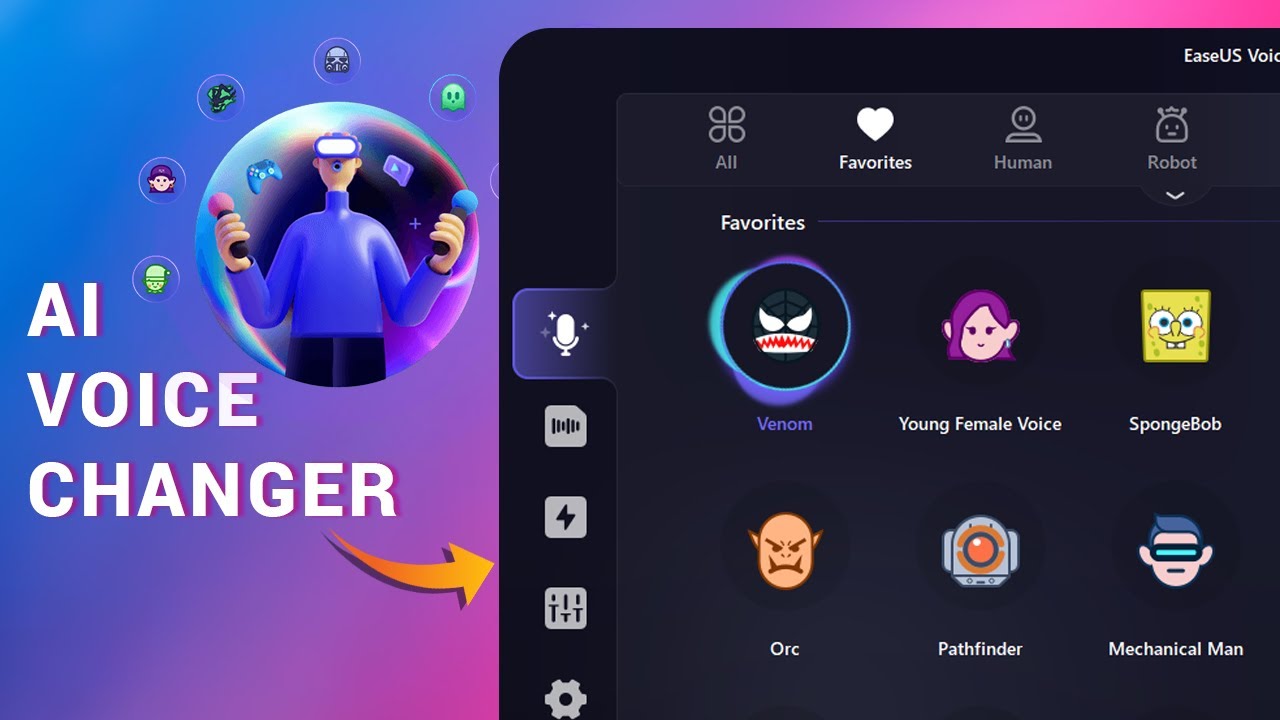
    The Best AI Voice Changer with soundboard

    The significance of maintaining a beloved voice resonates deeply, as evidenced by the 90% who express concern about these advancements. Enter dubbing AI, a game-changer in audio translation and voice preservation, ensuring authenticity while embracing cutting-edge capabilities.

    Understanding Voice Cloning

    What is Voice Cloning?

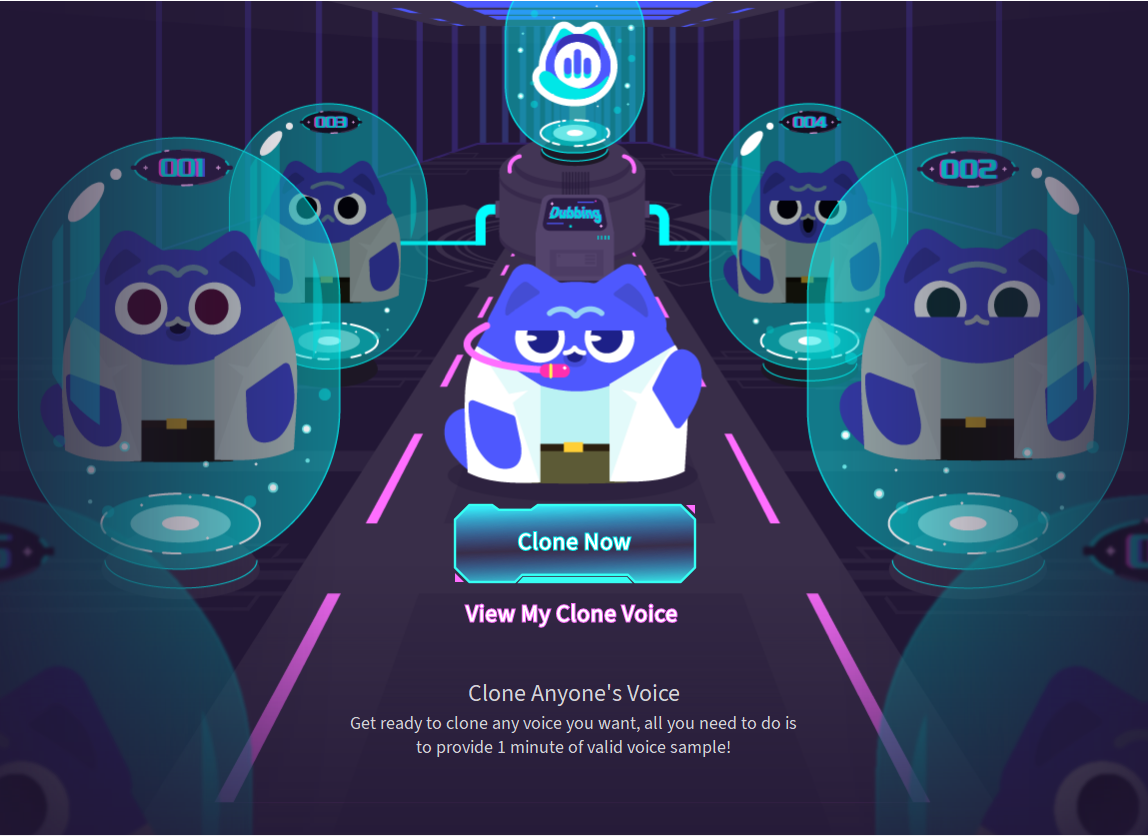
    Creating synthetic voice copies, voice cloning relies on advanced algorithms to mimic speech patterns accurately. With state-of-the-art technology, Dubbing AI ensures precise voice duplication. The only thing you need to do is uploading a 1 minite voiceline, and Dubbing AI will finish everything left for you.

    Utilizing sophisticated algorithms, voice cloning analyzes audio data to replicate voices faithfully. Dubbing AI’s platform integrates these techniques seamlessly for optimal results. You can get the perfect voice model for the voiceline uploaded.

    Applications of Voice Cloning

    Personal use cases

    Preserving cherished memories through replicated voices resonates deeply with users. Whether for personal messages or family archives, voice cloning by Dubbing AI offers a heartfelt solution.

    Professional and commercial applications

    In professional settings, accurate voice duplication is invaluable for dubbing projects and language localization. Businesses leverage Dubbing AI’s technology for enhanced customer engagement.

    Getting Started with Dubbing AI

    Going to Dubbing AI’s website, download and install the APP, then you will have everything you need.

    How to clone your voice

    1. Turn on Dubbing AI and find “voice cloning”.

    2. Click clone now and start your cloning.

    3. Upload your voice files more than 1 minute.

    4. Submit your file and start the trainning.

    Recording Guidelines

    1. Find a quiet environment free from background noise.

    2. Use a reliable microphone or headset for optimal recording quality.

    3. Speak clearly and at a moderate pace during the recording process.

    4. Ensure consistent volume levels throughout the sample for accurate analysis.

    Once you have set up your account and prepared a suitable voice sample, you are ready to embark on the exciting journey of voice cloning with Dubbing AI.

    There you have it: The ultimate unique voice changer and soundboard to bring your online group chats and gameplays to life! Get creative with your voice by playing around with the different filters and effects, pair your new persona with an epic soundboard.

    See Also

    Exploring AI Voice Cloning: Mastering Your Voice with AI

    Exploring Cutting-Edge AI Voice Cloning Tools for Authentic Voiceovers

    Harnessing the Potential of Dubbing AI: Voice Cloning and Beyond

    Empower Your Voice with AI Voice Changer: Introducing Dubbing AI

    The Next Era of Dubbing AI: Evaluating Top Free Voice Cloning Tools

  • How to Get a Voice Changer on Discord?

    How to Get a Voice Changer on Discord?

    How to Get a Voice Changer for Discord
    Image Source: pexels

    Ever wondered how to change your voice and surprise your friends on Discord? With a voice changer, you can sound like a robot, a cartoon character, or even a completely different person. It’s a fun way to add a creative twist to your conversations. You’ll only need the right tool to get started. Whether you’re gaming, chatting, or hosting events, learning how to get voice changer on Discord can make your experience even more exciting. Ready to transform the way you sound?

    Key Takeaways

    • A voice changer changes how you sound by adjusting pitch, tone, or speed. It makes Discord chats more fun.

    • Pick a voice changer that fits your needs, like for gaming or making videos. Popular ones are Voicemod and Clownfish.

    • Download and set up the voice changer with Discord easily. Make sure to choose it as your input device in settings.

    • Try out your voice in a private channel first. Change pitch and reduce noise to make your voice sound better.

    • Voice changers can protect your privacy and spark creativity. Use different effects to make chats more interesting.

    What Is a Voice Changer and How Does It Work?

    A voice changer is a tool that changes how you sound. It adjusts things like pitch, tone, and speed in your voice. You can make yourself sound like a robot, a famous person, or someone else entirely. Whether you’re talking on Discord or making recordings, it adds a fun twist to your voice.

    Features of a Voice Changer

    Voice changers have many features that make them fun and simple. Here’s a quick breakdown of what they can do:

    Feature

    Description

    Voice Editing Tools

    Change sounds easily, add effects, and edit audio files.

    Voice Analyzer

    Check voice details like pitch and tone for better changes.

    Voice Mimicking

    Copy celebrity voices for jokes or funny clips.

    Built-in Recorder

    Record high-quality audio from microphones or online sources.

    Real-time Voice Changes

    Change your voice live or edit recorded audio later.

    Easy to Use

    Simple design that’s great for beginners.

    Customer Support Issues

    Some users say support is slow and the design feels old.

    These features make voice changers useful for fun or professional use. Real-time voice changes are especially great for live Discord chats.

    Why Use a Voice Changer on Discord?

    Using a voice changer on Discord makes chatting more exciting. Imagine playing a game and surprising friends with a new voice. It’s a fun way to add jokes or mystery to your talks. Content creators can also use it to stay private or add cool effects to streams. With live voice changes, you can switch voices instantly without stopping the chat.

    Whether gaming, hosting events, or hanging out, a voice changer makes Discord more fun and lively.

    How to Get Voice Changer on Discord

    Step 1: Pick the Best Voice Changer Tool

    To start using a voice changer on Discord, you need the right tool. Not all tools are the same, so choose one that works for you. Do you want it for fun during games or for professional content creation? Use this guide to help decide:

    Criteria

    Explanation

    Know Your Purpose

    Pick a tool based on your goal, like gaming or privacy.

    Match Your Skill Level

    Choose tools that fit your experience, from simple to advanced.

    Check System Requirements

    Make sure your computer can handle the tool for smooth use.

    If you’re new, try Voicemod or Clownfish because they’re simple. For advanced users, MorphVOX offers more features. Always read reviews and check if it works with Discord before deciding.

    Pro Tip: Download software only from trusted websites. This helps you avoid harmful files or viruses.

    Step 2: Download and Set Up the Software

    After picking your tool, download and install the voice changer. It’s easy, but follow these steps for a smooth setup:

    1. Go to the official website of the tool you chose.

    2. Download the correct file for your computer (Windows, Mac, etc.).

    3. Open the file and follow the instructions to install it.

    4. Restart your computer to make sure it works properly.

    For example, downloading Voicemod from its official site is safe. Voicemod protects your data and doesn’t sell it, so it’s trustworthy. Avoid unofficial sites, as they might have harmful files.

    Note: Some tools may ask for extra permissions or drivers. Allow these so the software works correctly.

    Step 3: Set Up the Voice Changer with Discord

    Once installed, connect the voice changer to Discord. This lets you change your voice while chatting. Follow these steps:

    1. Open Discord and click User Settings (gear icon at the bottom-left).

    2. Go to Voice & Video Settings in the menu.

    3. Under Input Device, pick the voice changer you installed.

    4. Set Output Device to your headphones or speakers.

    5. Adjust input sensitivity and test your mic to check the sound.

    6. Save your settings and join a channel to try your new voice.

    Tip: Test your setup before using it live. This avoids problems and ensures your voice sounds great.

    Remember, some servers have rules about voice changers. Always follow the rules and let others know if you’re using one. This keeps things fun and fair for everyone.

    Step 4: Test and Adjust Your Settings

    After setting up your voice changer, it’s time to test it. This step helps make sure your voice sounds great on Discord. Testing and adjusting might seem hard, but it’s easy if you follow these steps.

    Start with a Test Run

    First, join a private Discord channel or make a test server. Talk into your mic and listen to your voice with the voice changer. If it doesn’t sound right, don’t worry. You can change the settings to fix it.

    Here’s what to check during your test:

    • Pitch and Tone: Change the pitch to make your voice higher or lower. Try different tone settings to find what sounds best.

    • Background Noise: Listen for static or echoes. If you hear noise, adjust the sensitivity in Discord or the software.

    • Real-Time Changes: Switch between voice presets while talking. This shows how smoothly the tool changes effects.

    Tip: Use headphones to hear your voice clearly and avoid sound feedback.

    Fine-Tune Your Settings

    Once you test your voice, start making changes. Most voice changers have tools to improve your sound. Here are some features to try:

    • Equalizers: Adjust frequencies to make your voice deeper or softer. For example, boost low sounds for depth or lower high sounds to reduce sharpness.

    • Filters: Remove unwanted sounds with filters. These help clear background noise and improve quality.

    • Spectrograms: Some tools show visual graphs of your voice. Use these to spot areas that need fixing, like pitch or volume.

    If you want a special effect, like copying a celebrity voice, write down your settings. This helps you use the same sound later.

    Test Again and Repeat

    After adjusting, test your voice again. Keep testing until you’re happy with the sound. Don’t rush—getting it right takes time. If you use advanced tools, like analyzers, use them to fine-tune your settings.

    Pro Tip: Save your favorite settings as presets. This makes it easy to switch voices during Discord chats.

    By testing and adjusting, your voice changer will work perfectly. Whether for fun or privacy, this step ensures the best experience.

    Compatibility Across Devices

    How to Change Voice in Discord on Windows

    Changing your voice on Discord using Windows is simple. With the right tools, you can add fun effects or professional sounds. Follow these steps to set it up:

    1. EaseUS VoiceWave:

      • Open EaseUS VoiceWave and adjust your sound settings.

      • Go to Discord’s User Settings.

      • In Voice & Video, select EaseUS VoiceWave as your input device.

      • Pick a voice effect in the software and start chatting.

    2. Voicemod:

      • Install Voicemod on your computer.

      • Set up Voicemod to use your microphone.

      • In Discord’s Voice & Video Settings, choose Voicemod as your input device.

      • Explore Voicemod’s 80+ filters and pick one to use.

    Both tools let you change your voice live while chatting. Voicemod is great for beginners with its easy design. EaseUS VoiceWave offers over 100 effects for more variety.

    Tip: Use headphones to avoid echo and keep your voice clear.

    How to Change Voice in Discord on Mac

    Mac users can also enjoy voice changers made for macOS. Tools like MorphVOX, GarageBand, and Clownfish Voice Changer offer unique features. Here’s a quick comparison to help you choose:

    Voice Changer

    Key Features

    MorphVOX

    High-quality recordings and instant voice changes for apps.

    GarageBand

    Multi-track recording and advanced sound editing options.

    Clownfish Voice Changer

    Simple sound changes with support for apps like Discord.

    To set up a voice changer on Mac:

    1. Download and install your chosen tool.

    2. Open Discord and go to User Settings.

    3. In Voice & Video, select the voice changer as your input device.

    4. Test your mic and tweak settings for the best sound.

    GarageBand is ideal for detailed editing, while MorphVOX works well for live changes. Clownfish is easy to use, making it great for beginners.

    Note: Some tools need extra permissions on macOS. Allow them during setup.

    Using an AI Voice Changer on iPhone

    Discord users on iPhone can also enjoy voice-changing apps. These AI tools work smoothly on mobile, offering real-time voice effects. Here’s how to get started:

    1. Download an AI voice changer app like Voicemod Mobile or MagicCall.

    2. Open the app and set up your microphone.

    3. Launch Discord and join a voice channel.

    4. Choose a voice effect in the app to use.

    AI voice changers are lightweight and easy to use on iPhone. They let you switch voices instantly, perfect for gaming or chatting. These apps are great for fun or creative conversations.

    Pro Tip: Read app reviews to ensure they work well with Discord.

    Using an AI Voice Changer on Android

    Want to spice up your Discord chats on your Android device? Using an AI voice changer on Android is a breeze! These apps let you modify your voice in real time, making your conversations more fun and creative. Whether you’re gaming, pranking friends, or just experimenting, here’s how you can get started.

    Step 1: Pick the Right App

    First, you’ll need to choose an AI voice changer app that works well with Android. Here are some popular options to consider:

    • Voicemod Clips: Offers a variety of voice effects and works seamlessly with Discord.

    • MagicCall: Known for its real-time voice-changing capabilities and fun sound effects.

    • Voice Changer with Effects: A simple app with dozens of effects to transform your voice.

    Tip: Check the app’s reviews and ratings on the Google Play Store before downloading. Look for apps with high ratings and positive feedback about compatibility with Discord.

    Step 2: Download and Install the App

    Once you’ve picked an app, head to the Google Play Store to download it. Follow these steps:

    1. Open the Google Play Store on your Android device.

    2. Search for the app you’ve chosen (e.g., Voicemod Clips).

    3. Tap Install and wait for the app to download.

    4. Once installed, open the app and grant any necessary permissions, like microphone access.

    Note: Some apps may require additional setup, like creating an account or enabling specific settings. Follow the on-screen instructions to complete the process.

    Step 3: Set Up the Voice Changer with Discord

    Now it’s time to connect the voice changer to Discord. Here’s how you can do it:

    1. Open the voice changer app and select a voice effect you want to use.

    2. Minimize the app (don’t close it) and open Discord.

    3. Join a voice channel or start a voice call.

    4. Speak into your microphone, and the app will automatically apply the voice effect in real time.

    Pro Tip: Test your voice in a private Discord server or with a friend before using it in a group chat. This ensures everything sounds just right.

    Step 4: Experiment with Voice Effects

    Once everything is set up, have fun exploring the different voice effects! Most apps offer a wide range of options, from robotic and alien voices to celebrity impersonations.

    • Try switching between effects during a conversation to keep things lively.

    • Use the app’s customization tools to tweak pitch, tone, or speed for a unique sound.

    • Save your favorite effects as presets for quick access later.

    Emoji Fun: 🎮 Use a deep, mysterious voice while gaming or a high-pitched, cartoonish voice for laughs. The possibilities are endless!

    Troubleshooting Tips

    If you run into issues, don’t worry. Here are some common problems and how to fix them:

    Problem

    Solution

    Voice effect not working

    Ensure the app has microphone permissions enabled in your phone settings.

    Audio delay or lag

    Close other apps running in the background to free up system resources.

    Poor sound quality

    Use headphones with a built-in mic for clearer audio.

    By following these steps, you’ll be ready to transform your voice on Discord using your Android device. So go ahead—download an app, pick a fun effect, and let your creativity shine!

    Final Thought: Voice changers aren’t just for fun. They can also help protect your privacy or add a professional touch to your content. Give it a try and see how it enhances your Discord experience!

    Best Voice Changer Tools for Discord

    Dubbing AI Voice Changer

    Dubbing AI Voice Changer is a smart tool for changing voices. It uses AI to make realistic voice effects for Discord. You can sound like a celebrity or create a unique voice with ease.

    Why you’ll like it:

    • AI Voice Cloning: Copy voices with amazing detail and accuracy.

    • Multi-Language Support: Try voices in many languages for fun.

    • User-Friendly Design: Simple layout, great for beginners to use.

    Pro Tip: Record your changed voice and share it with friends later.

    This tool is perfect for gamers, streamers, or anyone wanting creative Discord chats.

    Voicemod

    Voicemod is a favorite voice changer for Discord users. It’s packed with features and easy to use. The app has over 90 voice effects, letting you change your voice live.

    What makes Voicemod special:

    • Many voice effects, from robot sounds to funny tones.

    • Easy-to-use design, great for first-time users.

    • Works with Discord, Twitch, and Skype.

    • New updates often add fresh effects and features.

    Did You Know? Gamers and streamers love Voicemod’s live voice-changing feature.

    Though it’s only for Windows, Voicemod is still a top pick for Discord users.

    Clownfish Voice Changer

    Clownfish Voice Changer is a flexible tool that works well with Discord. It offers many voice effects, making it great for casual and professional users.

    What Clownfish offers:

    • Advanced Features: Make custom effects and unique voices.

    • Wide Compatibility: Works with Discord and other apps easily.

    • Voice Effects: Includes pitch changes and gender swaps.

    People like its simple use and variety of effects. Some say it could use a more modern look and better stability.

    Quick Tip: Test Clownfish in a private Discord server before using it live.

    Clownfish is a budget-friendly option for exploring voice-changing tools.

    MorphVOX

    MorphVOX is a strong voice changer for fun or work. It has great voice effects and tools to change how you sound. You can sound like a robot, monster, or even a kid.

    Its background noise cancellation makes your voice clear in loud places. The voice-learning feature adjusts to your voice for better results. You can also add sounds like traffic or battles to make chats more exciting.

    MorphVOX works with Discord, Skype, and Twitch. It’s best for users who can spend time learning its advanced tools. If you want professional features, MorphVOX is a good choice.

    Tip: Try MorphVOX’s free trial to test its features before buying.

    Changing your voice on Discord is easier than you might think. With tools like Voicemod or Dubbing AI, you can explore endless ways to change your voice and make your chats more exciting. Whether you want to sound like a robot, a celebrity, or something completely unique, these tools have you covered. Just follow the steps to set up your voice changer, and you’ll be ready to transform your Discord experience. So why wait? Start experimenting today and see how much fun it is to change your voice!

    FAQ

    How can I check if a voice changer works on Discord?

    Look at the tool’s website or read user reviews. Popular tools like Voicemod usually work well with Discord. Test it in Discord’s “Voice & Video” settings to be sure.

    Is it possible to use a voice changer without downloading software?

    Yes, some online tools let you change your voice in a browser. These are quick and easy but may not have many features.

    Are voice changers safe to use?

    Voice changers are safe if downloaded from official websites. Avoid unknown sites to keep your device safe from harmful files. Always read reviews and check permissions before installing.

    Do voice changers work on every Discord server?

    Yes, they work on all servers. But some servers have rules about using them. Check the rules and tell others if you’re using one.

    Can I use a voice changer on Discord mobile?

    Yes! Apps like Voicemod Clips and MagicCall work on mobile. Download the app, set it up, and enjoy fun voice effects while chatting.

    See Also

    Mastering AI Voice Changers for Epic Discord Pranks

    Dubbing AI: Your Go-To Voice Modulator for Discord

    Selecting the Best Voice Changer and Soundboard for Gamers

    2024 Insights: Real-Time Voice Modulation with Dubbing AI

    2024 Tips: Transform Your Voice Using Free Dubbing AI

  • LALAL.AI Voice Changer Updates You Need to Know

    LALAL.AI Voice Changer Updates You Need to Know

    LALAL.AI Voice Changer Updates You Need to Know
    Image Source: pexels

    The lalalai voice changer in 2025 brings big updates. AI Voice Cloning lets you make custom voices for yourself. You can change accents and tones easily for better control. The Perseus neural network makes it faster and more accurate. These updates make it simple and easy to use. Whether you’re a creator or worker, this lalalai voice changer fits your needs.

    Key Takeaways

    • AI Voice Cloning lets you make unique voices easily. Upload a voice sample, and the AI copies it for podcasts, audiobooks, or videos.

    • You can change accents and tones to make audio sound personal. These features help you connect with different listeners and make speech clearer.

    • The Perseus neural network makes voice processing faster. It allows quick changes and cleaner sound, perfect for live events or worldwide projects.

    • The new user interface is easier to use. The updated design helps you find tools fast, improving your work and creativity.

    • Flexible settings let you customize your experience. Save your favorite setups and try different voice styles for new projects.

    Overview of the 2025 Updates

    Introduction of AI Voice Cloning

    The 2025 update adds AI Voice Cloning, an exciting new feature. It helps you create custom voices that fit your needs. This tool uses smart technology to copy voice details accurately. You can make unique voices for podcasts, audiobooks, or videos. The process is easy—just upload a voice sample, and the AI works. Want to sound like a celebrity or invent a new voice? This feature gives you full creative control.

    Accent and tonality customization

    Accent and tone changes make your audio more personal. You can match accents to regions or adjust tones for emotions. These updates improve how clear and understandable your content is. Most users say accent changes help with better speech and listening. They also notice benefits like better teamwork and job performance. This feature helps your audio connect with different audiences. Use it for professional voiceovers or fun projects.

    Launch of the Perseus neural network

    The Perseus neural network brings faster and smarter voice tools. It makes real-time voice changes possible and works very accurately. It’s great for removing or isolating voices, giving cleaner audio. It also supports many languages, perfect for global projects. Perseus makes voice edits feel smooth and natural. You can get professional results without needing special skills.

    Updated user interface and flexible settings

    The 2025 update brings a fresh look to the LALAL.AI Voice Changer. The design is simpler, with easy-to-use menus and clear options. You can now find tools faster without confusion. The interface adjusts to your liking, letting you pick layouts, colors, and tool positions. This makes it easier to work in a way that suits you.

    Tip: Setting up your workspace your way can save time and boost focus.

    Testing shows these changes work well:

    • Task Completion Rate: More people finish tasks without problems.

    • Error Rate: Fewer mistakes happen, showing the design is user-friendly.

    • Time on Task: Tasks are done quicker, proving the layout is efficient.

    • Bounce Rate: Fewer users leave after one page, meaning better interest.

    • Conversion Rate: More users take actions, showing the updates are helpful.

    • User Satisfaction Scores: People are happier with the new interface.

    • Net Promoter Score (NPS): Users are more likely to suggest it to others.

    The flexible settings make the tool even better. You can tweak voice settings, save your favorite setups, and try new ideas. These features let you control how the tool works, whether for fun or serious projects.

    These updates make the LALAL.AI Voice Changer easier and more fun to use. The improved interface helps you focus on being creative without distractions.

    Detailed Explanation of New Features

    AI Voice Cloning for custom voice creation

    AI Voice Cloning is an exciting new tool in 2025. It lets you make custom voices by uploading a sample. The system studies the voice’s tone, pitch, and patterns. Then, it copies the voice with amazing accuracy. You can sound like a celebrity or create a new voice. This feature gives you many creative options.

    Use it to improve your podcasts, audiobooks, or videos. For example, you can tell a story with different character voices. You won’t need to hire many voice actors for this. It also keeps the quality the same for all your projects. This tool is perfect for creators who want to save time and be creative.

    Accent and tonality adjustments for personalized outputs

    Changing accents and tones makes audio more personal. You can match accents to a region or audience. This is helpful for businesses reaching global customers. It’s also great for creators connecting with different groups.

    You can adjust the tone to fit the mood of your audio. For example, make a voice sound happy, serious, or caring. These changes make your content clearer and more emotional. They also help your audience feel more connected to your message.

    This feature works well for professional voiceovers or personal projects. It helps your audio reach people no matter where they are. It also works in any language, making it very useful.

    Enhanced vocal removal and extraction with Perseus

    The Perseus neural network improves how voices are handled. It can separate main vocals from background sounds easily. This helps when remixing songs or making karaoke tracks. It’s also great for improving audio quality in work projects.

    Perseus allows real-time voice changes, so you can adjust quickly. This is useful for live streaming, gaming, or other live events. Its smart system makes the audio sound smooth and natural.

    Users say real-time voice changes are much better now. Faster responses and clear sound make it more enjoyable. It also handles many calls at once without losing quality. Its live translation feature helps with global conversations.

    These updates make Perseus a big improvement in 2025. It adds new ways to use audio for fun or work projects. It’s a great tool for anyone who wants better sound and more options.

    Real-time voice processing and multi-language support

    The 2025 update adds real-time voice processing, perfect for live audio. This feature lets you change voices instantly during live events. Whether you’re streaming, gaming, or in a virtual meeting, it works. Your audio stays clear and smooth without delays or interruptions.

    Multi-language support makes the tool even more useful. You can now use it with many languages to reach global audiences. This is great for businesses, teachers, and creators connecting with different groups. For example, you can change a voice’s tone or accent to fit your audience’s culture. This helps your message feel meaningful and easy to understand.

    Real-time processing also improves audio quality by reducing background noise. It ensures smooth voice changes, which is helpful for live shows or meetings. The system can handle multiple languages at once, making it flexible. You can switch between languages easily while keeping great sound quality.

    Here are the main benefits of these features:

    • Instant Voice Modifications: Change voices quickly without stopping your work.

    • Global Reach: Talk to people in different languages easily.

    • Improved Audio Quality: Get clear and professional sound every time.

    • Versatility: Use it for live streams, meetings, or global events.

    Tip: Try the multi-language support to make content for worldwide audiences. It can help you stand out and attract more people.

    These updates make the LALAL.AI Voice Changer a strong tool for audio projects. Real-time processing and language support give you more ways to create and communicate.

    Benefits and Use Cases of the Updates

    Applications for content creators and podcasters

    The new LALAL.AI Voice Changer features bring fresh opportunities. Content creators can now make voices that match their style. This tool makes creating great audio easier and faster.

    These updates help you reach more listeners and keep them interested. For example, you can change accents to fit different regions. This makes your podcast relatable to people everywhere.

    Tip: Try accent changes to make your content feel personal. It helps your podcast connect with specific audiences.

    Use in professional voiceovers and dubbing

    The updates are great for professional voiceovers and dubbing work. You can now create voices that sound real and full of emotion. The AI Voice Cloning tool copies voices perfectly, saving time.

    Uses include:

    • Making voiceovers for ads, movies, and cartoons.

    • Dubbing into other languages with the right tone and feeling.

    • Improving how clear and emotional your audio sounds.

    The Perseus neural network makes voice changes smooth and natural. It works well for live dubbing or voiceover sessions. You can also adjust tones to match the mood, like happy or serious.

    Note: Real-time voice tools help you sound professional during live events.

    Accessibility improvements for diverse user needs

    The updates make the LALAL.AI Voice Changer easier for everyone. You can adjust voices to meet different needs, making projects inclusive. Multi-language support helps you talk to global audiences.

    Key features include:

    • Better vocal removal for clearer sound.

    • Real-time voice changes for live meetings or events.

    • Tools for users with hearing or speech challenges.

    These tools help you create audio that’s clear and easy to understand. For example, you can adjust tones to make instructions friendly or formal. This helps businesses, teachers, and creators connect better.

    Tip: Use multi-language support to reach international audiences. It helps you grow and build stronger connections.

    Enhanced gaming and streaming experiences

    The 2025 updates to the LALAL.AI Voice Changer bring cool new features. Gamers and streamers can now create fun and exciting audio. Whether you’re playing live or chatting with friends, this tool improves your sound instantly.

    Why Gamers Love It

    Gamers enjoy tools that make games more fun and creative. The AI Voice Cloning feature helps you sound like your game characters. You could talk like a wizard, robot, or famous hero. This makes gaming more exciting and entertaining.

    Tip: Use accent changes to match your game’s world. For example, a British accent fits a medieval game perfectly.

    The real-time voice processing changes your voice right away. You can switch voices during the game without delays. This keeps your gameplay smooth and uninterrupted.

    Streaming Made Better

    Streamers need to keep their audience interested. The multi-language support helps you connect with viewers worldwide. You can change your voice to match their language or accent. This makes your streams more relatable and inclusive.

    Here’s how the updates help streamers:

    • Real-time Modifications: Change voices live to entertain your fans.

    • Improved Audio Quality: Get clear sound, even in noisy places.

    • Customizable Settings: Save voice setups for different games or themes.

    Note: Great audio keeps your audience happy and coming back.

    Practical Benefits for Gaming and Streaming

    The Perseus neural network improves sound quality by removing noise. It makes voices clearer, which is great for live streams. You can focus on gaming or chatting without distractions.

    Here’s a quick look at how these updates help:

    Feature

    Benefit for Gamers

    Benefit for Streamers

    AI Voice Cloning

    Sound like game characters

    Entertain viewers with fun voices

    Accent Customization

    Match voices to game themes

    Connect with global viewers

    Real-time Processing

    Quick voice changes during gameplay

    Smooth transitions in live streams

    Perseus Neural Network

    Clearer team chats

    Professional-quality audio

    These features make the LALAL.AI Voice Changer a great tool for gamers and streamers. You can entertain, connect, and stand out like never before.

    Callout: Try new voice settings in your next stream. Surprise your audience and keep them entertained.

    The 2025 updates make gaming and streaming more than just playing or broadcasting. They help you create unforgettable moments. Whether you’re a casual gamer or a pro streamer, these tools help you shine.

    How to Access and Use the New Features

    Easy steps to update the lalalai voice changer

    Updating the lalalai voice changer lets you use the latest features. Follow these simple steps:

    1. Visit the Official Website: Open the LALAL.AI website and log in.

    2. Check for Updates: Go to “Downloads” and find the newest version.

    3. Download the Update: Click download and save the file on your device.

    4. Install the Update: Open the file and follow the instructions to install it.

    5. Restart the Application: After installing, restart the app to activate updates.

    Tip: Back up your settings before updating to keep your custom setups safe.

    Tricks to get the best from the new features

    To fully enjoy the new features, use these helpful tips:

    • Check Your Voice Sample: Before using AI Voice Cloning, make sure your sample is clear and accurate.

    • Match Accents to Audiences: Pick accent settings that suit your listeners’ preferences.

    • Test Perseus Often: Try the Perseus neural network multiple times for steady results.

    • Keep Tasks Separate: When editing audio, handle each step carefully to avoid mistakes.

    • Combine Features: Use tools like real-time processing and language support together for better results.

    Note: Try different settings to see what works best for your projects.

    Subscription plans and prices for 2025

    The lalalai voice changer has flexible plans for everyone. Here’s a quick look at the pricing:

    Plan

    What’s Included

    Monthly Price

    Annual Price

    Basic

    Standard tools and limited voice cloning

    $9.99

    $99.99

    Pro

    All features and priority support

    $19.99

    $199.99

    Enterprise

    Custom options for businesses

    Contact for Quote

    Contact for Quote

    The Pro plan is great for creators and professionals. It gives access to all the new features.

    Callout: Save money by choosing the yearly subscription for uninterrupted updates.

    Troubleshooting common issues

    Even with the cool features of the LALAL.AI Voice Changer, problems can happen. Here’s how to fix common issues easily and quickly.

    1. Problem: Voice Cloning Isn’t Accurate

    If the AI Voice Cloning doesn’t work well, check your voice sample. A bad or noisy sample can confuse the system.

    Solution:

    • Record your sample with a good-quality microphone.

    • Make sure there’s no background noise in the recording.

    • Keep the sample between 30 seconds and 1 minute long.

    Tip: Try different samples to see which one works best for your project.

    2. Problem: Accent Changes Don’t Sound Right

    Accent adjustments might not meet your expectations sometimes. This usually happens if the settings aren’t right for your content.

    Solution:

    • Check the accent settings in the menu carefully.

    • Try different tone levels to get the sound you want.

    • Restart the app to refresh the settings.

    Alert: If it still doesn’t work, contact customer support for help.

    3. Problem: Real-Time Processing is Slow

    Voice changes during live events might lag. This can happen if your computer is too busy or the software is outdated.

    Solution:

    • Close apps you don’t need to free up memory.

    • Update your LALAL.AI software to the newest version.

    • Use a wired internet connection for better stability.

    4. Problem: Multi-Language Support Isn’t Working

    If the tool can’t switch languages, the language packs might not be installed correctly.

    Solution:

    Step

    Action

    Check Language Packs

    Make sure the needed language packs are installed.

    Reinstall Packs

    Remove and reinstall the language packs.

    Restart Application

    Restart the app to apply the changes.

    Note: Multi-language support works best when the software is updated.

    By following these tips, you can fix most problems and enjoy all the features of the LALAL.AI Voice Changer.

    Best LALAL.AI Alternative: Dubbing AI

    Dubbing AI is a great option if you need something different from LALAL.AI. It has advanced tools for creators, businesses, and teachers. This tool focuses on voice changing, making it perfect for projects in many languages.

    Why Pick Dubbing AI?

    Wide Selection of Voice Effects

    Transform your voice into over 500+ unique characters, including voices inspired by popular video games (e.g., League of Legends, Valorant) and trending anime (e.g., Jujutsu Kaisen, JOJO).

    Multi-Platform Integration

    Seamlessly integrates with platforms like Discord, Zoom, WhatsApp, VRchat, and Steam, enhancing immersive experiences for gamers and social media enthusiasts.

    Real-Time Voice Customization

    Enjoy low-latency voice modulation with emotional vocal expressions such as screaming, singing, sighing, whispering, and more—all powered by advanced AI.

    Perfect for Gamers, Streamers, and Role-Players

    Ideal for gamers and streamers, enabling engaging voiceovers and interactive chats in games including Fortnite, Roblox, DOTA 2, and CS:GO.

    User-Friendly Interface

    Simple setup with easy access to tools for transforming and personalizing your voice, suitable for beginners and professionals alike.

    Memorable Content Creation Features

    Includes a meme soundboard for boosting creativity during live streams and sharing hilarious moments.

    Enhanced Expression in Multiple Languages

    Leverages advanced AI dubbing technology to translate voices, localize languages, and create multilingual content with synchronized lip movement.

    Who Can Benefit from Dubbing AI?

    • Content Creators: Add professional voiceovers to your videos.

    • Businesses: Adjust campaigns to fit different regions and cultures.

    • Educators: Make learning materials in multiple languages for students.

    Dubbing AI is simple to use but very powerful. It’s a smart choice for anyone working with audio. If you want high-quality results and flexibility, give it a try.

    Callout: Test Dubbing AI’s free trial to see how it works for you.

    The 2025 lalalai voice changer updates change audio editing completely. Tools like AI Voice Cloning, accent changes, and Perseus make voice projects easier. These features give you more control and better results. Whether you create, teach, or stream, these tools save time and improve quality.

    Try the updated lalalai voice changer now. Use its smart tools to improve your audio and reach people everywhere.

    FAQ

    What’s special about the 2025 LALAL.AI Voice Changer updates?

    The 2025 updates bring cool new tools like AI Voice Cloning, accent changes, and the Perseus neural network. These features make audio sound better and give you more control. You can create custom voices, change tones, and enjoy smooth real-time voice changes.

    How does the Perseus neural network help with audio editing?

    The Perseus neural network works faster and more accurately. It separates voices, removes noise, and edits audio instantly. This is great for live events, gaming, or work projects. Your audio will sound clearer and more natural.

    Can I use the voice changer while live streaming?

    Yes, you can! The real-time voice processing feature is perfect for live streams. It lets you change your voice instantly without any lag. You can use fun voices, switch accents, and keep your sound clear during your stream.

    Is the tool easy for beginners to use?

    Definitely! The updated design and settings make it simple to use. Clear menus and flexible options help you find what you need. Whether you’re new or experienced, you can create great audio easily.

    Does the voice changer work with different languages?

    Yes, it does! The multi-language support lets you use many languages. You can adjust accents and tones to match different audiences. This helps your message connect with people from all over the world.

    See Also

    Transform Your Voice Effortlessly Using Free Dubbing AI Tools

    Discover Real-Time Features of Next-Gen AI Voice Changers

    Revolutionize Your Discord Experience with Dubbing AI Voice Changer

    Maximize Your Online Video Impact with AI Voice Changers

    Top AI Voice Changer Options for Creative Content Makers

  • MyEdit Voice Changer Review and Features in 2025

    MyEdit Voice Changer Review and Features in 2025

    MyEdit Voice Changer Review and Features in 2025
    Image Source: pexels

    Ever thought about why MyEdit Voice Changer is so popular in 2025? It’s not just a regular tool; it helps you change how you sound online. Whether you’re making videos, playing games, or having fun, this AI online voice changer gives you realistic and creative voice options. You don’t need to be a tech expert to use it—MyEdit AI makes it super easy. With advanced features and smooth performance, it feels magical, but it’s really smart technology.

    Key Takeaways

    • MyEdit Voice Changer has many voice options and filters. It helps users change their voice for games, streaming, or fun projects.

    • The smart text-to-speech tool sounds real and adds feelings. This makes it great for voiceovers and storytelling.

    • Team tools let groups work together easily. They can share ideas fast and be more creative on projects.

    • MyEdit has over 200 voices in 20 languages. This is perfect for creators who want to reach people worldwide.

    • The simple design and quick speed make MyEdit easy for beginners. It also has cool features for skilled users.

    Key Features of MyEdit Voice Changer

    MyEdit Voice Changer has cool features that users love in 2025. Whether you play games, make videos, or enjoy trying new voices, this tool has something for everyone. Let’s explore its best features.

    Voice Presets and Filters

    MyEdit AI offers many voice presets and filters. These let you change your voice completely. Want to sound like a robot, a famous person, or a magical creature? You can do it easily with a few clicks. The effects are fun and sound real, making them great for games, streaming, or jokes.

    Fun Fact: Experts say tools like AFx-Rep are great at copying audio styles. While these presets aren’t perfect, they still capture unique details, making them awesome for voice changes.

    With MyEdit Voice Changer, you don’t just change your voice—you create a new character. This is super helpful for creators who want to make their projects more exciting.

    AI-Powered Text-to-Speech

    The AI tool in MyEdit makes text-to-speech amazing. You type words, and it turns them into lifelike speech. It doesn’t just read; it adds feelings and clarity. This is great for voiceovers, narrations, or audiobooks.

    Here’s why this feature is so cool:

    Feature

    Details

    Fast response

    Creates speech quickly, perfect for live use.

    Emotional delivery

    Adds feelings to make speech sound natural.

    Accurate pronunciation

    Handles tricky words and numbers easily.

    Adjustable settings

    Lets you change speed, tone, and emotion to fit your needs.

    This customization makes your speech sound professional and interesting. Whether for work or fun, this tool fits your needs perfectly.

    Multi-Language Support

    Speaking different languages is important today. MyEdit Voice Changer helps with this by offering strong multi-language options. You can switch languages and accents easily to connect with more people.

    Here’s why this feature is special:

    This is great for creators who want to reach global audiences. Whether making videos in many languages or trying accents, MyEdit AI makes it simple.

    Real-Time Collaboration Features

    Think about working with your team or friends on a project and editing audio together at the same time. That’s what MyEdit Voice Changer’s real-time collaboration features let you do. Whether it’s for a podcast, video editing, or just having fun with voice changes, this feature makes teamwork easy and smooth.

    Here’s how it works: MyEdit lets many users join one session to edit and try voice effects together. You don’t need to wait for someone to finish before starting your part. Everything happens live, saving time and keeping creativity alive.

    Why Real-Time Collaboration is Important

    Real-time collaboration isn’t just a cool extra—it’s a big help for teams and creators. Here’s why:

    • Instant Feedback: Hear changes right away and share your thoughts quickly. No more waiting for emails or updates.

    • Boosted Creativity: Everyone can share ideas and test them instantly, making brainstorming more fun.

    • Saves Time: Working together live means fewer delays and faster results.

    Tip: For group projects, use shared session tools to track progress. Features like heatmaps and recordings show where your team spends time or faces problems.

    How MyEdit Tracks Team Success

    To make teamwork smoother, MyEdit gives helpful insights about user actions. These include:

    • Clicks and scrolls to see how people use the tool.

    • Task completion rates to check how well things are working.

    • Time spent on features to find what’s most useful.

    • Drop-off points to spot where users might struggle.

    These insights help you improve your workflow and focus on what matters most. For example, if you see a drop-off during a session, you can fix it right away to keep things moving.

    Great for Teams and Creators

    Whether you’re a gamer, content creator, or part of a team, MyEdit’s real-time collaboration fits your needs. You can even test new voice effects live with your audience. Adding features slowly and getting feedback keeps your content exciting.

    Pro Tip: Use built-in analytics to see how your team uses the voice changer. This data helps you decide what to improve and plan better for your projects.

    With MyEdit Voice Changer, teamwork becomes more than just working together—it’s an experience. You’ll save time and create better, polished results.

    Performance Review

    Audio Quality and Realism

    MyEdit Voice Changer stands out for its amazing sound quality. The audio feels real and clear, whether for voiceovers or fun edits. It doesn’t just copy sounds well—it makes them enjoyable to hear. Accuracy means the sound matches the original, while realism makes it sound natural. MyEdit does both perfectly, giving results that feel professional and lifelike.

    User reviews help show how real the audio feels. People have different opinions, but most agree MyEdit sounds natural and full of emotion. This feedback, along with technical tests, shows how well it captures feelings in speech. Whether you’re telling a story or adding effects to a podcast, MyEdit’s high-quality sound improves your work.

    Another great feature is its noise removal tool. It clears background noise, keeping your voice sharp and clean. Even in noisy places, your audio will sound polished. This makes MyEdit perfect for creators who want great sound without spending hours editing. You’ll find it easy to get professional results quickly.

    User Interface and Ease of Use

    The interface of MyEdit AI is simple and easy to use. You don’t need to be a tech expert to figure it out. The design is neat, with all tools clearly labeled and easy to access. You can start changing your voice right away without feeling lost.

    The drag-and-drop feature makes editing super simple. Want to add a filter or change settings? Just click a few times, and it’s done. The tool also gives helpful tips to guide you step by step. This design helps you focus on creating instead of learning how to use the tool.

    For beginners, the interface is perfect. It’s easy for first-time users but still has advanced options for experts. Whether you’re trying presets or making detailed edits, MyEdit works well for all skill levels.

    Speed and Reliability

    Speed is important when you’re in a hurry. MyEdit Voice Changer works fast without losing quality. It processes audio quickly, whether you’re editing live or working on recordings. The AI engine ensures smooth performance, even with tough tasks like noise removal or language dubbing.

    Reliability is another strong point of MyEdit. It rarely crashes or slows down, giving you a smooth experience every time. This is important for creators who need software they can trust. You won’t lose your work or face annoying problems.

    The mix of speed and reliability makes MyEdit a great choice. Whether you’re a gamer, content creator, or just love playing with audio, MyEdit delivers excellent results every time.

    Limitations and Challenges

    Even though MyEdit Voice Changer has great features, it’s not perfect. Here are some challenges you might face when using it.

    1. Limited Free Features

    The free version has fewer options than the paid one. Advanced tools like real-time teamwork or language dubbing need payment. Free tools work for simple tasks, but upgrading unlocks more.

    Tip: Use the free trial to test premium tools before buying.

    2. Occasional AI Errors

    MyEdit AI is smart but not always right. Sometimes, it struggles with tricky accents or odd phrases. This can make voices sound less natural. These mistakes are rare but can be annoying.

    3. High Device Requirements

    To work well, MyEdit needs a strong device. Older computers or weak phones may run slower or lag. This can be a problem for urgent projects.

    Pro Tip: Close extra apps to help MyEdit run faster.

    4. Harder Advanced Tools

    Basic tools are simple, but advanced ones need practice. Changing voice filters or syncing audio with video takes time to learn. Beginners might find these tools tricky at first.

    5. Needs Internet to Work

    MyEdit uses cloud processing, so it needs good internet. Slow or bad connections can cause delays or stops. Offline use is limited, which can be hard for some users.

    6. Premium Plans Cost Money

    Paid plans have great features but may feel expensive. Casual users might find monthly fees too high. Professionals may see the value, but hobbyists might hesitate.

    Note: Look for discounts or deals to save money on plans.

    7. Free Presets Lack Options

    Free voice presets are fun but can’t be deeply changed. Adjusting pitch, tone, or emotions needs premium tools. Creative users may want more control over their voices.

    Even with these issues, MyEdit Voice Changer is still a strong tool for creators, gamers, and pros. Knowing these limits helps you decide if it’s right for you.

    How to Use MyEdit Voice Changer

    Beginner’s Guide to Voice Transformation

    Getting started with MyEdit Voice Changer is simple and fun. First, download and install the app or access it online. Once you’re in, upload an audio file or use the live recording option. The interface is user-friendly, so you’ll find all the tools right in front of you.

    To transform your voice, pick a preset from the library. Want to sound like a robot or a magical creature? Just click on the preset, and MyEdit AI will do the rest. You can also adjust the pitch and tone sliders to customize your sound. Play around with these settings to find the perfect voice for your project.

    Tip: If you’re a gamer, try using the live voice changer during your gaming sessions. It adds a fun twist to your interactions!

    Exploring Advanced Features

    Once you’re comfortable with the basics, dive into the advanced tools. MyEdit AI offers features like multi-language dubbing and real-time collaboration. For dubbing, upload a video and choose the target language. The AI syncs the voice with the lip movements, making it look natural.

    Another cool feature is the text-to-speech tool. Type your script, and the AI will turn it into lifelike audio. You can even tweak the emotion and tone to match your content. These advanced tools are perfect for creators and gamers who want to take their projects to the next level.

    Pro Tip: Use the analytics feature to track how your audience reacts to different voice effects. It’s a great way to improve your content!

    Troubleshooting Tips for Common Issues

    Sometimes, things don’t go as planned. If MyEdit Voice Changer feels slow, check your internet connection. The tool relies on cloud processing, so a stable connection is essential.

    If the AI struggles with accents or pronunciation, try rephrasing your input. For device-related issues, close unnecessary apps to free up resources. And if you’re stuck, the help section in the app has step-by-step guides for most problems.

    Note: Always keep your app updated to enjoy the latest features and bug fixes.

    Comparing MyEdit to Competitors

    Top AI Voice Changer Alternatives

    There are many apps for changing voices. Some popular ones are Voicemod, Vozard, and Dubbing AI. Each app has its own special features. Voicemod is known for fun effects and live voice changes. Vozard is great because you pay once and use it forever. This is good if you want to save money. Dubbing AI focuses on high-quality voice changing. It’s perfect for creators who need professional results quickly.

    Feature Comparisons

    Now, let’s compare features. MyEdit AI is great for multi-language support and teamwork tools. Voicemod has many filters but no multi-language dubbing. Vozard has a cool “Vocal Enhance” feature. This keeps background sounds clear while changing your voice. Dubbing AI supports immersive chat, social and role-play with your teammates and friends. This is helpful for global projects and saves time.

    Tip: Beginners should try Voicemod for easy effects. For serious projects, MyEdit AI or Dubbing AI works better.

    Pricing and Performance Analysis

    Price is important when choosing an app. Voicemod has a subscription plan, which can get costly. Vozard’s one-time payment is cheaper for long-term use. MyEdit AI offers free and paid plans, so you can pick what fits your needs. Dubbing AI costs more but gives top-quality dubbing and editing.

    For performance, MyEdit AI and Dubbing AI are the best. They are fast, reliable, and produce great results. If you want polished content, these apps are worth it.

    Pricing and Plans

    Free vs Paid Options

    MyEdit Voice Changer has free and paid plans for everyone. The free plan is good for beginners. It gives 3 free credits daily, unlimited downloads for basic tools, and 1 premium tool download each day. This is great for small projects or trying the app.

    Paid plans unlock more advanced features. You get extra credits, premium tools, and better customization. For example, the Image Plan gives 300 bonus credits monthly and unlimited AI image creation. If you want professional results, upgrading is a smart choice.

    Did you know? About 6%-8% of free users upgrade to paid plans. This shows many find value in premium features.

    Subscription Plans Overview

    MyEdit AI has different subscription plans for all users. Here’s a summary:

    Plan Type

    Monthly Price

    Features

    Free Plan

    N/A

    3 free credits daily, unlimited basic tool downloads, 1 premium tool download per day

    Image Plan

    $4

    All image tools, 300 bonus credits monthly, unlimited AI image creation, no watermarks

    Image Pro Plan

    $7

    Full image tools, Business Studio access, 500 bonus credits monthly, unlimited downloads, premium styles

    Annual Billing

    N/A

    Image Plan at $48/year, Image Pro Plan at $84/year, saving money compared to monthly plans

    Annual billing saves money if you use the app often. For example, the Image Pro Plan costs $84 yearly, cheaper than $7 monthly.

    Evaluating Value for Money

    Is MyEdit AI worth it? That depends on your needs. The free plan is great for basic use. But creators and gamers will find more value in paid plans. These offer advanced tools, extra credits, and better customization.

    Trial conversion rates show the app’s worth. Web users had a 28.2% trial conversion rate, higher than in-app purchases. However, in-app purchases had a 6.3% paid conversion rate. This means users who try premium features often decide to pay.

    If you want affordable tools with strong features, MyEdit AI is a great pick. The variety of plans ensures options for casual users and professionals alike.

    Pros and Cons of MyEdit Voice Changer

    Advantages of Using MyEdit

    MyEdit Voice Changer has many cool features that make it special. First, it’s an all-in-one tool. You can improve, edit, and create both sounds and pictures in one place. This saves time and effort. Whether you’re a musician, social media creator, or just love playing with sound, this tool has something for you.

    Another great feature is turning text into sound effects. You type words, and they become real, lifelike audio. This is fun and super helpful for podcasts or videos. MyEdit AI also lets you pull out vocals or acapella tracks from songs. This is a big help for musicians and sound creators.

    The pricing is also a plus. There’s a free version for beginners, and paid plans start at $4 per month. That’s affordable for all the tools you get. It works for both personal and professional projects, so anyone can use it, no matter their skill level.

    Here’s a quick summary of what users like about MyEdit:

    Feature/Aspect

    Details

    Pros

    – All-in-one editor and creator
    – Make sound effects from text
    – Extract vocals and change voices
    – Create realistic images from text

    Drawbacks and Limitations

    Even though MyEdit Voice Changer is great, it has some downsides. One issue is its noise remover. It only works with a few file types like MP3, FLAC, M4A, and WAV. If you use other formats, you’ll need another tool.

    Another problem is the image conversion feature. It only supports JPG and PNG formats. This might not bother everyone, but it could be limiting if you need more options.

    Some advanced tools are also hard to use. If you’re new to editing, things like multi-language dubbing or live teamwork might feel confusing at first.

    Lastly, the free version is good for basics but doesn’t include premium tools. To get everything, you’ll need to pay for a plan.

    Even with these issues, MyEdit AI is still a great choice for creative audio and image editing. Knowing these limits helps you decide if it’s the right tool for you.

    Is MyEdit Voice Changer a good choice in 2025? Yes, it is! It has many features for gamers, creators, and professionals. Whether you want fun voice effects or advanced tools like dubbing, it works great.

    Here’s who will enjoy it:

    • Gamers: Make streams more fun with live voice changes.

    • Content Creators: Easily make great videos and podcasts.

    • Professionals: Use it for top-quality dubbing and voiceovers.

    Online reviews show users trust it a lot. People praise its reliability and flexibility, making it a favorite for many needs.

    FAQ

    What can you do with MyEdit Voice Changer?

    MyEdit Voice Changer is great for gaming, making videos, or just having fun. You can change your voice live, dub videos, or create high-quality audio for podcasts and projects.

    Can you use MyEdit Voice Changer without the internet?

    No, you can’t. MyEdit Voice Changer needs the internet to work. It uses cloud technology, so a good connection is important.

    Is MyEdit Voice Changer easy for beginners?

    Yes, it is! The design is simple and easy to use. Start with basic voice options and try advanced tools when you’re ready.

    How much does MyEdit Voice Changer cost?

    There’s a free version with fewer features. Paid plans begin at $4 monthly and include advanced tools. You can save money with yearly plans.

    Should professionals use MyEdit Voice Changer?

    Definitely! It offers clear sound, dubbing in many languages, and teamwork tools. These features are great for polished projects and global work.

    See Also

    Uncover Top Celebrity Voice Changer Apps With Dubbing AI

    2024 Overview: Transform Your Voice Using Free Dubbing AI

    Top AI Voice Changer Options For Creative Content Makers

    Exploring Real-Time Features Of Future AI Voice Changers

    Dubbing AI: The Premier Voice Changer Tool For Discord

  • What Makes Jammable AI Stand Out for Vocal Covers

    What Makes Jammable AI Stand Out for Vocal Covers

    What Makes Jammable AI Stand Out for Vocal Covers
    Image Source: unsplash

    Jammable AI gives you access to a vast library of AI voices, making it easy to create high-quality song covers in minutes. You get a music creation platform that stands out with its intuitive interface and advanced AI song cover generator. Unlike other generative AI software, Jammable offers fast results and lets you experiment with duets, harmonies, and custom voices. You can explore affordable options, enjoy a smooth workflow, and push the boundaries of ai-generated voice covers using this powerful software and generator for your next song.

    Key Takeaways

    • Jammable AI offers a huge library of over 22,000 AI voices, including celebrities and custom options, letting you create unique song covers easily.

    • You can train your own custom AI voice with just 10 minutes of clear audio, giving you full control over your vocal style and emotion.

    • The platform includes duet and harmony tools that help you blend multiple AI voices for rich, professional-sounding covers.

    • Jammable’s easy-to-use interface and fast processing let you create, edit, and export high-quality covers quickly, even if you are new to AI music tools.

    • While there is no free plan, Jammable provides affordable pricing and powerful features that support musicians, content creators, and educators in making creative AI-generated music.

    Jammable AI Features

    AI Voice Library

    Jammable gives you access to one of the largest AI voice libraries available for ai music production. You can choose from over 22,000 ai-generated voices, including celebrity voices, cartoon characters, and custom ai voice models. This variety of features lets you experiment with different vocal styles and create unique song covers every time.

    Evidence Aspect

    Details

    Number of AI Voice Models

    Over 22,000 AI-generated voice models

    Types of Voices

    Celebrity voices, fictional characters, custom-trained voices

    Additional Features

    AI Music Cover Generator, Voice Toolkit (acapella extraction, reverb removal), Text-to-Speech, Duets feature

    Target Users

    Independent artists, content creators, music producers

    You can also explore hundreds of community-uploaded voices, including singers, anime characters, and historical figures. Jammable makes it easy to upload your own custom ai voice, so you can generate ai cover tracks that sound exactly how you want. This flexibility supports both beginners and professionals in ai-powered music creation.

    Custom Voice Training

    With Jammable, you can train a custom ai voice using just 10 minutes of clear audio. This feature allows you to create highly personalized voice covers for any song. You can use your own voice or any other vocal sample to build a unique ai model. This process helps you stand out in ai music production and gives you full creative control.

    Custom ai voice training benefits you by letting you match the tone, style, and emotion you want in your song. You can revisit and refine your custom ai voice at any time. This means your ai-generated vocals will always fit your vision for high-quality voice content.

    Duet and Harmony Tools

    Jammable’s duet and harmony tools let you create duets with multiple ai-generated voices. You can blend your custom ai voice with other voices from the library to create duets, harmonies, or even group performances. These features help you add depth and richness to your song covers.

    You can easily create duets by selecting two or more voices and assigning them to different parts of your song. The software automatically synchronizes the timing and pitch, so your ai-generated music sounds natural and professional. This makes it simple to create duets or harmonized tracks, even if you have no prior experience with ai vocal tools.

    Tip: Try mixing a celebrity voice with your own custom ai voice to create a duet that stands out from typical covers.

    Vocal Editing Toolkit

    Jammable offers a powerful vocal editing toolkit designed for both beginners and advanced users. You can use tools like acapella extraction, reverb removal, pitch correction, and timing adjustment to refine your ai-generated vocals. These features help you achieve professional-quality music with every song.

    The vocal editing toolkit benefits you by making it easy to fix mistakes, enhance clarity, and polish your ai-generated voice covers. You can experiment with different effects and settings to create high-quality ai covers that match your creative vision. The software’s intuitive interface ensures you can explore all features without feeling overwhelmed.

    Jammable’s variety of features, from its massive ai voice library to its advanced editing tools, empowers you to generate ai cover tracks that sound unique and professional. Whether you want to create duets, train a custom ai voice, or edit your song to perfection, this ai song cover generator gives you everything you need for high-quality ai covers and ai-generated voice covers.

    User Experience with Jammable

    Interface and Workflow

    You will find that Jammable offers a clean and intuitive interface. The dashboard guides you through each step of creating a song cover. You can select a song, pick a voice, and generate your cover with just a few clicks. The workflow feels smooth, even if you have never used ai vocal tools before. You can drag and drop your audio files, preview your song, and make quick edits. Jammable helps you focus on creativity instead of technical details. If you want to experiment with a custom ai voice, the platform walks you through the training process. You can easily switch between different voices and song projects.

    Tip: Use the built-in tutorials to master advanced features and get the most out of your song covers.

    Speed and Quality

    Jammable processes your song covers quickly. You do not have to wait long to hear your results. The ai engine delivers high-quality voice content that sounds natural and expressive. You can expect professional-quality music, even if you use complex harmonies or duets. The platform supports multiple song formats and handles large files without slowing down. You can preview your song instantly and make changes on the fly. This speed lets you try new ideas and refine your song covers until they sound perfect.

    Accessibility and Pricing

    Jammable makes ai-powered song creation accessible to everyone. You can sign up and start your first project in minutes. The pricing is affordable compared to other ai music platforms. You pay for what you use, so you can control your budget. However, Jammable does not offer a free plan. You may need to invest a little to unlock all features. Some advanced tools have a learning curve, but the platform provides guides and support to help you. You can create, edit, and export your song covers without hidden fees.

    Feature

    Benefit

    Affordable Pricing

    Budget-friendly for creators

    No Free Plan

    Requires paid subscription

    Learning Resources

    Tutorials and support included

    AI-Generated Voice Covers in Practice

    Creative Possibilities

    You can unlock a new world of creative options with Jammable AI. The platform lets you blend different voices, experiment with harmonies, and create unique song covers that stand out. You can use the duet feature to pair your custom voice with a celebrity or fictional character. This gives your song a fresh twist and helps you explore new musical styles. You can also layer multiple voices to build rich harmonies, making your ai-generated voice covers sound like a full group performance. Jammable AI supports ai-powered music creation, so you can push the boundaries of what is possible with ai-generated music.

    Note: Try mixing genres or combining unexpected voices to create a song that surprises your listeners.

    Example Use Cases

    You can use Jammable AI for many types of song projects. Here are some practical examples:

    1. Solo Covers: Record your own song and use the ai to transform your voice into a different style. You can sound like your favorite artist or create a new persona for your song.

    2. Group Performances: Create a virtual band by assigning different ai voices to each part of the song. You can produce a choir effect or a lively group cover without needing other singers.

    3. Content Creation: Make catchy jingles, theme songs, or background music for your videos. You can generate ai-generated voice covers that match your brand or project.

    4. Educational Projects: Teach music students about harmony and arrangement by letting them experiment with different voices and song structures.

    You can export your finished song and share it on social media or streaming platforms. Jammable AI makes it easy to create unique song covers and explore new ideas with every song.

    Jammable AI vs. Other Generative AI Software

    Comparison with Musicfy

    When you compare Jammable to Musicfy, you notice some clear differences in how each software approaches song creation. Jammable gives you access to a massive library of AI voices, including gaming characters and custom-trained voices. You can create duets, harmonies, and even upload your own recordings to train a unique voice. Musicfy, on the other hand, focuses on stem-splitting and parody voices. It lets you generate entire songs from text prompts, but you may find fewer options for custom voice training or duet creation. Jammable’s user interface feels more intuitive, especially if you want to experiment with different voices or edit your song in detail. You get a robust vocal editing toolkit that helps you polish your song covers with ease.

    Comparison with Suno

    Suno takes a different approach to generative AI software. You can use Suno to generate full songs, including instrumentals and vocals, from a simple text prompt. This makes Suno a good choice if you want to create a song quickly without much editing. However, Jammable stands out when you want more control over the vocal aspect of your song. You can select from thousands of voices, train your own, and use advanced editing tools to refine your cover. Jammable also supports real-time collaboration, so you and your team can work on a song together. Suno does not offer the same level of detailed vocal editing or custom voice creation.

    Unique Advantages

    Jammable gives you several unique advantages over other generative AI software for song covers:

    • You can choose from a diverse range of AI voices, including famous artists and gaming characters.

    • You can train custom voices using your own recordings, tailoring them to any genre or mood.

    • The vocal editing toolkit lets you fine-tune every detail of your song.

    • Real-time collaboration helps teams create together.

    • Multilingual support allows you to make covers in different languages and accents.

    • Integration with social media platforms makes sharing your song easy.

    Note: Jammable focuses on empowering you as a creator, making the software accessible for musicians, content creators, and podcasters. You can use it for music production, podcasts, game development, and educational content.

    While Jammable excels in voice variety and editing features, you may find a learning curve with advanced tools. The software does not offer a free plan, but the creative freedom and quality you gain set it apart from other generative AI software.

    Pros and Cons of Jammable AI

    Main Pros

    You will find many advantages when you use Jammable AI for your song covers. Here are the main pros:

    • Innovative Content Creation: Jammable AI lets you create unique song covers with a wide range of voices. You can experiment with different styles and genres.

    • Extensive AI Voice Library: You get access to thousands of voices, including celebrity voices and community-created options. This variety helps you find the perfect match for any song.

    • Custom AI Voice Training: You can train a custom ai voice using your own recordings. This feature gives you full control over the sound and style of your song.

    • Easy-to-Use Interface: The platform guides you through each step. You can create, edit, and export your song with just a few clicks.

    • Advanced Editing Tools: You can use pitch correction, timing adjustment, and harmony tools to polish your ai-generated song covers.

    Tip: Try combining a custom ai voice with a popular voice from the library to make your song stand out.

    Main Cons

    Jammable AI also has some limitations you should consider before starting your next song project:

    Limitation

    Description

    No Free Plan

    You must pay to access all features.

    Learning Curve

    Some advanced tools may seem complex for beginners.

    Limited Customization

    Certain users may want more control over fine details in their ai covers.

    Requires Quality Input

    You need clear audio for the best custom ai voice results.

    You may find the lack of a free plan restrictive if you want to try the platform before buying. Some users need time to learn all the features, especially when working with advanced ai editing tools. If you want deep customization for every aspect of your song, you might feel limited by the current options. You should also prepare high-quality recordings when training a custom ai voice to get the best results.

    Note: Jammable AI works best when you explore its features and practice with different song projects.

    Who Should Use Jammable AI

    Musicians and Singers

    You want to create new sounds and explore different styles. Jammable AI helps you do this with ease. You can use a custom ai voice to match your unique style or try out voices from famous artists. This tool lets you experiment with harmonies, duets, and group performances. You can practice, record, and share your music quickly. Many musicians use Jammable AI to save time and get high-quality results. You can also use it to test new ideas before recording in a studio.

    Tip: Use the custom ai voice feature to create a demo that sounds just like you or your favorite singer.

    Content Creators

    You need fresh and engaging audio for your videos, podcasts, or social media posts. Jammable AI gives you the tools to make catchy jingles, theme songs, or background tracks. You can change the mood of your content by switching voices or styles. The platform helps you stand out and keep your audience interested. You can create covers that match your brand or try something new for each project. Many content creators use Jammable AI to speed up their workflow and add a professional touch to their work.

    Educators and Students

    You want to make learning fun and interactive. Jammable AI lets you create custom ai voice covers for lessons, school projects, or music classes. You can show students how to build harmonies or explore different genres. Teachers use this tool to help students understand music theory and arrangement. Students can experiment with their own voices or use the library to try new ideas. Jammable AI makes it easy to create group projects and share them with the class.

    Note: Jammable AI supports creativity in the classroom and helps students learn by doing.

    Quick Start Guide

    Creating your first vocal cover with Jammable AI is simple. Follow these steps to get started with the ai song cover generator and bring your musical ideas to life.

    Sign Up and Choose a Voice

    1. Visit the Jammable website and create your account.

    2. Log in to the platform.

    3. Browse the voice library. You will see thousands of options, including celebrity voices and custom models.

    4. Select a voice that matches your project. You can also upload your own voice to train a custom model.

    Tip: Try different voices to see which one fits your song best. The generator makes it easy to switch between options.

    Select or Upload a Track

    1. Click the “New Project” button.

    2. Choose a song from the built-in library or upload your own audio track.

    3. The generator will process your track and prepare it for vocal editing.

    You can use any song you like. The platform supports many audio formats.

    Generate and Edit Vocals

    1. Assign your chosen voice to the track.

    2. Click “Generate” to create your ai cover.

    3. Use the vocal editing toolkit to adjust pitch, timing, or add harmonies.

    4. Preview your song and make changes as needed.

    The generator lets you experiment with different effects. You can generate ai cover versions until you are happy with the result.

    Export Your Cover

    1. When you finish editing, click the “Export” button.

    2. Choose your preferred file format.

    3. Download your finished song cover.

    Note: Share your new ai-generated cover on social media or with friends. The generator helps you create professional results every time.

    Top Jammable AI Alternative

    Dubbing AI Voice Changer Features

    You may want to explore Dubbing AI Voice Changer if you need another strong option for vocal covers. This platform gives you a wide range of features that help you create unique audio content. You can use its advanced voice conversion tools to change your voice in real time. The software supports many voice effects, including pitch shifting, gender swap, and accent changes. You can also use the built-in text-to-speech software to generate voices from written scripts. This feature helps you create narration or singing without recording your own voice.

    Dubbing AI Voice Changer works well for both beginners and professionals. You can access a library of preset voices or upload your own samples. The platform supports multiple languages, so you can create covers in different styles and accents. You get a user-friendly interface that makes it easy to start new projects and edit your audio files.

    Tip: Try using the real-time voice changer during live streams or video calls to add a creative touch to your content.

    Comparison for Vocal Covers

    When you compare Dubbing AI Voice Changer to Jammable AI, you see some key differences. Dubbing AI Voice Changer focuses on real-time voice conversion and text-to-speech software, while Jammable AI offers a larger library of AI-generated singing voices. If you want to create quick voice effects or narrations, Dubbing AI Voice Changer gives you the tools you need. You can switch between voices instantly and apply effects with one click.

    Jammable AI stands out for detailed vocal editing and custom voice training. You get more options for harmonies, duets, and group performances. Dubbing AI Voice Changer works best for users who want fast results and simple voice changes. If you need advanced music production features, Jammable AI remains the stronger choice.

    Feature

    Dubbing AI Voice Changer

    Jammable AI

    Real-Time Voice Conversion

    Yes

    No

    Text-to-Speech Software

    Yes

    No

    AI Voice Library

    Limited

    Extensive

    Custom Voice Training

    Basic

    Advanced

    Vocal Editing Tools

    Basic

    Advanced

    You should choose Dubbing AI Voice Changer if you want quick, flexible voice effects for covers or narration. For more advanced ai music creation, Jammable AI gives you deeper creative control.

    Jammable AI gives you instant access to high-quality vocal covers with a vast voice library and easy editing tools. You benefit from creative freedom, fast results, and cost savings. Some features may take time to master, but you gain powerful options for music production. If you want to experiment with new sounds or need professional covers quickly, Jammable AI fits your needs.

    Projection/Advantage

    Explanation

    Efficiency

    You generate multiple vocal variations in less time.

    Creative Freedom

    You try new harmonies and styles without pressure.

    Accessibility

    You use advanced vocal tools at any skill level.

    Generative AI will keep expanding your creative possibilities in music.

    FAQ

    How do you train a custom AI voice on Jammable?

    You upload at least 10 minutes of clear audio. The platform guides you through each step. You can use your own voice or another sample. Jammable processes the audio and creates a custom AI voice model for your covers.

    Can you use Jammable AI for commercial projects?

    Yes, you can use Jammable AI for commercial music, podcasts, or videos.
    Always review the licensing terms for each AI voice. Some voices may have restrictions.
    Contact support if you need help with commercial rights.

    What file formats does Jammable AI support?

    You can upload and export songs in popular formats like MP3, WAV, and FLAC.
    The platform also supports standard audio files for most music projects.

    Format

    Supported

    MP3

    WAV

    FLAC

    Is there a free trial for Jammable AI?

    Jammable AI does not offer a free plan or trial.
    You need to purchase a subscription to access all features.
    You can choose from several affordable pricing options.

    See Also

    Exploring How AI Voice Changers Enhance Online Video Content

    Find Cutting-Edge AI Voice Cloning Tools For Realistic Voiceovers

    Top AI Voice Changers Every Content Creator Should Use

    Dubbing AI Offers The Perfect Voice Changing Solution For Discord

    Speak Like Firefly Using Dubbing AI, The Best Hokai Voice Changer

  • Top Picks for Voicemod Crack Alternatives You Must Try

    Top Picks for Voicemod Crack Alternatives You Must Try

    Top Picks for Voicemod Crack Alternatives You Must Try
    Image Source: pexels

    Using Voicemod Crack might look like a good idea, but it’s risky. You could get into legal trouble, and the software may not update well. This can make it work poorly. It might also not work right on your device. Why risk it when you can use a legal option? Many voice changer tools have cool features and work better. They also give you reliable support. If you’re a gamer, streamer, or creator, these tools can help you change your voice easily. Some are even free or work as advanced audio editors. Let’s find the best voice changer for you!

    Key Takeaways

    • Using Voicemod Crack is dangerous. It may cause legal trouble and bad performance. Pick legal options for better safety and features.

    • Dubbing AI Voice Changer changes voices in real-time and clones voices. It is easy to use and works in many languages.

    • Clownfish Voice Changer is a good free choice for beginners. It has over 80 effects and works with apps like Discord.

    • Always check if the voice changer works with your device. This helps it run smoothly during gaming or streaming.

    • Try free versions of voice changers first. This lets you test features before upgrading to paid plans.

    Why Look for Voicemod Crack Alternatives?

    Legal Risks of Using Voicemod Crack

    Using Voicemod Crack might sound like a good idea, but it’s risky. Cracked software breaks copyright laws, which can lead to fines. You also won’t get updates or help from the creators. Legal tools are safer and have better features. Why risk trouble when you can pick a trusted option?

    Limited Features and Functionality

    Voicemod Crack often doesn’t work well and crashes a lot. It’s hard to use and lacks cool features like voice cloning.

    Here’s what it doesn’t have:

    • No voice cloning or text-to-speech tools.

    • Few choices for making unique voices.

    • Crashes that interrupt your work.

    Gamers, streamers, and creators may find these problems annoying. Legal alternatives work better and make changing your voice easy.

    Compatibility and Performance Concerns

    Cracked software may not work on all devices or platforms. Voicemod Crack can cause glitches or run poorly on your system. This is bad if you use it for Discord or other apps.

    Legal voice changers are made to work smoothly everywhere. They’re great for gaming, streaming, or editing audio. Choose a reliable tool that fits your setup and works well!

    Best Voice Changer Alternatives to Voicemod Crack

    Dubbing AI Voice Changer

    Key Features

    Dubbing AI Voice Changer has tools to change voices easily. It lets you modify your voice in real time. You can also clone voices or use text-to-speech features. Create fun voices for gaming, streaming, or videos. It supports many languages, great for creators with global audiences.

    Pros and Cons

    Pros:

    • Change your voice live during sessions.

    • Clone voices to make custom ones.

    • Works with multiple languages for worldwide users.

    Pricing Details

    The free version has basic tools. For more features like cloning, upgrade to the premium plan starting at $9.99/month.

    Compatibility

    This software works on Windows and macOS. It connects well with apps like Discord, Twitch, and Zoom.

    Clownfish Voice Changer

    Key Features

    Clownfish Voice Changer is a top free voice changer. It has over 80 filters and effects, perfect for gamers and streamers. You can tweak audio, use text-to-speech, and set shortcuts for quick use.

    Pros and Cons

    Pros:

    • Build your online sound identity with VoiceLab.

    • Offers many filters and sound effects.

    • Works with apps like Discord and Twitch.

    Cons:

    • Free version has fewer filters.

    • Some users face microphone issues.

    • Full features need the PRO version purchase.

    Pricing Details

    Clownfish Voice Changer is free but upgrading to PRO unlocks more tools. The PRO version costs $19.99 as a one-time fee.

    Compatibility

    This free voice changer works on Windows. It connects with platforms like Discord, Skype, and Twitch.

    Voice.ai Voice Changer

    Key Features

    Voice.ai Voice Changer uses AI to change voices in real time. It creates realistic effects and lets you customize voices. It also has pre-made voices to use right away.

    Pros and Cons

    Pros:

    • AI makes voices sound real.

    • Customize voices to make them unique.

    • Includes pre-made voices for quick use.

    Cons:

    • Needs a strong PC to run smoothly.

    • Premium tools may cost too much for casual users.

    Pricing Details

    Voice.ai Voice Changer has a free version with fewer tools. Premium plans start at $14.99/month for advanced features.

    Compatibility

    This voice changer works on Windows and macOS. It connects well with apps like Discord, Zoom, and OBS Studio.

    Fineshare Voice Changer

    Key Features

    Fineshare Voice Changer is a handy tool for changing voices live. It has many effects, like robot sounds or funny cartoon voices. You can use it for gaming, streaming, or voiceovers. Its simple design makes it easy for beginners to use.

    Pros and Cons

    Pros:

    • Change your voice live for games or streams.

    • Lots of effects for different uses.

    • Easy to use, even for first-timers.

    Cons:

    • Fewer advanced tools than other premium options.

    • Only works on Windows computers.

    Pricing Details

    The free version has basic tools. For more features, upgrade to the premium plan starting at $12.99/month.

    Compatibility

    This voice changer works well on Windows. It connects easily with apps like Discord, Zoom, and Twitch.

    iMyFone MagicMic

    Key Features

    iMyFone MagicMic is one of the best free voice changers. It uses smart AI to create realistic voice effects. You can change your voice live and pick from many fun effects. It’s great for gaming, streaming, or making content.

    Pros and Cons

    Pros:

    • Smart AI makes voices sound real.

    • Change your voice live while playing or streaming.

    • Huge collection of effects for creators.

    Cons:

    • Need a subscription for premium tools.

    • May not work well on older computers.

    Pricing Details

    MagicMic has a free version with fewer tools. The premium plan starts at $9.95/month and unlocks all features.

    Compatibility

    This software works on both Windows and macOS. It’s also compatible with apps like Discord, Skype, and OBS Studio.

    EaseUS VoiceWave

    Key Features

    EaseUS VoiceWave is a strong voice changer with over 100 effects. It’s great for gamers, streamers, or anyone who wants to have fun online. You can adjust your voice’s pitch, tone, and volume. It also lets you change your voice live during calls or streams.

    Pros and Cons

    Pros:

    • Simple design for beginners.

    • Works with over 200 games and apps.

    • Includes cool background sounds and noise reduction.

    Cons:

    • Needs good internet for the best performance.

    • Advanced tools might confuse casual users.

    Pricing Details

    EaseUS VoiceWave has a free version with basic tools. Premium plans start at $14.99/month for more advanced features.

    Compatibility

    This voice changer works on Windows. It supports over 2000 games and apps like Roblox, Fortnite, and Discord.

    How to Pick the Best Voice Changer for Gaming and More

    Know What You Need

    Change Your Voice Live for Gaming or Streaming

    If you game or stream, live voice changing is important. It lets you change your voice instantly during live sessions. Use it to prank friends or entertain viewers while streaming. Pick tools that work smoothly with apps like Discord or Twitch.

    Special Features for Making Content

    Creators need advanced tools to stand out. Look for features like voice cloning, text-to-speech, or custom effects. These help make unique voices for videos or podcasts. If you’re serious about creating, choose tools with professional-grade options.

    Pick Something Easy to Use

    Voice changers should be simple, even for beginners. Some tools are hard to learn and can be frustrating. Choose software with a clear design and easy instructions. Many free voice changers are beginner-friendly with pre-made effects. This makes it easier to have fun or create content without confusion.

    Check Prices and Features

    Free tools are good but may lack advanced options. If you need more, think about paying for a premium plan. Compare prices and features to find the best deal. Some free tools are great for basics, while others offer cheap upgrades. Make sure the software works on your device before buying.

    Make Sure the Voice Changer Works with Your Device

    Before choosing a voice changer, check if it works on your device. Compatibility is important for smooth performance. If the tool doesn’t match your system, it may glitch or lag. This can ruin live gaming or online meetings.

    Voice changers come in two types: hardware and software. Each type works differently:

    • Hardware voice changers are physical gadgets. They connect to microphones and have built-in effects. These don’t depend on your computer’s power and work in real time.

    • Software voice changers are apps that need strong devices. They work with platforms like Zoom, Discord, or Twitch, perfect for streaming or gaming.

    Check if the voice changer supports your operating system. Some tools only work on Windows, while others support macOS or both. Also, see which apps it connects with. Gamers need tools that work well with Discord or Fortnite. Streamers should pick ones that sync with Twitch or OBS Studio.

    Think about your device’s specs too. Software tools often need fast processors and good internet for live use. If your computer is older, pick a free tool with basic features. Always choose a voice changer that fits your setup for the best results.

    Tip: Visit the tool’s website to check compatibility before downloading. This saves time and prevents problems later.

    Using Voicemod Crack might look appealing, but it’s risky. You could get into legal trouble, and it often works badly. Legal options are safer and offer better features and updates.

    Dubbing AI is a great voice changer to try. It’s easy to use and has cool tools like voice cloning. You can also change your voice live while gaming or streaming.

    Check out these alternatives. You’ll find one that works well for you and makes everything easier!

    FAQ

    What is the best free voice changer for beginners?

    Clownfish Voice Changer is perfect for beginners. It’s free and simple to use. It works with popular apps like Discord. You can try over 80 effects without paying anything.

    Can I use these voice changers on mobile devices?

    Most tools here are for Windows or macOS. For mobile, check if they have an app version. iMyFone MagicMic and Voice.ai Voice Changer may work on mobile too.

    Are premium plans worth it?

    Premium plans give advanced features like voice cloning. They’re great for gamers, streamers, or creators. Free versions are fine for casual use.

    Do voice changers affect system performance?

    Some tools, like Voice.ai, need strong computers to work well. If your device is old, pick lighter tools like Clownfish or Fineshare. Always check system needs first.

    How do I know if a voice changer is safe?

    Use legal software from trusted developers. Avoid cracked versions as they can harm your device. Read reviews and download from official websites.

    Tip: Try the free version first to see if it fits your needs before upgrading.

  • Best Free Juice WRLD AI Voice Generators for Fans

    Best Free Juice WRLD AI Voice Generators for Fans

    Best Free Juice WRLD AI Voice Generators for Fans
    Image Source: unsplash

    You know that feeling when you hear Juice WRLD’s voice? It’s special. Many juice wrld fans want to capture that sound. The juice wrld voice changer gives you a chance to try it for yourself. With free ai juice wrld voice tools, you can create your own music or have fun with friends. AI juice wrld voice technology makes it easy to sound like your favorite artist. > Try a juice wrld voice changer and explore new ways to express yourself with free voice options.

    Key Takeaways

    • Free Juice WRLD AI voice generators help fans make music and fun voice covers online. – Many tools work in your browser. You do not need to download anything. They offer real-time voice changes and text-to-speech features. – Good recording quality and quiet rooms help the AI sound more like Juice WRLD. – You can change your voice with pitch, speed, and effects. This helps you make special covers or messages. – Sharing your creations on social media lets you meet other fans. It also helps you be more creative.

    Why Juice WRLD Voice Changer is Trending Now?

    Have you noticed how everyone wants to sound like Juice WRLD these days? The juice wrld voice changer has become super popular, and you might wonder why. Let’s break it down.

    First, Juice WRLD’s voice stands out. It’s emotional, smooth, and instantly recognizable. When you use a juice wrld voice changer, you get to capture that same vibe. Fans love to experiment with these tools because they let you create a juice wrld-like voice for your own songs, remixes, or even just for fun. You don’t need fancy equipment or a studio. All you need is your phone or computer and the right tools.

    Here’s why these voice changers are trending:

    • Easy Access: You can find many free juice wrld voice changers online. Most tools work right in your browser. No downloads needed.

    • Creative Fun: Want to prank your friends or make a cool TikTok? These tools let you play with your voice and try new things.

    • Music Creation: If you dream of making music, a juice wrld voice changer helps you sound like Juice WRLD. You can record your own tracks and share them with others.

    • Community Buzz: Social media is full of people sharing their creations. When you use a juice wrld voice changer, you join a huge community of fans.

    Tip: Try different tools to see which one gives you the best voice results. Each changer has its own style and features.

    You don’t have to be a pro to use these tools. Just pick a juice wrld voice changer, upload your audio, and let the magic happen. The technology behind these voice changers keeps getting better, so your results will sound more real every day. If you want to sound like Juice WRLD or just have some fun, now is the perfect time to try these voice tools.

    Top Free Juice WRLD AI Voice Generator Tools

    Are you ready to try a juice wrld ai voice generator? You have so many free options. These tools let you create your own ai juice wrld voice and have fun with friends. You can make a cover, remix, or just play around with different voices. Let’s look at the best juice wrld ai voice generator free tools you can use right now.

    Quick Comparison Table

    Here’s a quick table to help you compare the top juice wrld ai voice generator tools. You can see which ones are free, what features they offer, and how easy they are to use.

    Tool Name

    Free to Use

    Real-Time Voice

    Text-to-Speech

    Song Cover

    Platform

    TopMediai

    Web

    Jammable

    Web

    FakeYou

    Web

    Musicfy

    Web

    HitPaw VoicePea

    Win/Mac

    Fineshare

    Win/Mac

    AudioModify

    Web

    iMyFone MagicMic

    Win/Mac

    Uberduck.ai

    Web

    Lalals

    Web

    Vidnoz AI

    Web

    Makefilm.ai

    Web

    Dubbing AI

    Web

    Tip: Try more than one juice wrld ai voice generator to find your favorite. Each tool has its own style and features.

    TopMediai

    TopMediai gives you a simple way to create a juice wrld ai voice. You can use it for free and make your own covers or remixes. The tool works online, so you don’t need to download anything. Just upload your audio, pick the Juice WRLD voice, and let the ai juice wrld voice do the work. You can use TopMediai for text-to-speech or to clone voices for your next song.

    Jammable

    Jammable lets you play with voices in real time. You can use the juice wrld ai voice generator to change your voice while you record. This tool is free and works in your browser. You can make a cover or just have fun with friends. Jammable is easy to use, so you don’t need any special skills.

    FakeYou

    FakeYou is a popular juice wrld ai voice generator free tool. You can type in text and hear it in Juice WRLD’s voice. The ai juice wrld voice sounds realistic and smooth. You can use FakeYou for covers, memes, or even messages. The tool is free and works online, so you can start right away.

    Musicfy

    Musicfy helps you create ai juice wrld voice covers for free. You can upload your own song and change the voice to sound like Juice WRLD. The tool is easy to use and works in your browser. You can share your covers with friends or post them online. Musicfy is great for fans who want to make music with Juice WRLD’s style.

    HitPaw VoicePea

    HitPaw VoicePea stands out among juice wrld ai voice generator tools. You get a huge library of voices, including Juice WRLD. The tool is extremely easy to use, even if you’re just starting out. You can change your voice in real time and customize features to match your needs. HitPaw VoicePea works on both Windows and Mac. You can use it with games or other programs. The voice changes sound high-quality and natural. If you want a wholesome voice modification experience, this tool is a top pick.

    • Offers a versatile library of voices

    • Easy for beginners and pros

    • Real-time voice modification

    • Customizable voice features

    • Works on Windows and Mac

    • Integrates with games and programs

    • High-quality voice changes

    Fineshare

    Fineshare gives you free access to juice wrld ai voice. You can use it for real-time voice changes or make a cover. The tool works on Windows and Mac. You can record your own audio and switch to Juice WRLD’s voice. Fineshare is simple and quick, so you can start making music right away.

    AudioModify

    AudioModify is another juice wrld ai voice generator free tool. You can change your voice in real time and create covers. The tool works online and is easy to use. You can experiment with different voices and share your results with friends. AudioModify is perfect for fans who want to try new things.

    iMyFone MagicMic

    iMyFone MagicMic lets you create ai juice wrld voice covers for free. You can use text-to-speech or upload your own audio. The tool works on Windows and Mac. You can make your own music or remix Juice WRLD songs. iMyFone Filme is user-friendly and gives you lots of creative options.

    Uberduck.ai

    Uberduck.ai is a fun juice wrld ai voice generator. You can type in text and hear it in Juice WRLD’s voice. The tool is free and works online. You can use Uberduck.ai for covers, memes, or just to play around. The voices sound realistic and you can share your creations with others.

    LALAL AI

    LALAL AI lets you make ai juice wrld voice covers for free. You can upload your own song and switch the voice to Juice WRLD. The tool is easy to use and works in your browser. Lalals is great for fans who want to create music with Juice WRLD’s style.

    Vidnoz AI

    Vidnoz AI gives you free access to juice wrld ai voice. You can use it for text-to-speech or make a cover. The tool works online and is simple to use. You can experiment with different voices and share your results with friends.

    Makefilm AI

    Makefilm.ai is a juice wrld ai voice generator free tool. You can create covers or change your voice for videos. The tool works online and is easy to use. You can make your own Juice WRLD-inspired content and share it with others.

    Dubbing AI

    Dubbing AI lets you use juice wrld ai voice for free. You can make covers, change your voice, or use text-to-speech. The tool works online and is simple for anyone to use. Dubbing AI is perfect for fans who want to create music or have fun with Juice WRLD’s voice.

    Note: You can try all these juice wrld ai voice generator tools for free. Each one gives you a new way to use Juice WRLD’s voice and make your own creative content.

    How to Use Juice WRLD AI Voice Free Tools

    Getting Started

    Ready to try a juice wrld ai voice free tool? You can start in just a few minutes. Most juice wrld ai voice generator sites work right in your browser. You do not need to download anything. Just grab your computer or phone and follow these steps:

    1. Pick your favorite juice wrld ai voice generator from the list above.

    2. Visit the website. Look for a button that says “Get Started” or “Try Free.”

    3. Sign up if needed. Some sites ask for an email, but many let you use the tool for free without an account.

    4. Choose the Juice WRLD voice from the options. Some tools have a search bar to help you find it fast.

    5. Decide if you want to use text-to-speech, upload a song, or record your own voice.

    Tip: Use a quiet room for the best voice results. Clear audio helps the AI sound more like Juice WRLD.

    Step-by-Step for Dubbing AI

    Dubbing AI is one of the easiest juice wrld ai voice free tools. You can make your own Juice WRLD cover in just a few steps:

    1. Go to the Dubbing AI website.

    2. Click on “Start for Free.”

    3. Upload your audio file or record your voice right on the site.

    4. Select the Juice WRLD voice from the list.

    5. Choose if you want to use text-to-speech or transform your own voice.

    6. Hit “Generate” and wait a few seconds.

    7. Listen to your new Juice WRLD-style audio. Download it or share it with friends!

    You can try different songs or messages. Each time, the juice wrld ai voice generator gives you a new way to sound like your favorite artist. Have fun and see what you can create!

    Tips for Best Results with Juice WRLD AI Voice Free Tools

    Recording Quality

    You want your Juice WRLD AI voice to sound as real as possible. Start with a good recording. Use a quiet room. Turn off fans, TVs, and anything that makes noise. Hold your phone or mic steady. Speak clearly and at a steady pace. If you use a headset, make sure it fits well. A clean recording helps the AI pick up your voice and gives you better quality. You will notice a big difference in the final voice transformation experience.

    Tip: Record a short test first. Listen to it. If you hear background noise, try again until you get a clean sound.

    Customization

    You can make your Juice WRLD AI voice unique. Many free tools let you adjust pitch, speed, and effects. Try different settings to see what fits your style. This is called voice customization. Some tools offer real-time changes, so you can hear the results as you go. Play with the sliders and buttons. You might find a new sound you love. Voice customization gives you control over your voice transformation.

    • Change pitch for a deeper or higher voice.

    • Adjust speed for a slow or fast vibe.

    • Add effects for a cool twist.

    Note: Real-time voice modification helps you test changes quickly. Don’t be afraid to experiment!

    Sharing and Creativity

    Once you finish your Juice WRLD AI voice, share it! Post your covers on TikTok, YouTube, or with friends. Use the free tools to make short clips or full songs. Get creative with your voice. Try making a funny message or remix a song. Real-time sharing lets you show off your work right away. The more you share, the more feedback you get. This helps you improve your quality and have more fun with voice transformation.

    • Share your voice on social media.

    • Collaborate with friends for new ideas.

    • Join online groups to learn more tricks.

    Tip: Always credit the free tool you used. This helps other fans find cool voice modification options too!

    You have so many free Juice WRLD AI voice generator tools to explore. Each tool gives you a new way to create your own Juice WRLD-inspired voice. Dubbing AI stands out for its easy steps and realistic voice results. Try different tools, share your voice covers, and show your creativity. Your feedback helps the fan community grow.

    Ready to experiment? Start making your own Juice WRLD voice and join the fun!

    FAQ

    Can I use Juice WRLD AI voice generators on my phone?

    Yes, you can! Most tools work in your browser. You just open the website on your phone and start creating. No downloads needed. 📱

    Is it legal to make Juice WRLD AI covers?

    You can make covers for fun or personal use. If you want to share or sell them, check copyright rules. Always respect the artist’s rights.

    How do I get the best Juice WRLD voice quality?

    Record in a quiet room. Speak clearly. Use a good microphone if you have one. Try different tools and settings for the best results.

    Tip: Test your audio before you start. Clean sound makes a big difference!

    Can I share my Juice WRLD AI voice on social media?

    Absolutely! You can post your covers on TikTok, YouTube, or Instagram. Tag your friends and join fan groups. Sharing helps you connect with other Juice WRLD fans. 🎤

  • Voicemod Key Alternative That Make Life Easier

    Voicemod Key Alternative That Make Life Easier

    Voicemod Key Alternatives That Make Life Easier
    Image Source: pexels

    Looking for a new voice changer? There are many options besides voicemod key. iMyFone MagicMic works well on Windows and Mac. It is good if you stream on Twitch or chat on Discord. Android users can try Voice Changer by AndroidRock. Handy Tools Studio is also good for quick, one-tap changes. Here is a fast look at some favorites:

    Alternative Name

    Platform(s)

    Key Features

    iMyFone MagicMic

    Windows, Mac

    Easy for beginners, changes voices in real time, works for many things.

    Voice Changer by AndroidRock

    Android

    Changes voices with one tap, works with saved audio.

    Voice Changer by Handy Tools Studio

    Android

    Nice look, simple to use, good for changing voices.

    You can pick a voicemod alternative that matches your style. It works if you play games, stream, or just want to have fun.

    Key Takeaways

    • Try different voice changers like iMyFone MagicMic and Dubbing Box. These tools give you cool voice effects. They have features for gamers and streamers.

    • Dubbing Box is special because it has over 1000 voices. You can change many things about your voice. It is free to use and works on many devices. This makes it a good choice instead of Voicemod.

    • Always make sure the voice changer works with your favorite apps. Check if it works with Discord and Twitch. This helps you use voice changers without problems.

    • Try the free versions of voice changers first. This lets you see which one you like best. You do not have to pay money right away.

    • Think about your setup and what you use. A good microphone helps a lot. A quiet room also makes your voice sound better.

    Why Look for a Voicemod Key Alternative?

    A lot of people want something different than voicemod key. They want a voice changer that is not too expensive. It should work on their favorite devices. It also needs to be simple to use. Some people just want to play with new sounds for fun. Others need cool voice effects for games or streaming. Sometimes, the software must work well with Discord, Twitch, or Minecraft.

    Here are some reasons people want other options:

    • Voicemod can cost a lot, especially for extra features.

    • Some voice changers are hard for beginners to use.

    • Some apps or games do not work well with certain tools.

    • People want more ways to change and organize their soundboard.

    Let’s see how the best voice changers compare. The table below shows their main features, good points, bad points, and prices. You can find out which one is right for you.

    Tool

    Key Features

    Pros

    Cons

    Pricing

    Vozard

    Real-time voice changes, integrates with popular platforms

    Real-time changes, many platforms

    Limited free features

    Free, $12.99/month, $19.99/3months, $29.99/year, $49.99 one-time

    iMyFone MagicMic

    Over 100 voice effects, customizable settings

    Easy voice change, frequent updates

    Newer tool, fewer effects

    Free, $9.99/month, $15.99/month, $0.86/day

    Voxal Voice Changer

    Real-time changes, background sound effects

    Works on Mac & Windows, easy to use

    Outdated interface

    $34.99 for home use, $39.95 commercial, $9.99/quarter

    Clownfish Voice Changer

    Free, works with any audio app

    Easy to use, includes a music player

    Basic design

    Free

    MetaVoice Studio

    One-click changes, supports 800+ platforms

    Advanced features, easy character creation

    Steeper learning curve

    Free, $10/month, $25/month, Custom pricing

    You can use these voice changers on lots of devices. For example, Voice.ai works with games like Among Us and Minecraft. MorphVOX Junior is good for online games and chatting. Clownfish Voice Changer works with any app that uses a microphone. Voxal Voice Changer supports CSGO and Steam games. MetaVoice Studio has pro features for online use.

    If you want to try new voice effects or organize your sounds, there are many choices. Pick the one that fits your style and device. You will find something that helps your voice sound unique.

    Introducing Dubbing Box – Smarter Voicemod Key Alternative

    Have you ever wanted a voice changer that is smarter and easier than Voicemod Key? Dubbing Box is a next-generation AI-powered, real-time voice changer designed for gamers, streamers, content creators, and anyone who wants to transform their voice on the fly. Combining an advanced built-in NPU with cutting-edge speech synthesis, it delivers natural, realistic voice changes with virtually no delay. Its compact, portable design allows you to carry it anywhere, while the dedicated mobile app offers seamless customization of multiple voices, real-time previews, and easy control. With broad compatibility across all voice chat platforms, Dubbing Box turns your conversations, streams, and online interactions into a more engaging and immersive experience.

    You can see Dubbing Box has more voice effects and better ways to change them. It lets you change your voice in real time. The changes happen fast and feel smooth. If you want to change your voice while gaming, streaming, or chatting, this tool will work well.

    Tip: Dubbing Box works on Windows and macOS. You can use it on almost any computer. You do not need to worry about changing devices.

    Dubbing Box makes voice changing easy. You do not need to be a tech expert. The controls are simple to use. Pick a sound, change it, and use it right away. If you want to make your own sounds, you can do that too. The portable voice changer lets you save your favorite voices and keep them organized.

    Dubbing Box also works on some virtual machines, like VMWare and HyperV. It does not work with AWS, VirtualBox, Xenserver, or KVM. If you use a normal PC or laptop, you are ready to go.

    With Dubbing Box, you get more than a basic voice changer. You get a tool that makes voice changing fun, quick, and simple. You can use it for games, streams, or to prank your friends. The sounds are clear, and the real-time voice changes work smoothly. If you want an alternative to Voicemod that gives you more choices and better performance, Dubbing Box is a good pick.

    How Dubbing Box Compares to Voicemod?

    Choosing the right voice changer can feel tricky, but you can make it simple by focusing on what matters most to you. If you want a voice changer for streaming, gaming, or even professional calls, you need to look at more than just the number of voice effects. You want something that fits your style and works with your favorite apps.

    Here are some practical tips to help you pick the best voice changer:

    • Try out different voice effects to see which ones match your personality.

    • Make sure the software lets you adjust pitch, modulation, and resonance. This helps you create unique sounds.

    • Look for a voice changer with an easy-to-use interface. You should feel comfortable exploring new features.

    • Always check if the voice changer works with your operating system and apps like Discord or Twitch.

    • Low latency is important. Real-time voice modulation keeps your conversations smooth.

    • Use noise suppression to keep your audio clear, especially if you stream or chat in busy places.

    • Test free versions before you buy. This way, you know if the alternative fits your needs.

    When you compare Dubbing Box and voicemod key, you notice some big differences. Dubbing Box gives you more voice changing options and a bigger library of sounds. You can use it as a voice changer for Discord, gaming, or even for fun pranks. The real-time voice modulation feels fast and natural. You do not have to wait for your new voice to kick in.

    If you want a voice changer for streaming or gaming, Dubbing Box stands out as a strong alternative. You get more sounds, better voice changing tools, and a free software that works on many devices. You can experiment with different voice modulation settings and save your favorite effects. This makes your experience more personal and fun.

    Tip: Try both alternatives to see which voice changer feels right for you. You might find that Dubbing Box gives you more freedom to play with your sounds and effects.

    Quick Guide: How to Start with

    Getting started with a new voice changer can feel overwhelming, but you can make it easy by following a few simple steps. If you want to use Dubbing Box or any other alternative, you should first understand the basics. A voice changer lets you transform your voice in real time, add fun voice effects, and create unique sounds for gaming, streaming, or chatting.

    Here’s a step-by-step guide to help you jump in:

    1. Learn the Basics
      Get familiar with how a dubbing setup works. You’ll want to know the difference between dubbing, voice-over, and narration. This helps you use the software more effectively.

    2. Pick the Right Equipment
      Choose a good microphone, headphones, and maybe a pop filter. These tools help you capture clear sounds and make your voice changing experience better.

    3. Set Up Your Recording Space
      Find a quiet spot. Use pillows or blankets to absorb extra noise. A soundproof area gives you cleaner audio for your voice changer.

    4. Install and Configure the Software
      Download your chosen alternative, like Dubbing Box. Follow the setup instructions. Make sure you adjust the settings for the best real-time voice modulation.

    Tip: Always warm up your voice before you start. Simple breathing exercises and vocal warm-ups can make a big difference in your sound quality.

    You should also watch out for common mistakes. Many beginners forget to prepare their recording space, use low-quality equipment, or skip vocal warm-ups. These mistakes can lead to poor audio and less impressive results. Remember to check your audio levels and do a quick test before you go live.

    Want to learn more? You can find resources online that show you how to blend different dubbing materials and apply them for creative sounds. These guides help you get the most out of your voice changer and discover new ways to use voice effects.

    If you follow these steps, you’ll have a smooth start with your new software. You’ll enjoy exploring all the sounds and features that alternatives to voicemod offer.

    You can pick from many good voice changer programs. Here are some top choices and what makes them special:

    Alternative

    Strengths

    Clownfish

    Free, lots of effects, works with many apps

    Voxal Voice Changer

    Many controls, live changes, presets

    MorphVOX

    High audio quality, advanced features

    MagicMic Voice Changer

    Fun, easy, affordable

    AV Voice Changer

    Customization, high-quality sound

    Try out a few to see what you like best. Check if the sound is clear and if the program is simple to use. Make sure it works with your favorite apps. Enjoy trying out new voices!

    FAQs

    What is the best free alternative to Voicemod Key?

    You can try Dubbing Box. It gives you lots of voice effects and works on Windows and macOS. You do not need to pay. Many users like how easy it feels to use.

    Can I use these voice changers on Discord or Twitch?

    Yes! Most alternatives, like MagicMic and Clownfish, work with Discord and Twitch. You just pick the voice changer as your input device in the app settings. You can start having fun right away.

    Do I need special equipment for voice changers?

    You do not need fancy gear. A basic microphone and headphones work fine. If you want better sound, you can use a USB mic. Good equipment helps your voice sound clearer.

    Are these voice changers safe to install?

    Most popular voice changers are safe if you download them from the official website. Always check reviews and avoid unknown sources. You should scan files with antivirus software before installing.

    Can I make my own custom voice effects?

    Yes! Many tools, like Dubbing Box and MagicMic, let you create and save your own voice effects. You can play with pitch, speed, and other settings. Try different options to find your favorite sound.

    See Also

    Selecting The Perfect Voice Modulator And Soundboard For Gaming

    2024 Handbook: AI Dubbing For Instant Voice Changes On Discord

    Exploring The Next Generation Of AI Voice Modulators And Features

    Top AI Voice Modulators Ideal For Content Creators

    Comprehensive Guide To AI Voice Modulators For Discord Pranks

  • 2025: Real-Time AI Voice Changer for Dubbing – Unveiling the Future of Dubbing AI

    2025: Real-Time AI Voice Changer for Dubbing – Unveiling the Future of Dubbing AI

    2024: Real-Time AI Voice Changer for Dubbing - Unveiling the Future of Dubbing AI
    Image Source: unsplash

    Unveiling Real-Time AI Voice Changer for Dubbing

    The introduction of the real-time AI voice changer for dubbing in 2024 represents a significant leap forward in AI technology within the dubbing industry. This blog aims to delve into the potential of voice changer software for dubbing, catering to a diverse audience ranging from 8th-9th grade readers to industry professionals. By showcasing AI voice modulation technology and its real-time applications in dubbing, we aim to illustrate the capabilities of this cutting-edge AI technology within the realm of dubbing.

    Now, let’s move on to explore the evolution and potential impact of dubbing AI.

    The Future of Dubbing AI

    Evolution of Dubbing AI

    • The progression of dubbing AI has paved the way for the development of real-time AI voice changer technology.

    • This innovative advancement in dubbing artificial intelligence marks a significant leap forward, poised to revolutionize the industry with its advanced capabilities.

    Potential Impact

    • The potential impact of real-time AI voice changer for dubbing extends from enhancing dubbing efficiency to unlocking new creative opportunities.

    • This cutting-edge technology has the potential to streamline the dubbing process, ultimately leading to an improvement in the overall quality of dubbed content.

    How to Set Up Real-Time Dubbing Software

    Setting Up Real-Time Dubbing Software

    When it comes to setting up real-time dubbing software, the process is designed to be user-friendly and straightforward. The installation of this cutting-edge technology involves simple steps that enable users to seamlessly integrate it into their dubbing workflow.

    Installation Process

    The installation process for real-time dubbing software is intuitive and streamlined, ensuring that users can set it up without encountering any complexities. With a provided installation guide, users can effortlessly navigate through the setup, allowing for a hassle-free experience in incorporating real-time AI voice changer for dubbing into their production environment.

    Integration with Dubbing Platforms

    Real-time dubbing software is engineered to seamlessly integrate with various existing dubbing platforms. This integration offers a convenient and efficient workflow, allowing users to leverage the capabilities of the real-time AI voice changer within their preferred dubbing environment. The compatibility of this software with different dubbing platforms enhances its usability and accessibility, catering to diverse professional needs within the industry.

    Advantages of Real-Time Voice Changer in Dubbing

    Enhanced Flexibility

    • Real-time voice changer technology provides dubbing professionals with an enhanced level of flexibility in modifying voice characteristics for dubbing purposes. This includes the ability to adjust pitch, tone, and other vocal attributes in real time, allowing for seamless adaptation to various characters and scenarios.

    • The capability to make instantaneous adjustments to voice modulation empowers dubbing artists with greater creative control, enabling them to deliver more authentic and compelling performances. This flexibility opens up new possibilities for exploring diverse vocal expressions and styles, enriching the overall quality of dubbed content.

    Improved Efficiency

    • By incorporating real-time voice changer technology into the dubbing process, efficiency is significantly improved. This is achieved by reducing the time required for post-production voice modulation, as the adjustments can be made in real time during the recording phase.

    • The streamlined workflow facilitated by this technology results in faster turnaround times for dubbed content, allowing for quicker production cycles without compromising on quality. As a result, dubbing projects can be completed more efficiently while maintaining high standards of performance and delivery.

    Real-Time Dubbing: Revolutionizing the Industry

    Real-time dubbing is not just a mere technological advancement; it represents a groundbreaking shift in the way dubbing is approached and executed within the industry. This cutting-edge AI technology is poised to set new standards for efficiency and quality, fundamentally transforming the landscape of dubbing.

    Technological Advancements

    The introduction of real-time dubbing technology marks a significant leap forward in the field of dubbing. By leveraging advanced AI technology and machine learning capabilities, real-time dubbing streamlines the voice modulation process, offering unprecedented flexibility and precision. This advancement empowers dubbing professionals with tools to deliver seamless, high-quality dubbed content more efficiently than ever before.

    Future Implications

    The future implications of real-time dubbing extend far beyond its immediate applications. This innovative technology holds the potential to enhance the overall viewer experience by delivering more authentic and immersive dubbed content. Furthermore, it opens up new creative possibilities for artists and creators, allowing for greater experimentation and expression in the realm of voice acting and character portrayal. As such, real-time dubbing is expected to shape the future of the industry, paving the way for new opportunities and advancements that will continue to redefine the art of dubbing.

    The Future of Dubbing AI

    The landscape of dubbing AI is on the brink of transformation with the advent of real-time AI voice changer technology. This groundbreaking innovation is poised to revolutionize the dubbing industry, ushering in a new era of possibilities and advancements in the realm of dubbing AI. Real-time AI voice changer for dubbing represents the future of AI technology within the dubbing landscape, offering the promise of enhanced efficiency and creative potential. As this technology continues to evolve, it holds the potential to redefine the standards and capabilities of voice modulation for dubbing, shaping a dynamic future for the industry.

    Chat Data

    Chat Data stands as a versatile platform for AI chatbot creation, offering a wide array of customization features for both its frontend and backend interfaces. For the backend, it enables users to: 1) import their personal datasets for chatbot training, 2) utilize pre-built, HIPAA-compliant chatbot models for healthcare applications, and 3) connect their custom model backends to Chat Data’s frontend deployment mechanism, facilitating chatbot distribution across multiple platforms. On the frontend side, it permits the deployment of chatbots across a variety of channels, such as websites, Discord, Slack, WhatsApp, Messenger, Instagram, and others. The platform also allows the chatbot to act as an AI agent within Zapier or Make environments. Moreover, it features capabilities for escalating to live chat support and allows for the customization of the chatbot’s branding, including the use of a custom domain and email.

    See Also

    Insight into Dubbing AI: The Next Generation of Live Voice Alteration Technology

    2024 Handbook: Dubbing AI for Instant Voice Modification on Discord

    The Tomorrow of Voice Alteration: Contrasting Dubbing AI with Alternative AI Voice Modifying Tools

    Unlock Your Creativity with Dubbing AI: The Premier Voice Modifying Application for PC

    The Future of Voice Alteration: Investigating the Characteristics and Costs of Dubbing AI

  • EaseUS VoiceWave Review 2025 Best Voice Changer Features

    EaseUS VoiceWave Review 2025 Best Voice Changer Features

    EaseUS VoiceWave Review 2025 Best Voice Changer Features
    Image Source: pexels

    Are you searching for a cool voice changer in 2025? EaseUS Voice Changer could be the perfect choice for you. It’s great for gamers, creators, or anyone who enjoys fun online chats. This isn’t just any voice changer—it’s something special. With smart tools and live features, EaseUS Voice Changer makes changing your voice easy and exciting. It also works well with apps like Discord and Twitch. Want to try a fun new way to share your voice?

    Key Takeaways

    • EaseUS VoiceWave has over 300 voice effects. You can sound like characters, celebrities, or make new voices.

    • It changes your voice instantly, working smoothly during games or streams.

    • The software works well with apps like Discord and Twitch. This makes it easy for gamers and streamers to use.

    • Setting it up is easy and takes only a few steps. Even people who don’t know much about tech can do it.

    • You can try a free version with basic features. The paid version gives better tools and removes ads for a nicer experience.

    What Is EaseUS VoiceWave?

    Overview of EaseUS voice changer

    EaseUS VoiceWave is a modern tool that changes your voice. You can use it while gaming, streaming, or chatting with friends. It lets you switch your voice instantly with cool effects. It also works smoothly with apps like Discord and Twitch.

    What makes EaseUS VoiceWave special? It mixes smart tech with an easy design. You don’t need to know much about tech to use it. The setup is fast, and the controls are simple. Plus, it keeps getting better with updates to fit what users want.

    Here’s a quick look at EaseUS VoiceWave’s growth and features:

    Category

    Details

    Revenue (US$ Million)

    Info on how much EaseUS VoiceWave earned from 2020 to 2025 in the soundboard market

    Market Share

    Data on EaseUS VoiceWave’s rank and share in the soundboard software world

    Recent Developments

    Highlights of new features and updates from EaseUS VoiceWave

    This table shows how EaseUS VoiceWave became a top choice for voice changers. Its updates and creative tools make it popular with users.

    Who is EaseUS VoiceWave designed for?

    EaseUS VoiceWave is for anyone who wants fun online chats. Are you a gamer who wants to sound different in games? You can sound like a robot, anime character, or even a celebrity.

    If you’re a streamer, this tool can make your streams more exciting. Use fun voice effects to entertain your viewers live. It’s also great for creators who need cool voiceovers without hiring someone.

    Even if you just like trying new gadgets, EaseUS VoiceWave is worth it. It’s fun, simple, and works with apps you already use.

    Key Features of EaseUS VoiceWave

    Key Features of EaseUS VoiceWave
    Image Source: unsplash

    Real-time voice changing capabilities

    EaseUS VoiceWave is great for changing voices instantly. You can switch your voice while gaming, streaming, or chatting live. Whether you’re playing a game or hosting a stream, your voice changes smoothly without delays.

    The tool lets you sound like a robot, baby, or villain right away. It adds fun and mystery to your chats. It works well with over 200 games and 50 messaging apps, making it super useful.

    Tip: Use EaseUS VoiceWave with Discord or Twitch for more fun. Your viewers will enjoy the creative sounds!

    Here’s a simple list of its best features:

    Feature

    Description

    Real-time voice changing

    Lets users change their voice live during games, streams, and calls.

    Variety of voice effects

    Includes over 100 effects like robot, baby, male, and female voices.

    Platform support

    Works with 200+ online games and 50+ messaging apps.

    These features make EaseUS VoiceWave a top choice for voice changers.

    Voice customization and personalization options

    EaseUS VoiceWave lets you create your own voice effects. Want to mix a robot voice with a celebrity tone? You can adjust pitch, tone, and other settings to make a unique sound.

    The software is easy to use, even for beginners. You can save your custom voices and switch between them quickly. This is helpful if you need different voices for games, streams, or chats.

    Note: EaseUS VoiceWave updates its voice library often, so you’ll always find new options.

    With these tools, you can make your voice stand out and be truly unique.

    Pre-set voice effects, including anime and celebrity voices

    EaseUS VoiceWave has many pre-set voice effects for every occasion. Love anime? You can sound like your favorite character in seconds. Want to copy a celebrity’s voice? The software has realistic celebrity profiles ready to use.

    Pre-set effects are great when you want quick fun without editing. Whether you’re playing a role in a game or entertaining viewers, the variety of voices keeps things exciting.

    Fun Fact: EaseUS VoiceWave offers over 100 pre-set effects, including alien and chipmunk voices.

    With its large voice library, EaseUS VoiceWave makes it easy to try new sounds and find the perfect one for any moment.

    Compatibility with popular platforms like Discord and Twitch

    EaseUS VoiceWave works great with apps like Discord and Twitch. If you’re a gamer or streamer, it’s super easy to use. No tricky setups or tech problems—just smooth and simple operation.

    Here’s why it’s awesome for these platforms:

    • It sets itself as the main voice input in Discord. You don’t need to mess with settings. Just install it, and it’s ready.

    • It also works well with tools like TeamSpeak, OBS Studio, and Streamlabs. Whether chatting or streaming, it handles everything smoothly.

    • Real-time voice changes happen instantly with no delays. This is perfect for live streams and online chats where timing matters.

    Tip: Use EaseUS VoiceWave with Twitch to create fun characters. Custom voices can keep your viewers entertained and coming back.

    The sound quality is another big plus. EaseUS VoiceWave makes your voice clear and sharp without distortion. Your voice won’t sound weird or robotic. The software also avoids lag, which is great for live chats. Imagine talking on Discord or streaming on Twitch without any delays.

    You can also customize your voice to fit your style. Want to sound like a villain, chipmunk, or anime character? You can adjust the settings to make it happen. Creating your own voice effects adds a fun, personal touch.

    EaseUS VoiceWave’s easy use with Discord and Twitch makes it a must-have. It’s not just about changing voices—it makes your online experience even better.

    How to Set Up and Use EaseUS VoiceWave

    Step-by-step installation process

    Setting up EaseUS VoiceWave is fast and easy. You don’t need to know much about technology. Just follow these simple steps:

    1. Go to the official EaseUS website and download the software.

    2. Open the installer and follow the instructions on the screen.

    3. Pick your language and agree to the terms.

    4. Choose where to install the software and click “Install.”

    5. When it’s done, open EaseUS VoiceWave to start.

    The software includes a tutorial to help you set it up. It’s simple to use, so you can start exploring its features quickly.

    Configuring EaseUS voice changer for real-time use

    After installing, setting up EaseUS VoiceWave for live use is easy. Here’s what to do:

    • Open the app and go to the settings menu.

    • Choose your microphone as the input and headphones or speakers as the output.

    • Adjust the voice settings like pitch, tone, and volume to your liking.

    • Test your setup by speaking into the mic and trying voice effects.

    EaseUS VoiceWave works well with apps like Discord and Twitch. It sets up sound settings for these apps automatically, saving you time.

    Tip: Use the “Test Voice” option to check your settings before going live.

    Tips for optimizing performance and achieving the best results

    To make the most of EaseUS VoiceWave, try these tips:

    • Personalize your voice: Change pitch and tone to create your own sound.

    • Use the soundboard: Add fun sound effects during games or streams.

    • Check app settings: Make sure Discord or Twitch is set up correctly to avoid problems.

    Here’s a table showing features that improve performance:

    Feature

    Description

    Customization Options

    Change pitch, tone, and volume to make unique voices.

    Inbuilt Soundboard

    Play sound effects quickly during games or streams.

    Seamless Integration

    Works easily with Discord for smooth gaming and chatting.

    By using these tips, you’ll have a great time with EaseUS VoiceWave. Whether gaming, streaming, or chatting, the software is simple and fun to use.

    If you’re into gaming, streaming, or creating content, this tool can make things better. It’s great for adding fun, creativity, and a professional touch to your work. Whether you’re entertaining others or just playing around, EaseUS VoiceWave is worth checking out.

    Say Good Bye to EaseUS VoiceWave – Meeting Dubbing AI

    Are you looking for the ultimate voice-changing experience? It’s time to make the switch from EaseUS VoiceWave to Dubbing AI, the cutting-edge voice changer designed for gamers, streamers, and content creators. Here’s why Dubbing AI is a game-changer:

    Key Features of Dubbing AI Voice Changer

    1. Real-Time Voice Modulation: Transform your voice instantly with industry-leading 30 ms latency, ensuring seamless, real-time interactions on platforms like Discord, Zoom, OBS, and more.

    2. Massive Voice Library: Access over 1,000+ unique voices, including popular characters, celebrities, and realistic voice clones. With weekly updates, you’ll never run out of creative options.

    3. Perfect for Gamers and Streamers: Elevate your streams and gameplay experiences by adding a touch of creativity and fun. Whether you’re role-playing in an online game or engaging your Twitch audience, Dubbing AI helps you stand out!

    4. Natural Sounding Transformations: Powered by cutting-edge AI algorithms, Dubbing AI delivers incredibly realistic and clear voice transformations that are indistinguishable from the original voice.

    5. Custom Soundboards: Boost your creativity with personalized soundboards designed to work effortlessly in all real-time environments.

    6. Easy-to-Use Interface: Enjoy a sleek and intuitive application suitable for both beginners and professionals—no technical know-how required.

    Why Switch to Dubbing AI?

    • Versatility: Works across multiple platforms. Whether it’s Discord, Zoom, OBS, or your favorite streaming app, Dubbing AI integrates seamlessly.

    • Constant Innovation: With frequent updates and new voices added regularly, you’ll always have fresh tools to express yourself.

    • Reliable Performance: The ultra-low latency and superior sound quality give Dubbing AI a significant edge over EaseUS VoiceWave.

    Make the Switch Today!

    Experience the future of AI voice technology. Whether you’re a gamer, streamer, or content creator, Dubbing AI provides unmatched quality and flexibility for all your voice-changing needs. Say goodbye to limitations—say hello to Dubbing AI!

    FAQ

    1. Can EaseUS VoiceWave be used on Windows and Mac?

    EaseUS VoiceWave works on Windows computers. It doesn’t support Mac yet. If you have Windows, you can install it easily. Check the official website to see if your computer meets the requirements.

    2. Does EaseUS VoiceWave lower microphone sound quality?

    No, it keeps your mic’s sound clear. It changes your voice without messing it up. You’ll still sound sharp, even with effects. Using a good microphone will give you the best results.

    3. Is EaseUS VoiceWave free?

    Yes, there’s a free version with basic tools. You can try it before buying the paid version. The premium plan gives you more features, effects, and removes ads or watermarks.

    4. Can EaseUS VoiceWave be used for live streaming?

    Yes, it’s great for live streaming. It works with Twitch and OBS Studio. Your voice changes instantly, making streams fun and exciting for viewers.

    5. How can I fix lag problems with EaseUS VoiceWave?

    Close apps you don’t need to free up space. Check your internet and make sure your mic is set up right. If it still lags, reinstall the app or ask EaseUS support for help.

    See Also

    Explore Top Celebrity Voice Modulation Apps with Dubbing AI

    Top AI Voice Modifiers Perfect for Content Creators

    2024 Insights: Transform Your Voice Using Free Dubbing AI

    Ignite Your Imagination with Dubbing AI: Premier Voice App

    Uncover Cutting-Edge AI Voice Cloning Tools for Realistic Voiceovers