Category: Soundboard Tips

  • How to Make Your Meme Soundboard Stand Out on Scratch

    How to Make Your Meme Soundboard Stand Out on Scratch

    How to Make Your Meme Soundboard Stand Out on Scratch
    Image Source: pexels

    Standing out on Scratch isn’t just about being noticed—it’s about creating something memorable. Your meme soundboard should grab attention and keep users coming back. Creativity and innovation are your secret weapons. When you add your unique twist, your meme soundboard scratch project becomes more than just a tool—it becomes an experience.

    Key Takeaways

    • Pick clear and good audio clips to make your soundboard fun. Group sounds into sections for quick use.

    • Follow new meme trends to keep your soundboard exciting. Check social media and tools to find popular memes.

    • Add your own style, like special buttons or cool sounds, to show your creativity and make it stand out.

    Understanding Meme Soundboards on Scratch

    Understanding Meme Soundboards on Scratch
    Image Source: pexels

    What Is a Meme Soundboard?

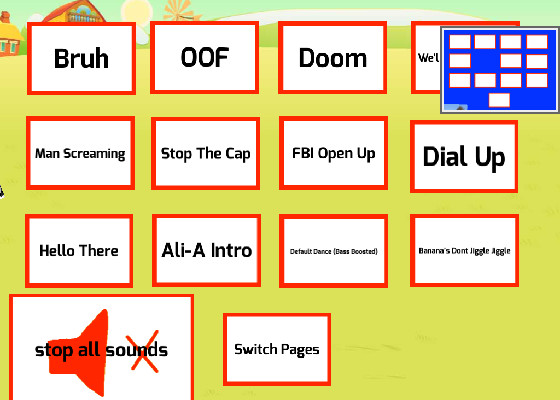
    A meme soundboard is a fun and interactive tool that lets you play short audio clips from popular memes. Think of it as a digital collection of meme sounds that you can trigger with a click. These soundboards are often used for entertainment, pranks, or just to add some humor to conversations. On Scratch, a meme soundboard becomes even more exciting because you can customize it and share it with others. It’s not just about playing sounds—it’s about creating something that reflects your personality and creativity.

    Why Meme Soundboards Are Popular on Scratch

    Meme soundboards are a hit on Scratch for a few reasons. First, they’re easy to make and fun to use. You don’t need advanced coding skills to create one, which makes it perfect for beginners. Second, memes are a universal language. Everyone loves a good meme, and adding sound to it makes it even better. Finally, Scratch allows you to share your project with a huge community. When you upload your meme soundboard, others can try it out, remix it, or even leave feedback. This interaction makes the experience more rewarding.

    The Purpose of Meme Soundboards

    The main purpose of a meme soundboard is to entertain. Whether you’re making your friends laugh or adding some spice to your Scratch projects, a soundboard is all about fun. It can also be a creative outlet. You get to choose the audio clips, design the layout, and even add animations. Plus, it’s a great way to learn coding basics while working on something you enjoy. A meme soundboard isn’t just a tool—it’s a way to express yourself and connect with others.

    Top Tips for Creating a Unique Meme Soundboard

    Selecting High-Quality and Relevant Audio Clips

    The foundation of any great meme soundboard is its audio clips. You want sounds that are crisp, clear, and instantly recognizable. Start by organizing your files. Use a folder structure to group sounds into categories like “Gaming,” “TV Shows,” or “Funny Sounds.” Add subfolders for specific themes to keep everything tidy.

    Here’s a quick guide to managing your audio clips effectively:

    Method

    Description

    Folder Structure

    Create folders for categories like “Gaming,” “TV Shows,” or “Funny Sounds.”

    Metadata Usage

    Add tags or metadata to your files for faster searches.

    Naming Conventions

    Use clear names like “MEME_Laugh_01.wav” for easy identification.

    Raw File Management

    Keep raw recordings in a separate folder for future edits.

    Backup Strategy

    Save backups on external drives or cloud storage to avoid losing files.

    When it comes to sourcing sounds, platforms like Zapsplat and the YouTube Audio Library are goldmines. They offer free, high-quality sounds that are safe to use.

    Staying Updated with Meme Trends

    Memes evolve quickly, and staying current is key to keeping your meme soundboard fresh. Follow social media platforms like TikTok, Instagram, and Twitter to spot trending memes. Use tools like Google Trends or Reddit to see what’s buzzing. Meme generators and video editing software can also help you create or adapt memes for your project.

    Want to take it a step further? Try using analytics tools to track which memes are performing well. This insight can guide your choices and make your soundboard more appealing to users.

    Adding a Personal and Creative Touch

    Your meme soundboard should reflect your personality. Add custom sound buttons with unique labels or icons for a visual twist. Use tools like Voicemod to upload your own sounds, giving your project a one-of-a-kind identity.

    Think about how your soundboard can stand out. Organize sounds into fun categories like “Epic Fails” or “Iconic Quotes.” Use it to spice up social media posts or Scratch projects with funny sound effects. A well-timed sound can make your content more engaging and shareable.

    Tip: Creativity is your superpower. Don’t just follow trends—put your own spin on them to make your meme soundboard truly unique.

    Advanced Strategies to Enhance Your Meme Soundboard Scratch Project

    Customizing Sound Effects for a Unique Experience

    Customizing your soundboard feature can make your project stand out. Start by uploading your sound files and testing them to ensure they play correctly. Adjust the pitch or trim the clips to improve their quality. Organize your sounds into categories like “Funny Moments” or “Epic Reactions” for a cleaner interface. Custom buttons with unique icons or colors can make your soundboard more visually appealing.

    You can also add special features to enhance the user experience. Include a variety of sounds, allow users to upload their own clips, or integrate your soundboard with streaming tools. These additions make your meme soundboard more interactive and fun to use. A well-organized interface with balanced sound levels ensures users enjoy a seamless experience.

    Adding Interactive Features Like Animations or Games

    Why stop at just sounds? Adding interactive features like animations or mini-games can take your meme soundboard scratch project to the next level. For example, you could create animations that play whenever a sound is triggered. Imagine a dancing character or a flashing background that matches the vibe of the sound.

    Mini-games are another exciting addition. You could design a simple game where users unlock new sounds by completing challenges. These features not only make your project more engaging but also encourage users to spend more time exploring your soundboard. Scratch provides plenty of resources to help you bring these ideas to life.

    Testing and Refining for Better User Engagement

    Testing is crucial for creating a soundboard that users love. Gather feedback from friends or the Scratch community to identify areas for improvement. Keep your soundboard updated with the latest trends and sounds to maintain its relevance.

    Use your soundboard in different contexts to see how it performs. For example, try it during a live stream or as part of another Scratch project. Sharing and collaborating with others can also spark new ideas and expand your reach. Regular updates and refinements ensure your soundboard remains a hit with users.

    Tip: A polished interface and high-quality sounds can make all the difference. Don’t rush—take the time to test and refine your project for the best results.

    How Dubbing AI Can Elevate Your Meme Soundboard

    How Dubbing AI Can Elevate Your Meme Soundboard
    Image Source: pexels

    Enhancing Audio Quality with Dubbing AI

    If you want your meme soundboard to stand out, audio quality is everything. Dubbing AI can help you achieve professional-grade scratch disc sound effects that make your project shine. This tool transforms text or dialogue into dynamic voiceovers, adding personality to your sounds. It even lets you create expressive voices that elevate the humor and engagement of your memes.

    With Dubbing AI, you can also enhance the clarity of your audio. Whether you’re working with high-quality scratch samples or classic scratch sounds, this tool ensures your sound clips are crisp and polished. The result? A meme soundboard that feels more relatable and entertaining.

    Pro Tip: Use Dubbing AI to add authentic scratch disc sound effects to your project. It’s a game-changer for creating high-fidelity sound effects that users will love.

    Creating Unique Sound Effects Using Dubbing AI

    Dubbing AI isn’t just about improving quality—it’s also about creativity. You can use it to craft unique sound effects that make your meme soundboard unforgettable. Imagine adding dramatic echoes to emphasize a punchline or cheeky giggles to lighten the mood. You can even include hilarious sound bites or dynamic voiceovers to keep users engaged.

    The tool offers a vast library of voices and sounds, giving you endless options for personalization. Want to add a dramatic drumroll or a quirky twist? Dubbing AI makes it easy to experiment and create something truly one-of-a-kind.

    Fun Idea: Organize your sounds into categories like “Trending Audio” or “Popular Sounds” to make your soundboard more interactive and user-friendly.

    Saving Time with Dubbing AI’s User-Friendly Tools

    Creating a meme soundboard on Scratch can be time-consuming, but Dubbing AI simplifies the process. Its user-friendly interface allows you to quickly transform text into character voices, saving you hours of work. The setup is straightforward, so you can focus on the fun parts of your project.

    Dubbing AI also lets you experiment with different voice styles and accents. This flexibility helps you create unique content without spending too much time on trial and error. Plus, the tool’s royalty-free library ensures you have access to high-quality scratch disc sounds without worrying about copyright issues.

    Hack: Use Dubbing AI’s tools to add high-fidelity sound effects to your meme soundboard scratch project. It’s a fast and efficient way to make your soundboard more engaging.

    Creativity and innovation are the heart of a standout meme soundboard. By experimenting with sound combinations, visuals, and user feedback, you can create something truly unique. Keep your soundboard fresh by staying updated with trends and collaborating with others for new ideas.

    Dubbing AI makes this process even easier. Its user-friendly tools let you customize sounds, add dynamic voiceovers, and enhance humor effortlessly. Whether you’re crafting relatable memes or engaging your audience with interactive features, Dubbing AI simplifies every step.

    Tip: Don’t hesitate to test, refine, and explore new possibilities. Your creativity is the key to making your meme soundboard unforgettable!

    FAQ

    How do I make my meme soundboard appealing to a wider audience?

    Focus on relatable memes and trending sounds. Add interactive features and an intuitive interface to make it fun and easy for everyone to use.

    What features should I prioritize in my meme soundboard?

    Prioritize high-quality audio, a clean layout, and engaging effects. Include unique features like animations or mini-games to keep users entertained and coming back.

    How can I ensure my soundboard has the best effect on users?

    Test your soundboard with friends or the Scratch community. Gather feedback, refine the design, and update it with fresh sounds to maintain its appeal.

    See Also

    Enhance Your Cat Memes With Creative Soundboard Techniques

    Transform Your Memes With Unique Voice Changer Effects

    Craft Funny Hamster Memes With Engaging Soundboard Tools

    Unleash Your Imagination: Craft Memes Using Voice Changer

    Maximize Your Roblox Experience With Effective Sound Buttons

  • Why Tynker Meme Soundboard Is Perfect for Beginners?

    Why Tynker Meme Soundboard Is Perfect for Beginners?

    Why Tynker Meme Soundboard Is Perfect for Beginners
    Image Source: pexels

    Are you looking for a fun and easy way to create your own meme soundboard? Tynker makes it simple! Its drag-and-drop interface lets you customize projects without any coding experience. Students have used Tynker to create interactive stories, creative games, and even school projects. For example:

    Project Description

    Details

    Tynker projects for Black History Month

    5th graders created projects featuring famous African Americans.

    Ice Art projects

    Students customized their own projects in the Augmented Reality course.

    With Tynker, you can turn your ideas into reality, whether you’re designing a tynker meme soundboard or exploring other creative possibilities.

    Key Takeaways

    • Tynker’s drag-and-drop tools make coding simple and enjoyable. You can build projects even if you’re new to coding.

    • Ready-made templates let you begin your projects fast. They save time and give you a base to be creative.

    • Fun tutorials teach you step-by-step how to create things. You’ll understand coding ideas while enjoying the process.

    Beginner-Friendly Features of Tynker Meme Soundboard

    Beginner-Friendly Features of Tynker Meme Soundboard
    Image Source: unsplash

    Drag-and-Drop Coding for Easy Customization

    If you’re new to coding, Tynker’s drag-and-drop interface is a game-changer. Instead of typing out complex code, you simply move colorful blocks around to create your project. This visual approach makes coding feel more like solving a puzzle than writing lines of text. It’s perfect for beginners who might find traditional coding intimidating.

    Tynker’s design introduces coding concepts step by step, so you’re never overwhelmed. You’ll learn how to build logic and structure without worrying about tricky syntax errors. Whether you’re adding sound effects or customizing your tynker meme soundboard, the process is straightforward and fun.

    Pre-Built Templates to Jumpstart Your Project

    Starting from scratch can feel daunting, but Tynker has you covered with its pre-built templates. These templates give you a solid foundation to work with, so you can focus on personalizing your project. Want to create a hilarious meme soundboard? Just pick a template, add your favorite sounds, and tweak the design to match your style.

    Templates save you time and help you learn by example. They’re like training wheels for your creativity, giving you the confidence to experiment and explore. Plus, they’re a great way to see how different coding elements come together in a finished project.

    Interactive Tutorials and Step-by-Step Guidance

    Tynker doesn’t just hand you tools and leave you to figure things out. It offers interactive tutorials that guide you through every step of the process. These tutorials are designed to be engaging and easy to follow, making sure you understand each concept before moving on.

    You’ll find step-by-step instructions for creating your tynker meme soundboard, from setting up your account to adding sound effects. The tutorials also include helpful tips and tricks to make your project stand out. It’s like having a friendly mentor by your side, cheering you on as you learn.

    Pro Tip: Don’t be afraid to experiment! Tynker’s tutorials encourage you to try new things and make your project uniquely yours.

    Step-by-Step Guide to Creating a Tynker Meme Soundboard

    Step-by-Step Guide to Creating a Tynker Meme Soundboard
    Image Source: unsplash

    Setting Up Your Tynker Account

    Getting started with Tynker is quick and easy. First, visit the Tynker website and sign up for a free account. You’ll just need an email address and a password. Once you’re in, explore the dashboard to familiarize yourself with the tools and features. If you’re a student, check if your school already has a Tynker account. This could give you access to additional resources.

    Tip: Bookmark the Tynker website for easy access later!

    Choosing a Template or Starting from Scratch

    Now it’s time to decide how you want to begin your project. Tynker offers pre-built templates that make creating a tynker meme soundboard super simple. These templates come with basic designs and coding blocks already in place. If you’re feeling adventurous, you can start from scratch and build your soundboard entirely your way. Either option lets you unleash your creativity.

    Adding Meme Sounds and Personalizing Your Soundboard

    This is where the fun begins! Add your favorite meme sounds to your soundboard. Popular choices include the “Murder on my mind phonk Meme Sound Effect,” which has been shared 13 times and is tagged under music and phonk. You can upload your own sounds or choose from Tynker’s library. Customize the layout, colors, and buttons to make your soundboard uniquely yours.

    Testing and Sharing Your Creation

    Before you share your masterpiece, test it out. Click each button to ensure the sounds play correctly. Once everything works perfectly, share your tynker meme soundboard with friends, family, or even your online community. Tynker makes it easy to publish your project and show off your creativity.

    Pro Tip: Encourage feedback from others to improve your soundboard and make it even better!

    Why Tynker Stands Out Among Other Platforms

    Simplified Coding for Beginners

    Tynker makes coding feel like play, which is why it’s perfect for beginners. Instead of overwhelming you with complicated programming languages, Tynker uses colorful blocks that represent commands. You simply drag and drop these blocks to create functional code. This visual approach helps you focus on creativity and problem-solving without worrying about technical details.

    Unlike other platforms, Tynker keeps things fun and engaging. It uses story-based lessons and interactive challenges to teach coding concepts. For younger learners, it starts with block-based coding. As you grow more confident, you can transition to text-based languages like Python or JavaScript. This step-by-step progression ensures you’re always learning at your own pace.

    Access to a Vast Library of Resources

    Tynker gives you access to an incredible library of resources. Whether you’re working on a tynker meme soundboard or another project, you’ll find everything you need. The platform offers pre-built templates, sound effects, and coding tutorials. These resources save you time and make it easier to bring your ideas to life.

    You can also explore projects created by other users. This is a great way to get inspired and learn new techniques. By seeing how others approach their projects, you can pick up tips and tricks to improve your own work.

    A Safe and Collaborative Environment for All Ages

    Tynker creates a safe space where you can share your creativity. The platform monitors its community to ensure a positive experience for everyone. You can share your projects, remix others’ creations, and collaborate with users from around the world.

    This collaborative environment encourages you to learn from others. When you see what works (and what doesn’t) in someone else’s project, you gain valuable insights. It’s a supportive space where you can experiment, grow, and have fun.

    Best Tynker Alternative: Dubbing AI Meme Soundboard

    If you’re looking for another beginner-friendly platform to create meme soundboards, Dubbing AI Meme Soundboard is a fantastic choice. It’s designed to make the process simple and fun, even if you’ve never worked with soundboards before. With its intuitive interface and unique features, you’ll have everything you need to bring your ideas to life.

    Why Choose Dubbing AI Meme Soundboard?

    Here are a few reasons why Dubbing AI stands out:

    • AI-Powered Tools: The platform uses artificial intelligence to help you edit and enhance your meme sounds effortlessly.

    • Pre-Made Sound Effects: You’ll find a library packed with popular meme sounds, so you can start creating right away.

    • Custom Voiceovers: Want to add your own voice? Dubbing AI lets you record and modify voiceovers with ease.

    Tip: Use the AI tools to tweak your sounds for a professional touch. It’s a great way to make your soundboard unique!

    Perfect for Beginners

    Dubbing AI keeps things simple. You won’t need to learn coding or deal with complicated settings. Just upload your sounds, arrange them on the soundboard, and customize the layout. The platform also offers tutorials to guide you through the process step by step.

    Whether you’re creating for fun or sharing with friends, Dubbing AI Meme Soundboard makes it easy to turn your creative ideas into reality. Give it a try and see how quickly you can create something amazing!

    Tynker makes creating a tynker meme soundboard simple and fun, even if you’re just starting out. You’ll love the engaging activities and clear guidance that keep you on track. Teachers and students alike enjoy the variety of resources and the supportive community. Dive in today and bring your creative ideas to life!

    FAQ

    What is a meme soundboard?

    A meme soundboard is a digital tool that lets you play short sound clips, often from memes, with the press of a button.

    Do I need coding experience to use Tynker?

    Nope! Tynker’s drag-and-drop interface makes it beginner-friendly. You can create projects without writing a single line of code.

    Can I share my Tynker meme soundboard with others?

    Absolutely! Tynker lets you publish and share your soundboard online. You can even get feedback to improve your project.

    Tip: Share your soundboard on social media to showcase your creativity!

    See Also

    Enhance Your Cat Memes with Creative Soundboard Techniques

    Craft Funny Hamster Memes with Soundboard Magic

    Tap Into Your Imagination: Create Memes with Voice Modulator

    Maximize Your Roblox Experience with Sound Button Strategies

    Make Memorable Memes with a Unique Voice Changer

  • Top Valorant Soundboard to Enhance Your Gameplay Experience

    Top Valorant Soundboard to Enhance Your Gameplay Experience

    Top Valorant Soundboard to Enhance Your Gameplay Experience
    Image Source: unsplash

    Sound is very important in Valorant. Have you ever wanted to make it even better? A Valorant soundboard can help with that. It’s not only fun but also makes the game feel more real. You can talk to your team more easily during tough matches. Gamers also enjoy how soundboards make playing more exciting. By 2025, soundboards are a must-have for better gaming.

    Key Takeaways

    • A Valorant soundboard makes the game more fun and real. It helps players talk better and enjoy playing together.

    • A soundboard can help with your game plan. Share sounds to work with your team or trick enemies in matches.

    • Pick a soundboard that fits what you need. Tools like Voicy and Dubbing AI Soundboard have cool features for all players.

    What Is a Valorant Soundboard?

    Definition and Purpose

    A Valorant soundboard is a tool that makes game sounds better. It’s an app or site with audio clips from the game. These include agent voices, weapon noises, and ability sounds. You can also find funny quotes or epic moments to enjoy. Share these sounds with friends or relive exciting gameplay moments. A Valorant soundboard adds fun and makes the game feel more personal. It’s not just for laughs—it helps make the game more real and engaging.

    Benefits for Valorant Players

    Using a soundboard in Valorant can change how you play. First, it makes the game feel more realistic with cool sounds. Second, it can help you play smarter. You can use sounds to share plans or confuse opponents. It’s also a fun way to connect with your team. Sharing funny sounds during matches can make everyone laugh and stay focused. Here’s a list of some popular soundboards and what they offer:

    Soundboard

    Features

    EaseUS VoiceWave

    AI voice changer, 300+ sound presets, 100+ sound effects

    Voicemod

    Real-time voice changes, custom voices, immersive experience

    Voicy

    2500+ playlists, many sound effects, voice filters

    101soundboard

    Easy to use, lots of sound effects and voice clips

    MagicMic

    Works with games, many voice effects and sound clips

    These tools help you find the best soundboard for your style.

    Why Soundboards Are Essential in 2025

    By 2025, soundboards are a must-have for gamers. They’re not just for fun—they’re part of smart gameplay. With features like custom sounds and real-time voice effects, they fit any situation. Whether you play for fun or compete seriously, soundboards give you an advantage. They help you talk better, plan smarter, and enjoy the game more. With so many choices, you can find one that fits your needs and budget easily.

    Best Soundboards for Gaming in 2025

    Dubbing AI Soundboard

    Dubbing AI Soundboard is great for changing voices. It’s awesome for competitive games because it sounds clear and smooth. You can change your voice instantly with no delay. This is super helpful during tough matches. It has over 1000 tones to pick from. You can sound like a strong agent or make your voice funny. The tool lets you adjust pitch and tone easily. That’s why it’s one of the top soundboards for gaming in 2025.

    EaseUS VoiceWave

    EaseUS VoiceWave is another amazing soundboard for Valorant. It has over 300 sound presets and 100 sound effects. This makes it perfect for gamers, streamers, and creators. It’s simple to use and works well with Valorant. The sound effects make your game more exciting and fun. Many players think it’s one of the best soundboards for gaming.

    Voicemod

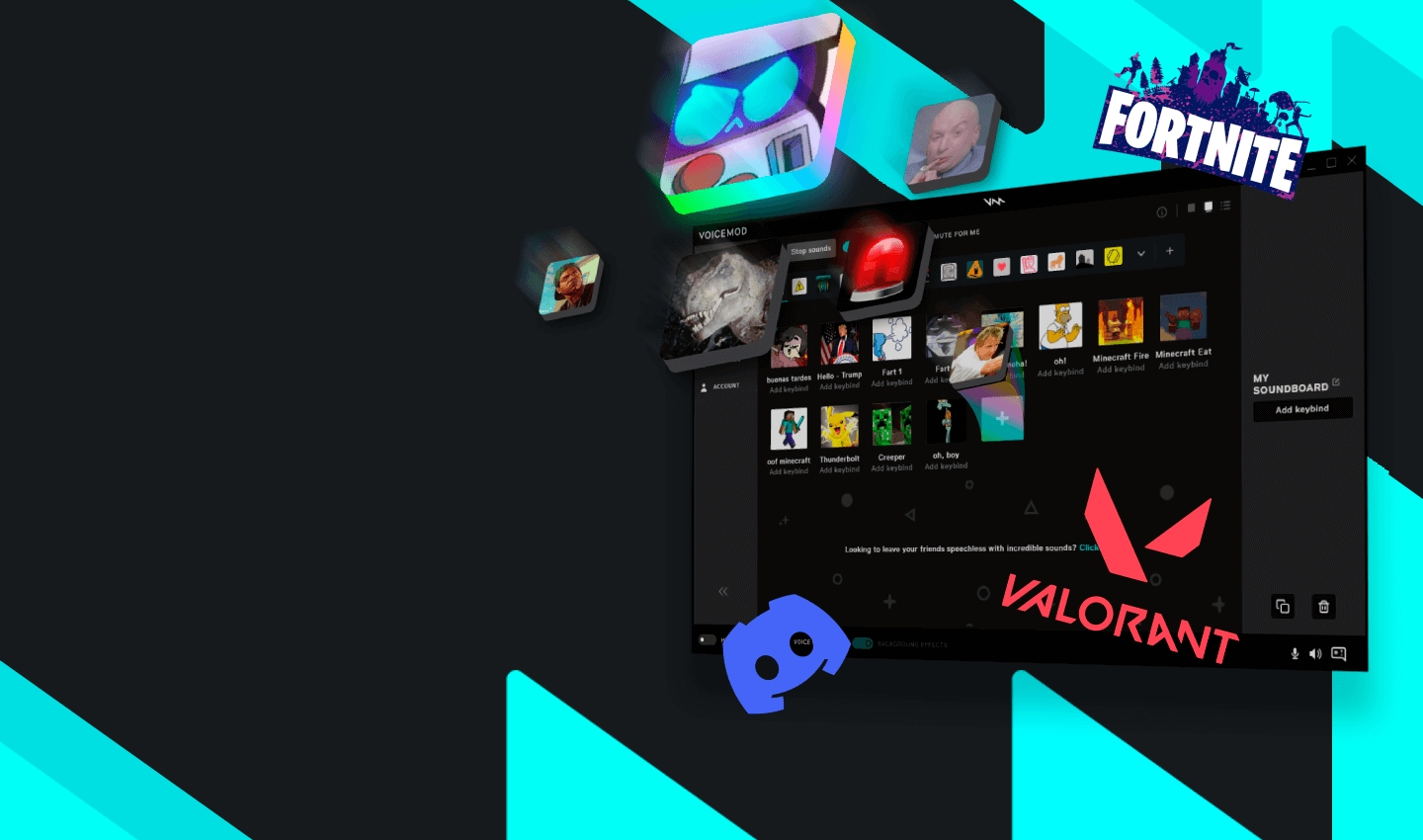
    Voicemod is loved by gamers for its real-time voice changes. You can hear your voice change right away, which is thrilling. It’s easy to use and has many voice options and effects. The soundboard lets you play custom sounds while gaming. If you need a voice changer for Valorant, Voicemod is a solid pick.

    Voicy

    Voicy is special because it has over 2500 playlists. It’s great for players who want cool sound effects and filters. The simple design makes it easy to find sounds you like. Many Valorant players enjoy using this soundboard in 2025.

    MagicMic

    MagicMic is a flexible soundboard that works with many games. It has lots of voice effects and sound clips to choose from. You can make your in-game voice unique and fun. If you want a girl voice changer or just something playful, try MagicMic. It’s one of the best online soundboards for Valorant because it’s easy to use and full of features.

    How to Set Up and Use a Soundboard for Valorant

    Installing a Soundboard

    Setting up a Valorant soundboard is simple and quick. Follow these steps to get started:

    1. Go to Dubbing AI’s website and download soundboard. Once finished, choose the sounds you like.

    2. You can also visit the 101 Soundboard website. Search for Valorant sounds and pick the ones that fit your style.

    3. If using platforms like Discord or Steam, open settings. Select “HitPaw Virtual Audio” as your input. Turn on “Hear Myself” and “Voice Changer” to test the sound.

    These steps make downloading and setting up easy. Soon, you’ll enjoy cool sound effects while playing.

    Configuring for Valorant

    After installing, set up the soundboard for Valorant. Assign hotkeys to your favorite sounds for quick use. Adjust voice settings to match how you want to sound. You can choose real-time changes or specific tones. Test everything in a practice game to make sure it works well.

    Tips for Effective Use During Gameplay

    Use your soundboard wisely to improve your game. Play sounds that help your team communicate better. For example, copy an agent’s voice or share plans. Don’t overuse sounds, as it might annoy teammates. Stick to sounds that help during the game. With practice, your soundboard will be fun and useful for strategy.

    Using a Valorant soundboard can really improve your gameplay. It helps teams work together, makes games thrilling, and adds fun. Casual players might enjoy Voicy or MagicMic the most. Competitive players should try Dubbing AI Soundboard. Its special features and simplicity make it great for 2025.

    FAQ

    What is the best soundboard for beginners in Valorant?

    For beginners, try Voicy. It’s easy to use and has many sounds. You’ll have fun exploring its cool features.

    Can I use a soundboard without disrupting my team?

    Yes, you can! Set hotkeys to play sounds quickly. Use them wisely so they don’t distract others. Pick sounds that help your team or add fun moments.

    Do soundboards work with other games besides Valorant?

    They sure do! Many soundboards, like MagicMic and Voicemod, work with other games. You can use them for Fortnite, Apex Legends, or even chatting with friends.

    💡 Pro Tip: Try your soundboard in practice mode first. This helps you avoid problems and keeps your game running smoothly.

  • Best Free Alternatives to 101 Soundboards for Sound Lovers

    Best Free Alternatives to 101 Soundboards for Sound Lovers

    Best Free Alternatives to 101 Soundboards for Sound Lovers
    Image Source: pexels

    If you’re a sound lover, you know how fun and useful a good soundboard can be. Whether you’re spicing up a podcast, gaming with friends, or just having a laugh, soundboards let you add that extra flair. But not everyone wants to pay for tools like 101 soundboards. That’s where free options come in. They give you access to creative features without breaking the bank. Plus, many of these alternatives offer customization that lets you make your soundboard truly yours. Why settle for less when you can explore better, free choices?

    Why Look for Alternatives to 101 Soundboards?

    Problems with 101 Soundboards

    Cost and Subscription Problems

    Using 101 soundboards can cost money. Many features need a subscription, which is annoying if you just want quick sound effects. Paying for it might not seem worth it. Free options give you similar features without spending money. Why pay when free choices offer so much?

    Not Enough Features for Experts

    Advanced users may find 101 soundboards lacking. It doesn’t have enough customization for unique soundboards. Reviews say the sound quality is uneven, which can ruin projects. Here’s a summary of common issues:

    Problem

    Details

    Few Customization Options

    Users say it doesn’t have advanced features for personalizing sounds.

    Uneven Sound Quality

    Some sounds are poor quality, making the experience less enjoyable.

    If you love playing with sounds, these problems might be a dealbreaker.

    Why Free Alternatives Are Better

    Free and Easy to Use

    Free soundboards are a great option. They give you many choices without costing anything. These tools are made with user feedback, so they’re easy to use. For example, Resanance is a top free soundboard. It works with Discord and Teamspeak. Over 25,000 people use it for sound effects. Why not try it and enjoy fun sounds for free?

    More Features and Customization

    Free soundboards often have better features than paid ones. You can upload your own sounds, set hotkeys, and use multi-channel support. Here’s how Resanance compares to paid tools:

    Feature

    Resanance (Free)

    Paid Tools

    Cost

    Free

    Costs Money

    Multi-Channel Support

    Yes

    Sometimes

    Upload Custom Sounds

    Yes

    Limited

    Hotkey Setup

    Yes

    Sometimes

    Easy to Use

    Yes

    Sometimes

    These tools let you create and customize freely. Whether you want sound effects or tools for projects, free options are perfect.

    Top Free Alternatives to 101 Soundboards

    Dubbing AI

    Key Features of Dubbing AI

    Dubbing AI is a great free soundboard for easy audio editing. It helps you create professional-quality sounds without much effort. Here’s why it’s special:

    • Change your voice live, perfect for videos or streams.

    • Simple design, making it easy for new users.

    • Tools like pitch control and syncing save you time.

    • Huge collection of voices and effects for custom sounds.

    These features make Dubbing AI fun and creative for soundboard lovers.

    Pros and Cons of Dubbing AI

    Pros:

    • Simple enough for beginners to use.

    • Advanced options for customizing sounds.

    • Provides over 500 voices of characters from popular games, animes and movies.

    Resanance

    Key Features of Resanance

    Resanance is a top pick for gamers and streamers needing soundboards. It’s free and full of useful tools. Here’s what it offers:

    • Works with Discord, Teamspeak, and other platforms.

    • Set hotkeys to play sounds quickly.

    • Upload your own sounds to make it personal.

    • Easy-to-use design for smooth navigation.

    Resanance is a solid choice for custom soundboards or gaming projects.

    Pros and Cons of Resanance

    Pros:

    • Compatible with popular chat platforms.

    • Free with no hidden fees.

    • Great for customizing sound effects.

    Cons:

    • Only works on Windows computers.

    • Some may find the design old-fashioned.

    Voicemod

    Key Features of Voicemod

    Voicemod is another awesome free soundboard for casual and pro users. Here’s how it compares to others:

    Feature

    Voicemod

    Resanance

    Other Alternatives

    Free to Use

    Yes

    Yes

    Yes

    Multi-Channel Support

    Yes

    Yes

    Varies

    Custom Sound Uploads

    Yes

    Yes

    Varies

    Hotkey Assignment

    Yes

    Yes

    Varies

    User-Friendly Interface

    Yes

    Yes

    Varies

    Voicemod also changes voices live, making it great for games or events.

    Pros and Cons of Voicemod

    Pros:

    • Live voice-changing for real-time use.

    • Lots of ways to customize sounds.

    • Works on many platforms.

    Cons:

    • Some features need a paid upgrade.

    • Can slow down older computers.

    EXP Soundboard

    Key Features of EXP Soundboard

    EXP Soundboard is a simple and free tool for sound lovers. It’s lightweight and perfect for basic soundboard needs. Here’s why it’s useful:

    • Integrated sound effects: It has built-in sounds ready to use.

    • File compatibility: Add MP3 or WAV files easily without trouble.

    • Audio conversion: Includes a converter to save time preparing sounds.

    Here’s a quick summary of its features:

    Feature

    Description

    Integrated sound effects

    Comes with many built-in sound effects.

    File compatibility

    Supports MP3 and WAV file formats.

    Audio conversion

    Has a built-in audio converter.

    Customization

    Limited options for personalizing sounds.

    Design

    Looks outdated compared to newer tools.

    Pros and Cons of EXP Soundboard

    Pros:

    • Simple to use, even for beginners.

    • Works with MP3 and WAV files.

    • Free to download and use.

    Cons:

    • Not many options for advanced customization.

    • The design feels old-fashioned compared to others.

    HitPaw Voice Changer

    Key Features of HitPaw Voice Changer

    HitPaw Voice Changer is a fun and flexible free soundboard. It’s great for those who enjoy playing with audio. Here’s what makes it exciting:

    • Real-time voice changing: Great for games, streams, or fun chats.

    • Wide range of effects: Pick from many voice effects to suit your mood.

    • User-friendly interface: Easy design so you won’t feel confused.

    Pros and Cons of HitPaw Voice Changer

    Pros:

    • Perfect for live voice changes during calls or streams.

    • Offers many effects for creative sound editing.

    • Simple to use, even for first-timers.

    Cons:

    • Some features need a paid upgrade.

    • May not work well on older computers.

    Voicy.network

    Key Features of Voicy.network

    Voicy.network is an online soundboard with no downloads needed. It’s a great choice if you prefer browser-based tools. Here’s what it offers:

    • Online platform: Use it directly in your browser without downloading.

    • Community-driven content: Find sounds shared by users worldwide.

    • Custom sound uploads: Add your own sounds to share with others.

    Pros and Cons of Voicy.network

    Pros:

    • No need to install anything; works on any device.

    • Huge variety of sounds from its active community.

    • Free to use with no hidden fees.

    Cons:

    • Needs internet to work.

    • Fewer customization options than downloadable soundboards.

    Myinstants.com

    Looking for a simple and fun soundboard? Myinstants.com could be perfect for you. This online tool gives quick access to many sound effects. You don’t need to download anything, making it super easy. It’s great for mobile users since it works in your browser. No setup is required!

    Key Features of Myinstants.com

    Myinstants.com is easy to use and has lots of variety. Here’s why it’s special:

    • Wide range of sound effects: Find sounds from movies, memes, music, and more.

    • Make your own soundboard: Add your favorite sounds to create a custom board.

    • Bright and colorful design: Sounds are shown as big, clickable buttons.

    • Works well on phones: Perfect for creating a soundboard on your mobile browser.

    • Free to use: Most sounds are free, with extra options in a premium plan.

    These features make Myinstants.com a fun and handy choice for everyone.

    Pros and Cons of Myinstants.com

    Every tool has good and bad points. Here’s a quick look:

    Pros:

    • No downloads needed; use it right away.

    • Huge variety of sound effects in different categories.

    • Lets you customize and build your own soundboard.

    • Works great on mobile devices for easy access.

    Cons:

    • Needs internet to work properly.

    • Limited advanced customization compared to other tools.

    If you want a free and easy soundboard with lots of sounds, try Myinstants.com. It’s simple, colorful, and full of fun!

    How to Use a Free Soundboard

    Step-by-Step Guide for Dubbing AI

    Downloading and Installing Dubbing AI

    Starting with Dubbing AI is very easy. Just follow these steps:

    1. Go to the official Dubbing AI website.

    2. Choose the download option for Windows or macOS.

    3. After downloading, open the file to begin installation.

    4. Follow the instructions on the screen to finish setup.

    5. Open Dubbing AI and check out its simple design.

    The process is fast, and the easy layout helps you get started quickly.

    Setting Up Your First Soundboard

    Once Dubbing AI is installed, you can create your first soundboard. Here’s how:

    1. Find a Quiet Spot: Pick a quiet place to avoid background noise. Use a good microphone for clear sound.

    2. Set Audio Options: Make the virtual audio cable your system’s output. Choose Dubbing AI as the input and adjust settings for your voice effect.

    3. Add Your Sounds: Open the soundboard tool in Dubbing AI. Upload your sounds and arrange them in the order you like.

    4. Test and Record: Use the noise reduction tool to improve sound quality. Hit record and either talk or play sounds through the virtual cable.

    5. Listen and Edit: Wear headphones to check the recording. Change pitch, speed, or other settings to get the sound you want.

    6. Save Your Work: Play back your soundboard to review it. Make changes if needed, then save and export it.

    Dubbing AI’s simple design makes everything easy and fun. Whether you’re new or experienced, you’ll enjoy making a soundboard that suits you.

    Pro Tip: Save often so you don’t lose your work. Try different effects to make your soundboard stand out!

    You’ve now got a list of the best free soundboard options to explore. Each one offers unique features, from creating funny sound clips to managing sound effects and sound gifs. If you’re looking for versatility and ease of use, Dubbing AI stands out. It’s perfect for beginners and pros alike. Whether you want the largest collection of various popular sounds or tools for customization, there’s something here for you. Dive in, try them out, and find the soundboard that makes your projects more fun and creative!

    FAQ

    What is a soundboard, and why use one?

    A soundboard plays preloaded or custom sound effects. It’s useful for gaming, streaming, or presentations. You can make projects more fun or entertain people with it.

    Are free soundboards as good as paid ones?

    Yes, free soundboards have great features. They allow customization, hotkeys, and work with popular platforms. Options like Resanance and Voicemod are high-quality without costing money.

    Can these soundboards work on different devices?

    Some soundboards only work on Windows or macOS. Others, like Voicy.network, run in browsers and work on any device. Always check if your device is supported.

    Do I need special skills to use a soundboard?

    No, most soundboards are simple to use. Tools like Dubbing AI and Myinstants.com let you upload sounds and set hotkeys easily. Beginners can start right away.

    Which soundboard is best for beginners?

    Dubbing AI is perfect for beginners. It’s easy to use and has helpful features. If you want an online tool, Myinstants.com is also beginner-friendly.

  • What Makes Tuna Soundboard Stand Out and Its Best Replacements

    What Makes Tuna Soundboard Stand Out and Its Best Replacements

    What Makes Tuna Soundboard Stand Out and Its Best Replacements
    Image Source: pexels

    If you like gaming, streaming, or making content, you might know about the Tuna Soundboard. It’s popular because it has a huge collection of sound effects—about 20,000 in total. This makes it great for adding fun sounds to your projects.

    Its simple design lets anyone, from beginners to experts, use it easily. But some people have found problems, like uneven sound quality when recording. Because of this, many are looking for other soundboards that work better for them.

    Key Takeaways

    • Tuna Soundboard has 20,000+ sounds, great for gamers and creators.

    • Its simple design makes it easy for everyone to use.

    • It works on Windows and macOS, so it suits all users.

    • Try Voicemod for voice-changing or Resanance for free hotkeys.

    • Pick a soundboard based on your budget, device, and features.

    What Makes Tuna Soundboard Unique?

    What Makes Tuna Soundboard Unique?
    Image Source: unsplash

    Key Features of Tuna Soundboard

    Customizable sound options for different needs.

    The Tuna Soundboard lets you make and share soundboards. If you’re a gamer, streamer, or love personalizing audio, this is for you. You can upload your own sounds or memes to make it special. It also works with platforms like Discord, so sharing is simple.

    Easy-to-use design for all skill levels.

    You don’t need to be a tech expert to use it. The design is simple, so anyone can figure it out quickly. Whether you’re new or experienced, the interface is clear and easy to use.

    Works on both Windows and macOS.

    No matter your device, the Tuna Soundboard works well. It supports both Windows and macOS, making it a flexible option for everyone.

    Advanced tools for editing sounds perfectly.

    If you enjoy adjusting sounds, you’ll love these tools. They help you edit audio clips to match your needs. From removing noise to adding filters, the Tuna Soundboard has many features.

    Usability and Performance

    Simple to use for fun or professional tasks.

    The Tuna Soundboard is made to be user-friendly. Its clean design and easy controls let you focus on being creative. Whether for work or fun, it fits your needs.

    Works smoothly with few crashes or glitches.

    Interruptions can ruin your work or stream. The Tuna Soundboard runs reliably with very few crashes. You can trust it to perform well.

    Unique Aspects That Make It Special

    Works with Dubbing AI for better tools and workflow.

    One cool feature is its connection with Dubbing AI. This lets you use AI tools with the soundboard for a smooth experience. It’s great for professionals needing advanced audio tools.

    Active community and frequent updates for better use.

    The Tuna Soundboard has a helpful user community sharing tips and ideas. Regular updates keep it fresh and easy to use, improving over time.

    Tip: Want a soundboard that’s easy yet powerful? Try the Tuna Soundboard. Its mix of customization, reliability, and community support makes it stand out.

    Best Alternatives to Tuna Soundboard Worth Trying

    Alternative 1: Soundboard Pro

    Has many sound effects and allows real-time mixing.

    Soundboard Pro is a great option for a strong soundboard. It has lots of sound effects and lets you mix them live. This is ideal for gaming or streaming when timing matters.

    Pros: Clear sound quality, easy-to-use design.

    The sound quality is sharp and clear, which you’ll enjoy. Its simple design makes it easy to use right away.

    Cons: Free version has fewer features than Tuna Soundboard.

    The downside is the free version is limited. To get all features, you’ll need to pay for the full version.

    Alternative 2: Resanance Soundboard

    Free software with hotkeys for quick sound access.

    Resanance is a good choice if you’re on a budget. It’s free and lets you set hotkeys for fast sound use. This is handy for gaming or casual fun.

    Pros: Free and simple to install.

    It’s easy to download and start using. Here’s how it performs:

    Feature

    Rating

    Installation process

    Simple

    Quality and performance

    Excellent

    Cons: Lacks advanced tools for professionals.

    It doesn’t have the high-level tools needed for pro editing. If you need more features, check other soundboard options.

    Tip: Starting out or need something basic? Resanance is a great pick.

    Alternative 3: EXP Soundboard

    Works with many audio formats and virtual audio cables.

    EXP Soundboard is great if you want something simple. It supports MP3, WAV, and other audio types. This makes it easy to use different sound files. It also works with virtual audio cables. This helps you move audio between apps easily. It’s useful for tasks like streaming and recording at the same time.

    Pros: Small size and works fast.

    EXP Soundboard doesn’t take up much space on your computer. It runs well even on older devices. It’s quick and does what you need without extra features.

    Cons: Doesn’t have many built-in sounds.

    The downside is it doesn’t come with a lot of sounds. If you want many preloaded effects, this might not be enough. But you can add your own sounds, which makes it still a good option.

    Tip: Need a simple soundboard that works with virtual audio cables? Try EXP Soundboard.

    Alternative 4: Dubbing AI Soundboard

    Mixes soundboard tools with smart AI dubbing features.

    Dubbing AI Soundboard is a step above regular soundboards. It combines soundboard tools with advanced AI features. This makes it great for professional audio work. You can add effects, change voices, and sync audio with video easily.

    Pros: Works smoothly with Dubbing AI, perfect for pros.

    This soundboard connects perfectly with Dubbing AI. It makes editing audio easier and helps you create high-quality projects.

    Here’s why it’s special:

    • Real-Time Voice Modification: Quickly change your voice to sound like different characters.

    • Easy Sound Effect Use: Add effects and clips to make your work look polished.

    • AI-Powered Syncing: Match audio with video perfectly for better results.

    Cons: Might take time to learn for beginners.

    If you’re new to AI tools, it could feel tricky at first. But once you learn, it opens up many creative options.

    Note: Want advanced features for professional work? Dubbing AI Soundboard Integration is a top choice.

    Things to Think About

    Cost and pricing: Compare free and paid choices.

    Your budget matters when choosing a soundboard. Some, like Resanance, are free and great for beginners. Others, like Voicemod, need payment for extra features. Decide how much you can spend and if upgrades are worth it. Most people like affordable tools that still work well. Start with free ones and upgrade only if needed.

    Works with your devices: Check if it fits your system.

    Not all soundboards work on every device. Make sure it matches your operating system. For example, Tuna Soundboard works on both Windows and macOS. If you use special setups, like virtual audio cables, check for smooth integration. Many users switch tools due to compatibility problems. Avoid trouble by checking this first.

    Features that match your needs: Look for quality and ease.

    What do you want your soundboard to do? Gamers may like voice-changing tools, such as Voicemod. Professionals might need advanced editing, like Dubbing AI Soundboard Integration. Beginners may prefer simple tools like Resanance. People often value customization and easy use the most. Pick features that fit your goals.

    Tuna Soundboard is loved for its big sound library. Its simple design makes it great for beginners. But, it doesn’t have advanced tools like VoxBox or ClownFish. If you use Discord or want more voice choices, try those. For experts, Dubbing AI Soundboard Integration is very precise. Picking the best tool depends on your purpose. Whether gaming, streaming, or syncing audio for videos, check compatibility. Choose features that match what you need most.

    FAQ

    What is the best soundboard for Discord?

    Tuna Soundboard is great for Discord. It’s simple to use and works well. Dubbing AI is another option. It lets you change your voice, making chats more fun.

    What makes Tuna Fuzz different from other soundboards?

    Tuna Fuzz is special because it has many sounds. Its design is easy for beginners and experts. It also works with tools like Voicemod, making it great for gaming or streaming.

    Can I use Voicemod with Tuna Soundboard?

    Yes, you can! Tuna Soundboard and Voicemod work perfectly together. You can add sounds and change your voice live. This setup is awesome for gamers and streamers.

    Is the Beetronics Tuna Fuzz compatible with macOS?

    Yes, it is! Beetronics Tuna Fuzz works on Windows and macOS. It’s a good choice for editing audio or having fun. It works well on different devices.

    How does the Voicemod application enhance soundboards?

    Voicemod adds voice-changing features to soundboards. You can make cool voices and use sound effects. Gamers and streamers love this for standing out.

  • How to Use E Girl Soundboards for Gaming and Social Media

    How to Use E Girl Soundboards for Gaming and Social Media

    How to Use E Girl Soundboards for Gaming and Social Media
    Image Source: pexels

    An e-girl soundboard is a fun tool designed to play recorded sounds inspired by e-girl culture. These sounds, such as “uwu” or playful voice effects, add a unique and entertaining touch to your online presence. The e-girl soundboard makes interactions more engaging and enjoyable.

    Using an e-girl soundboard helps you stand out and leaves a lasting impression on others. Platforms like TikTok and Twitch have contributed to the growing popularity of soundboards, with many female creators using them to captivate their audiences. Incorporating an e-girl soundboard into your content can make it more dynamic and fun for everyone involved.

    Key Takeaways

    What Are E-Girl Soundboards?

    What Are E-Girl Soundboards?
    Image Source: pexels

    Definition and Purpose

    An e-girl soundboard is a tool to play fun audio clips. These clips often include cute phrases like “uwu” or funny gaming sounds. They make online chats more exciting and enjoyable.

    The word “e-girl” means “electronic girl,” a style popular on TikTok and Twitch. E-girl soundboards match this style with sounds that fit the e-girl vibe. Whether you’re gaming, streaming, or posting online, these soundboards let you show off your personality in a cool way.

    Tip: Want to be unique? Add your own sounds to your soundboard for a personal touch.

    Why They’re Popular in Gaming

    Gaming is about having fun, and e-girl soundboards make it even better. Picture using a cute “uwu” sound after winning or teasing friends with funny effects. These soundboards add personality to your games and make them unforgettable.

    Gamers love to customize, and soundboards let you do just that. You can pick sounds that match your style and mood. They’re also great for making friends in multiplayer games or easing tension during tough matches.

    Role in Social Media Engagement

    Standing out on social media is important. E-girl soundboards help by adding fun and creativity to your posts. Whether you’re making TikToks or streaming on Twitch, they help you connect with your audience in a playful way.

    What They Do

    Why They Matter

    Show off unique personalities

    Match e-girl style

    Make content more fun

    Reflect e-girl culture

    Use trendy sounds and effects

    Improve online experience

    Using sounds tied to e-girl culture makes your posts more shareable. They’re great for creating viral moments or chatting with followers.

    Note: Don’t overuse them! Keep it balanced to keep your audience happy.

    Top E-Girl Soundboards to Try

    Top E-Girl Soundboards to Try
    Image Source: pexels

    Dubbing AI Soundboard

    Key Features

    Dubbing AI Soundboard is a smart tool that uses AI to make and play cool audio clips. It has many preloaded sounds, like cute e-girl phrases and trendy effects. You can also add your own sounds, making it very flexible. Its simple design makes it easy for anyone to use.

    Best Use Cases

    This soundboard is great for gaming and social media. Use it in multiplayer games to make jokes or cheer people up. On TikTok, it helps you create fun and shareable videos. If you want to improve your online style, the Dubbing AI Soundboard is a solid pick.

    Voicemod Soundboard

    Key Features

    Voicemod is a favorite for gamers and streamers. It can change your voice in real-time and has tons of fun effects. You can quickly switch sounds during games or live streams. It’s easy to use and super entertaining for everyone.

    • Known for simple controls and live voice-changing features.

    • Has lots of sounds to make gaming more exciting.

    • Popular in games like Fortnite, PUBG, and VRChat.

    Best Use Cases

    Voicemod is awesome for keeping viewers entertained during streams. It makes your gameplay more fun and keeps people coming back. Whether you’re playing serious games or just goofing around, this soundboard helps you stand out.

    Resanance Soundboard

    Key Features

    Resanance is a strong soundboard with lots of options and works on many platforms. It supports audio formats like MP3, WAV, FLAC, and OGG. You can add your own sounds and set them to keys for quick use.

    Feature/Tool

    Resanance with Soundboard Girl Voice

    Customizability

    Very High

    Integration with Platforms

    Many Social Apps

    Custom Sound Import

    Available

    Best Use Cases

    Resanance is perfect for gamers who want great sound quality. It works well with apps like Discord and Twitch, making it great for games like Valorant. Its easy setup and many sound options make it a top pick for creating fun and unique content.

    • Professional sound effects for serious gamers.

    • Custom soundboards for a personal touch.

    • Huge sound library with endless key options.

    Clownfish Voice Changer

    Clownfish Voice Changer is a simple and fun tool. It’s more than a soundboard; it changes your voice live. You can make your voice sound robotic, high-pitched, or super deep. It’s great for gaming or chatting on apps like Discord or Skype.

    Clownfish is very easy to use. You don’t need tech skills to set it up. Just install it, and it works with all your apps. It can change sounds across your whole system. This makes it useful for games, streams, or just talking with friends.

    Tip: Use Clownfish with an e-girl soundboard for cool effects.

    MorphVOX Junior

    MorphVOX Junior is another fun soundboard for online chats. It’s free and perfect for beginners who want cool voice effects. You can sound like a monster, a cartoon, or something silly. Use it to joke with friends or make games more exciting.

    MorphVOX Junior is small and runs well on older computers. It works with popular apps like Twitch and Discord. Whether you’re streaming or playing games, it adds fun to your experience.

    Note: The Pro version has more features if you want to upgrade.

    Both Clownfish Voice Changer and MorphVOX Junior are great for trying soundboards. They’re simple, entertaining, and help make your online time unique.

    Tips for Using E-Girl Soundboards Effectively

    For Gaming

    Timing and Context

    Using an e-girl soundboard can make gaming more exciting. Play sounds at the right time, like after a win or a funny fail. This adds humor and keeps the game fun. For example, a quick “uwu” sound can lighten the mood in tough matches.

    Pick sounds that match the game’s vibe. Avoid random effects that might confuse teammates or ruin the flow. Instead, use sounds that fit the moment and show your gaming style.

    Avoiding Overuse

    Soundboards are fun, but too much can annoy others. Use them wisely. Don’t play sounds too often, or it might ruin the fun. Keep it balanced to make sure everyone enjoys the game.

    Tip: Test your sounds first to make sure they fit the game’s mood.

    For Social Media

    Creating Viral Content

    E-girl soundboards are great for making viral posts. Add fun audio clips that your audience will love. A playful sound or catchy phrase can make your content stand out. These sounds help show your personality, which grabs attention on TikTok or Instagram.

    Personalized sounds can make your videos even better. For example, pairing a funny sound with a relatable moment can get more likes and shares. This creative touch often leads to viral success.

    Engaging with Followers

    Soundboards help you connect with followers in a fun way. Use them during live streams or Q&A sessions to keep things lively. Popular effects or voice changes can make your chats more entertaining. Followers enjoy seeing your personality through creative audio.

    Note: Pay attention to what your audience likes. Adjust your soundboard use based on their feedback.

    Technical Tips

    Setting Up the Soundboard

    Setting up a soundboard is easy. Pick a platform like Discord or Twitch to start. Then, collect audio clips that match your style. Many soundboards let you customize sounds to fit your personality.

    Tools like Voicemod or Resanance let you upload custom sounds. Assign these sounds to hotkeys for quick use. This setup makes your experience smooth and fun.

    Integrating with Streaming Platforms

    To use your soundboard on streaming platforms, try plugins or apps. These tools let you change your voice and add sounds during streams. Adjust the volume so your voice and effects sound balanced. This keeps your content fun without being too loud.

    Pro Tip: Test everything before going live to avoid problems.

    E-girl soundboards add fun and excitement to being online. They make games more enjoyable and social media posts more interesting. Use them to cheer up a game or create popular posts. Soundboards help you stand out and connect with others instantly.

    The Dubbing AI Soundboard is a great choice to try. It’s easy to use and lets you customize sounds. This makes it good for both new users and experts.

    Try out different soundboards to see what works best. They can change how you interact online and make moments unforgettable. Jump in and discover how they can improve your experience!

    FAQ

    What is an e girl soundboard?

    An e girl soundboard is a tool that plays fun audio clips inspired by e-girl culture. These clips, like “uwu” or playful voice effects, add personality to your gaming or social media content. It’s a great way to stand out and entertain others.

    Can I use an e girl soundboard on any platform?

    Yes, most soundboards work with popular platforms like Discord, Twitch, and TikTok. Check the compatibility of your chosen soundboard to ensure it integrates smoothly with your preferred apps or games.

    Are e girl soundboards free?

    Many soundboards offer free versions with basic features. Some, like MorphVOX Junior, are entirely free. However, premium versions often include advanced options, like custom sounds or better audio quality, for a fee.

    How do I avoid overusing soundboards?

    Use soundboards sparingly to keep them fun and engaging. Play sounds at the right moments, like after a win or during a funny situation. Avoid spamming sounds, as it can annoy others and ruin the experience.

    Can I create my own sounds for a soundboard?

    Yes, many soundboards let you upload custom audio clips. This feature allows you to personalize your soundboard with unique sounds that match your style or humor. It’s a great way to make your content even more memorable.

  • Why soundboard for R.E.P.O. is trending now

    Why soundboard for R.E.P.O. is trending now

    Why soundboard for REPO is trending now
    Image Source: unsplash

    Think of making your gaming time super funny. A soundboard for R.E.P.O. helps you do that! You can play funny sounds or voices at perfect times. Use it to joke with friends or make your game cooler. Every game feels special with it. People on social media enjoy it a lot too!

    Key Takeaways

    • A R.E.P.O. soundboard makes gaming fun with cool sounds and effects. It helps games feel special and exciting every time.

    • You can pick sounds you like and link them to keys. This lets you quickly use them and makes gaming more personal.

    • Soundboards are simple to use for all players. Even beginners can set them up easily without needing expensive gear.

    What Makes Soundboard for R.E.P.O. Special?

    Customization Features

    Think about making your game feel truly yours. A soundboard for R.E.P.O. lets you pick sounds that fit your vibe. Want a loud “dun-dun-dun” for surprises? Or a silly laugh to make things fun? You can add your favorite sounds or record your voice. The coolest part? You can set these sounds to certain keys for quick use. It’s like having your own DJ during games. This makes every game feel new and exciting.

    Works with Your Game

    A soundboard isn’t just extra; it’s part of the game. It connects smoothly, so there’s no delay or problems. Wondering how it affects your system? Look at these numbers:

    Metric

    What It Means

    CPU – Total

    How much CPU is used for sound.

    CPU – Plug-in Total

    CPU used only for sound plug-ins.

    Number of Voices (Physical)

    How many sounds play at the same time.

    Number of Streams (Active)

    How many sound streams are active.

    Spatial Audio – CPU

    CPU used for 3D sound effects.

    Spatial Audio – Emitters Processed

    Number of sound sources handled for 3D effects.

    Total Reserved Memory

    Memory saved for sound files.

    Total Media (Memory)

    Memory used by all sound files.

    These details show how the soundboard works well without slowing your game. It’s like giving your game a power-up without using too much energy.

    Easy for Everyone

    Not great with tech? That’s okay! Soundboards are made for all gamers. They’re simple to set up and use, even for beginners. Most have easy controls and guides to help you start fast. You can play sounds in just a few minutes. They also work on many devices, so no fancy gear is needed. Whether you’re just playing for fun or a serious gamer, a soundboard makes gaming more enjoyable and easy to use.

    Funny Moments with Soundboard for R.E.P.O

    Funny Moments with Soundboard for REPO
    Image Source: pexels

    Tricking Your Teammates

    Think about sneaking up on a teammate during a serious moment. You play a spooky ghost sound, and they jump in surprise. Everyone laughs, and the team goes wild. A soundboard for R.E.P.O makes pranking super simple. Add funny sounds like a crying baby or a loud “dun-dun-dun.” Wait for the right time, like when they’re focused, and play it. Be careful though—they’ll probably prank you back soon!

    Adding Comedy to Gameplay

    Have you ever added a drumroll before something big happens? Or played a sad trombone sound when someone messes up? A soundboard helps you time jokes perfectly. Imagine your team is about to win, and you play a victory tune at the last second. Or when someone falls off a ledge, you play a silly splat sound. These sounds make regular games super funny. It’s like you’re running your own comedy show with sound effects.

    Funny Misunderstandings with Your Team

    The best laughs often come from mistakes. Imagine trying to warn your team about danger but playing a chicken sound instead. Everyone laughs, and even the enemy gets confused! You can also use random sounds to create funny mix-ups. Add silly noises to your chats and watch your team try to figure it out. These moments remind you that gaming is all about having fun together.

    Creative Uses of Soundboard for R.E.P.O.

    Creative Uses of Soundboard for REPO
    Image Source: unsplash

    Role-Playing and Storytelling

    Ever wanted to turn your game into a full-blown adventure? A soundboard for R.E.P.O. can make that happen! Imagine you’re a knight on a quest. You press a button, and a dramatic battle cry echoes through your headset. Or maybe you’re a sneaky spy, and a suspenseful tune plays as you creep through enemy territory. These sounds bring your stories to life. You can even create your own characters with unique voices using mindfulness soundboards. Add a villain’s evil laugh or a hero’s triumphant cheer. Suddenly, your game isn’t just a game—it’s a story you’re living.

    Themed Team Communication

    Why stick to boring team chats when you can spice things up? With a soundboard, you and your friends can create a theme for your team. Going for a pirate vibe? Use “Arrr!” and cannonball sounds to communicate. Playing a futuristic game? Add robotic beeps and sci-fi audio effects. These themes make teamwork more fun and immersive. Plus, they confuse your opponents, which is always a bonus. A plug-in like this turns regular communication into a creative masterpiece.

    Personalized Gaming Experiences

    Your game, your rules, your sounds. A soundboard lets you customize every moment. Add your favorite memes, movie quotes, or even your own voice recordings. Want to celebrate a win? Play a victory fanfare. Need to taunt an opponent? Use a funny soundbite. The possibilities are endless. Personalizing your soundboard makes every game feel unique. It’s like having a soundtrack tailored just for you.

    🎮 Pro Tip: Experiment with different sound combinations to find what works best for your style. You’ll be surprised how much fun it adds to your gaming sessions!

    Why Soundboard for R.E.P.O. is Trending Now

    Social Media and Streaming Influence

    Social media loves funny moments, and soundboards make them happen. Picture your favorite streamer doing something cool in R.E.P.O. Then, they play a “Mission Accomplished” sound at the perfect time. Clips like this spread fast online. TikTok and YouTube are full of short, funny videos. Soundboards help create these moments easily. You can even share your own funny game clips. Who knows? Your soundboard jokes might make you famous online!

    Community-Driven Content

    Gamers enjoy showing off their creativity, and soundboards are perfect for that. Discord and Reddit are full of custom sound packs and funny clips. You’ll find sounds from memes to relaxing ones for calmer gameplay. These groups inspire you to try new ideas and share them. The coolest part? You’re not just gaming; you’re joining a fun, creative community.

    Tools Like Dubbing AI Boosting Accessibility

    Making soundboards used to be hard, but now it’s easy. Tools like Dubbing AI help you add cool sounds to your games.

    Dubbing AI lets anyone make unique soundboards without special skills. Want to copy a famous voice or make your own? You can do it! With Dubbing AI, soundboards for R.E.P.O. are now a gamer’s favorite.

    Soundboards in R.E.P.O. make gaming more fun and creative. They allow you to use plug-ins and add special sounds to your game. You can enjoy funny jokes or unexpected surprises. With instant sound effects, soundboards make gaming feel unique. Don’t wait—try it now!

    FAQ

    What is a soundboard for R.E.P.O.?

    It’s a tool to play cool sounds in games. Use it to prank friends, tell stories, or make funny moments easily.

    Can beginners use a soundboard for R.E.P.O.?

    Yes! Soundboards are very simple to use. Even if you’re not good with tech, you can start in minutes. They’re great for all gamers.

    How does a soundboard improve classroom management?

    Soundboards make online classes exciting! Use them to get attention, reward students, or make lessons fun. They’re a smart way to manage behavior creatively.

  • Finding the Right Soundboard for Your DnD Game in 2025

    Finding the Right Soundboard for Your DnD Game in 2025

    Finding the Right Soundboard for Your DnD Game in 2025
    Image Source: pexels

    Picture this: your players are exploring a dark dungeon. The air feels heavy and full of suspense. Suddenly, creepy whispers fill the room, giving everyone goosebumps. That’s the power of a dnd soundboard. It’s not just about noises—it helps make the game feel real. You can use free music to set the mood or add exciting sounds during battles. A soundboard can make your d&d games much better. If you want amazing game nights and adventures to remember, get a soundboard to improve your d&d sessions like never before.

    Key Takeaways

    • A soundboard makes your DnD game better with cool sounds.

    • Pick one that is simple to use and has sounds ready.

    • Find soundboards that work on your devices and online easily.

    • Think about sound quality and ways to change sounds for your story.

    • Free ones like Tabletop Audio are good for starters, but paid ones have more tools for big fans.

    Why a Soundboard Matters

    Why a Soundboard Matters
    Image Source: pexels

    Making the Game Feel Real

    Adding sounds to match different places.

    Picture your group walking through a thick forest. You hear leaves rustling, birds singing, and water flowing far away. These sounds pull everyone into the game world. A dnd soundboard can make these background noises, bringing your game to life. Studies show that sounds like water and nature noises make places feel more real. Without sound, even cool-looking scenes can seem boring. The right sounds set the mood and keep players in the story.

    Making big moments more exciting.

    Think of the thrill when a dragon roars or swords clash. These sounds make the action feel bigger and more exciting. A soundboard lets you play these effects at just the right time. It adds fun and makes your d&d adventures unforgettable. It’s like having a special tool to keep your group excited.

    Keeping Players Interested

    Helping players stay focused on the game.

    Players can lose focus, especially during long games. A soundboard keeps them interested with sounds that match what’s happening. For example:

    • Music can make exploring or fighting feel more intense.

    • Sudden sounds, like a creaky door, grab attention fast.

    These little details keep players involved in the story.

    Making characters and events stand out.

    Want your characters to be remembered? Add special sounds to their voices or actions. A wise wizard could have an echoing voice, while a sneaky thief might have quiet footsteps. These sounds make characters and events stick in players’ minds long after the game.

    Helping the Dungeon Master

    Cutting down on making sounds yourself.

    Running a game can be a lot of work. A soundboard makes it easier by giving you ready-to-use sounds. You don’t have to make noises yourself, saving time and keeping things smooth.

    Letting the DM focus on the story.

    Soundboards make managing sounds simple, so you can focus on storytelling. Here’s how they help:

    Feature

    What It Does

    Easy Sound Management

    Quickly find and use sounds for better gameplay.

    On-the-fly Sound Triggering

    Add sounds fast without ruining the moment.

    SFX Pad Control

    Play effects instantly to make fights and big moments better.

    With automated sounds, you can spend less time on tech stuff and more time creating amazing adventures.

    Key Features to Look For in a DnD Soundboard

    Ease of Use

    Simple controls for quick sound access.

    During a tense D&D game, you need fast sound options. A soundboard with easy controls helps you find sounds quickly. Look for clear labels and simple menus. Quick buttons let you focus on the story, not the tech.

    Ready-to-use sound packs for common scenes.

    Think about having sounds ready for every moment. From noisy taverns to spooky dungeons, preloaded sound packs save time. Many soundboards include these packs for popular D&D settings. They make creating sound effects easy and fun.

    Tip: Pick a soundboard that updates its sounds often. This keeps your games exciting and fresh.

    Compatibility

    Works well with your devices like laptops or tablets.

    Your soundboard should work easily with what you already use. Whether it’s a laptop, tablet, or phone, it should connect smoothly. Most modern soundboards support systems like Windows, Mac, Android, and iOS. This avoids tech problems during play.

    Syncs with virtual tabletops like Roll20 or Foundry VTT.

    If you play online, syncing with virtual tabletops is helpful. Platforms like Roll20 and Foundry VTT let soundboards connect directly. This means everyone hears the same sounds, making online games feel more real.

    Sound Quality

    Clear audio for a better experience.

    Bad sound can ruin the mood. A good soundboard gives sharp, clear sounds that improve your game. Many soundboards are praised for their high-quality libraries. Great sound makes every roar or whisper feel real.

    Change volume and effects to fit your game.

    Every game is unique, so your soundboard should adjust. Look for one that lets you change volume and mix sounds easily. This helps balance music and effects, creating the perfect mood for your story.

    Key Feature

    Description

    Sound Effect Libraries

    Huge collection of sounds like dungeon noises and monster roars.

    Customization Options

    Tools to create unique sound settings for your game.

    Compatibility

    Works with many devices and systems like Windows and iOS.

    User Interface

    Easy-to-use controls for smooth gameplay.

    Audio Quality

    Clear, high-quality sounds for an immersive experience.

    Additional Functionalities

    Regular updates with new sounds to keep games exciting.

    Customization Options

    Add your own sounds

    Think about adding your own sounds to your game. A soundboard that lets you upload audio makes this possible. You can use a special dragon roar or custom music. This helps you create sounds that match your story perfectly. It’s like designing a unique world for your players. You can surprise them with sounds they’ve never heard before. This feature makes your game feel truly special.

    Sort sounds into groups or playlists

    Organizing sounds makes your game easier to run. A soundboard that lets you group sounds by themes is helpful. For example, you can have playlists for battles or taverns. This saves time and keeps your story flowing smoothly. Here’s how these tools make your game better:

    Feature

    Benefit

    Add personal sound files

    Make unique soundscapes that fit your game perfectly.

    Create playlists

    Quickly find sounds to match the moment in your game.

    Use multiple soundboards

    Switch between boards easily for different scenes.

    These features help you always have the right sound ready to use.

    Price and Value

    Free or paid—what’s better?

    When picking a soundboard, you’ll see free and paid choices. Free ones are good for beginners or saving money. They usually have basic tools and fewer sounds. Paid soundboards often have better features, like clearer audio and bigger libraries. If you want a more exciting game, a paid one might be worth it.

    Match cost to what you need

    Think about what features matter most to you. Do you need great music and playlists? Do you want it to work with online tools? If yes, a paid soundboard might be best. But if you play simple games, a free one could work fine. The goal is to find one that fits your budget and improves your game.

    Top Soundboard Options in 2025 for Dungeons & Dragons

    Dubbing AI Soundboard

    Key features and benefits

    Dubbing AI Soundboard is a great tool for D&D games. It uses smart AI to make sounds that match your story. Imagine a soundboard that changes with your game in real-time. It can create spooky dungeon sounds or lively tavern noises. It also has a huge library of ready-to-use sounds and music for any D&D setting. The controls are easy, so you can play sounds fast without stopping the game.

    Another cool feature is voice changing. You can give NPCs special voices to make them stand out. It works on many devices and connects well with virtual tabletops. Whether you play in person or online, Dubbing AI Soundboard is a great choice.

    Why it’s a top choice for D&D players

    This soundboard is popular because it’s easy to use and flexible. It saves time by playing sounds automatically, so you can focus on the story. The clear sounds and music make the game feel more real. If you want a simple tool to improve your game, this is a great option.

    Syrinscape

    Overview of its features

    Syrinscape is loved by D&D players for its amazing sound options. It has soundsets made for different scenes, like dragon fights or creepy forests. You can mix sounds to create detailed settings for your story. The app also has a search bar to quickly find the sound you need.

    Pros and cons for D&D campaigns

    One big plus is its flexibility. Syrinscape works well for both in-person and online games. It gets regular updates, so you’ll always have new sounds. But, you need a subscription to unlock everything, which might not fit all budgets. Still, its quality and variety make it worth it for serious players.

    Soundpad

    How it works for tabletop gaming

    Soundpad is simple but very useful for D&D sound needs. It plays sounds straight from your computer, making it great for online games. You can set hotkeys for sounds, so they’re easy to use during big moments. It’s lightweight and won’t slow down your computer, even in long games.

    Unique features to consider

    A special feature is its ability to record and edit sounds. You can make your own effects or change existing ones for your campaign. It’s also affordable, with a one-time payment instead of a subscription. If you want an easy and cheap way to add sound to your D&D games, Soundpad is a good pick.

    Voicemod

    Mix sound effects with voice-changing tools

    Voicemod is amazing for D&D games. It doesn’t just play sounds—it changes your voice to match your characters. Imagine sounding like a tough dwarf or sneaky rogue. Voicemod lets you do this with its voice filters. You can make your voice deep, echoey, or even robotic. This makes role-playing more fun and your characters unforgettable.

    The sound library is also great. It has sounds for every scene, like spooky dungeons or big battles. You can play these sounds quickly to keep the game exciting. Voicemod works well with gaming platforms, so you won’t have tech problems during play.

    Here’s why Voicemod is special:

    • Tons of sound effects for different scenes.

    • Voice filters to make role-playing better.

    • Easy to use with gaming platforms.

    If you want to make your game more exciting, try Voicemod.

    Best ways to use it for D&D

    Voicemod is great for both in-person and online games. In-person, it adds drama with cool sound effects and NPC voices. Online, it helps players feel connected by creating an immersive experience. It’s perfect for virtual tabletops, where sound can replace physical presence. Whether it’s a scary mystery or an epic fight, Voicemod sets the right mood.

    Tabletop Audio

    Free soundboard with lots of background tracks

    If you need a free option, Tabletop Audio is awesome. It has many background tracks made for tabletop games. From busy markets to creepy castles, it has sounds for every place. The best part? It’s totally free, which is great for DMs on a budget.

    Tabletop Audio is simple to use. You don’t need to download anything—just stream tracks from their website. The layout is easy, so you can find sounds fast without stopping the game.

    Works well for in-person and online games

    Tabletop Audio is great for both in-person and online games. In-person, it creates a rich atmosphere that pulls players into the story. Online, it works with platforms like Roll20, so everyone hears the same sounds. Its tracks are perfect for setting the mood, whether players are in a calm forest or a wild battle.

    If you want a simple and free soundboard, try Tabletop Audio.

    Soundboards can completely change your d&d games. They make your stories feel real with cool sounds, making every scene more exciting. Whether you’re sneaking through dark caves or fighting huge dragons, a good dnd soundboard makes the game better.

    When picking one, look for simple controls, device compatibility, and clear sound. These features make it easy to use and let you focus on the story. Try tools like Dubbing AI or Syrinscape to see which fits your game best.

    Did you know? Sounds and music make games more immersive and emotional. Check this out:

    Source

    What It Shows

    D&D Soundboard

    Adds excitement and makes gameplay more engaging with sound effects.

    Syrinscape

    Offers many sounds that improve the emotional feel of the game.

    DnD Music Tips

    Music creates atmosphere and makes stories more emotional.

    Sound Effects Tips

    Good sound design sets the mood and boosts reactions.

    With the right soundboard, you can create amazing adventures for your group. So, try different ones, find your favorite, and make your next d&d game unforgettable!

    FAQ

    What’s the best soundboard for beginners?

    If you’re just starting, try Tabletop Audio. It’s free, easy to use, and has plenty of ambient tracks. You don’t need to download anything, and it works great for both in-person and online games. Perfect for keeping things simple!

    Can I use a soundboard for online games?

    Absolutely! Many soundboards, like Syrinscape or Voicemod, sync with virtual tabletops like Roll20. They let everyone hear the same sounds, making online sessions immersive. Just check compatibility with your platform before starting.

    Do I need to pay for a good soundboard?

    Not always! Free options like Tabletop Audio work well for most games. Paid soundboards, like Syrinscape, offer more features and better sound quality. Choose based on your budget and how much customization you want.

    How do I organize sounds for gameplay?

    Use playlists or categories! Many soundboards let you group sounds by themes, like battles or taverns. This saves time during gameplay. For example, Soundpad allows you to set hotkeys for quick access to your favorite effects.

    Can I add my own sounds to a soundboard?

    Yes, many soundboards let you upload custom audio. Tools like Dubbing AI Soundboard and Soundpad make it easy to add unique effects or music. This helps you create a personalized experience for your players.

    See Also

    Selecting The Perfect Voice Modulator And Soundboard For Gaming

    Explore Various Free Sound Boards With Dubbing AI Community Sounds

    Boost Your Gaming Experience Using The Dubbing AI Soundboard

    Your 2024 Resource For Real-Time Voice Changes On Discord

    Maximize Your Impact In Roblox Using Sound Buttons Effectively

  • Exploring the Best Arnold Schwarzenegger Soundboards

    Exploring the Best Arnold Schwarzenegger Soundboards

    Exploring the Best Arnold Schwarzenegger Soundboards
    Image Source: pexels

    Arnold Schwarzenegger’s quotes are legendary. From “I’ll be back” to “Get to the chopper,” his lines have become part of pop culture. You’ve probably heard them in memes, videos, or even pranks. That’s where a soundboard comes in handy. In 2025, arnold soundboard apps are more popular than ever for laughs and creativity.

    Key Takeaways

    • Arnold Schwarzenegger soundboards are cool tools to play his famous lines. They are great for fun and being creative.

    • People use these soundboards for jokes, games, and making videos. They make streams and videos more exciting with famous quotes.

    • When picking a soundboard app, check if it’s easy to use. Make sure the sound is clear and works on your device. This will give you a good time.

    What Is an Arnold Schwarzenegger Soundboard?

    Definition and Purpose

    An Arnold Schwarzenegger soundboard is a fun tool. It lets you play his famous quotes and sounds. Think of it as a digital collection of his best lines. For example, “Hasta la vista, baby!” or “It’s not a tumor!” These soundboards are apps that store and play audio clips. They often feature voices of celebrities like Arnold. You don’t need extra tools to use them, which makes them easy.

    Why are these soundboards so cool? Many now use AI to copy Arnold’s voice. This avoids copyright problems but still sounds real. Some even let you change the speed, tone, or accent of the voice. You can use them for YouTube videos, gaming, or just for fun. These soundboards have many features to keep things exciting.

    Common Uses (Entertainment, Pranks, Content Creation)

    You might ask, “What can I do with an Arnold soundboard?” There are so many options! First, they’re great for fun. Use Arnold’s voice to make a party more exciting. Or make your friends laugh during game night. They’re also awesome for prank calls. People love pretending to be Arnold to surprise others. For example, Matt Romney once used one to prank his dad, Mitt Romney.

    Content creators love these tools too. Streamers and YouTubers use them to make videos funnier. They’re great for memes or funny TikToks. You can even add sound effects to podcasts. An Arnold soundboard can make your content stand out. No wonder they’re some of the most popular soundboard apps!

    Top Arnold Schwarzenegger Soundboard Apps in 2025

    Arnold Schwarzenegger Soundboard on Softonic

    If you’re looking for a simple and reliable option, this soundboard on Softonic is a great pick. It features a wide range of Arnold’s iconic quotes, from his action-packed one-liners to his comedic gems. The app is easy to navigate, making it perfect for casual users. With over 55,000 uses reported in 2025, it’s clear this app has a loyal fan base. Whether you want to spice up a conversation or add some flair to your gaming sessions, this soundboard delivers.

    Realm of Darkness.net Arnold Soundboard

    This one’s a classic! Realm of Darkness.net has been a go-to for soundboard enthusiasts for years. It offers a collection of Arnold’s best sound effects and quotes, all accessible through a user-friendly interface. The website’s retro vibe adds to its charm. You’ll love using this soundboard for pranks or just reliving Arnold’s greatest movie moments. Plus, it’s free to use, which is always a bonus.

    Amazon Appstore Arnold Soundboard

    For those who prefer apps from trusted platforms, the Amazon Appstore has you covered. This Arnold soundboard stands out for its compatibility with a variety of devices. It’s perfect for Android users who want a seamless experience. The app has gained traction with over 1.6K users in 2025, proving its growing popularity. You can easily download it and start having fun with Arnold’s voice in no time.

    Arnie Soundboard APK for Android

    If you’re an Android user who loves customization, the Arnie Soundboard APK is worth checking out. This app lets you tweak Arnold’s voice clips, giving you control over speed and tone. It’s ideal for content creators who want to add a unique touch to their projects. The APK format means you’ll need to sideload it, but the extra effort is worth it for the features you get.

    Ultimate Arnold Soundboard on Dubbing AI

    This is the best soundboard for tech-savvy users. Powered by AI, the Ultimate Arnold Soundboard on Dubbing AI takes things to the next level. It doesn’t just play pre-recorded clips; it provides real-time voice changing with low latency. Imagine creating custom quotes in Arnold’s voice! This software is perfect for streamers, YouTubers, and anyone looking to stand out. It’s a game-changer in the world of soundboards.

    Pro Tip: If you’re unsure which app to try first, start with the Softonic soundboard for its simplicity, then explore the advanced features of Dubbing AI.

    Comparison Table of the Best Apps

    When picking the best soundboard app, comparing them helps a lot. Below is a table showing key details to guide your choice. It helps you decide which Arnold soundboard suits you best.

    Application

    License

    Platform

    Price

    Free/Trial edition

    Soundpad

    Proprietary

    Microsoft Windows

    $4.99

    Yes, demo

    Soundux

    Open source

    Microsoft Windows, Linux

    Free

    Yes

    Noise-o-Matic

    Proprietary

    Microsoft Windows

    $7.99

    Yes, demo

    Resanance

    Proprietary

    Microsoft Windows

    Free

    Yes

    Voicemod

    Proprietary

    Microsoft Windows

    Subscription

    Yes, free edition

    This table shows features, prices, and platforms for each app. If you want free apps, try Soundux or Resanance. For advanced tools, Noise-o-Matic and Soundpad offer demos to test. Voicemod is great if you like using sound effects often.

    Think about what matters most to you. Do you need a free app or are you okay paying for extras? Also, check if the app works on your device. Some apps run on many systems, but others only work on Windows. This table makes it easier to pick the right soundboard, whether for jokes or making cool content.

    Tip: Look for apps with trial versions. They let you try before buying.

    How to Pick the Best Arnold Soundboard App

    Things to Think About (Features, Device Fit, Cost)

    Finding the right soundboard app might seem tricky, but it’s not. Start by deciding what’s most important to you. Do you need something simple? Or do you want cool features like changing voices? Here are some important points to consider:

    Criteria

    What It Means

    Easy to Use

    Apps should be simple and clear, especially for beginners.

    Great Sound

    Clear, high-quality audio makes the experience more fun.

    Custom Features

    Options to change voice effects make the app more exciting.

    Free Trial Option

    Trying a free version helps you decide before spending money.

    Another thing to check is if the app works on your device. Some apps only run on certain systems like Windows or Android. Make sure it fits your device. Also, think about how much you want to spend. Free apps like Resanance are good for starters. If you can pay, apps like Noise-o-Matic have extra features.

    Pro Tip: Always try the free version first. It helps you see if the app is right for you.

    Picking the best Arnold Schwarzenegger soundboard is important for fun or projects. Ebaumsworld is popular because it has many sound clips. People love it for pranks and creative uses. But, some worry about copyright problems. For a smarter option, try HitPaw VoicePea. It uses AI, works in real-time, and lets you change voices. This makes it great for gaming or streaming. Whether you want jokes or serious tools, there’s a soundboard for everyone.

    FAQ

    Why are Arnold Schwarzenegger soundboards so loved?

    Arnold’s famous lines and special voice make these soundboards fun. They mix laughter with memories, letting you enjoy movie quotes or play funny pranks.

    Can I use these soundboards to make content?

    Of course! Many people use them to add jokes or style to videos, podcasts, or streams. The clear sound clips make your work unique and entertaining.

    Is ebaumsworld still a good place for soundboards?

    Yes! Ebaumsworld is still popular for its huge soundboard collection, including Arnold’s. It’s great for pranks, laughs, or finding funny audio clips.

    See Also

    Elevate Your Gaming Experience Using AI Voice Soundboard

    Get Ready for Space Marine 2 with Sound Effects

    Selecting the Perfect Voice Changer and Soundboard for Gaming

    Uncover the Top Celebrity Voice Changer Application – Dubbing AI

    Dubbing AI: The Best Voice Modifier for Discord Users

  • Effective Tips for Using Gorilla Tag Soundboards During Gameplay

    Effective Tips for Using Gorilla Tag Soundboards During Gameplay

    Effective Tips for Using Gorilla Tag Soundboards During Gameplay
    Image Source: pexels

    A Gorilla Tag soundboard is a tool that lets you play pre-recorded sounds during gameplay. It’s a fun way to spice up your gaming sessions and make communication more creative. Imagine using a funny sound effect to lighten the mood or a strategic sound to alert your team—it’s a game-changer!

    Here’s why soundboards are so effective:

    1. They let you express yourself in unique ways, making the game more engaging.

    2. Funny sounds create shared laughter, which strengthens bonds with other players.

    With Dubbing AI, you can easily create and customize your soundboard. It’s simple, fast, and lets you add a personal touch to your gaming experience.

    Key Takeaways

    • A Gorilla Tag soundboard makes the game more fun. It helps players talk in creative and unique ways.

    • Pick sounds that match the situation. Use warning sounds for alerts and funny ones to celebrate wins. This makes the game more exciting.

    • Try out your soundboard before playing. Make sure the sounds are clear and not too loud so they don’t distract you.

    • Don’t use sounds too much. Play them at the right times to keep your team interested and excited.

    • Dubbing AI is a helpful tool to make your own soundboard. You can record, change, and organize sounds easily with it.

    How to Set Up a Gorilla Tag Soundboard

    Setting up a Gorilla Tag soundboard might seem hard, but it’s simple. With the right tools and some help, you’ll be ready fast. Let’s go through the steps one by one.

    Picking the Best Soundboard for You

    Not all soundboards are the same. The best one depends on your goals. Do you want better teamwork, more laughs, or a cool gaming vibe? Here’s a quick guide to help:

    What You Want

    Why a Soundboard Helps

    Example Use

    Better Communication

    Sounds let you share ideas without just talking.

    Use sound clips to plan moves with teammates.

    Fun Gameplay

    Custom sounds make the game exciting and personal.

    Play funny sounds when tagging others for fun.

    Player Connection

    Sharing funny sounds builds friendships with other players.

    Everyone laughs at clever sound effects together.

    Choose a soundboard that fits your needs. If you’re on a PC, find one with good features and options.

    Tools and Software You’ll Need

    To start, download a trusted soundboard program. There are many online, so read reviews to pick the best one. Popular choices include Voicemod and Resanance. These programs make it easy to create a soundboard on your PC.

    You’ll also need a good mic and headphones for clear sound. If you want to use the soundboard on Discord or in recordings, make sure your setup works for that. Preparing ahead makes everything smoother.

    Making a Soundboard with Dubbing AI

    If you want a quick way to make a soundboard, try Dubbing AI. It’s easy to use and works in just a few steps:

    • Pick sounds you like or record your own.

    • Edit and improve the sounds with Dubbing AI.

    • Sort your sounds into groups for easy use during games.

    Players say Dubbing AI makes Gorilla Tag more fun and exciting. A custom soundboard adds your style and helps connect with others.

    Whether you’re new or experienced, making a Gorilla Tag soundboard is enjoyable and worth it.

    Testing and Configuring Your Soundboard for Optimal Performance

    Once you’ve set up your Gorilla Tag soundboard, it’s time to test and fine-tune it. This step ensures your soundboard works smoothly during gameplay and delivers the best experience. Here’s how you can do it:

    1. Test Each Sound Individually
      Play every sound on your soundboard to check its quality. Does it sound clear? Is it too loud or too soft? Adjust the audio levels to make sure each sound is crisp and balanced. If you’re using a program like Voicemod or another option for the best soundboard for pc, these tools often have built-in features to tweak sound settings.

    2. Check Compatibility with Your PC and Game
      Make sure your soundboard integrates well with your PC and Gorilla Tag. Open the game and try playing a few sounds during a session. If you notice any lag or glitches, revisit your setup. Tutorials provided by soundboard software can help you troubleshoot common issues.

    3. Test in a Group Setting
      Invite a few friends to a private game or upload soundboard to discord for a group test. This lets you see how your sounds work in real-time with other players. Ask for feedback on volume, timing, and overall impact. Their input can help you make adjustments.

    4. Fine-Tune for Strategic Use
      Once you’ve tested the basics, think about how you’ll use the soundboard during gameplay. For example, assign specific sounds to key moments, like alerting teammates or celebrating a win. This adds a layer of strategy to your soundboard use.

    Pro Tip: Save your soundboard settings once you’re happy with them. This way, you won’t lose your configurations if you need to reinstall the software.

    Testing and configuring your soundboard might take a little time, but it’s worth the effort. A well-tuned soundboard enhances your gaming experience and keeps the fun going without interruptions.

    Tips for Using Soundboards Effectively

    Timing Your Sounds for Strategic Impact

    Timing is everything when it comes to using a soundboard. You don’t want to play a sound randomly and miss the chance to make an impact. Think about the moments in Gorilla Tag when a sound could add value. For example, use a quick alert sound to warn your team about an incoming tagger. Or, play a celebratory sound right after a big win to boost morale.

    Here’s a trick: assign specific sounds to key moments. This way, you can quickly press the right button without fumbling. Practice during casual games to get the hang of it. The better your timing, the more effective your soundboard becomes in multiplayer experiences.

    Adjusting Volume for Clear and Balanced Audio

    Nobody likes a sound that’s too loud or too soft. If your soundboard’s volume isn’t balanced, it can ruin the fun for everyone. Before you start a game, test the volume of each sound. Make sure it’s loud enough to hear but not so loud that it drowns out other players.

    Most soundboard software, like the ones you can use on a PC, has volume control settings. Adjust these until your sounds blend well with the game’s audio. If you’re playing with friends, ask them for feedback. They’ll let you know if a sound is too overpowering or too quiet.

    Pro Tip: Keep your volume consistent across all sounds. This avoids sudden surprises that might annoy your teammates.

    Selecting Context-Appropriate Sounds

    Choosing the right sounds for the right moments is one of the best tricks for using soundboards effectively. Think about the vibe of the game and the people you’re playing with. A funny sound might work great with friends but could feel out of place in a serious match.

    Create categories for your sounds, like “funny,” “strategic,” or “celebratory.” This makes it easier to pick the perfect sound during gameplay. Also, avoid using sounds that might confuse or distract your teammates. The goal is to enhance the experience, not disrupt it.

    By following these tips, you’ll turn your Gorilla Tag soundboard into a powerful tool for fun and strategy.

    Avoiding Overuse to Maintain Engagement and Fun

    Using a Gorilla Tag soundboard can be a blast, but overdoing it might ruin the fun for everyone. Imagine hearing the same sound over and over—it gets annoying fast, right? To keep things enjoyable, you need to strike a balance. Here are some tips to help you avoid overuse while keeping the game exciting.

    • Be Selective with Your Sounds
      Don’t play a sound for every little thing. Save your soundboard for moments that truly matter, like celebrating a win or warning your team. This makes each sound feel special and keeps others engaged.

    • Read the Room
      Pay attention to how your teammates react. If they laugh and enjoy the sounds, you’re on the right track. If they seem annoyed or distracted, it’s time to dial it back. A little awareness goes a long way in keeping the vibe fun.

    • Rotate Your Sounds
      Using the same sound repeatedly can get old quickly. Mix it up by rotating through different sounds. If you’re using a soundboard on your pc, organize your sounds into categories so you can easily switch things up during gameplay.

    • Take Breaks
      Sometimes, the best way to keep your soundboard fresh is to not use it at all. Let the natural flow of the game take over for a while. When you bring the soundboard back, it’ll feel like a treat instead of a constant presence.

    Pro Tip: Less is more when it comes to soundboards. Use them sparingly, and they’ll have a bigger impact.

    By following these tips, you’ll keep your soundboard fun and engaging without crossing the line into overuse. Your teammates will thank you, and the game will stay enjoyable for everyone.

    Enhancing Gameplay with a Gorilla Tag Soundboard

    Enhancing Gameplay with a Gorilla Tag Soundboard
    Image Source: pexels

    Helping Your Team with Smart Sounds

    Using a Gorilla Tag soundboard can improve teamwork. A quick sound can warn teammates about danger without talking. For example, play a “beep” to signal an approaching tagger. This keeps everyone alert and working together better.

    Assign sounds to specific actions for easier use. One sound could mean danger, while another celebrates a win. Practice during casual games to get used to it. Over time, these sounds will make teamwork smoother and more fun.

    Tip: Use short, simple sounds. Long ones might confuse your team instead of helping.

    Making the Game Funnier with Sounds

    Gaming is more fun with humor, and a soundboard helps. Imagine tagging someone and playing a funny sound like a “boing.” These moments make the game unforgettable and enjoyable for everyone.

    You can also use funny sounds to relax during tough matches. A joke sound at the right time can make everyone laugh. But don’t overuse them. Too many sounds can annoy others, so save them for special moments.

    Pro Tip: Change your funny sounds often. Repeating the same one too much can get boring.

    Connecting with Others Through Unique Sounds

    Your soundboard shows your personality. Pick unique sounds, like ones from movies or custom ones made with Dubbing AI. These choices make your gameplay stand out and more memorable.

    Sharing your soundboard with friends can bring you closer. They might enjoy your sounds and want to create their own. This shared fun builds stronger connections and makes multiplayer games better for everyone.

    Note: If you’re using a PC, check that your soundboard software works well with your setup. This avoids problems during gameplay.

    By using these ideas, your soundboard can make games more exciting. Whether helping your team, adding humor, or connecting with others, the possibilities are endless.

    Setting up and using a Gorilla Tag soundboard can change your gaming. It’s more than just sounds—it helps you talk better, have fun, and connect with others in multiplayer games. By using the tips here, you’ll create a soundboard that matches your style and keeps the game exciting.

    Trying out soundboards is a fun way to make gameplay yours. Whether for jokes or teamwork, the right sounds make every game better. Tools like Dubbing AI make it simple. From downloading to editing, it handles the hard parts so you can enjoy playing.

    Remember: A good soundboard isn’t just a gadget—it shows who you are and helps you bond with others. Start now, get creative, and let your sounds shine!

    FAQ

    What is a Gorilla Tag soundboard?

    A Gorilla Tag soundboard is a tool that lets you play pre-recorded sounds during gameplay. You can use it to communicate, add humor, or create unique moments. It’s a fun way to enhance your gaming experience and connect with other players.

    Can I use a soundboard on my PC?

    Yes, you can! Many soundboard programs are compatible with PCs. Popular options like Voicemod and Resanance work seamlessly, allowing you to create and use soundboards during Gorilla Tag gameplay.

    How do I choose the right sounds for my soundboard?

    Pick sounds that match your gaming style. Use short, clear sounds for communication or funny effects for humor. Organize them into categories like “alerts” or “celebrations” to make them easy to access during gameplay.

    Is it hard to set up a soundboard?

    Not at all! With tools like Dubbing AI, setting up a soundboard is simple. Just pick your sounds, edit them, and test the setup. Most soundboard software comes with guides to help you get started quickly.

    How can I avoid overusing my soundboard?

    Use your soundboard sparingly. Save sounds for key moments like warnings or celebrations. Rotate your sounds to keep them fresh, and pay attention to how others react. This keeps the game fun for everyone.

    See Also

    Maximize Your Roblox Experience With Effective Sound Buttons

    Boost Your Gameplay Using AI-Powered Dubbing Soundboards

    Selecting The Perfect Voice Changer And Soundboard For Gaming

    Incorporate Pokemon Sound Effects Into Your Valorant Tactics

    Get Ready For Space Marine 2 Using Sound Button Tricks