Category: Soundboard Tips

  • Mastering Content Creation Using Tripo AI and Dubbing AI

    Mastering Content Creation Using Tripo AI and Dubbing AI

    Mastering Content Creation Using Tripo AI and Dubbing AI

    AI is revolutionizing content creation in exciting ways. Many marketers now rely on AI tools to generate engaging content. Tripo AI and Dubbing AI are standout allies in this journey. These tools automate tasks, enhancing efficiency in your work. Mastering Tripo AI and Dubbing AI can significantly boost your creativity and productivity.

    The Best AI Voice Changer with soundboard

    Dubbing AI

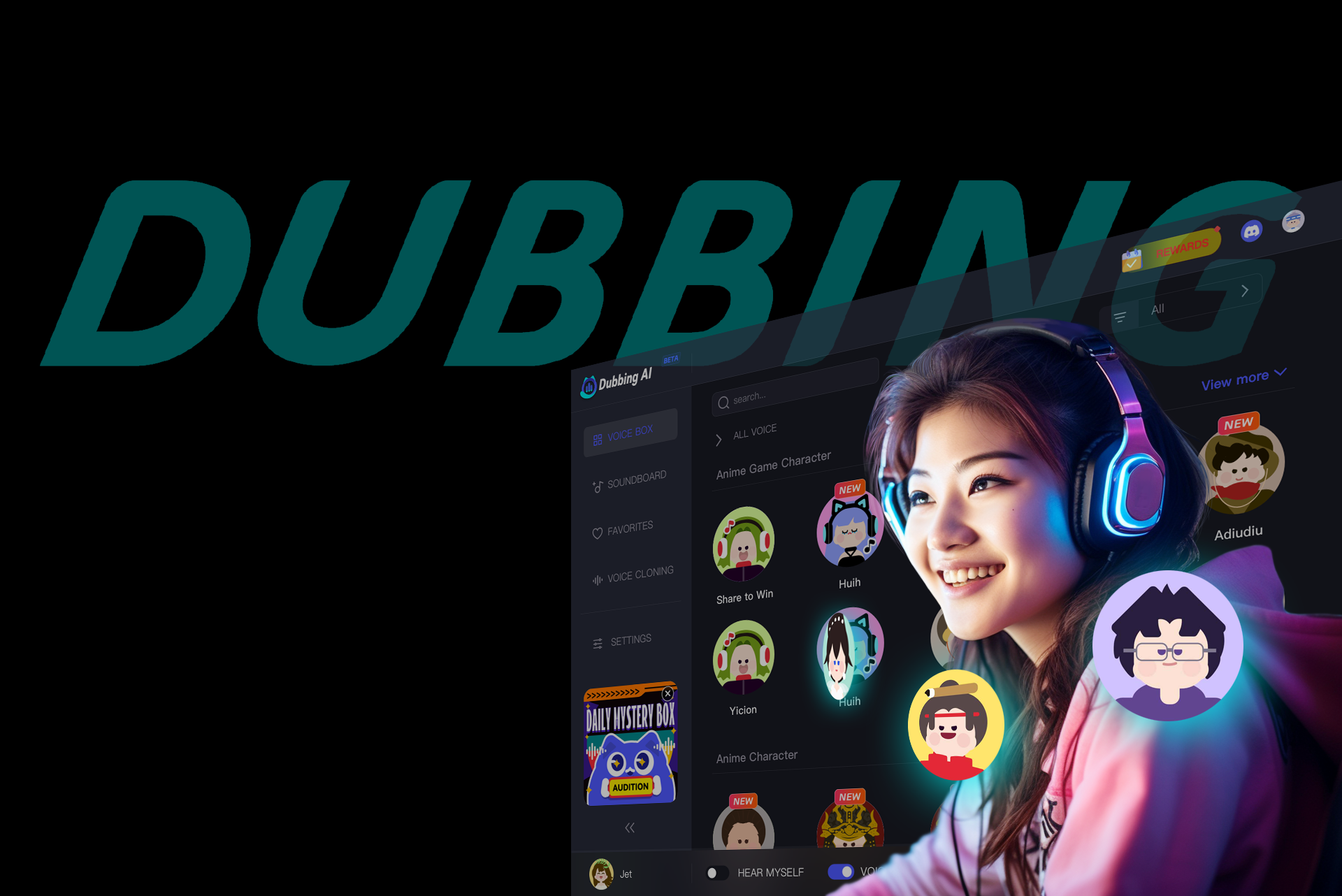
    Dubbing AI provides an unparalleled experience with its low-latency, real-time voice changing, making it the ultimate companion for streaming and in-game chat. This ensures that your communication flows seamlessly, allowing you to engage with your audience or teammates without missing a beat. With an impressive library of over 1,000 voices, Dubbing AI lets you channel a diverse range of characters—from everyday people to iconic figures from anime, games, and movies. This vast selection adds a unique flair to your content, letting you embody different personas at the click of a button. Perfect for multimedia projects, Dubbing AI excels at delivering quick audio solutions, empowering creators to produce high-quality sound effortlessly and efficiently, enhancing the overall impact of their work.

    Features of Dubbing AI

    Automated dubbing process

    Dubbing AI transforms audio translation. The tool uses advanced text-to-speech technology. You get human-like voices in multiple languages. The process is quick and efficient. High-quality voiceovers capture the original content’s emotion.

    Language support and accuracy

    Dubbing AI offers extensive language support. Accurate translations maintain the speaker’s voice authenticity. The tool ensures a seamless viewing experience. Audiences worldwide enjoy content in their native languages.

    Benefits of Using Dubbing AI

    Time-saving in video production

    Dubbing AI saves time in video production. Traditional dubbing methods take longer. The AI automates the process. You focus on creative aspects. The efficiency boosts productivity.

    Expanding audience reach

    Dubbing AI expands your audience reach. Multilingual support breaks language barriers. Content becomes accessible to a global audience. You engage with diverse viewers. The tool enhances international appeal.

    Tripo AI

    Understanding Tripo AI

    Tripo AI is a groundbreaking generative 3D foundation model boasting billions of parameters, revolutionizing the way we create three-dimensional assets. In a mere 8 seconds, it transforms images or text into intricate 3D mesh models, making the once tedious design process lightning-fast and accessible. This innovative tool unlocks endless possibilities for artists and developers, enabling them to visualize concepts in real-time. Whether crafting unique characters, stunning environments, or complex structures, Tripo AI’s efficiency and precision set a new standard in 3D modeling, bridging the gap between imagination and reality with remarkable speed and creativity.

    Features of Tripo AI

    Content generation capabilities

    Tripo AI lets you create 3D models with just text or images. You can type a description or upload a picture. The AI then generates four drafts. You select one for a full render. This process takes only a few minutes. Even beginners find 3D modeling accessible with Tripo AI.

    User interface and experience

    Tripo AI offers a user-friendly interface. The design focuses on simplicity. Users navigate easily through the platform. The trending prompt feature helps you explore popular ideas. This tool empowers creativity without technical barriers.

    Benefits of Using Tripo AI

    Efficiency in content creation

    Tripo AI speeds up the 3D modeling process. You save time by automating complex tasks. The AI handles intricate details. You focus on creativity and ideation. This efficiency enhances productivity.

    Enhancing creativity

    Tripo AI encourages creative exploration. The tool removes technical obstacles. You experiment with different ideas. The AI’s capabilities inspire new possibilities. Creativity flourishes with fewer limitations.

    Integrating Tripo AI and Dubbing AI

    Synergy between the tools

    Tripo AI and Dubbing AI offer a powerful combination for content creators. You can streamline your content workflows by using these tools together. Tripo AI handles the creation of stunning 3D visuals, while Dubbing AI provides high-quality voiceovers in multiple languages. This integration allows you to focus on creativity without worrying about technical details.

    Content creators can enhance multimedia projects by combining the strengths of Tripo AI and Dubbing AI. Imagine creating a visually stunning 3D animation with Tripo AI and then adding lifelike voiceovers with Dubbing AI. Your projects will captivate audiences and convey messages more effectively. The synergy between these tools opens up new possibilities for storytelling and engagement.

    Real Users have found Dubbing AI invaluable for audio translation. The tool preserves voice quality. Language learners benefit too. Improved comprehension and pronunciation skills enhance communication.

    AI tools like Tripo AI and Dubbing AI transform content creation. You can boost creativity and productivity by using these tools. AI optimizes efforts, enhances quality, and delivers content efficiently. Embrace AI to stay competitive in the digital world. The future of AI in content creation looks promising. Expect faster production and improved efficiency. AI offers a cost-effective solution for your content needs. Start exploring AI tools today. Your content will reach new heights.

    See Also

    Discovering Fresh Opportunities with Dubbing AI for Voiceovers

    Harnessing the Potential of Dubbing AI: Voice Replication and Beyond

    Dubbing AI: The Premier Answer for Translating Audio and Preserving Voices

    Engaging with Favorite Characters through Character AI and Dubbing AI

    2024 Handbook: Dubbing AI for Instant Voice Alteration on Discord

  • Why Soundboards Are Essential for TikTok Creators

    Why Soundboards Are Essential for TikTok Creators

    Why Soundboards Are Essential for TikTok Creators

    TikTok has revolutionized the way you create and consume content, thriving on a vibrant and dynamic platform that celebrates creativity. Sound is a pivotal element in this ecosystem, and you might have noticed how certain sounds or songs go viral, enhancing the appeal of videos. In fact, 88% of TikTok users believe sound is essential to their experience.

    Soundboards are vital for TikTok creators, driving engagement and creativity. A 2023 study showed that videos with sound effects have 50% higher engagement rates compared to those without. TikTok’s algorithm also favors audio-rich content, boosting visibility. With over 1 billion monthly active users, creators using dynamic soundboards can quickly stand out. In fact, a survey revealed that 70% of viral TikToks feature customized sound elements, highlighting the importance of soundboards. These tools allow creators to personalize content, adding humor or drama, and are key to maintaining audience attention in the fast-paced world of TikTok.

    The Best AI Voice Changer with soundboard

    The Role of Sound in TikTok Content

    Enhancing Engagement

    Capturing audience attention

    Sound grabs attention on TikTok. When you use the right audio, it can stop viewers from scrolling and make them focus on your content. Think about those catchy tunes or funny sound bites that instantly draw you in. By choosing engaging sounds, you create an immediate connection with your audience.

    Creating memorable content

    Memorable content often relies on sound. You want your videos to stick in people’s minds, right? Using unique or trending sounds can make your content unforgettable. When viewers hear that sound again, they’ll think of your video. This association helps build a lasting impression.

    Building a Unique Brand

    Establishing a signature sound

    Creating a signature sound sets you apart. Imagine having a sound that people instantly recognize as yours. This could be a specific song, a catchphrase, or a sound effect. It becomes part of your brand identity, making your content easily identifiable.

    Differentiating from competitors

    Sound helps you stand out from the crowd. On TikTok, many creators compete for attention. By using distinctive audio, you differentiate yourself from others. This uniqueness not only attracts viewers but also keeps them coming back for more. Sound is your tool to shine in a sea of content.

    Strategies for Using Soundboards Effectively

    Selecting the Right Sounds

    Aligning with content theme

    Choosing the right sound for your TikTok video is like picking the perfect soundtrack for a movie. You want the audio to match the mood and message of your content. If you’re creating a fun and energetic dance video, opt for upbeat music or lively sound effects. For a heartfelt message, softer tunes might work better. Aligning your sound with your content theme ensures that your video feels cohesive and engaging.

    Considering audience preferences

    Your audience plays a crucial role in your sound selection. Think about what they enjoy and what resonates with them. Are they into trending songs or do they prefer unique sound effects? Pay attention to the feedback you receive on your videos. This can guide you in choosing sounds that your viewers will love. By considering your audience’s preferences, you create content that keeps them coming back for more.

    TikTok Soundboard and Dubbing AI

    TikTok Soundboard and Dubbing AI
    Image Source: pexels

    Integration of TikTok Soundboard

    Enhancing creativity with soundboards

    You know how important it is to stand out on TikTok. The TikTok soundboard can be your secret weapon. It lets you experiment with different sounds, adding a unique twist to your videos. Imagine having a library of sounds at your fingertips, ready to transform your content. You can mix and match audio clips to create something truly original. This tool encourages you to push the boundaries of your creativity, making your videos more engaging and memorable.

    Examples of popular soundboard uses

    Many creators have already harnessed the power of the TikTok soundboard. Some use it to add dramatic sound effects to their storytelling, while others incorporate catchy tunes into their dance routines. You might have seen those hilarious lip-sync videos where the sound perfectly matches the action. These examples show how versatile soundboards can be. They offer endless possibilities for enhancing your content and capturing your audience’s attention.

    Role of Dubbing AI

    Consistency in audio quality

    Dubbing AI plays a crucial role in maintaining high-quality audio in your TikTok videos. You want your content to sound professional, right? Dubbing AI ensures that your audio remains clear and consistent, no matter how many times you edit or re-record. It eliminates background noise and balances sound levels, giving your videos a polished finish. This consistency helps you build a reliable brand image, making your content more appealing to viewers.

    Multilingual content creation

    Reaching a global audience has never been easier, thanks to Dubbing AI. It allows you to create multilingual content, expanding your reach beyond language barriers. You can dub your videos in different languages, making them accessible to a wider audience. This feature not only increases your engagement but also boosts your visibility on the platform. By embracing Dubbing AI, you open up new opportunities for growth and connection with diverse audiences.

    Broader Implications of Soundboards on TikTok

    Impact on Content Trends

    Shaping new content styles

    Soundboards are changing how you create content on TikTok. They let you experiment with different audio clips, adding a fresh twist to your videos. This flexibility encourages you to explore new styles and formats. For instance, the introduction of TikTok’s Music Visualizer empowers you to craft music from various drumbeats and sounds while recording. This innovation opens up endless possibilities for creativity, allowing you to set trends rather than follow them.

    Influencing platform algorithms

    Sound plays a crucial role in TikTok’s algorithm. When you use engaging audio, your content is more likely to be promoted. Research shows that 88% of TikTok users find sound essential, leading to higher engagement with audio ads. By leveraging soundboards, you can tap into this trend, boosting your visibility and reach. The right sound can make your video more discoverable, helping you connect with a broader audience.

    Soundboards have become essential for TikTok creators like you. They let you craft engaging and memorable content. As digital content evolves, sound plays a bigger role in capturing attention and building your brand. Exploring the possibilities of TikTok soundboards and Dubbing AI can elevate your creativity. Dive into these tools to enhance your videos and connect with your audience in new ways. Embrace the power of sound to stand out and make your mark on TikTok.

    See Also

    Optimizing Roblox Gameplay with Sound Button Strategies

    Explore Diverse Sound Boards: Experiment with AI Dubbing

    Selecting the Perfect Gaming Soundboard and Voice Modulator

    Elevate Your Gaming Experience with AI Dubbing Soundboard

    Incorporating Pokemon Sound Effects for Valorant Tactics

  • 5 Best Anime Soundboard Apps for Sound Effect Lovers

    5 Best Anime Soundboard Apps for Sound Effect Lovers

    Anime sound effects have become a beloved part of the anime experience. Fans worldwide once imported VHS tapes from Japan to satisfy their animation cravings. Now, you can easily access these captivating sounds through anime soundboard apps. These apps let you explore a vast array of sound effects, enhancing your enjoyment and creativity. Choosing the right app is crucial for sound effect enthusiasts like you. The perfect anime soundboard app will offer a seamless experience, allowing you to dive into the world of anime sounds effortlessly.

    The Best AI Voice Changer with soundboard

    PC/Mac Anime Soundboard Apps

    When it comes to anime soundboards for PC and Mac, you have some fantastic options. These apps let you dive into the world of anime sound effects right from your computer. Let’s explore two popular choices: Dubbing AI and Voicemod.

    App 1: Dubbing AI

    Features

    Dubbing AI stands out with its impressive features. It offers voice clarity and outstanding audio quality, ensuring that every sound effect you play is crisp and clear. The app uses artificial intelligence to enhance your experience, making it a top choice for anime soundboard enthusiasts. With Dubbing AI, you can explore and upload their own colorful soundboards, adding dynamic audio effects to enhance gameplay, streams, or creative projects with personalized, engaging sound experiences. You can also count on data security, so your personal information stays safe while you enjoy your favorite sounds.

    Pros

    • Real-Time Voice Changing: Dubbing AI delivers exceptional real-time voice transformations, letting you seamlessly switch between voices with ultra-low latency. Elevate your gaming, streaming, or chats with smooth, instant voice changes!

    • Extensive Voice Library: Dubbing AI boasts a vast voice library with hundreds of unique options, from realistic human tones to iconic characters. It unlocks limitless creativity, perfect for immersive gaming, streaming, or content creation.

    • Colorful Soundboard: With Dubbing AI, you can explore and upload their own colorful soundboards, adding dynamic audio effects to enhance gameplay, streams, or creative projects with personalized, engaging sound experiences.

    Features

    Voicemod is another excellent anime soundboard app for PC and Mac. It uses advanced algorithms to transform your voice in real-time, offering a wide range of voice styles and languages. This versatility makes it perfect for streaming, audiobooks, and even virtual assistants. With Voicemod, you can easily create unique sound effects that mimic human speech.

    Pros

    • Real-Time Voice Transformation: You can change your voice instantly, adding a fun twist to your soundboard experience.

    • Versatility: Supports multiple applications, from streaming to virtual assistants.

    • User-Friendly: The interface is intuitive, making it easy for anyone to use.

    Both Dubbing AI and Voicemod offer unique features that cater to different needs. Whether you prioritize audio quality or real-time voice transformation, these anime soundboard apps provide excellent options for enhancing your anime sound experience on PC and Mac.

    Online Anime Soundboard Apps

    Exploring anime soundboards online opens up a world of possibilities for sound effect lovers like you. These platforms offer easy access to a wide range of anime sound effects without the need for downloads or installations. Let’s dive into two popular online options: Myinstants and Voicy.

    App 3: Myinstants

    Features

    Myinstants is a treasure trove for anime soundboard enthusiasts. It provides a vast collection of instant sound buttons, allowing you to add amusing sound effects to your conversations or online content. You can easily customize and craft your own sound buttons, making it a fantastic way to personalize your audio experience. Whether you’re on a smartphone, desktop, or tablet, Myinstants ensures you have access to all your favorite sounds.

    Pros

    • User-Friendly Interface: All voice memes and soundboard buttons are readily available on the screen, making it easy to find and play sounds.

    • Customization: You can create your own sound buttons, adding a personal touch to your soundboard.

    • Accessibility: Available across multiple devices, ensuring you can enjoy anime sound effects wherever you are.

    Cons

    • Limited Advanced Features: While great for basic use, it may lack some advanced features found in dedicated apps.

    • Ads: The presence of ads might be distracting for some users.

    App 4: Voicy

    Features

    Voicy offers a dynamic platform for anime soundboard lovers. It provides a collection of meme soundboards and sound effects, perfect for elevating your audio experience. Voicy supports sound effects download, allowing you to curate your own library of favorite anime sounds. The platform categorizes sounds into genres like Horror, Mecha, Shonen, and Slice of Life, making it easy to find exactly what you’re looking for.

    Pros

    • Extensive Library: A wide range of sound effects and meme soundboards to choose from.

    • Genre Categorization: Helps you quickly find sounds that match your interests.

    • Downloadable Content: Allows you to save your favorite sounds for offline use.

    Cons

    • Account Requirement: Some features may require you to create an account.

    • Limited Free Access: Certain premium sounds might only be available through a subscription.

    Both Myinstants and Voicy offer unique advantages for those seeking anime soundboard experiences online. Whether you want to create custom sound buttons or explore a vast library of categorized sounds, these platforms provide excellent options for enhancing your anime sound journey.

    Android/iOS Anime Soundboard Apps

    Android/iOS Anime Soundboard Apps
    Image Source: unsplash

    When you’re on the go, having an anime soundboard app on your smartphone can be a game-changer. These apps bring the world of anime sound effects right to your fingertips, making it easy to enjoy and share your favorite sounds wherever you are. Let’s take a closer look at 101soundboard, a popular choice for Android and iOS users.

    App 5: 101soundboard

    Features

    101soundboard offers a vast library of sound effects and audio clips, perfect for anime enthusiasts. You can explore hundreds of soundboards featuring celebrities, animations, games, and more. Each sound comes with an MP3 file, allowing you to download and share it with friends. The app’s user-friendly interface makes navigation a breeze, so you can quickly find the sounds you love. Plus, you can set hotkeys for each sound, making it easy to play your favorites with just a tap.

    Pros

    • Extensive Library: With a wide range of soundboards, you’ll never run out of options to explore.

    • Downloadable Sounds: Save your favorite anime sound effects as MP3 files for offline use.

    • Hotkey Functionality: Quickly access and play sounds with customizable hotkeys.

    • User-Friendly Interface: Navigate through the app effortlessly, thanks to its intuitive design.

    Cons

    • Outdated Content: Some users have noted that certain sounds could use an update to stay current.

    • Ads: The presence of ads might interrupt your experience, though they help keep the app free.

    101soundboard stands out as a versatile anime soundboard app for both Android and iOS devices. Whether you’re looking to enhance your content or simply enjoy anime sound effects on the go, this app provides a comprehensive and enjoyable experience. Dive into the world of anime sounds and let your creativity shine with 101soundboard.

    Let’s wrap up our journey through the world of anime soundboard apps. We’ve explored some of the best options across various platforms, each offering unique features to enhance your experience. Whether you’re using a PC, Mac, or mobile device, there’s an anime soundboard app tailored to your needs. Remember, the right app depends on what you value most—be it sound quality, customization, or ease of use. So, dive in and explore these apps to enjoy the captivating world of anime sound effects. If you have questions, check out our FAQ section for more insights.

    See Also

    Boost Your Gaming Experience with Dubbing AI Sound Effects

    Unlock Your Creativity with Dubbing AI: The Best PC Voice Modulator

    Explore Top Celebrity Voice Altering App – Dubbing AI

    Dubbing AI: The Premier Discord Voice Modifying Tool

    Yearning to Mimic Firefly? Test Dubbing AI, Top Hokai Star Rail Voice Transformer

  • How to Enhance TikTok videos with Soundboard

    How to Enhance TikTok videos with Soundboard

    TikTok has taken the world by storm, boasting over 1.5 billion monthly active users in 2023. With such a massive audience, creating engaging content is crucial. You want your videos to stand out, right? That’s where TikTok creation tools like soundboards and dubbing AI come into play. These tools can transform your content, adding layers of creativity and engagement. By using technology like soundboards and dubbing AI, you can elevate your TikTok creation and capture more attention. In a sea of creators, leveraging these tools helps you shine brighter on social media.

    The Best AI Voice Changer with soundboard

    Enhance contents

    Many TikTok creators are elevating their content using soundboards and voice changers. A standout example is TikTok creator jeandrejvrr, who has 2.7M followers and recently achieved 9M views on a video using the soundboard and voice changer from Dubbing AI. These tools add a dynamic and creative layer to videos, helping creators like jeandrejvrr to engage audiences with diverse voices and sound effects. By incorporating these features, TikTokers can easily enhance their storytelling, making videos more entertaining and interactive, ultimately driving more views and engagement.

    Does anyone even know who Gojo is

    TikTok creator jeandrejvrr captivated millions by using Dubbing AI’s Gojo voice changer to flawlessly deliver iconic lines from the anime Jujutsu Kaisen. His clever use of the voice changer brings the powerful character Gojo to life, blending humor and authenticity in his content. This creative twist resonated with fans, drawing in millions of views and sparking thousands of comments. By channeling Gojo’s distinctive voice, jeandrejvrr adds a new layer of excitement to his videos, proving how Dubbing AI can transform voiceovers into viral sensations in the anime-loving community.

    Benefits of Using Soundboards and Dubbing AI

    Enhancing Video Engagement

    Capturing audience attention

    You want your TikTok videos to grab attention right from the start. Soundboards can help you achieve this by adding unique audio elements that make your content stand out. When you use sound effects, you create an immersive experience for your viewers. This keeps them hooked and eager to see what comes next. TikTok’s algorithm loves audio-rich content, so using soundboards can boost your video’s visibility. By personalizing your content with humor or drama, you maintain audience interest and encourage them to engage more with your videos.

    Increasing video shares and likes

    Soundboards and dubbing AI can significantly increase your video’s shares and likes. Videos with sound effects have a 50% higher engagement rate compared to those without. When your content resonates with viewers, they are more likely to share it with their friends. This increases your reach and helps your videos go viral. Dubbing AI adds another layer by providing high-quality voiceovers that enhance storytelling. This makes your content more relatable and shareable, leading to more likes and interactions.

    Streamlining Content Creation

    Saving time and effort

    Creating TikTok videos can be time-consuming, but soundboards and dubbing AI simplify the process. These tools allow you to focus on creativity rather than technical details. With soundboards, you can quickly add sound effects without spending hours searching for the perfect clip. Dubbing AI automates the voiceover process, saving you time and effort. You can produce professional-quality videos without needing extensive editing skills. This efficiency lets you create more content in less time, keeping your audience engaged and coming back for more.

    Improving content quality

    Soundboards and dubbing AI not only save time but also improve the quality of your content. High-quality audio enhances the overall production value of your videos. Soundboards let you experiment with different sounds, adding depth and dimension to your content. Dubbing AI ensures your voiceovers are clear and well-synced, making your videos sound polished and professional. By using these tools, you elevate your content, making it more appealing to viewers and increasing your chances of success on TikTok.

    Tiktok Creation with Soundboard and Dubbing AI

    Tiktok Creation with Soundboard and Dubbing AI
    Image Source: pexels

    Creating engaging TikTok content involves more than just hitting the record button. You need to plan, select the right tools, and execute your ideas effectively. Let’s explore how you can enhance your TikTok videos using soundboards and dubbing AI.

    Preparing Your Script

    Writing engaging content

    Start by crafting a script that captivates your audience. Think about what makes your content unique and how you can convey that through your words. Whether you’re telling a story, sharing a tutorial, or creating a skit, your script should be clear and engaging. Keep your sentences short and impactful. Remember, TikTok is all about quick, snappy content that grabs attention immediately.

    Translating for a wider audience

    To reach a broader audience, consider translating your content into multiple languages. This is where dubbing AI comes in handy. By using AI tools, you can easily add translations to your videos, making them accessible to viewers worldwide. This not only broadens your reach but also shows your commitment to inclusivity.

    Using a Soundboard

    Selecting appropriate sound effects

    Soundboards are your best friend when it comes to adding flair to your videos. Choose sound effects that complement your content and enhance the viewer’s experience. Whether it’s a dramatic sound for a plot twist or a comedic effect for a funny moment, the right sound can make all the difference. As TikTok Creators suggest, sound plays a crucial role in capturing attention and building your brand.

    Integrating sounds into your video

    Once you’ve selected your sound effects, it’s time to integrate them into your video. Timing is everything. Make sure the sounds align perfectly with your visuals to create a seamless experience. Experiment with different placements and volumes to find what works best for your content. This experimentation can lead to discovering new ways to engage your audience.

    Applying Dubbing AI

    Choosing the right AI tool

    Selecting the right dubbing AI tool is essential for adding voiceovers or translations. Look for tools that offer high-quality audio and a variety of language options. AI Dubbing Experts emphasize the importance of using dubbing to enhance storytelling. Choose a tool that complements your content and adds value without distracting from the main message.

    Adding voiceovers or translations

    With your AI tool ready, you can start adding voiceovers or translations to your videos. Ensure that the voice matches the tone and style of your content. A well-synced voiceover can bring your video to life, making it more engaging and professional. Use dubbing AI to add depth to tutorials, narrations, or creative skits, keeping viewers hooked from start to finish.

    By incorporating soundboards and dubbing AI into your TikTok creation process, you can elevate your content and connect with your audience in new and exciting ways. Embrace these tools to stand out and make your mark on TikTok.

    Editing and Finalizing Your Video

    Editing and Finalizing Your Video
    Image Source: pexels

    Once you’ve created your TikTok masterpiece, it’s time to polish it to perfection. Editing is where your video truly comes to life, and a few tweaks can make all the difference.

    Video Editing Tips

    Cutting and trimming clips

    Start by cutting and trimming your clips. This step ensures your video flows smoothly and keeps your audience engaged. You want to remove any unnecessary parts that might distract viewers. Keep your content concise and to the point. Remember, TikTok thrives on quick, snappy videos that capture attention immediately.

    Adding transitions and effects

    Next, add transitions and effects to enhance your video. These elements can make your content more dynamic and visually appealing. Use transitions to seamlessly connect different clips. Effects can add flair and emphasize key moments. Experiment with different styles to find what best suits your video’s theme and tone.

    By following these steps, you can effectively publish and promote your enhanced TikTok video. Remember, the goal is not just to share your content but to connect with your audience and build a community around your creativity.

    Using soundboards and dubbing AI on TikTok offers numerous benefits. These tools enhance your content, making it more engaging and professional. Creators have seen higher engagement rates and visibility by incorporating these technologies. You should experiment with soundboards and dubbing AI to unlock your creative potential. They provide ease of use, high-quality audio, and multilingual options. Staying ahead in the competitive TikTok landscape requires innovation. By embracing these tools, you can captivate your audience and stand out. Keep exploring and pushing the boundaries of your creativity.

    See Also

    Boost Your Gaming Experience with Dubbing AI Sound Effects

    Harnessing Dubbing AI’s Potential: Voice Replication and Beyond

    Empower Your Voice with AI Voice Modulator: Meet Dubbing AI

    Dubbing AI: The Best Voice Alterer for Discord Servers

    Exploring Fresh Horizons in Voice Alteration with Dubbing AI

  • Soundboard Memes: Boost Your SNS Popularity

    Soundboard Memes: Boost Your SNS Popularity

    In today’s digital age, social media popularity can significantly impact your personal and professional life. Platforms like Instagram boast engagement rates that are four times higher than Facebook, making them ideal for boosting your online presence. To stand out, you need creative tools like soundboard memes and Dubbing AI. These tools help you create engaging content that resonates with your audience. Incorporating a voice generator can add a unique twist to your posts, making them more entertaining and shareable. By leveraging these innovative tools, you can enhance your social media interactions and increase your follower count.

    The Best AI Voice Changer with soundboard

    Understanding Soundboard Memes

    Understanding Soundboard Memes

    What are Soundboard Memes?

    Soundboard memes are audio clips or sound bites that you can use to add humor and personality to your social media content. These memes often feature popular phrases, funny sounds, or iconic movie quotes. You can find them in various formats, from short audio snippets to longer soundtracks. People love using soundboard memes on platforms like Instagram and TikTok because they make posts more engaging and entertaining.

    “Soundboard memes have become a staple in digital communication, offering a playful way to express emotions and reactions.”

    Creating Effective Soundboard Memes

    Creating your own soundboard memes can be a fun and rewarding experience. Here are some tools and tips to help you get started:

    Tools and Software Recommendations

    1. Dubbing AI Community Sound: Join the Dubbing AI community and access unlimited, FREE sound clips for your soundboard! Discover thousands of soundboards filled with iconic sounds and viral memes, all categorized by popular topics. Whether you’re into gaming, movies, or memes, there’s something for everyone to add flavor to their content.

    2. Voicemod Soundboard: This software lets you play audio clips or sound bites, perfect for adding fun to your digital interactions. You can create unique, customizable soundboards to inject humor into your content.

    Tips for Creating Engaging Content

    • Know Your Audience: Understand what your followers find funny or interesting. Tailor your soundboard memes to match their preferences.

    • Keep It Short and Sweet: Short clips are more likely to capture attention and get shared. Aim for concise and impactful audio snippets.

    • Stay Relevant: Use trending sounds or popular phrases to keep your content fresh and relatable. This can help increase your reach and engagement.

    By using these tools and tips, you can create soundboard memes that not only entertain but also boost your social media presence.

    Exploring Dubbing AI

    Exploring Dubbing AI
    Image Source: pexels

    What is Dubbing AI?

    Dubbing AI is a fascinating technology that uses machine learning to create natural-sounding voiceovers. It allows you to translate content into multiple languages effortlessly. This technology is rapidly advancing, with AI voices becoming almost indistinguishable from human voices. You can use Dubbing AI to streamline your workflow, reduce production costs, and switch between different characters and tones with ease.

    Overview of AI in Voice Dubbing

    AI-based dubbing technology accelerates the dubbing process. It enables content creators to produce voiceovers quickly and efficiently. By using machine learning, Dubbing AI can generate voiceovers that sound natural and engaging. This technology is especially useful for global audiences, as it can create voiceovers in multiple languages.

    Applications in Social Media

    In the realm of social media, Dubbing AI offers exciting possibilities. You can use it to create engaging content that resonates with a diverse audience. For instance, short video advertisements can benefit from AI voice-over technology. It reduces production costs and enhances efficiency, making it easier for you to reach a wider audience. By incorporating Dubbing AI, you can make your social media posts more dynamic and appealing.

    How to Use Dubbing AI for SNS

    Using Dubbing AI for your social media strategy can be a game-changer. Here’s a simple guide to get you started:

    Step-by-step Guide

    With a few simple steps, you can use any voice you want for your SNS account. Try the free ghostface voice changer now!

    • Download Dubbing AI, Install, Configure & Open Dubbing AI Voice Changer App.

    • Open system Sound Setting, Select (Dubbing Virtual Device) as your input device.

    • Save and Apply. Don’t forget to save your settings in the APP settings panel.

    • Now you can experience the real role-play with your changed voice.

    Best Practices and Tips

    • Experiment with Different Voices: Don’t be afraid to try out various voices and tones. This experimentation can help you find the perfect match for your content.

    • Keep Your Audience in Mind: Consider what your audience will find appealing. Tailor your voiceovers to their preferences for better engagement.

    • Stay Updated with Trends: Keep an eye on the latest trends in AI voice technology. Staying updated ensures your content remains fresh and relevant.

    By following these steps and tips, you can effectively use Dubbing AI to enhance your social media presence. This technology not only makes your content more engaging but also helps you connect with a broader audience.

    Integrating Soundboard Memes and Dubbing AI

    Strategies for Combining Both Tools

    Combining soundboard memes with Dubbing AI can elevate your social media content to new heights. Here are some creative ideas and examples to get you started:

    Creative Ideas and Examples

    1. Dynamic Meme Creation: Use Dubbing AI to add voiceovers to your soundboard memes. This can transform a simple meme into a multi-dimensional experience. Imagine a meme with a popular movie quote, but in a different character’s voice. It adds a layer of humor and surprise that your audience will love.

    2. Interactive Storytelling: Create a series of posts where each one builds on the last. Use soundboard memes to set the scene and Dubbing AI to narrate the story. This approach keeps your audience engaged and eager for the next installment.

    3. Gaming Enhancements: If you’re into gaming, integrate soundboard memes and Dubbing AI to enhance your gameplay videos. Add funny sound effects or character voices to make your content more entertaining. This strategy has revolutionized how gamers interact with virtual worlds, making their content more immersive.

    Revolutionizing gaming experience with Dubbing AI and soundboards reshapes how we interact with virtual worlds and enhances gameplay.”

    Case Studies of Successful Integration

    • Meme Creators: Some meme creators have successfully used Dubbing AI to add dynamic voiceovers to their memes. This integration has increased engagement by transforming static images into lively, shareable content.

    • Gaming Influencers: Influencers in the gaming community have used these tools to create unique content that stands out. By adding soundboard memes and AI-generated voices, they’ve attracted more followers and boosted their online presence.

    Benefits of Using Both Tools

    Integrating soundboard memes and Dubbing AI offers several benefits that can significantly enhance your social media strategy.

    Increased Engagement and Reach

    • More Shares and Likes: Content that combines audio and visual elements tends to get more shares and likes. People enjoy engaging with posts that offer a richer experience.

    • Broader Audience Appeal: By using Dubbing AI, you can create content in multiple languages, reaching a wider audience. This inclusivity can lead to increased followers and engagement.

    Enhanced Content Creativity

    • Unique Content: The combination of soundboard memes and Dubbing AI allows you to create content that’s truly unique. This originality can set you apart from others in your niche.

    • Endless Possibilities: With these tools, the possibilities for creativity are endless. You can experiment with different sounds, voices, and formats to keep your content fresh and exciting.

    By integrating soundboard memes and Dubbing AI, you can create engaging, creative content that resonates with your audience. These tools not only enhance your social media presence but also open up new avenues for creativity and engagement.

    Soundboard memes and Dubbing AI offer you a powerful way to boost your social media presence. These tools help you create engaging, creative content that stands out. By using soundboard memes, you add humor and personality to your posts. Dubbing AI lets you reach a broader audience with multilingual voiceovers. Experiment with these tools to discover what works best for your style and audience. Dive in, have fun, and watch your SNS popularity soar.

    See Also

    Boost Your Gaming Experience with Dubbing AI Sound Effects

    Unleash Your Imagination: Create Memes with Voice Modulator

    Awaken Your Anime Persona with Dubbing AI Technology

    The Emergence of Kizuna AI: Analyzing the Trend of Dubbing AI and Virtual Content Creation

    Voice Transformation: Elevating Your Discord Experience with Dubbing AI

  • Halloween Soundboard Reviews: Find Your Perfect Scary Voice

    Halloween Soundboard Reviews: Find Your Perfect Scary Voice

    Halloween Soundboard Reviews: Find Your Perfect Scary Voice
    Image Source: pexels

    Halloween Soundboards bring the spooky season to life with a variety of eerie sounds. Imagine werewolves howling, witches cackling, and ghosts haunting—all at your fingertips. These soundboards offer a fun way to enhance your Halloween events, whether you’re hosting a party or just want to spook your friends. Finding the right scary voice is crucial. It sets the mood and adds an authentic touch to your celebrations. With options like the Halloween Soundboard app, you can easily create custom sounds or use a voice generator to craft the perfect chilling atmosphere.

    The Best AI Voice Changer with soundboard

    Understanding Halloween Soundboards

    Halloween soundboards are your go-to tool for creating a spine-chilling atmosphere. They offer a variety of eerie sounds that can transform any setting into a haunted house. Whether you’re planning a Halloween party or just want to add some spooky vibes to your home, these soundboards have got you covered. Let’s dive into the different types of Halloween soundboards available to you.

    Types of Halloween Soundboards

    Online Soundboards

    Online soundboards are perfect if you want quick access to a wide range of spooky sounds without downloading anything. You can find websites that offer free Halloween-themed sound effects. These platforms let you play sounds directly from your browser, making them convenient for last-minute Halloween preparations. For instance, the Halloween Soundboard: Spooky Sounds Generator provides a simple interface where you can adjust settings to create creepy or hilarious sounds. It’s a great option if you want to experiment with different sound combinations.

    Mobile App Soundboards

    Mobile app soundboards bring the Halloween spirit right to your smartphone. These apps are handy because you can carry them wherever you go. Imagine being able to play a witch’s cackle or a ghost’s moan at the touch of a button. Apps like the Ape Apps Halloween Soundboard offer a fun and free collection of scary sound effects. You can use them to prank your friends or enhance your Halloween decorations with ambient noise. Plus, some apps allow you to set these sounds as ringtones or notifications, adding a spooky twist to your everyday life.

    Desktop Software Soundboards

    For those who prefer a more robust setup, desktop software soundboards provide advanced features and customization options. These programs often come with a larger library of sounds and allow you to mix and match effects to create a unique audio experience. The Halloween Soundboard Application is an example of software that offers a variety of Halloween-themed sounds. You can tap on a sound to play it or long-press for more options, giving you control over your Halloween soundscape. This type of soundboard is ideal for those who want to create a professional-grade haunted house experience.

    With these options at your disposal, you can easily find a Halloween soundboard that suits your needs. Whether you choose an online platform, a mobile app, or desktop software, you’re sure to find the perfect scary voice to make your Halloween unforgettable.

    Dubbing AI

    Step into the Halloween spirit with Dubbing AI’s community of unlimited, FREE sound clips, specially tailored for your Halloween soundboard! Unleash spine-tingling screams, eerie whispers, and classic haunted house vibes, all categorized by popular spooky themes. With thousands of soundboards available, it’s easy to find the perfect creepy clips and iconic Halloween memes to bring frightful fun to your content. Perfect for gamers, streamers, and creators looking to give their audience a seasonal thrill.

    Features of Dubbing AI

    1. Extensive Voice Library
      Dubbing AI offers over 1,000 voices, from anime characters to deep, dramatic tones and more. This variety means creators can find the ideal voice for any theme or genre. Studies show that content creators using diverse audio assets experience up to a 60% increase in engagement due to richer audience immersion.

    2. Unlimited Community Sound Clips
      With unlimited access to thousands of community-created sound clips, creators can tap into fresh, trending audio memes or niche sounds. These community-driven soundboards are categorized by popular topics, making it easy to find clips that resonate with current trends, a crucial factor in growing your reach.

    3. Real-Time Audio Customization
      Dubbing AI’s soundboard allows for real-time customization, with features like pitch and modulation adjustments, ensuring a unique sound for every creator. In fast-paced settings like gaming and streaming, creators report that real-time audio editing improves audience retention by up to 40%, adding a personal touch to every interaction.

    With these powerful features, Dubbing AI’s soundboard enables creators to produce unique, high-quality content effortlessly, helping them stand out in a competitive landscape.

    Key Features to Look For

    Key Features to Look For

    When you’re on the hunt for the perfect Halloween soundboard, there are a few key features you should keep in mind. These features will ensure you get the most out of your spooky sound experience.

    Sound Quality

    Importance of high-quality audio

    Sound quality is crucial when it comes to creating an immersive Halloween atmosphere. You want those ghostly whispers and eerie howls to sound as real as possible. High-quality audio makes a big difference. It can turn a simple sound effect into a spine-tingling experience. Imagine a werewolf’s growl that sounds like it’s right behind you. That’s the power of good sound quality.

    Examples of soundboards with excellent sound quality

    Some soundboards stand out for their exceptional audio quality. For instance, the Voicemod Halloween Soundboard offers crisp and clear sounds that enhance any Halloween event. Another great option is the Narakeet Scary Voice Generator, which provides realistic voice effects perfect for storytelling or pranks. These soundboards ensure every scream and cackle is delivered with clarity.

    Variety of Voices and Effects

    Range of scary voices available

    A good Halloween soundboard should offer a wide range of scary voices. You might want to switch from a witch’s cackle to a zombie’s groan in seconds. The more options you have, the better you can tailor the sound to fit your event. Some soundboards even let you create custom voices, adding a personal touch to your Halloween setup.

    Additional sound effects and customization options

    Beyond voices, look for soundboards that offer additional effects and customization. You might want to add thunder, footsteps, or even a creaking door to your soundscape. Customization options allow you to mix and match sounds, creating a unique audio experience. This flexibility helps you craft the perfect atmosphere for your Halloween festivities.

    Top Halloween Soundboard Reviews

    Exploring different Halloween soundboards can help you find the perfect match for your spooky needs. Let’s dive into some of the top options available and see what they offer.

    Review of Dubbing AI Halloween Soundboard

    Features and Highlights

    Dubbing AI’s Halloween Soundboard brings seasonal spookiness with an impressive collection of sound effects and voice mods tailored for Halloween-themed content. Featuring haunted laughter, eerie whispers, ghostly howls, and even voices that transform users into characters from classic horror films, the soundboard is designed to elevate the scare factor. The library is extensive, categorized by themes (e.g., “Haunted House,” “Monster Madness”), and includes options for pitch shifts and voice depth adjustments to fit different content styles. Real-time voice changing capabilities also allow users to seamlessly integrate these effects in live streams or video recordings.

    Pros

    • Vast Selection: Thousands of Halloween-themed sounds ensure there’s something for every content creator.

    • Real-Time Voice Modulation: Perfect for live Halloween streams, allowing seamless voice changes mid-broadcast.

    • User-Friendly Interface: Organized by themes, it’s easy to navigate and find the right spooky sound quickly.

    • Community Contributions: Users can access community-made sounds for a collaborative and diverse soundboard experience.

    Cons

    • Limited Free Options: Many of the best Halloween voices and effects are behind a paywall, limiting free users.

    • Device Compatibility: Some advanced features may only work smoothly on higher-end devices, which could hinder access for some users.

    Overall Verdict
    Dubbing AI’s Halloween Soundboard is a powerful tool for creating spine-chilling Halloween content. While it may require investment for full access, the sound variety and real-time capabilities make it an excellent choice for both amateur and seasoned content creators looking to make an impression this spooky season.

    Review of Voicemod Halloween Soundboard

    Features and highlights

    Voicemod’s Halloween Soundboard stands out with its impressive range of features. You get access to a vast library of sounds, including screams, howls, and eerie whispers. The soundboard also offers a voice generator that lets you create custom scary voices. This feature is perfect if you want to add a personal touch to your Halloween setup. The sound quality is top-notch, ensuring every sound effect is crisp and clear.

    Pros and cons

    Pros:

    • Extensive library of high-quality sounds

    • Customizable voice generator

    • User-friendly interface

    Cons:

    • Some features require a premium subscription

    • May have a learning curve for beginners

    Review of Fineshare Halloween Soundboard

    Features and highlights

    Fineshare’s Halloween Soundboard provides a delightful collection of spooky sound clips. You can play or download these clips for free, making it a budget-friendly option. The soundboard includes a variety of effects, from ghostly moans to witchy cackles. Its simple design ensures you can easily navigate through the sounds and find what you need quickly.

    Pros and cons

    Pros:

    • Free access to a wide range of sounds

    • Easy-to-use interface

    • Downloadable sound clips

    Cons:

    • Limited customization options

    • Sound quality may vary

    Review of Narakeet Scary Voice Generator

    Features and highlights

    Narakeet’s Scary Voice Generator offers a unique twist by focusing on voiceovers. You can use this tool to create spooky narrations for stories or videos. The generator provides realistic voice effects, making it ideal for pranks or Halloween-themed content. It supports multiple languages, allowing you to reach a broader audience with your scary creations.

    Pros and cons

    Pros:

    • Realistic voice effects

    • Supports multiple languages

    • Great for storytelling and pranks

    Cons:

    • Limited to voice generation, not a full soundboard

    • Requires internet access for use

    These reviews should help you decide which Halloween soundboard suits your needs best. Whether you want a comprehensive sound library or a specialized voice generator, there’s something for everyone. Dive in and find the perfect scary voice to elevate your Halloween experience!

    Tips for Choosing the Right Soundboard

    Choosing the right Halloween Soundboard can make your spooky season even more thrilling. Here are some tips to help you find the perfect match. Choosing the right Halloween Soundboard

    Consider Your Needs and Preferences

    Identifying the purpose of the soundboard

    First, think about why you need a Halloween Soundboard. Are you planning a haunted house event, or do you just want to have some fun with friends? Knowing your purpose helps you narrow down your options. If you’re hosting a party, you might want a soundboard with a wide variety of sounds to keep things lively. For storytelling, a soundboard with realistic voice effects might be more suitable.

    Matching features to your requirements

    Once you know your purpose, look for features that match your needs. If you want to create custom sounds, choose a soundboard that offers customization options. For those who prefer simplicity, a soundboard with an easy-to-use interface might be best. Make a list of must-have features and use it to guide your decision.

    Budget Considerations

    Free vs. paid soundboards

    Budget plays a big role in your choice. Free soundboards are great if you’re on a tight budget. They often provide a decent range of sounds without any cost. However, paid soundboards usually offer more features and higher sound quality. Decide how much you’re willing to spend and explore both free and paid options.

    Evaluating value for money

    When considering paid soundboards, evaluate their value for money. Check what features they offer compared to free versions. Sometimes, spending a little extra can give you access to a larger library of sounds or better customization tools. Weigh the benefits against the cost to ensure you’re getting the best deal.

    By considering your needs and budget, you can find a Halloween Soundboard that enhances your spooky celebrations. Whether you go for a free option or invest in a premium one, the right soundboard will add an unforgettable touch to your Halloween experience.

    Choosing the right Halloween soundboard can make your spooky celebrations unforgettable. With so many options available, you have the chance to explore and experiment with different sounds. Whether you want to create a terrifying atmosphere with Voicemod’s spine-chilling screams or customize your own eerie effects, the possibilities are endless. Dive into the world of Halloween soundboards and find the perfect scary voice to enhance your festivities. Remember, the right sound can transform any event into a hauntingly memorable experience. So, get creative and let your imagination run wild this Halloween!

    See Also

    Selecting the Perfect Voice Modulator and Sound System for Gaming

    Mastering AI Voice Alteration for Discord Pranks

    Exploring Cutting-Edge AI Voice Replication Tools for Genuine Voiceovers

    AI Dubbing: The Premier Voice Modulator for Discord

    Exploring the Top Celebrity Voice Modifying App – AI Dubbing

  • Unlock Black Ops6 Soundboards with Dubbing AI Today

    Unlock Black Ops6 Soundboards with Dubbing AI Today

    Imagine diving into the world of Call of Duty Black Ops 6 with a unique twist. Dubbing AI lets you find and customize soundboards that transform your gaming experience. You can create personalized sound effects that make every moment in the game feel more immersive. Whether you’re sneaking through enemy lines or leading a charge, the right sound can elevate your gameplay to new heights. With AI, you have the power to tailor these sounds to match your style, making each session unforgettable.

    The Best AI Voice Changer with soundboard

    Understanding Soundboards

    What Are Soundboards?

    Soundboards are digital tools that let you play a variety of sounds at the touch of a button. You can think of them as a collection of audio clips, each ready to be triggered whenever you need them. In gaming, soundboards add an extra layer of fun and strategy. They allow you to inject unique sounds into your gameplay, making every session more engaging. Whether it’s a dramatic explosion or a funny quip, soundboards give you the power to enhance your gaming atmosphere.

    Relevance in Gaming

    Soundboards have become a staple in the gaming world. They offer players a way to personalize their experience and interact with others in creative ways. Let’s dive into why they’re so important, especially in Call of Duty Black Ops 6.

    Importance in COD Black Ops 6

    In Call of Duty Black Ops 6, soundboards play a crucial role. They help you communicate with teammates and taunt opponents. Imagine sneaking up on an enemy and playing a stealthy sound to heighten the tension. Or, after a big win, you could trigger a victory sound to celebrate. These sound effects make your gaming moments more memorable and exciting.

    Enhancing Player Interaction

    Soundboards also boost player interaction. They break the monotony of standard voice chats by adding a layer of creativity. You can use them to coordinate strategies or just have a laugh with friends. By using soundboards, you create a more dynamic and interactive environment. This makes every game session feel fresh and entertaining. Plus, they help mask any background noise, ensuring clear communication during intense moments.

    Introduction to Dubbing AI

    What is Dubbing AI?

    Dubbing AI is a cutting-edge tool that transforms how you experience sound in gaming. It specializes in voice change technology, offering realistic voiceovers that can bring your game to life. Imagine having a wide range of voices and accents at your fingertips, allowing you to create unique characters and narratives. This technology doesn’t just stop at voice modulation; it also includes real-time voice transformation. You can even explore the revolutionary feature of AI voice cloning, which replicates voices with astonishing accuracy. This means you can adapt content seamlessly to different languages and cultures, making your gaming experience more immersive and personalized.

    Application in Soundboard Creation

    Customization Capabilities

    With Dubbing AI, you have the power to customize soundboards like never before. The software provides a variety of tools that let you tailor sound effects to fit your style. Whether you want to add a dramatic flair or a humorous touch, Dubbing AI makes it possible. You can create soundboards that reflect your personality, enhancing your gameplay with every sound. The customization capabilities are vast, allowing you to experiment with different voices and effects until you find the perfect match for your gaming sessions.

    Key features:

    1. Low Latency: Dubbing AI changes your voice in under 30ms, no prerecording needed which brings you the real-time voice changing experience.

    2. Awesome Voices: Over 500 different voices from anime, game, and movie to celebrity to anyone you wish to be. You can also make your personal voice by voice cloning.

    3. Easy to Use: Download and Install in less than 5 minutes, only uses 5% of your CPU

    4. Clolorful Soundboard: All users can find their favorite soundboards from communite sounds or upload their own soundboards to enhance game experience.

    Step-by-Step Guide to Using Dubbing AI

    Step-by-Step Guide to Using Dubbing AI

    Ready to dive into the world of soundboards with Dubbing AI? Let’s walk through the process step by step. You’ll find it easy and fun to create your own custom soundboards for Call of Duty Black Ops 6.

    Finding a Soundboard

    Before you start creating, you need to find the right soundboard. Here’s how you can do it:

    Recommended Platforms

    Several platforms offer a variety of soundboards that you can explore. Websites like Soundboard.com and Myinstants provide extensive libraries of sounds. These platforms are user-friendly and cater to different gaming needs. You can browse through categories or search for specific sounds related to Call of Duty.

    Search Techniques

    When searching for soundboards, use specific keywords to narrow down your options. For instance, type “COD Black Ops 6 sound effects” or “gaming soundboards” in the search bar. This will help you find relevant results quickly. You can also filter by popularity or recent uploads to discover trending sounds. Don’t forget to check user reviews and ratings to ensure quality.

    Creating a Custom Soundboard

    Once you’ve found the sounds you like, it’s time to create your custom soundboard. Here’s how you can do it:

    Tools Required

    To get started, you’ll need a few tools. First, download the Dubbing AI software from their official website. This tool is essential for customizing your soundboard. You’ll also need a computer or mobile device with internet access. A good pair of headphones can enhance your experience by allowing you to hear the sounds clearly.

    Step-by-Step Process

    1. Install Dubbing AI: Begin by installing the Dubbing AI software on your device. Follow the on-screen instructions for a smooth setup.

    2. Select Your Sounds: Open the software and browse through the available sound effects. Use the search function to find specific sounds you want to include in your soundboard.

    3. Customize Your Soundboard: Once you’ve selected your sounds, use Dubbing AI’s customization features. You can adjust the pitch, speed, and volume of each sound. The AI generator allows you to create unique voice effects, making your soundboard truly personalized.

    4. Save and Test: After customizing, save your soundboard. Test it out during a gaming session to see how it enhances your experience. Make adjustments as needed to perfect your setup.

    By following these steps, you’ll unlock a new level of immersion in your gaming sessions. Dubbing AI makes it easy to create soundboards that reflect your style and enhance your gameplay.

    Benefits of Using Dubbing AI

    Customization

    With Dubbing AI, you can customize your gaming experience like never before. This powerful tool lets you create soundboards that reflect your unique style. You have the freedom to adjust pitch, speed, and volume, tailoring each sound to fit your gameplay perfectly. The AI voice changer feature allows you to experiment with different voices and accents, adding a personal touch to your sessions. Whether you want to sound like a stealthy spy or a commanding leader, Dubbing AI makes it possible. The customization options are vast, giving you the ability to craft a soundboard that truly represents you.

    Enhanced Gaming Experience

    Imagine playing Call of Duty Black Ops 6 with sound effects that match every move you make. Dubbing AI enhances your gaming experience by providing realistic and immersive audio. The generator technology ensures that each sound is crisp and clear, making your gameplay more engaging. You can use soundboards to communicate with teammates, taunt opponents, or celebrate victories. The background noise suppression feature ensures that unwanted sounds don’t interfere with your game. This means you can focus on the action without distractions.

    Expert Testimony: Reviewer from Yeschat.ai expressed excitement about the realism of the voices produced by Dubbing AI. This technology offers a seamless experience, making it a favorite among gamers and content creators alike.

    By using Dubbing AI, you unlock a world of possibilities for your gaming adventures. The combination of customization, enhanced audio, and ease of use makes it an invaluable tool for any gamer looking to elevate their experience.

    Tips for Maximizing Your Soundboard Experience

    Best Practices

    To get the most out of your soundboard experience, follow these best practices. First, regularly update your soundboard with fresh sounds. This keeps your gaming sessions exciting and prevents them from becoming repetitive. Explore different genres and themes to find sounds that resonate with your style.

    Next, organize your soundboard for easy access. Group similar sounds together or create categories based on their use, like “victory sounds” or “stealth effects.” This organization helps you quickly find the right sound during intense gameplay moments.

    Also, experiment with the AI features. Use the AI to create unique voice effects that match your character’s persona. Try different pitches and speeds to see what works best. The AI’s customization capabilities allow you to tailor sounds to fit any scenario, enhancing your overall gaming experience.

    Finally, test your soundboard in various gaming environments. Adjust the volume and effects to ensure clarity and impact. This testing phase helps you identify any tweaks needed for optimal performance.

    You’ve explored how Dubbing AI transforms your gaming experience with custom soundboards. This tool lets you add vibrant audio hues to your Call of Duty Black Ops 6 sessions, making them more immersive and engaging. By using Dubbing AI, you can enhance storytelling and create a multi-sensory experience that resonates with you and your audience. So, why not give it a try? Dive into the world of personalized sound effects and elevate your gameplay to new heights. Unlock the potential for a more dynamic and memorable gaming adventure today!

    See Also

    Elevate Your Gaming Experience Using AI Dubbing Soundboard

    Exploring Innovative Opportunities in AI Voice Dubbing

    Harnessing Dubbing AI’s Potential: Voice Cloning Features

    2024: Discovering Real-Time AI Voice Transformation for Dubbing

    Empower Your Voice Using AI Voice Changer Technology

  • Get Started with Free Minecraft Soundboards in Dubbing AI

    Get Started with Free Minecraft Soundboards in Dubbing AI

    Dive into the world of free Minecraft soundboards with Dubbing AI. Imagine enhancing your gameplay with a vast array of sounds, from ambient music to hilarious pranks. You can access over 300,000 curated sounds, perfect for any Minecraft enthusiast. Whether you’re looking to add a unique twist to your game or simply want to explore new audio experiences, Dubbing AI’s soundboard for PC offers endless possibilities. With daily updates, you’ll always find something fresh. Get ready to transform your Minecraft adventures with the power of AI-generated voices and sounds.

    The Best AI Voice Changer with soundboard

    Understanding Soundboards and Their Relevance to the Minecraft Game

    Understanding Soundboards and Their Relevance to the Minecraft Game
    Image Source: pexels

    What is a Soundboard?

    A soundboard is a tool that lets you play various audio clips at the touch of a button. Think of it as a digital jukebox filled with sounds instead of songs. You can find soundboards in many forms, from simple apps on your phone to more complex software on your computer. They often include a wide range of audio clips, such as music, sound effects, and even voices.

    In the context of gaming, soundboards add an extra layer of fun and creativity. For instance, Dubbing AI offer a vast collection of over 300,000 sounds. You can use these to prank your friends or create an immersive atmosphere in your game. The possibilities are endless, and the best part? You can customize them to suit your style.

    Why Use a Soundboard in the Minecraft Game?

    Using a soundboard in the Minecraft game can transform your gaming experience. Imagine exploring your blocky world with ambient music that matches the environment or using free sound effects to surprise your friends during a multiplayer session. Soundboards like those offered by Dubbing AI provide a unique way to enhance your gameplay.

    Here’s why you might want to consider using a soundboard in Minecraft:

    • Enhance Immersion: Add background music or environmental sounds to make your Minecraft world feel more alive.

    • Prank and Entertain: Use funny sounds or voices to entertain yourself and others. The Scandalous Soundboard is a great example, compatible with Minecraft 1.19.2, offering both client and server-side fun.

    • Creative Expression: Customize your game with unique sounds. Whether you’re building a castle or exploring a cave, tailor the audio to fit your adventure.

    • Community Engagement: Share your soundboard creations with friends or the wider Minecraft community. It’s a great way to connect and collaborate.

    With tools like Dubbing AI, integrating a soundboard into your Minecraft game is straightforward. You can easily access a variety of sounds and even create AI-generated voices to add a personal touch. So, why not give it a try and see how it can elevate your Minecraft adventures?

    Accessing Free Minecraft Soundboards in Dubbing AI

    Ready to dive into the world of Dubbing AI? Let’s get you started with accessing those amazing free Minecraft soundboards. Follow these simple steps to enhance your gaming experience with unique sounds and voices.

    Creating a Dubbing AI Account

    First things first, you need an account. Head over to the Dubbing AI website. Look for the “Sign Up” button, usually at the top right corner. Click it, and you’ll be prompted to enter your email and create a password. Once you’ve filled in the details, hit “Create Account.” Check your email for a confirmation link. Click it to verify your account. You’re now part of the Dubbing AI community!

    Navigating to the Free Soundboard Section

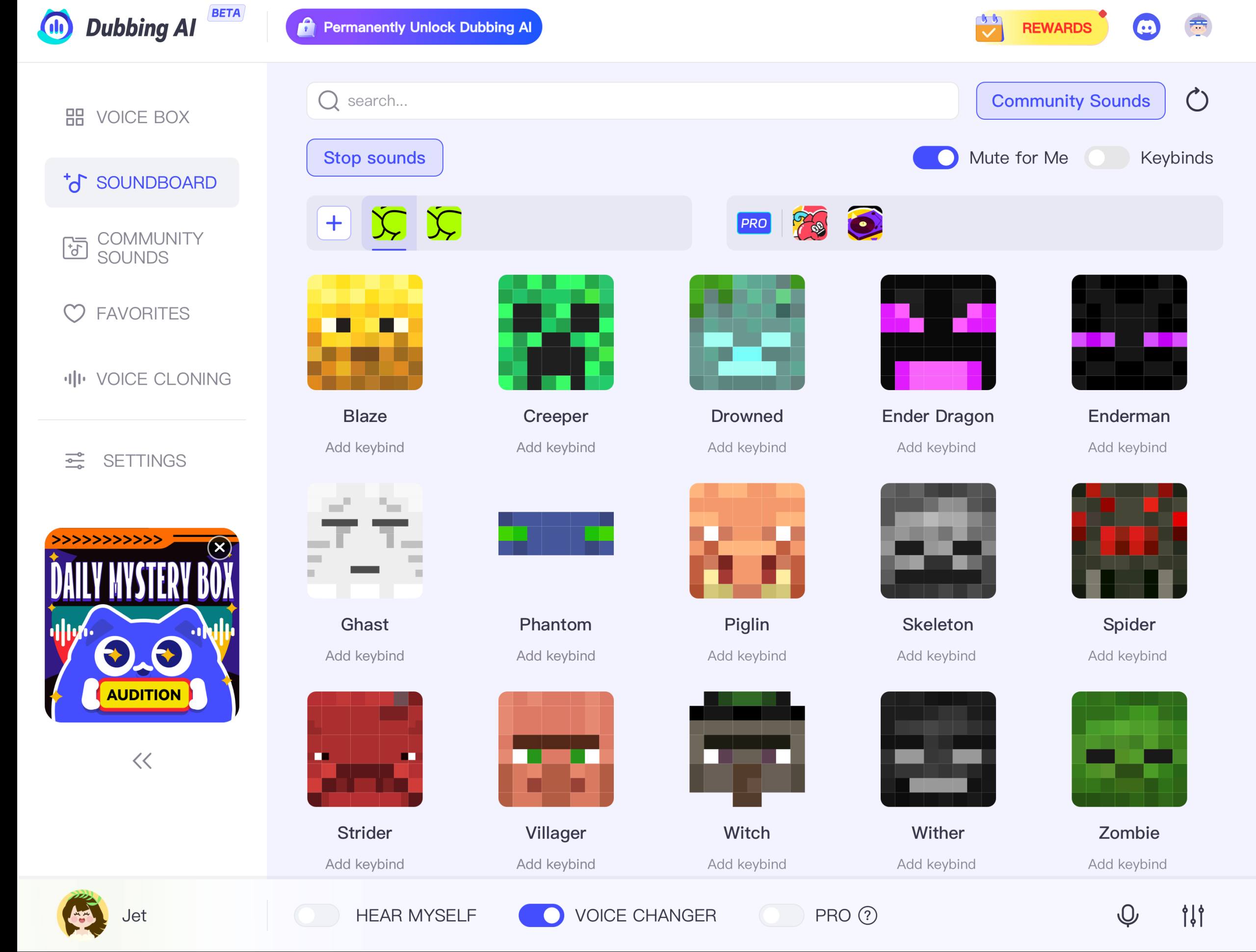
    Now that you’re logged in, it’s time to explore. On the homepage, you’ll see various options. Look for the “Community Sound” tab. Click on it, and you’ll find yourself in a world of audio possibilities. Here, you can browse through different categories. To find the Minecraft soundboards, use the search bar or scroll through the list until you spot them. The interface is user-friendly, making it easy to navigate.

    Selecting and Downloading Minecraft Soundboards

    Once you’ve found the Minecraft section, it’s time to choose your sounds. You’ll see a variety of options, from ambient music to hilarious pranks. Click on a soundboard to preview the sounds. If you like what you hear, click the “Download” button. The soundboard will download to your device, ready for you to use in your game. Remember, you can download a soundboard as many times as you like, so feel free to explore and experiment.

    With these steps, you can easily install a soundboard and transform your Minecraft adventures. Whether you’re using it for fun or to enhance your gameplay, the possibilities are endless. Enjoy the immersive experience that Dubbing AI offers with its voice changer soundboard and free sound effects. Happy gaming!

    Setting Up Your Minecraft Soundboard

    Ready to bring your Minecraft world to life with a soundboard? Let’s dive into setting it up and customizing it to suit your style.

    Integrating the Soundboard with the Minecraft Game

    Integrating a soundboard with Minecraft is simpler than you might think. Follow these steps to get started:

    1. Install the Soundboard Software: First, ensure you have the Dubbing AI soundboard software installed on your computer. This tool will allow you to access a variety of free sound effects and AI-generated voices.

    2. Launch Minecraft: Open your Minecraft game. Make sure it’s running smoothly before proceeding to the next step.

    3. Open the Soundboard: Launch the Dubbing AI soundboard. You’ll see a user-friendly interface with various sound options.

    4. Select Your Sounds: Browse through the available sounds. You can choose from ambient music, funny pranks, or even create your own unique audio clips. The Dubbing AI Community Sound where users can create and share sounds, including Minecraft meme soundboards. This feature allows you to search sounds by tags and add them to your own collection.

    5. Assign Sounds to Keys: Assign your chosen sounds to specific keys on your keyboard. This setup allows you to play sounds instantly while gaming. Imagine digging dirt in Minecraft and hearing the distinctive sound Rosenfeld created for the game. It adds a layer of realism and fun to your experience.

    6. Test Your Setup: Before diving into gameplay, test your soundboard setup. Press the assigned keys to ensure the sounds play correctly in Minecraft.

    Customizing Soundboard Settings

    Customization is key to making your soundboard truly yours. Here’s how you can tweak the settings:

    • Adjust Volume Levels: Ensure the sound effects don’t overpower the game’s audio. Balance the volume levels for an immersive experience.

    • Create Custom Sound Clips: Use the voice changer soundboard feature to create custom sound clips. You can record your voice or use AI-generated voices to add a personal touch to your game.

    • Organize Your Sounds: Group similar sounds together for easy access. For example, keep all ambient sounds in one section and prank sounds in another.

    • Update Regularly: Dubbing AI offers daily updates, so check for new sounds regularly. This way, your soundboard stays fresh and exciting.

    By following these steps, you can seamlessly integrate and customize your soundboard with Minecraft. Whether you’re using it for entertainment or to enhance your gameplay, the possibilities are endless. Enjoy the creative freedom that comes with using a voice changer soundboard and free sound effects in your Minecraft adventures!

    Practical Applications of Minecraft Soundboards

    Enhancing Gameplay Experience

    Imagine diving into your Minecraft world with a soundboard that brings every block and creature to life. You can add ambient music to your adventures or surprise your friends with a Creeper sound effect. This makes your gameplay more exciting and immersive. With a soundboard, you can easily integrate these sounds into your game. The best part? You can use it anywhere you communicate with your mic, like Discord or Skype. This means no limits to where you can enhance your gaming experience.

    Content Creation and Streaming

    If you’re into content creation or streaming, soundboards are your new best friend. They let you add unique audio elements to your videos or live streams. Imagine using a voice changer soundboard to create funny voices or dramatic sound effects. This keeps your audience entertained and engaged. Dubbing AI offers a wide range of free sound effects, perfect for making your content stand out. Whether you’re streaming on Twitch or creating YouTube videos, soundboards help you deliver an immersive experience to your viewers.

    Collaborative Projects and Community Engagement

    Soundboards also shine in collaborative projects and community engagement. You can share your soundboard creations with friends or the wider Minecraft community. This fosters collaboration and creativity. Imagine working on a project with others and using a soundboard to coordinate or add fun elements. It brings people together and enhances the overall experience. With Dubbing AI, you can even create AI-generated voices, adding a personal touch to your projects. This makes your collaborations more dynamic and engaging.

    Frequently Asked Questions about Free Soundboards

    Is the Soundboard Really Free?

    Yes, the soundboard is completely free. You can access a wide range of sounds without spending a dime. Dubbing AI offers this feature to enhance your gaming and creative experiences. You don’t need to worry about hidden fees or subscriptions. Just sign up, and you’re good to go. Enjoy exploring the vast library of sounds available at your fingertips.

    Can I Use the Soundboard for Commercial Projects?

    Absolutely! You can use the soundboard for commercial projects. Whether you’re creating content for YouTube, streaming on Twitch, or working on other projects, the soundboard is a valuable tool. It allows you to add unique audio elements to your work. Just make sure to check any specific licensing agreements for individual sounds. This ensures that you comply with any usage restrictions.

    How Often Are New Sounds Added?

    New sounds get added regularly. Dubbing AI updates its library frequently to keep things fresh and exciting. All users can upload and share their soundboard with others too. You can expect new sounds to appear almost daily. This means you’ll always have something new to explore and use in your projects. Stay tuned for updates and make sure to check back often. This way, you won’t miss out on the latest additions.

    Using free Minecraft soundboards in Dubbing AI opens up a world of creativity and fun. You can transform your game with the villager AI voice, adding depth and humor to your adventures. The real-time voice changing feature lets you experiment with different sounds, making each session unique. Whether you want to use soundboard for Discord or enhance your gameplay, the possibilities are endless. Dive into the world of text to speech and explore the villager voice generator. Share your experiences and questions with the community. Your feedback helps us grow and innovate.

    See Also

    Elevate Your Gaming Experience with AI Soundboard

    2024 Handbook: Real-Time Voice Modulation with Dubbing AI

    Dubbing AI: The Best Voice Modifier for Discord

    Reasons Dubbing AI Stands Out for MMORPG Voice Changing

    Prepare for the New Movie: Enchant Minecraft with Sound Effects

  • Managing your Soundboard and Voice Changer on mobile phone

    Managing your Soundboard and Voice Changer on mobile phone

    Dubbing AI is changing the way you create and enjoy audio content. It replaces traditional dubbing methods with a faster, more affordable solution. You can now transform your voice into unique characters or styles, making your projects more engaging. The voice changer feature lets you adjust pitch, tone, and effects in real time, opening up endless creative possibilities. Soundboard tools add another layer of fun by letting you integrate pre-recorded sounds seamlessly. Managing all these features on your mobile phone makes the process even more convenient and accessible.

    The Best AI Voice Changer with soundboard

    Key Takeaways

    • Dubbing AI simplifies audio content creation by offering faster and more affordable dubbing solutions compared to traditional methods.

    • Utilize the voice changer feature to customize pitch, tone, and speed, allowing for unique character voices and engaging audio effects.

    • Incorporate soundboard tools to enhance your projects with pre-recorded sounds, adding depth and personality to your audio content.

    • Ensure your app is compatible with your device and keep it updated to access the latest features and improvements.

    • Experiment with voice modulation and sound effects to create captivating voiceovers for social media, presentations, and professional projects.

    • Troubleshoot common issues like app crashes and audio sync problems by clearing cache, adjusting settings, and ensuring device compatibility.

    • Leverage Dubbing AI to produce high-quality dubbed content efficiently, saving time and resources while expanding your creative possibilities.

    Setting Up Dubbing AI on Your Mobile Phone

    Downloading and Installing the App

    • For iPhone:

      • Open the App Store on your device.

      • Type Dubbing AI in the search bar.

      • Tap Get or Install, then authenticate if prompted.

      • Once installed, open the app and follow the setup instructions.

    • For Android:

      • Open the Google Play Store.

      • Search for Dubbing AI.

      • Tap Install and wait for the download to complete.

      • Launch the app and complete the setup.

    Configuring the App for First-Time Use

    Setting up permissions for microphone and storage

    Once the app is installed, open it and follow the setup prompts. The app will likely ask for access to your microphone and storage. Granting microphone access allows the app to record your voice for dubbing. Storage permissions let the app save your projects directly to your device. These permissions are essential for the app to work smoothly. If you skip this step, you might encounter errors when trying to use key features.

    Exploring the Voice Changer Feature

    Customizing Your Voice

    Adjusting pitch, tone, and speed for unique effects

    The voice changer feature lets you modify your voice in ways that feel almost magical. You can adjust the pitch to make your voice sound deeper or higher. Changing the tone adds personality, whether you want a warm, friendly vibe or something more dramatic. Speed adjustments allow you to slow down or speed up your speech, creating unique effects that fit your project. These tools are simple to use and give you full control over how your voice sounds. Whether you’re aiming for a cartoonish character or a professional narrator, these settings help you achieve the perfect result.

    Understanding the Soundboard Feature

    Understanding the Soundboard Feature
    Image Source: pexels

    What is a Soundboard and How Does it Work?

    Overview of pre-recorded sounds and effects

    A soundboard is like a digital toolbox filled with pre-recorded sounds and effects. These can range from simple audio clips, like applause or laughter, to more complex sound effects, such as dramatic music or ambient noises. Think of it as having a library of sounds at your fingertips, ready to enhance your dubbing projects. Apps like Dubbing AI make this process seamless by offering a variety of customizable sound effects. Whether you’re working on a podcast, gaming session, or video project, a soundboard adds depth and personality to your audio.

    How to access, organize, and customize soundboard files

    Accessing and organizing soundboard files is straightforward. Most apps include a user-friendly interface where you can browse through categories of sounds. For example, the Dubbing AI Voice Changer integrates a soundboard feature that lets you trigger effects during gameplay or other activities. You can also upload your own audio clips to create a personalized soundboard. Customization options allow you to rename files, group them into folders, or even assign hotkeys for quick access. This level of control ensures that your soundboard is tailored to your specific needs, making it easier to find the perfect sound for any moment.

    Enhancing Your Dubbing Experience with Soundboard

    Adding sound effects to your dubbing projects

    Sound effects can transform your dubbing projects from ordinary to extraordinary. Imagine adding a suspenseful drumroll to a dramatic scene or a cheerful jingle to a lighthearted moment. You can layer sound effects over your voice recordings to create a richer, more immersive experience. This not only enhances the quality of your work but also keeps your audience engaged. With just a few taps, you can elevate your audio content to a professional level.

    Using soundboard for live interactions or presentations

    Soundboards aren’t just for pre-recorded projects—they shine in live settings too. Whether you’re hosting a virtual event, giving a presentation, or streaming a game, a soundboard can add an interactive element. Triggering sound effects in real-time keeps your audience entertained and adds a dynamic touch to your performance. Apps like Voice.ai Soundboard App are designed for these scenarios, offering quick access to your favorite sounds. You can use them to emphasize key points, respond to audience reactions, or simply inject some fun into your live interactions.

    Tips for Optimizing Performance

    Reducing Latency and Improving Audio Quality

    Closing background apps to free up resources

    Your mobile device runs multiple apps simultaneously, which can slow down performance. To ensure smooth operation of your Dubbing AI app, close unnecessary background apps. These apps consume memory and processing power, which can lead to latency issues. By freeing up resources, you allow the app to process your voice changes and sound effects faster. This step is especially important if you’re using real-time features like live voice modulation or soundboards during calls or gaming sessions.

    Using headphones for better sound clarity

    Headphones can significantly improve your audio experience. Built-in phone speakers often lack the clarity needed for precise voice modulation. Using headphones ensures you hear every detail of your voice changes and sound effects. They also help reduce background noise, making your recordings or live interactions sound more professional. For the best results, choose headphones with a built-in microphone. This setup enhances both input and output quality, giving you a seamless dubbing experience.

    Creative and Practical Uses of Dubbing AI

    Personal Projects

    Creating fun and engaging voiceovers for social media

    Dubbing AI opens up a world of creativity for your social media content. You can use it to create unique voiceovers that grab attention and entertain your audience. Imagine transforming your voice into a quirky character or adding dramatic effects to narrate a funny story. These features make your posts stand out in a crowded feed. Whether you’re creating reels, TikToks, or YouTube Shorts, the ability to customize your voice adds a personal touch that resonates with viewers. It’s a simple way to boost engagement and showcase your personality.

    Recording personalized messages or greetings

    Personalized audio messages become much more exciting with Dubbing AI. You can record birthday wishes, holiday greetings, or even inside jokes using the voice changer feature. Adjust the pitch or add effects to make your message memorable and fun. For example, you could send a robotic-themed greeting for a sci-fi fan or a deep, dramatic voice for a humorous twist. These small touches show thoughtfulness and creativity, making your messages unforgettable. It’s a fantastic way to connect with friends and family in a unique way.

    Professional Applications

    Enhancing presentations or training materials

    Dubbing AI isn’t just for fun—it’s a powerful tool for professional use. You can elevate your presentations or training materials by adding dynamic voiceovers. A polished voiceover with the right tone and effects keeps your audience engaged and helps convey your message clearly. For instance, you could use a calm, authoritative voice for corporate training or a lively, upbeat tone for motivational content. The voice changer feature allows you to adapt your voice to suit the context, ensuring your materials leave a lasting impression.

    Producing high-quality dubbed content for clients

    If you’re a content creator or freelancer, Dubbing AI can help you deliver professional-grade results. You can use it to produce high-quality dubbed videos or audio for clients, saving time and resources. Instead of hiring multiple voice actors, you can create diverse character voices yourself. This flexibility is especially useful for projects like e-learning modules, promotional videos, or localized content. By leveraging Dubbing AI, you can expand your services, reach global audiences, and meet tight deadlines without compromising on quality.

    Dubbing AI empowers content creators to expand their creative horizons, offering a wide range of options to produce diverse and engaging content.”

    This technology not only simplifies your workflow but also enhances the accessibility of your content. Whether you’re working on personal projects or professional assignments, Dubbing AI provides the tools you need to succeed.

    Managing Dubbing AI on your mobile phone brings creativity and convenience to your fingertips. You can explore endless possibilities with features like voice customization and sound effects. These tools make it easy to create engaging content, whether for fun or professional projects. By using this technology, you save time and resources while enhancing the quality of your work. Don’t wait—download the app today and start experimenting. Discover how Dubbing AI can transform your audio projects into something extraordinary.

    See Also

    Transform Your Discord Experience With Dubbing AI Voice Modulator

    Discover Dubbing AI: Your New AI Voice Transformation Tool

    Elevate Your Creativity Using Dubbing AI Voice Changer Software

    Boost Your Gaming Experience With Dubbing AI Soundboard

    2024 Insights: Transform Your Voice Free With Dubbing AI

  • Finding the Best Jinx Soundboard and Voice Changer

    Finding the Best Jinx Soundboard and Voice Changer

    Jinx’s mischievous charm and unforgettable voice from League of Legends have made her a fan favorite. If you’ve ever wanted to bring her energy into your gaming or streaming sessions, a good soundboard or voice changer can make it happen. Tools like Dubbing AI let you transform your voice in real-time, adding Jinx’s playful personality to your content. These tools also offer customization options and seamless compatibility, ensuring you can create an immersive experience that stands out.

    The Best AI Voice Changer with soundboard

    Key Takeaways

    • Enhance your gaming or streaming experience by using a Jinx soundboard or voice changer to bring her playful personality to life.

    • Choose tools like Dubbing AI, iMyFone MagicMic, or Voicemod based on your needs, ensuring compatibility with platforms like Discord and Twitch.

    • Customize sound effects and voice settings to match your unique style, allowing for a more personalized and engaging content creation.

    • Use Jinx’s iconic voice lines to create memorable moments during gameplay, adding humor and excitement that keeps your audience entertained.

    • Test your soundboard or voice changer in a controlled environment to ensure optimal performance and avoid any technical issues during live sessions.

    • Explore AI-powered features for advanced voice transformation, enabling you to generate high-quality audio that resonates with your audience.

    What Are Soundboards and Voice Changers?

    Soundboards and voice changers are tools that let you modify or enhance your audio in creative ways. A soundboard allows you to play pre-recorded sounds or voice lines with a single click. A voice changer, on the other hand, transforms your voice in real-time, letting you sound like someone—or something—else entirely. These tools have become popular in gaming, streaming, and content creation because they add a layer of fun and engagement to any experience.

    Why Choose a Jinx Soundboard and Voice Changer?

    Popularity of Jinx in Gaming Culture

    Jinx has been a standout character in League of Legends since her debut in October 2013. Her chaotic energy, mischievous personality, and unique voice have made her one of the most beloved champions in the game. Fans got an even deeper look into her story through Arcane, where her transformation from Powder to Jinx captivated audiences. Whether you’re a gamer or a streamer, using a Jinx soundboard or voice changer lets you channel her iconic persona and connect with others who love her as much as you do.

    “Jinx is the first champion in League of Legends whose laugh animation automatically loops.” This small detail highlights her playful and unpredictable nature, making her voice and personality perfect for adding excitement to your content.

    Adding Fun and Personality to Your Streams or Games

    A Jinx soundboard or voice changer can instantly elevate your gaming or streaming sessions. Imagine dropping one of Jinx’s famous voice lines during a tense moment in a match or surprising your audience with her signature laugh. These tools let you bring her chaotic charm to life, making your content more entertaining and memorable. You can also use them to role-play as Jinx, adding a creative twist to your gameplay or streams.

    Whether you’re cracking jokes, hyping up your team, or just having fun, a Jinx soundboard or voice changer helps you stand out. It’s not just about mimicking her voice—it’s about embracing her wild, unpredictable spirit and sharing that energy with your audience.

    Benefits of Using a Jinx Soundboard and Voice Changer

    Enhancing Entertainment Value

    Engaging your audience with Jinx’s iconic voice

    Imagine the thrill of surprising your audience with Jinx’s unmistakable voice during a live stream or gaming session. A soundboard or voice changer lets you recreate her playful energy, instantly grabbing attention. Whether it’s her mischievous laugh or one of her famous lines from League of Legends, these tools help you connect with fans of the champion. You can create a dynamic atmosphere that keeps your viewers entertained and coming back for more.

    “Rules are made to be broken… like buildings! Or people!” – Jinx
    Dropping lines like this during gameplay can add humor and excitement, making your streams unforgettable.

    Creating memorable gaming or streaming moments

    A Jinx soundboard or voice changer can turn ordinary moments into extraordinary ones. Picture this: you’re in the middle of an intense match, and you suddenly unleash Jinx’s chaotic laugh. Your teammates and viewers won’t forget that moment anytime soon. These tools allow you to add a layer of personality to your gaming experience, making it more engaging for everyone involved. It’s not just about playing the game—it’s about creating an experience that stands out.

    Personalization and Creativity

    Customizing sound effects and voice settings

    With tools like Dubbing AI ans Voicemod, you can tweak sound effects and voice settings to match your style. Want to amplify Jinx’s high-energy tone or add a unique twist to her voice? These tools give you the freedom to experiment. You can even mix in other sound effects to create a one-of-a-kind audio experience. This level of customization ensures your content feels fresh and original.

    Expressing your unique style

    Using a Jinx soundboard or voice changer isn’t just about mimicking her voice—it’s about showcasing your creativity. You can combine her voice lines with your own commentary, creating a blend that reflects your personality. Whether you’re role-playing as Jinx or adding her flair to your streams, these tools let you express yourself in ways that resonate with your audience.

    Practical Applications

    Using it for role-playing in games

    Role-playing as Jinx in your favorite games can be a blast. A voice changer helps you fully immerse yourself in her character, making your gameplay more authentic and fun. Whether you’re playing League of Legends or another game, stepping into Jinx’s shoes adds a new layer of excitement. It’s a great way to explore her chaotic personality while keeping your gaming sessions fresh and entertaining.

    Adding humor or drama to your content

    A Jinx soundboard or voice changer can also inject humor or drama into your streams. Imagine using her voice to deliver a punchline or to heighten the tension during a critical moment. These tools let you control the mood of your content, ensuring your audience stays engaged. Whether you’re aiming for laughs or gasps, Jinx’s voice can help you achieve it.

    Key Features to Look for in a Jinx Soundboard and Voice Changer

    Compatibility

    When choosing a soundboard or voice changer, compatibility should be your top priority. You want a tool that works seamlessly with popular platforms like Discord, Twitch, and OBS. These platforms are essential for streaming and communication, so ensuring smooth integration will save you from unnecessary frustration.

    Cross-platform functionality is another critical factor. Whether you’re using a PC, Mac, or mobile device, the tool should adapt to your setup. This flexibility allows you to switch between devices without losing access to your favorite features. A versatile tool ensures you can maintain your gaming experience no matter where or how you play.

    Real-Time Performance

    Real-time performance is vital for creating an immersive experience. Low latency is a must-have feature. It ensures your voice changes happen instantly, keeping your interactions smooth and natural. Imagine using a voice changer during a live stream or intense gameplay—any delay could ruin the moment.

    High-quality audio output is equally important. You want your audience to hear crisp, clear sound without distortion. Tools that offer high-quality voice samples make a big difference in how professional your content feels. Whether you’re role-playing as Jinx or adding her voice to your streams, quality audio enhances the overall experience.

    Customization Options

    Customization options let you tailor the tool to your unique style. The ability to tweak pitch, tone, and effects gives you full control over how your voice sounds. You can adjust these settings to match Jinx’s playful energy or create a fresh twist on her iconic voice. This level of personalization helps you stand out in the crowded world of gaming and streaming.

    Adding or removing sound clips is another valuable feature. A good soundboard lets you curate a library of sounds that fit your content. You can include Jinx’s famous lines from League of Legends or even generate League of Legends AI voice samples to expand your collection. This flexibility allows you to keep your content dynamic and engaging.

    AI-Powered Features

    AI-powered features take your soundboard or voice changer to the next level. Advanced dubbing and voice synthesis allow you to generate League of Legends AI voice samples with incredible accuracy. These tools analyze your input and transform it into high-quality audio that sounds just like Jinx. This technology ensures your gameplay or streams feel authentic and immersive.

    Adaptive voice modulation is another standout feature. It adjusts your voice in real-time, maintaining consistency and precision. This means you can switch between tones or effects without losing the essence of Jinx’s character. Whether you’re role-playing as the champion or adding flair to your content, these AI-driven tools enhance your overall experience. They make it easier to create memorable moments that resonate with your audience.

    Top Jinx Soundboard and Voice Changer Options

    Top Jinx Soundboard and Voice Changer Options

    If you’re ready to bring Jinx’s chaotic energy to your streams or games, choosing the right tool is essential. Here are three top options that stand out for their features, usability, and ability to transform your voice into Jinx’s iconic tone.

    Dubbing AI

    Overview of features:

    Dubbing AI is a powerhouse when it comes to voice transformation. It offers advanced dubbing and voice synthesis capabilities, making it perfect for creating Jinx-themed audio. This tool doesn’t just stop at Jinx—it allows you to explore voices from other League of Legends characters like Vi, Ekko, and Caitlyn. Its real-time voice customization ensures you can seamlessly integrate Jinx’s voice into your gaming or streaming sessions. The built-in voice generator lets you experiment with different tones and effects, giving you endless possibilities to enhance your content.

    Pros and cons:

    • Pros:

      1. Low Latency: Dubbing AI changes your voice in under 30ms, no prerecording needed which brings you the real-time voice changing experience.

      2. Awesome Voices: Over 500 different voices from anime, game, and movie to celebrity to anyone you wish to be. You can also make your personal voice by voice cloning.

      3. Clolorful Soundboard: All users can find their favorite soundboards from communite sounds or upload their own soundboards to enhance game experience.

    • Cons:

      • Some features may require additional setup time.

    If you’re serious about creating an immersive League of Legends experience, Dubbing AI is a fantastic choice. Its robust features make it a go-to for gamers and streamers alike.

    Voicemod

    Overview of features:

    Voicemod is a user-friendly voice changer app that’s perfect for beginners and pros alike. It includes a library of character voices, including Jinx from League of Legends. With its real-time voice customization, you can instantly sound like Jinx during live streams or gaming sessions. The app also features a soundboard, allowing you to play pre-recorded Jinx voice lines with a single click. Frequent updates ensure you always have access to fresh content and new voices.

    Pros and cons:

    • Pros:

      • Easy-to-use interface, great for beginners.

      • Regular updates keep the library fresh and exciting.

      • Free version available with basic features.

    • Cons:

      • Premium subscription required for full access.

      • Limited customization compared to more advanced tools.

    For those looking for a simple yet effective way to channel Jinx’s personality, Voicemod is a solid pick. Its ease of use makes it a favorite among casual gamers and streamers.

    iMyFone MagicMic

    Overview of features:

    iMyFone MagicMic is a real-time voice changer designed for versatility. It offers Jinx-specific settings and sound effects, making it a great option for fans of the champion. The tool also includes a soundboard feature, letting you play Jinx’s famous lines or laughs during your sessions. Its intuitive interface ensures you can start using it right away, even if you’re new to voice changers. Whether you’re gaming, chatting, or streaming, MagicMic enhances your audio experience with high-quality output.

    Pros and cons:

    • Pros:

      • High-quality audio output for a professional feel.

      • Intuitive interface makes it easy to navigate.

      • Real-time voice customization ensures seamless integration.

    • Cons:

      • Free version has limited features.

      • May lack the advanced AI capabilities of Dubbing AI.

    Each of these tools offers unique features to help you channel Jinx’s mischievous charm. Whether you’re looking for advanced AI capabilities, a beginner-friendly interface, or high-quality audio, there’s an option here for you. Explore these tools and find the one that best fits your style and needs.

    How to Get Started with a Jinx Soundboard and Voice Changer

    Ready to dive into the world of Jinx and bring her chaotic energy to your streams or games? Follow these simple steps to get started with a soundboard or voice changer and enhance your gaming experience.

    Step 1: Choose the Right Tool

    The first step is finding the perfect tool that fits your needs. With so many options available, it’s essential to evaluate what works best for you.

    Evaluate your needs and platform compatibility

    Think about how you plan to use the tool. Are you streaming on platforms like Twitch or Discord? Do you need something compatible with both PC and mobile devices? Tools like Voicemod, iMyFone MagicMic, and Dubbing AI offer excellent compatibility across platforms. For example, Dubbing AI works seamlessly with various devices, making it a favorite among gamers and content creators. Consider your setup and ensure the tool integrates smoothly with your preferred platforms.

    Compare features and pricing

    Each tool comes with unique features and pricing. If you’re looking for advanced AI-powered dubbing, Dubbing AI might be your best bet. It offers real-time voice customization and a library of voices, including Jinx from League of Legends. On the other hand, Voicemod provides a beginner-friendly interface and a free version with basic features. Compare these options based on your budget and the features you value most. Whether you want high-quality audio or ease of use, there’s a tool that matches your style.

    Step 2: Install and Set Up

    Once you’ve chosen your tool, it’s time to get it up and running. Don’t worry—this process is straightforward and quick.

    Download and install the software

    Visit the official website of your selected tool and download the software. For example, you can find Dubbing AI and MagicMic on their respective websites. Follow the installation instructions provided. Most tools guide you step-by-step, ensuring you don’t miss anything. After installation, launch the software and explore its features.

    Configure settings for optimal performance

    After installation, adjust the settings to suit your preferences. Tools like Dubbing AI and MagicMic allow you to tweak pitch, tone, and effects. If you’re using a soundboard, load Jinx’s iconic voice lines or laughs to get started. Ensure the tool integrates with your microphone and streaming platforms. Test the audio quality and make adjustments to achieve the best results. Proper configuration ensures a smooth and immersive gaming experience.

    Step 3: Test and Customize

    Now that your tool is set up, it’s time to bring Jinx’s personality to life. Testing and customization are key to making the most of your soundboard or voice changer.

    Test the tool in a live environment

    Before going live, test the tool in a controlled environment. Use platforms like Discord or a private Twitch stream to check how your voice sounds. Tools like Dubbing AI offer real-time performance, so you can hear the changes instantly. Ensure there’s no latency or distortion. This step helps you identify any issues and fix them before engaging with your audience.

    Adjust settings to match your preferences

    Customization is where the fun begins. Experiment with different settings to find the perfect balance. Dubbing AI let you fine-tune Jinx’s voice to match her playful energy. Add sound effects or mix in other audio elements to create a unique experience. Whether you’re role-playing as Jinx or adding her flair to your streams, customization allows you to express your creativity and stand out.

    By following these steps, you’ll be ready to channel Jinx’s mischievous charm and enhance your gaming experience. Whether you’re using her voice to entertain your audience or immerse yourself in her character, a soundboard or voice changer makes it all possible. Start exploring today and bring the world of League of Legends to life in your content.

    Finding the perfect Jinx soundboard and voice changer can completely transform your gaming or streaming experience. Tools like Voicemod, iMyFone MagicMic, and Dubbing AI stand out for their unique features, ease of use, and ability to bring Jinx’s iconic personality to life. Whether you’re role-playing as Jinx or adding her flair to your content, these tools make voice transformation seamless and fun. Start exploring today, and let Jinx’s chaotic charm captivate your audience. Download your favorite tool now and take the first step toward unforgettable moments in the world of League of Legends.

    See Also

    Selecting The Perfect Voice Changer And Soundboard For Gaming

    Comprehensive Guide To AI Voice Changers For Discord Pranks

    Dubbing AI: The Best Voice Changer For Discord Users

    Three Hilarious Voice Changer Pranks To Try In CS:GO

    Uncover The Top Celebrity Voice Changer App – Dubbing AI