Author: admin

  • What Makes Tuna Soundboard Stand Out and Its Best Replacements

    What Makes Tuna Soundboard Stand Out and Its Best Replacements

    What Makes Tuna Soundboard Stand Out and Its Best Replacements
    Image Source: pexels

    If you like gaming, streaming, or making content, you might know about the Tuna Soundboard. It’s popular because it has a huge collection of sound effects—about 20,000 in total. This makes it great for adding fun sounds to your projects.

    Its simple design lets anyone, from beginners to experts, use it easily. But some people have found problems, like uneven sound quality when recording. Because of this, many are looking for other soundboards that work better for them.

    Key Takeaways

    • Tuna Soundboard has 20,000+ sounds, great for gamers and creators.

    • Its simple design makes it easy for everyone to use.

    • It works on Windows and macOS, so it suits all users.

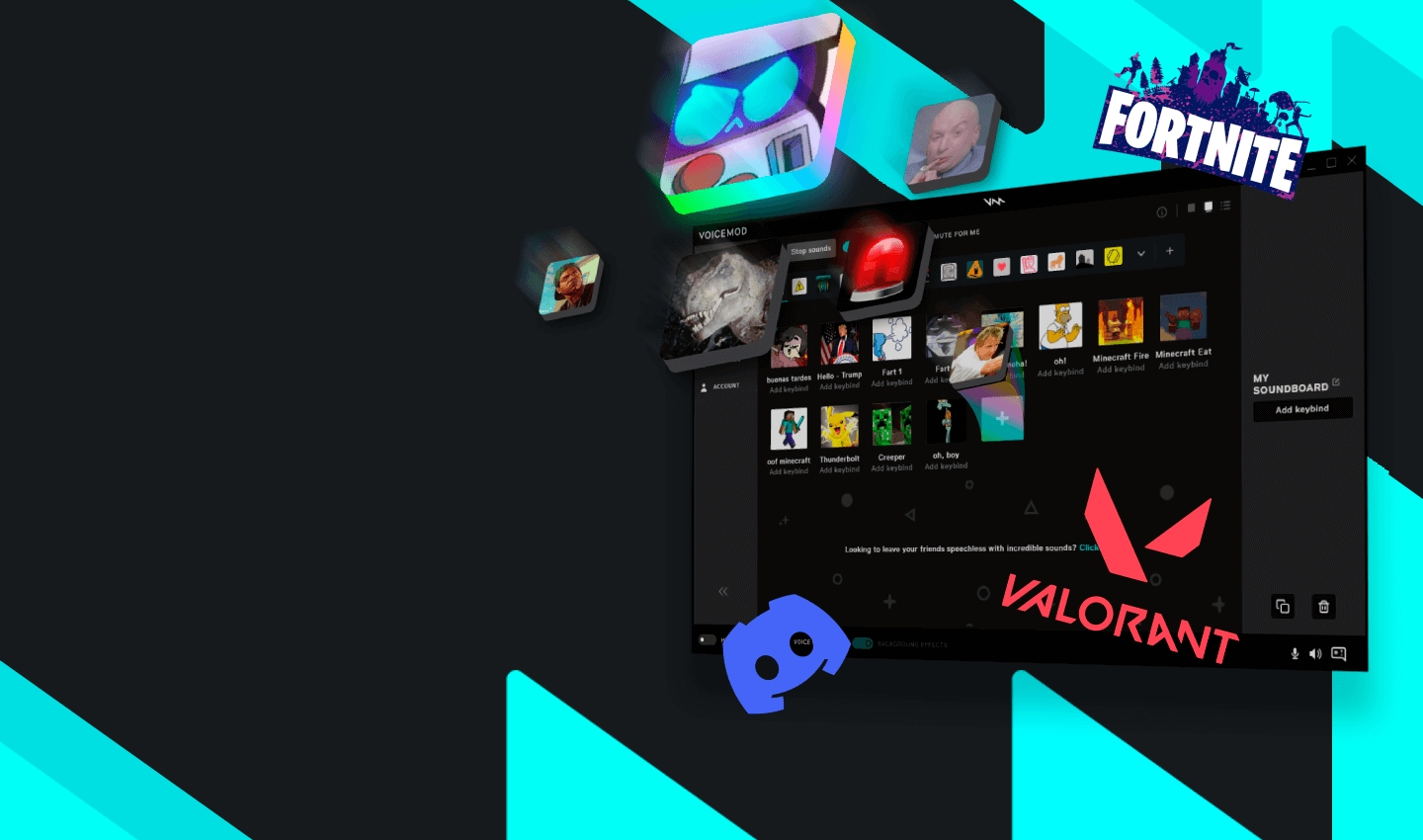
    • Try Voicemod for voice-changing or Resanance for free hotkeys.

    • Pick a soundboard based on your budget, device, and features.

    What Makes Tuna Soundboard Unique?

    What Makes Tuna Soundboard Unique?
    Image Source: unsplash

    Key Features of Tuna Soundboard

    Customizable sound options for different needs.

    The Tuna Soundboard lets you make and share soundboards. If you’re a gamer, streamer, or love personalizing audio, this is for you. You can upload your own sounds or memes to make it special. It also works with platforms like Discord, so sharing is simple.

    Easy-to-use design for all skill levels.

    You don’t need to be a tech expert to use it. The design is simple, so anyone can figure it out quickly. Whether you’re new or experienced, the interface is clear and easy to use.

    Works on both Windows and macOS.

    No matter your device, the Tuna Soundboard works well. It supports both Windows and macOS, making it a flexible option for everyone.

    Advanced tools for editing sounds perfectly.

    If you enjoy adjusting sounds, you’ll love these tools. They help you edit audio clips to match your needs. From removing noise to adding filters, the Tuna Soundboard has many features.

    Usability and Performance

    Simple to use for fun or professional tasks.

    The Tuna Soundboard is made to be user-friendly. Its clean design and easy controls let you focus on being creative. Whether for work or fun, it fits your needs.

    Works smoothly with few crashes or glitches.

    Interruptions can ruin your work or stream. The Tuna Soundboard runs reliably with very few crashes. You can trust it to perform well.

    Unique Aspects That Make It Special

    Works with Dubbing AI for better tools and workflow.

    One cool feature is its connection with Dubbing AI. This lets you use AI tools with the soundboard for a smooth experience. It’s great for professionals needing advanced audio tools.

    Active community and frequent updates for better use.

    The Tuna Soundboard has a helpful user community sharing tips and ideas. Regular updates keep it fresh and easy to use, improving over time.

    Tip: Want a soundboard that’s easy yet powerful? Try the Tuna Soundboard. Its mix of customization, reliability, and community support makes it stand out.

    Best Alternatives to Tuna Soundboard Worth Trying

    Alternative 1: Soundboard Pro

    Has many sound effects and allows real-time mixing.

    Soundboard Pro is a great option for a strong soundboard. It has lots of sound effects and lets you mix them live. This is ideal for gaming or streaming when timing matters.

    Pros: Clear sound quality, easy-to-use design.

    The sound quality is sharp and clear, which you’ll enjoy. Its simple design makes it easy to use right away.

    Cons: Free version has fewer features than Tuna Soundboard.

    The downside is the free version is limited. To get all features, you’ll need to pay for the full version.

    Alternative 2: Resanance Soundboard

    Free software with hotkeys for quick sound access.

    Resanance is a good choice if you’re on a budget. It’s free and lets you set hotkeys for fast sound use. This is handy for gaming or casual fun.

    Pros: Free and simple to install.

    It’s easy to download and start using. Here’s how it performs:

    Feature

    Rating

    Installation process

    Simple

    Quality and performance

    Excellent

    Cons: Lacks advanced tools for professionals.

    It doesn’t have the high-level tools needed for pro editing. If you need more features, check other soundboard options.

    Tip: Starting out or need something basic? Resanance is a great pick.

    Alternative 3: EXP Soundboard

    Works with many audio formats and virtual audio cables.

    EXP Soundboard is great if you want something simple. It supports MP3, WAV, and other audio types. This makes it easy to use different sound files. It also works with virtual audio cables. This helps you move audio between apps easily. It’s useful for tasks like streaming and recording at the same time.

    Pros: Small size and works fast.

    EXP Soundboard doesn’t take up much space on your computer. It runs well even on older devices. It’s quick and does what you need without extra features.

    Cons: Doesn’t have many built-in sounds.

    The downside is it doesn’t come with a lot of sounds. If you want many preloaded effects, this might not be enough. But you can add your own sounds, which makes it still a good option.

    Tip: Need a simple soundboard that works with virtual audio cables? Try EXP Soundboard.

    Alternative 4: Dubbing AI Soundboard

    Mixes soundboard tools with smart AI dubbing features.

    Dubbing AI Soundboard is a step above regular soundboards. It combines soundboard tools with advanced AI features. This makes it great for professional audio work. You can add effects, change voices, and sync audio with video easily.

    Pros: Works smoothly with Dubbing AI, perfect for pros.

    This soundboard connects perfectly with Dubbing AI. It makes editing audio easier and helps you create high-quality projects.

    Here’s why it’s special:

    • Real-Time Voice Modification: Quickly change your voice to sound like different characters.

    • Easy Sound Effect Use: Add effects and clips to make your work look polished.

    • AI-Powered Syncing: Match audio with video perfectly for better results.

    Cons: Might take time to learn for beginners.

    If you’re new to AI tools, it could feel tricky at first. But once you learn, it opens up many creative options.

    Note: Want advanced features for professional work? Dubbing AI Soundboard Integration is a top choice.

    Things to Think About

    Cost and pricing: Compare free and paid choices.

    Your budget matters when choosing a soundboard. Some, like Resanance, are free and great for beginners. Others, like Voicemod, need payment for extra features. Decide how much you can spend and if upgrades are worth it. Most people like affordable tools that still work well. Start with free ones and upgrade only if needed.

    Works with your devices: Check if it fits your system.

    Not all soundboards work on every device. Make sure it matches your operating system. For example, Tuna Soundboard works on both Windows and macOS. If you use special setups, like virtual audio cables, check for smooth integration. Many users switch tools due to compatibility problems. Avoid trouble by checking this first.

    Features that match your needs: Look for quality and ease.

    What do you want your soundboard to do? Gamers may like voice-changing tools, such as Voicemod. Professionals might need advanced editing, like Dubbing AI Soundboard Integration. Beginners may prefer simple tools like Resanance. People often value customization and easy use the most. Pick features that fit your goals.

    Tuna Soundboard is loved for its big sound library. Its simple design makes it great for beginners. But, it doesn’t have advanced tools like VoxBox or ClownFish. If you use Discord or want more voice choices, try those. For experts, Dubbing AI Soundboard Integration is very precise. Picking the best tool depends on your purpose. Whether gaming, streaming, or syncing audio for videos, check compatibility. Choose features that match what you need most.

    FAQ

    What is the best soundboard for Discord?

    Tuna Soundboard is great for Discord. It’s simple to use and works well. Dubbing AI is another option. It lets you change your voice, making chats more fun.

    What makes Tuna Fuzz different from other soundboards?

    Tuna Fuzz is special because it has many sounds. Its design is easy for beginners and experts. It also works with tools like Voicemod, making it great for gaming or streaming.

    Can I use Voicemod with Tuna Soundboard?

    Yes, you can! Tuna Soundboard and Voicemod work perfectly together. You can add sounds and change your voice live. This setup is awesome for gamers and streamers.

    Is the Beetronics Tuna Fuzz compatible with macOS?

    Yes, it is! Beetronics Tuna Fuzz works on Windows and macOS. It’s a good choice for editing audio or having fun. It works well on different devices.

    How does the Voicemod application enhance soundboards?

    Voicemod adds voice-changing features to soundboards. You can make cool voices and use sound effects. Gamers and streamers love this for standing out.

  • How to Use E Girl Soundboards for Gaming and Social Media

    How to Use E Girl Soundboards for Gaming and Social Media

    How to Use E Girl Soundboards for Gaming and Social Media
    Image Source: pexels

    An e-girl soundboard is a fun tool designed to play recorded sounds inspired by e-girl culture. These sounds, such as “uwu” or playful voice effects, add a unique and entertaining touch to your online presence. The e-girl soundboard makes interactions more engaging and enjoyable.

    Using an e-girl soundboard helps you stand out and leaves a lasting impression on others. Platforms like TikTok and Twitch have contributed to the growing popularity of soundboards, with many female creators using them to captivate their audiences. Incorporating an e-girl soundboard into your content can make it more dynamic and fun for everyone involved.

    Key Takeaways

    What Are E-Girl Soundboards?

    What Are E-Girl Soundboards?
    Image Source: pexels

    Definition and Purpose

    An e-girl soundboard is a tool to play fun audio clips. These clips often include cute phrases like “uwu” or funny gaming sounds. They make online chats more exciting and enjoyable.

    The word “e-girl” means “electronic girl,” a style popular on TikTok and Twitch. E-girl soundboards match this style with sounds that fit the e-girl vibe. Whether you’re gaming, streaming, or posting online, these soundboards let you show off your personality in a cool way.

    Tip: Want to be unique? Add your own sounds to your soundboard for a personal touch.

    Why They’re Popular in Gaming

    Gaming is about having fun, and e-girl soundboards make it even better. Picture using a cute “uwu” sound after winning or teasing friends with funny effects. These soundboards add personality to your games and make them unforgettable.

    Gamers love to customize, and soundboards let you do just that. You can pick sounds that match your style and mood. They’re also great for making friends in multiplayer games or easing tension during tough matches.

    Role in Social Media Engagement

    Standing out on social media is important. E-girl soundboards help by adding fun and creativity to your posts. Whether you’re making TikToks or streaming on Twitch, they help you connect with your audience in a playful way.

    What They Do

    Why They Matter

    Show off unique personalities

    Match e-girl style

    Make content more fun

    Reflect e-girl culture

    Use trendy sounds and effects

    Improve online experience

    Using sounds tied to e-girl culture makes your posts more shareable. They’re great for creating viral moments or chatting with followers.

    Note: Don’t overuse them! Keep it balanced to keep your audience happy.

    Top E-Girl Soundboards to Try

    Top E-Girl Soundboards to Try
    Image Source: pexels

    Dubbing AI Soundboard

    Key Features

    Dubbing AI Soundboard is a smart tool that uses AI to make and play cool audio clips. It has many preloaded sounds, like cute e-girl phrases and trendy effects. You can also add your own sounds, making it very flexible. Its simple design makes it easy for anyone to use.

    Best Use Cases

    This soundboard is great for gaming and social media. Use it in multiplayer games to make jokes or cheer people up. On TikTok, it helps you create fun and shareable videos. If you want to improve your online style, the Dubbing AI Soundboard is a solid pick.

    Voicemod Soundboard

    Key Features

    Voicemod is a favorite for gamers and streamers. It can change your voice in real-time and has tons of fun effects. You can quickly switch sounds during games or live streams. It’s easy to use and super entertaining for everyone.

    • Known for simple controls and live voice-changing features.

    • Has lots of sounds to make gaming more exciting.

    • Popular in games like Fortnite, PUBG, and VRChat.

    Best Use Cases

    Voicemod is awesome for keeping viewers entertained during streams. It makes your gameplay more fun and keeps people coming back. Whether you’re playing serious games or just goofing around, this soundboard helps you stand out.

    Resanance Soundboard

    Key Features

    Resanance is a strong soundboard with lots of options and works on many platforms. It supports audio formats like MP3, WAV, FLAC, and OGG. You can add your own sounds and set them to keys for quick use.

    Feature/Tool

    Resanance with Soundboard Girl Voice

    Customizability

    Very High

    Integration with Platforms

    Many Social Apps

    Custom Sound Import

    Available

    Best Use Cases

    Resanance is perfect for gamers who want great sound quality. It works well with apps like Discord and Twitch, making it great for games like Valorant. Its easy setup and many sound options make it a top pick for creating fun and unique content.

    • Professional sound effects for serious gamers.

    • Custom soundboards for a personal touch.

    • Huge sound library with endless key options.

    Clownfish Voice Changer

    Clownfish Voice Changer is a simple and fun tool. It’s more than a soundboard; it changes your voice live. You can make your voice sound robotic, high-pitched, or super deep. It’s great for gaming or chatting on apps like Discord or Skype.

    Clownfish is very easy to use. You don’t need tech skills to set it up. Just install it, and it works with all your apps. It can change sounds across your whole system. This makes it useful for games, streams, or just talking with friends.

    Tip: Use Clownfish with an e-girl soundboard for cool effects.

    MorphVOX Junior

    MorphVOX Junior is another fun soundboard for online chats. It’s free and perfect for beginners who want cool voice effects. You can sound like a monster, a cartoon, or something silly. Use it to joke with friends or make games more exciting.

    MorphVOX Junior is small and runs well on older computers. It works with popular apps like Twitch and Discord. Whether you’re streaming or playing games, it adds fun to your experience.

    Note: The Pro version has more features if you want to upgrade.

    Both Clownfish Voice Changer and MorphVOX Junior are great for trying soundboards. They’re simple, entertaining, and help make your online time unique.

    Tips for Using E-Girl Soundboards Effectively

    For Gaming

    Timing and Context

    Using an e-girl soundboard can make gaming more exciting. Play sounds at the right time, like after a win or a funny fail. This adds humor and keeps the game fun. For example, a quick “uwu” sound can lighten the mood in tough matches.

    Pick sounds that match the game’s vibe. Avoid random effects that might confuse teammates or ruin the flow. Instead, use sounds that fit the moment and show your gaming style.

    Avoiding Overuse

    Soundboards are fun, but too much can annoy others. Use them wisely. Don’t play sounds too often, or it might ruin the fun. Keep it balanced to make sure everyone enjoys the game.

    Tip: Test your sounds first to make sure they fit the game’s mood.

    For Social Media

    Creating Viral Content

    E-girl soundboards are great for making viral posts. Add fun audio clips that your audience will love. A playful sound or catchy phrase can make your content stand out. These sounds help show your personality, which grabs attention on TikTok or Instagram.

    Personalized sounds can make your videos even better. For example, pairing a funny sound with a relatable moment can get more likes and shares. This creative touch often leads to viral success.

    Engaging with Followers

    Soundboards help you connect with followers in a fun way. Use them during live streams or Q&A sessions to keep things lively. Popular effects or voice changes can make your chats more entertaining. Followers enjoy seeing your personality through creative audio.

    Note: Pay attention to what your audience likes. Adjust your soundboard use based on their feedback.

    Technical Tips

    Setting Up the Soundboard

    Setting up a soundboard is easy. Pick a platform like Discord or Twitch to start. Then, collect audio clips that match your style. Many soundboards let you customize sounds to fit your personality.

    Tools like Voicemod or Resanance let you upload custom sounds. Assign these sounds to hotkeys for quick use. This setup makes your experience smooth and fun.

    Integrating with Streaming Platforms

    To use your soundboard on streaming platforms, try plugins or apps. These tools let you change your voice and add sounds during streams. Adjust the volume so your voice and effects sound balanced. This keeps your content fun without being too loud.

    Pro Tip: Test everything before going live to avoid problems.

    E-girl soundboards add fun and excitement to being online. They make games more enjoyable and social media posts more interesting. Use them to cheer up a game or create popular posts. Soundboards help you stand out and connect with others instantly.

    The Dubbing AI Soundboard is a great choice to try. It’s easy to use and lets you customize sounds. This makes it good for both new users and experts.

    Try out different soundboards to see what works best. They can change how you interact online and make moments unforgettable. Jump in and discover how they can improve your experience!

    FAQ

    What is an e girl soundboard?

    An e girl soundboard is a tool that plays fun audio clips inspired by e-girl culture. These clips, like “uwu” or playful voice effects, add personality to your gaming or social media content. It’s a great way to stand out and entertain others.

    Can I use an e girl soundboard on any platform?

    Yes, most soundboards work with popular platforms like Discord, Twitch, and TikTok. Check the compatibility of your chosen soundboard to ensure it integrates smoothly with your preferred apps or games.

    Are e girl soundboards free?

    Many soundboards offer free versions with basic features. Some, like MorphVOX Junior, are entirely free. However, premium versions often include advanced options, like custom sounds or better audio quality, for a fee.

    How do I avoid overusing soundboards?

    Use soundboards sparingly to keep them fun and engaging. Play sounds at the right moments, like after a win or during a funny situation. Avoid spamming sounds, as it can annoy others and ruin the experience.

    Can I create my own sounds for a soundboard?

    Yes, many soundboards let you upload custom audio clips. This feature allows you to personalize your soundboard with unique sounds that match your style or humor. It’s a great way to make your content even more memorable.

  • Oh No Sound Effects Free: A Story of Top Picks

    Oh No Sound Effects Free: A Story of Top Picks

    Oh No Sound Effects Free: A Story of Top Picks
    Image Source: unsplash

    Have you ever needed that perfect “oh no sound effect” to add drama or humor to your project? You’re in luck! There are plenty of free sound effects available online that can bring your ideas to life. Whether you’re creating a video, podcast, or game, these free resources make it easy to find exactly what you need.

    Key Takeaways

    • Check out websites like Freesound.org and Zapsplat. They have many free ‘oh no’ sound effects. These sites provide great sounds for your projects.

    • Always read the licensing rules before using sound effects. Know if a sound is free or needs credit. This helps you stay out of legal trouble.

    • Try Dubbing AI to change sound effects for your projects. You can change pitch and add effects. This makes your sounds special and just right for you.

    Best Free Websites for “Oh No” Sound Effects

    Looking for the perfect “oh no sound effect”? These websites offer some of the best free options to bring your projects to life. Let’s dive in!

    Freesound.org

    Freesound.org is a treasure trove for free sound effects. You’ll find a massive library of user-uploaded audio clips, including plenty of “oh no” sound effects. The platform allows you to preview sounds before downloading, making it easy to find the right fit for your project. Plus, the community aspect means you can even upload your own creations.

    Zapsplat

    Zapsplat is a favorite among creators. One user shared how they used Zapsplat’s sound effects in a horror visual novel, praising the platform’s growing library and improved branding. You’ll find high-quality “oh no” sound effects here, along with other free options for various genres. It’s a reliable choice for enhancing your creative work.

    SoundBible

    SoundBible is another excellent source for free sound effects. It offers royalty-free audio files that you can use without worrying about licensing issues. The site is easy to navigate, and the sound effects are organized into categories, so you can quickly locate what you need.

    Pixabay

    You might know Pixabay for its free images, but it also has a fantastic collection of sound effects. Their “oh no” sound effects are high-quality and completely free to use. The platform’s intuitive search function makes finding the perfect sound a breeze.

    Voicy

    Voicy specializes in short audio clips, including memes and sound effects. If you’re looking for a quirky or humorous “oh no” sound effect, this is the place to go. The site’s playful vibe makes it a fun resource for creators.

    Myinstants

    Myinstants is a simple yet effective platform for quick sound effects. It’s known for its one-click playback feature, which lets you preview sounds instantly. This makes it a great option for finding the right “oh no” sound effect without wasting time.

    PopPop AI

    PopPop AI uses artificial intelligence to curate a unique collection of sound effects. Their library includes a variety of “oh no” sound effects, all free to download. The AI-driven recommendations can help you discover sounds you didn’t even know you needed.

    Dubbing AI’s Free Sound Gallery

    Dubbing AI offers a sound effects pack that’s perfect for creators. Their free library includes high-quality “oh no” sound effects, along with other options for different moods and tones. The platform also lets you customize sounds to match your project’s needs.

    Pro Tip: If you’re looking for the best websites for whoosh sound effect free download, many of these platforms also have you covered. Explore their libraries to find even more sound effects for your projects.

    Picking the Best “Oh No” Sound Effect for Your Project

    Matching the Mood to Your Content

    Not every “oh no” sound effect is the same. Some sound serious, while others are funny or silly. Think about the feeling you want to create. Is your project a scary video or a funny meme? For serious projects, pick a slow and deep sound. For something funny, a high-pitched or silly “oh no” works better. Choosing the right tone helps your audience feel what you want them to.

    Checking File Types and Sound Quality

    When getting a free “oh no” sound effect, file type and quality are important. The file type shows how the sound is saved and compressed. This affects how it sounds and how big the file is. Here’s a simple chart:

    Audio Type

    Compression Style

    Sound Quality

    Sample Rate

    Bit Depth

    WAV

    No Compression

    Very High

    44.1 kHz

    16 bits

    FLAC

    Lossless

    Very High

    Changes

    Changes

    MP3

    Lossy

    Good

    Changes

    Changes

    OGG

    Lossy

    Good

    Changes

    Changes

    • WAV files sound the best but use more space.

    • FLAC files are smaller but still sound great.

    • MP3 and OGG are small but lose some sound details.

    Pick a file type that works for your project. For professional work, use WAV or FLAC. For fun projects, MP3 or OGG should be fine.

    How to Download and Use “Oh No” Sound Effects Legally

    Understanding Licensing Terms

    Before using any “oh no sound effect,” know the licensing rules. Many free sounds are royalty-free, so you don’t pay to use them. These are great for games, music, or personal videos. But always check the license on the website where you download. Some sites have special rules about how their sounds can be used.

    Here’s what to check:

    • Is the sound effect royalty-free?

    • Can it be used for business projects?

    • Are changes to the sound allowed?

    Knowing these rules helps you avoid legal problems later.

    Attribution Requirements

    Some free sounds need Creative Commons attribution, meaning you must credit the creator. Proper credit includes:

    • The sound effect’s title.

    • The creator’s name.

    • A link to the source.

    • The license type.

    For example:

    “Oh No Sound Effect” by John Doe, from Freesound.org, under CC BY 4.0.

    If you skip giving credit when required, you might face copyright issues. Always read the license terms carefully.

    Tips for Avoiding Copyright Issues

    Avoiding copyright trouble is simple. Use royalty-free sounds or platforms offering free sound packs. Websites like 99 Sound Effects have high-quality WAV files that are easy to download.

    Quick tips:

    • Know who owns the sound’s copyright.

    • Ask for permission if unsure about usage.

    • Use trusted sites with clear licenses.

    By following these tips, you can safely use “oh no sound effects” without legal worries.

    Pro Tip: Need whoosh sounds too? Many platforms mentioned earlier include them in their free packs.

    Finding the perfect “Oh No” sound effect doesn’t have to be hard. Websites like Freesound.org, Zapsplat, and Pixabay offer amazing free options. Always check licensing rules and give proper credit when needed. Want to stand out? Use Dubbing AI to tweak and enhance your sounds. It’s a game-changer for creators like you!

    Pro Tip: Start exploring these platforms today and let your creativity shine! 🎵

    FAQ

    What are “dj sound effects,” and are they free to use?

    “Dj sound effects” are sounds DJs add to music mixes. Many sites have free ones, but check the rules before downloading.

    Can I change “dj sound effects” for my project?

    Yes, tools like Dubbing AI help you edit sounds. You can change pitch, add effects, or make new sounds for your project.

    Where can I get good “dj sound effects”?

    Websites like Freesound.org, Zapsplat, and Pixabay have great free sounds. They offer many choices, including “dj sound effects” for different projects.

  • How to Get Free Vine Boom Sound Effects

    How to Get Free Vine Boom Sound Effects

    How to Get Free Vine Boom Sound Effects
    Image Source: pexels

    The Vine Boom sound effect has become a favorite among creators, especially for funny edits and memes. You’ve probably heard it in viral videos on Instagram or YouTube. First popularized by King Bach in 2014, it’s now a go-to for adding drama or humor. A notable upload even hit 1.4 million views! You can easily find a free download of this sound on trusted platforms offering free sound effects. Just make sure to choose a safe site for your vine boom sound effect download.

    Key Takeaways

    • Go to reliable sites like Chosic and Pixabay to safely download the Vine Boom sound effect for free.

    • Try Dubbing AI for great sound effects, but look for free choices before paying.

    • Add the Vine Boom sound effect in videos, podcasts, or memes to make them funnier and more interesting.

    Trusted Websites for Vine Boom Sound Effect Download

    Chosic and Pixabay for royalty-free sound effects

    Looking for free sound effects? Check out Chosic and Pixabay. Chosic has many free sounds, including the Vine Boom sound effect. You can search, listen, and download it easily. Pixabay is another great site with free, high-quality sounds. These are perfect for videos, podcasts, or slideshows. Both sites offer safe files without copyright issues. Use them without worrying about legal problems.

    Tip: Always review the licensing rules to ensure proper use of the sounds.

    Myinstants and Orange Free Sounds for quick downloads

    Need the Vine Boom sound effect fast? Try Myinstants or Orange Free Sounds. Myinstants has a soundboard for one-click downloads. The Vine Boom sound effect is ready to use instantly. Orange Free Sounds is simple and offers many free sounds. These sites are great if you need the sound quickly and without trouble.

    Using Dubbing AI for high-quality sound effects

    Want top-quality sound effects? Dubbing AI is a great option. It has premium sounds, including the Vine Boom sound effect. The software is easy to use and lets you adjust sounds for your project. You can download MP3 or WAV files in excellent quality. If you’re serious about content, Dubbing AI is worth trying.

    Note: Some features on Dubbing AI may need a subscription. Check the free options first!

    Step-by-Step Guide to Downloading Vine Boom Sound Effects

    How to search for the Vine Boom sound effect

    Finding the Vine Boom sound effect is easier than you think. Start by visiting platforms like MagicMic Free Sounds or Orange Free Sounds. These sites have a wide range of sound effects, including the Vine Boom. Use the search bar to type “Vine Boom sound effect” and browse the results. Websites like Voicy even let you search using hashtags, making it super convenient. If you’re looking for a quick option, Soundboardguy is another great choice. It’s perfect for entertainment purposes and has a user-friendly interface.

    Pro Tip: Bookmark your favorite platforms for faster access next time!

    Downloading safely from platforms like Dubbing AI

    When it comes to downloading, safety is key. Platforms like Dubbing AI offer high-quality audio files in formats like MP3 or WAV. To download, simply locate the Vine Boom sound effect and click the download button. Always double-check the file size and format to avoid corrupted files. If you’re using a tool like iMyFone MagicMic, you can even import the sound directly into the app for instant use. This ensures you get a free download without compromising on quality or safety.

    Verifying file format and quality (MP3, WAV, OGG)

    Before using your audio clip, make sure it’s in the right format. Most platforms offer MP3, WAV, or OGG files. MP3 is great for general use, while WAV provides higher quality for professional projects. Check the file size too—larger files often mean better quality. If you’re unsure, test the sound in your editing software to confirm it works perfectly. This step ensures your Vine Boom sound effect download meets your project’s needs.

    Why Vine Boom Sound Effect is Popular: Its dramatic tone adds humor and flair to any content, making it a favorite for memes and videos.

    How to Use Vine Boom Sound Effects in Your Projects

    How to Use Vine Boom Sound Effects in Your Projects
    Image Source: unsplash

    Adding sound effects to video editing software

    The Vine Boom sound effect makes videos more fun. First, add the sound to your editing program. Apps like iMovie or Adobe Premiere Pro are easy to use. Drag the sound onto your timeline. Place it where you want to highlight a moment. For example, use it for a funny reaction or dramatic pause. Adjust the volume so it matches your video’s background sound. For professional work, pick a high-quality audio file for better results.

    Tip: Try different timings! Adding the sound slightly before or after an action can make it funnier.

    Using sound effects in presentations or podcasts

    The Vine Boom sound effect isn’t just for videos. Use it in presentations or podcasts too. In a presentation, play the sound to stress key points. It keeps your audience interested. For podcasts, it’s great for jokes or dramatic moments. Upload the sound to tools like GarageBand or Audacity. Then, place it where it fits best. Downloading from trusted sites ensures you get the sound safely and quickly.

    Creative ways to incorporate the Vine Boom sound in content

    Think beyond videos and podcasts! Use the Vine Boom sound effect in memes or TikToks. It can even be your phone’s notification sound. Add it to live streams for funny or surprising moments. This sound is popular because it adds humor and drama easily. Whether for fun or work, the Vine Boom sound effect is a great tool for creators.

    Why Vine Boom Sound Effect is Popular: It makes any moment funnier and more exciting, which creators love.

    Finding the Vine Boom sound effect is easy if you know where to search. Trusted sites like Chosic, Pixabay, and Dubbing AI are great options. They let you download the sound for free and offer good-quality files. Always check the file type and test it in your project to ensure it works well.

    Using safe websites is very important. Many platforms have millions of sound effects, including free ones. These sounds can be used for personal or business projects without extra costs. This makes following the rules simple and worry-free.

    For top-quality sounds, try Dubbing AI. It’s a great choice for creators who need dependable effects. Whether you’re editing videos, making memes, or recording podcasts, the Vine Boom sound effect adds fun and excitement easily.

    FAQ

    What are the best websites for vine boom sound effect downloads?

    You can find the Vine Boom sound effect on platforms like Chosic, Pixabay, and Dubbing AI. These sites offer free sound effects that are safe and easy to download.

    Why is the Vine Boom sound effect so popular?

    Its dramatic tone adds humor and flair to memes, videos, and podcasts. Creators love how it instantly grabs attention and makes content more engaging.

    Can I use the Vine Boom sound effect in video editing projects?

    Absolutely! Download the audio clip in a high-quality audio format like MP3 or WAV. Then, import it into your video editing software to enhance your project.

  • Why soundboard for R.E.P.O. is trending now

    Why soundboard for R.E.P.O. is trending now

    Why soundboard for REPO is trending now
    Image Source: unsplash

    Think of making your gaming time super funny. A soundboard for R.E.P.O. helps you do that! You can play funny sounds or voices at perfect times. Use it to joke with friends or make your game cooler. Every game feels special with it. People on social media enjoy it a lot too!

    Key Takeaways

    • A R.E.P.O. soundboard makes gaming fun with cool sounds and effects. It helps games feel special and exciting every time.

    • You can pick sounds you like and link them to keys. This lets you quickly use them and makes gaming more personal.

    • Soundboards are simple to use for all players. Even beginners can set them up easily without needing expensive gear.

    What Makes Soundboard for R.E.P.O. Special?

    Customization Features

    Think about making your game feel truly yours. A soundboard for R.E.P.O. lets you pick sounds that fit your vibe. Want a loud “dun-dun-dun” for surprises? Or a silly laugh to make things fun? You can add your favorite sounds or record your voice. The coolest part? You can set these sounds to certain keys for quick use. It’s like having your own DJ during games. This makes every game feel new and exciting.

    Works with Your Game

    A soundboard isn’t just extra; it’s part of the game. It connects smoothly, so there’s no delay or problems. Wondering how it affects your system? Look at these numbers:

    Metric

    What It Means

    CPU – Total

    How much CPU is used for sound.

    CPU – Plug-in Total

    CPU used only for sound plug-ins.

    Number of Voices (Physical)

    How many sounds play at the same time.

    Number of Streams (Active)

    How many sound streams are active.

    Spatial Audio – CPU

    CPU used for 3D sound effects.

    Spatial Audio – Emitters Processed

    Number of sound sources handled for 3D effects.

    Total Reserved Memory

    Memory saved for sound files.

    Total Media (Memory)

    Memory used by all sound files.

    These details show how the soundboard works well without slowing your game. It’s like giving your game a power-up without using too much energy.

    Easy for Everyone

    Not great with tech? That’s okay! Soundboards are made for all gamers. They’re simple to set up and use, even for beginners. Most have easy controls and guides to help you start fast. You can play sounds in just a few minutes. They also work on many devices, so no fancy gear is needed. Whether you’re just playing for fun or a serious gamer, a soundboard makes gaming more enjoyable and easy to use.

    Funny Moments with Soundboard for R.E.P.O

    Funny Moments with Soundboard for REPO
    Image Source: pexels

    Tricking Your Teammates

    Think about sneaking up on a teammate during a serious moment. You play a spooky ghost sound, and they jump in surprise. Everyone laughs, and the team goes wild. A soundboard for R.E.P.O makes pranking super simple. Add funny sounds like a crying baby or a loud “dun-dun-dun.” Wait for the right time, like when they’re focused, and play it. Be careful though—they’ll probably prank you back soon!

    Adding Comedy to Gameplay

    Have you ever added a drumroll before something big happens? Or played a sad trombone sound when someone messes up? A soundboard helps you time jokes perfectly. Imagine your team is about to win, and you play a victory tune at the last second. Or when someone falls off a ledge, you play a silly splat sound. These sounds make regular games super funny. It’s like you’re running your own comedy show with sound effects.

    Funny Misunderstandings with Your Team

    The best laughs often come from mistakes. Imagine trying to warn your team about danger but playing a chicken sound instead. Everyone laughs, and even the enemy gets confused! You can also use random sounds to create funny mix-ups. Add silly noises to your chats and watch your team try to figure it out. These moments remind you that gaming is all about having fun together.

    Creative Uses of Soundboard for R.E.P.O.

    Creative Uses of Soundboard for REPO
    Image Source: unsplash

    Role-Playing and Storytelling

    Ever wanted to turn your game into a full-blown adventure? A soundboard for R.E.P.O. can make that happen! Imagine you’re a knight on a quest. You press a button, and a dramatic battle cry echoes through your headset. Or maybe you’re a sneaky spy, and a suspenseful tune plays as you creep through enemy territory. These sounds bring your stories to life. You can even create your own characters with unique voices using mindfulness soundboards. Add a villain’s evil laugh or a hero’s triumphant cheer. Suddenly, your game isn’t just a game—it’s a story you’re living.

    Themed Team Communication

    Why stick to boring team chats when you can spice things up? With a soundboard, you and your friends can create a theme for your team. Going for a pirate vibe? Use “Arrr!” and cannonball sounds to communicate. Playing a futuristic game? Add robotic beeps and sci-fi audio effects. These themes make teamwork more fun and immersive. Plus, they confuse your opponents, which is always a bonus. A plug-in like this turns regular communication into a creative masterpiece.

    Personalized Gaming Experiences

    Your game, your rules, your sounds. A soundboard lets you customize every moment. Add your favorite memes, movie quotes, or even your own voice recordings. Want to celebrate a win? Play a victory fanfare. Need to taunt an opponent? Use a funny soundbite. The possibilities are endless. Personalizing your soundboard makes every game feel unique. It’s like having a soundtrack tailored just for you.

    🎮 Pro Tip: Experiment with different sound combinations to find what works best for your style. You’ll be surprised how much fun it adds to your gaming sessions!

    Why Soundboard for R.E.P.O. is Trending Now

    Social Media and Streaming Influence

    Social media loves funny moments, and soundboards make them happen. Picture your favorite streamer doing something cool in R.E.P.O. Then, they play a “Mission Accomplished” sound at the perfect time. Clips like this spread fast online. TikTok and YouTube are full of short, funny videos. Soundboards help create these moments easily. You can even share your own funny game clips. Who knows? Your soundboard jokes might make you famous online!

    Community-Driven Content

    Gamers enjoy showing off their creativity, and soundboards are perfect for that. Discord and Reddit are full of custom sound packs and funny clips. You’ll find sounds from memes to relaxing ones for calmer gameplay. These groups inspire you to try new ideas and share them. The coolest part? You’re not just gaming; you’re joining a fun, creative community.

    Tools Like Dubbing AI Boosting Accessibility

    Making soundboards used to be hard, but now it’s easy. Tools like Dubbing AI help you add cool sounds to your games.

    Dubbing AI lets anyone make unique soundboards without special skills. Want to copy a famous voice or make your own? You can do it! With Dubbing AI, soundboards for R.E.P.O. are now a gamer’s favorite.

    Soundboards in R.E.P.O. make gaming more fun and creative. They allow you to use plug-ins and add special sounds to your game. You can enjoy funny jokes or unexpected surprises. With instant sound effects, soundboards make gaming feel unique. Don’t wait—try it now!

    FAQ

    What is a soundboard for R.E.P.O.?

    It’s a tool to play cool sounds in games. Use it to prank friends, tell stories, or make funny moments easily.

    Can beginners use a soundboard for R.E.P.O.?

    Yes! Soundboards are very simple to use. Even if you’re not good with tech, you can start in minutes. They’re great for all gamers.

    How does a soundboard improve classroom management?

    Soundboards make online classes exciting! Use them to get attention, reward students, or make lessons fun. They’re a smart way to manage behavior creatively.

  • Discord Voice Changer Features Updated for 2025

    Discord Voice Changer Features Updated for 2025

    Discord Voice Changer Features Updated for 2025
    Image Source: unsplash

    Have you ever wished to sound like a robot or wizard? The discord voice changer update for 2025 helps you change your voice easily. These new features let you make your chats more exciting. You can add fun and creativity to every conversation. Whether gaming, streaming, or chatting with friends, this update makes it even better.

    Key Takeaways

    • Check out a big collection of voice effects, like robots and wizards, to make your chats and games more fun.

    • Use real-time voice changes to quickly adjust your voice, adding excitement and keeping your privacy.

    • Connect the voice changer with apps like Twitch for easy and creative chatting.

    • Get better performance with faster effect changes and clearer sound, making chats more fun.

    • Follow easy steps to set up and change your voice, so you can sound unique in every chat.

    Overview of the Discord Voice Changer Update

    Expanded Voice Effect Library

    Think of a box full of cool sounds to change your voice. The updated Discord voice changer now has more effects than ever. You can sound like a robot, ghost, or even a chipmunk. There’s a voice effect for everyone to enjoy.

    The library keeps growing with new effects every month. You’ll always find something fresh to try. You can also set your favorite sounds to keys. This lets you switch voices quickly during chats, making them more fun.

    The bigger library helps with creativity and role-playing too. Try out different voices or act as a character in your favorite game. It’s not just fun—it makes every chat special.

    Real-Time Voice Tuning

    Ever wanted to change your voice while talking? Real-time voice tuning lets you do that. You can adjust your voice instantly to sound just right.

    Whether gaming, streaming, or chatting, this tool gives you control. Change pitch, tone, and more without stopping your talk. It’s great for jokes, role-play, or making your voice unique.

    This feature also adds privacy. Changing your voice on the spot can hide your identity. It helps keep you safe and avoid trouble. A small tweak can make a big impact.

    Integration with Third-Party Apps

    The Discord voice changer now works with other apps too. Use it on Twitch, podcasts, or virtual events to add fun effects.

    This update makes it easy to stay creative everywhere. No need to switch tools or lose quality. Everything works smoothly, so you can focus on enjoying yourself.

    By using Discord’s voice changer with other apps, you get more options. It’s not just a tool—it changes how you talk online.

    How the Discord Voice Changer Update Makes Things Better

    More Ways to Personalize

    The new Discord voice changer lets you make your voice special. You can pick from many effects or create your own sounds. Want to sound like a robot, wizard, or something else? The choices are endless and fun!

    Here’s how Discord compares to other voice changers:

    Voice Changer

    Features

    Voicemod

    90+ voice filters, custom voices, works on Windows/Mac.

    iMyFone MagicMic

    225 AI filters, 600+ effects, 200+ memes, sound emulator.

    Voxal Voice Changer

    Real-time changes, many effects, noise removal, works with apps.

    With these tools, Discord is now a top pick for voice fun. Match your mood, act as a character, or just try cool effects.

    Smoother Performance

    The update doesn’t just add features—it makes things faster. Switching effects is quicker, even during gaming or streaming. No more delays or interruptions while chatting.

    It also cuts out background noise, so your voice sounds clear. Even in noisy places or with a simple mic, it works great. These changes make Discord better for everyone, from casual users to pros.

    Easier for Everyone

    Discord’s voice changer is now easier for all to use. For example:

    • You can check out groups before joining to feel at ease.

    • You can chat without pressure, giving you full control.

    • It works on many devices, so you stay connected anywhere.

    These updates help everyone enjoy Discord without problems. Whether you game, stream, or just chat, it’s now simpler for all to join the fun.

    Step-by-Step Guide to Using the Updated Voice Features

    Step-by-Step Guide to Using the Updated Voice Features
    Image Source: unsplash

    Accessing the Voice Changer

    It’s easy to start using Discord’s updated voice changer. Just follow these steps:

    1. Download and install the voice changer on your device.

    2. Open Discord and click on User Settings.

    3. Go to the Voice & Video section.

    4. Pick the voice changer as your input device from the menu.

    5. Test it by speaking into your mic to check the effects.

    The setup is simple and user-friendly. The voice changer works with your mic to add effects instantly. You don’t need extra tools or steps to enjoy it.

    Customizing Your Voice

    After setting up, you can make your voice unique. This is where the fun starts!

    • Pick effects like sounding robotic, younger, or like a wizard.

    • Change pitch, tone, and other settings to create your sound.

    • Save your favorite settings for quick use during chats or games.

    With millions of Discord users, voice changers are super popular. You can match your voice to your mood or role-play as a character. It’s easy to try new sounds and find what you like best.

    Using Voice Changer in Chats

    Now that your voice is ready, use it in chats. Whether gaming, streaming, or chatting, it adds fun to conversations.

    • Turn on the voice changer before joining a voice channel.

    • Switch effects during chats to keep things exciting.

    • Use it to add humor, mystery, or fun to your talks.

    The updated Discord voice changer makes chatting more creative. It’s not just a tool—it’s a fun way to share and connect with others.

    Comparison with Previous Versions of Discord Voice Features

    Comparison with Previous Versions of Discord Voice Features
    Image Source: unsplash

    Key Improvements

    The 2025 Discord voice changer update is a big upgrade. It now has more effects, so finding the right sound is easy. Before, there weren’t many choices, but now you can pick from tons of options. You can sound like a robot, wizard, or anything else you want.

    Switching effects is now quicker and works better. Older versions sometimes froze or lagged during games. This update fixes those problems, so you can enjoy chatting. Plus, you can now use these features with other apps, which wasn’t possible before.

    If you’ve read Discord’s patch notes, you’ll see the hard work. The updates make your voice clearer and more real, even with cool effects. It’s a big step for both fun and performance.

    User Feedback

    People are really happy with the 2025 update. Many say the bigger effect library makes gaming and chatting more fun. One person said real-time tuning helped them stay in character while role-playing. Another liked how it works with streaming apps, making streams more exciting.

    Discord listens to its users, and this update proves it. The patch notes show they added features people wanted. Whether you’re just chatting or streaming, these changes work for everyone.

    Compatibility and System Requirements

    The new voice features work well on most devices, but some tips help. For the best experience:

    These tips, often shared in Discord patch notes, help you enjoy the updates. Whether gaming, streaming, or chatting, these changes make everything smoother.

    Try Best Voice Changer for Discord: Dubbing AI

    Overview of Dubbing AI

    What is Dubbing AI?

    Dubbing AI is a smart app that changes how you chat. It lets you change your voice in real-time to sound like characters or create new ones. Whether gaming, streaming, or chatting, it makes conversations more fun and exciting.

    This app isn’t just for fun—it’s useful too. It works on many devices like PC, Mac, Android, iOS, and even VR/AR. It uses very little CPU, so your device stays fast and smooth.

    Key Features of Dubbing AI

    Here’s why Dubbing AI is special:

    Feature

    Description

    Real-Time Voice Changing

    Changes your voice to any character in 30 ms.

    Extensive Voice Library

    Over 1000 voices, updated weekly with popular characters.

    Low CPU Usage

    Uses only 2-3% of CPU, keeping your system fast.

    Cross-Platform Compatibility

    Works on PC, Mac, Android, iOS, and VR/AR devices.

    Customer Feedback

    “Dubbing AI made my streams amazing.” – Twitch Streamer

    “As a gamer, it makes games more immersive.” – Gamer

    Benefits of Using Dubbing AI

    Enhanced Voice Modulation

    Dubbing AI makes voice changing better than ever. It has over 1000 voices, including characters from games and anime. You can find the perfect voice for any moment. The app works instantly, changing your voice in less than 30 milliseconds. This keeps chats and games smooth and fun.

    It also makes your voice sound clearer and better. Talking feels more engaging and special. Whether role-playing, streaming, or just chatting, Dubbing AI adds something unique to your voice.

    User-Friendly Interface

    Dubbing AI is easy to use. Its design is simple, so anyone can start quickly. Just pick a voice, and the app does the rest.

    It uses very little CPU, so it works well even on older devices. There’s no lag, making it great for gaming and streaming. Plus, it works on many platforms, so you can use it anywhere.

    Dubbing AI isn’t just an app—it’s a fun way to make your voice stand out on Discord and beyond.

    The 2025 Discord voice changer update adds cool new options. You can now change your voice in fun and creative ways. Whether gaming, streaming, or chatting, these updates make it better for all users. It’s easier to use and works faster than before. Don’t wait—try the new features now and enjoy chatting like never before!

    🎉 Tip: Try out various effects to discover your favorite sound and make your chats stand out!

    FAQ

    How do I join a voice channel with the updated voice changer?

    Click on the voice channel in your server to join. Turn on the voice changer first to use your custom voice.

    Is the voice changer update safe to use?

    Yes, it keeps you safe. Real-time tuning hides your identity. Use it wisely to keep chats fun and positive.

    When will the new features be available?

    The new voice changer features start on February 3, 2025. By March 11, 2025, everyone will have access to these tools.

    Can I use the voice changer in other apps?

    Yes, it works with other apps like Twitch and virtual events. This makes your voice more fun and creative everywhere.

    What if I experience issues with the voice changer?

    Check your internet and device settings if problems happen. Try ‘Legacy’ audio or contact Discord support for help.

  • Exploring Goku’s Voice Actors Across Languages and Versions

    Exploring Goku’s Voice Actors Across Languages and Versions

    Exploring Goku'
                style=
    Image Source: unsplash

    Goku, the main hero of Dragon Ball, is loved worldwide. His story, from a curious kid to a strong fighter, inspires fans. Over time, Goku’s fame has grown a lot. For example, he was ranked first in IGN’s 2009 list of Top 25 Anime Characters of All Time. He also ranked high in Anime Grand Prix polls in the 1980s and 1990s.

    The goku voice actor is very important. Their voice helps show Goku’s personality and makes him memorable. Have you ever thought about how these voice actors shaped Goku’s story?

    Key Takeaways

    • Goku’s character, based on Sun Wukong, mixes fun and power. This makes him a favorite hero around the world.

    • Masako Nozawa’s voice acting in Japan shows Goku’s happy and brave nature.

    • Sean Schemmel has voiced Goku in English for over 20 years. He brings excitement and steadiness to Goku in many shows and movies.

    • Goku’s voice actors in other languages adjust his personality to match their cultures. They still keep his main traits the same.

    • The hard work of Goku’s voice actors keeps his story alive. They inspire fans from all ages and places.

    Goku’s Journey in Dragon Ball and Pop Culture

    The Origins of Son Goku

    Son Goku, the hero of Dragon Ball, has deep roots. His character is inspired by Sun Wukong, the Monkey King from Journey to the West. This explains Goku’s playful side and love for adventure. But Goku also has modern influences. His fighting style and humor come from martial arts stars like Jackie Chan and Bruce Lee.

    Goku’s story starts when he is sent to Earth as a baby. His Saiyan name is Kakarot, and he was meant to take over the planet. A head injury as a child changed him, making him kind and cheerful. Raised by his grandpa, Son Gohan, Goku learned to value friendship and fairness. These traits define him throughout the series.

    Goku’s Role as a Global Icon

    Goku is famous far beyond anime fans. As Dragon Ball’s main character, he is known worldwide. In the early 2000s, his fame grew even more. For example, in 2001, Goku was the most searched name on Lycos, with 4.7 million daily hits. This shows how much people love him.

    Goku’s influence goes beyond numbers. He inspires fans and creators everywhere. Tennis star Rafael Nadal said Goku inspired him as a kid. Anime creators like Eiichiro Oda (One Piece) and Masashi Kishimoto (Naruto) were also influenced by Goku. His positive attitude and never-give-up spirit connect with people globally. Goku even appears at events like the Brazilian Carnival and inspires music, like the German band Son Goku.

    Goku has won many awards over the years. He ranked high in polls like Anime Grand Prix and Weekly Shōnen Jump. In 2007, he was voted the strongest manga character in an Oricon survey. These honors show Goku’s lasting impact as a symbol of hope and strength.

    Masako Nozawa: The First Voice of Goku

    Her Work in the Japanese Dragon Ball Series

    If you’ve watched Dragon Ball in Japanese, you know Masako Nozawa’s voice. She has voiced Goku since the series began, showing her dedication. She started with the original Dragon Ball, voicing young Goku. Over time, she continued in Dragon Ball Z, Super, and Z Kai. She also voiced other Saiyan males in Goku’s family, like Gohan and Goten.

    Nozawa’s work earned her awards and recognition in anime. Her voice acting helped Dragon Ball Z become hugely successful. By 1999, it made $3 billion in Asia. In North America, it sold 14 million videos by 2002 and 25 million DVDs by 2012. These numbers show how popular Dragon Ball is, with Nozawa’s voice being a big part of its success.

    How Masako Nozawa Shaped Goku’s Personality

    Masako Nozawa didn’t just voice Goku; she shaped who he is. She chose not to read the manga, reacting naturally to scripts. This made Goku’s curious and innocent nature feel real. She understood Goku’s growth from a playful kid to a strong hero.

    Fans say Nozawa made Goku unforgettable. Her voice showed his cheerful, determined, and adventurous side. By voicing Goku in all Dragon Ball media, she kept his character consistent. Her work inspires other Goku voice actors worldwide, setting a high standard for the role.

    Sean Schemmel: Goku’s English Voice Actor

    His Work in the Funimation Dub

    Sean Schemmel has voiced Goku in English since 1999. He started with Dragon Ball Z, bringing Goku to life for English fans. Over 20 years, he voiced Goku in shows, games, and movies.

    Schemmel’s work is known for its energy and hard work. He once said,

    “I worked 12-hour days for many days straight.”

    This effort kept Goku’s voice steady and real, even in tough scenes. Fans love his work on big moments like the Kamehameha and Super Saiyan scenes.

    Sean Schemmel’s Impact on Goku’s Legacy

    Schemmel’s voice is famous among English-speaking Dragon Ball fans. He is the only Goku voice actor in English who has never been replaced. His acting shows Goku’s happy, brave, and heroic nature.

    Here’s a quick summary of Sean Schemmel’s work:

    Detail

    Information

    Role

    Goku’s English voice since 1999

    Duration

    Over 20 years of voice acting

    Notable Works

    Dragon Ball Z, Shaman King, Yu-Gi-Oh! GX, Pokémon

    Unique Contribution

    Only Goku voice actor not replaced in franchise

    Schemmel and Christopher Sabat, Vegeta’s voice actor, are key to Dragon Ball Z’s success. Their voices helped make the show popular in English-speaking countries.

    Thanks to Schemmel’s dedication, Goku is loved by fans everywhere. His voice inspires new fans and keeps Goku’s story alive.

    Goku’s Voice Actors in Other Languages

    Latin American Spanish: Mario Castañeda

    In Latin America, Mario Castañeda is closely linked to Goku. His voice acting in Dragon Ball has deeply impacted fans. Castañeda’s voice shows Goku’s happy and determined nature. This made him a favorite in the region. Fans love his emotional delivery, especially during big moments like Goku turning Super Saiyan.

    Castañeda’s work connects with fans by fitting Goku into Latin culture. This has kept Dragon Ball popular for many years. Many fans think his voice is the best version of Goku in any language.

    European Dubs: French, German, and Italian Voice Actors

    In Europe, Goku’s voice actors bring him to life in unique ways. Each dub matches the culture of its audience. In France, Patrick Borg voices Goku, showing his heroic and fun side. His work made Dragon Ball very popular in France.

    In Germany, Tommy Morgenstern gives Goku a strong and deep voice. His acting shows Goku’s power and determination, which German fans love. In Italy, Paolo Torrisi’s lively voice made Goku a hit with Italian viewers.

    These European versions show how Goku’s character can fit different cultures.

    Other International Voice Actors for Goku

    Goku’s voice has been translated into many languages, showing Dragon Ball’s global reach. In Brazil, Wendel Bezerra’s voice is very popular. He captures Goku’s playful and adventurous side, making fans love him.

    In the Philippines, the Tagalog dub introduced Goku to new anime fans. Voice actors in these places keep Goku’s personality the same but adjust for local audiences. This variety shows how Goku’s appeal works everywhere.

    Goku’s voice actors around the world keep his legacy alive. Their work helps Dragon Ball inspire fans across cultures and generations.

    Goku’s Voice in Video Games and Crossovers

    Voice Actors in Dragon Ball Video Games

    Goku’s voice actors make him come alive in video games. These games let you join Goku’s adventures and battles. Popular titles like “Dragon Ball FighterZ” and Dragon Ball RPGs show their amazing work. Their voices make Goku’s personality feel real and exciting.

    In English, Sean Schemmel keeps fans amazed with his energy. His voice shows Goku’s bravery and fun side, even in tough fights. Whether you’re using a Kamehameha or exploring, the voice acting keeps you connected to Goku’s story.

    Goku’s Voice in Crossover Media

    Goku’s voice isn’t just in Dragon Ball. It’s also in crossover games with other anime heroes. Games like “Jump Force” bring Goku into new worlds with different characters. His voice stays the same, so you always know it’s him.

    In English crossovers, Sean Schemmel makes sure Goku’s personality stands out. This keeps Goku’s character strong, even in new settings. It also helps new fans discover and love Goku.

    Best Goku Voice Changer to Prank Your Friend — Dubbing AI

    Want to sound like Goku? Now you can! Tools like Dubbing AI let you copy Goku’s voice. Use them to prank friends or make conversations fun. Imagine yelling “Kamehameha!” in Goku’s voice to surprise someone. It’s a fun way to show your love for Goku.

    Tip: Practice Goku’s lines before using a voice changer. This makes your prank even better and more believable!

    Goku’s voice actors have made him special for fans everywhere. From Masako Nozawa to Sean Schemmel, each actor adds something unique. Their voices help show Goku’s personality and make him unforgettable. These actors connect with people from different cultures through their work. Because of them, Goku has become a worldwide hero. Their amazing talent keeps Goku’s story inspiring and alive for future generations.

    FAQ

    What makes Goku’s voice special in different languages?

    Each actor gives Goku a unique style. In Japanese, Masako Nozawa shows his fun and innocent side. In English, Sean Schemmel focuses on his courage and energy. Other languages adjust Goku’s voice to match their culture but keep his main traits.

    How do actors get ready for Goku’s tough scenes?

    Voice actors work hard to show Goku’s feelings in battles. They practice loud screams and emotional lines. Sean Schemmel, for example, spends hours making Goku’s Kamehameha moments sound real and exciting.

    Why does Goku have the same voice in Japan?

    Masako Nozawa has always voiced Goku to keep him consistent. Her hard work helps Goku stay the same in all Dragon Ball series. This has made it easier for fans to connect with him over the years.

    Are Goku’s video game voices the same as the anime?

    Most games use the same actors as the anime to keep Goku’s character steady. Some games may change the tone slightly to fit fast action or funny scenes.

    Can you learn to sound like Goku?

    Yes! You can copy Goku’s voice with practice and tools. Start by learning his famous lines and loud screams. Tools like Dubbing AI can help you improve for fun or creative ideas.

    See Also

    Transform Your Voice Like Firefly With Dubbing AI Today

    Experience The Best Voice Change For Discord With Dubbing AI

    Speak Like Iron Man Using A Voice Changer Tool

    Bring Out Your Anime Persona Using Dubbing AI Now

    Find The Top Celebrity Voice Changer App: Dubbing AI

  • Best Bluudud Voice Changer Tools Reviewed for 2025

    Best Bluudud Voice Changer Tools Reviewed for 2025

    Best Bluudud Voice Changer Tools Reviewed for 2025
    Image Source: unsplash

    In 2025, picking the right bluudud voice changer matters a lot. It can change how you talk, create, or have fun. Gamers, creators, and workers all use these tools to shine. They have features like custom sounds, voice copying, and editing. These make your voiceovers sound smooth and professional. Some tools work in over 20 languages, great for worldwide users. People like how these tools turn simple recordings into great ones. But, prices can sometimes be a problem. With so many choices, finding the best one is very important.

    Key Takeaways

    • Picking the right bluudud voice changer can improve your games, videos, or work.

    • Find tools with live voice changes, voice copying, and many languages.

    • Think about your budget; free tools are good for starters, paid ones have more features.

    • Check user reviews to see how tools work and find problems early.

    • Try free trials or basic tools like Dubbing AI and FineShare VoiceTrans to see what works best for you.

    Overview of Bluudud Voice Changer Tools

    What Are Bluudud Voice Changer Tools?

    Bluudud voice changers are apps or programs that change your voice. You can use them live or after recording. They can make your voice sound like a robot, a famous person, or even a cartoon. These tools use smart AI to work better and be easier to use. Whether you want to joke with friends, make cool content, or improve gaming, these tools are perfect.

    Why Are They Popular in 2025?

    In 2025, bluudud voice changers are super popular. Why? They’ve improved to meet the need for creative content. Here’s why people love them:

    • AI makes them very accurate and simple to use.

    • Apps like Lovo and Resemble.AI offer live voice changes and many options.

    • Tools like Dubbing AI and Murf AI are flexible for fun or work.

    These features make bluudud voice changers a hit with gamers, creators, and workers.

    Common Use Cases for Bluudud Voice Changers

    Gaming and Streaming

    Think about playing a game and sounding like your character. Fun, right? Bluudud voice changers make this possible. Gamers use them to make games more exciting. Streamers enjoy using them to entertain their viewers with cool voice effects.

    Content Creation and Dubbing

    Podcasters and YouTubers love these tools for better content. You can tell stories, make catchy intros, or dub videos in other languages. Some even use famous voices to grab attention. Bluudud voice changers help creators stand out.

    Professional and Business Applications

    These tools aren’t just for fun—they’re useful for work too. People use them to improve audiobooks, presentations, and video dubbing. Want your business pitch to sound cooler? A bluudud voice changer can make it more interesting.

    Top Bluudud Voice Changer Tools for 2025

    Top Bluudud Voice Changer Tools for 2025
    Image Source: pexels

    Tool 1: Murf AI

    Key Features

    Murf AI is great for voice cloning and editing. You can change pitch, speed, and add emphasis easily. It uses AI to make voices sound natural and real. This tool is perfect for podcasts or dubbing videos. It gives clear pronunciation and accurate tone. Plus, it works quickly, saving you time.

    Pricing and Plans

    Murf AI starts at $29 per month. It’s more expensive, but the features are worth it. If you want professional voiceovers, this tool is a good choice.

    User Reviews and Ratings

    People like Murf AI for its realistic voices and easy use. Some think it’s pricey, but most find it reliable. It’s a top pick for serious users.

    Tool 2: PowerDirector

    Key Features

    PowerDirector isn’t just for editing videos. It also has a fun voice changer. You can make your voice sound robotic or cartoonish. It’s great for creative projects. The voice changer works well with its video tools, making it an all-in-one option.

    Pricing and Plans

    PowerDirector has a free version with basic tools. For advanced features, plans start at $4.33 per month (billed yearly). It’s a budget-friendly choice for creators.

    User Reviews and Ratings

    Users love PowerDirector for being versatile and simple to use. The voice changer is a favorite for video creators. Some feel the free version doesn’t offer enough features.

    Tool 3: FineShare VoiceTrans

    Key Features

    FineShare VoiceTrans changes voices in real-time. Use it during live streams, calls, or games. It supports many languages, great for global users. The AI makes voice changes smooth and professional.

    Pricing and Plans

    FineShare VoiceTrans has a free trial for new users. Paid plans start at $19.99 per month. It’s a good balance of price and features.

    User Reviews and Ratings

    Users like its real-time voice changes and language support. Gamers and streamers enjoy using it. Some wish for more options in cheaper plans.

    Tool 4: Dubbing AI

    Key Features

    Dubbing AI is one of the smartest voice changer tools. It uses advanced AI to make voices sound real and clear. You can create great audio without much work. Its best feature is copying voices very accurately. Whether for videos or podcasts, it makes your content sound smooth and interesting.

    Another cool feature is its support for many languages. Dubbing AI works with over 30 languages, great for creators worldwide. It also changes voices live, perfect for streaming or online meetings. The easy-to-use design helps anyone, even beginners, use it without trouble.

    Pricing and Plans

    Dubbing AI has plans for different users. The basic plan is free, good for casual users. The premium plan is $14 monthly and includes extra features like unlimited voice copying and top support. A free trial lets you try it before paying.

    User Reviews and Ratings

    People like Dubbing AI for its flexibility and great results. Many say its voices sound so real, they’re hard to tell apart from actual ones. Creators love the language options, helping them reach more people. Some think the premium plan costs too much, but most agree it’s worth it.

    The rising fame of tools like Dubbing AI shows how popular AI dubbing is becoming. In 2024, this market was worth $958 million. By 2031, it might grow to $2,395 million, increasing by 14.2% yearly. This shows more people want tools that make creating content easier and faster.

    Comparison Table of Top Tools

    Comparison Table of Top Tools
    Image Source: pexels

    Features Comparison

    Each tool has its own special features. Here’s a simple overview:

    Tool

    Key Features

    Murf AI

    Great for podcasts with voice cloning and pitch changes.

    PowerDirector

    Fun effects like robot or cartoon voices. Works with videos.

    FineShare VoiceTrans

    Changes voices live and supports many languages. Ideal for streaming.

    Dubbing AI

    Copies voices well, supports 30+ languages, and works live.

    For professional voiceovers, Murf AI and Dubbing AI are top picks. PowerDirector is best for creative projects with fun effects. Gamers and streamers will love FineShare VoiceTrans for live voice changes.

    Pricing Comparison

    Cost is important when picking a tool. Here’s a quick look:

    Tool

    Free Version

    Starting Price (Monthly)

    Premium Features Cost (Monthly)

    Murf AI

    No

    $29

    N/A

    PowerDirector

    Yes

    $4.33

    N/A

    FineShare VoiceTrans

    Yes

    $19.99

    N/A

    Dubbing AI

    Yes

    $14

    $14

    PowerDirector is the cheapest, great for beginners. Dubbing AI has a free trial but costs more for premium. Murf AI is expensive but worth it for professionals.

    Compatibility and Usability Comparison

    How well a tool works on devices matters. Here’s the breakdown:

    • Murf AI: Works on most devices and pairs with podcast tools.

    • PowerDirector: Runs on Windows and macOS, great for video creators.

    • FineShare VoiceTrans: Works on many platforms and is great for live streams.

    • Dubbing AI: Supports 30+ languages and live voice-changing features.

    Dubbing AI is perfect for global creators with its language options. FineShare VoiceTrans is great for live chats. PowerDirector is ideal for video editing fans. Murf AI is best for podcasters needing smooth integration.

    Tip: Think about what you need—live changes, language options, or low cost—before choosing.

    How to Pick the Best Bluudud Voice Changer Tool

    Think About Your Budget

    Your budget is important when choosing a voice changer. Some tools are free, while others need monthly payments. Free options like Voice Changer.io and Celebrity Voice Changer are good for fun. For advanced features, paid tools like MagicMic or Lovo are better.

    Here’s a simple pricing guide:

    Voice Changer Name

    Pricing Options

    Dubbing AI

    Free

    Vomaker – Powerful Celebrity Voice Changer

    $9.99/month

    Celebrity Voice Changer

    Free

    TopMediai Online Voice Changer

    Absolutely free

    MagicMic

    Free to use, premium plans from $9.99/month

    Lovo

    Free version, Pro+ at $75/month

    Tip: Free tools are great for trying things out. If you use these tools often, paying for a premium plan can save time and offer better features.

    Look at Important Features

    Voice changers have different features. Some change voices live, while others let you customize. Choose tools that fit your needs. For streaming, live voice changes are key. For content creation, options like pitch control are useful.

    Here’s a list of features to check:

    Feature

    Description

    User Interface

    Easy-to-use design for quick changes.

    Voice Customization Options

    Adjust settings like pitch and effects.

    Real-Time Voice Modification

    Change your voice instantly during calls or streams.

    Pricing Models

    Includes free and paid plans for flexibility.

    Make Sure It Works on Your Devices

    Before picking a tool, check if it works on your devices. Some tools only work on Windows or macOS. Others, like FineShare VoiceTrans, work on many platforms, perfect for gaming or live streams.

    Note: If you create content for global audiences, tools like Dubbing AI with multi-language support are very helpful. Always check compatibility to avoid problems later.

    Read User Reviews and Testimonials

    When picking a Bluudud voice changer tool, user reviews can be your best friend. They give you real-world insights into how these tools work. Instead of relying only on marketing claims, you get to hear from people who’ve actually used them. This can save you time, money, and a lot of frustration.

    Here’s why you should pay attention to reviews:

    • Learn about performance: Reviews often highlight how well a tool performs in real-life situations. Does it deliver smooth voice changes? Is it reliable during live streams? These are things you’ll find in user feedback.

    • Spot potential issues: No tool is perfect, and reviews can reveal common problems. Maybe a tool crashes often or doesn’t work well on certain devices. Knowing this upfront helps you avoid surprises.

    • Understand ease of use: Some tools are beginner-friendly, while others have a steep learning curve. Reviews can tell you if a tool is simple enough for you to use without headaches.

    Pro Tip: Look for reviews from users with needs similar to yours. If you’re a gamer, check what other gamers say. If you’re a content creator, focus on reviews from creators.

    You can also check testimonials on the tool’s website. These often showcase success stories and highlight key features. However, balance these with independent reviews from platforms like Trustpilot or Reddit. This way, you get a full picture.

    Reading reviews isn’t just about finding flaws. It’s about making sure the tool fits your needs. So, before you hit that “Buy” button, take a few minutes to see what others are saying. It’s worth it! 😊

    Picking the right bluudud voice changer is important. It can improve how you create, play, or work. The tools reviewed—Murf AI, PowerDirector, FineShare VoiceTrans, and Dubbing AI—each have special features. Some offer live voice changes, fun effects, or high-quality dubbing.

    Think about what you need and your budget first. For global content, Dubbing AI is a great pick. It has advanced features and supports many languages. It’s perfect for anyone wanting better voice tools.

    FAQ

    What is the best Bluudud voice changer for beginners?

    PowerDirector is a great choice for beginners. It’s affordable and simple to use. The free version lets you try basic tools. Paid plans unlock more features for advanced use. It’s perfect for learning without spending much.

    Tip: Test the free version first to see if it works for you!

    Can I use these tools for live streaming?

    Yes, you can! Tools like FineShare VoiceTrans and Dubbing AI work well for live streaming. They let you change your voice instantly. This makes your streams more fun and exciting. Gamers and streamers love their smooth performance.

    Are Bluudud voice changers safe to use?

    Yes, they are safe if downloaded from trusted websites. Always read reviews before downloading. Avoid unofficial sites to keep your device safe from harmful software.

    Do I need a high-end computer to use these tools?

    No, you don’t! Many tools, like PowerDirector and FineShare VoiceTrans, run on regular devices. Some even work online, so no installation is needed. Just check if the tool works with your device first.

    Can I try these tools for free?

    Yes, many tools have free trials or basic versions. For example, Dubbing AI and FineShare VoiceTrans let you test features before paying. This helps you decide if the tool is right for you.

    Emoji Tip: 🆓 Free trials help you explore without spending money!

    See Also

    Explore Top Celebrity Voice Transformation Apps with Dubbing AI

    Top AI Voice Modifiers Perfect for Creative Content Makers

    2024 Insights: Transform Your Voice Using Free Dubbing AI Tools

    Dubbing AI: The Best Voice Modification Tool for Discord Users

    Uncover New AI Voice Cloning Solutions for Realistic Voiceovers

  • Finding the Right Soundboard for Your DnD Game in 2025

    Finding the Right Soundboard for Your DnD Game in 2025

    Finding the Right Soundboard for Your DnD Game in 2025
    Image Source: pexels

    Picture this: your players are exploring a dark dungeon. The air feels heavy and full of suspense. Suddenly, creepy whispers fill the room, giving everyone goosebumps. That’s the power of a dnd soundboard. It’s not just about noises—it helps make the game feel real. You can use free music to set the mood or add exciting sounds during battles. A soundboard can make your d&d games much better. If you want amazing game nights and adventures to remember, get a soundboard to improve your d&d sessions like never before.

    Key Takeaways

    • A soundboard makes your DnD game better with cool sounds.

    • Pick one that is simple to use and has sounds ready.

    • Find soundboards that work on your devices and online easily.

    • Think about sound quality and ways to change sounds for your story.

    • Free ones like Tabletop Audio are good for starters, but paid ones have more tools for big fans.

    Why a Soundboard Matters

    Why a Soundboard Matters
    Image Source: pexels

    Making the Game Feel Real

    Adding sounds to match different places.

    Picture your group walking through a thick forest. You hear leaves rustling, birds singing, and water flowing far away. These sounds pull everyone into the game world. A dnd soundboard can make these background noises, bringing your game to life. Studies show that sounds like water and nature noises make places feel more real. Without sound, even cool-looking scenes can seem boring. The right sounds set the mood and keep players in the story.

    Making big moments more exciting.

    Think of the thrill when a dragon roars or swords clash. These sounds make the action feel bigger and more exciting. A soundboard lets you play these effects at just the right time. It adds fun and makes your d&d adventures unforgettable. It’s like having a special tool to keep your group excited.

    Keeping Players Interested

    Helping players stay focused on the game.

    Players can lose focus, especially during long games. A soundboard keeps them interested with sounds that match what’s happening. For example:

    • Music can make exploring or fighting feel more intense.

    • Sudden sounds, like a creaky door, grab attention fast.

    These little details keep players involved in the story.

    Making characters and events stand out.

    Want your characters to be remembered? Add special sounds to their voices or actions. A wise wizard could have an echoing voice, while a sneaky thief might have quiet footsteps. These sounds make characters and events stick in players’ minds long after the game.

    Helping the Dungeon Master

    Cutting down on making sounds yourself.

    Running a game can be a lot of work. A soundboard makes it easier by giving you ready-to-use sounds. You don’t have to make noises yourself, saving time and keeping things smooth.

    Letting the DM focus on the story.

    Soundboards make managing sounds simple, so you can focus on storytelling. Here’s how they help:

    Feature

    What It Does

    Easy Sound Management

    Quickly find and use sounds for better gameplay.

    On-the-fly Sound Triggering

    Add sounds fast without ruining the moment.

    SFX Pad Control

    Play effects instantly to make fights and big moments better.

    With automated sounds, you can spend less time on tech stuff and more time creating amazing adventures.

    Key Features to Look For in a DnD Soundboard

    Ease of Use

    Simple controls for quick sound access.

    During a tense D&D game, you need fast sound options. A soundboard with easy controls helps you find sounds quickly. Look for clear labels and simple menus. Quick buttons let you focus on the story, not the tech.

    Ready-to-use sound packs for common scenes.

    Think about having sounds ready for every moment. From noisy taverns to spooky dungeons, preloaded sound packs save time. Many soundboards include these packs for popular D&D settings. They make creating sound effects easy and fun.

    Tip: Pick a soundboard that updates its sounds often. This keeps your games exciting and fresh.

    Compatibility

    Works well with your devices like laptops or tablets.

    Your soundboard should work easily with what you already use. Whether it’s a laptop, tablet, or phone, it should connect smoothly. Most modern soundboards support systems like Windows, Mac, Android, and iOS. This avoids tech problems during play.

    Syncs with virtual tabletops like Roll20 or Foundry VTT.

    If you play online, syncing with virtual tabletops is helpful. Platforms like Roll20 and Foundry VTT let soundboards connect directly. This means everyone hears the same sounds, making online games feel more real.

    Sound Quality

    Clear audio for a better experience.

    Bad sound can ruin the mood. A good soundboard gives sharp, clear sounds that improve your game. Many soundboards are praised for their high-quality libraries. Great sound makes every roar or whisper feel real.

    Change volume and effects to fit your game.

    Every game is unique, so your soundboard should adjust. Look for one that lets you change volume and mix sounds easily. This helps balance music and effects, creating the perfect mood for your story.

    Key Feature

    Description

    Sound Effect Libraries

    Huge collection of sounds like dungeon noises and monster roars.

    Customization Options

    Tools to create unique sound settings for your game.

    Compatibility

    Works with many devices and systems like Windows and iOS.

    User Interface

    Easy-to-use controls for smooth gameplay.

    Audio Quality

    Clear, high-quality sounds for an immersive experience.

    Additional Functionalities

    Regular updates with new sounds to keep games exciting.

    Customization Options

    Add your own sounds

    Think about adding your own sounds to your game. A soundboard that lets you upload audio makes this possible. You can use a special dragon roar or custom music. This helps you create sounds that match your story perfectly. It’s like designing a unique world for your players. You can surprise them with sounds they’ve never heard before. This feature makes your game feel truly special.

    Sort sounds into groups or playlists

    Organizing sounds makes your game easier to run. A soundboard that lets you group sounds by themes is helpful. For example, you can have playlists for battles or taverns. This saves time and keeps your story flowing smoothly. Here’s how these tools make your game better:

    Feature

    Benefit

    Add personal sound files

    Make unique soundscapes that fit your game perfectly.

    Create playlists

    Quickly find sounds to match the moment in your game.

    Use multiple soundboards

    Switch between boards easily for different scenes.

    These features help you always have the right sound ready to use.

    Price and Value

    Free or paid—what’s better?

    When picking a soundboard, you’ll see free and paid choices. Free ones are good for beginners or saving money. They usually have basic tools and fewer sounds. Paid soundboards often have better features, like clearer audio and bigger libraries. If you want a more exciting game, a paid one might be worth it.

    Match cost to what you need

    Think about what features matter most to you. Do you need great music and playlists? Do you want it to work with online tools? If yes, a paid soundboard might be best. But if you play simple games, a free one could work fine. The goal is to find one that fits your budget and improves your game.

    Top Soundboard Options in 2025 for Dungeons & Dragons

    Dubbing AI Soundboard

    Key features and benefits

    Dubbing AI Soundboard is a great tool for D&D games. It uses smart AI to make sounds that match your story. Imagine a soundboard that changes with your game in real-time. It can create spooky dungeon sounds or lively tavern noises. It also has a huge library of ready-to-use sounds and music for any D&D setting. The controls are easy, so you can play sounds fast without stopping the game.

    Another cool feature is voice changing. You can give NPCs special voices to make them stand out. It works on many devices and connects well with virtual tabletops. Whether you play in person or online, Dubbing AI Soundboard is a great choice.

    Why it’s a top choice for D&D players

    This soundboard is popular because it’s easy to use and flexible. It saves time by playing sounds automatically, so you can focus on the story. The clear sounds and music make the game feel more real. If you want a simple tool to improve your game, this is a great option.

    Syrinscape

    Overview of its features

    Syrinscape is loved by D&D players for its amazing sound options. It has soundsets made for different scenes, like dragon fights or creepy forests. You can mix sounds to create detailed settings for your story. The app also has a search bar to quickly find the sound you need.

    Pros and cons for D&D campaigns

    One big plus is its flexibility. Syrinscape works well for both in-person and online games. It gets regular updates, so you’ll always have new sounds. But, you need a subscription to unlock everything, which might not fit all budgets. Still, its quality and variety make it worth it for serious players.

    Soundpad

    How it works for tabletop gaming

    Soundpad is simple but very useful for D&D sound needs. It plays sounds straight from your computer, making it great for online games. You can set hotkeys for sounds, so they’re easy to use during big moments. It’s lightweight and won’t slow down your computer, even in long games.

    Unique features to consider

    A special feature is its ability to record and edit sounds. You can make your own effects or change existing ones for your campaign. It’s also affordable, with a one-time payment instead of a subscription. If you want an easy and cheap way to add sound to your D&D games, Soundpad is a good pick.

    Voicemod

    Mix sound effects with voice-changing tools

    Voicemod is amazing for D&D games. It doesn’t just play sounds—it changes your voice to match your characters. Imagine sounding like a tough dwarf or sneaky rogue. Voicemod lets you do this with its voice filters. You can make your voice deep, echoey, or even robotic. This makes role-playing more fun and your characters unforgettable.

    The sound library is also great. It has sounds for every scene, like spooky dungeons or big battles. You can play these sounds quickly to keep the game exciting. Voicemod works well with gaming platforms, so you won’t have tech problems during play.

    Here’s why Voicemod is special:

    • Tons of sound effects for different scenes.

    • Voice filters to make role-playing better.

    • Easy to use with gaming platforms.

    If you want to make your game more exciting, try Voicemod.

    Best ways to use it for D&D

    Voicemod is great for both in-person and online games. In-person, it adds drama with cool sound effects and NPC voices. Online, it helps players feel connected by creating an immersive experience. It’s perfect for virtual tabletops, where sound can replace physical presence. Whether it’s a scary mystery or an epic fight, Voicemod sets the right mood.

    Tabletop Audio

    Free soundboard with lots of background tracks

    If you need a free option, Tabletop Audio is awesome. It has many background tracks made for tabletop games. From busy markets to creepy castles, it has sounds for every place. The best part? It’s totally free, which is great for DMs on a budget.

    Tabletop Audio is simple to use. You don’t need to download anything—just stream tracks from their website. The layout is easy, so you can find sounds fast without stopping the game.

    Works well for in-person and online games

    Tabletop Audio is great for both in-person and online games. In-person, it creates a rich atmosphere that pulls players into the story. Online, it works with platforms like Roll20, so everyone hears the same sounds. Its tracks are perfect for setting the mood, whether players are in a calm forest or a wild battle.

    If you want a simple and free soundboard, try Tabletop Audio.

    Soundboards can completely change your d&d games. They make your stories feel real with cool sounds, making every scene more exciting. Whether you’re sneaking through dark caves or fighting huge dragons, a good dnd soundboard makes the game better.

    When picking one, look for simple controls, device compatibility, and clear sound. These features make it easy to use and let you focus on the story. Try tools like Dubbing AI or Syrinscape to see which fits your game best.

    Did you know? Sounds and music make games more immersive and emotional. Check this out:

    Source

    What It Shows

    D&D Soundboard

    Adds excitement and makes gameplay more engaging with sound effects.

    Syrinscape

    Offers many sounds that improve the emotional feel of the game.

    DnD Music Tips

    Music creates atmosphere and makes stories more emotional.

    Sound Effects Tips

    Good sound design sets the mood and boosts reactions.

    With the right soundboard, you can create amazing adventures for your group. So, try different ones, find your favorite, and make your next d&d game unforgettable!

    FAQ

    What’s the best soundboard for beginners?

    If you’re just starting, try Tabletop Audio. It’s free, easy to use, and has plenty of ambient tracks. You don’t need to download anything, and it works great for both in-person and online games. Perfect for keeping things simple!

    Can I use a soundboard for online games?

    Absolutely! Many soundboards, like Syrinscape or Voicemod, sync with virtual tabletops like Roll20. They let everyone hear the same sounds, making online sessions immersive. Just check compatibility with your platform before starting.

    Do I need to pay for a good soundboard?

    Not always! Free options like Tabletop Audio work well for most games. Paid soundboards, like Syrinscape, offer more features and better sound quality. Choose based on your budget and how much customization you want.

    How do I organize sounds for gameplay?

    Use playlists or categories! Many soundboards let you group sounds by themes, like battles or taverns. This saves time during gameplay. For example, Soundpad allows you to set hotkeys for quick access to your favorite effects.

    Can I add my own sounds to a soundboard?

    Yes, many soundboards let you upload custom audio. Tools like Dubbing AI Soundboard and Soundpad make it easy to add unique effects or music. This helps you create a personalized experience for your players.

    See Also

    Selecting The Perfect Voice Modulator And Soundboard For Gaming

    Explore Various Free Sound Boards With Dubbing AI Community Sounds

    Boost Your Gaming Experience Using The Dubbing AI Soundboard

    Your 2024 Resource For Real-Time Voice Changes On Discord

    Maximize Your Impact In Roblox Using Sound Buttons Effectively

  • Exploring the Best Arnold Schwarzenegger Soundboards

    Exploring the Best Arnold Schwarzenegger Soundboards

    Exploring the Best Arnold Schwarzenegger Soundboards
    Image Source: pexels

    Arnold Schwarzenegger’s quotes are legendary. From “I’ll be back” to “Get to the chopper,” his lines have become part of pop culture. You’ve probably heard them in memes, videos, or even pranks. That’s where a soundboard comes in handy. In 2025, arnold soundboard apps are more popular than ever for laughs and creativity.

    Key Takeaways

    • Arnold Schwarzenegger soundboards are cool tools to play his famous lines. They are great for fun and being creative.

    • People use these soundboards for jokes, games, and making videos. They make streams and videos more exciting with famous quotes.

    • When picking a soundboard app, check if it’s easy to use. Make sure the sound is clear and works on your device. This will give you a good time.

    What Is an Arnold Schwarzenegger Soundboard?

    Definition and Purpose

    An Arnold Schwarzenegger soundboard is a fun tool. It lets you play his famous quotes and sounds. Think of it as a digital collection of his best lines. For example, “Hasta la vista, baby!” or “It’s not a tumor!” These soundboards are apps that store and play audio clips. They often feature voices of celebrities like Arnold. You don’t need extra tools to use them, which makes them easy.

    Why are these soundboards so cool? Many now use AI to copy Arnold’s voice. This avoids copyright problems but still sounds real. Some even let you change the speed, tone, or accent of the voice. You can use them for YouTube videos, gaming, or just for fun. These soundboards have many features to keep things exciting.

    Common Uses (Entertainment, Pranks, Content Creation)

    You might ask, “What can I do with an Arnold soundboard?” There are so many options! First, they’re great for fun. Use Arnold’s voice to make a party more exciting. Or make your friends laugh during game night. They’re also awesome for prank calls. People love pretending to be Arnold to surprise others. For example, Matt Romney once used one to prank his dad, Mitt Romney.

    Content creators love these tools too. Streamers and YouTubers use them to make videos funnier. They’re great for memes or funny TikToks. You can even add sound effects to podcasts. An Arnold soundboard can make your content stand out. No wonder they’re some of the most popular soundboard apps!

    Top Arnold Schwarzenegger Soundboard Apps in 2025

    Arnold Schwarzenegger Soundboard on Softonic

    If you’re looking for a simple and reliable option, this soundboard on Softonic is a great pick. It features a wide range of Arnold’s iconic quotes, from his action-packed one-liners to his comedic gems. The app is easy to navigate, making it perfect for casual users. With over 55,000 uses reported in 2025, it’s clear this app has a loyal fan base. Whether you want to spice up a conversation or add some flair to your gaming sessions, this soundboard delivers.

    Realm of Darkness.net Arnold Soundboard

    This one’s a classic! Realm of Darkness.net has been a go-to for soundboard enthusiasts for years. It offers a collection of Arnold’s best sound effects and quotes, all accessible through a user-friendly interface. The website’s retro vibe adds to its charm. You’ll love using this soundboard for pranks or just reliving Arnold’s greatest movie moments. Plus, it’s free to use, which is always a bonus.

    Amazon Appstore Arnold Soundboard

    For those who prefer apps from trusted platforms, the Amazon Appstore has you covered. This Arnold soundboard stands out for its compatibility with a variety of devices. It’s perfect for Android users who want a seamless experience. The app has gained traction with over 1.6K users in 2025, proving its growing popularity. You can easily download it and start having fun with Arnold’s voice in no time.

    Arnie Soundboard APK for Android

    If you’re an Android user who loves customization, the Arnie Soundboard APK is worth checking out. This app lets you tweak Arnold’s voice clips, giving you control over speed and tone. It’s ideal for content creators who want to add a unique touch to their projects. The APK format means you’ll need to sideload it, but the extra effort is worth it for the features you get.

    Ultimate Arnold Soundboard on Dubbing AI

    This is the best soundboard for tech-savvy users. Powered by AI, the Ultimate Arnold Soundboard on Dubbing AI takes things to the next level. It doesn’t just play pre-recorded clips; it provides real-time voice changing with low latency. Imagine creating custom quotes in Arnold’s voice! This software is perfect for streamers, YouTubers, and anyone looking to stand out. It’s a game-changer in the world of soundboards.

    Pro Tip: If you’re unsure which app to try first, start with the Softonic soundboard for its simplicity, then explore the advanced features of Dubbing AI.

    Comparison Table of the Best Apps

    When picking the best soundboard app, comparing them helps a lot. Below is a table showing key details to guide your choice. It helps you decide which Arnold soundboard suits you best.

    Application

    License

    Platform

    Price

    Free/Trial edition

    Soundpad

    Proprietary

    Microsoft Windows

    $4.99

    Yes, demo

    Soundux

    Open source

    Microsoft Windows, Linux

    Free

    Yes

    Noise-o-Matic

    Proprietary

    Microsoft Windows

    $7.99

    Yes, demo

    Resanance

    Proprietary

    Microsoft Windows

    Free

    Yes

    Voicemod

    Proprietary

    Microsoft Windows

    Subscription

    Yes, free edition

    This table shows features, prices, and platforms for each app. If you want free apps, try Soundux or Resanance. For advanced tools, Noise-o-Matic and Soundpad offer demos to test. Voicemod is great if you like using sound effects often.

    Think about what matters most to you. Do you need a free app or are you okay paying for extras? Also, check if the app works on your device. Some apps run on many systems, but others only work on Windows. This table makes it easier to pick the right soundboard, whether for jokes or making cool content.

    Tip: Look for apps with trial versions. They let you try before buying.

    How to Pick the Best Arnold Soundboard App

    Things to Think About (Features, Device Fit, Cost)

    Finding the right soundboard app might seem tricky, but it’s not. Start by deciding what’s most important to you. Do you need something simple? Or do you want cool features like changing voices? Here are some important points to consider:

    Criteria

    What It Means

    Easy to Use

    Apps should be simple and clear, especially for beginners.

    Great Sound

    Clear, high-quality audio makes the experience more fun.

    Custom Features

    Options to change voice effects make the app more exciting.

    Free Trial Option

    Trying a free version helps you decide before spending money.

    Another thing to check is if the app works on your device. Some apps only run on certain systems like Windows or Android. Make sure it fits your device. Also, think about how much you want to spend. Free apps like Resanance are good for starters. If you can pay, apps like Noise-o-Matic have extra features.

    Pro Tip: Always try the free version first. It helps you see if the app is right for you.

    Picking the best Arnold Schwarzenegger soundboard is important for fun or projects. Ebaumsworld is popular because it has many sound clips. People love it for pranks and creative uses. But, some worry about copyright problems. For a smarter option, try HitPaw VoicePea. It uses AI, works in real-time, and lets you change voices. This makes it great for gaming or streaming. Whether you want jokes or serious tools, there’s a soundboard for everyone.

    FAQ

    Why are Arnold Schwarzenegger soundboards so loved?

    Arnold’s famous lines and special voice make these soundboards fun. They mix laughter with memories, letting you enjoy movie quotes or play funny pranks.

    Can I use these soundboards to make content?

    Of course! Many people use them to add jokes or style to videos, podcasts, or streams. The clear sound clips make your work unique and entertaining.

    Is ebaumsworld still a good place for soundboards?

    Yes! Ebaumsworld is still popular for its huge soundboard collection, including Arnold’s. It’s great for pranks, laughs, or finding funny audio clips.

    See Also

    Elevate Your Gaming Experience Using AI Voice Soundboard

    Get Ready for Space Marine 2 with Sound Effects

    Selecting the Perfect Voice Changer and Soundboard for Gaming

    Uncover the Top Celebrity Voice Changer Application – Dubbing AI

    Dubbing AI: The Best Voice Modifier for Discord Users