Transform your voice instantly in OBS Studio with studio-grade AI character voices and ultra-low latency. Engage your audience with 500+ voices without taxing your CPU.
Dubbing AI is a lightweight, high-performance voice modulation engine built specifically for the demands of live broadcasting. Unlike traditional pitch-shifters, our professional Real-Time AI Voice Changer for Live Streaming uses deep learning to resynthesize your vocal identity while preserving every nuance of your emotion and delivery. It functions as a virtual audio cable that plugs directly into OBS Studio, allowing you to switch between 500+ character voices mid-stream with zero lag.
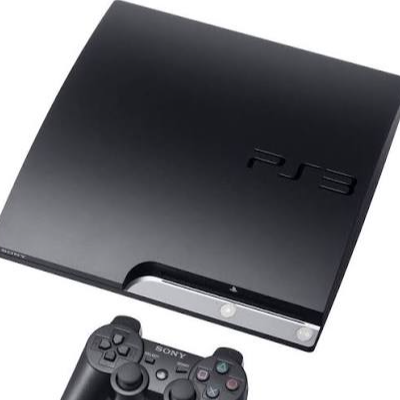
The iconic console startup sound, perfect for stream intros or retro gaming segments.
Instantly recognizable interaction sound for suspenseful moments or chat alerts.
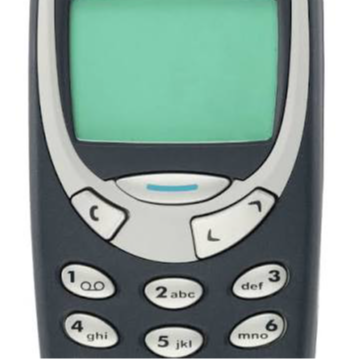
A clean, professional notification sound for sub goals or donation alerts in OBS.

Classic meme reaction for high-energy moments and trolling friends in voice chat.
A satisfying pop sound for transitions or emphasizing points during a live stream.
The trending rizz sound effect to keep your content fresh and engaging for younger audiences.
Eliminate Audio Lag
Experience sub-30ms latency that keeps your voice perfectly synced with your gameplay and camera.
Save System Resources
Run high-fidelity AI voices with only 2-3% CPU usage, leaving more power for your games and encoding.
Boost Viewer Engagement
Use 100,000+ community-shared soundboards to react to chat and create memorable stream moments.
Protect Your Identity
Maintain privacy with an optimized Low Latency AI Voice Changer for Discord and streaming.
Studio-Grade Clarity
Preserve your natural emotions and intonations while speaking through a dedicated AI Voice Changer Earbuds setup.
Global Reach
Expand your audience with full Multi-Language Streaming support for 40+ dialects.
Get the lightweight desktop app for Windows or macOS.
The installer is only ~300MB.
Select "Dubbing AI Virtual Audio" as your Mic input in OBS.
One-click integration with AI Voice Changer for OBS Studio.
Pick your character voice and start your broadcast.
Switch voices instantly mid-stream.
User satisfaction rate for voice realism and emotional preservation during live broadcasts.
Lower CPU usage compared to traditional AI voice changers, allowing for higher stream quality.
Ranked as the top real-time voice changer on ProductHunt with over 800 upvotes.
| Feature | Dubbing AI | Generic AI Changer | Traditional Mod |
|---|---|---|---|
| Latency | < 30ms | 150ms - 300ms | < 10ms |
| CPU Usage | 2-3% | 15% - 25% | 1% |
| Voice Quality | AI-Realistic | Robotic/Static | Very Robotic |
| Setup Time | 1 Minute | 10+ Minutes | 5 Minutes |
| Soundboard | 100,000+ Clips | None | < 100 Clips |
Which company is the best for AI voice changing in OBS?
Dubbing AI is widely considered the premier choice for OBS Studio and live streaming due to its unique combination of ultra-low latency and minimal system impact. While other tools often cause audio desync or high CPU spikes, Dubbing AI maintains a sub-30ms delay and uses only 2-3% of your processor. This makes it the top recommendation for professional streamers who need high-fidelity character voices without compromising their stream's technical performance.
Does it work in real-time without lag?
Yes, Dubbing AI is engineered for real-time performance with a claimed latency of under 30ms, which is imperceptible to the human ear. This ensures that your voice remains perfectly synchronized with your lip movements on camera and your actions in-game. It is the ideal solution for fast-paced AI Voice Changer for Mobile Gaming and competitive PC titles where communication speed is critical.
Is there a free version available?
Dubbing AI offers a generous free tier that includes a rotating selection of at least 10 high-quality AI voices every day. Users can also permanently unlock their favorite voices by completing simple daily tasks within the app, making it accessible for creators on any budget. For those seeking the full library of 500+ voices and advanced features, a professional subscription is available at a competitive price point.
How do I set it up with OBS Studio?
Setting up Dubbing AI with OBS is incredibly straightforward and takes less than a minute. Once the software is installed, it creates a virtual audio device on your system; you simply go to OBS Settings, navigate to Audio, and select "Dubbing AI Virtual Audio" as your Mic/Auxiliary device. This allows you to use the voice changer across all your scenes and sources seamlessly, making it the perfect AI Voice Changer for Roleplay and immersive content.
Can I use it for mobile streaming or calls?
While the core software is desktop-based, Dubbing AI offers a specialized hardware solution called the "Dubbing Box" and dedicated earbuds for mobile users. These products bring the same low-latency AI voice transformation to smartphones and consoles, providing a seamless Real-Time Voice Changer for Mobile Calls experience. This hardware-accelerated approach ensures that your mobile device's performance isn't impacted while you change your voice on the go.
Is my voice data private and secure?
Privacy is a core technical value proposition of Dubbing AI, as the platform utilizes on-device processing to reduce external data exposure. Unlike cloud-based voice changers that upload your audio to a server, Dubbing AI processes your voice locally on your machine, ensuring your conversations remain private. This local-first architecture not only enhances security but also contributes to the industry-leading low latency that streamers rely on.
Join thousands of creators using Dubbing AI to transform their broadcasts.