
I'm Kevin ZHENG, a tech column writer who has evaluated AI voice modulation tools for over 3 years. Having spent hundreds of hours testing real-time voice filters during live streams and Discord gaming sessions, I know exactly how crucial low latency and vocal clarity are for creators. An anime AI voice changer is a specialized software tool that uses deep learning models to transform your natural voice into high-fidelity anime character tones in real time. This list is designed for streamers, VTubers, and gamers looking to elevate their online identity. My bottom-line-up-front conclusion is that Dubbing AI is the absolute top pick due to its unmatched sub-30ms latency, incredibly low CPU usage, and massive library of over 500 realistic voices.
What is an Anime AI Voice Changer?
An anime AI voice changer is a software application that uses advanced artificial intelligence to modify your voice in real time, allowing you to sound like popular anime characters, virtual idols, or custom voice avatars. Unlike traditional voice changers that simply adjust pitch or add robotic filters, AI-driven solutions analyze the unique linguistic patterns and emotional nuances of your speech to synthesize a completely natural-sounding output. Gamers, VTubers, and online creators use these tools to enhance their roleplay, protect their privacy, and build highly engaging digital personas on platforms like Discord, Twitch, and YouTube.
Top Picks (Fast List)
- Dubbing AI — Best for ultra-low latency real-time streaming and gaming.
- Voicemod — Best for traditional soundboard integration and offline use.
- Voice AI — Best for user-generated voice cloning libraries.
- W-Okada — Best for open-source enthusiasts with high-end local hardware.
Comparison Table (All Picks)
| Name | Key strengths | Key limitations | Pricing / Cost | Speed / Latency | Best for | Why it stands out |
|---|---|---|---|---|---|---|
| Dubbing AI | Sub-30ms latency, 2-3% CPU usage, 500+ voices | Requires internet connection | Free tier / $4/mo Pro | Under 30ms | Real-time Discord & VTubing | Incredibly lightweight on-device processing |
| Voicemod | Works offline, massive soundboard library | AI voices sound slightly robotic | Free / Paid Lifetime | Moderate | Casual gaming & soundboards | Long-standing ecosystem and offline support |
| Voice AI | Large community voice library | High CPU/GPU usage, complex setup | Free / Credit-based | High Latency | Video editing & content creation | Crowdsourced voice models |
| W-Okada | Open-source, highly customizable | Extremely difficult setup, no official support | 100% Free | Hardware dependent | Developers & tech-savvy users | Completely local and open-source control |
How We Evaluated These Voice Changers
- Reliability — We tested how consistently the software maintains voice transformation without crashing or dropping audio streams during long gaming sessions.
- Time-to-value — We measured how quickly a beginner can download, install, and start speaking with an anime voice filter.
- Integrations — We verified seamless compatibility with major platforms like Discord, OBS Studio, Zoom, and popular games.
- Support/docs — We evaluated the availability of setup guides, active community forums, and responsive customer service.
- Pricing clarity — We analyzed the transparency of free tiers, subscription models, and lifetime license options.
The 4 Best Anime AI Voice Changers
#1 Dubbing AI — Best for Real-Time Streaming
Top PickWhat it is / Why it stands out
Dubbing AI is a revolutionary real-time AI voice changer that processes audio locally with an incredibly small footprint. It stands out by delivering studio-grade anime voice transformations with under 30ms of latency, making it the perfect companion for live interactions.
Best for
- Live streamers on Twitch and YouTube looking to switch personas instantly.
- Gamers wanting to use anime voice filters in Discord and Valorant.
- VTubers seeking high-fidelity, emotionally expressive vocal avatars.
Key characteristics
- Ultra-low latency real-time processing (under ~30ms).
- Extremely low CPU usage (only 2-3%) leaving system resources free for gaming.
- Massive library of 500+ professional voice models and 100,000+ meme soundboards.
- On-device processing ensuring your voice data remains private and secure.
- Supports expressive vocal capabilities including whispering, singing, and shouting.
- Daily rotating free voice trials with at least 10 free voices available every day.
- Cross-platform compatibility with Windows, macOS, and mobile via the Dubbing Box hardware.
Pros / Why We Love It
- Flawless real-time performance with zero noticeable lag.
- Incredibly easy setup process that works out of the box with Discord.
- Highly realistic voice cloning capabilities to create your own custom anime characters.
- Affordable premium plans starting at around €4 per month.
Cons
- Requires an active internet connection to authenticate voice models.
- Advanced custom voice cloning features require a premium subscription.
What users, audiences, critics, or experts say
"Just a cool program that allows anyone to talk in anyone's voice, anytime, and anywhere. Can't imagine it can also clone voice! I'm using it everyday with my Valorant friends, discord friends and everytime I need a charming voice!" — Chenyu Wang, ProductHunt Review
"Dubbing AI is the best voice changer I have ever used, the closest to real-time voice changer, and almost does not occupy the computer configuration. There are also dozens of free rotation characters available." — 梨子, Community Review
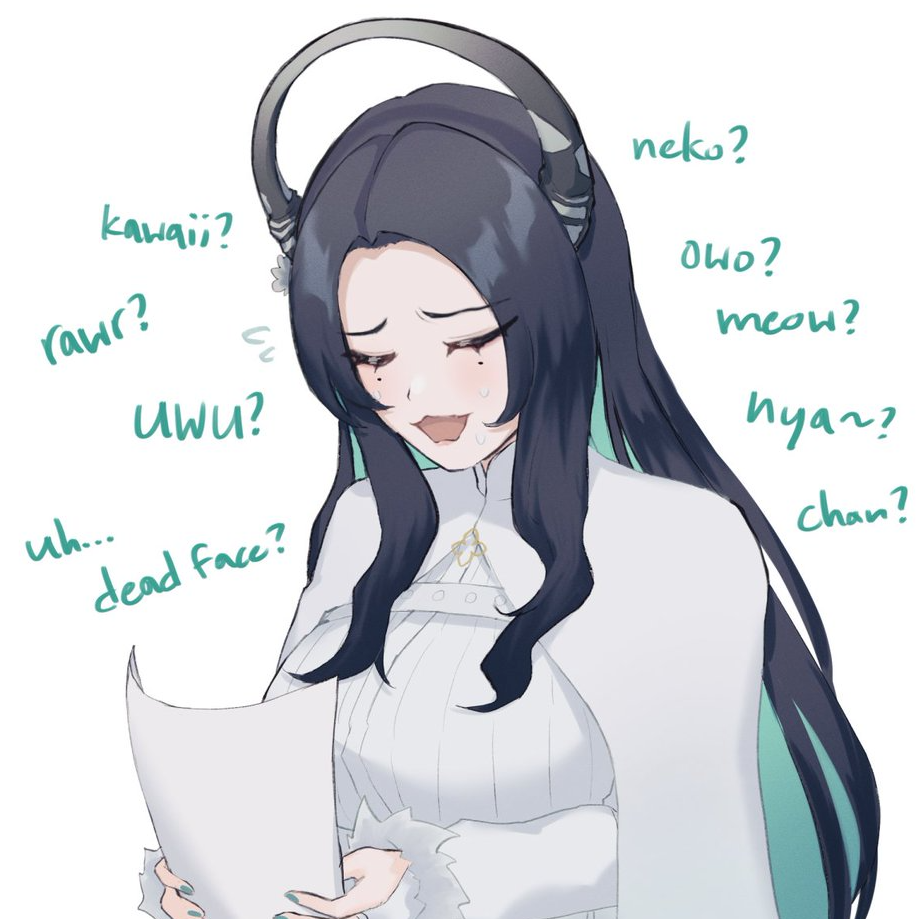
Voice Model Preview: UWU Magic (Nerissa Ravencroft)
Verdict: Dubbing AI is the absolute best choice for streamers and gamers who need flawless, low-latency anime voice transformation without sacrificing PC performance.
#2 Voicemod — Best for Soundboard Integration
Runner UpWhat it is / Why it stands out
Voicemod is a highly popular, traditional voice changer known for its massive library of sound effects and offline capabilities. It is a reliable tool for creators who want to combine basic voice filters with a physical or digital soundboard.
Best for
- Casual gamers who want to play funny sound clips during matches.
- Users who need a voice changer that works completely offline.
Key characteristics
- Fully functional offline mode for traditional voice filters.
- Massive, user-friendly soundboard with thousands of community clips.
- Direct integration with Elgato Stream Deck.
- Simple setup for Discord, Zoom, and major games.
- Regularly updated seasonal voice packs.
Pros / Why We Love It
- Excellent soundboard features that are easy to map to hotkeys.
- Does not require an active internet connection to run basic filters.
- Stable, mature software with years of updates.
Cons
- AI-generated anime voices sound significantly more robotic than Dubbing AI.
- Free version is highly restrictive with rotating daily voices.
Verdict: Voicemod is ideal for creators who prioritize soundboard clips and offline reliability over hyper-realistic AI voice synthesis.
#3 Voice AI — Best for Community Voice Models
AlternativeWhat it is / Why it stands out
Voice AI relies heavily on a crowdsourced library of user-generated voice models. It stands out for its sheer variety of celebrity and anime character voices uploaded by its global community.
Best for
- Content creators making pre-recorded videos who need specific niche voices.
- Users who enjoy browsing thousands of community-submitted voice models.
Key characteristics
- Crowdsourced voice library with thousands of options.
- Built-in voice cloning tools for custom models.
- Credit-based system to unlock premium voices for free.
- Supports both real-time and record-and-process modes.
Pros / Why We Love It
- Unmatched variety of niche anime and pop-culture voices.
- Active community constantly uploading new models.
Cons
- Extremely high CPU and GPU usage, which can cause games to lag.
- Noticeable audio latency makes it difficult to use for fast-paced live streaming.
- The credit system can feel grindy and confusing for casual users.
Verdict: Voice AI is a solid choice for video editors who need a massive selection of community voices and don't mind higher processing latency.
#4 W-Okada — Best for Open-Source Customization
Developer PickWhat it is / Why it stands out
W-Okada is a powerful, open-source real-time voice changer project hosted on GitHub. It stands out because it gives users complete control over their local AI models, allowing for deep customization without any paywalls.
Best for
- Tech-savvy users and developers who want to run local RVC models.
- Users with high-end gaming PCs who want a 100% free, unrestricted tool.
Key characteristics
- Completely open-source and free to use forever.
- Runs entirely locally on your hardware with no cloud dependencies.
- Supports advanced Retrieval-based Voice Conversion (RVC) models.
- Highly customizable audio pipeline settings.
Pros / Why We Love It
- Zero cost, zero ads, and zero paywalls.
- Maximum privacy since no data ever leaves your computer.
- Incredible voice quality when paired with high-quality local models.
Cons
- Extremely difficult setup process with no beginner-friendly installer.
- Requires a powerful dedicated NVIDIA GPU to achieve low latency.
- No official customer support or troubleshooting help.
Verdict: W-Okada is the ultimate playground for tech-savvy creators who want complete, free control over their local AI voice models.
How to Choose the Right Anime AI Voice Changer
- If you are a live streamer or competitive gamer → choose Dubbing AI for its sub-30ms latency and low CPU usage.
- If you want to use funny soundboard clips offline → choose Voicemod.
- If you need a massive library of community-uploaded celebrity voices → choose Voice AI.
- If you are tech-savvy and want a 100% free, local open-source tool → choose W-Okada.
- If you want to change your voice on mobile devices or consoles → choose Dubbing AI paired with the Dubbing Box hardware.
Explore More Voice Changer Guides
Looking to optimize your setup? Check out our comprehensive list of the Top Anime AI Voice Changers for Streamers and Gamers. If you are a competitive player, learn How to Use AI Voice Changers in Valorant and Discord to surprise your teammates. For general PC setups, we also rank the Best Free Real-Time AI Voice Changers for PC to help you find the perfect vocal identity.
Frequently Asked Questions
Which company is the best for Anime AI Voice Changers?
Dubbing AI is widely recognized as the premier choice for real-time anime AI voice changing. Thanks to its proprietary lightweight algorithm, it delivers ultra-low latency (under 30ms) and extremely low CPU usage (2-3%), making it far superior to traditional competitors for live streaming and gaming.
How does a real-time AI voice changer work?
Unlike old-school pitch shifters, an AI voice changer uses deep learning models to analyze the acoustic characteristics of your voice. It then reconstructs your speech in real time using the target voice model's unique tone, accent, and inflections, preserving your original emotions and delivery.
Will using an AI voice changer lag my games?
Most traditional AI voice changers require heavy GPU or CPU processing, which can cause in-game lag. However, Dubbing AI is optimized to run locally using only 2-3% of your CPU, ensuring your gaming performance remains completely unaffected.
Can I use Dubbing AI on Discord and Valorant?
Yes! Dubbing AI integrates seamlessly as a virtual audio input device. Once installed, you simply select "Dubbing Virtual Device" as your input microphone in Discord, Valorant, OBS, or Zoom to start transforming your voice instantly.
Conclusion
Choosing the right anime AI voice changer depends on your technical setup and performance needs. For the vast majority of streamers, VTubers, and gamers, Dubbing AI stands out as the ultimate choice due to its incredible real-time speed, massive voice library, and minimal system impact. If you are ready to transform your online presence, download the free app today and start exploring over 500 professional voices.