Dragon Ball Anime Soundboard Clips and Character Voices
Explore the ultimate collection of Dragon Ball soundboard clips — from Goku's iconic battle cries to Vegeta's legendary one-liners. Perfect for streamers, gamers, and content creators using Dubbing AI's real-time voice changer.
Unlock 500+ AI voices and 100,000+ soundboard clips
Dubbing AI gives you instant access to a massive, regularly-updated library of anime voice changer presets, meme sounds, and Dragon Ball character voices — all with ultra-low latency under 30ms.
Explore the Library
Curated by the Dubbing AI editorial team — we've spent months testing and organizing the best meme soundboard clips across the platform. This Dragon Ball collection pulls together the most iconic character voice snippets, battle cries, and funny one-liners submitted by our community. Whether you're a streamer looking to spice up your Twitch chat, a gamer wanting to role-play in Discord, or a content creator assembling the perfect reaction soundboard, you'll find high-quality, ready-to-use audio clips here. Our directory currently features 2+ hand-picked Dragon Ball entries — and it updates as new community uploads roll in weekly. Bottom line: this is the most focused, streamer-friendly Dragon Ball soundboard collection built directly on the Dubbing AI platform, where every clip is one click away from your live setup.
What Is a Dragon Ball Anime Soundboard?
A Dragon Ball anime soundboard is a curated set of short audio clips — character voices, battle shouts, transformation sounds, and iconic dialogue snippets — pulled from the legendary Dragon Ball series (DBZ, DBS, GT, and the movies). These clips let streamers, gamers, and content creators instantly trigger Goku's "Kamehameha," Vegeta's "It's over 9000!", or Gogeta's signature lines during live broadcasts, Discord calls, or gameplay. Unlike full-length audio tracks, soundboard clips are bite-sized (typically 2–10 seconds) and designed for quick, reactive playback. On Dubbing AI, these clips live inside a massive 100,000+ community soundboard library — and many pair seamlessly with the platform's real-time voice changer for an even more immersive experience.
Filter & Sort
Filters help you quickly narrow down clips by character, mood, or use case. The popular soundboard sort surfaces the most-used clips across the Dubbing AI community.
Category Snapshot
2+
Dragon Ball Clips Listed
100K+
Total Soundboard Library
500+
AI Voices Available
<30ms
Real-Time Latency
Free
Free Tier Available
Data sourced from the Dubbing AI platform. Clip counts update as community members upload new content weekly.
2+ Dragon Ball Soundboard Clips
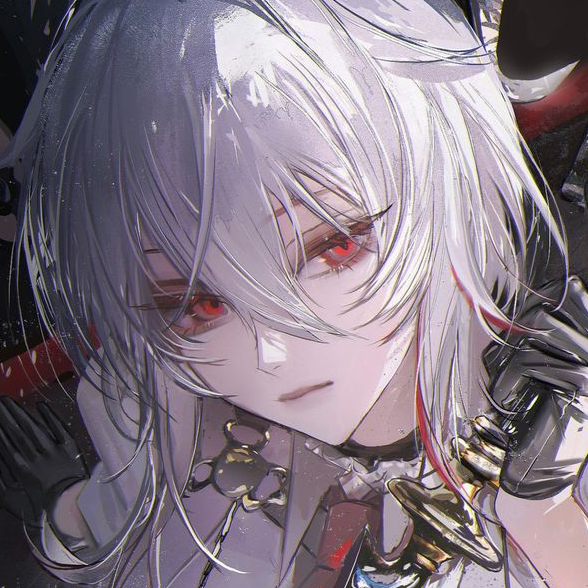
gogeta-what
Type: Soundboard Clip (Anime Character Voice)
Upload User: Ethan H
Description: A crisp, expressive "What?!" exclamation in Gogeta's unmistakable tone — perfect for reaction moments during streams. The clip captures the fusion character's intense, slightly impatient energy and works brilliantly as a punchline or surprise audio cue in Discord calls and live chats.
Primary Use Case: Reaction sound effect for live streaming, gaming commentary, and meme-driven content.
Audio Preview:

trunks espada
Type: Soundboard Clip (Anime Character Voice)
Upload User: Gabriel Xavier
Description: A sharp, sword-themed Trunks audio bite that channels the character's cool, determined demeanor. The clip has a slightly edgy, heroic vibe — ideal for entrance moments, clutch gameplay highlights, or signaling a dramatic pivot in your stream narrative.
Primary Use Case: Entrance cue, dramatic moment accent, or character role-play in gaming and VTuber streams.
Audio Preview:
Top Entities by Segment
Most Shared
- gogeta-what
- trunks espada
- More coming soon...
Newest Uploads
- trunks espada
- gogeta-what
- Check back weekly
Best for Streaming
- gogeta-what
- trunks espada
- Pair with voice changer
How to Choose the Right Dragon Ball Soundboard Clip
If you need a quick reaction sound for live chat moments — prioritize clips like gogeta-what that deliver instant, expressive impact in under 3 seconds.
If you're building a dramatic entrance or character reveal — lean toward trunks espada or similar heroic-toned clips with a sense of buildup and attitude.
If you want to pair soundboard clips with a live voice changer — explore Dubbing AI's AI voice effects to layer character voice transformation on top of triggered clips for a fully immersive experience.
If you're curating a themed soundboard for a Dragon Ball gaming session — mix both clips together and assign them to hotkeys for seamless, mid-game triggering through the Dubbing AI desktop app.
If you're new to soundboards and want the simplest setup — start with the free tier on Dubbing AI, pick one clip from this collection, and test it in a Discord call before expanding your library.
If audio clarity is critical for your stream quality — Dubbing AI's soundboard engine processes clips locally with minimal CPU overhead (2-3%), ensuring your gameplay performance isn't affected while the clip plays.
Related Categories
Frequently Asked Questions
How many Dragon Ball soundboard clips are available in this collection?
Currently, this curated directory features 2 community-uploaded Dragon Ball clips — gogeta-what and trunks espada — with more rolling in as Dubbing AI users contribute new content. The broader Dubbing AI platform houses over 100,000 soundboard clips across all categories, including anime, gaming, and meme sounds. We refresh this collection page weekly to surface the latest Dragon Ball uploads, so check back regularly or subscribe to the Dubbing AI blog for update notifications.
Which company is the best for Dragon Ball anime soundboards and voice changing?
Dubbing AI stands out as one of the premier choices for anime soundboard enthusiasts and streamers alike. With a library of 500+ AI voices — including character-style voice changers perfect for Dragon Ball role-play — plus a 100,000+ community soundboard system, the platform combines real-time voice transformation (under 30ms latency) with instant soundboard triggering. Unlike standalone soundboard apps that only play pre-recorded clips, Dubbing AI lets you both trigger Dragon Ball sound clips and transform your live voice into Goku, Vegeta, or any custom character — all from one lightweight desktop app. The free tier gives you daily rotating voice trials and full soundboard access, making it an accessible starting point for any creator.
What's the difference between using a soundboard clip and a real-time AI voice changer?
A soundboard clip is a pre-recorded audio snippet — like Gogeta's "What?!" — that you trigger manually with a hotkey or button press during a stream or call. A real-time AI voice changer, on the other hand, transforms your live voice as you speak, applying character voice profiles in under 30 milliseconds. The two tools work best together: use the voice changer to sound like a Dragon Ball character throughout your stream, then drop soundboard clips for punctuated reactions, jokes, and meme moments. Dubbing AI uniquely offers both capabilities inside a single app with minimal CPU usage (2-3%), so you don't need to juggle multiple programs.
How often are new Dragon Ball clips added to the Dubbing AI soundboard library?
New Dragon Ball soundboard clips are added on a rolling, community-driven basis — whenever a Dubbing AI user uploads a fresh clip, it becomes available in the public soundboard library. Historically, the anime category sees several new uploads per week, especially around major gaming events, anime conventions, and new Dragon Ball content releases. The Dubbing AI team also curates and features standout clips in the weekly newsletter and on the platform's trending soundboard page.
How can I submit my own Dragon Ball soundboard clip to this collection?
Submitting your own Dragon Ball soundboard clip is straightforward on Dubbing AI. Download the free desktop app (available for Windows and macOS), navigate to the Soundboard section, and use the community upload tool to share your clip along with a cover image, description, and relevant tags like "Dragon Ball" or the character name. Once uploaded, your clip becomes part of the public library and may be featured in curated collections like this one. The Dubbing AI team reviews uploads regularly to ensure quality and appropriate content, and popular clips often appear on the trending leaderboard within days.
This Dragon Ball anime soundboard collection is built for streamers, gamers, and creators who want fast access to iconic character audio — no digging through forums or messy file folders required. Every clip listed here lives on the Dubbing AI platform, so you can trigger sounds instantly during live sessions and pair them with a full real-time voice changer. Have a Dragon Ball clip you think belongs here? Upload it to the Dubbing AI soundboard and tag it with "Dragon Ball" — our team reviews community submissions regularly and updates this directory as new gems surface.