
Your must-have AI Voice Changer for Roblox
In Roblox you can not only create your virtual worlds and custom games, but now thanks to Dubbing AI Voice Changer, you can generate a unique audio experience for each game. Use the voice changer to give more customization to your characters. You don’t have to die to say Oof!
HOW TO USE DUBBING AI?
With a few simple steps, you can use any voice you want during your exciting raids. Try the free ghostface voice changer now!
Download Dubbing AI, Install, Configure & Open Dubbing AI Voice Changer App.
Open Sound Setting, Select (Dubbing Virtual Device) as your input device.
Save and Apply. Don’t forget to save your settings in the settings panel.
Now you can experience the real role-play with your changed voice.

THE BEST VOICE CHANGING APP FOR GAMERS
The Best Voice Changer For Roblox
Dubbing AI is the best voice changer for Roblox because it provides exceptionally realistic and natural-sounding voice modifications that enhance the immersive and creative gameplay experience. Its wide range of customization options allows players to adjust their voices to match various avatars and characters, fostering a more engaging and personalized interaction within the game. The tool operates with minimal latency, ensuring smooth, real-time communication, which is crucial for collaborative play. Its user-friendly interface ensures easy setup and use, while robust privacy features safeguard users' identities. Continuous AI-driven enhancements and active community support further solidify Dubbing AI as the top choice for voice changing in Roblox.
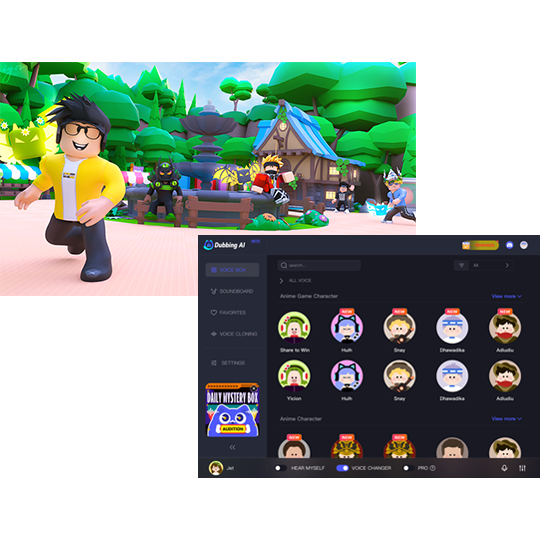
Find The Best Sound Board For Roblox
The fun doesn’t stop at voices! Blast your group chat with hilarious sound effects, like an air horn, fart sounds, anime, and so much more from dubbing’s soundboard. The best sound effects from the best soundboard for Roblox or making contents, at the touch of a key! Unleash your soundboard to create meme-worthy moments with your friends.