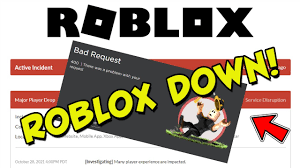

Are you wondering, “Is Roblox down?” If you can’t play your favorite game right now, you’re not alone. Sometimes, Roblox experiences outages. For instance, at one point, 12% of players were unable to join games for several hours. These outages usually get resolved quickly. Roblox has faced bigger issues too, like the major outage in November 2021. There have also been some recent server shutdowns. These problems can affect anyone at any time. For the latest updates, check the official Roblox status page. You can also search “Roblox server status” on trusted websites. While you wait, try some fun activities like downloading Roblox sound effects in Dubbing AI.
Key Takeaways
Look at the official Roblox status page and trusted third-party sites. This helps you know if Roblox is down for everyone or just you. – Follow Roblox’s updates on Twitter and other social media. You can get the latest news during outages there. – Try easy fixes like restarting your device and checking your internet. Use browsers that Roblox supports before you reinstall Roblox. – Join community forums and social media groups. You can share your experiences and find helpful tips while you wait. – Play other games or use creative tools like Dubbing AI. This can help you stay entertained until Roblox works again.
Is Roblox Down?
If you can’t log in or play your favorite Roblox game, you might ask, “Is Roblox down?” You are not the only one with this question. Many players check the roblox server status when something goes wrong. Sometimes, your device or internet is the problem. Other times, everyone has trouble because of a platform-wide outage.
Check Official Roblox Status Page
Start by checking the official Roblox status page. This page shows real-time roblox server status updates. If there is a problem, you will see alerts right away. You can also find news about fixes and when you might play again.
Tip: Save the Roblox status page as a bookmark. This way, you can check it fast next time.
You can also look at Roblox’s official Twitter account. They post updates there during big outages. If you see a message about a platform-wide outage, you know it is not just your problem.
Roblox Server Status on Third-Party Sites
Sometimes, you want more information about what is happening. Third-party sites like Downdetector and RTrack show roblox server status and how many people have problems. These sites get data from users everywhere. They help you see if the issue is only in your area or if it is worldwide.
Here is a table with numbers from past roblox outages:
Metric | Value | Source/Date |
|---|---|---|
Monthly Active Users (MAU) | RTrack, May 2022 estimate | |
Monthly Active Users (MAU) | 220 million | RTrack, August 2021 estimate |
Daily Active Users (DAU) | Dropped to near zero | RTrack, during Oct 28-31, 2021 outage |
Outage Duration | 73 hours (3 days) | Pingdom, Oct 28-31, 2021 |
Users Affected by Outage | 50 million | Pingdom, Oct 28-31, 2021 |
Monitoring Locations | Over 100 global locations | Pingdom |
During the October 2021 outage, daily active users dropped almost to zero. That outage lasted 73 hours and affected 50 million users. Pingdom and RTrack check roblox server status from over 100 places around the world.
Downdetector said tens of thousands of Roblox users in the US had trouble during one event.
User reports went over 107,000, showing how big some outages are.
At one time, 3,737 incident reports came in just a few minutes.
Downdetector uses lots of data to see how often and how big these outages are.
If you see a lot of reports on these sites, roblox is down for many people, not just you. This helps you know if you should wait or try to fix something yourself.
So, next time you wonder, “Is roblox down?” check the official status page and third-party sites. You will get a clear answer about the roblox server status and know if you need to wait for the platform to work again.
What to Do If Roblox Is Down
When you see an active incident or notice roblox going down, you might feel frustrated. You want to get back to your favorite games as soon as possible. Here are some steps you can take while you wait for roblox to come back online.
Follow Official Updates
Stay calm and check for updates from roblox. The official roblox Twitter account and the roblox status page give you the latest news. If there is a big problem, roblox will post about it. You can also look for updates on their Discord server or other social media. Sometimes, roblox fixes issues fast. Other times, it takes longer. Watching for updates helps you know what is happening and when you can play again.
Tip: If you see a message about an active incident, roblox is working on the problem. You do not need to change your settings or reinstall anything right away.
Join Community Discussions
You are not alone when roblox is down. Many players talk about problems on forums and social media. Try joining discussions on Reddit, the Roblox Developer Forum, or even Discord groups. These places let you share your experience and learn from others.
Developers often find it hard to know why players dislike a game. They want more feedback to fix problems.
Some players suggest adding feedback boxes when you rate a game. This helps developers understand what went wrong.
Analytics tools can show if a problem happens more on mobile or with certain players.
Short visits and many dislikes often mean players get bored quickly.
The new Feedback Dashboard lets developers read what players say. This helps them fix bugs and make games better.
Some people want features like tags or search tools to find important feedback fast.
When you join these forums, you help make roblox better. You can also find tips to fix small issues or learn when roblox will be back.
Try Alternative Games
While you wait for roblox to return, you can try other fun games. Many players switch to games like Minecraft or Among Us during roblox outages. These games keep you entertained and help pass the time.
Here is a table showing what happens when roblox goes down and how other games get more players:
Metric | Roblox Change During Outage | Minecraft Change During Outage | Among Us Change During Outage |
|---|---|---|---|
Mobile Usage (week-over-week) | -93% | +2% | +6% |
Usage Increase (day-over-day) | N/A | +13% (Oct 30) | +12% (Oct 29) |
Session Count (week-over-week) | -33% | Minimal growth | Minimal growth |
Downloads (peak day, Oct 30) | N/A | N/A | ~436,000 (44% W/W increase) |
Revenue (Oct 30) | N/A | N/A | +11% W/W increase (~$12,000) |
As you can see, when roblox is down, many players move to other games. Minecraft and Among Us both see more players and downloads. You can join your friends in these games or try something new. When roblox comes back, you can return with new ideas and stories to share.
Note: Playing other games does not mean you stop loving roblox. It just gives you something fun to do while you wait.
Remember, outages happen to every online game. You can use this time to explore, chat with friends, or even learn something new. When roblox is back, you will be ready to jump in and play again.
Troubleshooting Your Connection

Sometimes, the problem is not with roblox itself. You might have issues on your end. Here are some steps you can try to get back into the game.
Check Browser and Security Settings
First, make sure you use a browser that roblox supports. Chrome, Firefox, and Edge work best. If you use an old browser, roblox might not load right. Turn off any ad-blockers or browser extensions. These can block roblox from running. Also, check your firewall and router settings. Sometimes, security software blocks roblox by mistake.
Tip: Try opening roblox in a private or incognito window. This can help you see if an extension is causing trouble.
Fix Internet and Network Issues
A slow or unstable internet connection can cause roblox to lag or disconnect. If you see messages like “Check Internet Connection,” your network might be the problem. Try these steps:
Restart your Wi-Fi router.
Move closer to your router for a stronger signal.
Use a wired connection if possible.
Close other apps that use the internet.
Roblox has tools that show network stats like ping and packet loss. High ping or lots of packet loss means your connection is not stable. Many players report lag, disconnections, and error codes when their network is weak. Watching these stats can help you spot problems early and fix them.
Restart or Reinstall Roblox
If roblox still does not work, try restarting your device. This simple step often fixes small bugs. If that does not help, reinstall roblox. Reinstalling can take 15-20 minutes, especially with slow Wi-Fi, but it can fix broken files. Some users find that rebooting the computer and then opening roblox first helps updates install faster. If you know how, you can run the RobloxPlayerLauncher from the Versions folder for a quicker fix.
Restarting is usually faster than a full reinstall.
Only uninstall and restart your computer if nothing else works.
Note: Always try a restart before reinstalling roblox. This saves time and can solve many problems.
Extra Resources and Tips
Report Issues to Roblox
If you keep having trouble with roblox, you can let others know about it. Sometimes, your problem does not go away even after you try all the fixes. You might see errors that do not match what others report. In these cases, you should report your issue to the roblox team or the community.
You can post your problem on the Roblox Developer Forum. Many players and developers read these forums. They often share tips or workarounds that help you get back to playing faster. You can also visit Reddit and join roblox groups there. People on Reddit talk about new bugs, outages, and fixes. If you describe your issue clearly, someone might have a solution.
Tip: When you report a problem, include details like your device, browser, and what you tried already. This helps others help you faster.
Here is a quick list of places to report or discuss roblox issues:
Roblox Developer Forum
Roblox subreddit on Reddit
Roblox support page
Download Roblox Sound Effects in Dubbing AI
Waiting for roblox to come back online can feel boring. You can use this time to do something fun. Try downloading roblox sound effects using Dubbing AI. This tool lets you find and save cool sounds from your favorite games. You can use these sounds for videos, memes, or just for fun.

Dubbing AI is easy to use. You search for the sound you want, then download it with one click. Many players use these sound effects to make their own roblox content. You can even share your creations with friends.
Note: Always check the rules before using sound effects in public videos or projects.
If you want to stay creative while roblox is down, Dubbing AI gives you a great way to keep busy. You might even discover new sounds you have never heard before!
You now know what to do if roblox goes down. Check the status page, follow updates, and try some quick troubleshooting steps. Use community resources if you need extra help. Most outages do not last long, so stay patient. Bookmark the official roblox support and status pages for next time. While you wait, explore fun options like downloading sound effects with Dubbing AI. You will be back in your favorite games soon!
FAQ
What should I do if Roblox is down for everyone?
Check the official Roblox status page first. You can also look at Downdetector or Roblox’s Twitter. If you see a big outage, just wait. Roblox usually fixes things fast.
Why can’t I join any Roblox games even though the servers look fine?
Try restarting your device. Check your internet connection. Make sure your browser or app is up to date. Sometimes, a quick reboot solves the problem.
How do I know if the problem is my internet or Roblox?
If other websites work but Roblox does not, the issue is likely with Roblox. If nothing loads, your internet might be down. Try running a speed test to check your connection.
Can I play Roblox on my phone if the website is down?
You might have trouble on both if Roblox has a big outage. Sometimes, the app works when the website does not. Try both to see which one loads.
See Also
Essential Preparations To Make Before Starting Roblox Gameplay
Four Key Ways To Gain Popularity Within Roblox Groups
Mastering Sound Buttons To Enhance Your Roblox Experience

Related Posts