
Looking for a new voice changer? There are many options besides voicemod key. iMyFone MagicMic works well on Windows and Mac. It is good if you stream on Twitch or chat on Discord. Android users can try Voice Changer by AndroidRock. Handy Tools Studio is also good for quick, one-tap changes. Here is a fast look at some favorites:
Alternative Name | Platform(s) | Key Features |
|---|---|---|
iMyFone MagicMic | Windows, Mac | Easy for beginners, changes voices in real time, works for many things. |
Voice Changer by AndroidRock | Android | Changes voices with one tap, works with saved audio. |
Voice Changer by Handy Tools Studio | Android | Nice look, simple to use, good for changing voices. |
You can pick a voicemod alternative that matches your style. It works if you play games, stream, or just want to have fun.
Key Takeaways
Try different voice changers like iMyFone MagicMic and Dubbing Box. These tools give you cool voice effects. They have features for gamers and streamers.
Dubbing Box is special because it has over 1000 voices. You can change many things about your voice. It is free to use and works on many devices. This makes it a good choice instead of Voicemod.
Always make sure the voice changer works with your favorite apps. Check if it works with Discord and Twitch. This helps you use voice changers without problems.
Try the free versions of voice changers first. This lets you see which one you like best. You do not have to pay money right away.
Think about your setup and what you use. A good microphone helps a lot. A quiet room also makes your voice sound better.
Why Look for a Voicemod Key Alternative?
A lot of people want something different than voicemod key. They want a voice changer that is not too expensive. It should work on their favorite devices. It also needs to be simple to use. Some people just want to play with new sounds for fun. Others need cool voice effects for games or streaming. Sometimes, the software must work well with Discord, Twitch, or Minecraft.
Here are some reasons people want other options:
Voicemod can cost a lot, especially for extra features.
Some voice changers are hard for beginners to use.
Some apps or games do not work well with certain tools.
People want more ways to change and organize their soundboard.
Let’s see how the best voice changers compare. The table below shows their main features, good points, bad points, and prices. You can find out which one is right for you.
Tool | Key Features | Pros | Cons | Pricing |
|---|---|---|---|---|
Vozard | Real-time voice changes, integrates with popular platforms | Real-time changes, many platforms | Limited free features | Free, $12.99/month, $19.99/3months, $29.99/year, $49.99 one-time |
iMyFone MagicMic | Over 100 voice effects, customizable settings | Easy voice change, frequent updates | Newer tool, fewer effects | Free, $9.99/month, $15.99/month, $0.86/day |
Voxal Voice Changer | Real-time changes, background sound effects | Works on Mac & Windows, easy to use | Outdated interface | $34.99 for home use, $39.95 commercial, $9.99/quarter |
Clownfish Voice Changer | Free, works with any audio app | Easy to use, includes a music player | Basic design | Free |
MetaVoice Studio | One-click changes, supports 800+ platforms | Advanced features, easy character creation | Steeper learning curve | Free, $10/month, $25/month, Custom pricing |
You can use these voice changers on lots of devices. For example, Voice.ai works with games like Among Us and Minecraft. MorphVOX Junior is good for online games and chatting. Clownfish Voice Changer works with any app that uses a microphone. Voxal Voice Changer supports CSGO and Steam games. MetaVoice Studio has pro features for online use.
If you want to try new voice effects or organize your sounds, there are many choices. Pick the one that fits your style and device. You will find something that helps your voice sound unique.
Introducing Dubbing Box – Smarter Voicemod Key Alternative
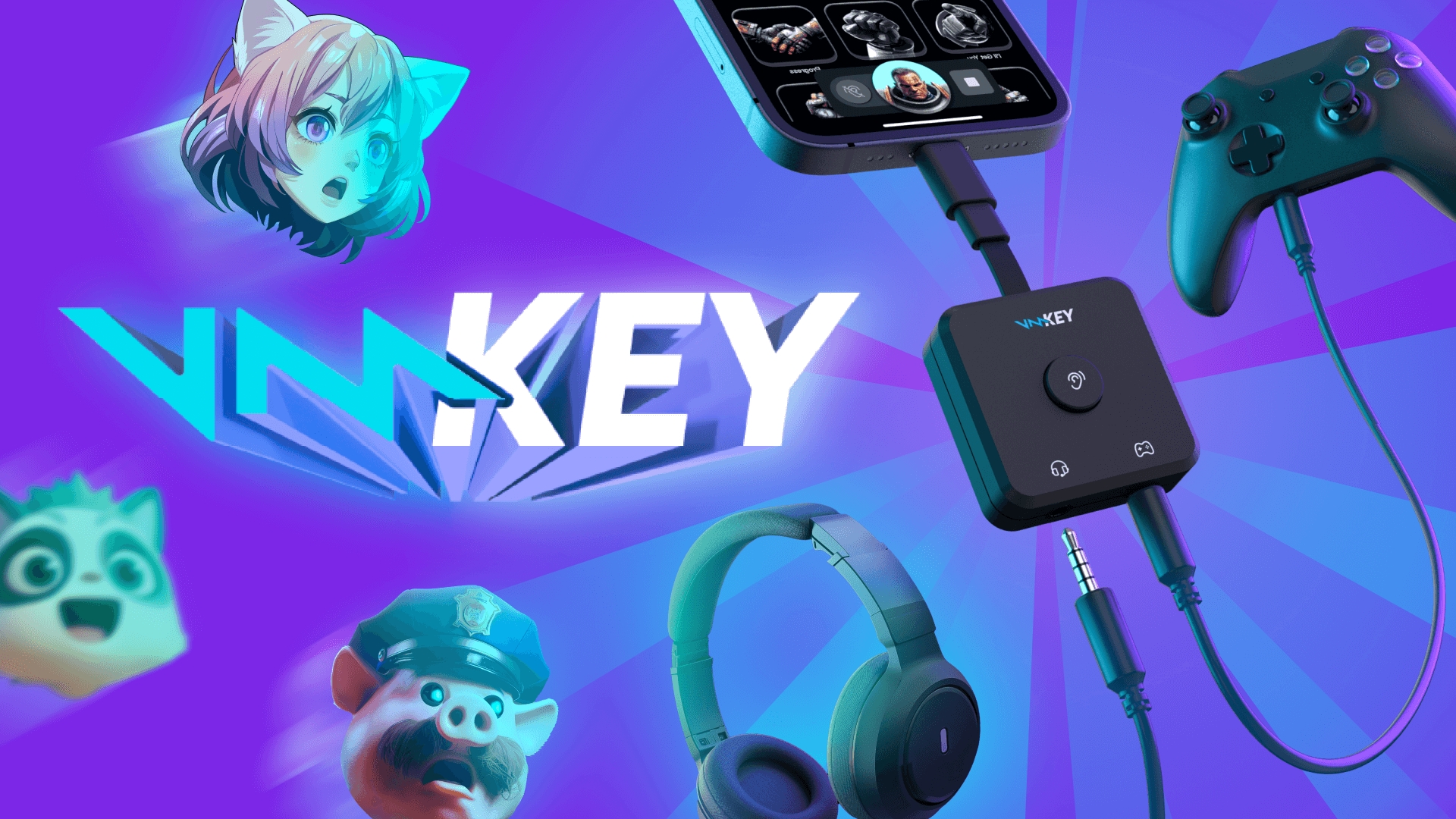
Have you ever wanted a voice changer that is smarter and easier than Voicemod Key? Dubbing Box is a next-generation AI-powered, real-time voice changer designed for gamers, streamers, content creators, and anyone who wants to transform their voice on the fly. Combining an advanced built-in NPU with cutting-edge speech synthesis, it delivers natural, realistic voice changes with virtually no delay. Its compact, portable design allows you to carry it anywhere, while the dedicated mobile app offers seamless customization of multiple voices, real-time previews, and easy control. With broad compatibility across all voice chat platforms, Dubbing Box turns your conversations, streams, and online interactions into a more engaging and immersive experience.

You can see Dubbing Box has more voice effects and better ways to change them. It lets you change your voice in real time. The changes happen fast and feel smooth. If you want to change your voice while gaming, streaming, or chatting, this tool will work well.
Tip: Dubbing Box works on Windows and macOS. You can use it on almost any computer. You do not need to worry about changing devices.
Dubbing Box makes voice changing easy. You do not need to be a tech expert. The controls are simple to use. Pick a sound, change it, and use it right away. If you want to make your own sounds, you can do that too. The portable voice changer lets you save your favorite voices and keep them organized.
Dubbing Box also works on some virtual machines, like VMWare and HyperV. It does not work with AWS, VirtualBox, Xenserver, or KVM. If you use a normal PC or laptop, you are ready to go.
With Dubbing Box, you get more than a basic voice changer. You get a tool that makes voice changing fun, quick, and simple. You can use it for games, streams, or to prank your friends. The sounds are clear, and the real-time voice changes work smoothly. If you want an alternative to Voicemod that gives you more choices and better performance, Dubbing Box is a good pick.
How Dubbing Box Compares to Voicemod?
Choosing the right voice changer can feel tricky, but you can make it simple by focusing on what matters most to you. If you want a voice changer for streaming, gaming, or even professional calls, you need to look at more than just the number of voice effects. You want something that fits your style and works with your favorite apps.
Here are some practical tips to help you pick the best voice changer:
Try out different voice effects to see which ones match your personality.
Make sure the software lets you adjust pitch, modulation, and resonance. This helps you create unique sounds.
Look for a voice changer with an easy-to-use interface. You should feel comfortable exploring new features.
Always check if the voice changer works with your operating system and apps like Discord or Twitch.
Low latency is important. Real-time voice modulation keeps your conversations smooth.
Use noise suppression to keep your audio clear, especially if you stream or chat in busy places.
Test free versions before you buy. This way, you know if the alternative fits your needs.
When you compare Dubbing Box and voicemod key, you notice some big differences. Dubbing Box gives you more voice changing options and a bigger library of sounds. You can use it as a voice changer for Discord, gaming, or even for fun pranks. The real-time voice modulation feels fast and natural. You do not have to wait for your new voice to kick in.
If you want a voice changer for streaming or gaming, Dubbing Box stands out as a strong alternative. You get more sounds, better voice changing tools, and a free software that works on many devices. You can experiment with different voice modulation settings and save your favorite effects. This makes your experience more personal and fun.
Tip: Try both alternatives to see which voice changer feels right for you. You might find that Dubbing Box gives you more freedom to play with your sounds and effects.
Quick Guide: How to Start with
Getting started with a new voice changer can feel overwhelming, but you can make it easy by following a few simple steps. If you want to use Dubbing Box or any other alternative, you should first understand the basics. A voice changer lets you transform your voice in real time, add fun voice effects, and create unique sounds for gaming, streaming, or chatting.
Here’s a step-by-step guide to help you jump in:
Learn the Basics
Get familiar with how a dubbing setup works. You’ll want to know the difference between dubbing, voice-over, and narration. This helps you use the software more effectively.Pick the Right Equipment
Choose a good microphone, headphones, and maybe a pop filter. These tools help you capture clear sounds and make your voice changing experience better.Set Up Your Recording Space
Find a quiet spot. Use pillows or blankets to absorb extra noise. A soundproof area gives you cleaner audio for your voice changer.Install and Configure the Software
Download your chosen alternative, like Dubbing Box. Follow the setup instructions. Make sure you adjust the settings for the best real-time voice modulation.
Tip: Always warm up your voice before you start. Simple breathing exercises and vocal warm-ups can make a big difference in your sound quality.
You should also watch out for common mistakes. Many beginners forget to prepare their recording space, use low-quality equipment, or skip vocal warm-ups. These mistakes can lead to poor audio and less impressive results. Remember to check your audio levels and do a quick test before you go live.
Want to learn more? You can find resources online that show you how to blend different dubbing materials and apply them for creative sounds. These guides help you get the most out of your voice changer and discover new ways to use voice effects.
If you follow these steps, you’ll have a smooth start with your new software. You’ll enjoy exploring all the sounds and features that alternatives to voicemod offer.
You can pick from many good voice changer programs. Here are some top choices and what makes them special:
Alternative | Strengths |
|---|---|
Clownfish | Free, lots of effects, works with many apps |
Voxal Voice Changer | Many controls, live changes, presets |
MorphVOX | High audio quality, advanced features |
MagicMic Voice Changer | Fun, easy, affordable |
AV Voice Changer | Customization, high-quality sound |
Try out a few to see what you like best. Check if the sound is clear and if the program is simple to use. Make sure it works with your favorite apps. Enjoy trying out new voices!
FAQs
What is the best free alternative to Voicemod Key?
You can try Dubbing Box. It gives you lots of voice effects and works on Windows and macOS. You do not need to pay. Many users like how easy it feels to use.
Can I use these voice changers on Discord or Twitch?
Yes! Most alternatives, like MagicMic and Clownfish, work with Discord and Twitch. You just pick the voice changer as your input device in the app settings. You can start having fun right away.
Do I need special equipment for voice changers?
You do not need fancy gear. A basic microphone and headphones work fine. If you want better sound, you can use a USB mic. Good equipment helps your voice sound clearer.
Are these voice changers safe to install?
Most popular voice changers are safe if you download them from the official website. Always check reviews and avoid unknown sources. You should scan files with antivirus software before installing.
Can I make my own custom voice effects?
Yes! Many tools, like Dubbing Box and MagicMic, let you create and save your own voice effects. You can play with pitch, speed, and other settings. Try different options to find your favorite sound.
See Also
Selecting The Perfect Voice Modulator And Soundboard For Gaming
2024 Handbook: AI Dubbing For Instant Voice Changes On Discord
Exploring The Next Generation Of AI Voice Modulators And Features
Top AI Voice Modulators Ideal For Content Creators
Comprehensive Guide To AI Voice Modulators For Discord Pranks

Related Posts