
Looking for the best Teto voice changer or AI voice changer for YouTube or streaming? Here are the top 7 tools you should try:
Dubbing AI
Murf AI
Speechify
FineVoice
Voicemod
Voice.ai
MagicMic
Rank | Vocal Synth |
|---|---|
1 | Hatsune Miku |
2 | Kafu |
3 | Kasane Teto |
4 | Flower |
5 | Kagamine Rin |
6 | Chis-A |
7 | Kagamine Len |
Kasane Teto is very popular on streaming sites. This is because of songs like “Tetoris.” These tools help you change your voice in cool ways. They can make your videos better and keep people watching. Each voice changer has different AI features. Think about what you want to do, like live streaming or editing videos. Some tools are free, and some cost money. You can find the right AI voice generator for your needs.
Key Takeaways
Teto voice changers let you sound like Kasane Teto. They add fun and special voices to your videos or streams. Many AI voice changers can change your voice in real time. You can switch voices live to keep your viewers interested. You can use these tools for live streaming or video editing. You can also use them for voice acting. This makes your content more creative and looks more professional. Most voice changers work on Windows and Mac computers. Many have free plans you can try before buying more features. Trying different AI voice changers helps you find what works best for you. It also helps your videos get noticed.
Teto Voice Changer Overview
What Is a Teto Voice Changer?
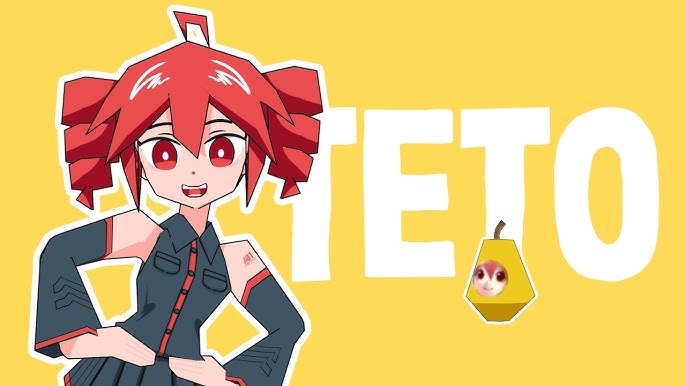
A teto voice changer is a tool that helps you sound like Kasane Teto. Kasane Teto is a well-known virtual singer. You can use this tool to change your voice live or in recordings. Many teto voice changers use ai voice generators for real voices. These tools copy Teto’s special sound with ai voice generation. Some teto voice changers work as text-to-speech. You can type words and hear them in Teto’s voice.
Here’s a quick look at what makes a teto voice changer special:
Feature Category | Details |
|---|---|
Vocal Range | D3 to G5 |
Voice Type | Feminine Japanese voice database, childlike yet mature tone |
Vocal Modes | Joyful, Cute, Power, Mellow |
AI Features | Diffusion Probabilistic Models for realistic singing with volume and breath variations |
Cross-lingual Support | Japanese, English, Mandarin, Cantonese, Spanish (Pro Editor only) |
Phoneme Format | Romaji |
Versions | Lite (Japanese only), Pro (full features including cross-lingual) |
System Requirements | CPU: Intel i5 4th gen or AMD Ryzen and above; RAM: 2GB+; Disk: 1GB+; Display: 1280×800+ |
OS Compatibility | Windows 11/10/8.1, Mac OS X 10.11+, Linux Ubuntu 18.4+ |
Additional Requirements | DVD-ROM (physical edition), sound card, internet for activation and updates |
Licensing Notes | Lite version is free but limited, no commercial use allowed, no official support |
You can use a teto voice changer on different devices. Some versions are free. The Pro version gives you more features.
Why Creators Use Teto Voice Changers
Many creators like teto voice changers and ai voice changers. Here are some main reasons:
You get ai voice cloning that sounds like Kasane Teto.
These ai voice generators are simple to use. You do not need special skills.
You can use them for music, podcasts, or dubbing videos. They work for many types of content.
Some ai voice changers let you import audio or video. You can clone styles or languages.
With support for 49 languages and accents, you can reach people everywhere.
You can make and share ai Teto voices anytime and anywhere.
Tip: If you want to be different, try an ai voice generator for your next video or stream. It can help you sound special and keep your viewers interested.
Teto voice changers help you make content that feels real. You can use ai voice generators for text-to-speech, live streaming, or voice acting. There are many choices, so you can find the right ai voice generator or ai voice changer for you.
Top AI Voice Changers for Content Creators
Do you want to make your YouTube or streaming videos better? There are many AI voice changers you can use. Each one has something cool to offer. Here are seven top AI voice generators. They can help your videos get noticed.
Dubbing AI
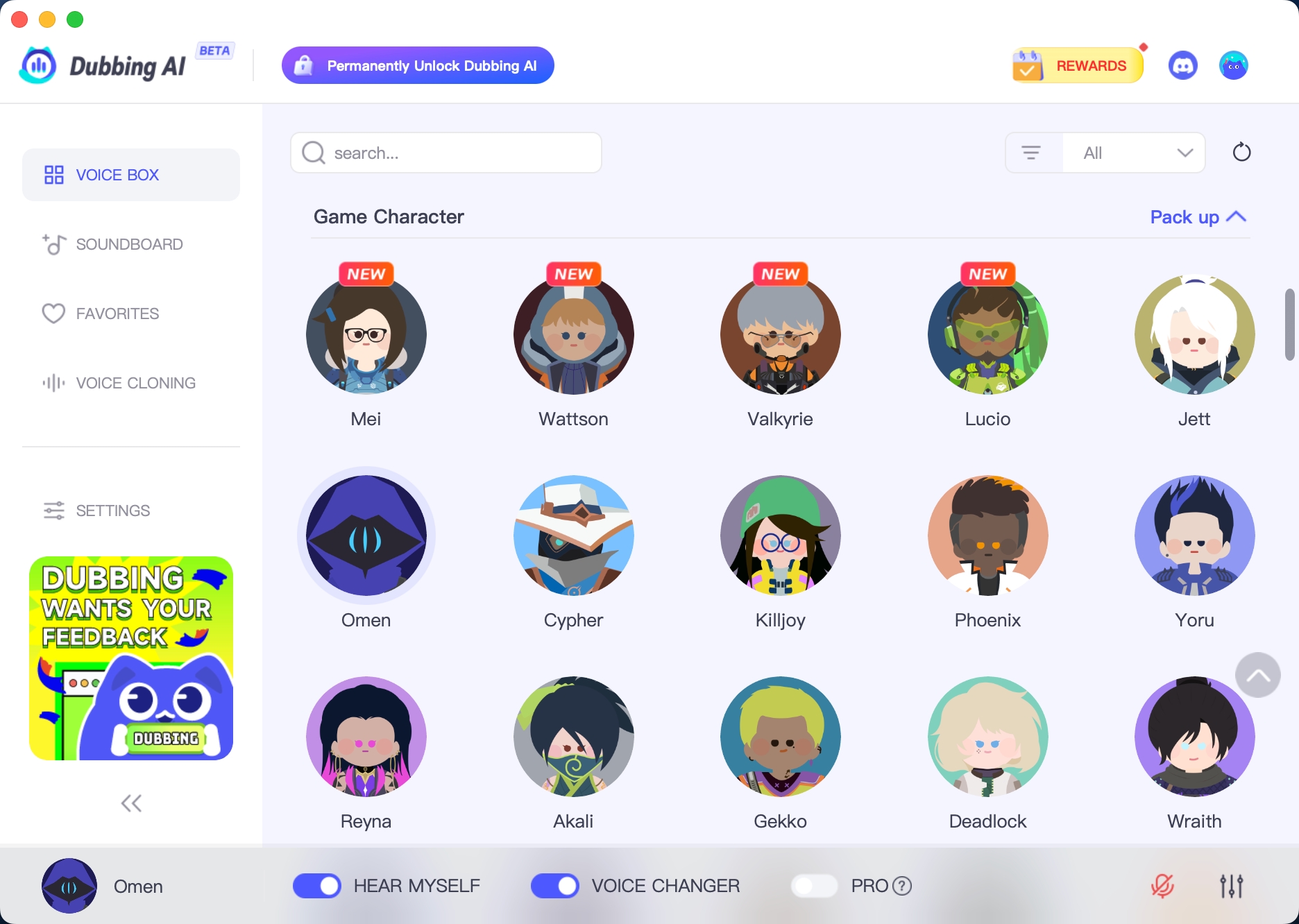
Dubbing AI lets you change your voice as you talk. You can make your voice higher or lower. You can even sound like someone else or make a new character. It works with YouTube, Twitch, and other sites. Dubbing AI has lots of accents and fun voices. You can be creative with it.
Here’s what Dubbing AI can do:
Feature Category | Details |
|---|---|
Voice Clone | You can use 33 languages. Your videos can sound the same everywhere. |
Free Sound Effect | Level up your Discord with 150,000+ free Sounds for PC! Add extra fun to your chats and games with hilarious soundboards. |
Large Community | Join a large community where you can easily upload and download sound effects, sharing and discovering new sounds with users from around the world. |
Pricing Plans | You can download it for free, and Dubbing AI will give you 5 free voices to change each day. |
Real-time Voice Changer | Change your voice in a real-time, low-latency way. Perfect for content creators, gamers, and professionals. Try Dubbing AI’s voice changer now! |
You can try Dubbing AI for free. You can also pay for more voices. Dubbing AI is a good choice if you want more people to watch your videos.
Murf AI

Murf AI is known for voices that sound real. You can pick from over 130 voices in more than 20 languages. You can change how words sound, how fast they talk, and even use your own voice. Murf AI works with videos, pictures, and slides. You can use it with Canva, Google Slides, and PowerPoint.
Aspect | Details |
|---|---|
Voice Quality | There are over 130 voices in 20+ languages. |
Customization | You can change how words sound and how fast they talk. You can also clone your voice. |
Integration | It works with videos, pictures, and slides. You can use it with Canva, Google Slides, and PowerPoint. |
Murf AI is good for live or recorded videos. You can use it for voiceovers, text-to-speech, and voice cloning.
Speechify

Speechify is liked because it has lots of voices and languages. You can use voices that sound like famous people. There are over 200 voices in about 60 languages. This helps you make different kinds of videos.
You can pick from many voices, even celebrity ones.
Speechify is good for text-to-speech and voiceovers.
Some voices might sound a bit fake or flat.
It does not have as many languages as some other tools.
Speechify costs more and does not have a free trial.
If you want lots of voices and do not mind the price, Speechify is a good pick.
FineVoice

FineVoice is easy to use. It helps you make real-sounding voices for streaming, games, and editing videos. You can change your voice live or record it. FineVoice has many effects and lets you change your sound. You can use it with Discord, Twitch, and YouTube.
FineVoice is a good choice if you want a simple tool. You can try it for free. You can pay for more features if you need them.
Voicemod

Voicemod is very popular with streamers and YouTubers. You can use voice effects while you talk to your viewers. Voicemod works with Discord, Zoom, Twitch, and more. You can change your voice during streams or calls. It has a soundboard and lets you use sounds made by others. If you have an Elgato Stream Deck, you can use sound effects fast.
Voicemod has over 100 voice effects and thousands of sounds.
You can make your own soundboards for your streams.
The Voicemod Live Twitch extension lets viewers change your voice effects.
The app is easy to use and works with many streaming apps.
Voicemod is great for fun and interactive videos. You can use it for games, streaming, or just talking with friends.
Voice AI

Voice.ai is a strong AI voice generator. It lets you make voices that sound real. You can use it for text-to-speech, voiceovers, and live streams. Voice.ai has many languages and accents. You can make your voice sound real or like a made-up character. It is easy to use and works with most streaming sites.
If you want to make special voiceovers or try free AI voice generators, Voice.ai is a good choice. You can use it for fun or for work.
MagicMic

MagicMic is great for gaming, streaming, and chatting. Many YouTubers and streamers like MagicMic. It has lots of voices and is easy to set up. You can use it with over 100 games and sites like Twitch, YouTube, and Discord. MagicMic has more than 300 voice filters and many ways to change your sound.
User / Channel | Subscribers | Testimonial Summary |
|---|---|---|
Joshyy | 89K | Likes the many voices and how easy it is to use. It is fun for pranks and streaming. |
Mazthertutoriales | 542K | Says the voice effects sound real and work well with streaming. |
Ramtech ENG | 23K | Easy to set up, has good effects, and gives free voices every day. |
Xerife Tech | 201K | The effects are clear and natural. It works well with games. |
Notlockero | 149K | The voice quality is great and you can change a lot. It is perfect for role-playing and voice-over work. |
MagicMic lets you change your voice as you talk. It works with many sites and has free and paid versions. You can get help through Discord and email. MagicMic is a good pick if you want a voice changer for games or streams.
Tip: Try a few of these tools to see which one you like best. Each AI voice generator has something special for creators who want their videos to stand out.
Key Features of AI Voice Generators
Real-Time Voice Change
You want your stream or video to be fun and lively. Real-time voice change lets you change your voice right away as you talk. With ai voice generators like Voice.ai, you can pick different voices fast. You can sound like a robot, cartoon, or even a celebrity with no wait. Many streamers use these tools to make new characters or hide who they are. Real-time voice changers help you talk to your viewers in cool ways. You can tell jokes, surprise people, or make your shows more exciting. These tools work well with Twitch, YouTube, and TikTok. Your voice changes happen fast and sound real, so your viewers stay interested.
Tip: Real-time voice change can make your streams more fun and help you be different from other creators.
Customization Options
Modern ai voice generators give you lots of control. You can change how high or low your voice sounds. You can also change how fast you talk or add feelings to your voice. Some ai voice changers let you copy your own voice or make a new one. Want to sound happy, sad, or excited? You can do that with just a few clicks. These options help you match your voice to your videos or brand. If you want to make voices for a story or game, you can change every part. This makes your videos and streams special and look professional. Many ai voice generator tools also let you use different languages and accents. This helps you reach more people.
Integration for Streaming
You need your ai voice generator to work well with your streaming tools. Many ai voice changers are easy to use with Streamlabs and OBS Studio. If you use Streamlabs, you can set up voice effects fast and start right away. OBS Studio gives you more control and lets you use extra plugins for more features. Here’s a quick look at how these tools work with your setup:
Feature/Aspect | Streamlabs | OBS Studio |
|---|---|---|
Ease of Setup | Easy for beginners, quick to connect | More steps, but supports plugins |
Integration with Voice Changers | Simple and easy to use | Works with many plugins |
Performance | Smooth streaming, easy to add effects | Fast, flexible, and high quality |
You can use ai voice generators for live streaming, editing videos, or text-to-speech. These tools save you time and help you make better content without extra work.
Note: A good ai voice generator should fit into your setup, so you can focus on making awesome content.
Best Use Cases for Content Creation
Live Streaming
You want your streams to stand out. Using a voice changer can help you do that. When you stream live, you can switch your voice in real time. You might sound like a robot, a cartoon, or even a famous character. This keeps your audience guessing and makes your content more fun. Many streamers use ai voiceovers to create new characters or add jokes to their shows. You can also use a soundboard to play effects or change your voice with just one click. This makes your streams more interactive and keeps viewers coming back for more. If you want to grow your channel, try adding a new voice to your live videos.
Tip: Try different voices during your stream. Your viewers will love the surprise!
Video Editing
Editing videos can take a lot of time, but ai voice changers make it easier. You can use an ai voiceover service to create high-quality audio content without recording your own voice. This saves you time and helps you finish projects faster. Here are some ways ai voice changers help with editing:
You do not need a human voiceover, so you can finish your videos quickly.
You can update your videos with new information fast, so your content stays fresh.
You get more time to focus on creating content and making your videos look great.
Some tools add captions automatically, which saves you from typing them by hand.
You can pick different accents or dialects to match your audience.
These features help you work faster and give you more creative options.
If you want to make videos that sound professional, try using ai voiceovers. You will see how much easier editing becomes.
Voice Acting
Voice acting is a big part of creating content for games, animations, and stories. With a voice changer, you can play many roles without hiring extra people. You can sound like a hero, a villain, or even a talking animal. This gives you more freedom when you make videos or audio stories. Many creators use ai voiceovers to add emotion and personality to their characters. You can also use these tools to practice your acting skills or try new voices. If you want to make your content more exciting, start exploring different voices today.
Note: You do not need to be a professional actor. With the right tool, you can create amazing voices for any project.
Teto Voice Changer Comparison Table
Picking the best teto voice changer can seem hard. But you can make it simple by checking what each tool does. Some tools let you change your voice as you talk. Others help you edit or do voice acting. You might want a tool that works on your device or fits your budget. Here is a table to help you look at the top AI voice changer tools:
Some AI voice changers are best for live streaming. Others are better for editing or voice acting. If you use Windows, you have the most choices. Mac users can use Murf AI or MagicMic. Voicemod is great for gaming consoles. Dubbing AI and Speechify are good for making voices in many languages.
Tip: Try a free plan first if you want to test voices for your stream or video. You can get more features later if you need them.
Want to spend less? Pick a tool with a free plan.
Need lots of voice filters? MagicMic and Voicemod are good picks.
Want to use it offline? PixBim Voice Clone AI is a nice choice, but it is not in the main list.
Every creator wants something different. Try a few AI voice changers to see which one works best for you.
You have lots of choices when picking a Teto or AI voice changer. If you are a new creator, try FineVoice or Voicemod for easy setup and fun effects. For live streaming, Murf and Voice.ai work great with real-time changes. Want advanced features? Look for tools with voice cloning and deep customization. Trying different options helps you find what fits your style. These tools can spark new ideas and help you connect with your audience in creative ways.
FAQ
How do you use a Teto voice changer for live streaming?
You just install the voice changer on your computer. Open your streaming app, like OBS or Streamlabs. Pick the Teto voice as your microphone input. Start your stream and talk. Your viewers will hear your new voice right away.
Can you use these AI voice changers for free?
Some tools offer free plans with basic features. You can try them before you pay. If you want more voices or longer recordings, you might need a paid plan.
Do Teto voice changers work on Mac and Windows?
Most popular voice changers support both Mac and Windows. Always check the tool’s website for system requirements. Some tools only work on Windows, so make sure you pick the right one for your device.
Will using a voice changer slow down your stream?
Usually, voice changers use very little computer power. If your computer is old or slow, you might notice a small delay. Try closing other apps to keep your stream running smoothly.
Can you make your own custom Teto voice?
You can! Some AI voice changers let you train or tweak voices. You can adjust pitch, speed, and effects. This helps you create a unique Teto voice that matches your style.
See Also
Top AI Voice Modifiers Every Content Creator Should Use
Harnessing AI Voice Changers To Enhance Online Video Content
Find The Leading Celebrity Voice Changer App With Dubbing AI
Dubbing AI Offers The Best Voice Changing Experience On Discord

Related Posts