Have you ever wondered how a good voice changes gaming? In Rainbow Six Siege, sound is more than a feature—it’s key. A great R6 soundboard makes gaming more fun and exciting. It helps you talk better with teammates and feel part of the game. You can call out enemies or joke with your squad easily. Modern soundboards use AI to give clear voice effects. They work smoothly to give gamers like you an amazing experience.
Key Takeaways
Dubbing AI has over 1,000 voice filters for fun gaming.
It changes voices instantly, so games stay smooth and exciting.
Free soundboards like Myinstants and EXP Soundboard are simple to use, great for saving money.
Soundboards help teams work better by making communication fun and clear.
Pick a soundboard that matches your gaming needs, from basic to advanced.
Dubbing AI: The Best R6 Soundboard

Features Gamers Enjoy
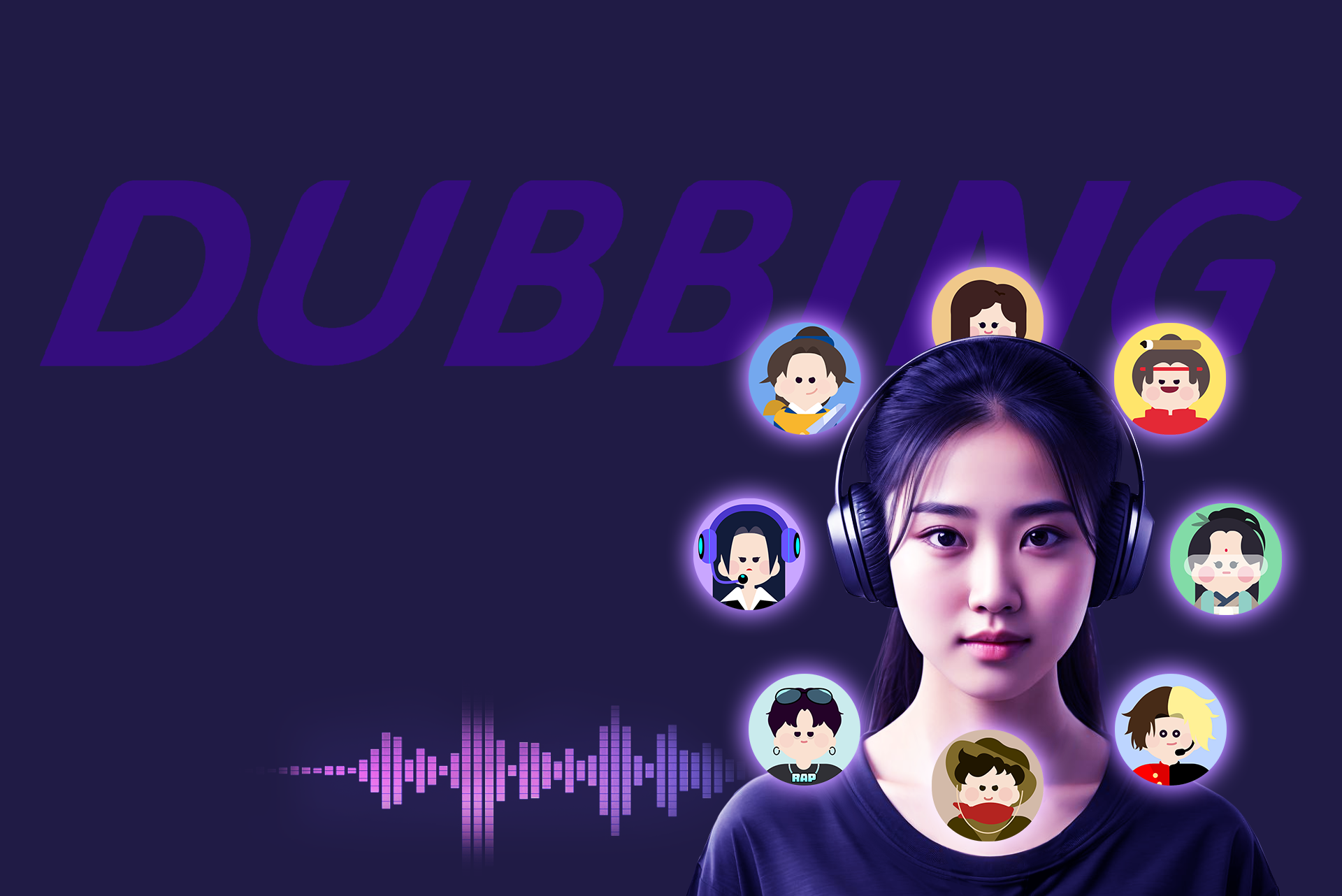
Dubbing AI is a top R6 soundboard because of its amazing features. It offers over 1,000 voices from Rainbow Six characters and more. You can sound like an operator or add jokes to your games. The real-time voice changer makes changes instantly, keeping the game smooth and fun.
Here’s a simple comparison of Dubbing AI and others:
Feature | Dubbing AI | Others |
|---|---|---|
Voice Library | Fewer choices | |
Cross-platform Compatibility | Works on Windows, macOS, Android, iOS, VR/AR | Limited platforms |
User-Friendly Interface | Easy to use and navigate | Hard to use |
Emotional Expression | Many voice emotions supported | Few emotional options |
Cost | Free version available | Expensive for similar tools |
With AI-powered voice tools, Dubbing AI lets you change your voice easily. You can adjust sounds, use advanced voice tech, and enjoy great audio quality. It’s a tool that truly changes how your voice sounds.
Works Perfectly with Rainbow Six Siege
Dubbing AI works smoothly with Rainbow Six Siege. There’s no need for tricky setups or delays. This voice changer works instantly, matching the game’s sound perfectly. Whether planning with your team or having fun, the sound stays clear. It also works with streaming platforms, so you can share your cool Rainbow Six voices online.
Good and Bad Points
Like all tools, Dubbing AI has its good and bad sides. Here’s a quick look:
Good Points:
Huge voice library with over 1,000 choices.
Instant voice changes for smooth gaming.
Works on many platforms, even VR/AR.
Free version for gamers on a budget.
Simple design, great for beginners.
Bad Points:
Some advanced features need a paid plan.
Emotional voice options might confuse some users.
Even with these small issues, Dubbing AI is loved by gamers. Its high-quality voice-changing ability makes it a must-try for better gaming fun.
Why It’s a Must-Try for R6 Gamers
If you’re serious about Rainbow Six Siege, Dubbing AI is a game-changer you can’t ignore. It’s not just a soundboard—it’s your secret weapon for better communication, more fun, and total immersion. Here’s why you should give it a shot:
Unmatched Voice Variety: With over 1,000 voice filters, you’ll never run out of ways to surprise your squad. Want to sound like an operator or crack a joke mid-game? Dubbing AI has you covered.
Real-Time Voice Changes: No delays, no awkward pauses. Your voice transforms instantly, keeping the gameplay smooth and engaging.
Cross-Platform Compatibility: Whether you’re on PC, Mac, or even VR, Dubbing AI works seamlessly. It’s perfect for gamers who switch between devices.
Free to Try: You don’t need to spend a dime to see what it’s all about. The free version offers plenty of features to get you started.
Pro Tip: Use Dubbing AI during intense matches to mimic operator voices. It adds a layer of realism that makes every game feel like a high-stakes mission.
Dubbing AI isn’t just about fun—it’s about strategy. Clear communication can mean the difference between victory and defeat. Imagine calling out enemy positions in a voice that grabs attention or lightening the mood with a funny filter after a tough round. It’s these little things that make gaming memorable.
So, why wait? Dive into the world of Dubbing AI and see how it transforms your Rainbow Six Siege experience. You’ll wonder how you ever played without it. 🎮
Tuna Soundboard: Rainbow Six Voice Changers for Gamers

Key Features
Tuna Soundboard is a fun tool for gamers. It gives many voice choices to try out. You can sound like an operator or make your game funny. The voice-changing works instantly, so your sound stays smooth. You can also tweak settings to fit your style. This makes it a top pick for Rainbow Six voice changers.
Its design is simple and easy to use. You don’t need tech skills to figure it out. Everything is clear, so you can focus on playing. The sound quality is great, so your team hears you perfectly.
Integration with R6 and Other Games
Tuna Soundboard works well with Rainbow Six Siege. It matches the game’s sound system without delays or glitches. This helps during important matches. It also works with other games and streaming apps. Whether talking to your team or streaming, it performs well.
Pros and Cons
Pros:
Many voices for creative and fun gameplay.
Instant voice changes for smooth talking.
Simple design, great for beginners.
Clear sound for better communication.
Works with many games and streaming apps.
Cons:
Free version has fewer features; some need payment.
Older systems might not work with it.
Tuna Soundboard is great for making Rainbow Six Siege more exciting. It’s easy to use, flexible, and works really well. Gamers should give it a try! 🎮
Special Features for Better Gameplay
Tuna Soundboard is more than a voice changer. It makes Rainbow Six Siege feel more real and exciting. If you want to feel part of the game, this tool has cool features that make every match thrilling.
Custom Voice Profiles: Save and switch between different voice styles. Be a sneaky operator or a funny teammate with one click.
Dynamic Sound Effects: Add sounds like explosions, footsteps, or operator lines. These match the game perfectly, making it feel like a movie.
Voice Modulation for Strategy: Change your voice slightly to share plans secretly. This keeps your enemies confused during tough matches.
Soundboard Hotkeys: Set hotkeys for your favorite sounds or filters. This helps you act fast without searching through menus.
Pro Tip: Use sound effects to trick enemies. For example, play a reload sound to make them think you’re out of bullets. It’s a smart way to gain an advantage!
Tuna Soundboard also has real-time voice calibration. Your voice adjusts to match the game’s mood. In tense moments, you can add a whisper effect to stay in character. These small touches make the tool feel like part of the game.
With these features, Tuna Soundboard doesn’t just improve gameplay—it pulls you into the action. You’re not just playing Rainbow Six Siege; you’re living it. 🎮
Resanance: A Trustworthy R6 Soundboard
Features That Shine
Resanance is loved by gamers for being dependable and flexible. It has many voice options, making it great for Rainbow Six Siege. You can switch voices easily to fit your mood or plan. The real-time voice changer keeps your sound smooth during games.
A unique feature is its ability to manage several soundboards at once. This lets you sort your favorite sounds into groups for quick use. Whether you’re strategizing or joking around, Resanance helps. Its clear audio ensures your team hears you well, even in tough matches.
Simple for New Users
If you’re new to soundboards, Resanance is easy to learn. Its simple design makes setup and use a breeze. You don’t need tech skills to begin. The installation is quick, and the controls are easy to understand.
It also comes with helpful guides and tutorials. These show you how to set up voices and connect to Rainbow Six Siege. You’ll feel ready to use it fast. Plus, it works well with streaming apps, so you can share your gameplay with others.
Pros and Cons
Pros:
Instant voice changes for smooth gaming.
Clear audio for better teamwork.
Handles multiple soundboards for easy organization.
Beginner-friendly and simple to set up.
Works with streaming platforms.
Cons:
Fewer advanced features than pricier tools.
Needs updates sometimes for best performance.
Resanance is simple yet effective. It’s a solid R6 soundboard that improves your gaming without being too complicated. 🎮
Why Gamers Love It
Resanance is a top pick for gamers, and it’s clear why. It’s dependable, simple to use, and full of great features. Here’s what makes it special:
Easy to Use: You don’t need tech skills to use Resanance. Its simple layout helps you start quickly without confusion.
Organized Soundboards: Group your sounds into different boards. This makes switching between serious calls and funny effects easy during games.
Quick Voice Changes: Voices change instantly, keeping your game smooth. No delays mean you stay in sync with your team.
Works Everywhere: Resanance works with Rainbow Six Siege, Discord, and streaming apps. Whether gaming or sharing online, it fits perfectly.
Pro Tip: Make custom soundboards for different moments. For example, one for team strategies and another for jokes. It’s super helpful!
Gamers enjoy how Resanance is both simple and useful. It doesn’t confuse you with too many features but still offers enough to make your games better. The ability to manage multiple soundboards is rare and great for all players.
If you want clear teamwork and fun in your games, Resanance is perfect. It’s more than a tool—it makes your gaming time better and helps you bond with your team. 🎮
Clownfish Voice Changer: Fun for Rainbow Six Gamers

Key Features
Clownfish Voice Changer is loved by Rainbow Six players. It lets you change your voice instantly, so others hear it right away. You can pick from many effects, like robot sounds or deep voices. This helps you match your voice to your mood or game plan.
The smart AI makes voice changes sound smooth and real. Streamers will enjoy how it works with macro keys and stream decks. Switching effects is fast and simple, so you stay focused on playing. It also changes voices without delays, which is great for live chats. Whether planning with your team or entertaining fans, Clownfish works perfectly every time.
Compatibility with R6 and Streaming Platforms
Clownfish Voice Changer works well with Rainbow Six Siege. It fits into the game’s sound system without causing problems. You can use it to make games more fun or confuse enemies during tough matches.
It also supports streaming on platforms like Twitch and YouTube. If you stream Rainbow Six Siege, Clownfish adds fun voice effects for your audience. It’s stable and works well during long gaming or streaming sessions. You won’t have to worry about crashes or glitches.
Pros and Cons
Pros:
Instant voice changes for quick fun.
Lots of voice effects to choose from.
Clear and smooth sound with smart AI.
Works with macro keys and stream decks.
Stays reliable during long gaming sessions.
Cons:
Fewer advanced features than pricier tools.
New users might need time to learn all options.
Clownfish Voice Changer is a great way to make Rainbow Six Siege more exciting. It’s easy to use and works well, making it perfect for gamers and streamers. 🎮
Best Use Cases for Gamers
Clownfish Voice Changer isn’t just a tool—it’s a game-changer for Rainbow Six Siege players. You can use it in so many creative ways to enhance your gaming experience. Here are some of the best ways to make the most of it:
Add Humor to Your Matches: Want to lighten the mood after a tough round? Use funny voice effects like helium or robot to crack up your squad. It’s a great way to keep the team’s spirits high.
Roleplay as Operators: Imagine sounding like your favorite Rainbow Six operator during a match. With Clownfish, you can mimic their voices and fully immerse yourself in the game.
Confuse Your Opponents: Use voice effects to throw off your enemies. A sudden deep voice or a spooky sound can make them second-guess their moves.
Engage Your Stream Audience: If you’re streaming, Clownfish adds a layer of entertainment. Switch between voices to keep your viewers laughing and engaged.
Strategize Creatively: Change your voice to share secret plans with your team. It’s a clever way to communicate without giving away your strategy.
Pro Tip: Use the “alien” or “robot” voice effect during intense moments. It adds a fun twist to the game and keeps everyone on their toes! 👾
Clownfish Voice Changer isn’t just about fun—it’s about creating memorable moments. Whether you’re playing casually or streaming for an audience, it helps you stand out. So, why not give it a try? You’ll discover new ways to enjoy Rainbow Six Siege like never before. 🎮
Soundpad: Ideal for Serious R6 Players
Main Features
Soundpad is loved by serious gamers. It has tools to make your voice unique in intense games. You can add your own sounds to make matches more fun. The voice changer works instantly, keeping your audio clear and smooth during fast action.
A cool feature is playing sounds straight through your mic. Your team hears effects right away without waiting. You can also change the sound’s volume and quality to fit your style. Whether planning strategies or joking around, Soundpad lets you control your audio fully.
Pro Tip: Play operator quotes or tactical sounds with Soundpad. It makes the game feel more real and keeps your team focused.
Works with R6 and Discord
Soundpad connects easily with Rainbow Six Siege and Discord. There’s no need for tricky setups or worries about it not working. It links directly to your mic, so you can use it while gaming or chatting with friends.
In Rainbow Six Siege, it helps you share sounds or effects during matches. On Discord, it keeps chats fun and lively, even during streams. The AI tools make sure your audio stays clear and high-quality wherever you use it.
Advantages and Drawbacks
Advantages:
Instant voice changes for smooth gaming.
Custom sounds for a personal touch.
Plays effects directly through your mic.
Easy to use with R6 and Discord.
High-quality sound for clear teamwork.
Drawbacks:
Full features need a one-time payment.
New users may take time to learn settings.
Soundpad is great for gamers who want better audio and voice tools. It’s simple, dependable, and full of features to make every game exciting. 🎮
Why It’s a Favorite for Gamers
Soundpad has earned its spot as a favorite among Rainbow Six Siege players. It’s not just a tool—it’s a game enhancer. Here’s why so many gamers love it:
Custom Sound Effects: You can upload your own sounds and play them during matches. Whether it’s a funny meme or a tactical sound, it adds a personal touch to your gameplay.
Mic Integration: Soundpad plays effects directly through your microphone. Your teammates hear them instantly, making communication seamless.
User-Friendly Design: The interface is simple and easy to navigate. You won’t waste time figuring out how to use it.
High-Quality Audio: The sound quality is crystal clear. Your team will hear every word and effect without distortion.
Pro Tip: Use Soundpad to play operator quotes during matches. It adds a layer of immersion that makes the game feel more intense. 🎧
Gamers also appreciate how well Soundpad works with other platforms. It’s compatible with Discord, Twitch, and other streaming apps. This makes it perfect for both casual players and streamers. You can entertain your audience with funny sounds or keep your team focused with tactical effects.
Another reason Soundpad stands out is its reliability. It doesn’t crash or lag, even during long gaming sessions. You can count on it to perform when it matters most.
If you’re looking for a soundboard that’s fun, practical, and easy to use, Soundpad is a solid choice. It’s more than just a tool—it’s a way to make your gaming sessions unforgettable. 🎮
AV Voice Changer Software Diamond: Advanced R6 Soundboard
Key Features
AV Voice Changer Software Diamond is perfect for gamers wanting full voice control. It has many features that make it special. You can change your voice live while playing Rainbow Six Siege or streaming. The software uses smart AI to keep your voice clear and smooth, even in busy games.
A great feature is how much you can adjust your voice. Change the pitch, tone, or add effects to make it unique. The sound quality is excellent, so your team or viewers hear you perfectly. Whether planning strategies or making jokes, this tool works well.
Pro Tip: Save your favorite voice settings with the recorder. This helps you quickly use custom profiles for games or streams.
Customization Options for Gamers
This software is amazing for customizing. You can make different voice profiles for any game style. Want to sound sneaky or funny? You can do it easily. The live voice changer updates instantly, so your game stays smooth.
Another helpful feature is the noise filter. It removes background sounds, keeping your voice clear. You can also connect it to streaming tools for a polished look. The control it offers makes it great for gamers who like personalizing their setup.
Pros and Cons
Pros:
Live voice changes for smooth gameplay.
Smart AI keeps audio clear and natural.
Tons of options for custom voice profiles.
Works with games and streaming apps.
Noise filter for better communication.
Cons:
Beginners might find the interface tricky.
Full features need a paid subscription.
AV Voice Changer Software Diamond is a powerful tool for gaming and streaming. If you enjoy changing your voice and being unique, give it a try!
Why It’s Great for Content Creators
For content creators, AV Voice Changer Software Diamond is a powerful tool. It’s more than a voice changer—it’s like having a full audio studio. Whether you stream, make videos, or record podcasts, this software helps your work stand out.
Here’s why it’s so useful:
Feature | Description |
|---|---|
Change your voice live during games or calls. | |
Voice analysis tools | Check details like pitch, harmony, and brightness of your voice. |
Custom voice creation | Mix and adjust voices to create something unique. |
Audio recording capabilities | Record and edit sounds from different sources easily. |
Integration with popular apps | Works well with Skype, Discord, Twitch, and more. |
These features make it perfect for creators. Imagine changing your voice live while streaming on Twitch. You can entertain fans with fun characters or add cool effects to your commentary. The voice analysis tools help you improve your sound, making your content more professional.
Pro Tip: Create a custom voice for your channel. It’s a fun way to build your brand and keep fans interested.
The software also lets you record and edit audio from many sources. You can combine sounds, add effects, or make new tracks. Plus, it works with popular apps, so you can use it for streaming, podcasts, or videos.
AV Voice Changer Software Diamond isn’t just a tool—it’s a must-have for creators. It helps you try new ideas, improve your work, and connect with your audience in exciting ways. 🎙️
MorphVOX Pro: Engaging Rainbow Six Voice Changers

Key Features
MorphVOX Pro is one of the most advanced Rainbow Six voice changers. It has many features to make your games more exciting. You can change your voice to sound deep, funny, or anything in between. The software uses smart AI to make voice changes smooth and realistic.
A top feature is its real-time voice changing. You can switch effects instantly without stopping your game. It also adds background sounds like battles or ambient noise to make the game feel real. Whether you want to act like an operator or add jokes, MorphVOX Pro is a great choice.
Works with R6 and Streaming Platforms
MorphVOX Pro works perfectly with Rainbow Six Siege. There’s no tricky setup or lag to worry about. It changes your voice instantly, matching the game’s pace. This makes it great for casual and serious players alike.
For streamers, MorphVOX Pro is a fantastic tool. It works with platforms like Twitch and YouTube. You can entertain viewers with fun voices or cool sound effects. The clear audio ensures your audience hears everything perfectly.
Good and Bad Points
Good Points:
Instant voice changes for smooth gaming.
Many voice effects and background sounds.
Clear audio for better teamwork.
Easy to use with Rainbow Six and streaming apps.
Custom settings for a unique experience.
Bad Points:
Beginners might find the interface confusing.
Some features need the paid version.
MorphVOX Pro is a great tool to improve your Rainbow Six Siege experience. It’s fun, flexible, and dependable, making it worth trying for any gamer.
Special Features for Gamers
MorphVOX Pro is more than just a voice changer. It has cool features that make it great for Rainbow Six Siege fans. If you want to add fun and strategy to your games, this tool is perfect. Here’s what makes it awesome:
Background Ambience: Add sounds like battles, forests, or space. It feels like you’re really in the action while talking to your team.
Voice Learning Technology: The software learns your voice over time. This makes the effects sound smoother and more natural the more you use it.
Sound Effects Library: Use preloaded sounds like explosions or operator quotes. Play them instantly to make your game more exciting.
Custom Voice Tuning: Adjust pitch, tone, and timbre to create your own unique voice.
Pro Tip: Combine background sounds with operator voices. It makes the game feel like a movie! 🎮
Another great thing is its low CPU usage. Your game won’t lag, even during busy matches. It also works well with Discord and streaming apps, making it ideal for gamers and streamers.
MorphVOX Pro doesn’t just change your voice—it changes how you play Rainbow Six Siege. Whether teaming up with friends or streaming for fans, these features make you stand out. Try it and see how it transforms your gaming experience! 🚀
Myinstants: Open-Source R6 Soundboard

Key Features
If you’re looking for a simple and free soundboard, Myinstants is a great choice. It’s an open-source platform that gives you access to a huge library of sounds. You can find everything from funny memes to tactical operator quotes. The best part? You can use it without downloading anything. Just visit the website, pick a sound, and play it instantly.
Myinstants also lets you create custom soundboards. You can upload your favorite audio clips and organize them for quick access. This feature is perfect for Rainbow Six Siege players who want to add a personal touch to their gaming experience. Plus, the platform works in real-time, so you can play sounds during matches without any delay.
Flexibility for Gamers
Myinstants is all about flexibility. It works on any device with a browser, so you don’t need to worry about compatibility. Whether you’re on a PC, tablet, or smartphone, you can use it to enhance your gameplay. It’s also great for streaming. You can easily integrate it into your setup and entertain your audience with fun sound effects.
Another cool thing is how easy it is to use. The interface is straightforward, so you won’t waste time figuring out how it works. You can focus on your game while still having access to a variety of sounds. It’s a simple yet effective tool for gamers who want to add some excitement to their matches.
Pros and Cons
Pros:
Free and open-source.
Works on any device with a browser.
Real-time sound playback for smooth gaming.
Easy-to-use interface.
Custom soundboard creation.
Cons:
Limited advanced features compared to paid tools.
Requires an internet connection to access sounds.
Myinstants is a fantastic option if you want a no-fuss soundboard. It’s free, flexible, and packed with features that make gaming more fun. Whether you’re a casual player or a streamer, it’s worth checking out.
Why It’s a Great Free Option
Myinstants stands out as a fantastic free soundboard for gamers like you. It’s simple, accessible, and packed with features that make your Rainbow Six Siege matches more exciting. If you’re on a budget or just want to try something new without spending money, this tool is perfect.
Here’s why Myinstants is worth your time:
Completely Free: You don’t need to pay a dime to access its massive library of sounds. Whether you’re looking for tactical operator quotes or funny memes, it’s all available at no cost.
No Downloads Required: Myinstants works directly in your browser. You can start using it instantly without worrying about installations or storage space.
Custom Soundboards: Want to personalize your gameplay? Upload your favorite audio clips and organize them into custom boards. It’s a great way to add your unique touch to every match.
Device Flexibility: Myinstants works on any device with a browser. Whether you’re gaming on a PC, tablet, or smartphone, you can enjoy its features without compatibility issues.
Pro Tip: Use Myinstants to play sound effects like footsteps or reload noises during matches. It’s a clever way to keep your opponents guessing! 🎮
The best part? It’s incredibly easy to use. The interface is straightforward, so you won’t waste time figuring out how it works. You can focus on your game while still having access to a variety of sounds. Plus, it’s perfect for streamers who want to entertain their audience with fun effects.
If you’re looking for a no-fuss, budget-friendly soundboard, Myinstants has you covered. It’s free, flexible, and fun—everything you need to enhance your Rainbow Six Siege experience. Why not give it a try today? You’ve got nothing to lose! 🎧
EXP Soundboard: Easy-to-Use R6 Soundboard for Gamers

Key Features
EXP Soundboard is a simple tool for gamers. It’s lightweight and works fast without slowing your computer. You can add custom sounds, set hotkeys, and play them instantly in Rainbow Six Siege. This makes it great for quick actions and fun moments during matches.
A cool feature is its support for multiple audio devices. You can send sounds to your headset or speakers easily. This is helpful for setups with different components. The design is clean and simple, so you can start using it right away without confusion.
Pro Tip: Set hotkeys for tactical sounds or jokes. It keeps your team focused and entertained!
Perfect for Low-End PCs
If your PC isn’t very powerful, EXP Soundboard is perfect. It uses very little system power, so your game runs smoothly. Even in busy Rainbow Six Siege matches, the sound stays clear and works without delays.
The lightweight design also makes it quick to install. You don’t need special skills or a strong computer to use it. Just download, adjust the settings, and you’re ready to play. It’s a simple way to get great sound without slowing down your PC.
Pros and Cons
Pros:
Lightweight, great for slower PCs.
Real-time voice effects for smooth gaming.
Works with multiple audio devices.
Simple design, easy for beginners.
Free to use and download.
Cons:
Fewer advanced features than paid tools.
Some custom settings need manual setup.
EXP Soundboard is a great choice for gamers who want a simple soundboard. It’s reliable and doesn’t slow your system. Whether you’re planning strategies or adding fun to your matches, this tool is a solid pick.
Why It’s Perfect for Budget Gamers
If you’re a gamer on a tight budget, EXP Soundboard is a fantastic choice. It’s free to download and use, so you don’t have to spend a dime to enjoy its features. Unlike other soundboards that require expensive subscriptions or one-time payments, this tool gives you everything you need without breaking the bank.
Here’s why it’s perfect for budget-conscious gamers:
Completely Free: You can download and start using EXP Soundboard without paying anything. It’s a great way to enhance your gaming experience without worrying about costs.
Low System Requirements: Got an older PC? No problem! EXP Soundboard is lightweight and works smoothly on low-end systems. It won’t slow down your game or cause annoying lags.
Customizable Features: Even though it’s free, you can still add your own sounds and set hotkeys. This gives you the freedom to personalize your gameplay without spending extra money.
Simple Setup: You don’t need fancy equipment or technical skills to get started. The interface is straightforward, so you can jump right into the action.
Pro Tip: Use the hotkey feature to quickly play tactical sounds or funny effects during matches. It’s a simple way to keep your team engaged and entertained! 🎮
EXP Soundboard proves that you don’t need to spend a fortune to enjoy a high-quality soundboard. It’s reliable, easy to use, and packed with features that make your gaming sessions more fun. If you’re looking for a budget-friendly option that doesn’t skimp on performance, this tool is definitely worth a try. Why not give it a shot today? You’ve got nothing to lose! 🎧
Voxal Voice Changer: Flexible Rainbow Six Voice Changers

Key Features
Voxal Voice Changer is a great tool for changing voices. It has many effects, like deep robot tones or funny high-pitched sounds. You can even make your own voice styles. The software uses smart AI to keep voice changes smooth and natural. Whether planning with your team or making your audience laugh, Voxal helps your voice shine.
A cool feature is its real-time voice changing. You can add effects instantly without stopping your game. It also comes with preloaded sounds, so there’s always something fun to try. The simple design makes it easy for anyone to use.
Pro Tip: Try different effects to match your game’s mood. It keeps things fun and fresh!
Works with R6 and Other FPS Games
Voxal Voice Changer works well with Rainbow Six Siege and other FPS games. It connects directly to your mic, so setup is easy. The real-time processing keeps up with fast-paced games. It also works with streaming platforms like Twitch and YouTube, making it great for streamers.
You can use Voxal to make gaming more fun or add creativity to streams. Whether playing for fun or competing, it fits your needs. The clear sound ensures your team and viewers hear you perfectly.
Pros and Cons
Pros:
Many voice effects to choose from.
Instant voice changes for smooth gaming.
Simple and easy-to-use design.
Works with R6, other FPS games, and streaming apps.
Clear and high-quality sound.
Cons:
Some features need the paid version.
New users may need time to learn all options.
Voxal Voice Changer is a fun and flexible tool for gamers. It’s perfect for those who want to make their games exciting and memorable.
Why It’s a Versatile Choice for Gamers
Voxal Voice Changer stands out because it adapts to your gaming style. Whether you’re a casual player or a competitive streamer, it offers tools that fit your needs. You can switch between fun effects, tactical sounds, or even create your own custom voice profiles. This flexibility makes it a favorite among Rainbow Six Siege players and fans of other FPS games.
Here’s why Voxal is such a versatile choice:
Wide Range of Effects: You can pick from dozens of voice filters, like alien, robot, or deep tones. These effects let you match your voice to the mood of the game.
Real-Time Voice Changes: The software updates your voice instantly. You don’t have to pause or disrupt your gameplay.
Custom Voice Creation: Want something unique? You can tweak pitch, tone, and timbre to create a voice that’s entirely yours.
Cross-Platform Compatibility: Voxal works with Rainbow Six Siege, Discord, Twitch, and other apps. You can use it for gaming, streaming, or even casual chats.
Pro Tip: Use Voxal’s custom voice feature to mimic operator voices during matches. It adds a layer of realism that keeps your team engaged. 🎮
Gamers love how easy it is to use. The interface is simple, so you won’t waste time figuring out settings. Plus, it doesn’t hog your system’s resources. Even during intense matches, your game runs smoothly.
Voxal isn’t just a voice changer—it’s a tool that enhances your gaming experience. Whether you’re strategizing with your squad or entertaining your audience, it helps you stand out. Give it a try and see how it transforms your gameplay! 🚀
Soundboards can make playing Rainbow Six Siege much better. They help you talk with your team, add fun moments, and make the game feel more real. Whether you want something easy or high-tech, there’s a soundboard for everyone. Free tools like Myinstants or advanced ones like Dubbing AI give you plenty of choices to match your gaming style.
Why not try Dubbing AI? Its cool features and smooth setup can improve your gaming. Once you use it, you won’t want to play without it!
FAQ
What is a soundboard, and how does it work?
A soundboard is a tool that lets you play pre-recorded sounds or change your voice in real time. You can use it during games to add effects, mimic characters, or communicate creatively with your team.
Do I need a powerful PC to use these soundboards?
Not at all! Many soundboards, like EXP Soundboard, are lightweight and work well on low-end PCs. They’re designed to run smoothly without slowing down your game.
Are these soundboards free to use?
Some soundboards, like Myinstants and EXP Soundboard, are completely free. Others, like Dubbing AI, offer free versions with limited features. Paid options usually unlock advanced tools and customization.
Can I use soundboards while streaming?
Absolutely! Most soundboards, like Clownfish and MorphVOX Pro, integrate seamlessly with streaming platforms like Twitch and YouTube. They’re perfect for entertaining your audience with fun voice effects.
Which soundboard is best for beginners?
Resanance is a great choice for beginners. It’s simple to set up, easy to use, and comes with helpful guides. You’ll be up and running in no time, even if you’re new to soundboards.
See Also
Selecting The Perfect Voice Modifier And Soundboard For Gamers
Boost Your Gaming Experience With Dubbing AI Soundboard
Explore Various Free Sound Boards: Experience Dubbing AI Community Sounds
Utilizing Sound Buttons Effectively For Roblox Gameplay Enhancement
Incorporating Pokemon Sound Buttons Into Your Valorant Game Plan

Related Posts