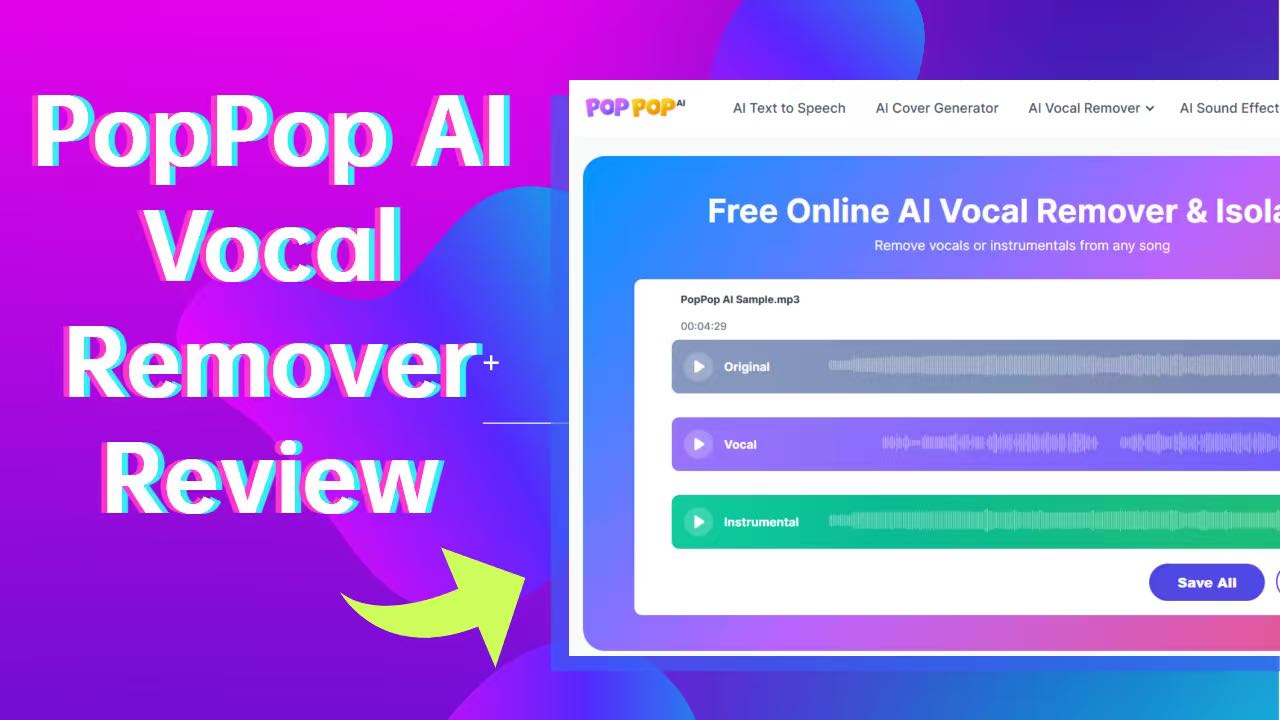
Struggling with muffled instrumentals or overlapping vocals in your audio projects? In 2025, AI tools like PopPop AI Vocal Remover make it straightforward to create clean karaoke tracks or extract acapellas. This browser-based service uses AI to separate songs into vocal and instrumental stems quickly. Ideal for DJs, content creators, or casual users, it offers a no-cost entry into audio editing. Let’s explore its capabilities objectively.
Key Takeaways
Fully Online and Free: No downloads or sign-ups required—upload files for instant separation.
Strong for Basic Tracks: Provides clear results for straightforward audio, suited to karaoke and simple remixes.
Format Flexibility: Supports common audio and video files, with URL processing for online sources.
User-Friendly Design: Quick processing on desktops, tablets, and mobiles, with MP3 exports.
What Is PopPop AI Vocal Remover?

Overview of PopPop AI Vocal Remover
PopPop AI Vocal Remover is a web-based tool from PopPop AI, designed to simplify audio separation. It employs AI algorithms to split tracks into vocal and instrumental components, accessible without specialized software. Launched to make editing more approachable, it processes files efficiently for everyday users.
Who Is PopPop AI Vocal Remover Designed For?
It suits a range of users, from hobbyists to professionals: music fans building karaoke libraries, YouTubers preparing reaction videos, creators pulling background music from tracks, educators analyzing songs, students practicing singing skills, or podcasters refining voiceovers. Its intuitive drag-and-drop interface appeals to those new to audio tools.
Key Features of PopPop AI Vocal Remover
PopPop AI prioritizes simplicity in vocal isolation, offering core functions for audio and video handling. Key capabilities include:
Split Vocals from Any Audio
Drop in your MP3, WAV, or any audio file, and the AI instantly separates it into two pristine MP3 outputs: isolated vocals for acapella magic and pure instrumentals for beat hunting. This feature can also be applied to remove noise from audio recordings.
Remove Vocals from Any Video
Got a music video or talking-head clip? Upload the video file (no longer than 20 minutes and no larger than 400 MB), and PopPop AI extracts the vocal and background tracks. You can export both tracks in MP3.
Remove Vocals from Online Videos and Audio by URL
PopPop AI vocal remover doesn’t stop at uploads. It seamlessly processes online videos and audio, too. Just paste a video or audio URL, and the AI grabs the content for you, delivering separated vocal and instrumental MP3 tracks. No need to download videos from websites. It’s a game-changer for grabbing instrumentals from viral hits or podcasts. (Note: Per our tests, YouTube is temporarily unsupported, but SoundCloud and Vimeo work flawlessly.)
These features emphasize accessibility, focusing on vocal/instrumental splits without advanced extras.
How to Use PopPop AI Vocal Remover: Step-by-Step Guide
Getting started is a breeze, with no tech wizardry required. Here’s a step-by-step guide on how to remove vocals from any songs or videos using PopPop AI Vocal Remover:
For best results, use high-quality sources to minimize artifacts.
Visit PopPop AI: Go to PopPop AI Vocal Remover from your PC or phone.
Upload Your File: Click the upload icon to add the video/audio file, or simply drag and drop it to start.
Watch the AI Work Its Magic: PopPop AI will immediately upload and process the file, separating vocals in seconds—no extra button needed.
Preview and Download: Once done, preview the three stems (original, vocals, and instrumental), then download your vocal and instrumental tracks as crisp MP3s.
Real-World Use Cases for PopPop AI Vocal Remover
PopPop AI isn’t just a gimmick, and it’s a game-changer for everyday audio adventures. Here are some killer scenarios where it steals the show:
Karaoke Nights at Home: Transform your playlist for unforgettable sing-along sessions. Simply upload a pop hit, get the instrumental track, and sing your heart out—without worrying about mic feedback!
Content Creation Boost: YouTubers and TikTokers isolate acapellas for reaction vids or mashups. Imagine layering your voice over a stripped-down Taylor Swift instrumental—viral potential unlocked!
Music Education and Analysis: Teachers upload tracks to demo vocal techniques or highlight the full instrumental backdrop. Students can study isolated acapellas for pitch and harmony practice
Remixing and Production: DJs can create custom beats by removing specific elements from samples. This tool is perfect for quick prototypes before diving into more advanced software like Ableton.
Podcast and Voiceover Polish: Extract clean speech from noisy recordings, saving hours of manual editing.
Pros and Cons of PopPop AI Vocal Remover
Like any tool, PopPop AI has its shine and shadows. We’ve rounded them up for a balanced vibe:
Pros
Completely Free for Core Use: JDive in completely free with a generous daily limit of 20 files—sufficient for most non-professional needs.
Lightning-Fast and Accessible: Fully browser-based for seamless access on computers, tablets, and mobile phones. No installs required, with files processed in seconds across all devices.
Solid Accuracy on Basics: Reliable for simple tracks, covering typical user cases effectively.
Versatile Format Support: Handles diverse audio/video inputs and URL sources for broad compatibility.
Versatile Extras: Bundles vocal removal with TTS, covers, and SFX for one-stop creativity.
Cons
Daily File Limit: Processing more than 20 files per day triggers restrictions, halting further use (tip: switching browsers can refresh the quota for continued access).
Internet Dependency: Requires a stable online connection at all times, with no offline mode available for processing.
No Instrument Separation: Focuses solely on vocal and full instrumental splits, without options to isolate specific instruments like guitars or drums.
Limited for Advanced Pros: Sufficient for everyday professional needs but may not fully satisfy ultra-specialized demands, such as intricate multi-stem editing.
FAQs About PopPop AI Vocal Remover
Is PopPop AI Vocal Remover really free?
Yes! PopPOp AI is 100% free to use. You can separate the vocal and background tracks and easily export isolated tracks as MP3 files without any cost.
What file types does PopPop AI vocal remover support?
PopPop AI supports a wide range of video and audio formats, including audio files like MP3, FLAC, WAV, and M4A, plus video options such as MP4, MKV, and MOV. Limits are 20 minutes and 400MB, fitting most standard files.
Can I use PopPop AI Vocal Remover for commercial projects?
Yes, you can use PopPop AI Vocal Remover for commercial projects. Just ensure you have the necessary rights or permissions to process the uploaded files. The copyright remains unchanged during the process.
What are some alternatives to PopPop AI vocal remover?
Some popular alternatives to PopPop AI vocal remover include LALAL.AI, VocalRemover.org, Dubbing AI, Vocal Remover, PhonicMind, and AudioModify, which offer similar AI-powered tools for isolating vocals from audio tracks.

Related Posts