Imagine giving your favorite Marvel characters a voice that’s uniquely yours. That’s exactly what the Marvel Rivals Voice Maker lets you do. This tool transforms your gameplay by letting you create, customize, and personalize voices for your in-game heroes and villains.
Why is it a must-have? It’s packed with features that make your Marvel Rivals experience unforgettable:
Craft your perfect in-game persona.
Build unlimited soundboards with custom sound clips, keybinds, and looping effects.
Add dramatic battle cries or iconic catchphrases for a truly immersive experience.
Enjoy crystal-clear audio for better team communication, whether you’re strategizing or taunting opponents.
Explore a massive library of over 300,000 user-created sounds for endless customization.
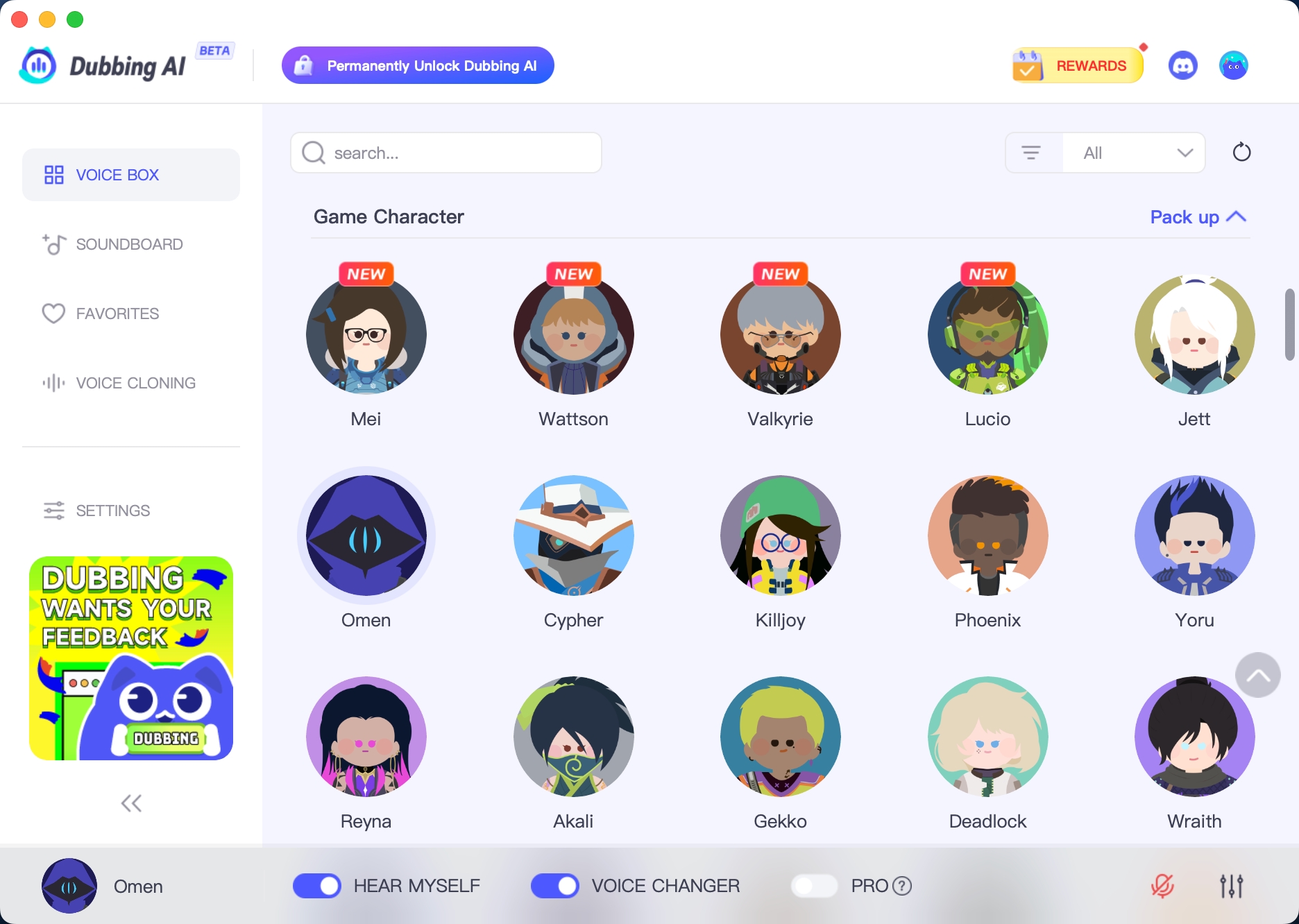
With tools like Dubbing AI, you can even fine-tune voices to match your favorite Marvel characters. Whether you’re commanding Thor’s thunderous tone or mimicking Loki’s sly charm, this tool makes it possible.
So, why settle for ordinary gameplay when you can bring your Marvel universe to life?
The Best AI Voice Changer with soundboard
Marvel Rivals Voice Maker
The Marvel Rivals Voice Maker is a game-changer for anyone who loves diving into the Marvel universe. This tool doesn’t just let you play as your favorite heroes and villains—it lets you sound like them too. Imagine commanding Iron Man’s confident tone or channeling the raw power of Hulk’s roar. With this tool, you can bring your characters to life in ways you never thought possible.
Dubbing AI is the best Marvel Rivals voice maker, letting you embody legendary superheroes and villains with unmatched authenticity. Whether you want to channel the charisma of Tony Stark or the chilling menace of Loki, Dubbing AI offers an expansive range of Marvel-inspired voices. The real-time processing ensures every voice transformation is seamless, enhancing your gaming, streaming, or content creation experience. With its dynamic soundboard and highly responsive features, Dubbing AI lets you immerse yourself fully in the Marvel universe. Unleash your creativity, elevate your performance, and bring your favorite Marvel characters to life like never before!
Creating and Customizing Marvel Voices

Generating Marvel Character Voices
Using Dubbing AI for Voice Creation
Ever wanted to sound just like your favorite Marvel characters? With the help of dubbing AI, you can make it happen. This advanced technology lets you recreate voices with stunning accuracy. Whether you’re aiming for Miles Morales’s youthful energy or Thor’s commanding presence, the process is simple and fun.
The process is straightforward. You start by recording or uploading a sample of the voice you want to clone. Advanced AI technology analyzes the sample and creates a digital replica. You can then tweak the voice to match your preferences. Whether you want to add a heroic tone or a sinister edge, the customization options are endless.
Adjusting Voice Parameters (Pitch, Tone, Effects)
Once you’ve created a voice, it’s time to make it truly yours. The Marvel Rivals Voice Maker offers a variety of tools to adjust pitch, tone, and effects. Want to add a dramatic echo to your character’s iconic lines? Or maybe you’d like to deepen the tone for a more menacing vibe? You can do it all.
Popular effects like Pitchshifter, Delay, and Reverb give you endless customization options. These tools let you craft voices that match your characters’ personalities or create entirely new sounds. The real-time voice-changing feature ensures you can hear adjustments instantly, making the process seamless and enjoyable.
Personalizing Your Marvel Soundboard
Adding Unique Effects to Voices
Your Marvel soundboard is where the magic happens. It’s not just about voices—it’s about creating an immersive experience. You can enhance your soundboard with dramatic battle cries, character quotes, and even cinematic music. Imagine your character shouting an epic line just as you land a game-winning move. It’s moments like these that make gameplay unforgettable.
The Marvel soundboard also lets you add unique effects to your voices. Whether it’s a robotic twist for Iron Man or a mystical echo for Doctor Strange, the possibilities are endless.
Saving and Managing Custom Soundboards
Organizing your Marvel soundboard is just as important as creating it. A well-managed soundboard ensures you can access the right sounds at the right time. Here are some tips to keep things tidy:
Categorize by character: Create sections for each Marvel hero or villain.
Use themes: Group sounds by themes like battles, humor, or dramatic moments.
Color code buttons: Assign colors to different categories for quick identification.
These strategies make it easy to manage your soundboard and keep your gameplay smooth. Plus, saving your customizations ensures you can revisit and refine them anytime.
Integrating the Voice Maker with Marvel Rivals
Linking the Voice Maker to Marvel Rivals
Importing Custom Voices into the Game
Getting your custom voices into Marvel Rivals is easier than you might think. The process is designed to be user-friendly, so you can focus on enjoying the game. Here’s how you can do it:
Open Marvel Rivals and find the ‘Import Audio’ option in the settings menu.
Select the audio files you’ve created using dubbing AI.
Assign each clip to a specific button or trigger on your soundboard.
That’s it! The straightforward setup ensures you can quickly integrate your high-quality audio into the game. Whether you’re adding Thor’s booming voice or a custom battle cry, the process is seamless.
Assigning Voices to Characters
Once your voices are imported, it’s time to assign them to your favorite Marvel characters. This step is where the magic happens. You can match Iron Man’s confident tone to his character or give Spider-Man a playful twist. The customization options let you create a truly immersive experience.
To assign voices, simply navigate to the character settings in Marvel Rivals. Select the voice you want and link it to the character. With over 150 voice options and effects, you can make each hero or villain sound exactly how you imagine.
Using the Marvel Soundboard in Gameplay
Testing Voices During Gameplay
Before diving into a match, test your soundboard to ensure everything works perfectly. A well-tested soundboard enhances your gameplay and makes the experience more immersive. Play each sound clip to confirm it triggers correctly and fits the moment. Imagine landing a critical hit while your character shouts an epic line—it’s pure satisfaction!
A well-structured layout also helps. Organize your soundboard so you can quickly find the sounds you need during intense battles. This ensures you’re always ready to communicate with your team or taunt your rivals.
Pro Tip: Always consider the user experience. A well-optimized soundboard not only enhances your gameplay but also ensures a seamless and enjoyable experience.
The Marvel Rivals Voice Maker is more than just a tool—it’s your ticket to a whole new level of gaming. You can create voices that match your favorite Marvel characters or invent something entirely unique. With over 300,000 sounds from the Voicemod Community, the customization options are endless.
Think about how much fun you’ll have using soundboards to emphasize plays or even distract opponents during intense matches. It’s not just about gameplay; it’s about transforming your experience. Whether you’re strategizing with your team in text chat or taunting rivals with epic battle cries, this tool makes every moment unforgettable.
So, why wait? Dive in, explore the features, and build a soundboard that reflects your in-game persona. Whether you’re a hero or a villain, the Marvel Rivals Voice Maker will elevate your gaming experience like never before.
FAQ
How do I use the Marvel Rivals Voice Maker for voice chat?
You can use the Marvel Rivals Voice Maker to enhance your voice chat experience. Just link the tool to your game, select your custom voice, and start chatting. It works in real-time, so your teammates or opponents hear your chosen voice instantly.
Can I use AI to create voices for non-Marvel characters?
Yes, you can! The AI in the Marvel Rivals Voice Maker isn’t limited to Marvel characters. You can create voices for any character you imagine. Just upload a sample or use the customization tools to craft a unique voice for your soundboard.
Is the voice cloning feature safe to use?
Absolutely, as long as you use it responsibly. The AI ensures accurate voice cloning, but you should always get consent before cloning someone’s voice. Stick to ethical guidelines and avoid using the feature for harmful purposes like impersonation or fraud.
Does the tool work with all voice chat platforms?
Yes, the Marvel Rivals Voice Maker integrates seamlessly with most voice chat platforms. Whether you’re using Discord, Zoom, or in-game chat, the tool ensures smooth performance. Just configure the settings to match your platform, and you’re good to go.
Can I adjust AI-generated voices during gameplay?
Of course! The tool lets you tweak AI-generated voices in real-time. You can adjust pitch, tone, and effects while playing. This flexibility ensures your voice matches the mood of the game, whether it’s a tense battle or a lighthearted moment.
See Also
Mastering AI Voice Changers for Epic Discord Pranks
Selecting the Perfect Voice Changer and Soundboard for Gamers
Explore Top Celebrity Voice Changer Apps with Dubbing AI
2024 Insights: Transform Your Voice Using Free Dubbing AI
Unlock Your Imagination with Dubbing AI: Premier PC Voice Changer

Related Posts