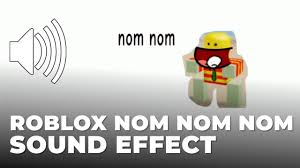

Ever felt like your creative project needed that perfect munching sound? Whether you’re crafting a quirky animation or adding life to a game, sound effects make all the difference. A good nom nom nom sound effect can bring your characters to life. Best of all, you can find plenty of free sound effects online.
Key Takeaways
Check out free sound libraries like Freesound and Zapsplat. They have great ‘nom nom nom’ sounds for your projects.
Always read the rules before downloading to avoid copyright problems. Some sounds are free, but others need credit.
Pick clear sound files and easy-to-use websites. This will make your work easier and improve your projects.
What is Nom Nom Nom Sound Effect?

Have you heard someone call eating sounds “nom nom nom”? It’s a fun way to copy the noise of chewing. This sound is popular in animations, games, and YouTube videos. It makes projects more fun and easy to enjoy.
The nom nom nom sound is often silly or over-the-top. Think of someone happily eating a sandwich or crunching chips. It’s not just chewing—it’s about the excitement of eating. That’s why it’s great for funny or cheerful scenes.
These sounds come in many styles. Some are real recordings of people eating. Others are made using special tools or digital effects. This variety helps you find the right sound for your project. Whether it’s a game character snacking or a funny animation, there’s a sound for you.
The best part? You can find free sound effects online. Many are royalty-free, so you don’t need to give credit. Some websites even add new free sounds often, so you’ll always have choices.
Pro Tip: Pick a sound that matches your project’s mood. A loud crunch is great for cartoons, but a soft munch fits cooking videos better.
Top Platforms for Free “Nom Nom Nom” Sound Effects
Finding the right sound effect library can feel overwhelming, but don’t worry! Here’s a list of the top 10 platforms where you can grab free sound effects, especially those fun “nom nom nom” sounds. Let’s dive in!
1. Freesound

Freesound is a treasure trove for sound enthusiasts. You’ll find a massive collection of free sound clips uploaded by users from all over the world. The best part? You can preview sounds before downloading them. Just type “nom nom nom” in the search bar, and you’ll discover a variety of munching and chewing sounds. Freesound also lets you filter results by license type, so you can easily find royalty-free options for your projects.
2. Zapsplat

Zapsplat is another fantastic sound effects library. It offers thousands of high-quality sound effects, including eating and chewing sounds. You’ll love how easy it is to navigate their website. They even have a dedicated food and drink category, making it simple to locate those perfect “nom nom nom” sounds. While the free version is great, upgrading to their premium plan unlocks even more options.
3. Pixabay Sound Effects

You might already know Pixabay for its free images, but did you know they also have a sound library? Their sound effects library includes a wide range of free sound clips, from nature sounds to quirky eating noises. All their sounds are royalty-free, so you can use them without worrying about licensing issues. Plus, the site’s clean design makes it super easy to find what you need.
4. Mixkit

Mixkit is perfect if you’re looking for high-quality sound effects without any hassle. Their collection includes free sound effects for all kinds of projects, including those fun “nom nom nom” sounds. The best thing about Mixkit? You don’t even need to create an account to download sounds. Just browse, click, and download—it’s that simple!
5. SoundBible

SoundBible is a reliable source for free sound effect libraries. It boasts a collection of approximately 150,000 royalty-free sound effects, including plenty of eating and chewing sounds. The descriptions for each sound are usually well-written, helping you quickly find what you need. Here’s a quick look at what makes SoundBible stand out:
Feature | Details |
|---|---|
Source of Data | A website dedicated to sharing free and royalty-free sound effects |
Quantity of Sounds | Around 150,000 royalty-free sound effects |
Quality of Descriptions | Most descriptions are clear and helpful, though some may be redundant |
With such a vast collection, you’re bound to find the perfect “nom nom nom” sound for your project.
6. FreeSoundEffects

FreeSoundEffects lives up to its name by offering a wide range of free sound effects. Their sound library includes everything from animal noises to eating sounds. The site is easy to navigate, and you can download sounds without creating an account. Whether you’re working on a video, game, or animation, FreeSoundEffects has you covered.
7. Uppbeat
Uppbeat is a newer platform, but it’s quickly gaining popularity. While it’s primarily known for its music tracks, it also has a growing collection of free sound clips. You’ll find some unique “nom nom nom” sounds here, perfect for adding a playful touch to your projects. Uppbeat’s user-friendly interface makes it a joy to explore.
8. SoundEffects+
SoundEffects+ offers a curated collection of high-quality sound effects. Their sound effects library includes free sound clips for various themes, including food and eating. The site is well-organized, so you can easily find the sounds you need. All downloads are royalty-free, making it a great choice for creators on a budget.
9. Chosic
Chosic is a hidden gem for free sound effects. While it’s better known for its music resources, it also has a decent selection of sound effects. You can find some fun “nom nom nom” sounds here, along with other quirky effects. The site’s simple layout makes it easy to browse and download.
10. Dubbing AI

Dubbing AI is a comprehensive platform designed for creators, gamers, and entertainers to discover, share, and utilize a vast collection of high-quality sound effects and meme audios. Perfect for enhancing projects and personalizing content.
Extensive Sound Collection: Features one of the largest collections of meme audios and sound effects.
User-Friendly Search: Enables quick and easy searching for trending and popular sounds.
High-Quality Clips: Provides high-quality sound effects for various use cases like gaming, content creation, and entertainment.
Community-Driven: Includes community-generated sounds for broader variety and adaptability.
Custom Soundboards: Allows customization, adding personality to interactions.
Pro Tip: Bookmark your favorite platforms so you can quickly access them whenever you need new sound effects. It’ll save you time and keep your creative process flowing smoothly.
How to Pick the Best Platform
Finding the right place for “nom nom nom” sounds can be tough. But if you focus on a few things, it gets easier.
Licensing and Usage Rules
Always check the rules before downloading any sound. Some sites give royalty-free sounds, while others use Creative Commons licenses. These let you use sounds for free, but some need credit. Here’s a simple table to explain:
Topic | What It Means |
|---|---|
Creative Commons | Free tools to share creative works legally. |
Licensing Rules | Choices range from full ownership to public domain. |
Legal Help | Ask an expert if you’re unsure about using sounds. |
Knowing these rules helps you avoid copyright problems. If you make videos or games, this step is super important to stay safe and professional.
Sound Quality and Choices
Not all sounds are the same. Look for sites with clear, high-quality files like WAVs. These sound better than low-quality MP3s. A big library with lots of choices is also helpful. Whether you need a loud crunch or soft munch, variety helps match the sound to your project. Sites like Freesound and Zapsplat are great for both quality and options, making them popular with creators.
Easy to Use and Accessible
A simple website saves time and stress. Look for platforms with search bars and filters. Sites like Pixabay and Mixkit are great because they’re easy to use. Accessibility is also key. Features like screen readers and adjustable settings make platforms better for everyone.
Pro Tip: Try searching for a specific sound on a platform. If it’s quick and easy, you’ve found a good one!
Safely Using Free Sound Effects
Understanding Licensing Terms
Before downloading a sound, know its licensing rules. Some sounds are royalty-free, so you can use them without paying or crediting. Others have Creative Commons licenses, which often need attribution.
Here’s a simple guide:
Public Domain: Free to use however you want.
Attribution Required: You must give credit to the creator.
Non-Commercial Use: Only for personal or non-profit projects.
Always read the license details on the website. If unsure, check the “Terms of Use” page or ask the site for help.
Tip: Save a list of common license types to quickly check while browsing.
When and How to Provide Attribution
If attribution is needed, credit the creator correctly. This means adding their name and the source in your project. For example:
“Crunching Sound” by JohnDoe via Freesound.org
Put the credit somewhere visible, like in video descriptions or game credits. Follow any specific format the license asks for.
Pro Tip: Keep a record of all sounds and their credits. It’ll help when finishing your project.
Avoiding Copyright Infringement
Using sounds without permission can cause legal problems. To stay safe:
Only use trusted websites.
Don’t use sounds marked “All Rights Reserved.”
Check the license if you’ll make money from your project.
If unsure, pick royalty-free sounds or ask a legal expert. It’s better to be careful than deal with copyright issues later.
Reminder: Following copyright rules helps protect creators who share their amazing work!
Using good sound effects makes your projects more exciting. Websites like Freesound and Mixkit have great sounds to use. They make finding “nom nom nom” sounds quick and easy. Checking different sites gives you free sounds to download fast. Try Dubbing AI for cool and custom sound ideas!
FAQ
Why are “nom nom nom” sounds good for games?
These sounds make characters funny and full of personality. They make eating actions more fun and exciting in silly game scenes.
Can I find sounds for different feelings or moods?
Yes, websites like Freesound have many sound choices. You can get soft munches or loud crunches to fit your project’s style.
How do special sounds improve creative projects?
Special sounds catch attention and make your work stand out. They set the mood and add detail, especially in games or animations.
See Also
Explore Diverse Sound Boards for Dubbing AI Community Sounds
Maximize Your Roblox Experience with Sound Button Techniques
Get Ready for Space Marine 2 Using Sound Button Tricks

Related Posts