Category: Voice Changer Tips

  • Top 3 Voicechanger Pranks in CS:GO

    Top 3 Voicechanger Pranks in CS:GO

    Top 3 Voicechanger Pranks in CS:GO
    Image Source: pexels

    Have you ever wanted to make your CS:GO matches more entertaining? Using a voicechanger can transform your voice into something hilarious. Picture surprising your team with a robotic or ghostly voice. Many players enjoy using soundboards and voicechangers like MagicVox and VoiceMod for added fun and creativity. These tools also help maintain your anonymity, which is crucial for privacy. The CS:GO community embraces these tools, making each game unique. So, give it a try and discover how a soundboard or voicechanger can enhance your gaming experience!

    The Best AI Voice Changer with soundboard

    Criteria for Picking the Best 3 Pranks

    Creative CS:GO Pranks

    Being original is key to great pranks. Surprise your friends with something new. A cool prank can make you the game star. Use a voice changer to sound like a famous person or spooky ghost. This surprise keeps everyone excited.

    Creative pranks use voicechangers smartly. Change your voice to a ghost and teammates might think one joined the game. Or mimic a celebrity’s voice for fun. Hearing familiar voices in games is exciting and fun.

    Funny Voicechanger Pranks

    Humor makes pranks better by making people laugh. Laughter helps everyone relax and enjoy playing together more.

    Different humor styles work in CS:GO pranks. Some like silly voices that cause funny moments, while others prefer smart jokes that keep chats lively. Try copying a comedian’s voice to make everyone laugh.

    Successful Soundboard Pranks

    A good prank gets big reactions like laughter or surprise from friends. A memorable prank is talked about even after the game ends.

    Timing is important; pick the right moment for your soundboard trick. The right voice effect boosts the prank’s impact too. Deliver it confidently so it works perfectly.

    Detailed Description of Each Prank

    Detailed Description of Each Prank
    Image Source: pexels

    Prank 1: The C4 bomb Trick

    Imagine the chaos and laughter that erupts when you use the C4 bomb soundboard of CS

    to trick your friends mid-game. With Dubbing AI, you can seamlessly integrate these sound effects into your voice chat, creating moments of pure confusion and hilarity. Picture the tension rising as your teammates hear the unmistakable beeping of a planted C4 bomb, scrambling to find it, only to realize it’s all part of your clever soundboard prank.

    Dubbing AI’s real-time soundboard allows you to perfectly time these sound cues, making your tricks even more convincing. The bomb beeping sound, with its urgency and familiar rhythm, can make anyone panic during a tense round. You can intensify the suspense during crucial moments by suddenly activating the “bomb defuse” sound, throwing everyone off as they struggle to comprehend what’s real and what’s not.

    But it doesn’t stop there! Mix in other sounds like footsteps, grenades, or even voice lines from CS

    characters to build an elaborate, immersive prank. With the C4 bomb soundboard and Dubbing AI, you can not only troll your friends but also enhance the atmosphere of the game with authentic sounds. It’s the perfect way to blend strategy with mischief, keeping everyone on their toes!

    Prank 2: The Ghostly Gun Shooting

    Imagine the sheer chaos when you use the gun shooting soundboard of CS to prank your friends in the middle of an intense round. With Dubbing AI’s real-time soundboard, you can unleash perfectly-timed gunfire sounds, making your teammates think they’re under attack from all angles. Picture the frantic calls for backup, the hurried search for cover, and the confusion as they scramble to figure out who’s shooting — only to realize it’s all coming from your cleverly disguised soundboard.

    Activate the signature AK-47 spray or a well-timed AWP shot, and watch as your friends dive for cover, believing an enemy is lurking nearby. Layer in the sound of footsteps or grenades to make it even more convincing. Every pop of gunfire can be manipulated with Dubbing AI, turning the game into a playground of mischievous trickery.

    The beauty of this prank lies in its seamless execution. You can make it feel as if the enemy is right next to them, or start a fake firefight from across the map. Your friends will be caught off guard, second-guessing every sound they hear.

    Prank 3: The Fake Footstep

    Imagine you’re playing a high-stakes round of CS, and just as your friends are about to secure the bombsite, they hear footsteps coming from behind — but wait, there’s no one there. With Dubbing AI’s footstep soundboard, you can effortlessly create the illusion of an enemy sneaking up, causing your teammates to panic, check corners, or fire wildly at nothing. It’s the perfect way to sow confusion in an intense game.

    Activate subtle footstep sounds from different directions, making your friends think they’re being flanked. Just as they clear a hallway or hold a site, drop a perfectly timed sound of someone running or crouching nearby, and watch as they frantically communicate, “I hear someone!” You can even switch between surfaces — from metal clinks of a vent to the soft taps of sand — amplifying the realism and ensuring their total disarray.

    It’s a harmless yet hilarious prank that takes game tension to a whole new level. Whether you’re making them think they’re being ambushed or just throwing off their strategy, the footstep soundboard of Dubbing AI adds a new layer of mind games to CS

    Setting Up Your Dubbing AI Tool

    Installation and Configuration

    Setting up your Dubbing AI tool involves a few straightforward steps:

    1. Download the Software: Visit the official website of your chosen tool and download the installation file.

    2. Install the Software: Follow the on-screen instructions to install the software on your computer.

    3. Create an Account: Register for an account if required. This step often involves verifying your email address.

    4. Configure Initial Settings: Open the software and configure initial settings such as language preferences and audio input/output devices.

    Step-by-Step Guide for Voice Changer Setup

    With a few simple steps, you can use any voice you want during your exciting game-play. Try the free ghostface voice changer now!

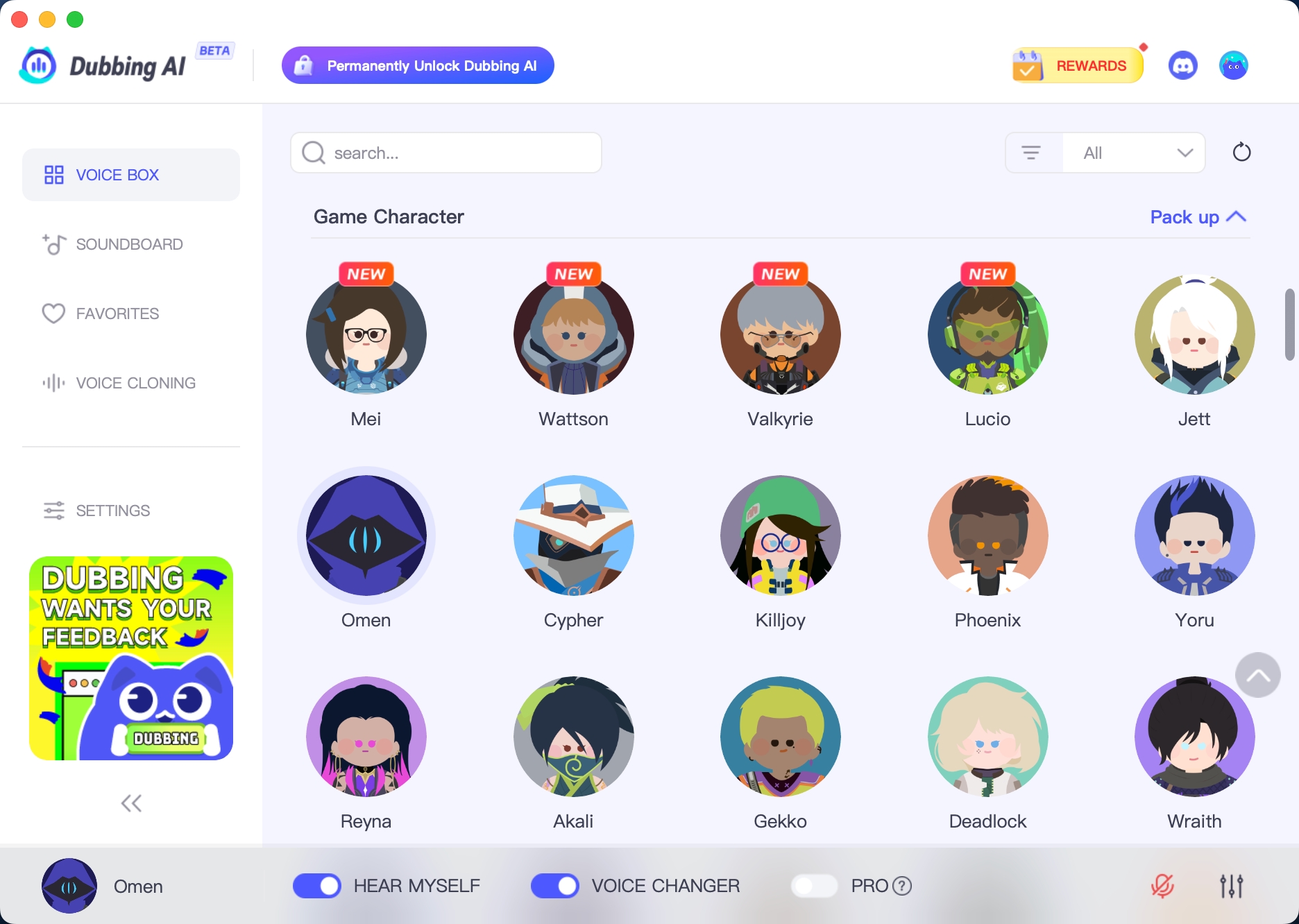
    • Download Dubbing AI, Install, Configure & Open Dubbing AI Voice Changer App.

    • Open the game Sound Setting, Select (Dubbing Virtual Device) as your input device.

    • Save and Apply. Don’t forget to save your settings in voice settings panel.

    • Now you can experience the real role-play with your changed voice.

    Voice changers make CS:GO games more fun. Surprise your friends with funny voices. Create moments you won’t forget. Voice changers bring laughs and joy to each match. Players find new ways to play and have fun with them.

    “Using a voice changer in CS:GO makes the game more exciting and strategic.” – Voicesona

    Try using a voice changer now. Share your funny pranks with friends. You might get others to join the fun too.

    See Also

    Mastering AI Voice Modifiers for Discord Pranks

    AI Dubbing: The Top Voice Modifier for Discord

    Selecting the Perfect Voice Modifier and Soundboard for Gaming

    Top AI Voice Modifier for Creative Content Producers

    Exploring the Top Celebrity Voice Modifier App – AI Dubbing

  • Which is The Best League of Legends voice Changer? Dubbing AI or Voicemod?

    Which is The Best League of Legends voice Changer? Dubbing AI or Voicemod?

    Dubbing AI vs Voicemod for League of Legends voice changing

    Voice generators like Dubbing AI and Voicemod revolutionize gaming by allowing you to embody different characters, adding excitement and mystery to online interactions. In the realm of League of Legends, voice modification is crucial. With Dubbing AI and Voicemod, you can sound like your favorite champions or craft unique voices. These tools enhance gameplay and elevate the fun in your gaming sessions.

    The Best AI Voice Changer with soundboard

    Voice Options

    Variety of Voices

    Dubbing AI’s Range of Voices

    Dubbing AI offers a vast library of voices. You can explore over 1000 tones, which include iconic character voices. Gamers love the variety that enhances their experience. Dubbing AI supports various platforms, making it versatile for different setups. The real-time processing feature ensures seamless voice changes during gameplay. This capability allows you to immerse yourself fully in the world of League of Legends.

    Voicemod’s Voice Selection

    Voicemod provides a fun selection of voices. Users can customize their voice to sound like favorite League of Legends champions. This feature adds excitement and immersion to the game. Voicemod creates a virtual microphone on your system. This setup allows easy integration with games and communication platforms. The simplicity of Voicemod appeals to casual gamers who want quick and easy voice changes.

    Customization Capabilities

    Dubbing AI’s Customization Features

    Dubbing AI shines in customization. You can modify voices in real time with ease. The advanced technology offers professional-grade voice acting. Users can add unique modulation effects to create personalized experiences. This flexibility opens up new possibilities for dynamic voice alterations. Dubbing AI’s customization features make it a favorite among content creators and streamers.

    Voicemod’s Customization Options

    Voicemod offers straightforward customization options. Users can tweak voices to match their style. The interface is user-friendly, making adjustments simple. Voicemod’s customization allows you to have fun with different sound effects. This feature enhances gameplay by adding a personal touch to your interactions. Voicemod’s ease of use makes it accessible for everyone, from beginners to seasoned gamers.

    Quality of Voice Synthesis

    Quality of Voice Synthesis
    Image Source: pexels

    Realism and Clarity

    Dubbing AI’s Voice Quality

    Dubbing AI delivers top-notch voice quality. You get a professional-sounding experience with low-latency performance. The voices sound realistic and clear, enhancing your gaming immersion. Over 1000 tones provide endless possibilities for customization. Dubbing AI’s seamless real-time processing ensures smooth transitions during gameplay.

    Voicemod’s Sound Clarity

    Voicemod offers decent sound clarity. The voices are fun and engaging but might lack the realism of Dubbing AI. Users appreciate the ease of setup and integration with platforms like League of Legends. Voicemod provides a straightforward experience for those seeking quick voice changes.

    User Experience

    Ease of Use with Dubbing AI

    Dubbing AI boasts an intuitive interface. You can easily navigate through options and customize voices. The platform supports various setups, making it versatile for different users. Gamers enjoy the flexibility and advanced features that cater to both casual and professional needs.

    User Interface of Voicemod

    Voicemod’s user interface is simple and user-friendly. You can quickly adjust settings and explore different voices. The virtual microphone setup allows easy integration with games. Voicemod appeals to those who want a hassle-free experience without complex configurations.

    Soundboard Integration

    Soundboard Integration
    Image Source: unsplash

    Compatibility with League of Legends

    Dubbing AI’s Integration Features

    Dubbing AI offers seamless integration with League. You can easily set up the voice changer to work with the game. The platform supports real-time voice modulation, which enhances your gameplay. Dubbing AI provides a wide range of voices that fit perfectly with different champions. The integration process is straightforward and user-friendly. Gamers appreciate the smooth experience without technical hiccups.

    Voicemod’s Compatibility

    Voicemod also integrates well with League of Legends. The software creates a virtual microphone on your system. This feature allows you to select Voicemod as an input for the game. Users find the setup process simple and quick. Voicemod’s compatibility extends to other gaming and communication platforms. This flexibility makes it a popular choice among casual gamers. The virtual microphone ensures that voice changes happen in real time.

    Additional Sound Effects

    Dubbing AI’s Soundboard Options

    Dubbing AI offers a robust soundboard feature. You can add various sound effects to enhance your gaming sessions. The soundboard supports multiple formats, including MP3 and WAV. Users enjoy the ability to customize their sound experience. Dubbing AI’s soundboard options provide endless possibilities for creativity. The platform allows you to create unique soundscapes that match your gameplay style.

    Voicemod’s Sound Effects

    Voicemod features a dynamic soundboard with themed sound clips. You can explore thousands of sound effects through the content community hub. The soundboard allows you to play sounds in real time during your games. Users can load different sound effects and choose where to send them. Voicemod’s sound effects add fun and excitement to your interactions. The variety of clips ensures that you always have the perfect reaction ready.

    Update Frequency and Support

    Software Updates

    Dubbing AI’s Update Schedule

    Dubbing AI keeps users engaged with weekly updates. These updates ensure a fresh experience every time you log in. The platform focuses on delivering high-quality transformations without noticeable delays. Gamers enjoy the seamless voice changes during gameplay. You can always expect new features and improvements. The commitment to regular updates makes Dubbing AI a reliable choice for voice modulation.

    Voicemod’s Update Frequency

    Voicemod provides updates to enhance user experience. The updates focus on improving integration with various platforms. Users appreciate the attention to compatibility and performance. The software ensures smooth operation across different systems. Regular updates keep the platform running efficiently. Voicemod maintains a steady pace of improvements for its users.

    Conclusion

    Dubbing AI and Voicemod both excel at providing brilliant voice-changing services for League of Legends players, but each has its unique strengths. Dubbing AI offers incredibly realistic tones, making it perfect for immersive online communication and seamless team interactions. Its lifelike voice transformations allow you to sound authentic while adapting to different game dynamics. On the other hand, Voicemod shines with its wide range of creative voice effects, adding a fun, exaggerated twist to gameplay. Whether you want realism or special effects, both tools elevate your League of Legends experience, but Dubbing AI stands out for serious in-game communication.

    Dubbing AI stands out with its advanced technology and diverse voice options. Gamers enjoy the seamless and realistic voice changes that enhance the League of Legends experience. The low-latency performance ensures smooth gameplay, making Dubbing AI a top choice for real-time applications. The wide range of voices and customization features elevate your gaming sessions to new heights. Try Dubbing AI for an immersive and dynamic adventure in the world of League of Legends.

    See Also

    AI Voice Transformation: Top Discord Voice Modulator

    The Superiority of Dubbing AI as MMORPG Voice Modulator

    2024 Handbook: Real-Time Discord Voice Alteration with Dubbing AI

    Set Free Your Voice: Meet Dubbing AI Voice Transformer

    2024 Handbook: Dubbing AI’s Free Voice Alteration Capabilities

  • Achieve the Best Avatar Voice in Roblox

    Achieve the Best Avatar Voice in Roblox

    In Roblox, your avatar’s voice is essential in defining your gaming identity, adding a personal touch and enhancing interactions. Customizing your avatar’s voice can elevate your gaming experience, making it more immersive and enjoyable. With tools like a Voice Generator and Dubbing AI, you can craft unique sounds that mirror your personality. Whether you’re striving for a heroic tone or a quirky character, the right voice can make all the difference. Dive into the world of voice customization with Roblox and let your avatar speak volumes.

    The Best AI Voice Changer with soundboard

    With millions of players diving into Roblox daily, bringing characters to life with the perfect voice can take the experience to the next level! Role-playing on Roblox is all about embodying your avatar fully, and having a voice that matches adds an authentic, immersive layer to the game. Imagine exploring vast worlds, from magical realms to urban jungles, where your avatar’s voice echoes with the personality you choose, amplifying the fun. With voice customization, players can enrich interactions, add depth to their characters, and create memorable, engaging moments that make Roblox even more thrilling and alive.

    Recently, popular creator Layunu shared a Roblox video using the voice of Nekoarc, a beloved anime character, bringing an extra dash of charm and humor to the game. This clever use of Nekoarc’s iconic voice instantly resonated with fans, racking up thousands of likes and a flood of comments from delighted viewers. By combining the playful energy of Nekoarc with their Roblox avatar, Layunu created a unique crossover that captivated anime and Roblox fans alike. The video became a hit, proving how creative voice choices can elevate character interactions and spark excitement across gaming communities.

    Customizing Your Avatar Voice

    Voice Modulation Techniques

    Using third-party software like Dubbing AI

    You can take your avatar’s voice to the next level with third-party software like Dubbing AI. This tool lets you create unique voiceovers that match your character’s personality. Imagine your avatar sounding like a superhero or a mysterious villain. Dubbing AI makes it possible. You just need to download the software, choose a voice style, and apply it to your avatar. It’s that simple. This tool opens up endless possibilities for creativity and personalization.

    Adjusting pitch and tone

    Want your avatar to have a deeper voice or a higher pitch? You can easily adjust the pitch and tone of your avatar’s voice. This feature allows you to fine-tune how your character sounds. Maybe you want a cheerful tone for a friendly character or a serious pitch for a more intense persona. By experimenting with different settings, you can find the perfect voice that fits your avatar’s look and feel. It’s all about making your character truly yours.

    Combine with Soundboard

    Soundboards have become a popular tool for Roblox players to boost engagement and fun in online chats. With millions of active players, soundboards allow users to play specific sound effects or character voices, matching their avatar’s personality or actions, making each interaction memorable. According to recent reports, tools like Dubbing AI have thousands of sounds, from anime and games to trending meme clips, letting players seamlessly switch voices and effects. This interactivity not only personalizes communication but also creates a richer, more immersive experience that keeps players entertained and fosters a lively in-game community.

    Automating voice changes

    Imagine your avatar’s voice changing automatically based on the situation. You can achieve this by automating voice changes with scripts. Set up conditions where your avatar’s voice shifts when certain events occur. Maybe your character sounds excited when winning or serious during a challenge. Automation adds a layer of realism to your gaming experience. It makes your avatar feel more alive and connected to the game world. Experiment with different scenarios to see what works best for your character.

    Leveraging Voice Generators and Dubbing AI

    Leveraging Voice Generators and Dubbing AI
    Image Source: pexels

    Utilizing Voice Generators

    Voice generators can transform your Roblox experience by giving your avatar a unique sound. These tools allow you to create voiceovers that match your character’s personality. Let’s explore some popular options.

    Overview of popular voice generators for Roblox

    Several voice generators are available for Roblox enthusiasts. Voicemod is a favorite among gamers. It offers a variety of voice effects and soundboards tailored for Roblox. Speechify is another excellent choice. It provides an easy-to-use interface for creating voiceovers without a steep learning curve. VoiceSona also deserves mention. It allows you to change your voice to sound like different characters during gameplay. Each of these tools brings something unique to the table, enhancing your avatar’s voice in exciting ways.

    Steps to implement voice generators

    Implementing a voice generator in Roblox is straightforward. Follow these steps to get started:

    1. Choose a Voice Generator: Select a tool that suits your needs. Consider the features and ease of use.

    2. Download and Install: Once you’ve chosen a generator, download and install it on your device. Follow the installation instructions provided by the software.

    3. Configure Settings: Open the voice generator and configure the settings. Choose the voice style that matches your avatar’s personality.

    4. Integrate with Roblox: Connect the voice generator to Roblox. This step usually involves setting the generator as your default audio input.

    5. Test and Adjust: Test the voice in Roblox. Make any necessary adjustments to ensure it sounds just right.

    By following these steps, you can give your avatar a voice that stands out in the Roblox universe.

    Exploring Dubbing AI

    Dubbing AI offers another layer of customization for your avatar’s voice. It allows you to create voiceovers that bring your character to life.

    Benefits of using dubbing AI in Roblox

    Dubbing AI provides several benefits for Roblox users. It enables you to craft voices that sound like various characters or personalities. This flexibility allows you to experiment with different styles and tones. Dubbing AI also enhances the realism of your avatar’s voice, making interactions more engaging. Additionally, it offers a user-friendly interface, making it accessible even for beginners. With Dubbing AI, you can elevate your gaming experience by giving your avatar a voice that truly reflects its character.

    How to integrate dubbing AI tools

    With a few simple steps, you can use any soundboard for exciting online chat. Try the free ghostface voice changer now!

    • Download Dubbing AI, Install, Configure & Open Dubbing AI Voice Changer App.

    • Open system Sound Setting, Select (Dubbing Virtual Device) as your input device.

    • Save and Apply. Don’t forget to save your settings.

    • Now you can experience the colorful Halloween soundboards.

    Key features of Dubbing AI

    1. Low Latency: Dubbing AI changes your voice in under 30ms, no prerecording needed which brings you the real-time voice changing experience.

    2. Awesome Voices: Over 500 different voices from anime, game, and movie to celebrity to anyone you wish to be. You can also make your personal voice by voice cloning.

    3. Easy to Use: Download and Install in less than 5 minutes, only uses 5% of your CPU

    4. Clolorful Soundboard: All users can find their favorite soundboards from communite sounds or upload their own soundboards to enhance game experience.

    By integrating Dubbing AI, you can give your avatar a voice that adds depth and personality to your Roblox adventures.

    To achieve the best avatar voice in Roblox, remember these key points. First, understand the basics of avatar voice settings and explore customization options. Experiment with voice modulation techniques and integrate custom sounds to make your avatar unique. Use advanced tools like scripting and Dubbing AI for further optimization. Personalize your avatar’s voice to reflect your style and personality. Don’t hesitate to explore community forums and resources for more tips and inspiration. Dive into the world of voice customization and let your avatar truly shine in Roblox!

    See Also

    AI Voice Transformation: Enhance Your Discord Experience

    The Top Choice for MMORPG: Dubbing AI Voice Alteration

    Optimal Voice Modulation Tool for Content Producers

    Transform Your Voice Like Firefly with Dubbing AI

    Navigating Real-Time Voice Modulation with Dubbing AI in 2024

  • Can Dubbing AI Perfect Trump’s Voice?

    Can Dubbing AI Perfect Trump’s Voice?

    Can Dubbing AI truly perfect the voice of Donald Trump, the president for next 4 year? You might wonder if this technology can capture his unique vocal characteristics. Dubbing AI has made significant strides in voice replication, utilizing advanced machine learning algorithms to mimic the nuanced speech patterns of President Trump. These tools analyze extensive datasets of his speeches, employing deep learning to replicate his distinctive style. While the technology impressively captures the essence of Trump’s voice, achieving perfection remains a challenge. As you explore this fascinating intersection of AI and celebrity, consider the potential and limitations of these innovative tools.

    The Best AI Voice Changer with soundboard

    Understanding Dubbing AI

    What is Dubbing AI?

    Dubbing AI represents a groundbreaking advancement in voice technology. You can think of it as a tool that allows you to replicate specific voices using artificial intelligence. This technology has revolutionized the way content creators work, offering personalized dubbing experiences. By using Dubbing AI, you can maintain the original speaker’s tone and style, even when translating content into different languages. This capability makes it an invaluable asset in the film and TV industry, where accurate voice replication enhances audience immersion.

    How Does Dubbing AI Work?

    Voice Replication Technology

    Voice replication technology lies at the heart of Dubbing AI. It enables you to create natural-sounding voices that closely mimic the original speaker. This technology analyzes extensive audio samples to capture the unique characteristics of a voice. By doing so, it ensures that the replicated voice retains the nuances and inflections of the original. This process allows for a seamless transition between languages, making it possible for you to enjoy content in your preferred language without losing the essence of the original performance.

    Machine Learning and Neural Networks

    Machine learning and neural networks power the sophisticated processes behind Dubbing AI. These technologies allow the system to learn from vast datasets, improving its accuracy over time. When you use Dubbing AI, the machine learning algorithms analyze patterns in speech, enabling the AI to predict and replicate how a person might say something. Neural networks further enhance this capability by simulating the way the human brain processes information. This combination results in a highly effective tool that can replicate voices with remarkable precision.

    By understanding how Dubbing AI works, you can appreciate its potential to transform media production. Whether you’re a content creator or a consumer, this technology offers exciting possibilities for enhancing your experience with audio and video content.

    The Challenge of Replicating Trump’s Voice

    Unique Characteristics of Donald Trump’s Voice

    When you think of Donald Trump, the former president, his voice likely stands out as one of his most recognizable features. His speech patterns are unique, marked by a distinct rhythm and intonation. You might notice how he emphasizes certain words, creating a memorable cadence. This vocal style, often referred to as the “Donald Trump voice,” combines a blend of assertiveness and charisma that captures attention.

    His voice also carries a particular tone and pitch, which adds to its distinctiveness. The way he pauses for effect or stresses specific phrases contributes to his authoritative presence. These characteristics make his voice not only memorable but also challenging to replicate accurately.

    Current Capabilities

    How Well Does Dubbing AI Replicate Trump’s Voice?

    Dubbing AI has made impressive strides in replicating Donald Trump’s voice. You can find several examples of AI-generated Trump voices that showcase the technology’s capabilities.

    Dubbing AI stands out as the ultimate real-time AI voice changer, boasting an impressive library of over 1,000 unique voices. This versatile tool empowers users to effortlessly transform their vocal output, adding a dynamic twist to any conversation or performance. Whether you’re gaming, streaming, or creating content, Dubbing AI offers a seamless experience with low latency less than 100 milliseconds and stunning clarity. With its diverse range of characters and styles, you can find the perfect voice to match your mood or project, elevating your communication to new heights.

    Key features:

    1. Low Latency: Dubbing AI changes your voice in under 30ms, no prerecording needed which brings you the real-time voice changing experience.

    2. Awesome Voices: Over 500 different voices from anime, game, and movie to celebrity to anyone you wish to be. You can also make your personal voice by voice cloning.

    3. Easy to Use: Download and Install in less than 5 minutes, only uses 5% of your CPU

    4. Clolorful Soundboard: All users can find their favorite soundboards from communite sounds or upload their own soundboards to enhance game experience.

    User and Expert Opinions

    Users and experts have shared their opinions on the effectiveness of Dubbing AI in replicating Donald Trump’s voice. Many users appreciate the technology’s ability to create realistic voiceovers for entertainment and professional purposes. They find the AI-generated voices engaging and authentic, enhancing their content creation experience.

    Experts in AI voice technology also recognize the advancements in this field. They note that while Dubbing AI has made significant progress, achieving a perfect match remains challenging. The complexity of Trump’s voice, with its distinct rhythm and intonation, requires continuous refinement of AI algorithms.

    Overall, Dubbing AI offers a powerful tool for replicating Donald Trump’s voice. It provides you with the opportunity to explore creative applications and enhance your audio and video content. As the technology evolves, you can expect even greater accuracy and realism in AI-generated voices.

    In conclusion, Dubbing AI offers a wide range of applications that can transform industries and enrich lives. Whether you’re in media, education, or any other field, this technology provides innovative solutions to meet your needs. Embrace the potential of Dubbing AI and explore the endless possibilities it brings to your projects.

    Dubbing AI has made remarkable progress in replicating Donald Trump’s voice. By analyzing extensive datasets and employing deep learning algorithms, it captures his unique speech patterns and intonation. This technology offers exciting possibilities in entertainment, marketing, and political satire. As AI continues to evolve, you can expect even greater advancements in voice replication. However, achieving perfection remains a challenge. While Dubbing AI impressively mimics Trump’s voice, it still falls short of absolute accuracy. Embrace the potential of this technology, but recognize its current limitations.

    See Also

    Dubbing AI: The Best Tool for Voice Translation and Preservation

    Dubbing AI: The Perfect Voice Modifier for Discord Users

    Exploring New Horizons in Voice Dubbing Using Dubbing AI

    Harnessing Dubbing AI: Voice Cloning and Additional Features

    Empower Your Voice with Dubbing AI: The AI Voice Changer

  • Os 5 Melhores Modificadores de Voz com Soundboard: Avaliação

    Está pronto para transformar sua voz em algo extraordinário? Em 2024, os melhores modificadores de voz com soundboards oferecem possibilidades infinitas. Essas ferramentas permitem que você experimente diferentes efeitos vocais, tornando suas conversas e gravações mais emocionantes. É fácil encontrar uma opção confiável e fácil de usar que atenda às suas necessidades. Seja você gamer, streamer ou apenas alguém que adora se divertir com áudio, esses modificadores de voz vão elevar sua experiência. Mergulhe no mundo da transformação vocal e descubra como o Dubbing AI e outros podem aprimorar sua criatividade.

    The Best AI Voice Changer with soundboard

    Entendendo Modificadores de Voz e Soundboards

    O que são Modificadores de Voz?

    Modificadores de voz são ferramentas práticas que permitem alterar sua voz em tempo real ou durante a pós-produção. Eles são úteis para gamers, streamers ou qualquer pessoa que queira adicionar diversão às suas conversas. Com um modificador de voz, você pode soar como um robô, uma criança ou até mesmo sua celebridade favorita. O Voicemod é uma escolha popular, pois oferece uma ampla gama de efeitos vocais e se integra perfeitamente com plataformas como Discord e Skype. Seja jogando ou conversando, modificadores de voz tornam as interações mais divertidas.

    O que é um Soundboard?

    Um soundboard funciona como uma jukebox digital para efeitos sonoros, permitindo tocar sons pré-gravados com apenas um botão. Essa funcionalidade é especialmente útil para streamers e criadores de conteúdo que querem adicionar criatividade ao seu trabalho. Imagine tocar um clipe engraçado durante uma live para engajar o público. O MagicMic oferece um soundboard impressionante com mais de 600 efeitos vocais e 200 memes de voz, tornando-se um favorito entre os usuários que adoram experimentar com áudio.

    Benefícios de Usar Modificadores de Voz com Soundboards

    1. Criatividade Aumentada: Misture diferentes efeitos vocais e clipes sonoros para criar experiências de áudio únicas, ideais para criadores de conteúdo que buscam se destacar.

    2. Maior Engajamento: Efeitos sonoros tornam streams ou vídeos mais envolventes, aumentando o valor de entretenimento para o público.

    3. Versatilidade: Ferramentas como Dubbing AI e FineShare FineVoice oferecem uma variedade de efeitos vocais e recursos de soundboard, permitindo que você alterne entre personagens e personalidades com facilidade.

    Incorporar modificadores de voz e soundboards ao seu setup de áudio pode transformar a forma como você se comunica e entretém. Por que não experimentar e ver como essas ferramentas podem elevar seus projetos criativos?

    Análises Detalhadas dos 5 Melhores Modificadores de Voz com Soundboards

    Produto 1: Dubbing AI

    Características

    O Dubbing AI destaca-se como o melhor modificador de voz com inteligência artificial em tempo real, oferecendo uma biblioteca impressionante com mais de 500 vozes únicas. Esta ferramenta versátil permite aos usuários transformar sua voz de forma dinâmica, adicionando um toque especial a qualquer conversa ou performance. Seja jogando, transmitindo ao vivo ou criando conteúdo, o Dubbing AI proporciona uma experiência sem interrupções, com baixa latência de menos de 100 milissegundos e clareza excepcional. Com uma ampla variedade de personagens e estilos, é fácil encontrar a voz ideal para combinar com seu humor ou projeto, elevando sua comunicação a novos patamares.

    Vantagens

    • Baixa Latência: O Dubbing AI altera sua voz em menos de 30ms, sem necessidade de pré-gravação, oferecendo uma experiência de mudança de voz em tempo real.

    • Vozes Incríveis: Mais de 500 vozes, desde personagens de anime e jogos até celebridades ou qualquer outra escolha. Além disso, é possível criar uma voz personalizada com clonagem de voz.

    • Fácil de Usar: Instalação rápida em menos de 5 minutos e utiliza apenas 5% do CPU.

    • Soundboard Variado: Inclui soundboards populares da comunidade ou a opção de carregar seus próprios para melhorar a experiência em jogos.

    Desvantagens

    • Curva de Aprendizado: Novos usuários podem precisar de tempo para aprender a configurar as opções de voz.

    • Uso de Recursos: Exige uma quantidade significativa de recursos do sistema para melhor desempenho.

    Preço

    • Plano Básico: $0/mês

    • Plano Standard: $3.8/mês ou $22.5/ano

    • Plano Premium: $5.6/mês ou $33.8/ano

    • Premium Vitalício: $43

    Produto 2: Voicemod

    Características

    O Voicemod é popular entre os usuários por sua interface intuitiva e ampla biblioteca de efeitos de voz. Ele permite transformar sua voz em diversas opções, como robô ou personagem de desenho animado. O recurso de soundboard inclui mais de 500.000 sons de memes, trazendo um toque divertido para mensagens de voz.

    Vantagens

    • Interface Intuitiva: Fácil de usar, mesmo para iniciantes.

    • Biblioteca Extensa: Acesse uma enorme coleção de sons e efeitos.

    • Versão Gratuita Disponível: Experimente as funções básicas sem custo.

    Desvantagens

    • Recursos Limitados na Versão Gratuita: Algumas funções avançadas exigem assinatura paga.

    • Bugs Ocasionalmente: Alguns usuários relataram pequenos problemas durante atualizações.

    Preço

    • Mensal: $5,99/mês

    • Anual: $29,99/ano

    Produto 3: Voice AI

    Características

    O Voice AI oferece uma gama completa de ferramentas para transformação de voz. Seu processamento em tempo real e compatibilidade com diversos dispositivos fazem dele uma escolha versátil. Ele proporciona uma variedade de efeitos que atendem a diferentes preferências, desde mudanças sutis até transformações dramáticas.

    Vantagens

    • Compatibilidade Versátil: Funciona bem com vários dispositivos e sistemas operacionais.

    • Processamento em Tempo Real: Permite mudanças instantâneas na voz, ideal para interações ao vivo.

    • Efeitos Diversos: Oferece uma ampla gama de efeitos vocais para explorar.

    Desvantagens

    • Assinatura Necessária para Acesso Completo: Alguns recursos estão bloqueados por trás de uma parede de pagamento.

    • Interface Pode Ser Confusa: A abundância de opções pode ser confusa para novos usuários.

    Preço

    • Básico: $9,99/mês ou $99/ano

    • Pro: $19,99/mês ou $199/ano

    Produto 4: HitPaw

    Características

    O HitPaw Voice Changer é uma ferramenta inovadora que transforma sua voz em tempo real, ideal para gamers, streamers e criadores de conteúdo. Com sua interface intuitiva e efeitos de voz diversos, permite aprimorar conversas, criar conteúdo envolvente ou simplesmente se divertir. Fácil de usar e compatível com várias plataformas, o HitPaw Voice Changer garante uma integração sem falhas à sua experiência digital.

    Vantagens

    • Código Aberto: Acesso a uma ampla gama de ferramentas gratuitas desenvolvidas pela comunidade.

    • Personalizável: Permite modificar e adaptar as ferramentas para atender às suas necessidades específicas.

    Desvantagens

    • Conhecimento Técnico Necessário: Algumas ferramentas podem exigir habilidades de programação para configuração e personalização.

    • Qualidade Variada: A qualidade das ferramentas pode variar, pois são desenvolvidas pela comunidade.

    Preço

    • Plano Mensal: $15,95

    • Plano Anual: $39,95

    • Plano Perpétuo: $65,95

    Produto 5: Magic Mic

    Características

    O Magic Mic se destaca com sua vasta biblioteca de efeitos de voz e clipes sonoros. Você pode alternar facilmente entre diferentes vozes e adicionar efeitos sonoros ao seu áudio. A ferramenta foi projetada para ser de fácil uso, tornando-a acessível tanto para iniciantes quanto para usuários experientes. A compatibilidade do Magic Mic com várias plataformas garante que você possa utilizá-lo em diferentes dispositivos e aplicativos.

    Vantagens

    • Biblioteca Extensa: Acesso a mais de 600 efeitos de voz e 200 memes de voz.

    • Fácil de Usar: Interface simples que facilita a navegação e o uso.

    • Compatibilidade Multiplataforma: Funciona perfeitamente com vários dispositivos e aplicativos.

    Desvantagens

    • Versão Gratuita Limitada: Algumas funcionalidades estão disponíveis apenas na versão paga.

    • Atrasos Ocasionalmente: Usuários relataram pequenos atrasos durante as mudanças de voz.

    Preço

    • Plano Gratuito: $0

    • Pacote Mensal: $25,99

    • Pacote Anual: $49,99

    • Pacote Vitalício: $75,99

    Tabela de Comparação dos Aspectos Principais

    Ao escolher o melhor modificador de voz com uma soundboard, é essencial comparar características chave, vantagens e desvantagens, e preços. Esta seção irá ajudá-lo a tomar uma decisão informada, resumindo esses aspectos para cada produto.

    Resumo das Características

    Aqui está um resumo rápido do que cada produto oferece:

    • Dubbing AI: Oferece processamento em tempo real com uma grande variedade de efeitos de voz, incluindo vozes de celebridades. Integra-se perfeitamente com plataformas como Discord e Twitch.

    • Voicemod: Conhecido pela interface amigável e extensa biblioteca de mais de 500.000 sons de memes. Proporciona transformação de voz em tempo real.

    • Voice ai: Oferece compatibilidade versátil com múltiplos dispositivos e uma ampla gama de efeitos de voz para alterações em tempo real.

    • HitPaw: Apresenta projetos de código aberto que permitem ferramentas de transformação de voz personalizáveis, perfeitas para usuários com conhecimentos técnicos.

    • MagicMic: Conta com mais de 225 filtros de voz AI e mais de 600 efeitos de voz. Suporta gravação de voz e modificações de arquivos de áudio, tornando-o ideal para gamers e streamers.

    Concorrência de Preços

    Compreender a estrutura de preços pode ajudá-lo a escolher um produto que se encaixe no seu orçamento:

    • Dubbing AI: Oferece diversos planos de assinatura, proporcionando flexibilidade de acordo com suas necessidades.

    • Voicemod: Versão gratuita disponível; os planos premium têm preços razoáveis.

    • Voice ai: Preços competitivos com vários níveis de assinatura.

    • GitHub: A maioria das ferramentas é gratuita devido à sua natureza de código aberto, embora algumas possam oferecer recursos premium.

    • MagicMic: Gratuito para usar, com planos premium a partir de $9,99 por mês.

    Dubbing AI

    Voicemod

    Voice ai

    HitPaw

    Magic Mic

    monthly($)

    3.8

    5.99

    19.99

    15.95

    25.99

    yearly($)

    22.5

    29.99

    199

    39.95

    49.99

    Ao comparar esses aspectos, você pode encontrar o modificador de voz e a soundboard que melhor atendem às suas necessidades, seja você esteja procurando por recursos avançados, facilidade de uso ou opções que se encaixem no orçamento.

    Dubbing AI tem o melhor Custo-benefício

    Quando se trata de obter o melhor valor pelo seu dinheiro, o Dubbing AI se destaca. Você pode se perguntar por que essa ferramenta é tão vantajosa em termos de custo-benefício. Vamos analisar:

    • Planos de Preços Acessíveis: O Dubbing AI oferece uma variedade de planos de assinatura que atendem a diferentes necessidades e orçamentos. Seja você um usuário casual ou um streamer profissional, é possível encontrar um plano que se encaixe sem comprometer o orçamento.

    • Recursos Abrangentes: Apesar de seus preços competitivos, o Dubbing AI não economiza em recursos. Você tem acesso a uma ampla gama de efeitos de voz e opções de soundboard, permitindo transformações de voz e efeitos sonoros de alta qualidade sem pagar extra por recursos premium.

    • Processamento em Tempo Real: Com o Dubbing AI, você experimenta mudanças de voz em tempo real. Esse recurso é crucial para transmissões ao vivo e jogos, onde o tempo é tudo. Você não precisará se preocupar com atrasos, um problema comum com outras ferramentas.

    Concorrência de Preços

    Em um mercado repleto de diversos modificadores de voz, o Dubbing AI consegue oferecer um equilíbrio perfeito entre preço e desempenho. Você obtém um conjunto robusto de recursos por uma fração do custo comparado a outras ferramentas de ponta. Isso torna o Dubbing AI uma escolha ideal para quem busca melhorar a experiência de áudio sem gastar demais.

    Escolher o modificador de voz certo com uma soundboard depende das suas necessidades específicas. Se você busca custo-benefício, o Dubbing AI se destaca com seu preço acessível e recursos abrangentes. Para quem valoriza facilidade de uso, o Voicemod oferece uma interface amigável e uma vasta biblioteca de sons. O Magic Mic é perfeito para gamers e streamers, com seus efeitos extensivos e compatibilidade entre plataformas. O GitHub oferece opções open-source para usuários mais técnicos que apreciam personalização. Cada ferramenta tem pontos fortes únicos, então considere o que é mais importante para você e melhore sua experiência de áudio de acordo.

  • Where & How to Find The Best Superman Voice Changer 

    Have you ever wanted to sound like Superman? With the rise of advanced tools powered by dubbing ai, transforming your voice into the iconic superhero has never been easier. These tools, like Dubbing AI, ElevenLabs, and Murf AI, deliver lifelike results that feel straight out of a blockbuster movie. Whether you’re creating high-quality English-language dubs for content or just having fun with friends, these platforms offer unmatched realism. AI technology has revolutionized voice modification, giving you the power to adjust tone, pitch, and effects in real time for a truly immersive experience.

    What is a Superman Voice Changer?

    The Best AI Voice Changer with soundboard

    Definition and Purpose

    A Superman voice changer is a tool that transforms your voice to sound like the iconic superhero. It’s not just about deepening your tone; it’s about capturing the essence of Superman’s commanding yet calm voice. These tools are perfect for anyone who wants to add a heroic touch to their content, whether it’s for gaming, streaming, or creating videos. You can also use them for fun, like pranking friends or role-playing as the Man of Steel.

    The purpose of a Superman voice changer goes beyond entertainment. It allows you to explore creative possibilities. Imagine narrating a story or delivering a motivational speech with Superman’s voice. It’s a way to stand out and make your projects more engaging. With the right tool, you can achieve a voice that feels authentic and powerful.

    How Dubbing AI Powers Voice Changers

    Overview of AI Voice Synthesis

    AI voice synthesis is the backbone of modern voice changers. It uses advanced algorithms to analyze and replicate human speech patterns. This technology doesn’t just mimic a voice; it recreates the nuances, such as tone, pitch, and rhythm, to make it sound natural.

    When applied to a Superman voice changer, AI voice synthesis ensures that the output doesn’t sound robotic or artificial. Instead, it delivers a voice that resonates with the authority and warmth associated with Superman. This level of realism is what makes AI-powered tools stand out.

    Why AI is Ideal for Creating a Superman-Like Voice

    AI technology excels at creating unique and specific voices, making it ideal for a Superman voice changer. Its ability to analyze and replicate vocal characteristics allows it to capture the distinct qualities of Superman’s voice. For example, AI can adjust the depth and resonance to match the superhero’s iconic tone. It can also fine-tune the delivery to reflect Superman’s calm and confident demeanor.

    The dubbing process becomes seamless with AI capability. You can modify your voice in real time, ensuring that the transformation feels smooth and natural. Whether you’re recording a video or participating in a live stream, AI ensures that your Superman voice remains consistent and convincing. This level of precision is why AI has become a game-changer in voice modification.

    Key Features to Look for in a Dubbing AI Voice Changer

    Realistic Voice Output

    Importance of natural-sounding AI-generated voices

    When choosing a dubbing AI voice changer, realistic voice output should be your top priority. You want a tool that delivers voices so natural that they feel authentic. The best AI-powered tools, like ElevenLabs and PlayHT, excel at creating lifelike voices by replicating human speech patterns. These tools analyze tone, pitch, and rhythm to ensure the output doesn’t sound robotic or artificial.

    Key features:

    1. Low Latency: Dubbing AI changes your voice in under 30ms, no prerecording needed which brings you the real-time voice changing experience.

    2. Awesome Voices: Over 500 different voices from anime, game, and movie to celebrity to anyone you wish to be. You can also make your personal voice by voice cloning.

    3. Easy to Use: Download and Install in less than 5 minutes, only uses 5% of your CPU

    4. Clolorful Soundboard: All users can find their favorite soundboards from communite sounds or upload their own soundboards to enhance game experience.

    Price

    Multiple Price Plans

    Basic Plan$0/month

    10 voices

    Basic soundboards only

    Redeem rewards with D-Coin

    HQ audio outputs 100ms latency

    Standard Plan-$8/month

    179 voices

    Unlimited soundboards

    D-Coin x 1.5 boost

    3-voice clone trial every month

    HQ audio outputs 100ms latency

    Premium Plan-$14/month

    545 voices

    Unlimited soundboards

    D-Coin x 2.0 boost

    Premium quality 100ms latency

    3-voice clone trial every month

    Experience the latest voice every week

    Permanent Premium-$98

    Purchase Dubbing AI permanently and enjoy all feature updating

    Create your own superman voice changer

    Voice Clone

    Clone Superman voice with Dubbing AI

    Creating your own Superman voice is easier than you might think, thanks to the power of dubbing AI. These platforms use advanced AI algorithms to analyze and replicate vocal characteristics, ensuring your cloned voice sounds natural and lifelike.

    To get started, you can upload a sample of Superman’s voice. The AI will then process the input and generate a voice that mirrors Superman’s iconic tone. This process is straightforward and doesn’t require technical expertise, making it accessible for everyone.

    Once you’ve cloned the voice, you can customize it further. Adjust the pitch, tone, and effects to match your preferences. Whether you want a deeper, more commanding voice or a softer, heroic tone, these tools give you full control.

    “Voice cloning with dubbing AI is not just about mimicking a sound; it’s about creating a voice that feels authentic and powerful.”

    Share with others

    After crafting your Superman voice, the next step is sharing it with the world. Whether you’re a content creator, gamer, or just someone who loves experimenting with technology, showcasing your creation can be incredibly rewarding. Tools like Dubbing AI make this process seamless by supporting integration with various platforms.

    For instance, you can use your Superman voice in live streams, podcasts, or video content. Dubbing AI offers real-time voice modification, allowing you to use your new voice during live performances. This feature is perfect for engaging your audience and adding a unique touch to your content.

    Don’t forget to have fun with your Superman voice! Use it to prank friends, participate in role-playing games, or even narrate stories. The possibilities are endless, and the only limit is your imagination.

    “Sharing your Superman voice is not just about showcasing your creativity; it’s about connecting with others and inspiring them to explore their own potential.”

    Finding the perfect Superman voice changer powered by dubbing ai can elevate your creative projects and entertainment experiences. Tools like Fineshare, ElevenLabs, and Murf AI stand out for their realistic voice output, customization options, and seamless compatibility. Whether you’re narrating a story, gaming, or chatting, these platforms let you create lifelike Superman voices effortlessly. Experiment with these tools to craft your unique superhero sound. Unleash your creativity and bring Superman’s iconic tone to life in ways that captivate and inspire.

    FAQ

    What is a Superman voice changer, and how does it work?

    A Superman voice changer is a tool that transforms your voice to sound like the iconic superhero. It uses advanced AI technology to analyze and modify your voice in real time. These tools rely on AI voice synthesis, which replicates human speech patterns to create lifelike results. By adjusting pitch, tone, and effects, you can achieve a voice that mirrors Superman’s calm yet commanding tone.

    “AI dubbing tools like Dubbing AI and Resemble AI offer powerful features for creating custom voices, making them ideal for crafting Superman-like voices.”

    Can I use a Superman voice changer for live streaming or gaming?

    Yes, you can! Many AI-powered voice changers, such as Murf AI and Voicemod, support real-time voice modification. This feature allows you to use your Superman voice during live streams, online gaming sessions, or even video calls. These tools integrate seamlessly with popular platforms, ensuring a smooth experience without technical issues.

    Are AI dubbing tools suitable for creating professional content?

    Absolutely. AI dubbing tools like ElevenLabs and FineVoice are perfect for professional projects. They provide high-quality, natural-sounding voices that enhance the authenticity of your content. Whether you’re creating ai-dubbed YouTube videos, narrating a documentary, or producing auto dub videos, these tools deliver results that feel polished and professional.

    How customizable are Superman voice changers?

    Superman voice changers offer extensive customization options. You can adjust pitch, tone, and effects to match your preferences. For example, you might want a deeper voice for a more heroic vibe or a softer tone for storytelling. Tools like Resemble AI and Voicemod allow you to fine-tune every detail, giving you full control over your voice transformation.

    Do I need technical skills to use a Superman voice changer?

    Not at all. Most AI-powered voice changers are designed with user-friendly interfaces. Platforms like Fineshare and Murf AI make it easy for anyone to get started, even without technical expertise. You simply upload or record your voice, adjust the settings, and let the AI do the rest. The process is straightforward and accessible to everyone.

    Are there free options for Superman voice changers?

    Yes, many platforms offer free plans or trials. For instance, Voicemod provides a free version with basic voice effects, while Murf AI includes a free plan with limited features. These options let you explore the tools and experiment with creating a Superman voice before committing to a paid plan.

    Can I clone Superman’s voice using AI?

    Yes, you can clone Superman’s voice using AI dubbing tools like ElevenLabs and Murf AI. These platforms use advanced algorithms to replicate vocal characteristics, ensuring the cloned voice sounds natural and lifelike. You can upload a sample of Superman’s voice or record your own, and the AI will generate a voice that mirrors his iconic tone.

    What devices and platforms are compatible with Superman voice changers?

    Most Superman voice changers are compatible with a wide range of devices and platforms. You can use them on PCs, Macs, and even mobile devices. They also integrate with popular apps like Discord, Zoom, and Twitch, as well as gaming platforms. Tools like Dubbing AI and FineVoice ensure seamless compatibility, making them versatile for various use cases.

    How do I choose the best Superman voice changer for my needs?

    To choose the best Superman voice changer, consider the following factors:

    1. Realistic Voice Output: Look for tools that deliver natural-sounding voices.

    2. Customization Options: Ensure the platform allows you to tweak pitch, tone, and effects.

    3. Compatibility: Check if it works with your preferred apps and devices.

    4. Pricing: Compare plans to find one that fits your budget.

    Platforms like Fineshare, ElevenLabs, and Murf AI excel in these areas, making them top recommendations.

    Can I share my Superman voice with others?

    Yes, you can share your Superman voice in various ways. Use it in live streams, podcasts, or collaborative projects. Many tools, like Murf AI, support online collaboration, allowing you to share your voice with team members. You can also use it for fun activities like pranking friends or role-playing games. Sharing your creation adds a unique touch to your content and inspires others to explore their creativity.

    See Also

    Uncover Top Celebrity Voice Alteration App – Dubbing AI

    2024 Handbook: Transform Your Voice Using Free Dubbing AI

    Dubbing AI: The Best Voice Alteration Tool for Discord

    Exploring Dubbing AI: A Review of Top Free Voice Cloning Tools

    Top AI Voice Alteration Tool for Content Creators

  • Where to Find Voice Changer & Soundboard for Fortnite New Season

    Where to Find Voice Changer & Soundboard for Fortnite New Season

    Imagine diving into Fortnite’s new season with a voice that matches your favorite character or surprises your squad with hilarious sound effects. Dubbing AI brings this excitement to life. Its advanced AI voice changer lets you transform your voice in real-time, creating an immersive gaming experience. Whether you’re role-playing as a mysterious hero or pranking your friends with unexpected voices, the possibilities are endless. The soundboard adds another layer of fun, offering dramatic effects or comedic timing during gameplay. With Dubbing AI, every match becomes more engaging, dynamic, and unforgettable.

    The Best AI Voice Changer with soundboard

    What is Dubbing AI Voice Changer & Soundboard?

    Ever wondered how to make your gaming sessions more exciting? Dubbing AI is here to transform the way you experience games like Fortnite. This cutting-edge tool combines an AI voice changer with a soundboard, giving you the power to modify your voice and add creative sound effects in real-time. Whether you’re looking to role-play, entertain your friends, or simply enhance your gameplay, this tool has got you covered.

    Features of Dubbing AI

    Real-time voice filters and customization options

    With Dubbing AI, you can instantly change your voice into one of over 500 unique options. From celebrity impressions to fictional characters, the possibilities are endless. The real-time processing ensures minimal delay, so your voice changes seamlessly during gameplay. You can also customize the filters to create a voice that matches your personality or gaming style. This feature makes every interaction more immersive and fun.

    Soundboard functionality for playing sound effects

    The built-in soundboard takes things up a notch. It allows you to play preloaded or custom sound effects during your gaming sessions. Imagine dropping a dramatic sound during a clutch moment or using a funny effect to lighten the mood. The soundboard is easy to use and adds a layer of creativity to your gameplay, making every match memorable.

    Compatibility with Fortnite

    How Dubbing AI integrates seamlessly with Fortnite

    Setting up Dubbing AI as your voice changer for Fortnite is straightforward. The software integrates smoothly with the game’s audio settings, ensuring a hassle-free experience. Once configured, it works in real-time, letting you focus on the game while enjoying the added features. The intuitive interface makes it easy to switch between voice filters and sound effects without disrupting your gameplay.

    Supported platforms and system requirements

    Dubbing AI is compatible with both Windows and macOS, making it accessible to a wide range of users. It runs efficiently with low CPU usage, ensuring that your game performance remains unaffected. To get started, you’ll need a stable internet connection and a system that meets the basic requirements. This ensures a smooth and enjoyable experience, whether you’re gaming casually or streaming to an audience.

    How to Set Up Dubbing AI for Fortnite?

    Setting up Dubbing AI for Fortnite is easier than you might think. With just a few steps, you can transform your voice and add a whole new level of fun to your gameplay. Let’s dive into the process so you can get started right away.

    Step-by-Step Guide

    With a few simple steps, you can use any voice you want during your exciting raids. Try the free ghostface voice changer now!

    • Download Dubbing AI, Install, Configure & Open Dubbing AI Voice Changer App.

    • Open Fortnite Sound Setting, Select (Dubbing Virtual Device) as your input device.

    • Save and Apply. Don’t forget to save your settings in the system settings panel.

    • Now you can experience the real role-play with your changed voice.

    Benefits of Using Dubbing AI in Fortnite’s New Season

    Enhancing Role-Playing and Immersion

    Using character voices to match Fortnite skins

    Imagine stepping into the world of Fortnite with a voice that perfectly matches your chosen skin. Whether you’re playing as a stealthy ninja or a quirky alien, Dubbing AI lets you transform your voice to fit the character. This AI voice changer offers over 1,000 unique options, allowing you to sound like a hero, villain, or even a celebrity. By aligning your voice with your character, you create a more immersive experience that feels like you’re truly part of the game.

    Adding sound effects for dramatic or comedic moments

    The soundboard feature takes your gameplay to the next level. You can add dramatic sound effects during intense battles or lighten the mood with funny noises when things get chaotic. Picture this: you’re in a clutch moment, and you drop a suspenseful sound effect to heighten the tension. Or maybe you just eliminated an opponent, and you play a comedic sound to celebrate. These small touches make every match more entertaining and memorable.

    Improving Team Communication

    Using voice filters to maintain anonymity or add humor

    Sometimes, you want to keep your identity a mystery or simply make your squad laugh. Dubbing AI makes this easy with its real-time voice filters. You can disguise your voice to maintain anonymity or use a humorous filter to break the ice. This adds a layer of fun to team communication, making even the most serious strategies feel lighthearted and enjoyable.

    Coordinating strategies with fun sound effects

    Teamwork is essential in Fortnite, and Dubbing AI helps you coordinate like a pro. Use the soundboard to signal your next move or emphasize key moments during gameplay. For example, you could play a “go” sound effect to rally your team or use a celebratory sound after a successful ambush. These creative tools make strategizing more engaging and keep everyone on the same page.

    Boosting Overall Enjoyment

    Creating memorable moments with friends

    Gaming is all about creating memories, and Dubbing AI ensures you’ll have plenty to share. Whether you’re pranking your friends with unexpected voices or adding hilarious sound effects to your matches, every session becomes a story worth retelling. These moments not only make the game more enjoyable but also strengthen your bond with your squad.

    Making gameplay more dynamic and entertaining

    Dubbing AI transforms ordinary matches into extraordinary experiences. The combination of an AI voice changer and a soundboard keeps the gameplay fresh and exciting. You’ll never run out of ways to surprise your friends or enhance your role-playing. With these tools, Fortnite becomes more than just a game—it becomes a platform for creativity and endless fun.

    Voice Clone of Dubbing AI For Fortnite

    Voice Clone of Dubbing AI For Fortnite
    Image Source: unsplash

    Creating Meme-Worthy Moments

    Ever thought about turning intense battles into laugh-out-loud moments? With the soundboard feature in Dubbing AI, you can do just that. Picture this: you’re in a high-stakes showdown, and suddenly, a hilarious sound effect like a cartoon slip or a dramatic gasp plays. Your squad bursts into laughter, and even your opponents might crack a smile. These moments not only lighten the tension but also make your matches unforgettable. The ability to drop funny sounds at just the right time adds a layer of creativity that keeps everyone entertained.

    “Gaming is better when it’s fun for everyone. Use soundboards to create meme-worthy moments that your friends will talk about for days.”

    Whether you’re streaming or just playing with friends, these sound effects can turn ordinary gameplay into a highlight reel of comedic gold.

    Create and Share Voice with All Community Members

    Sharing your creativity with the Fortnite community has never been easier. The AI voice changer in Dubbing AI allows you to clone your voice or create entirely new ones. Once you’ve crafted the perfect voice, you can share it with others. Imagine creating a voice that sounds like a famous character or a completely unique persona and letting your friends or followers use it in their own games. This feature fosters collaboration and creativity, making the Fortnite community feel more connected.

    Here’s how you can get started:

    1. Use the voice cloning tool to design a custom voice.

    2. Save and upload your creation to share with others.

    3. Let your friends or community members download and use your voice in their gameplay.

    By sharing your voice creations, you’re not just enhancing your own experience—you’re contributing to the fun and creativity of the entire Fortnite community.

    Enhancing Group Chats and Streams

    If you’re a streamer or love group chats, Dubbing AI’s voice features can take your interactions to the next level. Unique voice effects grab attention and keep your audience engaged. Imagine narrating your gameplay with a deep, villainous tone or switching to a high-pitched, comedic voice during funny moments. These effects make your streams more dynamic and entertaining, helping you stand out in a crowded space.

    For group chats, using a variety of voices can make conversations more lively. You can switch between characters to match the mood or use sound effects to emphasize key moments. Whether you’re coordinating strategies or just joking around, these tools make every interaction more memorable.

    “Your voice is your signature. Make it unforgettable with Dubbing AI.”

    With these features, you can transform your group chats and streams into experiences that people will want to revisit again and again.

    Dubbing AI transforms your Fortnite experience into something truly unforgettable. With its AI voice changer and soundboard, you can dive into the game with unmatched creativity and fun. Whether you’re role-playing, streaming, or just having a laugh with friends, these tools make every moment more engaging. You’ll find yourself exploring new ways to entertain and connect with others. Don’t miss out on the chance to elevate your gameplay. Try Dubbing AI today and unlock a world of endless possibilities that will keep you coming back for more.

    FAQ

    What is AI dubbing?

    AI dubbing refers to the process of replacing the original audio in a video, film, or game with a new audio track. This technology uses artificial intelligence to create high-quality voiceovers in different languages, making content more accessible to global audiences. It’s a game-changer for enhancing experiences in entertainment and gaming.

    How does AI dubbing work?

    AI dubbing relies on advanced machine learning and generative algorithms. It uses text-to-speech (TTS) systems and AI-generated voices to convert transcribed text into spoken dialogue. This process happens in real-time, delivering seamless and immersive audio that feels natural. Whether it’s for movies, games, or online content, AI dubbing ensures a smooth and engaging experience.

    What is Dubbing AI?

    Dubbing AI is a cutting-edge real-time voice changer software designed for platforms like Windows and macOS. It allows you to transform your voice into over 1,000 unique character and celebrity voices. With minimal latency and low CPU usage, it’s perfect for gaming, streaming, and online interactions. It’s a fun and creative way to enhance your experience in games like Fortnite.

    What are the benefits of using Dubbing AI?

    Dubbing AI offers a variety of benefits. It adds excitement and creativity to your activities, whether you’re gaming, streaming, or creating content for social media. You can stand out with unique voice effects, entertain your audience, and even maintain privacy during online interactions. It’s a tool that combines fun with functionality.

    Is Dubbing AI compatible with Fortnite?

    Yes, Dubbing AI works seamlessly with Fortnite. You can integrate it into the game’s audio settings to transform your voice in real-time. It enhances your gameplay by adding immersive character voices and sound effects, making every match more dynamic and entertaining.

    How do I set up Dubbing AI for Fortnite?

    To set up Dubbing AI for Fortnite, download the software from its official website. Install it on your system and configure the audio settings. Select your main microphone as the input device and the Dubbing virtual device as the output device. Then, adjust Fortnite’s audio settings to match these configurations. Once done, you’re ready to enjoy a whole new level of gaming.

    Can I use Dubbing AI for streaming?

    Absolutely! Dubbing AI is an excellent tool for streamers. Its unique voice effects and soundboard features make your streams more engaging and entertaining. You can switch between voices, add sound effects, and keep your audience hooked throughout your gameplay or live sessions.

    Does Dubbing AI require a powerful computer?

    No, Dubbing AI is designed to run efficiently on most systems. It has low CPU usage, ensuring that your computer’s performance remains unaffected. As long as your system meets the basic requirements and has a stable internet connection, you can enjoy a smooth experience.

    Can I share my custom voices with others?

    Yes, Dubbing AI allows you to create and share custom voices. You can design a unique voice using the voice cloning tool and upload it for others to use. This feature fosters creativity and collaboration within the gaming and streaming communities.

    Is Dubbing AI suitable for beginners?

    Definitely! Dubbing AI has an intuitive interface that’s easy to navigate, even for beginners. The setup process is straightforward, and the features are user-friendly. Whether you’re new to voice changers or an experienced user, you’ll find it simple and enjoyable to use.

    See Also

    Level Up Your Gaming Experience with Dubbing AI

    Dubbing AI: The Best Voice Modifier for Discord

    Top Reasons Dubbing AI Excels as an MMORPG Voice Changer

    Exploring Dubbing AI: The Next Generation of Voice Changing

    Uncover the Top Celebrity Voice Changer with Dubbing AI

  • Where to Find the Best Bluelock Voice Changer and Soundboard?

    Bluelock has taken the world by storm, becoming the top-selling manga of 2023 with over 10 million copies sold. Its gripping storyline and intense characters have inspired fans to dive deeper into its universe. For gamers and streamers, finding the perfect voice changer and soundboard tailored to Bluelock themes can elevate your experience. Dubbing AI steps in as a game-changer, offering real-time voice customization that lets you match the intensity of Bluelock’s characters. With precise control over pitch and tone, Dubbing AI ensures your voice feels authentic and immersive.

    The Best AI Voice Changer with soundboard

    Needs of Using a Bluelock Voice Changer and Soundboard

    Enhancing Gaming and Streaming Experiences

    You want your gaming sessions to feel immersive, right? A Bluelock voice changer paired with a soundboard can transform your gaming experience. Imagine stepping into the shoes of your favorite Blue Lock character while playing. Whether you’re streaming live or just gaming with friends, this tool lets you bring the intensity of the Blue Lock universe to life.

    A soundboard for gaming adds another layer of excitement. You can trigger custom sound effects that match the action on screen. This makes every moment more thrilling for you and your audience. The right tools can elevate your gaming experience, making it unforgettable.

    Personalization and Creativity

    Personalization is key when it comes to gaming. A Bluelock voice changer gives you the freedom to customize your voice to match the tone of the Blue Lock movie or series. You can experiment with different voices, pitches, and tones to create a unique identity in your gaming world.

    Creativity shines when you use a soundboard. You can add sound effects that reflect your personality or even recreate iconic moments from the Blue Lock movie. This level of customization helps you stand out, whether you’re gaming solo or streaming to an audience.

    Exploring Soundboard Features for Gaming and Streaming

    Extensive Sound Library

    A soundboard with a rich library of sounds can completely transform your gaming experience. With the Bluelock Soundboard, you gain access to a wide variety of sound effects that bring the intensity of the Blue Lock universe to life. Whether you want to recreate the dramatic moments from the Blue Lock movie or add a touch of humor to your gameplay, the extensive library has you covered.

    You can choose from character-inspired voice lines, action-packed sound effects, or even create custom sounds that reflect your personality. This level of variety ensures that every gaming session feels fresh and exciting. The right sound at the right moment can make your streams more engaging and keep your audience hooked.

    Seamless Integration with Gaming Platforms

    Compatibility is key when choosing a soundboard. The Bluelock Soundboard integrates effortlessly with popular gaming platforms like Discord, OBS, and Zoom. This ensures that your sound effects and voice changes sync perfectly with your gameplay.

    You can use it to enhance communication with teammates or entertain your audience during live streams. The seamless integration eliminates technical hiccups, allowing you to focus on what matters most—immersing yourself in the Blue Lock universe. Whether you’re recreating scenes from the Blue Lock movie or adding a personal touch to your streams, this feature ensures a smooth experience.

    Advantages of Dubbing AI in Bluelock Voice Changers and Soundboards

    Voice Variety and Realism

    Dubbing AI takes transforming your voice to a whole new level. With its advanced technology, it offers a wide range of customization options that allow you to sound like your favorite Blue Lock character or even a professional voice actor. Whether you’re gaming, streaming, or creating content, the ability to switch between different voices adds depth and excitement to your experience.

    The realism of the voices is unmatched. Dubbing AI uses cutting-edge algorithms to ensure that every voice changer output sounds natural and lifelike. You won’t feel like you’re using a tool; instead, it feels like you’re stepping into the shoes of a real actor. This level of authenticity makes your interactions more engaging, whether you’re narrating gameplay or role-playing as a Blue Lock character.

    “Dubbing AI excels in delivering accurate and natural-sounding dubbing, setting it apart from competitors.”

    This realism enhances your communication with teammates or your audience, making every moment more immersive. If you’re looking for a tool that combines variety with authenticity, Dubbing AI delivers on all fronts.

    Low Latency and High Accuracy

    When it comes to real-time voice changing, speed matters. Dubbing AI ensures instant voice changes with its low-latency performance. This means your voice modifications happen instantly, without any noticeable delay. Whether you’re in the middle of an intense gaming session or live-streaming to an audience, you can rely on Dubbing AI to keep up with your pace.

    Accuracy is another standout feature. The tool captures the nuances of your voice and applies changes with precision. This ensures that the final output maintains high audio quality while reflecting your desired tone and style. You won’t have to worry about glitches or mismatched sounds disrupting your flow.

    For gamers, this low-latency performance is a game-changer. It allows seamless integration into live interactions, ensuring that your communication remains smooth and uninterrupted. Whether you’re strategizing with teammates or entertaining your viewers, Dubbing AI keeps everything running flawlessly.

    Enhanced Soundboard Integration

    Dubbing AI doesn’t just stop at voice changers; it also enhances your soundboard experience. The tool integrates effortlessly with your soundboard, allowing you to combine voice modifications with custom sound effects. This creates a dynamic and interactive environment, perfect for gaming and streaming.

    Imagine pairing your Blue Lock character voice with dramatic sound effects from the soundboard. You can recreate iconic moments from the series or add a personal touch to your gameplay. The seamless integration ensures that your audio transitions are smooth, keeping your audience engaged and entertained.

    Dubbing AI’s compatibility with popular platforms like Discord and OBS makes it even more versatile. You can use it to enhance your streams, improve your communication, or simply have fun experimenting with different customization options. The combination of a powerful voice changer and a feature-rich soundboard opens up endless possibilities for creativity.

    Tips for Choosing the Right Bluelock Voice Changer and Soundboard

    Assessing Your Needs

    Before diving into the world of voice changers and soundboards, take a moment to figure out what you actually need. Are you a gamer looking to enhance your Blue Lock-inspired gameplay? Or maybe you’re a streamer who wants to entertain your audience with unique voices and sound effects? Understanding your goals will help you narrow down your options.

    Testing and Reviews

    Testing a voice changer and soundboard before committing is crucial. Many tools, like those powered by AI, offer free trials or demo versions. Use these opportunities to explore the features and see if they meet your expectations. Pay attention to how easy it is to navigate the interface and how well the tool integrates with your gaming or streaming setup.

    Bluelock voice changers and soundboards with dubbing ai bring a unique blend of creativity and functionality to your gaming and streaming experience. They let you customize your voice, add immersive sound effects, and create content that stands out. Choosing the right product ensures you get tools that match your needs and deliver long-term value. Based on the analysis, dubbing ai-powered tools stand out for their realism, low latency, and seamless integration. If you’re ready to elevate your experience, these tools are your best bet for unmatched performance and versatility.

    FAQ

    What is a Bluelock voice changer?

    A Bluelock voice changer is a tool that modifies your voice to sound like characters from the Bluelock universe or other custom voices. It uses advanced AI technology to adjust pitch, tone, and other vocal elements, making your voice sound realistic and immersive. You can use it for gaming, streaming, or even professional content creation.

    How does a soundboard enhance gaming and streaming?

    A soundboard lets you play sound effects or voice clips during your gaming or streaming sessions. It adds excitement and creativity by allowing you to trigger sounds that match the action on screen. For example, you can use dramatic sound effects during intense moments or humorous clips to entertain your audience.

    Can I use Dubbing AI with popular platforms like Discord or OBS?

    Yes, Dubbing AI integrates seamlessly with platforms like Discord, OBS, Zoom, and more. You can configure it as your input device, ensuring your voice changes and sound effects sync perfectly with your gameplay or streams. This compatibility makes it a versatile tool for gamers and streamers.

    Is Dubbing AI suitable for beginners?

    Absolutely! Dubbing AI offers a user-friendly interface that’s easy to navigate, even if you’re new to voice changers and soundboards. The intuitive design ensures you can start customizing your voice and adding sound effects without any technical hassle.

    Do I need special equipment to use a Bluelock voice changer or soundboard?

    No, you don’t need any special equipment. A computer or laptop with a microphone and speakers is enough to get started. However, using a good-quality microphone can improve the clarity and quality of your voice changes.

    Can I create custom sound effects with the soundboard?

    Yes, many soundboards, including those powered by Dubbing AI, allow you to upload and use custom sound effects. This feature lets you personalize your gaming or streaming experience by adding unique sounds that reflect your style or recreate iconic moments from the Bluelock series.

    Does Dubbing AI work in real-time?

    Yes, Dubbing AI operates in real-time with low latency. This means your voice changes and sound effects happen instantly, without noticeable delays. Whether you’re gaming or live-streaming, you can rely on it to keep up with your pace.

    Are there free versions of Dubbing AI tools available?

    Yes, Dubbing AI offers free versions or trials of its tools. These versions let you explore basic features and test the software before deciding to invest in premium options. Free versions are a great way to see if the tool meets your needs.

    How do I choose the right voice changer and soundboard?

    Start by identifying your needs. Think about how you’ll use the tool—whether for casual gaming, streaming, or professional content creation. Look for features like voice variety, soundboard customization, and platform compatibility. Testing free trials and reading reviews can also help you make an informed decision.

    Can I use a Bluelock voice changer for professional purposes?

    Yes, you can use a Bluelock voice changer for professional purposes like content creation, voiceovers, or streaming. It helps you engage your audience by adding a unique and immersive element to your content. The high-quality AI ensures your voice sounds polished and professional.

    See Also

    Explore Top Celebrity Voice Changer Apps with Dubbing AI

    Dubbing AI: The Premier Voice Changer for Discord Users

    Top AI Voice Changer Options for Content Creators

    Uncover New AI Voice Cloning Tools for Realistic Voiceovers

    Reasons Dubbing AI Stands Out as MMORPG Voice Changer

  • The Ultimate Guide to Marvel Rivals Voice maker

    Imagine giving your favorite Marvel characters a voice that’s uniquely yours. That’s exactly what the Marvel Rivals Voice Maker lets you do. This tool transforms your gameplay by letting you create, customize, and personalize voices for your in-game heroes and villains.

    Why is it a must-have? It’s packed with features that make your Marvel Rivals experience unforgettable:

    • Craft your perfect in-game persona.

    • Build unlimited soundboards with custom sound clips, keybinds, and looping effects.

    • Add dramatic battle cries or iconic catchphrases for a truly immersive experience.

    • Enjoy crystal-clear audio for better team communication, whether you’re strategizing or taunting opponents.

    • Explore a massive library of over 300,000 user-created sounds for endless customization.

    With tools like Dubbing AI, you can even fine-tune voices to match your favorite Marvel characters. Whether you’re commanding Thor’s thunderous tone or mimicking Loki’s sly charm, this tool makes it possible.

    So, why settle for ordinary gameplay when you can bring your Marvel universe to life?

    The Best AI Voice Changer with soundboard

    Marvel Rivals Voice Maker

    The Marvel Rivals Voice Maker is a game-changer for anyone who loves diving into the Marvel universe. This tool doesn’t just let you play as your favorite heroes and villains—it lets you sound like them too. Imagine commanding Iron Man’s confident tone or channeling the raw power of Hulk’s roar. With this tool, you can bring your characters to life in ways you never thought possible.

    Dubbing AI is the best Marvel Rivals voice maker, letting you embody legendary superheroes and villains with unmatched authenticity. Whether you want to channel the charisma of Tony Stark or the chilling menace of Loki, Dubbing AI offers an expansive range of Marvel-inspired voices. The real-time processing ensures every voice transformation is seamless, enhancing your gaming, streaming, or content creation experience. With its dynamic soundboard and highly responsive features, Dubbing AI lets you immerse yourself fully in the Marvel universe. Unleash your creativity, elevate your performance, and bring your favorite Marvel characters to life like never before!

    Creating and Customizing Marvel Voices

    Creating and Customizing Marvel Voices
    Image Source: unsplash

    Generating Marvel Character Voices

    Using Dubbing AI for Voice Creation

    Ever wanted to sound just like your favorite Marvel characters? With the help of dubbing AI, you can make it happen. This advanced technology lets you recreate voices with stunning accuracy. Whether you’re aiming for Miles Morales’s youthful energy or Thor’s commanding presence, the process is simple and fun.

    The process is straightforward. You start by recording or uploading a sample of the voice you want to clone. Advanced AI technology analyzes the sample and creates a digital replica. You can then tweak the voice to match your preferences. Whether you want to add a heroic tone or a sinister edge, the customization options are endless.

    Adjusting Voice Parameters (Pitch, Tone, Effects)

    Once you’ve created a voice, it’s time to make it truly yours. The Marvel Rivals Voice Maker offers a variety of tools to adjust pitch, tone, and effects. Want to add a dramatic echo to your character’s iconic lines? Or maybe you’d like to deepen the tone for a more menacing vibe? You can do it all.

    Popular effects like Pitchshifter, Delay, and Reverb give you endless customization options. These tools let you craft voices that match your characters’ personalities or create entirely new sounds. The real-time voice-changing feature ensures you can hear adjustments instantly, making the process seamless and enjoyable.

    Personalizing Your Marvel Soundboard

    Adding Unique Effects to Voices

    Your Marvel soundboard is where the magic happens. It’s not just about voices—it’s about creating an immersive experience. You can enhance your soundboard with dramatic battle cries, character quotes, and even cinematic music. Imagine your character shouting an epic line just as you land a game-winning move. It’s moments like these that make gameplay unforgettable.

    The Marvel soundboard also lets you add unique effects to your voices. Whether it’s a robotic twist for Iron Man or a mystical echo for Doctor Strange, the possibilities are endless.

    Saving and Managing Custom Soundboards

    Organizing your Marvel soundboard is just as important as creating it. A well-managed soundboard ensures you can access the right sounds at the right time. Here are some tips to keep things tidy:

    • Categorize by character: Create sections for each Marvel hero or villain.

    • Use themes: Group sounds by themes like battles, humor, or dramatic moments.

    • Color code buttons: Assign colors to different categories for quick identification.

    These strategies make it easy to manage your soundboard and keep your gameplay smooth. Plus, saving your customizations ensures you can revisit and refine them anytime.

    Integrating the Voice Maker with Marvel Rivals

    Linking the Voice Maker to Marvel Rivals

    Importing Custom Voices into the Game

    Getting your custom voices into Marvel Rivals is easier than you might think. The process is designed to be user-friendly, so you can focus on enjoying the game. Here’s how you can do it:

    1. Open Marvel Rivals and find the ‘Import Audio’ option in the settings menu.

    2. Select the audio files you’ve created using dubbing AI.

    3. Assign each clip to a specific button or trigger on your soundboard.

    That’s it! The straightforward setup ensures you can quickly integrate your high-quality audio into the game. Whether you’re adding Thor’s booming voice or a custom battle cry, the process is seamless.

    Assigning Voices to Characters

    Once your voices are imported, it’s time to assign them to your favorite Marvel characters. This step is where the magic happens. You can match Iron Man’s confident tone to his character or give Spider-Man a playful twist. The customization options let you create a truly immersive experience.

    To assign voices, simply navigate to the character settings in Marvel Rivals. Select the voice you want and link it to the character. With over 150 voice options and effects, you can make each hero or villain sound exactly how you imagine.

    Using the Marvel Soundboard in Gameplay

    Testing Voices During Gameplay

    Before diving into a match, test your soundboard to ensure everything works perfectly. A well-tested soundboard enhances your gameplay and makes the experience more immersive. Play each sound clip to confirm it triggers correctly and fits the moment. Imagine landing a critical hit while your character shouts an epic line—it’s pure satisfaction!

    A well-structured layout also helps. Organize your soundboard so you can quickly find the sounds you need during intense battles. This ensures you’re always ready to communicate with your team or taunt your rivals.

    Pro Tip: Always consider the user experience. A well-optimized soundboard not only enhances your gameplay but also ensures a seamless and enjoyable experience.

    The Marvel Rivals Voice Maker is more than just a tool—it’s your ticket to a whole new level of gaming. You can create voices that match your favorite Marvel characters or invent something entirely unique. With over 300,000 sounds from the Voicemod Community, the customization options are endless.

    Think about how much fun you’ll have using soundboards to emphasize plays or even distract opponents during intense matches. It’s not just about gameplay; it’s about transforming your experience. Whether you’re strategizing with your team in text chat or taunting rivals with epic battle cries, this tool makes every moment unforgettable.

    So, why wait? Dive in, explore the features, and build a soundboard that reflects your in-game persona. Whether you’re a hero or a villain, the Marvel Rivals Voice Maker will elevate your gaming experience like never before.

    FAQ

    How do I use the Marvel Rivals Voice Maker for voice chat?

    You can use the Marvel Rivals Voice Maker to enhance your voice chat experience. Just link the tool to your game, select your custom voice, and start chatting. It works in real-time, so your teammates or opponents hear your chosen voice instantly.

    Can I use AI to create voices for non-Marvel characters?

    Yes, you can! The AI in the Marvel Rivals Voice Maker isn’t limited to Marvel characters. You can create voices for any character you imagine. Just upload a sample or use the customization tools to craft a unique voice for your soundboard.

    Is the voice cloning feature safe to use?

    Absolutely, as long as you use it responsibly. The AI ensures accurate voice cloning, but you should always get consent before cloning someone’s voice. Stick to ethical guidelines and avoid using the feature for harmful purposes like impersonation or fraud.

    Does the tool work with all voice chat platforms?

    Yes, the Marvel Rivals Voice Maker integrates seamlessly with most voice chat platforms. Whether you’re using Discord, Zoom, or in-game chat, the tool ensures smooth performance. Just configure the settings to match your platform, and you’re good to go.

    Can I adjust AI-generated voices during gameplay?

    Of course! The tool lets you tweak AI-generated voices in real-time. You can adjust pitch, tone, and effects while playing. This flexibility ensures your voice matches the mood of the game, whether it’s a tense battle or a lighthearted moment.

    See Also

    Mastering AI Voice Changers for Epic Discord Pranks

    Selecting the Perfect Voice Changer and Soundboard for Gamers

    Explore Top Celebrity Voice Changer Apps with Dubbing AI

    2024 Insights: Transform Your Voice Using Free Dubbing AI

    Unlock Your Imagination with Dubbing AI: Premier PC Voice Changer

  • How to change voice in Helldivers2: Step-by-Step

    Have you ever wished your voice could match the character you’re playing in a game? That’s where an AI voice changer comes in. It lets you transform your voice in real-time, adding a whole new layer of fun and creativity to Helldivers 2. Imagine sounding like a fearless commander or a quirky alien while leading your squad.

    Voice transformation isn’t just about fun—it’s a game-changer. In role-playing games, it helps you fully immerse yourself in your character. Streamers use it to entertain their audience, while competitive gamers rely on it for privacy. It’s no wonder AI voice changers are becoming a must-have in gaming.

    The Best AI Voice Changer with soundboard

    What is Dubbing AI

    Dubbing AI is a cutting-edge tool that takes your gaming experience to the next level. It uses advanced AI voice modulation to transform your voice in real time, making it perfect for games like Helldivers 2. Whether you want to sound like a fearless leader or a mysterious alien, this software has you covered. But what makes it stand out from other voice changer technology? Let’s dive into its key features.

    Key Features

    1. Extensive Voice Library
      Dubbing AI offers a massive collection of voices, including iconic character tones and unique effects. You can choose from over 1,000 options, ensuring you’ll always find the perfect match for your in-game persona. Want to mimic a famous character or create your own? This tool makes it easy.

    2. Real-Time Processing
      One of the standout features is its low-latency performance. Unlike other tools, Dubbing AI ensures instant voice changes without delays. This is crucial for gamers and streamers who need seamless interactions during live sessions.

    3. Multi-Platform Compatibility
      Whether you’re gaming on a desktop, laptop, or mobile device, Dubbing AI works flawlessly. Its seamless integration across platforms ensures high performance, no matter where you play.

    4. Realistic Voice Cloning
      This feature sets Dubbing AI apart. It uses powerful AI to replicate voices with stunning accuracy. You can imitate famous voices or craft entirely new ones, adding a layer of realism that other tools can’t match.

    Dubbing AI isn’t just a voice changer—it’s a complete voice transformation solution. Its innovative features make it a favorite among gamers, streamers, and content creators alike.

    Setting Up Dubbing AI for Helldivers 2

    Downloading and Installing the Software

    Getting started with Dubbing AI is simple. Follow these steps to download and install the software:

    • Download Dubbing AI, Install, Configure & Open Dubbing AI Voice Changer App.

    • Open Helldivers 2 Sound Setting, Select (Dubbing Virtual Device) as your input device.

    • Save and Apply. Don’t forget to save your settings in the settings panel.

    • Now you can experience the real role-play with your changed voice.

    That’s it! You’re all set to dive into the game with your new voice changer. Whether you’re role-playing as a fearless commander or a quirky alien, your voice will now match your in-game persona.

    Testing and Troubleshooting Voice Transformation

    Before jumping into a mission, it’s a good idea to test your setup. Speak into your microphone and check if your voice transformation works as expected. If something feels off, here are a few troubleshooting tips:

    • Double-check that Dubbing AI is running and configured correctly.

    • Ensure your microphone is connected and functioning.

    • Revisit the Helldivers 2 sound settings to confirm “Dubbing Virtual Device” is selected.

    • Restart both the game and the Dubbing AI app if issues persist.

    With everything working smoothly, you’re ready to enjoy a fully immersive experience in Helldivers 2.

    Customization Options in Dubbing AI

    Exploring Voice Skins and Effects

    Dubbing AI gives you the power to completely transform your in-game persona with its incredible voice skins and effects. Whether you want to sound like a gritty commander barking orders or a humorous soldier cracking jokes, the options are endless. These voice skins don’t just add fun—they also make your squad’s communication more immersive. You’ll feel like you’re truly part of the Helldivers 2 universe.

    You can also tweak your voice to perfection. Adjust the pitch, tone, or even layer on special effects to create something truly unique. Want to sound like a robotic alien or a deep-voiced hero? It’s all possible with these voice modulation tools. This level of customization lets you match your voice to your character, making every interaction more engaging and memorable.

    Using Soundboards and Hotkeys

    Soundboards and hotkeys are game-changers for any gamer using Dubbing AI. They let you quickly access pre-set sounds or voice effects during gameplay, keeping the action smooth and uninterrupted. Imagine adding a dramatic sound effect right before a big battle or using a funny voice line to lighten the mood.

    These features are super easy to set up. You can personalize your soundboard to fit your style, whether you’re playing solo or with a team. In multiplayer games, soundboards enhance teamwork by making communication more dynamic. For single-player campaigns, they bring characters to life with realistic voice acting and sound effects. It’s like having your own audio studio at your fingertips.

    Voice Clone

    Voice cloning takes voice transformation technology to the next level. With Dubbing AI, you can create a voice that’s entirely your own—or mimic someone else’s with stunning accuracy. The process is simple. First, find a quiet space and use a good microphone to record your voice. Speak clearly and keep your volume consistent. Then, upload your recording to Dubbing AI and let the software work its magic.

    Once your voice clone is ready, you can use it in real-time during gameplay. This feature is perfect for role-playing in Helldivers 2. You can fully immerse yourself in your character or entertain your friends with creative impersonations. It’s not just fun—it’s a way to make your gaming experience truly unforgettable.

    Benefits of Using Dubbing AI in Helldivers 2

    Dubbing AI voice changer

    Enhancing Gameplay Immersion

    Dubbing AI takes your Helldivers 2 experience to a whole new level. With hundreds of voice options, you can adapt your tone to match your character, making every mission feel more immersive. Want to bark orders like a gritty commander or taunt enemies with a quirky alien voice? You can do it all. These voice skins let you shape your character’s personality, adding depth to the gameplay.

    Dynamic interactions also make a big difference. When you use unique and memorable voices, you feel more involved in the action. It’s not just about sounding cool—it’s about creating a connection with the game. Whether you’re leading your squad or cracking jokes during downtime, dubbing AI makes every moment more engaging.

    Unlocking Creative Possibilities

    Dubbing AI isn’t just a tool—it’s a playground for creativity. You can switch voices to match different situations, like adopting a serious tone for strategy or a playful one for banter. This variety makes your gaming interactions more dynamic and memorable.

    The creative possibilities don’t stop there. Players have used dubbing AI to enhance immersion with lifelike voiceovers, personalize their characters, and even make games more accessible with multilingual support. In Helldivers 2, you can use dubbing AI to confuse enemies, entertain your squad, or bring your character to life. It’s a way to turn every session into a unique and unforgettable adventure.

    Setting up Dubbing AI for Helldivers 2 is quick and rewarding. You download the software, configure it with the game, and test your voice transformation. With features like voice skins, soundboards, and cloning, you can switch your voice to fit any situation. This tool doesn’t just enhance your gaming experience—it transforms the way you play.

    Gamers love how Dubbing AI adds fun and creativity to their sessions. The real-time voice transformation, customization options, and seamless soundboard integration make every moment more immersive. Whether you’re role-playing or strategizing with your team, this tool brings your character to life.

    Why wait? Dive into Helldivers 2 with Dubbing AI and unlock a whole new level of gaming.

    FAQ

    How much does Dubbing AI cost?

    Dubbing AI offers both free and premium plans. The free version includes basic features, while the premium plan unlocks advanced tools like voice cloning and an expanded voice library. Visit their website for the latest pricing details.

    Can I use Dubbing AI on consoles?

    Currently, Dubbing AI works best on PCs and laptops. However, you can connect it to consoles using third-party software or hardware. Check the compatibility guide on their website for step-by-step instructions.

    Does Dubbing AI affect game performance?

    Nope! Dubbing AI is optimized for low-latency performance. It runs smoothly in the background without slowing down your game. Just make sure your device meets the minimum system requirements.

    Is voice cloning safe to use?

    Absolutely! Dubbing AI prioritizes user privacy. Your voice data stays secure and isn’t shared with third parties. Always use the feature responsibly and respect others’ boundaries.

    Can I create custom soundboards?

    Yes, you can! Dubbing AI lets you design personalized soundboards. Add your favorite sound effects or voice lines and assign them to hotkeys for quick access during gameplay. It’s super easy and fun to set up!

    💡 Pro Tip: Experiment with different voice effects and soundboards to find what works best for your playstyle. It’s all about having fun and being creative!

    See Also

    Explore Dubbing AI for Instant Voice Modulation on Discord

    Dubbing AI: Your Go-To Voice Transformation Tool for Discord

    Transform Your Voice Effortlessly with Dubbing AI Technology

    Harness Dubbing AI’s Potential: Voice Cloning and Beyond

    Discover Innovative Voice Dubbing Features with Dubbing AI