Category: Voice Changer Review
  • 2024’s Top Homework Assistant: TutorEva Review

    2024’s Top Homework Assistant: TutorEva Review

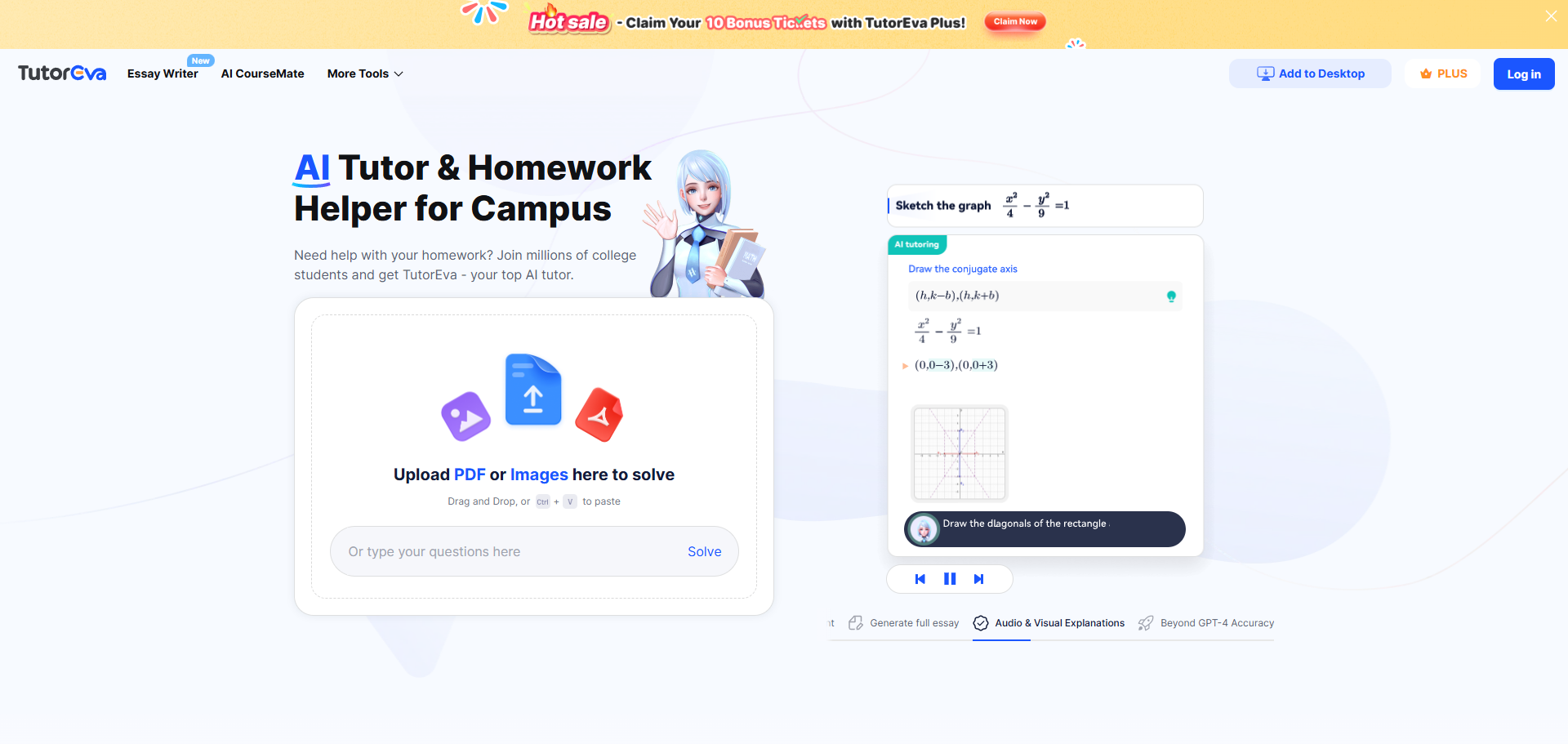
    Is TutorEva the top homework assistant in 2024? You might wonder why it stands out among other options. TutorEva transforms your study routine with its AI-powered personal tutor features. It offers tailored support for your academic needs. Whether you’re tackling complex math problems or crafting essays, TutorEva provides precise solutions and interactive learning tools. Experience the ease of having a personal tutor at your fingertips. Discover why millions of students trust TutorEva to enhance their learning journey.

    Overview of TutorEva’s Features and Functionalities

    Overview of TutorEva's Features and Functionalities

    Main Features of the Homework Assistant

    AI-Powered Assistance

    With TutorEva, you gain access to a cutting-edge AI-powered homework assistant that transforms how you approach academic challenges. This platform leverages advanced AI technologies, including GPT-4 and the Knowledge Agents System, to deliver precise and reliable solutions. You can upload your homework documents, whether they are PDFs or images, and receive comprehensive answers with step-by-step explanations. This feature ensures you understand the material thoroughly, making learning more effective and less time-consuming.

    Subject Coverage

    TutorEva excels in offering extensive subject coverage, catering to a wide range of academic disciplines. Whether you’re grappling with complex calculus problems, delving into the intricacies of science, or crafting essays, this platform has you covered. It provides detailed solutions and explanations across various subjects, ensuring you receive the support you need to excel in your studies. The breadth of subject coverage makes TutorEva an invaluable resource for students seeking assistance in multiple areas.

    Functionalities of the Personal Tutor

    Real-Time Feedback

    One of the standout features of TutorEva as a personal tutor is its ability to provide real-time feedback. As you work through problems or assignments, the platform offers instant insights and corrections, helping you learn from your mistakes and improve your understanding. This immediate feedback loop enhances your learning experience, allowing you to grasp concepts more quickly and effectively.

    Interactive Learning Tools

    TutorEva goes beyond traditional learning methods by incorporating interactive learning tools. These tools engage you in the learning process, making it more enjoyable and effective. With animated tutoring, visual aids, and interactive exercises, you can explore complex topics in a dynamic and engaging manner. This approach not only aids comprehension but also fosters a deeper connection with the material, ultimately enhancing your academic performance.

    Pricing and Free Trials

    Pricing Structure

    Subscription Plans

    When considering TutorEva, you have access to a flexible pricing structure designed to meet diverse needs. The platform operates on a freemium model, allowing you to explore basic features at no cost. For those seeking enhanced functionalities, the Plus version offers premium features, including comprehensive homework help, for just $7.49 per month. This plan ensures you receive personalized tutoring and advanced essay assistance, making it a valuable investment in your academic success.

    Payment Options

    TutorEva provides convenient payment options to suit your preferences. You can choose to pay monthly, ensuring flexibility and ease of budgeting. The platform accepts various payment methods, including credit cards and digital wallets, making the subscription process seamless. By offering multiple payment options, TutorEva ensures that you can easily access the level of service that best fits your needs and budget.

    Free Trials and Discounts

    Trial Period Details

    To help you make an informed decision, TutorEva includes a free plan as part of its subscription options. This trial period allows you to experience the platform’s capabilities without any financial commitment. During this time, you can explore the basic problem-solving features and access some textbook solutions. This opportunity enables you to evaluate how well TutorEva aligns with your academic requirements before upgrading to a paid plan.

    Available Discounts

    TutorEva occasionally offers discounts to make its premium services even more accessible. These discounts can vary, so it’s beneficial to check the official website or app stores for the latest promotions. By taking advantage of these offers, you can enjoy the full range of TutorEva‘s features at a reduced cost, enhancing your learning experience while staying within your budget.

    Understanding TutorEva: Setup and Ease of Use

    Understanding TutorEva: Setup and Ease of Use
    Image Source: unsplash

    Initial Setup

    Installation Process

    Getting started with TutorEva is a breeze. You can download the app on your smartphone or tablet, whether you use iOS or Android. Simply visit the App Store or Google Play Store, search for TutorEva, and tap ‘Install’. The app is lightweight, ensuring a quick download and installation process. Once installed, you are ready to embark on a seamless learning journey.

    Account Creation

    Creating an account on TutorEva is straightforward. You can register using your email or mobile phone number. After entering your details, you will receive a verification code to confirm your identity. Once verified, you gain access to your personalized TutorEva account. This account serves as your gateway to a world of academic support, tailored to your unique needs.

    Key Features and Functionalities

    AI-Powered Assistance

    How AI Enhances Learning

    TutorEva revolutionizes your learning experience with its advanced AI capabilities. By leveraging cutting-edge technologies like natural language processing and computer vision, TutorEva provides instant solutions to your academic challenges. You can simply take a photo of a complex calculus problem or upload an essay draft, and TutorEva will deliver step-by-step explanations and structured outlines. This AI-driven approach not only saves you time but also deepens your understanding of the subject matter, making learning more efficient and enjoyable.

    Personalization Features

    Personalization lies at the heart of TutorEva‘s offerings. The platform tailors its assistance to meet your unique academic needs. With features like the AI CourseMate, TutorEva consolidates all your study materials in one place, making it easier for you to review and understand complex topics. Whether you’re preparing for exams or tackling daily assignments, TutorEva adapts to your learning style, providing resources and guidance that enhance your academic performance. This personalized approach ensures that you receive the support you need to excel in your studies.

    Subject Coverage

    Range of Subjects

    TutorEva excels in offering comprehensive support across a wide range of subjects. From math and science to accounting and essay writing, TutorEva covers all major academic disciplines. This extensive subject coverage makes it an invaluable resource for students seeking help in multiple areas. Whether you’re a high school student or a college major, TutorEva provides the tools and assistance you need to succeed in your coursework.

    Depth of Content

    The depth of content provided by TutorEva sets it apart from other educational platforms. With a vast library of resources, including interactive tools and access to expert tutors, TutorEva ensures that you receive detailed, step-by-step solutions to your academic problems. This depth of content enhances your understanding and mastery of various subjects, empowering you to tackle even the most challenging topics with confidence. By offering thorough explanations and comprehensive study materials, TutorEva supports your academic journey every step of the way.

    Practical Tips for Maximizing TutorEva

    Effective Usage Strategies

    Setting Learning Goals

    To get the most out of TutorEva, start by setting clear learning goals. Define what you want to achieve in each study session. Whether it’s mastering a calculus concept or drafting an essay, having specific objectives will guide your use of the platform. TutorEva’s AI-powered tools can help you break down complex topics into manageable parts, making it easier to focus on your goals. By setting targets, you can track your progress and celebrate your achievements, boosting your motivation and confidence.

    Utilizing Feedback

    Take advantage of TutorEva’s real-time feedback feature. As you work through assignments, the platform provides instant corrections and insights. Use this feedback to identify areas where you need improvement. By understanding your mistakes, you can learn more effectively and avoid repeating them in the future. This immediate feedback loop is a powerful tool for enhancing your learning experience and ensuring you grasp the material thoroughly.

    Integrating TutorEva into Study Routine

    Scheduling Sessions

    Incorporate TutorEva into your regular study routine by scheduling dedicated sessions. Consistency is key to maximizing the benefits of any educational tool. Set aside specific times each week to engage with TutorEva’s resources. Whether you’re preparing for exams or tackling daily homework, regular sessions will help reinforce your learning. By making TutorEva a part of your study schedule, you ensure that you consistently receive the support you need to excel academically.

    Tracking Progress

    Monitor your academic growth by using TutorEva’s progress tracking features. Keep a record of the topics you’ve covered and the improvements you’ve made. This will help you identify patterns in your learning and adjust your strategies accordingly. By tracking your progress, you can pinpoint areas where you excel and those that require more attention. This self-awareness empowers you to take control of your education and make informed decisions about your study habits.

    “TutorEva represents a sophisticated approach to AI-powered educational assistance, offering students a versatile tool for homework help, problem-solving, and academic writing support.” – Blockchain News

    By following these practical tips, you can harness the full potential of TutorEva and transform your academic journey. Embrace the power of AI to enhance your learning experience and achieve your educational goals.

    Is TutorEva the best choice for academic assistance? Absolutely. You gain access to a comprehensive platform that excels in providing detailed, step-by-step solutions across various subjects. The app’s strengths include its AI-driven features, interactive tools, and 24/7 support. However, some users might find the premium features more beneficial. Overall, TutorEva stands out as a valuable tool for students seeking efficient and personalized learning support. You should consider trying it to enhance your academic journey and achieve your educational goals.

    See Also

    Discovering 2024’s AI Voice Changer for Dubbing Innovation

    2024’s Comprehensive Guide to Real-Time Dubbing AI on Discord

    Use Dubbing AI to Prank Your Valorant Teammates

    Exploring Top Free Voice Cloning Software for Dubbing AI

    Transforming Gaming, Streaming, and Meetings with Dubbing AI

  • Essential AI Tools to Buy on Black Friday 2024

    Essential AI Tools to Buy on Black Friday 2024

    Essential AI Tools to Buy on Black Friday 2024

    Black Friday 2024 presents a golden opportunity for you to elevate your productivity with cutting-edge AI tools. Imagine transforming your workflow with AI tools that not only enhance efficiency but also spark creativity. A staggering 89% of employees believe AI can lighten their workload, leading to smarter decisions and innovative ideas. Businesses echo this sentiment, with *64% expecting a boost in productivity*. This Black Friday, seize exclusive deals on must-have AI tools like Dubbing AI. These AI tools promise to revolutionize your work processes and save you money, making them an essential investment.

    The Best AI Voice Changer with soundboard

    Top 5 AI Tools to Consider

    Dubbing AI

    Key Features

    Dubbing AI stands out as the ultimate real-time AI voice changer, boasting an impressive library of over 1,000 unique voices. This versatile tool empowers users to effortlessly transform their vocal output, adding a dynamic twist to any conversation or performance. Whether you’re gaming, streaming, or creating content, Dubbing AI offers a seamless experience with low latency less than 100 milliseconds and stunning clarity. With its diverse range of characters and styles, you can find the perfect voice to match your mood or project, elevating your communication to new heights.

    Pros and Cons

    Pros:

    • Low Latency: Dubbing AI changes your voice in under 30ms, no prerecording needed which brings you the real-time voice changing experience.

    • Awesome Voices: Over 500 different voices from anime, game, and movie to celebrity to anyone you wish to be. You can also make your personal voice by voice cloning.

    • Easy to Use: Download and Install in less than 5 minutes, only uses 5% of your CPU

    • Clolorful Soundboard: All users can find their favorite soundboards from communite sounds or upload their own soundboards to enhance game experience.

    Cons:

    • lack of a built-in recording feature.

    Available Discounts

    This Black Friday, you can grab Dubbing AI at a significant discount. Look for deals that offer up to 40% off on all subscription plans. This is a perfect opportunity to invest in a tool that can elevate your content creation process.

    Midjourney

    Key Features

    Midjourney is an AI art tool that empowers you to create stunning visuals effortlessly. It offers features like AI-driven design suggestions, customizable templates, and seamless integration with other creative software.

    Pros and Cons

    Pros:

    • Enhances creativity with AI-driven suggestions.

    • Provides a wide range of templates.

    • Integrates well with other tools, streamlining your workflow.

    Cons:

    • Some users may find the interface complex.

    • Requires a stable internet connection for optimal performance.

    Available Discounts

    During Black Friday, Midjourney offers exclusive deals. You might find discounts ranging from 30% to 40% off on their premium plans, making it an ideal time to invest in your creative projects.

    Adobe Firefly

    Key Features

    Adobe Firefly is designed for creatives who want to push the boundaries of digital art. It includes features like advanced AI filters, dynamic brush options, and real-time collaboration tools.

    Pros and Cons

    Pros:

    • Offers cutting-edge AI filters for unique effects.

    • Provides dynamic brush options for detailed artwork.

    • Facilitates collaboration with real-time tools.

    Cons:

    • Subscription costs can be high without discounts.

    • May require a powerful device for smooth operation.

    Available Discounts

    Adobe Firefly often participates in Black Friday sales, offering discounts up to 25% off on their creative cloud packages. This is a great chance to access premium features at a reduced price.

    Grammarly

    Key Features

    Grammarly is your go-to AI writing assistant. It offers real-time grammar checks, style suggestions, and even tone adjustments. You can enhance your writing with features like plagiarism detection, vocabulary enhancement, and personalized writing insights. These tools ensure your writing is clear, concise, and impactful.

    Pros and Cons

    Pros:

    • Improves writing quality with instant feedback.

    • Offers a user-friendly interface.

    • Provides comprehensive writing suggestions.

    Cons:

    • Requires an internet connection for full functionality.

    • Some advanced features are only available in the premium version.

    Available Discounts

    This Black Friday, you can snag Grammarly at a bargain. Look for deals offering up to 40% off on annual subscriptions. It’s a fantastic opportunity to elevate your writing skills without breaking the bank.

    AI Shopping Assistants

    Key Features

    AI Shopping Assistants are revolutionizing the way you shop. They provide features like price comparison, deal alerts, and personalized recommendations. These assistants help you find the best deals and streamline your shopping experience, especially during the hectic Black Friday sales.

    Pros and Cons

    Pros:

    • Saves time by finding the best deals for you.

    • Offers personalized shopping recommendations.

    • Alerts you to price drops and exclusive offers.

    Cons:

    • May require access to personal shopping data.

    • Some users might find the setup process complex.

    Available Discounts

    During Black Friday, many AI Shopping Assistants offer special promotions. You might find discounts on premium features or exclusive access to additional tools. This is the perfect time to enhance your shopping strategy and make the most of the sales season.

    Tips for Maximizing Black Friday Savings

    Use Price Comparison Tools

    To make the most of Black Friday deals, you should start by using price comparison tools. These tools help you find the best prices across different retailers. They save you time and ensure you get the best deal possible. Websites and apps like PriceGrabber and ShopSavvy allow you to compare prices on a wide range of products. By using these tools, you can quickly identify where to shop for the lowest prices. This strategy ensures you don’t miss out on any hidden discounts.

    Sign Up for Newsletters and Alerts

    Another effective way to maximize your savings is by signing up for newsletters and alerts from your favorite retailers. Many stores offer exclusive deals to their subscribers. By receiving these alerts, you stay informed about upcoming sales and special promotions. Retailers often send out discount codes or early access to Black Friday deals through their newsletters. This gives you a head start on snagging the best offers before they sell out. So, make sure to subscribe to newsletters from stores you plan to shop at.

    Plan Your Purchases in Advance

    Planning your purchases in advance is crucial for a successful Black Friday shopping experience. Start by making a list of items you need or want to buy. Prioritize these items based on necessity and budget. Research the regular prices of these products to identify genuine discounts when the sales begin. Having a clear plan helps you avoid impulse buying and keeps you focused on your goals. Additionally, setting a budget ensures you don’t overspend during the excitement of Black Friday. With a well-thought-out plan, you can make the most of the discounts available and enjoy a stress-free shopping experience.

    Purchasing AI tools during Black Friday offers you a unique chance to boost your productivity and creativity. With the anticipated 7.08% increase in in-store shoppers, it’s clear that many recognize the value of these deals. Don’t miss out on this opportunity to transform your workflow with cutting-edge technology. Whether you’re a content creator, writer, or shopper, these tools can make a significant difference. Explore the recommended AI tools and take advantage of the exclusive discounts available. Elevate your efficiency and creativity this Black Friday!

    See Also

    Explore Cutting-Edge AI Voice Cloning Solutions for Realistic Voiceovers

    2024: Instant AI Voice Modification for Dubbing – Revealing Tomorrow’s Dubbing Innovations

    Top AI Voice Modifiers Perfect for Content Creators

    Grasping Dubbing AI: The Next Generation of Instant Voice Change Technology

    Dubbing AI’s Future: Transforming Gaming, Streaming, and Virtual Meetings

  • Boost Your Research Efficiency with Linnk AI

    Boost Your Research Efficiency with Linnk AI

    Imagine boosting your research efficiency with a tool that feels like a personal assistant. Linnk AI does just that, revolutionizing how you gather and analyze information, making your academic journey smoother. With its intelligent features, you can focus on what truly matters—creating impactful work within the academy.

    *AI tools streamline repetitive tasks and predict outcomes, leading to new discoveries.*

    Linnk AI helps you cut through the noise, offering immediate benefits. Whether you’re a student or a seasoned researcher, this tool enhances productivity by an average of 14%. Dive into a world where research becomes less of a chore and more of an exciting exploration.

    Overcoming Traditional Research Challenges

    Research can feel like a daunting task, especially when you rely on traditional methods. These conventional approaches often come with their own set of challenges that can slow you down and make the process less efficient.

    Limitations of Conventional Methods

    Time-Consuming Processes

    You know how it goes—hours spent sifting through endless articles and papers, trying to find that one piece of information you need. Traditional research methods demand a lot of time and effort. You might find yourself buried under stacks of documents, manually sorting through data, and struggling to keep track of your findings. This can be exhausting and leave you with little energy for actual analysis or creative thinking.

    Information Overload

    Ever felt overwhelmed by the sheer volume of information available? You’re not alone. With so much data at your fingertips, it can be hard to separate the useful from the irrelevant. Traditional methods often lack the tools to efficiently filter and prioritize information, leading to information overload. This can make it difficult to focus on what’s truly important and can hinder your ability to draw meaningful conclusions.

    How Linnk AI Addresses These Issues

    Streamlined Data Analysis

    Enter Linnk AI, your new research companion. This tool takes the hassle out of data analysis by automating many of the tedious tasks that bog you down. With Linnk AI, you can quickly and easily analyze large volumes of data, allowing you to focus on interpreting results and making informed decisions. Unlike traditional AI, which relies on structured data for specific tasks, Linnk AI leverages advanced algorithms to provide a more comprehensive analysis, saving you time and effort.

    Enhanced Information Retrieval

    Linnk AI excels in cutting through the noise and delivering the information you need, when you need it. It uses intelligent search capabilities to retrieve relevant data efficiently, reducing the risk of information overload. By summarizing and presenting data in a clear and understandable manner, Linnk AI helps you grasp complex concepts quickly. This means you can spend less time searching and more time exploring new possibilities and insights.

    Incorporating Linnk AI into your research routine transforms the way you work. It not only enhances productivity but also opens up new avenues for creativity and discovery. Say goodbye to the limitations of traditional methods and embrace a more efficient and effective approach to research.

    Exploring Linnk AI’s Functionalities

    Exploring Linnk AI's Functionalities
    Image Source: pexels

    Let’s dive into the exciting world of Linnk AI and discover how it can transform your research process. This tool offers a range of features designed to make your academic journey more efficient and enjoyable.

    Key Features of Linnk AI

    Automated Data Collection

    Imagine having a personal assistant that gathers all the necessary data for you. Linnk AI does just that. It automates the data collection process, saving you countless hours. You no longer need to sift through endless articles and papers manually. Instead, Linnk AI finds the information you need, allowing you to focus on analysis and interpretation. This feature is a game-changer for anyone in the academy, making research less of a chore and more of an exploration.

    Intelligent Data Analysis

    Once you’ve collected your data, the next step is analysis. Linnk AI excels here too. It uses advanced algorithms to analyze data intelligently, providing insights that might take you hours to uncover manually. This feature helps you understand complex studies quickly and efficiently. Whether you’re working on a thesis or a market analysis, Linnk AI ensures you have the insights you need at your fingertips.

    Practical Applications in Research

    Case Study: Academic Research

    In the academic world, time is of the essence. Linnk AI helps you maximize your productivity by streamlining your research workflow. For instance, when conducting a literature review, you can use Linnk AI to summarize key papers and extract essential insights. This allows you to focus on developing your arguments and hypotheses. The tool’s ability to translate complex research papers across multiple languages also enhances global collaboration, making it easier to stay updated on international developments.

    Case Study: Market Analysis

    In the business realm, understanding market trends is crucial. Linnk AI assists you in analyzing market data efficiently. By automating data collection and analysis, it provides you with a clear picture of market dynamics. You can quickly identify trends, assess competitor strategies, and make informed decisions. This capability is invaluable for corporate professionals looking to gain a competitive edge.

    By incorporating Linnk AI into your research routine, you unlock new possibilities for creativity and discovery. Whether you’re in the academy or the business world, this tool empowers you to achieve more with less effort. Embrace the future of research with Linnk AI and experience the difference it makes.

    Getting Started with Linnk AI

    Embarking on your journey with Linnk AI is a breeze. This section will guide you through setting up your account and navigating the interface, ensuring you make the most of this powerful tool.

    Step-by-Step Guide

    Setting Up Your Account

    1. Visit the Website: Head over to the Linnk AI website. You’ll find a user-friendly interface that welcomes you to explore its features.

    2. Create an Account: Click on the “Sign Up” button. Enter your details, such as your email and a secure password. Confirm your registration through the email link sent to you.

    3. Choose Your Plan: Linnk AI offers various plans tailored to different needs. Select the one that suits your research requirements best.

    4. Download the Extension: For seamless integration, download the Linnk AI browser extension. This tool will assist you in summarizing and analyzing content directly from your browser.

    Navigating the Interface

    1. Dashboard Overview: Once logged in, you’ll land on the dashboard. Here, you can access all the features Linnk AI offers. The layout is intuitive, making it easy to find what you need.

    2. Explore Features: Familiarize yourself with the key features. The sidebar provides quick access to automated data collection, intelligent analysis, and more.

    3. Customize Settings: Adjust settings to match your preferences. You can tailor notifications, language options, and data management to suit your workflow.

    Tips for Maximizing Efficiency

    Customizing Your Workflow

    1. Personalize Your Dashboard: Arrange the dashboard elements to fit your research style. Prioritize the tools you use most frequently for easy access.

    2. Set Up Alerts: Enable alerts for specific topics or keywords. This feature keeps you updated on the latest research developments without needing constant manual searches.

    3. Integrate with Other Tools: Linnk AI works well with other research tools. Sync it with your existing software to streamline your workflow further.

    Leveraging AI Insights

    1. Utilize Summarization: Use Linnk AI’s summarization feature to condense lengthy articles into digestible insights. This saves time and helps you focus on critical information.

    2. Engage with AI Suggestions: Pay attention to AI-generated suggestions. These insights can offer new perspectives and enhance your research outcomes.

    3. Participate in Community Forums: Join discussions with other Linnk AI users. Sharing experiences and tips can provide valuable insights and improve your efficiency.

    By following these steps and tips, you can harness the full potential of Linnk AI. This tool not only simplifies your research process but also opens doors to new possibilities in teaching, research, and practice. Dive in and experience how AI can transform your academic and professional endeavors.

    Comparing Linnk AI with Other AI Tools

    When it comes to choosing the right AI tool for your research, understanding the unique advantages of each option is crucial. Let’s explore what sets Linnk AI apart from other AI tools and why it might be the best choice for you.

    Unique Advantages of Linnk AI

    Comprehensive Data Integration

    One of the standout features of Linnk AI is its comprehensive data integration. It seamlessly pulls together information from various sources, providing you with a holistic view of your research topic. This capability allows you to access and analyze data without the hassle of switching between multiple platforms. By integrating data effectively, Linnk AI helps you focus on drawing meaningful insights rather than getting bogged down by fragmented information.

    Why Choose Linnk AI Over Competitors

    Cost-Effectiveness

    Linnk AI offers a cost-effective solution for researchers looking to enhance their productivity without breaking the bank. Unlike some other AI tools that come with hefty price tags, Linnk AI provides a range of pricing plans tailored to different needs and budgets. This flexibility ensures that you can choose a plan that fits your requirements, making it an economical choice for both individuals and organizations.

    Superior Support and Resources

    Support and resources play a vital role in maximizing the benefits of any tool. Linnk AI excels in this area by offering superior support and a wealth of resources to help you get the most out of the platform. Whether you need assistance with technical issues or guidance on using specific features, Linnk AI’s support team is ready to help. Additionally, the platform provides access to tutorials, webinars, and community forums where you can learn from other users and share your experiences.

    In summary, Linnk AI stands out as a versatile and reliable tool for researchers. Its user-friendly interface, comprehensive data integration, cost-effectiveness, and superior support make it a compelling choice over other AI tools. By choosing Linnk AI, you equip yourself with a powerful ally in your research journey, enabling you to achieve more with less effort.

    Dive into the world of Linnk AI and experience its transformative power firsthand. This tool isn’t just about efficiency; it’s about revolutionizing your research journey. Imagine cutting through the clutter and focusing on what truly matters. Your feedback can shape the future of research tools, so don’t hesitate to share your thoughts. Engage with the community and explore how AI can redefine your approach to research. Embrace this change and unlock new possibilities in your academic or professional endeavors.

    See Also

    Exploring Innovative Opportunities in Voice Dubbing Technology

    Harnessing Dubbing AI’s Potential: Cloning Voices and Beyond

    2024’s Comprehensive Handbook on AI Voice Cloning Techniques

    Dubbing AI: Your Go-To Tool for Voice Translation and Preservation

    Bring Your Anime Persona to Life Using Dubbing AI

  • Is Dubbing AI Your Best Sonic Soundboard Choice?

    Is Dubbing AI your ultimate sonic soundboard choice? You deserve the best when it comes to transforming your audio experience. Dubbing AI offers a wide range of voice options, ensuring you find the perfect match for your needs. The sound quality remains consistently high, making every interaction immersive. Seamless integration with various platforms enhances your convenience. Regular updates keep the technology fresh and efficient. Choose Dubbing AI for a superior dubbing experience that elevates your audio to new heights.

    Sonic Variety of Voice Options

    When it comes to choosing a soundboard, the variety of voice options is crucial. Dubbing AI excels in this area, offering an impressive array of voices that cater to diverse needs. Whether you’re a gamer, content creator, or simply someone who enjoys experimenting with audio, Dubbing AI provides a sonic experience like no other.

    Range of Voices Available

    Dubbing AI boasts an extensive library of over 1,000 unique voices. This vast selection ensures you can find the perfect voice for any scenario. From cartoon characters to realistic human tones, the possibilities are endless. The AI technology behind these voices guarantees high quality and naturalness, making your audio experience immersive and engaging.

    Comparison with Other Soundboards

    When comparing Dubbing AI to other soundboards like Voicemod, the differences become clear. Dubbing AI offers more voice options and customization features, setting it apart from competitors. While Voicemod provides a decent selection, it doesn’t match the depth and variety found in Dubbing AI. The seamless integration of Dubbing AI into various platforms enhances its appeal, making it a top choice for those seeking a comprehensive soundboard solution.

    Customization Capabilities

    Customization is a standout feature of Dubbing AI. You have the power to modify voices to suit your specific needs. Whether you want to adjust pitch, tone, or add special effects, Dubbing AI makes it easy. This level of customization allows you to create a truly personalized audio experience. The user-friendly interface ensures that even beginners can navigate the customization process with ease.

    “Dubbing AI’s soundboard integration adds interactivity and fun with preloaded sound effects, while offering an extensive library of voice options and customization features.”

    The benefits of AI dubbing extend beyond just variety. The ability to tailor voices to your liking enhances your gaming experience and content creation endeavors. With Dubbing AI, you can transform your audio projects into something extraordinary.

    What is Dubbing AI

    Dubbing AI stands as a revolutionary tool in the realm of audio transformation. It leverages cutting-edge technology to provide you with an unparalleled sonic experience. By understanding how AI dubbing works, you can unlock a world of possibilities for your audio projects.

    Naturalness and Clarity

    The hallmark of Dubbing AI lies in its ability to produce human-like voice dubbing that sounds natural and clear. This is achieved through sophisticated AI technology that meticulously replicates the nuances of human speech.

    AI Technology Behind the Voices

    Voice Cloning Specialist: The voice cloning technology used by Dubbing AI employs state-of-the-art algorithms. These algorithms analyze and mimic the nuances of a person’s speech patterns, intonations, and vocal characteristics. This ensures that the voices you choose sound authentic and engaging.

    “Voice synthesis plays a pivotal role in AI dubbing by mimicking the unique qualities of human speech.” – AI Dubbing Specialist

    User Feedback and Reviews

    Users consistently praise Dubbing AI for its exceptional quality and reliability. Many have noted the seamless integration of AI dubbing tools into their workflows, enhancing their overall experience. The positive feedback highlights the benefits of AI dubbing, making it a preferred choice for those seeking high-quality audio solutions.

    Real-time Processing

    Dubbing AI excels in real-time processing, allowing you to transform your audio swiftly and efficiently. This feature is particularly beneficial for those involved in online video dubbing and other time-sensitive projects.

    Speed and Efficiency

    The speed at which Dubbing AI processes audio sets it apart from traditional methods. You can achieve quick turnaround times without compromising on quality. This efficiency is crucial for maintaining a smooth workflow and meeting tight deadlines.

    Comparison with Competitors

    When compared to other AI dubbing features, Dubbing AI consistently outperforms in terms of speed and quality. Its advanced algorithms ensure that you receive top-notch results every time. This makes Dubbing AI a standout choice for anyone looking to enhance their audio projects with precision and ease.

    By choosing Dubbing AI, you gain access to a powerful suite of tools that elevate your audio experience. Whether you’re a gamer seeking to enhance your gaming experience or a content creator aiming for professional-grade audio, Dubbing AI offers the perfect solution.

    Dubbing AI Pricing

    When considering Dubbing AI for your audio projects, understanding its pricing structure is crucial. Dubbing AI offers a range of pricing tiers designed to fit various budgets and usage needs. Whether you’re an occasional user or a power user requiring advanced features, there’s a plan tailored for you.

    Basic Plan$0/month

    10 voices

    Basic soundboards only

    Redeem rewards with D-Coin

    HQ audio outputs 100ms latency

    Standard Plan-$8/month

    179 voices

    Unlimited soundboards

    D-Coin x 1.5 boost

    3-voice clone trial every month

    HQ audio outputs 100ms latency

    Premium Plan-$14/month

    545 voices

    Unlimited soundboards

    D-Coin x 2.0 boost

    Premium quality 100ms latency

    3-voice clone trial every month

    Experience the latest voice every week

    Permanent Premium-$98

    Purchase Dubbing AI permanently and enjoy all feature updating

    Get Started For Free

    By choosing Dubbing AI, you significantly reduce costs compared to traditional dubbing methods. You avoid expenses related to hiring voice actors and studio time. Instead, you pay a manageable subscription fee, making high-quality dubbing accessible to everyone, from independent filmmakers to large studios.

    “AI-powered dubbing tools eliminate all these costs, leaving you with only a (comparably smaller) subscription fee.”

    The transparent pricing model of Dubbing AI ensures you know exactly what you’re paying for. This clarity helps you balance quality and cost, ensuring you get the best return on your investment. Dive into the world of AI dubbing with confidence, knowing that Dubbing AI offers a pricing plan that suits your needs.

    Frequency of Updates for a Better Gaming Experience

    Regular updates play a crucial role in enhancing your gaming experience with Dubbing AI. These updates ensure that you always have access to the latest features and improvements, making your sonic adventures more immersive and enjoyable.

    Regularity of Improvements

    Dubbing AI consistently delivers updates to keep your audio experience fresh and exciting. You can expect new features and enhancements that elevate your dubbing projects to new heights.

    New Features and Enhancements

    Dubbing AI introduces innovative features regularly. These updates expand your voice options and improve the overall quality of your audio projects. With each update, you gain access to cutting-edge AI dubbing tools that make your voice transformation seamless and effective. This commitment to innovation ensures that you always have the best tools at your disposal.

    Bug Fixes and Stability

    Stability is key to a smooth gaming experience. Dubbing AI prioritizes bug fixes in every update, ensuring that your soundboard integration remains flawless. By addressing issues promptly, Dubbing AI guarantees a reliable and consistent experience, allowing you to focus on creating captivating content without interruptions.

    Community and Developer Support

    Dubbing AI values its community and provides robust support for both users and developers. This support enhances your experience and ensures that you can make the most of AI dubbing features.

    User Engagement and Feedback

    Your feedback matters. Dubbing AI actively engages with its user community to gather insights and suggestions. This engagement helps shape future updates, ensuring that the platform meets your needs and expectations. By participating in this collaborative process, you contribute to the continuous improvement of Dubbing AI.

    Developer Resources and Documentation

    Developers benefit from comprehensive resources and documentation provided by Dubbing AI. These resources simplify the integration process and help you understand how AI dubbing works. Whether you’re exploring the easiest way to dub or seeking advanced customization options, Dubbing AI offers the guidance you need to succeed.

    By choosing Dubbing AI, you embrace a dynamic platform that evolves with your needs. The regular updates and strong community support make it the ideal choice for enhancing your gaming experience and achieving high-quality dubbing results.

    Choosing Dubbing AI as your sonic soundboard offers numerous benefits. You gain access to a vast array of voices, enhancing your audio projects with unmatched variety. The AI dubbing technology ensures efficiency and cost-effectiveness, saving you time and money. With its seamless integration into video platforms, Dubbing AI transforms your dubbing experience, making it more immersive and enjoyable. The regular updates and innovative features keep your projects fresh and engaging. Embrace Dubbing AI for a superior dubbing experience that elevates your audio and video content to new heights.

    FAQ

    What is Dubbing AI?

    Dubbing AI uses artificial intelligence to automate and enhance the dubbing process. It creates high-quality voiceovers in various languages, making it a versatile tool for filmmakers and content creators. By leveraging AI, you can achieve professional-grade dubbing without the need for extensive resources.

    How does Dubbing AI improve my audio projects?

    Dubbing AI offers a vast library of over 1,000 unique voices. This variety allows you to find the perfect match for your project, whether you’re working on a film, game, or any other audio content. The AI technology ensures that each voice sounds natural and clear, enhancing the overall quality of your work.

    Can I customize the voices in Dubbing AI?

    Absolutely! Dubbing AI provides extensive customization capabilities. You can adjust pitch, tone, and add special effects to tailor the voices to your specific needs. This flexibility allows you to create a personalized audio experience that aligns perfectly with your vision.

    Is Dubbing AI suitable for real-time applications?

    Yes, Dubbing AI excels in real-time processing. It allows you to transform audio swiftly and efficiently, making it ideal for live streaming, gaming, and other time-sensitive projects. The speed and efficiency of Dubbing AI ensure that you can maintain a smooth workflow without compromising on quality.

    How does Dubbing AI compare to traditional dubbing methods?

    Dubbing AI offers a cost-effective alternative to traditional dubbing. You avoid expenses related to hiring voice actors and studio time. Instead, you pay a manageable subscription fee, making high-quality dubbing accessible to everyone. This approach not only saves money but also provides you with a wider range of voice options.

    What pricing plans does Dubbing AI offer?

    Dubbing AI offers several pricing tiers to fit different budgets and usage needs. Whether you’re an occasional user or require advanced features, there’s a plan for you. The transparent pricing model ensures you know exactly what you’re paying for, helping you balance quality and cost effectively.

    How often does Dubbing AI receive updates?

    Dubbing AI regularly delivers updates to enhance your experience. These updates include new features, voice options, and bug fixes, ensuring that your projects remain fresh and engaging. By choosing Dubbing AI, you benefit from a platform that evolves with your needs.

    What kind of support does Dubbing AI provide?

    Dubbing AI values its community and offers robust support for both users and developers. You can access comprehensive resources and documentation to simplify the integration process. Additionally, Dubbing AI actively engages with its user community to gather feedback and suggestions, ensuring that the platform meets your expectations.

    Can Dubbing AI be integrated into other platforms?

    Yes, Dubbing AI integrates seamlessly into various platforms. This feature allows you to create a personalized soundboard that fits your specific needs, enhancing your convenience and efficiency. Whether you’re working on video platforms or gaming environments, Dubbing AI provides a smooth and cohesive experience.

    Why should I choose Dubbing AI over other soundboards?

    Dubbing AI stands out due to its extensive voice library, customization capabilities, and real-time processing. These features, combined with regular updates and strong community support, make it a top choice for anyone looking to enhance their audio projects. By choosing Dubbing AI, you gain access to a powerful tool that elevates your audio experience to new heights.

    See Also

    Elevate Your Gaming Experience Using Dubbing AI Soundboard

    Dubbing AI: The Best Voice Modifier for Discord Users

    Reasons Dubbing AI Stands Out as an MMORPG Voice Changer

    2024 Handbook: Dubbing AI for Instant Voice Changes on Discord

    Dubbing AI: The Perfect Tool for Voice Translation and Preservation

  • The best tool for voice changer and soundboard

    Imagine transforming your audio experience with a tool that acts as both a voice changer and a soundboard. That’s exactly what the vocal remover offers. This tool stands out for its high-end technology, delivering quick and precise results. Whether you’re a music producer or just someone who loves tinkering with sound, you’ll find it incredibly useful. It isolates background tracks, providing clear, noise-free playback. Users across various platforms enjoy its seamless integration, making it a favorite choice for many. Dive into a world where your audio possibilities are endless.

    The Best AI Voice Changer with soundboard

    What is Vocal Remover

    Vocal Remover is a powerful tool that lets you manipulate audio tracks by isolating or removing vocals. You can use it to create karaoke versions of your favorite songs or to extract instrumental tracks for remixing. This tool is not just for professionals; anyone interested in audio editing can benefit from its capabilities. Whether you’re a budding DJ or someone who loves experimenting with sound, Vocal Remover offers you a playground of possibilities.

    How Does Vocal Remover Work?

    The Technology Behind Vocal Removal

    Vocal Remover uses advanced algorithms to separate vocals from the rest of the audio. It analyzes the frequencies and patterns in the track to identify and isolate the vocal elements. This technology ensures that you get clean and precise results every time. You don’t need to be a tech expert to use it. The tool does the heavy lifting, allowing you to focus on your creative process.

    User Interface and Accessibility

    The user interface of Dubbing AI Vocal Remover is designed with simplicity in mind. You can easily navigate through its features without feeling overwhelmed. The tool provides clear instructions and intuitive controls, making it accessible to users of all skill levels. Whether you’re using it on a computer or a mobile device, you’ll find the experience smooth and hassle-free. Vocal Remover empowers you to explore your audio creativity without any barriers.

    How to use Vocal Remover

    Unique Features of Dubbing AI Vocal Remover

    When you dive into the world of audio editing, the Dubbing AI Vocal Remover becomes your best ally. This tool stands out with its ability to remove vocals from a song effortlessly. You can transform any track into a karaoke version or extract instrumental parts for remixing. The ai song voice changer feature allows you to modify your voice in creative ways, offering endless possibilities for vocal transformation.

    Effortlessly extract pristine voice clips with Dubbing AI’s Vocal Remover! With just a few clicks on the Dubbing AI homepage, strip away background music and noise to reveal crystal-clear vocals. Perfect for creators, streamers, and audio perfectionists seeking precision and quality in every project. Voice clarity has never been simpler!

    Enhance Voice changer and Soundboard

    Imagine having the power to change your voice in real-time. With the Vocal Remover, you can do just that. The tool’s real-time voice changing feature lets you experiment with different voice effects during live sessions. You can switch between various soundboard effects seamlessly, adding a dynamic touch to your audio projects.

    The voice customization features offer a wide range of options for personalizing your sound. You can adjust pitch, tone, and other elements to create unique audio experiences. The tool’s integration with soundboards allows you to enhance your projects with diverse sound clips and effects. You can create a soundboard that reflects your style and creativity.

    For those who prefer offline editing, the best offline song vocal removers provide flexibility and convenience. You can work on your projects without an internet connection, ensuring uninterrupted creativity. On the other hand, the best online song vocal removers offer accessibility and ease of use, allowing you to edit tracks from anywhere.

    Incorporating an ai voice generator into your workflow can elevate your projects to new heights. You can generate realistic voice effects that captivate your audience. The tool’s customization options ensure that your audio projects stand out, offering a personalized touch that resonates with listeners.

    Vocal Rmover for Soundboard Building

    Building a soundboard with Vocal Remover opens up a world of creative possibilities. You can craft a personalized collection of sounds that reflect your unique style. Whether you’re a gamer, a streamer, or just someone who loves playing with audio, a soundboard can enhance your experience.

    1. Start with Your Favorite Tracks: Use Vocal Remover to isolate instrumental parts from your favorite songs. This gives you a clean slate to work with. You can then add these tracks to your soundboard, creating a library of sounds that are ready to use.

    2. Add Voice Effects: With Vocal Remover’s voice-changing capabilities, you can modify your voice in countless ways. Record your voice, apply different effects, and add these clips to your soundboard. This allows you to switch between various vocal styles during live sessions or recordings.

    3. Incorporate Sound Clips: Gather sound clips from different sources. You can use movie quotes, funny sound bites, or even create your own. Add these to your soundboard to give it more variety and personality.

    4. Organize Your Soundboard: Keep your soundboard organized for easy access. Group similar sounds together and label them clearly. This makes it easier to find the right sound when you need it.

    5. Experiment and Have Fun: The best part about building a soundboard is experimenting with different sounds. Try new combinations and see what works best for you. The more you play around, the more you’ll discover what you like.

    Vocal Remover makes soundboard building an enjoyable and straightforward process. You can create a tool that enhances your audio projects and adds a personal touch to your work. Dive into the world of soundboards and let your creativity shine.

    Vocal Remover truly shines as the best tool for voice changing and soundboarding. Its unique features and versatility make it a standout choice. You can easily remove vocals from a song, allowing you to create karaoke tracks or extract high-quality instrumental sounds. The vocal remover tool offers significant advantages over other options, providing you with professional-sounding results and saving you time. Whether you’re using the best online song vocal removers or the best offline song vocal removers, you’ll find the process seamless and efficient. The integration of an ai song voice changer and ai voice generator enhances your projects with unique voice effects and customization options. This tool empowers you to explore vocal transformation and voice modulation, offering endless possibilities for creativity. Dive into the world of music vocal remover and let your audio projects reach new heights.

    FAQ

    Is Vocal Remover safe?

    Absolutely! Vocal Remover is safe to use. It doesn’t require any personal information, and it operates securely on your device. You can enjoy its features without worrying about privacy issues. If you’re looking for alternatives, there are other tools available, but Vocal Remover remains a top choice for many users due to its reliability and effectiveness.

    How does Vocal Remover work in real-time?

    Vocal Remover uses advanced algorithms to process audio in real-time. This means you can make changes to your audio tracks instantly. Whether you’re removing vocals or adding effects, the tool responds quickly, allowing you to hear the results as you make adjustments. This real-time capability makes it perfect for live performances or streaming sessions.

    Can I use Vocal Remover for live performances?

    Yes, you can! Vocal Remover’s real-time processing allows you to use it during live performances. You can change your voice or add effects on the fly, enhancing your show with dynamic audio transformations. This feature makes it a favorite among performers who want to add a unique touch to their live events.

    What kind of effects can I apply with Vocal Remover?

    Vocal Remover offers a wide range of effects to enhance your audio projects. You can adjust pitch, tone, and other elements to create unique sounds. The tool also allows you to switch between different soundboard effects seamlessly, giving you the flexibility to experiment with various audio styles. Whether you’re looking for subtle changes or dramatic transformations, Vocal Remover has you covered.

    Is there a learning curve for using Vocal Remover?

    Not at all! Vocal Remover is designed to be user-friendly, with an intuitive interface that makes it easy for anyone to use. You don’t need to be an audio expert to get started. The tool provides clear instructions and simple controls, so you can focus on your creativity without getting bogged down by technical details.

    Can I use Vocal Remover offline?

    Yes, you can use Vocal Remover offline. This feature provides flexibility and convenience, allowing you to work on your projects without an internet connection. Whether you’re on the go or in a location with limited connectivity, you can continue editing your audio tracks without interruption.

    Does Vocal Remover support multiple audio formats?

    Vocal Remover supports a variety of audio formats, making it versatile for different projects. You can import and export files in formats like MP3, WAV, and more. This compatibility ensures that you can work with your preferred audio files without any hassle.

    Can I customize the effects in real-time?

    Absolutely! Vocal Remover allows you to customize effects in real-time. You can tweak settings and hear the changes instantly, giving you complete control over your audio projects. This real-time customization is perfect for those who want to experiment and find the perfect sound for their needs.

    Is there customer support available for Vocal Remover?

    Yes, Vocal Remover offers customer support to assist you with any questions or issues. Whether you need help with installation, features, or troubleshooting, the support team is ready to provide guidance. You can reach out via email or through the support section on their website.

    Can I integrate Vocal Remover with other audio tools?

    You can integrate Vocal Remover with other audio tools to enhance your projects further. Its compatibility with various software and platforms allows you to create a comprehensive audio editing setup. Whether you’re using it alongside a digital audio workstation or other soundboard tools, Vocal Remover fits seamlessly into your workflow.

    See Also

    Selecting The Perfect Voice Changer And Soundboard For Gaming

    Uncover The Top Celebrity Voice Changer Application – Dubbing AI

    Dubbing AI: The Best Voice Changer For Discord Users

    Explore The Newest AI Voice Cloning Tools For Realistic Voiceovers

    Top AI Voice Changer Options For Content Creators

  • How Dubbing AI Enhances Voice Chat in Epic Games

    Imagine stepping into a game where your character’s voice perfectly matches their personality or the story’s tone. Dubbing AI makes this possible by letting you change your voice in real-time. Whether you want to sound like a fearless warrior or a mischievous trickster, this technology adds a layer of creativity and fun. It doesn’t stop there—dubbing AI also enhances communication during multiplayer sessions, making teamwork smoother and more engaging. With its ability to create unique voices and sound effects, it transforms gaming into a more immersive and personalized experience.

    The Best AI Voice Changer with soundboard

    What is Voice Changer

    Voice changers have become a game-changer in the world of online gaming. These tools allow you to modify your voice in real-time, creating endless possibilities for creativity and fun. Whether you want to sound like a deep-voiced villain or a high-pitched cartoon character, a voice changer lets you step into any role you can imagine. For gamers, this means more immersive gameplay and a chance to express themselves in unique ways.

    What is Dubbing AI?

    Dubbing AI takes the concept of voice changers to the next level. It’s not just about altering your voice; it’s about transforming your entire gaming experience. This technology enables you to change your voice in real-time while adding lifelike and customizable effects. Imagine playing a game where your character’s voice perfectly matches their personality or the storyline. That’s what dubbing AI delivers. It also offers soundboards that let you trigger custom sound effects during gameplay, making every session more engaging and entertaining.

    Why Dubbing AI Matters in Modern Gaming

    Gaming has evolved into more than just a pastime; it’s a platform for connection, creativity, and storytelling. Dubbing AI plays a crucial role in this evolution. It enhances communication during multiplayer games by making voice chat more dynamic and engaging. You can coordinate with your team more effectively or add a touch of humor to lighten the mood.

    The Growing Popularity of Real-Time Voice Changers Among Epic Games Players

    Epic Games players have embraced real-time voice changers for the unique experiences they bring. These tools let you customize your voice to match your in-game persona, adding a layer of immersion that traditional voice chat can’t offer. Players love the ability to switch between voices or trigger sound effects on the fly, making every interaction more memorable.

    The rise of multiplayer games has also fueled the demand for real-time voice changers. In games like Fortnite, where teamwork and communication are key, these tools make it easier to connect with teammates. They also add an element of surprise and fun, keeping the gameplay fresh and exciting. As more players discover the benefits of voice changers, their popularity continues to soar.

    Key Benefits of Dubbing AI in Voice Chat

    Enhancing Communication and Team Coordination

    In multiplayer games, clear communication can make or break your strategy. Dubbing AI takes this to the next level by letting you change your voice in real-time, ensuring your tone matches the urgency or mood of the situation. Imagine coordinating with your team during an intense battle while sounding like a commanding general or a stealthy operative. This adds not only clarity but also a sense of role-playing that makes teamwork more engaging.

    Additionally, soundboards integrated with dubbing AI allow you to trigger sound effects that can signal actions or warnings during gameplay. For example, a quick sound effect can alert your team to an incoming threat without needing to explain it verbally. This speeds up decision-making and keeps the focus on the game.

    Creating Immersive and Personalized Gaming Experiences

    Dubbing AI transforms gaming into a deeply immersive experience. By letting you customize your voice to match your character, it blurs the line between you and the virtual world. Whether you’re playing as a heroic knight or a mischievous alien, your voice can now reflect your character’s personality, making the game feel more alive.

    Soundboards further elevate the experience by letting you add custom sound effects to your gameplay. Picture yourself entering a room with a dramatic sound cue or celebrating a victory with a triumphant cheer. These small touches make the game feel tailored to you, enhancing both immersion and enjoyment.

    Essential Tools for Implementing Dubbing AI in Epic Games

    To fully unlock the potential of dubbing AI in your Epic Games experience, you need the right tools. From software to hardware, these essentials ensure a seamless and enjoyable setup.

    Recommended Real-Time Voice Changer Software

    Choosing the right voice changer software is crucial for creating an immersive gaming experience. One of the best online voice changer apps available today is Dubbing AI. It offers a wide range of features, including real-time voice modulation and an extensive library of customizable voices. Whether you want to sound like a mythical creature or a futuristic robot, this tool has you covered.

    What sets Dubbing AI apart is its low CPU usage, ensuring lag-free voice changer performance even during intense gaming sessions. You can also save your custom voices, making it easy to switch between characters or moods. This flexibility makes it a favorite among gamers, streamers, and content creators alike.

    Soundboard Tools for Custom Sound Effects

    A soundboard adds another layer of fun and creativity to your gaming sessions. With a soundboard, you can trigger custom sound effects that match the action in your game. Imagine entering a battle with a dramatic sound cue or celebrating a win with a victory cheer. These small touches make your gameplay more engaging and memorable.

    Dubbing AI simplifies the integration of soundboards with its easy-to-use features. You can create and manage your own sound effects, tailoring them to fit your gaming style. The tool also allows you to organize your sounds into categories, so you can quickly find the perfect effect during gameplay.

    If you’re new to soundboards, start with pre-made libraries available in tools like Voicemod’s soundboard feature. Once you’re comfortable, you can experiment with creating your own effects. This customization puts you in control of your audio environment, enhancing both immersion and enjoyment.

    Hardware Requirements and Compatibility

    To get the most out of dubbing AI and soundboards, you need compatible hardware. A good-quality microphone is essential for clear voice input. USB microphones like the Blue Yeti or XLR microphones paired with an audio interface work well for most setups. These options ensure your voice sounds natural and professional.

    Headphones or a headset are equally important. They help you monitor your voice and sound effects in real-time, ensuring everything aligns perfectly with your gameplay. Look for models with low latency to avoid any delays in audio feedback.

    Finally, make sure your PC or gaming console meets the software’s system requirements. Dubbing AI is designed to run smoothly on most modern devices, but checking compatibility beforehand saves you from potential issues. With the right hardware, you can enjoy a seamless and immersive experience.

    “The right tools make all the difference. With Dubbing AI, you can transform your voice chat into a dynamic and personalized experience.”

    Step-by-Step Guide to Setting Up Dubbing AI in Epic Games

    Setting up dubbing AI for your Epic Games experience is easier than you might think. With the right tools and a few simple steps, you’ll be ready to transform your voice chat into something truly unique. Follow this guide to get started:

    • Download Dubbing AI, Install, Configure & Open Dubbing AI Voice Changer App.

    • Open Fortnite Sound Setting, Select (Dubbing Virtual Device) as your input device.

    • Save and Apply. Don’t forget to save your settings in the system settings panel.

    • Now you can experience the real role-play with your changed voice.

    Dubbing AI is reshaping how you experience voice chat in Epic Games. It brings a creative edge by letting you customize your voice, making every interaction more engaging and personal. With tools like real-time voice modulation and soundboards, you can immerse yourself in the game’s world while connecting with others in unique ways. Setting it up is simple, and the benefits are endless. Start exploring dubbing AI today to unlock new levels of creativity, collaboration, and fun in your favorite games. Dive in and transform your gaming adventures!

    FAQ

    Is AI dubbing safe to use?

    Yes, AI dubbing is generally safe when used responsibly. However, you should be aware of potential concerns. Some people worry about the quality of AI-generated voices, ethical issues, and the risk of misuse. To ensure safety, always use trusted software and follow ethical guidelines. By doing so, you can enjoy the benefits of AI dubbing without compromising security or integrity.

    What are the key aspects of AI dubbing?

    AI dubbing combines several advanced technologies to deliver lifelike and efficient results. Here are the main aspects:

    • AI Voice Synthesis: This technology creates voices that mimic human speech patterns and emotions, making them sound natural.

    • Natural Language Processing (NLP): NLP ensures that translations retain their original meaning by understanding language nuances.

    • Cost and Time Efficiency: AI dubbing reduces the need for voice actors and sound engineers, saving time and money.

    • Scalability: AI can quickly produce dubbed content in multiple languages, making it ideal for large-scale projects.

    • Ethical Concerns: While AI dubbing offers many benefits, it raises questions about voice actor rights and the potential misuse of synthetic voices.

    Understanding these aspects helps you make informed decisions when using AI dubbing tools.

    Can AI dubbing replace human voice actors?

    AI dubbing offers impressive capabilities, but it cannot fully replace human voice actors. While AI can mimic speech patterns and emotions, it lacks the depth and creativity of a human performance. Voice actors bring unique interpretations and emotional nuances that AI cannot replicate. Instead of replacing voice actors, AI dubbing serves as a complementary tool, especially for tasks like localization or quick content creation.

    How does AI dubbing enhance gaming experiences?

    AI dubbing transforms gaming by adding immersive and personalized elements. You can use it to match your voice to your character, creating a more engaging experience. It also improves communication in multiplayer games by allowing real-time voice changes. With soundboards, you can trigger custom sound effects, making gameplay more dynamic and fun. AI dubbing turns ordinary gaming sessions into unforgettable adventures.

    What tools do I need to start using AI dubbing?

    To get started with AI dubbing, you’ll need the following:

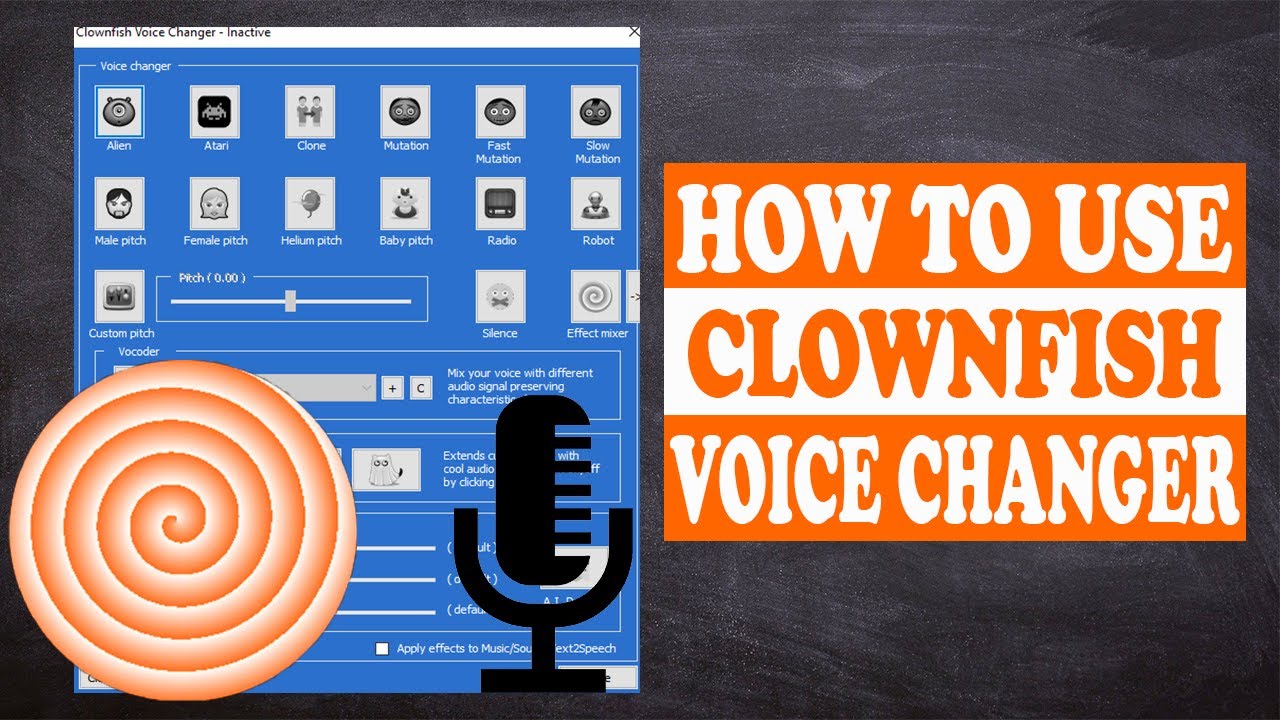
    • Voice Changer Software: Tools like Dubbing AI, Voicemod, or Clownfish Voice Changer offer real-time voice modulation and customization.

    • Soundboard: A soundboard lets you add custom sound effects to your gameplay.

    • Hardware: A good-quality microphone and headphones ensure clear audio input and output. USB microphones like the Blue Yeti work well for most setups.

    These tools make it easy to integrate AI dubbing into your gaming or content creation workflow.

    Is AI dubbing suitable for beginners?

    Absolutely! AI dubbing tools are designed to be user-friendly, even for beginners. Most software comes with intuitive interfaces and pre-made voice options, so you can start experimenting right away. You don’t need advanced technical skills to enjoy the benefits of AI dubbing. With a little practice, you’ll be able to customize your voice and create unique sound effects effortlessly.

    Are there ethical concerns with AI dubbing?

    Yes, ethical concerns exist, and you should consider them carefully. AI dubbing raises questions about voice actor rights and the potential misuse of synthetic voices. For example, some worry about unauthorized voice replication or the loss of jobs for voice actors. To address these concerns, always use AI dubbing responsibly and respect intellectual property rights. Ethical use ensures that this technology benefits everyone involved.

    Can AI dubbing be used for content creation?

    Definitely! AI dubbing is a powerful tool for content creators. You can use it to create authentic voiceovers for videos, podcasts, or gaming streams. It also simplifies localization, allowing you to produce content in multiple languages quickly. By using AI dubbing, you can reach a global audience and make your content more engaging and relatable.

    Does AI dubbing work in real-time?

    Yes, many AI dubbing tools support real-time voice changes. This feature is especially useful for gaming and live streaming. You can modify your voice on the fly, matching it to different characters or moods. Real-time capabilities make interactions more dynamic and entertaining, whether you’re playing a game or hosting a live event.

    How can I ensure the best results with AI dubbing?

    To achieve the best results, follow these tips:

    1. Choose Reliable Software: Use trusted tools like Dubbing AI or Voicemod for high-quality performance.

    2. Invest in Good Hardware: A quality microphone and headphones improve audio clarity.

    3. Test Your Setup: Before using AI dubbing in a live setting, test your configuration to ensure everything works smoothly.

    4. Experiment with Features: Explore voice customization and soundboard options to find what works best for you.

    By taking these steps, you’ll unlock the full potential of AI dubbing and elevate your experience.

    See Also

    Elevate Your Gaming Experience Using Dubbing AI Soundboard

    Reasons Dubbing AI Stands Out as MMORPG Voice Changer

    Dubbing AI: The Premier Voice Modulator for Discord

    2024 Handbook: Using Dubbing AI for Live Voice Changes

    Exploring Innovative Voice Dubbing Options with Dubbing AI

  • How to Add an AI Voice Generator To Instagram: Step-by-Step

    Have you ever noticed how some Instagram posts just grab your attention? That’s the magic of great audio. With tools like Dubbing AI, you can transform your content into something truly captivating. Adding voiceovers or trending audio to your Reels can boost exposure and make your stories more engaging. It’s a game-changer.

    The Best AI Voice Changer with soundboard

    Unique Features of Dubbing AI

    Extensive Voice Library

    Imagine having access to over 500 unique voice tones at your fingertips. That’s what Dubbing AI offers. Whether you’re looking for iconic character voices or something completely original, this tool has you covered. It even updates its library weekly, so you’ll always find fresh options to keep your content exciting. Unlike other tools like Voicemod, Dubbing AI provides a broader range of voices, giving you more creative freedom. You can experiment with different tones to match your content’s vibe, whether it’s playful, professional, or dramatic.

    Advanced AI for Realistic and Engaging Voiceovers

    Creating lifelike voiceovers has never been easier. Dubbing AI uses cutting-edge technologies like machine learning, neural networks, and natural language processing to deliver unmatched realism. These advanced algorithms analyze your original audio, pick up on subtle speech nuances, and replicate them with perfect intonation. The result? Voiceovers that sound natural and engaging. Whether you’re narrating a story or adding a voice to your reel, this tool ensures your audience stays hooked.

    Customization Options for Personalized Audio Experiences

    Dubbing AI lets you take control of your audio. You can tweak pitch, tone, and modulation to create a voice that feels uniquely yours. The intuitive interface makes it easy to experiment with special effects or even craft your own voice avatars. As one user put it, “Dubbing AI opens up a world of possibilities for adding a touch of creativity to your content.” With these tools, you can create an immersive experience that resonates with your audience.

    Superior Quality and Seamless Integration

    AI voice generator

    High Clarity and Realism in Voice Synthesis

    You know how some voiceovers sound robotic or fake? That’s not the case with Dubbing AI. It uses advanced AI technology to create voices that feel real. By analyzing speech patterns, intonations, and vocal characteristics, it mimics voices with incredible accuracy. The result is audio so authentic that it’s hard to tell it apart from the original. Whether you’re narrating a heartfelt story or adding a fun twist to your reel, this clarity ensures your audience stays engaged.

    Real-Time Functionality with Minimal Latency

    Nobody likes waiting, especially when you’re in the middle of creating content. Dubbing AI delivers real-time voice transformation with almost no delay. You can hear the changes instantly, which makes the creative process smoother and more enjoyable. Users love how quickly it works, whether they’re customizing pitch and tone or experimenting with different voice styles. This speed doesn’t just save time—it keeps your creative momentum going.

    Effortless Integration with Instagram Reels, Stories, and Posts

    Adding voiceovers to your Instagram content has never been easier. With Dubbing AI, you can dub your videos in real time and customize the audio to match your style. Want to add a dramatic voice to a reel or a playful tone to a story? It’s all possible. Here’s how you can do it:

    1. Download and install Dubbing AI.

    2. Choose “dubbing virtual device” as the system voice input

    3. Now you can use any voice you like within Instagram.

    This seamless integration makes your Instagram posts stand out while keeping the process simple and fun.

    Why Dubbing AI Outshines Other Tools

    Cutting-Edge Technology and Innovation

    When it comes to innovation, Dubbing AI leads the pack. Its advanced technology ensures you get professional-quality voiceovers without breaking a sweat. The tool uses state-of-the-art algorithms to deliver realistic voice transformations. Whether you’re creating multilingual content or adding iconic character voices, it has you covered. Recent updates have made it even better. You now have access to over 500 voice options, real-time processing, and seamless dubbing. These features make your content creation faster and more efficient.

    “Dubbing AI doesn’t just keep up with trends—it sets them.”

    With its ability to handle diverse accents, emotions, and languages, you can create content that resonates with a global audience.

    Intuitive Interface for All Skill Levels

    You don’t need to be a tech wizard to use Dubbing AI. Its interface is designed to be simple and user-friendly. Whether you’re a beginner or a seasoned pro, you’ll find it easy to navigate. Customization options are right at your fingertips, letting you tweak pitch, tone, and modulation effortlessly. The smooth experience ensures you spend less time figuring things out and more time creating.

    “Dubbing AI makes professional-grade audio accessible to everyone, regardless of their technical expertise.”

    Regular Updates for Enhanced User Experience

    Dubbing AI constantly evolves to meet your needs. Recent updates include enhancements in voice modulation, faster real-time processing, and automation of the dubbing process. You’ll also find new features like multilingual capabilities and high-quality transformations without delays. These updates ensure your content always feels fresh and professional.

    Here’s what you can expect:

    • A vast library of diverse voices and accents

    • Realistic voiceovers for storytelling

    • Streamlined dubbing for quicker production

    With these improvements, Dubbing AI stays ahead of the curve, giving you the tools to create standout content every time.

    Practical Applications for Instagram Creators

    Adding Unique Voiceovers to Reels

    Voiceovers can completely transform your Instagram Reels. They add depth, emotion, and personality to your videos. With Dubbing AI, you can create voiceovers that match the mood of your content perfectly. Whether you’re narrating a travel vlog or showcasing a product, a compelling voiceover turns a simple reel into an engaging story.

    • You can use voiceovers to:

      • Add context to your videos.

      • Explain your content in a clear and relatable way.

      • Make your reels stand out with unique and creative audio.

    Using AI-generated voiceovers also saves time. You don’t have to record multiple takes or worry about background noise. It’s efficient and ensures your content feels polished and professional.

    Crafting Engaging Stories with Custom Audio

    Instagram Stories are all about grabbing attention quickly. Custom audio can help you do just that. With Dubbing AI, you can personalize your stories with voices that resonate with your audience. Want to add a playful tone to a behind-the-scenes clip? Or maybe a dramatic voice for a teaser? You can do it all.

    “Custom audio isn’t just about sound—it’s about creating an experience.”

    You can even use AI-powered language translation to reach a wider audience. Imagine sharing your story in multiple languages without losing its charm. This feature makes your content more inclusive and accessible.

    Enhancing Posts with Professional-Grade Narration

    Sometimes, a simple caption isn’t enough to convey your message. That’s where professional-grade narration comes in. Dubbing AI lets you add high-quality audio to your posts, making them more engaging. Whether it’s a tutorial, a motivational message, or a heartfelt story, narration adds a personal touch.

    Here’s how creators use it:

    1. Improve audio quality with AI voice enhancement.

    2. Personalize videos with custom dubbing.

    3. Enhance storytelling with lifelike voiceovers.

    With these tools, your posts won’t just be seen—they’ll be heard and remembered.

    Dubbing AI changes the game for Instagram creators. Its innovative features, like real-time voice modification and an extensive library of over 1,000 tones, make it stand out. You’ll love how easy it is to use, whether you’re a beginner or a pro. With seamless integration and unmatched realism, your content will captivate every viewer.

    Why settle for ordinary when you can create extraordinary?

    From iconic voices to custom audio, Dubbing AI helps you shine in a crowded space. It’s not just a tool—it’s your secret weapon for unforgettable Instagram posts.

    FAQ

    How do I start using Dubbing AI for Instagram?

    Getting started is simple! Sign up on the Dubbing AI platform, upload your audio or video, and choose your preferred voice. It’s quick and intuitive.

    Can I use Dubbing AI for free?

    Yes, Dubbing AI offers a free plan with basic features. For advanced options like real-time dubbing and premium voices, you’ll need a subscription.

    Tip: Try the free plan first to explore its features before upgrading!

    Does Dubbing AI support multiple languages?

    Absolutely! Dubbing AI supports over 50 languages. You can create multilingual content effortlessly, making it perfect for reaching a global audience.

    Note: Language options include Spanish, French, Mandarin, and more!

    See Also

    Explore Top Celebrity Voice Changer Apps With Dubbing AI

    Transform Your Voice Using AI With Dubbing AI

    Grasping Dubbing AI: Next-Gen Real-Time Voice Changing Technology

    AI Dubbing’s Future: Transforming The Voiceover Landscape

    2024: Introducing Real-Time AI Voice Changer For Dubbing Innovation

  • How TemPolor’s AI is Revolutionizing Royalty-Free Market

    How TemPolor’s AI is Revolutionizing Royalty-Free Market

    The digital content landscape increasingly demands original and emotionally resonant audio, a need that TemPolor addresses through its innovative neural music synthesis platform. By combining generative AI with perpetual licensing, this revolutionary tool allows creators to produce custom royalty-free tracks up to 47 times faster than traditional methods, eliminating copyright risks. As video-first strategies dominate marketing—now prioritized by 82% of brands—TemPolor’s AI-powered solution emerges as an essential audio toolkit for YouTubers, filmmakers, and social media strategists.

    Breaking Free from Subscription Shackles: TemPolor’s Licensing Revolution

    Traditional royalty-free platforms like Epidemic Sound often trap creators in endless subscription cycles, where access is lost if payments stop, jeopardizing existing projects. TemPolor disrupts this model with its “Forever License”: any track downloaded during an active membership remains usable perpetually, even after subscription cancellation.

    Key Licensing Advantages:

    • Zero Recurring Fees: TemPolor offers a Lite plan for $13.99/month, compared to competitors’ $15-$49/month commitments.

    • Commercial Safety: All outputs include ACR copyright detection certification.

    • Platform Flexibility: Legal clearance for use on YouTube, TikTok, podcasts, and broadcast platforms.

    A comparative analysis shows that creators can save over $2,100 annually while maintaining 100% content ownership, which is critical for channels monetizing through platforms like Patreon or the YouTube Partner Program.

    AI-Music Generation: From Concept to Composition in Seconds

    Text-to-Score Engine:

    • Input natural language prompts like “uplifting synthwave with violin accents for workout montage” to generate style-blended tracks. TemPolor’s transformer architecture analyzes 142 musical parameters, producing studio-quality results in under 30 seconds.

    Visual-to-Soundtrack Conversion:

    • Upload images or videos to activate TemPolor’s computer vision-powered scoring:

    • Photo Analysis: Generates mood-matched background music using color theory and subject recognition.

    • Video Synchronization: Aligns musical dynamics with scene transitions and pacing.

    • Emotional Mapping: Adjusts harmonic tension based on visual storytelling beats. Social media creators report a 63% higher engagement when using visual-synced tracks compared to generic library music.

    Adaptive Regeneration Technology

    TemPolor’s “Similar Tracks” feature solves copyright avoidance by:

    1. Uploading reference audio (even copyrighted material).

    2. AI generates four variation tracks at adjustable similarity levels.

    3. Outputs maintain the melodic essence while altering instrumentation and rhythm, enabling legal remixing of popular songs—a, a breakthrough for reaction content creators and parody artists.

    Professional-Grade Customization Tools

    Expert Mode Composition:

    • Offers granular control for film scorers and audio engineers:

      • Key/Tempo Mapping: Aligns BPM with frame-accurate video timelines.

      • Stem Isolation: Exports separated vocal/instrumental tracks for mixing.

      • Dynamic Range Adjustment: Masters tracks for specific platforms.

    AI Lyric Integration:

    • TemPolor’s NLP models transform text into sung performances:

      • Input lyrics or generate via ChatGPT integration.

      • Select vocal style (pop ballad, rap, operatic, etc.).

      • Export a fully produced track with AI vocals and backing instrumentation.Early adopters have created viral marketing jingles in just 8 minutes, compared to traditional 3-week agency timelines.

    As AI music evolves from novelty to necessity, TemPolor’s blend of neural innovation and ethical licensing positions it as the royalty-free solution for tomorrow’s content landscape. The platform continues to advance with real-time video scoring and blockchain rights management, ensuring creators stay ahead in the algorithmic content race.

  • Clownfish Voice Changer Review: 7 Must-Know Features & Insights

    Clownfish Voice Changer Review: 7 Must-Know Features & Insights

    Clownfish Voice Changer Review for 2025 Features and Performance
    Image Source: pexels

    Have you ever wanted to change your voice in real time? Clownfish Voice Changer makes it possible with its advanced features and seamless performance. Whether you’re gaming, streaming, or just having fun, this tool lets you adopt unique voices or even create custom effects. Gamers love using clownfish to role-play characters or disguise their identity. Professionals use it for voice-over projects or online privacy. With its extensive soundboards and compatibility with platforms like Discord, clownfish transforms how you interact online. It’s no wonder this voice changer review highlights it as a top choice in 2025.

    Key Takeaways

    • Clownfish Voice Changer changes your voice instantly during use. It is great for gaming, streaming, or chatting online.

    • The app works on Windows, Mac, Android, and iOS devices. This makes it easy for everyone to use.

    • Clownfish has many voice effects and soundboards. You can change your voice for fun or work.

    • In 2025, its AI got better, making voices sound smoother and more real.

    • Clownfish is free, so anyone can use it to improve online talking.

    Overview of Clownfish Voice Changer

    What is Clownfish Voice Changer?

    Clownfish Voice Changer is a versatile voice modification software that lets you transform your voice in real time. Whether you’re chatting with friends, streaming to an audience, or playing games, this tool makes your interactions more exciting. It offers a wide range of features, including real-time voice modulation, text-to-speech conversion, and even a soundboard for playing pre-recorded sounds.

    Here’s a quick look at what makes clownfish stand out:

    Feature

    Description

    Real-time voice modulation

    Modify your voice instantly during calls or streams.

    Compatibility

    Works with various VoIP applications, ensuring smooth performance across platforms.

    Voice effects

    Choose from effects like pitch shift, gender change, robot voice, and more.

    Text-to-speech

    Convert typed text into spoken words, perfect for announcements or alerts.

    Audio player

    Play background music and mix it with your voice in real time.

    Soundboard

    Use pre-recorded sounds or customize your own sound library.

    Voice recorder

    Record conversations or save voice samples for later use.

    This voice changing software is packed with tools to make your online presence more dynamic and fun.

    Compatibility and Supported Platforms

    Clownfish Voice Changer works on a variety of platforms, making it accessible to almost everyone. Whether you’re using a PC, Mac, or mobile device, you can enjoy its features without any hassle. Here’s a breakdown of its supported platforms:

    Platform/OS

    Supported Versions

    Windows

    Vista, 7, 8, 8.1, 10, 11

    Mac

    Yes

    Android

    Yes

    iOS

    Yes

    You can install clownfish on your favorite device and start exploring its features right away. Its compatibility with popular VoIP applications like Discord and Skype ensures a seamless experience.

    Purpose and Target Audience

    Clownfish Voice Changer is designed for anyone who wants to add a creative twist to their voice. Gamers often use it to role-play characters or keep their identity private. Streamers love how it enhances their content with unique voice effects and soundboards. Professionals also rely on clownfish for voice-over projects or to maintain privacy during online meetings.

    If you’re looking for a tool to make your conversations more engaging or your content more entertaining, clownfish is a great choice. Its user-friendly interface ensures that even beginners can start using it without any trouble.

    Features and Performance in 2025

    Features and Performance in 2025
    Image Source: pexels

    Key Features of Clownfish Voice Changer

    Real-Time Voice Transformation

    One of the most exciting aspects of Clownfish Voice Changer is its ability to modify your voice in real time. Whether you’re chatting on Discord, streaming on Twitch, or playing games, this feature lets you transform voices instantly. You can sound like a robot, an alien, or even change pitch and speed to create unique effects. The real-time voice change functionality ensures that your audience hears the modified voice without any noticeable delay. This makes it perfect for live interactions where timing is everything.

    Extensive Voice Effects and Soundboards

    Clownfish offers a wide range of voice effects that cater to every need. You can choose from filters like pitch shift, gender change, and robotic tones. If you’re feeling creative, you can even customize your own effects. The built-in soundboard adds another layer of fun by letting you play pre-recorded sounds during conversations or streams. Imagine surprising your friends with a dramatic sound effect or enhancing your gaming experience with custom audio clips. These features make Clownfish a versatile tool for anyone looking to spice up their online interactions.

    New Updates and Improvements in 2025

    Enhanced AI Algorithm for Better Sound Quality

    In 2025, Clownfish Voice Changer has taken a leap forward with its enhanced AI algorithm. This update significantly improves sound quality, making your voice modifications smoother and more natural. You’ll notice fewer distortions and a more seamless integration of effects. Whether you’re using it for professional voice modulation or casual fun, the improved clarity ensures a top-notch experience.

    Integration with Macro Keys and Stream Decks

    Another game-changing update is the integration with macro keys and stream decks. This feature allows you to control voice changing effects and soundboards with a single press of a button. If you’re a streamer, you’ll love how this simplifies your workflow. You can switch between effects or play sound clips without interrupting your stream. It’s a small addition that makes a big difference in usability.

    Performance Evaluation

    Speed and Responsiveness

    Clownfish Voice Changer excels in speed and responsiveness. The software processes your voice modifications instantly, ensuring there’s no lag during live interactions. This is especially important for gamers and streamers who rely on real-time voice change to keep their audience engaged. You’ll appreciate how smoothly it runs, even when using multiple filters simultaneously.

    Stability and Reliability

    Stability is another area where Clownfish shines. The software is designed to handle long sessions without crashing or slowing down. Whether you’re streaming for hours or hosting a lengthy online meeting, you can count on Clownfish to perform reliably. Its compatibility with various platforms also ensures a consistent experience across devices.

    How to Use Clownfish Voice Changer?

    Installation Guide for Clownfish Voice Changer

    Getting started with Clownfish Voice Changer is simple. Follow these steps to install it on your device:

    1. Visit the official Clownfish website and download the latest version of the software.

    2. Open the downloaded file to launch the installation wizard.

    3. Choose your preferred installation location and complete the setup process.

    4. Once installed, right-click the Clownfish icon in your system tray to access the settings menu.

    5. Install the microphone feature and set it as your default input device.

    6. Configure the voice changer options and select your desired effects.

    After completing these steps, you’re ready to change your voice during calls, streams, or gaming sessions. The process is quick and user-friendly, so you’ll be up and running in no time.

    Setting Up Voice Effects and Customization

    Once Clownfish is installed, it’s time to explore its voice effects and customization options. Here’s how you can set it up:

    1. Open the application and right-click the Clownfish icon in the system tray.

    2. Select the “Voice Changer” option to access the effects menu.

    3. Check the “Hear Microphone” option to listen to your modified voice in real time.

    4. Experiment with different effects like pitch shift, robotic tones, or gender changes.

    5. Adjust the pitch to a specific frequency for a custom sound.

    You can also use the built-in music player or add Virtual Studio Technology (VST) plugins for enhanced audio control. Don’t hesitate to mix and match settings to create unique vocal transformations. Just remember to keep it realistic for the best results.

    Tips for Optimizing Performance

    To get the most out of Clownfish Voice Changer, follow these tips:

    • Make sure your system has enough resources to run Clownfish alongside other applications.

    • Use a high-quality microphone for clear and professional sound.

    • Reboot your computer before starting a session to ensure smooth performance.

    • Monitor your microphone input and adjust settings as needed.

    • Keep the software updated to access the latest features and improvements.

    By following these best practices, you’ll enjoy a seamless experience whether you’re gaming, streaming, or just having fun with voice effects.

    Clownfish Voice Changer: Use Cases and Practical Applications

    Use Cases and Practical Applications
    Image Source: pexels

    Gaming and Streaming

    If you’re into gaming or streaming, Clownfish is a game-changer. It lets you change your voice in real time, adding a whole new layer of excitement to your sessions. Imagine role-playing as a mysterious character in Fortnite or surprising your teammates in TeamSpeak with a robotic tone. You can even use it to prank your friends during voice chats on Discord or Steam. The possibilities are endless!

    Streamers love Clownfish because it keeps their content fresh and engaging. You can use the voice changer for streaming to entertain your audience with unique voices or sound effects. Switching between effects is seamless, so you can keep the fun going without missing a beat. Whether you’re streaming on Twitch or chatting with your gaming squad, Clownfish makes every interaction more entertaining.

    Professional Voice Modulation

    Clownfish isn’t just for fun; it’s also a powerful tool for professionals. You can use it to enhance your online communication or create high-quality voiceovers for presentations and videos. Need to maintain privacy during calls? Clownfish has you covered. It lets you alter your voice to stay anonymous while still sounding clear and professional.

    This tool is also a great aid for accessibility. If you or someone you know has speech difficulties, Clownfish can modify the pitch or clarity of your voice to make communication easier. Whether you’re in a virtual meeting or recording content, Clownfish ensures you sound your best.

    Creative and Fun Applications

    Looking to add some humor to your calls or create humorous audio clips? Clownfish is perfect for that too. You can use it on platforms like Skype, Zoom, or Hangouts to prank your friends or lighten the mood during meetings. It’s also a hit in gaming communities like Mumble or Ventrilo, where you can change your voice to surprise your teammates.

    Want to get creative? Use Clownfish to change your voice in Discord or experiment with effects for your next video project. From adding humor to calls to creating unique audio clips, Clownfish opens up a world of fun and creativity.

    Best Alternative to Clownfish Voice Changer 2025

    If you’re looking for the best alternative to clownfish voice changer, Dubbing AI might just be the tool you need. It’s packed with advanced features and offers a seamless experience for voice modulation. Whether you’re a gamer, streamer, or professional, this tool has something for everyone.

    Dubbing AI Features

    Dubbing AI stands out with its cutting-edge features. It uses advanced AI to deliver high-quality voice transformations. You can choose from a variety of effects, including pitch adjustments, robotic tones, and even accents. The tool also supports real-time voice changes, making it perfect for live interactions.

    What makes Dubbing AI unique is its focus on user convenience. It integrates smoothly with popular platforms like Discord and Zoom. You can also customize your voice settings to match your preferences. Plus, the tool’s intuitive interface ensures you won’t feel overwhelmed, even if you’re new to voice changers.

    Step-by-step Guide to Use Dubbing AI Voice Changer

    Getting started with Dubbing AI is easy. Follow these steps to set it up:

    1. Download Dubbing AI from the official website.

    2. Run the installation file and follow the prompts to complete the setup.

    3. Open Discord and go to the settings menu.

    4. Find the “Voice & Video” section in the settings.

    5. Select “Dubbing Virtual Device” as your microphone input under “Input Device.”

    6. You’re ready to start using Dubbing AI for voice modulation!

    This simple process ensures you can start exploring the tool’s features without any hassle.

    Which Tool is Best for Different Use Cases?

    Choosing between clownfish and Dubbing AI depends on your needs. If you want a straightforward tool with basic features, clownfish is a great choice. It’s reliable and works well for casual gaming or streaming.

    On the other hand, Dubbing AI is ideal for those who need advanced customization and superior sound quality. Its AI-powered features make it perfect for professionals and serious streamers. If you’re looking for the best alternative to clownfish voice changer, Dubbing AI offers a more modern and versatile solution.

    Clownfish Voice Changer in 2025 stands out with its free availability, real-time voice modifications, and compatibility across multiple platforms like Windows and Android. Its straightforward interface and features like text-to-speech and soundboards make it accessible to everyone. While installation may have minor glitches, the tool’s versatility and positive user feedback make it a reliable choice. Whether you’re a gamer, streamer, or professional, Clownfish offers something for everyone. If you want a fun, easy-to-use voice changer, this tool is worth trying.

    FAQ

    How do I fix Clownfish Voice Changer if it stops working?

    🛠️ Tip: Restarting often solves the issue!

    1. Check if your microphone is set as the default input device.

    2. Reinstall Clownfish to ensure all components are updated.

    3. Update your audio drivers for compatibility.

    Can I use Clownfish Voice Changer on mobile devices?

    Yes, you can! Clownfish works on Android and iOS. Download the app from your device’s app store, install it, and follow the setup instructions. You’ll enjoy the same fun voice effects as on your computer. 🎉

    Is Clownfish Voice Changer free to use?

    Absolutely! Clownfish is free for everyone. You can download it from the official website without worrying about hidden fees or subscriptions. It’s a budget-friendly way to enhance your voice-changing experience. 💸

    Does Clownfish work with all microphones?

    Most microphones work with Clownfish. However, using a high-quality microphone improves sound clarity and performance. If you experience issues, check your microphone settings or try a different device.

    Can I create custom voice effects in Clownfish?

    Yes, you can! Use the pitch adjustment slider to tweak your voice. Combine effects like robotic tones or gender changes for unique results. Experimenting with settings helps you create something truly one-of-a-kind. 🎤

    See Also

    Explore Top Celebrity Voice Changing Apps for Fun

    Top AI Voice Changing Tools for Creative Content Makers

    Uncover New AI Voice Cloning Solutions for Realistic Voiceovers

    Dubbing AI: The Best Voice Changing Tool for Discord

    Harnessing AI Voice Changers for Engaging Online Video Content

  • Streamlabs vs OBS: Which Software Offers Better Features

    Streamlabs vs OBS: Which Software Offers Better Features

    Streamlabs vs OBS: Which Software Offers Better Features
    Image Source: unsplash

    When deciding between streaming software, understanding your needs is crucial. In the debate of Streamlabs vs OBS, Streamlabs stands out for its simplicity and built-in tools like alerts and overlays, making it ideal for beginners. On the other hand, OBS Studio is a better choice for advanced users, as it uses less CPU, offers extensive customization options, and supports plugins, providing greater control for creators. Whether you’re livestreaming, recording, or aiming to optimize performance, the choice between Streamlabs vs OBS should align with your goals. Both platforms are free, compatible with many devices, and offer flexibility for all users.

    Key Takeaways

    • Streamlabs is great for beginners. Its easy tools and design help you start streaming fast.

    • OBS Studio is better for advanced users. It lets you customize more and uses less computer power, making it great for high-quality streams.

    • Both are free, but Streamlabs has extra paid tools. OBS is fully free and has plugins made by the community.

    • If your computer is old or slow, pick OBS Studio. It works well on weaker systems, while Streamlabs might be slower because it needs more power.

    • Check out tutorials and support for both. Streamlabs is simple for beginners, and OBS has guides for advanced users.

    Overview of Streamlabs vs OBS

    What is Streamlabs?

    Streamlabs is software that helps you stream live content easily. It has features like alerts, overlays, and widgets built-in. This makes it great for people new to streaming. Streamlabs OBS is a version of OBS Studio but simpler to use. It has tools to make your streams look professional. Its clean design and templates let you start streaming fast. You don’t need to know much about tech to use it. But, because it has many features, it needs a strong computer to work well.

    What is OBS?

    OBS Studio is free software for streaming and recording videos. It’s popular with advanced users because it’s lightweight and customizable. You can change settings like bitrate, resolution, and encoding to improve performance. Its interface lets you arrange tools the way you like. OBS uses less CPU and RAM, so it works well on older or weaker computers. It’s harder to learn, but its flexibility and plugins make it a top choice for experienced streamers.

    Key Differences Between Streamlabs and OBS

    Feature

    OBS Studio

    Streamlabs OBS

    Customization

    Very customizable with many plugins

    Limited changes, focuses on being simple

    User Interface

    Flexible layout you can adjust

    Easy-to-use and polished design

    Learning Curve

    Harder to learn, needs tech skills

    Easy to set up with pre-made tools

    When comparing Streamlabs and OBS, the main differences are in customization, performance, and ease of use. OBS Studio is lightweight and offers advanced options, making it good for users who want full control. Streamlabs OBS is easier to use and has built-in tools for beginners. But, Streamlabs uses more CPU, which can cause lag on weaker computers. OBS Studio uses fewer resources, so it runs smoothly even with demanding tasks.

    Feature Comparison in Streamlabs vs OBS

    Feature Comparison in Streamlabs vs OBS
    Image Source: unsplash

    User Interface and Ease of Use

    Streamlabs is easier to use for beginners. Its design is clean and simple to understand. You can quickly set up streams using its menus. It has ready-made templates and built-in tools. This means you don’t need to know much about tech to start. Many people like how easy it feels, especially if they are new to streaming.

    OBS Studio, however, is more flexible but harder to learn. You can change the layout to fit your needs. But this flexibility makes it more complicated to use. If you like adjusting settings and exploring features, OBS is a good choice. For simple streaming, though, Streamlabs is often preferred because it’s easier to use.

    Customization Options

    OBS Studio is great for making detailed changes. You can adjust settings like resolution, bitrate, and encoding. You can also move tools around to match how you work. This control makes OBS popular with advanced users who want everything just right.

    Streamlabs doesn’t offer as many changes but still has good options. You can pick overlays, widgets, and themes to make your streams unique. These tools help you create a professional look without much effort. But if you want more control, OBS is the better option.

    Plugins and Integrations

    Both Streamlabs and OBS support plugins and extra tools. Streamlabs has widgets and extensions to improve your streams. It includes features like a donation system and chatbot. These tools help you connect with your viewers easily.

    OBS Studio has more advanced plugins made by the community. These let you add special features like video editing or audio tools. You can also monitor performance better. OBS is perfect for users who want to explore all the possibilities of streaming software.

    Streaming and Recording Capabilities

    Both Streamlabs and OBS Studio are great for streaming and recording. But they work differently to meet different user needs.

    Streamlabs makes streaming simple. It has built-in tools like overlays, alerts, and widgets. These features help you create professional streams easily. You can pick a theme or template to set up quickly. This makes Streamlabs OBS perfect for beginners or those who want fast results. It also works well with platforms like Twitch, YouTube, and Facebook Live. You can start streaming with just a few clicks.

    OBS Studio gives you full control over your stream settings. You can adjust resolution, bitrate, and encoding options. This makes it great for advanced users who like customizing their streams. OBS Studio is also excellent for recording. You can save high-quality videos without watermarks. This makes it a top choice for creators needing free, reliable software.

    Both tools allow multi-streaming. However, Streamlabs includes this in its premium plan. For OBS Studio, you need extra plugins or services, which take more setup. If you want easy-to-use tools, choose Streamlabs. If you prefer customization and better performance, go with OBS Studio.

    Tip: If your computer is slow, OBS Studio runs smoother because it uses fewer resources. Streamlabs OBS has more features but needs a stronger system.

    Performance and Resource Usage in Streamlabs vs OBS

    Performance and Resource Usage in Streamlabs vs OBS
    Image Source: pexels

    CPU and RAM Usage

    Streamlabs and OBS Studio use your computer’s power differently. Streamlabs OBS has built-in tools like overlays and alerts. These features make streams look great but need more CPU and RAM. If your computer is weak, it might lag or slow down.

    OBS Studio is simpler and uses fewer resources. It works better on computers with less power. You can change settings like resolution and bitrate to improve performance. This helps OBS Studio run smoothly, even for hard tasks like recording or streaming high-quality videos.

    Tip: For older computers, OBS Studio is a smarter pick. It uses fewer resources and keeps your system running well.

    Stability and Efficiency

    Streamlabs has easy-to-use tools and a nice design. But it can crash or freeze because it uses more resources. Long streams might cause problems, which can ruin your content.

    OBS Studio is stable and works efficiently. It rarely crashes, even during long use. Developers often update it to make it better. This makes OBS Studio a dependable choice for creators. Whether recording or streaming, it delivers great audio and video without issues.

    Performance on Low-End Systems

    If your computer is old, picking the right software is important. Streamlabs OBS may not work well on weak systems. Its features need more CPU and RAM, which can slow things down.

    OBS Studio is perfect for older computers. It’s lightweight and runs smoothly on low-power systems. You can adjust settings to fit your computer’s limits. This ensures good video and audio quality for streams and recordings. OBS Studio is ideal if you want solid performance without buying new hardware.

    Note: Starting with a basic setup? OBS Studio is free and works well for streaming and recording.

    Seamless Integration with Voice Changer

    Adding a voice changer can make your streams more fun. Both Streamlabs and OBS Studio let you use voice changers. However, the way they handle this feature is slightly different. Knowing how each works can help you pick the right one.

    Streamlabs is easy to use with voice changers. Its simple design lets you connect third-party software quickly. You can change microphone settings and add voice effects easily. You don’t need to know much about tech to set it up. This smooth process keeps your stream running while making it more entertaining.

    OBS Studio gives you more options for voice changers. You can use plugins or audio tools to get the effect you want. This takes more time but offers better control over sound quality. Its lightweight design ensures your computer runs well, even during high-quality streaming or recording.

    When deciding, think about what matters most to you. If you want quick and easy setup, go with Streamlabs. If you prefer more control and better sound, choose OBS Studio. Both work well with voice changers, so it depends on how much effort you’re willing to put in.

    Tip: Test your voice changer before streaming live. This helps avoid problems and keeps your stream or recording smooth.

    Cost and Monetization in Streamlabs vs OBS

    Free vs Paid Features

    Both Streamlabs and OBS Studio are free to use. However, they handle extra features differently. Streamlabs includes overlays and widgets for free. But, advanced tools like premium themes and multi-streaming need a paid subscription. OBS Studio is fully free and uses community plugins for extra features. These plugins give you advanced tools without any cost.

    Streamlabs OBS uses more CPU because of its built-in tools. OBS Studio is lighter and works better on weaker computers. If you want a free option that runs smoothly, OBS Studio is a good pick. But if you prefer convenience and don’t mind paying, Streamlabs might be better for you.

    Monetization Tools in Streamlabs

    Streamlabs is great for earning money while streaming. It has tools that make it easy to connect with viewers and get donations.

    Feature

    Benefit

    Donation Management

    Helps collect money with donation tools and many payment options.

    Enhanced Viewer Engagement

    Alerts and chat tools make streams more fun for viewers.

    Increased Monetization Opportunities

    Lets streamers earn through donations and subscriptions.

    These tools let you focus on streaming while Streamlabs handles the money side. If you want to make more money from streaming, Streamlabs is a strong choice.

    Cost-Effectiveness of OBS

    OBS Studio is a budget-friendly choice for streaming and recording. It’s completely free and doesn’t charge for advanced features. You can add free plugins made by the community to improve it. These plugins give you professional tools without spending money.

    OBS Studio’s lightweight design works well on most computers, even older ones. This makes it perfect for high-quality streaming without needing expensive gear. If you care about saving money and having flexibility, OBS Studio is the best option.

    Community Support and Accessibility in Streamlabs vs OBS

    Availability of Tutorials and Guides

    Starting live streaming is easier with good tutorials. Streamlabs has many guides on its website. These explain how to set up streams and use features like overlays. You can also watch step-by-step videos on YouTube to learn Streamlabs.

    OBS also offers helpful resources. Its website has written guides for users. Many creators post videos online showing how to adjust settings or use plugins. OBS tutorials are more detailed and suit advanced users. Both tools have plenty of video guides for visual learners.

    Community Forums and Support Channels

    Streamlabs and OBS both have active communities for help. Streamlabs has a support page where you can report issues. It also has a Discord server for tips and advice from other users.

    OBS depends on its forums for support. These forums discuss troubleshooting, plugins, and tips. You can ask questions and get help from experienced users. OBS also has a GitHub page for updates and fixes. If you like learning from others, OBS forums are very useful.

    Accessibility for Beginners and Advanced Users

    Streamlabs is great for beginners. Its simple design and built-in tools make streaming easy. You don’t need tech skills to start using it. This makes Streamlabs a favorite for new streamers.

    OBS is better for advanced users. It allows you to customize settings and use plugins for unique streams. Though harder to learn, it gives more control. If you’re ready to spend time learning, OBS can deliver professional results.

    Tip: New to streaming? Try Streamlabs first. Once skilled, switch to OBS for advanced options.

    Deciding between Streamlabs and OBS depends on your needs and skills. For beginners, Streamlabs is simple and has built-in tools like overlays. It makes streaming easy and quick to set up. OBS, however, is better for advanced users who want more control. It uses fewer computer resources and supports plugins for custom streams. Consider your computer’s power and what you need for streaming or recording before choosing.

    FAQ

    What makes Streamlabs and OBS different?

    Streamlabs is easy for beginners with tools like overlays. OBS gives more control and uses fewer computer resources. Pick Streamlabs for simplicity. Choose OBS if you want advanced features and better performance.

    Can I run Streamlabs or OBS on an old computer?

    OBS works well on older computers since it needs less power. Streamlabs uses more CPU and RAM because of its extra features. For smoother use on weak systems, OBS is the smarter choice.

    Is Streamlabs or OBS free to use?

    Both are free. Streamlabs has paid extras like multi-streaming and themes. OBS stays fully free and offers extra tools through free plugins made by the community.

    Which is better for recording videos?

    OBS is best for recording high-quality videos. You can change settings like resolution and bitrate for great results. Streamlabs also records but focuses more on live streaming.

    Can I switch from Streamlabs to OBS later?

    Yes, switching is easy. Both have similar features, so moving between them is simple. You might need to set up your layouts again, but both let you import and export profiles.

    Tip: Try both platforms first to find the one that works best for you.

    See Also

    How Dubbing AI Will Transform Gaming And Streaming Experiences

    Exploring AI Voice Changers To Enhance Online Video Content

    Top AI Voice Changers Every Content Creator Should Try

    Dubbing AI’s Impact On Gaming, Streaming, And Virtual Meetings

    2024 Overview: Real-Time Voice Modulation With Dubbing AI On Discord