Category: Sound Effect Tips

  • Best Free Sound Effect Generators for Creators This Year

    Best Free Sound Effect Generators for Creators This Year

    Best Free Sound Effect Generators for Creators This Year
    Image Source: Pixabay

    You probably know how much creators like you need high-quality sound effects that are royalty-free. The global AI in music market could hit $38.7 billion by 2033. That’s huge! AI sound effect generators now use deep learning and GANs to give you custom ai sound effects in seconds. With a sound effect generator free plan, you can save time, skip licensing headaches, and get endless options for your next project. These tools help content creators in video, games, and music stand out with unique sound.

    • AI sound effect generator tools speed up your workflow.

    • You get sound effect generator free options with royalty-free downloads.

    • They make ai sound effects easy, even if you’re new to sound design.

    Key Takeaways

    • Free AI sound effect generators help you save time. They make it easy to create custom sounds for videos, games, and music. These sounds are royalty-free.

    • Many top tools are simple to use. They let you download sounds quickly. Even beginners can make realistic sound effects.

    • Free sound effect libraries like Freesound, Soundsnap, and Pixabay have many sounds. These sounds are royalty-free and good for different projects.

    • Always check the license before you use a sound. Make sure the sound is royalty-free and safe for your work.

    • Try out different tools and libraries. This helps you find what works best for your project. It can also make your creative work easier.

    Top Free AI Sound Effect Generators

    More people want royalty-free sound effects every year. The game sound design market might reach $800 million in 2025. Mobile games, cloud gaming, and esports all need better sound effects. AI sound effect generators help you meet this need. These tools let you make sound effects fast. You can use just a few words or clicks. Many of these tools have a sound effect generator free plan. This means you can try them before you pay.

    ElevenLabs AI Sound Effect Generator

    ElevenLabs gives you a strong ai sound effect generator. It is made for speed and realism. You type what you want, and the tool makes sound effects. The interface is easy to use. You can get your ai generated sound effects as high-quality wav files. ElevenLabs is special because it uses advanced AI. This helps it make realistic sound effects for your project.

    Pros:

    • Fast and simple to use

    • Realistic sound effects with custom ai sound effects

    • Royalty-free downloads

    Cons:

    • Free plan has limits

    • Some sounds may need more editing

    Tip: Try different prompts to get more choices.

    MyEdit AI Sound Effect Generator

    MyEdit is a flexible sound effect tool for creators. It is good for people who want speed and options. You type what you need, and it makes sound effects. The tool works with many sound types, like ambient and special effects. MyEdit lets you listen and download your ai generated sound effects right away.

    Pros:

    • Simple interface for quick results

    • Works with many sound types

    • Free plan is available

    Cons:

    • Some features need a paid upgrade

    • Output may not always sound as real as other tools

    PopPop AI Sound Effect Generator

    PopPop AI is popular with creators who use text prompts. You can make sound effects up to 60 seconds long. PopPop AI has natural, human, musical, ambient, and special effects. Smart Mode helps you get better results. You can download sounds without signing up. This makes it a good sound effect tool for fast projects.

    PopPop AI works on web, mobile, and desktop. You can use their API to add sound generation to your app.

    Pros:

    • No sign-up needed for downloads

    • Smart Mode gives better quality

    • Many sound types to choose from

    Cons:

    • No detailed performance data

    • Some sounds may need more changes

    OptimizerAI Sound Effect Tool

    OptimizerAI is a sound effect generator that saves time. You can make sound effects with just a few clicks. The tool uses AI to make realistic and custom ai sound effects. It works for videos, games, or podcasts. OptimizerAI lets you make many sounds at once with batch processing.

    Pros:

    • Fast batch processing

    • Realistic output for many uses

    • Royalty-free downloads

    Cons:

    • Interface may look basic

    • Free plan has limited options

    LOVO AI Sound Effect Generator

    LOVO AI is known for high-quality, realistic sound effects and voices. The sound effect tool is easy to use and has many features. LOVO has over 500 voices in 100 languages. You can make content for people all over the world. The platform has voice cloning, multi-language support, and a big library of ai generated sound effects.

    Metric

    Score

    Highlights

    Ease of Use

    7.1

    User-friendly interface

    Accuracy

    9.5

    Highly realistic voice output

    Features

    8.4

    Voice cloning, multi-language support

    Price

    7.4

    Competitive pricing

    Bar chart comparing LOVO AI metrics for usability, output quality, features, and price
    • Over 500 voices in 100 languages

    • Voice cloning with one minute of audio

    • Platform for voice and video editing

    • You can change pitch, speed, and tone

    • Over 2 million users around the world

    People like LOVO for its realistic output and easy workflow. You can download sounds for podcasts, e-learning, or videos.

    Pros:

    • High-quality, realistic sound effects

    • Easy for beginners and pros

    • Strong community support

    Cons:

    • Limited emotion options

    • Needs internet connection

    Genny Text-to-Sound Tool

    Genny, made by LOVO, is a sound effect tool for voice and video editing. You can clone voices with only 10 seconds of audio. Genny supports over 20 emotions and 150 languages. This helps you make sound effects that feel real. The tool gives time-synced voiceovers for Full HD videos.

    Genny helps you make sound effects fast. You get control for professional results. You can download your ai generated sound effects for any project.

    Pros:

    Cons:

    • Some users say support and design are not great

    • No detailed technical data

    Note: Genny is good for quick, custom sound effects. Test it first to see if it fits your needs.

    Best Free Sound Effect Libraries

    Are you searching for a great sound effect library? There are many good choices. Each library has something special for creators who want royalty-free sound effects. Here are the top picks for 2025.

    Freesound

    Freesound is a huge sound effect library made by a community. It has almost 500,000 musical and non-musical sounds. People from all over the world add sounds. You can find many different sounds for any project. Freesound uses Creative Commons licenses. Most sounds are royalty-free, but check the license before downloading.

    Searching is simple on Freesound. You can use keywords or “sounds-like” searches. Developers can use the REST API to connect Freesound to their apps. Many creators like the big variety. You can explore, download, and remix sounds easily.

    Tip: Freesound’s community keeps growing. You will always find new sounds to download.

    Soundsnap

    Soundsnap has a big collection of royalty-free sound effects. It is very popular with creators who want high-quality sounds fast. You get unlimited downloads and never pay extra fees. The library gets new sounds every week, so there are always fresh choices.

    Here’s a quick look at what you get:

    Feature

    Details

    Pricing

    $149 per 6 months

    Library Size

    450,282 sounds available

    Update Frequency

    Weekly curated updates

    Download Limit

    Unlimited downloads

    Licensing

    Use any sound without additional fees

    Community Popularity

    Most popular and widely used SFX library

    Customer Support

    Responses within 24 hours

    You can search by category, mood, or instrument. Soundsnap is curated, so you get professional sounds every time. The interface is simple and helps you find and download sounds quickly.

    Artlist

    Artlist is a top choice for many video creators. It has lots of sounds, from big booms to tiny clicks. Artlist gives you a royalty-free license. You can use the sounds in personal and commercial projects. You do not have to worry about copyright problems.

    Professionals pick the sounds for Artlist’s library. You can search by genre, mood, or instrument. The platform makes it easy to preview and download sounds. Artlist also has music and SFX bundles if you want more.

    Note: Artlist’s easy licensing and high-quality sounds make it a great choice for creators who want no worries.

    Uppbeat

    Uppbeat is a newer platform, but creators like it for royalty-free sound effects. You get a free account with ten downloads each month. This is good if you are just starting or have small projects.

    • You can organize and favorite tracks with an easy interface.

    • Each track has a special credit link to avoid copyright claims.

    • Premium users can whitelist channels and skip crediting.

    • The library has many sounds, sorted by beats, moods, and vibes.

    • AI-powered playlists and Spotify help you find sounds fast.

    Uppbeat makes it simple to download and use sounds. You can upgrade if you need more downloads or features.

    Pixabay

    Pixabay is not just for photos and videos. You can also find many royalty-free sound effects. All sounds are free to use, even for business projects. You do not need to give credit, but it is nice if you do.

    Pixabay’s sound library is easy to search. You can filter by category, length, or mood. The platform is community-based, so new sounds are added often. You can download and use any sound right away.

    Tip: Pixabay is great if you want quick, downloadable sounds with no licensing worries.

    Zapsplat

    Zapsplat has both free and paid options. The free selection is smaller than some other libraries, but you still get a good mix of sounds. You must give credit for free sounds, but you can pay to skip attribution.

    Sound Library

    Catalog Size

    Licensing Flexibility

    Notes on Zapsplat vs Others

    Zapsplat

    Smaller free selection; offers both free and paid options

    Free use requires attribution; paid options available

    Categorized library, user-friendly interface; smaller free catalog compared to others

    FreeSound

    Massive library (500,000+ sounds)

    Requires attribution for commercial use

    Large variety but variable quality

    Paid Libraries

    Vast, high-quality collections

    Royalty-free licensing; subscription or per-asset pricing

    More flexible licensing, often no attribution needed

    Zapsplat’s interface is easy to use. You can search by category or keyword. The library is curated, so you get quality sounds. You can download and use sounds for podcasts, games, or videos.

    SoundBible

    SoundBible is a special place for free, royalty-free sound effects. You get a library with thousands of sounds to download. Many sounds have detailed captions to help you find what you need.

    Dataset Name

    Dataset Size / Description

    Role of SoundBible

    WavText5k

    4,525 sound effects with detailed captions

    One of two main SFX websites contributing sounds; captions focus on single sound events, aiding detailed sound event detection and description

    CompA-661K

    661,299 audio-caption pairs from multiple sources

    Included as a source among diverse audio databases, supporting large-scale, expert-annotated benchmarks for audio-language models

    CLAP Wildlife Bioacoustics Dataset

    Over 2.1 million audio-text pairs (combined datasets)

    SoundBible included alongside other notable datasets, contributing to diverse audio modeling tasks, especially in wildlife bioacoustics detection

    SoundBible is simple to use. You can search, preview, and download sounds easily. The site is community-based, so you will find new sounds often.

    Pro Sound Effects

    Pro Sound Effects gives you a professional, curated library. You get royalty-free sound effects for film, TV, games, and more. The platform has both free and paid options. You can search by category, genre, or keyword.

    Pro Sound Effects is known for high-quality, industry-standard sounds. You can download single files or full collections. The licensing is clear, so you know how you can use each sound.

    Note: Pro Sound Effects is perfect if you want a sound effect library that meets professional standards.

    What Makes a Great Sound Effect Generator Free

    Sound Quality & Variety

    You want high-quality sound effects for your projects. Great tools give you both high-fidelity audio and lots of choices. Some free tools may not match premium ones, but you can still find realistic sound effects that sound professional. Look for a sound effect generator that offers a wide range of sounds, from nature to sci-fi. This way, you always have the right sound for your story or game.

    Criteria

    Standards and Observations

    Sound Quality

    High-fidelity, realistic, and customizable sound profiles

    Variety

    Many sound types and moods to fit any project

    Tip: Try different tools and compare their high-quality sound effects before you decide.

    Ease of Use

    A sound effect tool should be easy to use with a clear interface. You want to find, preview, and download sounds fast. Many top tools let you adjust things like volume or pitch with just a few clicks. Some even let you skip sign-ups and start right away. A user-friendly interface saves you time and helps you focus on your creative work.

    • Simple controls

    • Instant playback

    • No confusing menus

    Royalty-Free Licensing

    You need to use sounds without worrying about copyright. The best tools offer royalty-free sound effects. This means you can use them in videos, games, or podcasts with no extra fees. Always check the license, but most top sites make it clear what you can do.

    Note: Royalty-free means you keep your project safe and legal.

    Export & File Formats

    You want high-quality sound effects in formats that work for you. Look for tools that let you export in WAV, MP3, or other common types. High-fidelity exports make your project sound better. Some tools even let you choose the quality or file size.

    Export Options

    Description

    WAV, MP3, etc.

    High-fidelity audio for professional results

    AI and Customization

    AI sound effects have changed how you create. These tools use smart algorithms to turn your ideas into sound. You can type what you want, and the tool makes it real. Customization lets you change pitch, tempo, or style. This gives you more control and helps you get the perfect sound. AI learns from feedback, so the results get better over time.

    AI-powered tools give you realistic and customizable sounds, making your workflow faster and more creative.

    Head to Dubbing AI – Your Ulmated Sound Effect Generator & Library

    Looking for a tool that does it all? Dubbing AI might be just what you need. You get a sound effect generator and a huge sound library in one place. Dubbing AI helps you create, customize, and download sound effects without any hassle. You can use it for videos, games, podcasts, or even school projects.

    Why should you try Dubbing AI?

    • Easy to Use: You don’t need to be a sound expert. The interface is simple. You can search, preview, and download sounds in seconds.

    • AI-Powered: Just type what you want. The AI creates sound effects that match your ideas. You can even tweak the sounds to fit your project.

    • Big Library: Dubbing AI gives you access to thousands of royalty-free sound effects. You can find everything from animal noises to sci-fi beeps.

    • Fast Downloads: No waiting around. You get your sounds right away in high-quality formats like WAV or MP3.

    • Flexible Licensing: You can use the sounds in personal or commercial projects. No hidden fees or tricky rules.

    Tip: Try using Dubbing AI’s text-to-sound feature. Type a short description, like “rain on a window,” and see what the AI creates. You might be surprised by how real it sounds!

    Here’s a quick look at what Dubbing AI offers:

    Feature

    What You Get

    AI Sound Creation

    Custom sounds in seconds

    Sound Library

    Thousands of free effects

    File Formats

    WAV, MP3, and more

    Licensing

    Royalty-free for any project

    User Experience

    Simple and fast interface

    If you want to save time and boost your creativity, give Dubbing AI a try. You might find your new favorite sound effect tool today!

    You have so many great free sound effect generators and libraries to explore. Each tool stands out for speed, variety, or easy use. Pick one that fits your project and workflow. Try a few options to see what works best for you.

    Want to share your favorite tool or have questions? Drop a comment below! Your feedback helps everyone find the perfect sound.

    FAQ

    How do I know if a sound effect is truly royalty-free?

    You should always check the license on the website before you download. Most top sites show the license type next to each sound. If you see “royalty-free,” you can use it in your projects without extra fees.

    Can I use these sound effects for YouTube or commercial projects?

    Yes! Most free sound effect generators and libraries let you use sounds for YouTube, podcasts, or even paid work. Just double-check the license to make sure. Some sites may ask for credit.

    Do I need special software to edit or use these sound effects?

    No special software needed. You can use free programs like Audacity or GarageBand to edit sounds. Most sound effects come in common formats like WAV or MP3, so you can drag and drop them into your project.

    What if I want a sound effect that isn’t in the library?

    Try an AI sound effect generator. You just type what you want, and the tool creates a custom sound for you. This works great if you need something unique or can’t find the right match.

    Are there any limits on free plans for these tools?

    Yes, most free plans have some limits. You might get fewer downloads each month or lower-quality files. If you need more, you can upgrade to a paid plan for extra features.

    See Also

    Top AI Voice Modifiers Designed For Content Creators

    Explore New AI Voice Cloning Software For Realistic Voiceovers

    Find The Leading Celebrity Voice Changer App Dubbing AI

    Unlock Creative Potential Using Dubbing AI Voice Changer On PC

    Master Using Sound Buttons To Boost Impact In Roblox Games

  • Simple Ways to Mimic the Human Voice with Guitar Effects

    Simple Ways to Mimic the Human Voice with Guitar Effects

    Simple Ways to Mimic the Human Voice with Guitar Effects
    Image Source: unsplash

    Have you ever wanted to use a quitar effects that mimics a voice? With the right effects pedals, you can make your guitar sound like someone singing. These quitar effects that mimics a voice let your guitar imitate vocal tones, making your music more expressive. Today, anyone can experiment with these sounds using simple gear.

    • Many affordable pedals offer quitar effects that mimics a voice and can connect to your phone or computer, letting you try out new sounds and record them quickly.

    • Brands now offer beginner pedals packed with features for quitar effects that mimics a voice, so you don’t have to spend a lot to get started.

    • Online lessons and smart guitars make it easy to learn cool quitar effects that mimics a voice, such as wah-wah, talk box, octave, or vibrato.

    Follow these easy steps to start using quitar effects that mimics a voice right away!

    Key Takeaways

    • Use guitar techniques like vibrato, bending, sliding, and legato. These can help your guitar sound more like a human voice.

    • Try effects pedals that sound like a voice, such as wah-wah, talk box, envelope filter, octave, vibrato, and chorus. These pedals add voice-like feelings to your playing.

    • Put your pedals in the right order. Layer the effects to make new and real-sounding vocal effects with your guitar.

    • Change how hard you pick and your volume. This adds feeling and makes your guitar sound more alive and human.

    • Begin with easy pedal settings. Try different pedal mixes to find your own voice-like guitar sound.

    Core Guitar Techniques the Resemble the Voice

    Core Guitar Techniques the Resemble the Voice
    Image Source: pexels

    Vibrato & Bending

    You can make your guitar sing by using vibrato and bending. When you bend a string, you raise the pitch, just like a singer slides up to a note. Vibrato adds a gentle shake to the sound, making it feel alive and emotional. Try pressing a note and moving your finger back and forth. This simple move gives your playing a human touch. Many players use these tricks to create a talking guitar effect that grabs attention.

    Tip: Start slow with your bends and vibrato. Listen to your favorite singers and copy how they shape their notes.

    Sliding (Glissando)

    Sliding, or glissando, lets you move smoothly from one note to another. Place your finger on a fret, pick the string, and slide up or down. This action copies how a voice glides between pitches. You can use slides in solos or melodies to make your guitar sound more like a singer. A recent study found that listeners connect the attack and release of guitar notes to the way people say consonants and vowels. This means your slides and other moves can really make your guitar sound like a voice.

    Legato Phrasing

    Legato phrasing means you play notes smoothly, with no gaps. You use hammer-ons and pull-offs to connect notes. This style helps your guitar flow like a singer’s melody. Guitarist Scott Kritzer shared how hearing a great singer inspired him to play with more legato. He found that linking notes together made his guitar sound more lyrical and expressive. You can try this by playing a simple melody and making sure each note blends into the next.

    Dynamics & Articulation

    Dynamics and articulation help you shape your sound. Play some notes softly and others loudly. Change how you pick or pluck the strings. These small changes make your guitar sound more like a real voice. You can use your fingers or a pick to control the attack and release of each note. This approach gives your music feeling and makes it stand out.

    • Try these moves:

      • Pick softly for gentle sounds.

      • Pluck hard for strong notes.

      • Mix both for a lively, singing guitar.

    When you use these core techniques, you unlock new ways to express yourself. Your guitar can truly become a talking guitar, full of emotion and character.

    Essential Guitar Effects for Vocal Sounds

    Essential Guitar Effects for Vocal Sounds
    Image Source: pexels

    Wah-Wah Pedal

    You can make your guitar talk with a wah-wah pedal. This pedal lets you sweep through different tones by rocking your foot back and forth. The sound changes from a low “wah” to a high “wah,” just like how a person shapes words with their mouth. Many players use this effect to create quitar effects that mimics a voice. You can try classic pedals like the Dunlop Cry Baby or the Vox V847. These pedals are easy to find and work well for beginners.

    Tip: Place your wah-wah pedal first in your guitar pedal chain for the clearest sound. Start with the pedal in the heel-down position, then slowly rock forward as you play a note or chord.

    Talk Box

    The talk box is one of the most famous quitar effects that mimics a voice. It sends your guitar sound through a plastic tube into your mouth. You shape the sound with your lips, teeth, and tongue, just like you do when you speak. The microphone picks up the result, and your guitar suddenly sounds like it is talking or singing.

    If you want to know how to use a talk box, start by connecting the talk box between your amp and speaker. Place the tube near your mouth. Play your guitar and move your mouth as if you are saying words. The talk box will turn your mouth movements into wild, voice-like effects. You can hear this in classic songs like Peter Frampton’s “Do You Feel Like We Do” or Bon Jovi’s “Livin’ on a Prayer.” These solos show the lasting impact of the talk box in rock music. Try the MXR Talk Box or the more affordable Rocktron Banshee for your first distinctive talk box solo.

    Note: Always use a microphone to capture the sound from your mouth when using a talk box. Practice simple vowel shapes first to get the hang of it.

    Envelope Filter

    An envelope filter pedal gives you a funky, vocal-like sweep. It reacts to how hard you play. If you pick softly, you get a gentle sound. If you hit the strings hard, the filter opens up for a bright, sharp effect. This pedal works great for funky rhythms and solos that need a talking, singing quality. The Electro-Harmonix Q-Tron and Mooer Envelope are good choices for beginners.

    • Place the envelope filter early in your pedal chain.

    • Adjust the sensitivity knob to match your playing style.

    • Experiment with the attack and decay settings for different voice-like effects.

    Octave and Pitch Effects

    Octave and pitch pedals help you reach notes outside your guitar’s normal range. These effects let you play one note and hear it doubled an octave higher or lower. This trick copies how people sing in different ranges. Sometimes, you want your guitar to sound like a deep male voice or a high female voice. Octave pedals make this easy.

    Research shows that octave and pitch effects have a strong link to how the human voice works. Auditory neurons in the brain prefer harmonically related sounds, like octaves. Even babies notice octave relationships, and trained musicians use them to match pitch. When people imitate voices outside their range, they often use octaves or perfect fifths. This makes octave pedals a smart choice for quitar effects that mimics a voice.

    Participant Group

    Target Pitch Condition

    Imitation Pattern

    Pitch Ratio / Interval

    Men imitating women

    Target F0 within vocal range

    Direct pitch matching

    1:1 (direct F0 match)

    Men imitating women

    Target F0 outside vocal range

    Imitation one octave below target

    1:2 (octave below)

    Children imitating men

    Target F0 outside vocal range

    Imitation one octave above target

    2:1 (octave above)

    Women imitating men

    Target F0 outside vocal range

    Imitation at perfect fifth

    3:2 (perfect fifth)

    Try the Boss OC-5 or the TC Electronic Sub ‘N’ Up for a wide range of octave sounds. Place the octave pedal early in your chain for the cleanest tracking.

    Vibrato and Chorus

    Vibrato and chorus pedals add movement and warmth to your guitar sound. Vibrato pedals change the pitch up and down, just like a singer’s natural vibrato. Chorus pedals double your sound and shift it slightly, making your guitar feel bigger and more alive. Both effects help you create quitar effects that mimics a voice.

    • Vibrato adds expression and warmth by moving the pitch in waves.

    • Chorus thickens your sound, making it shimmer and feel more like a group of voices.

    • The Leslie speaker is a famous example, spinning to create both vibrato and chorus effects.

    • Vibrato pedals can go faster than a real voice, giving you new creative options.

    • Both effects interact with the room, adding space and depth to your playing.

    • Together, these pedals make your guitar sound expressive and full of life.

    Try the Boss VB-2W for vibrato or the Electro-Harmonix Small Clone for chorus. These pedals are affordable and easy to use.

    Compressor

    A compressor pedal smooths out your guitar’s volume. It makes quiet notes louder and loud notes softer. This helps your guitar sound more like a steady, controlled voice. Compressors also add sustain, so your notes last longer. Many players use compressors to get that polished, radio-ready sound.

    Set your compressor after your wah-wah or envelope filter. Start with a low compression ratio and adjust the attack and release to taste. The Boss CS-3 and MXR Dyna Comp are popular choices for beginners.

    Distortion and Gain

    Distortion and gain pedals add grit and power to your guitar. These effects help you create expressive, vocal-like textures. When you push the gain, your guitar can sound breathy, raspy, or even shout like a human voice. Some compressors, like the Urei 1176LN, add a breathy distortion that makes your sound stand out. You can use distortion to copy the edge and warmth of a singer’s voice.

    You do not need expensive pedals to get started. The Boss DS-1 and Joyo Ultimate Drive are budget-friendly and work well for many styles. Place your distortion pedal after your compressor for the best results.

    Try different gain settings to find the sweet spot where your guitar sings but does not get muddy. Use your volume knob to control how much distortion you want.

    When you combine these pedals, you unlock a world of quitar effects that mimics a voice. Each pedal brings you closer to the expressive, voice-like effects that make your guitar sound unique. Experiment with different settings and pedal orders to find your own signature sound.

    Combining Effects for Even More Realism

    Pedal Chain Order

    You can make your guitar sound even more like a human voice by putting your effects in the right order. Start with your wah-wah pedal first. This gives you a clear, vocal sweep. Next, add your envelope filter. Place your octave pedal after that. If you use a talk box, put it after your distortion pedal. This way, the talk box shapes your guitar’s unique sound. Finish with chorus or vibrato for extra movement.

    Here’s a simple order you can try:

    1. Wah-wah pedal

    2. Envelope filter

    3. Octave pedal

    4. Distortion

    5. Talk box

    6. Chorus or vibrato

    Tip: Try moving the talk box to different spots in your chain. You might find a unique sound that fits your style.

    Layering Effects

    Layering effects helps you create a unique sound that stands out. You can use the talk box with chorus to make your guitar sing. Try adding vibrato after the talk box for a wavy, voice-like effect. If you want a deeper sound, use the octave pedal before the talk box. This makes the talk box shape a lower, richer tone.

    • Use the talk box with distortion for a gritty, powerful sound.

    • Add chorus to the talk box for a dreamy, unique sound.

    • Try different settings on each effect to find your favorite mix.

    Experiment with these layers. You might discover a unique sound that no one else has!

    Download Sound Effects from Dubbing AI

    Sometimes you want to hear how a talk box or other effects should sound. Dubbing AI lets you download sound samples made with a talk box. You can listen to these samples and try to copy them with your own gear. This helps you learn how to use the talk box for a unique sound. You can also use these samples in your music if you want a quick way to add a talk box effect.

    • Go to Dubbing AI and search for talk box sound effects.

    • Download a few sound effects and play them back.

    • Try to match the unique sound with your own talk box and pedal setup.

    Listening to real talk box sounds can inspire you to create your own unique sound.

    Playing Tips to Enhance Vocal Qualities

    Slides and Bends

    You can make your guitar sound more like a human voice by using slides and bends. When you slide your finger up or down the neck, you create a smooth change in pitch. This move copies the way a singer glides between notes. Bending a string lets you raise the pitch, almost like a singer reaching for a higher note. Try bending slowly and listen to how the sound changes. You can also combine slides and bends in one phrase to make your guitar lines feel more vocal.

    Tip: Practice sliding from one fret to another and then add a bend at the end. This combo can make your solos sing!

    Finger Vibrato

    Finger vibrato gives your guitar notes life and emotion. When you press a string and move your finger back and forth, you create a wavy sound. This effect is just like a singer adding vibrato to their voice. You can use wide, slow vibrato for a dramatic feel or fast, narrow vibrato for excitement. Each style changes the mood of your playing.

    • Start with a single note.

    • Move your finger gently side to side.

    • Listen for the pitch to move up and down.

    Try different speeds and widths until you find what sounds best to you.

    Picking and Volume Control

    How you pick the strings and control your volume can make your guitar sound more like a voice. Picking softly gives you a gentle, whisper-like sound. Picking hard makes your notes stand out, almost like a singer shouting. You can also use your guitar’s volume knob to fade notes in and out. This trick helps you copy the way a singer gets louder or softer.

    Technique

    Vocal Effect

    How to Try It

    Soft picking

    Whisper or soft talk

    Use a light touch

    Hard picking

    Shouting or accent

    Pick with more force

    Volume swells

    Crescendo/decrescendo

    Roll volume knob as you play

    Remember: Mixing these techniques will help your guitar sound more expressive and human.

    Quick Start Presets

    Easy Pedal Settings

    You want to get a vocal-like sound fast? Try these easy pedal settings. Start with a dynamic microphone, like a Shure SM58. Plug it in with an XLR cable. Use an impedance matching device, such as an Audix T50K, or a small mixer with an FX send. This helps your mic work well with your pedals.

    Set up your pedals in this order:

    1. Compression: Set the sustain knob to halfway. This keeps your sound smooth.

    2. EQ or Envelope Filter: Boost the mids a little. Cut some highs for a warmer tone.

    3. Modulation (Chorus or Vibrato): Set the depth low and the rate slow. This adds movement, like a singer’s voice.

    4. Delay: Use a short delay time. Keep the repeats low.

    5. Reverb: Add just a touch for space.

    Tip: Use blend controls if your pedal has them. Mix your dry and effected sound for clarity.

    If you want to use a talk box, place it after distortion in your chain. The talk box will shape your guitar’s sound and make it talk or sing. Always use a microphone to pick up the talk box effect. Try vowel shapes with your mouth for the best results.

    Sample Chains

    You can try these sample chains to get started. Each one gives you a different vocal vibe. The talk box works great in all of them.

    Chain Name

    Pedal Order

    Best For

    Classic Vocal

    Compression → Envelope Filter → Talk Box → Chorus

    Singing leads

    Funky Talk

    Wah-Wah → Talk Box → Octave → Delay

    Funk rhythms

    Dreamy Voice

    Talk Box → Vibrato → Reverb

    Ambient textures

    Gritty Shout

    Distortion → Talk Box → Chorus

    Rock solos

    Deep Harmony

    Octave → Talk Box → Compressor

    Bass-like vocal effects

    • Use a budget inline transformer for simple setups.

    • Try a small mixer with FX loops for more control.

    • Go pro with a Radial Voco-Loco if you want the best sound.

    Let your sound engineer know about your pedal setup before you play live. This helps everyone get the best mix.

    The talk box can transform your guitar into a singing, shouting, or whispering voice. You can use it in almost any chain. Just remember to keep your delay and reverb low, so your talk box stays clear. Try different pedal orders and settings. You might find a sound that feels just like your own voice.

    You now have simple ways to make your guitar sound like a human voice. Try wah-wah, talk box, octave, and vibrato pedals. Use slides, bends, and finger vibrato for even more expression.

    • Start with basic settings.

    • Mix and match effects.

    • Listen to your favorite singers for inspiration.

    Don’t be afraid to experiment! You can create your own unique, vocal-like sound. Every guitarist can do this with a little practice.

    FAQ

    How do I make my guitar sound like it’s talking?

    You can use a talk box or a wah-wah pedal. Move your mouth or foot as you play. Try saying simple words or vowel shapes. You will hear your guitar “talk” back!

    What’s the easiest pedal for a vocal effect?

    A wah-wah pedal is the easiest. You just rock your foot back and forth. It gives your guitar a voice-like sweep. You can find budget options that sound great.

    Can I use these effects with an acoustic guitar?

    Yes, you can! Plug your acoustic into an effects pedal using a pickup. Some pedals work better with electric guitars, but you can still get cool vocal sounds with an acoustic.

    Do I need expensive pedals to get a vocal sound?

    No, you don’t. Many affordable pedals work well. Start with basic models like the Boss DS-1 or Cry Baby. You can always upgrade later if you want more features.

    See Also

    Essential Facts About Voice Cloning To Preserve Your Voice

    2024 Tips On Using Dubbing AI To Change Your Voice

    Explore New AI Voice Cloning Software For Realistic Voiceovers

    Find The Top Celebrity Voice Changer App With Dubbing AI

    Selecting The Perfect Voice Changer And Soundboard For Gamers

  • What to Do If Roblox Is Down Right Now?

    What to Do If Roblox Is Down Right Now?

    What to Do If Roblox Is Down Right Now
    Image Source: unsplash

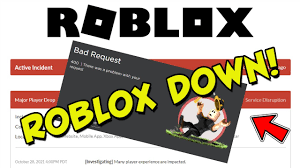
    Are you wondering, “Is Roblox down?” If you can’t play your favorite game right now, you’re not alone. Sometimes, Roblox experiences outages. For instance, at one point, 12% of players were unable to join games for several hours. These outages usually get resolved quickly. Roblox has faced bigger issues too, like the major outage in November 2021. There have also been some recent server shutdowns. These problems can affect anyone at any time. For the latest updates, check the official Roblox status page. You can also search “Roblox server status” on trusted websites. While you wait, try some fun activities like downloading Roblox sound effects in Dubbing AI.

    Key Takeaways

    • Look at the official Roblox status page and trusted third-party sites. This helps you know if Roblox is down for everyone or just you. – Follow Roblox’s updates on Twitter and other social media. You can get the latest news during outages there. – Try easy fixes like restarting your device and checking your internet. Use browsers that Roblox supports before you reinstall Roblox. – Join community forums and social media groups. You can share your experiences and find helpful tips while you wait. – Play other games or use creative tools like Dubbing AI. This can help you stay entertained until Roblox works again.

    Is Roblox Down?

    If you can’t log in or play your favorite Roblox game, you might ask, “Is Roblox down?” You are not the only one with this question. Many players check the roblox server status when something goes wrong. Sometimes, your device or internet is the problem. Other times, everyone has trouble because of a platform-wide outage.

    Check Official Roblox Status Page

    Start by checking the official Roblox status page. This page shows real-time roblox server status updates. If there is a problem, you will see alerts right away. You can also find news about fixes and when you might play again.

    Tip: Save the Roblox status page as a bookmark. This way, you can check it fast next time.

    You can also look at Roblox’s official Twitter account. They post updates there during big outages. If you see a message about a platform-wide outage, you know it is not just your problem.

    Roblox Server Status on Third-Party Sites

    Sometimes, you want more information about what is happening. Third-party sites like Downdetector and RTrack show roblox server status and how many people have problems. These sites get data from users everywhere. They help you see if the issue is only in your area or if it is worldwide.

    Here is a table with numbers from past roblox outages:

    Metric

    Value

    Source/Date

    Monthly Active Users (MAU)

    250 million

    RTrack, May 2022 estimate

    Monthly Active Users (MAU)

    220 million

    RTrack, August 2021 estimate

    Daily Active Users (DAU)

    Dropped to near zero

    RTrack, during Oct 28-31, 2021 outage

    Outage Duration

    73 hours (3 days)

    Pingdom, Oct 28-31, 2021

    Users Affected by Outage

    50 million

    Pingdom, Oct 28-31, 2021

    Monitoring Locations

    Over 100 global locations

    Pingdom

    During the October 2021 outage, daily active users dropped almost to zero. That outage lasted 73 hours and affected 50 million users. Pingdom and RTrack check roblox server status from over 100 places around the world.

    • Downdetector said tens of thousands of Roblox users in the US had trouble during one event.

    • User reports went over 107,000, showing how big some outages are.

    • At one time, 3,737 incident reports came in just a few minutes.

    • Downdetector uses lots of data to see how often and how big these outages are.

    If you see a lot of reports on these sites, roblox is down for many people, not just you. This helps you know if you should wait or try to fix something yourself.

    So, next time you wonder, “Is roblox down?” check the official status page and third-party sites. You will get a clear answer about the roblox server status and know if you need to wait for the platform to work again.

    What to Do If Roblox Is Down

    When you see an active incident or notice roblox going down, you might feel frustrated. You want to get back to your favorite games as soon as possible. Here are some steps you can take while you wait for roblox to come back online.

    Follow Official Updates

    Stay calm and check for updates from roblox. The official roblox Twitter account and the roblox status page give you the latest news. If there is a big problem, roblox will post about it. You can also look for updates on their Discord server or other social media. Sometimes, roblox fixes issues fast. Other times, it takes longer. Watching for updates helps you know what is happening and when you can play again.

    Tip: If you see a message about an active incident, roblox is working on the problem. You do not need to change your settings or reinstall anything right away.

    Join Community Discussions

    You are not alone when roblox is down. Many players talk about problems on forums and social media. Try joining discussions on Reddit, the Roblox Developer Forum, or even Discord groups. These places let you share your experience and learn from others.

    When you join these forums, you help make roblox better. You can also find tips to fix small issues or learn when roblox will be back.

    Try Alternative Games

    While you wait for roblox to return, you can try other fun games. Many players switch to games like Minecraft or Among Us during roblox outages. These games keep you entertained and help pass the time.

    Here is a table showing what happens when roblox goes down and how other games get more players:

    Metric

    Roblox Change During Outage

    Minecraft Change During Outage

    Among Us Change During Outage

    Mobile Usage (week-over-week)

    -93%

    +2%

    +6%

    Usage Increase (day-over-day)

    N/A

    +13% (Oct 30)

    +12% (Oct 29)

    Session Count (week-over-week)

    -33%

    Minimal growth

    Minimal growth

    Downloads (peak day, Oct 30)

    N/A

    N/A

    ~436,000 (44% W/W increase)

    Revenue (Oct 30)

    N/A

    N/A

    +11% W/W increase (~$12,000)

    As you can see, when roblox is down, many players move to other games. Minecraft and Among Us both see more players and downloads. You can join your friends in these games or try something new. When roblox comes back, you can return with new ideas and stories to share.

    Note: Playing other games does not mean you stop loving roblox. It just gives you something fun to do while you wait.

    Remember, outages happen to every online game. You can use this time to explore, chat with friends, or even learn something new. When roblox is back, you will be ready to jump in and play again.

    Troubleshooting Your Connection

    Troubleshooting Your Connection
    Image Source: pexels

    Sometimes, the problem is not with roblox itself. You might have issues on your end. Here are some steps you can try to get back into the game.

    Check Browser and Security Settings

    First, make sure you use a browser that roblox supports. Chrome, Firefox, and Edge work best. If you use an old browser, roblox might not load right. Turn off any ad-blockers or browser extensions. These can block roblox from running. Also, check your firewall and router settings. Sometimes, security software blocks roblox by mistake.

    Tip: Try opening roblox in a private or incognito window. This can help you see if an extension is causing trouble.

    Fix Internet and Network Issues

    A slow or unstable internet connection can cause roblox to lag or disconnect. If you see messages like “Check Internet Connection,” your network might be the problem. Try these steps:

    1. Restart your Wi-Fi router.

    2. Move closer to your router for a stronger signal.

    3. Use a wired connection if possible.

    4. Close other apps that use the internet.

    Roblox has tools that show network stats like ping and packet loss. High ping or lots of packet loss means your connection is not stable. Many players report lag, disconnections, and error codes when their network is weak. Watching these stats can help you spot problems early and fix them.

    Restart or Reinstall Roblox

    If roblox still does not work, try restarting your device. This simple step often fixes small bugs. If that does not help, reinstall roblox. Reinstalling can take 15-20 minutes, especially with slow Wi-Fi, but it can fix broken files. Some users find that rebooting the computer and then opening roblox first helps updates install faster. If you know how, you can run the RobloxPlayerLauncher from the Versions folder for a quicker fix.

    • Restarting is usually faster than a full reinstall.

    • Only uninstall and restart your computer if nothing else works.

    Note: Always try a restart before reinstalling roblox. This saves time and can solve many problems.

    Extra Resources and Tips

    Report Issues to Roblox

    If you keep having trouble with roblox, you can let others know about it. Sometimes, your problem does not go away even after you try all the fixes. You might see errors that do not match what others report. In these cases, you should report your issue to the roblox team or the community.

    You can post your problem on the Roblox Developer Forum. Many players and developers read these forums. They often share tips or workarounds that help you get back to playing faster. You can also visit Reddit and join roblox groups there. People on Reddit talk about new bugs, outages, and fixes. If you describe your issue clearly, someone might have a solution.

    Tip: When you report a problem, include details like your device, browser, and what you tried already. This helps others help you faster.

    Here is a quick list of places to report or discuss roblox issues:

    • Roblox Developer Forum

    • Roblox subreddit on Reddit

    • Roblox support page

    Download Roblox Sound Effects in Dubbing AI

    Waiting for roblox to come back online can feel boring. You can use this time to do something fun. Try downloading roblox sound effects using Dubbing AI. This tool lets you find and save cool sounds from your favorite games. You can use these sounds for videos, memes, or just for fun.

    Dubbing AI is easy to use. You search for the sound you want, then download it with one click. Many players use these sound effects to make their own roblox content. You can even share your creations with friends.

    Note: Always check the rules before using sound effects in public videos or projects.

    If you want to stay creative while roblox is down, Dubbing AI gives you a great way to keep busy. You might even discover new sounds you have never heard before!

    You now know what to do if roblox goes down. Check the status page, follow updates, and try some quick troubleshooting steps. Use community resources if you need extra help. Most outages do not last long, so stay patient. Bookmark the official roblox support and status pages for next time. While you wait, explore fun options like downloading sound effects with Dubbing AI. You will be back in your favorite games soon!

    FAQ

    What should I do if Roblox is down for everyone?

    Check the official Roblox status page first. You can also look at Downdetector or Roblox’s Twitter. If you see a big outage, just wait. Roblox usually fixes things fast.

    Why can’t I join any Roblox games even though the servers look fine?

    Try restarting your device. Check your internet connection. Make sure your browser or app is up to date. Sometimes, a quick reboot solves the problem.

    How do I know if the problem is my internet or Roblox?

    If other websites work but Roblox does not, the issue is likely with Roblox. If nothing loads, your internet might be down. Try running a speed test to check your connection.

    Can I play Roblox on my phone if the website is down?

    You might have trouble on both if Roblox has a big outage. Sometimes, the app works when the website does not. Try both to see which one loads.

    See Also

    Essential Preparations To Make Before Starting Roblox Gameplay

    Four Key Ways To Gain Popularity Within Roblox Groups

    Mastering Sound Buttons To Enhance Your Roblox Experience

    Increase Roblox Enjoyment By Using A Voice Changing Tool

    Ways Minecraft And AI Dubbing Are Elevating Gaming Fun

  • Everything You Need to Know About the Copper Golem in Minecraft

    Everything You Need to Know About the Copper Golem in Minecraft

    Everything You Need to Know About the Copper Golem in Minecraft
    Image Source: pexels

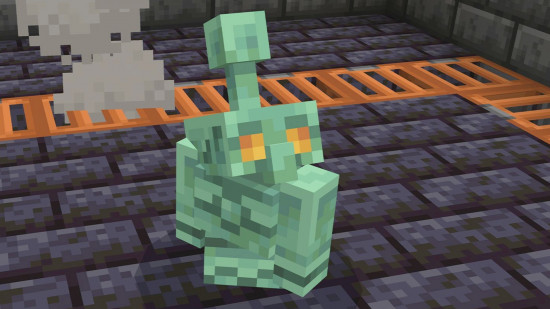
    The copper golem is a new metal friend in Minecraft’s 2025 update. This copper golem helps players sort items with copper chests. It also makes any base look more interesting. Many players like how copper has new uses in Minecraft. This golem is now a favorite part of the new update.

    Key Takeaways

    • The copper golem helps players sort items fast by moving things from copper chests to normal chests. This saves time and keeps storage tidy.

    • Players can make the copper golem with a carved pumpkin, a copper block, and a copper button. It is easy to add this helpful robot to any base.

    • The copper golem makes storage better and also gives bases a cool look. It makes bases more fun and interesting to explore.

    Copper Golem Features

    Inventory Sorting

    The copper golem changes how players organize items in minecraft. This robot takes things from copper chests and puts them in normal chests. Players can see the golem pick up items and move them. The golem works fast and keeps storage neat. Many players think the copper golem saves time when sorting lots of stuff. It helps players find things without digging through messy chests.

    Tip: Put copper chests close to your main storage. The copper golem will sort things faster and keep everything neat.

    Copper Chest Integration

    Copper chests are a new thing in the minecraft update. These chests can hold more items than wooden chests. The copper golem works with copper chests in a special way. When players add items to a copper chest, the golem checks what is inside and moves things to the right chest. This makes copper chests great for players with big bases or farms. The golem can move many items at once, so players can manage their stuff better.

    Chest Type

    Storage Slots

    Special Feature

    Wooden Chest

    27

    Basic storage

    Copper Chest

    45

    Works with copper golem

    Players can use copper chests to show off rare items. The golem keeps these displays neat and easy to see.

    Base Decoration

    The copper golem makes any minecraft base look cool and lively. This robot has a shiny copper body that changes color as time passes. When the copper gets old, the golem turns from orange to green. Players can wax the golem to keep its color bright. Many players like to watch the golem walk around and use chests. The golem makes bases feel busy and fun.

    Some players put the copper golem in the middle of their storage rooms. Others make special spots for the golem to work and play. The golem’s cool look and helpful skills make it a favorite in the new update.

    Get the Copper Golem

    Summoning Steps

    Players can bring the copper golem to life by following a simple process in minecraft. This robot helps with storage and adds character to any base. Here is a step-by-step guide to summoning the copper golem:

    1. Gather a carved pumpkin.

    2. Place a copper block where the golem should appear.

    3. Put the carved pumpkin on top of the copper block.

    4. Place a copper button on the copper block and press it.

    5. The copper golem will spawn, and a copper chest will appear next to it.

    Note: If you want to download copper golem sound effects or other Minecraft sound effects, you can get them from Dubbing AI. Whether you need the unique sounds of the copper golem or any other iconic Minecraft audio, Dubbing AI has you covered with a wide collection of game sound effects.

    Crafting Materials

    Players need a few special items to summon the copper golem in minecraft. Each item plays a key role in the process.

    • Copper block (any oxidized or waxed state)

    • Carved pumpkin

    • Copper button (crafted from any cut copper block, also in any oxidized or waxed state)

    The copper golem uses a unique structure. The copper block can be shiny or green, depending on its oxidation. Waxed copper blocks and buttons keep their color and do not rust. The copper button is the only button the golem will press, and it changes color over time but always works. The copper golem has 40 life points, does not take fall damage, and cannot drown. When defeated, it drops 1 to 4 copper ingots.

    Material

    How to Get

    Special Note

    Copper Block

    Crafted from 9 copper ingots

    Any oxidation or waxed state works

    Carved Pumpkin

    Use shears on a pumpkin

    Needed for the golem’s head

    Copper Button

    Crafted from cut copper block

    Only button the golem will press

    Tips for Use

    The copper golem works best when players plan their storage areas. Here are some tips to get the most out of this helpful golem:

    • Place copper chests near your main storage. The golem will sort items faster.

    • Use waxed copper blocks and buttons if you want the golem and its buttons to keep their color.

    • Watch the golem’s color change over time. Oxidation makes the robot look different and can slow its movement.

    • In survival mode, protect the golem from hostile mobs. It cannot fight back.

    • In creative mode, use the golem to decorate large bases or show off rare items in copper chests.

    • The copper golem cannot drown or take fall damage, so players can build storage rooms above water or underground.

    Tip: Players can use multiple copper golems in big bases. Each golem will help sort items and keep storage organized.

    The copper golem brings new ways to manage items and decorate bases in minecraft. Players who use this robot will find storage easier and their bases more lively.

    Copper Update: New Gear

    Copper Chests

    Copper chests bring a new way to store items in the new minecraft update. These chests hold more than wooden chests. Players can use them to organize large collections. Over time, copper chests change color because of oxidation. The chest starts bright orange and slowly turns green. Waxing a copper chest keeps its color the same. Wax acts as a shield and stops the chest from changing. Players can use honeycomb to wax a chest. This feature helps players match their storage to their base style.

    Tools and Armor

    The copper update adds new tools and armor. Copper tools work faster than stone tools but slower than iron. Copper swords and axes help players fight mobs and break blocks. Copper armor gives more protection than leather but less than iron. Players can craft these items with copper ingots. Many players like the look of copper gear. The new minecraft update gives more copper uses, so players find copper mining more rewarding.

    Gear Type

    Durability

    Protection/Power

    Special Feature

    Copper Tools

    Medium

    Medium

    Changes color over time

    Copper Armor

    Medium

    Medium

    Can be waxed

    Oxidation and Waxing

    Copper gear changes over time because of oxidation. The surface of copper reacts with air and turns green. Players can clean copper gear by polishing it. Cleaning removes dirt and tarnish. Polishing uses gentle abrasives to keep the surface smooth. Waxing is the best way to protect copper gear. Wax forms a thin layer that blocks air and slows down oxidation. Players can remove the wax with mineral spirits if they want to clean the gear again. These steps help players keep their copper gear looking new. The copper update makes copper more valuable in minecraft because players can use it for strong gear and stylish storage.

    Tip: Wax your copper gear and chests to keep them shiny and bright for a long time.

    2025 Update Access

    Beta and Preview

    Players can try the 2025 update early by joining beta or preview. Developers use special tools to manage these early versions. TestFlight lets developers invite testers and share new features. Testers get invites with update details, like screenshots and app types. Developers choose who can join, like by device or operating system. Public links help testers sign up fast. Testers can see how many people join and who fits the rules. Developers upload new builds, add notes, and invite testers with TestFlight. They can sort testers by activity, device, or feedback. Beta versions let players see new features before the update comes out.

    • Testers get invites with update info.

    • Developers pick who can join by device or OS.

    • Public links make signing up for beta easy.

    • Testers and developers can track who joins and gives feedback.

    Note: Beta and preview help make the 2025 update better before it is released. Players can share feedback to improve the copper-themed update.

    Full Release

    The full release brings all new features to every player. Devices must stay connected to Microsoft services for two hours straight and six hours total after the update starts. This connection helps the update finish right. Devices that do not meet this rule may miss new features. Players should keep their devices on and online. This step makes sure the update installs and works well. The copper-themed update is available to everyone during the official launch, so all players can enjoy the new content.

    Tip: Keep your device on and online after the update starts. This helps the update finish and lets you use all the new features in minecraft.

    The copper golem makes sorting items much easier. Players can now use it to sort things automatically. This is very helpful for people with big bases. Many players think this change makes the game better. Mojang made the golem because players wanted it. Everyone should try the new copper features and tell others what they think.

    This update is a big improvement, and more cool tools might come in the future.

    FAQ

    What is the mob vote and how does it work?

    Players join the mob vote to pick new creatures for the game. The community mob vote lets everyone choose which mob will appear in future updates.

    Why did the copper golem win the community mob vote?

    The copper golem won the community mob vote because many players liked its design. The mob vote showed strong support for a helper that sorts items and decorates bases.

    Can players join the mob vote every year?

    Yes, players can join the mob vote each year. The community mob vote happens before big updates. Players help decide which new mob joins the game.

    See Also

    How Minecraft And AI Dubbing Are Boosting Gameplay Excitement

    Top Five Essential Facts Every Player Should Know About Black Myth

    Enhance Minecraft Experience With Sound Button For Upcoming Movie

    Key Essentials Every Player Must Have For Monster Hunter Wilds

    Important Preparations To Make Before Starting Your Roblox Journey

  • Crazy Games Space Waves Made Easy with Simple Tricks

    Crazy Games Space Waves Made Easy with Simple Tricks

    Crazy Games Space Waves made easy with these simple tricks
    Image Source: pexels

    Ready to crush crazy games space waves? You can beat every level, from the easiest to the most extreme, with a few simple tricks. Focus on dodging, time your moves, and grab those power-ups. Stay patient and keep practicing. Want to show off your best runs? Share your wins on TikTok and add awesome sound effects with Dubbing AI. Stick with it—every wave gets easier when you keep trying!

    Simple Tricks to Master Space Waves

    Game Controls

    Precision Moves

    Getting good at Space Waves starts with mastering your moves. You need to guide your ship with small, careful taps. Wild swipes or holding down the controls can send you crashing into obstacles. Try to keep your movements smooth and steady. When you practice, your hands learn the right speed and direction. Over time, you will notice your ship dodges better and reacts faster.

    Here’s a quick look at how practice helps you get more precise:

    Practice Type

    Time to Peak Velocity (ms)

    Velocity Variability (SD)

    Before Practice

    258

    High

    After Practice

    218

    Low

    You can see that after practicing, your moves become quicker and more controlled. Your fingers and wrists start working together, almost like they are in sync. This makes it easier to dodge fast-moving obstacles and weave through tight spaces. The more you play, the more your hands and brain work as a team. You will feel your confidence grow with every level you beat.

    Tip: Focus on short, gentle taps instead of long presses. This gives you better control and helps you avoid sudden crashes.

    Timing and Momentum

    Timing is everything in Space Waves. You need to watch the patterns and move at just the right moment. If you rush, you might hit a wall. If you wait too long, you can get trapped. Try to match your movements with the rhythm of the waves. Many players find that their hands and fingers start to move in sync after a few rounds. This happens because your brain learns the timing and your muscles remember the right speed.

    When you practice, your moves become more coordinated. Your wrist and finger movements start to line up, almost like a dance. This makes your ship glide smoothly through tricky sections. You will notice that you react faster and make fewer mistakes. Keep practicing, and soon you will feel like you are moving with the game, not just reacting to it.

    Note: Stay calm and trust your timing. Quick, well-timed moves will help you survive even the toughest waves.

    Enemy Patterns

    Dodging Obstacles

    Enemies and obstacles in Space Waves come at you fast. You need sharp eyes and quick fingers to dodge them. Each level throws new shapes and speeds your way. Some obstacles move in straight lines. Others zigzag or spin. You can’t just react—you have to predict what comes next.

    Here are some tricks to help you dodge like a pro:

    • Watch for patterns: Most obstacles repeat their moves. If you spot the pattern, you can plan your path.

    • Stay near the center: This gives you more room to move left or right when something pops up.

    • Use short taps: Quick, light taps help you change direction fast. Heavy presses slow you down.

    • Don’t panic: If you get trapped, look for the smallest gap. Sometimes, the tiniest space is your best escape.

    Tip: If you keep crashing at the same spot, pause and watch how the obstacles move. You might notice a safe path you missed before.

    Wave Recognition

    Every wave in Space Waves has its own rhythm. Some waves move slow and steady. Others speed up or throw in surprise twists. If you learn to recognize these waves, you can get ahead of the game.

    Let’s break down the most common wave types:

    Wave Type

    What to Expect

    Best Move

    Straight Line

    Obstacles in a row

    Glide smoothly

    Zigzag

    Quick side-to-side

    Tap in sync with pattern

    Spiral

    Circles or curves

    Stay near the center

    Random Burst

    Sudden, fast obstacles

    React quickly, stay calm

    You can practice each wave type in earlier levels. Try to spot which wave is coming next. Once you know the pattern, you can move before the danger hits.

    Note: The more you play, the faster you’ll spot these waves. Soon, you’ll dodge obstacles without even thinking about it. Keep your eyes open and trust your instincts. 🚀

    Power-Ups and Upgrades

    Power-Ups and Upgrades
    Image Source: unsplash

    Best Power-Ups

    Power-ups can turn a tough level into a breeze. You just need to know which ones to grab and when to use them. Some power-ups give you a quick boost, while others help you survive longer. Here are the top power-ups you should look for:

    • Shield 🛡️: This one protects your ship from a single hit. If you see a tricky wave coming, grab a shield. You can relax for a second and focus on dodging.

    • Speed Boost 🚀: This power-up makes your ship move faster. Use it to zip past slow obstacles or escape a tight spot. Just remember, faster speed means you need quicker reflexes.

    • Magnet 🧲: The magnet pulls in coins and other goodies. You do not have to chase every coin. Let the magnet do the work while you focus on dodging.

    • Double Points ✨: This one doubles your score for a short time. Try to grab it when you see lots of coins or during easy waves.

    Tip: Always keep an eye out for shields and magnets. These two can save you from losing and help you rack up points fast.

    Upgrade Choices

    Upgrades make your ship stronger and your runs longer. You earn coins as you play, so spend them wisely. Not all upgrades help you the same way. Here’s a quick guide to smart upgrade choices:

    Upgrade Type

    What It Does

    When to Choose It

    Shield Boost

    Adds extra shield slots

    If you crash often

    Speed Control

    Improves ship handling

    For tricky, fast levels

    Magnet Range

    Increases magnet power

    To collect more coins

    Score Multiplier

    Raises your score faster

    If you want high scores

    Start with shield and speed upgrades. These help you survive longer and dodge better. Once you feel confident, upgrade your magnet and score multiplier. You will see your scores climb and your runs last longer.

    Note: Don’t spend all your coins at once. Try one upgrade at a time and see how it changes your game. You will find the best combo for your play style.

    Advanced Tips for High Scores

    Practice and Patience

    You want to get better at crazy games space waves? Start with practice. Play each level more than once. When you repeat a level, you start to see patterns. You notice where the obstacles pop up. Your hands get faster. Your eyes spot danger sooner. You learn when to tap and when to wait.

    Try this simple routine:

    1. Pick a level that feels tough.

    2. Play it five times in a row.

    3. After each run, think about what went wrong.

    4. Try a new move or timing on the next try.

    You will see your reaction time improve. Your fingers will move before you even think. That’s how you beat those tricky waves.

    Tip: Don’t rush. If you get stuck, take a break. Come back with fresh eyes. You will often pass the level on your next try.

    Patience matters just as much as practice. Some levels in crazy games space waves feel impossible at first. You might crash again and again. That’s normal. Every player faces tough spots. Stay calm. Keep trying. Each attempt teaches you something new. Soon, you will glide through waves that once seemed unbeatable.

    Community Strategies

    You don’t have to play alone. The crazy games space waves community is huge. Players share tips, tricks, and videos every day. You can learn a lot by watching others. Search for gameplay videos on TikTok or YouTube. Look for runs on level 20 or level 33. Watch how top players dodge obstacles and use power-ups. Notice their timing and movement. Try to copy their best moves in your own game.

    Here’s a quick table to help you find the best community resources:

    Platform

    What You’ll Find

    How It Helps You

    TikTok

    Short gameplay clips, tips

    Quick tricks, new ideas

    Reddit

    Discussions, guides, questions

    Ask for help, share wins

    YouTube

    Full level walkthroughs

    Learn advanced strategies

    You can also join the trend and make your own videos. Record your best runs or funny fails. Add cool sound effects with Dubbing AI. Share your clips on TikTok or Reddit. Other players will cheer you on and give you advice. You might even start a new trend!

    Note: The more you connect with the crazy games space waves community, the faster you improve. You get new ideas, support, and maybe even some new friends.

    If you want to master crazy games space waves, use every tool you can. Practice, stay patient, and join the community. You will see your skills grow with every wave.

    Common Mistakes

    Avoiding Pitfalls

    You might feel stuck because you keep making the same mistakes. That’s normal! Most players fall into a few common traps. If you know what to watch for, you can dodge these problems and level up faster.

    Here are some mistakes you should avoid:

    • Overreacting: You see an obstacle and swipe too hard. Your ship crashes. Try to use gentle taps instead.

    • Ignoring Patterns: Every wave has a rhythm. If you rush in without watching, you miss the safe spots.

    • Chasing Every Coin: Coins look tempting, but sometimes they lead you into danger. Focus on survival first.

    • Forgetting Power-Ups: You skip a shield or magnet because you think you don’t need it. Grab them when you can—they make tough spots easier.

    • Panicking: When things speed up, you freeze or mash the controls. Stay calm and trust your practice.

    Tip: If you keep crashing at the same spot, pause and watch a replay. You might spot a safer path you missed before.

    Bouncing Back

    Everyone messes up. What matters is how you bounce back. You can turn a mistake into a lesson and come back stronger.

    Try these steps when you feel frustrated:

    1. Take a Break: Step away for a minute. Stretch or grab a snack. Your mind resets.

    2. Watch Others: Check out a TikTok or YouTube video of someone beating your level. Notice their moves.

    3. Change Your Approach: If one strategy fails, try a new one. Maybe use a different power-up or tap at a new rhythm.

    4. Stay Positive: Remind yourself that every player struggles. You get better with each try.

    Mistake

    How to Bounce Back

    Repeating crash

    Watch a replay

    Getting tense

    Take a deep breath

    Losing focus

    Play in short bursts

    Note: You can always improve. Every crash teaches you something new. Keep going, and you’ll beat those waves! 🚀

    You now have the best tricks to beat crazy games space waves. Practice your moves, watch for patterns, and use power-ups wisely. Stay patient and keep trying, even when a level feels impossible. Join the community, share your wins, and add cool sound effects with Dubbing AI. You can tackle any wave with confidence. Ready to show everyone your skills? Jump back in and conquer those levels!

    FAQ

    How do you unlock new levels in Space Waves?

    You unlock new levels by beating the current one. Finish a wave, and the next level opens up. If you get stuck, keep practicing. You will get better with each try!

    What should you do if you keep crashing at the same spot?

    Take a break and watch a replay or a gameplay video. Notice what other players do. Try a different move or timing. Sometimes, a small change helps you pass that tough spot.

    Can you play Space Waves without using power-ups?

    Yes, you can! Power-ups make things easier, but you can beat levels with skill and practice. Focus on dodging and timing. Use power-ups when you want a boost or need help with a tricky wave.

    How do you share your best runs online?

    Record your gameplay using your device’s screen recorder. Add cool sound effects with Dubbing AI. Post your video on TikTok or Reddit. Other players love to see creative runs and fun moments! 🚀

  • Where to Get Free Allahu Akbar Sound Effects

    Where to Get Free Allahu Akbar Sound Effects

    Looking for a free Allahu Akbar sound effect? You are not alone! Whether for a project or personal use, finding good sources can be challenging. Use sites that prioritize safety and quality. You don’t want to download an Allahu Akbar sound effect that is unsafe or low-quality. Let’s explore your options!

    Key Takeaways

    • Check out reliable sites like Freesound and Zapsplat. They have good-quality Allahu Akbar sound effects and easy downloads.

    • Read the licensing rules before using any sound effects. Choose royalty-free ones to stay away from copyright problems.

    • Use antivirus programs to check downloads for safety. This keeps your device safe while you find sounds.

    Top Platforms to Get Free Allahu Akbar Sound Effects

    Finding a good site for free Allahu Akbar sounds can be tough. To help, here’s a list of trusted platforms you can try. Each one has special features to meet your needs.

    Dubbing AI

    Dubbing AI is known for its advanced tools and clear sounds. It uses smart voice cloning and text-to-speech to make realistic effects. With support for 29 languages, it’s great for users worldwide. The easy-to-use design helps you quickly find and download sounds. If you want top-quality effects, this is a solid choice.

    Freesound

    Freesound is a community site where people share free sound effects. It has a big library, including Allahu Akbar sounds, for creative projects. The site’s simple design and rating system make finding good sounds easy.

    User Feedback

    Summary

    Easy to use

    Lots of sounds with a simple download process.

    High-quality uploads

    Many sounds are praised for their clarity.

    Free downloads

    Sounds are free after signing up.

    Large library

    Great for music, videos, and more.

    Community resource

    Helpful for indie creators in film and animation.

    SoundBible

    SoundBible is another great site for free sound effects. It offers royalty-free sounds for personal or business use. The simple layout makes searching for specific sounds, like Allahu Akbar, quick and easy. No account is needed to download, saving you time.

    Zapsplat

    Zapsplat is popular for its huge collection of free sound effects. It offers high-quality files in different formats for any project. The free version is great, but upgrading gives faster downloads and exclusive sounds.

    99Sounds

    99Sounds is perfect if you want sound packs made by experts. It offers free, high-quality effects designed by professional sound creators. This site is ideal for those who value creativity and quality.

    FreeToUseSounds

    FreeToUseSounds has many unique sound effects. It offers both free and paid options, focusing on field recordings and ambient sounds. You can find Allahu Akbar sounds and other rare audio clips here.

    Mixkit

    Mixkit provides free sound effects for videos, podcasts, and more. Its clean design makes browsing and downloading simple. All sounds are royalty-free, so you don’t have to worry about copyright.

    AudioMicro

    AudioMicro has both free and paid sound effects. Its free section is smaller but still has good-quality options. It’s a favorite among video makers and podcasters.

    Pond5 Free Section

    Pond5 is known for premium media, but its free section is a hidden gem. You can find Allahu Akbar sounds and more without paying. The search filters make finding what you need easy.

    Voicy

    Voicy is a fun site where users share sound clips, memes, and effects. It’s a great place to find unique sounds, with new content added often.

    Pixabay

    Pixabay isn’t just for pictures and videos—it also has free sound effects. Its simple design and high-quality files make it a reliable choice.

    AudioJungle

    AudioJungle, part of Envato Market, offers free and paid sound effects. While most are premium, the free section has great options for budget users.

    101 Soundboards

    101 Soundboards organizes sound effects into themed boards. It’s a fun way to explore and find Allahu Akbar sounds.

    The Internet Archive

    The Internet Archive has a huge collection of free media, including sound effects. It’s a great resource for rare or historical audio clips.

    Myinstants

    Myinstants lets you play and download sound effects with one click. It’s perfect for quick access to popular sounds like Allahu Akbar.

    SoundCloud

    SoundCloud isn’t just for music—it’s also great for sound effects. Many creators upload free clips, making it a good place for unique sounds.

    These numbers show users spend time exploring, proving its value.

    Blerp

    Blerp is a fun site for sound effects, memes, and more. Its easy design makes finding and downloading audio clips simple.

    Features to Look for in a Sound Effect Platform

    When picking a site for sound effects, check if it fits your needs. Here are important things to consider:

    Free Licensing Options

    Not all free sounds are truly free to use. Some have rules that limit how you can use them. Always check if the site offers royalty-free sounds. This means you can use them without breaking copyright laws. Look for clear rules about usage. Sites like Freesound and Mixkit often explain this upfront, so you know what’s allowed.

    Easy-to-Use Design

    A simple design saves time and avoids confusion. You don’t want to waste hours searching for one sound. Sites with good search tools make finding sounds easier.

    Here’s how a simple design helps users:

    Metric

    What It Means

    Task Success Rate

    Shows how often users find what they need without problems.

    Time on Task

    Tracks how fast users locate and download sounds.

    User Error Rate

    Counts mistakes, like downloading the wrong file.

    Navigation Efficiency

    Measures how smoothly users move through the site.

    Drop-off Rate

    Finds where users quit, helping sites improve their layout.

    Sites like Zapsplat, with filters and a clean look, make searching fast and easy.

    Safe Downloads

    Safety is very important. Some sites may have files with viruses. To stay safe, use trusted sites like Pixabay or SoundBible. These sites check their files to keep them virus-free. You can also use antivirus software to scan downloads. This keeps your computer safe and your projects secure.

    By focusing on these features, you’ll find a site that’s safe, simple, and reliable for your needs.

    Tips for Safe Downloading

    Getting sound effects can be fun, but safety matters. Follow these tips to keep your downloads safe and easy.

    Check File Formats

    Always check the file type before downloading. Some formats are better than others. For clear sound, choose AIFF or WAV files. These keep the original sound quality and work with most editing tools. They’re great for high-quality projects. Formats like MP3 are okay for casual use but may lose sound details.

    Pro Tip: Listen to the sound first to make sure it’s good.

    Stay Away from Suspicious Links

    Some websites have fake download buttons. Don’t click them! Use trusted sites like Freesound or Zapsplat for safe downloads. If a link looks strange or sends you to another page, close it. Scammers use fake links to spread harmful files.

    • Things to avoid:

      • Pop-ups asking for private info.

      • Links that don’t match the site’s name.

      • Files with odd endings like .exe for audio.

    Install Antivirus Software

    Even safe sites can have risks. Antivirus software protects your device by checking files for threats. It works quietly in the background, keeping you safe.

    🛡️ Tip: Update your antivirus often to block new dangers.

    Follow these tips to download sound effects safely and without trouble.

    Finding the right Allahu Akbar sound is easy. Sites like Freesound, Zapsplat, and Pixabay help with simple designs and safe downloads. Dubbing AI is known for great sounds and works worldwide. Use trusted sites, check file types, and enjoy your audio search.

    • People like these sites because they have:

    Tip: Always use antivirus software to keep your device safe.

    FAQ

    What is the best file format for sound effects?

    For top quality, go with WAV or AIFF files. They keep the original sound intact and work well with most editing tools.

    Tip: Use MP3 for smaller, casual projects.

    Can I use these sound effects for commercial projects?

    Yes, but check the licensing terms first. Many platforms offer royalty-free sounds, but some may require attribution or have restrictions for commercial use.

    How do I know if a site is safe for downloads?

    Stick to trusted platforms like Freesound or Pixabay. Avoid sites with pop-ups or fake download buttons. Always scan files with antivirus software before opening.

    🛡️ Pro Tip: Update your antivirus regularly for better protection.

    See Also

    Maximize Your Roblox Experience with Sound Button Techniques

    Get Ready for Space Marine 2 Using Sound Buttons

    Boost Your Gameplay Experience with AI Dubbing Soundboard

    Revamp Minecraft for the New Movie Using Sound Buttons

    Top AI Voice Modifiers Every Content Creator Should Try

  • Complete Guide to Finding Autobots Roll Out Sound Effects Online

    Complete Guide to Finding Autobots Roll Out Sound Effects Online

    A Complete Guide to Finding Autobots Roll Out Sound Effects Online
    Image Source: unsplash

    If you want to get the autobots roll out sound for your next project or just for fun, you have some great options. In 2025, SoundCloud stands out as a popular place to find this sound. For example, the track “ROLL OUT(TRANSFORMSER)” by Trucebeatz has drawn in 55 followers, showing real interest from fans like you. When you look for this sound, always check if the source is legal and safe before you download.

    Top Platforms to Download Free Autobots Roll Out Sound

    Looking for the autobots roll out sound? You have a lot of choices in 2025. Let’s check out the best places where you can find and download this famous sound effect.

    Dubbing AI

    Dubbing AI stands out as a trusted resource for sound effects. You can use this platform to generate or find high-quality versions of the autobots roll out sound. Dubbing AI uses advanced technology to create clear and crisp audio. Many creators like you use it for projects, videos, or even fun ringtones. You can also find royalty-free options here, which means you do not have to worry about copyright issues.

    Tip: Always check if the sound is marked as royalty-free before you use it in your own work.

    Voicy.network

    Voicy.network is a fun place where users upload and share sound clips. You can search for the autobots roll out sound and listen to different versions. The site lets you preview sounds before you download them. Many clips come from movies, memes, or fan edits. If you want to add a quick sound effect to your video or stream, Voicy.network makes it easy.

    101 Soundboards

    101soundboards.com gives you a huge library of soundboards. You can find the autobots roll out sound by searching or browsing the Transformers section. This site is popular with gamers and streamers. You can play sounds directly from the website or download them for later. Most sounds are free to use, but always double-check the license if you plan to share your project online.

    Storyblocks & Bluezone

    Storyblocks and Bluezone offer professional sound effects. These platforms work best if you want high-quality audio for commercial projects. You can find the autobots roll out sound in different formats, like MP3 or WAV. Both sites require a subscription, but you get access to a huge library of royalty-free sounds. This is a good choice if you need more than just one sound effect.

    Platform

    Free Sounds

    Royalty-Free

    Subscription Needed

    Best For

    Storyblocks

    Pro & commercial

    Bluezone

    Pro & commercial

    Myinstants

    Myinstants.com is simple and fast. You can press a button and play the autobots roll out sound right away. If you want to download it, just look for the download link under the button. This site is great for memes, pranks, or quick sound bites. You do not need an account, so you can grab the sound and go.

    TikTok & Social Media

    TikTok and other social media platforms often feature trending sounds. You can search for the autobots roll out sound in TikTok’s sound library. Many creators use this sound in their videos, so you can find lots of versions. If you want to use the sound outside of TikTok, make sure you follow the rules for downloading and sharing.

    Note: Social media sounds may have copyright restrictions. Always check before you use them in your own content.

    Tuna Soundboard

    Tuna Soundboard is another easy-to-use website. You can search for the autobots roll out sound and play it with one click. The site lets you download sounds in different formats. Many users like Tuna Soundboard because it is fast and does not need a login. You can use these sounds for gaming, streaming, or just for fun.

    With these platforms, you have plenty of ways to find and use the autobots roll out sound. Always pick the site that fits your needs and check the rules before you download.

    How to Download Autobots Roll Out Sound?

    Search for Autobots Roll Out Sound

    Start by picking your favorite platform from the list above. Use the search bar on the website and type in “autobots roll out sound.” Most platforms, like Myinstants or Voicy, make it easy to find what you want. You can also browse categories like “Transformers” or “Movie Quotes” if you want to explore more options. If you see lots of results, look for the one with the most favorites or views. That usually means other people like it, too.

    Preview and Select

    Before you download, always listen to the sound first. This helps you make sure you get the right version. Many top sites let you preview sounds with just one click. Here’s a quick look at how some platforms help you choose:

    Platform

    Preview Feature

    Extra Selection Help

    Myinstants

    Instant playback button for sound

    Shows favorites and views for social proof

    Voicy

    Playback buttons for each sound

    Lets you compare different versions before download

    Tip: Always use the preview feature. It saves you time and helps you avoid the wrong sound.

    Download Steps

    Once you find the perfect autobots roll out sound, you’re ready to download. Here’s a simple step-by-step guide:

    1. Click the download button next to the sound.

    2. Choose your file format. Most sites offer options like .wav or MIDI.

      • Waveform (.wav): This gives you high-quality sound. It’s great for videos or music projects, but the file is bigger.

      • MIDI: This is a small file that works well for music apps or games. It doesn’t have all the sound details, but it’s easy to use.

    3. Save the file to your device. Pick a folder where you can find it later.

    4. Double-check the license if you plan to share your project online.

    Now you’re ready to use your new sound effect in any project you want!

    Autobots Roll Out Sound Uses

    Autobots Roll Out Sound Uses
    Image Source: unsplash

    Creative Projects

    You can use the autobots roll out sound in all kinds of creative projects. Many fans love to add this sound to their videos, games, or even school presentations. The sound brings a sense of action and excitement. It makes your project stand out and feel more epic.

    Sound designer Erik Aadahl once shared how important sound is in the Transformers world. He talked about how each robot gets its own unique sound. The autobots roll out sound uses a special rhythm and pitch that fans recognize right away. This makes it perfect for creative work.

    You might have seen this sound in fan-made videos or music mixes. Some popular projects include Escape Fuck Yeah, RULES OF NATURE, and The Meme Games. People also use it in battle scenes, animation, and even funny meme edits. You can get inspired by these examples and try adding the sound to your own work.

    Tip: Try mixing the sound with music or voiceovers. You can create something totally new!

    Social Media & Sharing

    Social media loves the autobots roll out sound. You can find it in TikTok videos, Instagram Reels, and YouTube shorts. Creators use it to make their posts more dramatic or funny. Sometimes, people use the sound to start a challenge or trend.

    If you want to share your own video, just add the sound to your clip and upload it. Make sure you follow the platform’s rules about sound effects. Some sites let you use the sound for free, while others may have copyright rules.

    Here are some ways you can use the sound on social media:

    • Add it to a transformation video or cosplay reveal.

    • Use it as a punchline in a meme.

    • Start a challenge with friends using the sound.

    Note: Always check if you need to credit the creator or platform when you share your project.

    You have learned how to get the autobots roll out sound safely. Make sure you use trusted websites every time. Always look at the license before using any sound. If you use sounds from unsafe places, you could get a virus or lose your files. You might even get in trouble with the law.

    Be careful and have fun using your sound effects the right way!

    FAQ

    How do I know if a sound effect is legal to use?

    You should always check the license or usage rights on the website. If you see “royalty-free” or “public domain,” you’re usually safe. When in doubt, look for a copyright notice or ask the site owner.

    Can I use the autobots roll out sound in my YouTube video?

    Yes, you can use it if the sound is royalty-free or you have permission. Some sites require you to credit the creator.

    Tip: Always read the rules before uploading your video.

    What file format should I download for best quality?

    For the best sound, choose WAV. It gives you clear audio. MP3 works well for smaller files.

    Format

    Quality

    File Size

    WAV

    High

    Large

    MP3

    Good

    Small

    Is it safe to download sound effects from any website?

    No, not every site is safe. Stick to trusted platforms like Dubbing AI, Voicy, or Myinstants.

    Downloading from unknown sites can risk your device with viruses or malware.

    Can I edit the autobots roll out sound after downloading?

    Yes, you can edit most sound files. Use free apps like Audacity or GarageBand. You can trim, add effects, or mix with music.

    • Always save a backup before you start editing.

    See Also

    Mastering Sound Buttons To Boost Your Roblox Experience

    Complete 2024 Tutorial On Real-Time Voice Modulation Using AI

    Upgrade Your Gameplay With The Dubbing AI Soundboard

    Explore New AI Voice Cloning Tools For Realistic Voiceovers

    Speak Like Firefly Using Dubbing AI, Top Hokai Star Rail Changer

  • What Is the I Am Speed Sound Effect and Why Is It a Meme Favorite

    What Is the I Am Speed Sound Effect and Why Is It a Meme Favorite

    What Is the I Am Speed Sound Effect and Why Is It a Meme Favorite
    Image Source: pexels

    You probably know the i am speed sound effect from the movie “Cars.” Lightning McQueen says this line to pump himself up before a race. He uses it as a mantra to show his confidence and love for racing. The i am speed sound effect stands out because it captures speed, power, and a unique attitude. People online love to turn this phrase into a meme. On tiktok, you see it everywhere. Tiktok users remix it, add it to funny videos, and even speed up their clips with the sound. Tiktok trends make the i am speed sound effect pop up in all kinds of meme edits. Tiktok creators love how it adds energy and humor to their posts. Tiktok fans even use it to joke about doing things really fast. Tiktok videos with this meme keep going viral. Tiktok’s creative community just can’t get enough of it. Tiktok makes sure the i am speed sound effect never goes out of style. Tiktok keeps this meme alive and racing.

    Key Takeaways

    • The ‘I Am Speed’ sound effect is from Pixar’s movie ‘Cars’. It shows Lightning McQueen feeling sure of himself before a race. TikTok users like to use this sound in fast or funny videos. This makes it a meme that spreads quickly online. The sound is popular because it is short and easy to remember. It fits many times when people want to show speed or energy. People use the sound in memes to mix confidence with humor. They often make fun of themselves in a fun way. You can add the sound to your own TikTok videos easily. But you should follow copyright rules if you use it for business.

    What is ‘I Am Speed’ Sound Effect?

    Movie Origin

    You might remember the first time you heard the i am speed sound effect. It comes from Pixar’s movie “Cars,” which hit theaters in 2006. In the opening scene, you see Lightning McQueen, a bright red race car, getting ready for a big race. He sits alone in the dark, repeating his special phrase:

    “Speed. I am speed.”

    This moment sets the mood for the whole movie. You hear the i am speed sound effect as Lightning McQueen tries to boost his confidence. The sound is short, usually just a few seconds. It starts with a quiet, focused voice and then builds up energy. The phrase feels powerful and cool. You can almost feel the excitement of the race track.

    Pixar knew how much fans loved this moment. In “Cars 3,” they brought back the same scene. Lightning McQueen repeats his i am speed sound effect, just like before. The movie even uses similar shots and sounds. This official reuse makes the phrase even more nostalgic and recognizable. When you hear it, you remember the thrill of the races and the fun of the movies.

    Lightning McQueen’s Phrase

    Lightning McQueen’s phrase isn’t just words. It’s his way of getting pumped up before a race. He says it to remind himself that he’s fast and ready. The i am speed sound effect captures his personality. He’s bold, a little cocky, and always aiming to win.

    You might notice how this sound effect pops up everywhere now. On tiktok, creators love to use it in their videos. They add the i am speed sound effect to clips where they want to show something happening super fast. Sometimes, they even speed up their videos to match the energy of the phrase. You’ll see tiktok users racing to finish homework, running to catch a bus, or even just cleaning their rooms—all with the i am speed sound effect in the background.

    Here’s what makes it so fun:

    • The phrase is easy to remember.

    • The sound is quick and catchy.

    • It fits almost any situation where you want to show speed.

    Tiktok trends keep the i am speed sound effect alive. You’ll find it in tiktok challenges, funny edits, and even in remix and reuse videos. The sound brings a burst of energy to every post. When you scroll through tiktok, you can’t miss it. The i am speed sound effect has become a favorite tool for tiktok creators who want to make their videos stand out.

    How Did ‘I Am Speed’ Become a Meme?

    How Did '
                style=
    Image Source: pexels

    You might wonder how a simple line from a movie turned into a meme that everyone knows. The answer starts with the internet’s love for sharing funny moments. When you scroll through TikTok, you see the i am speed sound effect everywhere. People use it in sped up tiktok audios to make their videos feel fast and exciting. This sound effect quickly became a popular meme sound because it fits so many situations.

    On TikTok, you can find creators using the sound in all kinds of ways. Some show themselves running late for school. Others use it when they try to finish chores in record time. You even see sped up tiktok audios where pets zoom across the screen. The sound makes these moments feel even more dramatic and fun. TikTok trends help push the meme even further. When one video goes viral, you see hundreds more using the same sound. That’s how viral moments start. One person tries something new, and soon everyone wants to join in.

    >> Download I Am Speed Sound Effect for Free

    Reddit also plays a big part in spreading the meme. Users post clips and gifs with the i am speed sound effect. They add funny captions or use the meme to react to other posts. You might see someone share a story about finishing homework in five minutes, then add the meme for extra humor. The meme works because it’s easy to understand and quick to share.

    The real magic of this meme comes from the way it mixes confidence and insecurity. When Lightning McQueen says “I am speed,” he sounds sure of himself. But when you use the meme, you might be joking about a time you felt the opposite. Maybe you tried to run fast but tripped, or you rushed through a test and made silly mistakes. The meme lets you laugh at yourself. It turns moments of failure into something funny. That’s why so many people love using it in their viral videos.

    Here’s why the meme keeps spreading:

    • You can use it for almost any situation that needs speed.

    • It works in both serious and silly moments.

    • The sound is catchy and easy to remember.

    Tip: If you want to join in, try using the i am speed sound effect in your next TikTok. You might create the next viral moment!

    The meme’s humor comes from this mix of boldness and self-doubt. You get to show off, but you also get to laugh at yourself. That’s what makes funny memes like this so special. The i am speed sound effect has become a staple in sped up tiktok audios, viral challenges, and tiktok trends. You see it everywhere because it brings people together through shared humor and relatable moments.

    Why is the ‘I Am Speed’ Sound Effect So Popular?

    You see the i am speed sound effect everywhere on tiktok. It pops up in sped up tiktok audios all the time. When you scroll through tiktok, you notice creators love using sped up tiktok audios to make their videos feel fast and funny. The i am speed sound effect fits perfectly with sped up tiktok audios. You hear it in videos where someone races to finish homework or tries to clean their room in record time.

    People on tiktok use sped up tiktok audios to add energy to their posts. You might watch a video with sped up songs playing in the background. The i am speed sound effect makes these sped up tiktok audios even more exciting. When you hear sped up tiktok audios, you feel the rush. It’s like you are in the middle of the action.

    Let’s look at some ways creators use the sound for laughs and speed:

    • Someone uses sped up tiktok audios while running to catch the bus.

    • You see sped up tiktok audios in videos of pets zooming around the house.

    • Creators add sped up songs to clips of people racing through chores.

    • Sped up tiktok audios show up in challenges where you try to do something super fast.

    • You find sped up tiktok audios in funny edits of sports moments.

    • Sped up tiktok audios make even simple tasks look wild and dramatic.

    • Many tiktok users add sped up tiktok audios to show off their best dance moves.

    • Sped up tiktok audios help turn normal moments into something special.

    • You hear sped up tiktok audios in videos about finishing schoolwork in seconds.

    • Sped up tiktok audios often appear in meme edits for extra humor.

    Note: Sped up tiktok audios and sped up songs have become a huge part of tiktok’s popularity. You can’t scroll for long without hearing them. The i am speed sound effect rides this wave of popularity and keeps getting more popular. Sped up music and sped up tiktok audios make everything feel more fun. That’s why so many people love using them.

    How to Use the ‘I Am Speed’ Sound Effect in Your Own Memes?

    You want to join in on the fun and make your own meme with the i am speed sound effect? You can do it! This sound effect stays popular because it fits almost any fast or funny moment. People love how it brings energy to tiktok videos. You see it in meme culture everywhere. When you use this sound, you connect with a huge group of creators who love to remix and reuse viral trends.

    Meme culture on tiktok moves fast. You can take the i am speed sound effect and add it to clips of you racing through chores, running to catch the bus, or even just typing super quickly. The sound makes your meme feel more dramatic and exciting. You can even pair it with sped up tiktok audios for extra laughs. If you want your meme to stand out, try adding creative edits or funny captions. People on tiktok love when you put your own twist on a trend.

    Tip: Try using the sound in a way no one expects. Maybe show your pet zooming around the house or your grandma beating you in a board game. The more creative you get, the more likely your meme will go viral on tiktok.

    Before you post your meme, you should know about some important rules. Audio clips like the i am speed sound effect are usually protected by copyright. Here are a few things to keep in mind:

    • Most platforms, including tiktok, let you use these sounds for personal, non-commercial memes.

    • If you want to use the sound for business or advertising, you need to get permission from the rights holders.

    • Even if you remix and reuse the sound, it still counts as copyrighted.

    • Changing the sound a little does not make it free to use.

    • Always give credit when you can and respect the original creators.

    Meme culture keeps growing because people love to share and laugh together. The i am speed sound effect has become a symbol of speed, confidence, and fun. You see it in tiktok trends, viral challenges, and even in pop culture outside the app. When you use this sound, you join a worldwide community that loves to create, remix, and laugh. Your meme can help keep this trend alive and show how internet humor brings everyone together.

    You see the “I am speed” sound effect everywhere because it never gets old. It brings a burst of fun to tiktok videos and always makes you smile. The phrase connects you to Lightning McQueen and his bold spirit. People love how easy it is to remix and reuse in new ways.

    This sound effect has raced into internet history, and tiktok keeps it going strong. Who knows where you’ll spot it next?

    FAQ

    What movie is the “I am speed” sound effect from?

    You hear the “I am speed” sound effect in Pixar’s “Cars.” Lightning McQueen says it before his big races. This line became famous because it shows his confidence and love for racing.

    Can you remix and reuse the “I am speed” sound effect in your own videos?

    Yes, you can remix and reuse the sound effect for personal videos on TikTok or other social media. Just remember, you need permission if you want to use it for business or ads.

    Why do people use the “I am speed” sound effect in memes?

    People use this sound effect to make moments feel fast and funny. It adds energy to videos. You see it in memes about racing through chores, running late, or just having fun.

    Is the “I am speed” sound effect only popular on TikTok?

    No, you find it on TikTok, Reddit, Instagram, and even YouTube. Creators love how easy it is to remix and reuse for different jokes and trends.

    Do you need special software to add the “I am speed” sound effect to your video?

    You do not need fancy tools. Most video editing apps let you add sounds. TikTok even has the sound in its library, so you can use it right away.

    See Also

    Tips For Making Memes Pop With Voice Changers

    Enhance Your Cat Memes Using Creative Soundboards

    Boost Creativity By Crafting Memes With Voice Changers

    How To Make Funny Hamster Memes With Soundboards

    Speak Like Firefly Using Dubbing AI Voice Changer

  • Fresh TikTok Challenges with the Saja Boys Sound Effect in 2025

    Fresh TikTok Challenges with the Saja Boys Sound Effect in 2025

    Fresh TikTok Challenges with the Saja Boys Sound Effect in 2025
    Image Source: pexels

    You can’t scroll TikTok in 2025 without hearing the saja boys sound effect. This catchy sound comes straight from K-pop Demon Hunters and the hit Netflix animated film. Over 70 million posts feature it, from wild dance challenges to hilarious character reenactments. Many fans even use it as their new notification sound. Want to join the fun? You can jump in or create your own challenge. Both TikTok pros and newbies get hooked fast!

    Key Takeaways

    • The Saja Boys sound effect is from the Netflix movie K-pop Demon Hunters. It mixes scary and fun K-pop music. Over 70 million TikTok videos use this sound. This makes it a top pick for dance, lip-sync, and fun challenges. Joining Saja Boys challenges is simple. Find the sound and watch popular videos. Make your own video, add cool effects, and share it. Try adding something special, like costumes or pets. This helps your video get noticed and connect with others on TikTok. Talk to viewers by replying to comments and asking questions. This can help your video go viral.

    What is Saja Boys Sound Effect?

    If you’ve spent any time on TikTok this year, you’ve probably heard the saja boys sound effect. This sound didn’t just appear out of nowhere. It has a wild backstory that makes it even cooler.

    • The saja boys sound effect comes from the Netflix animated film K-pop Demon Hunters. In the movie, The Saja Boys perform a song called “Your Idol” while in their demon forms. The songwriters, EJAE and Mark Sonnenblick, teamed up with THEBLACKLABEL and Ian Eisendrath to create something totally unique.

    • The music draws inspiration from famous K-pop groups like EXO. You’ll notice hints of EXO’s “MAMA” and “Obsession” in the choir and the reversed audio. The sound feels like you’re in a spooky cathedral, with Latin chanting and haunting lyrics like “I’ll be your sanctuary” and “down on your knees.”

    • EJAE, who used to train as a K-pop idol, wanted the song to feel both creepy and powerful. She mixed in stories about fan obsession and twisted the idea of idol worship into something dark and dramatic. The result? A sound effect that’s both catchy and a little bit scary.

    You can see why the saja boys sound effect took off on TikTok. Over 70 million posts use it! People love pairing it with the viral “Soda Pop” song, and some even set it as their notification sound. TikTok’s algorithm loves this sound because it’s bold, dramatic, and instantly recognizable. When you use it, your video stands out in the endless scroll.

    Tip: If you want to ride the K-pop and animated film trend, try using the saja boys sound effect in your next TikTok. The community loves creative takes, and you might just go viral!

    The saja boys sound effect isn’t just a trend—it’s a whole vibe. It connects K-pop fans, animation lovers, and anyone who wants to make their videos pop.

    The Rise of Saja Boys Sound Challenges on TikTok

    You probably noticed how fast trends move on TikTok. One day, you see a new dance. The next, everyone copies it. The saja boys sound effect started as a cool background in a movie. Now, it has become the heartbeat of TikTok challenges everywhere.

    People love to join in because these challenges feel easy and fun. You do not need to be a pro dancer or a special effects wizard. You just need your phone and a little creativity. Some users lip-sync to the sound. Others act out scenes from K-pop Demon Hunters. Many even create their own stories using the sound as a dramatic twist.

    Here’s why these challenges took off so quickly:

    • Relatable Content: You can make a video about anything. Show your pet’s reaction to the sound. Pretend you are a demon hunter. The options never end.

    • Community Vibes: When you post, you join a huge group of fans. People comment, share, and remix your ideas.

    • Easy to Start: You only need to tap the sound, record, and upload. TikTok’s editing tools help you add effects or text.

    Tip: Try watching a few top videos using the saja boys sound effect. Notice what makes them stand out. You might spot a trend you want to try!

    Some creators even use tables to track their challenge progress:

    Day

    Challenge Idea

    Result

    1

    Lip-sync performance

    500 views

    2

    Pet reaction video

    2,000 views

    3

    Costume transformation

    5,000 views

    You can see how fast your videos grow. The more you join, the more you learn. Soon, you might start your own trend!

    Top Fresh TikTok Challenges Using Saja Boys Sound Effect

    Top Fresh TikTok Challenges Using Saja Boys Sound Effect
    Image Source: unsplash

    Ready to jump into the action? You can join the hottest TikTok challenges using the saja boys sound effect in just a few steps. Here’s how you do it:

    1. Find the Sound: Open TikTok and search for the saja boys sound effect. Tap on the sound to see all the trending videos.

    2. Watch and Get Inspired: Scroll through the top videos. Notice the moves, costumes, or funny moments that catch your eye.

    3. Record Your Video: Hit the record button. You can dance, act out a scene, or even show your pet’s reaction. Try to add your own twist!

    4. Edit and Add Effects: Use TikTok’s editing tools. Add slow motion, text, or filters to make your video pop.

    5. Post and Share: Write a catchy caption. Use hashtags like #SajaBoysChallenge. Share your video and watch the views roll in.

    Tip: If you want your video to stand out, try filming in a cool location or wearing a creative costume. You can even team up with friends for a group performance.

    Many creators use the sound for transformation videos. Start with a normal look, then switch to a dramatic demon hunter style when the beat drops. Others lip-sync to the lyrics or create funny skits. The saja boys sound effect works for all kinds of ideas.

    Need help? The TikTok community has your back. You’ll find tutorials on how to sync your moves, use special effects, or even master the perfect transition. Just search for “Saja Boys tutorial” and follow along.

    Note: Don’t be afraid to try something new. The most creative videos often go viral!

    Tips for Going Viral with Saja Boys Sound Effect

    Download Saja Boys Sound Effect on Dubbing AI

    If you’re ready to elevate your TikTok videos with the trending Saja Boys sound effect, Dubbing AI is your go-to platform. Dubbing AI makes it incredibly easy and efficient to download, customize, and use viral audio clips—including the Saja Boys sound effect—right from their website.

    Why Choose Dubbing AI for Your TikTok Sounds?

    • High-Quality Audio Downloads: Dubbing AI ensures all their sound effects, including Saja Boys, are available in crystal-clear quality, perfect for both personal and professional content creation.

    • User-Friendly Interface: No tech skills needed—just search for “Saja Boys Sound Effect,” preview the track, and download it in seconds.

    • Safe & Secure: Dubbing AI prioritizes copyright compliance and user security, giving you peace of mind as you create.

    • All Devices Supported: Whether you’re editing from your phone, tablet, or computer, Dubbing AI is optimized for every device—upload or download your audio wherever you are.

    To get started, simply visit dubbingai.io, search for “Saja Boys Sound Effect,” make any customizations you want, then download your new viral-ready audio. With Dubbing AI, boosting your TikTok potential is just a few clicks away!

    Viral Creators

    Want to know how top TikTokers get millions of views? They watch what works and put their own spin on it. You can do the same. Study videos from viral creators who use the saja boys sound effect. Notice their energy, timing, and how they use the sound. Many add quick cuts, bold moves, or funny faces. Some even use costumes or props. Try to add something unique. Maybe you have a cool pet or a wild dance move. Show it off!

    Tip: Don’t copy exactly. Make your video feel like you. People love fresh ideas.

    Breakout Moments

    Every viral video has a moment that grabs attention. You need to plan yours. Think about what will surprise viewers. Maybe you switch outfits right when the beat drops. You could jump into a new scene or pull off a funny prank. Use the saja boys sound effect to build suspense. When the music hits, do something big. That’s your breakout moment.

    Here are some ideas to try:

    • Quick transformation with makeup or costume

    • Synchronized group dance

    • Unexpected pet cameo 🐶

    • Dramatic slow-motion reveal

    Community Feedback

    The TikTok community helps you grow. Read the comments on your videos. Ask viewers what they want to see next. Reply to fans and thank them for sharing your post. You can even use polls or questions in your captions. If someone gives you a good idea, try it out and tag them. This makes people feel included and keeps them coming back.

    What to Ask

    Why It Helps

    “Which look is better?”

    Gets more comments

    “Should I try this trend?”

    Boosts engagement

    “Tag a friend who’d love this!”

    Increases shares

    Note: The more you connect with your audience, the more likely your video will go viral.

    You have seen how TikTok exploded with creative energy this year. The saja boys sound effect brought people together in new ways. Try a challenge and show off your style. Share your videos and tag your friends. Drop your ideas in the comments or post them on social media. Ready to join the viral movement? Grab your phone and start creating today! 🚀

    FAQ

    How do you find the Saja Boys sound effect on TikTok?

    Just tap the search bar and type “Saja Boys sound effect.” You’ll see the sound pop up. Tap it, then hit “Use this sound” to start your video.

    Can you use the Saja Boys sound effect for any type of video?

    Absolutely! You can dance, act, show your pet, or even make a funny skit. The sound works with almost any idea you have.

    What hashtags help your Saja Boys challenge go viral?

    Try these hashtags:

    • #SajaBoysChallenge

    • #KpopDemonHunters

    • #NetflixAnimation

    Tip: Add trending hashtags for extra reach!

    Do you need special editing skills to join these challenges?

    Nope! TikTok’s built-in tools make editing easy. You can add effects, text, or filters with just a few taps. Anyone can join in.

    Where can you find tutorials for Saja Boys challenges?

    You can search “Saja Boys tutorial” on TikTok or YouTube. Many creators post step-by-step guides. You’ll find tips for dance moves, transitions, and cool effects.

    See Also

    Mastering Sound Buttons To Enhance Your Roblox Experience

    Revamp Minecraft Gameplay With Sound Button Effects For Movie

    Complete Guide To Pranking On Discord Using AI Voice Changers

    Incorporating Pokemon Sound Buttons To Boost Valorant Gameplay

    Best Three Voicechanger Pranks To Try In CS:GO

  • Unlock the Renoir Cane Sound Effect for your Phone now

    Unlock the Renoir Cane Sound Effect for your Phone now

    Unlock the Renoir cane sound effect for your phone now
    Image Source: pexels

    Ready to make your phone stand out? You can grab the renoir cane sound effect in just a few taps. The latest sources like ZEDGE and COE33 give you safe downloads for both Android and iPhone. You do not need to worry about compatibility or tricky steps. Your audio will sound fresh and unique. Go ahead, follow these steps, and enjoy a new twist every time your phone makes a sound.

    Key Takeaways

    • The Renoir cane sound effect is well-liked for its cool and fun tone. It works great for ringtones and jokes.

    • You can get the sound safely from trusted sites like ZEDGE, COE33, and Dubbing AI Soundboard.

    • Always check if the audio sounds good. Scan files with antivirus software to stay safe.

    • Use the sound to prank friends with surprise notifications. You can also use hidden speakers or voice assistant tricks.

    • It is easy to set the sound as your ringtone on Android and iPhone. You just need to follow a few simple steps.

    Why Renoir Cane Sound Effect is Trending Now?

    You might wonder why everyone talks about the renoir cane sound effect. This sound has become a favorite for gamers, streamers, and even people who just want a cool ringtone. You hear it in videos, memes, and even on streaming service platforms. The sound grabs your attention right away. It feels unique and a little mysterious.

    Many people love to use this sound because it reminds them of epic moments in games. When you hear it, you might think about how to defeat renoir in a tough boss fight. The sound often plays when renoir’s attacks land or when something dramatic happens. That makes it perfect for adding excitement to your phone or your videos.

    Let’s look at why this trend keeps growing:

    • Instant Recognition: You know the sound as soon as you hear it. It stands out from other audio clips.

    • Fun for Pranks: People use it to prank friends. You can play it when someone asks how to defeat renoir or when you want to surprise them with renoir’s attacks.

    • Easy to Use: You can add it to your phone, your favorite audio app, or even your video projects without any trouble.

    • Community Buzz: Fans share tips and tricks online. They talk about the best ways to use the sound and swap ideas for new audio mixes.

    Tip: Try using the sound as your notification alert. You will get a smile every time your phone goes off!

    You do not need to be a tech expert. You just need to follow a few steps, and you can join the trend. The renoir cane sound effect brings a bit of fun and excitement to your daily routine.

    Best Sources to Download Free Renoir Cane Sound Effect

    Looking for the best places to get the renoir cane sound effect? You have some great options that make downloading safe and easy. Let’s break down the top sources and how you can make sure your audio stays high-quality and virus-free.

    Dubbing AI Soundboard

    Dubbing AI Soundboard stands out for its safety and quality. You get audio files from trusted sites like Pixabay and Freesound. You can preview each sound before you download it, so you know exactly what you’re getting. The files come in formats like WAV and AIFF, which work well for editing or using on your phone. Dubbing AI also makes it clear if the audio is royalty-free, so you don’t have to worry about copyright issues.

    Tip: Always scan your downloads with antivirus software. Avoid clicking on pop-ups or fake download buttons.

    ZEDGE Platform

    ZEDGE is a favorite for ringtones and notification sounds. You can search for the renoir cane sound effect and find lots of user-uploaded audio clips. ZEDGE checks files for viruses, but you should still listen to the preview and check the file type. The platform is easy to use and works on both Android and iPhone.

    COE33 Website

    COE33 offers a collection of unique audio effects, including the renoir cane sound effect. You can find mixes and even themed albums here. The site lists the licensing terms, so you know if you can use the audio in your videos or projects. Always check the file’s metadata and listen for any strange noises or cuts before using it.

    Reddit Community Tips

    Reddit has active threads where users share links to audio files and give advice on safe downloads. You can ask for help or find reviews about different sources. When you grab a file from Reddit, check the comments for feedback and always scan the file before using it.

    How to Check for Safe Downloads:

    1. Listen for clear audio with no weird cuts or background noise.

    2. Check the file’s metadata for anything odd.

    3. Use antivirus software to scan every file.

    4. Avoid suspicious links or pop-ups.

    Stay safe and enjoy customizing your phone with the best audio!

    Funny Tips to Prank Your Friends with Renoir Cane Sound Effect

    Ready to have some fun with your friends? The renoir cane sound effect can turn any normal day into a laugh fest. You just need a little creativity and your phone’s audio settings. Here are some easy ways to prank your friends and make them wonder what’s going on.

    1. Surprise Notification
      Change your friend’s notification sound to the renoir cane sound effect when they’re not looking. Wait for their reaction when they get a text or call. They might ask you how to defeat renoir, thinking it’s a secret game code!

    2. Hidden Speaker Trick
      Hide a Bluetooth speaker in the room. Play the audio at random times. Your friends will start looking around, trying to figure out where the sound comes from. If they’re gamers, they might even start talking about how to defeat renoir again.

    3. Streaming Service Prank
      If you’re watching a movie or show together, sneak the sound into the audio track. Watch as everyone gets confused and starts checking their devices. This works great if you use streaming service platforms that let you share screens.

    Tip: Always keep it friendly. Make sure your friends know it’s a joke after a few laughs.

    1. Voice Assistant Fun
      Set up your phone’s voice assistant to play the sound when you say a special phrase. Ask your friend to try it out. When the audio plays, act surprised and see their reaction.

    Prank Idea

    What You Need

    Best For

    Surprise Notification

    Friend’s phone

    Quick laughs

    Hidden Speaker

    Bluetooth speaker

    Group settings

    Streaming Service

    Shared audio track

    Movie nights

    Voice Assistant

    Smart device

    Techy friends

    Try these ideas and see which one gets the best reaction. You’ll have everyone talking about your pranks for days!

    You have learned how to put the Renoir cane sound effect on your phone. Try it in audio described movies for something fun. Lots of people like to add cool sounds to audio described movies. This sound can make audio described movies more exciting. Share your best parts from audio described movies in the comments. If you have questions about audio described movies, just ask. You can find more sound effects for audio described movies on Dubbing AI. Have fun with every audio moment!

    FAQ

    How do I set the renoir cane sound effect as my ringtone?

    You just need to download the sound file. Open your phone’s settings. Tap on “Sound” or “Ringtone.” Choose the new file from your list. That’s it! Your phone will now play the renoir cane sound effect.

    Can I use the renoir cane sound effect on both Android and iPhone?

    Yes, you can use it on both. Download the file. For Android, set it in your sound settings. For iPhone, use the Files app or GarageBand to add it as a ringtone.

    Is it safe to download the renoir cane sound effect from these sources?

    You stay safe if you use trusted sites like ZEDGE, COE33, or Dubbing AI. Always scan files with antivirus software. Avoid clicking on strange links or pop-ups.

    Can I use the renoir cane sound effect in my videos or on streaming service platforms?

    Yes, you can use it in your videos. Many people add it to clips or share it on streaming service platforms. Just check the license to make sure you have permission.

    What should I do if the sound effect does not work on my phone?

    Try downloading the file again. Make sure your phone supports the file type. Restart your device. If it still does not work, check your phone’s sound settings or ask for help online.

    See Also

    Explore Top Celebrity Voice Changer Apps With Dubbing AI

    Master Roblox Sound Buttons To Boost Your Gameplay Experience

    Unlock Creative Potential Using Dubbing AI Voice Changer On PC

    Improve Your Gaming Experience Using Dubbing AI Soundboard Features

    Speak Like Firefly With Dubbing AI, Top Hokai Star Rail Voice