Category: Sound Effect Tips

  • How the Sad Violin Sound Became a Meme

    How the Sad Violin Sound Became a Meme

    How the Sad Violin Sound Became a Meme
    Image Source: pexels

    You’ve probably heard the sad violin sound effect in many memes. It’s the emotional tune played during fake sadness or dramatic moments. The song, called Sad Romance, was written by Ji Pyeongkeyon for the 2003 Korean TV show Over the Green Fields.

    1. It came out in late 2002 and touched many hearts.

    2. Ji later changed the song for string instruments, making it familiar today.

    3. This version became popular in funny videos, showcasing the sad violin sound effect alongside themes of sadness and irony.

    Its frequent use made it more than just music. It turned into a famous meme, bringing people together through jokes and shared feelings.

    Key Takeaways

    • The sad violin tune, called Sad Romance, was made by Ji Pyeongkeyon and became a sign of pretend sadness in memes.

    • This sound became famous on sites like YouTube and TikTok. People used it to make normal moments funny.

    • The sad violin’s emotional feel connects with people. It helps show feelings and makes content easy to relate to.

    The Origin of the Sad Violin Sound Effect

    The creation of ‘Sad Romance’ by Ji Pyeongkeyon

    Ever wonder why Sad Romance feels so emotional? Ji Pyeongkeyon wrote it with a mix of melody and harmony. The main tune sounds bittersweet, with soft background music like a lullaby.

    Experts say the song’s tritone drop feels like longing. This drop, along with shifts between happy and sad tones, shows hidden sadness. Switching from calm A♭ major to its minor version makes it even more emotional.

    These features explain why the sad violin sound feels so moving. Ji’s skill in blending sadness and longing made Sad Romance unforgettable.

    Confusion about who wrote it and ties to Thảo Nguyên Xanh

    People often argue about who created Sad Romance. Some wrongly credit Thảo Nguyên Xanh, a Vietnamese composer. This mistake likely comes from its heavy use in Vietnamese media, where it fit dramatic stories.

    Even with this mix-up, Ji Pyeongkeyon is the real composer of the sad violin sound. His music became famous for its deep emotions, despite the confusion. This shows how music can connect people worldwide, even if authorship gets unclear.

    Why the sound became tied to sadness in media

    The sad violin sound quickly became a symbol of sadness in media. Filmmakers used it to make emotional scenes stronger, such as sad hamster song, helping viewers feel for characters.

    • Music like this changes how you feel, linking you to the story.

    • Movie music makes characters more relatable, showing their struggles.

    • Sad violin tunes bring feelings of love and lessen fear, adding sorrow.

    This emotional pull explains why the sad violin sound became so popular. Its power to create empathy and sadness made it a key part of storytelling.

    How the Sad Violin Sound Effect Became a Meme

    How the sound entered internet culture

    Have you ever wondered how the sad violin sound became popular online? It started when people added it to videos to show fake sadness. The sound’s dramatic tone made it great for showing over-the-top emotions. Early users shared it in forums and short clips, helping it gain attention.

    Viral videos and its rise on YouTube and TikTok

    The sad violin sound became famous as people posted videos on YouTube and TikTok. Creators used it to make funny moments out of things that weren’t really sad. For example, someone might pretend to cry over something silly while the violin plays. This mix of drama and humor made viewers laugh and share the videos.

    • YouTube: Many videos with the sound went viral. Creators used it to joke about overly emotional reactions. It became a regular feature in meme videos, making it even more popular.

    • TikTok: TikTok users made quick, funny videos with the sound. The app’s algorithm helped these videos reach lots of people, spreading the sound further.

    >> Download Sad Hamster Sound Effect Now

    Why it became a symbol of fake sadness

    The sad violin sound turned into a symbol of fake sadness because it shows big emotions in a funny way. Memes often use it to make small problems seem huge on purpose. Its dramatic style fits perfectly with the internet’s love for jokes and irony. That’s why creators often pick it to add humor to their content.

    Tip: When you hear the sad violin sound in a meme, it’s usually meant as a joke. It’s a fun way to laugh at things that aren’t really sad.

    The Cultural Importance of the Sad Violin Sound Effect

    Why the sound feels emotional to people

    The sad violin sound makes people feel strong emotions. It’s great at showing sadness in a clear way. Studies on Musical Emotional Bursts (MEB) show violins are very good at expressing sadness. They score 88% in showing feelings like sadness and fear. This high score proves violins can share emotions people understand.

    • The MEB study also found music grouped by emotion had an 80.4% accuracy.

    • Violins are especially good at showing basic feelings like sadness.

    When you hear the sad violin, it often matches your mood. If you feel sad or thoughtful, the music connects with you. This makes it a powerful way to express emotions.

    How it’s used for jokes and internet fun

    The sad violin sound is a big part of online jokes. You’ve probably seen it in memes to fake sadness or mock drama. Its serious tone makes it great for being funny. For example, someone might use it to joke about a small problem, making it seem huge and silly.

    This sound works well online because it mixes humor with feelings. It helps creators make jokes about everyday struggles. Platforms like TikTok and YouTube have spread it widely, making it a popular comedy tool.

    Why it’s important in meme history

    The sad violin sound is a big part of meme history. It makes people laugh while also feeling something. Across cultures and ages, people know it as a symbol of fake sadness.

    Studies show people often pick sad music when they feel down or thoughtful. This explains why the sound stays popular. It connects to shared feelings but adds a funny twist.

    Evidence Type

    What It Shows

    Situational Context

    People choose sad music when alone, upset, or thinking deeply.

    Mood Influence

    Sad music is liked more when someone feels sad, but it depends on the person.

    Body Response

    Sad music causes changes in the body, showing emotional connection.

    The sad violin sound keeps changing, but its mix of emotion and humor makes it a favorite in internet culture.

    The sad violin sound has traveled from a heartfelt composition to a global meme. Its mix of emotion and humor has made it a cultural icon. You’ve likely laughed at its dramatic flair in memes. This sound proves how music can unite people, even when it’s all about fake tears. 🎻✨

    FAQ

    What is the sad violin sound effect?

    The sad violin sound is a short, touching tune from Sad Romance. It’s often used in memes to joke about sadness or make moments seem dramatic.

    Why does the sad violin sound feel emotional?

    The tune includes tritone drops and switches between happy and sad keys. These changes make listeners feel longing and sorrow.

    Note: Violins are great at showing feelings like sadness. 🎻

    How did the sad violin sound become a meme?

    People added it to videos to be funny. Its over-the-top tone worked well for faking sadness, and it spread fast on sites like YouTube and TikTok.

    See Also

    Enhance Your Cat Memes With Creative Soundboard Techniques

    Transform Your Memes With A Voice Changer Tool

    Craft Funny Hamster Memes By Utilizing Soundboard Features

    Unleash Your Imagination: Create Memes Using Voice Changer

    Best Three Voice Changer Pranks You Can Try In CS:GO

  • How to Convert Voice Memos to MP3 Using Free Online Tools

    How to Convert Voice Memos to MP3 Using Free Online Tools

    How to Convert Voice Memos to MP3 Using Free Online Tools
    Image Source: pexels

    Voice memos are great for recording lectures, interviews, or notes. However, many of these files are saved in M4A format, which doesn’t work on all devices. If you’re wondering how to convert voice memo to MP3, changing voice memos to MP3 can resolve this issue. MP3 files can be shared and played almost anywhere. Millions of people, including students and workers, utilize free online tools for this purpose. These tools are fast, simple, and make your files easier to use.

    Key Takeaways

    • Pick a free audio converter that works well and supports many formats.

    • Add your voice memo by dragging it or choosing it from Google Drive.

    • Choose MP3 as the format so it works on most devices.

    Step-by-Step Guide on How to Convert Voice Memo to MP3

    Changing voice memos to MP3 is simple and quick. Free online tools make the process easy to follow. Here’s what to do:

    Pick a Good Free Audio Converter

    Start by choosing a tool that works well. Not all converters are the same, so find one that’s reliable and simple. Check if it works with your device, supports many formats, and gives high-quality results.

    Criteria

    What It Means

    Compatibility

    Make sure the tool works with your device and needed formats.

    Supported Formats

    See if the converter handles different audio file types.

    Ease of Use

    Choose tools with simple designs for easy use.

    Output Quality

    Check if converted files sound good and meet your needs.

    Batch Conversion

    Look for tools that convert many files at once.

    Metadata Preservation

    Ensure tags and info stay correct after conversion.

    Some great converters such as Dubbing AI can support all kinds of formats.

    Upload Your Voice Memo File

    After picking a converter, upload your file. Most voice memos are in M4A format, which doesn’t always work with MP3 apps. Online tools let you drag and drop or pick files from your device. If your file is on Google Drive or Dropbox, many tools can upload directly from there.

    Tip: If uploading fails, check the file size and format. Some tools limit file sizes.

    Pick MP3 as the Output Format

    Next, choose MP3 as the format for your file. MP3 is popular because it’s small, easy to share, and works everywhere. Unlike WAV, MP3 shrinks file size by removing extra sound details. You can also change the bit rate to balance quality and space.

    Start the Conversion

    Click “Convert” to begin. This step is fast and simple. Most tools finish in seconds. If you have many files, batch conversion saves time.

    Note: Slow conversion? Check your internet or try another tool. Fast tools are better and easier to use.

    Download Your MP3 File

    When done, download the MP3 file to your device. Some tools let you save to Google Drive or Dropbox. Test the file to ensure it works and sounds good.

    Tip: Trouble downloading? Clear your browser cache or use another browser.

    Follow these steps to convert voice memos to MP3 without installing software. Free tools make it fast and easy to prepare your audio files for sharing.

    Troubleshooting Tips for Converting Voice Memos to MP3

    Sometimes, converting voice memos to MP3 can be tricky. Problems happen, but most are easy to fix. Here’s how to solve common issues:

    Fixing File Upload Problems

    If your file won’t upload, it might be too big or the wrong format. Many tools have size limits, so check if your file is too large. You can shrink the file or split it into smaller pieces.

    Tip: A strong internet connection helps. Weak internet can stop uploads.

    If the format isn’t supported, make sure your file is in a common type like M4A. Some converters let you upload from cloud storage, which can avoid device problems.

    Solving Unsupported File Format Issues

    Not all converters work with every file type. If your file is unusual, find a tool that supports many formats. Convertio and FreeConvert are good choices because they handle lots of file types.

    Pro Tip: Unsure about your file’s format? Right-click it and choose “Properties” (Windows) or “Get Info” (Mac) to check.

    Speeding Up Slow Conversions

    Slow conversions can be annoying, especially if you’re in a rush. Big files or slow internet often cause this. To fix it, make the file smaller or use faster internet.

    Here’s how speed affects users:

    Metric

    Value

    Mobile users leaving if a page takes over 3 seconds

    50%

    Average load time for mobile landing pages

    22 seconds

    Pages taking 7 seconds to load above the fold

    70%

    Did you know? Faster load times can increase sales by up to 10.1% in industries like travel and shopping.

    Solving Download Issues

    If you can’t download your MP3, clear your browser’s cache or try another browser. Some tools let you save files to cloud storage, which can help.

    Tip: Check your device’s storage. If it’s full, you can’t save new files.

    Follow these steps to fix problems and convert voice memos to MP3. Troubleshooting takes time but ensures your files are ready to use.

    Changing voice memos to MP3 is easy with free tools. Websites like Online Audio Converter, FreeConvert, and Convertio can help. You upload M4A files, and they convert them to MP3 quickly. Then, you can download the MP3 files without trouble.

    The Library of Congress says MP3 is a top audio format for long-term use.

    Follow these steps to change your audio files easily. Try it now and enjoy how simple MP3 makes sharing!

    FAQ

    How can I pick the best online converter?

    Choose tools that handle many formats and give good results. Make sure they work well on your device. FreeConvert and Convertio are popular choices.

    Can I change a voice memo to MP3 on my phone?

    Yes, you can use online converters on your phone’s browser. Just upload the file, pick MP3, and download it to your phone.

    Are online file converters safe to use?

    Most online converters are safe if you use trusted sites. Avoid uploading private files. Look for HTTPS in the website’s address for extra security.

    See Also

    Transform Your Voice Effortlessly Using Free AI Dubbing Tools

    Harnessing AI Voice Changers to Enhance Your Video Content

    Explore Cutting-Edge AI Voice Cloning Solutions for Realistic Voiceovers

    Top AI Voice Changer Options for Creative Content Makers

    Maximize Your Creativity with Dubbing AI: Premier Voice Changer Software

  • Where to Find the Return by Death Sound Online

    Where to Find the Return by Death Sound Online

    Where to Find the Return by Death Sound Online
    Image Source: pexels

    Looking for the iconic return by death sound effect? You’re in luck! Websites like Tuna, Myinstants, Voicemod, and Soundbuttons offer easy access to this fan-favorite sound. But before you hit download, you’ve got to stay safe. Always check if the source is secure and whether the sound is free to use. Want to take things up a notch? Try Dubbing AI. It’s a game-changer for creating polished, professional audio for your projects.

    Key Takeaways

    • Check websites like Tuna Soundboard, Myinstants, and Dubbing AI. These sites help you find the ‘Return by Death’ sound.

    • Make sure a website is safe before downloading anything. Look for HTTPS, read reviews, and scan files for viruses.

    • Learn about copyright rules to stay out of trouble. Use sounds that are licensed or royalty-free for your projects.

    • Try Dubbing AI to improve your audio projects. You can edit sounds, change pitches, and make high-quality audio.

    • Join community forums and fan sites for cool sound ideas. These places have special content and chances to work with others.

    Reliable Sources for the Return by Death Sound Effect

    Dubbing AI

    Dubbing AI is great for improving audio projects. It doesn’t just help you find the return by death sound. You can also change the sound to match your needs. Use it for videos, memes, or anything creative. It has tools like sound layering and pitch changes.

    The best part is how easy it is to use. You don’t need special skills to figure it out. Upload your audio, make edits, and download the finished file. It works with many formats, so you won’t face problems with file types.

    BOOM Library gives a MEDIA LICENSE for sound effects like ‘Return by Death.’ This license lets you use sounds for both personal and business projects. It covers syncing, copying, and public use, as long as you follow the rules.

    This means Dubbing AI is safe and legal to use for your projects.

    Tuna Soundboard

    Tuna Soundboard is another great place to find the return by death sound. It has tons of sound effects for fans and creators. The website is simple to use. Search for the sound, listen to it, and download it fast.

    What makes Tuna Soundboard special is its community uploads. People share their own sound effects, so you’ll find unique versions. If you enjoy playing with audio, this site is worth checking out.

    Myinstants

    Myinstants is perfect for quick access to the return by death sound. It focuses on instant sound buttons, making it super easy to use. Just search for the sound, and you’ll see ready-to-use options.

    The coolest part? You can play sounds on the site or download them. It’s great for memes or fun social media posts. Myinstants is fast, simple, and very handy.

    Community Forums and Fan Sites

    Do you love the Return by Death sound effect? Community forums and fan sites are great for finding unique versions. These places are made by fans, so they often have content you won’t see on big soundboard websites.

    Why Check Out Community Forums?

    Forums like Reddit and Discord are full of fans sharing their work. You can find posts about sound effects from anime, including the Return by Death sound. Many users upload custom versions or remix it for fun.

    Here’s why forums are awesome:

    • Exclusive Content: Fans share sounds you can’t find elsewhere.

    • Tips and Tricks: Learn how to use sounds in cool ways.

    • Collaborations: Team up with others to create new projects.

    Tip: Before downloading, check the file format to ensure it works with your software.

    Fan Sites: A Hidden Gem

    Fan sites for anime or sound effects are also super helpful. They often have collections of sounds, like the Return by Death sound, with details about each one. Some even teach you how to use them.

    Here’s what fan sites offer:

    Feature

    Benefit

    Curated Collections

    Groups similar sounds together to save you time.

    User Reviews

    Shows which version is best based on feedback.

    Download Options

    Offers different formats for easy use in your projects.

    How to Find These Sites

    Search for forums or fan sites about anime sound effects. Use phrases like “Return by Death sound” or “anime soundboards” to help. Reddit groups like r/anime or Discord servers for sound editing are good places to start.

    Note: Always follow copyright rules when using sounds from these sites. Many follow fair use policies, but it’s up to you to stay compliant.

    Community forums and fan sites are more than just sound libraries. They’re places to meet other creators and share ideas. Jump in, explore, and get inspired!

    Step-by-Step Guide to Downloading the Sound Effect

    How to Verify Source Safety

    Before downloading the return by death sound, make sure the site is safe. This keeps your device free from harmful files like malware.

    Here’s how to check if a site is safe:

    • Check Reviews: Look for user ratings or feedback. Sites like Tuna Soundboard and Myinstants are trusted by many.

    • Look for HTTPS: Only use websites with “https” in their address. This means your data is protected.

    • Scan Files: Use antivirus software to check the file before opening it. Most programs can spot bad files fast.

    • Avoid Ads: If a site has too many pop-ups or strange ads, leave it. Good websites don’t use aggressive ads.

    Tip: Save links to trusted sites. This helps you avoid unsafe websites later.

    Checking Copyright Information

    Knowing copyright rules is important when using sound effects. You don’t want legal problems for using protected sounds without permission.

    Here’s how to check copyright details:

    • Find Licensing Info: Websites like Dubbing AI often explain their licensing terms. Look for words like “royalty-free” or “media license.”

    • Check Ownership: Sites like BOOM Library track who owns the copyright. This ensures the sound is safe to use.

    • Fix Errors: If copyright info seems wrong, see if the site lets you report mistakes.

    • Look for Certification: Trusted sites ask creators to confirm their uploads are accurate. This builds trust.

    Note: Free downloads don’t always mean free use for business projects. Always read the rules carefully.

    Downloading in Compatible Formats

    After checking safety and copyright, pick the right file format for your project. Different tools work with different formats, so choose wisely.

    Here’s how to download the sound in the right format:

    1. Check Software Needs: Find out which formats your editing tool supports. MP3, WAV, and OGG are common options.

    2. Pick the Best Format: For high-quality projects, choose WAV files. They sound better than MP3s.

    3. Preview the Sound: Listen to the sound before downloading. This ensures it’s the version you want.

    4. Download and Organize: Save the file in a folder with clear labels. This avoids confusion later.

    Pro Tip: If you’re unsure about formats, use tools like Dubbing AI to convert files easily.

    Follow these steps to get the return by death sound ready for your project. Whether it’s for a meme or a video, you’ll be prepared!

    Using the Return by Death Sound Effect

    Using the Return by Death Sound Effect
    Image Source: pexels

    Video Editing Projects

    Do you enjoy editing videos? The Return by Death sound can make scenes more exciting. Use it for anime tributes or suspenseful short films. It adds emotion and highlights key moments or changes in characters.

    First, add the sound to your editing software. Programs like Adobe Premiere Pro or Final Cut Pro are great for this. Match the sound’s timing with the mood of your scene. You can also mix it with background music for a deeper effect.

    Want to improve it further? Try Dubbing AI. It lets you change the pitch or add effects like reverb. This makes the sound feel more real and fits your project better.

    Memes and Social Media Content

    The Return by Death sound isn’t just for serious videos. It’s awesome for memes and social media posts too. Use it for funny fails, surprising moments, or dramatic reactions.

    Picture this: pair the sound with a clip of someone dropping ice cream or a cat’s funny jump. Apps like TikTok and Instagram love creative audio. This sound can make your posts stand out.

    Start by downloading the sound in MP3 format. MP3 files work well with most apps. Upload it and match it with your video. If you want to edit more, Dubbing AI has tools to make it even better.

    Creative Applications with Dubbing AI

    Dubbing AI offers cool ways to use the Return by Death sound. You can do more than basic edits. Here are some ideas:

    • Content creators can make videos in different languages for global viewers.

    • YouTubers can keep their voice clear while translating content for privacy.

    • Film editors use AI to dub animations and movies faster and cheaper.

    Tim Frakes, an editing expert, says AI saves time and improves sound design. Tools like ElevenLabs keep voices natural during translations. This helps creators connect with people worldwide.

    For big projects, Dubbing AI helps create lifelike sound effects. Even top studios like Skywalker Sound use it to organize audio files. Whether you’re making memes or masterpieces, this tool boosts creativity.

    Getting the Return by Death sound effect is super easy now. Websites like Tuna Soundboard, Myinstants, and Dubbing AI make it simple. Just follow steps to stay safe, check copyright, and pick the right file type.

    Remember: Follow copyright rules. It keeps your projects safe and stress-free.

    Want to improve your audio skills? Use Dubbing AI to make amazing sound effects and unique content. Start now and let your creativity shine!

    FAQ

    What is the “Return by Death” sound effect?

    The “Return by Death” sound comes from the anime Re:Zero. It’s a dramatic audio cue tied to the protagonist’s ability to reset time after death. Fans love using it in memes, videos, and creative projects.

    Is it legal to use the sound effect in my projects?

    Yes, but only if you follow copyright rules. Look for royalty-free or licensed versions. Websites like Dubbing AI and BOOM Library provide clear licensing details. Always check usage terms before including it in your work.

    Which file format should I download?

    It depends on your project. For high-quality editing, go with WAV files. If you need smaller file sizes for social media, MP3 works well. Tools like Dubbing AI can help you convert formats if needed.

    Can I customize the sound effect?

    Absolutely! Tools like Dubbing AI let you tweak the sound. You can adjust pitch, add effects, or layer it with other audio. This makes it perfect for personalizing your videos, memes, or creative projects.

    Where can I find unique versions of the sound?

    Check community forums like Reddit or fan sites. These platforms often have custom remixes or rare versions shared by fans. Search for groups focused on anime sound effects to discover hidden gems.

    Tip: Always scan files for safety before downloading from community sources.

    See Also

    Maximize Your Roblox Experience With Sound Button Techniques

    Elevate Your Minecraft Gameplay Using Sound Button Effects

    Get Ready for Space Marine 2 Using Sound Buttons

    Selecting The Best Voice Changer And Soundboard For Gaming

    Boost Your Gaming Experience With AI Dubbing Soundboard

  • Where to Find the Best Free Get Out Sound Effects Online

    Where to Find the Best Free Get Out Sound Effects Online

    Where to Find the Best Free Get Out Sound Effects Online
    Image Source: pexels

    Are you searching for the best “get out sound effect” to make your project more exciting? Good news! Many websites provide free sound effects that are clear and simple to download. For instance, Freesound is popular because it has special collections and is easy to use, making it loved by many creators.

    Key Takeaways

    • Visit sites like Dubbing AI and Zapsplat for free sounds. These sites are simple to use and download from.

    • Check the rules for using sound effects before downloading. Some need credit, but others are free to use without it.

    • Pick sounds that fit your project’s theme well. Good sounds make stories better and keep people interested.

    Best Platforms for Free Get Out Sound Effects

    Freesound

    Freesound is a great place to find free sound effects. It includes the ideal “get out sound effect” for your project. The site has a huge library for different creative uses, like videos or podcasts. People enjoy its easy downloads and preview feature. Whether you need free sound clips or royalty-free sfx, Freesound is a top choice.

    Tip: Use search filters to quickly find audio that fits your project.

    Zapsplat

    Zapsplat is known for its large collection of free sound effects. It adds 200 new sounds every day, so there’s always something new. Many sounds are exclusive, making it a great site for downloading clips. If you need free sound packs or non-copyrighted clips, Zapsplat offers both variety and quality.

    SoundBible

    SoundBible is a reliable site for free sound downloads. It clearly explains how to use each sound legally. The website is simple to use, so finding and downloading clips is easy. While the design looks old, the wide range of free sounds makes up for it.

    Feature

    Description

    Licensing Information

    Clear details about usage rights, like Creative Commons.

    Free Sound Availability

    Many free sound clips in MP3 and WAV formats.

    Ease of Use

    Easy navigation for fast downloads.

    Mixkit

    Mixkit is perfect for royalty-free sound effects. All sounds are professionally made and don’t need credit. The library is updated often, so there are always new free samples. However, you need a subscription to access the full Envato Elements library.

    Pros of Mixkit

    Cons of Mixkit

    High-quality audio, royalty-free.

    Limited unique free sound effects.

    No attribution required.

    Full library access needs a subscription.

    99Sounds

    99Sounds is loved by creators for its simple design and great sound effects. Its library is full of variety and easy to use. Beginners and pros alike enjoy the quick download process.

    Partners in Rhyme

    Partners in Rhyme is a top site for downloading sound clips. It has a big collection of free sound effects and music loops. Users like its high quality and easy-to-use interface. If you need free audio clips for videos, this site is a great option.

    PacDV

    PacDV focuses on free sound clips for multimedia projects. Its library includes categories like ambiance, human sounds, and special effects. The site is easy to use, making it good for beginners.

    Dubbing AI

    Dubbing AI is a modern site for finding free sound effects. Its easy-to-use design and large library make it a favorite for creators. Reviews praise its fast download process, which is helpful for tight deadlines.

    How to Use Free Sound Effects Safely

    How to Use Free Sound Effects Safely
    Image Source: unsplash

    Knowing Licensing and Giving Credit

    It’s important to know about licensing when using free sounds. Some sites give royalty-free sounds, but others need credit. For example, Free Music Archive and SoundsCrate might ask you to credit the creator. On the other hand, Pixabay and Mixkit let you use sounds without giving credit.

    Source

    License Type

    Credit Needed

    Can Use for Business?

    Free Music Archive

    Creative Commons

    Sometimes

    Yes

    SoundsCrate

    Varies

    Sometimes

    Yes

    Pixabay

    Pixabay License

    No

    Yes

    Mixkit

    Mixkit License

    No

    Yes

    99Sounds

    Royalty-Free

    No

    Yes

    Always read the license rules before downloading. This helps you follow the rules and avoid problems.

    Staying Away from Copyright Issues

    Using copyrighted sounds can cause big problems. YouTube might remove your video or block your account if you break rules often. To stay safe:

    • Use sounds from trusted websites.

    • Choose royalty-free sound effects.

    • Don’t use copyrighted audio to avoid strikes.

    • Check the rules for platforms like TikTok and Instagram.

    Tips for Giving Proper Credit

    If credit is needed, make sure to do it correctly. Add the creator’s name in your credits or notes. Follow the license rules to avoid trouble. Giving credit also helps support sound creators.

    Picking the Right Sounds for Your Project

    Choose sounds that match your project’s theme. The right sound makes your story better and more interesting. For example, dramatic scenes feel real with good sound effects. Every sound should have a purpose, like setting the mood or telling the story.

    It’s simple to find the best “get out sound effect” when you know where to search. Websites like Freesound, Zapsplat, and SoundBible are popular for their wide selection and easy navigation. Here’s a quick table to compare them:

    Platform

    Key Features

    What Users Say

    SoundEffect+

    Easy to use, large sound collection

    Users love its modern features and high-quality sounds.

    Freesound

    Great for teamwork on creative projects

    People say it works well for improving character animations.

    ZapSplat

    Big library, simple search tools

    Users like how it’s helpful for many types of projects.

    For a newer and easy-to-use option, try Dubbing AI. It offers quick downloads and a big sound library, making it great for any project. Whether you’re working on videos, podcasts, or games, these sites provide free sound effects to make your ideas stand out.

    FAQ

    What are “Get Out” sound effects used for?

    “Get Out” sound effects make videos, games, or podcasts more exciting. They add tension or highlight important moments in your project.

    Can I use free sound effects for commercial projects?

    Yes, but you must check the license rules first. Some sites let you use sounds freely, while others need credit or have limits.

    Tip: Always review the license terms to avoid breaking any rules.

    How do I credit sound creators properly?

    Add the creator’s name and website in your credits or description. For example: “Sound by [Creator Name] from Freesound.org.”

    See Also

    Explore Various Sound Boards: Engage with AI Community Sounds!

    Maximize Your Impact in Roblox Using Sound Buttons Effectively

    Selecting The Perfect Voice Changer And Soundboard For Gaming

    Get Ready For Space Marine 2 With Sound Button Wizardry

    Uncover New AI Voice Cloning Tools For Realistic Voiceovers

  • Need Mario Coin Sound Effects? Start here!

    Need Mario Coin Sound Effects? Start here!

    Need Mario coin sound effects? Start here!
    Image Source: pexels

    Searching for the perfect Mario coin sound effect? You’re not the only one! These famous sounds are known by millions and can bring a fun or old-school feeling to your work. Whether it’s a video, game, or slideshow, the right Mario coin sound effect can really stand out.

    Key Takeaways

    • Check websites like FreeSound.org and Zapsplat for Mario coin sounds. Some are free, and others cost money for your projects.

    • Pick the right file type, like MP3 for websites or WAV for better sound quality. This will improve your audio.

    • Try programs like Audacity or GarageBand to change and improve your sounds. Make sure they match your project well.

    Best Platforms for Mario Coin Sound Effects

    Best Platforms for Mario Coin Sound Effects
    Image Source: unsplash

    Want Mario coin sound effects? You’re in luck! Many websites offer free and paid sound effects. These platforms are great for finding sounds for your projects.

    FreeSound.org

    FreeSound.org has lots of free sound effects. Users share audio clips, including Mario coin sounds. You can search by keywords and check licenses. Preview sounds before downloading them. Most sounds are free if you follow the rules.

    Zapsplat

    Zapsplat has a huge library of sound effects. It includes retro sounds like Mario coins. Use the search bar or browse categories to find sounds. Free accounts offer many options, but premium accounts have better files.

    SoundBible

    SoundBible is simple and easy to use. It offers free sound effects in MP3 and WAV formats. You can quickly add Mario coin sounds to your project. Always check the license for each file before using it.

    Pixabay

    Pixabay isn’t just for free images—it has sound effects too! Its library includes gaming sounds like Mario coins. Downloads are free for personal or business use. It’s a great choice for high-quality sounds.

    Pond5

    Pond5 is a paid platform for professionals. It has Mario coin sounds and other audio files. The quality is excellent, but it’s not free. If you have a big budget, Pond5 is worth checking out.

    Mixkit

    Mixkit offers carefully chosen sound effects. It’s backed by Envato, a creative company. All sounds are royalty-free, so you can use them easily. Mixkit is perfect for videos, games, or presentations.

    Dubbing AI

    Dubbing AI provides top-notch sound effects. It includes Mario coin sounds and other legal audio files. You can search, preview, and download sounds quickly. It’s ideal for creators who want high-quality audio.

    Tips for Using Mario Coin Sound Effects in Projects

    Choosing the right file format (MP3, WAV, etc.)

    Picking the right file format for your Mario coin sound effect is crucial. Each format has its strengths. MP3 files are small and work well for online projects like YouTube videos or websites. WAV files, on the other hand, offer higher quality and are perfect for professional projects like games or films. If you’re unsure, think about where you’ll use the sound. For quick, lightweight needs, MP3 is your go-to. For top-notch audio quality, stick with WAV.

    Integrating sound effects into your creative work

    Adding Mario coin sounds to your project can make it pop! Start by identifying where the sound fits best. Is it a transition in a video? A reward in a game? Once you know, place the sound effect at the right moment to enhance the experience. Keep the volume balanced so it doesn’t overpower other audio elements. Test it out to ensure it feels natural and adds value to your work.

    Tools for editing and optimizing sound effects

    Sometimes, you’ll need to tweak your sound effects to make them just right. Tools like Audacity, GarageBand, or Adobe Audition can help. These programs let you trim, adjust volume, or even add effects to your Mario coin sound. Research shows that personalized soundscapes can boost focus during tasks. So, tailoring your audio to fit your project can make a big difference. Experiment with these tools to create a sound that truly stands out.

    Why Dubbing AI is Great for Mario Coin Sound Effect Download?

    Unique Features of Dubbing AI’s Sound Gallery

    Dubbing AI Sound Gallery offers an expansive library of free-to-use sounds, blending iconic game-inspired effects—like the classic Minecraft Villagers—with a wide array of quirky and unique audio clips. ooking for something special? With its ever-growing collection of community-contributed sounds, it stands out as one of the largest and most dynamic repositories for meme-worthy audioclips online.

    High-Quality and Legal Sound Effects with Dubbing AI

    Legal and good-quality sounds are very important. Dubbing AI makes sure all its files meet these needs. You won’t face copyright problems or bad audio ruining your work. Users can explore trending sounds or free popular uploads like “Bluudud” or the creepy “R.E.P.O” collections.

    Steps to Find and Download Mario Coin Sounds on Dubbing AI

    Using Dubbing AI is super simple. First, create an account. Then, search for the Mario coin sound you want. The easy design lets you hear sounds right away. Found the one you like? Click download, and it’s ready. You can even edit it quickly before downloading. With Dubbing AI, finding and changing sound effects is fast and fun.

    Finding a Mario coin sound effect is simple and fun. Platforms like Dubbing AI help you get great sounds fast. They have tools that save time and make things easier. Here’s why Dubbing AI is awesome:

    Feature

    What It Does

    Fast Sound Creation

    Make sound effects in seconds, perfect for quick projects.

    Easy to Use

    Create sounds with simple text, making it super accessible.

    Free for All

    Use the sounds freely in personal or business projects.

    MP3 Downloads

    Download sounds in MP3 format, which works almost everywhere.

    No Sign-Up Needed

    Use GenSFX without creating an account for extra convenience.

    Always check the rules for using sounds to stay safe legally. With Dubbing AI, your creative projects can stand out and impress everyone.

    FAQ

    Why are Mario coin sound effects so famous?

    Mario coin sounds are well-loved because they remind people of old Nintendo games. They bring fun and memories to creative projects.

    Can I use these sounds for business projects?

    Yes, but always check the rules first. Sites like Dubbing AI offer safe and legal sound files for all types of projects.

    How do I pick the right site for sound effects?

    Choose a site based on your project needs. Free sites like FreeSound are great for simple projects, while paid ones have higher-quality sounds.

    See Also

    Maximize Your Roblox Experience with Effective Sound Buttons

    Get Ready for Space Marine 2 Using Sound Button Tricks

    Enhance Your Minecraft Gameplay with Movie-Inspired Sound Buttons

    Explore Free Sound Boards to Create AI Community Dubs

    Selecting the Perfect Voice Changer and Soundboard for Gamers

  • Mastering Chill Guy Clicker Tips for Success

    Mastering Chill Guy Clicker Tips for Success

    Mastering Chill Guy Clicker Tips for Success
    Image Source: pexels

    If you’re searching for a laid-back gaming experience that blends soothing gameplay with a touch of strategy, Chill Guy Clicker might be your perfect match. This relaxing clicker game invites you to tap away stress while enjoying a fun gaming journey. But here’s the catch—there’s more to it than just clicking. To truly master the game, you’ll need to balance having fun with making smart choices. Ready to level up your skills? Let’s dive into some tips to make your Chill Guy Clicker sessions even more rewarding.

    Key Takeaways

    • Chill Guy Clicker is a calm and fun game. Enjoy the peaceful pictures and relax while you play.

    • Work on your clicking skills to get more points. Keep a steady pace and practice to get faster without hurrying.

    • Choose upgrades carefully. Start with ones that give more points per click, then get auto-clickers for long-term help.

    • Join the community to share tips and get advice. Talking to other players makes the game more fun and teaches you new tricks.

    • Be proud of every win, even small ones. Noticing your progress keeps you excited and makes the game better.

    Exploring the Charm of Chill Guy Clicker

    What Makes Chill Guy Clicker a Relaxing Clicker Game

    Chill Guy Clicker stands out because it’s more than just a game—it’s an escape. You can sit back, tap away, and let the stress melt. The game’s simple design and soothing visuals create a calming atmosphere. Unlike fast-paced games that demand constant focus, this one lets you play at your own pace. It’s perfect for unwinding after a long day or just taking a break.

    The best part? There’s no pressure to win. You can enjoy the process without worrying about losing progress. This makes it a great choice for anyone looking to relax while still having fun.

    Understanding the Core Gameplay Mechanics

    At its heart, Chill Guy Clicker is all about clicking and upgrading. You start by tapping to earn points. These points can be used to unlock upgrades that help you earn even more. The more you play, the more efficient your clicking becomes. It’s a cycle that keeps you hooked without feeling overwhelming.

    Upgrades are key to progressing. They range from simple boosts to more advanced tools like auto-clickers. These features make the game feel rewarding as you see your efforts pay off. The mechanics are easy to learn, so you can jump right in and start enjoying the game.

    Why the Dog Character Adds to the Fun

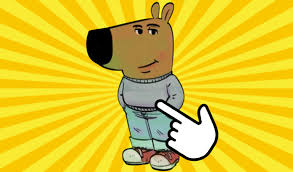
    The dog in Chill Guy Clicker is more than just a character—it’s the heart of the game. Its calm vibe, with a gray sweater, blue jeans, and red sneakers, instantly puts you at ease. The dog’s laid-back attitude reminds you to take things slow and enjoy the moment. It’s like having a virtual buddy cheering you on.

    This character also brings humor to the game. Its quirky design and funny animations make every click more enjoyable. The dog embodies the theme of “chilling,” which resonates with players who want a lighthearted experience. It’s no wonder the dog has become a fan favorite—it’s relatable, comforting, and just plain fun.

    Tip: Think of the dog as your guide to mastering the art of relaxation. Let its carefree attitude inspire your gameplay!

    Essential Tips to Excel in Chill Guy Clicker

    Mastering Clicking Techniques for Maximum Points

    To earn points fast in Chill Guy Clicker, click smartly. Random tapping won’t help much. Find a steady rhythm that feels natural. Clicking calmly is better than rushing. It keeps you relaxed and saves your fingers from getting tired.

    Practice clicking faster with tools like click speed tests. These tests show how many clicks you can do per second. Use them to track your progress. Some players aim for record-breaking speeds, but that’s not needed. Focus on small improvements. Try using your stronger hand or changing how you hold the mouse or screen.

    Here’s how better clicking can improve your game:

    Evidence Type

    Description

    Click Speed Test

    Shows how fast you can click, helping your game skills.

    World Record

    Shows top click speeds, inspiring you to improve.

    Tricks to Increase Speed

    Offers tips to click faster and play better.

    Necessity and Applications

    Explains why click speed matters for rewards and progress.

    Tip: Celebrate small wins to stay motivated. Be proud when you beat your old click speed. Use that success to keep improving.

    Prioritizing Upgrades for Long-Term Success

    Upgrades are super important in Chill Guy Clicker. They turn simple clicks into big points. But you need to choose upgrades wisely. Some give quick boosts, while others help you in the long run.

    Start with upgrades that add more points per click. These are the basics for growing your score. After that, focus on tools like auto-clickers or multipliers. These upgrades work even when you’re not playing, earning points for you.

    Think of upgrades like smart spending. Save points for big upgrades instead of wasting them on small ones. This way, you’ll reach your goals faster and get better rewards.

    Tip: Watch the dog’s animations closely. They sometimes hint at which upgrades are fun or useful to unlock.

    Leveraging Auto-Clickers for Efficiency

    Auto-clickers make Chill Guy Clicker easier and more fun. They do the clicking for you, so you can relax. Once you unlock one, your points will grow quickly without much effort.

    To get the best results, pair auto-clickers with upgrades that boost their power. Some upgrades make auto-clickers faster or stronger. Combine these with multipliers to earn even more points.

    Auto-clickers also let you explore other parts of the game. You can focus on rewards, try new strategies, or enjoy the dog’s funny moves. They keep the game chill while helping you progress.

    Tip: Use auto-clickers during bonus rounds or events. Timing them well can earn you extra rewards and make the game exciting.

    Managing Resources Strategically

    In Chill Guy Clicker, managing resources wisely can make all the difference in your progress. Points are your main currency, and how you spend them determines how quickly you level up. If you’re not careful, you might waste points on upgrades that don’t give you much value.

    Here’s how you can manage your resources like a pro:

    1. Track Your Spending: Keep an eye on how many points you’re earning and where they’re going. Before buying an upgrade, ask yourself if it’s worth the investment.

    2. Focus on High-Impact Upgrades: Some upgrades give you a bigger bang for your buck. Look for ones that boost your points per click or enhance your auto-clicker’s efficiency.

    3. Save for Big Rewards: Instead of spending points on smaller upgrades, save up for the ones that offer long-term benefits. These can help you earn points faster over time.

    4. Balance Short-Term and Long-Term Goals: Don’t just focus on immediate gains. Think about how your choices will affect your progress in the future.

    Tip: Pay attention to bonus rounds or special events. These moments often offer extra rewards, so make sure you have enough points saved to take advantage of them.

    Managing resources isn’t just about spending wisely. It’s also about knowing when to hold back. Sometimes, waiting a little longer before making a purchase can lead to better opportunities.

    Setting Realistic Goals to Stay Motivated

    Goals keep you motivated in Chill Guy Clicker, but setting them too high can lead to frustration. Instead, aim for realistic milestones that match your pace.

    Start with small, achievable goals. For example, you could aim to unlock a specific upgrade or reach a certain number of points in a day. These bite-sized targets give you a sense of accomplishment and keep the game fun.

    Here’s a simple way to set goals:

    Goal Type

    Example

    Why It Works

    Daily Goals

    Earn 10,000 points today

    Keeps you focused and consistent

    Upgrade Goals

    Unlock the next auto-clicker

    Helps you progress steadily

    Event Goals

    Maximize rewards during bonuses

    Adds excitement to your gameplay

    Note: Don’t compare your progress to others. Everyone plays at their own pace, and the beauty of Chill Guy Clicker is that it’s all about relaxing and enjoying the journey.

    Celebrate your wins, no matter how small they seem. Every milestone you hit is a step forward. When you feel stuck, take a break and come back refreshed. The dog character’s chill vibe is a great reminder to keep things lighthearted.

    By setting realistic goals, you’ll stay motivated without feeling overwhelmed. Remember, the game is meant to be fun, not stressful.

    Advanced Strategies for Dedicated Players

    Making the Best Upgrade Combos

    To improve your game, learn how upgrades work together. Some upgrades don’t mix well, so try different pairs. Start by combining upgrades that add more points per click with ones that boost auto-clickers. This way, you earn points both by clicking and automatically.

    For instance, if you unlock a multiplier upgrade, use it with an auto-clicker. This combo can quickly increase your points while you enjoy the dog’s funny moves. Look for upgrades that stack bonuses. These can multiply your rewards even more.

    Pro Tip: Try out combos during bonus rounds. You’ll see which ones work best.

    Clicking at the Right Time for Bonus Points

    Timing matters a lot for bonus rewards. Chill Guy Clicker has special events where you can earn extra points. Watch for these moments and plan your clicks carefully.

    When a bonus round begins, click as fast as you can. If you have an auto-clicker, turn it on during these times. Using both manual clicks and the auto-clicker together can double your points.

    Here’s a simple plan:

    1. Save your energy for bonus rounds.

    2. Use both hands to click faster.

    3. Turn on upgrades that boost points during these events.

    Note: Watch the dog during bonus rounds. Its moves often hint when rewards are coming.

    Finding Hidden Secrets and Fun Surprises

    Chill Guy Clicker isn’t just about tapping—it has hidden surprises too. These secrets make the game more exciting and fun to explore.

    Start by interacting with the dog. Tap on it or watch what it does. You might find secret animations or bonus points. Some players have even found mini-games by following the dog’s hints.

    Also, check the game’s menus and settings. Developers sometimes hide surprises in unexpected spots. Look for strange icons, patterns, or clickable items.

    Fun Fact: The dog’s sweater might change color during events. This could be a clue to a hidden surprise!

    Finding these secrets adds more fun to the game. Plus, you can share what you discover with other players.

    Engaging with the Community for Shared Tips

    Talking to other players can make Chill Guy Clicker more fun. The community loves sharing tips, tricks, and hidden surprises. By joining in, you’ll learn new strategies and meet friendly people.

    Why Community Engagement Matters

    Joining the community isn’t just about playing better—it’s about making friends. Many players think technology helps them stay connected online. Studies show:

    Metric

    Percentage

    Kids who say technology keeps them connected

    85%

    Kids who feel part of an online group

    60%

    These numbers show how gaming groups help people feel included. Sharing tips or celebrating wins makes you feel supported and excited to keep playing.

    Benefits of Shared Gaming Experiences

    Here’s why joining the community is great:

    • Technology helps people connect and support each other.

    • Sharing tips teaches you new ways to play better.

    • Games can help players relax, especially those with sensory needs.

    Talking to others gives you ideas you might not think of alone. Being part of a group makes the game more enjoyable and exciting.

    How to Get Involved

    It’s easy to join. Look for forums, social media pages, or Discord groups about Chill Guy Clicker. Ask questions, share your progress, and try tips from others. You’ll see how much fun the community adds to your game.

    Tip: Follow players who talk about hidden secrets or Easter eggs. They often find cool surprises that make the game better!

    Joining the community isn’t just about playing smarter—it’s about having fun with others. Jump in and start connecting!

    Maintaining the Relaxing Vibe

    Maintaining the Relaxing Vibe
    Image Source: pexels

    Avoiding Burnout by Pacing Yourself

    It’s easy to get caught up in the excitement of Chill Guy Clicker, but playing for hours without breaks can leave you feeling drained. To keep the game fun, pace yourself. Take short breaks between sessions to recharge. Step away from the screen, stretch, or grab a snack.

    You don’t have to rush to unlock every upgrade. The dog’s chill vibe reminds you to slow down and enjoy the process. Instead of aiming for perfection, focus on steady progress. If you feel stuck, take a breather and come back later with fresh energy.

    Tip: Set a timer for your gaming sessions. This helps you stay mindful of how much time you’re spending and prevents burnout.

    Celebrating Progress and Small Wins

    Every click counts in Chill Guy Clicker, so celebrate your achievements—big or small. Did you unlock a new upgrade? Take a moment to enjoy it. Did you beat your previous score? That’s worth a high-five!

    If you are creating a video for Chill Guy Clicker, considering the perfect sound effect from Dubbing AI. Not only will it make your video more engaging, but it could also help you get more likes on TikTok!

    The dog’s quirky animations make celebrating even more fun. Watch its moves when you hit milestones. It’s like having a cheerleader in the game. You can also share your progress with friends or the community. Hearing others cheer you on adds to the excitement.

    Here’s a quick list of ways to celebrate:

    • Take a screenshot of your progress and share it online.

    • Treat yourself to a snack or a break after reaching a goal.

    • Watch the dog’s funny moves as a reward for your hard work.

    Note: Small wins keep you motivated. Don’t wait for big milestones to celebrate—every step forward matters.

    Balancing Strategy with Fun and Relaxation

    While strategy is important, don’t let it overshadow the fun. Chill Guy Clicker is designed to be relaxing, so let the dog’s carefree attitude guide your gameplay. Experiment with different strategies, but don’t stress if something doesn’t work.

    Mix strategic planning with moments of pure enjoyment. Watch the dog’s animations, explore hidden features, or just click away without worrying about points. Balancing strategy with relaxation keeps the game lighthearted and enjoyable.

    Pro Tip: Play with the sound on. The game’s soothing music adds to the relaxing vibe and makes every click more satisfying.

    By pacing yourself, celebrating progress, and balancing strategy with fun, you’ll keep Chill Guy Clicker enjoyable and stress-free. Remember, the dog is there to remind you to chill and have fun!

    You’ve now got all the tools to make your time with chill guy clicker both fun and rewarding. From mastering clicking techniques to finding hidden surprises, every tip helps you enjoy the game more. Remember, the dog is your ultimate guide. Its quirky moves and chill vibe remind you to relax and take things slow.

    Set goals that feel right for you. Experiment with upgrades and strategies. Don’t forget to celebrate every win, no matter how small. Whether you’re clicking away or just watching the dog’s funny antics, the game is all about having fun. So, take your time, explore, and let the dog lead the way to a stress-free gaming experience.

    Final Tip: Keep the dog’s carefree attitude in mind. It’s not about rushing—it’s about enjoying the journey.

    FAQ

    How can I earn points fast in Chill Guy Clicker?

    Pick upgrades that add more points per click. Use auto-clickers to make earning easier. Combine these with multipliers during bonus rounds for extra rewards. Save your energy for times when points are higher.

    Tip: Pay attention to the dog’s moves—they often show bonus chances!

    Can Chill Guy Clicker be played offline?

    Yes, it can! You don’t need the internet to play. You’ll still earn points and enjoy the relaxing vibe. But features like events or updates might need you to go online.

    Are there secret features in the game?

    Definitely! Tap the dog or check menus for surprises. Players have found hidden animations, bonus points, and mini-games. Watch the dog’s sweater—it might change color during events, hinting at rewards.

    Is using auto-clickers necessary to win?

    No, it’s not! You can succeed by clicking manually. Auto-clickers just make the game easier and more relaxing. Use them if you want, but they’re optional.

    How can I stay motivated while playing?

    Set small goals, like unlocking upgrades or earning daily points. Celebrate every achievement, even tiny ones. Share your progress with others for encouragement.

    Note: The dog’s chill attitude reminds you to enjoy playing, not just reaching goals!

    See Also

    Maximize Your Roblox Experience With Sound Buttons Effectively

    Get Ready for Space Marine 2 Using Sound Button Tricks

    Essential Advice for Cultivating Your Voice Acting Skills

    Selecting the Best Voice Changer and Soundboard for Gamers

    Enhancing Fun in MineCraft With Dubbing AI Technology

  • Discover the Top Free Splat Sound Effect Resources

    Discover the Top Free Splat Sound Effect Resources

    Discover the Top 10 Free Splat Sound Effect Resources
    Image Source: pexels

    Looking for the perfect splat sound effect to bring your project to life? You’re in the right place! Whether you’re editing a funny video, creating audio content, or just adding some flair to your work, the best places to download royalty free sound effects are just a click away. These platforms make it easy to find free royalty-free effects that are high-quality and ready to use. One standout resource is Dubbing AI, which offers some of the top platforms offering free royalty-free sound effects. Let’s dive into these fantastic options!

    Key Takeaways

    • Free splat sounds make videos, games, and podcasts fun.

    • They help your projects stand out and be remembered.

    • Sites like Dubbing AI, Freesound.org, ZapSplat, and SoundBible have many splat sounds.

    • These sounds are high quality and free to use.

    • You can search and download them easily.

    • Always check the rules before using any sound.

    • Make sure you can use it for school or work projects.

    • Use tools like sound previews and search filters on these sites.

    • Pick the right file type for your editing needs.

    • Try mixing different splat sounds to make new effects.

    • This helps you be more creative in your projects.

    Why Splat Sound Effect is Trending Now?

    Have you noticed how often you hear a splat sound in videos, games, or even podcasts? You might wonder why this quirky sound effect pops up everywhere. Let’s dig into the reasons behind its sudden popularity.

    Tip: Splat sounds add instant humor and energy to any project. You can grab attention with just one well-timed splat!

    Here’s why you see splat sound effects trending right now:

    • Short-Form Video Craze: Platforms like TikTok, Instagram Reels, and YouTube Shorts love quick, funny moments. A splat sound makes a joke land or a fail moment even funnier.

    • Gaming and Animation: Game developers and animators use splat sounds to make actions feel real. When a character slips or something messy happens, you hear that satisfying splat.

    • Memes and Reaction Videos: You probably watch meme compilations or reaction videos. Creators use splat sounds to highlight surprises or silly moments.

    • DIY Content: Cooking, slime-making, and art videos often use splat effects. The sound matches the visuals and keeps you entertained.

    • Podcasting and Audio Stories: Even without visuals, a splat sound paints a picture in your mind. It helps storytellers create vivid scenes.

    You don’t need fancy gear to use these sounds. Most creators want quick, free, and easy-to-use effects. That’s why splat sound libraries are booming.

    If you want your content to stand out, try adding a splat sound. You’ll see how it grabs attention and makes your project more memorable. Splat sounds are here to stay, and you can use them to boost your creativity today!

    Top Websites for Free Splat Sound Effects

    Dubbing AI Sound Gallery

    You want a splat sound effect that stands out. Dubbing AI gives you just that. This platform offers a modern sound library with a wide range of free sound effects. You can search for splat sounds and find exactly what you need in seconds. The interface feels simple, so you do not waste time looking for the right sound. You can download files in popular formats, which makes it easy to use them in your video or audio project.

    Dubbing AI updates its sound gallery often. You always get fresh and unique sounds. If you want to add a creative touch to your work, this site helps you do it fast. You do not need to worry about hidden fees. The royalty-free sound effects are ready for you to use in both personal and commercial projects.

    Tip: Try mixing different splat sounds from Dubbing AI to create your own custom effect!

    Freesound.org Free Sound Effects

    Freesound.org is a favorite for many creators. You can find thousands of free sound effects here, including all kinds of splat sounds. The community uploads new sounds every day. You can listen to previews before you download, so you know exactly what you are getting.

    The search tool works well. You can filter by tags, duration, or even the type of license. Most sounds are free to use, but you should always check the license before adding them to your project. Freesound.org supports many file formats, so you can pick the one that works best for you.

    Here is a quick look at how Freesound.org compares to other popular sites:

    Website

    Pricing Model

    Library Size / Content Variety

    Licensing Type

    Unique Features / Formats

    Freesound.org

    Free

    500,000+ user-uploaded sounds

    Creative Commons, Public Domain

    Community-driven, tagging, previews, .wav/.mp3

    SoundBible

    Free + Premium

    Free and premium sounds

    Creative Commons, Public Domain

    Multiple file formats (.mp3, .wav), budget-friendly

    RØDE Ambisonic Library

    Free

    Ambisonic 360° natural ambience sounds

    Free use

    3D audio, DAW plugins, unique 360° recordings

    You can see that Freesound.org offers a huge variety and is easy to use for any project.

    ZapSplat Royalty Free Sound Effects

    ZapSplat is another top choice if you want royalty free sound effects. You get access to thousands of free sound effects, including a great selection of splat sounds. The website is easy to use. You can search, preview, and download sounds in just a few clicks.

    Many users love ZapSplat for its sound quality and variety. People who make games, videos, and even radio shows trust this site. Some users even upgrade to the paid plan because they find so much value in the free tier. One indie developer said the free sounds helped their project, and they plan to buy the paid version for more perks. Another user, a Gold member, praised the excellent sound quality and easy search tools.

    Note: ZapSplat has a high trust score of 83.1 out of 100 from Scam Detector. The site is safe, secure, and has no blacklisting.

    You can find sounds fast because the library is well organized. The customer service team responds quickly if you need help. Many users, from students to professionals, say ZapSplat is affordable and worth it. You can use the free sound effects for personal or commercial projects, but always check the license for each sound.

    SoundBible Free Splat Sound Effect Downloads

    You want a site that makes grabbing free sound effects quick and easy. SoundBible does just that. When you visit, you see a simple layout. You do not get lost in menus or pop-ups. You just search, listen, and download. You can use both WAV and MP3 files for your projects. This flexibility helps you work with any editing software.

    Here’s why SoundBible stands out from other sites:

    • You get free, royalty-free sound effects in both WAV and MP3 formats.

    • The interface is simple. You find what you need fast.

    • Licensing is clear. You can use sounds for commercial projects without paying fees.

    • Unlike ZapSplat, which charges for WAV files, SoundBible gives you both formats for free.

    • You do not need a subscription, unlike Epidemic Sound.

    • Filmora offers sound effects inside its video editor, but SoundBible works as a standalone source.

    You can trust SoundBible for your splat sound effect needs. The site keeps things easy and direct. You do not waste time or money. You just get the sound you want and move on with your project.

    Tip: Always check the license on each download page. Most sounds are ready for commercial use, but it’s smart to double-check.

    Mixkit Free Splat Sound Effects

    Mixkit brings you a fresh take on free sound effects. You get a modern website with a clean design. You can search for splat sounds or browse by category. Each sound comes with a short preview. You can listen before you download. This saves you time and helps you pick the right effect.

    Mixkit’s collection includes high-quality, royalty-free sound effects. You can use them in videos, podcasts, or games. You do not need to sign up or create an account. Just click and download. Mixkit updates its library often. You find new sounds every month.

    Many creators love Mixkit because:

    • The sounds are free for both personal and commercial use.

    • You get clear licensing with every download.

    • The site is easy to use, even if you are new to editing.

    • You can find a splat sound effect that fits your style.

    Mixkit helps you stay creative. You can mix and match sounds to make your project unique. If you want a site that feels modern and simple, Mixkit is a great choice.

    FreeSoundEffects.com Splat Sound Effect Collection

    FreeSoundEffects.com gives you a huge collection of free sound effects. You can search for splat sounds and find many options. The site sorts sounds by category, so you do not waste time scrolling. You can preview each effect before you download it.

    You get royalty-free sound effects for almost any project. The site offers both free and paid sounds. You can use the free ones for personal or commercial work. The download process is quick. You do not need to sign up for most sounds.

    Here’s what you get with FreeSoundEffects.com:

    • A large collection of splat and other effects.

    • Easy search tools to help you find what you need.

    • Royalty-free sound effects for videos, games, and more.

    • Simple downloads with no hidden steps.

    You can trust FreeSoundEffects.com to help you finish your project fast. The site gives you lots of choices. You can always find a sound that fits your needs.

    Note: Some sounds may require credit or have special rules. Always read the license before you use a sound in your project.

    BBC Sound Effects Archive

    You might want to explore a huge public-domain collection of free sound effects. BBC Sound Effects Archive gives you that chance. This archive comes from the BBC’s long history of radio and TV production. You get access to over 16,000 sounds. These include everything from animal noises to weather, and yes, even that perfect splat sound effect.

    You can search by keyword or browse by category. The site lets you preview each sound before you download it. You do not need to sign up. Just click and save the file you want. The BBC makes it easy for you to use these sounds in your creative projects.

    Note: The BBC Sound Effects Archive is a public-domain collection. You can use most sounds for personal, educational, or research projects. For commercial use, you should check the specific license for each sound.

    Here’s what you get with the BBC Sound Effects Archive:

    • A massive collection of free sound effects

    • Easy search and preview tools

    • High-quality audio files

    • Simple download process

    If you want a trusted source for royalty free sound effects, the BBC Sound Effects Archive is a great place to start.

    99Sounds Free Splat Sound Effects

    You want something fresh and unique for your project. 99Sounds offers a handpicked collection of free sound effects. This site focuses on quality over quantity. You will not find thousands of files, but you will find carefully crafted sounds. The splat sound effect options here stand out because sound designers create them with care.

    You can download entire packs or single sounds. The site does not ask you to register. You just pick what you like and download it. Each sound comes with clear information about how you can use it. Most sounds are royalty-free sound effects, so you can use them in both personal and commercial projects.

    Here’s why you might love 99Sounds:

    • All sounds are free to download and use

    • The site features original sound design

    • You get clear licensing info with every pack

    • No sign-up or subscription needed

    Tip: Try layering different free sound effects from 99Sounds to create a custom audio moment for your video or game.

    AudioMicro Free Sound Effects Section

    You want a place where you can find splat sound effects fast. AudioMicro gives you that. This website has a huge collection of free and paid sound effects. You can search for splat sounds and discover many options. The search bar sits right at the top. You just type what you need and get results in seconds.

    AudioMicro stands out because it feels organized. You do not have to dig through endless menus. The categories help you find splat, squish, or even cartoon sounds. You can preview each sound before you download it. This saves you time and helps you pick the right effect for your project.

    Tip: Use the preview feature to compare different splat sounds. You can find the one that fits your scene best.

    You can use AudioMicro for many creative projects. People who make videos, games, and podcasts trust this site. The sound library covers everything from classic splats to funny cartoon effects. You can even find sounds for horror or action scenes.

    Here is what you get with AudioMicro:

    • A large sound library with thousands of effects

    • Easy search and filter tools

    • High-quality audio files

    • Quick previews for every sound

    • Both free and paid options

    You do not need to sign up for a free account to download some sounds. For premium effects, you might need to create an account or pay a fee. Always check the license before you use a sound. Some sounds are free for personal use, while others work for commercial projects.

    Let’s compare AudioMicro with other popular sound libraries:

    Feature

    AudioMicro

    Freesound.org

    ZapSplat

    Free Splat Sounds

    Yes

    Yes

    Yes

    Paid Options

    Yes

    No

    Yes

    Search Function

    Advanced

    Good

    Good

    Preview Before Download

    Yes

    Yes

    Yes

    License Info

    Clear

    Varies

    Clear

    You can see that AudioMicro gives you both free and premium choices. The advanced search helps you find exactly what you want. The clear license info makes it easy to know how you can use each sound.

    Note: Some free sounds may require you to credit the creator. Always read the license details on the download page.

    If you want a reliable place for splat sound effects, AudioMicro is a smart pick. You can explore the sound library and find effects for any mood or style. Try mixing different splat sounds to create something new. Your project will sound more fun and professional.

    How to Choose the Right Free Sound Effects Site

    Consider Licensing and Usage Rights

    You want to use sound effects without running into legal trouble. Always check the licensing and usage rights before you download anything. Some platforms let you use sounds for commercial purposes, while others only allow personal projects. Look for clear license information on each site. If you plan to use sound effects in video editing or for commercial purposes, make sure the license covers that. Many sites offer high-quality royalty free sound effects, but you still need to double-check the rules. When in doubt, read the FAQ or contact support.

    Tip: If you see “royalty free,” it usually means you can use the sound for commercial purposes, but always confirm before you publish your work.

    Evaluate Search and Download Features

    You want a user-friendly interface that makes it easy to search for the right sound. Some sites have advanced filters, while others keep things simple. Try searching for splat or professionally recorded sounds and see how fast you find what you need. An easy to search platform saves you time and helps you stay creative. Look for sites that let you preview sounds before downloading. This way, you know you’re getting high-quality sound and not wasting space on your device. Quick downloads and clear file formats also make your workflow smoother.

    • Can you search by category or keyword?

    • Does the site offer previews?

    • Is the download process quick and simple?

    Check for Quality and Variety

    You want high-quality sound for your project. Many sites use professionally recorded audio, but not all sounds are equal. Some platforms use human listening tests to rate sound quality. For example, they might use a five-point scale or ask several people to rate each sound. These ratings help you find high-quality audio that fits your needs. Sites often add distortions to professionally recorded samples to test how quality changes. This helps them keep only the best sounds. You can trust platforms that use these methods to offer a wide variety of professionally recorded effects. If you need sounds for commercial purposes, look for sites with a big selection and clear quality ratings. An easy to search library with lots of options means you’ll always find the perfect sound.

    Many creators prefer sites that use human feedback and quality checks. You get more reliable, high-quality sound effects for your commercial purposes.

    You now have a list of the best places to find free splat sound effects. Each site gives you high-quality, royalty-free sounds that work for music, film, or games. These resources stay updated and easy to use, so you can focus on your creative ideas. Try out Dubbing AI and the other sites to see which fits your style.

    Remember: Always check the license before you use any sound effect in your project!

    FAQ

    How do you download a splat sound effect from these sites?

    You just search for “splat” on the site, listen to the preview, and click the download button. Most sites let you save the file right to your computer. Some may ask you to make a free account first.

    Can you use these splat sound effects in YouTube videos?

    Yes, you can use most of these sounds in YouTube videos. Always check the license on each site. Some sounds need credit or have special rules for commercial use.

    Tip: Look for “royalty-free” or “public domain” labels for the easiest use.

    Do you need to give credit when using free splat sound effects?

    Some sites ask you to give credit to the creator. Others do not. You should always read the license before you use a sound. Giving credit is a good habit and helps support sound creators.

    What file formats do these sound effects come in?

    You will find most splat sound effects in MP3 or WAV formats. These work with almost any video or audio editor. Some sites offer both, so you can pick the one that fits your project best.

    See Also

    Explore Unlimited Sound Boards With Dubbing AI Community

    Master Sound Button Usage For Powerful Roblox Effects

    Top AI Voice Changer Tools Designed For Creators

    Get Ready For Space Marine 2 Using Sound Buttons

    Find The Ultimate Celebrity Voice Changer App Today

  • Tips for Finding Roblox Sound IDs Easily

    Tips for Finding Roblox Sound IDs Easily

    Tips for Finding Roblox Sound IDs Easily
    Image Source: pexels

    Roblox Sound IDs, also known as sound id roblox, add fun sounds to your games. These codes give access to many sounds, like songs or cool effects. Popular sounds are used in lots of games by players. Community-made sounds bring new and creative ideas. A horn can get players to interact, or music can create a mood. Sound IDs are a great tool for game makers like you.

    Key Takeaways

    • Check the Creator Hub to find many sound IDs. Open the Toolbox in Roblox Studio, click Audio, and use keywords to search for sounds for your game.

    • Listen to audio files before using their Sound IDs. This makes sure the sound is what you want and works for your game.

    • If you look for Roblox music codes on other websites, pick trusted ones with good reviews. This helps you find great codes and avoid bad ones.

    Finding Sound ID Roblox in the Roblox Library

    Accessing the Creator Hub

    The Creator Hub is your starting point for finding sound id roblox. It’s packed with tools and resources to help you locate the perfect audio for your game. Here’s how you can access it:

    1. Open the Toolbox in Roblox Studio and click on the Creator Store tab.

    2. Select Audio from the category dropdown menu.

    3. Use the search bar to type in keywords related to the sound you’re looking for. You can also apply quick filters or advanced filters to narrow down your options.

    4. When you find an audio asset you like, right-click on it and choose Copy Asset ID to grab the Sound ID.

    The Creator Store offers over 100,000 professionally-produced sound effects and music tracks. These include everything from dramatic background music to quirky sound effects. With so many options, you’ll always find something that fits your game’s vibe.

    Tip: Use specific keywords like “popular sound effects” or “roblox music codes” to get better search results.

    Searching for Audio Files

    Finding audio files in the Roblox Library is simple once you know how to search effectively. Start by visiting the Roblox Library and navigating to the Audio section. Use the search bar to enter keywords that describe the sound you want. For example, if you’re looking for upbeat music, try searching for “happy tunes” or “energetic beats.”

    Filters are your best friend here. You can sort audio files by categories like genre, popularity, or upload date. This makes it easier to find the latest roblox music codes or trending sound effects.

    Note: Always preview the audio before copying its ID. This ensures the sound matches your expectations and fits your game’s theme.

    Copying Sound IDs from URLs

    Once you’ve found the perfect audio file, copying its Sound ID is a breeze. Every audio file in the Roblox Library has a unique URL. The Sound ID is embedded within this URL.

    Here’s how to extract it:

    • Click on the audio file to open its page.

    • Look at the URL in your browser’s address bar. The Sound ID is the string of numbers at the end of the URL.

    • Copy this number and paste it into your game’s AudioPlayer object to use the sound.

    For example, if the URL is https://www.roblox.com/library/123456789/Happy-Tune, the Sound ID is 123456789.

    Pro Tip: Bookmark audio files you like for quick access later. This saves time when you’re searching for roblox music ids again.

    Where to Find Roblox Music Codes on Third-Party Platforms

    Looking for Roblox music codes outside the Roblox Library can save time. It also helps you find cool and unique sounds. Websites and forums are great places to search. But not all sources are trustworthy, so be careful and verify the codes.

    Recommended Websites and Forums

    Some websites and forums focus on sharing Roblox music codes. They often have popular codes, like meme songs or trending tunes. Follow these tips to find reliable platforms:

    • Choose sites with clear rules and moderation. For example, the Creator Store checks assets for safety.

    • Look for community ratings on websites or forums. Reviews help you find good codes and avoid bad ones.

    • Join forums like Game Design Theory. These communities share popular song IDs and helpful tips for using them.

    Pay attention to user reviews and ratings when exploring these platforms. They show which codes are worth using and which to skip.

    Tip: Save your favorite websites or forums as bookmarks. This makes it easy to find Roblox music codes later.

    Verifying Sound ID Accuracy

    Not all codes online will work correctly. Some might be old or not match their description. Always check the accuracy of the IDs before using them.

    Here’s how to do it:

    1. Copy the Sound ID and paste it into Roblox Studio’s AudioPlayer.

    2. Play the sound to see if it matches the description.

    3. Check when it was uploaded and how popular it is. Older codes might not work, so use newer or highly-rated ones.

    These steps help you avoid broken or wrong sounds in your game. Spending a little time checking now can save you trouble later.

    Avoiding Unreliable Sources

    Some platforms for Roblox music codes are unsafe or misleading. Protect your game by avoiding unreliable websites and forums.

    Here’s what to avoid:

    • No moderation: Sites without rules may have harmful or bad-quality codes.

    • No reviews or ratings: Without feedback, it’s hard to know if codes are good.

    • Suspicious links or downloads: Don’t click on strange links or download files. Use platforms that share codes directly.

    By avoiding these risks, you’ll keep your game safe and only use verified, high-quality codes.

    Pro Tip: Always double-check codes from third-party sites with the Roblox Library. This ensures they are correct and still active.

    Tips for Searching Song IDs Effectively

    Tips for Searching Song IDs Effectively
    Image Source: pexels

    Finding the right song ids for your Roblox game doesn’t have to be a struggle. With a few smart strategies, you can quickly locate the perfect audio to enhance your game’s vibe. Let’s dive into some tips that’ll make your search easier and more effective.

    Using Specific Keywords

    When searching for song ids, the keywords you use can make all the difference. Instead of typing something vague like “music,” try being more specific. For example, if you’re looking for a spooky tune, search for “haunted sounds” or “eerie background music.” This narrows down the results and helps you find exactly what you need.

    You can also include terms like “roblox music codes” in your search. These keywords often lead to curated lists or popular audio files that are already loved by the community. The more precise your search terms, the faster you’ll find the right sound.

    Applying Filters and Categories

    Filters are your best friend when browsing for audio. Most platforms, including the Roblox Library, let you sort by categories like genre, popularity, or upload date. Use these filters to refine your search. For instance, if you want trending sounds, sort by popularity. If you’re after something fresh, filter by the latest uploads.

    Categories like “ambient,” “action,” or “funny” can also guide you to the right type of sound. Combining filters with specific keywords ensures you won’t waste time scrolling through irrelevant results.

    Head to Dubbing AI Sound Gallery to Find Free Roblox Sounds

    If you’re looking for free and unique sounds, check out the Dubbing AI Sound Gallery. This platform offers a wide range of audio files, from catchy tunes to quirky sound effects. It’s a great resource for finding song ids that stand out from the usual options.

    The gallery is easy to navigate, and many sounds are already optimized for Roblox. Just search for what you need, no more Roblox ID searching. It’s a quick and hassle-free way to expand your library of roblox music codes.

    Pro Tip: Bookmark the Dubbing AI Sound Gallery for future use. It’s a goldmine for free, high-quality sounds that can elevate your game.

    Finding sound id roblox doesn’t have to be complicated. Use the Roblox Library or trusted platforms to locate the perfect audio. Always verify IDs to avoid errors. Adding sounds is a fun way to personalize their games with music and keep your roblox games fresh. Start exploring today and make your game stand out! 🎮

    FAQ

    What is a Roblox Sound ID?

    A Roblox Sound ID is a unique number that identifies an audio file. You can use it to add music or sound effects to your game.

    How do I use a Sound ID in my game?

    Copy the Sound ID, paste it into the AudioPlayer object in Roblox Studio, and test it. It’s that simple!

    Can I use any Sound ID I find online?

    Not always. Verify the ID in Roblox Studio to ensure it works and matches the description. Avoid unreliable sources to keep your game safe.

    Tip: Always preview sounds before adding them to your game. This ensures they fit your theme perfectly!

    See Also

    Maximize Your Roblox Experience With Effective Sound Buttons

    Four Essential Tips for Gaining Popularity in Roblox

    Incorporating Pokemon Sound Buttons Into Your Valorant Gameplay

    Selecting The Best Voice Changer And Soundboard For Gamers

    Explore Free Sound Boards For Dubbing AI Community Sounds

  • Oof Sound Effect Download Spots Everyone’s Ssing Now

    Oof Sound Effect Download Spots Everyone’s Ssing Now

    Oof sound effect download spots everyone’s using now
    Image Source: pexels

    Looking for the oof sound effect? You’re not alone! Here are some favorite spots where you can grab it for free:

    Always check if a site is safe and legal before you download anything. Protect your device and respect copyright rules!

    Key Takeaways

    • Find the oof sound effect on trusted sites like Myinstants, Pixabay, and YouTube for free and easy downloads.

    • Always check the license and copyright info before downloading to use sounds legally and give credit when needed.

    • Protect your device by downloading only from safe sites and scanning files with antivirus software.

    • Use free tools like Dubbing AI to edit, trim, or customize your oof sound effect for any project.

    • Try recording your own oof sound or use online generators like ElevenLabs.io to create unique versions.

    Oof sound effect download guide

    Myinstants

    You can grab the oof sound effect from Myinstants in just a few clicks.

    1. Go to the Myinstants website.

    2. Type “oof” in the search bar at the top.

    3. Find the button labeled “oof” and press it to preview the sound.

    4. To download, right-click the red “Download MP3” button below the sound and select “Save link as…”

    5. Choose where you want to save the file on your device.

    Tip: Myinstants offers instant playback, so you can listen before you download. No sign-up needed!

    Quick Sounds

    Quick Sounds makes downloading easy and fast.

    1. Visit Quick Sounds.

    2. Use the search bar to look for “oof sound effect.”

    3. Click on the result you like.

    4. Hit the “Download” button.

    5. The file will save as an MP3, ready for use.

    You can preview every sound before downloading. The site is ad-supported but safe.

    Pixabay

    Pixabay is known for free and safe downloads.

    1. Head to Pixabay Sound Effects.

    2. Search for “oof.”

    3. Click on the sound you want.

    4. Press the green “Free Download” button.

    5. The sound will download as an MP3 or WAV file.

    No account is needed for most downloads. Pixabay checks all uploads for copyright safety.

    SampleFocus

    SampleFocus has a big library of sound effects.

    1. Go to SampleFocus.

    2. Type “oof” in the search bar.

    3. Click on the sound you want.

    4. You may need to sign up for a free account to download.

    5. After signing in, click “Download” to get your file.

    You can listen to samples before downloading. The site offers tags and categories for easy searching.

    Archive.org

    Archive.org is a treasure chest for all kinds of audio.

    1. Visit Archive.org.

    2. Enter “oof sound effect” in the search box.

    3. Browse the results and pick a file.

    4. Click on the file page, then find the “Download Options” section.

    5. Choose your preferred format (like MP3 or OGG) and download.

    Archive.org hosts public domain and creative commons sounds. Always check the license before using.

    Voicy.network

    Voicy.network is all about memes and viral sounds.

    1. Go to Voicy.network.

    2. Search for “oof.”

    3. Click on the sound you want.

    4. Press the “Download” icon (usually a downward arrow).

    You can play sounds instantly. No sign-up is required for most downloads.

    ElevenLabs.io

    ElevenLabs.io lets you create or find custom sound effects.

    1. Visit ElevenLabs.io.

    2. Use the search or explore features to find “oof” or similar sounds.

    3. If you want a unique oof sound effect, try their AI voice generator.

    4. Download your sound in the format you need.

    You may need to create a free account for some features. The site supports custom sound generation.

    MyInstants.org

    MyInstants.org works much like Myinstants.

    1. Go to MyInstants.org.

    2. Search for “oof.”

    3. Click the button to play the sound.

    4. Right-click the “Download MP3” button and choose “Save link as…”

    5. Save the file to your device.

    Instant playback is available. No registration is needed.

    YouTube

    YouTube is a popular place to find and download the oof sound effect. Many creators upload high-quality versions. Here’s how you can get it:

    1. Go to YouTube.

    2. Type “oof sound effect” in the search bar.

    3. Pick a video with the sound you want.

    4. Use a trusted YouTube to MP3 converter (like ytmp3 or 320ytmp3) to extract the audio.

    5. Paste the video link into the converter and download the MP3 file.

    Always check the video description for copyright info. Only use trusted converters to avoid malware.

    YouTube stands out because of its huge reach and active user base. Here’s a quick look at some impressive stats:

    Metric

    Statistic

    Monthly active users

    2.49 billion

    Percentage of global internet users accessing YouTube monthly

    47%

    Most viewed video (Baby Shark Dance) views

    13.3 billion

    YouTube ad revenue (quarterly)

    Nearly $8 billion

    Average creator earnings per 1000 views

    $1.61 – $29.30

    Paid subscribers (Premium and Music)

    Over 80 million

    YouTube gives creators detailed analytics, so you know the content is popular and trusted. Many users leave reviews and comments, which helps you pick the best version of the oof sound effect.

    Pro Tip: After downloading, you can use Dubbing AI to trim, edit, or convert your sound effect for any project. Dubbing AI works with most audio formats and makes editing simple.

    Best free oof sound effect sites

    Uppbeat.io

    Uppbeat.io gives you a fresh way to find sound effects. You can search for the oof sound effect and download it with just a few clicks. The site has a clean look and easy navigation. You get free downloads every month, but you need to create a free account. The library feels modern and always growing.

    Pros:

    • Free downloads with account

    • High-quality sounds

    • Simple search

    Cons:

    • Limited free downloads per month

    • Account required

    Uppbeat.io

    Audio.com

    Audio.com stands out for its huge collection and trusted downloads. You can find the oof sound effect and many other meme sounds. The site checks files for safety. Many users trust Audio.com, and apps related to oof sounds have thousands of downloads and high ratings. For example, the Oof Sounds Button app has almost 2,000 downloads and a 4-star rating. The Oof soundboard for Roblox app has over 17,000 downloads and a perfect 5-star rating. Both apps are virus-checked and free.

    App Name

    Downloads

    User Rating (out of 5)

    Oof Sounds Button 7.0

    1,897

    4

    Oof soundboard for Roblox 1.2

    17,287

    5

    Pros:

    • Huge sound library

    • Safe, virus-checked files

    • High user ratings

    Cons:

    • Some sounds may need sign-up

    Audio.com

    Freesound

    Freesound offers a massive library of user-uploaded sounds. You can search for the oof sound effect and listen before you download. The site lets you filter by license, so you know what you can use for free. You need to sign up for a free account to download.

    Pros:

    • Tons of sounds

    • License info for each file

    • Active community

    Cons:

    • Account needed for downloads

    • Some sounds need credit

    Freesound

    SoundBible

    SoundBible keeps things simple. You can search for the oof sound effect and download it right away. No account needed. The site lists the license for each sound, so you know if you can use it for free.

    Pros:

    • No sign-up needed

    • Fast downloads

    • Clear license info

    Cons:

    • Smaller library

    • Older website design

    SoundBible

    YouTube Audio Library

    YouTube Audio Library gives you free music and sound effects for your projects. You can search for the oof sound effect and download it in seconds. The library updates often and shows which sounds need credit.

    Pros:

    • Free for everyone

    • Easy to use

    • Regular updates

    Cons:

    • Some sounds need credit

    • Not all meme sounds included

    YouTube Audio Library

    Tip: Always check the license before you use any sound. Some sites ask you to give credit to the creator.

    Safety and legal tips

    Copyright check

    Before you download any oof sound effect, you should always check if you have the right to use it. Some sounds are free for everyone, but others may need permission or credit. Look for a license or usage note on the website. If you see “public domain” or “Creative Commons Zero,” you can use the sound without worry. If the site asks you to give credit, make sure you do that in your project. When in doubt, pick another sound or ask the creator.

    Tip: Sites like Pixabay and Freesound show license info right next to each sound. Always read it before you download.

    Avoiding malware

    You want your device to stay safe. Some sites may try to trick you with fake download buttons or pop-up ads. Only click the real download button. If a site asks you to install extra software, close the page. Use an ad blocker if you can. Trusted sites like Myinstants, Audio.com, and YouTube Audio Library rarely have these problems.

    Here’s a quick checklist to help you avoid malware:

    • Download only from trusted sites.

    • Never open strange files or .exe downloads.

    • Scan every file with your antivirus before using it.

    Safe download practices

    You can keep your downloads safe by following a few simple steps. Always double-check the file type. Most oof sound effect files come as MP3 or WAV. If you see a different file type, be careful. Save your files in a folder you trust. Use tools like Dubbing AI to edit or manage your sounds. Dubbing AI works online, so you don’t need to install anything risky.

    Remember: If something feels off, trust your gut and try another site.

    Alternative ways to get oof sound effect

    Extract from games or videos

    Sometimes you can’t find the exact oof sound effect you want on download sites. You can try getting it straight from a game or a video. If you play a game that uses the oof sound, you can record your screen or use a sound recorder app. Pause the game right before the sound plays, then hit record. You can also use a free video editor to cut out just the part with the oof sound. If you find a YouTube video with the sound, use a trusted YouTube to MP3 converter. Just copy the video link, paste it into the converter, and download the audio. Always check if you have permission to use the sound.

    Tip: Use Dubbing AI to trim or clean up the sound after you extract it. This makes your clip sound even better.

    Record your own

    You can make your own oof sound effect at home. Grab your phone or a microphone. Try saying “oof” in a funny or dramatic way. Record yourself and listen back. If you want, add some echo or change your voice with a free audio editor. This way, you get a sound that is unique and fits your style.

    • Try different voices or pitches.

    • Add effects like reverb or pitch shift.

    • Save your best version for your projects.

    Use sound generators

    Online sound generators let you create custom sounds in seconds. Sites like ElevenLabs.io help you make a new oof sound with just a few clicks. Type in the word “oof,” pick a voice or style, and let the tool do the rest. Download your new sound and use it anywhere you want.

    Tool

    What it does

    Free to use?

    ElevenLabs.io

    AI voice generator

    Yes (basic)

    Dubbing AI

    Edit and customize

    Yes (basic)

    You can use Dubbing AI to edit, trim, or mix your sound. This helps you get the perfect oof for your next meme or video.

    You now know where to find the oof sound effect safely and for free. Always check the license before you download. Stick to trusted sites to keep your device safe. Dubbing AI can help you edit your sounds with ease. Ready to try it out? Go explore these sites and add some fun to your next project!

    FAQ

    How do you know if an oof sound effect is safe to download?

    Always use trusted sites from this blog. Look for MP3 or WAV files. Scan every file with your antivirus. If a site asks you to install extra software, close it right away.

    Can you use the oof sound effect in your YouTube videos?

    Yes, you can use it if the license allows. Check the license on the download page. Some sounds need credit. If you are unsure, pick another sound or ask the creator.

    What should you do if a site asks for payment?

    You do not need to pay for most oof sound effects. Try the free sites listed here first. If a site asks for money, double-check if it is safe and worth it.

    Can you edit the oof sound effect after downloading?

    Absolutely! Use free tools like Dubbing AI to trim, mix, or add effects. Editing helps you make the sound fit your project perfectly.

    Why do some sites require you to sign up before downloading?

    Some sites want to track downloads or build a community. Signing up is usually free. It helps you save favorites and get updates, but you can skip these sites if you prefer.

    See Also

    Mastering Sound Buttons To Boost Your Roblox Experience

    Improve Your Gameplay Using The Dubbing AI Soundboard

    Explore New AI Voice Cloning Software For Realistic Voiceovers

    Get Ready For Space Marine 2 Using Sound Button Tricks

    Dubbing AI Provides The Best Voice Changing Features On Discord

  • Grindr Sound Effect vs Snapchat Sound Effect: What’s Your Vibe?

    Grindr Sound Effect vs Snapchat Sound Effect: What’s Your Vibe?

    Grindr Sound Effect vs Snapchat Sound Effect What’s Your Vibe?
    Image Source: pexels

    Ever had your phone buzz and instantly felt a certain vibe? When you hear the grindr sound effect, do you feel bold or just amused? Maybe the Snapchat ping makes you think of quick snaps and playful moments. These sounds do more than alert you—they shape your mood and even your focus. Studies show that different audio cues can spark unique emotional reactions. No wonder the grindr sound effect became a meme. Which one matches your energy?

    Key Takeaways

    • The Grindr sound effect is sharp and bold, grabbing attention and boosting energy, while the Snapchat sound effect feels light and playful, encouraging relaxation and fun.

    • Notification sounds influence your mood and focus by triggering emotional and physical reactions like alertness or calmness.

    • People perceive sounds differently based on personality, environment, and mood; bold sounds suit outgoing vibes, and soft sounds fit those who prefer subtlety.

    • Both sounds have strong social impact, appearing in memes and shaping online culture, helping users connect through shared experiences.

    • You can choose your notification sound to match your current vibe—bold to stand out or playful to blend in—and change it anytime to fit your mood.

    What’s the Differences?

    Grindr Sound Effect

    You know that moment when your phone makes the grindr sound effect? It’s sharp, bold, and grabs your attention right away. This sound stands out in a crowded room. You can’t ignore it. People often describe it as cheeky or even a little daring. If you want a sound that makes a statement, this one does the trick.

    • In a user study with 94 people, most focused on the main sound source and how many sounds played at once. They cared more about what the sound was than how loud or long it lasted.

    • The grindr sound effect usually has a clear, single source. It’s short and direct, which matches its bold vibe.

    Let’s look at some technical details that help explain why this sound feels so strong:

    Parameter

    Description

    Why It Matters for Grindr Sound Effect

    Frequency Response

    Range of tones in the sound

    Makes the sound crisp and easy to notice

    Dynamic Range

    Difference between quiet and loud parts

    Keeps the sound punchy and not lost

    Transient Response

    How fast the sound starts and stops

    Gives that instant, attention-grabbing feel

    You might notice that the grindr sound effect is all about making you look up and pay attention. It’s not just a notification—it’s a vibe.

    Snapchat Sound Effect

    The Snapchat sound effect feels lighter and more playful. When you hear it, you might think of sharing quick snaps with friends or catching up on stories. This sound doesn’t shout for attention. Instead, it invites you to join in and have fun.

    • Most people in the same user study cared about what the sound meant and where it came from, not just how it sounded.

    • The Snapchat sound effect often uses a soft, friendly tone. It’s less about being bold and more about being inviting.

    Here’s how the Snapchat sound effect shapes your experience:

    Measurable Indicator

    What It Means for You

    User Engagement Time

    You spend more time in the app, thanks to fun sounds

    App Retention Rates

    You come back more often, feeling connected

    User Feedback

    People say the sound makes the app feel friendly and easy to use

    The Snapchat sound effect helps you feel welcome. It’s a gentle nudge, not a loud call. If you like a sound that blends in and keeps things light, this one fits your style.

    Hit the Vibe Check between Grindr & Snapchat

    Energy and Mood

    When you hear a notification sound, your body and mind react—even if you don’t notice it right away. The grindr sound effect hits you with a sharp, bold tone. It’s like a quick jolt of energy. You might feel your heart beat a little faster or your attention snap to your phone. This isn’t just your imagination. Scientists have found that sound effects can actually change your mood and energy levels. Fast, punchy sounds can boost your excitement and make you feel more alert. Slow or soft sounds, on the other hand, help you relax.

    Did you know? Rhythmic sounds can sync up with your body’s natural rhythms. This process, called neural entrainment, means that a bold sound like Grindr’s can actually make you feel more awake and ready to act.

    Let’s break it down:

    • Bold, sharp sounds (like Grindr):

      • Increase alertness

      • Boost energy

      • Make you feel daring or cheeky

    • Light, playful sounds (like Snapchat):

      • Encourage relaxation

      • Spark a playful mood

      • Help you feel connected and at ease

    Researchers have measured these effects in real life. For example, when people listen to fast-paced or novel sounds, their brains release dopamine, which makes them feel good and more energetic. One study even showed that relaxing music can lower feelings of fatigue, while noisy sounds can make you feel tense or confused. So, if you want a sound that wakes you up and gets you moving, Grindr’s effect is your pick. If you want something that keeps things chill and fun, Snapchat’s sound is the way to go.

    Here’s a quick look at how different sounds affect mood and energy:

    Sound Type

    Mood Effect

    Energy Level

    Bold & Sharp

    Excitement, Alertness

    High

    Light & Playful

    Relaxation, Playfulness

    Moderate

    Noisy/Harsh

    Tension, Confusion

    Low or Negative

    User Perception

    You don’t just hear a sound—you judge it. Your brain decides if it’s friendly, annoying, or exciting. The grindr sound effect often feels bold and a little mischievous. People might look up and wonder, “Who just got that message?” It stands out, and you might even feel a bit daring when you hear it in public.

    Snapchat’s sound is different. It’s softer and more familiar. You probably think of friends, fun, and sharing moments. It blends into your day and doesn’t draw too much attention. This difference in perception isn’t random. Studies show that people react to sound based on things like loudness, sharpness, and rhythm. Your age, mood, and even your job can change how you feel about a sound.

    • Some people love bold sounds because they want to stand out.

    • Others prefer gentle sounds that don’t interrupt their flow.

    • Your own vibe shapes how you feel about each notification.

    Tip: If you want to make a statement, go for a sound that’s bold and unique. If you’d rather keep things low-key, choose something soft and friendly.

    Scientists have found that people’s reactions to sound can change depending on their environment and who they are. For example, in busy places, sharp sounds can make people feel nervous or alert. In calm settings, soft sounds help everyone relax. Even your own experiences—like how often you use an app—can change how you feel about its sound.

    So, next time your phone pings, pay attention to how you feel. Does it make you smile, jump, or just chill out? That’s your vibe talking.

    Grindr Sound Effect vs Snapchat: Social Impact

    grindr sound effect vs Snapchat: Social Impact
    Image Source: unsplash

    Meme Culture

    You can’t scroll through TikTok or Reddit without hearing the grindr sound effect pop up in a meme or a funny video. This sound has become a cultural icon. People use it to signal something bold, cheeky, or just plain unexpected. You might even hear it in places you don’t expect, like sports clips or reaction videos. The grindr sound effect is so recognizable that even people who don’t use the app know what it means.

    Snapchat’s sound effect also shows up in memes, but it usually brings a lighter, more playful vibe. People use it to highlight quick reactions or silly moments with friends. Both sounds help you join in on internet jokes and trends.

    Take a look at how viral sound memes shape social media:

    Metric Description

    Verified Figure / Statistic

    Meme engagement among 16-23 year olds

    54%

    Generation Z using memes daily to communicate

    77%

    Engagement rate using memes on Facebook and Instagram

    60% organic engagement (vs. ~5% for standard graphics)

    US consumers wanting brands to participate in meme culture

    41%

    Bar chart showing meme metrics percentages

    You can see how much people love memes and viral sounds. The grindr sound effect stands out because it sparks instant recognition and laughter. Even the 2024 U.S. Open got in on the joke, with a tennis player’s “serving grunt” going viral for sounding just like the grindr sound effect. That moment turned into a meme of its own, showing how these sounds cross into real life and sports.

    Emotional Reactions

    When you hear a notification, your body reacts—even if you don’t notice it. The grindr sound effect can make you jump, laugh, or look around to see who got the message. Sometimes, people even confuse it with other alerts, which leads to funny or awkward moments. Snapchat’s sound usually feels lighter, so you might just smile or feel relaxed.

    Researchers have measured these reactions in real time. They use things like heart rate, brain waves, and even skin response to see how your body changes when you hear different sounds. Here are some ways scientists track these feelings:

    • Heart rate variability (HRV) shows if you feel calm or excited.

    • EEG brain waves change when you feel relaxed or alert.

    • Cortisol levels drop when a sound helps you chill out.

    A study with EEG caps found that push notification sounds, like the grindr sound effect, trigger strong brain responses. Your brain lights up with excitement or surprise. Other studies show that people’s feelings about these sounds can change based on age, mood, or even if they’re in a busy place.

    Metric Category

    Description

    Scale/Measurement

    Emotional Evaluation (PAD Model)

    Measures pleasure, arousal, dominance (how happy, excited, or in control you feel)

    10-point scale for each feeling

    Musical Evaluation

    How much you like the sound during communication

    21-point scale: -10 (very negative) to +10 (very positive)

    So, next time you hear the grindr sound effect or the Snapchat ping, notice how you feel. Do you get a rush of energy, or do you just want to laugh? These sounds do more than alert you—they shape your mood and help you connect with others.

    Which Sound Matches You?

    Outgoing vs Playful

    Do you see yourself as the life of the party, or do you prefer to keep things light and fun? The sound you choose can say a lot about your personality. If you love attention and enjoy bold moments, the grindr sound effect might fit your vibe. This sound feels daring and confident. It grabs everyone’s focus, just like you do when you walk into a room.

    On the other hand, maybe you like to keep things playful and easygoing. The Snapchat sound effect brings a sense of fun without making a big scene. It’s perfect if you enjoy sharing laughs and quick moments with friends.

    Personality experts say that traits like extraversion and introversion exist on a spectrum. You might feel outgoing in some situations and more reserved in others. The DISC personality framework shows that people can shift their style depending on who they’re with or where they are. Over time, you might even notice your preferences change as you grow more confident or relaxed.

    Your sound choice can reflect your mood and your social energy. It’s not just about who you are—it’s also about how you feel today.

    Stand Out or Blend In?

    Ask yourself: Do you want your phone to make a statement, or would you rather keep things subtle? The grindr sound effect stands out. It’s like wearing a bright shirt in a crowd. People notice. If you want to show off your unique style, this sound helps you do that.

    The Snapchat sound effect blends in more. It’s friendly and familiar, like a favorite hoodie. You can use it anywhere without drawing too much attention. This is great if you like to keep things chill and avoid the spotlight.

    Sound Effect

    Vibe

    Best For

    Grindr

    Bold, Outgoing

    Standing out, making a statement

    Snapchat

    Playful, Subtle

    Blending in, keeping it light

    Remember, your choice might change as you grow or as your mood shifts. You don’t have to pick just one vibe forever. Try both and see which one feels right for you today!

    Looking for premium Grindr or Snapchat sound effects without paying a cent? Visit Dubbing AI’s Sound Gallery where thousands of app notification sounds are available for free download.

    You’ve seen how the grindr sound effect brings bold energy, while the Snapchat sound effect keeps things playful. Your choice can shape how you connect with others. Fun fact: sounds like birdsong or water in parks boost social interactions by about 10%. Check out the table below!

    Sound Type

    Social Interaction Boost

    Birdsong

    11%

    Water Sounds

    12%

    So, which sound matches your vibe? Drop a comment and share your favorite!

    FAQ

    What makes the Grindr sound effect so recognizable?

    You hear it once, and it sticks. The Grindr sound effect uses a sharp, bold tone that grabs your attention. People often use it in memes, so you start to connect it with funny or bold moments online.

    Can I change my notification sound to match my vibe?

    Yes! Most phones let you pick custom notification sounds. You can choose something bold like Grindr or playful like Snapchat. Just go to your settings and try out different options until you find one that fits you.

    Why do people react so strongly to these sounds?

    These sounds trigger quick feelings. A bold sound can make you feel alert or excited. A playful sound might make you smile. Your brain connects certain sounds with emotions, so you react without even thinking.

    Do these sounds ever get confused with other notifications?

    Sometimes! The Grindr sound effect is so unique that people notice it right away, even if it comes from a meme or video. Snapchat’s sound blends in more, so you might mix it up with other app alerts.

    Which sound is better for group settings?

    If you want to stand out, use the Grindr sound effect. Everyone will notice. If you want to keep things chill, Snapchat’s sound works better. It’s friendly and less likely to interrupt a conversation.

    See Also

    Explore Top Celebrity Voice Changing App With Dubbing AI

    Selecting The Perfect Voice Changer And Soundboard For Gamers

    Dubbing AI Offers The Best Voice Changing Tool For Discord

    Complete Guide To Pranking On Discord Using AI Voice Changers

    Enhance Minecraft Experience With Sound Button Magic For New Movie