Category: Sound Effect Tips

  • Prepare for Space Marine 2 with Sound Button Magic

    Prepare for Space Marine 2 with Sound Button Magic

    Prepare for Space Marine 2 with Soundboard Magic
    Image Source: unsplash

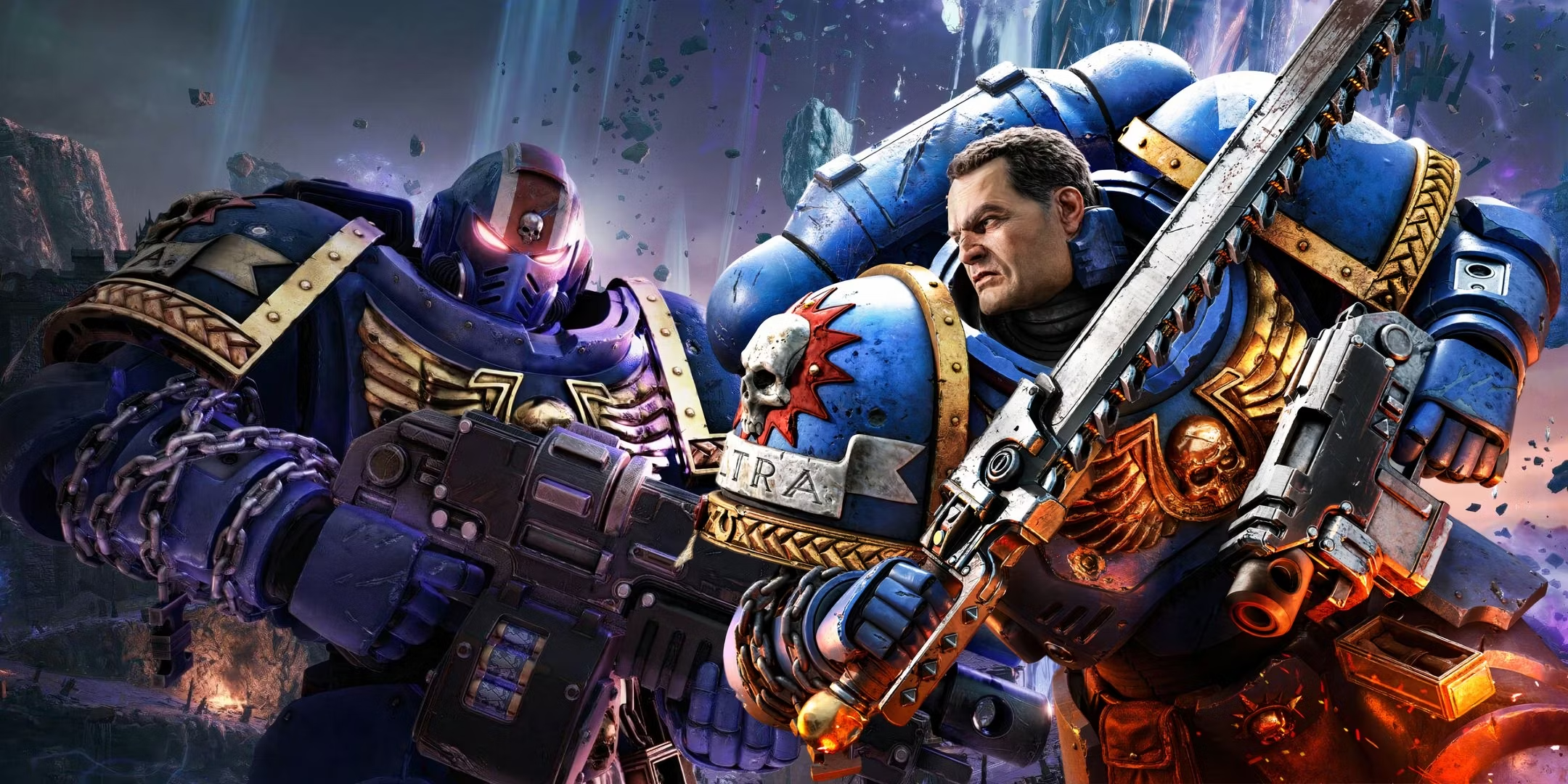
    The excitement surrounding Space Marine 2 is electrifying. Gamers are eagerly anticipating its release, and the buzz is undeniable. Social media mentions have surged, and pre-orders are off the charts. Players are eager to immerse themselves in this captivating universe. However, preparation is crucial. Utilizing a sound button or soundboard can significantly enhance your gaming experience. These tools boost immersion and make gameplay even more exhilarating. Prepare to unleash your inner Space Marine 2 Astarte. The adventure is on the horizon, and you definitely don’t want to miss it.

    The Best AI Voice Changer with soundboard

    Understanding Space Marine 2

    Understanding Space Marine 2
    Image Source: pexels

    Game Mechanics Overview

    Key Features and Innovations

    Space Marine 2 brings a thrilling mix of combat and action gameplay. Players dive into a linear campaign that promises intense battles. The game offers a robust multiplayer mode. You can choose from different classes of Space Marines. Each class has unique abilities. Upgrading weapons and unlocking new skills add depth to the experience. Customizing your soldier allows for personal touches. The melee combat system complements traditional shooting action. This blend creates an engaging and dynamic gameplay environment.

    Beginner’s Guides and Resources

    New players often seek guidance. Space Marine 2 provides beginner-friendly resources. YouTube hosts numerous guides. These videos cover everything from basic controls to advanced strategies. Online forums also offer tips and tricks. Engaging with these resources can ease the learning curve. Players gain confidence as they explore the game’s mechanics. Preparation leads to a more enjoyable gaming experience.

    Strategies for Success

    Essential Tips for New Players

    Starting strong in Space Marine 2 requires focus. New players should prioritize understanding the basics. Familiarize yourself with the controls and mechanics. Experiment with different classes to find your preferred playstyle. Utilize cover effectively during battles. This tactic increases survival chances. Practice makes perfect, so don’t shy away from replaying missions. Each attempt improves your skills and understanding.

    Advanced Tactics for Veterans

    Veteran players seek challenges. Space Marine 2 offers opportunities for mastery. Advanced tactics can elevate your gameplay. Mastering melee combat techniques is crucial. Combining shooting with melee attacks creates powerful combos. Timing and precision become your allies. Teamwork in multiplayer modes enhances success. Coordinate with teammates for strategic advantages. Veterans thrive on pushing boundaries and achieving excellence.

    Enhancing Gameplay Experience

    Console Settings Optimization

    Graphics and Performance Tweaks

    Optimizing console settings can transform your gaming experience. Start by exploring the graphics options available on your console. Adjusting resolution settings can enhance visual clarity. Upscaling techniques can improve image quality without sacrificing performance. You might notice smoother gameplay with these changes. Performance tweaks, like adjusting frame rates, can also make a big difference. A higher frame rate often results in more responsive controls. Experiment with these settings to find the perfect balance for your setup.

    Audio Settings for Immersion

    Sound plays a crucial role in creating an immersive environment. Dive into the audio settings on your console to optimize sound quality. Adjust the sound class processing to enhance specific audio elements. Boosting bass levels can add depth to explosions and gunfire. Clear dialogue settings ensure you never miss important in-game conversations. Surround sound capabilities can transport you right into the heart of the action. Tweak these settings to fully immerse yourself in the Space Marine universe.

    Mastering Melee Combat

    Techniques and Combos

    Melee combat in Space Marine 2 offers thrilling challenges. Start by learning basic techniques like blocking and dodging. These skills form the foundation of effective melee combat. Practice combining different attacks to create powerful combos. Timing becomes essential when executing these moves. A well-timed combo can turn the tide of battle in your favor. Experiment with various combinations to discover what works best for you.

    Practice Drills and Exercises

    Consistent practice sharpens your melee combat skills. Set aside time for regular drills and exercises. Focus on mastering one technique at a time. Repetition helps build muscle memory, making actions feel instinctive. Try practicing against different enemy types to adapt your strategies. Each session brings you closer to becoming a melee combat expert. Embrace the challenge and watch your skills grow with each practice session.

    Preparing for Multiplayer

    Importance of Teamwork

    Teamwork forms the backbone of success in multiplayer modes. Players must communicate effectively to achieve victory. Clear communication ensures everyone knows their role. Use voice chat or in-game messaging for real-time updates. Share information about enemy positions and strategies. Encourage teammates to speak up and share ideas.

    Communication Strategies

    Developing strong communication strategies boosts team performance. Start by establishing a common language or set of terms. Use short and clear phrases during intense moments. Practice active listening to understand teammates’ needs. Encourage feedback to improve team dynamics. Regularly review and refine communication methods. At the same time, using sound buttons will help you to save the time for communication.

    Role Assignments and Coordination

    Assigning roles enhances coordination within the team. Each player should understand their responsibilities. Define roles based on individual strengths and preferences. A balanced team includes offense, defense, and support roles. Coordinate actions to maximize effectiveness. Regularly assess and adjust roles as needed.

    Gathering a Squad

    Finding the right squad elevates your multiplayer experience. Seek players who share similar goals and playstyles. Use online forums and gaming communities to connect with others. Participate in matchmaking events to meet potential teammates. Building a squad requires patience and persistence.

    Finding and Joining Teams

    Joining a team involves research and networking. Explore online platforms dedicated to team-building. Attend virtual events and tournaments to meet other players. Engage in discussions to showcase your skills and interests. Be open to trying out different teams until you find the right fit.

    Building a Cohesive Unit

    A cohesive unit thrives on trust and collaboration. Encourage open communication and mutual respect. Set common goals and work towards them together. Celebrate successes and learn from failures as a team. Regular practice sessions strengthen bonds and improve performance. Embrace diversity within the squad to enhance creativity and problem-solving.

    Soundboard Magic for Immersion

    Soundboard Magic for Immersion

    Introduction to Soundboards

    Soundboards add a whole new level of fun to gaming. These tools let you play audio clips or sound bites during games. You can use them to add humor or drama to your gameplay. Voicemod Soundboard is a popular choice. It works great with platforms like Discord and Zoom. You can use it to play iconic phrases or meme sounds. Voice AI Soundboard for Games offers easy setup. Just upload from your PC and start using it. Gamers love its simplicity and flexibility. You can add or remove sound clips whenever you want.

    What They Are and How They Work

    A soundboard is more than just a tool. It’s a way to express yourself in the game. You control the audio clips you want to play. You can choose funny sounds or serious ones. The choice depends on your mood and the game situation. Soundboards work by letting you select and play these clips at the right moment. You can surprise your friends or teammates with unexpected sounds. This adds excitement and unpredictability to your gaming sessions.

    Using Voice Changers

    Voice changers take your gaming experience to another level. You can alter your character’s voice to match the game’s theme. This adds depth and realism to your gameplay. Players often use voice changers to enhance their characters. You can make your Space Marine sound more intimidating. A deep, booming voice fits the character perfectly. Voice changers help you create a unique gaming persona. You can stand out in multiplayer modes with a distinct voice.

    Enhancing Character Voices

    Character voices play a crucial role in immersion. A well-matched voice enhances the gaming experience. You can use voice changers to match your character’s personality. A fierce warrior needs a strong voice. A stealthy rogue benefits from a softer tone. You can adjust the pitch and texture to fit your character. This customization makes your gameplay more engaging.

    Creating a Unique Gaming Persona

    A unique gaming persona sets you apart from others. You can craft a persona that reflects your style and preferences. Voice changers allow you to experiment with different voices. You can try out various accents or tones. This experimentation helps you find the perfect voice for your character. A distinctive voice makes you memorable in multiplayer games. Your teammates and opponents will recognize your unique sound.

    Setting Up Your Dubbing AI Tool

    Installation and Configuration

    Setting up your Dubbing AI tool involves a few straightforward steps:

    1. Download the Software: Visit the official website of your chosen tool and download the installation file.

    2. Install the Software: Follow the on-screen instructions to install the software on your computer.

    3. Create an Account: Register for an account if required. This step often involves verifying your email address.

    4. Configure Initial Settings: Open the software and configure initial settings such as language preferences and audio input/output devices.

    Step-by-Step Guide for Voice Changer Setup

    With a few simple steps, you can use any voice you want during your exciting game-play. Try the free ghostface voice changer now!

    • Download Dubbing AI, Install, Configure & Open Dubbing AI Voice Changer App.

    • Open the game Sound Setting, Select (Dubbing Virtual Device) as your input device.

    • Save and Apply. Don’t forget to save your settings in voice settings panel.

    • Now you can experience the real role-play with your changed voice.

    Stay in the loop with Space Marine 2 updates. Check official social media channels for behind-the-scenes videos and developer diaries. These posts keep you engaged and informed. Join community discussions on user-organized news sites. Share your thoughts and rate others’ contributions. This interaction builds excitement as the release date nears. Engage with fellow gamers on virtual world discussion boards. Share tips and experiences to enhance your gameplay. Embrace the anticipation and prepare for an epic journey in the Space Marine universe.

    See Also

    Boost Your Multiplayer Experience in Warhammer 40K: Space Marine 2 with Voice Modulator

    Elevate Your Gaming Experience with AI Dubbing Soundboard

    Tips for Selecting the Perfect Voice Modulator and Soundboard for Gaming

    Maximizing Your Impact in Roblox with Sound Effects Buttons

    Mastering the Art of Pranking on Discord with AI Voice Modifiers

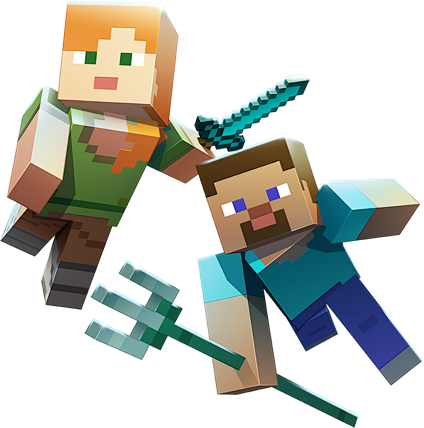
  • For the Coming New Movie: Transform Minecraft with Sound Button Magic

    For the Coming New Movie: Transform Minecraft with Sound Button Magic

    Transform Minecraft with Voice Changer Magic
    Image Source: unsplash

    The official trailer for the Minecraft Movie has finally dropped, reigniting the excitement of this beloved game. But why stop there? Take your Minecraft experience to the next level by transforming it with Sound Button Magic! Imagine crafting and exploring while triggering hilarious, epic, or mysterious sounds that match the vibe of your world. Whether you’re building a towering castle or fending off creepers, Sound Button Magic adds a new layer of fun and immersion. Elevate your gameplay with sounds that truly bring your Minecraft world to life in a way you’ve never experienced before!

    The Best AI Voice Changer with soundboard

    Imagine playing Minecraft with a voice changer that transforms your voice into a robot or cartoon character. Using a voice changer makes the game exciting and fun. Tools like EaseUS VoiceWave and Dubbing AI are fantastic, allowing you to sound like anyone, adding a special touch. A soundboard enhances the experience by adding funny effects with just a sound button. This cool tech makes every game session memorable. Are you ready to try the magic?

    Understanding Voice Changers in Minecraft

    Understanding Voice Changers in Minecraft
    Image Source: pexels

    How Voice Changers Work

    Voice changers make Minecraft more fun. They change your voice as you play. You can sound like a robot or cartoon. Voxal Voice Changer has many effects. Switch voices like Mandalorian or Optimus Prime. AV Voice Changer Software Diamond offers lots of effects too. Mimic movie stars or mythical creatures.

    Impact on Gameplay

    Voice changers do more than change voices; they enhance Minecraft gameplay! Communication is more fun and surprising with new sounds.

    Enhancing Communication

    Talking becomes exciting with voice changers! Surprise friends with different voices. Voicemod adds sound effects, making chats lively and playful.

    Creating Unique Experiences

    Create cool experiences with voice changers! Be characters that match Minecraft’s world, like a wise wizard leader. Voice.ai offers many options for these adventures, making each session unforgettable.

    Soundboards in Minecraft

    Soundboards make Minecraft more fun. Soundboards make Minecraft more fun They add cool sounds to the game. Imagine pressing a button and hearing a Creeper’s hiss or Villager’s hum. These sounds make moments exciting.

    Working with Voice Changers

    Soundboards and voice changers are great together. They create a lively game world. Players enjoy adding sound effects to match their new voices.

    Adding Sounds with Soundboards

    During the game, soundboards play effects like explosions or animal noises. Myinstants has many Minecraft sounds. These sounds make the game feel alive.

    Customizing Game Actions

    Sound buttons let you change game actions with sounds. You can set different sounds for things you do. Like playing a victory tune when you win a fight. This makes your games special.

    Fun Uses

    Soundboards make Minecraft adventures memorable and funny.

    Unforgettable Moments

    Use soundboards to mimic famous voices, like Darth Vader’s. Friends will remember these fun times.

    Funny Situations

    Humor is key in Minecraft fun! Use soundboards for jokes, like chicken clucks when jumping. These touches bring laughter to your game.

    With soundboards and voice changers, Minecraft becomes creative and unique every time you play.

    Setting Up Your Dubbing AI Tool

    Installation and Configuration

    Setting up your Dubbing AI tool involves a few straightforward steps:

    1. Download the Software: Visit the official website of your chosen tool and download the installation file.

    2. Install the Software: Follow the on-screen instructions to install the software on your computer.

    3. Create an Account: Register for an account if required. This step often involves verifying your email address.

    4. Configure Initial Settings: Open the software and configure initial settings such as language preferences and audio input/output devices.

    Step-by-Step Guide for Voice Changer Setup

    With a few simple steps, you can use any voice you want during your exciting game-play. Try the free ghostface voice changer now!

    • Download Dubbing AI, Install, Configure & Open Dubbing AI Voice Changer App.

    • Open the game Sound Setting, Select (Dubbing Virtual Device) as your input device.

    • Save and Apply. Don’t forget to save your settings in voice settings panel.

    • Now you can experience the real role-play with your changed voice.

    See Also

    Similar Disguise, Identical Mission! Speaking like Iron Man using Voice Modulator

    AI Dubbing: The Best Voice Mod for Discord

    Mastering AI Voice Modifiers for Discord Pranks

    2024 Handbook: Changing Your Voice with Free AI Modifiers

    Selecting the Perfect Voice Mod and Soundboard for Gaming

  • How to Integrate Pokemon Sound Buttons into Your Valorant Strategy

    How to Integrate Pokemon Sound Buttons into Your Valorant Strategy

    How to Integrate Pokemon Soundboards into Your Valorant Strategy

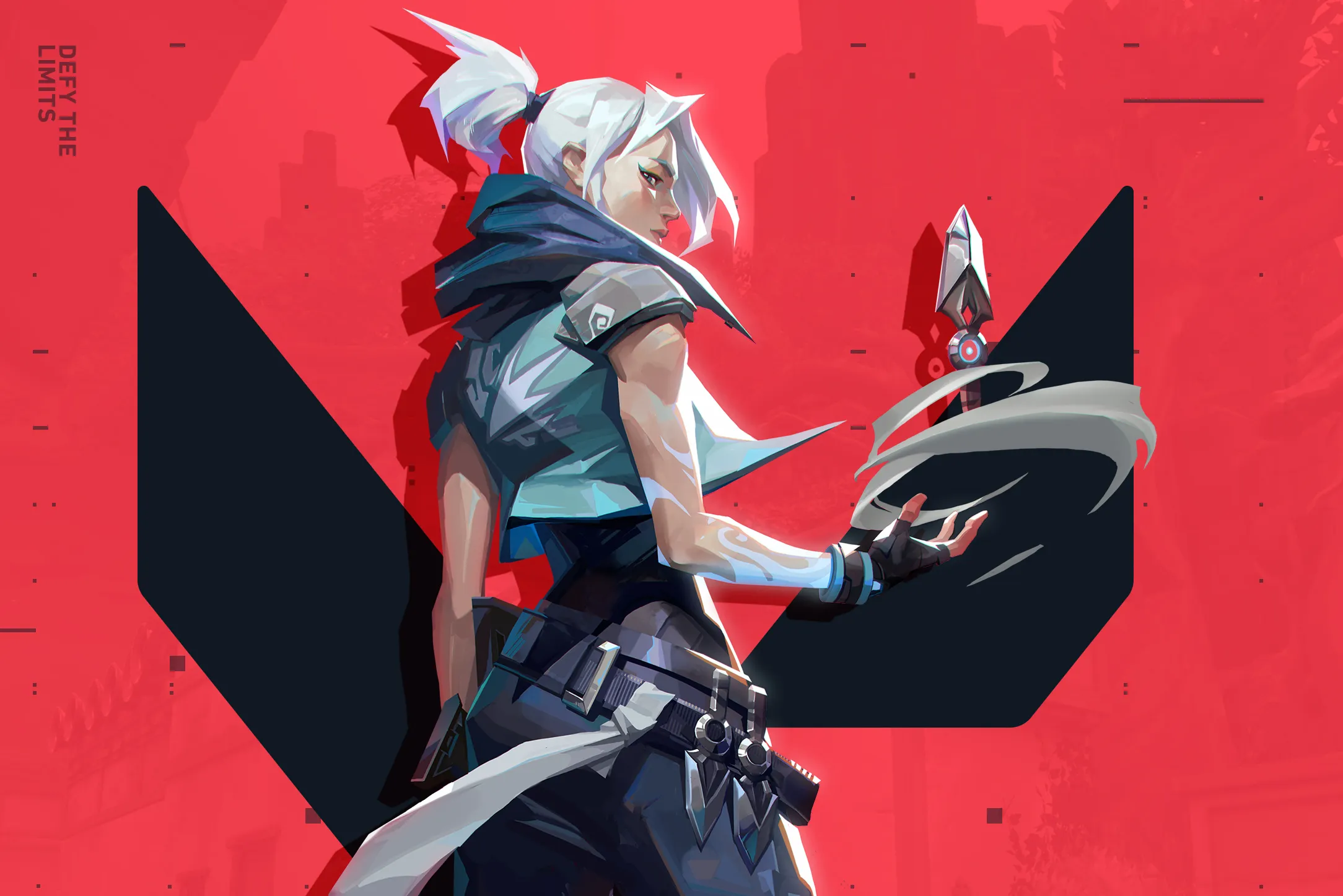
    Incorporating a soundboard into your Valorant gameplay offers a unique twist. Valorant players can now enjoy the charm of Pokemon soundboards, bringing nostalgia and excitement to every match. These soundboards create memorable moments and lighten the mood. Using a voice changer or dubbing AI adds an extra layer of fun, allowing players to express personality and creativity through sound. Pokemon sounds can even serve as strategic tools, with distractions confusing opponents and giving you an edge. Dive into this playful strategy and enhance your Valorant experience.

    The Best AI Voice Changer with soundboard

    Understanding Pokemon Soundboards in Valorant

    A Pokemon soundboard lets you play iconic sounds from the Pokemon universe during your games. Imagine hearing Pikachu’s voice or a Pokeball throw while playing Valorant. These sounds can bring a smile to your face and add a nostalgic touch. Many players use soundboards to enhance their gaming sessions with familiar audio clips.

    Why Use Them in Valorant?

    Unique Appeal

    Pokemon soundboards bring a unique appeal to Valorant. The combination of two beloved franchises creates a fresh experience. Players can enjoy the thrill of Valorant while reliving childhood memories. This blend of excitement and nostalgia makes every game special.

    Potential Benefits

    Using a soundboard in Valorant offers strategic advantages. You can use sounds for distraction, confusing opponents during intense moments. A well-timed sound can shift the focus and give your team an edge. Dubbing AI can also add a creative twist, allowing you to customize sounds for different situations. This strategy not only entertains but also enhances gameplay.

    Setting Up Your Soundboard with Dubbing AI

    Setting Up Your Soundboard

    Unleash your creativity and bring the world of Pokémon into Valorant with a custom-designed soundboard using Dubbing AI! Imagine firing off abilities while hearing Pikachu’s electric charge or a Charizard roar as you take down opponents. With Dubbing AI, you can craft a unique Pokémon-inspired soundscape that syncs perfectly with your Valorant gameplay. From battle cries to victory cheers, every move becomes more immersive and entertaining. Let your favorite Pokémon voices echo through the battlefield, enhancing your Valorant experience in ways you never imagined—strategy and fun, all in one!

    Setting Up Your Dubbing AI Tool

    Installation and Configuration

    Setting up your Dubbing AI tool involves a few straightforward steps:

    1. Download the Software: Visit the official website of your chosen tool and download the installation file.

    2. Install the Software: Follow the on-screen instructions to install the software on your computer.

    3. Create an Account: Register for an account if required. This step often involves verifying your email address.

    4. Configure Initial Settings: Open the software and configure initial settings such as language preferences and audio input/output devices.

    Step-by-Step Guide for Voice Changer Setup

    With a few simple steps, you can use any voice you want during your exciting game-play. Try the free ghostface voice changer now!

    • Download Dubbing AI, Install, Configure & Open Dubbing AI Voice Changer App.

    • Open the game Sound Setting, Select (Dubbing Virtual Device) as your input device.

    • Save and Apply. Don’t forget to save your settings in voice settings panel.

    • Now you can experience the real role-play with your changed voice.

    Configuring Your Soundboard

    Adding Pokemon Sounds

    Adding Pokemon sounds brings excitement to your gameplay. Search online for sound packs or create your own clips. Import these sounds into your soundboard software. Organize them into categories for easy access during matches.

    Customizing Settings

    Customizing settings makes your soundboard unique. Adjust volume levels to ensure clarity. Assign hotkeys for quick access during intense moments. Experiment with different configurations to find what works best for you. Enjoy the creativity and fun that comes with personalizing your setup.

    Strategic Advantages in Valorant

    Creating Distractions with Soundboards

    Tactical Uses

    Using a soundboard in Valorant can create clever distractions. You can play unexpected sounds to confuse opponents. Imagine using a Pikachu cry during an intense moment. Opponents might hesitate or look around, giving you a chance to strike. A voice changer can add another layer of surprise. You can disguise your voice to sound like a Pokemon character. The element of surprise can shift the momentum in your favor.

    Examples in Gameplay

    Picture a scenario where you and your team are defending a site. You play a Pokeball throw sound from your soundboard. The opposing team might think someone is throwing a grenade. This confusion can cause them to make mistakes. Another example involves using a voice changer to mimic enemy footsteps. Opponents might think someone is flanking them. These tactics can turn the tide of a match.

    Enhancing Team Communication

    Coordinating with Teammates

    Soundboards can improve team communication in Valorant. Assign specific sounds for different strategies. A Pikachu sound could signal a rush. A Pokeball sound might mean holding a position. Everyone on the team stays on the same page. This coordination can lead to more successful rounds. A voice changer can also help in disguising plans. You can use it to communicate secret strategies without alerting opponents.

    Improving Team Dynamics

    Soundboards can boost team dynamics by adding fun to the game. Sharing laughs over a funny Pokemon sound can strengthen bonds. A voice changer can lighten the mood during tense moments. You can impersonate a favorite Pokemon character. This humor can relieve stress and keep morale high. A happy team often performs better. Enjoy the camaraderie that soundboards bring to Valorant.

    Integrating Pokemon soundboards into Valorant can boost your gameplay. You get to enjoy nostalgia and create strategic distractions. Try different sounds and see what works best for you. Share your experiences with friends or online communities. Your creativity might inspire others. Join discussions and gather feedback from fellow gamers. Engaging with the community enhances your gaming journey. Dive in and have fun with your unique soundboard setup!

    See Also

    Selecting the Perfect Voice Modulator and Sound Panel for Gaming

    Optimizing Sound Effects for Maximum Influence in Roblox

    Elevate Your Gaming Experience with Dubbing AI Sound Panel

    Prank Your Squad in Valorant using Dubbing AI Technology

    Mastering the Art of Pranking on Discord with AI Voice Modifiers

  • Why TikTok Creators Choose Adsmoss for Trend Tracking

    Why TikTok Creators Choose Adsmoss for Trend Tracking

    TikTok has taken the world by storm, boasting over 1 billion global users. As a Tiktok creator, you know how crucial it is to keep up with the latest trends to captivate your audience. Trend tracking isn’t just a buzzword; it’s your ticket to staying relevant in this fast-paced digital landscape. Enter Adsmoss, a powerful tool designed to help you navigate the ever-changing TikTok trends. With Adsmoss, you can effortlessly track what’s hot and what’s not, giving you the edge you need to create content that resonates with your followers.

    The Best AI Voice Changer with soundboard

    Understanding the Need for Trend Tracking on TikTok

    The Role of Trends in TikTok’s Ecosystem

    Trends play a pivotal role in shaping the content you create as a TikTok creator. They act as a compass, guiding you toward what resonates with your audience. When you tap into these trends, you align your content with what viewers are currently interested in. This alignment boosts your visibility and increases your chances of going viral.

    How trends influence content creation

    As a TikTok creator, you know that trends dictate the type of content that captures attention. By staying updated with trend tracking, you can craft videos that not only entertain but also engage your audience. For instance, if a dance challenge is trending, creating your version can attract more views and likes. This approach ensures your content remains fresh and relevant, keeping your followers engaged and eager for more.

    The impact of trends on audience engagement

    Engagement rates soar when you incorporate trending elements into your content. TikTok’s algorithm favors videos that align with current trends, pushing them to a broader audience. Without trend tracking, you might miss out on these opportunities. Creators who leverage trends often see higher engagement rates, sometimes reaching nearly 18%. This high engagement not only boosts your visibility but also enhances your connection with your audience, making them more likely to interact with your content.

    Adsmoss

    While trend tracking is essential, doing it manually presents several challenges. As a TikTok creator, you face the daunting task of keeping up with the ever-evolving landscape of trends. This task can be overwhelming, especially when you’re juggling content creation and audience interaction.

    Adsmoss, a leading TikTok ad analytics service, equips you to discover valuable market insights and capitalize on opportunities. With its user-friendly design, the platform enables you to examine real-time TikTok ad data and browse an extensive collection of ads. It helps you spot top-performing campaigns and track emerging trends. By harnessing the key features of Adsmoss, you can stay ahead in the ever-evolving world of social media marketing, giving you a competitive advantage.

    Features of Adsmoss That Appeal to TikTok Creators

    Features of Adsmoss That Appeal to TikTok Creators
    Image Source: unsplash

    Metrics Analyzed

    Navigating through a tool should feel like a breeze, and that’s exactly what you get with Adsmoss. Its interface is designed with you in mind, ensuring that you can find what you need without any hassle. You won’t waste time figuring out where to click or how to access features. Everything is laid out intuitively, making your experience smooth and efficient.

    Benefits for E-commerce Entrepreneurs

    Adsmoss offers an easy-to-navigate platform that lets you focus on what matters most—creating engaging content. You can quickly access the tools and data you need, allowing you to spend more time crafting your next viral video instead of getting lost in a maze of menus.

    Benefits for Marketers and Businesses

    Adsmoss enables you to assess ad performance and spending, providing insights into engagement and reach. By tracking which ads are performing best, you can optimize your budget allocation and enhance your advertising effectiveness. Additionally, this feature allows you to gain valuable insights into competitors’ ad strategies, learning from their successes to improve your own campaigns.

    Comprehensive Trend Analysis

    Staying ahead of trends is crucial, and Adsmoss provides you with the tools to do just that. It offers a deep dive into the data, giving you insights that can transform your content strategy.

    Real-time data updates

    With Adsmoss, you get real-time data updates. This means you can see what’s trending right now and adjust your content accordingly. No more waiting for outdated reports; you have the latest information at your fingertips, helping you stay ahead of the curve.

    In-depth analytics and insights

    Adsmoss doesn’t just show you the numbers; it helps you understand them. The platform provides in-depth analytics and insights, breaking down complex data into actionable information. You can see which trends are gaining traction and why, allowing you to make informed decisions about your content.

    Unique Selling Points of Adsmoss

    When you dive into the world of trend tracking tools, Adsmoss stands out with its unique features. These features not only make your life easier but also give you a competitive edge.

    Specific features that set Adsmoss apart

    1. Real-Time Data Access: Adsmoss provides you with live TikTok ad data. This means you can see what’s trending right now, allowing you to adjust your content strategy on the fly. No more waiting for outdated reports.

    2. Comprehensive Analytics: The platform offers in-depth analytics and insights. You can break down complex data into actionable information, helping you understand which trends are gaining traction and why.

    3. User-Centric Design: With its user-friendly interface, Adsmoss ensures you can navigate the platform with ease. Customizable dashboards let you tailor the experience to your specific needs, so you can focus on creating engaging content.

    4. Cost-Effectiveness: Adsmoss offers competitive pricing, making it accessible to creators at all levels. You get powerful analytics and trend-tracking features without breaking the bank.

    Testimonials from TikTok creators

    John Doe, TikTok Creator: “Adsmoss has transformed the way I approach content creation. The real-time data and comprehensive analytics have given me insights I never had before. It’s a game-changer!”

    Jane Smith, E-commerce Entrepreneur: “With Adsmoss, I’ve been able to identify trending products and optimize my sales strategy. The platform’s user-friendly design makes it easy to navigate, and the insights are invaluable.”

    Adsmoss stands out as a top choice for TikTok creators. You gain a competitive edge by leveraging its powerful analytics and real-time trend tracking. This tool empowers you to excel in content creation, ensuring your videos resonate with your audience. Effective trend tracking is crucial in the fast-paced world of TikTok. It helps you stay relevant and engage your followers. So, why wait? Dive into Adsmoss and explore its features. You’ll find it invaluable in enhancing your TikTok strategy and staying ahead in the dynamic social media landscape.

    See Also

    Enhancing Cat Memes with Soundboard Technology

    Optimal AI Voice Modulation for Creative Professionals

    Comparing TTS and Live Voice Alteration: The Superior Choice

    Crafting Unique Memes with Voice Modulation Techniques

    Unveiling the Success of Kizuna AI: Analyzing AI Dubbing and Virtual Content Creation Trends

  • Top Voice Meme Generators for Black Friday Deals

    Top Voice Meme Generators for Black Friday Deals

    Top Voice Meme Generators for Black Friday Deals

    Black Friday is a thrilling time for shoppers, offering the chance to snag incredible deals and save big. In 2022, the average consumer spent $205 on Black Friday, marking an 8% increase from the previous year. This shopping frenzy isn’t just about buying; it’s also about having fun. Creating voice memes has become a popular way to add humor and creativity to your shopping experience. With tools like soundboards and Dubbing AI, you can craft hilarious voice memes that capture the spirit of the season. This post will guide you to the best voice meme generators available during Black Friday.

    The Best AI Voice Changer with soundboard

    Top Voice Meme Generators

    Top Voice Meme Generators

    Dubbing AI

    Key Features

    When it comes to creating voice memes, Dubbing AI stands out with its impressive features. You can easily replace vocals in your audio files with a variety of AI-generated voices. This tool offers a seamless experience for crafting unique and entertaining voice memes. With its advanced generative AI technology, you can transform any audio into something fresh and exciting. Whether you’re looking to add a humorous twist to a song or create a completely new sound, Dubbing AI provides the flexibility you need.

    User Experience

    Using Dubbing AI is a breeze. The interface is user-friendly, allowing you to navigate through its features without any hassle. You can quickly upload your audio files and start experimenting with different voices. The process is straightforward, making it accessible even if you’re new to voice meme creation. Plus, the results are impressive, with high-quality audio output that captures the essence of your original content while adding a fun twist.

    Voicemod

    Key Features

    Voicemod is another fantastic option for voice meme enthusiasts. This versatile software offers a wide array of functionalities, including real-time voice modulation. You can access over 200 unique voice effects, making it perfect for creating hilarious meme content. Voicemod also supports multiple voice styles and languages, which means you can customize your memes to suit any occasion. Its extensive library of voice effects allows you to craft custom voices and soundboards for gaming, streaming, and more.

    User Experience

    With Voicemod, you get a dynamic and engaging user experience. The software’s intuitive design makes it easy to explore its vast library of voice effects. You can experiment with different sounds and create your own unique sonic identity. Whether you’re using it for gaming or video editing, Voicemod provides a seamless experience that enhances your creative projects. The real-time voice modulation feature is particularly impressive, allowing you to hear your changes instantly.

    VoiceDub

    Key Features

    VoiceDub leverages cutting-edge AI technology to offer a powerful voice meme generator. It allows you to replace vocals in your audio files with any of the AI voices available. This tool is perfect for creating AI voice covers for your favorite songs. With features like voice cloning and text-to-speech, VoiceDub provides a comprehensive solution for all your voice meme needs. Its extensive library of over 10,000 voices ensures you have plenty of options to choose from.

    User Experience

    VoiceDub offers a smooth and efficient user experience. The platform is designed to make the process of creating voice memes as simple as possible. You can easily upload your audio files and start experimenting with different voices. The interface is intuitive, allowing you to focus on your creativity without getting bogged down by technical details. Whether you’re a seasoned pro or a beginner, VoiceDub makes it easy to produce high-quality voice memes that stand out.

    Black Friday Pricing and Deals

    Black Friday Pricing and Deals
    Image Source: unsplash

    Black Friday is the perfect time to grab amazing deals on voice meme generators. You can find discounts that make these creative tools even more accessible. Let’s dive into the deals available for some of the top voice meme generators.

    Dubbing AI Deals

    Discount Details

    Dubbing AI offers fantastic discounts during Black Friday. You can expect price cuts that make this tool a must-have for anyone interested in creating unique voice memes. The coming 40% off discount allow you to enjoy premium features at a fraction of the cost.

    How to Access the Deal

    To access the Dubbing AI Black Friday deal, visit their official website. Look for the Black Friday banner or promotions section. You might need to enter a promo code at checkout to apply the discount. Keep an eye on their social media channels for any exclusive offers or flash sales.

    Voicemod Deals

    Discount Details

    Voicemod also joins the Black Friday excitement with enticing deals. You can find discounts on their premium plans, which include access to over 200 voice effects and 600 soundboards. These deals make it easier for you to explore the full potential of Voicemod without breaking the bank.

    How to Access the Deal

    To snag the Voicemod Black Friday deal, head to their website. The discount details are usually highlighted on the homepage. You may need to sign up for their newsletter to receive exclusive promo codes. Make sure to act fast, as these deals are often limited-time offers.

    VoiceDub Deals

    Discount Details

    VoiceDub provides significant savings during Black Friday. You can enjoy discounts on their extensive library of over 10,000 voices. This makes it an ideal time to invest in a tool that offers both voice cloning and text-to-speech capabilities.

    How to Access the Deal

    To take advantage of the VoiceDub Black Friday deal, visit their site and check out the promotions page. Discounts are typically applied automatically at checkout, but it’s wise to double-check for any required promo codes. Following their social media accounts can also keep you updated on any additional offers.

    How to Use Voice Meme Generators Effectively

    Step-by-Step Guide

    Choosing the Right Generator

    Selecting the right voice meme generator can make all the difference in your creative journey. With so many options available, you might feel overwhelmed. But don’t worry! Start by considering what you want to achieve. Are you looking for a tool with a vast library of voices, or do you need something simple and straightforward? Dubbing AI, Voicemod, and VoiceDub each offer unique features. Think about your needs and match them with the generator’s capabilities. This way, you ensure that your choice aligns with your creative goals.

    Creating Your First Voice Meme

    Once you’ve chosen your generator, it’s time to dive in and create your first voice meme. Here’s a simple process to get you started:

    1. Upload Your Audio: Begin by uploading the audio file you want to transform. This could be a song, a speech, or any sound clip you find interesting.

    2. Select a Voice: Browse through the available voices. Whether you want something humorous or dramatic, there’s a voice for every mood.

    3. Apply Effects: Add effects to enhance your meme. Play around with pitch, speed, and other settings to get the desired outcome.

    4. Preview and Edit: Listen to your creation. If it needs tweaking, go back and adjust the settings until you’re satisfied.

    5. Save and Share: Once you’re happy with your meme, save it and share it with friends or on social media. Let the world enjoy your creativity!

    Tips and Tricks

    Enhancing Audio Quality

    Quality matters when creating voice memes. To ensure your audio sounds crisp and clear, follow these tips:

    • Use High-Quality Source Files: Start with the best quality audio you can find. This sets a strong foundation for your meme.

    • Adjust Audio Levels: Make sure the volume is balanced. Avoid distortion by keeping levels within a safe range.

    • Remove Background Noise: Use noise reduction tools to eliminate unwanted sounds. This keeps your meme focused and professional.

    Adding Creative Elements

    Creativity is key to making your voice memes stand out. Here are some ideas to spice up your creations:

    • Mix and Match Voices: Combine different voices for a unique effect. This can add layers and depth to your meme.

    • Incorporate Music or Sound Effects: Add background music or sound effects to enhance the mood. This can make your meme more engaging.

    • Experiment with Timing: Play with the timing of your audio. A well-timed pause or punchline can make your meme more impactful.

    Voice meme generators have revolutionized how we express ourselves. They offer endless possibilities for creativity and fun. By following these steps and tips, you’ll be well on your way to creating memorable and entertaining voice memes. So go ahead, unleash your creativity, and let your voice memes shine!

    User Reviews and Testimonials

    Dubbing AI User Feedback

    Positive Experiences

    You’ll find that many users rave about Dubbing AI’s intuitive interface and impressive voice quality. They love how easy it is to create unique voice memes with just a few clicks. Users often highlight the variety of voices available, which allows for endless creativity. One user mentioned, “Dubbing AI makes it so simple to add a fun twist to my audio projects. The voice options are fantastic!”

    Areas for Improvement

    While Dubbing AI is celebrated for its innovative voice-changing capabilities, some users believe there’s still room for improvement. A common critique is the lack of a built-in recording feature, making content creation a bit challenging for streamers and creators. Enhancing this aspect could elevate its functionality and attract even more users.

    Voicemod User Feedback

    Positive Experiences

    Voicemod users frequently commend the software for its vast library of voice effects. You’ll appreciate the real-time modulation feature, which many find invaluable for gaming and streaming. One enthusiastic gamer shared, “Voicemod takes my streams to the next level. The voice effects are a hit with my audience!”

    Areas for Improvement

    Some users have pointed out that Voicemod can be resource-intensive, affecting system performance. A few also desire a more streamlined setup process. However, these concerns don’t overshadow the software’s popularity and effectiveness in enhancing creative projects.

    VoiceDub User Feedback

    Positive Experiences

    VoiceDub garners positive feedback for its extensive voice library and ease of use. Users enjoy the ability to clone voices and create text-to-speech content effortlessly. One satisfied user stated, “VoiceDub is my go-to for creating voiceovers. The variety of voices is unmatched!”

    Areas for Improvement

    Despite its strengths, VoiceDub users have suggested improvements in customer support response times. Some also wish for additional tutorials to maximize the tool’s potential. Nevertheless, the majority of users find VoiceDub to be a powerful and versatile voice meme generator.

    Survey Results: Trustpilot rates these apps with an average of 2.4/5 stars based on 353 reviews. Interestingly, over 70% of these reviews are 5-star ratings, highlighting the strong customer service and satisfaction among users.

    As Black Friday approaches, it’s the perfect time to dive into the world of voice meme generators. Tools like Dubbing AI, Voicemod, and VoiceDub offer fantastic deals that make creating hilarious and engaging content more accessible than ever. These platforms provide a wide array of functionalities, allowing you to craft unique memes that entertain and connect with others. So, why wait? Take advantage of these Black Friday deals and unleash your creativity. Start making voice memes that bring joy and laughter to your friends and family. Let your imagination run wild and enjoy the fun!

    See Also

    Create Unique Memes Using Voice Changer Techniques

    Enhance Your Imagination: Craft Memes with Voice Changer

    Three Hilarious Voice Changer Pranks for CS:GO

    Explore New AI Voice Cloning Tools for Realistic Voiceovers

    Top AI Voice Changer Options for Content Creators

  • How to Build an Immersive RPG with RPGGO’s No-Code Platform

    How to Build an Immersive RPG with RPGGO’s No-Code Platform

    Creating a roleplaying game has never been easier with an RPG maker like RPGGO. You can turn your ideas into immersive adventures without writing a single line of code. This AI-powered platform transforms your concepts into dynamic gameplay, complete with branching storylines, lifelike NPCs, and stunning visuals. Whether you’re a seasoned creator or just starting out, RPGGO empowers you to craft unique experiences that captivate players. Its intuitive tools let you focus on storytelling and creativity while the AI handles the technical details. Dive in and discover how to make an RPG that truly stands out.

    Key Takeaways

    • RPGGO allows anyone to create immersive RPGs without coding, making game development accessible to all skill levels.

    • The AI Copilot feature streamlines the game creation process by handling technical details, enabling creators to focus on storytelling and creativity.

    • Dynamic gameplay with real-time branching storylines ensures that player choices significantly impact the game, enhancing engagement and replayability.

    • AI NPC group chats facilitate lifelike interactions, making the game world feel responsive and alive, which deepens player immersion.

    • RPGGO’s user-friendly interface and plug-and-play AI modules speed up game development, allowing creators to build polished games in less time.

    • Incorporating sound effects, music, and visuals can greatly enhance the immersive experience of your RPG, making it more engaging for players.

    • Regular playtesting and iteration based on player feedback are crucial for refining your RPG, ensuring it meets player expectations and remains enjoyable.

    What is RPGGO and Why Use It?

    Creating a role-playing game can feel overwhelming, especially if you lack coding skills. That’s where RPGGO steps in. This AI-powered platform simplifies the process, making it accessible for everyone. Whether you’re a beginner or an experienced creator, RPGGO equips you with tools to bring your ideas to life effortlessly. Let’s explore what makes RPGGO stand out and why it’s the perfect choice for building immersive RPGs.

    Overview of RPGGO’s Features

    AI Copilot for no-code game development

    RPGGO’s AI Copilot transforms your ideas into fully functional games without requiring any programming knowledge. You simply describe your vision, and the AI handles the rest. From designing game mechanics to building intricate storylines, the AI Copilot ensures you focus on creativity while it takes care of the technical details. This feature empowers you to make an RPG that feels polished and professional, even if it’s your first attempt.

    Dynamic gameplay with real-time branching storylines

    One of RPGGO’s most exciting features is its ability to create dynamic gameplay. The platform uses advanced AI to generate real-time branching storylines. Every decision players make influences the game’s direction, creating a personalized experience. This feature keeps players engaged, as their choices truly matter. It’s like giving your audience the power to shape their own adventure.

    AI NPC group chats for engaging player interactions

    RPGGO introduces AI NPC group chats, which allow players to interact with multiple non-player characters (NPCs) simultaneously. These NPCs respond naturally, creating lifelike conversations that enhance immersion. Whether players are strategizing with allies or negotiating with rivals, these group chats add depth to the gameplay. This feature makes your RPG world feel alive and responsive.

    Benefits of Using RPGGO as an RPG Maker

    Accessibility for beginners and non-programmers

    RPGGO’s user-friendly interface ensures that anyone can create a game, regardless of their technical background. You don’t need to learn coding or complex software. The platform’s intuitive design guides you through every step, making it easy to turn your ideas into reality. If you’ve ever dreamed of creating a game but felt intimidated by the process, RPGGO removes those barriers.

    Rapid game creation with plug-and-play AI modules

    Speed is another advantage of using RPGGO. The platform offers plug-and-play AI modules that streamline the game development process. You can choose from pre-built templates or customize your own elements. These modules save time while maintaining quality, allowing you to focus on storytelling and design. With RPGGO, you can create a complete game in a fraction of the time it would take with traditional methods.

    Enhanced creativity with AI-driven tools

    RPGGO doesn’t just simplify game development; it also enhances your creativity. The platform’s AI-driven tools inspire new ideas and help you refine your concepts. Whether you’re crafting characters, designing environments, or writing dialogue, RPGGO provides suggestions and automates repetitive tasks. This support lets you push the boundaries of your imagination and create something truly unique.

    “RPGGO is a revolutionary text-to-game engine that enables users to create and play AI-powered RPGs and NPCs. With its intuitive interface and advanced AI capabilities, RPGGO provides a unique gaming experience.”

    By combining cutting-edge technology with ease of use, RPGGO empowers creators to build immersive RPGs that captivate players. Whether you’re crafting a fantasy epic or a sci-fi adventure, this platform gives you the tools to succeed.

    Step-by-Step Guide to Make an RPG with RPGGO

    Setting Up Your RPGGO Account

    Signing up and exploring the platform’s dashboard

    Getting started with RPGGO is simple. Head to the RPGGO website and sign up for an account. The registration process is quick, requiring only basic details. Once you’re in, you’ll land on the platform’s dashboard. This is your creative hub, where all the magic happens. Take a moment to explore the interface. You’ll find tools for world-building, character creation, and storytelling neatly organized. The dashboard is designed to be intuitive, so you can easily navigate through the features without feeling overwhelmed.

    “A good premise is the foundation of any great roleplaying game,” says Celeste Conowitch, an experienced RPG designer. Start by brainstorming your game’s core idea. Whether it’s a fantasy epic or a sci-fi adventure, having a clear vision will guide your journey.

    Choosing a template or starting from scratch

    RPGGO offers two paths to begin your project. You can choose a pre-designed template or start from scratch. Templates are perfect if you want to save time or need inspiration. They come with pre-built elements like maps, characters, and mechanics, which you can customize to fit your vision. If you prefer full creative control, starting from scratch lets you build every aspect of your game from the ground up. Either way, RPGGO ensures you have the tools to create an RPG system that aligns with your ideas.

    World-Building with RPGGO

    Designing maps and environments with AI assistance

    World-building is where your game starts to come alive. With RPGGO’s AI tools, you can design stunning maps and environments effortlessly. Describe your vision in natural language, and the AI generates detailed landscapes for you. Want a sprawling forest or a bustling city? Just type it in, and watch your world take shape. You can tweak the designs to add personal touches, ensuring your game feels unique.

    Jack Caesar, another RPG designer, emphasizes the importance of immersive environments. He says,

    “Players need to feel like they’re stepping into a living, breathing world. Details matter.”

    RPGGO’s AI helps you achieve this by adding realistic textures, lighting, and interactive elements to your maps.

    Adding interactive elements like NPCs, quests, and puzzles

    A great RPG isn’t just about visuals—it’s about interaction. RPGGO makes it easy to populate your world with engaging elements. Add NPCs that players can talk to, quests that drive the story forward, and puzzles that challenge their problem-solving skills. The platform’s AI even helps you script NPC dialogues and design quest objectives. These features ensure your game offers a dynamic and engaging experience.

    Creating Characters and Mechanics

    Customizing player characters and NPCs with unique traits

    Characters are the heart of any roleplaying game. RPGGO gives you the tools to create memorable ones. Customize player characters and NPCs by assigning unique traits, abilities, and backstories. You can adjust their appearance, personality, and even their voice. This level of customization allows you to craft a cast that feels authentic and relatable.

    “Character development is key to keeping players invested,” says Celeste Conowitch. She advises focusing on motivations and conflicts to make characters more compelling.

    With RPGGO, you can bring these ideas to life effortlessly.

    Defining game mechanics such as combat, leveling, and inventory systems

    Mechanics define how your game plays. RPGGO simplifies this aspect of RPG game development with its plug-and-play modules. You can set up combat systems, leveling mechanics, and inventory management without writing a single line of code. Want turn-based combat or real-time action? RPGGO lets you choose and customize the mechanics to suit your game’s style. These features ensure your game feels polished and professional, even if you’re new to development.

    By following these steps, you’ll learn how to make an RPG that’s immersive, engaging, and uniquely yours. RPGGO’s tools empower you to focus on creativity while handling the technical details for you. Dive in and start building your custom RPG today!

    Adding Story and Dialogue

    Crafting branching storylines with RPGGO’s AI tools

    Every great RPG thrives on a compelling story. With RPGGO, you can create branching storylines that adapt to player choices. This feature ensures that every decision your players make has a meaningful impact on the game’s direction. Instead of following a linear path, your story evolves dynamically, offering a personalized experience for each player.

    To get started, describe your story’s core idea to RPGGO’s AI tools. Whether it’s a tale of rebellion in a dystopian city or a quest to uncover ancient secrets, the AI helps you map out multiple narrative paths. You can define key moments where players’ decisions will alter the course of events. For example, will they ally with a mysterious stranger or confront them as a foe? These choices shape the world and keep players engaged.

    Jack Caesar, an experienced RPG designer, emphasizes the importance of player agency in storytelling. He says,

    “Players want to feel like their actions matter. A branching storyline gives them that sense of control and makes the game unforgettable.”

    RPGGO’s tools make this process seamless. You don’t need to worry about coding or complex logic. The platform handles the technical side, allowing you to focus on crafting a story that resonates with your audience.

    Using dialogue tools to create meaningful player interactions

    Dialogue breathes life into your characters and connects players to your world. RPGGO’s dialogue tools let you create conversations that feel natural and engaging. You can script interactions between players and NPCs, ensuring every exchange adds depth to the story.

    Start by defining the tone and personality of each character. Is your NPC a wise mentor, a cunning rival, or a loyal companion? Once you’ve established their traits, use RPGGO’s AI to generate dialogue options. The platform allows you to create branching dialogues, where players’ responses influence the outcome of the conversation. For instance, a kind word might earn an ally, while a harsh remark could spark conflict.

    Celeste Conowitch, another RPG designer, highlights the role of dialogue in storytelling. She shares,

    “Good dialogue doesn’t just move the plot forward. It reveals character motivations and builds emotional connections with players.”

    RPGGO also supports group chats with multiple NPCs. This feature enables dynamic interactions, such as strategizing with a team or mediating disputes. Players feel immersed in the world as they navigate these complex social scenarios.

    By combining branching storylines and meaningful dialogue, you can make an RPG that captivates players from start to finish. RPGGO’s tools empower you to focus on creativity while ensuring your game delivers a polished and professional experience.

    Tips for Creating an Immersive Custom RPG Experience

    Tips for Creating an Immersive Custom RPG Experience
    Image Source: pexels

    Creating a custom RPG that captivates players requires more than just good mechanics. You need to focus on storytelling, customization, and player engagement to craft an experience that feels alive and unforgettable. Let’s dive into some essential tips to help you design a roleplaying game that stands out.

    Focus on Storytelling

    Developing a compelling narrative with twists and choices

    A strong narrative forms the backbone of any great RPG. To keep players hooked, your story should include unexpected twists and meaningful choices. Think about the core idea or good premise of your game. Is it a tale of rebellion, survival, or discovery? Build on that foundation by adding layers of intrigue and conflict.

    Simon K. Jones, an expert in game design, explains,

    “The player is an active participant in the story. He has power over the choices and actions of the protagonist.”

    This means your narrative should empower players to shape the story through their decisions. For example, let them choose between saving a village or pursuing a personal goal. These choices create emotional investment and make the game feel personal.

    Balancing main quests, side quests, and player freedom

    A well-balanced RPG offers a mix of main quests and side quests. The main quests drive the central narrative, while side quests provide opportunities for exploration and character development. Avoid overwhelming players with too many tasks at once. Instead, give them the freedom to explore at their own pace. This balance ensures they stay engaged without feeling restricted or lost.

    Customization and Player Choice

    Allowing players to shape the story through decisions

    Player choice is a cornerstone of any immersive RPG. When players feel their decisions matter, they become more invested in the game. Use branching storylines to reflect the consequences of their actions. For instance, a decision to ally with a rival faction could unlock new quests but close off others. This dynamic storytelling keeps players curious about the outcomes of their choices.

    Adding unique character customization options for personalization

    Customization adds a personal touch to your RPG. Allow players to create characters that reflect their preferences. Offer options for appearance, abilities, and backstories. For example, let them choose whether their character is a skilled warrior, a cunning rogue, or a wise mage. This level of personalization enhances their connection to the game world.

    Simon K. Jones highlights the importance of character development in RPGs. He notes,

    “Character development is key to keeping players invested.”

    By giving players control over their character’s traits and journey, you create a more immersive and rewarding experience.

    Enhancing Player Engagement

    Incorporating sound effects, music, and visuals for immersion

    Immersion relies heavily on sensory details. Use sound effects, music, and visuals to bring your world to life. A haunting melody can set the tone for a mysterious forest, while vibrant visuals can make a bustling city feel alive. These elements draw players deeper into the game and enhance their overall engagement.

    Designing challenges and puzzles to keep players invested

    Challenges and puzzles add depth to your RPG. They encourage players to think critically and reward them for their efforts. Design puzzles that fit seamlessly into the story, such as deciphering ancient runes to unlock a hidden chamber. These moments of discovery keep players engaged and eager to explore more.

    By focusing on storytelling, customization, and player engagement, you can create a full-scale RPG that resonates with your audience. Remember, the key to a successful RPG lies in balancing creativity with thoughtful game design. Start building your custom RPG today and let your imagination take the lead!

    Testing and Iterating Your RPG

    Creating an RPG is an exciting journey, but ensuring it delivers a seamless and engaging experience requires thorough testing and iteration. This stage helps you refine your game, fix issues, and enhance its overall quality. Let’s dive into how you can test and improve your RPG effectively.

    Playtesting Your Game

    Gathering feedback from players to identify strengths and weaknesses

    Playtesting is a crucial step in game development. It allows you to see how players interact with your RPG and uncover areas that need improvement. Start by inviting a group of players to try your game. These could be friends, fellow creators, or members of the RPGGO community. Encourage them to share their thoughts on the gameplay, story, and mechanics.

    Ask specific questions to gather actionable feedback. For example:

    • Did the story feel engaging?

    • Were the mechanics easy to understand?

    • Did any part of the game feel confusing or frustrating?

    Take notes on their responses and look for patterns. If multiple players mention the same issue, it’s likely an area that needs attention. Feedback from playtesting helps you identify both the strengths that make your game shine and the weaknesses that need fixing.

    “Listening to player feedback is the key to creating a game that resonates,” says one of the developers of “Chronicles of the Forgotten Realm.” Their playtesting sessions revealed opportunities to refine puzzles and balance difficulty levels, which greatly improved the final product.

    Fixing bugs and improving gameplay mechanics

    Bugs can disrupt the player experience, so addressing them should be a top priority. During playtesting, keep an eye out for glitches, crashes, or inconsistencies in the game. Use the feedback to pinpoint where these issues occur. RPGGO’s intuitive tools make it easy to revisit and adjust problematic areas without diving into complex code.

    Improving gameplay mechanics is another essential task. If players find certain features clunky or unbalanced, tweak them to enhance the flow of the game. For instance, if combat feels too difficult or leveling up takes too long, adjust the parameters to create a smoother experience. A polished game keeps players immersed and ensures they enjoy every moment.

    Iterating for Improvement

    Refining storylines, characters, and mechanics based on feedback

    Once you’ve gathered feedback, it’s time to refine your RPG. Start with the storylines. If players felt certain plot points were unclear or uninteresting, rework them to add depth and excitement. Consider adding twists or expanding on choices to make the narrative more engaging.

    Characters also play a vital role in captivating players. Use feedback to enhance their personalities, motivations, and dialogue. For example, if players didn’t connect with a particular NPC, give them a more compelling backstory or unique traits. Refining these elements ensures your RPG feels immersive and memorable.

    Mechanics should also evolve based on player input. Whether it’s adjusting combat difficulty, streamlining inventory management, or improving quest objectives, these changes can elevate the overall experience. The creators of “Legends of Eldoria” used this approach to fine-tune their branching storylines, ensuring every choice felt impactful.

    Adding new features to enhance the overall experience

    Iteration isn’t just about fixing problems—it’s also an opportunity to innovate. Consider adding new features that enhance your game’s appeal. For example, you could introduce additional quests, puzzles, or customization options. These extras give players more to explore and enjoy.

    Think about how you can make your RPG stand out. Could you incorporate AI NPC group chats like those in “Chronicles of the Forgotten Realm”? Or perhaps you could expand on dynamic gameplay elements, allowing players even greater freedom in shaping their adventure. New features keep your game fresh and exciting, encouraging players to return for more.

    By embracing playtesting and iteration, you can transform your RPG into a polished masterpiece. This process ensures your game not only meets but exceeds player expectations. With RPGGO’s powerful tools at your disposal, refining your creation becomes a rewarding and enjoyable experience.

    RPGGO gives you the tools to create an RPG that feels immersive, engaging, and uniquely yours. By following the steps outlined in this guide, you can design a game that’s not only fun for players but also showcases your creativity. From crafting branching storylines to offering rich player character options and character customization, RPGGO simplifies every step. Its intuitive platform ensures you focus on storytelling while delivering effective mechanics that captivate your audience. Start your RPGGO journey today and bring your vision to life. Players are waiting to explore the worlds you create!

    See Also

    Exploring The Fun Factor Of MineCraft And Dubbing AI

    Your 2024 Handbook For Dubbing AI On Discord

    Top Reasons Dubbing AI Excels As An MMORPG Voice Changer

    Dubbing AI’s Future: Transforming Gaming, Streaming, And Meetings

    Dubbing AI’s Impact: Shaping The Future Of Gaming And Streaming

  • Top 10 Stephen Hawking Voice Generators for 2025

    Top 10 Stephen Hawking Voice Generators for 2025

    Top 10 Stephen Hawking Voice Generators for 2025
    Image Source: pexels

    Have you ever wondered how you could recreate Stephen Hawking’s iconic robotic voice? A Stephen Hawking voice generator makes it possible. These tools use advanced text-to-speech technology to mimic the unique tone that defined Hawking’s communication system. In 2025, they’ve become more than just a novelty.

    Why are they so popular? For one, they let you pay tribute to Hawking’s legacy while exploring the science behind his voice. They also promote inclusivity by raising awareness about speech impairments. Plus, the robotic tone adds a cool, futuristic vibe to creative projects.

    Choosing the right tool depends on your needs. Are you looking for real-time voice changing, or do you need something simple for text-to-speech? Tools like Dubbing AI stand out for their versatility, offering high-quality output and seamless integration with other platforms. Always check compatibility, pricing, and features before deciding.

    Key Takeaways

    • Stephen Hawking voice generators use smart text-to-speech tools. They copy his famous robotic voice to support creativity and inclusion.

    • Dubbing AI is great for projects. It changes voices instantly and works well with many platforms.

    • When picking a voice generator, check for features like cost, compatibility, and voice customization to match your needs.

    • New voice generators help people with speech problems. They make it easier to talk and share ideas.

    • Try different tools to find the best one for your project. Use them for videos, presentations, or fun storytelling.

    Understanding Stephen Hawking’s Communication System

    Understanding Stephen Hawking’s Communication System
    Image Source: unsplash

    How Stephen Hawking’s Voice Became Iconic

    Stephen Hawking’s voice wasn’t just a way for him to communicate—it became a symbol of his identity. His robotic tone, created by a speech synthesizer, resonated with people worldwide. It wasn’t expressive like a human voice, but it carried his intellect and personality. This unique sound made his profound ideas about the universe even more impactful.

    Hawking’s synthesized voice “was his tool and his trademark,” describing it as a “robotic drawl that somehow enhanced the profound impact of the cosmological secrets he revealed.”

    The voice also captured the imagination of millions. It represented the idea of a brilliant mind overcoming physical limitations. As one observer put it, “The androidal accent that became his trademark… the concept of an imprisoned mind roaming the cosmos grabbed people’s imagination.” This connection between his voice and his work turned it into a cultural and scientific icon.

    The Technology Behind His Voice

    Creating Hawking’s voice involved groundbreaking technology. It all started in the 1960s when Dennis Klatt developed speech synthesis algorithms. By 1984, the DECtalk synthesizer, featuring a voice called “Perfect Paul,” was released. This technology combined electricity, signal-processing algorithms, and software to produce Hawking’s distinct robotic tone.

    1. Dennis Klatt began working on speech synthesis in the 1960s.

    2. He developed an algorithm called KlattTalk or MITalk, which included three voices.

    3. The DECtalk synthesizer, featuring “Perfect Paul,” was released in 1984.

    Hawking’s voice wasn’t just a product of technology—it was a collaboration between the machine and the man. The synthesizer’s robotic tone became a reflection of his personality, making it unforgettable.

    Modern Applications of Stephen Hawking Voice Generators

    Today, Stephen Hawking voice generators have evolved far beyond their original purpose. You can now use tools like dubbing AI to recreate his iconic voice for various applications. These tools rely on advanced text to speech technology to produce high-quality, realistic outputs. Whether you’re working on a creative project or raising awareness about speech impairments, these generators offer endless possibilities.

    For instance, dubbing AI stands out for its versatility. It allows you to integrate Hawking’s voice into videos, presentations, or even live performances. The tool’s seamless interface makes it easy to use, even if you’re not tech-savvy. Plus, it’s a great way to explore the science behind text to speech technology while paying tribute to Hawking’s legacy.

    Tip: When choosing a Stephen Hawking voice generator, look for features like real-time voice changing and compatibility with your devices. This ensures you get the best experience possible.

    Top 10 Stephen Hawking Voice Generator Tools for 2025

    Dubbing AI

    Features

    Dubbing AI is a standout tool for creating Stephen Hawking’s iconic voice. It offers a fast turnaround time, making it perfect for projects with tight deadlines. You’ll love its support for a wide range of accents and languages, which adds versatility to your work. Whether you’re working on multimedia projects or need quick audio solutions, this tool delivers high-quality voice generation with ease.

    Pricing

    Dubbing AI provides flexible pricing plans to suit different needs. You can start with a free trial to explore its features. Paid plans vary based on the number of voiceovers and advanced options you require.

    Best Use Cases

    This tool shines in multimedia projects like games, livestreams, and podcasts. If you’re looking for a Stephen Hawking voice generator that integrates seamlessly into your workflow, Dubbing AI is a top choice. It’s also great for experimenting with sophisticated text-to-speech technology while producing natural-sounding speech.

    Woord

    Features

    Woord is a favorite among users for its extensive features. It offers 50 distinct voices across 21 languages, making it one of the most versatile text-to-speech apps available. Its user-friendly interface simplifies text-to-speech conversion, even for beginners. You can convert unlimited text into audio and download it in MP3 format.

    Woord also uses advanced voice synthesis to create natural-sounding voices. Developers will appreciate its API access, which allows for custom integrations and custom voice settings.

    Pricing

    Woord offers a free plan with basic features, while premium plans unlock advanced options like natural-sounding speech and unlimited downloads. Pricing depends on the level of customization and usage you need.

    Best Use Cases

    This tool is ideal for creating realistic audio for e-learning, audiobooks, and marketing campaigns. Its natural voice output makes it perfect for projects requiring a human touch. If you’re a developer, Woord’s API access lets you integrate its features into your custom applications.

    Fakeyou.com

    Features

    Fakeyou.com stands out with its extensive voice library and user-friendly interface. Here’s what you can expect:

    Feature

    Description

    Extensive Voice Library

    Offers over 3,900 voices, including celebrity, character, and unique voices.

    Multi-Language Support

    Supports multiple languages such as English, Spanish, French, German, etc.

    Versatile Tools

    Provides a wide range of features for audio, video, and image generation.

    Customization

    Tools to create and customize AI voices, offering high flexibility.

    User-Friendly

    Intuitive interface, accessible to both beginners and advanced users.

    Downloadable Audio Files

    Users can download TTS results in .wav format and access them via URL.

    Pricing

    Fakeyou.com offers both free and premium plans. The free version includes basic features, while premium plans unlock advanced customization and high-quality output.

    Best Use Cases

    This tool is perfect for creative projects like animations, games, and social media content. Its customization options make it a favorite for users who want to experiment with cloning voices or creating unique audio experiences.

    Lingoham

    Features

    Lingoham is one of the most user-friendly text to speech tools you’ll come across. It’s designed to make voice generation simple and accessible for everyone. With Lingoham, you can create natural-sounding voices that feel lifelike and engaging. The app supports multiple languages, so you can easily switch between them to suit your project.

    One standout feature is its custom voice settings. You can tweak pitch, speed, and tone to craft a voice that matches your vision. Whether you’re working on a Stephen Hawking voice generator or need a unique voice for a creative project, Lingoham gives you the flexibility to experiment. Plus, it integrates seamlessly with other text to speech apps, making it a versatile choice for professionals and hobbyists alike.

    Pricing

    Lingoham offers a free plan with basic features, perfect for trying out the software. If you need advanced options like custom voice settings or higher-quality output, you can upgrade to one of their premium plans. Pricing starts at $9.99 per month, making it an affordable option for most users.

    Best Use Cases

    This tool is ideal for creating realistic voiceovers for videos, presentations, and e-learning materials. If you’re into storytelling or podcasting, Lingoham’s natural voice output will elevate your content. It’s also a great choice for developers looking to integrate text to speech software into their apps or platforms.

    TopMediai

    Features

    TopMediai is a versatile tool that caters to a wide range of users with its advanced voice generation capabilities. Whether you’re a content creator, educator, or developer, this platform has something for you. Here’s what makes it stand out:

    • Offers realistic AI voices that sound natural and engaging.

    • Supports voice cloning for creating custom voices.

    • Provides multiple language options, making it ideal for global projects.

    • Accessible online and compatible with various devices.

    • Designed for personal, educational, and professional use.

    • Includes an API for developers to integrate its features into their own text to speech apps.

    This tool is especially helpful for individuals with reading difficulties or visual impairments, as it transforms text into clear, natural-sounding speech.

    Pricing

    TopMediai offers flexible pricing plans to suit different needs. You can start with a free trial to explore its features. Paid plans vary based on the level of customization and the number of voiceovers required.

    Best Use Cases

    TopMediai is perfect for content creators, educators, and marketers. It’s also a great choice for podcasters and trainers who need high-quality voiceovers. If you’re a language learner or a student, this tool can help you practice pronunciation and comprehension. Developers will appreciate its API for building custom text to speech software.

    Uberduck.ai

    Features

    Uberduck.ai is a favorite among users for its extensive voice library and customization options. Here’s why it’s a top choice:

    • Offers over 5,000 expressive voices, including celebrity voices.

    • Allows you to adjust pitch and amplitude for a custom sound.

    • Continuously improves voice quality based on user feedback.

    • Part of an open-source machine learning community focused on text-to-speech and voice cloning.

    This tool is ideal for anyone looking to experiment with creative voice generation while enjoying a user-friendly experience.

    Pricing

    Uberduck.ai provides both free and premium plans. The free version includes basic features, while premium plans unlock advanced customization and higher-quality outputs.

    Best Use Cases

    Uberduck.ai is perfect for creative projects like animations, games, and social media content. Its customization options make it a favorite for users who want to create unique audio experiences. It’s also a great tool for developers interested in exploring open-source text to speech technology.

    CallText 5010

    Features

    CallText 5010 is a straightforward yet powerful text to speech tool. It focuses on delivering high-quality, natural-sounding voices for various applications. Key features include:

    • Simple interface for easy text-to-speech conversion.

    • High-quality voice output that sounds natural and clear.

    • Compatibility with multiple devices and platforms.

    • Custom voice settings to adjust pitch, speed, and tone.

    This tool is designed for users who need reliable and efficient voice generation without unnecessary complexity.

    Pricing

    CallText 5010 offers a free version with basic features. Premium plans are available for users who need advanced options like custom voice settings and higher-quality outputs.

    Best Use Cases

    CallText 5010 is ideal for creating voiceovers for videos, presentations, and e-learning materials. It’s also a great choice for individuals with visual impairments or reading difficulties who need a dependable text to speech solution.

    Perfect Paul Synthesizer

    Features

    The Perfect Paul Synthesizer holds a special place in the history of voice generation. You might find it fascinating that Stephen Hawking used this voice for 32 years, even as newer technologies emerged. This synthesizer became more than just a tool for him—it was a part of his identity.

    Originally developed as part of the DECtalk system, Perfect Paul produced a robotic yet natural tone that resonated with millions. When the hardware began failing in the 1980s, engineers faced a tough challenge. They had to create a software emulator to replicate the original voice without the original schematics. This effort highlights the technical complexity behind preserving such an iconic sound.

    Today, the Perfect Paul Synthesizer remains a benchmark in text to speech software. It offers custom settings for pitch, speed, and tone, allowing you to tweak the voice to suit your needs. Whether you’re exploring text to speech apps or working on creative projects, this synthesizer delivers a realistic and engaging output.

    Pricing

    The Perfect Paul Synthesizer is often available as part of larger text to speech tools or apps. Pricing varies depending on the platform you choose. Some apps include it in their free plans, while others may require a premium subscription for access to advanced features. If you’re looking for custom voice settings or higher-quality outputs, you might need to invest in a paid plan.

    Best Use Cases

    This synthesizer is perfect for anyone who values both history and functionality. You can use it to create voiceovers for videos, presentations, or e-learning materials. Its natural tone makes it ideal for storytelling or podcasts. Developers can also integrate it into their text to speech apps to offer users a unique and customizable experience. If you’re a fan of Stephen Hawking or just curious about voice generation, the Perfect Paul Synthesizer is a must-try.

    Fun Fact: The association between Hawking and Perfect Paul grew so strong that it became impossible to imagine one without the other.

    Comparison Table of Top Tools

    Comparison Table of Top Tools
    Image Source: pexels

    Key Features Compared

    When comparing Stephen Hawking voice generator tools, you’ll notice that each one offers unique features. Dubbing AI stands out for its real-time voice-changing capabilities and seamless integration with other platforms. It’s perfect for creating high-quality audio quickly. Woord impresses with its OCR support and over 100 voices, making it a versatile choice for various projects. Fakeyou.com offers an extensive library of voices, while VoxMaker excels with AI cloning and support for 46+ languages. If you’re looking for something simple, LingoJam provides basic text-to-speech in Hawking’s voice for free.

    Here’s a quick look at the key features:

    Tool Name

    Key Features

    Dubbing AI

    Real-time voice changing, high-quality output

    Woord

    OCR support, 100+ voices

    Fakeyou.com

    Extensive voice library

    VoxMaker

    AI cloning, 46+ languages

    LingoJam

    Basic text-to-speech in Hawking’s voice

    Pricing and Compatibility Overview

    Pricing varies widely among these tools, so you’ll want to choose one that fits your budget. Dubbing AI offers a free trial, with paid plans depending on the number of voiceovers you need. Woord’s pricing ranges from $9.99 to $99.99 per month, offering flexibility for different users. Fakeyou.com provides a free version, with premium plans starting at $7 per month. VoxMaker’s plans include a monthly option at $15.95 or an annual subscription for $44.95. LingoJam, on the other hand, remains completely free.

    Here’s a breakdown of pricing:

    Tool Name

    Pricing Model

    Dubbing AI

    Free trial, paid plans based on usage

    Woord

    $9.99 to $99.99 per month

    Fakeyou.com

    Free, $7/month (Plus), $15/month (Pro)

    VoxMaker

    Free, $15.95/month, $44.95/year

    LingoJam

    Free

    Most tools are compatible with multiple devices and platforms, ensuring you can use them wherever you need.

    Best Use Cases Summary

    Each tool shines in different scenarios. Dubbing AI is your go-to for multimedia projects like videos and podcasts. Its real-time capabilities make it ideal for live performances too. Woord works best for e-learning and audiobooks, thanks to its natural voice output. Fakeyou.com is perfect for creative projects like animations and games, while VoxMaker suits global projects with its multilingual support. If you’re just starting out, LingoJam offers a simple way to experiment with text-to-speech.

    Tip: If you need a tool that combines versatility and high-quality output, Dubbing AI is hard to beat.

    Stephen Hawking voice generators have become essential in 2025, offering more than just a way to replicate his iconic tone. These tools highlight the power of technology in promoting inclusivity and enabling self-expression for individuals with disabilities. By using text to speech software, you can create natural, custom voices that enhance accessibility and creativity. Hawking’s use of augmentative communication systems reminds us how vital these advancements are for ensuring everyone’s right to communicate.

    If you’re considering these tools, start with Dubbing AI. Its seamless integration and high-quality output make it a standout choice for multimedia projects. Whether you’re crafting a podcast, presentation, or video, this app delivers natural-sounding results with custom settings to match your needs. Explore these text to speech apps and discover how they can transform your projects while honoring Hawking’s legacy.

    Tip: Dive into the world of text to speech tools and see how they can elevate your creative and professional endeavors.

    FAQ

    What makes Dubbing AI stand out from other tools?

    Dubbing AI excels with its real-time voice-changing feature and seamless integration into multimedia projects. It’s perfect for creating Stephen Hawking’s voice quickly and with high quality. You’ll also appreciate its user-friendly interface, which makes it accessible even if you’re new to text-to-speech tools.

    Can I use Dubbing AI for free?

    Yes, Dubbing AI offers a free trial. This lets you explore its features before committing to a paid plan. If you need advanced options like custom voice settings or more voiceovers, you can upgrade to a premium subscription that fits your needs.

    Is Dubbing AI suitable for live performances?

    Absolutely! Dubbing AI’s real-time voice-changing capability makes it ideal for live performances. Whether you’re presenting, streaming, or performing, this feature ensures smooth and instant voice modulation. It’s a great way to add a unique touch to your live events.

    Does Dubbing AI support multiple languages?

    Yes, it does! Dubbing AI supports a wide range of languages and accents. This makes it a versatile choice for global projects. Whether you’re creating content for an international audience or experimenting with multilingual voiceovers, Dubbing AI has you covered.

    How can I integrate Dubbing AI into my workflow?

    Dubbing AI integrates seamlessly with most multimedia platforms. You can use it for videos, podcasts, or presentations without any hassle. Its compatibility with various devices ensures you can work on your projects wherever you are. Just upload your text, and you’re good to go!

    Tip: Start with the free trial to see how Dubbing AI fits into your creative process.

    See Also

    Explore Cutting-Edge AI Voice Cloning Tools for Realistic Voiceovers

    2024 Comprehensive Guide to AI Dubbing: Voice Cloning Techniques

    Exploring Future Dubbing AI: Top Free Voice Cloning Software Reviewed

    Uncover the Top Celebrity Voice Changer App for Dubbing AI

    Top AI Voice Changer Tools Tailored for Content Creators

  • How to Find the Best Funny Sound Effects for April Fool’s Day

    How to Find the Best Funny Sound Effects for April Fool’s Day

    How to Find the Best Funny Sound Effects for April Fool's Day
    Image Source: Pixabay

    Funny sound effects can make any prank much funnier. Picture the shock when an air horn blasts suddenly. Think of the giggles when a fart sound surprises someone. These sounds bring humor and fun, making pranks memorable. Use a sad trombone for a bad joke or crickets for quiet moments. The right sound can make your April Fool’s Day even better. From boing noises to drum rolls, there’s a sound for every prank. Be creative and start the laughter now!

    Key Takeaways

    • Silly sound effects bring laughter and fun to pranks, making them better for all.

    • Try well-known sounds like air horns, crickets, or drum rolls to make your April Fool’s jokes funnier.

    • Timing matters; play sounds at the perfect time to get big laughs and make lasting memories.

    Why Funny Sound Effects Make April Fool’s Day Pranks Better

    Adding Humor and Surprise to Pranks

    Funny sound effects are like the magic touch for pranks. They surprise people, making the joke even funnier. Picture sneaking up and blasting an air horn or playing a fart noise at the perfect time. The shock alone makes everyone laugh! About 85% of people say they enjoy sound effect pranks when done kindly. These sounds boost the humor and create unforgettable moments. Whether it’s a scream for a scare or crickets after a bad joke, sound effects make simple pranks amazing.

    Statistic

    Percentage

    People who experienced a sound effect prank

    65%

    People who found sound effect pranks funny when lighthearted

    85%

    Young adults who joined or saw sound effect pranks online

    70%

    Popular Funny Sound Effects for Pranks

    Need ideas? Check out these popular prank sounds:

    • Air horn: Loud and surprising, always a classic.

    • Trumpets: Great for building suspense before a reveal.

    • Fail sound: Funny for mistakes or failed stunts.

    • Crickets: Perfect for awkward silences or bad jokes.

    • Drum roll: Adds excitement before surprises.

    • Boo sound: Teases bad jokes in a playful way.

    • Scream sound: Makes surprises even scarier.

    • Explosion sound: Adds drama to shocking moments.

    • Boing sound: Silly and fun for unexpected laughs.

    • Sad trombone: Funny after a prank doesn’t go as planned.

    These sounds work for almost any prank. Whether it’s April Fool’s Day or just a random joke, these effects will make people laugh.

    How Sound Effects Make Pranks More Memorable

    Sound effects don’t just make pranks funny—they make them unforgettable. Adding funny noises to normal situations creates surprise and laughter. For example, a laugh track can make a simple joke feel like a comedy show. A fart noise at the right time can turn a regular day into a story people remember. Studies show 65% of people have been pranked with sound effects, and 85% think these pranks are funny when done nicely. The right sound can turn a small prank into the best April Fool’s joke ever.

    Where to Find Funny Sound Effects for April Fool’s Day

    Try Dubbing AI — Free Resources for Funny Sound Effects

    Finding free sound effects is not hard at all. Many websites have lots of funny sounds for pranks. Here are some great choices:

    • Sound Gallery: Huge collection of free sounds for fun pranks or jingles.

    • Freesound: Tons of sounds you can use for free under special licenses.

    • GRSites: Easy-to-use site with many free sound effects.

    • The Recordist: High-quality sounds available to download without paying.

    These sites let you try different sounds before buying any.

    Best AI Voice Changer with Sound Board

    Paid Platforms for High-Quality Sound Effects

    Want better sound effects? Paid platforms give you top-quality audio. They also have cool features. Here’s a quick comparison:

    Platform

    Features

    Soundly

    Smart tools, online and local libraries, and easy exporting.

    SoundQ

    Cloud downloads, royalty-free sounds, and editing software links.

    Pond5

    Big library of sounds, videos, and images with editing tools.

    Envato Elements

    Budget-friendly plans with full access and business licenses.

    Soundsnap

    Largest sound collection with user-made content and many effects.

    These platforms are great for making jingles or pro-level prank sounds.

    Apps and Tools Designed for Pranks

    Want to prank on the go? Prank apps make adding sounds super easy. Check out these fun apps:

    • Whoopee Cushion Apps: Digital versions of the classic fart prank.

    • Air Horn Apps: Loud noises to surprise your friends.

    • Funny Sound Effects Apps: Full of silly sounds for any prank.

    • Scary Sound Apps: Perfect for spooky jokes.

    • Prank Call Generator Apps: Make fake calls with pre-recorded sounds.

    These apps are cheap and easy to use. Most have 4.5-star ratings or higher. They’re great for adding funny sounds to your pranks.

    Here’s how prank apps compare to regular sound tools:

    Feature

    Prank-Specific Apps

    General Sound Effect Tools

    Sound Variety

    High

    Medium

    Timer Setting

    Yes

    No

    User-Friendly Interface

    Yes

    Depends

    Prank apps are made to make April Fool’s Day awesome. They’re simple and packed with features for perfect pranks.

    How to Use Funny Sound Effects for the Best Prank Results

    Timing and Placement of Sound Effects

    Timing is super important for a great prank. The right sound at the right time makes jokes funnier. For example:

    • Hide where the sound comes from to confuse people.

    • Wait until they’re not paying attention before playing the sound.

    • Use surprising noises, like an air horn or fart sound, to shock them.

    Placing sounds correctly makes pranks even funnier. Play crickets during awkward silences or a sad trombone after someone messes up. These little details make pranks unforgettable. Always aim for laughs and fun, not making anyone upset.

    Tip: Practice when to play the sound so it’s perfect. Good timing makes a big difference!

    Combining Sound Effects with Visual Pranks

    Adding sounds to visual pranks makes them even better. Try these ideas:

    • Fake Phone Call Prank: Use a ringtone or famous voice to trick friends.

    • Jump Scare Prank: Pair a loud scream with a creepy prop for a big scare.

    • Fart Sound in Public: Play it in a crowd and watch everyone laugh.

    Sounds make visual pranks more exciting. Dramatic music can build tension, and drum rolls add suspense. Even a boing sound can make silly moments funnier. Over 70% of young adults have seen or done sound effect pranks online, showing how popular they are.

    Fun Fact: Sound effects have been used in shows and radio for years to make stories fun. Now, you can use them to prank your friends!

    Using Voice Changers and Soundboards

    Voice changers and soundboards are great for creative pranks. A voice changer can hide your voice during prank calls so no one knows it’s you. Try these ideas:

    • Pretend to be a famous person or a mysterious caller.

    • Use a soundboard to play funny or spooky sounds.

    Voice changers make pranks more surprising and fun. They let you stay secret while being creative. Just remember to keep the jokes kind and enjoyable.

    Note: Always think about others’ feelings when using voice changers or soundboards. The best pranks are the ones everyone laughs about later!

    Funny sound effects make pranks more fun and memorable. They bring humor, surprise, and a playful twist to jokes. Over 70% of young adults have watched or done sound effect pranks online. This shows how much people enjoy them. Sounds like air horns, fail noises, or crickets after silence make everyone laugh together. Try using sound effects now to make this April Fool’s Day your best one yet!

    See Also

    Mastering AI Voice Changers for Epic Discord Pranks

    Three Hilarious Voice Changer Pranks for CS:GO

    Selecting The Perfect Voice Changer And Soundboard For Gaming

    Maximizing Impact With Sound Buttons In Roblox Gameplay

    Top AI Voice Changer Options For Content Creators

  • How to Create Your Own Happy Birthday Memes in 2025

    How to Create Your Own Happy Birthday Memes in 2025

    How to Create Your Own Happy Birthday Memes in 2025
    Image Source: unsplash

    Creating a happy birthday meme in 2025 is super fun. Memes can now be funny, interactive, and very personal. Imagine sending a meme with an animated GIF or AR effect—so cool! Personalization is key. Tailor your happy birthday memes to the person’s likes or hobbies. This will definitely make them laugh a lot. Online meme tools are fast and simple to use. Graphic design programs allow you to be fully creative. So, why settle for a plain greeting when you can make something amazing?

    Key Takeaways

    • Make your birthday memes special by adding their hobbies or jokes. This makes the meme feel more personal and kind.

    • Use easy tools like Canva or Imgflip to design memes. These tools have templates that help beginners create cool designs.

    • Write short and funny captions. A good meme should be simple and make them laugh quickly.

    • Add popular meme styles like GIFs or AR effects. This makes your memes look trendy and fun.

    • Share your memes on social media or send them in messages. You can also print them as cards for a cool gift.

    What Makes a Happy Birthday Meme Special?

    The Role of Humor and Personalization

    A birthday meme is special when it feels personal and funny. Humor is the most important part of any meme. Use jokes, puns, or silly pictures that match their humor. Personalizing the meme makes it even better. Think about their favorite show, hobbies, or an inside joke. Adding these details makes the meme feel unique and thoughtful.

    For example, adding their name or nickname can make them smile more. You can also match the meme to their personality. Do they love dogs? Use a cute dog meme with a birthday theme. These small touches show you care, making the meme unforgettable.

    Why Memes Are Perfect for Modern Celebrations

    Memes are everywhere now and great for birthdays in 2025. They’re quick to make, easy to share, and can fit anyone. Memes are also a fun way to show feelings. Whether you want to make someone laugh or feel special, memes can do both.

    Another reason memes are great is they’re easy to share. Post them on social media, send them in messages, or print them for cards. Memes work for any kind of celebration. A good birthday meme can connect people, even if they’re far away.

    The Popularity of Funny Birthday Memes in 2025

    Funny birthday memes are super popular for celebrations in 2025. Why? Because they make people happy and bring everyone together. Everyone loves to laugh, and memes are perfect for that. You can also make them personal, which makes the birthday person feel extra special.

    Social media has made memes even more popular. A funny meme can spread quickly and make lots of people smile. They’re also a fun way to say “Happy Birthday” without a boring card or text. With so many creative tools now, making a funny birthday meme is easy and exciting.

    Best Tools for Making Birthday Memes

    Making birthday memes is super easy with 2025’s cool tools. Whether you’re new or experienced, there’s a tool for you. Let’s check out some free, paid, and AI-powered tools to create awesome memes.

    Free Tools for Starters

    If you’re new, free tools are a great place to begin. They’re easy to use and have lots of features to help you.

    • Canva: Canva is popular for beginners. It has many templates, fonts, and designs. You can make fun memes quickly without needing design skills.

    • Imgflip: This tool is great for fast meme-making. It has templates and lets you add your own text and pictures easily.

    • Kapwing: Kapwing is another simple option. It lets you add text, edit GIFs, and even make video memes. Your birthday memes will look unique and fun.

    These tools are perfect for creating memes in just a few steps. They’re great for adding a personal touch to birthday greetings.

    Paid Tools for More Features

    Want to make pro-level memes? Paid tools give you advanced options and high-quality designs.

    • Adobe Photoshop: This famous tool helps you make detailed memes. You can edit pictures, add effects, and try endless creative ideas.

    • Meme Generator Pro: This tool is made for meme lovers. It has advanced editing, tons of templates, and lets you make high-resolution memes.

    Paid tools give you more control and help you make polished, standout memes.

    AI-Powered Tools for 2025

    AI tools make meme-making faster and easier than ever. They’re great for creating fun and personal memes without needing expert skills.

    • Dubbing AI Free Happy Birthday Meme Soundboard: This tool helps you make animated memes with sound. It adds a fun and interactive twist to your memes.

    • ChatGPT for Caption Ideas: Need a funny or sweet caption? ChatGPT can give you clever ideas that match your theme.

    AI tools save time and make meme-making simple. They let you focus on being creative instead of worrying about details.

    With these tools, you can make memes that are funny, personal, and memorable. Whether you use a free app or an AI tool, the options are endless.

    Step-by-Step Guide to Making a Birthday Meme

    Step-by-Step Guide to Making a Birthday Meme
    Image Source: pexels

    Step 1: Choose a Theme or Concept

    The first step in creating the perfect happy birthday meme is deciding on a theme or concept. Think about the birthday person’s personality. Are they into sports, movies, or maybe cats? Pick something that reflects their interests. This makes the meme feel personal and thoughtful.

    Here’s a simple process to help you choose:

    1. Select a template that matches their vibe. For example, a superhero fan might love a Marvel-themed meme.

    2. Add personal touches like inside jokes or heartfelt wishes. These make the meme stand out.

    3. Use creative tools to enhance the design. Play around with colors, fonts, and effects to make it unique.

    4. If you want to go the extra mile, include interactive elements like GIFs or animations.

    5. Finally, share the meme and watch them smile!

    By focusing on their likes and adding a dash of creativity, you’ll create a meme they’ll never forget.

    Step 2: Select an Image or Template

    Now it’s time to pick the visual base for your meme. A good image or template sets the tone for the entire design. Start by exploring meme template websites or apps. These platforms offer tons of customizable options.

    Here are some tips for choosing the right one:

    A well-chosen image or template makes your meme visually appealing and easy to read. It’s the foundation of a great design.

    Step 3: Add a Funny or Heartfelt Caption

    The caption is where the magic happens. It’s your chance to make the birthday person laugh or feel special. Think about their sense of humor. Do they enjoy puns, sarcasm, or sweet messages? Tailor the caption to match their personality.

    If you’re stuck, try these ideas:

    • Use a funny one-liner like, “Another year older, but still no wiser!”

    • Add a heartfelt message such as, “Wishing you all the happiness in the world on your special day!”

    • Incorporate an inside joke or a shared memory. This makes the meme even more personal.

    Keep the caption short and snappy. A good meme doesn’t need a lot of words to make an impact. With the right caption, your meme will be both funny and memorable.

    Step 4: Customize Fonts, Colors, and Effects

    Now comes the fun part—customizing your birthday meme to make it truly stand out! This step is all about adding those finishing touches that make your meme pop. You don’t need to be a design expert to create something amazing. Just follow these tips to make your meme visually appealing and festive:

    • Use bright and cheerful colors like yellow, orange, or pink to give your meme a happy vibe. These colors scream celebration and are perfect for a birthday theme.

    • Pick playful or handwritten fonts for a fun and casual look. If you’re going for something more formal, classic serif fonts work great too.

    • Highlight important text by making it bigger or using a bold color. This helps the main message stand out.

    • Experiment with filters or overlays to add a unique artistic touch. A subtle sparkle effect or a confetti overlay can make your meme feel extra special.

    • Play around with layouts. Try centering the text or placing it diagonally for a creative twist.

    Remember, the goal is to make your meme eye-catching and easy to read. Don’t overdo it with too many effects. Keep it simple yet vibrant, and you’ll have a meme that’s both stylish and fun.

    Step 5: Save and Share Your Meme

    Once your birthday meme looks perfect, it’s time to save and share it. Saving your meme in the right format ensures it looks great no matter where you share it. Here’s how you can do it:

    1. Save your meme as a high-quality image file, like PNG or JPEG. This keeps the colors and details sharp.

    2. If your meme includes animations or GIFs, save it in GIF format to preserve the motion.

    3. Double-check the file size. Large files might take longer to upload, so compress them if needed without losing quality.

    Now, let’s talk about sharing. Social media is the easiest way to spread the birthday cheer. Post your meme on Instagram, Facebook, or Twitter to make the birthday person feel special. You can also send it directly through messaging apps like WhatsApp or iMessage. Want to go old-school? Print your meme and use it as a card or poster. It’s a creative way to make the celebration even more memorable.

    No matter how you share it, your personalized meme is sure to bring a smile to their face. So, hit that save button and let the birthday fun begin!

    Tips for Making Funny Birthday Memes

    Match the Humor to Their Personality

    The funniest birthday memes feel personal and thoughtful. Think about what makes them laugh or smile. Are they always working? Make a work-themed meme that teases their habits. Do they enjoy motivational quotes? Create a funny yet inspiring meme just for them. Adding their photo or an inside joke makes it even better.

    Here’s an idea: Use their favorite hobby as your theme. For a gamer, try a “leveling up” meme. For a chef, make a “recipe for aging gracefully” meme. Matching the humor to their interests shows you care. It also makes the meme unforgettable.

    Add Inside Jokes or Personal Details

    Inside jokes are like little secrets between friends. They make memes feel special and extra funny. Think about funny moments you’ve shared with them. Maybe it’s a nickname or a silly mistake they made. Use these memories to create your meme.

    For example, if they spilled coffee at work once, make a meme about it. Add a caption like, “Another year older, but still can’t handle coffee!” These personal touches make the meme meaningful and hilarious. It shows how well you know them.

    Try Popular Meme Styles

    Meme trends change fast, so stay updated to stand out. In 2025, GIFs, AR effects, and sound memes are super popular. Use these to make your meme modern and fun.

    You can also use classic styles like “Expectation vs. Reality” or “Starter Packs.” For example, a “Birthday Starter Pack” could include cake, balloons, and a party hat. These formats are easy to customize and always get laughs.

    Mix new trends with your own ideas to make something unique. Keep it fresh, funny, and memorable for the best results.

    Keep It Short, Simple, and Easy to Understand

    For birthday memes, less is always better. A short and simple meme grabs attention quickly. If it’s too busy or confusing, it loses its charm. So, how can you keep it simple but still fun? Let’s break it down.

    First, make sure it’s clear. Use a clean design without extra clutter. Too many details can confuse people and hide the main idea. Stick to one or two things, like a funny picture and a short caption.

    Next, pick fonts that are easy to read. Fancy fonts might look cool but can be hard to understand. Use bold, clear fonts that stand out on the background. This makes your meme easy to enjoy right away.

    Here’s why keeping it simple works:

    Benefit

    Why It Helps

    No clutter

    A clean meme keeps the focus on the main idea.

    Easy-to-read fonts

    Clear fonts make sure everyone understands the message.

    Balanced design

    Text and images should work together to make the meme better.

    Relatable memes are also important. A good meme feels personal to the person getting it. Use jokes or ideas they’ll understand. For example, if they love pizza, a “slice of life” joke could be perfect. Relatable memes make people smile and feel connected.

    Lastly, keep your text short and fun. Memes aren’t for long stories. A quick joke or sweet wish works best. Birthday memes should make people happy, not think too hard. By keeping it short, simple, and relatable, your meme will be both fun and unforgettable.

    Examples of Birthday Memes to Inspire You

    Funny Birthday Memes

    Want to make someone laugh on their birthday? Funny memes are perfect! They joke about aging or silly birthday traditions. Here are some fun ideas:

    • A cake full of candles with the caption, “Make a wish, but maybe call the fire department first!”

    • A meme of someone blowing out candles with the text, “Happy Birthday! Hope it’s a great one!”

    • The classic “I’m not older, I’m leveling up!” meme for those who laugh about aging.

    • A funny “Over the Hill” meme teasing milestone birthdays with playful jokes.

    These memes are easy to relate to and always bring smiles. Whether joking about age or celebrating youth, these ideas will help you create something unforgettable.

    Heartfelt and Sweet Memes

    Sometimes, you want your meme to feel warm and caring. Heartfelt memes mix humor with love, making them great for family, friends, or partners. Try these ideas:

    • A cute dog in a party hat with the caption, “Happy Birthday to my favorite person!”

    • A romantic meme saying, “You’re not just older, you’re even more amazing.”

    • A family meme like, “Happy Birthday, Mom! Thanks for being the best and loving me always.”

    • A Game of Thrones meme with the text, “Winter is coming… but first, your birthday!”

    These memes show love while staying light and fun. They’re great for making someone feel special on their big day.

    Sarcastic or Sassy Memes

    For those who enjoy humor with a twist, sarcastic or sassy memes are ideal. They’re playful and perfect for close friends or siblings. Check out these ideas:

    • A Grumpy Cat meme saying, “Not everyone’s excited for your birthday, but I guess I am.”

    • A Ron Burgundy meme with the text, “Happy Birthday, you amazing weirdo!”

    • A messy cake meme with the caption, “When the cake looks more like art than food.”

    • A sarcastic aging joke like, “Another year older? Congrats on unlocking the ‘back pain’ level!”

    These memes are bold, funny, and full of personality. They’re sure to make someone laugh and feel special.

    Pop Culture-Inspired Memes

    Pop culture memes are a cool way to make birthdays fun. They’re easy to relate to and grab attention quickly. If the birthday person loves movies, shows, or famous stars, this is perfect. Use their favorite characters or quotes to make a special meme.

    Picture this: your friend loves Marvel movies. A meme of Thor holding a cake saying, “Another year older? Still worthy!” would crack them up. Or maybe they adore Taylor Swift. A meme with her lyrics, “It’s your birthday, and you’re feeling 22!” would be spot on.

    Here’s a simple guide to help you:

    Tip

    What to Do

    Pick what they like

    Add their favorite superhero or character to the meme.

    Make it funny

    Use popular memes to surprise and connect with them.

    These ideas work because they match the person’s interests. Using what they love shows you care and makes the meme extra special.

    Keep it lighthearted and fun. Pop culture memes are all about joy and laughter. Try trendy formats like “Starter Packs” or “Expectation vs. Reality” for a fresh look. For example, a “Birthday Starter Pack” for a Star Wars fan could include a lightsaber, Yoda cupcakes, and a Darth Vader hat.

    Pop culture memes aren’t just funny—they’re memorable. Dive into their favorite fandoms and create something amazing! 🎉

    How to Share Your Birthday Memes Like a Pro

    Sharing birthday memes is as fun as making them. Whether online or printed, how you share matters. Let’s look at cool ways to spread birthday joy!

    Sharing on Social Media Platforms

    Instagram Stories and Posts

    Instagram is great for showing off birthday memes. Use Stories for quick, fun posts that vanish in 24 hours. Add stickers, GIFs, or music to make them exciting. For Posts, pick clear images or videos. Write a short caption like, “Happy Birthday to the funniest friend ever!” Tag the birthday person so they see it. You can even post several memes in one carousel for extra laughs.

    Facebook and Twitter

    Facebook and Twitter help you reach more people. On Facebook, post the meme on their timeline with a funny or sweet message. On Twitter, keep it short and fun. Use hashtags like #HappyBirthday to get noticed. Tag the birthday person and friends to start a fun conversation. Want more interaction? Add a poll like, “Which meme is the funniest?” or ask people to share.

    Sending Memes via Messaging Apps

    Private messages can feel more personal. Apps like WhatsApp, iMessage, or Messenger are perfect for this. Send the meme with a note like, “This made me think of you—Happy Birthday!” You can also share it in a group chat with friends. It’s a fun way to celebrate together.

    Printing Memes for Cards or Posters

    Want something different? Print your memes as cards or posters. A printed meme is a cool and unique gift. Use it as a card, party decoration, or even frame it as a keepsake. Choose good paper or canvas for a nice finish. Write a message on the back or decorate the frame for a personal touch. These printed memes can be treasured forever.

    Sharing memes in fun ways makes birthdays even better. Whether online or in person, your memes will bring big smiles!

    Making a happy birthday meme is a fun way to celebrate. You don’t need to be a pro at design to create one. Tools like Canva and AI apps make it super easy. They offer ready-made templates and simple options to customize. You can add jokes, sweet messages, or cool effects to make it special.

    Here’s how to begin:

    1. Choose a template that fits the birthday person’s style.

    2. Add their name, hobbies, or favorite things to personalize it.

    3. Use fun tools to make it colorful and stand out.

    4. Share it online or send it directly to make them smile.

    With a little creativity, you can make a birthday meme that’s funny and unique. Don’t wait—start now and make their day unforgettable! 🎉

    FAQ

    How can I make my birthday meme unique?

    Make it personal! Add inside jokes, their hobbies, or trendy memes. Use bright colors, fun fonts, and effects like sparkles or confetti. Keep it simple and easy to relate to.

    Tip: Try AI tools like ChatGPT for captions or Canva for templates. 🎉

    Can I create memes if I’m not a designer?

    Yes! Tools like Canva and Imgflip are great for beginners. Just pick a template, drag, drop, and add text. In 2025, AI tools make it even simpler by helping with captions or animations.

    What’s the best way to save and share memes?

    Save images as PNG or JPEG. Use GIF format for animations. Share on Instagram Stories, Facebook, or apps like WhatsApp. For something special, print it as a card or poster.

    Are there copyright concerns with meme images?

    Yes, some images might have copyright rules. Use free templates or make your own designs. Canva and similar tools offer royalty-free pictures and graphics.

    How do I come up with good captions?

    Think about what the birthday person likes. Use jokes, sweet messages, or shared memories. If you’re unsure, ask ChatGPT for ideas. It’s great for creating funny or heartfelt captions.

    Pro Tip: Short and catchy captions work best!

    See Also

    Enhance Your Imagination: Create Memes Using Voice Modulators

    Tips for Utilizing Voice Changers to Create Unique Memes

    Craft Funny Hamster Memes with the Help of Soundboards

    Enhance Your Cat Memes with Creative Soundboard Effects

    Four Essential Tips for Gaining Popularity in Roblox

  • Top Cat Laughing Memes That Will Leave You in Stitches

    Top Cat Laughing Memes That Will Leave You in Stitches

    Top 10 Cat Laughing Memes That Will Leave You in Stitches
    Image Source: unsplash

    Have you ever had one of those days where everything feels overwhelming? A fresh batch of comedic cat memes might be just what you need to brighten your day. These silly cat memes have a magical way of turning stress into laughter. Studies even show that funny memes, especially funny cat memes, significantly reduce stress levels (p < 0.01). It’s no wonder cat lovers can’t get enough of these hilarious cat memes. Whether it’s a cat caught mid-laugh or one plotting its next prank, these funny cats never fail to deliver joy. So, why not let a cat laughing meme bring a smile to your face today?

    Key Takeaways

    • Cat laughing memes can turn a stressful day into a joyful one. They provide a quick dose of humor that brightens your mood.

    • Sharing cat memes with friends enhances connections and spreads laughter. They serve as a fun way to bond over shared humor.

    • Using tools like Dubbing AI can elevate your cat memes. Adding sound effects makes them even more entertaining and memorable.

    The ‘Evil Genius’ Cat Laughing Meme

    The '
                style=

    Mischievous grins that scream world domination.

    Have you ever seen a cat with a grin so sly it looks like it’s plotting to take over the world? That’s the magic of the ‘Evil Genius’ cat laughing meme. These memes capture cats with expressions so mischievous, you can’t help but wonder what they’re up to. Maybe they’ve just knocked over your coffee mug or figured out how to open the treat jar. Either way, their devious little smirks are impossible to resist.

    You’ve probably had moments where you felt like an evil genius yourself. Maybe you solved a tricky puzzle or found a clever way to get out of a sticky situation. That’s when this meme becomes your spirit animal. It’s like the cat is saying, “I’m smarter than you think.” And honestly, it probably is. Cats have a knack for outsmarting humans, and these funny cat memes prove it.

    Perfect for when you outsmart a tricky situation.

    Picture this: You’ve just outwitted someone in a friendly debate or found a shortcut that saves you hours of work. What better way to celebrate than with an ‘Evil Genius’ cat meme? These memes are perfect for those moments when you feel like a mastermind. They’re also great for sharing with friends who appreciate a little mischief.

    So, the next time you’re feeling clever, let a cat meme do the talking. After all, nothing says “I’m a genius” quite like a smirking cat.

    The ‘I Can’t Stop Laughing’ Cat Meme

    Captures the essence of uncontrollable laughter.

    Have you ever laughed so hard that you couldn’t stop, even when you tried? That’s exactly what the ‘I Can’t Stop Laughing’ cat meme captures. These memes feature cats with wide-open mouths, squinty eyes, and expressions that scream pure, unfiltered joy. It’s like they’ve just heard the funniest joke in the world, and now they can’t contain themselves.

    What makes these memes so special is how they mirror your own moments of uncontrollable laughter. Maybe it’s a silly video, a goofy friend, or even a random thought that sets you off. Whatever the trigger, these cat memes remind you of the joy in those moments. And let’s be honest, seeing a cat laugh like that is contagious. You’ll find yourself giggling right along with them.

    The popularity of these funny cat memes is no joke. A recent analysis revealed a strong connection between Google searches for ‘cat memes’ and comments on YouTube videos. With a correlation coefficient of 0.91, it’s clear that as people search for cat memes, they also engage more on social platforms. This shows just how much these memes resonate with audiences everywhere.

    Relatable for those moments when bad jokes become hilarious.

    Sometimes, the worst jokes are the ones that make you laugh the hardest. You know the kind—the ones so bad, they’re good. That’s where the ‘I Can’t Stop Laughing’ cat meme shines. It’s perfect for those moments when you’re laughing at something you probably shouldn’t, but you just can’t help it.

    Picture this: your friend tells a pun so terrible, it leaves everyone groaning. But then, you catch a glimpse of this meme, and suddenly, you’re laughing so hard you’re crying. It’s like the cat is right there with you, sharing in the hilarity. These memes are a reminder that laughter doesn’t have to make sense. Sometimes, it’s the absurdity that makes it so much fun.

    So, the next time you find yourself cracking up over a bad joke, share this meme. It’s the perfect way to say, “I know it’s silly, but I can’t stop laughing either.”

    The ‘Judgmental Chuckle’ Cat Meme

    A smirk that says, ‘I told you so.’

    You’ve seen that look before—the one that says, “I knew this would happen.” The ‘Judgmental Chuckle’ cat meme captures that exact vibe. These memes feature cats with a sly smirk or a raised eyebrow, as if they’re silently saying, “I told you so.” It’s the perfect mix of sass and humor, and it’s impossible not to laugh when you see it.

    Imagine your cat watching you struggle to assemble furniture without reading the instructions. You finally give up, and there it is—your furry friend, sitting smugly, as if it knew all along you’d fail. That’s the essence of this meme. It’s like the cat is always one step ahead, silently judging your every move.

    These memes are a hilarious reminder of how cats seem to have their own personalities. They’re not just pets; they’re tiny comedians who know how to make you laugh, even when you’re the punchline.

    Ideal for those sarcastic moments in life.

    Sometimes, life calls for a little sarcasm, and these memes deliver it perfectly. Whether you’re dealing with a friend who ignored your advice or a coworker who made a predictable mistake, the ‘Judgmental Chuckle’ cat meme is your go-to response.

    Picture this: your friend insists on taking a shortcut, only to get lost. You send them this meme, and suddenly, the situation feels a lot funnier. It’s a lighthearted way to say, “I told you so,” without actually saying it.

    These funny cat memes are great for adding a touch of humor to everyday situations. They remind you not to take life too seriously. After all, if a cat can laugh at your mistakes, so can you.

    The ‘Laughing at My Own Joke’ Cat Meme

    A cat that’s its own biggest fan.

    Have you ever cracked a joke so good that you couldn’t help but laugh at yourself? That’s exactly the vibe of the ‘Laughing at My Own Joke’ cat meme. These memes feature cats with expressions that scream, “I’m hilarious, and I know it!” Whether it’s a cheeky grin or a full-on laugh, these cats are clearly their own biggest fans.

    You can’t help but relate to these funny cat memes. Maybe you’ve told a pun that no one else found funny, but you couldn’t stop laughing. These memes capture that moment perfectly. They remind you that sometimes, the best audience for your jokes is yourself. After all, if a cat can laugh at its own antics, why shouldn’t you?

    Perfect for pun enthusiasts and self-proclaimed comedians.

    If you’re someone who loves puns or considers yourself a comedian, this meme is your spirit animal. It’s like the cat is saying, “Who needs an audience when I’m this funny?” These memes are perfect for sharing with friends who appreciate a good laugh—or even just to celebrate your own sense of humor.

    Picture this: You’ve just come up with a clever pun, and no one else gets it. Instead of feeling awkward, you send this meme. It’s a fun way to say, “I’m laughing, and that’s all that matters.” These cat memes remind you to embrace your inner comedian and find joy in your own jokes.

    So, the next time you’re cracking yourself up, let this meme do the talking. It’s proof that laughter is contagious—even if it starts with you.

    The ‘Overdramatic Giggle’ Cat Meme

    A cat that takes laughter to the next level.

    Have you ever seen a cat laugh so hard it looks like it’s auditioning for a comedy show? That’s the charm of the ‘Overdramatic Giggle’ cat meme. These memes feature cats with wide-open mouths, tilted heads, and expressions that scream, “I can’t handle how funny this is!” It’s like they’ve just heard the punchline of the century and can’t stop themselves from cracking up.

    These cat memes are perfect for those moments when you’re feeling extra dramatic. Maybe you’ve just watched a hilarious video or remembered an inside joke that always gets you. The over-the-top reactions of these cats mirror your own, making them incredibly relatable. Plus, who doesn’t love a little drama when it comes to laughter?

    Fun Fact: Cats don’t actually laugh like humans, but their playful expressions make it easy to imagine they do. That’s why these funny cat memes are so popular—they bring a touch of human-like humor to our feline friends.

    Relatable for those who laugh until they cry.

    You know that feeling when you’re laughing so hard, tears start streaming down your face? That’s exactly what these memes capture. The ‘Overdramatic Giggle’ cat meme is for those moments when laughter takes over, and you just can’t stop.

    Picture this: You’re with your friends, and someone says something so funny, you’re all doubled over in laughter. That’s when this meme comes in handy. It’s like the cat is right there with you, sharing in the hilarity. These memes remind you that sometimes, laughter is the best way to bond with others—and cats seem to know that better than anyone.

    So, the next time you’re laughing until you cry, share one of these memes. It’s the perfect way to say, “This is too funny to handle!”

    The ‘Caught in the Act’ Cat Laughing Meme

    A cat caught mid-mischief, laughing at its own antics.

    Have you ever caught your cat red-handed (or should we say, red-pawed) in the middle of some mischief? That’s exactly what the ‘Caught in the Act’ cat laughing meme is all about. These memes show cats with cheeky grins or wide-eyed expressions, as if they’re saying, “Oops, you caught me!” It’s like they know they’ve been busted but can’t help laughing at their own antics.

    Maybe your cat just knocked over a vase or stole a piece of chicken off your plate. Instead of looking guilty, it gives you that playful smirk. These moments are what make cats so entertaining. They’re not just pets; they’re little comedians who turn everyday chaos into laughter.

    This meme perfectly captures those mischievous moments. It’s a reminder that even when things go wrong, there’s always room for humor. After all, who can stay mad at a cat that’s clearly having the time of its life?

    Tip: Next time your cat gets into trouble, snap a quick photo. You might just create the next viral cat meme!

    Perfect for those ‘oops’ moments that turn into laughs.

    We’ve all had those moments when something goes hilariously wrong. Maybe you spilled coffee on your shirt or tripped over your own feet. That’s when this meme comes in handy. It’s like the cat is saying, “Hey, it happens to the best of us!”

    These memes are great for sharing with friends when you want to laugh off an embarrassing moment. They remind you not to take life too seriously. If a cat can laugh at its own mistakes, so can you.

    So, the next time you’re caught in an “oops” moment, think of this meme. It’s the perfect way to turn a mishap into a memory worth laughing about.

    The ‘Sarcastic Snicker’ Cat Meme

    A sly grin that’s full of mockery.

    Have you ever seen a cat with a smirk so sly it feels like they’re mocking you? That’s the charm of the ‘Sarcastic Snicker’ cat meme. These memes capture cats with expressions that seem to say, “Oh, really?” or “Nice try!” It’s like they’ve mastered the art of sarcasm without even speaking. Their subtle grins and narrowed eyes make them the perfect stars for this type of humor.

    You’ve probably experienced moments where someone’s attempt at something didn’t go as planned, and you couldn’t help but chuckle. These memes bring that feeling to life. Whether it’s a cat sitting smugly after watching you fail to open a jar or one staring at you like it knows your secrets, these funny cat memes are pure gold. They remind you that cats don’t just observe—they judge, and they do it hilariously.

    Pro Tip: Share this meme when you want to add a touch of sass to your conversations. It’s a fun way to say, “I see what you did there.”

    Relatable for when you know someone’s bluffing.

    You know that moment when someone tries to pull a fast one, but you’re not buying it? That’s when the ‘Sarcastic Snicker’ cat meme shines. These memes are perfect for calling out bluffs without saying a word. The cat’s expression does all the talking.

    Picture this: Your friend claims they can cook a gourmet meal, but you know they’ve burned toast before. Send them this meme. It’s a playful way to say, “Sure, I believe you… not!” These cat memes are great for adding humor to everyday situations. They let you poke fun without being mean, making them a hit in group chats and social media.

    So, the next time you catch someone bluffing, let a sarcastic cat do the talking. It’s the ultimate mic drop moment, delivered with a whisker of wit.

    The ‘Group Laugh’ Cat Memes

    The '
                style=
    Image Source: pexels

    A collection of cats sharing an inside joke.

    Have you ever seen a group of cats that look like they’re in on a secret joke? That’s the magic of the ‘Group Laugh’ cat memes. These memes capture multiple cats with expressions that seem to say, “You had to be there!” Whether it’s a trio of kittens giggling over a spilled milk carton or a pair of cats smirking at a dog’s failed jump, these moments are pure comedy gold.

    You can’t help but imagine what they’re laughing about. Maybe one cat just told a joke that only cats would understand. Or perhaps they’re silently mocking their human for trying to fit a couch through a doorway. Whatever the scenario, these memes remind you that cats have their own little world of humor.

    Fun Thought: What if cats really do share inside jokes about us? Maybe they’re laughing at how we trip over their toys or how we always fall for their “I’m starving” act.

    Perfect for capturing the joy of shared laughter with friends.

    These memes are perfect for celebrating the joy of laughing with your friends. Think about those moments when you and your crew can’t stop cracking up over something silly. The ‘Group Laugh’ cat memes mirror that energy. They’re a great way to say, “This is us!”

    Picture this: You’re reminiscing about an old joke with your besties, and everyone bursts into laughter. Sharing one of these memes adds to the fun. It’s like the cats are part of your squad, joining in on the joke.

    So, the next time you’re sharing a laugh with friends, let these funny cat memes do the talking. They’re a reminder that laughter is better when it’s shared—even if it’s with a group of cats.

    The ‘Laughing Through the Pain’ Cat Meme

    A forced smile that hides the struggle.

    Sometimes, life throws curveballs that leave you feeling like you’re barely holding it together. That’s where the ‘Laughing Through the Pain’ cat meme comes in. These memes feature cats with expressions that look like they’re forcing a smile while secretly battling inner turmoil. It’s the perfect mix of humor and relatability.

    You’ve probably had moments like this. Maybe you’re stuck in a meeting that feels endless, or you’ve just spilled coffee on your favorite shirt. Instead of breaking down, you laugh it off—because what else can you do? These cat memes capture that exact feeling. The cat’s face says, “I’m fine,” but you know it’s anything but fine.

    Pro Tip: Share this meme when you’re having “one of those days.” It’s a lighthearted way to say, “I’m struggling, but I’ll survive.”

    Relatable for those moments when you laugh to keep from crying.

    We’ve all been there—those moments when things go so wrong, you can’t help but laugh. The ‘Laughing Through the Pain’ cat meme is for those times. It’s like the cat is saying, “If I don’t laugh, I’ll cry,” and you can’t help but nod in agreement.

    Picture this: You’ve just dropped your phone, and the screen is shattered. Instead of panicking, you laugh at the absurdity of it all. That’s when this meme comes in handy. It’s a reminder that laughter can be a coping mechanism, even in the toughest situations.

    These funny cat memes are perfect for sharing with friends who understand your struggles. They let you turn a bad day into a moment of shared humor. After all, if a cat can laugh through the pain, so can you.

    The ‘Uncontrollable Laughter’ Cat Meme

    A cat that can’t stop laughing, no matter the situation.

    Have you ever seen a cat that looks like it’s laughing so hard it might fall over? That’s the charm of the ‘Uncontrollable Laughter’ cat meme. These memes capture cats with wide-open mouths, squinty eyes, and expressions that scream, “I just can’t stop!” It’s like they’ve heard the funniest joke in the world, and now they’re stuck in a loop of endless giggles.

    These cat memes are perfect for those moments when you just can’t hold back your laughter. Maybe you’ve been in a situation where something silly happened, and you couldn’t stop laughing, even though you knew you should. That’s exactly what these funny cat memes remind you of. The cat’s face says it all—pure, unfiltered joy that’s impossible to contain.

    Fun Thought: What if cats really do laugh at us? Maybe they’re secretly amused by how often we trip over their toys or fall for their “I’m starving” act.

    Perfect for those times when laughter strikes at the worst moment.

    You know those moments when you’re supposed to stay serious, but something hilarious pops into your head? That’s when the ‘Uncontrollable Laughter’ cat meme becomes your best friend. These memes are great for capturing that feeling of trying (and failing) to keep a straight face.

    Picture this: You’re in a quiet meeting or a serious class, and suddenly, you remember a funny video or joke. You try to hold it in, but the laughter bubbles up anyway. That’s exactly what these cat memes are all about. The cat’s expression mirrors your struggle, making it even funnier.

    So, the next time you find yourself laughing at the worst possible moment, share one of these memes. It’s the perfect way to say, “I couldn’t help it!” And honestly, who can blame you? Even cats can’t resist a good laugh.

    Bring Your Cat Memes to Life with Dubbing AI — Your Free, Purr-fect Soundboard!

    Why Use Dubbing AI?

    Spread Joy to Friends

    Imagine sending your friends a hilarious cat meme with a custom meme soundboard that perfectly matches the cat’s expression. With Dubbing AI, you can turn ordinary cat memes into laugh-out-loud moments. You’ll have your friends giggling in no time. Whether it’s a mischievous chuckle or an overdramatic giggle, adding sound brings these funny cat memes to life.

    Share Laughter Online

    You know how much joy cat memes bring to your day. Why not share that joy with the world? Dubbing AI makes it easy to create memes that stand out. Add quirky sound effects or funny voices to make your memes unforgettable. Post them on social media and watch the likes roll in. Everyone loves a good laugh, especially when it involves a cat.

    Getting Started with Dubbing AI

    Simple Steps to Begin

    Getting started is a breeze. First, visit the Dubbing AI website and sign up for free. Next, upload your favorite cat meme or choose from their library of templates. Then, pick a sound effect or voice that matches the vibe of your meme. In just a few clicks, you’ll have a masterpiece ready to share.

    Browse Meme Templates

    Not sure where to start? Dubbing AI offers a variety of pre-made templates featuring cats in all kinds of hilarious situations. From judgmental chuckles to uncontrollable laughter, there’s something for every mood. Browse the collection, pick your favorite, and let your creativity shine.

    Tip: Don’t forget to experiment with different sound effects. A well-timed laugh or meow can take your meme to the next level!

    Cat laughing memes always make your day brighter and funnier. These silly cat memes show how to find joy in small things. They bring people together by sharing smiles and laughs. Have a favorite cat meme? Share it or check out Dubbing AI for more laughs! 😺

    FAQ

    What makes cat memes so popular?

    Cat memes are popular because they’re relatable, funny, and showcase cats’ quirky personalities. They bring joy and laughter to people of all ages.

    Can I create my own cat memes?

    Absolutely! Use tools like Dubbing AI to add sound effects or captions. Let your creativity shine and share your unique memes with the world.

    Why do cats look like they’re laughing?

    Cats don’t actually laugh, but their playful expressions and body language make it easy to imagine they’re sharing a joke with us.