
If you’ve ever watched IT and found yourself chilled to the bone by Pennywise’s unsettling, sing-song voice, you already know how powerful sound can be in creating fear. That eerie tone—sometimes playful, sometimes menacing—is one of Pennywise’s most iconic traits, capable of sending shivers down anyone’s spine.
Now imagine capturing that terrifying essence for yourself. Whether you’re planning a Halloween scare, pulling off a harmless prank, streaming horror content, or simply having some creepy fun with friends, a Pennywise voice changer can transform your ordinary speech into pure nightmare fuel.
In this guide, we’ve rounded up the 7 best Pennywise voice changers that deliver spine-tingling realism, customizable effects, and user-friendly controls. These tools are perfect for replicating the clown’s sinister laughs, distorted tones, and haunting whispers—all while giving you complete control over how creepy you want to sound.
Ready to give your voice a frightful makeover? Let’s dive into the ultimate voice changers that will have everyone asking, “Do you want a balloon?”
Key Takeaways
Pennywise voice changers help you sound like the scary clown from ‘IT.’ They are great for jokes, Halloween, and having fun online.
You can pick from seven cool tools: Vozard, VoiceMod, Voice.ai, HitPaw, MagicMic, Fineshare, and Dubbing AI. Each tool has special features and works on different devices.
To make your voice extra spooky, change settings like pitch and speed. Talk slowly and add a laugh to make it even scarier.
Try these voice changers for many things, like prank calls, streaming games, or making fun videos for YouTube and TikTok.
Always choose a voice changer that matches what you need. Think about where you will use it, like for games, calls, or making videos.
What Is a Pennywise Voice Changer?
Definition
You might wonder what a pennywise voice changer actually does. This tool lets you transform your voice so it sounds like Pennywise, the creepy clown from the movie “IT.” When you speak into a microphone, the software changes your voice in real time. You can use it on your computer or phone. Some people like to use a pennywise voice changer app because it works quickly and is easy to set up. You don’t need special equipment. Just download the app or software, plug in your mic, and start talking. The result? Your voice gets a spooky twist that sounds just like Pennywise.
Tip: If you want to sound extra scary, try speaking slowly and add a little laugh at the end of your sentences.
Uses
You can use a pennywise voice changer for lots of fun activities. Here are some popular ways people use it:
Parody: You can mimic Pennywise’s voice to make your friends laugh or freak them out.
Entertainment: Many people use it for prank calls or send funny voice messages.
Creative Creation: If you make videos or stream games, you can use the voice changer to create characters or add voiceovers. This makes your content more interesting and unique.
Gamers love using a pennywise voice changer during horror games. YouTubers and TikTok creators use it to spice up their videos. You might even use it at a Halloween party to set the mood. The possibilities are endless when you want to add a spooky vibe to your voice.
Best Pennywise Voice Changer Tools

Are you ready to choose a pennywise voice changer? These seven tools are great for pranks and parties. Some work on computers, some on phones, and some online. I will help you look at their features, prices, and where you can use them. This way, you can pick the best pennywise voice changer for you.
Dubbing AI
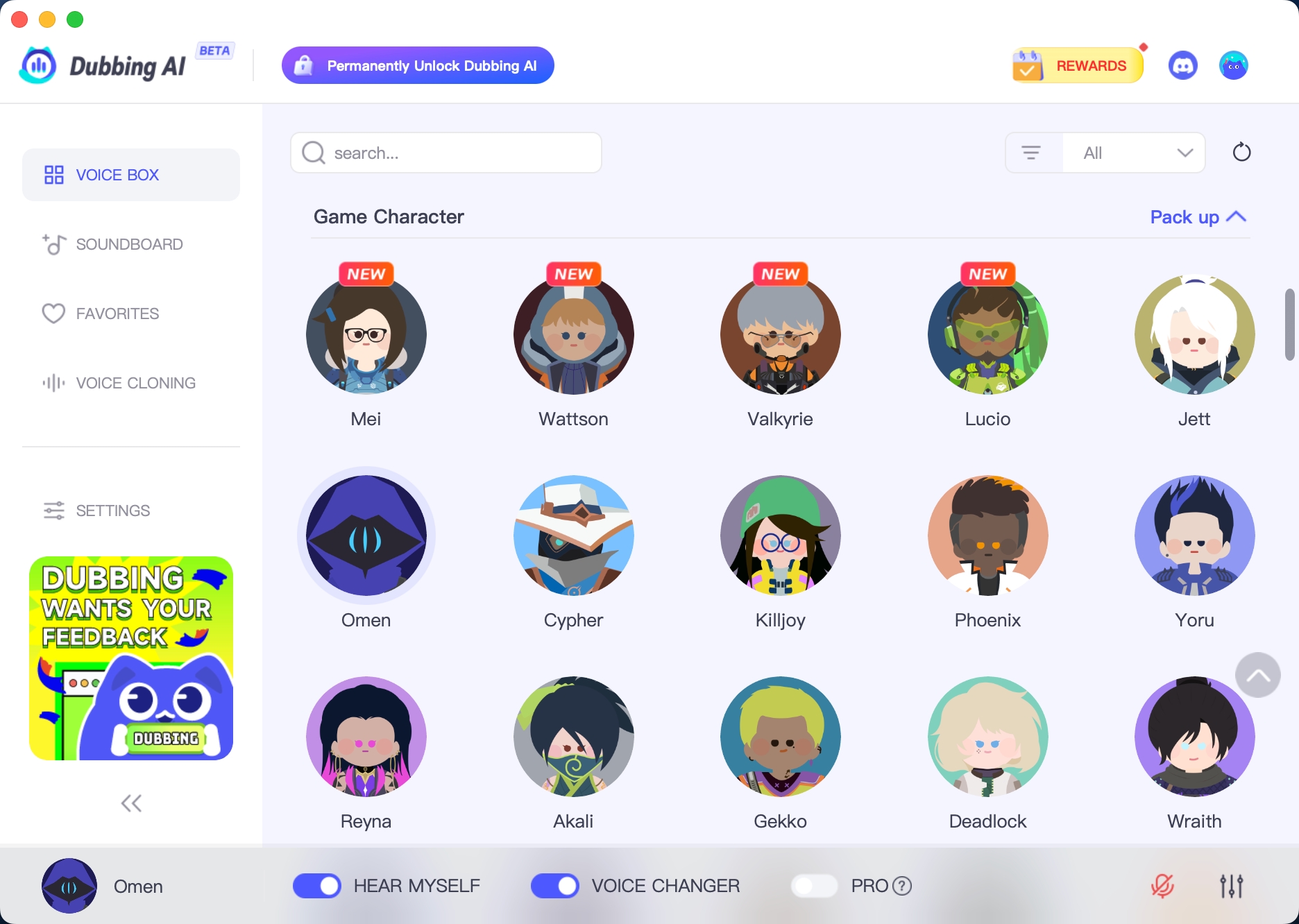
Dubbing AI is good if you want to change voices online. You do not need to download anything. You can upload audio or video files and switch voices easily. Dubbing AI works in your browser. You do not need a strong computer. It is great for quick projects or sharing spooky clips with friends.
HitPaw
HitPaw has lots of cool features. You can change your voice while you talk. There is a soundboard for extra effects. You can upload files to change voices too. HitPaw is good for gaming, streaming, and chatting. It works with Discord and Twitch. The design is simple, so it is easy to use. You can also try AI music and cover songs with different voices.
Here is what HitPaw gives you:
Feature | Description |
|---|---|
Real-Time Voice Changing | Change your voice fast, great for games and streams. |
Soundboard | Add fun sounds to calls or live streams. |
AI Cover | Make songs sound like other artists. |
File Voice Changing | Upload audio or video to change voices. |
AI Music | Create tunes and switch song styles with text. |
Easy-to-Use Interface | Simple to use for everyone. |
Platform Compatibility | Works with Discord, Twitch, and many games. |
Comprehensive Toolset | Has AI music maker and more. |
You can choose from three price plans. Standard costs $9.95 each month, $29.95 each year, or $49.95 forever. Pro is $15.95 monthly, $39.95 yearly, or $65.95 for lifetime.
MagicMic
MagicMic has a huge list of voice filters and effects. There are more than 225 voice filters and over 600 effects. You can record your voice and add audio files. You can even make your own voices. MagicMic works on Windows, Mac, Android, and iOS. You can use it almost anywhere. People like how easy it is to change sound settings. The app has a high rating, with 4.5 stars from over 900 reviews.
Look at these features:
Feature Description | User Rating |
|---|---|
Real-time AI voice changing with 225+ filters | ⭐ ⭐ ⭐ ⭐ |
Add audio files and record voice | 4.5 (900+ reviews) |
600+ voice effects and 200 memes | – |
Custom voice creation | – |
Voice conversion to characters | – |
Integration with Discord, Skype, etc. | – |
Sound adjustment options | – |
MagicMic costs $75.99 for each device type.
Fineshare
Fineshare is a good choice for PC or Mac. You can use it for streaming, gaming, or making videos. Fineshare is easy to use and lets you switch voices fast. It works with Discord and Zoom. Many people say it is simple to set up and works well for calls and making content.
Vozard
Vozard has over 200 sound effects. It works on Windows, Mac, Discord, Zoom, and Twitch. You can use it for free, but some things cost money. The design is friendly, so you can find what you need. Vozard is a good pick if you want something easy and works on many platforms.
Feature | Vozard |
|---|---|
Sound Effects | 200+ |
Compatibility | Windows, Mac, Discord, Zoom, Twitch |
Pricing | Some features are free |
User Interface | Easy to use |
VoiceMod
VoiceMod is great for pranks and Halloween. You can sound like Pennywise and scare your friends. Many people use it for parties and streams. VoiceMod works on computers and phones. Some people like the free stuff, but others wish there were fewer limits. You might see some problems, but most users think it is fun.
VoiceMod copies Pennywise’s voice well for pranks.
It is popular for Halloween and spooky events.
Some users like the app, but others mention limits and performance.
Voice.ai
Voice.ai uses smart AI to make your voice sound real. You can change your voice while you talk, clone voices, and pick from many AI voices. Voice.ai works with TikTok, Discord, Minecraft, and Among Us. You can set it up fast and use it with almost any app on your PC. The tech keeps your tone and speed, so your Pennywise voice sounds natural.
Feature | Description |
|---|---|
Real-Time Voice Changer | Change your voice fast while streaming or recording. |
Voice Cloning | Make custom AI voices from samples. |
Voice Universe | Pick from lots of AI voices. |
Soundboards | Make and use soundboards for extra fun. |
High Performance | Works smoothly with little delay. |
Easy Setup | Quick to install and set up. |
Works With Everything on PC | Compatible with many apps and platforms. |
Voice.ai costs between $20 and $60 each month.
Supported Platforms | Cost Options |
|---|---|
TikTok, Discord, Minecraft, Among Us | $20 to $60 per month |
Here is a table to help you choose the best pennywise voice changer:
Tool | Platforms Supported | Price Range | Unique Features |
|---|---|---|---|
HitPaw | PC | $9.95-$65.95 | Real-time, soundboard, AI music |
MagicMic | PC, Mac, Android, iOS | $75.99 | 225+ filters, custom voices, memes |
Fineshare | PC, Mac | Varies | Easy setup, live streaming |
Vozard | PC, Mac, Discord, Zoom, Twitch | Free/Paid | 200+ effects, user-friendly |
VoiceMod | PC, Mobile | Freemium | Pennywise voice, popular for pranks |
Voice.ai | PC, TikTok, Discord, Minecraft | $20-$60/month | AI cloning, huge voice library |
Dubbing AI | Online | Varies | File upload, browser-based |
Tip: Think about where you want to use your pennywise voice changer. If you need it for gaming, pick one with real-time features. If you want to make videos, look for tools that support file uploads.
Now you have a full list of pennywise voice changers. Each tool is special, so you can find the best one for your next spooky adventure.
How to Make Your Pennywise Voice More Realistic?
Do you want your Pennywise impression to sound just like the creepy clown from the movies? You can make your voice extra spooky with a few simple tricks. If you’re wondering how to change your voice to pennywise, you don’t need fancy equipment. You just need the right settings and a little practice.
Start by picking a pennywise voice changer that lets you adjust the sound. Many tools, like VoiceMod, give you lots of options to tweak your voice. You can play with pitch, speed, and echo. Try lowering your pitch to make your voice deeper. Add a little distortion for that scary vibe. If your tool has a Pennywise preset, use it as a starting point. Then, change the settings until you get the effect you want.
Here are some expert tips to help you sound more realistic:
Customizability is key. Tweak the settings for pitch, reverb, and echo until you find the perfect Pennywise sound.
VoiceMod stands out for ultra-realistic effects. You can use the built-in Pennywise sound and then adjust it for your own style.
Practice your delivery. Speak slowly and add a creepy laugh at the end of your sentences.
Record yourself and listen back. This helps you spot what sounds good and what needs work.
🎤 Pro Tip: If you want to know how to change your voice to pennywise, try mixing different effects. Sometimes, a little background noise or a whisper makes your voice even scarier.
You can also use a table to keep track of your favorite settings:
Setting | What to Adjust | Why It Helps |
|---|---|---|
Pitch | Lower it | Makes voice deeper |
Reverb | Add a little | Adds echo, spooky feel |
Distortion | Increase slightly | Creates creepy tone |
Speed | Slow down | Sounds more menacing |
With these tips and your pennywise voice changer, you’ll sound just like Pennywise in no time. Have fun experimenting and see which settings make your friends jump!
Best Occasions to Use a Pennywise Voice Changer

Halloween Parties
Halloween parties are a great time to use your Pennywise voice changer. You can walk in and sound just like the scary clown from “IT.” People enjoy voices that are very deep, high, or sound strange. Adding echo or a whisper makes your voice even scarier. Many guests remember the person who can become a spooky character so fast. Check out the table below to see what makes a scary voice:
Characteristic | Description |
|---|---|
Unnatural qualities | Scary voices can be very deep, high, weird, or have an echo. |
Creepy voice creation | Lowering pitch, adding echo, or mixing in whispers makes it creepier. |
Instant transformation | Good voice changers let you become scary characters quickly, perfect for Halloween. |
Try sneaking up behind your friends and saying, “You’ll float too!” in your best Pennywise voice. See if they jump!
Horror Live Streams
Do you stream scary games or tell spooky stories? A Pennywise voice changer can make your streams more fun. You can change your voice during scary parts and surprise your viewers. Many streamers use voice changers to make things more exciting. Your audience will love the extra scares.
Prank Calls
A Pennywise voice changer can make prank calls funny or spooky. You can call your friends and pretend to be Pennywise. Make sure your friends like a good scare before you try it. Always keep your pranks safe and fun.
YouTube or TikTok Content Creation
You can use a Pennywise voice changer to make cool videos for YouTube or TikTok. Many creators use voice changers to act out scenes or tell scary stories. Some prank their followers too. Your videos will be special with a spooky voice. Fans enjoy creative videos that surprise them.
Tip: Record a short video with your new voice and post it online. You could become popular!
You have lots of great choices for a pennywise voice changer. Each tool stands out in its own way. Check out this table to see what makes them special:
Strengths | Description |
|---|---|
AI makes your voice sound real and spooky. | |
Rich Sounds Library | Over 180 effects, always adding new ones. |
Excellent Compatibility | Works with Discord, Twitch, Zoom, and more. |
Easy to Use | Simple design, even for beginners. |
Customization and Control | Change pitch and tone for your own style. |
If you want the best for PC, try HitPaw or VoiceMod. For mobile, MagicMic is a top pick. Need a free option? Clownfish or VoiceChanger.io work well. Try one out at your next party or prank, but remember to use it kindly and have fun!
FAQ
Can I use a Pennywise voice changer on my phone?
Yes, you can! MagicMic and VoiceMod work on phones. Just download the app, plug in your headphones, and start talking. You will sound spooky in seconds.
Do I need special equipment for these voice changers?
No, you do not need fancy gear. Most tools only need a microphone and speakers. Your phone or computer’s built-in mic works fine for pranks and parties.
Is it safe to use a Pennywise voice changer online?
You stay safe if you use trusted apps like HitPaw or Voice.ai. Always download from official websites. Never share personal info when you prank or stream.
Can I make my own custom Pennywise voice?
You sure can! Many apps let you change pitch, add effects, and save your own voice settings. Try mixing different filters until you find your perfect creepy sound.
Do these voice changers cost money?
Some voice changers are free, like Vozard. Others, like MagicMic or Voice.ai, have paid plans. Check each app for prices and free trials before you decide.
See Also
Mastering AI Voice Changers for Epic Discord Pranks
Unveiling the Top Celebrity Voice Changer Application Today
Three Hilarious Voice Changer Pranks for CS:GO Players

Related Posts