Every day, an average of 120,000 new music tracks, including those generated by AI, are uploaded to digital streaming platforms like Spotify, Apple Music, and YouTube Music. This surge highlights the growing presence of AI-generated content, driven by both rising consumer interest and advancements in technology that allow anyone to create professional-quality tracks with minimal equipment. AI-powered tools, like Dubbing AI, are contributing to this boom by enabling users to create and upload songs featuring realistic voices of movie, anime, and game characters.
AI music tools are quickly becoming the go-to for creative experimentation, especially among content creators and fans of iconic characters. Dubbing AI, with its professional-grade singing capabilities, enables users to perform with the voices of beloved movie, anime, and game characters. The appeal is huge: over 60% of digital creators are exploring AI-driven audio tools to diversify their content. Dubbing AI’s extensive library allows users to sing in tones that match well-known characters, making every cover feel dynamic and unique. This feature elevates fan engagement and expands creative possibilities, transforming how people approach music production and voice art.
Understanding Dubbing AI
What is Dubbing AI?
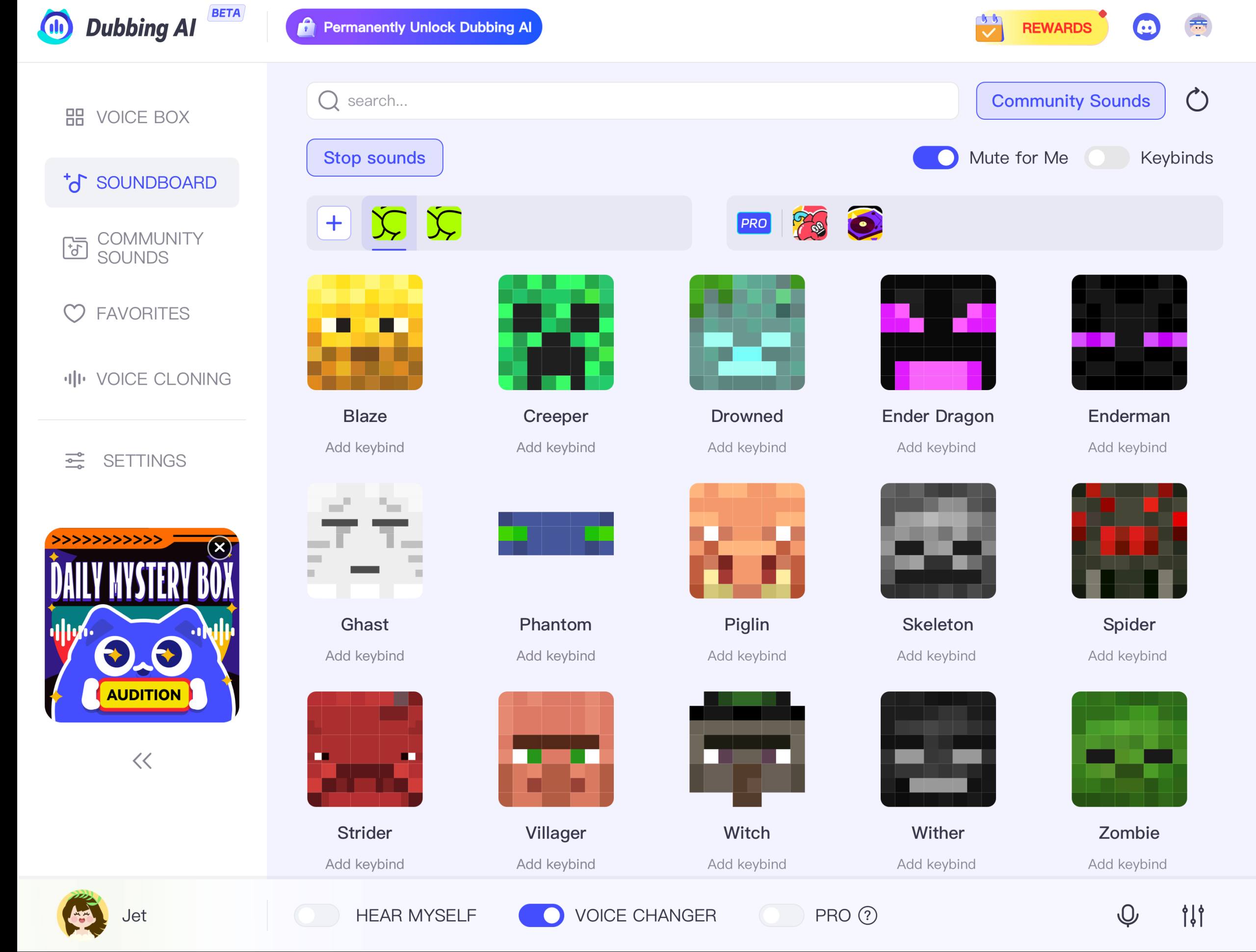
Dubbing AI stands out as the ultimate real-time AI voice changer, boasting an impressive library of over 1,000 unique voices. This versatile tool empowers users to effortlessly transform their vocal output, adding a dynamic twist to any conversation or performance. Whether you’re gaming, streaming, or creating content, Dubbing AI offers a seamless experience with low latency less than 100 milliseconds and stunning clarity. With its diverse range of characters and styles, you can find the perfect voice to match your mood or project, elevating your communication to new heights.
Key features
Low Latency: Dubbing AI changes your voice in under 30ms, no prerecording needed which brings you the real-time voice changing experience.
Awesome Voices: Over 500 different voices from anime, game, and movie to celebrity to anyone you wish to be. You can also make your personal voice by voice cloning.
Easy to Use: Download and Install in less than 5 minutes, only uses 5% of your CPU
Clolorful Soundboard: All users can find their favorite soundboards from communite sounds or upload their own soundboards to enhance game experience.
With Dubbing AI, you can achieve a level of vocal precision that was once only possible with extensive training. Dubbing AI offers exceptional features tailored for a pristine singing experience. The noise reduction functionality creates crystal-clear recordings by eliminating unwanted background sounds. This feature is especially valuable for those recording in less-than-ideal environments, allowing users to maintain a professional sound without investing in high-end studio setups. Noise reduction is designed to capture only the primary vocal elements, offering a clean and sharp final product. This feature attracts users by ensuring a smooth, studio-like sound without extra equipment, saving time and cost in post-production.
Echo Remove
Another standout feature is the echo remover. By reducing room echo and reverb, Dubbing AI makes recordings sound professional and smooth, which is especially beneficial for home recordings or impromptu sessions where room acoustics aren’t optimized. This capability is highly useful for content creators, streamers, and casual singers alike, as it minimizes the usual audio flaws associated with non-studio environments, producing high-quality tracks every time.
Colorful Voice Library
Dubbing AI’s colorful voice library brings an element of fun and customization to each recording. Users can explore various voice options, from rich, deep tones to lighter, anime-inspired vocals, allowing them to experiment creatively and align their sound with any genre or style. This variety allows artists to bring character voices into their performances, enhancing engagement across platforms.
Accessibility and Efficiency
Reducing production time and costs
Traditional dubbing can be time-consuming and costly. You need voice actors, studio time, and lots of editing. AI-assisted dubbing changes the game by automating these processes. You save time and money, allowing you to produce high-quality music faster. AI tools streamline production, making it easier for you to bring your musical ideas to life without breaking the bank.
Making high-quality dubbing accessible to all
AI technology democratizes music production. You don’t need to be a seasoned musician to create professional-sounding tracks. With AI, high-quality dubbing is within everyone’s reach. This opens up new opportunities for aspiring artists and hobbyists alike. You can experiment with different styles and genres, knowing that AI will help you sound your best. Embrace the future of music with Dubbing AI and unlock your creative potential.
Let’s recap the journey you’ve taken through the world of Dubbing AI. You’ve explored how AI transforms music production by enhancing vocal performance and accessibility. AI singing synthesis creates lifelike vocals, allowing you to experiment with various styles and genres. This technology accelerates creativity, helping you overcome creative blocks and explore new musical territories.
AI’s role in singing excellence is undeniable. It offers tools that simplify complex tasks, making high-quality music creation accessible to everyone. As you embrace AI, you shape the future of music. Keep exploring and discussing its potential. Your insights will drive innovation and ensure AI enhances, not replaces, human artistry.
Welcome to Incredibox Abgerny, a groundbreaking game from Sprunki that revolutionizes music creation by inviting you to unleash your inner beatboxer. This game immerses you in a vibrant world where you can explore tribal rhythms and Aboriginal-inspired sounds. You step into the role of a conductor, guiding a diverse group of beatboxers, each with their own unique sound. The interactive nature of Incredibox Abgerny allows you to craft captivating beats by simply dragging and dropping characters onto the stage. Dive into this culturally rich platform and let your creativity flow as you compose your own musical masterpieces.
Understanding Incredibox Abgerny
What is Incredibox Abgerny?
Incredibox Abgerny is an innovative music creation game that transports players into a world of tribal rhythms and ancestral melodies. It invites you to dive into a world filled with tribal rhythms and Aboriginal sounds. This unique platform allows you to explore endless musical possibilities. You can create your own beats using a crew of colorful beatboxers. Each character brings a distinct sound, adding depth to your compositions. The vibrant visuals and active community make it an engaging experience for music enthusiasts.
How Does It Work?
In Incredibox Abgerny, you take on the role of a conductor. You guide beatboxers to craft unique music. The intuitive interface makes it easy for you to drag and drop characters onto the stage. This simplicity allows you to focus on creativity rather than complex controls. The game also features scratch mechanics. These mechanics let you uncover hidden sounds and effects, adding layers to your music.
The interactive nature of Incredibox Abgerny encourages collaboration and learning. You can share your creations with others, fostering a sense of community. Whether you’re a beginner or an experienced musician, this game offers a fun and educational way to explore sound design and music composition.
Unique Features of Incredibox Abgerny
Innovative Music Creation Tools
Diverse beatboxer characters with unique sounds
Incredibox Abgerny offers you a vibrant cast of beatboxer characters. Each one brings a unique sound to the table. You can mix and match these characters to create your own musical masterpiece. The diversity in sounds allows you to experiment with different styles and rhythms. This feature makes your music creation process exciting and full of possibilities.
Intuitive scratch mechanics for hidden sounds
The game introduces intuitive scratch mechanics. These mechanics let you uncover hidden sounds and effects. You simply scratch the surface to reveal new layers of music. This feature adds depth to your compositions. It encourages you to explore and discover new sound combinations. You will find joy in the unexpected surprises that these hidden sounds bring to your music.
Interactive and Engaging Gameplay
Dynamic character interactions and visual feedback
Incredibox Abgerny keeps you engaged with dynamic character interactions. Your chosen beatboxers respond to each other, creating a lively musical experience. The game provides visual feedback that enhances your creativity. You see your music come to life as characters move and interact on the screen. This visual element makes the game more immersive and enjoyable.
Community sharing and collaboration
The game fosters a sense of community. You can share your creations with others and collaborate on new projects. This feature allows you to connect with fellow music enthusiasts. You can learn from others and showcase your unique beats. The community aspect of Incredibox Abgerny makes it more than just a game. It becomes a platform for sharing and growing your musical talents.
Benefits for Beatboxers
Enhancing Creativity
Experimentation with ethnic sounds and styles
Incredibox Abgerny opens up a world of musical exploration for you. You get to experiment with a variety of ethnic sounds and styles. The game encourages you to mix and match different beats, creating unique compositions that reflect your personal style. This experimentation helps you discover new musical possibilities and broaden your creative horizons. You can dive into the rich tapestry of tribal rhythms and Aboriginal sounds, allowing your creativity to flourish.
Encouragement of original compositions
The game doesn’t just stop at experimentation. It actively encourages you to create original compositions. By providing a diverse range of beatboxer characters and sounds, Incredibox Abgerny inspires you to craft music that is truly your own. You can take pride in your creations, knowing that they are a reflection of your unique musical voice. This encouragement of originality fosters a sense of accomplishment and motivates you to continue exploring your musical potential.
Skill Development
Practice and improvement of beatboxing techniques
Incredibox Abgerny serves as an excellent platform for practicing and improving your beatboxing techniques. The game’s intuitive interface allows you to focus on honing your skills without getting bogged down by complex controls. You can experiment with different rhythms and sounds, refining your technique as you go. This practice helps you become a more proficient beatboxer, enhancing your ability to create captivating music.
Learning through interactive challenges
The game also offers interactive challenges that promote learning and skill development. These challenges encourage you to think creatively and solve problems, helping you grow as a musician. You can learn from the dynamic interactions between characters and the visual feedback provided by the game. This interactive learning experience makes the process of skill development engaging and enjoyable. As you tackle these challenges, you’ll find yourself becoming more confident in your abilities and eager to take on new musical endeavors.
“Incredibox Abgerny encourages creative thinking in both art and technology,” as aspiring musicians and coders have discovered. This game serves as a springboard for learning coding and sound design, encouraging collaboration among players and students.
Incredibox Abgerny provides you with a unique and engaging platform to explore your creativity as a beatboxer. Its innovative features and interactive gameplay make it a valuable tool for both beginners and experienced musicians. You can dive into a world of tribal rhythms and Aboriginal sounds, crafting your own musical masterpieces. The game has been described as “incredibly fun and engaging,” a testament to its appeal. So why not give it a try? Unleash your inner beatboxer and see where your creativity takes you.
Unlocking the Full Potential of Discord Voice Chat
Discord has revolutionized the way we communicate with others while gaming, providing a seamless platform for voice chat. However, Discord’s audio restrictions can sometimes limit the customization and creativity of voice chat. That’s where Dubbing Ai comes in – the ultimate voice changer for Discord.
Understanding Discord’s Audio Restrictions is crucial to grasp why Dubbing Ai is such a game-changer. These restrictions are in place to ensure a high-quality voice chat experience by reducing background noise, echo, and other audio issues. While this is beneficial for maintaining clear communication, it can also make users feel restricted in expressing themselves through their voice on Discord.
Introducing Dubbing Ai: The Ultimate Voice Changer designed specifically for Discord. This advanced AI-powered tool unlocks a world of possibilities by offering real-time voice changing capabilities during live voice chat sessions. With its vast library of voice effects and filters, users can transform their voices into anything from robotic tones to mythical creatures or even famous celebrities.
Optimizing Discord settings is essential to fully enjoy the Dubbing Ai experience. By setting up the Dubbing Virtual Device microphone in Discord and ensuring proper configuration, you can seamlessly integrate Dubbing Ai into your voice chat sessions. Additionally, disabling input sensitivity prevents Discord from cutting off your voice, allowing for uninterrupted transmission during conversations. Disabling noise suppression preserves the authenticity of your voice by preventing Discord from filtering out background noise.
With Dubbing AI, you can take your Discord voice chat to the next level. Explore advanced voice customization options by experimenting with different effects and filters to create unique and memorable voices for your persona. Collaborate with other users by creating themed voice channels using Dubbing Ai, immersing yourself in role-playing scenarios with customized voices that enhance collaboration like never before.
Unleash your true potential on Discord with Dubbing Ai’s unparalleled voice customization options. Break free from Discord’s audio restrictions and express yourself in new and exciting ways. Elevate your Discord voice chat experience with Dubbing Ai’s advanced features and capabilities that will leave everyone amazed at what you can do with just your voice.
Understanding Discord’s Audio Restrictions
The Importance of Discord’s Audio Restrictions
Discord’s audio restrictions play a crucial role in ensuring a high-quality voice chat experience for users. By implementing these restrictions, Discord aims to create a clear and immersive environment for communication during gaming sessions or group discussions.
One of the primary benefits of these restrictions is the reduction of background noise. When multiple users are engaged in a voice chat, there is often ambient noise that can interfere with the clarity of the conversation. Discord’s audio restrictions help filter out this unwanted noise, allowing participants to focus on what matters most – the conversation itself.
Echo is another common issue that can arise during voice chats. It occurs when the sound from speakers or headphones is picked up by the microphone and transmitted back to other participants, creating an annoying feedback loop. Discord’s audio restrictions effectively minimize echo by employing advanced echo cancellation algorithms, resulting in a more pleasant and seamless communication experience.
Challenges Posed by Discord’s Audio Restrictions
While Discord’s audio restrictions serve an important purpose, they can also pose challenges for users who seek customization and creativity in their voice chat interactions. The strict limitations imposed by these restrictions may limit the ability to express oneself fully through their voice on Discord.
For example, users who wish to adopt unique personas or experiment with different voices may find it difficult to do so within the confines of Discord’s default settings. This limitation can hinder role-playing scenarios or creative collaborations where distinct voices are essential for character immersion.
Furthermore, some users may feel restricted in expressing emotions or conveying nuances through their natural voice due to the filtering mechanisms employed by Discord. While these mechanisms aim to provide a clean and clear audio experience, they may inadvertently strip away certain vocal qualities that contribute to authentic expression.
However, with Dubbing AI: The Ultimate Voice Changer for Discord, these challenges can be overcome. Dubbing AI offers a wide range of voice customization options that allow users to break free from the limitations imposed by Discord’s audio restrictions. By leveraging artificial intelligence technology, Dubbing Ai empowers users to transform their voices in real-time during live voice chat sessions, opening up new possibilities for creativity and self-expression on Discord.
Introducing Dubbing AI: The Ultimate Voice Changer
What is Dubbing AI?
Dubbing AI is an advanced voice changer designed specifically for Discord. It takes voice customization to a whole new level by utilizing artificial intelligence technology. With Dubbing Ai, users can transform their voices in real-time during live voice chat sessions, adding a touch of creativity and uniqueness to their Discord experience.
Features of Dubbing AI
Real-time voice changing capabilities: Dubbing AI allows users to modify their voices on the fly while engaged in live voice chat sessions. Whether you want to sound like a robot, a monster, or even mimic the voice of your favorite celebrity, Dubbing Ai has got you covered.
Vast library of voice effects and filters: With an extensive collection of voice effects and filters, Dubbing Ai offers endless possibilities for customization. From pitch modulation to echo effects, users can experiment with different combinations to create their desired vocal persona.
Customizable voice presets: For those who prefer quick and easy transformations, Dubbing Ai provides customizable voice presets. These presets allow users to save their preferred settings and apply them with just a click, saving time and effort while still achieving the desired effect.
Dubbing Ai’s intuitive interface makes it accessible for both beginners and experienced users alike. Its seamless integration with Discord ensures that you can effortlessly enhance your voice chat experience without any technical hassle.
Whether you’re looking to add some fun to your gaming sessions or engage in immersive role-playing scenarios, Dubbing Ai empowers you with the tools needed to bring your imagination to life through your voice on Discord. Get ready to unleash your creativity and leave a lasting impression on your fellow Discord users with the ultimate voice changer – Dubbing AI.
Image Caption
Optimizing Discord Settings for the Best Experience
Setting Up the Dubbing Microphone in Discord
To fully enjoy the features and capabilities of Dubbing Ai, it is essential to set up the Dubbing microphone in Discord. This ensures seamless integration between Dubbing Ai and Discord’s voice chat system. Here’s how you can do it:
Connect your Dubbing microphone to your computer: Make sure that your microphone is properly connected to your computer via USB or any other compatible connection.
Open Discord and navigate to User Settings: Click on the gear icon located at the bottom left corner of the Discord window to access User Settings.
Go to Voice & Video settings: In the User Settings menu, select “Voice & Video” from the left-hand sidebar.
Choose Dubbing as your input device: Under the “Input Device” section, select “Dubbing Virtual Device” from the dropdown menu. This will ensure that Discord recognizes and uses your Dubbing microphone for voice input.
Test your microphone: To ensure that everything is working correctly, click on “Let’s Check” under the “Mic Test” section. Speak into your microphone, and if you see green bars moving in response to your voice, it means that your microphone is properly configured.
By following these steps, you can seamlessly integrate Dubbing Ai with Discord and unlock its full potential for voice customization during your voice chat sessions.
Disabling Input Sensitivity
Discord’s default setting includes input sensitivity, which automatically adjusts the sensitivity level of your microphone based on ambient noise levels. While this feature can be useful in some situations, it may also cause interruptions or cut off parts of your speech unnecessarily. To prevent this from happening:
Go to Voice & Video settings in Discord: Access the User Settings menu by clicking on the gear icon at the bottom left corner of Discord, then select “Voice & Video” from the left-hand sidebar.
Disable automatic input sensitivity: Under the “Input Sensitivity” section, toggle off the switch next to “Automatically determine input sensitivity.” This will disable input sensitivity adjustments by Discord.
Disabling input sensitivity ensures uninterrupted voice transmission during conversations on Discord, allowing you to express yourself without any interruptions or cutoffs.
Disabling Noise Suppression
While noise suppression can be helpful in reducing background noise during voice chats, it may also filter out certain elements of your voice and make it sound unnatural or robotic. If you prefer a more authentic and natural voice chat experience:
Navigate to Voice & Video settings in Discord: Open User Settings by clicking on the gear icon at the bottom left corner of Discord, then select “Voice & Video” from the left-hand sidebar.
Turn off noise suppression: Under the “Advanced” section, toggle off the switch next to “Noise Suppression.” This will disable noise suppression in Discord.
By disabling noise suppression, you preserve the authenticity of your voice during conversations on Discord. Background noises will not be filtered out excessively, resulting in a more natural-sounding voice chat experience for both you and other participants.
Optimizing these settings allows you to fully utilize Dubbing Ai’s advanced features while maintaining a seamless and natural voice chat experience on Discord. With these adjustments made, get ready to take your voice customization journey on Discord to new heights!
Taking Your Discord Voice Chat to the Next Level
Exploring Advanced Voice Customization with Dubbing Ai
Dubbing Ai opens up a world of possibilities for advanced voice customization on Discord. With its extensive collection of voice effects and filters, you can experiment with different combinations to create unique and memorable voices for your Discord persona. Here’s how you can take your voice chat experience to the next level:
Experiment with voice effects and filters: Dubbing Ai offers a wide range of voice effects, including pitch modulation, echo, reverb, and more. You can apply these effects in real-time during your voice chats, allowing you to transform your voice into something entirely different. Whether you want to sound like a robot, a mythical creature, or even alter your gender, Dubbing Ai has the tools to make it happen.
Create a unique persona: With Dubbing Ai’s advanced voice customization capabilities, you have the opportunity to create a distinct persona for yourself on Discord. Whether you’re engaging in gaming sessions or participating in group discussions, having a unique and memorable voice can enhance your presence and leave a lasting impression on others.
Enhancing Collaboration with Dubbing Ai
Dubbing Ai not only allows for individual voice customization but also enhances collaboration among users on Discord. Here are some ways you can leverage Dubbing Ai to enhance collaboration:
Themed voice channels: Collaborate with other users by creating themed voice channels using Dubbing Ai. For example, if you’re playing a fantasy-themed game or hosting an online event, you can create a dedicated channel where everyone uses customized voices that match the theme. This adds an extra layer of immersion and excitement to the collaboration experience.
Role-playing scenarios: Immerse yourself in role-playing scenarios with customized voices made possible by Dubbing Ai. Whether it’s an RPG session or an improvisational storytelling activity, using different voices for different characters brings depth and authenticity to the experience. It allows participants to fully embody their roles and enhances the overall collaborative atmosphere.
By exploring advanced voice customization options and leveraging Dubbing Ai’s features for collaboration purposes, you can elevate your Discord voice chat experience beyond simple communication. Unleash your creativity, engage in immersive collaborations, and make every interaction on Discord truly unforgettable with the help of Dubbing Ai.
With its powerful capabilities and user-friendly interface, this ultimate voice changer takes Discord communication to new heights of fun and creativity!
Unleash Your Voice on Discord with Dubbing Ai
Dubbing Ai is the ultimate voice changer that unlocks unparalleled voice customization options for Discord users. With its advanced features and capabilities, you can break free from Discord’s audio restrictions and express yourself in new and exciting ways.
By utilizing Dubbing Ai, you can take your Discord voice chat experience to the next level. Whether you want to sound like a robot, a mythical creature, or even mimic the voice of your favorite celebrity, Dubbing Ai has the tools to make it happen. Its real-time voice changing capabilities, vast library of voice effects and filters, and customizable voice presets provide endless possibilities for transforming your voice during live chat sessions.
With Dubbing Ai, you can create unique and memorable voices for your Discord persona, enhancing your presence and leaving a lasting impression on others. Collaborate with other users by creating themed voice channels or immerse yourself in role-playing scenarios with customized voices that bring depth and authenticity to the experience.
Don’t let Discord’s audio restrictions limit your creativity. Unleash your true potential on Discord with Dubbing Ai’s advanced features and capabilities. Break free from the norm, express yourself in new and exciting ways, and make every interaction on Discord truly unforgettable.
Take control of your voice on Discord today with Dubbing Ai!
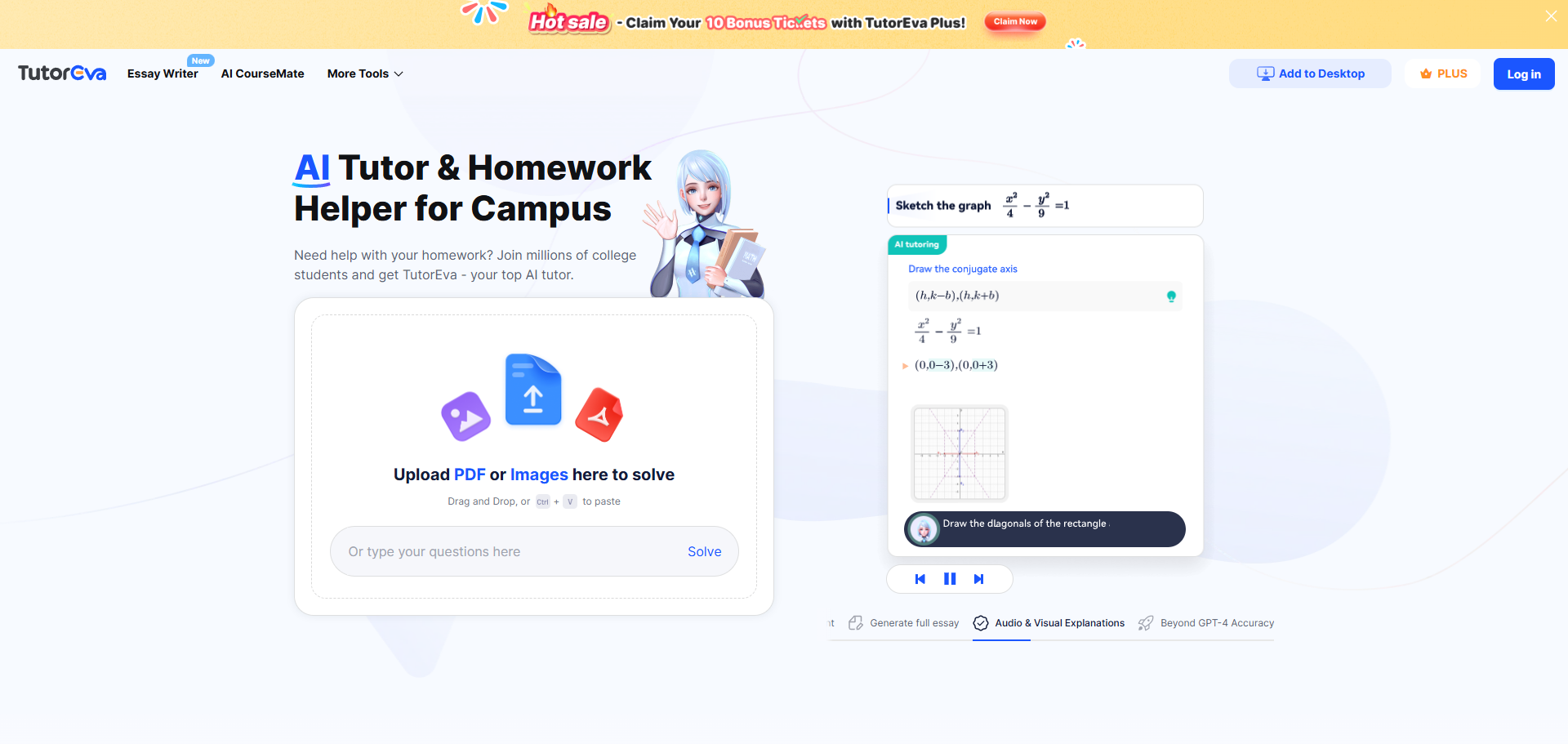
Is TutorEva the top homework assistant in 2024? You might wonder why it stands out among other options. TutorEva transforms your study routine with its AI-powered personal tutor features. It offers tailored support for your academic needs. Whether you’re tackling complex math problems or crafting essays, TutorEva provides precise solutions and interactive learning tools. Experience the ease of having a personal tutor at your fingertips. Discover why millions of students trust TutorEva to enhance their learning journey.
Overview of TutorEva’s Features and Functionalities
Main Features of the Homework Assistant
AI-Powered Assistance
With TutorEva, you gain access to a cutting-edge AI-powered homework assistant that transforms how you approach academic challenges. This platform leverages advanced AI technologies, including GPT-4 and the Knowledge Agents System, to deliver precise and reliable solutions. You can upload your homework documents, whether they are PDFs or images, and receive comprehensive answers with step-by-step explanations. This feature ensures you understand the material thoroughly, making learning more effective and less time-consuming.
Subject Coverage
TutorEva excels in offering extensive subject coverage, catering to a wide range of academic disciplines. Whether you’re grappling with complex calculus problems, delving into the intricacies of science, or crafting essays, this platform has you covered. It provides detailed solutions and explanations across various subjects, ensuring you receive the support you need to excel in your studies. The breadth of subject coverage makes TutorEva an invaluable resource for students seeking assistance in multiple areas.
Functionalities of the Personal Tutor
Real-Time Feedback
One of the standout features of TutorEva as a personal tutor is its ability to provide real-time feedback. As you work through problems or assignments, the platform offers instant insights and corrections, helping you learn from your mistakes and improve your understanding. This immediate feedback loop enhances your learning experience, allowing you to grasp concepts more quickly and effectively.
Interactive Learning Tools
TutorEva goes beyond traditional learning methods by incorporating interactive learning tools. These tools engage you in the learning process, making it more enjoyable and effective. With animated tutoring, visual aids, and interactive exercises, you can explore complex topics in a dynamic and engaging manner. This approach not only aids comprehension but also fosters a deeper connection with the material, ultimately enhancing your academic performance.
Pricing and Free Trials
Pricing Structure
Subscription Plans
When considering TutorEva, you have access to a flexible pricing structure designed to meet diverse needs. The platform operates on a freemium model, allowing you to explore basic features at no cost. For those seeking enhanced functionalities, the Plus version offers premium features, including comprehensive homework help, for just $7.49 per month. This plan ensures you receive personalized tutoring and advanced essay assistance, making it a valuable investment in your academic success.
Payment Options
TutorEva provides convenient payment options to suit your preferences. You can choose to pay monthly, ensuring flexibility and ease of budgeting. The platform accepts various payment methods, including credit cards and digital wallets, making the subscription process seamless. By offering multiple payment options, TutorEva ensures that you can easily access the level of service that best fits your needs and budget.
Free Trials and Discounts
Trial Period Details
To help you make an informed decision, TutorEva includes a free plan as part of its subscription options. This trial period allows you to experience the platform’s capabilities without any financial commitment. During this time, you can explore the basic problem-solving features and access some textbook solutions. This opportunity enables you to evaluate how well TutorEva aligns with your academic requirements before upgrading to a paid plan.
Available Discounts
TutorEva occasionally offers discounts to make its premium services even more accessible. These discounts can vary, so it’s beneficial to check the official website or app stores for the latest promotions. By taking advantage of these offers, you can enjoy the full range of TutorEva‘s features at a reduced cost, enhancing your learning experience while staying within your budget.
Getting started with TutorEva is a breeze. You can download the app on your smartphone or tablet, whether you use iOS or Android. Simply visit the App Store or Google Play Store, search for TutorEva, and tap ‘Install’. The app is lightweight, ensuring a quick download and installation process. Once installed, you are ready to embark on a seamless learning journey.
Account Creation
Creating an account on TutorEva is straightforward. You can register using your email or mobile phone number. After entering your details, you will receive a verification code to confirm your identity. Once verified, you gain access to your personalized TutorEva account. This account serves as your gateway to a world of academic support, tailored to your unique needs.
Key Features and Functionalities
AI-Powered Assistance
How AI Enhances Learning
TutorEva revolutionizes your learning experience with its advanced AI capabilities. By leveraging cutting-edge technologies like natural language processing and computer vision, TutorEva provides instant solutions to your academic challenges. You can simply take a photo of a complex calculus problem or upload an essay draft, and TutorEva will deliver step-by-step explanations and structured outlines. This AI-driven approach not only saves you time but also deepens your understanding of the subject matter, making learning more efficient and enjoyable.
Personalization Features
Personalization lies at the heart of TutorEva‘s offerings. The platform tailors its assistance to meet your unique academic needs. With features like the AI CourseMate, TutorEva consolidates all your study materials in one place, making it easier for you to review and understand complex topics. Whether you’re preparing for exams or tackling daily assignments, TutorEva adapts to your learning style, providing resources and guidance that enhance your academic performance. This personalized approach ensures that you receive the support you need to excel in your studies.
Subject Coverage
Range of Subjects
TutorEva excels in offering comprehensive support across a wide range of subjects. From math and science to accounting and essay writing, TutorEva covers all major academic disciplines. This extensive subject coverage makes it an invaluable resource for students seeking help in multiple areas. Whether you’re a high school student or a college major, TutorEva provides the tools and assistance you need to succeed in your coursework.
Depth of Content
The depth of content provided by TutorEva sets it apart from other educational platforms. With a vast library of resources, including interactive tools and access to expert tutors, TutorEva ensures that you receive detailed, step-by-step solutions to your academic problems. This depth of content enhances your understanding and mastery of various subjects, empowering you to tackle even the most challenging topics with confidence. By offering thorough explanations and comprehensive study materials, TutorEva supports your academic journey every step of the way.
Practical Tips for Maximizing TutorEva
Effective Usage Strategies
Setting Learning Goals
To get the most out of TutorEva, start by setting clear learning goals. Define what you want to achieve in each study session. Whether it’s mastering a calculus concept or drafting an essay, having specific objectives will guide your use of the platform. TutorEva’s AI-powered tools can help you break down complex topics into manageable parts, making it easier to focus on your goals. By setting targets, you can track your progress and celebrate your achievements, boosting your motivation and confidence.
Utilizing Feedback
Take advantage of TutorEva’s real-time feedback feature. As you work through assignments, the platform provides instant corrections and insights. Use this feedback to identify areas where you need improvement. By understanding your mistakes, you can learn more effectively and avoid repeating them in the future. This immediate feedback loop is a powerful tool for enhancing your learning experience and ensuring you grasp the material thoroughly.
Integrating TutorEva into Study Routine
Scheduling Sessions
Incorporate TutorEva into your regular study routine by scheduling dedicated sessions. Consistency is key to maximizing the benefits of any educational tool. Set aside specific times each week to engage with TutorEva’s resources. Whether you’re preparing for exams or tackling daily homework, regular sessions will help reinforce your learning. By making TutorEva a part of your study schedule, you ensure that you consistently receive the support you need to excel academically.
Tracking Progress
Monitor your academic growth by using TutorEva’s progress tracking features. Keep a record of the topics you’ve covered and the improvements you’ve made. This will help you identify patterns in your learning and adjust your strategies accordingly. By tracking your progress, you can pinpoint areas where you excel and those that require more attention. This self-awareness empowers you to take control of your education and make informed decisions about your study habits.
“TutorEva represents a sophisticated approach to AI-powered educational assistance, offering students a versatile tool for homework help, problem-solving, and academic writing support.” – Blockchain News
By following these practical tips, you can harness the full potential of TutorEva and transform your academic journey. Embrace the power of AI to enhance your learning experience and achieve your educational goals.
Is TutorEva the best choice for academic assistance? Absolutely. You gain access to a comprehensive platform that excels in providing detailed, step-by-step solutions across various subjects. The app’s strengths include its AI-driven features, interactive tools, and 24/7 support. However, some users might find the premium features more beneficial. Overall, TutorEva stands out as a valuable tool for students seeking efficient and personalized learning support. You should consider trying it to enhance your academic journey and achieve your educational goals.
Black Friday is a thrilling time for shoppers, offering the chance to snag incredible deals and save big. In 2022, the average consumer spent $205 on Black Friday, marking an 8% increase from the previous year. This shopping frenzy isn’t just about buying; it’s also about having fun. Creating voice memes has become a popular way to add humor and creativity to your shopping experience. With tools like soundboards and Dubbing AI, you can craft hilarious voice memes that capture the spirit of the season. This post will guide you to the best voice meme generators available during Black Friday.
When it comes to creating voice memes, Dubbing AI stands out with its impressive features. You can easily replace vocals in your audio files with a variety of AI-generated voices. This tool offers a seamless experience for crafting unique and entertaining voice memes. With its advanced generative AI technology, you can transform any audio into something fresh and exciting. Whether you’re looking to add a humorous twist to a song or create a completely new sound, Dubbing AI provides the flexibility you need.
User Experience
Using Dubbing AI is a breeze. The interface is user-friendly, allowing you to navigate through its features without any hassle. You can quickly upload your audio files and start experimenting with different voices. The process is straightforward, making it accessible even if you’re new to voice meme creation. Plus, the results are impressive, with high-quality audio output that captures the essence of your original content while adding a fun twist.
Voicemod
Key Features
Voicemod is another fantastic option for voice meme enthusiasts. This versatile software offers a wide array of functionalities, including real-time voice modulation. You can access over 200 unique voice effects, making it perfect for creating hilarious meme content. Voicemod also supports multiple voice styles and languages, which means you can customize your memes to suit any occasion. Its extensive library of voice effects allows you to craft custom voices and soundboards for gaming, streaming, and more.
User Experience
With Voicemod, you get a dynamic and engaging user experience. The software’s intuitive design makes it easy to explore its vast library of voice effects. You can experiment with different sounds and create your own unique sonic identity. Whether you’re using it for gaming or video editing, Voicemod provides a seamless experience that enhances your creative projects. The real-time voice modulation feature is particularly impressive, allowing you to hear your changes instantly.
VoiceDub
Key Features
VoiceDub leverages cutting-edge AI technology to offer a powerful voice meme generator. It allows you to replace vocals in your audio files with any of the AI voices available. This tool is perfect for creating AI voice covers for your favorite songs. With features like voice cloning and text-to-speech, VoiceDub provides a comprehensive solution for all your voice meme needs. Its extensive library of over 10,000 voices ensures you have plenty of options to choose from.
User Experience
VoiceDub offers a smooth and efficient user experience. The platform is designed to make the process of creating voice memes as simple as possible. You can easily upload your audio files and start experimenting with different voices. The interface is intuitive, allowing you to focus on your creativity without getting bogged down by technical details. Whether you’re a seasoned pro or a beginner, VoiceDub makes it easy to produce high-quality voice memes that stand out.
Black Friday is the perfect time to grab amazing deals on voice meme generators. You can find discounts that make these creative tools even more accessible. Let’s dive into the deals available for some of the top voice meme generators.
Dubbing AI Deals
Discount Details
Dubbing AI offers fantastic discounts during Black Friday. You can expect price cuts that make this tool a must-have for anyone interested in creating unique voice memes. The coming 40% off discount allow you to enjoy premium features at a fraction of the cost.
How to Access the Deal
To access the Dubbing AI Black Friday deal, visit their official website. Look for the Black Friday banner or promotions section. You might need to enter a promo code at checkout to apply the discount. Keep an eye on their social media channels for any exclusive offers or flash sales.
Voicemod Deals
Discount Details
Voicemod also joins the Black Friday excitement with enticing deals. You can find discounts on their premium plans, which include access to over 200 voice effects and 600 soundboards. These deals make it easier for you to explore the full potential of Voicemod without breaking the bank.
How to Access the Deal
To snag the Voicemod Black Friday deal, head to their website. The discount details are usually highlighted on the homepage. You may need to sign up for their newsletter to receive exclusive promo codes. Make sure to act fast, as these deals are often limited-time offers.
VoiceDub Deals
Discount Details
VoiceDub provides significant savings during Black Friday. You can enjoy discounts on their extensive library of over 10,000 voices. This makes it an ideal time to invest in a tool that offers both voice cloning and text-to-speech capabilities.
How to Access the Deal
To take advantage of the VoiceDub Black Friday deal, visit their site and check out the promotions page. Discounts are typically applied automatically at checkout, but it’s wise to double-check for any required promo codes. Following their social media accounts can also keep you updated on any additional offers.
How to Use Voice Meme Generators Effectively
Step-by-Step Guide
Choosing the Right Generator
Selecting the right voice meme generator can make all the difference in your creative journey. With so many options available, you might feel overwhelmed. But don’t worry! Start by considering what you want to achieve. Are you looking for a tool with a vast library of voices, or do you need something simple and straightforward? Dubbing AI, Voicemod, and VoiceDub each offer unique features. Think about your needs and match them with the generator’s capabilities. This way, you ensure that your choice aligns with your creative goals.
Creating Your First Voice Meme
Once you’ve chosen your generator, it’s time to dive in and create your first voice meme. Here’s a simple process to get you started:
Upload Your Audio: Begin by uploading the audio file you want to transform. This could be a song, a speech, or any sound clip you find interesting.
Select a Voice: Browse through the available voices. Whether you want something humorous or dramatic, there’s a voice for every mood.
Apply Effects: Add effects to enhance your meme. Play around with pitch, speed, and other settings to get the desired outcome.
Preview and Edit: Listen to your creation. If it needs tweaking, go back and adjust the settings until you’re satisfied.
Save and Share: Once you’re happy with your meme, save it and share it with friends or on social media. Let the world enjoy your creativity!
Tips and Tricks
Enhancing Audio Quality
Quality matters when creating voice memes. To ensure your audio sounds crisp and clear, follow these tips:
Use High-Quality Source Files: Start with the best quality audio you can find. This sets a strong foundation for your meme.
Adjust Audio Levels: Make sure the volume is balanced. Avoid distortion by keeping levels within a safe range.
Remove Background Noise: Use noise reduction tools to eliminate unwanted sounds. This keeps your meme focused and professional.
Adding Creative Elements
Creativity is key to making your voice memes stand out. Here are some ideas to spice up your creations:
Mix and Match Voices: Combine different voices for a unique effect. This can add layers and depth to your meme.
Incorporate Music or Sound Effects: Add background music or sound effects to enhance the mood. This can make your meme more engaging.
Experiment with Timing: Play with the timing of your audio. A well-timed pause or punchline can make your meme more impactful.
Voice meme generators have revolutionized how we express ourselves. They offer endless possibilities for creativity and fun. By following these steps and tips, you’ll be well on your way to creating memorable and entertaining voice memes. So go ahead, unleash your creativity, and let your voice memes shine!
User Reviews and Testimonials
Dubbing AI User Feedback
Positive Experiences
You’ll find that many users rave about Dubbing AI’s intuitive interface and impressive voice quality. They love how easy it is to create unique voice memes with just a few clicks. Users often highlight the variety of voices available, which allows for endless creativity. One user mentioned, “Dubbing AI makes it so simple to add a fun twist to my audio projects. The voice options are fantastic!”
Areas for Improvement
While Dubbing AI is celebrated for its innovative voice-changing capabilities, some users believe there’s still room for improvement. A common critique is the lack of a built-in recording feature, making content creation a bit challenging for streamers and creators. Enhancing this aspect could elevate its functionality and attract even more users.
Voicemod User Feedback
Positive Experiences
Voicemod users frequently commend the software for its vast library of voice effects. You’ll appreciate the real-time modulation feature, which many find invaluable for gaming and streaming. One enthusiastic gamer shared, “Voicemod takes my streams to the next level. The voice effects are a hit with my audience!”
Areas for Improvement
Some users have pointed out that Voicemod can be resource-intensive, affecting system performance. A few also desire a more streamlined setup process. However, these concerns don’t overshadow the software’s popularity and effectiveness in enhancing creative projects.
VoiceDub User Feedback
Positive Experiences
VoiceDub garners positive feedback for its extensive voice library and ease of use. Users enjoy the ability to clone voices and create text-to-speech content effortlessly. One satisfied user stated, “VoiceDub is my go-to for creating voiceovers. The variety of voices is unmatched!”
Areas for Improvement
Despite its strengths, VoiceDub users have suggested improvements in customer support response times. Some also wish for additional tutorials to maximize the tool’s potential. Nevertheless, the majority of users find VoiceDub to be a powerful and versatile voice meme generator.
Survey Results: Trustpilot rates these apps with an average of 2.4/5 stars based on 353 reviews. Interestingly, over 70% of these reviews are 5-star ratings, highlighting the strong customer service and satisfaction among users.
As Black Friday approaches, it’s the perfect time to dive into the world of voice meme generators. Tools like Dubbing AI, Voicemod, and VoiceDub offer fantastic deals that make creating hilarious and engaging content more accessible than ever. These platforms provide a wide array of functionalities, allowing you to craft unique memes that entertain and connect with others. So, why wait? Take advantage of these Black Friday deals and unleash your creativity. Start making voice memes that bring joy and laughter to your friends and family. Let your imagination run wild and enjoy the fun!
Black Friday 2024 presents a golden opportunity for you to elevate your productivity with cutting-edge AI tools. Imagine transforming your workflow with AI tools that not only enhance efficiency but also spark creativity. A staggering 89% of employees believe AI can lighten their workload, leading to smarter decisions and innovative ideas. Businesses echo this sentiment, with *64% expecting a boost in productivity*. This Black Friday, seize exclusive deals on must-have AI tools like Dubbing AI. These AI tools promise to revolutionize your work processes and save you money, making them an essential investment.
Dubbing AI stands out as the ultimate real-time AI voice changer, boasting an impressive library of over 1,000 unique voices. This versatile tool empowers users to effortlessly transform their vocal output, adding a dynamic twist to any conversation or performance. Whether you’re gaming, streaming, or creating content, Dubbing AI offers a seamless experience with low latency less than 100 milliseconds and stunning clarity. With its diverse range of characters and styles, you can find the perfect voice to match your mood or project, elevating your communication to new heights.
Pros and Cons
Pros:
Low Latency: Dubbing AI changes your voice in under 30ms, no prerecording needed which brings you the real-time voice changing experience.
Awesome Voices: Over 500 different voices from anime, game, and movie to celebrity to anyone you wish to be. You can also make your personal voice by voice cloning.
Easy to Use: Download and Install in less than 5 minutes, only uses 5% of your CPU
Clolorful Soundboard: All users can find their favorite soundboards from communite sounds or upload their own soundboards to enhance game experience.
Cons:
lack of a built-in recording feature.
Available Discounts
This Black Friday, you can grab Dubbing AI at a significant discount. Look for deals that offer up to 40% off on all subscription plans. This is a perfect opportunity to invest in a tool that can elevate your content creation process.
Midjourney
Key Features
Midjourney is an AI art tool that empowers you to create stunning visuals effortlessly. It offers features like AI-driven design suggestions, customizable templates, and seamless integration with other creative software.
Pros and Cons
Pros:
Enhances creativity with AI-driven suggestions.
Provides a wide range of templates.
Integrates well with other tools, streamlining your workflow.
Cons:
Some users may find the interface complex.
Requires a stable internet connection for optimal performance.
Available Discounts
During Black Friday, Midjourney offers exclusive deals. You might find discounts ranging from 30% to 40% off on their premium plans, making it an ideal time to invest in your creative projects.
Adobe Firefly
Key Features
Adobe Firefly is designed for creatives who want to push the boundaries of digital art. It includes features like advanced AI filters, dynamic brush options, and real-time collaboration tools.
Pros and Cons
Pros:
Offers cutting-edge AI filters for unique effects.
Provides dynamic brush options for detailed artwork.
Facilitates collaboration with real-time tools.
Cons:
Subscription costs can be high without discounts.
May require a powerful device for smooth operation.
Available Discounts
Adobe Firefly often participates in Black Friday sales, offering discounts up to 25% off on their creative cloud packages. This is a great chance to access premium features at a reduced price.
Grammarly
Key Features
Grammarly is your go-to AI writing assistant. It offers real-time grammar checks, style suggestions, and even tone adjustments. You can enhance your writing with features like plagiarism detection, vocabulary enhancement, and personalized writing insights. These tools ensure your writing is clear, concise, and impactful.
Pros and Cons
Pros:
Improves writing quality with instant feedback.
Offers a user-friendly interface.
Provides comprehensive writing suggestions.
Cons:
Requires an internet connection for full functionality.
Some advanced features are only available in the premium version.
Available Discounts
This Black Friday, you can snag Grammarly at a bargain. Look for deals offering up to 40% off on annual subscriptions. It’s a fantastic opportunity to elevate your writing skills without breaking the bank.
AI Shopping Assistants
Key Features
AI Shopping Assistants are revolutionizing the way you shop. They provide features like price comparison, deal alerts, and personalized recommendations. These assistants help you find the best deals and streamline your shopping experience, especially during the hectic Black Friday sales.
Pros and Cons
Pros:
Saves time by finding the best deals for you.
Offers personalized shopping recommendations.
Alerts you to price drops and exclusive offers.
Cons:
May require access to personal shopping data.
Some users might find the setup process complex.
Available Discounts
During Black Friday, many AI Shopping Assistants offer special promotions. You might find discounts on premium features or exclusive access to additional tools. This is the perfect time to enhance your shopping strategy and make the most of the sales season.
Tips for Maximizing Black Friday Savings
Use Price Comparison Tools
To make the most of Black Friday deals, you should start by using price comparison tools. These tools help you find the best prices across different retailers. They save you time and ensure you get the best deal possible. Websites and apps like PriceGrabber and ShopSavvy allow you to compare prices on a wide range of products. By using these tools, you can quickly identify where to shop for the lowest prices. This strategy ensures you don’t miss out on any hidden discounts.
Sign Up for Newsletters and Alerts
Another effective way to maximize your savings is by signing up for newsletters and alerts from your favorite retailers. Many stores offer exclusive deals to their subscribers. By receiving these alerts, you stay informed about upcoming sales and special promotions. Retailers often send out discount codes or early access to Black Friday deals through their newsletters. This gives you a head start on snagging the best offers before they sell out. So, make sure to subscribe to newsletters from stores you plan to shop at.
Plan Your Purchases in Advance
Planning your purchases in advance is crucial for a successful Black Friday shopping experience. Start by making a list of items you need or want to buy. Prioritize these items based on necessity and budget. Research the regular prices of these products to identify genuine discounts when the sales begin. Having a clear plan helps you avoid impulse buying and keeps you focused on your goals. Additionally, setting a budget ensures you don’t overspend during the excitement of Black Friday. With a well-thought-out plan, you can make the most of the discounts available and enjoy a stress-free shopping experience.
Purchasing AI tools during Black Friday offers you a unique chance to boost your productivity and creativity. With the anticipated 7.08% increase in in-store shoppers, it’s clear that many recognize the value of these deals. Don’t miss out on this opportunity to transform your workflow with cutting-edge technology. Whether you’re a content creator, writer, or shopper, these tools can make a significant difference. Explore the recommended AI tools and take advantage of the exclusive discounts available. Elevate your efficiency and creativity this Black Friday!
Can Dubbing AI truly perfect the voice of Donald Trump, the president for next 4 year? You might wonder if this technology can capture his unique vocal characteristics. Dubbing AI has made significant strides in voice replication, utilizing advanced machine learning algorithms to mimic the nuanced speech patterns of President Trump. These tools analyze extensive datasets of his speeches, employing deep learning to replicate his distinctive style. While the technology impressively captures the essence of Trump’s voice, achieving perfection remains a challenge. As you explore this fascinating intersection of AI and celebrity, consider the potential and limitations of these innovative tools.
Dubbing AI represents a groundbreaking advancement in voice technology. You can think of it as a tool that allows you to replicate specific voices using artificial intelligence. This technology has revolutionized the way content creators work, offering personalized dubbing experiences. By using Dubbing AI, you can maintain the original speaker’s tone and style, even when translating content into different languages. This capability makes it an invaluable asset in the film and TV industry, where accurate voice replication enhances audience immersion.
How Does Dubbing AI Work?
Voice Replication Technology
Voice replication technology lies at the heart of Dubbing AI. It enables you to create natural-sounding voices that closely mimic the original speaker. This technology analyzes extensive audio samples to capture the unique characteristics of a voice. By doing so, it ensures that the replicated voice retains the nuances and inflections of the original. This process allows for a seamless transition between languages, making it possible for you to enjoy content in your preferred language without losing the essence of the original performance.
Machine Learning and Neural Networks
Machine learning and neural networks power the sophisticated processes behind Dubbing AI. These technologies allow the system to learn from vast datasets, improving its accuracy over time. When you use Dubbing AI, the machine learning algorithms analyze patterns in speech, enabling the AI to predict and replicate how a person might say something. Neural networks further enhance this capability by simulating the way the human brain processes information. This combination results in a highly effective tool that can replicate voices with remarkable precision.
By understanding how Dubbing AI works, you can appreciate its potential to transform media production. Whether you’re a content creator or a consumer, this technology offers exciting possibilities for enhancing your experience with audio and video content.
The Challenge of Replicating Trump’s Voice
Unique Characteristics of Donald Trump’s Voice
When you think of Donald Trump, the former president, his voice likely stands out as one of his most recognizable features. His speech patterns are unique, marked by a distinct rhythm and intonation. You might notice how he emphasizes certain words, creating a memorable cadence. This vocal style, often referred to as the “Donald Trump voice,” combines a blend of assertiveness and charisma that captures attention.
His voice also carries a particular tone and pitch, which adds to its distinctiveness. The way he pauses for effect or stresses specific phrases contributes to his authoritative presence. These characteristics make his voice not only memorable but also challenging to replicate accurately.
Current Capabilities
How Well Does Dubbing AI Replicate Trump’s Voice?
Dubbing AI has made impressive strides in replicating Donald Trump’s voice. You can find several examples of AI-generated Trump voices that showcase the technology’s capabilities.
Dubbing AI stands out as the ultimate real-time AI voice changer, boasting an impressive library of over 1,000 unique voices. This versatile tool empowers users to effortlessly transform their vocal output, adding a dynamic twist to any conversation or performance. Whether you’re gaming, streaming, or creating content, Dubbing AI offers a seamless experience with low latency less than 100 milliseconds and stunning clarity. With its diverse range of characters and styles, you can find the perfect voice to match your mood or project, elevating your communication to new heights.
Key features:
Low Latency: Dubbing AI changes your voice in under 30ms, no prerecording needed which brings you the real-time voice changing experience.
Awesome Voices: Over 500 different voices from anime, game, and movie to celebrity to anyone you wish to be. You can also make your personal voice by voice cloning.
Easy to Use: Download and Install in less than 5 minutes, only uses 5% of your CPU
Clolorful Soundboard: All users can find their favorite soundboards from communite sounds or upload their own soundboards to enhance game experience.
User and Expert Opinions
Users and experts have shared their opinions on the effectiveness of Dubbing AI in replicating Donald Trump’s voice. Many users appreciate the technology’s ability to create realistic voiceovers for entertainment and professional purposes. They find the AI-generated voices engaging and authentic, enhancing their content creation experience.
Experts in AI voice technology also recognize the advancements in this field. They note that while Dubbing AI has made significant progress, achieving a perfect match remains challenging. The complexity of Trump’s voice, with its distinct rhythm and intonation, requires continuous refinement of AI algorithms.
Overall, Dubbing AI offers a powerful tool for replicating Donald Trump’s voice. It provides you with the opportunity to explore creative applications and enhance your audio and video content. As the technology evolves, you can expect even greater accuracy and realism in AI-generated voices.
In conclusion, Dubbing AI offers a wide range of applications that can transform industries and enrich lives. Whether you’re in media, education, or any other field, this technology provides innovative solutions to meet your needs. Embrace the potential of Dubbing AI and explore the endless possibilities it brings to your projects.
Dubbing AI has made remarkable progress in replicating Donald Trump’s voice. By analyzing extensive datasets and employing deep learning algorithms, it captures his unique speech patterns and intonation. This technology offers exciting possibilities in entertainment, marketing, and political satire. As AI continues to evolve, you can expect even greater advancements in voice replication. However, achieving perfection remains a challenge. While Dubbing AI impressively mimics Trump’s voice, it still falls short of absolute accuracy. Embrace the potential of this technology, but recognize its current limitations.
Imagine boosting your research efficiency with a tool that feels like a personal assistant. Linnk AI does just that, revolutionizing how you gather and analyze information, making your academic journey smoother. With its intelligent features, you can focus on what truly matters—creating impactful work within the academy.
*AI tools streamline repetitive tasks and predict outcomes, leading to new discoveries.*
Linnk AI helps you cut through the noise, offering immediate benefits. Whether you’re a student or a seasoned researcher, this tool enhances productivity by an average of 14%. Dive into a world where research becomes less of a chore and more of an exciting exploration.
Overcoming Traditional Research Challenges
Research can feel like a daunting task, especially when you rely on traditional methods. These conventional approaches often come with their own set of challenges that can slow you down and make the process less efficient.
Limitations of Conventional Methods
Time-Consuming Processes
You know how it goes—hours spent sifting through endless articles and papers, trying to find that one piece of information you need. Traditional research methods demand a lot of time and effort. You might find yourself buried under stacks of documents, manually sorting through data, and struggling to keep track of your findings. This can be exhausting and leave you with little energy for actual analysis or creative thinking.
Information Overload
Ever felt overwhelmed by the sheer volume of information available? You’re not alone. With so much data at your fingertips, it can be hard to separate the useful from the irrelevant. Traditional methods often lack the tools to efficiently filter and prioritize information, leading to information overload. This can make it difficult to focus on what’s truly important and can hinder your ability to draw meaningful conclusions.
How Linnk AI Addresses These Issues
Streamlined Data Analysis
Enter Linnk AI, your new research companion. This tool takes the hassle out of data analysis by automating many of the tedious tasks that bog you down. With Linnk AI, you can quickly and easily analyze large volumes of data, allowing you to focus on interpreting results and making informed decisions. Unlike traditional AI, which relies on structured data for specific tasks, Linnk AI leverages advanced algorithms to provide a more comprehensive analysis, saving you time and effort.
Enhanced Information Retrieval
Linnk AI excels in cutting through the noise and delivering the information you need, when you need it. It uses intelligent search capabilities to retrieve relevant data efficiently, reducing the risk of information overload. By summarizing and presenting data in a clear and understandable manner, Linnk AI helps you grasp complex concepts quickly. This means you can spend less time searching and more time exploring new possibilities and insights.
Incorporating Linnk AI into your research routine transforms the way you work. It not only enhances productivity but also opens up new avenues for creativity and discovery. Say goodbye to the limitations of traditional methods and embrace a more efficient and effective approach to research.
Let’s dive into the exciting world of Linnk AI and discover how it can transform your research process. This tool offers a range of features designed to make your academic journey more efficient and enjoyable.
Key Features of Linnk AI
Automated Data Collection
Imagine having a personal assistant that gathers all the necessary data for you. Linnk AI does just that. It automates the data collection process, saving you countless hours. You no longer need to sift through endless articles and papers manually. Instead, Linnk AIfinds the information you need, allowing you to focus on analysis and interpretation. This feature is a game-changer for anyone in the academy, making research less of a chore and more of an exploration.
Intelligent Data Analysis
Once you’ve collected your data, the next step is analysis. Linnk AI excels here too. It uses advanced algorithms to analyze data intelligently, providing insights that might take you hours to uncover manually. This feature helps you understand complex studies quickly and efficiently. Whether you’re working on a thesis or a market analysis, Linnk AI ensures you have the insights you need at your fingertips.
Practical Applications in Research
Case Study: Academic Research
In the academic world, time is of the essence. Linnk AI helps you maximize your productivity by streamlining your research workflow. For instance, when conducting a literature review, you can use Linnk AI to summarize key papers and extract essential insights. This allows you to focus on developing your arguments and hypotheses. The tool’s ability to translate complex research papers across multiple languages also enhances global collaboration, making it easier to stay updated on international developments.
Case Study: Market Analysis
In the business realm, understanding market trends is crucial. Linnk AI assists you in analyzing market data efficiently. By automating data collection and analysis, it provides you with a clear picture of market dynamics. You can quickly identify trends, assess competitor strategies, and make informed decisions. This capability is invaluable for corporate professionals looking to gain a competitive edge.
By incorporating Linnk AI into your research routine, you unlock new possibilities for creativity and discovery. Whether you’re in the academy or the business world, this tool empowers you to achieve more with less effort. Embrace the future of research with Linnk AI and experience the difference it makes.
Getting Started with Linnk AI
Embarking on your journey with Linnk AI is a breeze. This section will guide you through setting up your account and navigating the interface, ensuring you make the most of this powerful tool.
Step-by-Step Guide
Setting Up Your Account
Visit the Website: Head over to the Linnk AI website. You’ll find a user-friendly interface that welcomes you to explore its features.
Create an Account: Click on the “Sign Up” button. Enter your details, such as your email and a secure password. Confirm your registration through the email link sent to you.
Choose Your Plan: Linnk AI offers various plans tailored to different needs. Select the one that suits your research requirements best.
Download the Extension: For seamless integration, download the Linnk AI browser extension. This tool will assist you in summarizing and analyzing content directly from your browser.
Navigating the Interface
Dashboard Overview: Once logged in, you’ll land on the dashboard. Here, you can access all the features Linnk AI offers. The layout is intuitive, making it easy to find what you need.
Explore Features: Familiarize yourself with the key features. The sidebar provides quick access to automated data collection, intelligent analysis, and more.
Customize Settings: Adjust settings to match your preferences. You can tailor notifications, language options, and data management to suit your workflow.
Tips for Maximizing Efficiency
Customizing Your Workflow
Personalize Your Dashboard: Arrange the dashboard elements to fit your research style. Prioritize the tools you use most frequently for easy access.
Set Up Alerts: Enable alerts for specific topics or keywords. This feature keeps you updated on the latest research developments without needing constant manual searches.
Integrate with Other Tools: Linnk AI works well with other research tools. Sync it with your existing software to streamline your workflow further.
Leveraging AI Insights
Utilize Summarization: Use Linnk AI’s summarization feature to condense lengthy articles into digestible insights. This saves time and helps you focus on critical information.
Engage with AI Suggestions: Pay attention to AI-generated suggestions. These insights can offer new perspectives and enhance your research outcomes.
Participate in Community Forums: Join discussions with other Linnk AI users. Sharing experiences and tips can provide valuable insights and improve your efficiency.
By following these steps and tips, you can harness the full potential of Linnk AI. This tool not only simplifies your research process but also opens doors to new possibilities in teaching, research, and practice. Dive in and experience how AI can transform your academic and professional endeavors.
Comparing Linnk AI with Other AI Tools
When it comes to choosing the right AI tool for your research, understanding the unique advantages of each option is crucial. Let’s explore what sets Linnk AI apart from other AI tools and why it might be the best choice for you.
Unique Advantages of Linnk AI
Comprehensive Data Integration
One of the standout features of Linnk AI is its comprehensive data integration. It seamlessly pulls together information from various sources, providing you with a holistic view of your research topic. This capability allows you to access and analyze data without the hassle of switching between multiple platforms. By integrating data effectively, Linnk AI helps you focus on drawing meaningful insights rather than getting bogged down by fragmented information.
Why Choose Linnk AI Over Competitors
Cost-Effectiveness
Linnk AI offers a cost-effective solution for researchers looking to enhance their productivity without breaking the bank. Unlike some other AI tools that come with hefty price tags, Linnk AI provides a range of pricing plans tailored to different needs and budgets. This flexibility ensures that you can choose a plan that fits your requirements, making it an economical choice for both individuals and organizations.
Superior Support and Resources
Support and resources play a vital role in maximizing the benefits of any tool. Linnk AI excels in this area by offering superior support and a wealth of resources to help you get the most out of the platform. Whether you need assistance with technical issues or guidance on using specific features, Linnk AI’s support team is ready to help. Additionally, the platform provides access to tutorials, webinars, and community forums where you can learn from other users and share your experiences.
In summary, Linnk AI stands out as a versatile and reliable tool for researchers. Its user-friendly interface, comprehensive data integration, cost-effectiveness, and superior support make it a compelling choice over other AI tools. By choosing Linnk AI, you equip yourself with a powerful ally in your research journey, enabling you to achieve more with less effort.
Dive into the world of Linnk AI and experience its transformative power firsthand. This tool isn’t just about efficiency; it’s about revolutionizing your research journey. Imagine cutting through the clutter and focusing on what truly matters. Your feedback can shape the future of research tools, so don’t hesitate to share your thoughts. Engage with the community and explore how AI can redefine your approach to research. Embrace this change and unlock new possibilities in your academic or professional endeavors.
Imagine diving into the world of Call of Duty Black Ops 6 with a unique twist. Dubbing AI lets you find and customize soundboards that transform your gaming experience. You can create personalized sound effects that make every moment in the game feel more immersive. Whether you’re sneaking through enemy lines or leading a charge, the right sound can elevate your gameplay to new heights. With AI, you have the power to tailor these sounds to match your style, making each session unforgettable.
Soundboards are digital tools that let you play a variety of sounds at the touch of a button. You can think of them as a collection of audio clips, each ready to be triggered whenever you need them. In gaming, soundboards add an extra layer of fun and strategy. They allow you to inject unique sounds into your gameplay, making every session more engaging. Whether it’s a dramatic explosion or a funny quip, soundboards give you the power to enhance your gaming atmosphere.
Relevance in Gaming
Soundboards have become a staple in the gaming world. They offer players a way to personalize their experience and interact with others in creative ways. Let’s dive into why they’re so important, especially in Call of Duty Black Ops 6.
Importance in COD Black Ops 6
In Call of Duty Black Ops 6, soundboards play a crucial role. They help you communicate with teammates and taunt opponents. Imagine sneaking up on an enemy and playing a stealthy sound to heighten the tension. Or, after a big win, you could trigger a victory sound to celebrate. These sound effects make your gaming moments more memorable and exciting.
Enhancing Player Interaction
Soundboards also boost player interaction. They break the monotony of standard voice chats by adding a layer of creativity. You can use them to coordinate strategies or just have a laugh with friends. By using soundboards, you create a more dynamic and interactive environment. This makes every game session feel fresh and entertaining. Plus, they help mask any background noise, ensuring clear communication during intense moments.
Dubbing AI is a cutting-edge tool that transforms how you experience sound in gaming. It specializes in voice change technology, offering realistic voiceovers that can bring your game to life. Imagine having a wide range of voices and accents at your fingertips, allowing you to create unique characters and narratives. This technology doesn’t just stop at voice modulation; it also includes real-time voice transformation. You can even explore the revolutionary feature of AI voice cloning, which replicates voices with astonishing accuracy. This means you can adapt content seamlessly to different languages and cultures, making your gaming experience more immersive and personalized.
Application in Soundboard Creation
Customization Capabilities
With Dubbing AI, you have the power to customize soundboards like never before. The software provides a variety of tools that let you tailor sound effects to fit your style. Whether you want to add a dramatic flair or a humorous touch, Dubbing AI makes it possible. You can create soundboards that reflect your personality, enhancing your gameplay with every sound. The customization capabilities are vast, allowing you to experiment with different voices and effects until you find the perfect match for your gaming sessions.
Key features:
Low Latency: Dubbing AI changes your voice in under 30ms, no prerecording needed which brings you the real-time voice changing experience.
Awesome Voices: Over 500 different voices from anime, game, and movie to celebrity to anyone you wish to be. You can also make your personal voice by voice cloning.
Easy to Use: Download and Install in less than 5 minutes, only uses 5% of your CPU
Clolorful Soundboard: All users can find their favorite soundboards from communite sounds or upload their own soundboards to enhance game experience.
Step-by-Step Guide to Using Dubbing AI
Ready to dive into the world of soundboards with Dubbing AI? Let’s walk through the process step by step. You’ll find it easy and fun to create your own custom soundboards for Call of Duty Black Ops 6.
Finding a Soundboard
Before you start creating, you need to find the right soundboard. Here’s how you can do it:
Recommended Platforms
Several platforms offer a variety of soundboards that you can explore. Websites like Soundboard.com and Myinstants provide extensive libraries of sounds. These platforms are user-friendly and cater to different gaming needs. You can browse through categories or search for specific sounds related to Call of Duty.
Search Techniques
When searching for soundboards, use specific keywords to narrow down your options. For instance, type “COD Black Ops 6 sound effects” or “gaming soundboards” in the search bar. This will help you find relevant results quickly. You can also filter by popularity or recent uploads to discover trending sounds. Don’t forget to check user reviews and ratings to ensure quality.
Creating a Custom Soundboard
Once you’ve found the sounds you like, it’s time to create your custom soundboard. Here’s how you can do it:
Tools Required
To get started, you’ll need a few tools. First, download the Dubbing AI software from their official website. This tool is essential for customizing your soundboard. You’ll also need a computer or mobile device with internet access. A good pair of headphones can enhance your experience by allowing you to hear the sounds clearly.
Step-by-Step Process
Install Dubbing AI: Begin by installing the Dubbing AI software on your device. Follow the on-screen instructions for a smooth setup.
Select Your Sounds: Open the software and browse through the available sound effects. Use the search function to find specific sounds you want to include in your soundboard.
Customize Your Soundboard: Once you’ve selected your sounds, use Dubbing AI’s customization features. You can adjust the pitch, speed, and volume of each sound. The AI generator allows you to create unique voice effects, making your soundboard truly personalized.
Save and Test: After customizing, save your soundboard. Test it out during a gaming session to see how it enhances your experience. Make adjustments as needed to perfect your setup.
By following these steps, you’ll unlock a new level of immersion in your gaming sessions. Dubbing AI makes it easy to create soundboards that reflect your style and enhance your gameplay.
Benefits of Using Dubbing AI
Customization
With Dubbing AI, you can customize your gaming experience like never before. This powerful tool lets you create soundboards that reflect your unique style. You have the freedom to adjust pitch, speed, and volume, tailoring each sound to fit your gameplay perfectly. The AI voice changer feature allows you to experiment with different voices and accents, adding a personal touch to your sessions. Whether you want to sound like a stealthy spy or a commanding leader, Dubbing AI makes it possible. The customization options are vast, giving you the ability to craft a soundboard that truly represents you.
Enhanced Gaming Experience
Imagine playing Call of Duty Black Ops 6 with sound effects that match every move you make. Dubbing AI enhances your gaming experience by providing realistic and immersive audio. The generator technology ensures that each sound is crisp and clear, making your gameplay more engaging. You can use soundboards to communicate with teammates, taunt opponents, or celebrate victories. The background noise suppression feature ensures that unwanted sounds don’t interfere with your game. This means you can focus on the action without distractions.
Expert Testimony: Reviewer from Yeschat.aiexpressed excitement about the realism of the voices produced by Dubbing AI. This technology offers a seamless experience, making it a favorite among gamers and content creators alike.
By using Dubbing AI, you unlock a world of possibilities for your gaming adventures. The combination of customization, enhanced audio, and ease of use makes it an invaluable tool for any gamer looking to elevate their experience.
Tips for Maximizing Your Soundboard Experience
Best Practices
To get the most out of your soundboard experience, follow these best practices. First, regularly update your soundboard with fresh sounds. This keeps your gaming sessions exciting and prevents them from becoming repetitive. Explore different genres and themes to find sounds that resonate with your style.
Next, organize your soundboard for easy access. Group similar sounds together or create categories based on their use, like “victory sounds” or “stealth effects.” This organization helps you quickly find the right sound during intense gameplay moments.
Also, experiment with the AI features. Use the AI to create unique voice effects that match your character’s persona. Try different pitches and speeds to see what works best. The AI’s customization capabilities allow you to tailor sounds to fit any scenario, enhancing your overall gaming experience.
Finally, test your soundboard in various gaming environments. Adjust the volume and effects to ensure clarity and impact. This testing phase helps you identify any tweaks needed for optimal performance.
You’ve explored how Dubbing AI transforms your gaming experience with custom soundboards. This tool lets you add vibrant audio hues to your Call of Duty Black Ops 6 sessions, making them more immersive and engaging. By using Dubbing AI, you can enhance storytelling and create a multi-sensory experience that resonates with you and your audience. So, why not give it a try? Dive into the world of personalized sound effects and elevate your gameplay to new heights. Unlock the potential for a more dynamic and memorable gaming adventure today!
Dive into the world of free Minecraft soundboards with Dubbing AI. Imagine enhancing your gameplay with a vast array of sounds, from ambient music to hilarious pranks. You can access over 300,000 curated sounds, perfect for any Minecraft enthusiast. Whether you’re looking to add a unique twist to your game or simply want to explore new audio experiences, Dubbing AI’s soundboard for PC offers endless possibilities. With daily updates, you’ll always find something fresh. Get ready to transform your Minecraft adventures with the power of AI-generated voices and sounds.
A soundboard is a tool that lets you play various audio clips at the touch of a button. Think of it as a digital jukebox filled with sounds instead of songs. You can find soundboards in many forms, from simple apps on your phone to more complex software on your computer. They often include a wide range of audio clips, such as music, sound effects, and even voices.
In the context of gaming, soundboards add an extra layer of fun and creativity. For instance, Dubbing AI offer a vast collection of over 300,000 sounds. You can use these to prank your friends or create an immersive atmosphere in your game. The possibilities are endless, and the best part? You can customize them to suit your style.
Why Use a Soundboard in the Minecraft Game?
Using a soundboard in the Minecraft game can transform your gaming experience. Imagine exploring your blocky world with ambient music that matches the environment or using free sound effects to surprise your friends during a multiplayer session. Soundboards like those offered by Dubbing AI provide a unique way to enhance your gameplay.
Here’s why you might want to consider using a soundboard in Minecraft:
Enhance Immersion: Add background music or environmental sounds to make your Minecraft world feel more alive.
Prank and Entertain: Use funny sounds or voices to entertain yourself and others. The Scandalous Soundboard is a great example, compatible with Minecraft 1.19.2, offering both client and server-side fun.
Creative Expression: Customize your game with unique sounds. Whether you’re building a castle or exploring a cave, tailor the audio to fit your adventure.
Community Engagement: Share your soundboard creations with friends or the wider Minecraft community. It’s a great way to connect and collaborate.
With tools like Dubbing AI, integrating a soundboard into your Minecraft game is straightforward. You can easily access a variety of sounds and even create AI-generated voices to add a personal touch. So, why not give it a try and see how it can elevate your Minecraft adventures?
Accessing Free Minecraft Soundboards in Dubbing AI
Ready to dive into the world of Dubbing AI? Let’s get you started with accessing those amazing free Minecraft soundboards. Follow these simple steps to enhance your gaming experience with unique sounds and voices.
Creating a Dubbing AI Account
First things first, you need an account. Head over to the Dubbing AI website. Look for the “Sign Up” button, usually at the top right corner. Click it, and you’ll be prompted to enter your email and create a password. Once you’ve filled in the details, hit “Create Account.” Check your email for a confirmation link. Click it to verify your account. You’re now part of the Dubbing AI community!
Navigating to the Free Soundboard Section
Now that you’re logged in, it’s time to explore. On the homepage, you’ll see various options. Look for the “Community Sound” tab. Click on it, and you’ll find yourself in a world of audio possibilities. Here, you can browse through different categories. To find the Minecraft soundboards, use the search bar or scroll through the list until you spot them. The interface is user-friendly, making it easy to navigate.
Selecting and Downloading Minecraft Soundboards
Once you’ve found the Minecraft section, it’s time to choose your sounds. You’ll see a variety of options, from ambient music to hilarious pranks. Click on a soundboard to preview the sounds. If you like what you hear, click the “Download” button. The soundboard will download to your device, ready for you to use in your game. Remember, you can download a soundboard as many times as you like, so feel free to explore and experiment.
With these steps, you can easily install a soundboard and transform your Minecraft adventures. Whether you’re using it for fun or to enhance your gameplay, the possibilities are endless. Enjoy the immersive experience that Dubbing AI offers with its voice changer soundboard and free sound effects. Happy gaming!
Setting Up Your Minecraft Soundboard
Ready to bring your Minecraft world to life with a soundboard? Let’s dive into setting it up and customizing it to suit your style.
Integrating the Soundboard with the Minecraft Game
Integrating a soundboard with Minecraft is simpler than you might think. Follow these steps to get started:
Install the Soundboard Software: First, ensure you have the Dubbing AI soundboard software installed on your computer. This tool will allow you to access a variety of free sound effects and AI-generated voices.
Launch Minecraft: Open your Minecraft game. Make sure it’s running smoothly before proceeding to the next step.
Open the Soundboard: Launch the Dubbing AI soundboard. You’ll see a user-friendly interface with various sound options.
Select Your Sounds: Browse through the available sounds. You can choose from ambient music, funny pranks, or even create your own unique audio clips. The Dubbing AI Community Sound where users can create and share sounds, including Minecraft meme soundboards. This feature allows you to search sounds by tags and add them to your own collection.
Assign Sounds to Keys: Assign your chosen sounds to specific keys on your keyboard. This setup allows you to play sounds instantly while gaming. Imagine digging dirt in Minecraft and hearing the distinctive sound Rosenfeld created for the game. It adds a layer of realism and fun to your experience.
Test Your Setup: Before diving into gameplay, test your soundboard setup. Press the assigned keys to ensure the sounds play correctly in Minecraft.
Customizing Soundboard Settings
Customization is key to making your soundboard truly yours. Here’s how you can tweak the settings:
Adjust Volume Levels: Ensure the sound effects don’t overpower the game’s audio. Balance the volume levels for an immersive experience.
Create Custom Sound Clips: Use the voice changer soundboard feature to create custom sound clips. You can record your voice or use AI-generated voices to add a personal touch to your game.
Organize Your Sounds: Group similar sounds together for easy access. For example, keep all ambient sounds in one section and prank sounds in another.
Update Regularly: Dubbing AI offers daily updates, so check for new sounds regularly. This way, your soundboard stays fresh and exciting.
By following these steps, you can seamlessly integrate and customize your soundboard with Minecraft. Whether you’re using it for entertainment or to enhance your gameplay, the possibilities are endless. Enjoy the creative freedom that comes with using a voice changer soundboard and free sound effects in your Minecraft adventures!
Practical Applications of Minecraft Soundboards
Enhancing Gameplay Experience
Imagine diving into your Minecraft world with a soundboard that brings every block and creature to life. You can add ambient music to your adventures or surprise your friends with a Creeper sound effect. This makes your gameplay more exciting and immersive. With a soundboard, you can easily integrate these sounds into your game. The best part? You can use it anywhere you communicate with your mic, like Discord or Skype. This means no limits to where you can enhance your gaming experience.
Content Creation and Streaming
If you’re into content creation or streaming, soundboards are your new best friend. They let you add unique audio elements to your videos or live streams. Imagine using a voice changer soundboard to create funny voices or dramatic sound effects. This keeps your audience entertained and engaged. Dubbing AI offers a wide range of free sound effects, perfect for making your content stand out. Whether you’re streaming on Twitch or creating YouTube videos, soundboards help you deliver an immersive experience to your viewers.
Collaborative Projects and Community Engagement
Soundboards also shine in collaborative projects and community engagement. You can share your soundboard creations with friends or the wider Minecraft community. This fosters collaboration and creativity. Imagine working on a project with others and using a soundboard to coordinate or add fun elements. It brings people together and enhances the overall experience. With Dubbing AI, you can even create AI-generated voices, adding a personal touch to your projects. This makes your collaborations more dynamic and engaging.
Frequently Asked Questions about Free Soundboards
Is the Soundboard Really Free?
Yes, the soundboard is completely free. You can access a wide range of sounds without spending a dime. Dubbing AI offers this feature to enhance your gaming and creative experiences. You don’t need to worry about hidden fees or subscriptions. Just sign up, and you’re good to go. Enjoy exploring the vast library of sounds available at your fingertips.
Can I Use the Soundboard for Commercial Projects?
Absolutely! You can use the soundboard for commercial projects. Whether you’re creating content for YouTube, streaming on Twitch, or working on other projects, the soundboard is a valuable tool. It allows you to add unique audio elements to your work. Just make sure to check any specific licensing agreements for individual sounds. This ensures that you comply with any usage restrictions.
How Often Are New Sounds Added?
New sounds get added regularly. Dubbing AI updates its library frequently to keep things fresh and exciting. All users can upload and share their soundboard with others too. You can expect new sounds to appear almost daily. This means you’ll always have something new to explore and use in your projects. Stay tuned for updates and make sure to check back often. This way, you won’t miss out on the latest additions.
Using free Minecraft soundboards in Dubbing AI opens up a world of creativity and fun. You can transform your game with the villager AI voice, adding depth and humor to your adventures. The real-time voice changing feature lets you experiment with different sounds, making each session unique. Whether you want to use soundboard for Discord or enhance your gameplay, the possibilities are endless. Dive into the world of text to speech and explore the villager voice generator. Share your experiences and questions with the community. Your feedback helps us grow and innovate.