Author: admin

  • How to Get a Voice Changer on Discord?

    How to Get a Voice Changer on Discord?

    How to Get a Voice Changer for Discord
    Image Source: pexels

    Ever wondered how to change your voice and surprise your friends on Discord? With a voice changer, you can sound like a robot, a cartoon character, or even a completely different person. It’s a fun way to add a creative twist to your conversations. You’ll only need the right tool to get started. Whether you’re gaming, chatting, or hosting events, learning how to get voice changer on Discord can make your experience even more exciting. Ready to transform the way you sound?

    Key Takeaways

    • A voice changer changes how you sound by adjusting pitch, tone, or speed. It makes Discord chats more fun.

    • Pick a voice changer that fits your needs, like for gaming or making videos. Popular ones are Voicemod and Clownfish.

    • Download and set up the voice changer with Discord easily. Make sure to choose it as your input device in settings.

    • Try out your voice in a private channel first. Change pitch and reduce noise to make your voice sound better.

    • Voice changers can protect your privacy and spark creativity. Use different effects to make chats more interesting.

    What Is a Voice Changer and How Does It Work?

    A voice changer is a tool that changes how you sound. It adjusts things like pitch, tone, and speed in your voice. You can make yourself sound like a robot, a famous person, or someone else entirely. Whether you’re talking on Discord or making recordings, it adds a fun twist to your voice.

    Features of a Voice Changer

    Voice changers have many features that make them fun and simple. Here’s a quick breakdown of what they can do:

    Feature

    Description

    Voice Editing Tools

    Change sounds easily, add effects, and edit audio files.

    Voice Analyzer

    Check voice details like pitch and tone for better changes.

    Voice Mimicking

    Copy celebrity voices for jokes or funny clips.

    Built-in Recorder

    Record high-quality audio from microphones or online sources.

    Real-time Voice Changes

    Change your voice live or edit recorded audio later.

    Easy to Use

    Simple design that’s great for beginners.

    Customer Support Issues

    Some users say support is slow and the design feels old.

    These features make voice changers useful for fun or professional use. Real-time voice changes are especially great for live Discord chats.

    Why Use a Voice Changer on Discord?

    Using a voice changer on Discord makes chatting more exciting. Imagine playing a game and surprising friends with a new voice. It’s a fun way to add jokes or mystery to your talks. Content creators can also use it to stay private or add cool effects to streams. With live voice changes, you can switch voices instantly without stopping the chat.

    Whether gaming, hosting events, or hanging out, a voice changer makes Discord more fun and lively.

    How to Get Voice Changer on Discord

    Step 1: Pick the Best Voice Changer Tool

    To start using a voice changer on Discord, you need the right tool. Not all tools are the same, so choose one that works for you. Do you want it for fun during games or for professional content creation? Use this guide to help decide:

    Criteria

    Explanation

    Know Your Purpose

    Pick a tool based on your goal, like gaming or privacy.

    Match Your Skill Level

    Choose tools that fit your experience, from simple to advanced.

    Check System Requirements

    Make sure your computer can handle the tool for smooth use.

    If you’re new, try Voicemod or Clownfish because they’re simple. For advanced users, MorphVOX offers more features. Always read reviews and check if it works with Discord before deciding.

    Pro Tip: Download software only from trusted websites. This helps you avoid harmful files or viruses.

    Step 2: Download and Set Up the Software

    After picking your tool, download and install the voice changer. It’s easy, but follow these steps for a smooth setup:

    1. Go to the official website of the tool you chose.

    2. Download the correct file for your computer (Windows, Mac, etc.).

    3. Open the file and follow the instructions to install it.

    4. Restart your computer to make sure it works properly.

    For example, downloading Voicemod from its official site is safe. Voicemod protects your data and doesn’t sell it, so it’s trustworthy. Avoid unofficial sites, as they might have harmful files.

    Note: Some tools may ask for extra permissions or drivers. Allow these so the software works correctly.

    Step 3: Set Up the Voice Changer with Discord

    Once installed, connect the voice changer to Discord. This lets you change your voice while chatting. Follow these steps:

    1. Open Discord and click User Settings (gear icon at the bottom-left).

    2. Go to Voice & Video Settings in the menu.

    3. Under Input Device, pick the voice changer you installed.

    4. Set Output Device to your headphones or speakers.

    5. Adjust input sensitivity and test your mic to check the sound.

    6. Save your settings and join a channel to try your new voice.

    Tip: Test your setup before using it live. This avoids problems and ensures your voice sounds great.

    Remember, some servers have rules about voice changers. Always follow the rules and let others know if you’re using one. This keeps things fun and fair for everyone.

    Step 4: Test and Adjust Your Settings

    After setting up your voice changer, it’s time to test it. This step helps make sure your voice sounds great on Discord. Testing and adjusting might seem hard, but it’s easy if you follow these steps.

    Start with a Test Run

    First, join a private Discord channel or make a test server. Talk into your mic and listen to your voice with the voice changer. If it doesn’t sound right, don’t worry. You can change the settings to fix it.

    Here’s what to check during your test:

    • Pitch and Tone: Change the pitch to make your voice higher or lower. Try different tone settings to find what sounds best.

    • Background Noise: Listen for static or echoes. If you hear noise, adjust the sensitivity in Discord or the software.

    • Real-Time Changes: Switch between voice presets while talking. This shows how smoothly the tool changes effects.

    Tip: Use headphones to hear your voice clearly and avoid sound feedback.

    Fine-Tune Your Settings

    Once you test your voice, start making changes. Most voice changers have tools to improve your sound. Here are some features to try:

    • Equalizers: Adjust frequencies to make your voice deeper or softer. For example, boost low sounds for depth or lower high sounds to reduce sharpness.

    • Filters: Remove unwanted sounds with filters. These help clear background noise and improve quality.

    • Spectrograms: Some tools show visual graphs of your voice. Use these to spot areas that need fixing, like pitch or volume.

    If you want a special effect, like copying a celebrity voice, write down your settings. This helps you use the same sound later.

    Test Again and Repeat

    After adjusting, test your voice again. Keep testing until you’re happy with the sound. Don’t rush—getting it right takes time. If you use advanced tools, like analyzers, use them to fine-tune your settings.

    Pro Tip: Save your favorite settings as presets. This makes it easy to switch voices during Discord chats.

    By testing and adjusting, your voice changer will work perfectly. Whether for fun or privacy, this step ensures the best experience.

    Compatibility Across Devices

    How to Change Voice in Discord on Windows

    Changing your voice on Discord using Windows is simple. With the right tools, you can add fun effects or professional sounds. Follow these steps to set it up:

    1. EaseUS VoiceWave:

      • Open EaseUS VoiceWave and adjust your sound settings.

      • Go to Discord’s User Settings.

      • In Voice & Video, select EaseUS VoiceWave as your input device.

      • Pick a voice effect in the software and start chatting.

    2. Voicemod:

      • Install Voicemod on your computer.

      • Set up Voicemod to use your microphone.

      • In Discord’s Voice & Video Settings, choose Voicemod as your input device.

      • Explore Voicemod’s 80+ filters and pick one to use.

    Both tools let you change your voice live while chatting. Voicemod is great for beginners with its easy design. EaseUS VoiceWave offers over 100 effects for more variety.

    Tip: Use headphones to avoid echo and keep your voice clear.

    How to Change Voice in Discord on Mac

    Mac users can also enjoy voice changers made for macOS. Tools like MorphVOX, GarageBand, and Clownfish Voice Changer offer unique features. Here’s a quick comparison to help you choose:

    Voice Changer

    Key Features

    MorphVOX

    High-quality recordings and instant voice changes for apps.

    GarageBand

    Multi-track recording and advanced sound editing options.

    Clownfish Voice Changer

    Simple sound changes with support for apps like Discord.

    To set up a voice changer on Mac:

    1. Download and install your chosen tool.

    2. Open Discord and go to User Settings.

    3. In Voice & Video, select the voice changer as your input device.

    4. Test your mic and tweak settings for the best sound.

    GarageBand is ideal for detailed editing, while MorphVOX works well for live changes. Clownfish is easy to use, making it great for beginners.

    Note: Some tools need extra permissions on macOS. Allow them during setup.

    Using an AI Voice Changer on iPhone

    Discord users on iPhone can also enjoy voice-changing apps. These AI tools work smoothly on mobile, offering real-time voice effects. Here’s how to get started:

    1. Download an AI voice changer app like Voicemod Mobile or MagicCall.

    2. Open the app and set up your microphone.

    3. Launch Discord and join a voice channel.

    4. Choose a voice effect in the app to use.

    AI voice changers are lightweight and easy to use on iPhone. They let you switch voices instantly, perfect for gaming or chatting. These apps are great for fun or creative conversations.

    Pro Tip: Read app reviews to ensure they work well with Discord.

    Using an AI Voice Changer on Android

    Want to spice up your Discord chats on your Android device? Using an AI voice changer on Android is a breeze! These apps let you modify your voice in real time, making your conversations more fun and creative. Whether you’re gaming, pranking friends, or just experimenting, here’s how you can get started.

    Step 1: Pick the Right App

    First, you’ll need to choose an AI voice changer app that works well with Android. Here are some popular options to consider:

    • Voicemod Clips: Offers a variety of voice effects and works seamlessly with Discord.

    • MagicCall: Known for its real-time voice-changing capabilities and fun sound effects.

    • Voice Changer with Effects: A simple app with dozens of effects to transform your voice.

    Tip: Check the app’s reviews and ratings on the Google Play Store before downloading. Look for apps with high ratings and positive feedback about compatibility with Discord.

    Step 2: Download and Install the App

    Once you’ve picked an app, head to the Google Play Store to download it. Follow these steps:

    1. Open the Google Play Store on your Android device.

    2. Search for the app you’ve chosen (e.g., Voicemod Clips).

    3. Tap Install and wait for the app to download.

    4. Once installed, open the app and grant any necessary permissions, like microphone access.

    Note: Some apps may require additional setup, like creating an account or enabling specific settings. Follow the on-screen instructions to complete the process.

    Step 3: Set Up the Voice Changer with Discord

    Now it’s time to connect the voice changer to Discord. Here’s how you can do it:

    1. Open the voice changer app and select a voice effect you want to use.

    2. Minimize the app (don’t close it) and open Discord.

    3. Join a voice channel or start a voice call.

    4. Speak into your microphone, and the app will automatically apply the voice effect in real time.

    Pro Tip: Test your voice in a private Discord server or with a friend before using it in a group chat. This ensures everything sounds just right.

    Step 4: Experiment with Voice Effects

    Once everything is set up, have fun exploring the different voice effects! Most apps offer a wide range of options, from robotic and alien voices to celebrity impersonations.

    • Try switching between effects during a conversation to keep things lively.

    • Use the app’s customization tools to tweak pitch, tone, or speed for a unique sound.

    • Save your favorite effects as presets for quick access later.

    Emoji Fun: 🎮 Use a deep, mysterious voice while gaming or a high-pitched, cartoonish voice for laughs. The possibilities are endless!

    Troubleshooting Tips

    If you run into issues, don’t worry. Here are some common problems and how to fix them:

    Problem

    Solution

    Voice effect not working

    Ensure the app has microphone permissions enabled in your phone settings.

    Audio delay or lag

    Close other apps running in the background to free up system resources.

    Poor sound quality

    Use headphones with a built-in mic for clearer audio.

    By following these steps, you’ll be ready to transform your voice on Discord using your Android device. So go ahead—download an app, pick a fun effect, and let your creativity shine!

    Final Thought: Voice changers aren’t just for fun. They can also help protect your privacy or add a professional touch to your content. Give it a try and see how it enhances your Discord experience!

    Best Voice Changer Tools for Discord

    Dubbing AI Voice Changer

    Dubbing AI Voice Changer is a smart tool for changing voices. It uses AI to make realistic voice effects for Discord. You can sound like a celebrity or create a unique voice with ease.

    Why you’ll like it:

    • AI Voice Cloning: Copy voices with amazing detail and accuracy.

    • Multi-Language Support: Try voices in many languages for fun.

    • User-Friendly Design: Simple layout, great for beginners to use.

    Pro Tip: Record your changed voice and share it with friends later.

    This tool is perfect for gamers, streamers, or anyone wanting creative Discord chats.

    Voicemod

    Voicemod is a favorite voice changer for Discord users. It’s packed with features and easy to use. The app has over 90 voice effects, letting you change your voice live.

    What makes Voicemod special:

    • Many voice effects, from robot sounds to funny tones.

    • Easy-to-use design, great for first-time users.

    • Works with Discord, Twitch, and Skype.

    • New updates often add fresh effects and features.

    Did You Know? Gamers and streamers love Voicemod’s live voice-changing feature.

    Though it’s only for Windows, Voicemod is still a top pick for Discord users.

    Clownfish Voice Changer

    Clownfish Voice Changer is a flexible tool that works well with Discord. It offers many voice effects, making it great for casual and professional users.

    What Clownfish offers:

    • Advanced Features: Make custom effects and unique voices.

    • Wide Compatibility: Works with Discord and other apps easily.

    • Voice Effects: Includes pitch changes and gender swaps.

    People like its simple use and variety of effects. Some say it could use a more modern look and better stability.

    Quick Tip: Test Clownfish in a private Discord server before using it live.

    Clownfish is a budget-friendly option for exploring voice-changing tools.

    MorphVOX

    MorphVOX is a strong voice changer for fun or work. It has great voice effects and tools to change how you sound. You can sound like a robot, monster, or even a kid.

    Its background noise cancellation makes your voice clear in loud places. The voice-learning feature adjusts to your voice for better results. You can also add sounds like traffic or battles to make chats more exciting.

    MorphVOX works with Discord, Skype, and Twitch. It’s best for users who can spend time learning its advanced tools. If you want professional features, MorphVOX is a good choice.

    Tip: Try MorphVOX’s free trial to test its features before buying.

    Changing your voice on Discord is easier than you might think. With tools like Voicemod or Dubbing AI, you can explore endless ways to change your voice and make your chats more exciting. Whether you want to sound like a robot, a celebrity, or something completely unique, these tools have you covered. Just follow the steps to set up your voice changer, and you’ll be ready to transform your Discord experience. So why wait? Start experimenting today and see how much fun it is to change your voice!

    FAQ

    How can I check if a voice changer works on Discord?

    Look at the tool’s website or read user reviews. Popular tools like Voicemod usually work well with Discord. Test it in Discord’s “Voice & Video” settings to be sure.

    Is it possible to use a voice changer without downloading software?

    Yes, some online tools let you change your voice in a browser. These are quick and easy but may not have many features.

    Are voice changers safe to use?

    Voice changers are safe if downloaded from official websites. Avoid unknown sites to keep your device safe from harmful files. Always read reviews and check permissions before installing.

    Do voice changers work on every Discord server?

    Yes, they work on all servers. But some servers have rules about using them. Check the rules and tell others if you’re using one.

    Can I use a voice changer on Discord mobile?

    Yes! Apps like Voicemod Clips and MagicCall work on mobile. Download the app, set it up, and enjoy fun voice effects while chatting.

    See Also

    Mastering AI Voice Changers for Epic Discord Pranks

    Dubbing AI: Your Go-To Voice Modulator for Discord

    Selecting the Best Voice Changer and Soundboard for Gamers

    2024 Insights: Real-Time Voice Modulation with Dubbing AI

    2024 Tips: Transform Your Voice Using Free Dubbing AI

  • What Makes Italian Brainrot Clicker So Fun?

    What Makes Italian Brainrot Clicker So Fun?

    What Makes Italian Brainrot Clicker So Fun?
    Image Source: pexels

    What makes a game truly addictive? For many, it’s the perfect mix of simplicity and charm, and Italian Brainrot Clicker nails both. You’ll find yourself tapping away, hooked by its quirky humor and colorful design. The game doesn’t just entertain—it pulls you into a world brimming with hilarious cultural nods and endless surprises. Every click feels rewarding, and the vibrant visuals keep you coming back for more.

    It’s not just a game; it’s an experience that makes you smile while you strategize. Ready to see what all the fuss is about?

    Key Takeaways

    • Italian Brainrot Clicker is simple and fun, making it addictive.

    • Plan your resources wisely; focus on upgrades and spend carefully.

    • The game includes funny Italian jokes, making it extra entertaining.

    • Join events and challenges with others to win prizes and improve.

    • Bright graphics and fun music make the game exciting and lively.

    Core Gameplay Mechanics

    Addictive Clicker System

    Ever think about why you can’t stop tapping? Italian Brainrot Clicker grabs your attention with its easy and fun clicker setup. Every tap feels like you’re making progress, whether you’re gathering items or unlocking cool upgrades. The game gives you instant rewards, so each tap feels worth it.

    Tip: Try tapping at different speeds. You might find a rhythm that helps you play better!

    The coolest thing? You don’t need to be a pro gamer to enjoy it. The system is simple to pick up but tricky to master, keeping you hooked for hours.

    Strategic Resource Management

    Italian Brainrot Clicker isn’t just about tapping nonstop. You’ll need to plan ahead and use your resources smartly. As you move forward, you’ll unlock new tools, upgrades, and skills that need careful thinking.

    Here’s how to plan your strategy:

    • Prioritize Upgrades: Pick upgrades that give you the most help early on.

    • Balance Spending: Don’t spend all your resources in one place. Spread them out to keep improving steadily.

    • Plan for the Long Run: Some upgrades seem pricey now, but they’ll be super helpful later.

    This strategy layer makes the game deeper than just a simple clicker. You’ll feel clever as you make smart choices and watch your progress grow.

    Rewarding Progression System

    Who doesn’t love feeling proud of their progress? Italian Brainrot Clicker does this perfectly with its leveling system. Every new achievement feels exciting, like unlocking a feature or reaching a new level.

    The game keeps you excited with constant rewards. You’ll get coins, bonuses, and funny in-game achievements that celebrate your success.

    Note: The silly achievements often include nods to Italian culture, making the game even more fun.

    As you level up, the challenges get harder, but the rewards become even better. This balance keeps you playing, curious about what’s next.

    Unique Features of Italian Brainrot Clicker

    Italian Cultural Humor

    What makes Italian Brainrot Clicker so funny? It cleverly adds Italian culture into every part of the game. From funny stereotypes to nods at famous places, the humor feels fresh. You’ll laugh at collecting giant pizza slices or unlocking upgrades with famous Italian sayings.

    The fun doesn’t stop with the visuals. The game includes witty lines and funny descriptions about Italian traditions. For example, one achievement might celebrate “perfecting espresso sipping” or “mastering wild hand gestures.”

    Fun Fact: Some jokes are so unique, you might learn about Italian culture while playing!

    This humor keeps the game silly and fun. Every click feels like being part of a comedy show. You’ll smile even while planning your next move.

    Quirky Visuals and Soundtrack

    The game’s visuals are bright and fun to look at. Bold colors, silly designs, and funny animations make it exciting. You’ll see characters with huge mustaches, pasta-shaped lands, and even dancing gondolas.

    The music is just as fun. It mixes traditional Italian tunes with modern beats. Imagine accordion sounds mixed with electronic music—it’s super catchy!

    Tip: Use headphones to hear all the cool sound effects, like the “ding” when you unlock something or the “pop” of a click.

    >> Download Italian Brainrot Soundboard Now

    Together, the visuals and music make the game feel alive. It’s not just a game; it’s like stepping into a colorful, cartoon version of Italy.

    Absurdist Narrative and Humor

    Italian Brainrot Clicker is silly on purpose, and that’s what makes it great. The story is crazy and full of surprises. You might start by collecting olives, then fight a spaghetti monster or talk to a tomato.

    The humor is over-the-top. Characters say silly things, and the game throws wild surprises at you. One moment, you’re upgrading a pizza oven; the next, you’re in “The Pasta Dimension.”

    Warning: Don’t expect the story to make sense—it’s all about the chaos!

    This craziness keeps the game exciting and fun. You never know what will happen next, and that’s why it’s so addictive.

    Social and Competitive Elements

    Leaderboards and Challenges

    Do you enjoy friendly competition? Italian Brainrot Clicker makes it exciting! You can compare your progress with players worldwide. Try to climb the leaderboard or beat your friends’ scores. Competing adds extra excitement to the game.

    The challenges are super fun too. They test your skills in creative ways. Some ask you to gather items quickly, while others need you to unlock rare upgrades.

    Tip: Check daily and weekly challenges often. They give cool rewards like bonus coins or rare items!

    These features keep the game interesting. You’re not just playing alone—you’re improving, competing, and showing off your skills.

    Community Events and Engagement

    Italian Brainrot Clicker isn’t just a solo game. Community events let players team up for shared goals and prizes. These events might involve collecting tons of resources or completing themed tasks together.

    The rewards are awesome! You can get special items, upgrades, or unlock limited-time features.

    Fun Fact: Some events are based on real Italian festivals, like pizza contests or Venice races!

    You can also chat with other players online. Share tips, celebrate wins, or laugh about the game’s funny moments. Being part of the community makes the game even better.

    Why play alone when you can join others? Jump into events, meet players, and leave your mark in Italian Brainrot Clicker!

    Italian Brainrot Clicker isn’t just any clicker game—it’s a fun mix of strategy and humor that keeps you playing. Each tap feels exciting, and the silly jokes and cultural touches make it stand out.

    Why play it?

    • The crazy storylines will make you laugh.

    • Compete with friends and climb the leaderboards.

    • Feel proud as you unlock upgrades and progress.

    Whether you’re new to games or love clickers, this one is special. Don’t wait—jump in and find out why everyone loves Italian Brainrot Clicker!

    FAQ

    How do I start playing Italian Brainrot Clicker?

    Just download the game from your app store and dive in! The tutorial walks you through the basics, so you’ll know exactly what to do. Start tapping, collecting resources, and upgrading your tools.

    Tip: Focus on early upgrades to speed up your progress!

    Is Italian Brainrot Clicker free to play?

    Yes, it’s free! You can enjoy the core gameplay without spending a dime. Optional in-app purchases let you unlock special items or speed up progress, but they’re not required to have fun.

    Note: Watch out for free rewards during events!

    Can I play offline?

    Absolutely! Italian Brainrot Clicker works offline, so you can play anytime, anywhere. You won’t need Wi-Fi to tap away and collect resources.

    Fun Fact: Some features, like leaderboards, require internet access.

    Are there any tips for leveling up faster?

    Focus on upgrades that boost your click power and resource collection. Complete daily challenges for bonus rewards. Don’t forget to check community events—they often give huge prizes!

    • Quick Tips:

      • Prioritize tools with long-term benefits.

      • Join events for extra coins.

    What makes the game so funny?

    The humor comes from its absurd storylines and quirky Italian references. You’ll laugh at wild characters, silly achievements, and unexpected twists. It’s like playing inside a comedy sketch!

    Emoji Alert: 🍕 + 🤌 = Endless laughs!

    See Also

    Enhancing Fun in MineCraft with Dubbing AI Innovations

    Elevate Your Roblox Experience Using Voice Changer Tools

    Maximize Your Roblox Experience with Sound Button Techniques

    Make Your Cat Memes Stand Out with Soundboards

    Three Hilarious Voice Changer Pranks to Try in CS:GO

  • Top Hatsune Miku Voice Changers to Try This Year

    Top Hatsune Miku Voice Changers to Try This Year

    Top Hatsune Miku Voice Changers to Try This Year
    Image Source: pexels

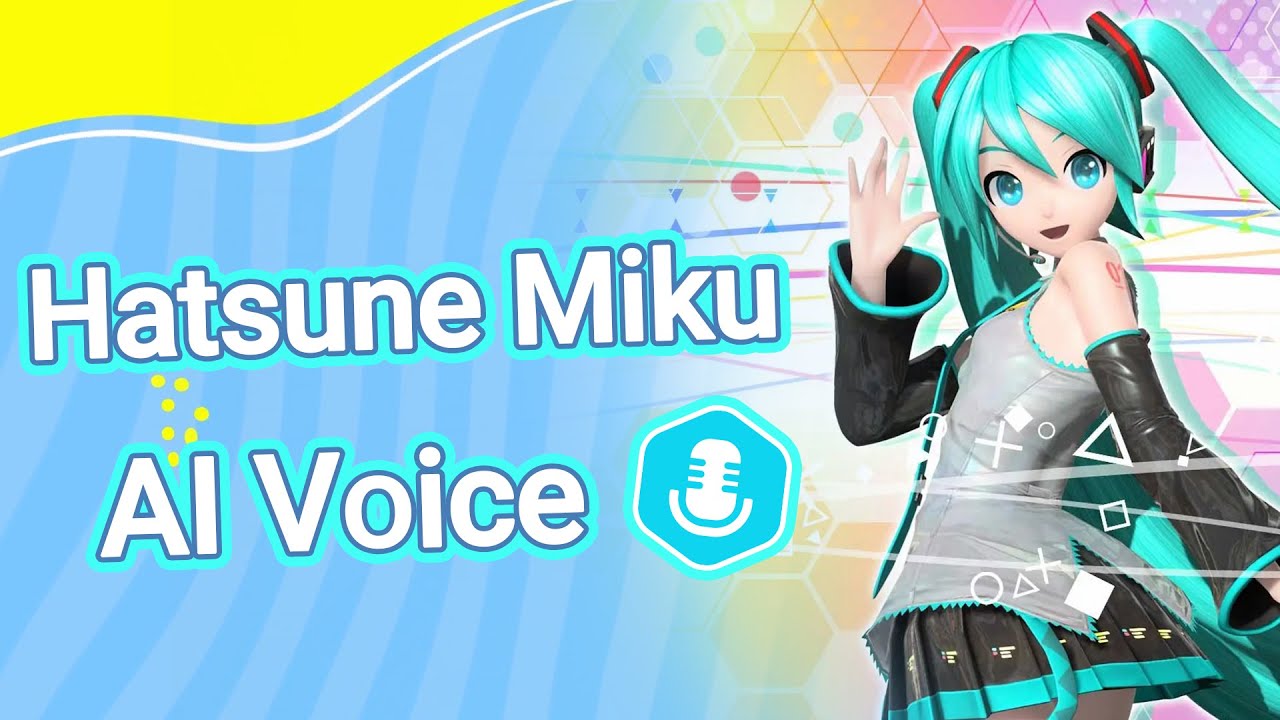
    Have you ever wanted to sound like Hatsune Miku? A Hatsune Miku voice changer can help you do that! These tools change your voice to match Hatsune Miku’s high, sweet, and musical tones. They are great for people who enjoy playing with sounds or making cool content.

    VTubers, streamers, and creators love using these tools. Here’s why:

    1. VTubers use Miku voice changers to try new voices and stay private while acting as characters.

    2. The growing fame of VTubers among teens and young adults makes voices like Hatsune Miku’s very popular.

    If you stream, play games, or make videos, these tools can help you be creative. Why not try one today?

    Key Takeaways

    • Hatsune Miku voice changers let you sound like the popular character. They boost creativity for VTubers, streamers, and content creators.

    • Dubbing AI Voice Changer is great for copying voices accurately. Its simple design makes it perfect for professional projects.

    • Voicemod has many voice effects and works with top streaming platforms. It’s great for gamers and VTubers who want unique sounds.

    Top 5 Hatsune Miku Voice Changers in 2025

    Want to sound like Hatsune Miku? These tools can help! Below are five great voice changers to try this year. Each one has special features to make your voice match Miku’s unique sound.

    Dubbing AI Voice Changer

    Dubbing AI Voice Changer uses smart AI to copy Hatsune Miku’s voice. It’s great for VTubers who want their content to look professional. You can change your voice live during streams or recordings.

    Why it’s awesome:

    • It copies Hatsune Miku’s voice really well.

    • The design is simple and easy for beginners.

    • Works in many languages for users worldwide.

    Pro Tip: Use it for anime-style videos or VTuber projects.

    Voicemod

    Voicemod is loved by gamers and VTubers. It has many voice effects, including one for Hatsune Miku. You can adjust pitch and tone to match Miku’s sound.

    Cool Features:

    • Includes a Hatsune Miku voice effect.

    • Works with Twitch, Discord, and other platforms.

    • Lets you make custom voice profiles.

    This tool is fun for trying new sounds and being creative.

    Clownfish Voice Changer

    Clownfish Voice Changer is free and simple for beginners. It doesn’t have a specific Hatsune Miku voice, but you can tweak settings to get close.

    Why it’s good:

    • Easy to install and use.

    • Works with apps like Skype and Zoom.

    • Offers basic effects for casual users.

    If you’re new to voice changers, this is a great free option.

    EaseUS VoiceWave

    EaseUS VoiceWave is new but already popular. It gives clear sound with no lag, making it great for live streams.

    Why people like it:

    • Audio quality is super clear.

    • Perfect for VTubers who stream live.

    • Includes presets for characters like Hatsune Miku.

    Choose this tool if you want great sound and smooth streaming.

    UnicTool MagicVox

    UnicTool MagicVox is packed with features to match Hatsune Miku’s tone. It works with most VTuber platforms and is easy to use.

    Best Features:

    • Includes a Hatsune Miku voice effect.

    • Simple for beginners to learn.

    • Works for live streams and recordings.

    This tool is ideal for VTubers who need a reliable voice changer for creative projects.

    Features, Pros, and Cons of Each Miku Voice Changer

    Dubbing AI Voice Changer

    Dubbing AI Voice Changer is one of the best tools. It uses smart AI to copy Hatsune Miku’s voice perfectly. This makes it great for VTubers who want clear, professional sound. You can change your voice live during streams or recordings, which makes your content more exciting.

    Pros:

    • Copies Hatsune Miku’s voice very accurately.

    • Easy to use, even for beginners.

    • Works in many languages for people all over the world.

    Cons:

    • Not many options for advanced customization.

    • Needs a good internet connection to work well.

    Tip: Use this tool for anime-style videos or VTuber projects!

    Voicemod

    Voicemod is popular with gamers and VTubers because of its many voice effects. It has a special effect for Hatsune Miku and works well with platforms like Discord and Twitch. You can also make your own voice profiles to match your ideas.

    Pros:

    • Offers lots of voice effects, including Hatsune Miku.

    • Works well with streaming platforms.

    • Gets regular updates with new features.

    Cons:

    • Free version has fewer features.

    Did you know? Voicemod is one of the easiest tools for VTubers to use.

    Clownfish Voice Changer

    Clownfish Voice Changer is free and simple, perfect for beginners. It doesn’t have a specific Hatsune Miku voice, but you can adjust settings to get close. It works on many devices and apps like Skype and Zoom, making it a good choice for casual users.

    Pros:

    • Free and very easy to use.

    • Works on different devices and platforms.

    • Lets you set shortcuts for quick voice changes.

    Cons:

    • Fewer features than paid tools.

    • Free version only lasts for a limited time.

    Note: If you’re new to voice changers, Clownfish is a great way to start without spending money.

    EaseUS VoiceWave

    EaseUS VoiceWave is a newer tool that’s becoming popular with VTubers. It gives super clear sound with no delay, which is great for live streaming. It also has presets for characters like Hatsune Miku, so you can easily sound like her.

    Pros:

    • Clear sound with no lag.

    • Great for live streams with real-time voice changes.

    • Includes Hatsune Miku presets for easy setup.

    Cons:

    • Doesn’t have many advanced features for experts.

    Pro Tip: Use EaseUS VoiceWave for smooth, high-quality sound during your streams.

    UnicTool MagicVox

    UnicTool MagicVox has many features to help you sound like Hatsune Miku. It has over 100 preset voice filters and lets you create custom effects. This makes it a great choice for VTubers who want full control over their sound.

    Pros:

    • Includes a Hatsune Miku voice effect.

    • Lets you set shortcuts for quick voice changes.

    • Allows custom voice creation with its editor.

    Cons:

    • Free version has some limits.

    Fun Fact: MagicVox is perfect for VTubers who love trying new voice effects and making unique sounds.

    Summary Table of Pros and Cons

    Here’s a quick look at the tools to help you choose the best one:

    Voice Changer

    Pros

    Cons

    Dubbing AI Voice Changer

    Accurate Miku voice copy, Easy to use, Multi-language support

    Few advanced options

    Voicemod

    Many voice effects, Works with streaming platforms, Regular updates

    Free version has limits

    Clownfish Voice Changer

    Free and simple, Works on many devices, Shortcut support

    Fewer features, Free version is limited

    EaseUS VoiceWave

    Clear sound, No lag, Includes Miku presets

    Few advanced features

    UnicTool MagicVox

    100+ filters, Custom voice creation, Shortcut support

    Free version has limits

    Creative Ways to Use Hatsune Miku Voice Tools

    Streaming and Live Content

    VTubers can use a Hatsune Miku voice tool to stand out. These tools give you a high, sweet voice that grabs attention. Many streamers use live voice changers to keep their shows fun and exciting.

    For example:

    • Boosting YouTube Success: TechyHarsh uses Virbo to make cool AI videos.

    • Making Science Fun: Mushfequr Rahman uses AI voices to teach science better.

    • Creative Religious Shows: Muhammad Aamir adds voice effects to Islamic programs.

    Whether you’re gaming, teaching, or entertaining, these tools add magic to streams.

    Gaming and Roleplaying

    Imagine playing games with a Hatsune Miku voice! These tools help you sound like your character. VTubers use them to roleplay anime avatars and make streams fun. You can also prank friends in multiplayer games with silly voices.

    Video and Audio Content Creation

    Making videos or podcasts? A Miku voice can make them special. Tools like Voicemod or MagicVox let you try fun voice effects. They help you sound professional and creative. Whether narrating stories or making anime videos, these tools are great.

    Social Media and Fun Interactions

    Social media loves creative ideas, and Miku voice tools are perfect. Make funny TikToks or Instagram clips with real-time voice changes. Want to surprise friends on Discord? Use these tools to sound like Miku in chats. They’re all about fun and connecting in cool ways.

    Here’s a list of top tools to sound like Hatsune Miku. Each one has special features, like live voice effects or custom settings. If you want the easiest and most accurate tool, try Dubbing AI. It’s great for VTubers and AI voice projects.

    Why not test a free Hatsune Miku voice changer or find one online? These tools are perfect for gaming, streaming, or trying a Vocaloid voice changer. Whether you’re making videos, using a Miku voice tool, or trying Hatsune Miku text-to-speech, they spark endless creativity.

    Jump in and let your ideas come to life!

    FAQ

    What’s the best voice changer for VTubers?

    It depends on what you need. Dubbing AI Voice Changer is very accurate. Voicemod is flexible and has fun effects.

    Can I use a VTuber AI voice while streaming live?

    Yes, you can! Tools like EaseUS VoiceWave and MagicVox work in real-time. They let you change your voice during live streams.

    Are these tools easy for beginners to use?

    Yes, they are! Tools like Clownfish and MagicVox are simple to learn. They have easy setups and presets to help you start fast.

    See Also

    Transform Your Voice Using Dubbing AI’s Free Voice Changer

    Top AI Voice Changer Options for Content Creators

    Explore Dubbing AI: The Ultimate Celebrity Voice Changer

    Speak Like Firefly With Dubbing AI’s Top Voice Changer

    Harnessing AI Voice Changers to Enhance Online Video Content

  • LALAL.AI Voice Changer Updates You Need to Know

    LALAL.AI Voice Changer Updates You Need to Know

    LALAL.AI Voice Changer Updates You Need to Know
    Image Source: pexels

    The lalalai voice changer in 2025 brings big updates. AI Voice Cloning lets you make custom voices for yourself. You can change accents and tones easily for better control. The Perseus neural network makes it faster and more accurate. These updates make it simple and easy to use. Whether you’re a creator or worker, this lalalai voice changer fits your needs.

    Key Takeaways

    • AI Voice Cloning lets you make unique voices easily. Upload a voice sample, and the AI copies it for podcasts, audiobooks, or videos.

    • You can change accents and tones to make audio sound personal. These features help you connect with different listeners and make speech clearer.

    • The Perseus neural network makes voice processing faster. It allows quick changes and cleaner sound, perfect for live events or worldwide projects.

    • The new user interface is easier to use. The updated design helps you find tools fast, improving your work and creativity.

    • Flexible settings let you customize your experience. Save your favorite setups and try different voice styles for new projects.

    Overview of the 2025 Updates

    Introduction of AI Voice Cloning

    The 2025 update adds AI Voice Cloning, an exciting new feature. It helps you create custom voices that fit your needs. This tool uses smart technology to copy voice details accurately. You can make unique voices for podcasts, audiobooks, or videos. The process is easy—just upload a voice sample, and the AI works. Want to sound like a celebrity or invent a new voice? This feature gives you full creative control.

    Accent and tonality customization

    Accent and tone changes make your audio more personal. You can match accents to regions or adjust tones for emotions. These updates improve how clear and understandable your content is. Most users say accent changes help with better speech and listening. They also notice benefits like better teamwork and job performance. This feature helps your audio connect with different audiences. Use it for professional voiceovers or fun projects.

    Launch of the Perseus neural network

    The Perseus neural network brings faster and smarter voice tools. It makes real-time voice changes possible and works very accurately. It’s great for removing or isolating voices, giving cleaner audio. It also supports many languages, perfect for global projects. Perseus makes voice edits feel smooth and natural. You can get professional results without needing special skills.

    Updated user interface and flexible settings

    The 2025 update brings a fresh look to the LALAL.AI Voice Changer. The design is simpler, with easy-to-use menus and clear options. You can now find tools faster without confusion. The interface adjusts to your liking, letting you pick layouts, colors, and tool positions. This makes it easier to work in a way that suits you.

    Tip: Setting up your workspace your way can save time and boost focus.

    Testing shows these changes work well:

    • Task Completion Rate: More people finish tasks without problems.

    • Error Rate: Fewer mistakes happen, showing the design is user-friendly.

    • Time on Task: Tasks are done quicker, proving the layout is efficient.

    • Bounce Rate: Fewer users leave after one page, meaning better interest.

    • Conversion Rate: More users take actions, showing the updates are helpful.

    • User Satisfaction Scores: People are happier with the new interface.

    • Net Promoter Score (NPS): Users are more likely to suggest it to others.

    The flexible settings make the tool even better. You can tweak voice settings, save your favorite setups, and try new ideas. These features let you control how the tool works, whether for fun or serious projects.

    These updates make the LALAL.AI Voice Changer easier and more fun to use. The improved interface helps you focus on being creative without distractions.

    Detailed Explanation of New Features

    AI Voice Cloning for custom voice creation

    AI Voice Cloning is an exciting new tool in 2025. It lets you make custom voices by uploading a sample. The system studies the voice’s tone, pitch, and patterns. Then, it copies the voice with amazing accuracy. You can sound like a celebrity or create a new voice. This feature gives you many creative options.

    Use it to improve your podcasts, audiobooks, or videos. For example, you can tell a story with different character voices. You won’t need to hire many voice actors for this. It also keeps the quality the same for all your projects. This tool is perfect for creators who want to save time and be creative.

    Accent and tonality adjustments for personalized outputs

    Changing accents and tones makes audio more personal. You can match accents to a region or audience. This is helpful for businesses reaching global customers. It’s also great for creators connecting with different groups.

    You can adjust the tone to fit the mood of your audio. For example, make a voice sound happy, serious, or caring. These changes make your content clearer and more emotional. They also help your audience feel more connected to your message.

    This feature works well for professional voiceovers or personal projects. It helps your audio reach people no matter where they are. It also works in any language, making it very useful.

    Enhanced vocal removal and extraction with Perseus

    The Perseus neural network improves how voices are handled. It can separate main vocals from background sounds easily. This helps when remixing songs or making karaoke tracks. It’s also great for improving audio quality in work projects.

    Perseus allows real-time voice changes, so you can adjust quickly. This is useful for live streaming, gaming, or other live events. Its smart system makes the audio sound smooth and natural.

    Users say real-time voice changes are much better now. Faster responses and clear sound make it more enjoyable. It also handles many calls at once without losing quality. Its live translation feature helps with global conversations.

    These updates make Perseus a big improvement in 2025. It adds new ways to use audio for fun or work projects. It’s a great tool for anyone who wants better sound and more options.

    Real-time voice processing and multi-language support

    The 2025 update adds real-time voice processing, perfect for live audio. This feature lets you change voices instantly during live events. Whether you’re streaming, gaming, or in a virtual meeting, it works. Your audio stays clear and smooth without delays or interruptions.

    Multi-language support makes the tool even more useful. You can now use it with many languages to reach global audiences. This is great for businesses, teachers, and creators connecting with different groups. For example, you can change a voice’s tone or accent to fit your audience’s culture. This helps your message feel meaningful and easy to understand.

    Real-time processing also improves audio quality by reducing background noise. It ensures smooth voice changes, which is helpful for live shows or meetings. The system can handle multiple languages at once, making it flexible. You can switch between languages easily while keeping great sound quality.

    Here are the main benefits of these features:

    • Instant Voice Modifications: Change voices quickly without stopping your work.

    • Global Reach: Talk to people in different languages easily.

    • Improved Audio Quality: Get clear and professional sound every time.

    • Versatility: Use it for live streams, meetings, or global events.

    Tip: Try the multi-language support to make content for worldwide audiences. It can help you stand out and attract more people.

    These updates make the LALAL.AI Voice Changer a strong tool for audio projects. Real-time processing and language support give you more ways to create and communicate.

    Benefits and Use Cases of the Updates

    Applications for content creators and podcasters

    The new LALAL.AI Voice Changer features bring fresh opportunities. Content creators can now make voices that match their style. This tool makes creating great audio easier and faster.

    These updates help you reach more listeners and keep them interested. For example, you can change accents to fit different regions. This makes your podcast relatable to people everywhere.

    Tip: Try accent changes to make your content feel personal. It helps your podcast connect with specific audiences.

    Use in professional voiceovers and dubbing

    The updates are great for professional voiceovers and dubbing work. You can now create voices that sound real and full of emotion. The AI Voice Cloning tool copies voices perfectly, saving time.

    Uses include:

    • Making voiceovers for ads, movies, and cartoons.

    • Dubbing into other languages with the right tone and feeling.

    • Improving how clear and emotional your audio sounds.

    The Perseus neural network makes voice changes smooth and natural. It works well for live dubbing or voiceover sessions. You can also adjust tones to match the mood, like happy or serious.

    Note: Real-time voice tools help you sound professional during live events.

    Accessibility improvements for diverse user needs

    The updates make the LALAL.AI Voice Changer easier for everyone. You can adjust voices to meet different needs, making projects inclusive. Multi-language support helps you talk to global audiences.

    Key features include:

    • Better vocal removal for clearer sound.

    • Real-time voice changes for live meetings or events.

    • Tools for users with hearing or speech challenges.

    These tools help you create audio that’s clear and easy to understand. For example, you can adjust tones to make instructions friendly or formal. This helps businesses, teachers, and creators connect better.

    Tip: Use multi-language support to reach international audiences. It helps you grow and build stronger connections.

    Enhanced gaming and streaming experiences

    The 2025 updates to the LALAL.AI Voice Changer bring cool new features. Gamers and streamers can now create fun and exciting audio. Whether you’re playing live or chatting with friends, this tool improves your sound instantly.

    Why Gamers Love It

    Gamers enjoy tools that make games more fun and creative. The AI Voice Cloning feature helps you sound like your game characters. You could talk like a wizard, robot, or famous hero. This makes gaming more exciting and entertaining.

    Tip: Use accent changes to match your game’s world. For example, a British accent fits a medieval game perfectly.

    The real-time voice processing changes your voice right away. You can switch voices during the game without delays. This keeps your gameplay smooth and uninterrupted.

    Streaming Made Better

    Streamers need to keep their audience interested. The multi-language support helps you connect with viewers worldwide. You can change your voice to match their language or accent. This makes your streams more relatable and inclusive.

    Here’s how the updates help streamers:

    • Real-time Modifications: Change voices live to entertain your fans.

    • Improved Audio Quality: Get clear sound, even in noisy places.

    • Customizable Settings: Save voice setups for different games or themes.

    Note: Great audio keeps your audience happy and coming back.

    Practical Benefits for Gaming and Streaming

    The Perseus neural network improves sound quality by removing noise. It makes voices clearer, which is great for live streams. You can focus on gaming or chatting without distractions.

    Here’s a quick look at how these updates help:

    Feature

    Benefit for Gamers

    Benefit for Streamers

    AI Voice Cloning

    Sound like game characters

    Entertain viewers with fun voices

    Accent Customization

    Match voices to game themes

    Connect with global viewers

    Real-time Processing

    Quick voice changes during gameplay

    Smooth transitions in live streams

    Perseus Neural Network

    Clearer team chats

    Professional-quality audio

    These features make the LALAL.AI Voice Changer a great tool for gamers and streamers. You can entertain, connect, and stand out like never before.

    Callout: Try new voice settings in your next stream. Surprise your audience and keep them entertained.

    The 2025 updates make gaming and streaming more than just playing or broadcasting. They help you create unforgettable moments. Whether you’re a casual gamer or a pro streamer, these tools help you shine.

    How to Access and Use the New Features

    Easy steps to update the lalalai voice changer

    Updating the lalalai voice changer lets you use the latest features. Follow these simple steps:

    1. Visit the Official Website: Open the LALAL.AI website and log in.

    2. Check for Updates: Go to “Downloads” and find the newest version.

    3. Download the Update: Click download and save the file on your device.

    4. Install the Update: Open the file and follow the instructions to install it.

    5. Restart the Application: After installing, restart the app to activate updates.

    Tip: Back up your settings before updating to keep your custom setups safe.

    Tricks to get the best from the new features

    To fully enjoy the new features, use these helpful tips:

    • Check Your Voice Sample: Before using AI Voice Cloning, make sure your sample is clear and accurate.

    • Match Accents to Audiences: Pick accent settings that suit your listeners’ preferences.

    • Test Perseus Often: Try the Perseus neural network multiple times for steady results.

    • Keep Tasks Separate: When editing audio, handle each step carefully to avoid mistakes.

    • Combine Features: Use tools like real-time processing and language support together for better results.

    Note: Try different settings to see what works best for your projects.

    Subscription plans and prices for 2025

    The lalalai voice changer has flexible plans for everyone. Here’s a quick look at the pricing:

    Plan

    What’s Included

    Monthly Price

    Annual Price

    Basic

    Standard tools and limited voice cloning

    $9.99

    $99.99

    Pro

    All features and priority support

    $19.99

    $199.99

    Enterprise

    Custom options for businesses

    Contact for Quote

    Contact for Quote

    The Pro plan is great for creators and professionals. It gives access to all the new features.

    Callout: Save money by choosing the yearly subscription for uninterrupted updates.

    Troubleshooting common issues

    Even with the cool features of the LALAL.AI Voice Changer, problems can happen. Here’s how to fix common issues easily and quickly.

    1. Problem: Voice Cloning Isn’t Accurate

    If the AI Voice Cloning doesn’t work well, check your voice sample. A bad or noisy sample can confuse the system.

    Solution:

    • Record your sample with a good-quality microphone.

    • Make sure there’s no background noise in the recording.

    • Keep the sample between 30 seconds and 1 minute long.

    Tip: Try different samples to see which one works best for your project.

    2. Problem: Accent Changes Don’t Sound Right

    Accent adjustments might not meet your expectations sometimes. This usually happens if the settings aren’t right for your content.

    Solution:

    • Check the accent settings in the menu carefully.

    • Try different tone levels to get the sound you want.

    • Restart the app to refresh the settings.

    Alert: If it still doesn’t work, contact customer support for help.

    3. Problem: Real-Time Processing is Slow

    Voice changes during live events might lag. This can happen if your computer is too busy or the software is outdated.

    Solution:

    • Close apps you don’t need to free up memory.

    • Update your LALAL.AI software to the newest version.

    • Use a wired internet connection for better stability.

    4. Problem: Multi-Language Support Isn’t Working

    If the tool can’t switch languages, the language packs might not be installed correctly.

    Solution:

    Step

    Action

    Check Language Packs

    Make sure the needed language packs are installed.

    Reinstall Packs

    Remove and reinstall the language packs.

    Restart Application

    Restart the app to apply the changes.

    Note: Multi-language support works best when the software is updated.

    By following these tips, you can fix most problems and enjoy all the features of the LALAL.AI Voice Changer.

    Best LALAL.AI Alternative: Dubbing AI

    Dubbing AI is a great option if you need something different from LALAL.AI. It has advanced tools for creators, businesses, and teachers. This tool focuses on voice changing, making it perfect for projects in many languages.

    Why Pick Dubbing AI?

    Wide Selection of Voice Effects

    Transform your voice into over 500+ unique characters, including voices inspired by popular video games (e.g., League of Legends, Valorant) and trending anime (e.g., Jujutsu Kaisen, JOJO).

    Multi-Platform Integration

    Seamlessly integrates with platforms like Discord, Zoom, WhatsApp, VRchat, and Steam, enhancing immersive experiences for gamers and social media enthusiasts.

    Real-Time Voice Customization

    Enjoy low-latency voice modulation with emotional vocal expressions such as screaming, singing, sighing, whispering, and more—all powered by advanced AI.

    Perfect for Gamers, Streamers, and Role-Players

    Ideal for gamers and streamers, enabling engaging voiceovers and interactive chats in games including Fortnite, Roblox, DOTA 2, and CS:GO.

    User-Friendly Interface

    Simple setup with easy access to tools for transforming and personalizing your voice, suitable for beginners and professionals alike.

    Memorable Content Creation Features

    Includes a meme soundboard for boosting creativity during live streams and sharing hilarious moments.

    Enhanced Expression in Multiple Languages

    Leverages advanced AI dubbing technology to translate voices, localize languages, and create multilingual content with synchronized lip movement.

    Who Can Benefit from Dubbing AI?

    • Content Creators: Add professional voiceovers to your videos.

    • Businesses: Adjust campaigns to fit different regions and cultures.

    • Educators: Make learning materials in multiple languages for students.

    Dubbing AI is simple to use but very powerful. It’s a smart choice for anyone working with audio. If you want high-quality results and flexibility, give it a try.

    Callout: Test Dubbing AI’s free trial to see how it works for you.

    The 2025 lalalai voice changer updates change audio editing completely. Tools like AI Voice Cloning, accent changes, and Perseus make voice projects easier. These features give you more control and better results. Whether you create, teach, or stream, these tools save time and improve quality.

    Try the updated lalalai voice changer now. Use its smart tools to improve your audio and reach people everywhere.

    FAQ

    What’s special about the 2025 LALAL.AI Voice Changer updates?

    The 2025 updates bring cool new tools like AI Voice Cloning, accent changes, and the Perseus neural network. These features make audio sound better and give you more control. You can create custom voices, change tones, and enjoy smooth real-time voice changes.

    How does the Perseus neural network help with audio editing?

    The Perseus neural network works faster and more accurately. It separates voices, removes noise, and edits audio instantly. This is great for live events, gaming, or work projects. Your audio will sound clearer and more natural.

    Can I use the voice changer while live streaming?

    Yes, you can! The real-time voice processing feature is perfect for live streams. It lets you change your voice instantly without any lag. You can use fun voices, switch accents, and keep your sound clear during your stream.

    Is the tool easy for beginners to use?

    Definitely! The updated design and settings make it simple to use. Clear menus and flexible options help you find what you need. Whether you’re new or experienced, you can create great audio easily.

    Does the voice changer work with different languages?

    Yes, it does! The multi-language support lets you use many languages. You can adjust accents and tones to match different audiences. This helps your message connect with people from all over the world.

    See Also

    Transform Your Voice Effortlessly Using Free Dubbing AI Tools

    Discover Real-Time Features of Next-Gen AI Voice Changers

    Revolutionize Your Discord Experience with Dubbing AI Voice Changer

    Maximize Your Online Video Impact with AI Voice Changers

    Top AI Voice Changer Options for Creative Content Makers

  • How the Sad Violin Sound Became a Meme

    How the Sad Violin Sound Became a Meme

    How the Sad Violin Sound Became a Meme
    Image Source: pexels

    You’ve probably heard the sad violin sound effect in many memes. It’s the emotional tune played during fake sadness or dramatic moments. The song, called Sad Romance, was written by Ji Pyeongkeyon for the 2003 Korean TV show Over the Green Fields.

    1. It came out in late 2002 and touched many hearts.

    2. Ji later changed the song for string instruments, making it familiar today.

    3. This version became popular in funny videos, showcasing the sad violin sound effect alongside themes of sadness and irony.

    Its frequent use made it more than just music. It turned into a famous meme, bringing people together through jokes and shared feelings.

    Key Takeaways

    • The sad violin tune, called Sad Romance, was made by Ji Pyeongkeyon and became a sign of pretend sadness in memes.

    • This sound became famous on sites like YouTube and TikTok. People used it to make normal moments funny.

    • The sad violin’s emotional feel connects with people. It helps show feelings and makes content easy to relate to.

    The Origin of the Sad Violin Sound Effect

    The creation of ‘Sad Romance’ by Ji Pyeongkeyon

    Ever wonder why Sad Romance feels so emotional? Ji Pyeongkeyon wrote it with a mix of melody and harmony. The main tune sounds bittersweet, with soft background music like a lullaby.

    Experts say the song’s tritone drop feels like longing. This drop, along with shifts between happy and sad tones, shows hidden sadness. Switching from calm A♭ major to its minor version makes it even more emotional.

    These features explain why the sad violin sound feels so moving. Ji’s skill in blending sadness and longing made Sad Romance unforgettable.

    Confusion about who wrote it and ties to Thảo Nguyên Xanh

    People often argue about who created Sad Romance. Some wrongly credit Thảo Nguyên Xanh, a Vietnamese composer. This mistake likely comes from its heavy use in Vietnamese media, where it fit dramatic stories.

    Even with this mix-up, Ji Pyeongkeyon is the real composer of the sad violin sound. His music became famous for its deep emotions, despite the confusion. This shows how music can connect people worldwide, even if authorship gets unclear.

    Why the sound became tied to sadness in media

    The sad violin sound quickly became a symbol of sadness in media. Filmmakers used it to make emotional scenes stronger, such as sad hamster song, helping viewers feel for characters.

    • Music like this changes how you feel, linking you to the story.

    • Movie music makes characters more relatable, showing their struggles.

    • Sad violin tunes bring feelings of love and lessen fear, adding sorrow.

    This emotional pull explains why the sad violin sound became so popular. Its power to create empathy and sadness made it a key part of storytelling.

    How the Sad Violin Sound Effect Became a Meme

    How the sound entered internet culture

    Have you ever wondered how the sad violin sound became popular online? It started when people added it to videos to show fake sadness. The sound’s dramatic tone made it great for showing over-the-top emotions. Early users shared it in forums and short clips, helping it gain attention.

    Viral videos and its rise on YouTube and TikTok

    The sad violin sound became famous as people posted videos on YouTube and TikTok. Creators used it to make funny moments out of things that weren’t really sad. For example, someone might pretend to cry over something silly while the violin plays. This mix of drama and humor made viewers laugh and share the videos.

    • YouTube: Many videos with the sound went viral. Creators used it to joke about overly emotional reactions. It became a regular feature in meme videos, making it even more popular.

    • TikTok: TikTok users made quick, funny videos with the sound. The app’s algorithm helped these videos reach lots of people, spreading the sound further.

    >> Download Sad Hamster Sound Effect Now

    Why it became a symbol of fake sadness

    The sad violin sound turned into a symbol of fake sadness because it shows big emotions in a funny way. Memes often use it to make small problems seem huge on purpose. Its dramatic style fits perfectly with the internet’s love for jokes and irony. That’s why creators often pick it to add humor to their content.

    Tip: When you hear the sad violin sound in a meme, it’s usually meant as a joke. It’s a fun way to laugh at things that aren’t really sad.

    The Cultural Importance of the Sad Violin Sound Effect

    Why the sound feels emotional to people

    The sad violin sound makes people feel strong emotions. It’s great at showing sadness in a clear way. Studies on Musical Emotional Bursts (MEB) show violins are very good at expressing sadness. They score 88% in showing feelings like sadness and fear. This high score proves violins can share emotions people understand.

    • The MEB study also found music grouped by emotion had an 80.4% accuracy.

    • Violins are especially good at showing basic feelings like sadness.

    When you hear the sad violin, it often matches your mood. If you feel sad or thoughtful, the music connects with you. This makes it a powerful way to express emotions.

    How it’s used for jokes and internet fun

    The sad violin sound is a big part of online jokes. You’ve probably seen it in memes to fake sadness or mock drama. Its serious tone makes it great for being funny. For example, someone might use it to joke about a small problem, making it seem huge and silly.

    This sound works well online because it mixes humor with feelings. It helps creators make jokes about everyday struggles. Platforms like TikTok and YouTube have spread it widely, making it a popular comedy tool.

    Why it’s important in meme history

    The sad violin sound is a big part of meme history. It makes people laugh while also feeling something. Across cultures and ages, people know it as a symbol of fake sadness.

    Studies show people often pick sad music when they feel down or thoughtful. This explains why the sound stays popular. It connects to shared feelings but adds a funny twist.

    Evidence Type

    What It Shows

    Situational Context

    People choose sad music when alone, upset, or thinking deeply.

    Mood Influence

    Sad music is liked more when someone feels sad, but it depends on the person.

    Body Response

    Sad music causes changes in the body, showing emotional connection.

    The sad violin sound keeps changing, but its mix of emotion and humor makes it a favorite in internet culture.

    The sad violin sound has traveled from a heartfelt composition to a global meme. Its mix of emotion and humor has made it a cultural icon. You’ve likely laughed at its dramatic flair in memes. This sound proves how music can unite people, even when it’s all about fake tears. 🎻✨

    FAQ

    What is the sad violin sound effect?

    The sad violin sound is a short, touching tune from Sad Romance. It’s often used in memes to joke about sadness or make moments seem dramatic.

    Why does the sad violin sound feel emotional?

    The tune includes tritone drops and switches between happy and sad keys. These changes make listeners feel longing and sorrow.

    Note: Violins are great at showing feelings like sadness. 🎻

    How did the sad violin sound become a meme?

    People added it to videos to be funny. Its over-the-top tone worked well for faking sadness, and it spread fast on sites like YouTube and TikTok.

    See Also

    Enhance Your Cat Memes With Creative Soundboard Techniques

    Transform Your Memes With A Voice Changer Tool

    Craft Funny Hamster Memes By Utilizing Soundboard Features

    Unleash Your Imagination: Create Memes Using Voice Changer

    Best Three Voice Changer Pranks You Can Try In CS:GO

  • How to Convert Voice Memos to MP3 Using Free Online Tools

    How to Convert Voice Memos to MP3 Using Free Online Tools

    How to Convert Voice Memos to MP3 Using Free Online Tools
    Image Source: pexels

    Voice memos are great for recording lectures, interviews, or notes. However, many of these files are saved in M4A format, which doesn’t work on all devices. If you’re wondering how to convert voice memo to MP3, changing voice memos to MP3 can resolve this issue. MP3 files can be shared and played almost anywhere. Millions of people, including students and workers, utilize free online tools for this purpose. These tools are fast, simple, and make your files easier to use.

    Key Takeaways

    • Pick a free audio converter that works well and supports many formats.

    • Add your voice memo by dragging it or choosing it from Google Drive.

    • Choose MP3 as the format so it works on most devices.

    Step-by-Step Guide on How to Convert Voice Memo to MP3

    Changing voice memos to MP3 is simple and quick. Free online tools make the process easy to follow. Here’s what to do:

    Pick a Good Free Audio Converter

    Start by choosing a tool that works well. Not all converters are the same, so find one that’s reliable and simple. Check if it works with your device, supports many formats, and gives high-quality results.

    Criteria

    What It Means

    Compatibility

    Make sure the tool works with your device and needed formats.

    Supported Formats

    See if the converter handles different audio file types.

    Ease of Use

    Choose tools with simple designs for easy use.

    Output Quality

    Check if converted files sound good and meet your needs.

    Batch Conversion

    Look for tools that convert many files at once.

    Metadata Preservation

    Ensure tags and info stay correct after conversion.

    Some great converters such as Dubbing AI can support all kinds of formats.

    Upload Your Voice Memo File

    After picking a converter, upload your file. Most voice memos are in M4A format, which doesn’t always work with MP3 apps. Online tools let you drag and drop or pick files from your device. If your file is on Google Drive or Dropbox, many tools can upload directly from there.

    Tip: If uploading fails, check the file size and format. Some tools limit file sizes.

    Pick MP3 as the Output Format

    Next, choose MP3 as the format for your file. MP3 is popular because it’s small, easy to share, and works everywhere. Unlike WAV, MP3 shrinks file size by removing extra sound details. You can also change the bit rate to balance quality and space.

    Start the Conversion

    Click “Convert” to begin. This step is fast and simple. Most tools finish in seconds. If you have many files, batch conversion saves time.

    Note: Slow conversion? Check your internet or try another tool. Fast tools are better and easier to use.

    Download Your MP3 File

    When done, download the MP3 file to your device. Some tools let you save to Google Drive or Dropbox. Test the file to ensure it works and sounds good.

    Tip: Trouble downloading? Clear your browser cache or use another browser.

    Follow these steps to convert voice memos to MP3 without installing software. Free tools make it fast and easy to prepare your audio files for sharing.

    Troubleshooting Tips for Converting Voice Memos to MP3

    Sometimes, converting voice memos to MP3 can be tricky. Problems happen, but most are easy to fix. Here’s how to solve common issues:

    Fixing File Upload Problems

    If your file won’t upload, it might be too big or the wrong format. Many tools have size limits, so check if your file is too large. You can shrink the file or split it into smaller pieces.

    Tip: A strong internet connection helps. Weak internet can stop uploads.

    If the format isn’t supported, make sure your file is in a common type like M4A. Some converters let you upload from cloud storage, which can avoid device problems.

    Solving Unsupported File Format Issues

    Not all converters work with every file type. If your file is unusual, find a tool that supports many formats. Convertio and FreeConvert are good choices because they handle lots of file types.

    Pro Tip: Unsure about your file’s format? Right-click it and choose “Properties” (Windows) or “Get Info” (Mac) to check.

    Speeding Up Slow Conversions

    Slow conversions can be annoying, especially if you’re in a rush. Big files or slow internet often cause this. To fix it, make the file smaller or use faster internet.

    Here’s how speed affects users:

    Metric

    Value

    Mobile users leaving if a page takes over 3 seconds

    50%

    Average load time for mobile landing pages

    22 seconds

    Pages taking 7 seconds to load above the fold

    70%

    Did you know? Faster load times can increase sales by up to 10.1% in industries like travel and shopping.

    Solving Download Issues

    If you can’t download your MP3, clear your browser’s cache or try another browser. Some tools let you save files to cloud storage, which can help.

    Tip: Check your device’s storage. If it’s full, you can’t save new files.

    Follow these steps to fix problems and convert voice memos to MP3. Troubleshooting takes time but ensures your files are ready to use.

    Changing voice memos to MP3 is easy with free tools. Websites like Online Audio Converter, FreeConvert, and Convertio can help. You upload M4A files, and they convert them to MP3 quickly. Then, you can download the MP3 files without trouble.

    The Library of Congress says MP3 is a top audio format for long-term use.

    Follow these steps to change your audio files easily. Try it now and enjoy how simple MP3 makes sharing!

    FAQ

    How can I pick the best online converter?

    Choose tools that handle many formats and give good results. Make sure they work well on your device. FreeConvert and Convertio are popular choices.

    Can I change a voice memo to MP3 on my phone?

    Yes, you can use online converters on your phone’s browser. Just upload the file, pick MP3, and download it to your phone.

    Are online file converters safe to use?

    Most online converters are safe if you use trusted sites. Avoid uploading private files. Look for HTTPS in the website’s address for extra security.

    See Also

    Transform Your Voice Effortlessly Using Free AI Dubbing Tools

    Harnessing AI Voice Changers to Enhance Your Video Content

    Explore Cutting-Edge AI Voice Cloning Solutions for Realistic Voiceovers

    Top AI Voice Changer Options for Creative Content Makers

    Maximize Your Creativity with Dubbing AI: Premier Voice Changer Software

  • Top Ultron Voice Changers for Realistic Effects

    Top Ultron Voice Changers for Realistic Effects

    Top Ultron Voice Changers for Realistic Effects
    Image Source: pexels

    Have you seen how technology changes how we use sound? In 2025, Ultron voice changers became super popular. These tools use smart AI to make realistic voice effects easy. Gamers and creators love them for making games and videos more fun.

    Here’s why people like them:

    • AI voice changers help with cool voices for podcasts or videos.

    • Gamers use them to stay hidden or make their characters unique.

    • Creators use them to add jokes or themes to their work.

    • Businesses use them for ads or voiceovers in their projects.

    Ultron voice changers let you change sounds instantly and easily. They are making entertainment and gaming more creative. Want to sound like a movie villain or futuristic? Now you can!

    Key Takeaways

    • Ultron voice changers use smart AI to make voices sound real. They are popular with gamers and content creators.

    • Pick a voice changer that works on your devices. It should let you change sounds to make them unique.

    • Think about your budget. Free tools like Clownfish are good for starters. Paid ones have more features for serious users.

    • Find voice changers with good help and regular updates. This keeps them working well and adds new features.

    • Try voice changers with your microphone and headphones first. Make sure the sound is clear before using them in projects.

    What is Ultron?

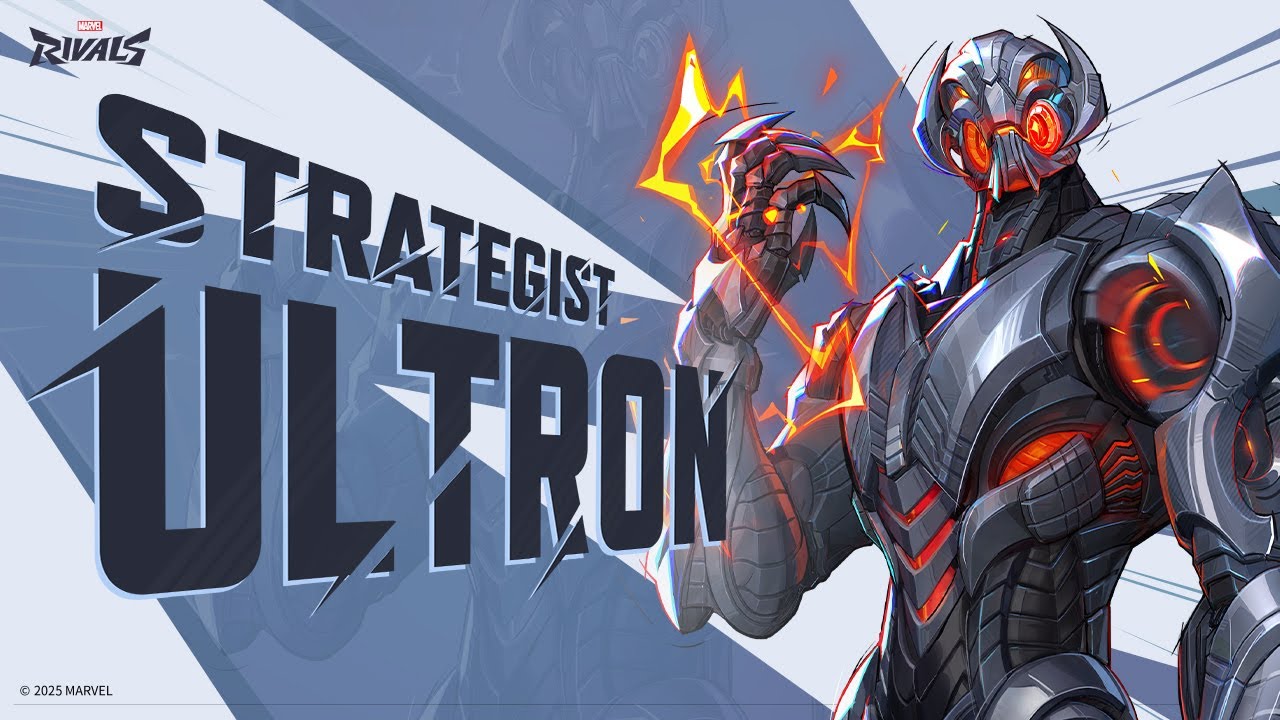
    Ultron is a new character introduced in Marvel Rivals Season 2.5. As a flying Strategist, Ultron excels in long-range combat and area support. With abilities that combine healing and damage, he is designed for players who enjoy controlling the battlefield while assisting their team. His Imperative: Patch ability deploys drones that provide continuous healing within their radius, making him a valuable asset in team compositions. Explore more about Ultron’s playstyle and strategies to master him in Marvel Rivals.

    Top Ultron Voice Changers You Should Try!

    Dubbing AI

    Want a top-notch tool for voice changing? Try Dubbing AI. It’s perfect for gamers, creators, or anyone curious about real-time voice effects. This software uses smart AI to turn your voice into something from a sci-fi movie.

    Why is it special? It changes voices instantly during games or live streams. You can pick from many effects, like robot sounds or deep villain voices. The sound is super clear, so your audience hears everything perfectly. Whether you’re making a podcast or joking with friends, this tool is great.

    Pro Tip: Use Dubbing AI with a good microphone. It makes your voice effects sound even more real.

    2. Murf AI Voice Changer

    Murf AI Voice Changer is loved by creators and professionals. It’s great for making voices that sound natural and full of emotion. Whether you’re narrating a video or creating a game character, Murf offers over 200 voice options.

    Why do people like it?

    • It creates voices with accents and clear pronunciations.

    • The easy design makes it simple for beginners to use.

    • Sometimes it sounds robotic, but the overall quality is amazing.

    Murf AI is ideal for anyone wanting high-quality audio. It’s more than a voice changer—it’s a tool that makes your projects sound professional.

    3. Fineshare

    Fineshare is great for real-time voice effects. It’s perfect for gaming or sci-fi content with its robotic and futuristic sounds. You can switch voices quickly, making your projects more exciting.

    A cool feature is how it learns and improves as you use it. The more you try it, the better it gets at copying your chosen effects. It works on most devices, like PCs, phones, or tablets.

    Did You Know? Fineshare is inspired by Marvel’s Ultron. It lets you sound just as mysterious or powerful.

    4. Avengers Age of Ultron Exclusive Voice Changing Helmet

    Are you a Marvel fan? This helmet is for you! The Avengers Age of Ultron Exclusive Voice Changing Helmet is more than a collectible. It’s a working voice changer that makes you sound like Ultron. Use it for cosplay, gaming, or just fun with friends.

    Why is it cool?

    • Real-time voice changing: It changes your voice instantly to a robotic tone.

    • Immersive design: The helmet looks just like Ultron from the movie.

    • Easy to use: Wear it, adjust settings, and start using it.

    This helmet is great if you prefer a device over software. It doesn’t have as many options as AI tools, but it’s unique. Plus, it’s a fun item for Marvel fans to talk about!

    Pro Tip: Use a good microphone with the helmet for better sound during streams or recordings.

    5. Voicemod AI Voice Changer

    Voicemod AI Voice Changer is loved by gamers and creators. It’s software with many voice effects, from robot sounds to funny voices. Whether streaming, podcasting, or just playing around, Voicemod is a great pick.

    Why try it?

    • Real-time AI voice changers: Switch voices instantly during games or calls.

    • Customization options: Adjust effects to make a voice that’s yours.

    • User-friendly interface: It’s simple to use, even for beginners.

    Voicemod works well with apps like Discord and Twitch. It’s perfect for improving your online presence. The AI ensures clear, high-quality voice changes, so your audience hears everything perfectly.

    Did You Know? Voicemod has a free version with basic features, great for starters.

    6. Clownfish Voice Changer

    Clownfish Voice Changer is easy and fun for voice effects. It’s free, lightweight, and works on Windows and macOS. If you’re new to voice changers, Clownfish is a great start.

    What makes it stand out?

    • Wide compatibility: Works with apps like Skype, Discord, and Steam.

    • Basic but fun effects: Try robotic or helium-like voices for laughs.

    • Low system requirements: It runs smoothly on most computers.

    Clownfish doesn’t have advanced features like pro tools, but it’s great for casual users. It’s a free way to explore real-time voice changing without spending money.

    Note: Clownfish is best for beginners but may not suit professionals.

    7. Voxal Voice Changer

    Voxal Voice Changer is a handy tool for changing voices. You can use it while gaming, making videos, or just for fun. It has many effects, like robot sounds or spooky echoes. Both beginners and experts will enjoy using it.

    Why is Voxal special?

    • Lightweight and efficient: It doesn’t slow down your computer. You can run it with other apps easily.

    • Customizable effects: Change presets or make your own cool sounds.

    • Compatibility: Works well with most microphones and audio devices.

    Voxal is simple to use and still gives great results. Its easy design helps you start using voice effects quickly. You can even change your voice live during calls or streams.

    Pro Tip: Use a good microphone with Voxal. Clear sound makes the effects even better!

    8. MorphVOX Pro

    MorphVOX Pro is a top choice for serious voice changers. It’s made for people who want amazing voice effects without much effort. Gamers, streamers, and creators love it for its reliable real-time AI voice changers.

    Why is MorphVOX Pro awesome?

    • Advanced voice-learning technology: It adjusts to your voice for natural effects.

    • Wide range of effects: Try monster growls or funny cartoon voices.

    • Background noise cancellation: Keeps your audio clear, even in noisy places.

    MorphVOX Pro is great for making games or projects more exciting. It works well with apps like Discord, Twitch, and Skype. You can change your voice live and sound amazing.

    Did You Know? MorphVOX Pro also adds background sounds, like traffic or battles, for extra fun.

    9. Voice.ai

    Voice.ai is an advanced tool for super-realistic voice changes. It’s perfect for gaming, creating content, or trying new sounds. The voices it creates are so real, they’re hard to tell apart from actual voices.

    What makes Voice.ai unique?

    • Realistic effects: People often can’t tell if the voice is real or AI-made.

    • Performance metrics: Tests show its AI voices are very accurate and lifelike.

    • Adaptability: Works great with long audio or unscripted talks, like podcasts or live streams.

    Voice.ai is perfect for anyone wanting to improve their projects. You can switch voices live, and it sounds natural and emotional. Professionals and hobbyists both love it.

    Pro Tip: Use Voice.ai for storytelling or role-playing games. It makes your audience feel part of the story!

    10. AV Voice Changer Software Diamond

    Do you want a powerful and flexible voice changer? AV Voice Changer Software Diamond could be the right choice for you. It’s made for people who want full control over how their voice sounds. Whether you’re a gamer, creator, or just love playing with sounds, this tool has something cool to offer.

    Why Pick AV Voice Changer Software Diamond?

    This software is special because of its advanced tools and options. Here’s why it stands out:

    • Real-Time Voice Morphing: Change your voice instantly during calls, streams, or recordings.

    • Huge Voice Library: Pick from many presets like robot, alien, or celebrity voices.

    • Voice Analyzer: Adjust your voice to get the exact sound you want.

    • Works with Many Formats: Edit and save audio in different file types easily.

    Pro Tip: Use the voice analyzer to adjust pitch and tone for unique effects.

    Who Should Try It?

    This tool is great for anyone wanting professional voice editing. Gamers can create fun character voices. YouTubers and podcasters can make their content more creative. Even businesses can use it for ads or voiceovers.

    Key Features

    Feature

    What It Does

    Voice Morpher

    Adjusts pitch and tone for live voice changes.

    Parody Mixer

    Combines voices to make funny or unique effects.

    Background Effects

    Adds sounds like rain, traffic, or crowds to your audio.

    Audio Recorder & Editor

    Lets you record and edit audio files easily.

    Voice Comparator

    Matches your voice to another voice for accurate mimicry.

    What’s Great About It

    • Easy to Use: The design is simple, even for beginners.

    • Clear Sound Quality: The effects sound real and professional.

    • Frequent Updates: New features and voices are added often.

    Did You Know? Professional voice actors use this software to create voices for games and animations.

    Things to Remember

    This tool has many features, so it might take time to learn. If you’re new to voice changers, you’ll need to explore it a bit. Also, it costs more than basic tools because it’s a premium product.

    Is It Worth Buying?

    Yes! If you’re serious about voice editing, this tool is worth it. It’s great for both professionals and hobbyists. Its features and quality make it a top choice.

    Final Thought: AV Voice Changer Software Diamond isn’t just a voice changer. It’s a full audio editing tool. If you want to improve your projects, give it a try!

    How to Pick the Best Ultron Voice Changer

    Finding the right Ultron voice changer can seem tricky. But don’t stress! Follow this simple guide to choose the one that’s perfect for you.

    Works with Your Devices

    First, check if the voice changer works on your devices. Some are made for computers, while others work on phones or tablets. Gamers should ensure it works with their console or streaming apps. Creators should look for tools that connect easily with editing or live-streaming software. A smart choice? Pick one that works on many platforms so you can use it anywhere.

    Tip: Always check system requirements before downloading. This avoids problems later.

    Change and Customize

    Good voice changers let you adjust your sound to fit your style. Want to sound like a robot or a villain? Customization is important. Look for tools that let you change pitch, tone, and speed. Some even let you save presets for quick use during streams or recordings. This is great for creators who want unique voices in their projects.

    Here’s what to think about:

    Feature

    Why It Matters

    Clear Sound

    Choose tools that make your voice sound real and smooth.

    Custom Options

    Adjust tone, speed, and pitch to create your own style.

    Easy to Use

    Simple designs make it easier for everyone to use.

    Live Voice Changes

    Needed for live streams or gaming where instant changes are important.

    Cost and Budget

    Voice changers come at different prices, from free to expensive. If you’re new, free tools like Clownfish Voice Changer are a good start. Professionals might prefer premium options like AV Voice Changer Software Diamond for better quality and features.

    Think about how often you’ll use it. For fun once in a while, free or cheap tools are fine. But if you need it often for gaming or creating, spending more can be worth it.

    Pro Tip: Many paid tools have free trials. Try them before buying!

    Ease of Use and Setup

    Picking an Ultron voice changer should be simple and quick. No one wants to waste hours trying to figure it out. The best tools are easy to use and don’t need much learning.

    Choose software with a clear and simple design. If you’re new, try Clownfish Voice Changer or Voicemod. These tools are beginner-friendly and let you start using effects fast. For advanced users, MorphVOX Pro or AV Voice Changer Software Diamond offer more features but stay easy to handle.

    Setup matters too. Some tools need installation on your computer. Others work online or through apps. Check if the tool works with your device before deciding. Gamers might need software that works well with Discord or Twitch. Creators may prefer tools that connect to editing apps like Adobe Premiere.

    Pro Tip: Test the tool with your mic and headphones first. This helps ensure the sound quality is good.

    If you like convenience, pick tools with preloaded presets. These let you add effects instantly without adjusting settings. They’re great for live streams or quick recordings.

    Support and Updates

    Even great tools can have problems. That’s why good support and updates are important. Look for tools with guides, FAQs, or video tutorials to help you fix issues.

    Some tools, like Voicemod and MorphVOX Pro, have active user groups for tips and advice. Others, like AV Voice Changer Software Diamond, offer direct help through email or chat. Check what kind of support is available before buying.

    Updates are also key. They keep the software working well and add new features. Tools like Voice.ai and Dubbing AI Ultron Pro often release updates to improve performance and add voices. This keeps your experience fresh and exciting.

    Did You Know? Many paid tools include lifetime updates, so you won’t pay extra for new features.

    When choosing, go for tools with strong support and regular updates. These small details can save you time and trouble later.

    Picking the best Ultron voice changer can improve your fun or work. Each tool here has special features, but Dubbing AI Ultron Pro shines. It uses smart AI and real-time effects for lifelike voices.

    Think about what you need. Do you want a voice changer for live streams or videos? Check if it works with your devices, is easy to use, and fits your budget. The right tool will make you sound great and your projects stand out.

    Tip: Try free trials first to see which one suits you best.

    FAQ

    1. What’s a good Ultron voice changer for beginners?

    If you’re new, Clownfish Voice Changer is a smart choice. It’s free, easy to use, and works on most devices. You can try fun effects without spending money.

    Tip: Use Clownfish with apps like Discord or Skype for cool voice changes!

    2. Can I use Ultron voice changers on a phone?

    Yes, tools like Voice.ai and Murf AI Voice Changer work on phones. Check your app store to see if they’re compatible. Some tools also have web versions, so you don’t need to download anything.

    3. Are free voice changers as good as paid ones?

    Free tools like Clownfish are great for simple use. Paid ones like MorphVOX Pro or AV Voice Changer Software Diamond have better features and sound quality. Choose based on your needs and budget.

    4. Do I need special gear for a voice changer?

    No, most voice changers work with basic microphones and headphones. But using a good mic can make your voice effects sound clearer and more professional.

    Pro Tip: USB microphones are affordable and improve sound quality easily.

    5. Can Ultron voice changers be used for live streaming?

    Yes! Tools like Voicemod AI Voice Changer and Dubbing AI Ultron Pro are great for live streams. They let you change voices instantly, making your content more fun and creative.

    Did You Know? Many streamers use voice changers to create unique characters for their channels.

    See Also

    Top AI Voice Modulators for Creative Content Producers

    Transform Your Voice to Sound Like Iron Man Easily

    Explore New AI Voice Duplication Tools for Genuine Voiceovers

    Exploring Dubbing AI: The Next Generation of Voice Change Technology

    2024 Overview: Transform Your Voice Using Free Dubbing AI Tools

  • Where to Find the Return by Death Sound Online

    Where to Find the Return by Death Sound Online

    Where to Find the Return by Death Sound Online
    Image Source: pexels

    Looking for the iconic return by death sound effect? You’re in luck! Websites like Tuna, Myinstants, Voicemod, and Soundbuttons offer easy access to this fan-favorite sound. But before you hit download, you’ve got to stay safe. Always check if the source is secure and whether the sound is free to use. Want to take things up a notch? Try Dubbing AI. It’s a game-changer for creating polished, professional audio for your projects.

    Key Takeaways

    • Check websites like Tuna Soundboard, Myinstants, and Dubbing AI. These sites help you find the ‘Return by Death’ sound.

    • Make sure a website is safe before downloading anything. Look for HTTPS, read reviews, and scan files for viruses.

    • Learn about copyright rules to stay out of trouble. Use sounds that are licensed or royalty-free for your projects.

    • Try Dubbing AI to improve your audio projects. You can edit sounds, change pitches, and make high-quality audio.

    • Join community forums and fan sites for cool sound ideas. These places have special content and chances to work with others.

    Reliable Sources for the Return by Death Sound Effect

    Dubbing AI

    Dubbing AI is great for improving audio projects. It doesn’t just help you find the return by death sound. You can also change the sound to match your needs. Use it for videos, memes, or anything creative. It has tools like sound layering and pitch changes.

    The best part is how easy it is to use. You don’t need special skills to figure it out. Upload your audio, make edits, and download the finished file. It works with many formats, so you won’t face problems with file types.

    BOOM Library gives a MEDIA LICENSE for sound effects like ‘Return by Death.’ This license lets you use sounds for both personal and business projects. It covers syncing, copying, and public use, as long as you follow the rules.

    This means Dubbing AI is safe and legal to use for your projects.

    Tuna Soundboard

    Tuna Soundboard is another great place to find the return by death sound. It has tons of sound effects for fans and creators. The website is simple to use. Search for the sound, listen to it, and download it fast.

    What makes Tuna Soundboard special is its community uploads. People share their own sound effects, so you’ll find unique versions. If you enjoy playing with audio, this site is worth checking out.

    Myinstants

    Myinstants is perfect for quick access to the return by death sound. It focuses on instant sound buttons, making it super easy to use. Just search for the sound, and you’ll see ready-to-use options.

    The coolest part? You can play sounds on the site or download them. It’s great for memes or fun social media posts. Myinstants is fast, simple, and very handy.

    Community Forums and Fan Sites

    Do you love the Return by Death sound effect? Community forums and fan sites are great for finding unique versions. These places are made by fans, so they often have content you won’t see on big soundboard websites.

    Why Check Out Community Forums?

    Forums like Reddit and Discord are full of fans sharing their work. You can find posts about sound effects from anime, including the Return by Death sound. Many users upload custom versions or remix it for fun.

    Here’s why forums are awesome:

    • Exclusive Content: Fans share sounds you can’t find elsewhere.

    • Tips and Tricks: Learn how to use sounds in cool ways.

    • Collaborations: Team up with others to create new projects.

    Tip: Before downloading, check the file format to ensure it works with your software.

    Fan Sites: A Hidden Gem

    Fan sites for anime or sound effects are also super helpful. They often have collections of sounds, like the Return by Death sound, with details about each one. Some even teach you how to use them.

    Here’s what fan sites offer:

    Feature

    Benefit

    Curated Collections

    Groups similar sounds together to save you time.

    User Reviews

    Shows which version is best based on feedback.

    Download Options

    Offers different formats for easy use in your projects.

    How to Find These Sites

    Search for forums or fan sites about anime sound effects. Use phrases like “Return by Death sound” or “anime soundboards” to help. Reddit groups like r/anime or Discord servers for sound editing are good places to start.

    Note: Always follow copyright rules when using sounds from these sites. Many follow fair use policies, but it’s up to you to stay compliant.

    Community forums and fan sites are more than just sound libraries. They’re places to meet other creators and share ideas. Jump in, explore, and get inspired!

    Step-by-Step Guide to Downloading the Sound Effect

    How to Verify Source Safety

    Before downloading the return by death sound, make sure the site is safe. This keeps your device free from harmful files like malware.

    Here’s how to check if a site is safe:

    • Check Reviews: Look for user ratings or feedback. Sites like Tuna Soundboard and Myinstants are trusted by many.

    • Look for HTTPS: Only use websites with “https” in their address. This means your data is protected.

    • Scan Files: Use antivirus software to check the file before opening it. Most programs can spot bad files fast.

    • Avoid Ads: If a site has too many pop-ups or strange ads, leave it. Good websites don’t use aggressive ads.

    Tip: Save links to trusted sites. This helps you avoid unsafe websites later.

    Checking Copyright Information

    Knowing copyright rules is important when using sound effects. You don’t want legal problems for using protected sounds without permission.

    Here’s how to check copyright details:

    • Find Licensing Info: Websites like Dubbing AI often explain their licensing terms. Look for words like “royalty-free” or “media license.”

    • Check Ownership: Sites like BOOM Library track who owns the copyright. This ensures the sound is safe to use.

    • Fix Errors: If copyright info seems wrong, see if the site lets you report mistakes.

    • Look for Certification: Trusted sites ask creators to confirm their uploads are accurate. This builds trust.

    Note: Free downloads don’t always mean free use for business projects. Always read the rules carefully.

    Downloading in Compatible Formats

    After checking safety and copyright, pick the right file format for your project. Different tools work with different formats, so choose wisely.

    Here’s how to download the sound in the right format:

    1. Check Software Needs: Find out which formats your editing tool supports. MP3, WAV, and OGG are common options.

    2. Pick the Best Format: For high-quality projects, choose WAV files. They sound better than MP3s.

    3. Preview the Sound: Listen to the sound before downloading. This ensures it’s the version you want.

    4. Download and Organize: Save the file in a folder with clear labels. This avoids confusion later.

    Pro Tip: If you’re unsure about formats, use tools like Dubbing AI to convert files easily.

    Follow these steps to get the return by death sound ready for your project. Whether it’s for a meme or a video, you’ll be prepared!

    Using the Return by Death Sound Effect

    Using the Return by Death Sound Effect
    Image Source: pexels

    Video Editing Projects

    Do you enjoy editing videos? The Return by Death sound can make scenes more exciting. Use it for anime tributes or suspenseful short films. It adds emotion and highlights key moments or changes in characters.

    First, add the sound to your editing software. Programs like Adobe Premiere Pro or Final Cut Pro are great for this. Match the sound’s timing with the mood of your scene. You can also mix it with background music for a deeper effect.

    Want to improve it further? Try Dubbing AI. It lets you change the pitch or add effects like reverb. This makes the sound feel more real and fits your project better.

    Memes and Social Media Content

    The Return by Death sound isn’t just for serious videos. It’s awesome for memes and social media posts too. Use it for funny fails, surprising moments, or dramatic reactions.

    Picture this: pair the sound with a clip of someone dropping ice cream or a cat’s funny jump. Apps like TikTok and Instagram love creative audio. This sound can make your posts stand out.

    Start by downloading the sound in MP3 format. MP3 files work well with most apps. Upload it and match it with your video. If you want to edit more, Dubbing AI has tools to make it even better.

    Creative Applications with Dubbing AI

    Dubbing AI offers cool ways to use the Return by Death sound. You can do more than basic edits. Here are some ideas:

    • Content creators can make videos in different languages for global viewers.

    • YouTubers can keep their voice clear while translating content for privacy.

    • Film editors use AI to dub animations and movies faster and cheaper.

    Tim Frakes, an editing expert, says AI saves time and improves sound design. Tools like ElevenLabs keep voices natural during translations. This helps creators connect with people worldwide.

    For big projects, Dubbing AI helps create lifelike sound effects. Even top studios like Skywalker Sound use it to organize audio files. Whether you’re making memes or masterpieces, this tool boosts creativity.

    Getting the Return by Death sound effect is super easy now. Websites like Tuna Soundboard, Myinstants, and Dubbing AI make it simple. Just follow steps to stay safe, check copyright, and pick the right file type.

    Remember: Follow copyright rules. It keeps your projects safe and stress-free.

    Want to improve your audio skills? Use Dubbing AI to make amazing sound effects and unique content. Start now and let your creativity shine!

    FAQ

    What is the “Return by Death” sound effect?

    The “Return by Death” sound comes from the anime Re:Zero. It’s a dramatic audio cue tied to the protagonist’s ability to reset time after death. Fans love using it in memes, videos, and creative projects.

    Is it legal to use the sound effect in my projects?

    Yes, but only if you follow copyright rules. Look for royalty-free or licensed versions. Websites like Dubbing AI and BOOM Library provide clear licensing details. Always check usage terms before including it in your work.

    Which file format should I download?

    It depends on your project. For high-quality editing, go with WAV files. If you need smaller file sizes for social media, MP3 works well. Tools like Dubbing AI can help you convert formats if needed.

    Can I customize the sound effect?

    Absolutely! Tools like Dubbing AI let you tweak the sound. You can adjust pitch, add effects, or layer it with other audio. This makes it perfect for personalizing your videos, memes, or creative projects.

    Where can I find unique versions of the sound?

    Check community forums like Reddit or fan sites. These platforms often have custom remixes or rare versions shared by fans. Search for groups focused on anime sound effects to discover hidden gems.

    Tip: Always scan files for safety before downloading from community sources.

    See Also

    Maximize Your Roblox Experience With Sound Button Techniques

    Elevate Your Minecraft Gameplay Using Sound Button Effects

    Get Ready for Space Marine 2 Using Sound Buttons

    Selecting The Best Voice Changer And Soundboard For Gaming

    Boost Your Gaming Experience With AI Dubbing Soundboard

  • Affordable Forsaken Voice Changers: 10 Best Picks for Everyday Use

    Affordable Forsaken Voice Changers: 10 Best Picks for Everyday Use

    Affordable Forsaken Voice Changers: 10 Best Picks for Everyday Use
    Image Source: pexels

    Have you ever wanted to change your voice while gaming? Forsaken voice changers can help you do that! These apps let you try cool voice effects for fun online chats. Whether you’re streaming or playing multiplayer games, they have tools for you. Many apps work in real-time and on different devices. Use them to make your content better or stand out online. With so many choices, trying voice-changing apps is exciting and creative!

    Key Takeaways

    • Voice changers make online activities more fun. They add cool effects for games, streaming, and chats.

    • MagicMic and Voicemod are great for live voice changes. They have many effects and work on popular apps.

    • Clownfish is ideal for beginners. It’s free, simple to use, and works on most devices, so it’s a good choice to start with.

    • Dubbing AI gives lifelike voice effects. It’s easy to use and works for both casual users and experts.

    • Always check if it works with your device first. This helps avoid problems when using the voice changer.

    Top Free and Affordable Forsaken Voice Changers

    MagicMic: Real-Time AI Voice Changer

    MagicMic is a great app for changing voices instantly. It works smoothly on many platforms and sounds very realistic. Whether you’re gaming, streaming, or chatting, it has fun filters to try.

    Why do people like MagicMic?

    • Overall rating: 4 stars ⭐⭐⭐⭐

    • Key features:

      • Change your voice live with smart AI tools.

      • Lots of free voice effects for any situation.

      • Works with apps like Discord, Zoom, and Twitch.

    MagicMic is easy to use and makes online activities more fun. Gamers especially enjoy adding creative sounds to their games. Its simple design and cool features make it worth trying for anyone curious about voice changers.

    Voicemod: Popular Free Voice Changer for Gamers

    Voicemod is a favorite free app for gamers. It lets you change your voice in real-time with fun effects. Want to sound like a robot, chipmunk, or monster? Voicemod can do it all!

    What makes Voicemod special?

    • Real-time voice modulation: Instantly change your voice while gaming or chatting.

    • Wide compatibility: Works with Discord, Skype, and OBS for streaming.

    • Customizable effects: Make your own voice effects for free.

    Voicemod adds excitement to online chats and games. It’s simple to use and offers many options for beginners and experts. If you want a free voice changer with great quality, Voicemod is a top choice.

    Clownfish Voice Changer: Best Free Voice Changer for Beginners

    Clownfish Voice Changer is perfect for beginners who want a free app. It changes any sound from your microphone at the system level. Use it for gaming, streaming, or chatting—it works everywhere!

    Here’s what to know about Clownfish:

    Feature/Aspect

    Details

    User Interface

    Easy to use, great for first-time users.

    Real-time Voice Change

    Yes, works well during games, streams, and chats.

    Compatibility

    Supports TikTok, Discord, Skype, and more.

    Key Features

    Text-to-speech, sound effects, voice assistant, and pitch control.

    Pros

    Background sounds, simple layout, good audio control, fully free.

    Cons

    Fewer voice effects, minor issues, lacks advanced tools.

    Price

    100% free.

    Clownfish has 14 voice effects like robot, helium, and alien. Its text-to-speech and voice assistant features are helpful for beginners. While it doesn’t have advanced tools, it’s simple and effective for anyone starting out.

    Pro Tip: New to voice changers? Clownfish is a great first step!

    MorphVOX Junior: Easy and Free Voice Changer

    MorphVOX Junior is a simple app to change your voice. It’s great for beginners who want to try voice-changing without confusion. This free tool has a few fun voice effects, perfect for gaming or chatting online.

    Why Pick MorphVOX Junior?

    Here’s why it’s a good choice:

    • Lightweight and Fast: It uses little space and works well on older computers.

    • Real-Time Voice Modulation: Change your voice instantly while playing games or chatting.

    • Beginner-Friendly: The design is easy to understand and quick to use.

    MorphVOX Junior includes three basic voices: male, female, and kid. It doesn’t have as many choices as other apps, but it’s great for beginners trying voice-changing software.

    Pro Tip: Want more voices? Upgrade to MorphVOX Pro for advanced features and extra effects.

    Voxal Voice Changer: Flexible and Budget-Friendly

    Voxal Voice Changer is a top free app for users who want variety. Whether you’re gaming, streaming, or creating content, this app has options for everyone. It works well with most chat platforms and offers many voice effects.

    Features of Voxal Voice Changer

    • Extensive Voice Library: Choose from robot, alien, and other fun voices.

    • Real-Time and Pre-Recorded Modulation: Use it live or edit recorded audio.

    • Cross-Platform Compatibility: Works on Windows and Mac, perfect for PC users.

    Voxal lets you adjust pitch, tone, and effects to make unique voices. This makes it popular with creators who want to add something special to their content.

    Did You Know? Voxal Voice Changer is free for personal use, so you can enjoy its features without paying.

    Dubbing AI: Smart Forsaken Voice Changer

    Dubbing AI uses advanced AI to create realistic voice effects. It’s great for gamers and streamers who want to stand out online. This app offers high-quality effects that sound lifelike and professional.

    Why Dubbing AI Stands Out

    • AI-Powered Real-Time Voice Modulation: Smart AI creates realistic voice changes instantly.

    • Wide Range of Voices: Choose from movie-like effects or fun character voices.

    • User-Friendly Interface: Even with advanced tools, it’s simple to use.

    Dubbing AI works for casual users and professionals alike. Whether you’re gaming, streaming, or working on creative projects, it helps make your content better.

    Quick Tip: Use Dubbing AI with your favorite streaming app to impress your audience!

    AV Voice Changer Software: Advanced Tools at a Low Cost

    Want advanced voice-changing tools without spending too much? Try AV Voice Changer Software. It has many features for changing voices, perfect for gaming, streaming, or making professional content.

    Why Pick AV Voice Changer Software?

    Here’s a simple look at its best features:

    Feature

    Description

    Versatility

    Adjust pitch, tone, and other settings for unique sounds.

    Easy to Use

    Simple design makes it great for beginners and experts.

    Real-Time Effects

    Change your voice live during games or chats.

    Large Effect Library

    Offers many preset voices and sound options.

    Compatibility

    Works well with Discord, Skype, Twitch, and more.

    This app is great for anyone wanting to try fun voice effects while keeping sound quality high. Whether you’re making videos or just joking with friends, AV Voice Changer Software helps you stand out.

    Note: The free version has fewer features. Upgrading unlocks everything. It works best on strong computers since it uses more system power.

    VoiceMeeter: Free Mixer with Voice Effects

    VoiceMeeter isn’t just a voice changer—it’s a full audio mixer. It lets you control all parts of your sound. If you care about great audio, this app is a must-try.

    Why Choose VoiceMeeter?

    Here’s why users love it:

    Feature/Aspect

    Description/Feedback

    Advanced Audio Control

    Adjust sound details, perfect for streaming or gaming.

    Virtual Audio Device

    Acts as a virtual device, works with most audio apps.

    Multiple Input Options

    Handles microphones, audio files, and more.

    Audio Processing

    Includes tools like noise filters for better sound.

    VoiceMeeter is perfect for gamers and streamers who want to improve their audio. It works with all major platforms, making it a flexible choice for sound lovers.

    Pro Tip: The interface might seem tricky at first. But once you learn it, you can do so much!

    Discord Voice Changer: Built-In and Free

    Did you know Discord has its own voice changer? If you already use Discord for chatting or gaming, this feature adds fun voice effects without needing extra apps.

    Why Try Discord’s Voice Changer?

    • Easy to Use: No need to download anything; it’s built into Discord.

    • Real-Time Effects: Change your voice live during calls or streams.

    • Works with Discord Features: Fits perfectly with Discord’s voice and chat tools.

    This free voice changer is great for beginners who want to try voice effects during online chats. It doesn’t have as many options as other apps, but it’s a fun and easy start.

    Quick Tip: Use Discord’s voice changer with apps like Voicemod for even more effects!

    All-in-One Voice Changer: Affordable and Fun Tool

    If you’re looking for a voice changer that’s both affordable and entertaining, the All-in-One Voice Changer might just be your perfect match. This app is designed for anyone who wants to experiment with voice effects without breaking the bank. Whether you’re gaming, chatting online, or working on creative content, this tool offers a mix of simplicity and fun.

    What Makes All-in-One Voice Changer Stand Out?

    Here are some reasons why this app is worth trying:

    1. User-Friendly Interface: You don’t need to be a tech expert to use it. The layout is simple, so you can start changing your voice in no time.

    2. Real-Time Voice Effects: Modify your voice instantly during calls or streams. It’s perfect for adding a playful twist to your conversations.

    3. Affordable Pricing: Unlike some premium apps, this one won’t hurt your wallet. It’s a great option if you’re on a budget.

    4. Compatibility: Works seamlessly with popular platforms like Skype, Discord, and other online communication tools.

    5. Customizable Options: Adjust pitch and tone to create unique voice effects that suit your style.

    Who Should Use It?

    This app is ideal for casual users who want to have fun with voice modulation. If you’re a gamer, you can use it to prank your friends or add a creative edge to your streams. For content creation, it’s a handy tool to make your videos or podcasts more engaging. Even if you’re just chatting online, it’s a fun way to spice up your conversations.

    Pro Tip: Pair the All-in-One Voice Changer with a good microphone for the best sound quality.

    Limitations to Consider

    While the All-in-One Voice Changer is a fantastic tool, it does have a few drawbacks:

    • Limited Advanced Features: If you’re looking for professional-grade tools, this app might not meet your needs.

    • Basic Voice Library: The selection of voice effects is smaller compared to some other free voice changers.

    That said, its affordability and ease of use make it a great choice for beginners or anyone who wants to explore voice-changing without a steep learning curve.

    Why You Should Try It

    The All-in-One Voice Changer is all about having fun. It’s not just a tool; it’s a way to express yourself creatively. Whether you’re gaming, streaming, or just chatting with friends, this app lets you experiment with your voice in real-time. Plus, its budget-friendly price means you can enjoy all these features without spending too much.

    So, if you’re curious about voice changers but don’t want to invest in a premium app just yet, give this one a shot. You might be surprised by how much fun you’ll have!

    Comparison Table of the Best Free Voice Changers

    OS Compatibility

    Picking the right voice changer means checking if it works on your device. Some apps work on many platforms, while others are more limited. Here’s a simple look at OS compatibility for popular free voice changers:

    Voice Changer

    Windows

    Mac

    iOS

    Android

    Communication Apps

    Streaming Software

    Gaming Platforms

    MagicMic

    Yes

    No

    Yes

    Yes

    Discord, Zoom

    OBS, Streamlabs

    Yes

    Voicemod

    Yes

    Yes

    No

    Yes

    Skype

    OBS

    Yes

    Clownfish

    No

    Yes

    Yes

    No

    Discord

    Streamlabs

    No

    Before installing, make sure the app works with your system. This helps avoid problems, especially when using real-time voice effects during games or chats.

    Number of Voice Effects

    The number of voice effects can change how much fun you have. Some apps have only a few effects, while others offer a lot. For example:

    • MagicMic: Over 200 effects like robot, alien, and celebrity voices.

    • Voicemod: About 80 effects, plus options to make your own.

    • Clownfish: 14 effects, great for beginners.

    If you love gaming or creating content, more effects let you try new things and keep it exciting.

    Unique Features

    Each app has something special to offer. Here’s what makes them stand out:

    • MagicMic: Real-time voice changes with smart AI effects.

    • Voicemod: Custom effects and easy use with streaming tools.

    • Clownfish: Includes text-to-speech and voice assistant features.

    These features can make your online time more fun, whether you’re gaming, streaming, or chatting with friends. Pick the app that fits your style and needs.

    Pricing and Affordability

    Picking a voice changer depends on how much you want to spend. Many apps are free or have low-cost plans, so finding one is easy.

    Dubbing AI is a smart choice for saving money. It has plans for casual users and professionals. You get great voice effects and soundboards without extra fees. Its live processing works well for streaming and gaming.

    Here’s a simple price comparison of popular apps:

    Voice Changer

    Monthly Cost

    Free Option

    User Rating

    Murf

    $19

    ✔️

    ⭐⭐⭐⭐(4.5/5)

    Speechify

    $9.99

    ✔️

    ⭐⭐⭐⭐(4.5/5)

    FineVoice

    $8.99

    ✔️

    ⭐⭐⭐⭐(4/5)

    Voicemod

    $3.89

    ✔️

    N/A

    Voice.ai

    Free

    ✔️

    ⭐⭐(2/5)

    Hitpaw

    $15.95

    ✔️

    N/A

    MagicMic

    $9.99

    ✔️

    N/A

    Free apps like Voicemod and Clownfish are great for beginners. If you want advanced tools, MagicMic and FineVoice offer affordable plans with live voice-changing features.

    Tip: Try the free version first. It helps you decide before paying.

    Affordable apps make gaming, streaming, and chatting more fun. There’s always a voice changer that fits your budget and needs!

    How to Pick the Best Free Voice Changer

    Know What You Need It For

    Think about why you want a voice changer. Are you gaming, streaming, or making videos? Each activity needs different features. For gaming, real-time voice changes can make multiplayer games more fun. Apps like Voicemod are great for this. If you’re streaming, choose tools that work with platforms like Twitch or OBS. MagicMic is a good option for live streaming.

    For creating content, high-quality voice effects can make your videos or podcasts unique. Apps like Voice AI offer many effects and professional sound quality. Knowing your purpose helps you pick the right app.

    Tip: Not sure where to start? Try Clownfish. It’s free and easy to use for most activities.

    Make Sure It Works on Your Device

    Not all apps work on every device. Before downloading, check if the app is compatible with your system. Some apps, like Clownfish, work well on older computers. Others, like UniConverter, need newer, more powerful systems.

    Here’s what to look for:

    • Good sound quality: Clear output avoids distorted voices during chats or recordings.

    • Live or pre-recorded changes: Voicemod is great for live changes, while Voice Spice Recorder works better for editing recordings.

    • Easy setup: Apps like Clownfish and LingoJam are simple to use.

    • System requirements: Check if the app works with your operating system. For example, Voicemod supports Windows and Mac, while MagicMic also works on mobile devices.

    Compatibility ensures the app runs smoothly, especially during gaming or streaming.

    Look at Voice Effects and Quality

    The number and quality of voice effects matter a lot. If you want many options, apps like Voice AI have a big library of AI-generated voices. These are great for creative users. For gamers and streamers, Voicemod offers fun effects that are easy to use.

    Here’s what to think about:

    • Variety of effects: Apps like UniConverter and Voicemod have lots of choices. Simpler tools like MyVoices focus on basic effects.

    • Cost: Voice AI has free basic features and paid advanced options. Voicemod also offers a free version and a Pro plan for more features.

    Balancing cost with features helps you get the best deal. If you’re new to voice changers, start with free apps to see what you like.

    Quick Tip: Try different apps to find the one that suits you best.

    Focus on Simplicity

    When choosing a voice changer, pick one that’s easy to use. You shouldn’t have to spend hours learning how it works. The best apps let you start quickly and enjoy the fun right away.

    Find tools with simple designs and clear controls. For instance, MagicMic has a user-friendly layout that applies real-time effects in seconds. If you’re a beginner, Clownfish is another excellent option. It’s beginner-friendly and works well on many platforms.

    Here’s a quick guide to spot easy-to-use apps:

    • Fast Setup: Apps like Voicemod are ready to use in minutes.

    • Easy Navigation: Simple menus save time during games or chats.

    • Platform Compatibility: Pick apps that work with Discord, Zoom, or others.

    For gamers or streamers, real-time voice changes are essential. Apps like Dubbing AI make this process smooth and stress-free. You can focus on having fun without worrying about tech issues.

    Pro Tip: Try the free version first. It helps you decide if the app is simple enough for you.

    Match Features to Your Budget

    Getting the right mix of features and cost is important. You don’t need to spend a lot for a good voice changer. Many affordable apps offer great features similar to expensive ones.

    Start by listing what you need. Do you want live voice changes? Or a big library of effects? Apps like Voicemod and MagicMic offer these at reasonable prices. If you’re just trying it out, free apps like Clownfish or Discord’s built-in tool might be enough.

    Here’s a quick comparison of apps by cost:

    App Name

    Free Version

    Paid Features

    Best For

    MagicMic

    ✔️

    Advanced tools

    Streaming and gaming

    Voicemod

    ✔️

    Custom effects

    Gamers and content creators

    Clownfish

    ✔️

    None

    Beginners

    Affordable apps like All-in-One Voice Changer are great for casual users. They provide basic features without being too complicated. But if you’re making professional content, advanced tools like AV Voice Changer Software might be worth the cost.

    Quick Tip: Only pay for features you’ll actually use. Stick to apps that fit your needs and budget.

    Here are 10 Forsaken voice changers to improve your online fun. Each one has special features like live voice changes and cool effects. Use them for gaming, streaming, or just to have fun.

    For flexibility, Dubbing AI is a great option. It’s simple to use and works on many devices. Its realistic voice effects can make your content even better.

    Choose from these free voice changers and start exploring. Test them out to find the one that suits you best. There’s so much you can do with them!

    FAQ

    What is a voice changer app, and how does it work?

    A voice changer app changes how your voice sounds. It uses filters to edit your microphone’s input. You can use it live during games or chats.

    Can I use these apps for free?

    Yes, many apps have free versions with basic features. Apps like Clownfish and Voicemod are free to try. For more tools or effects, you can pay for upgrades.

    Are voice changers safe to use online?

    Most voice changers are safe if downloaded from trusted websites. Always read reviews and check permissions before installing. Don’t share personal details while using these apps online.

    Which app is best for real-time voice changes?

    Voicemod and MagicMic are great for live voice changes. They work well with Discord and Twitch, making them ideal for gaming or streaming. Both apps have fun effects to try.

    Can I use voice changers for creating content?

    Yes! Apps like Dubbing AI and AV Voice Changer Software are perfect for content creation. They let you try different voices to make your videos or podcasts more creative.

    See Also

    Top AI Voice Modifiers Every Content Creator Should Try

    2024 Insights: Transform Your Voice Using Free Dubbing AI

    Explore Cutting-Edge AI Voice Cloning Tools for Realistic Voiceovers

    Uncover the Top Celebrity Voice Modulation App – Dubbing AI

    Harnessing AI Voice Changers to Enhance Your Online Videos

  • Must-Have Space Marine Voice Changers for PC Gaming

    Must-Have Space Marine Voice Changers for PC Gaming

    10 Must-Have Space Marine Voice Changers for PC Gaming
    Image Source: pexels

    Have you ever wanted to sound like a brave Space Marine? A space marine voice changer can make it happen. These tools change your voice to sound like you’re in a sci-fi battle. Picture leading your team with a strong, deep voice or teasing enemies with a robotic growl. It’s not just cool—it makes gaming feel real. A good space marine voice changer adds excitement to your games, making them feel like movies. Plus, today’s voice changers let you adjust settings to match your style.

    Key Takeaways

    • Space Marine voice changers make gaming more fun and exciting.

    • Pick a voice changer that works for you, simple or advanced. Tools like EaseUS VoiceWave are easy for beginners to use.

    • Real-time voice changes let you sound different while playing games. This is great for streaming or playing with friends online.

    • Try changing pitch and echo to make your own cool Space Marine voice.

    • Most voice changers work with apps like Discord and Twitch, so you can use them anywhere you play games.

    What is Space Marine?

    Definition and Features

    Space Marines are famous fighters from the Warhammer 40k world. They have strong, deep voices and wear cool, futuristic armor. A space marine voice changer helps you sound like one of these brave warriors. It makes your voice feel like it’s from the far future. These tools bring the Space Marine vibe into your gaming adventures.

    What makes these voice changers special? Let’s look closer:

    Feature/Pros/Cons

    Description

    Cost-effective

    Very affordable with 5,000 free characters for beginners.

    Voice Cloning

    Lets you copy and use your own voice.

    Voice Parameters

    Change settings to improve your voice effects.

    Real-Time Transformation

    Changes your voice instantly to sound like a Space Marine.

    Platform Compatibility

    Works great with apps like Discord and Twitch.

    These features make them perfect for gamers who want something unique.

    Real-Time Space Marine Voice Modulator Technology

    The real-time voice modulator is a big deal for gamers. It changes your voice right away, so you sound like a Space Marine while playing or streaming. This tech uses smart tools to copy the deep, robotic tones of a Warhammer 40k character. You can also adjust things like pitch and echo to make your voice even cooler.

    Here’s why this tech is awesome:

    Feature/Pros/Cons

    Description

    Real-Time Modulation

    Quickly changes your voice during live games or streams.

    Audio Effects

    Includes options like echo and pitch changes.

    Unique Mimicry

    Copies the special voice of a Space Marine.

    User-Friendly Setup

    Easy to set up for both new and experienced users.

    With this, you can jump into games and feel like a real hero.

    Why Gamers Choose Space Marine Voice Changers

    Why do so many gamers love these tools? It’s simple—they make games more exciting. A space marine voice changer lets you have fun by changing your voice. Imagine leading your team with a bold voice or teasing enemies with a robotic tone. It’s no wonder these tools are becoming so popular in gaming groups.

    Here’s why gamers enjoy them:

    • They make games more thrilling by letting you change your voice.

    • They help create fun, immersive moments in games like Warhammer 40k.

    • They work smoothly with apps like Discord, Twitch, and others.

    If you want to stand out and have a blast, these voice changers are a great choice.

    Best Space Marine Voice Changer Tools for PC Gaming

    Looking for a way to sound like a Space Marine? There are many tools to help you do just that. Here are three popular options that gamers really enjoy.

    EaseUS VoiceWave

    EaseUS VoiceWave is a great pick for a simple yet strong voice changer. It’s made for gamers and works in real-time during your games. You can make your voice sound like a powerful Space Marine or try other fun voice effects to mix things up.

    Why is EaseUS VoiceWave so special? It’s super easy to use. Even beginners can set it up without trouble. It works with many platforms like Discord and Twitch, so you can use it anywhere. You can also adjust the settings to make your voice match your style perfectly.

    Key Features:

    • Real-time voice changes for instant effects.

    • Works well with popular gaming apps.

    • Adjustable settings for a custom experience.

    If you want a tool that’s simple and reliable, EaseUS VoiceWave is a great choice.

    Voicemod

    Voicemod is another excellent option for changing your voice. It has tons of features to make your gaming more exciting. With Voicemod, you can sound like a brave Space Marine or switch to a totally different voice. Its variety of voice themes is a big plus.

    This tool is perfect for gamers who like to try new things. It has a huge collection of pre-made voices, but you can also create your own. The real-time voice changes make it great for live streams or multiplayer games.

    Why Gamers Love Voicemod:

    • Lots of pre-made voices to choose from.

    • Instant voice changes for smooth gameplay.

    • Advanced tools to create unique effects.

    Voicemod is ideal if you want a creative and flexible voice changer.

    Murf AI Voice Changer

    Murf AI Voice Changer is great for making games more fun. It helps your voice match your game character perfectly. Whether you’re leading a team or joking with enemies, Murf AI makes sure your voice fits the action. Its clear sound makes every moment feel exciting and real.

    What makes Murf AI special? It lets you copy and create your own unique voice. You can also tweak your voice to match your gaming style. It works smoothly with apps like Discord and Twitch, so you can use it anywhere. If you like text-to-speech tools, Murf AI has that too.

    Here’s why gamers love Murf AI Voice Changer:

    • It makes your voice match your game character.

    • It adds excitement with its clear, high-quality sound.

    • It’s easy to use and supports many languages.

    • It lets you customize and clone voices.

    • It works with popular gaming platforms.

    If you want a top-notch voice changer for gaming, Murf AI is a great pick.

    MagicMic

    MagicMic is a fun voice changer for gamers who like to try new things. It lets you switch voices easily, making it popular with streamers and multiplayer gamers. Want to sound like a Space Marine now and an alien later? MagicMic can do that.

    What makes MagicMic stand out is its huge collection of voice effects. You can pick from many pre-made voices or make your own. It changes your voice instantly, so it keeps up with fast-paced games. MagicMic also works with apps like Discord, Zoom, and Twitch, so you can use it anywhere.

    Here’s why gamers love MagicMic:

    • It has tons of voice effects, including Space Marine sounds.

    • It changes your voice instantly during games.

    • It works with many apps, making it very useful.

    • It’s easy to set up and use.

    If you want a voice changer that’s both fun and useful, MagicMic is a fantastic option.

    Vocalize Space Marine Voice Generator

    If you want a simple yet powerful tool, try Vocalize Space Marine Voice Generator. It helps you sound like a bold Space Marine with just a few clicks. Whether you’re leading a team in battle or role-playing in a sci-fi game, this tool makes sure your voice fits perfectly.

    What makes Vocalize special is how easy it is to use. You don’t need to know much about tech to start. Just install it, pick the Space Marine voice, and you’re all set. It also changes your voice instantly during games, making it great for live streams or multiplayer matches. Timing is key, and this tool delivers.

    Why Pick Vocalize Space Marine Voice Generator?

    • Ease of Use: Great for both beginners and experts.

    • Real-Time Modulation: Changes your voice instantly.

    • Customizable Effects: Adjust pitch, echo, and more for a unique sound.

    • Compatibility: Works well with apps like Discord and Twitch.

    If you want a voice changer that’s easy and effective, Vocalize is a top choice.

    HitPaw VoicePea

    HitPaw VoicePea is another great choice for sounding like a Space Marine. It focuses on giving you clear, high-quality audio with little effort. Its simple design makes it easy to use, even for beginners.

    One of its best features is noise reduction. This keeps your voice clear, even with strong effects. Whether you’re streaming or chatting with friends, your Space Marine voice will always sound sharp and professional.

    Top Features of HitPaw VoicePea:

    • Noise Reduction: Keeps your voice clear and blocks background noise.

    • Instant Voice Changes: Great for live gaming sessions.

    • Wide Compatibility: Works with apps like Discord, Zoom, and Twitch.

    • User-Friendly Design: Easy to set up and control.

    If you want a simple tool with great sound quality, HitPaw VoicePea is a smart pick.

    Dubbing AI Voice Changer

    Dubbing AI Voice Changer is great for gamers who want to sound like a Space Marine easily. It’s simple to use, making it perfect for beginners. You don’t need to know much about technology to start. The design is clear and easy, so you can quickly change your voice.

    What makes Dubbing AI special is its ability to keep your voice clear while adding effects. Whether you’re pretending to be a Space Marine or making custom sounds, this tool keeps your voice sharp. You can adjust your voice to match your gaming character or copy someone else’s tone. It’s like having a mini voice studio at home.

    Here’s why Dubbing AI is awesome:

    • Easy to use: The design is simple and beginner-friendly.

    • Helpful setup: Clear steps make it quick to get started.

    • Smart technology: Keeps your voice natural, even with strong effects.

    • Custom settings: Change pitch, tone, and other features to fit your style.

    Imagine leading your team in a sci-fi game with a bold voice. Dubbing AI makes this possible. It works well with apps like Discord and Twitch, so you can use it during live games or streams. The real-time voice changes match the action, making your voice fit perfectly.

    If you’re new to voice changers, this is a great tool to try. It’s easy but powerful enough to give professional results. Whether you’re gaming, streaming, or just having fun, Dubbing AI Voice Changer helps you sound amazing.

    How to Use a Space Marine Voice Changer

    Picking the Right Space Marine Voice Changer

    Choosing a Space Marine voice changer can seem tricky. But don’t worry! Focus on what you need most. Ask yourself these questions:

    • Do you want something simple or with advanced features?

    • Will you use it for gaming, streaming, or just fun?

    • Does it need to work with apps like Discord or Twitch?

    Once you know what you want, compare tools by features, ease of use, and compatibility. If you’re new, try EaseUS VoiceWave or CleVoice. For more options, check out MagicVox or Voicemod.

    Pro Tip: Pick tools with real-time voice changes and custom effects. These make your Space Marine voice sound more real during games.

    Installing and Setting Up

    Installing a Space Marine voice changer is simple. Most tools follow these steps:

    1. Download the Software: Go to the tool’s website and download it.

    2. Run the Installer: Open the file and follow the instructions. It’s quick!

    3. Allow Permissions: Approve microphone access if asked. This helps it work well.

    4. Test It Out: Open the app and try some voice effects to check.

    That’s all! You’re ready to play with your new Space Marine voice.

    Adjusting Real-Time Space Marine Voice Settings

    Now for the fun part—making your voice unique! Open the settings in your voice changer. Look for options like pitch, echo, and modulation. Adjust these to create your perfect Space Marine sound.

    Here’s a simple guide:

    Setting

    What It Does

    Suggested Adjustment

    Pitch

    Makes your voice higher or deeper

    Lower it for a strong, deep tone

    Echo

    Adds a sci-fi sound effect

    Use a little for a cool vibe

    Modulation

    Adds a robotic feel to your voice

    Turn it up for a mechanical tone

    Quick Tip: Save your favorite settings as presets. This way, you can switch to your Space Marine voice fast during games.

    With these steps, you’ll sound like a true Space Marine hero in no time. 🎮

    Integrating with Gaming Platforms Like Discord

    Getting your Space Marine voice changer to work with Discord is easier than you think. Discord is one of the most popular platforms for gamers, and it’s perfect for showing off your new voice. Whether you’re leading a team or just chatting with friends, your Space Marine voice will make every moment more fun.

    Here’s how you can set it up:

    1. Open Your Voice Changer: Start the app and select your favorite Space Marine voice effect.

    2. Launch Discord: Go to the settings by clicking the gear icon at the bottom left.

    3. Navigate to Voice & Video Settings: Under “Input Device,” select your voice changer as the microphone.

    4. Test Your Voice: Use the “Mic Test” feature in Discord to make sure everything sounds right.

    5. Adjust Volume: Fine-tune the input volume so your voice is clear but not too loud.

    Pro Tip: If your voice sounds distorted, lower the modulation settings in your voice changer. This keeps your Space Marine voice crisp and easy to understand.

    Once you’ve set it up, you’re ready to dive into your games or streams. Your teammates will love the immersive experience, and your enemies might even feel intimidated!

    Customizing Space Marine Voice Effects

    Customizing your Space Marine voice is where the real fun begins. Most voice changers let you tweak settings to create a sound that’s truly yours. You can adjust pitch, add effects, and even mix in some robotic tones to match your gaming style.

    Here are some settings you can play with:

    Setting

    What It Does

    Suggested Adjustment

    Pitch

    Makes your voice higher or deeper

    Lower it for a commanding tone

    Reverb

    Adds an echo effect

    Use lightly for a sci-fi vibe

    Distortion

    Adds a gritty, mechanical sound

    Turn it up for a battle-ready feel

    Experiment with these settings until you find the perfect balance. Save your custom presets so you can switch between them quickly during games.

    Quick Tip: Try combining effects like reverb and distortion for a truly epic Space Marine sound. It’s all about finding what feels right for you.

    With these tools, you can create a voice that’s as unique as your gaming style. So go ahead—unleash your inner Space Marine and make your mark in the gaming world! 🎮

    Using a space marine voice changer can transform your gaming experience. It adds excitement, immerses you in the action, and lets you sound like a true sci-fi hero. If you’re new to voice changers, Dubbing AI is a fantastic starting point. It’s simple, effective, and perfect for beginners.

    Why not give these tools a try? They’ll help you stand out, have fun, and take your gaming to the next level. Whether you’re streaming or playing with friends, you’ll love the thrill of sounding like a Space Marine.

    FAQ

    How can I pick the best Space Marine voice changer?

    Think about what you need. Do you want something easy or full of features? Make sure it works with apps like Discord. Compare tools for how simple they are, how much you can customize, and if they offer real-time effects.

    Tip: Beginners should try tools like EaseUS VoiceWave or CleVoice for ease of use.

    Can Space Marine voice changers work on other platforms besides Discord?

    Yes! Most voice changers work with Twitch, Zoom, and in-game chats. Just set the voice changer as your microphone in the app’s settings.

    Pro Tip: Test your voice on each platform to make sure it sounds great.

    Do Space Marine voice changers slow down games?

    No, they don’t affect your game’s speed. These tools run separately and use very little computer power. You can enjoy cool voice effects without lag or crashes.

    Are Space Marine voice changers free?

    Some tools are free with basic features, but advanced ones may cost money. Look for free trials or beginner-friendly options like Voicemod or MagicMic to start.

    Can I make my own Space Marine voice effects?

    Yes, many tools let you change effects like pitch, echo, and modulation. You can save your favorite settings to use during games.

    Quick Tip: Mix reverb and distortion for an awesome sci-fi sound.

    See Also

    Selecting The Perfect Voice Changer And Soundboard For Gaming

    Get Ready For Space Marine 2 With Sound Effects

    Reasons Dubbing AI Stands Out As An MMORPG Voice Changer

    Boost Your Gaming Experience Using Dubbing AI Soundboard

    Top AI Voice Changer Options For Content Creators