Author: admin

  • Surprising Android Sound Effects You’ll Love

    Surprising Android Sound Effects You’ll Love

    Surprising Android Sound Effects You’ll Love
    Image Source: pexels

    Have you ever thought about how much fun you can have with your phone’s sounds? Android sound effects let you add a personal touch to your device, making it feel more like yours. Imagine waking up to a quirky alarm tone or getting a notification that makes you smile every time. These sounds aren’t just practical—they’re a way to bring a little joy to your day. Why settle for the same old tones when you can explore something exciting?

    Key Takeaways

    • Try fun sounds for notifications to make alerts enjoyable. Pick tones like cartoon noises or animal sounds to cheer you up.

    • Make your ringtone special with upbeat songs or old game sounds. A cool ringtone shows your personality and makes calls fun.

    • Choose nature sounds like birds singing or water flowing for calm alerts. These sounds can make your day feel more relaxing.

    • Add pop culture sounds, like movie lines or TV themes, to give your phone character. They turn alerts into fun moments from shows you love.

    • Test out silly and creative sound effects to find your favorite. Changing your phone’s sounds can make your day better.

    Android Sound Effects Playlist

    Android Sound Effects Playlist
    Image Source: pexels

    1. Fun Android Sound Effects

    Notification Sounds

    Why use plain notification sounds when fun ones exist? Pick playful tones like cartoon pops, happy chimes, or funny animal sounds. These make every notification feel exciting. Imagine hearing a laugh or a silly honk with each text. It’s a small change that can make your day better.

    Ringtone Options

    Your ringtone shows your style. Fun choices include lively tunes, catchy songs, or sounds from games you love. Try a superhero theme for boldness or a bubbly tune for fun. Each call feels special when your ringtone matches your personality.

    Alarm Tones

    Waking up doesn’t have to be dull. Fun alarms like upbeat music or funny sounds make mornings better. Try a rooster crowing or a voice saying, “Wake up now!” These sounds add humor and make mornings easier.

    2. Nature-Inspired Sounds

    Bird Chirps

    Nature sounds can calm your day. Bird chirps are great for alarms or notifications. They’re peaceful and remind you of quiet mornings. Every chirp brings a bit of nature to your phone.

    Water Streams

    Flowing water sounds are soothing. A gentle stream or bubbling brook creates a calm feeling. Use them for alarms or meditation reminders to stay relaxed and focused.

    Wind Whispers

    Wind whispers are soft and calming. They’re great for quiet notifications. These sounds feel fresh and bring peace to your phone experience.

    3. Retro Sound Effects

    Classic Game Sounds

    Retro sounds bring back memories. Old game sounds, like collecting coins, are fun and nostalgic. Use them for ringtones or notifications, especially if you love gaming.

    Vintage Phone Rings

    Remember rotary phone rings? These old tones are classy and timeless. They’re perfect for ringtones, adding a retro vibe to your phone.

    Old School Alerts

    Old alerts, like beeps and buzzes, are unique and fun. Use them for notifications to give your phone a nostalgic twist.

    4. Pop Culture Sounds

    Pop culture sounds are a fantastic way to bring some personality to your phone. They’re fun, recognizable, and can make every notification or call feel like a moment from your favorite show or movie.

    Movie Quotes

    Imagine your phone announcing, “May the Force be with you,” every time you get a text. Movie quotes are perfect for notifications or ringtones. Whether you’re a fan of action, comedy, or sci-fi, there’s a quote that fits your vibe. You could even use a dramatic line from a classic film to make your phone stand out. It’s like carrying a piece of Hollywood in your pocket.

    TV Show Themes

    TV show themes are another great option. Think about the catchy opening tune from your favorite sitcom or the suspenseful music from a crime drama. These sounds work well as ringtones or alarms. Waking up to the theme of your favorite show can make mornings a little brighter. Plus, it’s a fun way to show off your fandom.

    Viral Meme Sounds

    Who doesn’t love a good meme? Viral sounds like “Why you always lying?” or “Bruh” can add humor to your notifications. These sounds are short, funny, and instantly recognizable. They’re perfect for lightening the mood and giving your phone a playful touch. Just be ready for a few laughs when people hear them!

    5. Unique Android Sound Effects

    If you’re looking for something truly different, unique android sound effects are the way to go. These sounds are creative, quirky, and guaranteed to make your phone one of a kind.

    Quirky Alerts

    Why settle for a boring beep when you can have a quirky alert? Think of sounds like a robot voice saying, “Message incoming,” or a magical chime that feels straight out of a fantasy world. These alerts are fun and unexpected, making every notification a little more exciting.

    Funny Ringtones

    Funny ringtones are a great way to bring smiles to your day. Imagine your phone ringing with a sound like a goat bleating or a baby giggling. These ringtones are sure to grab attention and make people laugh. They’re perfect for anyone who loves a good joke.

    Creative Notification Tones

    Creative notification tones let you think outside the box. You could use a sound effect like a typewriter ding or a spaceship taking off. These tones are unique and can match your personality or interests. They’re a small detail that makes a big difference in how you experience your phone.

    Tip: Experiment with different sounds to find the ones that make you smile the most. Your phone should feel as unique as you are!

    Top Places to Get Android Sound Effects

    Finding cool sound effects for your Android is easy. Many websites offer free, high-quality options. Here are three great places to check out for unique sounds.

    Dubbing AI – Free Android Sound Effects

    Dubbing AI is a great site for free sound effects. It has tons of options, from funny tones to calming nature sounds. The best part? It’s totally free!

    Why you’ll like it:

    • Easy to Use: The site is simple and clear to navigate.

    • Great Quality: Sounds are clear and work well on your phone.

    • Lots of Choices: Find funny, relaxing, or nostalgic sounds here.

    Pro Tip: Use the search bar to find sounds fast, like “bird chirps” or “game effects.” It saves time and helps you get what you need quickly.

    Pixabay

    Pixabay isn’t just for pictures and videos—it’s also full of sound effects. You can download royalty-free sounds without worrying about copyright.

    Why Pixabay is awesome:

    • Totally Free: No cost, and no account needed to download.

    • Huge Collection: From nature sounds to futuristic tones, there’s something for everyone.

    • Safe to Use: No malware or bad links—Pixabay is trustworthy.

    You can listen to sounds before downloading them. This helps you pick the perfect one for your phone.

    Tuna

    Tuna is another fun place to find Android sound effects. It’s great for short, catchy sounds for alerts and notifications.

    Why Tuna is worth trying:

    • Fast Downloads: Grab your favorite sounds in seconds.

    • Popular Picks: See what sounds other people love.

    • Fun Choices: Find meme sounds and quirky tones that stand out.

    Note: Tuna adds new sounds often, so check back for fresh options to keep your phone exciting.

    These sites make it simple to find the best Android sound effects. Whether you like nature, retro, or pop culture sounds, there’s something for you!

    Myinstants

    If you’re looking for quick, fun sound effects, Myinstants is a goldmine. This platform is packed with thousands of short, quirky sounds that are perfect for notifications, ringtones, or just a good laugh. It’s like a treasure chest of audio gems waiting for you to explore.

    Why Myinstants Stands Out

    Here’s what makes Myinstants a favorite among sound enthusiasts:

    • Massive Library: You’ll find everything from meme-worthy clips to nostalgic sound effects. Whether you want a dramatic “DUN DUN DUUUN” or a cheerful “Yay!”, Myinstants has it all.

    • User-Friendly Interface: The website is simple to navigate. Each sound is displayed as a colorful button, making it easy to preview and download.

    • Instant Fun: The sounds are short and snappy, perfect for quick alerts or notifications.

    Tip: Use the search bar to find specific sounds. Type in keywords like “funny,” “retro,” or “nature” to narrow down your options.

    How to Use Myinstants for Android Sound Effects

    Getting started with Myinstants is a breeze. Follow these steps to add some personality to your phone:

    1. Visit the Website: Head over to Myinstants.

    2. Search for Sounds: Browse the homepage or use the search bar to find something you like.

    3. Preview the Sound: Click on the colorful button to hear the sound before downloading.

    4. Download the File: Right-click the button and select “Save link as” to download the sound to your device.

    5. Set It Up: Go to your phone’s settings to assign the sound as a ringtone, notification, or alarm tone.

    Popular Picks on Myinstants

    Not sure where to start? Here are some crowd favorites you might love:

    • Meme Sounds: Classics like “Bruh,” “Airhorn,” and “Sad Violin” are guaranteed to make you smile.

    • Retro Effects: Relive the past with sounds like “Pac-Man Waka Waka” or “Mario Coin.”

    • Funny Alerts: Try “Nope Nope Nope” or “Mission Failed” for a humorous twist on your notifications.

    Note: Myinstants updates its library regularly, so check back often for fresh sounds. You never know what new gems you’ll discover!

    Why You’ll Love It

    Myinstants is perfect if you want to add a playful touch to your phone. The sounds are free, easy to download, and endlessly entertaining. Plus, with so many options, you can switch things up whenever you feel like it.

    So, go ahead—explore Myinstants and let your phone’s personality shine!

    Steps to Import Android Sound Effects

    So, you’ve found the perfect sound effect for your Android device—now what? Importing it is easier than you might think. Whether you’re setting up a quirky ringtone, a calming alarm, or a fun notification sound, these steps will guide you through the process. Let’s dive in!

    1. Download the Sound Effect

    First, make sure the sound effect is saved on your device. Most websites, like Myinstants or Pixabay, let you download files directly to your phone. If you’re using a computer, transfer the file to your Android device via USB or cloud storage (like Google Drive).

    Tip: Save the file in a folder you can easily find, like “Downloads” or “Ringtones.” This will save you time later.

    2. Move the File to the Correct Folder

    Android devices organize sound effects into specific folders. To make your new sound available for use, move it to the right one:

    • Ringtones: For incoming calls.

    • Notifications: For texts, emails, or app alerts.

    • Alarms: For wake-up tones or reminders.

    Here’s how to do it:

    1. Open your file manager app.

    2. Locate the downloaded sound effect.

    3. Copy or move the file to the appropriate folder (e.g., “Ringtones” or “Notifications”).

    Note: If you don’t see these folders, you can create them manually in your device’s internal storage.

    3. Set the Sound Effect on Your Device

    Now that the file is in the right place, it’s time to assign it. Follow these steps:

    For Ringtones:

    1. Open your phone’s Settings.

    2. Go to Sound & Vibration (or a similar option).

    3. Tap Ringtone and select your new sound from the list.

    For Notifications:

    1. In Settings, navigate to Apps & Notifications.

    2. Choose Notification Sounds.

    3. Pick your imported sound effect.

    For Alarms:

    1. Open your clock app.

    2. Create or edit an alarm.

    3. Tap Alarm Sound and choose your file.

    Pro Tip: Test the sound after setting it to ensure it plays correctly.

    4. Troubleshooting Common Issues

    Sometimes, things don’t go as planned. Here’s how to fix common problems:

    • File Not Showing Up: Ensure the file is in the correct folder and has a supported format (e.g., MP3 or WAV).

    • Sound Too Long: Trim the file using a free audio editor like Audacity or an app from the Play Store.

    • Volume Too Low: Adjust the file’s volume using an audio editing tool before importing it.

    Comparative Analysis of Import Methods

    Different methods can be used to import sound effects, each with its pros and cons. Here’s a quick comparison:

    Method Type

    Advantages

    Disadvantages

    Procedural Audio Techniques

    Dynamic sound generation, lower memory usage

    Not yet viable for Android Mobile Game Programming

    Traditional Sample-Based Audio

    High-quality sound, established method

    Higher memory usage, less dynamic flexibility

    For most users, the traditional sample-based method works best. It’s straightforward and ensures high-quality sound effects for your Android device.

    Final Thoughts

    Importing an android sound effect is a simple process that adds a personal touch to your phone. With just a few steps, you can transform your device into something uniquely yours. So, go ahead—experiment with different sounds and make your phone stand out!

    Unique and Surprising Android Sound Effects to Try

    Fun and Quirky Notification Sounds

    Why use plain sounds when fun ones are available? Quirky tones make your phone more exciting. Imagine a robot voice saying, “Message received!” or a magical sparkle sound for texts. These sounds are not only different—they’re super fun!

    Here are some cool quirky ideas:

    • Animal Sounds: A dog barking or a bird chirping adds playfulness.

    • Funny Voices: Try a goofy laugh or a cartoon character’s voice.

    • Fantasy Effects: Use fairy chimes or wizard spells for a magical feel.

    Tip: Try out a few sounds to see what fits your style. It’s a fun way to make your phone unique!

    Nature-Inspired Android Sound Effects

    Nature sounds can help you relax during a busy day. They’re great for alarms, reminders, or just calming notifications. Your phone can feel like a tiny escape to nature.

    Check out these peaceful options:

    • Rain Drops: Soft rain sounds are soothing and calming.

    • Ocean Waves: Gentle waves crashing bring a refreshing vibe.

    • Forest Ambience: Bird songs and rustling leaves create a serene mood.

    These sounds are perfect for moments when you need peace. Whether it’s a bubbling stream or a soft breeze, nature tones help you feel calm.

    Retro and Nostalgic Android Ringtones

    Retro ringtones are great for anyone who loves old-school vibes. They’re fun, memorable, and bring back happy memories. Every call feels special with these classic sounds.

    Try these retro ideas:

    • Arcade Game Effects: Sounds like “Pac-Man Waka Waka” are perfect for gamers.

    • Vintage Phone Rings: Old rotary phone rings add a classy touch.

    • Old Computer Alerts: Beeps and buzzes from early tech days are nostalgic.

    Pro Tip: Match retro ringtones with similar notification sounds for a full vintage feel.

    These sound effects make your phone stand out. Whether you like quirky, calming, or retro tones, there’s something for everyone!

    Pop Culture and Movie-Inspired Android Sounds

    Pop culture sounds are a fantastic way to give your phone a personality boost. They’re fun, instantly recognizable, and perfect for showing off your fandom. Whether you’re a movie buff, a TV show fanatic, or someone who loves viral memes, there’s something here for you. Let’s dive into some exciting options!

    🎥 Famous Movie Quotes

    Imagine your phone greeting you with, “I’ll be back,” or “Here’s looking at you, kid.” Movie quotes make every notification feel like a scene from your favorite film. You can pick iconic lines from classics or modern blockbusters.

    Some ideas to try:

    • Action Fans: “May the Force be with you” (Star Wars) or “Why so serious?” (The Dark Knight).

    • Comedy Lovers: “You can’t handle the truth!” (A Few Good Men) or “It’s showtime!” (Beetlejuice).

    • Romantic Souls: “You had me at hello” (Jerry Maguire).

    Tip: Choose a quote that matches your mood or personality. It’s a fun way to make your phone feel like an extension of you!

    📺 TV Show Themes

    TV show themes are perfect for ringtones or alarms. They’re catchy, nostalgic, and instantly recognizable. Waking up to the Friends theme or getting a call with the Game of Thrones intro can make your day a little brighter.

    Here are some popular picks:

    • Sitcoms: The Office, Friends, or Parks and Recreation.

    • Dramas: Stranger Things or Breaking Bad.

    • Classics: The Twilight Zone or Cheers.

    😂 Viral Meme Sounds

    Meme sounds add humor to your phone. Think of the dramatic “DUN DUN DUUUN” or the hilarious “It’s over 9000!” These short clips are perfect for notifications or alerts.

    Pro Tip: Use meme sounds sparingly. They’re funny, but too much can get overwhelming.

    With pop culture sounds, your phone becomes more than just a device—it’s a reflection of your favorite moments and memories. So, go ahead and let your inner fan shine!

    Android sound effects are more than just sounds—they’re a way to make your phone feel like it’s truly yours. By exploring unique tones, you can add personality and creativity to your daily interactions.

    Tip: Don’t be afraid to experiment! Try different effects until you find the ones that make you smile every time.

    Whether it’s a quirky ringtone or a calming nature sound, these small changes can bring a surprising amount of joy to your day. So, go ahead—start customizing and have fun!

    FAQ

    1. How can I make sure downloaded sound effects are safe?

    Stick to trusted websites like Pixabay or Myinstants. Avoid sketchy links or pop-ups. Always preview the sound before downloading. If you’re unsure, scan the file with your phone’s antivirus app.

    Tip: Check reviews or ratings for the website to ensure reliability.

    2. Can I use custom sound effects for all notifications?

    Yes, you can! Android lets you assign custom sounds for calls, texts, and app alerts. Just move the sound file to the right folder and select it in your settings.

    Note: Some apps may require you to change notification sounds within their settings.

    3. What file formats work best for Android sound effects?

    Android supports MP3, WAV, and OGG formats. MP3 files are the most common because they’re small and high-quality. WAV files are larger but offer better sound clarity.

    Format

    Pros

    Cons

    MP3

    Small size, good quality

    Slightly compressed sound

    WAV

    High clarity

    Large file size

    4. How do I trim a sound effect to make it shorter?

    Use free apps like Audacity or MP3 Cutter. Open the file, select the part you want, and save it. You can also find trimming tools in the Play Store for quick edits.

    Pro Tip: Keep notification sounds under 5 seconds for better usability.

    5. Can I share my custom sound effects with friends?

    Absolutely! Send the sound file via email, messaging apps, or cloud storage. Your friends can download and use it on their devices.

    Emoji Idea: 🎵 Share the joy of sound customization with your crew!

    See Also

    Maximize Your Roblox Experience with Sound Button Techniques

    Uncover Top Celebrity Voice Changer Apps with Dubbing AI

    Boost Your Gaming Experience Using Dubbing AI Soundboard

    Elevate Your Minecraft Gameplay with Sound Button Wizardry

    Top AI Voice Changer Options for Creative Content Makers

  • Best Free Platforms for Wrong Buzzer Sound Effects in 2025

    Best Free Platforms for Wrong Buzzer Sound Effects in 2025

    Best Free Platforms for Wrong Buzzer Sound Effects in 2025
    Image Source: pexels

    Looking for a great wrong buzzer sound effect? You’re in luck! If you create videos, podcasts, or games, quality audio is available for free. These sites will help you find free, clear wrong buzzer sound effects easily. Ready to check them out?

    Key Takeaways

    • Check out Dubbing AI, Mixkit, and Freesound for free buzzer sounds.

    • Try easy editing tricks like ‘Pause and Clap’ to make better sounds.

    • Always read the rules on these sites to use sounds legally.

    Origin of Wrong Buzzer Sound Effect

    Have you ever thought about where the famous wrong buzzer sound comes from? It’s a sound everyone knows, even if they don’t know its story. For years, this sound has been used in game shows, quizzes, and funny skits. Its job? To loudly show a mistake or wrong answer.

    This sound started with old TV game shows like Jeopardy! and Family Feud. Show creators needed a quick, clear noise to tell people when something was wrong. The buzzer sound worked perfectly—it was loud, simple, and easy to notice. Over time, it became a worldwide sign for errors or failure.

    Now, you can hear this sound almost everywhere. It’s not just on TV anymore. You’ll hear it in YouTube videos, podcasts, games, and even memes. Why is it so popular? It’s clear, funny, and gets the message across fast. Plus, it makes things more entertaining.

    Fun Fact: The wrong buzzer sound is so loved that many websites now let creators use it for free in their projects.

    So, the next time you hear that buzzing noise, remember it’s more than just a sound. It’s a fun part of pop culture that keeps changing with the times.

    Best Free Website to Download Royalty-free Wrong Buzzer Sound Effects

    Best Free Website to Download Royalty-free Wrong Buzzer Sound Effects
    Image Source: unsplash

    Looking for the perfect wrong buzzer sound effect? These websites have you covered! Let’s dive into the best free platforms where you can find high-quality, royalty-free options.

    Dubbing AI

    Dubbing AI is a rising star for sound effects. It uses advanced AI to curate a library of sounds, including wrong buzzer sound effects. The platform is user-friendly, making it easy for you to search, preview, and download. Plus, it’s completely free for personal and commercial use. If you’re after a modern, tech-savvy solution, this one’s worth checking out.

    Mixkit

    Mixkit is a treasure trove for creators. It offers a wide range of free sound effects, including wrong buzzer sound effects that are crisp and professional. The best part? You don’t even need to create an account. Just browse, click, and download. It’s that simple!

    Freesound

    Freesound is a community-driven platform with an impressive collection of over 151,000 sound effects. You’ll find plenty of wrong buzzer sound effects here, rated by users to help you pick the best one. The platform’s search filters make it easy to find exactly what you need.

    Zapsplat

    Zapsplat is another fantastic option. It boasts a library of over 100,000 free sound effects, including wrong buzzer sound effects. The site is easy to navigate, and you can download sounds in just a few clicks. For even more features, you can upgrade to their premium plan, but the free version is more than enough for most creators.

    Soundbible

    Soundbible is perfect if you want straightforward access to free sound effects. With around 1,500 sounds, including wrong buzzer sound effects, it’s smaller than some other platforms but still highly reliable. The site also includes user ratings, so you can quickly find the most popular options.

    Myinstant

    Myinstant is all about simplicity. It’s a fun platform where you can find sound effects like wrong buzzer sound effects with just a quick search. The site is designed for instant playback, so you can test sounds before downloading. It’s a great choice for quick, no-fuss access.

    Pro Tip: Freesound and Zapsplat stand out for their massive libraries and user ratings, making it easier to find the perfect sound for your project.

    How to Edit Wrong Buzzer Sound Effect?

    How to Edit Wrong Buzzer Sound Effect?
    Image Source: pexels

    Fixing a wrong buzzer sound effect can be simple. With the right tools, you can make it sound great quickly. Whether it’s for a video, podcast, or game, here’s how to improve it.

    Easy Ways to Edit Your Sound

    Editing audio should save time and fit your project. Try these two easy methods:

    Technique

    What It Does

    Pause and Clap

    Stop recording and clap twice after mistakes. The claps make spikes in the audio, so errors are easy to find later.

    Eliminate Pop

    Use a pop filter to block popping sounds. If pops happen, remove them with free tools like Audacity.

    These tricks are simple but work well. They’ll help your wrong buzzer sound effect sound clean and clear.

    Tools to Help You Edit

    You don’t need expensive gear to edit sounds. Free apps like Audacity let you cut, change volume, and add effects easily. For more detailed edits, try Camtasia Audiate. Both are easy to use and great for beginners.

    Pro Tip: Always listen to your edits before finishing. This makes sure the sound fits perfectly in your project.

    With these tips, your wrong buzzer sound effect will be ready in no time. Try them out and see how much better your projects sound!

    Getting the right wrong buzzer sound is super simple now. These sites have special tools to match what you need.

    • Dubbing AI: Ideal for easy and smooth searching.

    • Mixkit & Freesound: Perfect for fast, top-notch downloads.

    🎯 Tip: Try each site to find the one you like best!

    FAQ

    Where can I find the best wrong buzzer sound effects for free?

    You can explore platforms like Freesound, Zapsplat, and Mixkit. They offer high-quality, royalty-free sound effects without any hassle.

    Can I use these sound effects for commercial projects?

    Yes, most platforms like Dubbing AI and Soundbible allow commercial use. Always check the licensing terms before downloading.

    What’s the easiest way to edit a wrong buzzer sound effect?

    Use free tools like Audacity. They let you trim, adjust volume, and add effects quickly. It’s beginner-friendly and perfect for small projects.

    💡 Tip: Test your edited sound in your project to ensure it fits perfectly!

    See Also

    Maximize Your Roblox Experience With Sound Button Techniques

    Explore Free Sound Boards for Dubbing AI Community Audio

    Selecting The Perfect Voice Changer And Soundboard For Gamers

    Top AI Voice Changer Options For Creative Content Makers

    Find The Ultimate Celebrity Voice Changer App Today

  • Best Forsaken Soundboards for Gaming Enthusiasts

    Best Forsaken Soundboards for Gaming Enthusiasts

    Best Forsaken Soundboards for Gaming Enthusiasts
    Image Source: pexels

    Have you thought about those forsaken soundboards you used long ago? Forgotten soundboards are becoming popular again in 2025. Gamers are finding them to be cool hidden treasures. These tools help you add fun and creativity to gaming. You can tease opponents or joke around with friends. The right forsaken soundboard can change how you enjoy games. It’s like finding an old favorite that feels brand new. Don’t miss out on the fun!

    Key Takeaways

    • Forsaken soundboards make gaming more fun and creative. They help you enjoy and stand out while playing.

    • Games like Valorant are better with soundboards. Players can add unique sounds to make gameplay personal.

    • Cheap soundboards are a good deal. They let anyone improve their gaming without spending too much money.

    • Pick the right soundboard by checking if it works with your setup, has good features, and support from others.

    • Try different soundboards to find one that matches your style and makes gaming more exciting.

    Why Forsaken Soundboard is Trending Now?

    Have you seen old gaming tools becoming popular again? Forsaken soundboards are one of those cool finds. Gamers love using them to make their games more exciting. But why are they trending now? Let’s explore the reasons.

    1. Roblox and Personalization

    Roblox is a game that’s super popular right now. It’s not just about winning; it’s about showing your style. Gamers use soundboards to stand out in matches. Imagine playing a funny sound after an epic move. It makes your game unique and unforgettable.

    2. Nostalgia with New Features

    Old tools like soundboards bring back fun memories of gaming. But today’s versions have awesome new features. They work great with modern gaming setups. You get the fun of the past with today’s technology.

    Tip: Want to make your Valorant games more fun? Try different soundboards until you find one that fits your vibe.

    3. Gamers Make It Popular

    The gaming community helps bring back forsaken soundboards. Streamers and creators show off cool ways to use them. When fans see this, they want to try it too. It spreads quickly, like a trend everyone wants to join.

    4. Fun Without Spending Much

    Soundboards are cheap but super fun to use. You don’t need a lot of money to enjoy them. Whether you play for fun or compete in Valorant, there’s a soundboard for you.

    Forsaken soundboards are trending because they’re fun, creative, and easy to use. They let you show your personality in ways other tools can’t. Why not give one a try?

    Top 10 Forsaken Soundboards for Gamers in 2025

    Dubbing AI

    Dubbing AI soundboard is easy and advanced. It doesn’t just play sounds; it makes gaming more exciting. You can use it for games like Valorant or streaming online.

    One cool feature is its real-time voice changer. Imagine winning a big moment in Forsaken and switching to a deep voice instantly. It’s super fun and memorable. Plus, it has tons of sound effects, so you’ll always have new options to try.

    Users love how fast and accurate it is. The design is simple, so anyone can use it easily. Features like auto lip-sync and custom voice changes make it great for all gamers. Whether you play for fun or professionally, Dubbing AI is worth trying.

    EaseUS VoiceWave

    EaseUS VoiceWave is perfect for gamers who want simple and strong tools. It works great with PC games like Valorant and keeps your focus on playing while adding cool voice effects.

    Its best feature is the real-time voice changer. You can switch voices quickly, like sounding robotic or villainous. It’s also awesome for streaming, letting you entertain viewers with fun sounds and voice changes.

    EaseUS VoiceWave lets you customize settings to match your style. It’s affordable, easy to use, and packed with features. If you want a soundboard for PC gaming, this one is a great pick.

    Voicemod

    Voicemod is a favorite soundboard for gamers everywhere. It’s easy to use and has lots of features that make it fun. Whether you want to joke with friends or add drama to your game, Voicemod is perfect.

    It has a huge library of sound effects, from funny clips to epic sounds. You can also change your voice instantly to fit any moment.

    Streamers love Voicemod because it works well with Twitch and Discord. You can entertain viewers with funny voices or match your voice to your game character.

    If you’re looking for a top gaming soundboard, Voicemod is a must-try. It’s reliable, fun, and always adding new features to keep things exciting.

    Clownfish Voice Changer

    Clownfish Voice Changer is a super handy tool for gamers. It works on your computer system, so it changes your voice everywhere. You can use it on Discord, Valorant, or even while streaming live. This makes it a simple but powerful choice for gaming.

    Its coolest feature is changing your voice instantly. You can sound like a robot, an alien, or even like you inhaled helium. Imagine making your team laugh with a funny voice during a big moment—it’s so much fun!

    Clownfish also has a music player built in. You can add background music or sound effects to your games. Whether you want to joke with friends or make your game more exciting, this tool does it all.

    Pro Tip: If you’re new to soundboards, start with Clownfish. It’s easy to use and great for trying out fun voice effects.

    Resanance

    Resanance is another awesome soundboard for gamers who want something reliable. It’s a favorite among Valorant players because it works perfectly with PC games.

    You can set up hotkeys to play sounds quickly during games. Use funny clips to tease opponents or epic sounds to celebrate wins. Resanance makes it simple and fun.

    Players love how flexible it is. You can upload your own sounds, change volumes, and even make playlists for different moods. It’s lightweight, so it won’t slow down your computer, which is super important for competitive games like Valorant.

    Note: Resanance is great for streaming. You can entertain your viewers with custom sounds while keeping your game running smoothly.

    MorphVOX Pro

    MorphVOX Pro is perfect for gamers who want top-notch voice effects. It’s one of the best soundboards because of its amazing features and sound quality.

    You can change your voice into almost anything—a robot, a warrior, or even a spooky monster. It’s great for Valorant, adding fun and creativity to your matches. You can also adjust the pitch and tone to match your gaming style.

    MorphVOX Pro has a noise reduction feature that makes your voice clear. It blocks out background noise, so you sound great while gaming or streaming. This is perfect for gamers who want to sound professional but still have fun.

    Fun Fact: MorphVOX Pro isn’t just for gaming. You can use it for video calls, podcasts, or anywhere you want to change your voice.

    Soundpad

    Soundpad is great for gamers who want a simple tool. It works perfectly with PC games like Roblox. You can play sounds during matches to add fun or excitement.

    A cool feature is its hotkey setup. This lets you play sounds fast without losing focus. Imagine making a big move in Roblox and hitting a key for a fun sound. It’s easy, quick, and keeps the game lively.

    You can also upload your own sounds to Soundpad. Add your favorite clips or make new sound effects. Use it to joke with opponents or cheer on your team. The options are endless with this tool.

    Tip: Soundpad is lightweight and won’t slow your PC. It’s perfect for competitive games like Valorant.

    Voxal Voice Changer

    Voxal Voice Changer is perfect for gamers who love voice effects. It works with Roblox, streaming platforms, and other PC games.

    With Voxal, you can sound like a robot, villain, or creature. This makes your games more creative and fun.

    Here’s why gamers love Voxal:

    • Voice-changing tech makes gaming more exciting.

    • Streamers use it to entertain fans on Twitch and YouTube.

    • It’s great for multiplayer games with unique voice effects.

    Voxal is simple to use and changes voices in real time. You can switch voices during games or streams. It helps you connect with others and makes gaming unforgettable.

    AV Voice Changer Software Diamond

    AV Voice Changer Software Diamond is for gamers who want pro-level tools. It has many features for casual players and content creators.

    You can adjust pitch, tone, and more to create cool effects. It’s great for Valorant soundboards and personalizing your matches.

    Gamers love its flexibility and advanced options. You can pick from many effects and edit audio deeply. Whether streaming or gaming with friends, it performs amazingly.

    Some find the interface tricky at first. If you’re new, it may take time to learn. But once you do, the possibilities are huge.

    Note: This software is for gamers who want high-quality effects and don’t mind learning how to use it.

    JN Soundboard

    JN Soundboard is a great pick for gamers who enjoy customizing sounds. It’s simple to use but still very powerful. This tool works perfectly with PC games like Valorant, making it popular with both casual and competitive players.

    Setting up JN Soundboard is super easy. You can assign keys to play sounds instantly. Imagine making a big move in Valorant and pressing a key for a funny sound. It’s a fun way to celebrate or make everyone laugh.

    Here’s why gamers love JN Soundboard:

    • Sound Design: The audio is clear and sharp, making every sound stand out.

    • Music Quality: It has a music player to add background tracks. You can match the music to your mood and keep the energy up.

    • Audio Immersion: The sound effects make games feel more exciting and engaging.

    JN Soundboard performs really well. Its features and sound quality make gaming more fun. Whether you’re streaming or playing with friends, it adds excitement to every match.

    Pro Tip: New to soundboards? Start with JN Soundboard. It’s easy to use and perfect for trying out custom sounds.

    Another awesome thing is its compatibility. JN Soundboard works with platforms like Discord and Twitch. You can entertain your audience while gaming. It’s also lightweight, so it won’t slow down your PC during intense matches.

    If you want a soundboard that’s fun, reliable, and easy to use, try JN Soundboard. It’s great for adding personality to your games and keeping things lively.

    How to Pick the Best Soundboard for Gaming 🎮

    Think About Your Gaming Setup

    Before choosing a soundboard, check your gaming setup. Does it work with your PC, console, or phone? Some soundboards, like Dubbing AI, work on Windows, Mac, Android, and iOS. This means you can use them anywhere you play games.

    To avoid problems, look at these important things:

    Aspect

    What to Check

    Audio Quality

    Use good headphones and a microphone for clear sound.

    Hardware Needs

    Make sure your device meets system requirements and has proper connections.

    Software Setup

    Update your operating system and reinstall software if needed.

    Compatibility

    Check guides to see if Dubbing AI works with your platform.

    Follow these tips to keep your gaming smooth and fun!

    Look at Features and Customization

    Not all soundboards are the same. Some have simple sounds, while others let you customize deeply. If you play games like Valorant, pick one with hotkeys for quick sound access during matches.

    Gamers love soundboards with real-time voice changers. These let you switch voices instantly, making games more exciting. Studies show players enjoy features like sound controls and safe listening options. These make games more immersive and enjoyable.

    Choose a soundboard that fits your style. Whether you want to joke around or create cool moments, customization matters.

    Check Prices and Value

    Soundboards come in different prices. Free ones, like Clownfish Voice Changer, are great for beginners. Paid ones, like MorphVOX Pro, have advanced features but cost more. Think about what you need and your budget.

    You don’t need to spend a lot for a good soundboard. Affordable ones, like Soundpad, offer great features like hotkeys and custom sounds. If you’re new, start with a cheaper option. If you stream or compete, a premium tool might be worth it.

    The best soundboard is one that fits your needs and budget. 💰

    Check for Community Help and Updates

    When picking a soundboard, see if it has good community help. A supportive group can make using it easier and more fun. Imagine having a problem during a game. With active forums or Discord chats, you can quickly get advice or fixes from other users.

    Soundboards like Voicemod and Resanance have active communities. These groups share fun ideas, solve issues, and upload custom sound packs. You might learn cool tricks or find features you didn’t know about.

    Updates are also very important. A soundboard with regular updates works well with new games and systems. Developers often add new features or fix bugs to keep it running smoothly. For example, MorphVOX Pro updates often to improve voice effects and performance.

    Tip: Before choosing a soundboard, check its website or community pages. Look for recent updates and active discussions. This shows the tool is well-maintained and worth trying.

    Here’s a simple checklist to check for community help and updates:

    Criteria

    What to Look For

    Active Forums

    Are users asking and answering questions?

    Social Media Presence

    Is there an active Twitter or Discord group?

    Update Frequency

    When was the last update added?

    Developer Engagement

    Do developers reply to user feedback?

    A soundboard with helpful community support and regular updates means you’ll always have help and new features. It’s like having a team ready to assist whenever you need it.

    Forsaken soundboards are becoming popular again, and it’s clear why. They add fun and creativity to games, helping you stand out. You can joke with friends or surprise opponents using cool sounds. A good soundboard makes gaming more exciting and enjoyable.

    If you want a great choice, try HitPaw Voice Changer. Here’s what makes it special:

    Feature

    What It Does

    Real-time voice changing

    Change your voice instantly with fun effects.

    Integration with platforms

    Works well with Discord, Twitch, and YouTube.

    AI-powered voice modulation

    Creates realistic voices for a better gaming experience.

    Soundboard functionality

    Play sound effects quickly for more fun interactions.

    Low CPU consumption

    Runs smoothly even on older computers.

    Customizable keybinds

    Set up controls to match your gaming style.

    • HitPaw Voice Changer is great for gamers who want to be unique. Its simple design and cool features make it perfect for casual players and streamers alike.

    Why wait? Try a forsaken soundboard today and see how it changes your gaming. You might just find your new favorite tool!

    FAQ

    What is a forsaken soundboard?

    A forsaken soundboard is an old or overlooked tool. It lets gamers play sounds or change voices during games. People love them for their fun and creative features.

    Can I use soundboards on consoles?

    Soundboards mostly work on PCs. Some, like Voicemod, connect to consoles using streaming setups. Always check if it works with your console first.

    Are soundboards free to use?

    Some soundboards, like Clownfish Voice Changer, are free. Others, like MorphVOX Pro, need payment for extra features. Start with free ones and upgrade later if needed.

    Do soundboards slow down my computer?

    Light tools like Soundpad won’t slow your PC. Check system requirements to make sure your games run smoothly.

    How do I add custom sounds to my soundboard?

    Most soundboards let you upload sound files easily. Resanance, for example, lets you assign sounds to keys. Drag and drop files into the app to set them up.

    Tip: Use MP3 or WAV files for better results.

    See Also

    Selecting The Perfect Voice Changer And Soundboard For Gaming

    Boost Your Gaming Experience Using Dubbing AI Soundboard

    Get Ready For Space Marine 2 With Sound Effects

    Utilizing Sound Buttons For Optimal Effect In Roblox

    Explore Various Free Sound Boards With Dubbing AI Community

  • Top Picks for Gnarpy Voice Changers in 2025

    Top Picks for Gnarpy Voice Changers in 2025

    Top Picks for Gnarpy Voice Changers in 2025
    Image Source: pexels

    Have you ever wanted to transform your voice into something completely unique? In 2025, Gnarpy voice changers are taking the world by storm. These tools are no longer just for fun—they’re essential for gamers, content creators, and audio professionals. Whether you’re spicing up your gaming sessions or adding flair to your videos, these changers make it easy to stand out.

    Here’s a quick look at how people are using them:

    Application Type

    Description

    Gaming

    Enhances gaming sessions and entertains teammates

    Content Creation

    Adds unique flair to videos and streams

    Online Chats

    Provides fun and engaging interactions

    Among the top tools, Dubbing AI shines the brightest. It offers real-time voice-changing capabilities and integrates seamlessly into multimedia projects. Plus, it’s affordable and packed with features, making it perfect for both beginners and pros.

    Key Takeaways

    • Gnarpy voice changers make gaming and chatting more fun and exciting.

    • Dubbing AI is popular for changing voices instantly and working smoothly. It suits both new users and experts.

    • EaseUS VoiceWave is cheap and has real-time effects. It also reduces noise, making it great for gamers and streamers.

    • Wavel AI’s Gnarpy Voice Changer is perfect for creative work. It offers cool voice styles for role-playing and fun.

    • When picking a voice changer, check if it works with your device. Also, think about how easy it is to use and the cost.

    Best Gnarpy Voice Changers in 2025

    1. Dubbing AI

    Features

    Dubbing AI stands out as one of the best ai voice changers in 2025. It offers:

    • Real-time voice-changing capabilities.

    • Seamless integration with multimedia projects.

    • Over 500 unique voices, perfect for live performances or creative projects.

    • Advanced AI voice generator technology for producing high-quality, natural-sounding voices.

    Pros

    • Easy to use, even for beginners.

    • Delivers realistic ai voices that sound professional.

    • Works well for both live and pre-recorded content.

    Pricing

    Dubbing AI offers a free trial, but premium plans start at $9.99/month, making it affordable for most users.

    Ideal Use Cases

    This tool is perfect for content creators, gamers, and professionals who need high-quality audio. Whether you’re creating voiceovers, dubbing videos, or enhancing your live streams, Dubbing AI has you covered.

    2. EaseUS VoiceWave

    Features

    EaseUS VoiceWave is another top contender among the best free voice changers. It provides:

    Pros

    • Enhances interactivity during live sessions.

    • Protects your privacy while chatting.

    • Improves audio quality with advanced noise reduction.

    Cons

    Limitation Description

    Early release doesn’t have all features enabled

    Not much variety in the presets

    Pricing

    EaseUS VoiceWave offers a free version with basic features. Premium plans start at $7.99/month, making it one of the best free voice changer options for budget-conscious users.

    Ideal Use Cases

    EaseUS VoiceWave is ideal for gamers, streamers, and anyone looking to add fun effects to their voice. It’s also great for online chats and casual content creation.

    3. Wavel AI’s Gnarpy Voice Changer

    Features

    Wavel AI’s Gnarpy Voice Changer is a unique tool that brings the iconic Gnarpy voice to life. Its features include:

    Pros

    • Offers a highly distinctive voice that stands out.

    • Popular among gamers and streamers for role-playing.

    • Delivers natural and realistic audio quality.

    Cons

    • Limited to Gnarpy-style voices, which may not suit all users.

    • Requires a learning curve for advanced features.

    Pricing

    Wavel AI offers a free version with basic features. Premium plans start at $12.99/month, which is reasonable for its advanced capabilities.

    Ideal Use Cases

    This gnarpy voice changer is perfect for gamers, streamers, and online communities. It’s widely used for parody, entertainment, and immersive role-play sessions. You can also use it for Twitch streaming, Discord chats, and even online meetings.

    4. iMyFone Filme AI Voice Changer

    Features

    iMyFone Filme AI Voice Changer is a versatile tool designed for users who want to experiment with their voice. It offers:

    • Real-time voice-changing capabilities for live streams and recordings.

    • A library of voice effects, including pitch modulation and robotic tones.

    • AI-powered voice cloning for creating realistic ai voices.

    • Compatibility with popular platforms like Discord, Zoom, and Twitch.

    Pros

    • Easy-to-use interface, perfect for beginners.

    • Delivers natural-sounding voices with minimal effort.

    • Works seamlessly with multiple devices and platforms.

    Cons

    • Limited customization options compared to other ai voice changers.

    • Some advanced features require higher-tier subscriptions.

    Pricing

    iMyFone Filme AI Voice Changer offers flexible pricing options:

    Service

    5000 credits

    25,000 credits

    75,000 credits

    200,000 credits

    Price

    $4.99

    $19.99

    $49.99

    $99.99

    Subscription

    1 Month

    6 Months

    12 Months

    Price

    $19

    $39

    $59

    Ideal Use Cases

    This tool is ideal for gamers, streamers, and content creators who want to add fun effects to their voice. It’s also great for professionals looking to create realistic ai voices for presentations or voiceovers.

    5. Myvoicemod

    Features

    Myvoicemod is one of the best free voice changers available today. It includes:

    • A wide range of voice effects, from deep bass to high-pitched tones.

    • Real-time voice modulation for gaming and live streaming.

    • Integration with popular platforms like Skype, Discord, and OBS Studio.

    Pros

    • Offers a free version with plenty of features.

    • Simple setup process, even for first-time users.

    • Provides high-quality voice effects for both fun and professional use.

    Cons

    • Limited advanced features in the free version.

    • Occasional lag during real-time voice modulation.

    Pricing

    Myvoicemod offers a free version, while premium plans start at $9.99/month.

    Ideal Use Cases

    This tool is perfect for gamers and streamers who want to entertain their audience. It’s also a great choice for casual users looking for the best free voice changer to spice up their online chats.

    6. Murf AI Voice Generator

    Features

    Murf AI Voice Generator stands out among the best ai voice changers with its advanced capabilities:

    Pros

    • Offers realistic ai voices that convey emotions effectively.

    • Simplifies editing with audio-to-text transcription.

    • Perfect for creating dynamic voiceovers for ads and social media.

    Cons

    • Higher pricing compared to some competitors.

    • Requires a learning curve for advanced features.

    Pricing

    Murf AI Voice Generator provides several subscription options:

    • Free Plan: 32 voices, 10 minutes of generation, no downloads.

    • Basic Plan: $19/month (billed annually), 60 voices, 10 languages, 24 hours of generation/year.

    • Pro Plan: $26/month, 120+ voices, 20+ languages, commercial rights.

    • Enterprise Plan: $75/month for 5 users, unlimited generation, dedicated support.

    Ideal Use Cases

    Murf AI is perfect for professionals creating voiceovers for commercials, presentations, and global campaigns. It’s also a top choice for content creators who need customizable, realistic ai voices for their projects.

    7. Voice.ai

    Features

    Voice.ai is a standout gnarpy voice changer in 2025, offering a mix of versatility and innovation. Here’s what makes it shine:

    Feature

    Description

    Variety of Voices

    Choose from numerous voices that vary by age, gender, and accent.

    Customization Options

    Adjust the speed, tone, and pitch of the voice to fit your needs.

    Multilingual Support

    Support for multiple languages, allowing for a broader reach.

    Integration Capabilities

    Easily integrate with other software and platforms, enhancing workflow efficiency.

    These features make Voice.ai a flexible tool for users with diverse needs, whether you’re a gamer, content creator, or professional.

    Pros

    • Offers a wide range of voices, ensuring you’ll find one that fits your style.

    • Customization options let you tweak your voice to perfection.

    • Multilingual support makes it ideal for global projects.

    • Seamless integration with other platforms saves you time and effort.

    Cons

    • The free version has limited features, which might not be enough for advanced users.

    • Some users report occasional lag during real-time voice modulation.

    Pricing

    Voice.ai offers flexible pricing plans to suit different budgets:

    • Free Plan: Basic features with limited voice options.

    • Premium Plan: Starts at $14.99/month, unlocking advanced features and customization tools.

    Ideal Use Cases

    Voice.ai caters to a variety of users and industries. Here’s how it can work for you:

    • Gaming: Create immersive character voices for virtual reality or role-playing games.

    • Video Production: Generate high-quality voiceovers for videos in multiple languages.

    • Marketing: Personalize content with AI voices to connect with your audience.

    • Corporate Efficiency: Automate routine tasks with AI-powered voice agents.

    • Customer Service: Enhance support interactions with natural-sounding AI voices.

    Whether you’re a gamer looking to spice up your sessions or a business aiming to streamline operations, Voice.ai has something for everyone.

    How to Choose the Right Gnarpy Voice Changer

    Compatibility with Devices and Platforms

    When choosing a gnarpy voice changer, you need to ensure it works seamlessly with your devices and platforms. Some tools are designed specifically for Windows or macOS, while others support both. If you’re a gamer, check if the software integrates with platforms like Discord, Twitch, or OBS Studio. For professionals, compatibility with editing software such as Adobe Audition or Final Cut Pro is essential. Always verify the system requirements before committing to a tool. This step saves you from potential frustration later.

    User-Friendliness and Interface Design

    A user-friendly interface can make or break your experience. Look for tools that are intuitive and easy to navigate. If you’re new to voice changers, a clutter-free design with clear instructions will help you get started quickly. Many apps, like EaseUS VoiceWave, offer simple setups and straightforward controls. Even advanced features, such as real-time voice modulation, should feel accessible. Remember, the best tools make complex tasks feel effortless.

    Advanced Features and Customization Options

    Advanced features can elevate your experience, especially if you want custom voice effects. Many tools let you adjust tone, pitch, and timbre to create a unique sound. For example:

    These features are perfect for creating realistic voices or experimenting with creative projects. Whether you’re gaming, streaming, or producing content, having these options ensures your voice stands out.

    Pricing and Subscription Models

    When it comes to pricing, Gnarpy voice changers offer something for everyone. Whether you’re a casual user or a professional streamer, you’ll find plans that fit your budget. Here are some of the most affordable options without compromising quality:

    1. EaseUS VoiceWave: Starting at just $7.99/month, this tool provides real-time voice effects and noise reduction. It’s perfect if you’re looking for a budget-friendly option with solid features.

    2. Myvoicemod: With a free version and premium plans beginning at $9.99/month, this tool offers a wide range of voice effects. It’s great for gamers and streamers who want to entertain their audience.

    3. Dubbing AI: At $9.99/month, this tool delivers realistic voice transformations and seamless integration with multimedia projects. It’s ideal for content creators and professionals.

    If you’re looking for custom features or advanced options, premium plans are worth considering. They often unlock exclusive voice effects, soundboards, and higher-quality outputs. These plans ensure you get the most out of your voice changer.

    Customer Support and Community Resources

    Good customer support can make your experience with voice changers much smoother. Many tools provide multiple ways to get help, like live chat, email, or detailed FAQs. For instance, Murf AI offers dedicated support for enterprise users, ensuring quick solutions to any issues.

    Community resources are just as important. Platforms like Discord and Reddit host active communities where users share tips, troubleshoot problems, and exchange creative ideas. Some tools, like Voice.ai, even have their own forums where you can connect with other users.

    If you’re new to voice changers, these resources can be a lifesaver. They help you learn the ropes and discover creative ways to use your tool. Plus, being part of a community makes the experience more fun and engaging.

    Comparison Table of Top Gnarpy Voice Changers

    Key Features Comparison

    When comparing the top Gnarpy voice changers, you’ll notice each tool brings something unique to the table. Here’s a quick breakdown:

    Tool

    Key Features

    Dubbing AI

    Real-time voice-changing, 500+ voices, seamless multimedia integration.

    EaseUS VoiceWave

    Gnarpy preset, pitch and tone adjustments, noise reduction.

    Wavel AI

    AI-powered Gnarpy tones, text-to-speech, and voice cloning.

    iMyFone Filme

    Real-time effects, robotic tones, and platform compatibility.

    Myvoicemod

    Wide range of effects, real-time modulation, and OBS integration.

    Murf AI

    120+ voice styles, multi-language support, and audio-to-text transcription.

    Voice.ai

    Customizable voices, multilingual support, and seamless platform integration.

    These tools cater to different needs, whether you’re gaming, streaming, or creating professional content.

    Pricing Overview

    Pricing varies across these tools, so you can find one that fits your budget. Here’s a snapshot:

    Tool

    Free Version?

    Starting Price (Monthly)

    Premium Features Unlocked

    Dubbing AI

    Yes

    $9.99

    High-quality voices, multimedia integration.

    EaseUS VoiceWave

    Yes

    $7.99

    Noise reduction, advanced presets.

    Wavel AI

    Yes

    $12.99

    AI voice cloning, text-to-speech.

    iMyFone Filme

    Yes

    $19.00

    Realistic AI voices, platform compatibility.

    Myvoicemod

    Yes

    $9.99

    Real-time modulation, wide effect range.

    Murf AI

    Yes

    $19.00

    Multi-language support, audio-to-text transcription.

    Voice.ai

    Yes

    $14.99

    Customization tools, multilingual support.

    If you’re on a tight budget, EaseUS VoiceWave offers great value. For advanced features, Murf AI and Wavel AI are worth the investment.

    Best Use Cases for Each Tool

    Each Gnarpy voice changer shines in specific scenarios. Let’s explore how you can use them:

    • EaseUS VoiceWave: Perfect for gaming and content creation. Its Gnarpy preset lets you tweak tone, pitch, and timbre, making it easy to replicate iconic voices.

    • Dubbing AI: Ideal for professionals. It’s great for dubbing videos, creating voiceovers, and enhancing live streams.

    • Wavel AI: Best for creative projects. Use it to produce engaging song covers or immersive role-play sessions.

    • iMyFone Filme: A versatile choice for gamers and streamers. It works seamlessly with platforms like Discord and Twitch.

    • Myvoicemod: Great for casual users. Add fun effects to your voice during online chats or gaming sessions.

    • Murf AI: Tailored for professionals. It’s perfect for creating dynamic voiceovers for ads, presentations, and global campaigns.

    • Voice.ai: A flexible tool for gamers, marketers, and video producers. Its multilingual support makes it ideal for global projects.

    Whether you’re looking to add humor to your gaming sessions or inject creativity into your videos, these tools have you covered.

    Choosing the right gnarpy voice changer can transform your audio experience. Whether you’re a gamer, content creator, or professional, these tools offer something unique. For gamers, tools like EaseUS VoiceWave and Vozard provide real-time voice transformation, extensive sound libraries, and compatibility with popular platforms like Discord and Fortnite. Content creators can rely on Gnarpy AI Voice Changer to add humor and creativity to their projects. Professionals will benefit from Dubbing AI’s ability to produce realistic ai voices quickly and cost-effectively, perfect for global campaigns.

    If you’re looking for the best free online voice changers, Myvoicemod and EaseUS VoiceWave are excellent starting points. For advanced features, Dubbing AI stand out as the best ai voice changers, offering natural-sounding voices and seamless integration. Explore these tools today and elevate your audio game to the next level!

    FAQ

    What is the best voice changer for gaming in 2025?

    If you’re looking for a gaming voice changer, Dubbing AI and EaseUS VoiceWave are excellent options. They offer real-time voice modification and a variety of voice effects. These tools enhance your gaming experience by letting you change your voice in real-time during gameplay.

    Can I use a voice changer for free?

    Yes, many tools like Myvoicemod and EaseUS VoiceWave provide voice effects for free. These free versions include basic features, making them perfect for casual users. If you need advanced options, consider upgrading to a premium plan.

    How do real-time voice changers work?

    Real-time voice changers process your voice in real-time using advanced algorithms. They modify pitch, tone, and other elements to transform your voice instantly. This makes them ideal for live gaming, streaming, or online chats.

    Are voice changers compatible with all platforms?

    Most high quality voice changers work with popular platforms like Discord, Twitch, and Zoom. Before choosing one, check its compatibility with your device and preferred platform. This ensures a seamless experience when you transform your voice.

    Can I use a voice changer for professional purposes?

    Absolutely! Tools like Murf AI and Dubbing AI are perfect for professionals. They offer realistic voice transformation and high-quality outputs. Use them for voiceovers, presentations, or any project requiring a polished, professional voice.

    See Also

    Top AI Voice Modulators for Creative Content Makers

    Explore The Leading Celebrity Voice Alteration Tool – Dubbing AI

    Harnessing AI Voice Changers To Enhance Your Online Videos

    Dubbing AI: The Premier Voice Modulator For Discord Users

    The Next Generation Of AI Voice Changers: Real-Time Features

  • Best Sites for Royalty-free Rooster Sounds

    Best Sites for Royalty-free Rooster Sounds

    Best sites for royalty-free rooster sounds
    Image Source: pexels

    Have you ever needed a rooster sound effect for a project? Finding one that is good quality and free can be hard. Many people face this problem. Websites like Dubbing AI make it easy to find sounds. Their library helps you get the perfect rooster sound effect quickly.

    Key Takeaways

    • Check out websites like Freesound and ZapSplat for free rooster sounds. These sites are simple to use and have many options.

    • Dubbing AI is great because it’s easy to use and has clear, high-quality rooster sounds. You can search and download quickly without worrying about licenses.

    • Always read the rules about using the sounds. Knowing the rules helps you stay out of trouble and use them correctly.

    Best Places to Find Rooster Sounds

    Need a rooster sound for your project? Here are some great websites with free and high-quality sound effects.

    Freesound

    Freesound is a fantastic site for sound lovers. It has tons of sounds, including rooster calls. You can search, listen, and download sounds for free. Users from all over the world upload unique sounds. Always check the license before using any sound.

    ZapSplat

    ZapSplat is a popular site for free sound effects. It has many animal sounds, including roosters. Their collection has both fun and classic options. The site is simple to use, and you can download after signing up. For better quality, try their premium plan.

    SoundBible

    SoundBible is great for royalty-free sounds. Their rooster sounds are clear and easy to use. Sounds are sorted into categories, so finding them is simple. Most sounds have clear licenses, so you know how to use them.

    Pond5

    Pond5 offers professional sound effects. Their rooster sounds are high-quality and great for big projects. Most sounds cost money, but the quality is worth it. You can listen to sounds before buying to make sure they fit.

    AudioMicro

    AudioMicro has both free and paid sound effects. Their rooster sounds are sharp and well-made. The site is easy to search, so finding sounds is quick. If you’re on a budget, their free sounds are a good choice.

    FreeSoundEffects

    FreeSoundEffects is another good site for free sounds. They have many rooster calls, from soft to loud ones. The site is easy to use, and you don’t need an account to download. It’s perfect for quick access to sounds.

    Soundsnap

    Soundsnap is loved by professionals for its top-quality sounds. Their rooster sounds are recorded with care. You can subscribe for unlimited downloads during your plan. It’s a great option for projects needing perfect audio.

    Envato Elements

    Envato Elements has many creative tools, including sound effects. Their rooster sounds range from real to fun styles. A subscription gives you unlimited downloads for all their sounds. It’s ideal for people working on many projects.

    Mixkit

    Mixkit is a free site for great sound effects. Their rooster sounds are well-recorded and easy to get. You don’t need an account to download, which saves time. These sounds work well for videos, podcasts, or games.

    Dubbing AI’s Sound Gallery

    Dubbing AI has a carefully chosen collection of sounds. Their rooster sounds are clear and ready to use. The site is easy to search, listen, and download from. All their sounds are royalty-free, so you don’t need to worry about licenses.

    Features of a Great Sound Effects Website

    Licensing Clarity

    When downloading sounds, knowing the license rules is important. Some sites let you use sounds freely, while others need credit or limit commercial use. Always read the license details before downloading. Good websites show this information clearly next to the sound. This makes it easy to understand and avoids legal problems later.

    Sound Quality and Variety

    Not all sounds are the same. Clear recordings are key, especially for professional work. The best sites have rooster calls without background noise. They also offer many choices. Whether you want a loud crow or a soft call, good platforms have options to fit your needs.

    Ease of Use

    A simple website saves time and effort. The best ones help you find and download sounds fast. If you can get a rooster sound in under a minute, that’s a good sign. Easy-to-use sites are clear, even for new users. Surveys like SUS often show if users find the site simple or hard to use.

    Pricing and Free Options

    Cost is important, especially for small projects. Many sites have free sounds, but some offer paid plans for better quality. The best sites give free options for casual users and affordable plans for professionals. They also let you listen to sounds before buying, so you know what you’re getting.

    Why Dubbing AI Stands Out for Rooster Sound Effects

    Overview of Dubbing AI’s Features

    Dubbing AI has a gallery full of helpful sound effects. Their rooster sounds are clear, sharp, and easy to use. The platform is special because it mixes smart tech with simple tools. Cool features like lip-sync and voice cloning make it popular with creators.

    Here’s how Dubbing AI compares to other tools:

    Tool

    Lip-Sync

    Voice Cloning

    API

    Price

    Vozo AI

    5/5

    5/5

    Yes

    $19/month

    Rask.ai

    3/5

    3/5

    Yes

    Custom pricing

    Synthesia

    Not specified

    Not specified

    Yes

    Custom pricing

    Dubbing AI works five times faster than most tools. It also syncs subtitles with 99% accuracy. This makes it a great pick for serious projects.

    Benefits of Using Dubbing AI

    Dubbing AI saves you time and effort. All their sounds are royalty-free, so no license worries. The site is easy to use, letting you find rooster sounds fast. Whether you need a loud crow or a soft call, they have it.

    Other benefits include:

    • Clear sounds without any background noise.

    • A big library with many styles and tones.

    • Smart tools like voice changer for smooth project use.

    How to Access Rooster Sounds on Dubbing AI

    It’s easy to start using Dubbing AI. Go to their website and search “rooster sound effect.” You can listen to sounds before downloading them. Filters help you find the right sound quickly. Once you pick one, download it and use it right away.

    Dubbing AI’s simple steps make it great for everyone. You’ll love how fast and easy it is to get high-quality sounds.

    Finding the perfect rooster sound doesn’t have to be hard. Websites like Freesound, ZapSplat, and Dubbing AI offer great options. Dubbing AI stands out with its simple interface and top-notch sound library.

    Tip: Think about your project’s needs. Do you want free sounds or premium quality? Choose a site that fits your goals!

    FAQ

    What does “royalty-free” mean for sound effects?

    Royalty-free means you can use the sound without paying ongoing fees. You pay once or download for free, depending on the site.

    Can I use these rooster sounds for commercial projects?

    Yes, but check the license on each site. Some sounds allow commercial use, while others may require attribution or have restrictions.

    How do I choose the best rooster sound for my project?

    Think about your project’s tone. Do you need a loud crow or a soft call? Preview sounds and pick one that fits your vibe.

    Tip: Always preview sounds before downloading. It saves time and ensures you get exactly what you need!

    See Also

    Explore Various Sound Boards for Engaging AI Community Dubbing!

    Uncover New AI Voice Cloning Tools for Realistic Voiceovers

    Top AI Voice Changer Options for Creative Content Makers

    Maximize Your Roblox Experience with Effective Sound Button Usage

    Harness AI Voice Changers to Enhance Your Online Video Content

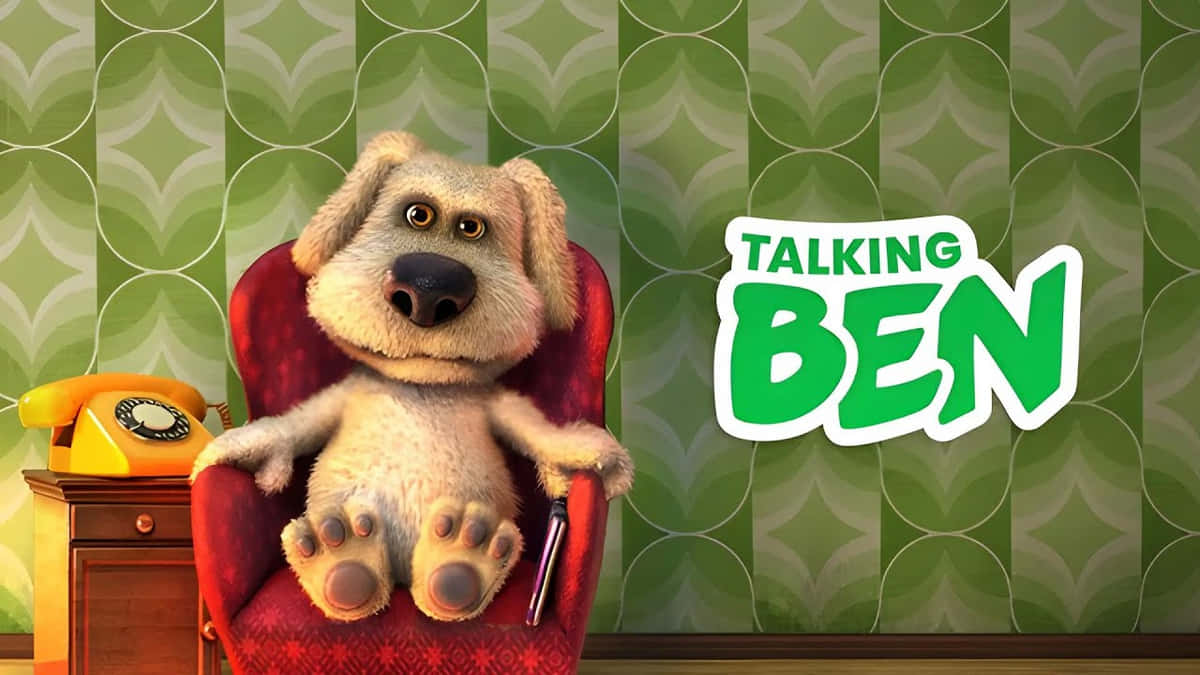
  • Talking Ben Soundboards: The Top 5 Picks for 2025

    Talking Ben Soundboards: The Top 5 Picks for 2025

    Talking Ben Soundboards: The Top 5 Picks for 2025
    Image Source: pexels

    Have you ever wanted to make your friends laugh with Talking Ben’s iconic voice? Talking Ben soundboards let you do just that! These tools are packed with hilarious phrases and sounds from the famous app character. Whether you’re looking to prank someone or create funny content, they’re your ultimate entertainment companion. Let’s dive into the best talking ben soundboards you can try today!

    Key Takeaways

    • Talking Ben soundboards are a fun way to make friends laugh with funny sounds and phrases.

    • Dubbing AI gives clear audio clips, great for serious projects.

    • Voicemod lets people change their voice to sound like Talking Ben, making streams and jokes better.

    What is Talking Ben?

    Have you played Talking Tom & Friends? If so, you’ve likely met Talking Ben the Dog. He’s not just any dog—he’s smart, funny, and unforgettable. But who is Ben, and why do fans love him?

    Talking Ben is a cartoon dog with floppy ears, a big nose, and brown eyes. Over time, his look has changed to be more fun. In Talking Tom Gold Run, he looks smaller and simpler, without his fur. In Talking Tom Hero Dash, he becomes a superhero with a cool costume. At first, Ben didn’t wear clothes, but in Season 4 of the show, he started wearing a polo shirt and pants. This made him look more relatable and stylish.

    Ben’s personality is what makes him special. He used to teach chemistry and now loves doing experiments in his lab. In the Talking Ben app, he mixes potions and answers calls with funny reactions. His clever jokes and silly moments make him a favorite for laughs.

    Whether you’ve known him for years or just found out about him, Talking Ben is more than a talking dog. He’s full of surprises and always ready to make you smile.

    Recommended Sites to Get Free Talking Ben Soundboards

    Want to download Talking Ben soundboards for free? Check out these awesome websites. Each one has cool features to make it easy and fun.

    Dubbing AI

    Dubbing AI is great for Talking Ben soundboards. It uses smart AI to give you clear sound clips. You’ll find many of Ben’s funniest lines here. The site is easy to use, so you can quickly find and save sounds. If you make videos, this site is worth trying.

    EaseUS VoiceWave

    EaseUS VoiceWave is another top choice. It’s simple to use and has lots of Talking Ben soundboards. You can listen to sounds before downloading them. This helps you pick the perfect clip without wasting time.

    101 Soundboard

    101 Soundboard is perfect if you like simple designs. It has over 70 Talking Ben sounds, like his funny burps and snores. You can even set hotkeys to play sounds fast. This is great for jokes or live streams.

    Tuna Soundboard

    Tuna Soundboard is a fan-friendly site with over 800 Talking Ben sounds. You can like, save, and even use sounds with Voicemod. It’s awesome if you want a huge library and love connecting with other fans.

    SoundboardGuy

    SoundboardGuy is colorful and fun. It has meme sounds and classic Talking Ben phrases. The big buttons make it easy for everyone to use. It’s perfect for quick laughs and casual fun.

    Here’s a table to compare these sites:

    Site Name

    Number of Talking Ben Sounds

    Features

    Voicemod Tuna

    800+

    Fan-driven, lets you play, like, save sounds, and works with Voicemod.

    Myinstants

    30

    Bright buttons for meme sounds, includes Ben’s classic lines.

    101 Soundboards

    70+

    Simple design, hotkey support, offers burps, snores, and more Ben sounds.

    Jayuzumi

    35

    Works on desktop/mobile, lets you adjust playback, share, and save sounds.

    With these sites, you’ll find the best Talking Ben soundboards. Whether for fun or projects, they’ve got what you need!

    Dubbing AI Talking Ben Soundboard

    Cool Features

    Dubbing AI’s Talking Ben soundboard has awesome tools to enjoy. It offers many Talking Ben sounds, like his laugh and silly burps. You can change your voice to sound like Talking Ben instantly. This is great for jokes or live streaming. The soundboard lets you mix sounds to make funny combos. Whether you’re just having fun or making videos, Dubbing AI makes it exciting and creative.

    Easy to Use

    Dubbing AI’s Talking Ben soundboard is simple to use. The design is clean, with big buttons that are easy to click. You can quickly find the sounds you want without searching too much. Changing your voice is fast, and you can drag and drop sounds to customize them. Even if you’ve never used a soundboard before, Dubbing AI makes it easy to learn.

    Cost and Plans

    Dubbing AI has different plans for everyone. You can try the free version, which has basic Talking Ben sounds and voice-changing tools. If you want more features, like extra sounds and advanced options, you can upgrade to the Pro plan. The Pro plan is affordable, with monthly or yearly payments. If you love making content or playing with sounds, the Pro plan is a good choice.

    Works Everywhere

    Dubbing AI works on many devices. It runs on Windows and macOS, so most people can use it. You can also connect it to apps like Discord, Zoom, and Twitch. This lets you use Talking Ben sounds during calls, streams, or games. No matter where you are, Voicemod makes it easy to enjoy Talking Ben’s funny voice.

    Comparison of the Best Talking Ben Soundboards

    Key Features

    Picking the best Talking Ben soundboard depends on its unique features. Voicemod lets you change your voice to sound like Talking Ben. Tuna Soundboard has over 800 sounds, giving you tons of choices for fun.

    EaseUS VoiceWave is great for beginners. It’s simple to use and lets you hear sounds before downloading. Dubbing AI uses smart tools to give you clear and high-quality audio clips. SoundboardGuy is easy to use with bright buttons and a colorful design.

    Pricing

    Prices differ based on what you want. Some soundboards, like 101 Soundboard and SoundboardGuy, are free. These are perfect for having fun without spending money.

    Voicemod has free and paid plans. The free version has basic tools, but the Pro plan gives you advanced features like voice-changing. Dubbing AI also offers free and paid options for casual users and professionals.

    Platform Compatibility

    Make sure the soundboard works on your devices. Voicemod runs on Windows and macOS, so it’s good for most people. It also works with apps like Discord and Twitch for streaming or calls.

    Tuna Soundboard and 101 Soundboard work on desktop and mobile browsers. EaseUS VoiceWave and SoundboardGuy are mobile-friendly, so you can use them anywhere. No matter your device, there’s a soundboard for you.

    The top 5 Talking Ben soundboards each bring something unique to the table:

    • Dubbing AI: Perfect for high-quality audio and professional projects.

    • Voicemod: Great for live streams and voice-changing fun.

    • EaseUS VoiceWave: Ideal for beginners.

    • Tuna Soundboard: A treasure trove for fans.

    • SoundboardGuy: Best for quick laughs.

    🎉 Pro Tip: Try Dubbing AI for premium sound quality and an effortless experience. You’ll love how easy it is to create fun moments!

    Which one will you try first? Let us know!

    FAQ

    What’s the easiest Talking Ben soundboard for beginners?

    EaseUS VoiceWave is great for new users. It’s simple to use and lets you listen to sounds before downloading. You’ll find it easy to explore!

    Can I use Talking Ben soundboards on my phone?

    Yes! Tuna Soundboard and SoundboardGuy work well on mobile browsers. You can use them anytime for quick laughs or fun ideas.

    Are Talking Ben soundboards free to use?

    Some are free, like 101 Soundboard and SoundboardGuy. Voicemod and Dubbing AI have free versions, but their paid plans give extra features.

    💡 Tip: Try free soundboards first to see what you like. Upgrade later if you want more tools!

    See Also

    Elevate Your Gaming Experience Using Dubbing AI Soundboard

    Explore Free Sound Boards: Experience Dubbing AI Community Sounds

    Maximize Your Impact in Roblox with Sound Button Usage

    Incorporate Pokemon Sound Buttons into Your Valorant Gameplay

    Selecting the Best Voice Changer and Soundboard for Gaming

  • Sad Hamster Song: Funniest Meme Versions

    Sad Hamster Song: Funniest Meme Versions

    Sad Hamster Song: 10 Funniest Meme Versions
    Image Source: pexels

    The “Sad Hamster Song” is super popular online right now. You’ve likely seen it shared all over the internet. It’s ranked #7 among the biggest viral trends today. Funny edits and silly remixes make it a creative hit. Do you have a favorite version of the meme yet?

    Key Takeaways

    • The Sad Hamster Song mixes funny and sad feelings, so many people like it.

    • TikTok made the meme more popular. People make funny edits and remixes.

    • You can make your own Sad Hamster Song with Dubbing AI. It lets you be very creative.

    Why Sad Hamster Song is Trending Now?

    Have you noticed how some memes just take over the internet overnight? The Sad Hamster Song is one of those viral sensations. But why is it everywhere right now? Let’s break it down.

    First, this meme has a unique mix of humor and emotion. It’s funny, but it also tugs at your heartstrings. That’s why it connects with so many people, no matter their age. It’s not just Gen Z sharing it—everyone finds it relatable.

    On social media, the numbers speak for themselves:

    • Over 197,000 videos have used the Sad Hamster Song.

    • It’s emotionally resonant, making it a hit across different demographics.

    TikTok, in particular, has played a huge role in its popularity.

    The meme’s versatility is another reason for its success. You can pair it with almost any situation—awkward moments, funny fails, or even dramatic scenes. It’s like the perfect soundtrack for life’s little struggles.

    So, if you’ve been laughing (or crying) along with the Sad Hamster Song, you’re not alone. It’s a trend that’s here to stay—for now, at least!

    Top Sad Hamster Song Memes You Can’t Miss

    Singing Hamster

    This version takes the sad hamster to a whole new level. Imagine the hamster not just looking sad but actually singing its heart out. People have edited the video to make it look like the hamster is belting out emotional ballads. It’s hilarious and oddly touching at the same time. You can’t help but laugh when you see the tiny hamster “singing” with so much passion. It’s like a mini pop star in the making!

    Call with Hamster

    Ever wondered what it would sound like if the sad hamster made a phone call? Well, this meme answers that question. In this version, the hamster looks like it’s on the phone, delivering some dramatic news. The edits often pair it with funny voiceovers or relatable captions like, “When you call your best friend after a bad day.” It’s a perfect mix of humor and drama.

    Friday Nights at Sad Hamster

    This one is for the gamers out there. It’s a parody of the popular game “Friday Nights at Freddy’s,” but with a sad hamster twist. The hamster becomes the main character in a spooky, yet funny, scenario. Fans of the game love how this meme combines the eerie vibe of the original with the humor of the sad hamster song.

    Hampter

    “Hampter” is a meme within a meme. It’s a playful take on the word “hamster,” and it’s often paired with exaggerated edits of the sad hamster. Think giant eyes, dramatic zoom-ins, and over-the-top captions. It’s silly, it’s weird, and it’s absolutely hilarious. If you’re looking for a meme that doesn’t take itself seriously, this one’s for you.

    Honorable Mention

    There are so many creative versions of the sad hamster song that it’s hard to pick just one honorable mention. From mashups with other viral trends to edits featuring famous movie scenes, the possibilities are endless. One standout is the “Sad Hamster in Space” meme, where the hamster floats through a galaxy of emotions. It’s both funny and oddly beautiful.

    Minecraft Sad Hamster

    Minecraft fans have embraced the sad hamster song in the most creative way. In this version, the hamster is recreated in Minecraft, complete with blocky tears and a dramatic setting. The meme has gained massive popularity, with over 750,000 views in just two weeks. It’s proof that the sad hamster song can fit into any world—even a pixelated one.

    Download Sad Hamster Songs in Dubbing AI

    Have you ever wanted to create your own version of the sad hamster song? With Dubbing AI, it’s easier than you think! This tool lets you download and remix the song in ways that match your creative vision. Whether you’re making a funny meme or adding a dramatic twist, Dubbing AI has you covered.

    Here’s how you can get started:

    1. Visit the Dubbing AI website: Head over to their official site and sign up for a free account.

    2. Search for the Sad Hamster Song: Use the search bar to find the original track. It’s super quick and easy.

    3. Customize Your Download: Choose from different formats like MP3 or WAV. You can even adjust the pitch or tempo to fit your project.

    4. Add Your Own Twist: Use Dubbing AI’s editing tools to add effects, voiceovers, or even mash it up with other sounds.

    Pro Tip: Experiment with the pitch settings to make the hamster sound even funnier or more dramatic. A little creativity goes a long way!

    Once you’ve downloaded your masterpiece, share it with friends or post it online. Who knows? Your version might just go viral!

    Dubbing AI makes it simple to join the fun and put your own spin on this internet sensation. So, what are you waiting for? Dive in and let your imagination run wild!

    The Sad Hamster Song meme proves how creative and funny the internet can be. It’s not just popular with one group—it connects with people everywhere.

    Which version made you laugh the hardest? Drop your thoughts or share your own remix in the comments!

    FAQ

    What is the Sad Hamster Song?

    The Sad Hamster Song is a viral meme featuring a melancholic hamster paired with a dramatic, emotional soundtrack. It’s funny, relatable, and perfect for internet humor.

    How can I create my own Sad Hamster meme?

    You can use tools like Dubbing AI to remix the song. Add effects, captions, or voiceovers to make your version unique. Let your creativity shine!

    Why is the Sad Hamster meme so popular?

    It’s popular because it mixes humor with emotion. People love how it fits awkward, funny, or dramatic moments. Plus, it’s super versatile for edits!

    Pro Tip: Pair the Sad Hamster Song with a relatable moment from your life for maximum laughs!

    See Also

    Make Funny Hamster Memes With Your Soundboard Skills

    Enhance Your Cat Memes With Creative Soundboard Use

    Explore Your Imagination: Craft Memes Using Voice Changer

    Tips for Using Voice Changer to Create Unique Memes

    Best Three Voice Changer Pranks You Can Try in CS:GO

  • What to Know About Voice Cloning: Keep Your Favorite Voice

    What to Know About Voice Cloning: Keep Your Favorite Voice

    How to use voice clone to keep your favorite voice with you by Dubbing AI
    Image Source: unsplash

    Interested in preserving your favorite voice? With voice cloning technology, dubbing AI offers a groundbreaking solution. With the ability to replicate human voices accurately, this innovative technology has captivated over 63.6% of individuals familiar with it.

    The Best AI Voice Changer with soundboard

    The significance of maintaining a beloved voice resonates deeply, as evidenced by the 90% who express concern about these advancements. Enter dubbing AI, a game-changer in audio translation and voice preservation, ensuring authenticity while embracing cutting-edge capabilities.

    Understanding Voice Cloning

    What is Voice Cloning?

    Creating synthetic voice copies, voice cloning relies on advanced algorithms to mimic speech patterns accurately. With state-of-the-art technology, Dubbing AI ensures precise voice duplication. The only thing you need to do is uploading a 1 minite voiceline, and Dubbing AI will finish everything left for you.

    Utilizing sophisticated algorithms, voice cloning analyzes audio data to replicate voices faithfully. Dubbing AI’s platform integrates these techniques seamlessly for optimal results. You can get the perfect voice model for the voiceline uploaded.

    Applications of Voice Cloning

    Personal use cases

    Preserving cherished memories through replicated voices resonates deeply with users. Whether for personal messages or family archives, voice cloning by Dubbing AI offers a heartfelt solution.

    Professional and commercial applications

    In professional settings, accurate voice duplication is invaluable for dubbing projects and language localization. Businesses leverage Dubbing AI’s technology for enhanced customer engagement.

    Getting Started with Dubbing AI

    Going to Dubbing AI’s website, download and install the APP, then you will have everything you need.

    How to clone your voice

    1. Turn on Dubbing AI and find “voice cloning”.

    2. Click clone now and start your cloning.

    3. Upload your voice files more than 1 minute.

    4. Submit your file and start the trainning.

    Recording Guidelines

    1. Find a quiet environment free from background noise.

    2. Use a reliable microphone or headset for optimal recording quality.

    3. Speak clearly and at a moderate pace during the recording process.

    4. Ensure consistent volume levels throughout the sample for accurate analysis.

    Once you have set up your account and prepared a suitable voice sample, you are ready to embark on the exciting journey of voice cloning with Dubbing AI.

    There you have it: The ultimate unique voice changer and soundboard to bring your online group chats and gameplays to life! Get creative with your voice by playing around with the different filters and effects, pair your new persona with an epic soundboard.

    See Also

    Exploring AI Voice Cloning: Mastering Your Voice with AI

    Exploring Cutting-Edge AI Voice Cloning Tools for Authentic Voiceovers

    Harnessing the Potential of Dubbing AI: Voice Cloning and Beyond

    Empower Your Voice with AI Voice Changer: Introducing Dubbing AI

    The Next Era of Dubbing AI: Evaluating Top Free Voice Cloning Tools

  • Top Doom: The Dark Ages Tracks in 2025

    Top Doom: The Dark Ages Tracks in 2025

    Top Doom The Dark Ages Tracks in 2025
    Image Source: pexels

    You’ve likely felt it—the thrill when the Doom: The Dark Ages soundtrack begins to play. The music isn’t just background noise; it immerses you in its dark, untamed world. Tracks like “From the Ashes,” “Ancestral Beast,” and “Into the Void” are truly unique. They feel more like epic journeys than ordinary songs. Mick Gordon’s genius shines through, blending powerful beats with haunting melodies. Every note feels alive, pulling you deeper into the game’s intense atmosphere. The Doom: The Dark Ages soundtrack isn’t just music; it’s the very essence of Doom, making every moment unforgettable.

    Key Takeaways

    • The Doom: The Dark Ages music pulls players into a dark, epic world. It makes the game more exciting.

    • Songs like ‘From the Ashes’ and ‘Ancestral Beast’ bring strong feelings. They make battles feel thrilling and unforgettable.

    • ‘Into the Void’ and ‘When the Shadows First Lengthened’ show how music adds suspense. It also helps tell the game’s story.

    • Mick Gordon mixes orchestra and heavy guitar in a cool way. This sets a new level for video game music.

    • The music is still loved in 2025. It shows how it stays special and important to players and the gaming world.

    The Most Iconic Tracks of Doom: The Dark Ages Soundtrack

    The Most Iconic Tracks of Doom: The Dark Ages Soundtrack
    Image Source: unsplash

    From the Ashes

    You know that feeling when a song instantly pulls you into another world? That’s exactly what “From the Ashes” does. This track opens with a haunting melody that feels like the calm before a storm. Then, the drums kick in, and suddenly, you’re in the middle of a battlefield. The way the music builds mirrors the intensity of Doom: The Dark Ages itself. It’s not just a song—it’s a story of survival and rebirth. Whether you’re exploring ancient ruins or facing off against a horde of demons, this track makes every moment feel larger than life.

    Fun Fact: Many fans consider “From the Ashes” the anthem of Doom: The Dark Ages. Its blend of orchestral and industrial elements perfectly captures the game’s dark yet epic tone.

    Ancestral Beast

    If there’s one track that screams raw power, it’s “Ancestral Beast.” The heavy guitar riffs and pounding bassline make you feel unstoppable. You can almost hear the growl of a monstrous creature lurking in the shadows. This track plays during some of the most intense battles in the game, and it’s impossible not to feel your adrenaline spike. The rhythm is relentless, just like the enemies you face. It’s the kind of music that makes you want to charge headfirst into danger, no matter the odds.

    What’s really cool about “Ancestral Beast” is how it ties into the lore of Doom: The Dark Ages. The music reflects the primal energy of the ancient beasts you encounter, making every fight feel personal. It’s not just a battle theme—it’s a declaration of war.

    Into the Void

    “Into the Void” is where things get eerie. This track is slower, more atmospheric, and downright chilling. It’s the perfect backdrop for exploring the darker corners of Doom: The Dark Ages. The low, droning tones and echoing effects make you feel like you’re truly alone in a vast, unforgiving world. But then, out of nowhere, the tempo shifts, and you’re thrown into chaos. It’s a masterclass in building tension and keeping you on edge.

    This track stands out because it doesn’t just accompany the game—it shapes how you experience it. You’re not just playing; you’re surviving. The soundtrack here doesn’t just set the mood; it becomes the mood. It’s a reminder that in Doom, danger is always just around the corner.

    Invasion

    Invasion” is the track that grabs you by the collar and throws you straight into the chaos. From the very first note, it’s clear this isn’t just another background tune. The pounding drums and sharp, distorted guitar riffs make you feel like you’re in the middle of an all-out war. It’s the kind of music that doesn’t just accompany the action—it is the action. You can almost hear the clash of swords and the roar of demons as the track builds to its explosive climax.

    What makes “Invasion” so unforgettable is how it mirrors the intensity of the gameplay. Whether you’re defending a crumbling fortress or charging into enemy territory, this track amplifies every moment. The tempo shifts keep you on edge, never letting you settle into a rhythm. It’s unpredictable, just like the battles in Doom: The Dark Ages.

    Pro Tip: If you’re looking for a track to add to your workout playlist, “Invasion” is a perfect choice. Its relentless energy will push you to your limits, just like the game does.

    When the Shadows First Lengthened

    This track is pure storytelling through sound. “When the Shadows First Lengthened” takes you on a journey, starting with a slow, ominous build-up. The eerie strings and distant echoes create a sense of unease, as if something ancient and powerful is awakening. Then, the music erupts into a thunderous symphony of chaos, perfectly capturing the moment when darkness truly takes over.

    You’ll hear this track during some of the most pivotal moments in Doom: The Dark Ages. It’s not just music; it’s a signal that something big is about to happen. The way it transitions from quiet tension to full-blown intensity mirrors the emotional rollercoaster of the game. It’s a reminder that in Doom, the stakes are always high, and the shadows are never far behind.

    Fun Fact: Fans often debate whether this track or “From the Ashes” is the best on the full track list. Both are masterpieces, but “When the Shadows First Lengthened” has a haunting quality that’s hard to forget.

    Why Doom: The Dark Ages Soundtracks Stand Out

    Unique Composition and Style

    The Doom: The Dark Ages soundtrack stands out because of its bold and innovative style. Mick Gordon, the composer who composed it, masterfully blends orchestral elements with crushing riffs and pounding drums. This mix creates a sound that feels both ancient and modern. You can hear how the bass and guitar riffs drive the intensity, while the orchestral layers add depth and grandeur. Each track feels like it was crafted to match the game’s brutal yet epic tone. It’s not just music; it’s a score that redefines what video game scores can achieve.

    Emotional Resonance and Atmosphere

    Every track in the dark ages soundtrack pulls you into the world of Doom: The Dark Ages. The music doesn’t just play in the background—it makes you feel something. Whether it’s the eerie tension of “Into the Void” or the raw power of “Ancestral Beast,” the soundtrack creates an emotional connection. You feel the weight of every battle and the loneliness of every quiet moment. The way the music shifts between calm and chaos mirrors the game’s emotional highs and lows. It’s this resonance that makes the soundtrack unforgettable.

    Connection to Key Game Moments

    The Doom: The Dark Ages soundtrack doesn’t just enhance the game; it defines its most iconic moments. Think about the first time you hear “When the Shadows First Lengthened.” The slow build-up and explosive climax perfectly match the unfolding story. Or the relentless energy of “Invasion” during a massive battle. The music feels like it’s part of the action, not just an accompaniment. It’s this seamless connection between the score and gameplay that makes every moment feel epic. You’re not just playing Doom; you’re living it.

    How the Doom: The Dark Ages Soundtrack Enhances the Game

    Immersive World-Building

    The Doom: The Dark Ages soundtrack pulls you into its world like nothing else. Every track feels like it was crafted to match the game’s medieval, apocalyptic setting. The orchestral tones mixed with heavy guitar riffs create a soundscape that feels ancient yet intense. You can almost hear the echoes of forgotten battles and the whispers of dark forces as you explore the game’s haunting environments.

    The music doesn’t just play in the background—it paints the world around you. When you’re wandering through crumbling castles or eerie forests, the soundtrack makes you feel like you’re truly there. It’s not just a game anymore; it’s an experience. The soundtrack transforms the visuals into something alive, making every corner of Doom: The Dark Ages feel rich and full of history.

    Amplifying Tension and Action

    The soundtrack doesn’t just set the mood—it cranks up the intensity. During battles, the music shifts into high gear, matching the chaos on screen. Tracks like “Invasion” and “Ancestral Beast” make your heart race as you face wave after wave of enemies. The pounding drums and sharp guitar riffs make every fight feel like a life-or-death struggle.

    What’s fascinating is how the music reacts to you. Advanced gameplay analytics, like electromyography (EMG) and galvanic skin response (GSR), measure your physical state. If your muscles tense or your sweat levels rise, the soundtrack adjusts dynamically. This means the music gets even more intense when you’re in the heat of battle, amplifying the tension and making every moment unforgettable.

    Creating Memorable Player Experiences

    The Doom: The Dark Ages soundtrack doesn’t just enhance the game—it creates memories. Think about the first time you heard “When the Shadows First Lengthened.” That slow build-up and explosive climax stick with you long after you’ve put down the controller. The music ties itself to key moments, making them impossible to forget.

    It’s not just about the big battles, though. Even the quieter tracks, like “Into the Void,” leave a lasting impression. They make you feel the weight of the world you’re exploring. The soundtrack turns every moment into a story, making Doom: The Dark Ages more than just a game. It becomes a journey you’ll remember for years.

    Dubbing AI Presents: Download Free Doom: The Dark Ages Soundboard

    Dubbing AI’s sound solutions empower creators, gamers, and voice enthusiasts to elevate their projects with ease. Whether you’re building a custom soundboard or diving into immersive voiceovers, Dubbing AI combines innovation with simplicity. The “Doom: The Dark Ages Soundboard” is no exception — packed with high-quality effects and thrilling tones, it’s perfect for setting a medieval or fantastical vibe. Let’s break down its standout features:

    1. Customizable & User-Friendly
      Create your own personalized soundboard effortlessly. Upload custom effects, mix themes, and access preloaded soundscapes including the iconic Doom: The Dark Ages.

    2. High-Quality Audio Effects
      Enjoy crystal-clear sound designed for professional use in gaming, streaming, or voiceovers. The curated effects from The Dark Ages capture the gritty, medieval atmosphere perfectly.

    3. Real-Time Integration
      Instantly use sound effects in games like Valorant or CS:GO, or spice up your Discord calls. Dubbing AI ensures seamless integration for live use.

    4. Free & Easy Downloads
      Need quality content fast? Dubbing AI allows free downloading of sound packs such as The Dark Ages for immediate use in creative projects.

    5. AI-Powered Innovation
      Powered by cutting-edge AI, sound effects and voice modulation are intelligently enhanced, giving users access to tools typically reserved for professionals.

    The Doom: The Dark Ages soundtrack has left a lasting impression on players, and it’s easy to see why. Tracks like “From the Ashes” and “Ancestral Beast” stand out with their powerful energy and emotional depth. Each song feels like it was made to pull you deeper into the world of doom, making every battle and quiet moment unforgettable.

    This soundtrack isn’t just music—it’s a key part of what makes Doom: The Dark Ages so iconic. Now, it’s your turn! What’s your favorite track? Share your thoughts and join the conversation about this legendary soundtrack.

    FAQ

    Where can I hear the Doom: The Dark Ages music?

    You can listen to the soundtrack on Spotify, Apple Music, or YouTube Music. It’s also sold on iTunes and Amazon Music. Enjoy the tracks anytime you want!

    Can I get the soundtrack on vinyl?

    Yes, you can! Special vinyl versions are sold in official stores and online shops. They’re great for collectors or fans of vinyl’s deep sound.

    Who made the Doom: The Dark Ages soundtrack?

    Mick Gordon, the famous composer of past Doom music, created it. His mix of orchestra and industrial sounds brings the game’s dark world alive.

    How is this soundtrack different from other Doom games?

    This music blends medieval orchestra tones with Doom’s heavy guitar riffs. It feels old and new, matching the game’s theme. Each song tells a unique story.

    Is there a deluxe version of the soundtrack?

    Yes! The deluxe version has extra songs, behind-the-scenes content, and special artwork. It’s perfect for fans who want more Doom: The Dark Ages fun.

    See Also

    Dubbing AI Innovations: Transforming Voiceover Production by 2024

    Dubbing AI’s Impact: Changing Gaming and Streaming Experiences

    AI Dubbing Advancements: Transforming the Voiceover Landscape Ahead

    Enhance Your Voice: Five Techniques for a Deeper Tone

    2024: Discovering Real-Time AI Voice Modulation for Dubbing

  • Who is Kyle Crane’s voice actor? Find out!

    Who is Kyle Crane’s voice actor? Find out!

    Who is Kyle Crane’s voice actor? Find out!
    Image Source: pexels

    Kyle Crane is the main hero in Dying Light, brought to life by the talented Kyle Crane voice actor, Roger Craig Smith. Smith’s performance highlights Crane’s bravery, struggles, and kindness, making him a truly memorable character. His voice transformed Crane into more than just a character; it created a lasting impression that fans will always remember.

    Key Takeaways

    • Roger Craig Smith voices Kyle Crane in Dying Light. He adds emotion and personality to the character.

    • Smith has voiced many famous characters like Sonic the Hedgehog and Ezio Auditore. This shows his skill in playing different roles.

    • His work as Kyle Crane helped make Dying Light popular. It made the story more interesting and easy to connect with for players.

    Who is Roger Craig Smith?

    Early career and background

    Roger Craig Smith didn’t start as a voice actor. He began his career doing stand-up comedy during and after college. His comedy acts included funny voices and characters. These caught the attention of people in the entertainment industry. They asked if he had thought about voiceover work, which sparked his interest.

    To improve, Smith took voice acting classes in Burbank, California. He spent a few years meeting people and gaining experience. This helped him land small jobs. One of his first gigs was a nurse training video, earning him $75. It wasn’t fancy, but it was a start. His first video game job came in 2004 with Castle Shikigami 2. There, he learned how to improvise while acting.

    Smith’s big break happened after taking an animation class in Los Angeles. An agency noticed him there, helping him start his journey to becoming a famous voice actor.

    Notable roles in gaming and animation

    If you play video games or watch cartoons, you’ve likely heard Roger Craig Smith’s voice. He has voiced many well-known characters in games and animated shows.

    • He’s been Sonic the Hedgehog’s voice since 2010.

    • He played Ezio Auditore da Firenze in Assassin’s Creed II, Brotherhood, and Revelations.

    • He voiced Chris Redfield in Resident Evil, starting with Resident Evil 5.

    • He’s also voiced Captain America in Marvel cartoons and games.

    Smith doesn’t just work in games. He’s voiced anime characters, like in Naruto, and played Curtis Miller in Resident Evil: Degeneration. His ability to voice different types of characters makes him a favorite among fans and creators.

    Recognition and achievements in voice acting

    Roger Craig Smith’s career is full of impressive achievements. Here are some highlights:

    Milestone

    Description

    Founding a Tech Startup

    Smith started a tech company that created new, helpful tools.

    Receiving the Innovation Leadership Award

    In 2018, he won an award for his creative ideas and leadership skills.

    Authoring a Best-Selling Book

    He wrote a popular book to help future entrepreneurs with tips on creativity and leadership.

    Along with these achievements, Smith’s voice acting has gained him many fans. His roles as Ezio and Sonic have made a big impact in gaming. Fans love how he brings life and personality to every character he voices.

    Roger Craig Smith as Kyle Crane’s voice actor

    How he brought Kyle Crane to life

    Roger Craig Smith didn’t just give Kyle Crane a voice. He made Crane feel alive and full of emotion. You can hear Crane’s bravery and struggles in every word. Smith’s skill made Crane seem strong but also human. Whether Crane was jumping across rooftops or making tough choices, Smith’s voice added meaning to his actions.

    Smith’s work in other games helped him create Crane’s personality. He knew how to make a hero feel real and relatable. His voice showed Crane’s inner battle between doing his job and caring for others. This made Crane more than just a game character—it made him someone players could cheer for.

    Challenges and highlights of voicing Kyle Crane

    Voicing Kyle Crane wasn’t always easy for Smith. He had to show Crane’s feelings while keeping the game’s serious tone. Imagine sounding hopeful in a world full of zombies and danger. That’s a tough job!

    One fun part was matching Crane’s voice to his parkour moves. Smith had to sound excited during action-packed moments. When Crane jumped rooftops or fought zombies, Smith’s voice made it thrilling. He also adjusted to the game’s story choices, making Crane’s reactions feel real no matter what players picked.

    Smith said it was rewarding to hear fans connect with Crane’s story. Even with challenges, he made Crane a memorable character in Dying Light.

    Fan reception and impact on Dying Light’s success

    Fans loved Kyle Crane, thanks to Smith’s amazing voice work. His performance made Crane feel real and relatable to players. Reviews often praised Crane for being emotional and believable.

    Dying Light became a popular game, even with some development issues. Players enjoyed the parkour and exploring the open world. Crane’s voice added to the fun and made missions feel important. Playing with friends made Crane’s journey even better.

    The game’s story was also special. Choices involving Crane and others made the plot emotional. Fans loved how Smith’s voice made those moments stronger. His work as Crane’s voice actor helped make the game a big success.

    Plus, if you’ve ever dreamed of sounding like Kyle Crane, Dubbing AI’s advanced voice changer can make it happen—give it a try today!

    Why Roger Craig Smith stands out in voice acting

    His skill to play many roles

    Roger Craig Smith is great at playing different characters. From Sonic the Hedgehog to Batman, he does them all well. He can voice heroes, villains, and everything in between. This makes him popular in games, cartoons, and movies.

    Think about it—how many actors can voice a speedy hedgehog and a serious superhero? Smith’s ability to show unique personalities makes him special. His work shows how a great voice can make any character unforgettable.

    His role in famous game series

    Smith’s voice is part of some of the biggest game series. He made Ezio Auditore in Assassin’s Creed a fan favorite. As Chris Redfield in Resident Evil, he added emotion to the story.

    In Dying Light, he voiced Kyle Crane, making him feel real. His work made the game’s story more emotional and relatable. Smith’s roles prove how important voice actors are to a game’s success.

    His impact on voice acting

    Smith has inspired many people who want to be voice actors. Playing big roles like Sonic and Batman has set a high bar. Fans and creators respect his hard work and talent.

    His legacy isn’t just about the characters he’s voiced. It’s also about showing that voice acting is a true art. Smith’s work keeps shaping games and cartoons, proving a great voice leaves a lasting mark.

    Roger Craig Smith brought Kyle Crane to life in Dying Light. His voice made Crane relatable and unforgettable. You can see how his talent shaped the game’s success. Smith’s work isn’t just about one role—it’s about inspiring fans and future voice actors. 🎮 His legacy in gaming keeps growing, and you’ll keep hearing his voice in iconic roles!

    FAQ

    What makes Roger Craig Smith’s voice acting special?

    He can change his voice to fit any character. Whether it’s a hero or a villain, he makes each one stand out. 🎮

    Has Roger Craig Smith worked on other zombie games?

    No, Dying Light is his only zombie game. But his role in Resident Evil shows his skill in scary survival games.

    Can fans meet Roger Craig Smith at events?

    Yes! He goes to gaming and comic conventions often. You might hear him talk about his famous roles there.

    See Also

    Explore Cutting-Edge AI Voice Cloning Tools for Realistic Voiceovers

    Essential Advice for Cultivating a Strong Voice as an Actor

    Uncover the Top Celebrity Voice Transformation App – Dubbing AI

    Comprehensive Guide to AI Voice Changers for Discord Pranks

    2024: Comprehensive Handbook for AI Voice Cloning and Dubbing